Every successful interview starts with knowing what to expect. In this blog, we’ll take you through the top Network Analysis and Troubleshooting Tools interview questions, breaking them down with expert tips to help you deliver impactful answers. Step into your next interview fully prepared and ready to succeed.
Questions Asked in Network Analysis and Troubleshooting Tools Interview
Q 1. Explain the TCP/IP model and its layers.
The TCP/IP model is a conceptual model that organizes how data is transmitted over a network. Think of it as a layered cake, each layer having a specific responsibility. It’s not a strict protocol suite like the OSI model, but it’s how most network engineers conceptualize internet communication.
- Application Layer: This is where applications interact with the network. Examples include HTTP (web browsing), FTP (file transfer), SMTP (email), and DNS (domain name resolution). It’s like the waiter taking your order at a restaurant.
- Transport Layer: This layer handles reliable and unreliable data transfer. TCP (Transmission Control Protocol) guarantees delivery and order, while UDP (User Datagram Protocol) is faster but doesn’t guarantee delivery. Imagine the kitchen staff preparing and delivering your food; TCP is like a carefully packaged order, while UDP is like a quicker, less formal delivery.
- Internet Layer (Network Layer): This layer handles addressing and routing of data packets between networks. IP (Internet Protocol) is the key protocol here, assigning addresses (like IP addresses) and determining the best path for data packets. This is like the delivery driver navigating the city to get your food to you.
- Network Access Layer (Link Layer): This layer deals with the physical transmission of data over the network medium, such as Ethernet cables or Wi-Fi. Protocols like Ethernet and Wi-Fi handle the actual transmission of bits across the wire or air. This is the final leg of the journey, like the delivery person ringing your doorbell.
Understanding the TCP/IP model helps troubleshoot network issues by isolating problems to a specific layer. For instance, if a web page won’t load, the problem could be in the application layer (web server down), transport layer (TCP connection issues), or even the network layer (routing problems).
Q 2. Describe the difference between a router and a switch.
Routers and switches are both networking devices, but they operate at different layers of the TCP/IP model and have distinct functions. Think of a switch as organizing traffic within a building, while a router manages traffic between buildings.
- Switch: Operates at the data link layer (Layer 2). It forwards data packets based on MAC addresses, which are unique identifiers for network interface cards. Switches create smaller broadcast domains, improving network efficiency. In essence, they’re like sophisticated traffic lights inside a building, ensuring data reaches the correct floor (device).
- Router: Operates at the network layer (Layer 3). It forwards data packets based on IP addresses, which are unique identifiers for devices on the internet. Routers connect different networks (like your home network and the internet). They’re the postal service of the internet, routing packages to their correct destination across different networks.
In simple terms, a switch connects devices within the same network, while a router connects different networks.
Q 3. What are the common network topologies?
Network topologies describe the physical or logical layout of nodes (devices) in a network. Choosing the right topology depends on factors like cost, scalability, and reliability.
- Bus Topology: All devices connect to a single cable. Simple but a single cable failure brings down the whole network. Imagine a linear street where all houses connect to a single power line.
- Star Topology: All devices connect to a central hub or switch. Most common topology because it’s easy to manage and fault tolerant; failure of one device doesn’t affect others. This is like a star-shaped network where all roads lead to a central location.
- Ring Topology: Devices connect in a closed loop. Data travels in one direction. Less common now, and a single failure can break the entire ring. Think of a circular race track, with data packets traveling around the track.
- Mesh Topology: Multiple paths exist between devices. Highly reliable because multiple paths exist if one fails. Very complex to set up and manage, like a complex web of interconnected highways.
- Tree Topology: A hierarchical structure, like a combination of star and bus topologies. Often used in larger networks with many departments. It’s like a branching tree with different levels connecting to a main trunk.
Q 4. How do you troubleshoot network connectivity issues?
Troubleshooting network connectivity involves a systematic approach. I follow these steps:
- Identify the problem: Is the problem affecting one device or the entire network? What are the symptoms (no internet access, slow speeds, intermittent connection)?
- Gather information: Check cables, power, and device status. Ask the user about recent changes or events that might have caused the problem.
- Isolate the problem: Use network tools (ping, tracert, nslookup) to pinpoint the location of the failure. Is it a problem with the device, the network connection, or a remote server?
- Implement the solution: Replace cables, restart devices, adjust network settings, or contact your internet service provider (ISP) if the issue is outside your control.
- Test and verify: After implementing the solution, test the network to ensure connectivity is restored. Document the solution for future reference.
For example, if a user reports no internet access, I would first check the cable connection, then use ping to test connectivity to the gateway (router), then tracert to see if I can reach a remote server, and finally nslookup to check DNS resolution.
Q 5. Explain the use of ping, tracert/traceroute, and nslookup commands.
These commands are essential for basic network troubleshooting.
ping:Sends ICMP echo requests to a target host and measures the round-trip time. It helps determine if a host is reachable.ping google.comwill check if Google’s servers are reachable.tracert/traceroute:Traces the route data packets take to reach a destination host. It shows the intermediate hops (routers) and helps identify where network connectivity breaks down.tracert google.comwill show the path your packets take to reach Google.nslookup:Queries DNS servers to resolve domain names to IP addresses. It’s helpful when you suspect DNS resolution problems.nslookup google.comwill show the IP address of Google’s servers.
These commands provide crucial information for diagnosing network connectivity issues. For instance, if ping fails, it indicates a basic connectivity problem; if tracert shows a hop that is unreachable, that points to a problem in the network path.
Q 6. What are common network security threats and how to mitigate them?
Common network security threats include:
- Malware: Viruses, worms, and trojans can infect devices and compromise data.
- Phishing: Attempts to trick users into revealing sensitive information (passwords, credit card details).
- Denial-of-Service (DoS) attacks: Flood a network or server with traffic, making it unavailable to legitimate users.
- Man-in-the-middle (MitM) attacks: Intercept communication between two parties.
- SQL injection: Exploiting vulnerabilities in web applications to access databases.
Mitigation strategies include:
- Firewalls: Control network traffic and block malicious connections.
- Intrusion Detection/Prevention Systems (IDS/IPS): Monitor network traffic for suspicious activity.
- Antivirus software: Protect devices from malware.
- Security awareness training: Educate users about phishing and other social engineering attacks.
- Regular security audits: Identify vulnerabilities and implement patches.
- Strong passwords and multi-factor authentication (MFA): Enhance account security.
A layered security approach is crucial. No single solution provides complete protection, but combining multiple layers significantly enhances overall security.
Q 7. Describe your experience with network monitoring tools (e.g., Nagios, Zabbix, PRTG).
I have extensive experience with network monitoring tools, including Nagios, Zabbix, and PRTG. These tools provide centralized monitoring of network devices, servers, and applications.
- Nagios: I’ve used Nagios for its robust monitoring capabilities and flexibility. Its plugin architecture allows for customization and extension. I’ve implemented Nagios to monitor server uptime, disk space, CPU utilization, and network bandwidth. For example, I once used Nagios to detect a failing hard drive on a critical server before it caused a major outage.
- Zabbix: Zabbix is a powerful open-source monitoring solution. Its scalability and broad range of supported devices made it ideal for large network monitoring projects. I’ve used Zabbix to monitor diverse infrastructure including routers, switches, firewalls, and databases. Its automated alerts were crucial for proactive troubleshooting.
- PRTG: PRTG offered a user-friendly interface with a comprehensive set of monitoring features. Its ease of use made it perfect for smaller networks. I’ve used PRTG to create dashboards that provide real-time visibility into network performance. Its intuitive reporting features made communicating issues to non-technical stakeholders much simpler.
My experience with these tools extends to setting up monitoring agents, configuring alerts, analyzing performance metrics, and generating reports to improve network performance and identify potential problems proactively.
Q 8. How do you analyze network performance using tools like Wireshark or tcpdump?
Analyzing network performance with Wireshark and tcpdump involves capturing and inspecting network packets. Think of it like having a microscopic view of all the data flowing across your network. Wireshark provides a rich graphical interface, while tcpdump is a command-line tool offering more control for scripting and automation.
Wireshark Analysis: After capturing packets, you’d filter them (e.g., tcp port 80 to see only HTTP traffic) and examine individual packets to identify latency, packet loss, retransmissions, and other performance bottlenecks. For instance, you might notice many TCP retransmissions indicating congestion or a faulty link. You can also analyze the timing of packets to pinpoint latency issues.
tcpdump Analysis: tcpdump -i eth0 -w capture.pcap captures packets on interface eth0 and saves them to capture.pcap. This file can then be analyzed with Wireshark or other tools. You might use tcpdump -i eth0 'port 443 and host example.com' to capture HTTPS traffic only to example.com. Analyzing the output can reveal dropped packets, slow response times, etc.
In both cases, understanding network protocols (TCP, UDP, HTTP) is crucial for accurate interpretation of the captured data. You’ll often see patterns indicative of specific problems, like slow DNS resolution adding to overall application latency.
Q 9. Explain the concept of VLANs and their uses.
VLANs, or Virtual LANs, are a way to logically segment a physical network into multiple broadcast domains. Imagine a large office building: you wouldn’t want the marketing department’s network traffic interfering with the accounting department’s, even if they’re all connected to the same physical switches.
How VLANs Work: VLANs use tagging to identify which traffic belongs to which VLAN. Each frame gets a VLAN tag added, indicating its logical network. Switches then only forward traffic within the same VLAN, isolating different groups of devices.
Uses of VLANs:
- Security: Isolate sensitive data by placing it on a separate VLAN.
- Performance: Reduce broadcast storms and improve overall network performance by segmenting traffic.
- Flexibility: Create virtual networks without requiring physical changes to the cabling.
- Management: Simplify network management by organizing devices into logical groups. For example, you might have separate VLANs for servers, workstations, and guest Wi-Fi.
Q 10. What are some common network protocols and their functions (e.g., TCP, UDP, HTTP, HTTPS)?
Network protocols define how data is transmitted and received over a network. Think of them as the languages computers use to communicate.
- TCP (Transmission Control Protocol): A reliable, connection-oriented protocol. It guarantees delivery of data in order and with error detection. It’s like sending a registered letter – you’re certain it’ll arrive, intact. Used for web browsing (HTTP/HTTPS), email (SMTP), and file transfers (FTP).
- UDP (User Datagram Protocol): An unreliable, connectionless protocol. It’s faster than TCP but doesn’t guarantee delivery or order. It’s like sending a postcard – it’s faster, but there’s no guarantee of arrival. Used for streaming (e.g., video conferencing), online gaming, and DNS.
- HTTP (Hypertext Transfer Protocol): Used for transferring web pages over the internet. It’s the foundation of the World Wide Web. Usually runs over TCP.
- HTTPS (Hypertext Transfer Protocol Secure): The secure version of HTTP, using SSL/TLS encryption to protect data transmitted between the client and server. Essential for secure online transactions.
Q 11. How do you identify and resolve network bottlenecks?
Identifying and resolving network bottlenecks requires a systematic approach. Think of a highway with a bottleneck; it slows down the entire flow of traffic. In networks, this is often caused by insufficient bandwidth, slow processing, or congested links.
Identifying Bottlenecks:
- Network Monitoring Tools: Use tools like SolarWinds, PRTG, or Nagios to monitor bandwidth usage, latency, packet loss, and CPU/memory utilization on network devices. These tools often provide visualizations to help identify problem areas.
- Packet Analyzers: Use Wireshark or tcpdump to analyze network traffic and identify slow connections or high latency. Analyzing packet sizes and timing is crucial.
- End-to-End Testing: Tools like iperf or ping can measure latency and throughput between two points. This can reveal whether the bottleneck is on a specific link or device.
Resolving Bottlenecks: The solution depends on the cause:
- Upgrade Hardware: Increase bandwidth by upgrading switches, routers, or network cards.
- Optimize Network Configuration: Adjust QoS settings, VLANs, or routing protocols to prioritize critical traffic.
- Address Faulty Devices: Replace or repair faulty hardware that’s causing packet loss or delays.
- Reduce Traffic: Implement measures to reduce unnecessary network traffic, for example, traffic shaping to limit bandwidth usage for less critical applications.
Q 12. Describe your experience with network automation tools (e.g., Ansible, Puppet, Chef).
I have extensive experience with network automation tools, primarily Ansible and Puppet. These tools are crucial for managing large and complex networks efficiently.
Ansible: I’ve used Ansible extensively for tasks like configuring network devices (routers, switches), deploying applications, and automating security updates. Its agentless architecture simplifies deployment and management. I appreciate its straightforward YAML syntax and the ease of creating reusable playbooks for automating repetitive tasks. For example, I created an Ansible playbook to configure hundreds of switches with consistent settings – a task that would take days manually.
Puppet: I’ve worked with Puppet in environments requiring more robust configuration management and infrastructure-as-code capabilities. It’s suitable for managing both servers and network devices. Its declarative approach allows defining desired states, and Puppet automatically makes the necessary changes. For example, I’ve used Puppet to manage the entire lifecycle of network devices, from initial deployment to upgrades and decommissioning.
Both tools significantly reduce human error, improve consistency, and save time when managing large and complex network infrastructure.
Q 13. Explain the difference between static and dynamic routing protocols.
Static and dynamic routing protocols differ in how they determine the best path for network traffic. Imagine you’re planning a road trip: a static route is like pre-planning your route meticulously, while a dynamic route is like using a GPS that adjusts your route based on traffic conditions.
Static Routing: Administrators manually configure routes on routers. It’s simple for small networks but becomes impractical for larger ones. It lacks adaptability to network changes and requires manual intervention when network topology alters. For example, you might configure a static route to direct traffic to a specific subnet via a particular interface.
Dynamic Routing: Routers automatically learn and adapt to network topology changes. They use routing protocols like OSPF, EIGRP, RIP, or BGP to exchange routing information with other routers, discovering the best path to destinations. This is essential for larger and more complex networks because they are self-healing and adapt to failures or changes. OSPF, for instance, is a link-state protocol that uses a sophisticated algorithm to determine the optimal routes. BGP is used for internet routing, connecting different Autonomous Systems (AS).
Q 14. How do you troubleshoot DNS issues?
Troubleshooting DNS issues requires a methodical approach. Think of DNS as the phone book of the internet; it translates domain names (like google.com) into IP addresses that computers understand. DNS issues can prevent you from accessing websites or services.
Troubleshooting Steps:
- Check Local DNS Resolution: Use the command
nslookupordigto check if your local machine can resolve the domain name. If it fails, the problem is likely local (e.g., misconfigured DNS settings). - Verify DNS Server Configuration: Ensure your network devices are correctly configured to use the correct DNS servers (often provided by your ISP).
- Check DNS Server Status: Ping your DNS server(s) to verify their availability and reachability. If they’re unreachable, the problem is with the DNS server itself.
- Examine DNS Records: If the DNS server is reachable but resolution still fails, use tools like
digwith options like+traceto examine the DNS resolution process. This helps pinpoint exactly where the failure occurred (e.g., a missing A record or an incorrect NS record). - Check for Network Connectivity: Ensure you have network connectivity to the internet. DNS resolution depends on proper network connectivity. A simple
ping google.comorping 8.8.8.8(Google’s public DNS) can indicate connectivity issues. - Check Firewall Rules: Firewalls might be blocking DNS queries. Temporarily disable the firewall to rule this out. However, it’s always recommended to verify the firewall rules and allow DNS traffic.
Q 15. What is a firewall and how does it work?
A firewall is a network security system that monitors and controls incoming and outgoing network traffic based on predetermined security rules. Think of it as a gatekeeper for your network, inspecting every piece of data that tries to pass through. It examines each data packet’s header information – such as source and destination IP addresses, ports, and protocols – and compares it against its configured rules. If a packet matches a rule allowing access, it’s permitted; otherwise, it’s blocked.
Firewalls employ various techniques, including packet filtering (checking headers), stateful inspection (tracking connections), and application-level gateways (deep packet inspection). For example, a firewall might be configured to block all incoming traffic on port 23 (Telnet), a notoriously insecure protocol, while allowing SSH traffic on port 22, a more secure alternative. In a corporate environment, a firewall protects internal servers and networks from external threats like malicious hackers and malware, while also potentially controlling access between internal network segments.
Career Expert Tips:
- Ace those interviews! Prepare effectively by reviewing the Top 50 Most Common Interview Questions on ResumeGemini.
- Navigate your job search with confidence! Explore a wide range of Career Tips on ResumeGemini. Learn about common challenges and recommendations to overcome them.
- Craft the perfect resume! Master the Art of Resume Writing with ResumeGemini’s guide. Showcase your unique qualifications and achievements effectively.
- Don’t miss out on holiday savings! Build your dream resume with ResumeGemini’s ATS optimized templates.
Q 16. What are the different types of network cables and their characteristics?
Network cables differ significantly in their characteristics, impacting speed, distance, and application. Here are some common types:
- Cat5e/Cat6/Cat6a: Twisted-pair copper cables. Cat5e is older, supporting Gigabit Ethernet up to 100 meters. Cat6 and Cat6a offer improved performance and higher bandwidth, supporting 10 Gigabit Ethernet over shorter distances. They’re widely used in offices and homes for LAN connections.
- Fiber Optic Cables: These transmit data using light pulses, offering significantly higher bandwidth and longer distances compared to copper. Multi-mode fiber is suitable for shorter distances, while single-mode fiber excels over long distances (tens or even hundreds of kilometers), making them crucial for long-haul network backbones and high-speed data centers.
- Coaxial Cables: Used primarily for cable television and older Ethernet networks, they feature a central conductor surrounded by insulation and shielding. They offer less bandwidth and are susceptible to signal interference compared to twisted-pair or fiber.
The choice of cable depends heavily on the speed requirements, budget, and distance involved. For example, a small office might use Cat6 cables, while a large enterprise data center might utilize fiber optic cables to connect different buildings or server racks.
Q 17. Explain the concept of IP addressing (IPv4 and IPv6).
IP addressing is the system used to uniquely identify devices on a network. IPv4 uses 32-bit addresses represented in dotted-decimal notation (e.g., 192.168.1.1), while IPv6 uses 128-bit addresses represented in hexadecimal notation (e.g., 2001:0db8:85a3:0000:0000:8a2e:0370:7334). IPv4’s limited address space is a major reason for the adoption of IPv6.
Each part of an IPv4 address represents a network and host portion (defined by the subnet mask). For instance, 192.168.1.1/24 indicates a network address of 192.168.1.0 with a subnet mask of 255.255.255.0, meaning that devices with IPs from 192.168.1.1 to 192.168.1.254 belong to that same network. IPv6 addresses use a hierarchical structure, offering far more addresses and improved routing capabilities. Consider it akin to phone numbers: IPv4 is like having a limited number of 7-digit numbers, while IPv6 provides essentially unlimited numbers with a more sophisticated area code system.
Q 18. How do you configure and manage DHCP servers?
DHCP (Dynamic Host Configuration Protocol) servers automatically assign IP addresses, subnet masks, default gateways, and other network configuration parameters to devices on a network. This eliminates the need for manual configuration, simplifying network management.
Configuration involves setting up the DHCP server software (like those found in Windows Server or Linux distributions), defining IP address pools (ranges of available addresses), setting the lease time (how long an address is assigned), and configuring DNS server addresses (for name resolution). Management includes monitoring DHCP server logs to identify issues, troubleshooting address conflicts, and adjusting lease times or IP address pools as needed. For instance, if many devices are joining the network, you might need to increase the size of the IP address pool. Using a central DHCP server promotes consistency and efficiency, simplifying the addition of new devices to the network.
Q 19. Describe your experience with VPNs and their security implications.
VPNs (Virtual Private Networks) create secure connections over public networks like the internet. They encrypt data transmitted between the VPN client and server, protecting it from eavesdropping. Think of it as creating a private tunnel within a public space. This is crucial when accessing sensitive data remotely.
My experience includes configuring and managing both site-to-site (connecting two networks) and remote access VPNs (allowing individual users to connect). Security implications are significant. While VPNs enhance security, they’re not foolproof. Weak encryption protocols, insecure VPN server configurations, and vulnerabilities in the VPN software can compromise security. I always prioritize using strong encryption algorithms (like AES-256) and ensuring regular updates of VPN software and server firmware to mitigate these risks. Regular security audits and penetration testing of VPN infrastructure are essential to maintain a robust and secure environment.
Q 20. Explain the process of setting up a network infrastructure.
Setting up a network infrastructure is a multi-step process. It starts with defining requirements: What’s the network’s purpose? How many users? What bandwidth is needed? What security measures are required? Based on this, you’d choose appropriate hardware (routers, switches, firewalls, servers) and software (operating systems, network management tools). Then comes the physical installation and cabling.
Next is the logical configuration: assigning IP addresses, setting up subnets, configuring routing protocols (like OSPF or BGP), and implementing security measures (firewalls, access controls). This stage usually includes testing network connectivity and performance. After this, you’d configure network services such as DNS, DHCP, and email. Finally, ongoing maintenance includes monitoring network performance, addressing security threats, and proactively upgrading or replacing aging equipment. It’s a bit like building a house; you need a solid foundation (requirements), construction (hardware and software), interior design (configuration), and ongoing maintenance to ensure it functions properly and remains secure.
Q 21. What are the key performance indicators (KPIs) for a network?
Key Performance Indicators (KPIs) for a network are metrics used to assess its health, performance, and efficiency. They vary depending on the network’s purpose and context. Some crucial KPIs include:
- Bandwidth Utilization: The percentage of network bandwidth being used. High utilization can indicate bottlenecks.
- Latency: The delay in data transmission. High latency leads to slow applications and poor user experience.
- Packet Loss: The percentage of data packets lost during transmission. This signifies network instability.
- Availability: The percentage of time the network is operational. High availability is essential for mission-critical systems.
- Error Rate: The number of errors occurring during data transmission. High error rates indicate potential problems.
- Throughput: The amount of data transferred per unit of time. This reflects the network’s capacity.
Monitoring these KPIs helps identify network issues proactively, optimize performance, and ensure high availability and reliable service. Regular monitoring and reporting on these KPIs are critical for informed decision-making regarding network upgrades, maintenance, and security enhancements.
Q 22. How do you handle network outages and service disruptions?
Handling network outages requires a systematic approach. My first step is always to identify the scope of the outage – which systems are affected, what services are down, and how many users are impacted. This often involves using tools like ping, traceroute, and network monitoring systems to pinpoint the problem area. For example, if multiple users report internet connectivity issues, I’d first check the internet gateway for any connectivity problems. If the issue is isolated to a specific subnet, I’d investigate the routers and switches within that subnet.
Once the problem is located, I utilize a combination of tools depending on the nature of the issue. This could range from checking cable connections and device status to analyzing network logs for errors or unusual activity. If the issue involves a faulty piece of equipment, I’d initiate a replacement process. If it’s a software configuration problem, I’d carefully review and adjust the settings while keeping backups to revert if needed. I also focus heavily on communication, providing regular updates to stakeholders about the status of the outage and estimated time to resolution.
For example, during a recent outage at my previous company, we experienced a sudden drop in network performance. Using our monitoring system, we identified high CPU utilization on a core router. Through careful analysis of logs and performance metrics, we discovered a DDoS (Distributed Denial of Service) attack targeting that router. By implementing mitigation strategies, including rate limiting and traffic filtering, we quickly restored network stability. The incident also highlighted the need to improve our DDoS protection, a lesson we learned and addressed promptly.
Q 23. Explain your experience with network security tools (e.g., intrusion detection/prevention systems).
I have extensive experience with various network security tools, including intrusion detection systems (IDS) and intrusion prevention systems (IPS). IDS passively monitor network traffic for malicious activity, generating alerts when suspicious patterns are detected. IPS, on the other hand, actively block or mitigate threats identified by the IDS. I’ve worked with both signature-based and anomaly-based systems.
For example, I’ve used Snort as an open-source IDS to analyze network traffic for known attack signatures and anomalous behaviors. In a previous role, I implemented a network-based IPS solution from Palo Alto Networks. This involved configuring security policies, defining rules to block specific threats, and regularly updating the IPS signature database to protect against the latest threats. I also have experience with SIEM (Security Information and Event Management) systems, which integrate and analyze logs from various security devices to provide a holistic view of network security. These systems help to correlate events, identify potential threats, and assist in incident response.
Effective security management requires more than just deploying these tools. It’s crucial to understand the limitations of each system and develop comprehensive security policies and procedures. Regular testing and updates are paramount to maintain effective protection. For instance, I frequently conduct penetration testing to identify vulnerabilities in our network infrastructure and security controls, ensuring we remain proactive in our security posture.
Q 24. How do you perform network capacity planning?
Network capacity planning involves forecasting future network needs and ensuring the infrastructure can handle the projected growth. This is a crucial step in preventing performance bottlenecks and ensuring optimal network efficiency. My approach begins with gathering data about current network usage. I collect information on bandwidth consumption, latency, packet loss, and device utilization.
I use this data to create a baseline and predict future growth based on factors like the number of users, applications, and devices. Various forecasting techniques, including linear regression and exponential smoothing, can be employed. Once I have a forecast, I’ll design a network architecture that can support the predicted demands. This includes considering factors such as the number and type of network devices (routers, switches, firewalls), bandwidth requirements, and the capacity of links. Regular monitoring and analysis are essential to track progress against the plan and make adjustments as needed.
For example, in preparing for a company expansion that would add 500 new employees, I forecast network bandwidth needs by analyzing current usage patterns and extrapolating them to accommodate the additional users and anticipated data traffic increase. This analysis led to the upgrade of our core network infrastructure, including replacing existing switches with higher capacity models and increasing our internet bandwidth. The planning phase also considered potential bottlenecks in specific areas, such as the wireless network, and proactively addressed them with the addition of access points.
Q 25. Describe your experience with cloud networking services (e.g., AWS, Azure, GCP).
I have hands-on experience with major cloud networking services, including AWS (Amazon Web Services), Azure, and Google Cloud Platform (GCP). My work includes designing and implementing virtual networks (VPCs), configuring routing and subnetting, and managing network security groups. I’m familiar with the various networking services offered by each provider. For example, in AWS, I’ve worked extensively with VPCs, EC2 instances, Elastic Load Balancing, and Route 53. In Azure, I’ve utilized Virtual Networks, Azure Load Balancer, and Azure DNS. In GCP, I have experience with Virtual Private Cloud (VPC) networks, Cloud Load Balancing, and Cloud DNS.
Cloud networking offers scalability, flexibility, and cost efficiency. I’ve used these services to implement hybrid cloud solutions, connecting on-premises networks with cloud resources using VPNs or Direct Connect. For example, I migrated an on-premises application to AWS, configuring a VPN connection to securely access the cloud-based resources from the company’s local network. This involved creating VPCs, setting up security groups, configuring routing tables, and ensuring seamless integration between the two environments. My experience also encompasses implementing and managing cloud-based firewalls, intrusion detection/prevention systems, and other network security measures to protect cloud resources from threats.
Q 26. What are your preferred methods for documenting network configurations?
Effective network documentation is crucial for maintainability, troubleshooting, and security. My preferred methods involve a combination of approaches to ensure comprehensive and up-to-date documentation. I utilize network diagramming tools like Visio or Lucidchart to create visual representations of the network topology, including devices, connections, and IP addressing schemes. These diagrams are essential for understanding the network’s overall structure.
In addition to diagrams, I maintain detailed configuration files for each network device. These files are version-controlled using tools like Git, enabling easy tracking of changes and facilitating rollbacks if necessary. For example, the configuration files of routers and switches are meticulously documented and stored securely. I also maintain a comprehensive inventory of network devices, including their model numbers, serial numbers, and location. A centralized documentation repository, often a wiki or a shared network drive, serves as a single source of truth for all network-related information. Clear and concise documentation, including IP addresses, subnet masks, default gateways, and DNS servers, is crucial for efficient troubleshooting. This allows other network administrators to readily understand the network configuration and make necessary adjustments.
Q 27. Explain your experience with network forensics.
Network forensics involves investigating network security incidents to identify the cause, scope, and impact of an attack. My experience involves analyzing network logs, packet captures, and other data sources to reconstruct the sequence of events that led to the incident. I utilize various tools and techniques, including packet analyzers like Wireshark, to examine network traffic for malicious activities.
For example, during an investigation into a data breach, I used Wireshark to analyze network traffic captured during the suspected timeframe. By examining the packet headers and payloads, I could identify the source of the attack, the affected systems, and the type of data compromised. The analysis involved identifying suspicious network connections, unusual traffic patterns, and signs of data exfiltration. The findings from this analysis were used to implement remediation measures to prevent future attacks. This also includes documenting my findings meticulously, creating detailed reports and timelines of the attack for legal or regulatory compliance purposes. This often involves using specialized forensic tools to maintain the chain of custody and integrity of evidence.
Q 28. How do you stay up-to-date with the latest network technologies?
Staying current in the dynamic field of network technology is essential. I utilize a multi-faceted approach. I subscribe to industry publications and newsletters, such as those from Network World, to keep abreast of the latest advancements. I actively participate in online communities and forums, engaging in discussions with other professionals and sharing knowledge. Attending industry conferences and webinars provides opportunities for networking and learning from experts.
Hands-on experience is crucial, so I regularly experiment with new technologies in controlled environments. This includes setting up test labs to try out new network equipment and software. Pursuing relevant certifications, such as those offered by Cisco, demonstrates my commitment to professional development and reinforces my knowledge. I also follow key technology vendors and research papers, focusing on emerging trends like SDN (Software-Defined Networking) and network automation, to anticipate and prepare for future challenges in network management.
Key Topics to Learn for Network Analysis and Troubleshooting Tools Interview
- Network Monitoring Tools: Understanding the functionalities of tools like Wireshark, SolarWinds, PRTG, and Nagios. Learn how to interpret captured packets, analyze network traffic patterns, and identify bottlenecks.
- Protocol Analysis: Mastering the intricacies of TCP/IP, UDP, ICMP, and other network protocols. Practice analyzing packet headers and understanding how they relate to network performance and troubleshooting.
- Troubleshooting Methodologies: Develop a systematic approach to network troubleshooting, including defining the problem, gathering information, establishing a theory of probable cause, testing the theory, and establishing a plan of action. Practice applying this methodology to common network issues.
- Network Topology and Design: Familiarize yourself with different network architectures (e.g., LAN, WAN, VPN) and their associated components. Understand how to interpret network diagrams and identify potential vulnerabilities.
- Security Tools and Techniques: Gain proficiency in using security tools like Nmap for network scanning and vulnerability assessment. Understand common security threats and mitigation strategies related to network infrastructure.
- Remote Access and Management Tools: Understand the practical applications and security implications of tools enabling remote access and management of network devices. Familiarize yourself with SSH, RDP, and other relevant technologies.
- Log Analysis and Interpretation: Learn how to effectively analyze system and application logs to identify and resolve network-related issues. Develop strategies for filtering and interpreting large volumes of log data.
- Performance Optimization Techniques: Understand techniques to optimize network performance, including bandwidth management, QoS (Quality of Service), and network capacity planning.
Next Steps
Mastering Network Analysis and Troubleshooting Tools is crucial for a successful and rewarding career in network administration and related fields. Proficiency in these tools demonstrates your technical skills and problem-solving abilities, making you a highly valuable asset to any organization. To further enhance your job prospects, crafting an ATS-friendly resume is essential. This ensures your qualifications are effectively communicated to potential employers and increases your chances of landing an interview. We highly recommend using ResumeGemini to build a professional and impactful resume tailored to highlight your expertise in Network Analysis and Troubleshooting Tools. Examples of resumes specifically designed for this field are available to help guide you. Remember, a strong resume is your first impression – make it count!

Security Analyst Resume Sample

Network Administrator Resume Sample

Network Engineer Resume Sample

Network Security Engineer Resume Sample

Solutions Architect Resume Sample

Infrastructure Engineer Resume Sample
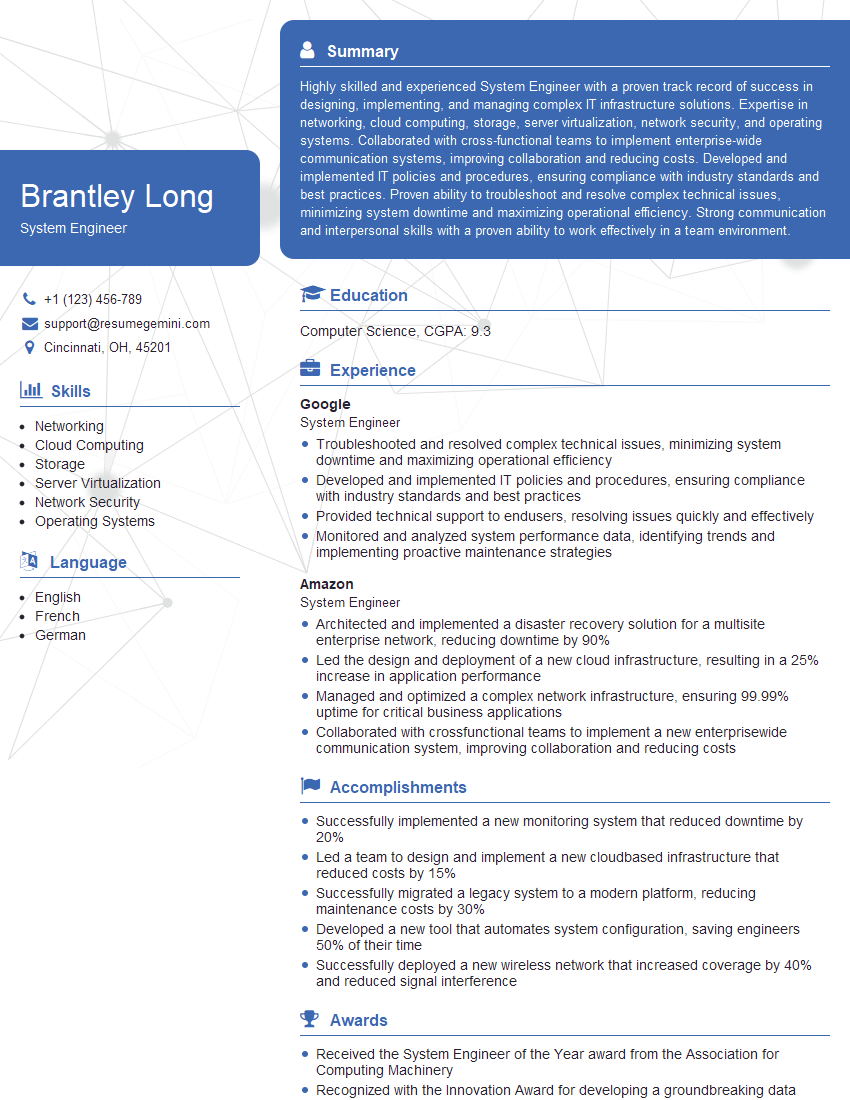
System Engineer Resume Sample

System Administrator Resume Sample

Network Analyst Resume Sample

Network Technician Resume Sample

Network Architect Resume Sample

Telecommunications Engineer Resume Sample

Help Desk Analyst Resume Sample

IT Manager Resume Sample
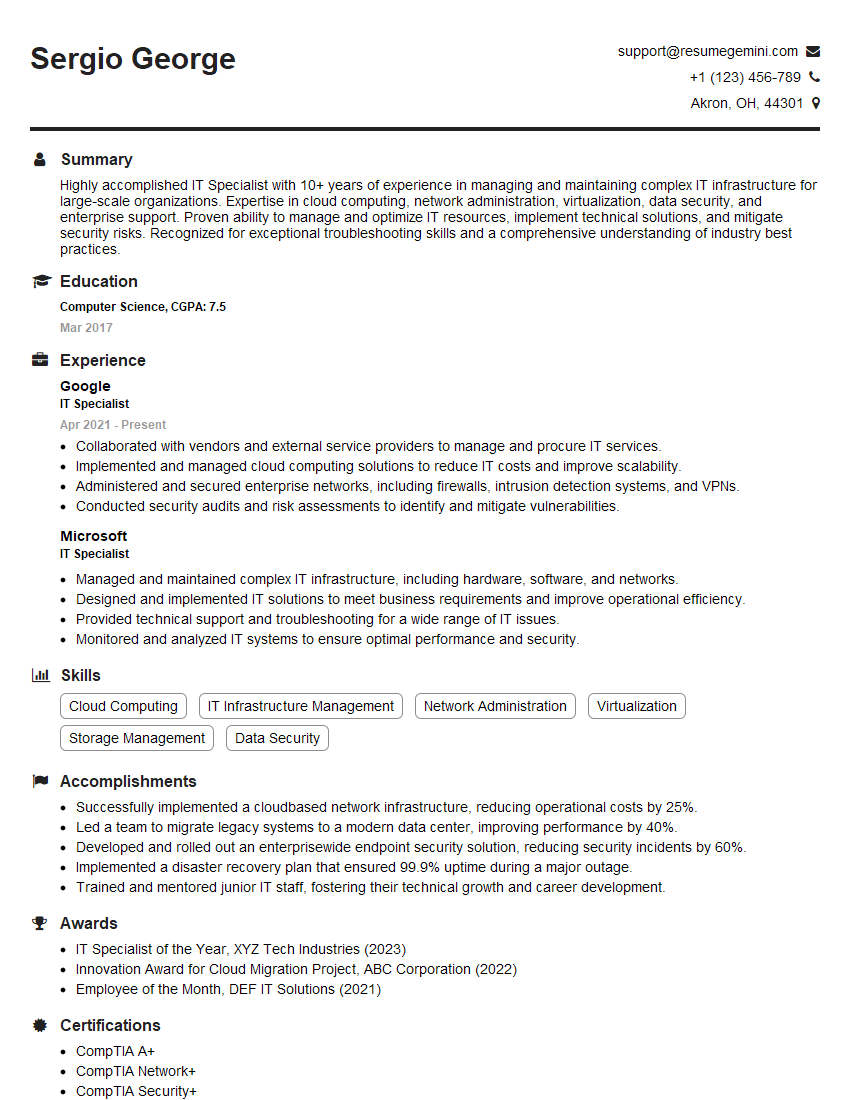
IT Specialist Resume Sample

Field Service Engineer Resume Sample

IT Support Specialist Resume Sample

DevOps Engineer Resume Sample

Cloud Architect Resume Sample
- Security Analyst
- Network Administrator
- Network Engineer
- Network Security Engineer
- Solutions Architect
- Infrastructure Engineer
- System Engineer
- System Administrator
- Network Analyst
- Network Technician
- Network Architect
- Telecommunications Engineer
- Help Desk Analyst
- IT Manager
- IT Specialist
- Field Service Engineer
- IT Support Specialist
- DevOps Engineer
- Cloud Architect
Explore more articles
Users Rating of Our Blogs
Share Your Experience
We value your feedback! Please rate our content and share your thoughts (optional).
What Readers Say About Our Blog
Very informative content, great job.
good