Are you ready to stand out in your next interview? Understanding and preparing for Normal Mapping interview questions is a game-changer. In this blog, we’ve compiled key questions and expert advice to help you showcase your skills with confidence and precision. Let’s get started on your journey to acing the interview.
Questions Asked in Normal Mapping Interview
Q 1. Explain the concept of Normal Mapping and its purpose in 3D graphics.
Normal mapping is a technique in 3D computer graphics that simulates surface detail without increasing the polygon count of a model. Imagine trying to sculpt a highly detailed face – you could create it with millions of tiny polygons, resulting in a huge file size and slow rendering times. Normal mapping provides a shortcut. Instead of modeling every bump and groove directly into the geometry, we create a texture map that stores the surface normals (vectors that point perpendicular to the surface at each point). This ‘normal map’ is then used during rendering to trick the lighting calculations into believing the surface is much more detailed than it actually is.
Its purpose is to drastically improve the visual fidelity of a 3D model while maintaining performance. It’s like adding a layer of makeup to your 3D model, enhancing its appearance without adding extra weight.
Q 2. How does Normal Mapping enhance the visual realism of a 3D model?
Normal mapping enhances realism by adding intricate surface detail that would be computationally expensive to model directly. Think of a brick wall – a low-poly model might just have a flat plane representing each brick. With a normal map, we can bake in the detail of each individual brick’s shape, its mortar lines, and even small imperfections, making the wall look much more convincing. The lighting interacts with these simulated bumps and grooves, creating realistic shadows and highlights that greatly increase the visual fidelity. This allows artists to achieve a higher level of detail with significantly less processing power compared to high-polygon modeling.
For example, a character model can have realistic skin pores and wrinkles, or a spaceship can have intricate panel lines and rivets without sacrificing frame rate. It’s a remarkably effective way to ‘cheat’ the eye into perceiving more detail than is actually present in the base geometry.
Q 3. What are the limitations of Normal Mapping?
While powerful, normal mapping has limitations. The most significant is its inability to accurately represent self-shadowing or changes in silhouette. Since it only modifies the surface normals, it can’t create shadows cast by one part of the surface onto another. Imagine a deep crevice – a normal map might suggest the depth, but it won’t create the shadow a real crevice would cast.
Another limitation is that it’s only effective from a certain viewing angle. Extreme close-ups might reveal the lack of true geometric detail, exposing the illusion. Finally, normal maps can sometimes produce artifacts like streaking or banding, especially if they are not created or applied correctly.
Q 4. Describe the workflow for creating a normal map from a high-poly model.
Creating a normal map from a high-poly model involves a process called ‘baking’. The workflow typically consists of these steps:
- High-poly Model Creation: A highly detailed model is created, containing all the desired surface detail.
- Low-poly Model Creation: A simplified version of the high-poly model is created with significantly fewer polygons. This is the model that will actually be rendered in the game or application.
- UV Unwrapping: Both the high-poly and low-poly models need to have UV coordinates assigned. These coordinates map the 3D surface onto a 2D texture.
- Baking Process: This is where the magic happens. Specialized software calculates the normal vectors from the high-poly model and projects them onto the UV map of the low-poly model. This results in a normal map texture.
- Normal Map Export: The resulting normal map is saved as a texture file (typically a PNG or DDS), ready to be used in the game engine or rendering software.
The core idea is to transfer the surface detail information from the high-poly model to a texture that can be efficiently used by the low-poly model during rendering.
Q 5. What software tools are commonly used for creating normal maps?
Many software tools are capable of creating normal maps. Some of the most popular include:
- Substance Painter: A powerful texturing software widely used in the game industry.
- Marmoset Toolbag: A real-time rendering and baking tool.
- Blender: A free and open-source 3D creation suite that includes baking capabilities.
- 3ds Max: A professional-grade 3D modeling and animation software.
- Maya: Another industry-standard 3D software package.
Each of these programs offers different features and workflows, but they all share the fundamental process of transferring normal information from a high-poly model to a low-poly model’s texture map.
Q 6. Explain the difference between tangent space and world space normal maps.
The key difference lies in the coordinate system used to represent the surface normals.
- Tangent Space Normal Maps: Normals are stored relative to the local coordinate system of the surface. This means the normal vectors are oriented based on the tangent and binormal vectors of each polygon. Tangent space normal maps are generally preferred because they are more efficient and less prone to artifacts when the model is deformed or animated.
- World Space Normal Maps: Normals are stored in the global world coordinate system. This simplifies the rendering process slightly, but makes them less efficient and can lead to issues when the model is transformed.
In most cases, tangent space normal maps are the better choice due to their efficiency and robustness in handling model transformations. The choice depends on the specific rendering engine and its capabilities.
Q 7. How do you handle seams or artifacts in normal maps?
Seams and artifacts in normal maps are common issues that can significantly detract from the visual quality. Several techniques can be used to mitigate them:
- Careful UV Unwrapping: Properly unwrapping the UVs minimizes stretching and distortion, reducing the appearance of seams. Aim for consistent UV layouts with minimal distortion.
- Seamless Textures: Using tiling textures can help create seamless normal maps. Ensure the edges of your textures align correctly to prevent noticeable seams.
- Mipmapping: Using mipmaps can help smooth out artifacts at different viewing distances. Mipmapping generates multiple lower-resolution versions of the texture, helping to blend transitions smoothly.
- Normal Map Filtering: Applying filters to the normal map during baking can help reduce noise and harsh transitions.
- Blending Techniques: In extreme cases, you might need to blend multiple normal maps to create a seamless result.
Careful planning during the modeling and texturing stages is crucial to minimize the need for extensive post-processing to fix seams and artifacts.
Q 8. Discuss the role of mipmapping in normal map optimization.
Mipmapping is crucial for optimizing normal map performance, especially at a distance. Normal maps, like textures, are stored as images with varying levels of detail. Without mipmapping, when a surface is far from the camera, the engine would still sample the full-resolution normal map, leading to blurry and inaccurate normals, resulting in a muddy or shimmering appearance. Mipmapping generates a pyramid of progressively lower-resolution versions of the normal map. As the distance to the surface increases, the engine automatically selects the appropriate mipmap level, ensuring sharp detail close-up and efficient rendering far away. This prevents aliasing artifacts and improves performance.
Think of it like looking at a photograph: up close you see all the detail; as you move away, your eyes can’t resolve the fine details, and the picture becomes blurry. Mipmapping does the same thing for normal maps, making the rendering more efficient and visually appealing.
Q 9. What are parallax mapping and its relation to normal mapping?
Parallax mapping is a technique that enhances the realism of surfaces by simulating depth from a height map. It goes beyond normal mapping, which only affects surface normals (the direction a surface points), by actually displacing the texture coordinates based on the height at each pixel. This creates the illusion of depth and surface variations, making the surface appear more three-dimensional.
The relationship to normal mapping is that parallax mapping often uses a normal map in conjunction with a height map. The normal map provides the detail of the surface’s appearance, while the height map determines how the texture coordinates are displaced to give the impression of depth. Essentially, the height map determines where to sample the texture, and the normal map determines how the light interacts with the resulting texture at that sampled point. Imagine sculpting clay: the height map defines the overall shape, and the normal map adds the fine surface details like wrinkles and bumps.
Q 10. How can you optimize normal map performance in real-time rendering?
Optimizing normal map performance for real-time rendering involves several strategies:
- Using smaller, appropriately sized normal maps: Avoid excessively high resolutions; choose the smallest resolution that still provides visually acceptable results.
- Mipmapping: As discussed previously, this is essential for distance rendering.
- Compression: Using appropriate compression formats like BC5 (for normal maps) can significantly reduce texture memory footprint and improve loading times.
- Level of Detail (LOD) switching: Employing LODs allows you to swap to lower-resolution normal maps at greater distances, further improving performance.
- Texture atlasing: Combining multiple normal maps into a single texture atlas reduces the number of draw calls, improving efficiency.
- Normal map approximation techniques: For extremely high-polygon models, consider approximating normal maps to avoid the performance cost of creating and rendering highly detailed normal maps for each individual polygon.
In a professional setting, careful consideration of these factors is crucial for achieving a balance between visual quality and performance, especially in mobile or lower-end hardware.
Q 11. Explain the process of baking normal maps from a high-poly model.
Baking normal maps from a high-poly model involves generating a normal map from a detailed 3D model that’s too complex for real-time rendering. The process typically uses a specialized baking application or a feature within a 3D modeling software package.
- High-poly model preparation: Ensure your high-poly model is clean, with proper UV unwrapping (to avoid distortions in the normal map).
- Low-poly model creation: Create a low-poly mesh that represents the general shape of the high-poly model. This low-poly model will receive the baked normal map.
- Baking process: The baking software calculates the surface normals for each polygon on the low-poly mesh based on the corresponding geometry in the high-poly model. The result is a normal map texture representing the detailed surface information from the high-poly model encoded on the low-poly model.
- Texture format selection: Choose a suitable normal map format (like DDS or PNG) with compression for efficient storage and rendering.
The resulting normal map is then applied to the low-poly model in the game engine, giving the appearance of high-poly detail without the performance cost.
Q 12. What is the difference between a normal map and a height map?
While both height maps and normal maps are used to add detail to surfaces, they represent that detail differently. A height map is a grayscale image where each pixel’s value represents the height of the surface at that point. It’s a direct representation of elevation. A normal map, on the other hand, stores the surface normal vector (a vector representing the direction a surface is facing) for each pixel. It’s an indirect representation, showing the surface orientation rather than the height itself.
Think of it this way: a height map is like a topographic map showing elevation contours; a normal map is like a set of tiny arrows indicating the direction of the slope at each point. Height maps are used to generate things like parallax mapping, while normal maps are directly used for lighting calculations to simulate surface detail.
Q 13. Describe the different types of normal map formats (e.g., DDS, PNG).
Several formats are commonly used for normal maps, each with its advantages and disadvantages:
- DDS (DirectDraw Surface): A Microsoft format offering various compression options, especially BC5 (Block Compression 5) which is specifically designed for normal maps and provides good compression ratios with minimal quality loss. It’s widely supported in game engines.
- PNG: A lossless format, offering high quality but larger file sizes compared to compressed formats like DDS. It’s generally used during development or when lossless quality is paramount, but not optimal for real-time rendering in games.
- TGA (Truevision TGA): Another common format that supports various compression options. It often serves as an intermediate format in workflows.
The choice of format often depends on the target platform, engine requirements, and the balance between quality and file size. For real-time applications, DDS with BC5 compression is often the preferred choice due to its performance benefits.
Q 14. How do you troubleshoot issues with incorrect or distorted normal maps?
Troubleshooting incorrect or distorted normal maps requires a systematic approach:
- Verify UV Mapping: Check for errors in your UV unwrapping. Distorted or improperly scaled UVs will directly result in a distorted normal map on the 3D model. Look for overlapping UV seams or stretching in the UV map.
- Normal Map Generation: If the normal map was baked, review the baking settings and the high-poly/low-poly model alignment. Inconsistent geometry or improper settings can lead to artifacts.
- Texture Import Settings: Ensure that the normal map is correctly imported into your game engine. Incorrect import settings (e.g., incorrect tangent space handling) can result in incorrect normals.
- Tangent Space: The normal map is expressed in tangent space, which is a local coordinate system aligned to the surface. Ensure your model has correct tangent and bitangent vectors calculated; problems here are common causes of inverted normals or other issues.
- Visual Inspection: Examine the normal map itself in an image editor. Incorrectly created normal maps will often show obvious distortions or artifacts.
- Shader Examination: Check the shader code to make sure it correctly interprets and uses the normal map data.
By systematically checking these aspects, you can often pinpoint the cause of the problem and correct it. Remember, careful attention to detail throughout the process – from modeling to texturing to shader implementation – is key to avoiding these issues.
Q 15. How does normal mapping affect lighting calculations?
Normal mapping fundamentally alters lighting calculations by introducing simulated surface detail without the performance cost of high-polygon models. Instead of using the polygon’s actual normal vector (which is a single direction representing the flat surface), normal mapping uses a texture – the normal map – to provide a per-pixel normal vector. This per-pixel vector indicates the direction a tiny surface element is facing, creating the illusion of bumps, grooves, and other fine details. The lighting calculations then use these detailed per-pixel normals instead of the coarse polygon normals, resulting in much more realistic lighting and shading.
Imagine shining a light on a smooth ball versus a ball covered in tiny dimples. The smooth ball reflects light uniformly. The dimpled ball, however, reflects light differently depending on the orientation of each individual dimple. Normal mapping simulates this effect. The lighting equation, such as the Phong or Blinn-Phong shading model, takes these per-pixel normal vectors as input, modifying the diffuse and specular components for a more accurate representation of how light interacts with the surface.
Career Expert Tips:
- Ace those interviews! Prepare effectively by reviewing the Top 50 Most Common Interview Questions on ResumeGemini.
- Navigate your job search with confidence! Explore a wide range of Career Tips on ResumeGemini. Learn about common challenges and recommendations to overcome them.
- Craft the perfect resume! Master the Art of Resume Writing with ResumeGemini’s guide. Showcase your unique qualifications and achievements effectively.
- Don’t miss out on holiday savings! Build your dream resume with ResumeGemini’s ATS optimized templates.
Q 16. Explain how to create a normal map from a displacement map.
Generating a normal map from a displacement map involves calculating the surface normals from the height information encoded in the displacement map. The displacement map represents the height of the surface at each pixel, essentially a grayscale image where brighter pixels indicate higher elevations. To create the normal map, we need to find the direction of the surface normal at each pixel.
This is typically done using a technique involving finite differences. We calculate the gradients of the height field in the X and Y directions. These gradients represent the slopes of the surface in those directions. The normal is then calculated as a vector perpendicular to both gradients, typically normalized to unit length. This process is often accelerated using specialized algorithms or shaders that operate efficiently on the GPU.
The resulting normal map stores these normal vectors as RGB values. The X and Y components of the normal are mapped to the R and G channels respectively, while the Z component is mapped to the B channel. The normal is typically offset by 0.5 and scaled by 0.5 to ensure the values fall within the 0-1 range of the RGB color space. Specialized software like 3ds Max, Blender, or Substance Designer can efficiently perform this operation.
Q 17. What is the effect of different normal map resolutions on performance and visual quality?
Normal map resolution significantly impacts both visual quality and performance. Higher resolutions (e.g., 4K or even higher) result in more detail, leading to finer, more realistic surface features. However, this comes at the cost of increased texture memory usage and potentially higher processing overhead, potentially impacting frame rate especially on less powerful hardware. Lower resolutions (e.g., 256×256 or 512×512) decrease detail, causing visible aliasing and a loss of finer features, but lead to less memory consumption and faster processing.
In practice, you need to find a balance. For games targeting high-end PCs, high-resolution normal maps can enhance realism considerably. For mobile games or less powerful hardware, lower-resolution normal maps are often necessary to maintain acceptable performance without sacrificing visual fidelity too much. Techniques like mip-mapping can help mitigate the effects of lower resolutions by providing multiple levels of detail.
Q 18. How does light direction affect the appearance of a normal mapped surface?
Light direction is crucial in determining the appearance of a normal-mapped surface. It affects the intensity and direction of highlights and shadows, bringing out the detail encoded in the normal map. When the light source aligns closely with the surface normals defined in the map, you get bright highlights. When the light is angled away, the surface appears darker, emphasizing the shadowed areas created by the simulated bumps and grooves. The position of the light source relative to the surface will dictate which details are highlighted and which remain in shadow, significantly impacting the perceived depth and shape of the object.
For instance, a light shining directly onto a normal-mapped rock will illuminate the raised portions, while the crevices remain dark. Changing the light angle to be grazing can enhance the visual detail of those grooves and cavities. In contrast, a light source directly above minimizes the shadowing effects and might wash out the details.
Q 19. Describe the impact of different shading models on normal mapping results.
Different shading models affect the appearance of a normal-mapped surface by influencing how the light interacts with the simulated surface normals. For example, using a simple Lambert diffuse model would only account for diffuse lighting, resulting in a relatively flat appearance, even with a detailed normal map. More sophisticated models like Phong or Blinn-Phong incorporate specular highlights, enhancing the appearance of the surface by creating realistic reflections based on light direction and surface orientation. The choice of shading model significantly impacts the realism and perceived quality of the normal mapping.
More advanced shading models like Cook-Torrance offer even more realistic specular reflection, accounting for microfacet geometry, resulting in more accurate highlight representation. The choice of shading model depends on the desired level of realism and computational cost. A simpler model is faster but less realistic, while a complex model is slower but more visually appealing.
Q 20. Discuss the challenges of using normal maps on highly curved surfaces.
Normal mapping encounters challenges on highly curved surfaces due to the inherent limitations of representing 3D information in a 2D texture. As the surface curves drastically, the mapping of the normal vectors from the texture to the surface becomes distorted. This distortion leads to artifacts such as unnatural-looking stretching or compression of the detail, resulting in a loss of visual fidelity and an inaccurate representation of the surface’s shape. This is particularly noticeable in areas of high curvature where the tangent space of the surface changes rapidly.
One approach to mitigate this issue is to use higher-resolution normal maps to reduce the impact of distortion, or to break down highly curved surfaces into smaller, less-curved patches. More advanced techniques involve using techniques like parallax mapping or displacement mapping, which can better handle significant surface changes but have a greater performance impact.
Q 21. How do you address issues with stretching or distortion of normal maps?
Addressing stretching or distortion in normal maps often involves careful UV unwrapping and texture creation. Good UV mapping is essential to avoid distortion caused by uneven stretching of the texture across the surface. Techniques such as planar mapping, cylindrical mapping, and spherical mapping can be used, with the optimal choice depending on the shape of the object. However, even with careful UV mapping, significant curvature can cause distortion.
Advanced techniques to reduce distortion include using techniques like tangent space normal mapping (which aligns the normal map to the surface’s tangent space), parallax mapping, or using multiple normal maps blended together to reduce artifacts in areas of high curvature. Another approach is to pre-distort the normal map itself during the creation process to compensate for the expected stretching on the target model, though this requires specialized software and a higher level of understanding.
Q 22. Explain the concept of tangent space and its importance in normal mapping.
Tangent space is a local coordinate system defined at each point on a 3D surface. Imagine a tiny piece of paper stuck to a curved surface – the paper’s coordinate system (x, y, z) is its tangent space. In normal mapping, it’s crucial because the normal map itself stores normals relative to this local tangent space, not the world space of the entire scene. This allows us to efficiently store highly detailed normal information without increasing the polygon count of the model. The x and y axes lie on the surface’s tangent and bitangent vectors, while the z axis (the normal) points outward, perpendicular to the surface. The transformation from tangent space to world space is vital to correctly orient the normals and calculate lighting.
Q 23. How does the quality of the original high-poly model affect the resulting normal map?
The quality of the high-poly model directly impacts the quality of the resulting normal map. Think of it like baking a cake: a high-quality, detailed cake (high-poly model) will always produce a better-tasting, more intricate cake (normal map). A low-resolution or poorly modeled high-poly model will lead to a normal map with artifacts, blurriness, and a lack of fine detail. The baking process essentially transfers the surface details from the high-poly model to the normal map, so any flaws in the original will be reflected in the final result. Sharp edges, fine details, and overall mesh quality are all critical for creating a high-fidelity normal map.
Q 24. What are some common techniques for improving the quality of normal maps?
Several techniques enhance normal map quality. Higher resolution is the most straightforward – a larger texture allows for more detail. Careful baking settings in software like xNormal or Substance Painter are essential. Parameters like the ray distance and the filter settings affect the resulting normal map’s sharpness and smoothness. Smart UV unwrapping is also crucial to avoid stretching and distortion, which can lead to artifacts. Lastly, post-processing techniques like sharpening and noise reduction can refine the final result, though it’s better to get it right during baking if possible. One lesser-known technique involves using multiple normal maps at different resolutions and blending them based on the distance to the camera for efficient detail management at varying distances.
Q 25. Compare and contrast Normal Mapping with other surface detail techniques like bump mapping.
Both normal mapping and bump mapping aim to add surface detail to low-poly models, but they achieve this differently. Bump mapping uses a grayscale height map, where brighter pixels represent higher elevations. It’s simpler and computationally less expensive but provides a less realistic result because the lighting calculations are merely approximated. Normal mapping, on the other hand, directly stores surface normals, giving far more accurate and realistic lighting. Think of it this way: bump mapping simulates the illusion of depth, while normal mapping simulates the actual surface geometry. Normal mapping provides a significantly more convincing result, even if it’s more computationally demanding.
Q 26. How do you handle the interaction between normal mapping and other shading techniques (e.g., specular maps)?
Integrating normal mapping with other shading techniques like specular maps is straightforward. The normal vector from the normal map is used in the lighting calculations (e.g., the dot product with the light vector), just as if it were derived from the actual geometry. Specular highlights, for example, are calculated based on the view vector, light vector, and the surface normal provided by the normal map. This creates realistic specular reflections that follow the surface detail defined by the normal map. It’s essential to ensure the normal map is correctly oriented and that the lighting calculations take into account the transformed normal in tangent space.
Q 27. Describe your experience optimizing normal maps for different platforms (e.g., mobile, desktop).
Optimizing normal maps for different platforms involves considering memory limitations and processing power. For mobile platforms, lower resolutions are often necessary, and compression techniques such as ASTC (Adaptive Scalable Texture Compression) become crucial to keep texture memory usage low. Desktop platforms allow for higher resolutions and more complex normal maps, but efficient texture management, including atlasing multiple normal maps into a single texture, remains beneficial for performance. In some cases, we might utilize mipmapping and level-of-detail techniques to switch to lower resolution normal maps at farther distances, dynamically improving performance without noticeably sacrificing quality.
Q 28. Explain a situation where you had to troubleshoot a problem related to normal maps in a project.
In a recent project, we encountered an issue where normal maps appeared inverted or incorrect on certain models. After careful investigation, we discovered the problem stemmed from the tangent and bitangent vectors generated during the model’s creation. There was an error in the calculation or orientation of these vectors, leading to an incorrect transformation from tangent space to world space. The solution was to carefully check and correct the tangent space calculations in our modeling software, re-bake the normal maps, and verify the orientation using visualization tools within the game engine. This highlighted the critical importance of accurate tangent space generation in normal mapping.
Key Topics to Learn for Normal Mapping Interview
- Tangent Space Transformation: Understand the mathematical principles behind transforming normals from object space to tangent space and why this is crucial for Normal Mapping.
- Normal Map Creation Techniques: Explore different methods for generating normal maps, including from high-poly models, sculpting, and procedural generation. Discuss the strengths and weaknesses of each.
- Implementation in Shaders: Master the process of integrating normal maps into shaders, including texture sampling, tangent space calculations, and lighting calculations using the perturbed normals.
- Mipmapping and Filtering: Understand how mipmapping and filtering affect the quality of normal maps and how to optimize for performance and visual fidelity.
- Parallax Mapping and its Relationship to Normal Mapping: Explore the differences and similarities between these techniques and how they enhance surface detail. Discuss scenarios where one is more appropriate than the other.
- Troubleshooting Common Issues: Be prepared to discuss common problems encountered when implementing normal mapping, such as artifacts, incorrect shading, and performance bottlenecks, and how to debug them.
- Optimization Strategies: Know techniques to optimize normal map usage for different hardware and platforms, considering memory usage and rendering speed.
- Advanced Techniques: Familiarize yourself with advanced concepts like screen-space normal mapping or techniques for handling complex surface geometries.
Next Steps
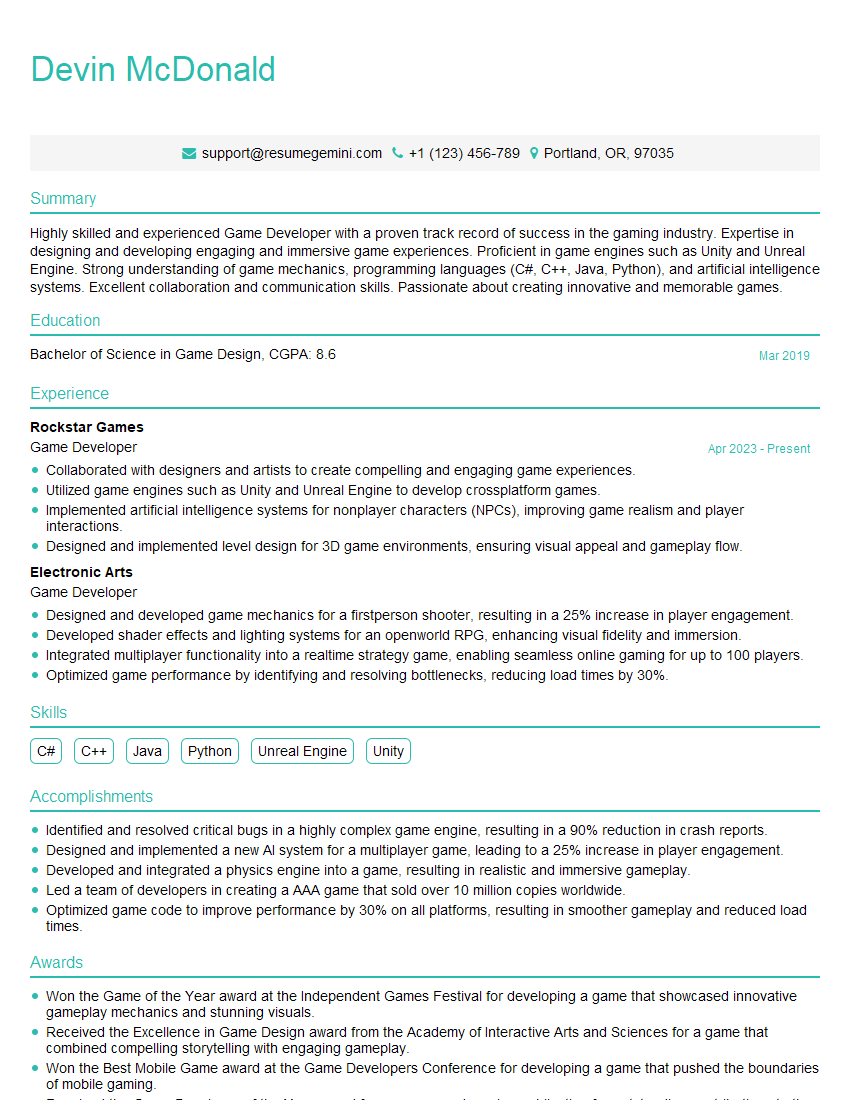
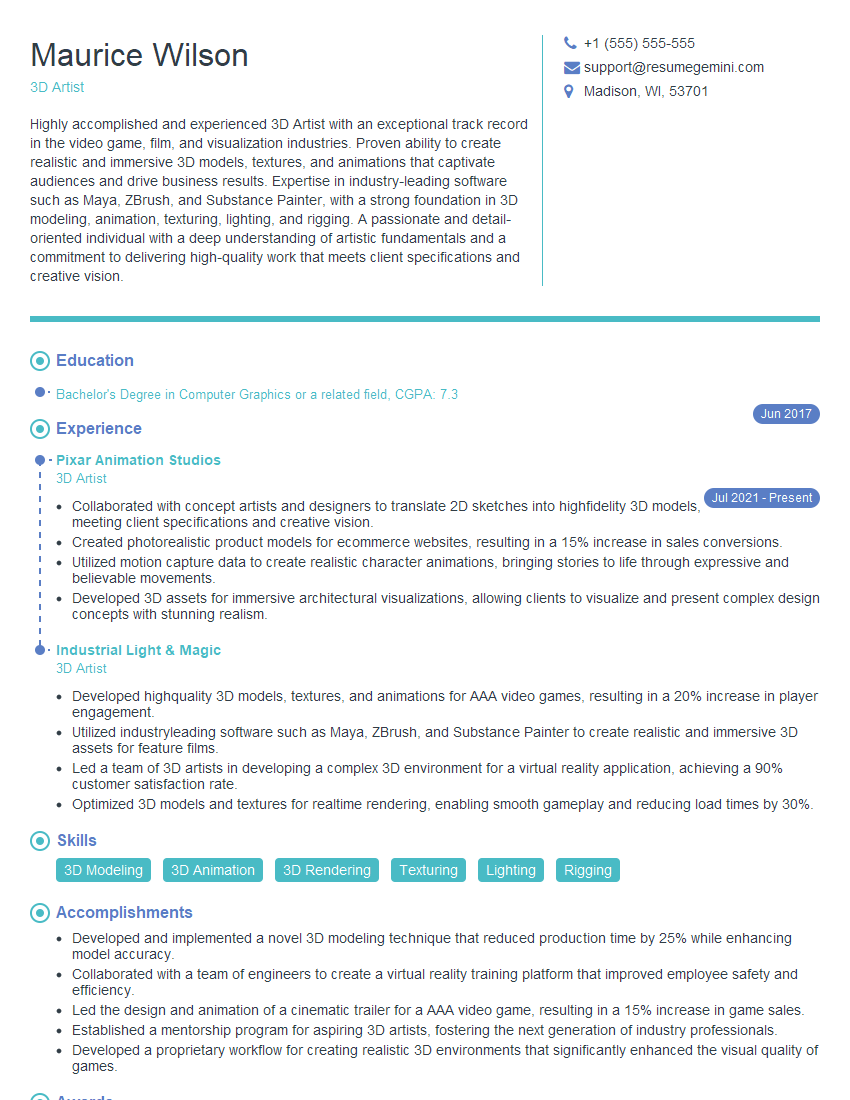
Mastering Normal Mapping significantly enhances your skillset in 3D graphics programming, opening doors to exciting opportunities in game development, visual effects, and other related fields. A strong understanding of this technique is highly valued by employers. To increase your chances of landing your dream role, crafting a compelling and ATS-friendly resume is paramount. ResumeGemini is a trusted resource to help you build a professional and impactful resume that highlights your Normal Mapping expertise. Examples of resumes tailored to Normal Mapping are available to guide you. Invest the time to build a strong resume—it’s your first impression on potential employers.



Explore more articles
Users Rating of Our Blogs
Share Your Experience
We value your feedback! Please rate our content and share your thoughts (optional).
What Readers Say About Our Blog
Very informative content, great job.
good