Cracking a skill-specific interview, like one for Pantone Color System, requires understanding the nuances of the role. In this blog, we present the questions you’re most likely to encounter, along with insights into how to answer them effectively. Let’s ensure you’re ready to make a strong impression.
Questions Asked in Pantone Color System Interview
Q 1. Explain the difference between Pantone Matching System (PMS) and CMYK.
Pantone Matching System (PMS) and CMYK are both color systems used in printing, but they differ fundamentally in how they produce colors.
Pantone Matching System (PMS): This is a spot color system. Each PMS color is a premixed ink with a unique formula. Think of it like having a specific paint color already mixed for you—Pantone 18-1664 TPX (Classic Blue) always has the same precise formula. This guarantees color consistency across different print runs and printing methods. The printer simply uses the pre-mixed Pantone ink.
CMYK: This is a subtractive process color system. CMYK stands for Cyan, Magenta, Yellow, and Key (black). These four inks are combined in varying percentages to create a vast range of colors. It’s like mixing your own paint colors from primary colors. The percentages of each ink will determine the final color. CMYK relies on the printer’s calibration and can vary slightly depending on the equipment and inks used.
Key Difference: PMS offers higher color accuracy and consistency because it uses premixed inks. CMYK offers a broader range of colors that can be produced by mixing different percentages of the four inks, but with potential variations in consistency.
Example: Imagine you’re printing a logo that needs a very specific shade of red. Using PMS ensures that the red will be identical across brochures, business cards, and posters, regardless of the printing press. Using CMYK might result in slight variations depending on the printer’s calibration.
Q 2. Describe the Pantone Color Bridge and its uses.
The Pantone Color Bridge is a guide that shows the Pantone spot color (PMS) alongside its closest CMYK equivalent. It’s essential for bridging the gap between the design phase, where designers often specify Pantone colors, and the production phase, where printers frequently use CMYK.
Uses:
- Color Conversion: Designers select a Pantone color, and the Color Bridge shows the nearest CMYK approximation. This helps printers understand which CMYK values to aim for when they can’t use the specific Pantone ink.
- Proofing: The Color Bridge is used to create color proofs which give designers and clients a preview of how the final product will look, showing both the Pantone spot color and its CMYK approximation.
- Color Communication: The guide serves as a shared reference point for designers and printers to ensure a common understanding of the colors used.
It’s important to note that the CMYK equivalent will never be a perfect match to the Pantone spot color; some color shift is inevitable when converting between color systems. However, the Color Bridge minimizes the difference and aids in achieving acceptable color accuracy.
Q 3. How do you ensure color consistency across different printing methods using Pantone?
Color consistency across different printing methods using Pantone requires careful planning and communication. Here’s how:
- Specify Pantone Colors: Design documents must clearly specify the Pantone color number (e.g., PMS 186 C) for all spot colors.
- Use Pantone Formula Guides: Both designers and printers should use the same Pantone Formula Guide (coated or uncoated, depending on the paper type) as a shared reference to ensure everyone is working with the same color specifications.
- Color Proofs: Pantone-approved color proofs are crucial to verify that the colors look as intended before mass production begins. These proofs are physically printed using the exact Pantone colors specified.
- Communicate with Printers: Open communication with printers is key. Provide detailed color specifications and ensure they understand the importance of maintaining accuracy. Discuss the printing process and paper type to address potential variations.
- Calibration: Printers need to calibrate their equipment regularly to maintain color accuracy. This involves using calibration tools and standards to ensure their presses are printing the Pantone colors correctly.
By following these steps, you can greatly increase the likelihood of achieving consistent color across various printing methods.
Q 4. What are the limitations of the Pantone system?
While Pantone is a powerful system, it does have some limitations:
- Cost: Using Pantone spot colors is generally more expensive than using process colors (CMYK) because it involves using additional inks and often requires more setup time on printing presses.
- Limited Color Gamut: The Pantone system covers a wide range of colors, but it doesn’t encompass the entire spectrum possible with CMYK. Some colors might not have a direct Pantone equivalent.
- Substrate Dependence: Pantone colors can appear slightly different depending on the type of paper or substrate they are printed on. A color might look slightly different on coated paper than on uncoated paper.
- Process Color Limitations: Pantone doesn’t inherently control the color accuracy of CMYK. Achieving accurate CMYK equivalents remains dependent on the printer’s equipment and calibration.
These limitations should be considered when deciding whether to use Pantone or a process color system for a specific project.
Q 5. Explain the importance of color accuracy in design and production.
Color accuracy is paramount in design and production because it directly impacts brand identity, product quality, and customer perception.
Brand Identity: Inconsistent colors can dilute a brand’s visual identity. Think of a logo – if the colors are off, the brand might appear unprofessional or even counterfeit.
Product Quality: Inaccurate colors in packaging or product labeling can lead to customer dissatisfaction and return rates. For example, if a clothing item’s color doesn’t match its online representation, customers may be disappointed.
Customer Perception: Color evokes emotions and associations. An inaccurate color reproduction can create a negative perception of a product or brand. A vibrant, high-quality product image is more appealing than a dull, washed-out one.
Legal and Regulatory Compliance: In some industries, accurate color reproduction is crucial for compliance with regulations. For instance, food packaging often needs to adhere to specific color standards.
In short, color accuracy fosters trust, ensures consistency, strengthens brand recognition, and ultimately improves the customer experience.
Q 6. How do spot colors differ from process colors?
Spot colors and process colors are two different approaches to color reproduction in printing. The main difference lies in how the colors are created:
Spot Colors (e.g., Pantone): These are premixed inks with specific formulas. Each spot color has its own unique code (like Pantone 18-1664 TPX). The printer uses the pre-mixed ink directly. This results in high color accuracy but limits the range of available colors. They are often used for logos, brand colors, or where precise color matching is critical.
Process Colors (CMYK): These are created by combining four process inks (Cyan, Magenta, Yellow, and Key/Black) in varying percentages. This allows for a wider range of color reproduction, but color accuracy can be less consistent due to variations in printing equipment and ink formulation. Process colors are commonly used for photographs or complex color gradients.
In essence: Spot colors are pre-mixed for accuracy; process colors are mixed on the fly for a broader range but with some color variations. Choosing between them depends on the project’s color requirements and budget.
Q 7. What is the Pantone Formula Guide, and how is it used?
The Pantone Formula Guide is a physical book containing a comprehensive collection of Pantone colors. It’s the essential reference tool for designers, printers, and anyone working with Pantone colors.
Uses:
- Color Selection: Designers use the guide to select specific Pantone colors for their designs. It’s like a paint swatch book for professional printing.
- Color Communication: The guide provides a universally understood reference for Pantone colors, ensuring consistent color communication between designers, printers, and clients.
- Color Matching: The guide enables accurate color matching across different print runs and printing methods. Each color has a unique formula, minimizing variations.
- Proofing: The guide aids in the creation of accurate color proofs, ensuring the final printed product meets the design specifications.
There are different versions of the Pantone Formula Guide, such as coated and uncoated versions, each calibrated for specific paper types. Using the correct guide is crucial for accurate color representation.
Q 8. How does Pantone connect to digital workflows?
Pantone’s integration into digital workflows is crucial for maintaining color accuracy across various platforms. It bridges the gap between the physical Pantone color swatches and the digital representation needed for screen displays, web design, and pre-press preparation. This connection is primarily achieved through Pantone Connect, a software solution and associated libraries (like Pantone Color Manager), as well as the use of Pantone color codes within digital design programs.
Essentially, designers can select a Pantone color in their software, and the software will use the Pantone color library to translate that choice into accurate CMYK or RGB values for different output methods (print, web, etc.). This ensures consistency between the intended color and its final reproduction.
Q 9. Describe your experience with Pantone Connect software.
My experience with Pantone Connect software has been extremely positive. It streamlines the entire color management process, significantly reducing the risk of color discrepancies. I’ve used it to create and manage color palettes for various projects, from branding guides to packaging design. The ability to easily share color palettes within a team is invaluable. For example, when working on a large project with multiple designers, we can use Pantone Connect to ensure everyone is using the same exact Pantone colors, minimizing back-and-forth and rework. The software’s cloud synchronization feature is also a lifesaver, ensuring access to my color libraries from anywhere.
Further, the ability to convert Pantone colors to other color spaces (like RGB or CMYK) accurately is crucial for preparing files for various output methods. For instance, I can easily check how a specific Pantone color will render on a website versus in print, helping me make informed decisions about color choices early on. The software provides preview capabilities that make it easy to anticipate how the color will look on different substrates (paper, etc.).
Q 10. How do you handle color discrepancies between Pantone specifications and printed output?
Color discrepancies between Pantone specifications and printed output can stem from several sources: the type of ink used, the printing process, the paper stock, and even the calibration of the printing press. Addressing these discrepancies requires a systematic approach.
- Accurate Proofing: The first step is always using high-quality color proofs, ideally a Pantone-approved proof, that precisely mimics the final print conditions. This allows for early detection and correction of any color variations.
- Substrate Selection: Different paper types absorb and reflect light differently, thus affecting color appearance. Choosing the correct paper and testing it beforehand is critical.
- Ink Consistency: Ensuring the printer uses the correct Pantone ink and maintaining proper ink consistency is vital. Variations in ink formulation can significantly affect the final color.
- Press Calibration: The printing press must be properly calibrated and regularly maintained. Improper calibration can lead to substantial color shifts.
- Communication: Clear communication with the printer about the required Pantone colors and tolerances is paramount. Providing them with a detailed color specification sheet and, if necessary, a Pantone-approved proof, leaves less room for interpretation and error.
When discrepancies arise, I systematically address each potential source, conducting test prints and making adjustments until the printed output closely matches the Pantone specification within an acceptable tolerance.
Q 11. Explain Pantone’s role in brand identity and consistency.
Pantone plays a pivotal role in establishing and maintaining brand identity consistency. Brands often select specific Pantone colors to represent their visual identity – think of Tiffany & Co.’s iconic robin’s egg blue or the distinctive colors used by major corporations. Pantone provides a standardized system for communicating these colors, guaranteeing consistent color reproduction across various marketing materials, packaging, and products.
Without Pantone, or a similar standardized system, reproducing a specific shade accurately across different printing processes and locations would be near impossible. This would result in inconsistencies that could dilute the brand’s image and potentially confuse consumers. The consistent color palette enhances brand recognition, reinforces brand messaging, and ultimately contributes to a stronger and more recognizable brand.
Q 12. How would you address a client’s concern about color matching?
Addressing a client’s concern about color matching involves a collaborative and transparent process. First, I would actively listen to their concerns, understanding their expectations and the context of the color issue. Then, I’d explain the process of color reproduction and the inherent challenges involved, emphasizing that perfect matching across different substrates and printing techniques is rare but that achieving a highly accurate match is achievable with careful planning and execution.
I’d showcase how Pantone aids in this process. We would review the color specification used and the selected printing method. If discrepancies exist, I would explain the possible causes (as detailed in question 3), and suggest solutions like reviewing the proofing process, adjusting the printing settings, or opting for a different printing method or paper stock. Visual examples of similar projects and potential color variations would help to illustrate possibilities and manage expectations. Ultimately, transparent communication and a data-driven approach build client trust and satisfaction.
Q 13. What are some common color-related challenges in print production, and how do you overcome them?
Common color-related challenges in print production include:
- Metamerism: Colors that appear identical under one light source may differ significantly under another. This is a major concern, especially when designing products viewed in various lighting conditions.
- Ink Limitations: Not all Pantone colors can be perfectly replicated using standard CMYK inks. Some specialized inks may be required.
- Substrate Influence: The absorbency and texture of the printing substrate (paper, fabric, etc.) will significantly affect the final color appearance.
- Calibration Issues: Inconsistent calibration of printing equipment leads to variations in color output.
To overcome these challenges, careful planning and testing are vital. This includes:
- Utilizing Pantone color bridges: Pantone provides color bridges which translate Pantone colors into different color spaces (CMYK, RGB) for varying media (coated/uncoated).
- Employing color management profiles: Accurate color profiles are crucial for consistent color reproduction across devices.
- Conducting pre-press proofing: Color proofing provides a precise preview of the final printed product, allowing for corrections before large-scale printing.
- Thorough communication: Maintain clear and consistent communication with the printer, regarding color specifications, tolerances, and expectations.
Q 14. What’s your experience with color proofing and its importance?
Color proofing is an indispensable step in the print production process. It’s a critical quality control measure that allows for the visual verification of the printed colors before mass production. A properly executed color proof serves as a benchmark against which the final printed output can be compared.
My experience with color proofing includes using various methods, such as digital proofs (soft proofs), contract proofs, and press proofs. The type of proof used depends on the project’s complexity, budget, and required accuracy. Digital proofs are useful for early-stage review but lack the fidelity of physical proofs. Contract proofs provide a closer representation of the final print, while press proofs are the most accurate, as they are produced under actual printing conditions. In any case, a well-executed proof significantly reduces the risk of costly reprints due to color inaccuracies and ensures client satisfaction by allowing for adjustments before committing to a large print run. The importance of color proofing cannot be overstated when aiming for consistent color reproduction across all project aspects.
Q 15. Describe your process for selecting Pantone colors for a project.
Selecting Pantone colors is a meticulous process that goes beyond simply choosing aesthetically pleasing shades. It involves understanding the project’s context, target audience, and desired emotional impact. My process typically involves these steps:
- Understanding the Brief: I begin by thoroughly understanding the client’s vision, reviewing mood boards, and analyzing the overall brand identity. This helps me narrow down the potential color palettes.
- Initial Color Exploration: I use the Pantone Connect software or physical Pantone books (depending on the project’s needs) to explore potential color options within the specified Pantone libraries (e.g., Fashion, Home + Interiors, etc.). I consider factors such as color harmony, contrast, and cultural connotations.
- Testing and Refinement: I create digital mockups using the selected Pantone colors, carefully examining how they interact with different materials (if applicable) and lighting conditions. I often print test swatches to ensure accurate color reproduction.
- Client Collaboration: Throughout the process, I collaborate closely with the client to present and refine the chosen Pantone colors, ensuring they align with their vision and expectations. This may involve several iterations before finalizing the palette.
- Documentation: Finally, I meticulously document the final Pantone color selections, providing precise Pantone numbers (e.g., 18-1664 TPX) along with relevant specifications for print and digital use.
For example, while designing a logo for a tech company, I might initially select blues and greys from the Pantone Formula Guide to convey professionalism and trust. However, after reviewing mockups and client feedback, I might add a vibrant accent color from the Pantone Plus Series to inject a sense of innovation.
Career Expert Tips:
- Ace those interviews! Prepare effectively by reviewing the Top 50 Most Common Interview Questions on ResumeGemini.
- Navigate your job search with confidence! Explore a wide range of Career Tips on ResumeGemini. Learn about common challenges and recommendations to overcome them.
- Craft the perfect resume! Master the Art of Resume Writing with ResumeGemini’s guide. Showcase your unique qualifications and achievements effectively.
- Don’t miss out on holiday savings! Build your dream resume with ResumeGemini’s ATS optimized templates.
Q 16. How do you manage different Pantone color libraries and versions?
Managing different Pantone libraries and versions requires a systematic approach. I use a combination of digital and physical tools to maintain organization and ensure consistency. Pantone Connect is invaluable – it’s a digital library that keeps all my Pantone books up-to-date and centrally located. For physical books, I maintain a well-organized system with clear labeling and version numbers. This prevents confusion and ensures I always use the correct color specifications for a given project.
Crucially, I always note the specific Pantone library and version used (e.g., Pantone Fashion, Home + Interiors – Cotton Swatch, Season [Year]). This detail is critical because colors can subtly change between versions or libraries. For example, a color might be slightly warmer or cooler in the Fashion library compared to the Graphic Design library, even if they share the same Pantone number. Proper documentation is essential to avoid costly reprints or inconsistencies.
Q 17. Explain the concept of color gamut and its relevance to Pantone.
Color gamut refers to the range of colors a particular device or system can reproduce. Pantone’s relevance stems from its role in providing a standardized color language that bridges the gap between digital design and physical production. However, not every Pantone color can be perfectly reproduced across all devices and printing methods.
Think of it like this: A piano has a specific range of notes it can play (its gamut). Similarly, your monitor has a limited range of colors it can display, and your printer has a different, often smaller range. Pantone colors are designed to provide a consistent reference point, but the actual color you see on your screen might differ slightly from the printed result, or from what you see on a different screen. Understanding color gamut allows you to choose colors realistically achievable within the constraints of your production process, minimizing surprises.
The wider the gamut of your output device, the more Pantone colors you can accurately reproduce. For example, wide-gamut printing techniques offer a significantly wider color gamut than standard offset printing, allowing for more faithful reproduction of Pantone colors.
Q 18. What are some techniques for achieving accurate color reproduction?
Achieving accurate color reproduction involves a multi-faceted approach that addresses both the digital and physical aspects of the process. Key techniques include:
- Using Pantone Spot Colors: When precise color matching is paramount, specifying Pantone spot colors ensures consistency across different printing methods and materials.
- Color Management Profiles (ICCs): Employing accurate color profiles for monitors, printers, and other devices ensures a more consistent color representation throughout the workflow.
- Proofing: Soft proofing (on-screen) and hard proofing (physical prints) are crucial steps to validate the colors before final production. This helps identify discrepancies and make necessary adjustments.
- Controlled Printing Conditions: Consistent substrate, ink, and press settings are critical for accurate reproduction during printing.
- Calibration and Profiling: Regular calibration of monitors and profiling of printers helps maintain color accuracy over time.
For instance, requesting a Pantone-approved color proof from a printer is a crucial technique to assure the final product will accurately reflect the design. This allows you to identify any potential discrepancies before committing to a large print run.
Q 19. How do you calibrate your monitor for Pantone color accuracy?
Calibrating a monitor for Pantone color accuracy is essential for accurate representation of colors in design. I use a colorimeter or spectrophotometer, which is a device that measures the color output of my monitor. Software like Datacolor Spyder or X-Rite i1Display Pro is used to create a custom profile based on these measurements. This profile informs the operating system how to adjust the monitor’s color output to meet a specific standard, ensuring more faithful rendering of Pantone colors.
The process typically involves downloading the software, connecting the colorimeter to the computer, and following the software’s guided steps. This usually includes a series of measurements taken by the device, which are used to generate a profile specific to that monitor. After installing the new profile, it’s essential to test the accuracy by comparing Pantone swatches to their on-screen representation to make sure the calibration was successful. This process should be repeated periodically, especially if the monitor’s usage changes (e.g., a shift in the ambient lighting).
Q 20. What is your experience with Pantone Color Manager software?
Pantone Color Manager software is an integral part of my workflow. I use it to manage and convert Pantone colors between different color spaces (RGB, CMYK, LAB), ensuring consistency across various applications. It’s particularly helpful when working with different output devices, allowing for accurate color conversion tailored to the specific printer or screen profile.
For example, when preparing a design for print, I use Pantone Color Manager to convert Pantone spot colors to their CMYK equivalents while minimizing color shifts. This ensures the final print comes as close as possible to the intended Pantone color. Its ability to create custom color libraries and manage multiple profiles is also extremely helpful for maintaining consistency across large projects with many color specifications.
Q 21. Describe your experience with using Pantone color specifications in different file formats (e.g., PDF, AI).
My experience with Pantone color specifications in different file formats is extensive. In PDF files, I typically use embedded Pantone spot color information to guarantee accurate color reproduction throughout the PDF workflow, preventing color shifting when the document is opened on different systems. In Adobe Illustrator (AI), I use Pantone spot color libraries directly, ensuring precise color selection and ensuring compatibility with various printing methods.
It’s crucial to understand the limitations of each format. For instance, while AI allows for precise Pantone color specification, ensuring proper color management settings throughout the workflow—from design to print—is vital for accurate color reproduction. For PDFs, embedding the Pantone information is key to maintaining color integrity when transferring the file. Always double-check that the Pantone specifications are correctly interpreted by the output device (printer or screen) to minimize color discrepancies.
Q 22. How familiar are you with different Pantone color libraries (e.g., Fashion + Home, etc.)?
I possess extensive familiarity with various Pantone color libraries. My experience encompasses the core Pantone Matching System (PMS), crucial for print design, as well as specialized libraries like Pantone Fashion, Home + Interiors, and Pantone Color Bridge. Each library serves a distinct purpose and contains unique color palettes. For example, the Fashion, Home + Interiors library features colors specifically formulated for textiles and interior design, considering the unique properties of these materials. The Pantone Color Bridge, on the other hand, provides conversions between Pantone spot colors and CMYK and RGB values for digital and print applications. Understanding these nuances is key to accurate color reproduction across different mediums.
I’m also proficient with the less common Pantone libraries like Pantone Plastics and Pantone SkinTone Guide, illustrating a comprehensive understanding of the Pantone system’s breadth and diversity.
Q 23. What are the implications of using Pantone colors for web design?
Using Pantone colors in web design presents some challenges. While Pantone provides RGB equivalents in the Color Bridge, these are approximations. Screen displays use RGB, but the gamut (range of reproducible colors) of a monitor is significantly smaller than that achievable in print. This means that a Pantone color faithfully reproduced in print may look slightly different on a screen.
Furthermore, consistency across different devices (phones, tablets, desktops) can be tricky. Calibration and color profiles are crucial for mitigating this. For accurate representation, it’s essential to use Pantone’s RGB values as a starting point and then carefully adjust and test the color on various screens to ensure visual consistency. Over-reliance on Pantone RGB values without testing can lead to significant color discrepancies.
Q 24. How would you translate a Pantone color to a CMYK or RGB equivalent?
Translating a Pantone color to CMYK or RGB isn’t a direct, one-to-one conversion; it’s an approximation. Pantone colors are spot colors, meaning they’re created using specific ink formulations, unlike process colors (CMYK) which are mixtures of cyan, magenta, yellow, and key (black). RGB is used for screens.
The best method involves using Pantone’s Color Bridge Guide. This guide provides approximate CMYK and RGB equivalents for each Pantone color. The accuracy depends on the printing process and the quality of the printing inks. For instance, a Pantone 185 C (a vibrant red) will have a CMYK and RGB equivalent listed. However, you should always test prints and monitor displays to make sure the color aligns with your expectations. There will always be a slight variation depending on your setup.
For example: Pantone 185 C might translate to C:0 M:100 Y:100 K:0 in CMYK and R:255 G:0 B:0 in RGB (approximately).Q 25. Describe a situation where you had to troubleshoot a color-related issue in a project.
In a recent project designing packaging for a luxury skincare line, we encountered a significant color mismatch between the Pantone-specified color (a delicate pastel pink) and the initial print samples. The printed color appeared significantly duller and more muted than the specified Pantone shade.
Our troubleshooting involved several steps:
- Verification: We rechecked the Pantone reference and verified the correct Pantone number was used throughout the design and printing process.
- Ink Analysis: We analyzed the ink formulation used by the printer, ensuring it matched the Pantone color standards.
- Press Calibration: We worked with the printer to recalibrate their printing press to achieve the correct color density and saturation.
- Proofing: We implemented a stricter proofing process, using Pantone-matched proofs to ensure accurate color representation before full-scale printing.
By systematically investigating each stage of the printing process, we successfully resolved the color discrepancy, resulting in packaging that accurately reflected the brand’s desired aesthetic.
Q 26. How do you ensure the accurate reproduction of Pantone colors in large-scale printing projects?
Accurate Pantone reproduction in large-scale printing projects requires a multi-faceted approach:
- Pantone-Matched Proofs: Always start with Pantone-matched proofs, which are physical samples printed with Pantone spot inks. These act as the gold standard for color comparison.
- Color Management System (CMS): A robust CMS is vital for consistent color across different devices and throughout the printing workflow. This includes ensuring proper profiles are used for monitors, printers, and other related devices.
- Ink Consistency: Maintaining consistent ink quality and supply is critical. Work closely with the printer to ensure they use genuine Pantone inks and that their ink supply is properly managed.
- Substrate Considerations: The printing substrate (paper, fabric, etc.) can influence color appearance. Always test print on the exact substrate used in the final project.
- Regular Color Checks: Throughout the printing process, regular color checks using a spectrophotometer are necessary to monitor consistency.
Careful planning and rigorous quality control are essential for accurate Pantone color reproduction at scale.
Q 27. What is your understanding of Pantone’s sustainability initiatives?
Pantone has increased its focus on sustainability. They’ve introduced initiatives such as the development of eco-friendly inks and the promotion of sustainable printing practices. This includes focusing on inks with lower environmental impact and encouraging responsible sourcing of materials. Their efforts aim to reduce the environmental footprint associated with the production and use of their products.
While specific details on their exact methods may change, the overall commitment to greener practices within their supply chain and processes is a crucial aspect of their brand image and reflects the growing industry-wide focus on environmental responsibility.
Q 28. How do you stay updated on the latest Pantone color trends and developments?
Staying updated on Pantone trends requires a multi-pronged approach. I regularly consult:
- Pantone’s Website: This is the primary source for announcements on new color palettes, trend reports, and sustainability updates.
- Industry Publications: Publications focused on design, fashion, and printing often feature articles and analyses of Pantone’s releases and their impact on various industries.
- Design Conferences and Events: Attending conferences and workshops provides opportunities to network with professionals and learn about new developments directly from Pantone representatives.
- Social Media: Following Pantone’s social media channels and those of design influencers offers valuable insights into current trends and color usage.
By employing this combination of resources, I maintain a current understanding of Pantone’s developments and the latest color trends in various fields.
Key Topics to Learn for Pantone Color System Interview
- Understanding the Pantone Matching System (PMS): Learn the history and foundational principles of the Pantone system, including its numbering and color space.
- Color Accuracy and Reproduction: Explore how Pantone ensures consistent color reproduction across various printing and digital mediums. Understand the challenges and solutions involved.
- Practical Applications in Design: Discuss the role of Pantone in branding, packaging design, graphic design, and print production. Provide examples of successful Pantone usage in different industries.
- Color Theory and its Relation to Pantone: Demonstrate your understanding of color harmony, contrast, and color psychology within the context of the Pantone system.
- Pantone Color Libraries and Software: Familiarize yourself with different Pantone libraries (e.g., Fashion, Home + Interiors) and relevant software applications for color management.
- Troubleshooting Color Discrepancies: Be prepared to discuss common problems encountered in color matching and reproduction, and how to resolve them using the Pantone system.
- Pantone and Digital Workflow: Understand how Pantone integrates with digital design workflows, including color profiles and converting between color spaces.
- Sustainability and Pantone: Discuss the evolving role of sustainability in color selection and the efforts Pantone is making in this area.
Next Steps
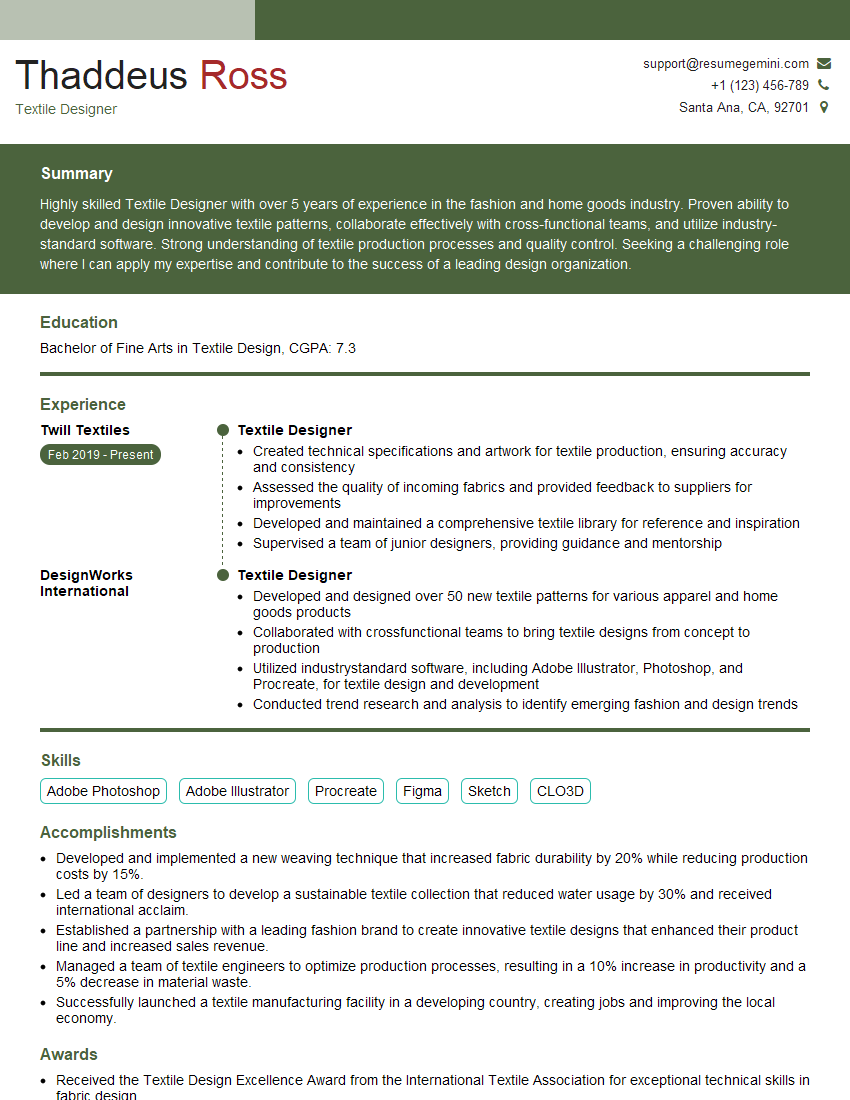
Mastering the Pantone Color System opens doors to exciting career opportunities in design, printing, and related fields. A strong understanding of color theory and practical application within the Pantone system is highly valued by employers. To significantly boost your job prospects, create an ATS-friendly resume that effectively highlights your skills and experience. ResumeGemini is a trusted resource to help you build a professional and impactful resume. We provide examples of resumes tailored to the Pantone Color System to guide you in creating your own.




Explore more articles
Users Rating of Our Blogs
Share Your Experience
We value your feedback! Please rate our content and share your thoughts (optional).
What Readers Say About Our Blog
Very informative content, great job.
good