Interviews are more than just a Q&A session—they’re a chance to prove your worth. This blog dives into essential Paper Printing interview questions and expert tips to help you align your answers with what hiring managers are looking for. Start preparing to shine!
Questions Asked in Paper Printing Interview
Q 1. Explain the difference between offset and digital printing.
Offset and digital printing are two distinct methods for mass production of printed materials, differing significantly in their processes and applications. Offset printing, also known as lithographic printing, is an indirect printing method. It uses a plate to transfer ink onto a rubber blanket, which then transfers the ink onto the paper. This process is ideal for high-volume projects because it’s very cost-effective once the initial plate creation is done. Digital printing, on the other hand, prints directly onto the paper using toner or inkjet technology. It’s perfect for short-run projects, personalized items, and situations where quick turnaround is crucial, because it eliminates the need for plates. Think of it like this: offset printing is like using a stencil to paint a wall – efficient for large areas, while digital printing is like using a paintbrush – more versatile for smaller projects and details.
In short: Offset printing is best for large volumes and consistent quality at lower per-unit cost; digital printing excels in short runs, personalization, and speed.
Q 2. Describe your experience with color management (CMYK, Pantone).
Color management is critical in ensuring consistent color reproduction across different devices and mediums. My experience encompasses working extensively with both CMYK and Pantone color systems. CMYK (Cyan, Magenta, Yellow, and Key/Black) is a subtractive color model used in offset printing, where the mixing of these four inks creates a wide spectrum of colors. Pantone, on the other hand, is a spot color system, using pre-mixed inks with specific color formulations. This ensures consistent color across various print runs and minimizes variations. For example, a client might want a specific shade of corporate blue, perfectly matched to their logo. Pantone provides that guaranteed color match, critical for branding consistency. I’m proficient in using color profiles, calibrating monitors and printers, and creating color separations to ensure accurate color reproduction, regardless of the chosen color system. I often work with clients to choose the most effective color method for their specific project and budget, sometimes using a combination of CMYK and Pantone.
Q 3. What are the common paper types used in printing and their applications?
Many paper types cater to different printing needs and aesthetics. Some common ones include:
- Coated paper: Offers a smooth surface, excellent for high-quality images and sharp text, often used in magazines and brochures.
- Uncoated paper: A more natural, absorbent surface suitable for letterheads, business cards, and invitations where a luxurious feel is desired.
- Cardstock: Thick and sturdy, ideal for postcards, business cards, and packaging.
- Bond paper: A common office paper, relatively inexpensive and suitable for everyday documents.
- Recycled paper: Environmentally friendly, offering various weights and finishes, though often with slightly different print absorption properties.
The choice of paper type significantly impacts the final product’s look, feel, and overall cost. For example, a glossy magazine would use coated paper for vibrant images, while a rustic wedding invitation might utilize a textured uncoated paper.
Q 4. How do you ensure accurate color reproduction in printing?
Accurate color reproduction involves a multi-step process. It starts with proper color management in the design phase, using color profiles and proofing to ensure consistency between the digital file and the printed output. I meticulously check for color accuracy throughout the prepress process and maintain calibrated printing equipment, regularly checking and adjusting press settings to ensure accurate ink density and registration. Proofing using a calibrated proofer that mimics the final output is a critical step, allowing for adjustments before committing to a large print run. Additionally, I always keep a color chart as a reference point during the printing process to avoid deviations and ensure the final colors meet the client’s expectations.
For example, if a client provides a Pantone color specification, we ensure that the selected Pantone ink is used and the press is calibrated to match the specifications exactly. This is far more reliable than relying on CMYK approximations.
Q 5. Explain the prepress process, including file preparation and proofing.
The prepress process is crucial for ensuring a smooth and high-quality print job. It begins with file preparation, where I meticulously check the artwork for resolution, color mode (CMYK), bleeds, and other technical specifications. This might involve converting files to the correct format, adjusting image resolution, and adding bleed to compensate for paper trimming. Next comes proofing, where we create digital or physical proofs to check for color accuracy, text errors, and layout issues. Soft proofing uses software to simulate the final print, while hard proofing involves printing a physical sample on a calibrated proofer that accurately reflects the final print quality. This step ensures client approval before the larger production run. This rigorous approach ensures that we catch any mistakes before they end up on hundreds or thousands of printed pieces.
Q 6. What are your troubleshooting skills related to printing press malfunctions?
Troubleshooting printing press malfunctions requires a systematic approach. I start by identifying the problem – is it a color issue, a registration problem, or a mechanical malfunction? I then carefully examine the press, checking for issues like ink flow, paper jams, misaligned rollers, and faulty sensors. I use diagnostic tools and my experience to isolate the root cause. For instance, if I see banding in the print, it might indicate a problem with the ink supply or rollers. A misalignment suggests the need to adjust the registration settings. I rely on detailed maintenance logs to identify recurring issues and anticipate potential problems. When faced with complex problems, I utilize the manufacturer’s documentation and contact their support team for assistance.
Q 7. Describe your experience with different finishing techniques (e.g., binding, lamination).
My experience includes a wide range of finishing techniques. Binding is crucial for assembling multiple pages, and my expertise includes perfect binding (like most paperback books), saddle stitch binding (like magazines), and wire-o binding (for notebooks and calendars). Lamination adds a protective layer, improving durability and enhancing the visual appeal. I also have experience with other techniques such as die-cutting (creating custom shapes), embossing (creating raised designs), and UV coating (adding a glossy or matte finish). Each technique is selected based on the project’s specific requirements and the desired aesthetic. For example, a high-end corporate brochure might benefit from UV coating and embossing for a premium feel, while a simple booklet might only need saddle-stitch binding.
Q 8. How do you handle printing errors and quality control issues?
Handling printing errors and maintaining quality control is paramount in the printing industry. It’s a multi-faceted process that begins even before the printing process starts. We use a robust system incorporating pre-press checks, in-process monitoring, and post-press inspections.
Pre-press Checks: This involves meticulously reviewing digital files for errors in color, resolution, text, and image placement. We use color profiles and proofing systems to ensure accurate color reproduction before any ink hits the paper. For instance, a client might request a specific Pantone color; we’ll use a calibrated monitor and proofing software to ensure a perfect match.
In-process Monitoring: During the actual printing, we continuously monitor the printing press for consistent color, registration (alignment of multiple colors), and paper feed. We regularly take test prints and compare them against the approved proofs. Detecting and addressing issues promptly is crucial. For example, if we notice a color shift during a long print run, we adjust the ink settings immediately to maintain consistency.
Post-press Inspections: Once printing is complete, a thorough inspection is conducted. This checks for flaws like smudging, misprints, or inconsistencies in the finish. We use visual inspection and sometimes automated systems for large-scale projects to ensure quality. If defects are found, we determine the root cause and implement corrective actions to prevent recurrence.
Our commitment to quality control translates to satisfied clients and a reputation for delivering high-quality printed materials.
Q 9. What is your experience with different types of inks and coatings?
My experience encompasses a wide range of inks and coatings, each with its own properties and applications. The choice of ink and coating significantly impacts the final product’s appearance, durability, and feel.
Inks: I’ve worked extensively with various types, including:
- Solvent-based inks: Known for vibrant colors and excellent durability, often used for outdoor applications like billboards.
- Water-based inks: Environmentally friendly and widely used for publications and packaging where odor is a concern.
- UV-curable inks: Instantly dry upon exposure to UV light, ideal for fast turnaround times and applications requiring immediate handling.
Coatings: Coatings add protection, enhance aesthetics, and improve the tactile experience:
- Varnish: Provides a glossy or matte finish for protection against scratches and abrasion.
- UV coating: Offers superior scratch resistance and durability, often used on high-end brochures and packaging.
- Laminate: A thicker, more protective coating that adds significant durability.
Selecting the appropriate ink and coating depends heavily on the substrate (paper type), the intended use of the printed material, and the client’s specific requirements. For example, a food packaging project would require food-safe inks and coatings.
Q 10. Explain your understanding of print finishing operations.
Print finishing operations are the final steps in the printing process, transforming a printed sheet into a finished product. They significantly impact the product’s overall presentation and usability. Common finishing operations include:
Cutting and Trimming: Precisely cutting printed sheets to the desired size and shape using guillotines or other cutting equipment.
Folding and Creasing: Folding sheets to create brochures, leaflets, or other multi-page documents. Creasing prevents cracking when folded.
Binding: Securing pages together, using methods like saddle stitching (for magazines), perfect binding (for books), or wire-O binding (for notebooks).
Laminating: Applying a protective film over the printed material for durability and shine.
Die-cutting: Creating custom shapes and designs using a die-cutting machine.
Embossing and Debossing: Adding raised or recessed designs to enhance texture and visual appeal.
The choice of finishing techniques is determined by the type of printed material and client preferences. For instance, a high-end corporate report might involve laminating, embossing, and perfect binding, while a simple flyer might only require cutting and folding.
Q 11. How do you manage large print projects efficiently?
Managing large print projects efficiently requires meticulous planning, organization, and effective communication. I follow a structured approach:
Detailed Project Planning: This includes defining project scope, deadlines, budget, and resource allocation. A clear project plan helps maintain order and avoids costly delays.
Efficient Workflow Management: Utilizing project management software and tools to track progress, manage tasks, and ensure deadlines are met. This might include Gantt charts or Kanban boards to visualize project progress and identify potential bottlenecks.
Effective Communication: Maintaining open communication with clients, designers, and internal teams is essential. Regular updates and progress reports keep everyone informed and address issues promptly.
Quality Control at Every Stage: Implementing rigorous quality control measures throughout the process prevents errors and ensures high-quality output. This includes regular checks at pre-press, in-press, and post-press stages.
Resource Optimization: Utilizing available resources efficiently to minimize costs and maximize productivity. This includes efficient scheduling of equipment and personnel.
For example, in a large-scale book printing project, we would break down the project into smaller, manageable tasks and assign them to specific teams with clear deadlines. We would also use project management software to track progress and communicate updates.
Q 12. Describe your experience with different printing substrates.
My experience encompasses a broad range of printing substrates, each with unique characteristics impacting the final print quality and application. The choice of substrate is crucial and depends on the project requirements.
Paper: I’ve worked with various paper types including coated, uncoated, offset, and specialty papers like textured or recycled papers. Each type has varying weight, finish, and absorbency impacting ink adhesion and overall print quality. For example, coated paper provides vibrant colors, while uncoated paper offers a more natural feel.
Cardboard and Board Stock: Used for packaging and displays, these substrates offer rigidity and durability. Different thicknesses and coatings are chosen based on the product’s weight and intended use.
Vinyl and Synthetic Materials: These are ideal for outdoor applications, banners, and signage due to their weather resistance and durability.
Textiles: Printing directly onto fabrics for apparel, banners, and other applications requires specialized inks and printing techniques.
Understanding the properties of different substrates is vital to ensure the print job’s success. For instance, using the wrong paper type for a high-resolution image might result in poor ink absorption and a dull print.
Q 13. What are your skills in operating and maintaining printing equipment?
I possess extensive experience in operating and maintaining various printing equipment, from small-format digital printers to large-format offset presses. This includes:
Digital Printers: Proficient in operating and troubleshooting various digital printing systems, including inkjet and toner-based printers. This involves understanding color management, media handling, and routine maintenance tasks.
Offset Presses: Experienced in operating and maintaining large-format offset presses, including setting up the press, making color adjustments, and performing routine maintenance checks to ensure optimal performance. This includes understanding the intricacies of the printing process, like plate making and ink adjustments.
Finishing Equipment: Skilled in operating and maintaining various finishing equipment, including cutting, folding, binding, and laminating machines. Regular maintenance is crucial for preventing breakdowns and ensuring high-quality output.
My experience ensures minimal downtime and high-quality output. I proactively perform preventative maintenance to avoid costly breakdowns and ensure that equipment is functioning optimally. For example, I regularly clean and calibrate the print heads on digital printers and perform regular inspections on offset press components.
Q 14. What is your familiarity with various printing software (e.g., Adobe Acrobat, RIP software)?
I am highly proficient in various printing software applications crucial for efficient workflow and high-quality output. My experience includes:
Adobe Acrobat: Expert in using Adobe Acrobat for creating and manipulating PDF files, including pre-flight checks for errors and ensuring print-ready files. This involves understanding color spaces, resolution, and other critical aspects of print production.
RIP Software: Extensive experience with various RIP (Raster Image Processor) software programs used to prepare digital files for printing on different devices. This includes managing color profiles, optimizing image quality, and troubleshooting printing issues. I have experience with both commercial and open-source RIP software options, allowing for flexibility based on project requirements.
Design Software (e.g., Adobe InDesign, Illustrator): While not strictly printing software, a strong understanding of these design programs is essential for effective communication with designers and understanding the intricacies of design layouts affecting printability.
My familiarity with these software programs allows me to seamlessly integrate into any printing workflow, ensuring accurate color reproduction, high-resolution output, and efficient file management.
Q 15. Explain your understanding of color profiles and ICC profiles.
Color profiles, specifically ICC (International Color Consortium) profiles, are essentially digital recipes that tell a device how to interpret and reproduce colors. Think of them as translators between different color spaces. A color space is a system for representing colors numerically, like RGB (Red, Green, Blue) for screens or CMYK (Cyan, Magenta, Yellow, Key/Black) for printing. Different devices (printers, monitors, scanners) use different color spaces and have different capabilities in reproducing colors.
An ICC profile describes the characteristics of a particular device, such as a printer or monitor. It defines how that device handles colors, including its gamut (range of reproducible colors), and its response to different color inputs. For example, one printer might be better at reproducing blues, while another excels in yellows. The ICC profile captures these nuances. When a file with an embedded ICC profile is sent to a printer, the printer uses this profile to match the on-screen colors as closely as possible to the printed output.
Without ICC profiles, there’s a significant risk of color mismatch between what’s seen on screen and what’s printed. The same image might look vibrant on one monitor but dull on another, and completely different when printed. ICC profiles mitigate this by providing a standardized way for devices to communicate about color.
Career Expert Tips:
- Ace those interviews! Prepare effectively by reviewing the Top 50 Most Common Interview Questions on ResumeGemini.
- Navigate your job search with confidence! Explore a wide range of Career Tips on ResumeGemini. Learn about common challenges and recommendations to overcome them.
- Craft the perfect resume! Master the Art of Resume Writing with ResumeGemini’s guide. Showcase your unique qualifications and achievements effectively.
- Don’t miss out on holiday savings! Build your dream resume with ResumeGemini’s ATS optimized templates.
Q 16. How do you ensure the timely completion of printing projects?
Ensuring timely completion of printing projects relies heavily on meticulous planning and proactive management. My approach involves several key steps:
- Detailed Project Breakdown: I begin by carefully analyzing the project’s scope, identifying all tasks (design, pre-press, printing, finishing, delivery), their dependencies, and estimated timeframes. Using project management software helps visualize timelines and dependencies effectively.
- Realistic Scheduling: I avoid overly optimistic timelines, factoring in potential delays (e.g., equipment malfunctions, unexpected client revisions). I build in buffer time for contingencies.
- Resource Allocation: I ensure the right personnel and equipment are available at the right time. This includes coordinating with designers, press operators, and finishing staff to avoid bottlenecks.
- Regular Monitoring and Communication: Throughout the project, I monitor progress against the schedule, promptly identifying any deviations. Regular communication with the client and team keeps everyone informed and allows for swift corrective action.
- Contingency Planning: I have backup plans in place to address unexpected issues. For example, if one printing press malfunctions, I have alternatives ready.
This proactive approach helps minimize delays and ensures projects are completed on time, satisfying client needs and maintaining a positive workflow.
Q 17. How do you handle client communication and manage expectations?
Client communication and expectation management are paramount. I believe in fostering open and transparent relationships built on trust and clear communication.
- Active Listening: I start by carefully listening to the client’s requirements, asking clarifying questions to fully understand their vision and needs. This involves understanding not only the technical specifications but also the client’s overall goals and target audience.
- Realistic Expectations: I provide realistic assessments of project timelines and costs, proactively addressing potential challenges and offering solutions. I never overpromise and underdeliver.
- Regular Updates: I provide regular updates to clients throughout the project lifecycle, keeping them informed about progress, potential issues, and any necessary adjustments. This avoids surprises and maintains transparency.
- Proactive Problem Solving: If challenges arise, I proactively address them, offering options and solutions to minimize disruption to the client’s timeline and objectives.
- Professionalism: I always maintain a professional and courteous demeanor, responding promptly to inquiries and addressing concerns with empathy and understanding.
This approach helps build strong client relationships, resulting in repeat business and positive referrals.
Q 18. What is your experience with print estimations and costing?
Print estimations and costing are crucial for profitability and client satisfaction. My experience encompasses a detailed, multi-faceted approach:
- Gathering Information: I begin by gathering detailed specifications from the client, including paper type, quantity, size, color process (e.g., CMYK, Pantone), finishing requirements (e.g., binding, lamination), and delivery method.
- Material Costs: I accurately calculate material costs, including paper, ink, and any finishing materials. I leverage my knowledge of current market prices and vendor relationships to secure the best deals.
- Labor Costs: I estimate labor costs based on the complexity of the project, the time required for pre-press, printing, and finishing, and the number of personnel involved.
- Equipment Costs: I factor in the costs associated with using printing presses and other equipment, considering factors such as setup time, run time, and potential waste.
- Overhead Costs: I include overhead costs such as utilities, rent, and administrative expenses.
- Profit Margin: Finally, I add a reasonable profit margin to ensure the project is profitable while remaining competitive.
I use specialized software and spreadsheets to streamline this process, ensuring accuracy and efficiency. I regularly review my cost estimates to adjust for market fluctuations and maintain competitiveness.
Q 19. Describe your experience with different types of printing presses.
My experience spans a variety of printing presses, each with its own strengths and applications. This includes:
- Offset Printing Presses: These are high-volume, cost-effective presses ideal for large-scale projects requiring high-quality results. I’m proficient in operating and maintaining various sheet-fed and web offset presses, understanding their capabilities and limitations.
- Digital Printing Presses: I’m experienced with various digital printing technologies like toner-based and inkjet presses. These are suitable for short-run projects, personalized printing, and quick turnaround times. I understand the nuances of different toner and ink formulations and their impact on print quality.
- Screen Printing Presses: I have experience with screen printing, particularly for specialty items like t-shirts, bags, and promotional materials. I’m familiar with different screen mesh types, ink formulations, and the process of setting up and operating screen printing equipment.
My familiarity with these different press types allows me to make informed recommendations to clients, selecting the most appropriate technology for their specific needs and budget.
Q 20. What is your understanding of print specifications and standards?
Print specifications and standards are essential for ensuring consistent and high-quality output. My understanding includes:
- Color Specifications: I am proficient in working with various color models like CMYK, Pantone, and RGB, understanding their implications for different printing processes and substrates.
- Image Resolution: I understand the importance of high-resolution images (typically 300 DPI for print) to achieve crisp, clear results. I know how to properly prepare and handle images for printing to avoid issues like pixelation or moiré patterns.
- Paper Specifications: I’m knowledgeable about different paper types, weights, finishes (e.g., coated, uncoated), and their suitability for various printing techniques and applications.
- File Formats: I’m proficient in handling various file formats commonly used in print production, including PDF, TIFF, and EPS. I understand the importance of proper file preparation to avoid compatibility issues.
- Industry Standards: I’m familiar with industry standards and best practices, such as those set by organizations like the ISO (International Organization for Standardization), ensuring adherence to quality and consistency in print production.
Understanding these specifications and standards is crucial for achieving consistent and high-quality print results, meeting client expectations and minimizing errors.
Q 21. How familiar are you with different paper weights and sizes?
My knowledge of paper weights and sizes is extensive, crucial for selecting the right paper for a specific printing project. Paper weight is typically measured in GSM (grams per square meter) or pounds (lbs). For example:
- Lightweight Papers (60-80 GSM): Often used for inexpensive leaflets or brochures.
- Standard Papers (80-120 GSM): Suitable for everyday documents, flyers, and business stationery.
- Heavyweight Papers (120-250 GSM): Commonly used for brochures, cards, and heavier-duty applications requiring durability.
- Card Stock (250 GSM and above): Thick, robust papers used for business cards, postcards, and high-quality printing.
Similarly, I’m familiar with various paper sizes, including standard sizes like A4, A3, US Letter, and legal, as well as custom sizes based on specific project requirements. I can translate between different paper size systems and ensure the appropriate size is selected for optimum printing and finishing processes. Understanding this allows me to advise clients on the best paper choice based on their budget, intended use, and desired aesthetic.
Q 22. How do you ensure the sustainability and environmental impact of the printing process?
Sustainability in printing is paramount. It’s not just about using eco-friendly inks; it’s a holistic approach encompassing the entire process. We achieve this through several key strategies.
- Choosing Sustainable Materials: We prioritize using recycled paper whenever possible, opting for papers with certifications like FSC (Forest Stewardship Council) to ensure responsible forest management. We also explore using plant-based inks and biodegradable packaging.
- Waste Reduction: Implementing efficient workflows minimizes paper waste. This includes careful job planning, precise cutting techniques, and investing in technologies that reduce material spoilage during the printing process. We also diligently recycle paper scraps and other printing by-products.
- Energy Efficiency: We use energy-efficient printing equipment and practice responsible energy management in the facility. This includes turning off machines when not in use and optimizing lighting to reduce our carbon footprint.
- Water Conservation: We monitor water usage in our cleaning and preparation processes and implement strategies to minimize water consumption. This might involve using water-saving cleaning solutions or investing in equipment with optimized water usage.
- Partnering with Responsible Suppliers: We choose suppliers who share our commitment to sustainability, ensuring that the entire supply chain contributes to a reduced environmental impact.
For example, in a recent large-scale project, we successfully reduced paper waste by 15% by optimizing the layout design and implementing a more efficient cutting process. This not only saved the client money but significantly reduced our environmental impact.
Q 23. What is your experience with quality control checks throughout the printing process?
Quality control is ingrained in every stage of our printing process. It’s not just a final check; it’s a continuous loop of monitoring and improvement.
- Pre-Press Checks: Before printing begins, we meticulously check the digital files for color accuracy, resolution, and proper formatting. We use color profiling and proofing to ensure consistency across different devices.
- In-Process Monitoring: During printing, we regularly check the color calibration, ink density, and paper feed to catch any deviations from the desired quality. We employ sophisticated colorimeters and densitometers to quantify these parameters and maintain consistency.
- Post-Press Inspection: After printing, a thorough inspection checks for defects like smudging, misalignment, or damage. We often use automated inspection systems to assist in this process, ensuring high-volume accuracy.
- Statistical Process Control (SPC): We utilize SPC charts to track key metrics and identify potential issues before they escalate. This data-driven approach helps us pinpoint trends and make timely adjustments to our processes.
For instance, during a recent high-profile brochure print run, our in-process monitoring revealed a slight ink density variation. By immediately addressing this, we avoided a potentially costly reprint and maintained the high quality expected by our client.
Q 24. Describe your experience with managing inventory of printing supplies.
Efficient inventory management of printing supplies is crucial for smooth operations. We utilize a combination of strategies:
- Just-in-Time Inventory: We aim for a just-in-time inventory system, ordering supplies only when needed to minimize storage costs and reduce the risk of spoilage. This requires accurate forecasting and strong relationships with our suppliers.
- Inventory Tracking Software: We use sophisticated software to track our inventory levels in real-time. This system alerts us when supplies are running low, ensuring timely reordering.
- Regular Audits: Periodic physical audits of our storage area validate our inventory data and identify any discrepancies or potential issues.
- Supplier Relationships: We maintain close relationships with reliable suppliers who offer competitive pricing, consistent quality, and timely delivery.
Imagine running out of a specific shade of ink mid-print job. Our inventory management system prevents such scenarios, preventing delays and ensuring a consistent workflow.
Q 25. What are your troubleshooting skills regarding paper jams and other printing issues?
Troubleshooting printing issues is a regular part of our work. Our approach is systematic and methodical:
- Identify the Issue: We start by clearly defining the problem – is it a paper jam, color discrepancy, or something else? We gather all relevant information, such as error messages or visual evidence.
- Check the Obvious: We begin with the simplest solutions, such as ensuring the paper tray is correctly loaded, the printer is properly connected, and the ink cartridges have sufficient ink.
- Consult Documentation: We refer to the printer’s manual and online resources to identify potential causes and solutions. Many issues are documented, and the solutions are readily available.
- Systematic Elimination: If the problem persists, we systematically eliminate possible causes by testing different components or settings.
- Seek External Support: If necessary, we don’t hesitate to seek expert support from the equipment manufacturer or other qualified technicians.
For example, a recent paper jam was traced to a misaligned roller. By quickly identifying and adjusting the roller, we minimized downtime and kept the printing process running smoothly. This quick diagnosis saved significant time and resources.
Q 26. Explain your experience with different print processes (e.g., screen printing, digital printing).
My experience encompasses various printing processes, each with its own strengths and applications:
- Screen Printing: I’m proficient in screen printing, a versatile technique ideal for high-volume production of textiles, posters, and other items with bold, durable prints. I understand the intricacies of stencil preparation, ink selection, and the importance of precise registration.
- Digital Printing: Digital printing offers flexibility and cost-effectiveness, especially for smaller print runs and personalized items. My experience includes managing various digital printing technologies, from inkjet to toner-based systems, and I’m familiar with color management best practices in the digital realm. I also understand the importance of file preparation and color profiles.
- Offset Printing: I have extensive knowledge of offset lithography, suitable for high-volume, high-quality prints with sharp detail and even color distribution. I’m experienced in managing plate making, ink adjustments, and ensuring accurate registration and color consistency during long print runs.
For instance, a recent client required both high-volume offset printing for a marketing campaign and small runs of personalized brochures. My expertise allowed me to manage both efficiently and effectively, meeting the client’s diverse needs.
Q 27. How do you prioritize tasks and manage your workload effectively in a fast-paced printing environment?
In a fast-paced environment, effective prioritization and workload management are essential. I employ several strategies:
- Prioritization Matrix: I use a prioritization matrix (e.g., Eisenhower Matrix) to categorize tasks based on urgency and importance, ensuring that the most critical jobs are addressed first.
- Job Scheduling Software: I use job scheduling software to manage deadlines and resource allocation, optimizing workflow efficiency. This helps visualise deadlines and anticipate potential bottlenecks.
- Communication and Collaboration: Open communication with the team and clients is vital. Clear expectations and timely updates prevent misunderstandings and ensure everyone is aligned on priorities.
- Time Blocking: I allocate specific time blocks for different tasks, focusing on one task at a time to enhance concentration and minimize distractions.
- Flexibility and Adaptability: Unexpected delays are inevitable. My ability to adapt quickly and adjust priorities helps ensure smooth operation and client satisfaction.
During peak seasons, employing these strategies keeps projects on schedule and client satisfaction high. It’s like orchestrating a symphony – every instrument (task) plays its part at the right time for a harmonious result.
Q 28. Describe your experience with maintaining accurate records and documentation of printing jobs.
Maintaining accurate records and documentation is crucial for accountability, efficiency, and future reference. We utilize several methods:
- Digital Job Tracking System: We utilize a digital job tracking system that records all aspects of each printing job, including client details, specifications, materials used, costs, and delivery information. This system keeps a comprehensive history of every print job.
- Version Control: We maintain version control for digital files, ensuring that we have access to all revisions and can easily track changes made throughout the design and production process.
- Quality Control Documentation: All quality control checks are meticulously documented, including dates, times, results, and any corrective actions taken.
- Inventory Records: We maintain detailed records of our inventory, including stock levels, purchase orders, and supplier information. This helps to ensure efficient inventory management and accurate cost tracking.
- Client Communication Logs: We maintain records of all communications with clients, ensuring clarity and accountability throughout the process.
This thorough record-keeping ensures smooth operations, enables easy auditing, and provides invaluable data for future planning and process improvements. It’s like a detailed recipe book for every project— ensuring we can recreate success and refine our processes over time.
Key Topics to Learn for Your Paper Printing Interview
- Paper Types and Properties: Understanding different paper types (coated, uncoated, specialty papers), their characteristics (weight, brightness, finish), and suitability for various printing techniques is crucial. Consider the impact of paper choice on print quality and cost.
- Printing Processes: Familiarize yourself with various printing methods like offset lithography, digital printing, flexography, screen printing, and their respective applications, advantages, and limitations. Be prepared to discuss the workflow for each.
- Color Management and Reproduction: Grasp the concepts of color spaces (CMYK, RGB), color profiles, and how they affect accurate color reproduction in print. Understand the challenges of achieving consistent color across different printing processes and substrates.
- Pre-press Preparation: Learn about file preparation for different printing methods, including image resolution, color profiles, trapping, and imposition. Discuss the importance of proofing and its role in minimizing errors.
- Print Finishing and Binding: Explore various finishing techniques like cutting, folding, lamination, binding (perfect binding, saddle stitch, wire-O), and their applications. Understand how these processes impact the final product’s quality and presentation.
- Print Quality Control and Troubleshooting: Develop your understanding of common print defects (e.g., banding, mottle, color inconsistencies), their causes, and how to troubleshoot them. This demonstrates practical problem-solving skills.
- Sustainability and Environmental Considerations: Familiarize yourself with eco-friendly printing practices, including the use of recycled paper, vegetable-based inks, and responsible waste management. This shows awareness of current industry trends.
- Industry Software and Technology: Gain familiarity with industry-standard software (e.g., Adobe Creative Suite, RIP software) and printing technologies. Understanding the technical aspects of these tools is highly beneficial.
Next Steps
Mastering the intricacies of paper printing positions you for a rewarding and diverse career with excellent growth potential. The industry is constantly evolving, demanding professionals with strong technical skills and problem-solving abilities. To maximize your job prospects, creating a compelling and ATS-friendly resume is paramount. ResumeGemini is a trusted resource that can help you build a professional and impactful resume, showcasing your skills and experience effectively. Examples of resumes tailored to the Paper Printing industry are available to guide you. Take the next step towards your dream career – craft a winning resume with ResumeGemini today.

Print Production Manager Resume Sample

Print Buyer Resume Sample

Prepress Manager Resume Sample

Press Operator Resume Sample

Graphic Arts Technician Resume Sample

Prepress Technician Resume Sample
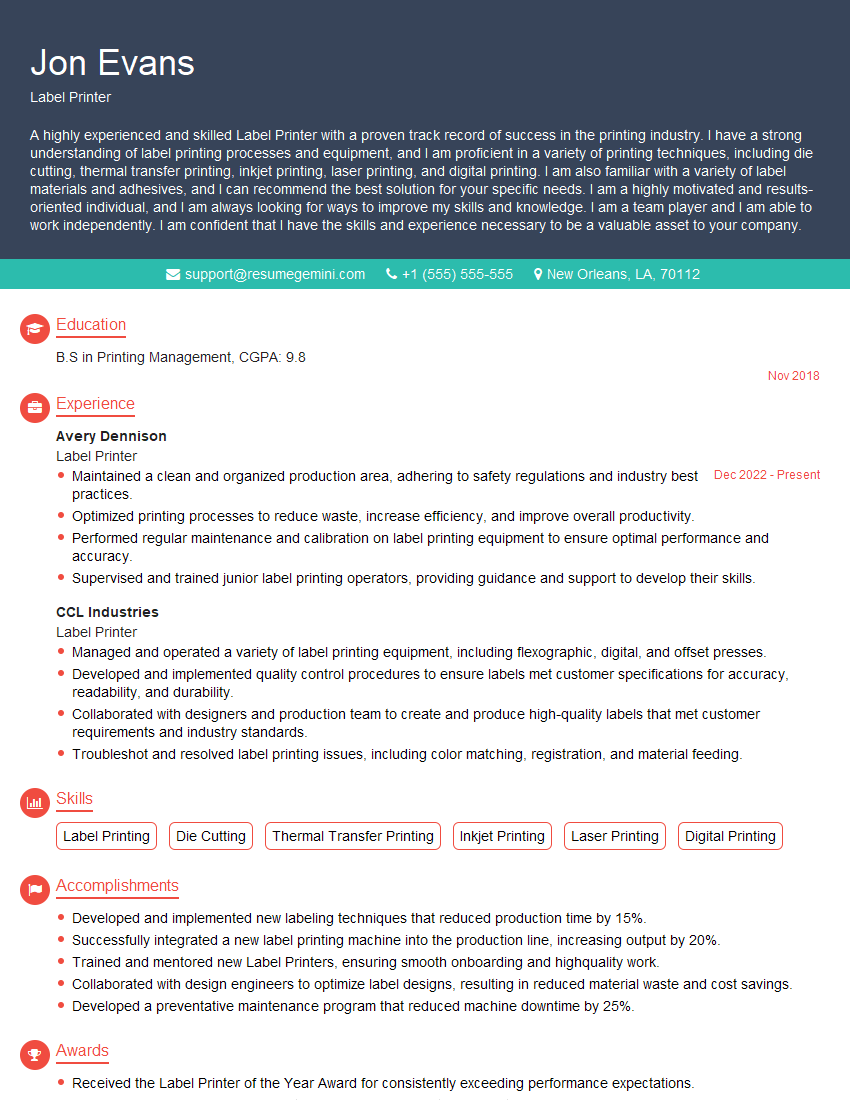
Label Printer Resume Sample
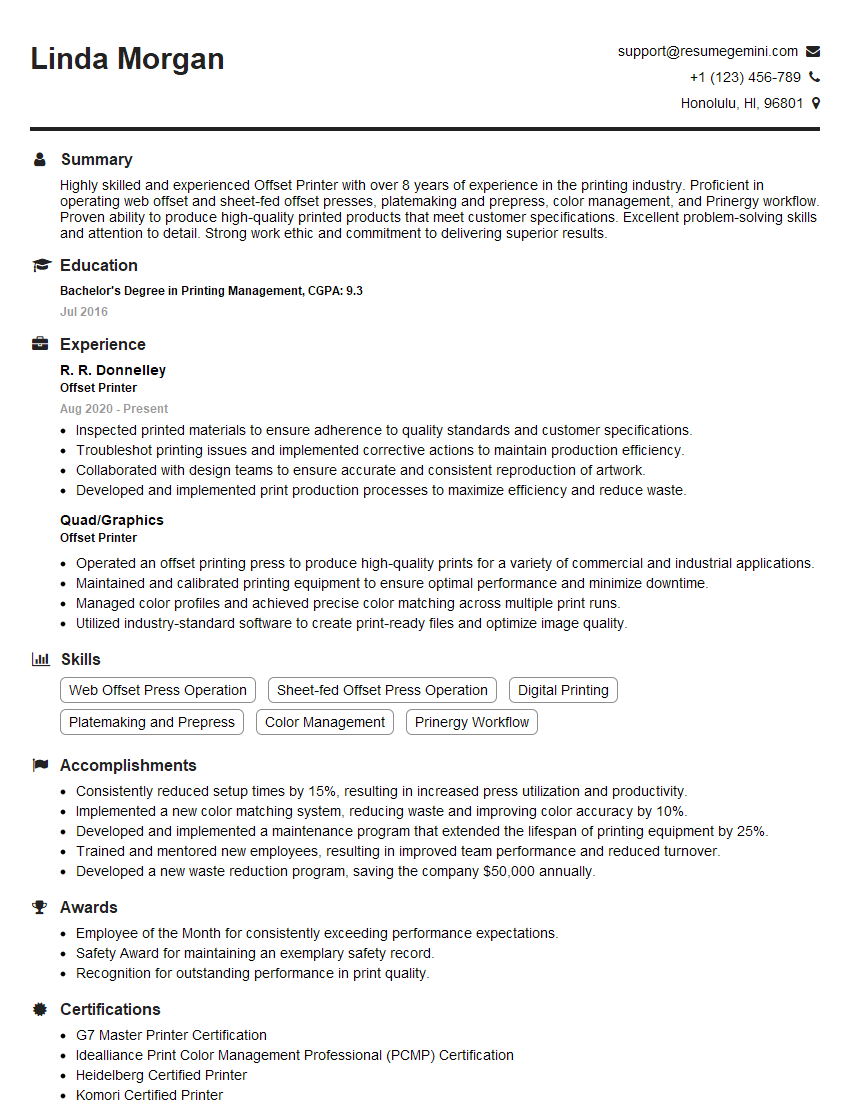
Offset Printer Resume Sample

Screen Printer Resume Sample
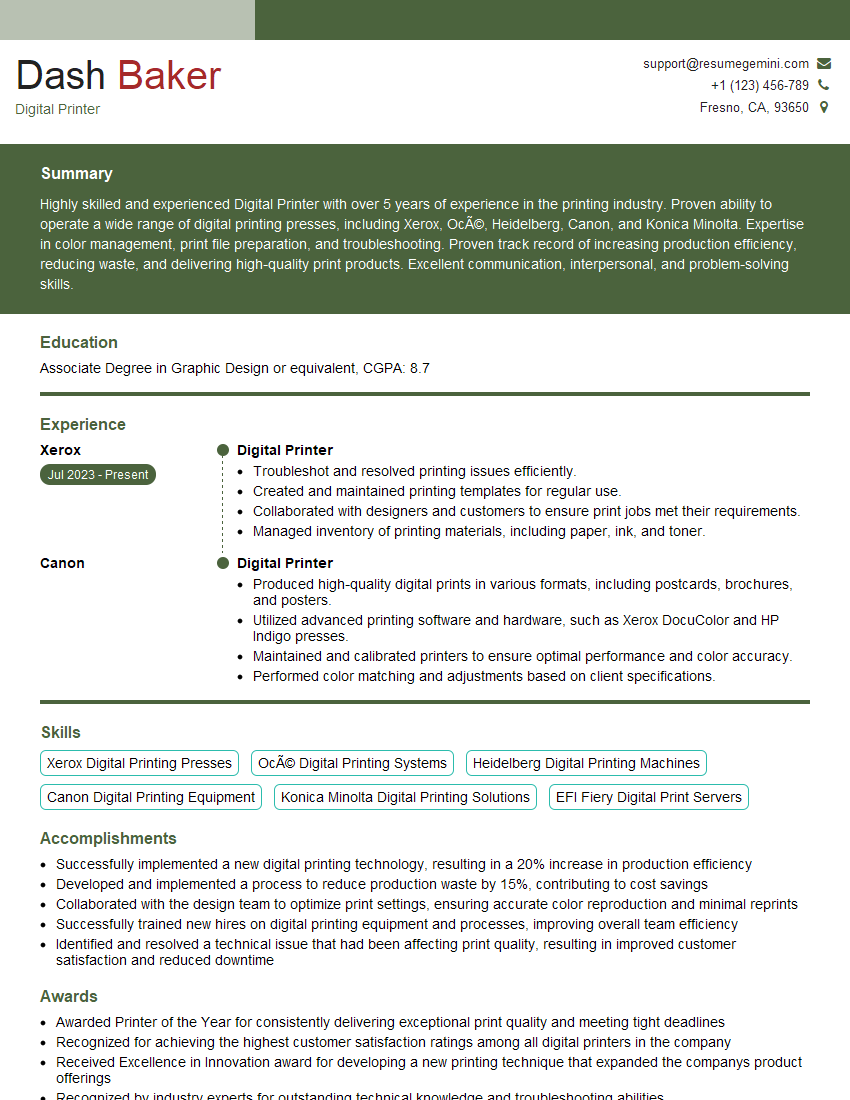
Digital Printer Resume Sample

Print Finisher Resume Sample
Explore more articles
Users Rating of Our Blogs
Share Your Experience
We value your feedback! Please rate our content and share your thoughts (optional).
What Readers Say About Our Blog
Very informative content, great job.
good