Interviews are opportunities to demonstrate your expertise, and this guide is here to help you shine. Explore the essential Persistence interview questions that employers frequently ask, paired with strategies for crafting responses that set you apart from the competition.
Questions Asked in Persistence Interview
Q 1. Explain the ACID properties of database transactions.
ACID properties are a set of guarantees that ensure database transactions are processed reliably. They are crucial for maintaining data integrity, especially in concurrent environments. Think of them as the four pillars of a trustworthy database transaction.
- Atomicity: The entire transaction happens as one unit. Either all changes are committed, or none are. It’s like an all-or-nothing deal. If one part of the transaction fails, the entire transaction is rolled back. Imagine transferring money between bank accounts; either both accounts are updated correctly, or neither is.
- Consistency: The transaction maintains the database’s integrity constraints. It starts in a valid state, and after the transaction, it remains in a valid state. This prevents data corruption. Think of it as following all the database rules, like ensuring no negative balances exist after a transaction.
- Isolation: Concurrent transactions are isolated from each other. One transaction’s actions aren’t visible to others until it’s committed. This is critical to avoid race conditions and unexpected results. Imagine two people simultaneously trying to buy the last concert ticket; isolation prevents conflicts.
- Durability: Once a transaction is committed, the changes are permanent and survive system failures. Even if the power goes out, the data is safe. This relies on logging and recovery mechanisms. Think of it like writing the transaction in stone – it can’t be erased easily.
Q 2. What are the different types of database consistency levels?
Database consistency levels define how much isolation is provided between concurrent transactions. They represent a trade-off between data consistency and performance. Choosing the right level depends on the application’s needs and the acceptable risk of reading inconsistent data.
- Read Uncommitted: A transaction can read data that hasn’t been committed by another transaction. This is the least consistent but fastest level. High risk of reading dirty data (data that might later be rolled back).
- Read Committed: A transaction can only read data that has been committed by other transactions. This avoids dirty reads but might encounter non-repeatable reads (reading the same data multiple times and getting different results) or phantom reads (new rows appearing during a transaction).
- Repeatable Read: Prevents dirty reads and non-repeatable reads but might suffer from phantom reads. This guarantees that a transaction will see the same data throughout its execution, unless it explicitly modifies the data.
- Serializable: The strictest consistency level. It ensures that concurrent transactions appear to execute one after another, as if in a serial order. This prevents all anomalies (dirty reads, non-repeatable reads, and phantom reads) but can significantly impact performance.
Q 3. Describe the difference between optimistic and pessimistic locking.
Both optimistic and pessimistic locking are concurrency control mechanisms designed to prevent data corruption when multiple transactions access and modify the same data. They differ fundamentally in their approach.
- Pessimistic Locking: Assumes conflicts are likely. It locks the data immediately when a transaction needs to access it. This prevents other transactions from modifying the data until the lock is released. Think of it like a bouncer guarding a club – only one person can enter at a time. It’s straightforward but can lead to blocking and deadlocks if not managed carefully.
- Optimistic Locking: Assumes conflicts are unlikely. It doesn’t lock the data initially. Instead, it checks for conflicts just before the transaction commits. If a conflict is detected (someone else modified the data), the transaction is rolled back. Think of it as a casual approach where everyone is allowed to dance but you need to check for collisions before the song ends. It’s more efficient if conflicts are rare, but it requires a mechanism to detect conflicts (e.g., versioning).
Q 4. Explain the concept of indexing in databases and its benefits.
Indexing in databases is like creating a detailed table of contents for your data. It significantly speeds up data retrieval by creating a separate data structure that points to the actual data rows. Think of a library catalog—finding a specific book is much faster using the catalog than searching every shelf.
Benefits:
- Faster Searches: Indexes drastically reduce the time it takes to find specific data. Instead of scanning the entire table, the database can use the index to quickly locate the relevant rows.
- Improved Query Performance: Complex queries that involve multiple joins or filters can be significantly optimized with indexes.
- Enhanced Data Retrieval: Indexes support efficient sorting and grouping operations, which are essential for many reporting and analytical tasks.
Q 5. What are the various types of database indexes (B-tree, hash, etc.)?
Different index types suit different data structures and query patterns:
- B-tree Index: The most common type, ideal for range queries (e.g., finding all customers within a specific age range). It’s a self-balancing tree structure that efficiently handles both sequential and random access.
- Hash Index: Efficient for equality searches (e.g., finding a customer with a specific ID). Uses a hash function to map keys to locations. However, it’s not suitable for range queries.
- Full-text Index: Used for searching text data, often containing keywords and stemming capabilities. Enables searching for partial matches or related words.
- Spatial Index: Designed for handling spatial data (geographic coordinates, shapes). Used for location-based queries (e.g., finding all restaurants within a certain radius).
Q 6. How do you optimize database queries for performance?
Optimizing database queries is essential for application performance. Strategies include:
- Use Indexes Effectively: Create indexes on frequently queried columns, especially those used in
WHEREclauses. - Write Efficient Queries: Avoid using
SELECT *, only select necessary columns. Use appropriate joins (inner vs. outer) and avoid unnecessary subqueries. - Optimize Data Types: Choose appropriate data types to minimize storage space and improve query speed. Avoid large text fields if not necessary.
- Analyze Query Plans: Use database tools (e.g.,
EXPLAIN PLANin Oracle) to analyze how the database executes queries and identify bottlenecks. - Caching: Implement caching mechanisms to store frequently accessed data in memory, thereby reducing database load.
- Connection Pooling: Reuse database connections rather than creating new ones for every query, reducing overhead.
- Database Tuning: Adjust database parameters, such as buffer pools and memory allocation, to optimize performance.
- Data Partitioning: For very large tables, divide data into smaller, manageable partitions to speed up query execution.
-- Example of an inefficient querySELECT * FROM Customers WHERE country = 'USA'; -- Improved querySELECT CustomerID, Name, City FROM Customers WHERE country = 'USA';Q 7. Explain the concept of database normalization and its importance.
Database normalization is a systematic process of organizing data to reduce redundancy and improve data integrity. Imagine a spreadsheet with repeated information—that’s the kind of redundancy normalization aims to eliminate.
It involves breaking down a database into two or more tables and defining relationships between the tables. The goal is to isolate data so that additions, deletions, and modifications of a field can be made in just one table and then propagated through the rest via the defined relationships.
Importance:
- Data Integrity: Reduces data redundancy, minimizing inconsistencies and ensuring data accuracy.
- Efficiency: Smaller tables lead to faster query processing.
- Flexibility: Easier to modify and maintain the database schema without affecting other parts of the system.
- Scalability: The database can grow more efficiently without performance degradation.
Q 8. What are different types of database joins (inner, outer, etc.)?
Database joins are used to combine rows from two or more tables based on a related column between them. Think of it like linking different pieces of information together. There are several types:
- INNER JOIN: Returns rows only when there is a match in both tables. It’s like finding the intersection of two sets. For example, if you have a ‘Customers’ table and an ‘Orders’ table, an INNER JOIN would only return customers who have placed orders.
- LEFT (OUTER) JOIN: Returns all rows from the left table (the one specified before
LEFT JOIN), even if there is no match in the right table. If there’s no match, the columns from the right table will haveNULLvalues. Imagine you want all customers, and you show their orders if they have any, otherwise, the order information is blank. - RIGHT (OUTER) JOIN: Similar to a LEFT JOIN, but it returns all rows from the right table, and
NULLvalues for unmatched rows in the left table. This is useful if you want all orders and their associated customer information, even if some orders don’t have a matching customer (perhaps due to data entry error). - FULL (OUTER) JOIN: Returns all rows from both tables. If there’s a match, the corresponding rows are combined; otherwise,
NULLvalues are used for the unmatched columns. This gives you the complete picture from both tables.
Example (SQL):
SELECT * FROM Customers INNER JOIN Orders ON Customers.CustomerID = Orders.CustomerID;Q 9. Describe different database replication strategies.
Database replication is the process of copying data from one database (the master or primary) to one or more other databases (replicas or slaves). This improves availability, scalability, and performance. Different strategies exist:
- Asynchronous Replication: Replicas are updated periodically, not immediately. This is less demanding on the master but may have some data lag. It’s like having a slightly delayed copy of your document.
- Synchronous Replication: Replicas are updated only after the master confirms the write. This guarantees data consistency but can be slower and put more load on the master. This is like having an exact, real-time copy.
- Master-Slave Replication: A single master handles all writes, and slaves read-only copies are created for better scalability and read performance. A classic approach but creates a single point of failure if the master goes down.
- Multi-Master Replication: Multiple masters can accept writes, introducing complexity in conflict resolution. This allows for higher write availability but requires sophisticated conflict resolution mechanisms. Think of multiple authors updating a document simultaneously.
The best strategy depends on the application’s requirements for consistency, availability, and performance.
Q 10. How do you handle database deadlocks?
Database deadlocks occur when two or more transactions are blocked indefinitely, waiting for each other to release the locks they need. Imagine two people trying to pass each other in a narrow hallway – neither can move until the other does.
Handling deadlocks involves a combination of preventative measures and recovery mechanisms:
- Preventative Measures:
- Setting a consistent locking order: Always acquire locks on tables in a predefined order to prevent circular dependencies.
- Short transactions: Keeping transactions short reduces the chance of conflicts.
- Using lower isolation levels (if appropriate): Lower isolation levels may allow some concurrency, potentially avoiding deadlocks, though it might sacrifice data integrity.
- Recovery Mechanisms:
- Deadlock detection: The database system should detect deadlocks and automatically roll back one or more transactions to resolve the issue.
- Retry mechanism: If a deadlock occurs, the application can retry the transaction after a short delay.
The specific approach depends on the database system and the application’s requirements. Most modern database systems have built-in deadlock detection and resolution.
Q 11. Explain the difference between a clustered and non-clustered index.
Both clustered and non-clustered indexes are data structures that improve query performance. The key difference lies in how they are stored relative to the data table.
- Clustered Index: A clustered index physically reorders the rows in the table based on the index key. There can only be one clustered index per table. It’s like alphabetizing a physical filing cabinet – the records are sorted by the filing system itself.
- Non-Clustered Index: A non-clustered index stores the index key and a pointer to the corresponding row in the table (but doesn’t sort the actual table data). Multiple non-clustered indexes are allowed per table. It’s like having a separate index card system that points to records in the filing cabinet.
Choosing between them depends on the query patterns. If a specific column is frequently used in WHERE clauses (especially in queries that need to fetch a lot of records), a clustered index on that column is generally beneficial. If different columns are frequently queried, multiple non-clustered indexes can improve performance.
Q 12. What are the advantages and disadvantages of using NoSQL databases?
NoSQL databases offer an alternative to traditional relational databases (SQL). They are often chosen for their scalability and flexibility, but they have trade-offs.
- Advantages:
- Scalability: NoSQL databases are typically designed to scale horizontally across multiple servers, making them suitable for handling massive datasets and high traffic loads. This is like having many smaller filing cabinets instead of one huge one.
- Flexibility: They support various data models beyond the relational model (like document, key-value, graph), making them adaptable to different data structures and application requirements.
- Performance: For specific use cases (especially with large datasets), they can offer superior performance compared to SQL databases.
- Disadvantages:
- Data consistency: NoSQL databases often prioritize availability and partition tolerance over strong consistency, meaning that data might not be perfectly consistent across all replicas at all times.
- ACID properties: NoSQL databases usually don’t fully support ACID properties (atomicity, consistency, isolation, durability), which are crucial for financial transactions or other applications requiring strong data integrity.
- Complexity: Managing and querying NoSQL databases can be more complex, particularly for developers accustomed to the relational model.
Q 13. Describe different NoSQL database models (document, key-value, graph, etc.)
NoSQL databases offer several data models:
- Key-Value: The simplest model, storing data as key-value pairs. Think of it like a dictionary. Excellent for caching and session management.
RedisandMemcachedare examples. - Document: Stores data in flexible, semi-structured documents (often JSON or XML). Suitable for applications with evolving data structures.
MongoDBis a popular example. - Graph: Represents data as nodes and edges (relationships). Ideal for social networks, recommendation systems, and other applications with complex relationships.
Neo4jis a prominent example. - Column-Family: Organizes data into columns and column families. Useful for large datasets with many attributes, but some are only relevant to a small portion of the records.
Cassandrais a well-known example.
Q 14. Compare and contrast SQL and NoSQL databases.
SQL and NoSQL databases have different strengths and weaknesses:
| Feature | SQL | NoSQL |
|---|---|---|
| Data Model | Relational (tables, rows, columns) | Various (key-value, document, graph, column-family) |
| Schema | Fixed schema | Flexible schema (often schema-less) |
| Scalability | Typically vertical scaling | Typically horizontal scaling |
| ACID Properties | Strong support | Variable, often weak or no support for some |
| Consistency | Strong consistency | Often eventual consistency |
| Query Language | SQL | Database-specific query languages (often simpler for specific operations) |
| Transactions | Robust transaction support | Limited or no transaction support in some cases |
The choice depends on the application’s needs. SQL databases are better suited for applications requiring strong data consistency and complex transactions, while NoSQL databases excel in scenarios demanding high scalability, flexibility, and performance with large datasets.
Q 15. Explain the concept of CAP theorem in distributed databases.
The CAP theorem, short for Consistency, Availability, and Partition tolerance, is a fundamental limit in distributed data stores. It states that a distributed data system can only satisfy at most two of the following three guarantees simultaneously:
- Consistency: Every read receives the most recent write or an error.
- Availability: Every request receives a response, without guarantee that it contains the most recent write.
- Partition tolerance: The system continues to operate despite arbitrary message loss or network partitions.
Imagine a bank’s distributed database. Consistency ensures all branches see the same balance. Availability ensures every customer can access their account, even during network issues. Partition tolerance means the system functions even if some branches are temporarily offline due to network problems. The CAP theorem highlights the inherent trade-offs. You can’t simultaneously guarantee all three. Most NoSQL databases prioritize AP (Availability and Partition tolerance), sacrificing strong consistency for high availability during network disruptions. Relational databases, on the other hand, typically prioritize CA (Consistency and Availability), which makes them less resilient to network partitions. The choice depends entirely on the application’s needs.
Career Expert Tips:
- Ace those interviews! Prepare effectively by reviewing the Top 50 Most Common Interview Questions on ResumeGemini.
- Navigate your job search with confidence! Explore a wide range of Career Tips on ResumeGemini. Learn about common challenges and recommendations to overcome them.
- Craft the perfect resume! Master the Art of Resume Writing with ResumeGemini’s guide. Showcase your unique qualifications and achievements effectively.
- Don’t miss out on holiday savings! Build your dream resume with ResumeGemini’s ATS optimized templates.
Q 16. How do you ensure data integrity in a distributed database system?
Data integrity in a distributed database system is crucial and requires a multi-faceted approach. Key strategies include:
- Transactions: ACID properties (Atomicity, Consistency, Isolation, Durability) ensure that data modifications are treated as atomic units, preventing partial updates and maintaining consistency even during failures. For instance, a money transfer between two accounts needs to be fully completed or fully rolled back; no partial updates are acceptable.
- Replication and Consensus Algorithms: Replicating data across multiple nodes enhances availability and fault tolerance. Algorithms like Paxos or Raft ensure consistency by coordinating updates across replicas. Think of it as having multiple copies of a document; any change needs to be applied to all copies.
- Data Validation and Constraints: Implementing strict data validation rules (data types, constraints, etc.) at the application and database levels helps prevent invalid data from entering the system. This is like having a spell-checker for your data.
- Versioning and Conflict Resolution: In systems with high concurrency, versioning helps track changes and resolve conflicts between updates. Optimistic or pessimistic locking mechanisms are frequently used to manage concurrent accesses.
- Checksums and Data Integrity Checks: Periodically verifying data integrity through checksums or hash functions ensures data corruption is detected and addressed. This is like checking for errors in a downloaded file.
Choosing the right strategy depends on the specific requirements of the distributed database system and the application.
Q 17. Describe your experience with database sharding and partitioning.
I have extensive experience with database sharding and partitioning, having implemented these techniques in high-volume, high-throughput systems. Sharding involves dividing a large database into smaller, more manageable pieces called shards, distributed across multiple servers. Partitioning is the process of dividing a database table into smaller tables based on some criteria.
For example, in an e-commerce application, we might shard a user database by geographical region. Users in North America would be stored on one set of servers, while users in Europe would be on another. This improves performance by reducing the load on any individual server. Partitioning could be applied to order history; older orders might reside on separate, cheaper storage.
My experience includes designing and implementing sharding strategies, managing shard distribution, handling cross-shard queries, and addressing challenges like data locality and hot spots. I’m proficient in using both automatic and manual sharding techniques, and I understand the trade-offs between simplicity and scalability.
Q 18. How do you handle data backups and recovery?
Robust backup and recovery mechanisms are critical for data persistence. My approach involves a multi-layered strategy:
- Full Backups: Regular full backups capture a complete snapshot of the database at a specific point in time. These are less frequent but provide a complete restoration point.
- Incremental Backups: These only capture changes since the last full or incremental backup, reducing storage and backup time. They are more frequent.
- Differential Backups: Capture the changes since the last full backup. Faster to restore than incremental backups.
- Backup Replication: Storing backups in geographically separate locations ensures protection against disasters affecting the primary data center.
- Automated Backup Scheduling: Automated systems ensure backups are performed reliably and consistently. I typically use scripting and monitoring tools to manage this.
- Point-in-Time Recovery (PITR): Using transaction logs allows for recovery to a specific point in time, minimizing data loss.
I’ve used various backup tools and technologies and always incorporate a thorough testing regimen to verify the integrity and recoverability of backups. A well-defined disaster recovery plan is paramount, detailing the steps for restoring the system to an operational state.
Q 19. Explain your experience with database monitoring and performance tuning.
Database monitoring and performance tuning are crucial aspects of my work. I use a combination of tools and techniques:
- Monitoring Tools: I utilize tools like Prometheus, Grafana, and Datadog to monitor key performance indicators (KPIs) such as query execution times, CPU usage, memory consumption, disk I/O, and network latency. These provide real-time insights into database health.
- Query Analysis: Identifying slow-running queries through tools like database profilers is crucial. Optimizing these queries (e.g., adding indexes, rewriting queries) significantly improves performance.
- Schema Design: Proper database schema design is fundamental for performance. Normalization helps prevent data redundancy and improves query efficiency. Careful consideration of data types and indexing strategies are also essential.
- Caching: Implementing caching mechanisms (e.g., Redis, Memcached) reduces the load on the database by storing frequently accessed data in memory.
- Connection Pooling: Efficient connection management reduces overhead and improves application responsiveness.
- Hardware Optimization: Optimizing hardware resources (CPU, memory, storage) can dramatically impact database performance.
I have experience using these techniques to troubleshoot performance bottlenecks, identify areas for improvement, and fine-tune database configurations to optimize performance for specific workloads. A proactive approach to monitoring and tuning prevents performance degradation and ensures system stability.
Q 20. What are different methods for database security?
Database security is paramount, and I employ several methods to protect sensitive data:
- Access Control: Implementing robust role-based access control (RBAC) limits user access to only the data and functionalities they need. This is a fundamental security measure.
- Encryption: Encrypting data both at rest and in transit safeguards against unauthorized access. This includes database encryption, SSL/TLS for network communication, and encryption of backups.
- Network Security: Firewall rules, network segmentation, and intrusion detection systems (IDS) protect the database from external threats. Restricting database access to authorized IP addresses is critical.
- Regular Security Audits: Regular security audits help identify vulnerabilities and ensure compliance with security standards. Vulnerability scanning tools are invaluable here.
- Input Validation: Sanitizing user inputs to prevent SQL injection attacks and other vulnerabilities is crucial. Parameterized queries or prepared statements are essential.
- Principle of Least Privilege: Granting users only the necessary permissions minimizes the impact of potential security breaches.
- Regular Patching: Keeping the database software and operating system up-to-date with security patches is vital for preventing known vulnerabilities from being exploited.
The specific security measures will vary based on the database system and the sensitivity of the data. I always follow industry best practices and stay updated on emerging threats.
Q 21. How do you handle database migrations?
Database migrations involve safely and reliably updating the database schema to reflect changes in the application’s requirements. My approach involves:
- Version Control: Using a version control system (like Git) to track changes to database schemas is essential for managing migrations and reverting to previous versions if necessary.
- Migration Tools: Employing database migration tools (like Liquibase or Flyway) automates the process, ensuring consistency and reducing the risk of manual errors. These tools often provide rollback capabilities.
- Atomic Migrations: Designing migrations as atomic units ensures that the entire change is applied successfully or completely rolled back in case of failure. This minimizes the risk of leaving the database in an inconsistent state.
- Testing: Thoroughly testing migrations in a staging or development environment before applying them to production is paramount. This helps to identify and fix potential issues early.
- Downtime Minimization: Strategies like blue-green deployments or zero-downtime migrations minimize disruptions to application availability during database updates.
- Documentation: Clearly documenting each migration’s purpose and changes helps maintain understanding and facilitates future maintenance.
A well-defined migration strategy minimizes risk and ensures a smooth and reliable upgrade process, reducing disruption and enhancing the overall stability of the system. I always favor automated, repeatable processes to reduce human error.
Q 22. What are your preferred tools for database administration?
My preferred tools for database administration depend heavily on the specific database system, but generally include a robust command-line interface (CLI) for direct interaction and scripting, a powerful GUI administration tool for managing users, permissions, and monitoring performance, and a comprehensive monitoring and logging system. For example, with MySQL, I frequently use the mysql CLI, phpMyAdmin or MySQL Workbench GUI tools and tools like Prometheus and Grafana for monitoring. For PostgreSQL, I rely on psql, pgAdmin, and similar monitoring solutions. The key is to leverage tools that provide visibility into all aspects of the database, from schema design to query performance.
Q 23. Explain your experience with different database platforms (e.g., MySQL, PostgreSQL, MongoDB, Cassandra).
I have extensive experience with various database platforms, each chosen based on the specific needs of the project. MySQL shines in its simplicity and ease of use, making it ideal for smaller projects and applications that don’t require highly complex features. I’ve used it extensively in web application development where rapid prototyping and scalability within a reasonable budget are crucial. PostgreSQL, on the other hand, offers a more robust and feature-rich environment, suitable for larger projects requiring advanced features like extensions and robust transaction management. I’ve utilized its capabilities in projects demanding high data integrity and complex querying. MongoDB’s flexibility in handling unstructured data makes it a great choice for applications like content management systems or analytics platforms where data is highly varied. I’ve used MongoDB to build highly scalable NoSQL solutions that can handle massive volumes of data. Finally, Cassandra, with its distributed nature and high availability, excels in projects requiring fault tolerance and extreme scalability, ideal for handling massive amounts of read-heavy workloads; I’ve leveraged its capabilities in building applications requiring very high uptime and horizontal scalability.
Q 24. Describe a challenging database problem you solved and how you approached it.
One challenging problem I encountered involved a large e-commerce database experiencing significant performance degradation during peak shopping seasons. The initial diagnosis pointed to slow query performance, but the root cause was more subtle. After extensive profiling and query analysis using tools like EXPLAIN (in MySQL) and analyzing slow query logs, I discovered that a poorly indexed join operation was responsible for most of the bottlenecks. My approach was multi-faceted: First, I optimized the existing indexes, carefully analyzing the query patterns to ensure they were correctly aligned with the most frequently used queries. Second, I identified and refactored inefficient queries, simplifying joins and optimizing subqueries where possible. Third, I implemented query caching and connection pooling to reduce the overall load on the database. Finally, we scaled the database infrastructure horizontally to distribute the load across multiple database servers. Through these steps, we significantly improved query performance and maintained system stability during peak times. The solution highlighted the importance of proactive performance monitoring, meticulous query analysis, and a balanced approach combining code optimization and infrastructure scaling.
Q 25. What are your experiences with cloud-based database services (AWS RDS, Azure SQL, GCP Cloud SQL)?
I have worked extensively with cloud-based database services like AWS RDS, Azure SQL, and GCP Cloud SQL. These services offer significant advantages over on-premises solutions, including scalability, high availability, and cost-effectiveness. AWS RDS simplifies managing MySQL, PostgreSQL, and other databases within the AWS ecosystem, providing managed backups, automatic patching, and scalability options. Similarly, Azure SQL Database offers seamless integration with other Azure services and provides robust features for managing SQL Server instances in the cloud. GCP Cloud SQL also offers similar capabilities, providing managed instances for various database systems, including MySQL and PostgreSQL, with scaling options and integration with other GCP services. My experience includes designing and implementing database architectures leveraging these services, considering factors like availability zones, read replicas, and failover strategies to ensure high availability and performance. I’ve also focused on leveraging the cost-optimization features of these services through proper resource management and scaling strategies.
Q 26. How do you ensure data consistency across multiple database systems?
Ensuring data consistency across multiple database systems requires a carefully planned approach. One common technique is to use a message queue or an event-driven architecture to propagate changes from one database to another. This approach ensures eventual consistency. For stronger consistency, two-phase commit (2PC) protocols can be used. However, this can introduce complexity and performance overhead. Implementing database replication with either synchronous or asynchronous replication mechanisms offers another powerful solution, depending on your tolerance for eventual versus immediate consistency. Furthermore, regularly scheduled data validation and reconciliation processes help detect and correct any inconsistencies. The choice of method depends greatly on the specifics of the application, the level of consistency required, and the performance tradeoffs involved.
Q 27. Explain your understanding of transaction logs and their importance.
Transaction logs are crucial for maintaining data integrity and enabling recovery in database systems. They record every transaction that modifies the database, providing a detailed history of changes. In the event of a system failure, the transaction log allows the database to be restored to a consistent state by replaying the committed transactions. This is often referred to as ‘rollback’ or ‘recovery’. The log typically includes information such as the type of operation (insert, update, delete), the data that was modified, and the timestamp of the operation. The importance of transaction logs lies in their ability to ensure ACID properties (Atomicity, Consistency, Isolation, Durability) of database transactions, a critical aspect for ensuring data integrity and reliability. Think of it like a detailed undo/redo history for your database, ensuring your data remains consistent even after unexpected crashes.
Q 28. What are some common performance bottlenecks in database systems?
Common performance bottlenecks in database systems can stem from several sources. Inefficient queries, particularly those lacking proper indexes or using inefficient join strategies, are a primary cause. Insufficient hardware resources, such as insufficient memory, CPU, or disk I/O, can also significantly impact performance. Poorly designed schema, including overly normalized tables or lack of appropriate partitioning, can create inefficiencies. Lock contention, arising from multiple concurrent transactions attempting to access the same data, can lead to performance degradation. Finally, a lack of appropriate caching strategies, both at the database and application levels, can cause repeated database access for data already available in memory. Addressing these bottlenecks requires careful monitoring, profiling, and optimization across all aspects of the database system, from query design and index optimization to hardware resource planning and caching strategies.
Key Topics to Learn for Persistence Interview
- Data Structures for Persistent Storage: Understanding how various data structures (e.g., B-trees, LSM trees) are optimized for persistent storage and their trade-offs in terms of performance and space efficiency.
- Database Systems & Persistence: Exploring how relational and NoSQL databases manage persistence, including concepts like transaction management, ACID properties, and data recovery mechanisms.
- File Systems & Persistence: Examining how file systems provide persistent storage, including topics like file allocation, metadata management, and journaling techniques.
- Caching Strategies & Persistence: Analyzing different caching strategies (e.g., LRU, FIFO) and their impact on overall system performance and data consistency in a persistent context.
- Object Serialization & Deserialization: Mastering techniques for converting objects into a persistent format (serialization) and reconstructing them from that format (deserialization), including considerations for efficiency and compatibility.
- Concurrency Control & Persistence: Understanding how to handle concurrent access to persistent data structures and ensure data integrity, focusing on techniques like locking and optimistic concurrency control.
- Fault Tolerance & Data Recovery: Exploring mechanisms for handling failures and ensuring data durability, such as backups, replication, and checksums.
- Practical Application: Designing a Persistent Data Structure: Be prepared to discuss the design considerations for a specific persistent data structure based on given requirements, such as the types of data to be stored, access patterns, and performance expectations.
- Problem-Solving Approach: Debugging Persistence Issues: Practice diagnosing and resolving issues related to data corruption, inconsistencies, performance bottlenecks, and concurrency problems in persistent systems.
Next Steps
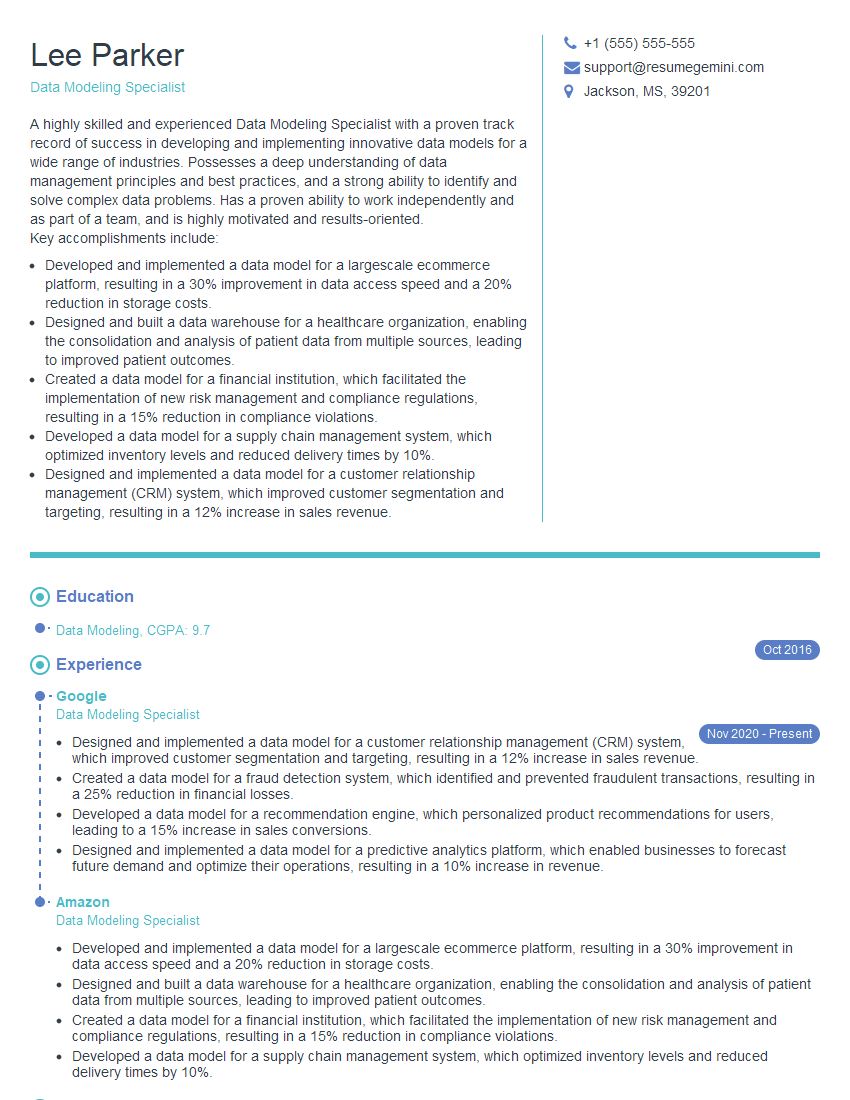
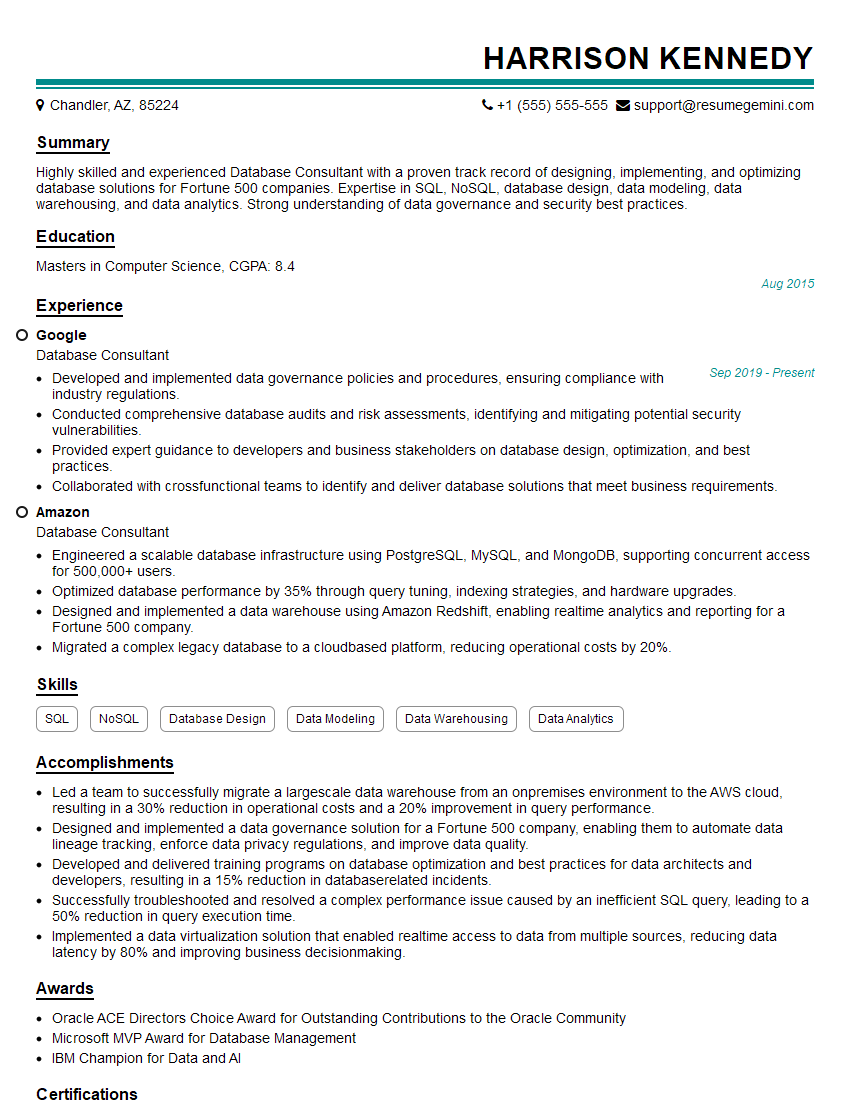
Mastering persistence concepts is crucial for career advancement in many technical fields, opening doors to exciting opportunities in software engineering, database administration, and system architecture. A strong understanding of persistent storage and data management will make you a highly sought-after candidate. To increase your chances of landing your dream role, create a compelling and ATS-friendly resume that highlights your skills and experience effectively. ResumeGemini is a trusted resource that can help you build a professional and impactful resume. Examples of resumes tailored to Persistence roles are provided to further guide your preparation.



Explore more articles
Users Rating of Our Blogs
Share Your Experience
We value your feedback! Please rate our content and share your thoughts (optional).
What Readers Say About Our Blog
Very informative content, great job.
good