Every successful interview starts with knowing what to expect. In this blog, we’ll take you through the top PostProduction interview questions, breaking them down with expert tips to help you deliver impactful answers. Step into your next interview fully prepared and ready to succeed.
Questions Asked in PostProduction Interview
Q 1. Explain your experience with different video editing software (e.g., Premiere Pro, Final Cut Pro, Avid).
My post-production experience spans several industry-standard editing suites. I’m highly proficient in Adobe Premiere Pro, which I use daily for its robust features, extensive plugin compatibility, and smooth workflow. I’ve also worked extensively with Final Cut Pro, appreciating its intuitive interface and speed, especially for projects demanding quick turnaround times. My experience with Avid Media Composer is more limited, primarily involving collaborative projects where it was the established platform. I find each software excels in specific areas: Premiere Pro for complex projects and collaborative workflows, Final Cut Pro for its speed and ease of use on smaller projects, and Avid for its power in large-scale productions. Choosing the right software often depends on the project’s scale, client preferences, and team expertise.
For example, on a recent documentary, the sheer volume of footage and the need for multiple editors collaborating simultaneously made Premiere Pro the ideal choice. Its collaborative features and robust organizational tools were invaluable. On a smaller, fast-turnaround corporate video, Final Cut Pro’s streamlined workflow allowed for efficient editing and faster delivery.
Q 2. Describe your workflow for color grading a scene.
My color grading workflow is methodical and iterative. It starts with a thorough review of the footage to establish a consistent look across the project. This involves setting a baseline white balance and exposure, ensuring a uniform starting point for grading. I then move to primary correction (shadows, mid-tones, highlights) to address overall brightness, contrast and color balance. Once this foundational adjustment is in place, I move to secondary color correction, using tools like color wheels and curves, focusing on specific areas or objects within the scene to enhance their aesthetic appeal and story impact. I typically use a combination of Lumetri Color in Premiere Pro and DaVinci Resolve for this phase, leveraging the strengths of each program.
For example, if a scene is too dark, I’ll adjust the shadows in the primary correction stage. If a specific character’s clothing needs to pop, I would employ secondary color correction to selectively boost its saturation or vibrancy. This process is often iterative, involving adjustments and refinements until I achieve the desired aesthetic that aligns with the story and director’s vision.
Q 3. How do you manage large video files and optimize storage space?
Managing large video files efficiently is crucial. My strategy involves a multi-pronged approach. First, I use high-quality compression codecs during acquisition and editing to minimize file sizes without significant quality loss. ProRes and DNxHD are favored for their balance of quality and manageable file sizes. Second, I utilize a robust storage system using multiple hard drives in a RAID configuration for redundancy and speed. This protects against data loss and allows for smoother workflows. Third, I archive projects to cloud storage solutions, such as Backblaze B2 or Wasabi, for long-term preservation and offsite backups. I regularly clear project-specific files from my primary drive after project completion. This keeps my primary storage clean and boosts performance.
For example, on a large-scale project, I might use a RAID 5 configuration for editing and then archive the final project to the cloud after approval. Regular cleaning of unnecessary files ensures that my primary drive remains efficient.
Q 4. What are your preferred methods for noise reduction in audio?
My approach to audio noise reduction combines both preventive and corrective measures. Prevention starts on set with good microphone techniques and recording in a quiet environment. During post-production, I use a combination of software tools like Adobe Audition or Izotope RX. I typically start with spectral noise reduction tools to identify and target specific frequencies of noise, like hum or hiss, followed by a more comprehensive noise reduction process that dynamically reduces background noise while preserving the quality of the dialogue and other audio elements. The key is to subtly address the noise, avoiding artifacts that can detract from the audio quality. I often use a combination of several tools rather than relying on a single plugin for optimal results.
For instance, if a recording has a persistent hum, I’d use a spectral noise reduction filter to isolate and remove it before using a more general noise reduction tool to address remaining background sounds. It’s a balancing act—removing noise without making the audio sound unnatural or processed.
Q 5. Explain the process of creating and implementing VFX shots.
Creating and implementing VFX shots is a collaborative process. It starts with a clear understanding of the director’s vision and the specific effects required. This often involves working closely with VFX artists and compositors. The process usually begins with pre-visualization—creating storyboards and animatics to plan the shots. Then, I work with the VFX team on the technical aspects of creating the shots, ensuring that they integrate seamlessly into the edited footage. After receiving the rendered VFX shots, I integrate them into the timeline, adjusting timing, color, and potentially adding subtle effects to blend them seamlessly. Finally, we review the final shots and make necessary adjustments before export.
For example, if a scene requires a digital environment, I might provide the VFX team with plates of the background and specific parameters. After receiving the composited shots, I then fine tune the final integration of the VFX elements with the live action.
Q 6. How do you handle feedback and revisions during post-production?
Handling feedback and revisions is a crucial part of post-production. I maintain open communication with the client or director throughout the process. I use version control within my editing software to easily track changes and revert to previous versions if needed. Whenever I receive feedback, I record it precisely—not just noting the changes requested, but also documenting the rationale behind them to understand their intent. This ensures we’re both on the same page. I schedule follow-up reviews after implementing revisions to ensure that the changes meet expectations and to make any necessary adjustments.
For instance, if a client requests a change to the pacing of a scene, I’ll not only make the change but also confirm with them if the new pacing aligns with their vision. This proactive communication minimizes confusion and prevents unnecessary iterations.
Q 7. What are some common challenges you face in post-production, and how do you overcome them?
Post-production presents various challenges. One common issue is managing tight deadlines. To overcome this, I prioritize tasks, create detailed schedules, and maintain efficient workflows. Another challenge is working with difficult footage. This might involve stabilizing shaky footage, fixing audio issues, or dealing with inconsistent lighting. I tackle this by applying appropriate techniques, such as using stabilization software or employing advanced audio editing techniques. A third challenge is balancing artistic vision with technical limitations. Compromises are often needed, and effective communication with the client or director is critical to finding creative solutions that address both.
For instance, if faced with shaky footage, I would stabilize it using plugins like Warp Stabilizer in Premiere Pro. If artistic vision necessitates effects beyond technical capabilities, I would communicate this transparently, propose alternatives, and collaborate to find the best possible solution.
Q 8. Describe your experience with audio mixing and mastering.
Audio mixing and mastering are crucial for achieving a polished and professional sound in any video project. Mixing involves balancing and adjusting individual audio tracks—dialogue, music, sound effects—to create a cohesive soundscape. Mastering is the final stage, where the overall mix is optimized for loudness, clarity, and consistency across different playback systems.
My experience encompasses a wide range of projects, from short documentaries to feature films and commercials. I’m proficient in using industry-standard Digital Audio Workstations (DAWs) like Pro Tools and Logic Pro X. I understand the importance of dynamic range, equalization (EQ), compression, and reverb in shaping the audio. For example, in a recent documentary, I had to carefully balance the ambient sounds of a bustling city street with a narrator’s voice, ensuring clarity and intelligibility without sacrificing the atmosphere. This involved using EQ to sculpt the frequencies, compression to control dynamic variations, and reverb to enhance the sense of space. Mastering this mix involved optimizing the overall loudness to meet broadcast standards while retaining audio fidelity.
I also have a keen ear for detail and a strong understanding of psychoacoustics—the way humans perceive sound. This allows me to make subtle adjustments that significantly improve the listening experience, creating a more immersive and impactful sound design.
Q 9. How familiar are you with different video codecs and their compression techniques?
Video codecs are methods of compressing and encoding video data for storage and transmission. Different codecs offer varying levels of compression, resulting in different file sizes and quality. Understanding these differences is vital for efficient workflow and maintaining visual quality.
- H.264 (AVC): A widely used codec known for its balance between compression efficiency and quality. It’s commonly used for web videos and Blu-rays.
- H.265 (HEVC): A newer codec offering significantly better compression than H.264, resulting in smaller file sizes for the same quality or higher quality for the same file size. It’s becoming increasingly popular but requires more processing power.
- ProRes: A family of codecs developed by Apple, known for their high quality and ease of editing. They are lossless or near-lossless, meaning little to no image data is discarded during compression. This makes them ideal for post-production workflows, but results in very large file sizes.
- DNxHD: Another high-quality codec frequently used in professional workflows, offering a good compromise between quality and file size.
Compression techniques used in codecs range from lossy (discarding some data to reduce file size) to lossless (preserving all data). Lossy compression is acceptable for distribution, but lossless is preferred for editing to avoid accumulating generation loss. My experience involves selecting the appropriate codec based on the project’s requirements—for example, ProRes for high-quality editing and H.264 for web delivery.
Q 10. How do you ensure color consistency across different shots and sequences?
Maintaining color consistency across different shots and sequences is critical for a professional look. Inconsistent color can be jarring and distracting for the viewer.
My approach involves a combination of techniques: using a color chart on set to ensure consistent lighting throughout the shoot; careful grading and color correction in post-production; using consistent color profiles across the workflow; and utilizing tools like color scopes to monitor and analyze the color of each shot. I use professional color grading software like DaVinci Resolve to match shots using various tools, such as secondary color correction, curves, and lift/gamma/gain adjustments. For example, I might need to correct for differences in lighting between interior and exterior scenes, ensuring a seamless transition between them. I often create a ‘look’ for the project early in post-production to maintain uniformity throughout. Reference images or even color palettes are helpful in defining and maintaining a consistent color style.
Q 11. Explain your understanding of different color spaces (e.g., Rec.709, DCI-P3).
Color spaces define the range of colors that can be represented digitally. Different color spaces are optimized for different purposes and display technologies.
- Rec.709: This is the standard color space for HDTV and most web videos. It represents a wide range of colors, but not as wide as some other spaces.
- DCI-P3: This is a wider color gamut often used in digital cinema projection. It can display a much broader range of colors than Rec.709.
Understanding the differences between color spaces is vital to avoid color shifts and maintain accuracy across different platforms. Working in a wider gamut like DCI-P3 gives more flexibility during grading but requires careful consideration when delivering the final product for different screens. For example, footage shot in DCI-P3 needs to be converted to Rec.709 for broadcast television to prevent colors from appearing clipped or incorrect.
Q 12. What is your experience with keyframing and animation?
Keyframing is the process of setting parameters at specific points in time, allowing for smooth transitions and animations between those points. I use keyframing extensively in motion graphics and visual effects, controlling elements such as position, scale, opacity, and color. For example, I might keyframe the movement of a logo across the screen or the subtle fade-in of a graphic element.
My experience with animation extends beyond simple keyframing. I’m proficient in using various animation techniques, including motion tracking for realistic integration of CGI elements, and utilizing plugins like Mocha Pro for rotoscoping and planar tracking. I’ve worked on projects requiring complex animations, like creating a title sequence with dynamic text effects and stylized camera movements. This includes understanding principles of timing, spacing, and ease for creating visually appealing and believable animation.
Q 13. How do you troubleshoot technical issues during post-production?
Troubleshooting is an inevitable part of post-production. My approach is systematic and involves a combination of technical knowledge, problem-solving skills, and a bit of detective work.
- Identify the problem: Clearly define the issue—is it a corrupted file, a software glitch, a hardware malfunction, or something else?
- Isolate the cause: Systematically test different aspects of the workflow to pinpoint the source of the problem. This might involve testing different software versions, hardware components, or file formats.
- Research solutions: Consult online forums, documentation, and colleagues to find potential solutions. Many common post-production issues have known fixes.
- Implement and test solutions: Try different solutions, carefully testing each one to see if it resolves the issue.
- Document the solution: Record the solution for future reference to avoid similar problems.
For example, if I encounter a render error, I’d first check the render settings, then look for any corrupted files or insufficient system resources. If the issue persists, I’d search for similar error messages online and consult the software’s documentation for troubleshooting guidance.
Q 14. Describe your experience with creating motion graphics.
Motion graphics are animated graphics used to enhance visual communication. My experience includes creating everything from simple lower thirds and title sequences to complex animated explainers and marketing videos.
I’m proficient in using industry-standard software like After Effects. I can design and animate logos, create kinetic typography, design and animate infographic elements, and integrate motion graphics seamlessly into video footage. For instance, I recently created a series of animated explainer videos that involved designing custom icons, creating animated transitions, and adding subtle motion effects to enhance clarity and engagement. The project required careful consideration of pacing, visual hierarchy, and the overall narrative to ensure effective communication of complex concepts.
Q 15. How do you collaborate effectively with other members of the post-production team?
Effective collaboration in post-production is paramount. It’s less about individual brilliance and more about a well-oiled machine. My approach hinges on clear communication, proactive problem-solving, and a shared understanding of project goals. I begin by actively listening to the director’s vision, then work with the editor to ensure a smooth workflow. Regular check-ins – ideally daily stand-ups – keep everyone informed about progress, challenges, and potential roadblocks. I utilize collaborative tools like shared online storage for assets and project management software to track tasks and deadlines. For example, on a recent project, utilizing a shared cloud-based project management system allowed us to track revisions, comments, and approvals, significantly streamlining the feedback process. Open communication is key – I encourage team members to voice concerns or suggestions early on, preventing major issues later. Finally, I believe in fostering a positive and supportive team environment, recognizing that a collaborative spirit boosts creativity and efficiency.
Career Expert Tips:
- Ace those interviews! Prepare effectively by reviewing the Top 50 Most Common Interview Questions on ResumeGemini.
- Navigate your job search with confidence! Explore a wide range of Career Tips on ResumeGemini. Learn about common challenges and recommendations to overcome them.
- Craft the perfect resume! Master the Art of Resume Writing with ResumeGemini’s guide. Showcase your unique qualifications and achievements effectively.
- Don’t miss out on holiday savings! Build your dream resume with ResumeGemini’s ATS optimized templates.
Q 16. What is your approach to creating visual effects for a specific scene?
Creating visual effects (VFX) for a specific scene begins with a deep understanding of the director’s vision. I start by meticulously reviewing the scene in question, identifying exactly what VFX are needed. This includes analyzing the script, storyboards, and any existing footage. Next, I’ll create a detailed shot breakdown, outlining each VFX element and its technical requirements. For instance, if the scene requires a CGI dragon, I’d consider its scale, movement, texture, lighting, and integration with the live-action footage. I then move into the asset creation phase, building 3D models, textures, and animations. The next step involves compositing, where the VFX are carefully layered and integrated into the scene using software like Nuke or After Effects. Throughout this process, constant feedback from the director and other team members is vital to ensure the VFX aligns with the overall aesthetic and narrative. Quality control and refinement are crucial; I always iterate on the shots to ensure they’re seamless and believable within the context of the film or project. A recent project involved creating a realistic digital double for an actor – achieving photorealism required a detailed scan, meticulous modeling, and careful attention to lighting and shading.
Q 17. What are some common audio editing techniques?
Audio editing involves a wide range of techniques aimed at enhancing clarity, creating mood, and telling a story. Some common techniques include:
- Noise Reduction: Removing unwanted background sounds using dedicated plugins or software features.
- Equalization (EQ): Adjusting the frequency balance to enhance specific sounds or reduce muddiness.
- Compression: Reducing the dynamic range to make sounds more consistent in volume.
- De-essing: Reducing harsh sibilant sounds (like ‘s’ and ‘sh’).
- Reverb and Delay: Adding artificial echoes and reflections to create a sense of space and depth.
- Dialogue Editing: Cleaning up and enhancing dialogue tracks, including removing pops and clicks, matching levels, and removing background noise.
- Sound Design: Creating or manipulating sounds to enhance visual elements or create specific moods.
For example, in a horror film, adding subtle reverb and low-frequency sounds can create a sense of unease and suspense, significantly enhancing the overall impact. In a documentary, meticulously cleaning up and enhancing the dialogue ensures clarity and professionalism.
Q 18. What are your experiences with different file formats (e.g., ProRes, DNxHD, H.264)?
I have extensive experience working with various file formats, each offering a different balance of quality, compression, and workflow efficiency.
- ProRes: A high-quality, lossless codec widely used for editing in post-production. It offers excellent image quality with relatively manageable file sizes, making it ideal for high-resolution projects.
- DNxHD: Another lossy codec popular in professional workflows. It provides a good balance between quality and file size, making it suitable for various project needs. It’s particularly beneficial for projects needing efficient storage and faster rendering times.
- H.264: A highly compressed codec commonly used for internet distribution. While offering small file sizes, it typically compromises image quality. I use this mainly for deliverables intended for online platforms, where the priority is quick uploads and low storage space.
Choosing the appropriate codec depends greatly on the project requirements. High-resolution projects demanding pristine quality would often benefit from ProRes, while smaller projects with limited storage could use DNxHD. H.264 is the go-to for online distribution where file size is critical. Understanding the nuances of each codec helps me select the optimal format, maximizing image quality without sacrificing workflow efficiency.
Q 19. Describe your process for creating subtitles or captions.
My subtitle and caption creation process begins with a meticulous review of the audio, ensuring accuracy and clarity. I utilize professional subtitling software such as Subtitle Edit or similar tools. This software often supports advanced features like automatic speech recognition (ASR) to speed up the initial transcription. However, I always manually review and edit the ASR output to ensure accuracy and natural language. I then carefully time the subtitles to match the dialogue and other relevant audio elements. This process requires a precise ear and meticulous attention to detail. Formatting is also critical, conforming to standards such as SRT or VTT for compatibility with various players. I always adhere to accessibility guidelines, ensuring the captions are clear, concise, and easy to understand. For example, in creating subtitles for a foreign language film, I focus on clear translation, avoiding idioms or slang that could confuse viewers. Finally, I provide quality assurance checks to ensure the final captions meet industry standards and are accurate to the source audio.
Q 20. How familiar are you with version control and asset management systems?
I’m highly proficient in version control and asset management systems. Version control (like Git) is essential for tracking changes, collaborating efficiently, and preventing accidental data loss. I’ve worked extensively with Git, ensuring that every edit, effect, and change to the audio or video is meticulously documented and tracked. This allows us to easily revert to previous versions if necessary, reducing the risk of errors and streamlining the review process. Asset management systems (like Shotgun or other project management software) are crucial for organizing files and metadata effectively. This system allows for seamless access to assets, prevents version conflicts, and allows for a collaborative approach to project management. A well-organized asset management system reduces the risk of misplacing important files and ensures the entire team has access to up-to-date versions. My experience includes implementing and refining these systems within post-production workflows, resulting in increased efficiency and better team collaboration.
Q 21. What is your understanding of dynamic range and its impact on image quality?
Dynamic range refers to the ratio between the loudest and quietest parts of an audio or video signal. In images, a high dynamic range (HDR) means the image contains a much wider range of brightness levels, from deep blacks to bright whites. This translates to richer colors, more detail in both shadows and highlights, and a more realistic and immersive viewing experience. Lower dynamic range (SDR), by contrast, results in a more compressed image with less detail in the extreme highlights and shadows, leading to a less vibrant and potentially washed-out look. The impact on image quality is significant; HDR delivers a much more lifelike and visually stunning image, particularly noticeable in scenes with high contrast, like sunsets or brightly lit interiors. However, HDR requires compatible displays and workflows. Understanding the implications of dynamic range allows me to make informed decisions during post-production, optimizing the image for its intended viewing platform while preserving as much detail as possible. For instance, when grading footage for HDR, I carefully manage the highlights and shadows to take advantage of the extended range, adding depth and visual richness to the scene.
Q 22. Explain your experience with delivering a finished project in various formats.
Delivering a finished project in various formats is crucial for ensuring wide accessibility and compatibility. My experience spans a broad range of formats, from standard definition to high definition (HD) and ultra-high definition (UHD) video, including various codecs like H.264, H.265 (HEVC), ProRes, and DNxHD. I’m also proficient in delivering projects for different platforms – streaming services (Netflix, Amazon Prime, etc.) demand specific encoding parameters and quality checks, while broadcast television requires adherence to strict industry standards like SMPTE. For instance, I recently delivered a documentary to a streaming platform requiring a 4K HDR master with Dolby Vision metadata, and concurrently, a lower resolution version optimized for mobile devices. This involved careful mastering and transcoding to ensure optimal quality across all target audiences and platforms.
I am also familiar with delivering audio in various formats, including WAV, AIFF, MP3, and AAC, ensuring that the audio tracks are correctly synchronized with video and meet the specific requirements of the intended platform or client. This often involves mastering the audio separately for different delivery channels, optimizing for things like speaker configurations (stereo, 5.1, Dolby Atmos).
Q 23. How do you handle the pressure of meeting tight deadlines?
Meeting tight deadlines in post-production is a constant challenge, but I’ve developed strategies to manage pressure effectively. My approach involves meticulous planning, clear communication with the team, and prioritizing tasks based on urgency and dependency. I use project management software to track progress, identify potential roadblocks, and allocate resources efficiently. For example, on a recent commercial project with a very tight turnaround, I proactively identified potential bottlenecks in the color grading stage and adjusted the schedule to allow extra time, preventing delays. I also believe in fostering a positive and supportive team environment; stress management and open communication between team members are essential for maintaining momentum and quality under pressure.
Q 24. What is your experience with quality control and assurance processes?
Quality control (QC) and quality assurance (QA) are integral parts of my workflow. My QC process begins at the ingest stage, verifying the source material’s integrity. Throughout the post-production process, I conduct regular checks for technical issues such as audio sync, video glitches, color inconsistencies, and dropped frames. I utilize specialized QC software for automated checks and then perform meticulous manual reviews to catch any subtle errors. My QA process involves multiple rounds of review with clients and internal team members to ensure the final product meets their expectations and the highest standards. This could involve creating detailed QC reports documenting any issues found and the resolution steps taken. For example, in a recent feature film project, our QA process uncovered a minor color banding issue in one specific scene, which was promptly rectified before the final delivery.
Q 25. How do you stay updated with the latest advancements in post-production technology?
Staying updated with the latest advancements in post-production technology is crucial for maintaining competitiveness and delivering high-quality results. I actively participate in industry events, conferences, and online communities, like attending NAB Show or IBC. I subscribe to industry publications and follow influential professionals on social media platforms. I also dedicate time to hands-on experimentation with new software and hardware, such as exploring the capabilities of new AI-powered editing tools or HDR grading software. For example, I recently invested time in learning about the nuances of neural-network-based noise reduction and upscaling techniques, which significantly improved the quality of some archival footage I was working with.
Q 26. Describe your experience with HDR workflows.
My experience with HDR workflows is extensive. I understand the nuances of different HDR formats like HDR10, Dolby Vision, and HLG, including their respective color spaces (e.g., Rec.2020), metadata handling, and tone mapping techniques. My workflow involves capturing and processing content using HDR-capable cameras and editing software, meticulously adjusting brightness, contrast, and color to optimize the image for HDR displays. I also ensure proper metadata embedding, ensuring that the HDR signal is correctly interpreted by HDR-compatible devices. A recent project involved grading a nature documentary in Dolby Vision, requiring careful attention to highlight detail, shadow detail and overall color grading to maximize the dynamic range and visual impact.
Q 27. What is your understanding of audio sweetening and restoration?
Audio sweetening and restoration are critical aspects of post-production, focusing on enhancing and repairing audio recordings. Sweetening involves subtle adjustments to improve the overall clarity, balance, and emotional impact of the audio. This might include things like noise reduction, equalization, compression, and reverb application. Restoration, on the other hand, addresses more significant issues such as clicks, pops, hum, and hiss in recordings. This often involves using specialized audio restoration tools and techniques. I am proficient in using professional audio editing software like Pro Tools and Audition and understand the principles of acoustics and psychoacoustics to effectively address various audio issues. For example, I recently restored a collection of historical audio recordings, removing background noise and restoring clarity to the dialogue using a combination of spectral editing and AI-powered denoising techniques.
Q 28. How would you approach a project requiring both video and audio post-production?
Approaching a project requiring both video and audio post-production necessitates a collaborative and organized approach. The first step is to establish a clear workflow that defines the responsibilities and timelines for both video and audio editors. I advocate for close communication and collaboration between the video and audio teams to ensure seamless integration and synchronization. This often involves setting up shared storage and project files accessible to both teams. A version control system is beneficial to track changes and prevent conflicts. For example, I often work with a dedicated audio engineer on a project and together, we establish clear expectations for audio deliverables, including audio tracks, metadata, and file formats. We conduct regular review sessions and maintain constant communication to ensure both elements are perfectly integrated into the final product, resulting in a cohesive and high-quality final output.
Key Topics to Learn for PostProduction Interview
- Video Editing Fundamentals: Understanding different editing software (Premiere Pro, Final Cut Pro, Avid Media Composer), non-linear editing principles, and common editing techniques like cutting, transitions, and color correction.
- Color Grading & Correction: Practical application of color theory, mastering color grading software (DaVinci Resolve, etc.), and understanding the importance of color consistency and mood setting. Problem-solving: Addressing color imbalances and achieving a desired aesthetic.
- Audio Post-Production: Familiarity with audio editing software (Audacity, Pro Tools), techniques for dialogue cleanup, sound design, mixing, and mastering. Understanding the importance of audio clarity and its impact on the overall viewing experience.
- Visual Effects (VFX): Basic understanding of compositing, motion graphics, and visual effects workflows. Practical application: Knowing when and how to use VFX to enhance storytelling or correct flaws.
- Workflow & Collaboration: Understanding file management, project organization, version control, and effective communication within a post-production team. Problem-solving: Efficiently resolving technical issues and collaborating under pressure.
- Quality Control & Delivery: Understanding quality control processes, file formats, and delivery specifications for different platforms (TV, streaming, film). Problem-solving: Identifying and resolving technical issues before final delivery.
Next Steps
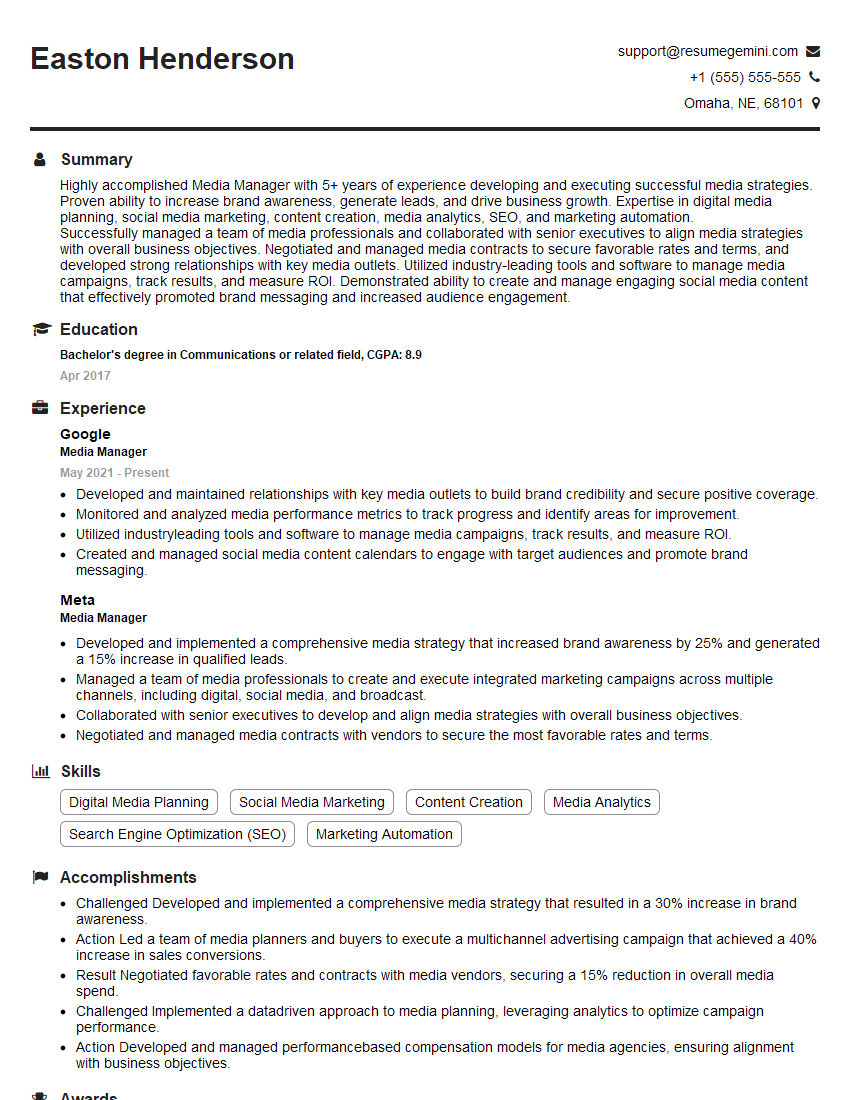
Mastering PostProduction skills opens doors to exciting and rewarding careers in film, television, advertising, and more. Demand for skilled post-production professionals is consistently high, making it a valuable career path. To maximize your job prospects, it’s crucial to have an ATS-friendly resume that showcases your abilities effectively. ResumeGemini is a trusted resource to help you create a professional and impactful resume tailored to the specific demands of the PostProduction industry. Examples of resumes tailored to PostProduction roles are available to help you get started.







Explore more articles
Users Rating of Our Blogs
Share Your Experience
We value your feedback! Please rate our content and share your thoughts (optional).
What Readers Say About Our Blog
Very informative content, great job.
good