Interviews are opportunities to demonstrate your expertise, and this guide is here to help you shine. Explore the essential Prepress Image Manipulation interview questions that employers frequently ask, paired with strategies for crafting responses that set you apart from the competition.
Questions Asked in Prepress Image Manipulation Interview
Q 1. Explain the difference between RGB and CMYK color spaces.
RGB and CMYK are two different color models used in image processing. RGB (Red, Green, Blue) is an additive color model used for displaying images on screens. It works by combining different intensities of red, green, and blue light to create a wide range of colors. Think of your computer or phone screen; it emits light to produce the colors you see. Conversely, CMYK (Cyan, Magenta, Yellow, Key – black) is a subtractive color model used for printing. It works by subtracting colors from white light reflected from the paper. Each color subtracts a portion of the light, and the combination creates the final color. Imagine mixing paints; the more colors you add, the darker the result becomes. The key difference is that RGB works with light emission, while CMYK works with ink absorption.
For example, pure white in RGB is (255, 255, 255), while in CMYK it’s (0, 0, 0, 0). A bright red in RGB might be (255, 0, 0), but its CMYK equivalent will be significantly different, depending on the paper and ink used.
Q 2. Describe the process of color profiling and its importance in prepress.
Color profiling is the process of creating a characterization of a device’s color response. It’s crucial in prepress because it ensures color consistency across different devices and processes. Each device – scanners, monitors, printers – interprets and reproduces color slightly differently. A color profile is a file that describes how a specific device handles color, allowing software to translate colors accurately between devices. Without color profiling, the colors you see on your screen might not match the printed output, leading to significant discrepancies.
The process typically involves using a colorimeter or spectrophotometer to measure the color output of a device. This data is then used to create a profile, which is embedded in the image file (often as an ICC profile). This profile acts as a translation key, enabling accurate color reproduction. For example, if a designer creates an image on a calibrated monitor with a specific profile and sends it to a printer with a matching profile, the printed colors will closely match the on-screen colors. Ignoring color profiling can lead to costly reprints and dissatisfied clients.
Q 3. What are common image resolution requirements for print vs. web?
Image resolution requirements differ significantly between print and web. For print, higher resolution is necessary to achieve sharp, detailed images. Common resolutions range from 300 to 600 DPI (dots per inch). Lower resolutions will result in noticeable pixelation and a lack of clarity in print. For example, a high-quality magazine advertisement might require 300 DPI or higher. On the other hand, web images typically use much lower resolutions, usually between 72 and 150 DPI. This is because screen resolution is much lower than print resolution, and higher resolutions would only increase file size without significant visual improvement. A typical website banner might use 72 DPI. Using too high a resolution for web would lead to larger file sizes, slowing down loading times.
Q 4. How do you handle image traps in prepress?
Image trapping is a crucial prepress technique to prevent small gaps from appearing between colored areas in print. These gaps, often microscopic, can occur because of slight misregistrations during printing (where the colors don’t perfectly align). Trapping involves strategically overlapping colors to ensure a clean, consistent appearance. There are several trapping methods, including spread trapping (where the lighter color overlaps the darker color), choke trapping (where the darker color overlaps the lighter color), and no trapping (where no overlap occurs).
Trapping is handled in prepress software such as Adobe Acrobat or specialized prepress applications. The software allows for the creation of trapping rules that define the amount of overlap required for different color combinations. The software automatically adjusts the image’s edges to accommodate the trap, guaranteeing consistent color coverage. Failing to handle trapping can result in noticeable gaps between colors, particularly noticeable with fine lines or small text, making the print look unprofessional.
Q 5. What are the different types of image compression and their applications?
Several image compression techniques exist, each with specific applications. Lossy compression, like JPEG, reduces file size by discarding some image data. This results in smaller files but can lead to some quality loss. JPEG is ideal for photographs and images with many colors and gradients, where some quality loss is often acceptable. Lossless compression, such as PNG or TIFF, preserves all the original image data, resulting in larger files but without quality loss. PNG is well-suited for images with sharp edges, text, and graphics, where maintaining detail is important. TIFF is often used for high-quality images that need to be edited multiple times without losing quality. GIF is another lossless format ideal for animated images and graphics with a limited color palette.
The choice of compression depends on the image type and its intended use. For instance, a website banner image might use JPEG to keep file size small and loading times quick. However, a logo or image for a high-resolution print would require a lossless format like PNG or TIFF to retain maximum quality.
Q 6. Explain the significance of image sharpening and its techniques.
Image sharpening enhances the clarity and detail of an image, making it appear sharper and crisper. It’s particularly important in prepress because the printing process can sometimes soften images. Sharpening works by increasing the contrast between adjacent pixels. Several techniques exist, including unsharp masking (USM), which is a common method in software like Photoshop. It works by slightly blurring a copy of the image and subtracting it from the original, resulting in a sharpening effect. Other techniques involve using high-pass filters or sharpening tools within image editing software. The amount of sharpening depends on the image and the printing method. Over-sharpening can create artifacts or halos around edges. Careful consideration of sharpening parameters ensures an optimal balance between sharpness and noise.
For instance, a slightly soft image might require a subtle sharpening effect to enhance its detail in print. However, an image already rich in detail may require minimal or no sharpening, to avoid creating unwanted artifacts.
Q 7. Describe your experience with color correction and image retouching.
I have extensive experience in both color correction and image retouching. Color correction involves adjusting the overall color balance, contrast, and brightness of an image to achieve a desired aesthetic or to correct color casts. This is crucial in prepress to ensure consistency across different images and to correct any discrepancies introduced during the image capture process. I commonly use tools and techniques like white balance adjustments, color curves, and selective color adjustments within image editing software.
Image retouching involves more detailed manipulation of an image, such as removing blemishes, wrinkles, or unwanted objects. It might also include enhancing textures, sharpening details, and generally improving the overall image quality. For example, I’ve worked on numerous projects involving retouching product photos for catalogs and websites, ensuring the products look their best. I’m proficient in using tools like the cloning stamp, healing brush, and patch tools to carefully blend retouches and make them seamlessly integrated into the image. My workflow emphasizes a balance between achieving desired results and retaining the image’s natural look.
Q 8. How do you ensure color consistency across different printing methods?
Maintaining color consistency across different printing methods is crucial for achieving the desired visual result. It’s like baking a cake – you want the same delicious outcome whether you use a small oven or a large one. We achieve this through careful color management. This involves using a consistent color space throughout the entire workflow, from design to print. For example, we typically work in CMYK (Cyan, Magenta, Yellow, Key – black) color space for print, converting RGB (Red, Green, Blue) images appropriately. We also utilize ICC profiles, which are essentially digital descriptions of a device’s color capabilities. These profiles help translate colors accurately between different devices like monitors, printers, and RIPs (Raster Image Processors). Furthermore, we conduct color proofing – either soft proofing (on screen) or hard proofing (physical print sample) – to check the accuracy of colors before sending the job to the final printer. This allows for adjustments to ensure the final product matches the design intent, regardless of the printing technology used (offset, digital, large format, etc.).
Q 9. What are your preferred software programs for prepress image manipulation?
My preferred software suite for prepress image manipulation is Adobe Creative Cloud, specifically Photoshop, Illustrator, and Acrobat Pro. Photoshop excels at image retouching, color correction, and manipulating raster images. Illustrator is indispensable for vector-based artwork, ensuring sharp lines and scalable graphics. Finally, Acrobat Pro is critical for PDF creation, editing, and preflighting – ensuring the final file is print-ready and free of errors. I’m also proficient in other software like GIMP (a free, open-source alternative to Photoshop) for specific tasks and specialized RIP software depending on the printing method.
Q 10. Explain your understanding of PDF workflows in prepress.
PDF workflows are the backbone of modern prepress. Think of the PDF as the universal language of print. It allows for reliable transmission of design files, ensuring consistency across different software and platforms. My workflow typically begins with creating a high-resolution PDF of the artwork in Acrobat Pro. This PDF is then pre-flighted using automated checks to identify potential problems like missing fonts, embedded images, color inconsistencies, and resolution issues. Once the preflight is clean, the PDF is ready for imposition (arranging pages for printing). Often, we use high-resolution PDFs for offset printing to maintain image quality, but for digital printing, smaller, optimized files are used. The final, corrected PDF is the definitive version that goes to the printer.
Q 11. Describe your experience with imposition and imposition software.
Imposition is the process of arranging pages in their correct order and orientation for printing. It’s like setting type for a book, but on a much larger scale. I’ve extensive experience with imposition software like Imposition Pro and PitStop Pro, which allows for efficient and accurate page arrangement. These tools help automate the process, reducing human error. For example, they allow creating imposition schemes that handle different page sizes and orientations, including booklets, leaflets and multiple-up sheets for web printing or packaging. Before imposition, careful planning based on the printing process and sheet size is crucial. After imposition, I always conduct a thorough visual check for any errors in the layout before sending the file to the printer.
Q 12. How do you handle image scaling and resizing without losing quality?
Scaling and resizing images without quality loss is a crucial skill. The key is to work with high-resolution images to begin with. Simple enlargement of a low-resolution image will result in pixelation or blurring. When scaling, I avoid using simple scaling techniques in image editing software. Instead, I use resampling techniques, which intelligently rebuilds the image to match the new dimensions. Bicubic resampling is frequently employed as it offers a good balance between speed and quality. For significant upscaling, specialized AI-based image upscalers can sometimes offer improved results. In some cases, it’s better to replace a low-resolution image entirely rather than attempt to scale it beyond its capability. This prevents artifacts and ensures high print quality.
Q 13. What are your strategies for identifying and correcting image defects?
Identifying and correcting image defects is a critical aspect of prepress. My approach involves a multi-step process. Firstly, I perform a thorough visual inspection at 100% magnification, checking for issues like dust spots, scratches, banding, color casts and other irregularities. I use Photoshop’s retouching tools like the Healing Brush, Clone Stamp, and Patch tool to meticulously correct these imperfections. Secondly, automated tools are utilized to further detect any hidden problems such as inconsistencies in color profiles or missing data. Thirdly, I conduct rigorous color management, verifying color accuracy and consistency throughout the workflow. By combining manual checks with automated tools and a deep understanding of color theory, I ensure the highest quality of the final printed product. Every correction is meticulously documented so revisions can be easily tracked.
Q 14. Explain the concept of spot colors and how they are used in printing.
Spot colors are premixed inks that provide specific color matches not achievable in the standard CMYK color model. Think of them as custom-made shades. They are particularly useful when precise color matching is crucial, such as brand colors (corporate logos), metallic effects (gold, silver), or fluorescent colors. Instead of relying on CMYK mixing to create these colors, which can vary across printers, a spot color is defined by a unique Pantone number (Pantone Matching System is the most popular). This ensures consistency across different print runs and printing facilities. In the prepress workflow, spot colors are specified in the design software and then included in the final print-ready files. This way, the printer uses the exact pre-mixed ink specified, ensuring color accuracy.
Q 15. Describe your experience with preflighting and quality control checks.
Preflighting is a crucial step in prepress, ensuring a file is ready for printing. It’s like a final check-up before surgery – you wouldn’t want to start without making sure everything is in order! My experience involves using dedicated preflight software like PitStop Pro or Acrobat Pro’s preflight features. This involves checking for issues such as missing fonts, incorrect color spaces (like accidentally using RGB instead of CMYK for print), low-resolution images, embedded profiles that don’t match, and overset text that bleeds off the page. I meticulously review each file for potential problems, generating reports to detail any necessary corrections and ensuring consistent quality across all projects. For example, I recently caught a missing font in a client’s 100-page brochure just before print, saving them a costly reprint. Quality control checks go hand-in-hand with preflighting; after preflighting, I often create a soft proof to visually inspect the colors, placement, and overall appearance, comparing it against the client’s provided artwork. This double-checks for any unforeseen discrepancies.
Career Expert Tips:
- Ace those interviews! Prepare effectively by reviewing the Top 50 Most Common Interview Questions on ResumeGemini.
- Navigate your job search with confidence! Explore a wide range of Career Tips on ResumeGemini. Learn about common challenges and recommendations to overcome them.
- Craft the perfect resume! Master the Art of Resume Writing with ResumeGemini’s guide. Showcase your unique qualifications and achievements effectively.
- Don’t miss out on holiday savings! Build your dream resume with ResumeGemini’s ATS optimized templates.
Q 16. How do you work with clients to ensure their image requirements are met?
Working with clients on image requirements involves clear communication and a collaborative approach. I start by discussing their project goals and understanding the intended final output (e.g., magazine ad, book cover, poster). This helps determine necessary image resolutions, color spaces (CMYK for print, RGB for screen), and file formats. I then provide detailed guidelines on image preparation – think of it as a recipe for a perfect print! We discuss specific requirements like bleed, trim sizes, and color profiles. For example, if a client needs a high-resolution image for a billboard, I explain the need for a minimum resolution to avoid pixelation. Throughout the process, I provide regular updates and answer any questions, ensuring they understand the reasons behind certain specifications and feel confident that their vision is being accurately translated. I find that open communication builds trust and results in better outcomes. I often use collaborative platforms to share files and track progress, keeping everyone on the same page.
Q 17. Explain your experience with different file formats (TIFF, JPEG, PNG, etc.).
My experience encompasses various image file formats, each with its strengths and weaknesses.
- TIFF (Tagged Image File Format): A lossless format ideal for prepress due to its ability to retain image quality. It’s my go-to for high-resolution images that need to maintain detail.
- JPEG (Joint Photographic Experts Group): A lossy format, meaning some image data is discarded for smaller file sizes. Suitable for web or screen use, but generally avoided for high-quality print due to potential compression artifacts.
- PNG (Portable Network Graphics): A lossless format supporting transparency, making it good for logos or images with transparent backgrounds. However, it can be less efficient than TIFF for photographic images.
- PDF (Portable Document Format): Often used as the final output format for prepress because it can embed fonts, images and other necessary components for printing.
Q 18. Describe your troubleshooting skills related to image problems in prepress.
Troubleshooting image problems requires a systematic approach. I start by identifying the issue: is it a color problem, a resolution issue, a file format problem, or something else? Then, I use a combination of software tools and my experience to diagnose the root cause. For example, if I see banding in a gradient, I know this often indicates a problem with the image’s color depth or a color profile mismatch. I might use a color management system to correct the profile and resave the file. If the image is blurry, it’s likely a resolution issue, requiring me to either find a higher-resolution image or intelligently upscale it using appropriate software. Sometimes, the problem isn’t the image itself, but rather the settings in the software used to prepare the document. I’ve even had to resort to contacting clients for higher-resolution source files when the provided images were too low in quality. My problem-solving approach emphasizes careful analysis and a step-by-step process, eliminating potential problems one by one. Documenting each step ensures I can retrace my actions and share my process with colleagues.
Q 19. What is your experience with managing large image files and optimizing workflows?
Managing large image files and optimizing workflows requires a combination of technical skills and strategic thinking. I utilize techniques like image compression (where appropriate), using lossless compression formats wisely, and employing asset management systems to organize and store files efficiently. For example, I regularly use Photoshop’s ‘Save for Web’ feature to optimize JPEGs for web use, minimizing file size while maintaining acceptable image quality. I also employ techniques like image proxies for previewing high-resolution files without loading the full image into memory, speeding up workflows. Additionally, implementing efficient file naming conventions and utilizing cloud storage services can significantly improve accessibility and collaboration. Ultimately, streamlining workflows involves using appropriate software, adopting best practices, and continuously evaluating processes for improvement. This proactive approach reduces storage costs, improves turnaround times, and minimizes errors.
Q 20. How familiar are you with different printing technologies (offset, digital, etc.)?
My understanding of printing technologies extends to both offset and digital printing. Offset printing, using plates to transfer ink to paper, is suitable for high-volume jobs requiring precise color accuracy and high-quality output. I understand the importance of CMYK color space and proper file preparation for offset – ensuring correct bleed and trap settings. Digital printing, on the other hand, is often more cost-effective for smaller runs and allows for more flexibility with variable data and personalized content. I know the nuances of each process, such as the different resolution requirements, color profiles, and potential limitations. This knowledge allows me to tailor image preparation according to the chosen printing method, ensuring optimal results. For example, I would use a different approach when preparing a file for large-format offset printing compared to a small-run digital job.
Q 21. Describe your experience with automated prepress workflows.
I have extensive experience with automated prepress workflows, utilizing tools like Enfocus Switch or similar automation software. These systems streamline the entire prepress process, from file reception and preflighting to output and job ticketing. Automation significantly reduces manual intervention, minimizes errors, and improves overall efficiency. For example, I can set up a workflow that automatically checks files for specific criteria (like resolution, color mode, and fonts), performing actions based on the results, such as sending alerts or automatically rejecting files that don’t meet the criteria. This reduces manual checks and potential oversights, ensuring consistent quality and faster turnaround times. My expertise extends to integrating these systems with our existing MIS (Management Information System) to provide a completely integrated and efficient solution. This holistic approach to automation maximizes the efficiency of the entire prepress department.
Q 22. How do you handle high-volume image preparation tasks?
Handling high-volume image preparation demands efficiency and automation. I leverage automation tools like batch processing scripts in Adobe Photoshop and other prepress software to streamline repetitive tasks such as resizing, color adjustments, and file format conversions. For example, I might create an action in Photoshop to automatically resize hundreds of images to the required dimensions and sharpen them for print. This significantly reduces manual labor and ensures consistency. I also employ asset management systems to organize and track the massive number of images involved, preventing confusion and ensuring easy retrieval. Think of it like a well-organized library, where every book (image file) is carefully cataloged and readily accessible. A crucial part is meticulous planning; knowing exactly what needs to be done, in what order, and having all necessary specifications at hand is vital for handling high volumes effectively.
Furthermore, I prioritize quality control by implementing checks throughout the process. This might include automated color profile checks or creating custom scripts to identify images that don’t meet specific requirements. This proactive approach catches issues early and minimizes costly mistakes later.
Q 23. What is your experience with color separation?
Color separation is the process of breaking down a full-color image into its constituent color plates – typically Cyan, Magenta, Yellow, and Black (CMYK). My experience includes working with both traditional methods and digital workflows. In the past, I’ve worked with film-based separations, carefully checking for proper registration and dot gain compensation. Today, I primarily rely on digital color separation using software such as Adobe Acrobat and specialized prepress applications. This digital process allows for precise control and superior reproducibility. For instance, I can use these applications to fine-tune the color separations to match the desired Pantone colors or to achieve specific printing effects. Understanding the impact of various color profiles (like ISO Coated v2) on the final output is also critical to my process. A common challenge in color separation is achieving consistent color across different print runs; careful calibration of the printing devices and precise color management are key to overcome this challenge.
Q 24. Explain your knowledge of different screening techniques.
Screening techniques determine how halftones (simulations of continuous tones) are rendered on a printing press. I have extensive knowledge of various screening methods including Amplitude Modulation (AM), Frequency Modulation (FM), and Hybrid screening. AM, or stochastic screening, uses variations in dot size and spacing to create tonal variations – it offers smoother gradations but can sometimes be less reliable with certain printing techniques. FM, or conventional screening, utilizes a regular pattern of dots of varying size to produce the image; this is more reliable but may exhibit a more visible screen pattern. Hybrid screening often combines aspects of both AM and FM, attempting to get the best of both worlds. The choice of screening technique often depends on the printing method (offset, flexography, etc.), paper type, and the desired aesthetic outcome. For example, high-resolution FM screening might be preferred for fine-detail printing on coated paper, whereas AM screening might suit a more organic aesthetic on uncoated stock. The angle of the screen is also critical for preventing moiré patterns, a visual artifact caused by interfering screen patterns. Therefore, selecting and managing these variables is essential for high-quality print reproduction.
Q 25. How do you ensure the accuracy of image dimensions and bleed?
Ensuring accurate image dimensions and bleed is crucial to avoid costly printing errors. I use a combination of precise measurement tools within design software like Adobe InDesign or Illustrator and quality control checks to guarantee accuracy. Bleed, the area extending beyond the trim size, is added to accommodate minor shifts during the printing and cutting process. I typically set up my documents with the correct bleed specifications right from the start, adhering to industry standards and client requirements. For example, if a document needs a 3mm bleed on all sides, I ensure it’s correctly added during the design stage. I also regularly check dimensions and bleed using preflighting software which can automatically detect inconsistencies or errors, like missing bleed or incorrect image scaling.
After creating the document, I also use visual inspection to verify the bleed and dimensions visually are correct – a simple yet effective way to prevent oversight. Finally, I often provide clients with a proof or digital mock-up, allowing them to review and approve the final dimensions and bleed before sending the file to print. This collaborative approach ensures that everyone is on the same page and mistakes are avoided.
Q 26. Explain your understanding of the importance of metadata in prepress.
Metadata is crucial in prepress; it provides essential information about the image files, such as copyright details, color profiles, resolution, and creation date. This information is vital for efficient workflow, accurate reproduction, and legal compliance. For example, knowing the color profile embedded in an image lets me ensure color consistency throughout the process, preventing unexpected color shifts during printing. Similarly, copyright information protects both the client and the company from legal issues. I always ensure that the necessary metadata is embedded in the image files from the start of the project using tools available within imaging software. Properly maintained metadata streamlines asset management, allowing for easy searching and identification of specific images within large projects. Moreover, it facilitates communication and collaboration, allowing the entire team – from designers to printers – to be informed of critical details related to each image file.
Q 27. Describe your approach to managing revisions and client feedback on image files.
Managing revisions and client feedback is a critical aspect of my prepress work. I typically establish a clear communication channel – often using a project management system – to ensure prompt and organized feedback exchange. When revisions are requested, I maintain a version control system to keep track of each change made to the files, which makes it easy to revert if necessary. For instance, I’ll name my files with version numbers (e.g., ‘image_v1.tif’, ‘image_v2.tif’) to clearly identify each iteration. I also provide detailed explanations alongside each revision and always ask clarifying questions if the feedback is unclear to me. Each revision is carefully checked before resending to the client, using both automatic checks through preflighting software and manual checks through visual inspection. This method ensures that every revision is correct, efficient, and aligned with client expectations. It’s a methodical approach to avoid any misunderstandings and guarantee a smooth and efficient revision process.
Q 28. What is your familiarity with Pantone Matching System (PMS)?
I am very familiar with the Pantone Matching System (PMS). PMS is a standardized color reproduction system used extensively in printing. It provides a wide range of spot colors, each identified by a unique PMS number, ensuring consistency of color across various print projects and print houses. My experience with PMS involves matching colors from designs to the nearest PMS equivalent, preparing spot color separations, and verifying the accuracy of spot color printing. I frequently use color libraries in design software and often consult the Pantone Formula Guide to achieve accurate color matching. This ensures the printed colors align with the client’s expectations. For example, if a client specifies a particular shade of blue represented by PMS 280, I’ll make sure to use that specific PMS number in the design and ensure the printer receives the correct information for accurate reproduction.
Key Topics to Learn for Prepress Image Manipulation Interview
- Color Management: Understanding color spaces (CMYK, RGB, spot colors), color profiles (ICC profiles), and color conversion techniques. Practical application: Correctly preparing images for different printing processes to ensure accurate color reproduction.
- Image Resolution and Scaling: Mastering image resolution (PPI/DPI), upscaling and downscaling techniques, and understanding the impact on print quality. Practical application: Optimizing images for various print outputs (e.g., brochures, posters, packaging) while maintaining sharpness and detail.
- File Formats: Knowledge of various image file formats (TIFF, JPEG, PDF, PNG) and their suitability for different prepress applications. Practical application: Choosing the appropriate file format for optimal print quality and file size efficiency.
- Image Editing and Retouching: Proficiency in using professional image editing software (e.g., Adobe Photoshop) for tasks such as color correction, retouching, and image cleanup. Practical application: Preparing images free from defects and ready for printing.
- Prepress Workflow and Processes: Understanding the complete prepress workflow, including trapping, imposition, and proofing. Practical application: Identifying potential issues early in the process and implementing solutions to prevent printing errors.
- Proofing and Quality Control: Knowledge of different proofing methods (soft proof, hard proof) and quality control techniques. Practical application: Ensuring the final printed output meets the client’s expectations and specifications.
- Troubleshooting and Problem Solving: Ability to identify and resolve common prepress issues, such as banding, moiré patterns, and color mismatches. Practical application: Demonstrating a proactive approach to quality control and problem-solving.
Next Steps
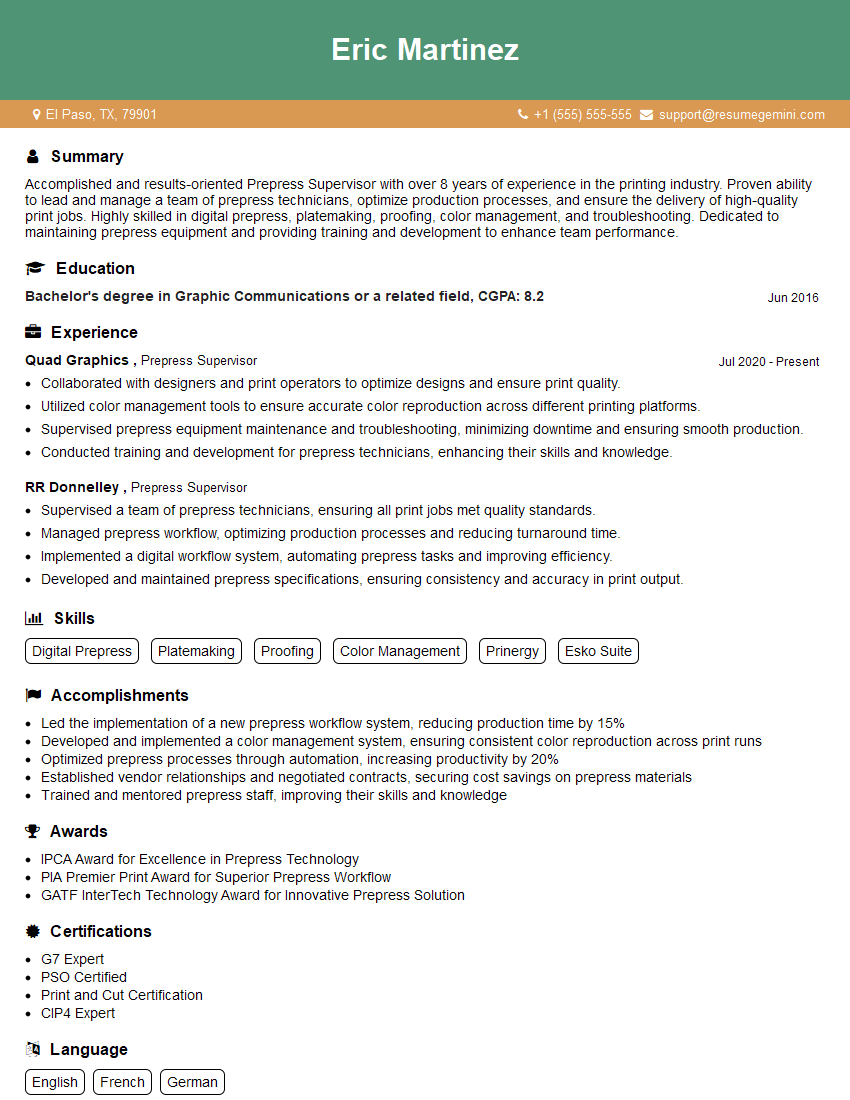
Mastering prepress image manipulation is crucial for career advancement in the graphic design and printing industries. It opens doors to specialized roles with higher earning potential and increased job satisfaction. To maximize your job prospects, crafting an ATS-friendly resume is vital. ResumeGemini can help you build a compelling and effective resume that showcases your skills and experience. ResumeGemini provides examples of resumes tailored specifically to Prepress Image Manipulation to guide you in crafting your own.




Explore more articles
Users Rating of Our Blogs
Share Your Experience
We value your feedback! Please rate our content and share your thoughts (optional).
What Readers Say About Our Blog
Very informative content, great job.
good