Are you ready to stand out in your next interview? Understanding and preparing for Prepress Workflow Knowledge interview questions is a game-changer. In this blog, we’ve compiled key questions and expert advice to help you showcase your skills with confidence and precision. Let’s get started on your journey to acing the interview.
Questions Asked in Prepress Workflow Knowledge Interview
Q 1. Explain your experience with different color spaces (CMYK, RGB, Pantone).
Color spaces define the range of colors a device can reproduce. Understanding them is crucial for accurate color representation throughout the prepress workflow. I have extensive experience with CMYK, RGB, and Pantone color spaces, each with unique applications.
- CMYK (Cyan, Magenta, Yellow, Key/Black): This subtractive color model is used in printing. It works by subtracting colors from white light to create the desired hue. I regularly use CMYK when preparing files for offset printing, knowing that the final printed colors will differ slightly from what’s seen on screen. For example, achieving deep blacks often requires a careful balance of all four CMYK inks.
- RGB (Red, Green, Blue): This additive color model is used on screens. It combines red, green, and blue light to create a vast array of colors. I use RGB in the initial design phases, aware that direct conversion to CMYK can result in color shifts. We usually perform color profiles to minimize such discrepancies.
- Pantone (PMS): This is a spot color system using premixed inks to ensure consistent color reproduction, especially for brand colors or critical color accuracy. I use Pantone when clients need precise, consistent color matching across different print runs, perhaps for a company logo or a specific product packaging. Converting Pantone colors to CMYK requires attention to detail and sometimes compromises are unavoidable.
My experience includes troubleshooting color discrepancies resulting from incorrect color space conversions. For example, I once had to correct a design where the client’s Pantone logo was converted directly to CMYK resulting in a significantly different hue. By using a Pantone to CMYK conversion chart provided by Pantone Inc., I created the appropriate spot color and avoided the color error in the final print.
Q 2. Describe your process for trapping and its importance in printing.
Trapping is a technique used to prevent small gaps from appearing between colored areas, especially when different colors meet, or where there are fine lines, during the printing process. The importance of trapping lies in producing clean, sharp prints without unsightly gaps, which can ruin the aesthetics and professionalism of the printed material.
My trapping process involves several steps:
- Assessing the design: I carefully examine the design to identify areas requiring trapping. This typically involves close inspection of fine lines, small text, and areas where two colors meet.
- Choosing the appropriate trapping method: There are different trapping techniques such as choke (reducing the size of the inner color), spread (enlarging the outer color), and overprint. The method depends on the design complexity and the printing process. For instance, spread trapping is often used for small text, while choke trapping is used for large solid shapes.
- Applying trapping settings in prepress software: I use Adobe InDesign or other prepress software to add the necessary trapping settings. This includes specifying the amount of choke or spread to be applied, the type of trapping method, and potentially setting different rules for different inks.
- Proofing: After trapping, I generate a soft proof or a hard proof to verify the effectiveness of the trap and check for any unintended consequences such as color shifts or distortions.
For instance, in a brochure with fine lines separating colors, neglecting trapping could lead to unwanted gaps between colors, diminishing the visual appeal. By carefully applying trapping techniques, I ensure the final print looks polished and professional.
Q 3. What software are you proficient in for prepress workflow (e.g., Adobe Creative Suite, imposition software)?
I’m highly proficient in the Adobe Creative Suite, specifically InDesign, Photoshop, and Illustrator. These are essential tools for prepress work, allowing me to prepare files correctly for various printing methods. Additionally, I have extensive experience with imposition software like imposition solutions and other specialized RIP software. These allow me to arrange pages efficiently for printing, ensuring optimal use of paper and efficient workflow.
In InDesign, I create and prepare documents, carefully managing color spaces and ensuring correct trapping and bleed settings. Photoshop is invaluable for image editing and preparation, optimizing resolution and ensuring color consistency. Illustrator’s vector-based editing capabilities are crucial for creating precise artwork. My skills extend beyond designing; I can also handle complex imposition and imposition workflows that optimize sheet layouts to reduce waste and optimize print speeds.
Q 4. How do you ensure color consistency across different printing processes?
Maintaining color consistency across different printing processes is a significant challenge in prepress. My approach is multi-faceted:
- Color Management: I utilize color profiles (ICC profiles) to accurately translate colors between different devices and printing methods. This ensures that the colors on screen closely match the final printed output. I’ll often use a calibrated monitor to view designs.
- Proofing: I rely on both soft proofing (on-screen simulation) and hard proofing (physical print samples) to verify color accuracy before proceeding to mass production. Soft proofing helps catch inconsistencies, but hard proofing is invaluable to ensure the final result closely matches the design’s intent.
- Communication with Printers: Open communication with the printing facility is essential. I provide them with accurate color profiles and detailed specifications to align expectations and prevent color discrepancies.
- Standardized Color Spaces: I consistently use the appropriate color space (CMYK for print) throughout the design and prepress stages, minimizing the likelihood of color shifts.
For instance, working with a client who requires a specific Pantone color across various marketing materials, I will work with the printer to obtain a hard proof that uses the exact Pantone color. If there are slight differences between the hard proof and the design file, I’ll make adjustments during the final proofing stage.
Q 5. Explain your understanding of different file formats used in prepress (e.g., PDF, TIFF, EPS).
Several file formats play crucial roles in prepress. Understanding their strengths and limitations is critical for efficient and accurate workflow:
- PDF (Portable Document Format): PDF is the industry standard for final prepress files due to its high fidelity and compatibility across various platforms and applications. It preserves fonts, images, and color information effectively. I often prepare press-ready PDFs with embedded profiles and appropriate bleed settings.
- TIFF (Tagged Image File Format): TIFF is a versatile image file format suitable for high-resolution images used in printing. It supports lossless compression, which is crucial for preserving image quality, unlike JPEG. I primarily use it for high-resolution images that need to retain their detail.
- EPS (Encapsulated PostScript): EPS is a vector-based format, often used for illustrations and logos. Its scalable nature allows for high-quality output at various sizes without losing resolution. It’s crucial to ensure the EPS file is embedded properly and correctly linked within the layout.
Knowing the differences is vital. For example, using a JPEG instead of a TIFF for high-resolution images would lead to a loss of quality in the final print. Similarly, an incorrectly embedded EPS file can cause font and rendering errors. My proficiency in these formats ensures reliable and high-quality print production.
Q 6. Describe your experience with proofing methods (soft proof, hard proof).
Proofing is a critical step in prepress to ensure the final product meets the client’s expectations and technical requirements. I utilize both soft proofing and hard proofing methods.
- Soft Proofing: This involves using software to simulate the appearance of the printed output on screen. It allows for quick feedback and iterative adjustments. My soft proofing setup utilizes calibrated monitors with appropriate color profiles to ensure accuracy. This is a cost-effective and efficient method for initial review and corrections.
- Hard Proofing: This involves producing a physical print sample that closely mimics the final printed product. This is the gold standard for proofing and allows for a more accurate assessment of color, detail, and overall quality. I typically utilize a professional proofer or high-quality printer for hard proofing, depending on the specific project requirements.
For example, I once used soft proofing to identify a subtle color shift on a brochure. We caught this early on, saving a costly reprint. But for a large format poster, I’d invariably opt for a hard proof to ensure the color reproduction and sharpness are exactly as anticipated. Hard proofs give the client a tactile understanding of the final product, something that cannot be replicated via a soft proof.
Q 7. How do you handle image resolution issues in prepress?
Image resolution is paramount for high-quality print. Insufficient resolution leads to blurry and pixelated images. My process for handling resolution issues involves:
- Assessing Image Resolution: I use software to determine the resolution of each image used in the project. For print, images generally require 300 DPI (dots per inch) or higher for optimal quality. Lower resolution images are flagged for attention.
- Image Resizing: When necessary, I resize images using appropriate techniques. Enlarging an image beyond its original resolution can lead to a noticeable loss of detail, so upscaling should be approached cautiously. I can use AI techniques, but they’re carefully monitored for quality issues.
- Image Replacement: If an image is significantly under-resolution and cannot be adequately resized without severe quality degradation, I may suggest sourcing a higher-resolution replacement from the client.
- Communication with Client: If resolution issues are unavoidable, I clearly communicate the potential impact on print quality to the client, suggesting alternative solutions.
For instance, I once received a client’s logo at only 72 DPI. Attempting to upscale this to 300 DPI would have resulted in a blurry logo in the final print. I immediately contacted the client, asking for a higher-resolution version, ensuring the final product was acceptable.
Q 8. What is your experience with imposition software and techniques?
Imposition software is crucial for arranging pages of a document onto a printing sheet efficiently. My experience spans several years using various software packages, including but not limited to Esko Automation Engine, Creo Software (now part of EFI), and other industry-standard imposition tools. I’m proficient in various techniques, including sheetwise, roll-fed, and gang imposition. For example, when working on a 16-page booklet, I’d use imposition software to arrange the pages in the correct order to ensure that they’ll fold correctly once printed. This involves understanding different imposition schemes based on the folding requirements—whether it’s a saddle stitch, perfect binding, or other finishing method. I also have experience with optimizing imposition for minimum paper waste and maximum sheet utilization. This often involves carefully considering the trimming and bleed requirements of the design.
I’m also well-versed in handling complex projects with multiple signatures and different paper sizes, accurately calculating imposition marks like crop marks, color bars, and registration marks necessary for successful printing and finishing.
Q 9. Explain your understanding of print finishing processes.
Print finishing encompasses all processes after the printing stage to enhance the product’s appearance and durability. My knowledge covers a wide range of techniques, including:
- Cutting and Trimming: Using guillotine cutters, die cutters, or other specialized equipment for precise trimming to the final dimensions.
- Folding: Different folding methods such as letter folds, parallel folds, and roll folds, chosen depending on the project requirements and aesthetic goals. I’m adept at selecting the right folding method to achieve the desired outcome.
- Binding: This includes various methods like perfect binding (for books and magazines), saddle stitching (for booklets), wire-O binding, and spiral binding, each tailored to the project’s specifications.
- Laminating: Applying a protective film to enhance the durability and water resistance of printed materials, choosing between gloss, matte, or soft-touch laminates.
- Coating: Applying aqueous, UV, or other coatings to enhance the vibrancy and protection of the printed output.
- Die Cutting: Utilizing dies to create custom shapes and designs in the print material, perfect for creating unique packaging or promotional items.
Understanding these processes allows me to anticipate potential issues during the prepress stage and make appropriate adjustments to ensure a smooth and efficient workflow, for instance, I would always add sufficient bleed to the artwork when considering trimming, or choose paper stock compatible with the chosen binding type.
Q 10. How do you manage and troubleshoot prepress workflow issues?
Managing and troubleshooting prepress workflow issues requires a systematic approach. I typically follow these steps:
- Identify the Problem: Carefully analyze the error message, the output, and the client’s specifications to pinpoint the exact issue.
- Isolate the Source: Determine the stage in the workflow where the problem originated—is it a design issue, a software glitch, a hardware problem, or something else? This could involve checking files, reviewing logs and error messages, and conducting tests.
- Implement Solutions: Depending on the nature of the problem, the solution might involve correcting artwork errors, adjusting software settings, repairing hardware, or updating drivers. Sometimes this also involves consulting with other teams.
- Test and Verify: Once a solution is implemented, thorough testing is essential to ensure the problem is resolved and that the new output is acceptable.
- Document and Prevent: Documenting the process and reasons for the issues, especially recurring ones, helps prevent similar problems in the future. It allows the establishment of preventive maintenance routines and workflow improvements.
For example, if I encounter a color mismatch, I might investigate color profile discrepancies, ink limitations, or even problems with the proofing process. I would then systematically troubleshoot each possibility, utilizing color management tools and print tests until the root cause is identified and corrected.
Q 11. Describe your experience with PDF workflows and preflighting.
PDF workflows are central to modern prepress. My experience encompasses creating, editing, preflighting, and packaging PDFs for print. I utilize Adobe Acrobat Pro extensively for these tasks. Preflighting is a critical step, ensuring the PDF conforms to the print specifications and is free of errors. This includes checking for:
- Color spaces: Ensuring correct color profiles are embedded and that the colors are suitable for the chosen printing method.
- Fonts: Verifying that all fonts are embedded and that there are no font substitution issues.
- Images: Checking for image resolution, color modes, and compression issues.
- Bleeds and margins: Ensuring that the artwork has sufficient bleeds and that the margins are correct.
- Trapping: Confirming that trapping is set up correctly to prevent color gaps between different color areas.
I regularly use preflight profiles to automate this checking process and catch potential problems early. A specific example would involve checking for overset text in a PDF to prevent it from being truncated during printing. I would use the preflight profile to highlight any text boxes exceeding their defined boundaries allowing for adjustments before proceeding to printing.
Q 12. Explain your understanding of color profiles and their importance.
Color profiles are crucial for ensuring color consistency throughout the printing process. They describe how a particular device (monitor, printer, scanner) interprets and reproduces color. A color profile acts as a translator. It translates the color data from the digital source (e.g., your monitor) into the color space that the printing device understands and can reproduce. Without proper color profiles, significant color shifts can occur between the screen preview and the final printed output. This could result in an inaccurate representation of the intended colors.
For example, an image designed using the sRGB color space will have a different color appearance when printed on a press using a different color profile, say, ISO Coated v2 (ECI). Therefore, using the correct color profiles ensures that the final print accurately reflects the designer’s intent. The importance lies in maintaining color accuracy and consistency across different devices and stages in the printing process.
Q 13. How do you ensure the accuracy of fonts and text in prepress?
Ensuring font accuracy is essential for preventing errors during the printing process. I employ several strategies:
- Font Embedding: All fonts used in the document must be embedded to avoid font substitution issues. This guarantees the correct font will be used during printing, regardless of the operating system or software used on the printing device.
- Font Validation: Using preflighting tools to check for missing or damaged fonts.
- Outline Fonts: Using outline fonts (PostScript Type 1 or OpenType) which are scalable vector fonts, rather than bitmap fonts which can lead to pixelation or blurring at various sizes.
- Font Conversion: When necessary converting fonts to formats compatible with the printing device.
- Font Management Software: Utilizing font management software to organize and maintain a library of approved fonts.
If a problem arises, I’ll systematically check the fonts in the document and compare them to the available fonts on the printing equipment. I would then replace any problematic fonts with acceptable alternatives or embed the necessary ones to avoid mismatches and ensure the text appears as intended.
Q 14. Describe your experience with different types of printing plates.
My experience includes working with various types of printing plates, each with its own advantages and disadvantages. The choice of plate type depends on factors such as the printing process, the required print quality, and the budget. Some common types include:
- Conventional Plates (PS Plates): Traditional photographic plates that are widely used for offset printing. They require processing steps which can be time-consuming.
- CTP (Computer-to-Plate) Plates: These are imaged directly from a computer, eliminating the need for film. They offer improved efficiency and accuracy, and are a popular choice for high-volume and high-quality printing. Within this category, there are various types of CTP plates, including thermal plates, violet plates and UV plates, each with different sensitivities and chemical compositions.
- Flexographic Plates: Used for flexographic printing, typically on flexible materials such as plastic films or packaging. These plates can be made from various materials, such as photopolymer.
- Gravure Plates: Used in gravure printing, producing high-quality, consistent prints for packaging, magazines, and newspapers. They’re etched with tiny cells that hold the ink.
My experience allows me to select the most appropriate plate type for a specific project, considering the print quality, run length, and cost-effectiveness, and anticipate and address potential challenges associated with different plate types.
Q 15. How do you manage large files and maintain workflow efficiency?
Managing large files efficiently in prepress is crucial for maintaining workflow speed and preventing bottlenecks. Think of it like organizing a massive library – you wouldn’t just throw all the books in a pile! My approach involves a multi-pronged strategy:
File Compression: I utilize lossless compression techniques like ZIP or, for images, specialized formats like JPEG 2000, to reduce file sizes without sacrificing quality. This significantly speeds up transfer times and reduces storage space. For example, a high-resolution TIFF image might be compressed to a smaller size for easier transmission while maintaining its fidelity when decompressed.
Asset Management System (DAM): Employing a DAM is essential for larger projects. These systems allow for centralized storage, version control, and metadata tagging, making it easy to locate and manage assets. Think of it as a digital asset library with a robust search function.
Network Optimization: A fast and reliable network infrastructure is paramount. This includes sufficient bandwidth and efficient network protocols to minimize transfer times. Imagine trying to send a large file over dial-up – it would take forever! A fast connection is essential.
Workflow Automation: Automating tasks like file conversion and preflighting using software like Enfocus PitStop or similar tools reduces manual intervention and potential errors, thereby improving efficiency. Automation streamlines the process, freeing up time for more complex tasks.
Career Expert Tips:
- Ace those interviews! Prepare effectively by reviewing the Top 50 Most Common Interview Questions on ResumeGemini.
- Navigate your job search with confidence! Explore a wide range of Career Tips on ResumeGemini. Learn about common challenges and recommendations to overcome them.
- Craft the perfect resume! Master the Art of Resume Writing with ResumeGemini’s guide. Showcase your unique qualifications and achievements effectively.
- Don’t miss out on holiday savings! Build your dream resume with ResumeGemini’s ATS optimized templates.
Q 16. How familiar are you with JDF/JMF workflows?
I’m very familiar with JDF/JMF workflows. These are essentially the languages of automated print production, allowing different systems to communicate seamlessly. JDF (Job Definition Format) describes the job details, such as the document, required specifications, and finishing instructions, while JMF (Job Messaging Format) handles the actual communication between systems. Imagine them as the instructions and the communication system in a sophisticated factory assembly line.
My experience includes implementing and troubleshooting JDF/JMF integrations in various prepress environments. I’ve worked with MIS (Management Information Systems) to integrate JDF workflows into prepress systems, allowing for automated job submission, tracking, and reporting. This reduces manual data entry, minimizes errors, and provides valuable real-time production insights.
Q 17. What is your experience with automated workflow systems?
I have extensive experience with automated workflow systems, having worked with various solutions like MIS systems, automated imposition software, and color management systems. For example, I’ve used systems like EFI Fiery, Kodak Prinergy, and others to automate tasks such as job submission, imposition, trapping, color conversion, and proofing.
In one project, we implemented an automated workflow that integrated our MIS system with our prepress software. This significantly reduced turnaround times by automating the creation of job tickets, importing artwork, and generating imposition layouts. Before the automation, this was a labor-intensive, error-prone process; automating it significantly improved efficiency and reduced human error.
Q 18. Explain your process for creating a press-ready file.
Creating a press-ready file is a meticulous process that requires attention to detail at every step. My process typically involves:
Preflight: I begin with a thorough preflight check using software like Adobe Acrobat Pro or Enfocus PitStop. This identifies potential problems like missing fonts, low-resolution images, color profile issues, and other inconsistencies that could cause problems during printing.
Image Optimization: Images are optimized for print, ensuring they are high-resolution and in the correct color space (typically CMYK). I use tools like Adobe Photoshop to achieve this, paying careful attention to image compression and sharpening.
Color Management: Accurate color management is crucial. I ensure proper color profiles are embedded and that the document is converted to the printer’s required color space. This involves using a color management system to maintain color consistency across different devices.
Trapping: If necessary, I apply trapping to prevent gaps between colors during printing, ensuring crisp edges. This is particularly important for complex designs with thin lines or small text.
Imposition: The pages are arranged for printing according to the press sheet configuration and the job’s requirements. This step usually involves specialized imposition software.
Proofing: Finally, I generate a soft proof and/or a hard proof for client approval. This verifies the accuracy of the colors, layout, and overall quality of the file before printing.
Q 19. Describe your problem-solving skills when dealing with prepress errors.
Troubleshooting prepress errors requires a systematic approach. I typically follow these steps:
Identify the Error: The first step is to precisely identify the nature of the error. This might involve analyzing error messages, examining the output, or using diagnostic tools.
Isolate the Cause: Once the error is identified, I investigate the potential causes. This could involve examining the source files, checking the prepress settings, or testing different components of the workflow.
Implement a Solution: Based on the identified cause, I implement a solution. This might involve correcting errors in the source files, adjusting the prepress settings, or resolving issues with the workflow.
Test and Verify: After implementing a solution, I thoroughly test and verify that the error is resolved and that the workflow operates as expected. I’ll often rerun the preflight checks to ensure no new errors have been introduced.
Document the Solution: Finally, I document the error and the solution implemented, creating a knowledge base for future reference. This avoids repeating mistakes and helps others in the team.
For example, if I encounter a font error, I systematically check the fonts used in the document, ensuring they’re correctly embedded and available on the output device.
Q 20. How do you prioritize tasks in a fast-paced prepress environment?
Prioritization in a fast-paced prepress environment is crucial. I use a combination of techniques:
Job Ticketing System: I rely heavily on a job ticketing system that usually includes deadlines, job complexity, and client priority. This gives a clear overview of what needs to be done and when.
Urgency and Importance Matrix: I categorize tasks based on urgency and importance, focusing on high-urgency, high-importance tasks first. This Eisenhower Matrix helps prioritize effectively and avoid getting bogged down in less critical tasks.
Communication: Open communication with the team and clients is essential to manage expectations and adjust priorities as needed. This ensures everyone is aware of current priorities and potential bottlenecks.
Time Blocking: Allocating specific time slots for specific tasks helps maintain focus and improve efficiency. This technique prevents distractions and allows for focused work on high-priority tasks.
Q 21. Describe your experience with quality control checks in prepress.
Quality control (QC) is paramount in prepress. My QC checks include:
Preflight Checks: As mentioned previously, I perform thorough preflight checks to identify potential errors before they reach the printing stage.
Soft Proofing: Soft proofing allows for visual verification of colors, layout, and overall design accuracy on screen. This is an important step before sending the job to print.
Hard Proofing: For critical jobs, I create hard proofs to simulate the final printed output. This is particularly valuable for checking color accuracy and ensuring that the final product meets the client’s expectations.
Visual Inspection: Even after automated checks, a visual inspection is vital to catch subtle errors or inconsistencies that automated systems might miss. A fresh pair of eyes can often catch these easily.
Client Approval: Client approval is a critical part of the QC process. It confirms that the final product matches their expectations and avoids costly reprints.
Q 22. How do you communicate with designers and printers effectively?
Effective communication with designers and printers is crucial for a smooth prepress workflow. I approach this through a multi-faceted strategy focusing on clear, concise communication and proactive collaboration.
With Designers: I utilize a collaborative approach, initiating regular check-ins, providing constructive feedback on file preparation (ensuring correct color profiles, resolution, and bleed), and explaining prepress limitations early in the design process. This prevents costly revisions later. I often use visual aids like annotated PDFs to highlight potential issues. For example, if a designer uses a low-resolution image, I’ll mark it directly on the PDF and explain the resulting print quality degradation. Using a project management system allows for easy file sharing, feedback tracking, and clear version history.
With Printers: Communication with printers involves specifying the exact printing requirements, including paper type, ink type, desired color gamut (e.g., CMYK, Pantone), and finishing instructions. I ensure all files are properly formatted and color-managed to their specifications, often providing digital proofs for approval. Open and honest communication about potential challenges, such as file inconsistencies or production deadlines, is key to maintain a healthy working relationship.
Q 23. What is your experience with version control in prepress workflows?
Version control is paramount in prepress to manage revisions, track changes, and prevent errors. I have extensive experience using various version control systems, including both dedicated prepress software with built-in versioning and cloud-based solutions like Dropbox or Google Drive with careful file naming conventions.
In a typical workflow, each version receives a clear identifier (e.g., ‘design_v1.pdf’, ‘design_v2_revised.pdf’). This approach allows easy tracking of changes made throughout the prepress process. Using a collaborative platform allows designers and clients to access and review different versions as needed. This ensures everyone is on the same page and prevents accidental overwriting of important files.
Furthermore, I meticulously document all changes made in each version, noting the specific alterations and the reason for the revision. This documentation serves as a valuable reference point for future troubleshooting or clarification. This rigorous approach minimizes confusion and ensures that the final print product accurately reflects the client’s vision.
Q 24. Describe your understanding of different binding and finishing options.
My understanding of binding and finishing options is comprehensive, encompassing various techniques tailored to specific project needs. The choice depends on factors like project budget, volume, desired aesthetic, and the type of material being printed.
- Binding: This refers to how pages are joined together. Common methods include saddle stitch (stapling), perfect binding (gluing), case binding (hardcover), spiral binding, and wire-o binding. Saddle stitch is cost-effective for smaller booklets; perfect binding is suitable for books and magazines; case binding offers durability for high-quality books; spiral and wire-o bindings are practical for calendars or notebooks.
- Finishing: This encompasses processes that enhance the product’s appearance and durability. Examples include die-cutting (creating custom shapes), embossing/debossing (adding raised or indented textures), foil stamping (applying metallic accents), lamination (adding a protective film), and UV coating (providing a glossy or matte finish).
For instance, a high-end coffee table book might utilize case binding with foil stamping and UV coating, while a simple brochure may only require saddle stitch and folding. I’m adept at guiding clients through these options based on their budget and project requirements, ensuring the best possible outcome.
Q 25. Explain your experience with color separation techniques.
Color separation is the process of separating a full-color image into individual color plates (typically CMYK: Cyan, Magenta, Yellow, and Black) for printing. My experience encompasses both traditional methods and modern digital techniques.
Traditional Methods: These involved using specialized film and screens to create separations. While less common today, understanding these principles is crucial for troubleshooting and working with legacy files.
Digital Methods: Modern prepress utilizes digital color separation, typically handled by RIP (Raster Image Processor) software. These programs use algorithms to accurately divide the image’s colors into individual plates, optimizing for the specific printing press. I have extensive experience using various RIP software packages and understand how different color profiles and output settings impact the final print results. I am adept at color management, ensuring accurate color representation across different devices and media.
For example, I might adjust the CMYK values to ensure accurate skin tones or correct color casts based on the chosen paper stock. The process often involves proofing to verify color accuracy before sending the separated plates to the printer.
Q 26. How do you handle client requests and revisions in prepress?
Handling client requests and revisions in prepress requires a systematic approach focused on efficiency and clear communication.
Process: I utilize a structured process which begins with clearly defined project expectations, documented in a brief or contract. This includes deadlines, revision limits, and approval processes. All requests are documented and tracked in a project management system, such as Asana or Basecamp, ensuring transparency and accountability. Revisions are clearly labeled and versioned as previously described in answer 2.
Communication: I maintain open and consistent communication with clients throughout the process, providing regular updates and promptly responding to queries. Any potential delays or issues are addressed proactively. I use online proofing tools that allow clients to review and approve proofs digitally, minimizing delays associated with physical delivery. This also provides a record of all approved changes.
Example: If a client requests a significant design change after color separation, I’ll explain the impact on the timeline and cost, offering realistic alternative solutions while maintaining transparency. This approach ensures client satisfaction and minimizes unnecessary delays or misunderstandings.
Q 27. Describe your experience working with different printing presses.
My experience spans various printing presses, including offset lithography, digital printing, and large format printers. Understanding the capabilities and limitations of each press type is crucial for optimizing file preparation and achieving the best possible print results.
- Offset Lithography: This is a high-volume printing method ideal for large print runs. I’m familiar with different press sizes and configurations, understanding the implications for file setup (e.g., imposition, bleeds).
- Digital Printing: This on-demand printing method is suitable for smaller runs and personalized projects. I have experience preparing files for various digital presses, such as Xerox and HP Indigo, understanding their specific color profiles and resolutions.
- Large Format Printing: This method is used for posters, banners, and other oversized prints. My experience includes preparing high-resolution files and understanding the requirements for different media types (e.g., vinyl, canvas).
For example, preparing files for offset lithography requires careful attention to imposition to maximize sheet usage and minimize waste. Preparing files for digital printing requires understanding the specific color profiles and resolutions of the particular machine being used.
Q 28. What are your strategies for staying updated on industry trends and technologies in prepress?
Staying current with prepress industry trends is crucial for maintaining competitiveness and providing the best possible service to clients. My strategies for staying updated include:
- Industry Publications and Websites: I regularly read trade publications and websites dedicated to graphic arts, prepress, and printing. This allows me to stay informed about new technologies, software updates, and industry best practices.
- Conferences and Trade Shows: Attending industry events provides opportunities to network with peers, learn about the latest advancements, and see new equipment in action.
- Professional Organizations: Membership in relevant professional organizations offers access to educational resources, industry news, and networking opportunities.
- Software Training and Certifications: I actively pursue training and certification in relevant prepress software and technologies to ensure I’m proficient in using the latest tools.
- Online Courses and Tutorials: Online resources provide ongoing learning opportunities, allowing me to develop my skills and expand my knowledge base.
By adopting a proactive approach to continuous learning, I can ensure my skills and knowledge remain relevant and that I can effectively meet the evolving demands of the prepress industry.
Key Topics to Learn for Prepress Workflow Knowledge Interview
- File Formats and Conversions: Understanding the nuances of different file formats (PDF, TIFF, JPEG, etc.), their strengths and weaknesses, and how to effectively convert between them for optimal print results. Consider color spaces and resolution implications.
- Color Management: Mastering concepts like color profiles (ICC profiles), color conversion methods, and proofing techniques to ensure accurate color reproduction throughout the workflow. Be prepared to discuss practical application in a real-world scenario.
- Image Editing and Retouching: Demonstrate your knowledge of image manipulation techniques relevant to prepress, including resolution adjustments, color correction, and artifact removal. Discuss software proficiency (Photoshop, etc.).
- Proofing and Quality Control: Describe different types of proofs (soft, hard, contract), their purpose, and how to identify and address prepress-related errors. Discuss quality assurance processes and best practices.
- Imposition and Platemaking: Understand the principles of imposition (arranging pages for printing), the various imposition methods, and the role of platemaking in the printing process. Be ready to discuss different plate types and their properties.
- Workflow Software and Automation: Familiarity with prepress workflow software (e.g., MIS systems, automation tools) and the ability to discuss how these tools improve efficiency and reduce errors. Highlight experience with automation processes.
- Pre-flighting and Error Detection: Discuss the importance of pre-flighting checks to identify potential problems before printing. Explain common prepress errors and how to avoid them.
- Digital Asset Management (DAM): Discuss the role of DAM in managing and organizing digital assets within a prepress workflow, emphasizing efficiency and version control.
Next Steps
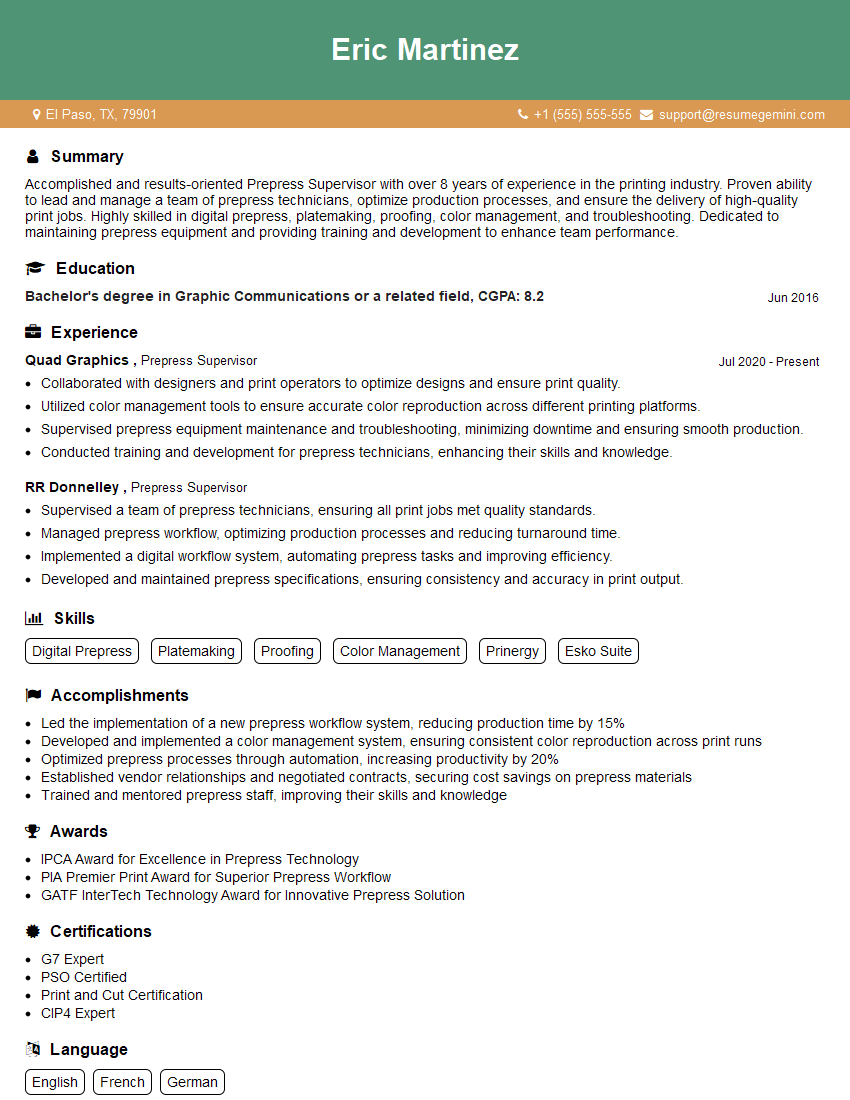
Mastering prepress workflow knowledge is crucial for career advancement in the printing and publishing industries. A strong understanding of these processes showcases your technical skills and problem-solving abilities, leading to increased opportunities and higher earning potential. To maximize your job prospects, create an ATS-friendly resume that highlights your relevant skills and experience. ResumeGemini is a trusted resource that can help you build a professional and impactful resume, ensuring your qualifications shine. Examples of resumes tailored to Prepress Workflow Knowledge are available to help guide you.





Explore more articles
Users Rating of Our Blogs
Share Your Experience
We value your feedback! Please rate our content and share your thoughts (optional).
What Readers Say About Our Blog
Very informative content, great job.
good