Preparation is the key to success in any interview. In this post, we’ll explore crucial Printing and Imaging interview questions and equip you with strategies to craft impactful answers. Whether you’re a beginner or a pro, these tips will elevate your preparation.
Questions Asked in Printing and Imaging Interview
Q 1. Explain the difference between offset and digital printing.
Offset printing and digital printing are two fundamentally different methods for mass producing printed materials. Think of it like this: offset is like a high-speed, highly efficient printing press, while digital is like a sophisticated photocopier.
- Offset Printing: This is an indirect printing method. Ink is transferred from a plate to a rubber blanket, and then from the blanket to the printing substrate (paper, etc.). This process allows for incredibly high-quality results, especially for large print runs, thanks to the even ink distribution and precise registration. It’s ideal for projects requiring high volume and vibrant colors, such as magazines, books, and brochures.
- Digital Printing: This is a direct printing method. Ink is applied directly from the printing device to the substrate. It’s more versatile, perfect for short-run projects, personalized items, and variable data printing (like personalized mailers). However, the print quality might not reach the same level as offset for complex designs or large solid areas of color, especially at very high resolutions. Think personalized greeting cards or on-demand book printing.
The key differences lie in their cost-effectiveness (offset is cheaper per unit for large runs, digital is better for smaller runs), speed (offset is faster for large runs), and the level of customization (digital offers higher customization options).
Q 2. Describe your experience with color profiles (e.g., ICC profiles).
Color profiles, specifically ICC (International Color Consortium) profiles, are essential for ensuring color consistency across different devices and processes in printing. They act as a translator, defining how a particular device perceives and reproduces color. Think of it as a color recipe.
My experience with ICC profiles involves extensive use in workflow management. I’ve used them to calibrate monitors, printers, and proofing systems to achieve accurate color representation. For example, I’ve worked on projects where a client provided a Pantone color for their logo. By using the correct ICC profiles for their specific paper and the printer we were using, we could accurately reproduce that Pantone color, minimizing discrepancies between the digital proof and the final printed product. I understand the importance of embedding ICC profiles into artwork files (like PDFs) to ensure the intended color is maintained throughout the prepress and printing process. Failure to properly manage color profiles can result in significant color shifts, leading to costly reprints or dissatisfied clients.
Q 3. What are the common printing issues and how do you troubleshoot them?
Common printing issues are often related to the prepress stage, the printing process itself, or the finishing steps. Troubleshooting involves a systematic approach.
- Registration Problems: Colors or images aren’t aligned correctly. This often stems from issues with the printing plates (offset) or print head alignment (digital). Troubleshooting involves checking plate alignment, cleaning the print heads, or adjusting the print settings.
- Color Inconsistency: Colors differ from the proof or expected results. This can be due to incorrect color profiles, incorrect ink density, or substrate issues. Addressing this requires calibrating the equipment, adjusting ink settings, or checking the paper’s properties.
- Banding or Streaking: Uneven ink distribution resulting in streaks or bands. This usually points to problems with the ink itself, ink supply, or the print heads. Cleaning, replacing, or adjusting settings related to ink flow can solve this.
- Paper Jams: This is often due to improper paper handling, humidity levels, or paper feeding issues. Troubleshooting involves inspecting the paper path, adjusting feeding mechanisms, or using appropriate paper for the machine.
My approach is to carefully assess the issue, analyze the printed output, and systematically eliminate possible causes. I utilize diagnostic tools provided by the printing machinery and my knowledge of printing processes to effectively pinpoint and fix the problem.
Q 4. How familiar are you with various printing substrates (paper, vinyl, etc.)?
My familiarity with printing substrates is extensive. I’ve worked with a wide range, including different types of paper (coated, uncoated, textured, recycled), various vinyl films (matte, gloss, perforated), canvas, cardstock, and even specialty materials like metallic substrates.
Understanding substrate properties is crucial. For instance, the choice of paper significantly impacts the final print quality, color vibrancy, and the overall feel. A glossy coated paper will produce a sharper, more vibrant image than a matte uncoated paper, but it might not be suitable for certain applications. Similarly, different vinyl films have varying degrees of durability, adhesion, and suitability for indoor vs. outdoor use. I consider the substrate’s absorbency, thickness, surface texture, and its compatibility with different inks when selecting it for a specific project. This ensures optimal print results and longevity.
Q 5. Explain the prepress process in detail.
The prepress process encompasses all the steps taken before the actual printing begins. It’s crucial for ensuring a smooth and high-quality print job. Think of it as meticulously preparing the recipe before baking a cake.
- Artwork and Design: This involves preparing the artwork in the correct format, resolution, and color mode (typically CMYK for offset and RGB for some digital processes).
- File Preparation: Images are often optimized, and any necessary color adjustments are made using color profiles and software tools like Adobe Photoshop and Illustrator. Trapping (slightly overlapping colors to avoid gaps) is a common technique for offset printing.
- Proofing: Soft proofs (on-screen) and hard proofs (physical prints) are created to ensure the accuracy of color and design before the printing commences. Proofing helps catch errors early, preventing costly reprints.
- Plate Making (Offset): For offset, this step involves creating printing plates (either digitally or conventionally) from the prepared artwork. The plates are then mounted onto the printing press.
- Imposition: This involves arranging the pages of a document on the printing sheet in a way that maximizes efficiency and minimizes waste during printing. A highly optimized imposition reduces material costs and improves throughput.
Proper prepress procedures significantly reduce errors and ensures that the final printed product matches the client’s expectations.
Q 6. What is your experience with different types of finishing techniques?
My experience spans a variety of finishing techniques, each adding value and enhancing the final product.
- Cutting and Trimming: Precisely cutting printed sheets to the desired size and shape using guillotines or other cutting tools.
- Folding and Creasing: Folding printed sheets to create brochures, leaflets, or other formats. Creasing helps ensure clean folds.
- Binding: Methods for assembling pages together, such as saddle-stitch (stapling), perfect binding (gluing), wire-o binding (metal rings), and case binding (for hardcover books).
- Laminating: Applying a protective film over the printed material to enhance durability and water resistance.
- Die-Cutting: Using specialized dies to create custom shapes and designs, such as business cards with unusual shapes.
- Embossing and Debossing: Creating raised (embossing) or indented (debossing) designs to add texture and visual appeal.
The choice of finishing techniques depends on the project’s requirements and the desired aesthetic. I always consult with clients to select the most appropriate options.
Q 7. How do you ensure consistent color accuracy across different printing methods?
Maintaining consistent color accuracy across different printing methods requires a multi-faceted approach.
- Color Management System (CMS): Implementing a robust CMS throughout the entire workflow, from design to printing. This includes using consistent color profiles for all devices involved.
- Proofing: Using accurate soft and hard proofs to preview the final printed output and make necessary adjustments. This allows for early detection and correction of color discrepancies.
- Calibration and Maintenance: Regularly calibrating monitors, printers, and proofing devices to ensure they are rendering colors accurately. Proper maintenance of printing equipment also plays a vital role.
- Standard Color Spaces: Working primarily in CMYK color space for offset printing and using appropriate color conversion techniques when necessary. Understanding the limitations of each color space is essential. Using Pantone color matching system for consistent brand colors is another great technique.
- Communication and Collaboration: Clear communication between the designer, prepress operators, and the printer to maintain a shared understanding of color expectations and specifications.
Consistent color accuracy is paramount for brand consistency and client satisfaction. It demands attention to detail and a thorough understanding of color reproduction processes.
Q 8. Describe your experience with print workflow software.
My experience with print workflow software spans several years and various industry-standard applications. I’m proficient in managing the entire print production process, from initial file intake and pre-flighting to color management, imposition, and job ticketing. I’ve worked extensively with software such as Esko Suite (including ArtiosCAD and DeskPack), Adobe Creative Suite (InDesign, Illustrator, Photoshop), and various RIP software solutions (like Fiery). For example, in a recent project involving a large-scale direct mail campaign, I utilized Esko to automate the imposition process, significantly reducing production time and minimizing errors. This involved creating nested dies and gang sheets, ensuring efficient use of substrate and optimized output for high-speed printing presses. My experience extends to cloud-based solutions that facilitate collaboration and streamline communication across departments and clients.
I am also comfortable troubleshooting workflow issues, ensuring smooth operation, and optimizing workflows for different print types and volumes. Understanding the nuances of each software’s capabilities and limitations is crucial for successful project delivery.
Q 9. Explain the concept of color separation.
Color separation is the process of dividing a full-color image into individual color channels – typically Cyan, Magenta, Yellow, and Key (black), or CMYK. Think of it like separating the layers of a cake. Each color channel is then printed separately onto the substrate, and when viewed together, they create the illusion of a single, full-color image. This is crucial for printing methods that rely on multiple inks, such as offset lithography.
Historically, color separation was done manually using specialized tools and techniques. Nowadays, this process is almost entirely automated using software like Adobe Photoshop or specialized RIP software. These programs analyze the image and create separate files for each color channel, ensuring accurate representation of the original artwork. The accuracy of this separation is vital; any discrepancies can result in color mismatches in the final print.
For example, a vibrant red in a logo will be composed of a combination of Magenta and Yellow inks in varying amounts. The color separation software precisely calculates the amount of each ink needed to achieve that specific shade. Inaccurate separation might result in a duller, less saturated red in the final printed output.
Q 10. How do you manage and resolve print quality issues?
Managing and resolving print quality issues requires a systematic approach. My methodology involves identifying the root cause, implementing corrective actions, and preventing future occurrences. I use a structured troubleshooting process that considers various factors influencing print quality.
- Visual Inspection: I begin by visually inspecting the printed output, identifying specific defects like banding, moiré patterns, poor registration, or color inconsistencies.
- Substrate Analysis: I check the quality and suitability of the printing substrate, ensuring it’s appropriate for the chosen printing method and ink type. Issues can arise from warped paper, poor ink absorption, or incorrect substrate choice.
- Ink and Press Settings: I examine the ink settings on the printing press, checking ink density, viscosity, and dot gain. I also verify that the press is properly calibrated and maintained.
- File Review: I review the pre-press files (PDFs) to ensure they meet the necessary specifications, including resolution, color profile, and trapping. Problems in the digital files often propagate into the printed output.
- Press Calibration: If issues persist, careful calibration of the printing press is essential. This might involve adjusting color density, registration, and other critical parameters.
For instance, if banding appears in the output, I’d check the ink supply, look for potential press malfunctions (e.g., uneven ink distribution), and review file settings to rule out issues with the digital data. By systematically eliminating possibilities, I can pinpoint the source and implement the correct solution.
Q 11. What is your experience with large format printing?
I have significant experience in large format printing, encompassing various applications like banner printing, vehicle wraps, and architectural displays. My expertise extends to different printing technologies, including solvent, eco-solvent, UV-curable, and latex inks. I’ve managed projects involving complex designs, large print runs, and demanding deadlines. One memorable project involved producing a series of large-scale photographic murals for a museum exhibition. This required careful color management, precise registration, and seamless image tiling to ensure a visually stunning and accurate final product.
I understand the unique challenges associated with large format printing, such as material handling, color consistency across large prints, and the need for specialized finishing techniques like laminating or mounting. I’m familiar with the software and hardware involved, including wide-format printers, cutting plotters, and finishing equipment.
Q 12. Describe your experience with different types of inks and their properties.
My experience encompasses a wide range of inks, each with its distinct properties and applications. Here’s a summary:
- Solvent Inks: These offer excellent durability and resistance to fading and scratching, making them ideal for outdoor applications like vehicle wraps and banners. However, they are known for their strong odor and require good ventilation.
- Eco-Solvent Inks: A less harmful alternative to solvent inks, eco-solvent inks still provide good durability but with a reduced environmental impact. They have less of a pungent smell.
- UV-Curable Inks: These inks cure instantly upon exposure to UV light, resulting in exceptionally durable and scratch-resistant prints. They are common in rigid substrates like acrylic and are widely used for signage.
- Latex Inks: Water-based latex inks offer excellent color gamut and are increasingly popular for their environmental friendliness and lack of odor. They are suitable for various applications, including fine art printing and photographic reproduction.
- Pigment-Based Inks: These inks offer vibrant colors and excellent lightfastness, making them ideal for archival and fine art printing. They are generally more resistant to fading than dye-based inks.
Choosing the right ink depends on the application, substrate, and desired longevity of the print. For example, if a client needs a long-lasting outdoor banner, I’d recommend solvent or eco-solvent inks. For indoor fine art reproduction, pigment-based inks would be the more suitable choice.
Q 13. How do you handle client revisions and deadlines?
Handling client revisions and deadlines effectively is paramount. My approach is proactive and collaborative. I ensure clear communication with the client throughout the project lifecycle, establishing expectations from the outset regarding revision cycles and deadlines. I use project management software to track progress, deadlines, and revisions. For each revision, I document the changes clearly, outlining the impact on the timeline and budget.
I always aim to manage client expectations realistically. While I strive to meet all deadlines, I clearly communicate potential challenges early on, offering solutions to maintain a smooth workflow. For instance, if a significant design revision is requested late in the process, I’ll work with the client to assess the impact on the delivery schedule, exploring options like prioritizing critical aspects or negotiating a revised delivery date. Transparency and open communication are key to effectively navigating revisions and meeting deadlines.
Q 14. What is your experience with print estimating and costing?
Print estimating and costing are critical skills in the printing industry. I have extensive experience in accurately estimating the costs involved in each project, factoring in materials, labor, equipment usage, and overhead. I use established costing models and software to generate accurate quotes, considering various variables such as the printing method, paper type, ink usage, finishing requirements, and project complexity.
My process involves a detailed breakdown of costs, presented transparently to the client. This ensures the client fully understands the components of the final price, promoting trust and building a strong business relationship. I also consider potential risks and contingencies when preparing estimates, allowing for unforeseen delays or material price fluctuations.
Software tools and templates help standardize the estimating process, enhancing accuracy and efficiency. For example, a project involving a high-volume print run would require a more thorough cost analysis than a small-scale, single-copy print job. This includes taking into account factors such as potential waste during the production process and the costs associated with disposing of used materials responsibly. Accurate estimating not only ensures profitability but also minimizes potential financial losses.
Q 15. How familiar are you with different types of printing presses (e.g., Heidelberg, Komori)?
I have extensive experience with various printing presses, including Heidelberg and Komori models. My familiarity extends beyond simply operating these machines; I understand their internal mechanics, different press configurations (e.g., perfecting presses vs. single-color presses), and the nuances of their capabilities and limitations. For example, Heidelberg Speedmaster presses are known for their precision and automation features, ideal for high-volume, high-quality jobs. In contrast, Komori Lithrone presses often excel in color consistency and efficiency. I’ve worked hands-on with both brands, troubleshooting issues, optimizing settings for specific print jobs, and conducting preventative maintenance.
My knowledge encompasses both sheetfed and web offset presses, understanding their distinct applications and the trade-offs involved in choosing one over the other. I’ve worked on projects requiring sophisticated features like inline coating, UV curing, and automated plate changing. This deep understanding allows me to make informed decisions regarding print production, selecting the optimal press for specific client needs and budget considerations.
Career Expert Tips:
- Ace those interviews! Prepare effectively by reviewing the Top 50 Most Common Interview Questions on ResumeGemini.
- Navigate your job search with confidence! Explore a wide range of Career Tips on ResumeGemini. Learn about common challenges and recommendations to overcome them.
- Craft the perfect resume! Master the Art of Resume Writing with ResumeGemini’s guide. Showcase your unique qualifications and achievements effectively.
- Don’t miss out on holiday savings! Build your dream resume with ResumeGemini’s ATS optimized templates.
Q 16. Explain your understanding of CTP (Computer-to-Plate) technology.
CTP, or Computer-to-Plate, technology revolutionized the printing industry by eliminating the need for film in the platemaking process. Instead, images are directly written onto printing plates using a laser or other imaging device. This significantly reduces production time, minimizes errors, and improves overall efficiency.
The process begins with digital files prepared using software like Adobe Illustrator or InDesign. These files are then processed using a RIP (Raster Image Processor) which converts the vector or bitmap data into a format the CTP device understands. This processed image is then burned onto the plate, which can be made from various materials such as aluminum or polymer. The plate is then mounted onto the printing press, ready for use. I’m experienced in working with different CTP systems, understanding various resolutions, screening technologies, and plate types. I can troubleshoot issues related to plate exposure, processing, and mounting.
Q 17. How do you maintain and troubleshoot printing equipment?
Maintaining and troubleshooting printing equipment requires a proactive and systematic approach. Preventative maintenance, such as regular cleaning, lubrication, and inspections, is crucial in preventing breakdowns and ensuring consistent quality. This includes tasks like checking ink rollers, dampening systems, and registration accuracy. I am proficient in performing these tasks on various printing press models.
Troubleshooting involves identifying the root cause of a problem. This often involves analyzing print samples to pinpoint issues such as color inconsistencies, banding, or registration problems. I use a systematic process: first, I carefully observe the issue, then I check the obvious components (ink supply, dampening, rollers), and if necessary, use diagnostic tools to isolate the problem. This could involve checking pressure sensors, ink viscosity, or even checking electrical components. I’m well-versed in using maintenance manuals and troubleshooting guides, and have experience working with technicians when required.
Q 18. Describe your experience with quality control procedures in printing.
Quality control (QC) in printing is paramount. My experience involves implementing rigorous QC procedures at every stage of the process, from pre-press through to final delivery. This begins with checking the client-supplied artwork for resolution, color profiles, and proper bleed and trim settings. Throughout the production process, I’m constantly monitoring color consistency, registration accuracy, and the overall print quality. I use colorimeters and densitometers to ensure colors match the specified standards.
I’ve developed and implemented QC checklists to document every step. This enables accurate tracking of any discrepancies and allows for immediate corrective action. For example, if color inconsistencies arise during a print run, I’ll meticulously analyze the issue, adjust ink settings if needed, and compare the print against the approved proof to maintain adherence to standards. Regular calibration of equipment is also a critical part of my QC approach.
Q 19. Explain your knowledge of different paper types and their suitability for various printing techniques.
Understanding paper types and their suitability for different printing techniques is fundamental to successful print production. Different papers have varying characteristics, including weight, texture, finish (coated, uncoated, matte, gloss), and absorbency. These attributes directly impact how ink interacts with the paper, influencing color reproduction, sharpness, and the overall aesthetic result.
- Coated papers, with their smooth surface, are excellent for high-resolution printing and vibrant colors, ideal for magazines or brochures.
- Uncoated papers, offering a more natural texture, are suitable for letterpress or engraving techniques, creating a tactile and visually distinctive result.
- Specialty papers such as textured or recycled papers can add a unique feel and visual appeal.
For instance, offset printing works best with coated papers, while letterpress excels with thicker, uncoated stock. Choosing the right paper type is a collaborative process involving consideration of the client’s design, budget, and desired print effect. I always consider the compatibility of the paper type with the chosen printing method and the inks used.
Q 20. What is your experience with image editing software (e.g., Adobe Photoshop, Illustrator)?
I’m highly proficient in Adobe Photoshop and Illustrator, essential tools for pre-press preparation. In Photoshop, I regularly perform tasks such as image retouching, color correction, and preparing images for print. I understand color spaces (CMYK, RGB), resolution requirements, and how to optimize images for different printing processes. Illustrator is crucial for handling vector-based artwork, ensuring crisp lines and scalability for various applications. I use these tools to prepare files for CTP, ensuring the final output matches the client’s expectations.
My expertise extends beyond basic manipulation to advanced techniques such as color management, image compositing, and preparing high-resolution files for large-format printing. I can effectively diagnose and rectify issues within the artwork before sending it to the printing press, preventing costly errors and production delays.
Q 21. How do you ensure the accuracy of client provided artwork?
Ensuring the accuracy of client-provided artwork is a critical aspect of my role. I implement a multi-step process to verify the artwork’s suitability for print. This begins with a thorough review of the file’s technical specifications, including resolution, color mode, and bleed and trim settings. I verify that the file conforms to the required specifications for the chosen printing method.
I then create a digital proof, carefully comparing it to the client’s provided design for consistency. Any discrepancies are communicated to the client for approval or correction. Additionally, I often provide clients with detailed pre-flight reports highlighting potential issues to prevent costly errors. This proactive approach minimizes surprises and ensures a smoother, more efficient production process. I’m adept at communicating these findings in a clear and understandable way to clients, regardless of their level of printing expertise.
Q 22. Describe your experience with imposition software.
Imposition software is crucial in print production for arranging pages of a document to create printing plates or digital files ready for the press. Think of it like solving a complex jigsaw puzzle – you need to arrange individual pages in a precise manner to optimize printing efficiency and minimize waste. My experience spans several years using various imposition software, including prepress software like Esko ArtiosCAD and Adobe Acrobat Pro. I’m proficient in creating imposition layouts for different print types, from brochures and books to magazines and packaging. For example, I’ve worked on projects requiring complex multi-up layouts to print multiple copies per sheet, significantly reducing paper consumption and production time. I’m also skilled in optimizing imposition for various finishing techniques like folding and binding, ensuring efficient post-press workflows.
Using imposition software involves creating a ‘blueprint’ for the printer. This blueprint dictates how the pages will be arranged on the sheet before printing. For instance, a 16-page brochure might be arranged in a 4-up layout across two sheets. This involves careful consideration of page sequence, margins, and bleed to ensure that the final printed product looks and functions as intended. I regularly use features like imposition presets, imposition templates, and imposition nesting for optimizing workflow efficiency. I am also capable of handling complex projects that involve multiple pages, signature creation, and the use of different paper stock.
Q 23. Explain your understanding of Pantone Matching System (PMS).
The Pantone Matching System (PMS) is a standardized color reproduction system used in various industries, particularly printing and graphic design. It’s essentially a library of pre-mixed ink colors, each identified by a specific PMS number. Unlike CMYK (cyan, magenta, yellow, key/black), which is a subtractive color model used in most printing processes, PMS provides a more accurate and consistent color reproduction, especially for spot colors.
My understanding of PMS includes its importance for ensuring color accuracy across different printing methods and substrates. Using PMS means that a specific Pantone color will appear the same regardless of the printer or printing technique (as long as the correct Pantone ink is used). This is particularly crucial for branding and corporate identity, where consistent color is paramount. I’m adept at specifying PMS colors in design files and communicating these specifications to printers to ensure the final print matches the intended design. For instance, I’ve worked with clients who require precise color matching for their logos and marketing materials. Using PMS ensured the brand colors remained consistent across all printed collateral.
Q 24. How familiar are you with environmental considerations in printing?
Environmental considerations are a major factor in modern printing practices. My familiarity encompasses several aspects, including the use of sustainable materials, responsible waste management, and energy-efficient printing technologies. I’m knowledgeable about various eco-friendly printing options, such as using recycled paper, vegetable-based inks, and minimizing solvent use in processes. I’ve actively contributed to choosing eco-friendly options on multiple projects, opting for FSC-certified papers and prioritizing printers with ISO 14001 certification (an environmental management standard).
Beyond materials, I understand the importance of reducing energy consumption during the printing process. This includes optimizing print jobs to minimize waste, using energy-efficient equipment, and adhering to efficient workflows. I also consider the whole life cycle of the print product, from sourcing materials to end-of-life disposal. For example, I’ve helped clients choose paper stocks that have lower embodied carbon, and we have looked at alternative packaging solutions that used recycled or biodegradable components.
Q 25. Describe your experience with variable data printing.
Variable data printing (VDP) is a powerful technique that allows for personalized printing of mass-produced documents. Instead of printing the same content on every piece, VDP allows for unique elements, such as names, addresses, images, or offers, to be dynamically added to each print. My experience includes working with various VDP software and integrating data sources to create personalized marketing materials, direct mail campaigns, and transactional documents.
I’ve used VDP to create personalized invitations, marketing brochures with customized images and product recommendations based on customer profiles, and personalized statements for financial institutions. The process typically involves integrating a data source (a database or spreadsheet) with the print design software. This requires understanding data formatting, variable fields, and managing large datasets. I can troubleshoot data issues and optimize the VDP process for efficient and error-free printing. For example, I’ve handled situations where address data needed cleaning or where personalized images needed to be linked to specific customer records. I can effectively manage and streamline that process for any size database.
Q 26. How do you prioritize tasks in a fast-paced printing environment?
Prioritizing tasks in a fast-paced printing environment requires a structured approach and strong organizational skills. I use a combination of methods to manage my workload effectively. Firstly, I prioritize based on urgency and deadlines. Time-sensitive jobs always take precedence. Secondly, I consider the complexity and resource requirements of each task. Jobs with intricate designs or specialized finishing might require more time and attention.
I use project management tools and techniques like Kanban boards or task lists to track progress and ensure deadlines are met. I also practice effective communication with clients and colleagues to manage expectations and resolve potential conflicts promptly. This includes keeping stakeholders informed of any delays or challenges and proactively seeking solutions. Proactive communication and preparation are essential for mitigating problems before they significantly impact project timelines and client satisfaction. My experience has trained me to be highly adaptable and responsive to changing priorities in a dynamic production environment.
Q 27. What is your understanding of different binding and finishing techniques?
Binding and finishing techniques are essential for creating a high-quality final printed product. My understanding encompasses a wide range of methods, from simple staples to sophisticated binding styles. I’m familiar with different binding options, such as saddle-stitch (for brochures), perfect binding (for books), wire-O binding (for notebooks), and case binding (for high-end books). Each technique is chosen based on the document’s size, page count, and intended use.
Finishing techniques often complement binding. These include trimming, folding, die-cutting, embossing, lamination, and UV coating. My experience includes specifying the appropriate finishing techniques during the design phase and collaborating with finishing departments to ensure high-quality results. I understand the technical aspects of each finishing technique and can choose the best approach based on the project requirements and budget. For instance, I’ve worked on projects using intricate die-cutting techniques for packaging and special finishes like spot UV for enhanced visual appeal.
Q 28. Explain your experience with print management systems.
Print management systems (PMS) are software solutions designed to streamline and automate various aspects of the printing process. My experience includes using PMS to manage print jobs, track costs, control inventory, and improve workflow efficiency. These systems often include features like job submission, approval workflows, cost tracking, and reporting. This contributes to a more efficient and transparent process.
Using a PMS enables better collaboration between design teams, printers, and clients. It allows for real-time tracking of projects and helps to identify potential bottlenecks or issues early on. I’m comfortable using various PMS platforms and integrating them with other software solutions, such as design software and client management systems. For example, I’ve utilized PMS to monitor print costs, ensure accurate billing, and track inventory levels of paper and other printing materials. This led to increased cost-effectiveness and improved resource management for our clients. Furthermore, some systems provide features to track environmental impacts, which is a feature that I find particularly beneficial.
Key Topics to Learn for Printing and Imaging Interview
- Color Management: Understanding color spaces (CMYK, RGB, Pantone), color profiles, and color correction techniques. Practical application: Troubleshooting color discrepancies between digital files and printed output.
- Pre-press Processes: File preparation, trapping, imposition, and proofing. Practical application: Optimizing files for different printing methods (offset, digital, large format).
- Printing Technologies: Familiarity with various printing methods (offset lithography, digital printing, screen printing, large format printing). Practical application: Selecting the appropriate printing technology for a specific project based on budget, turnaround time, and quality requirements.
- Image Processing and Editing: Using software like Adobe Photoshop and Illustrator for image manipulation, retouching, and preparing images for print. Practical application: Resizing images for print without losing quality, correcting image imperfections.
- Finishing Techniques: Knowledge of binding, laminating, die-cutting, and other finishing processes. Practical application: Specifying appropriate finishing techniques to enhance the final product.
- Print Quality Control: Identifying and troubleshooting print defects, understanding quality metrics. Practical application: Implementing quality control measures to ensure consistent print output.
- Sustainability in Printing: Awareness of environmentally friendly printing practices and materials. Practical application: Choosing sustainable printing options and reducing waste.
- Workflow and Production Management: Understanding the overall print production workflow, from design to delivery. Practical application: Efficiently managing projects and meeting deadlines.
Next Steps
Mastering Printing and Imaging opens doors to exciting career opportunities in a dynamic industry. A strong understanding of these core concepts will significantly boost your interview performance and help you land your dream job. To maximize your chances, creating an ATS-friendly resume is crucial. This ensures your qualifications are effectively communicated to potential employers. We highly recommend using ResumeGemini to build a professional and impactful resume. ResumeGemini provides helpful tools and resources, including examples of resumes tailored to the Printing and Imaging field, to guide you through the process and make sure your application stands out.

Print Production Manager Resume Sample
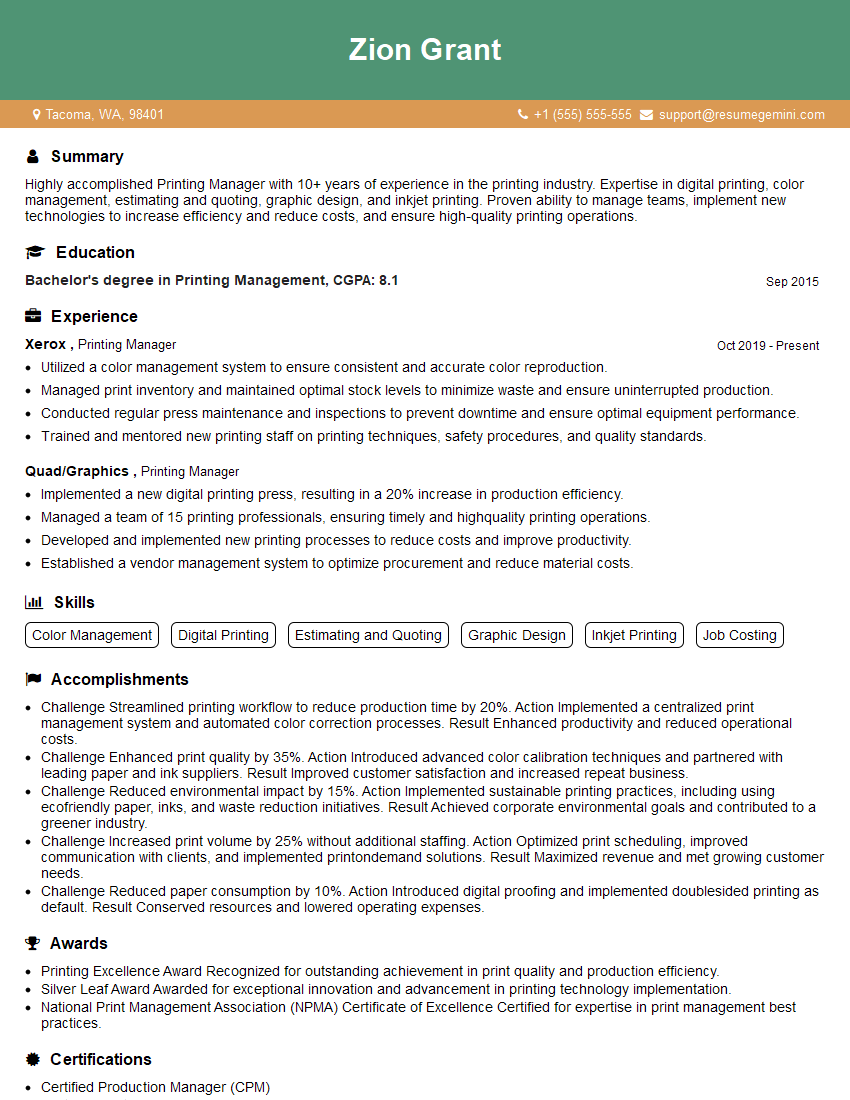
Printing Manager Resume Sample

Print Buyer Resume Sample

Graphic Designer Resume Sample
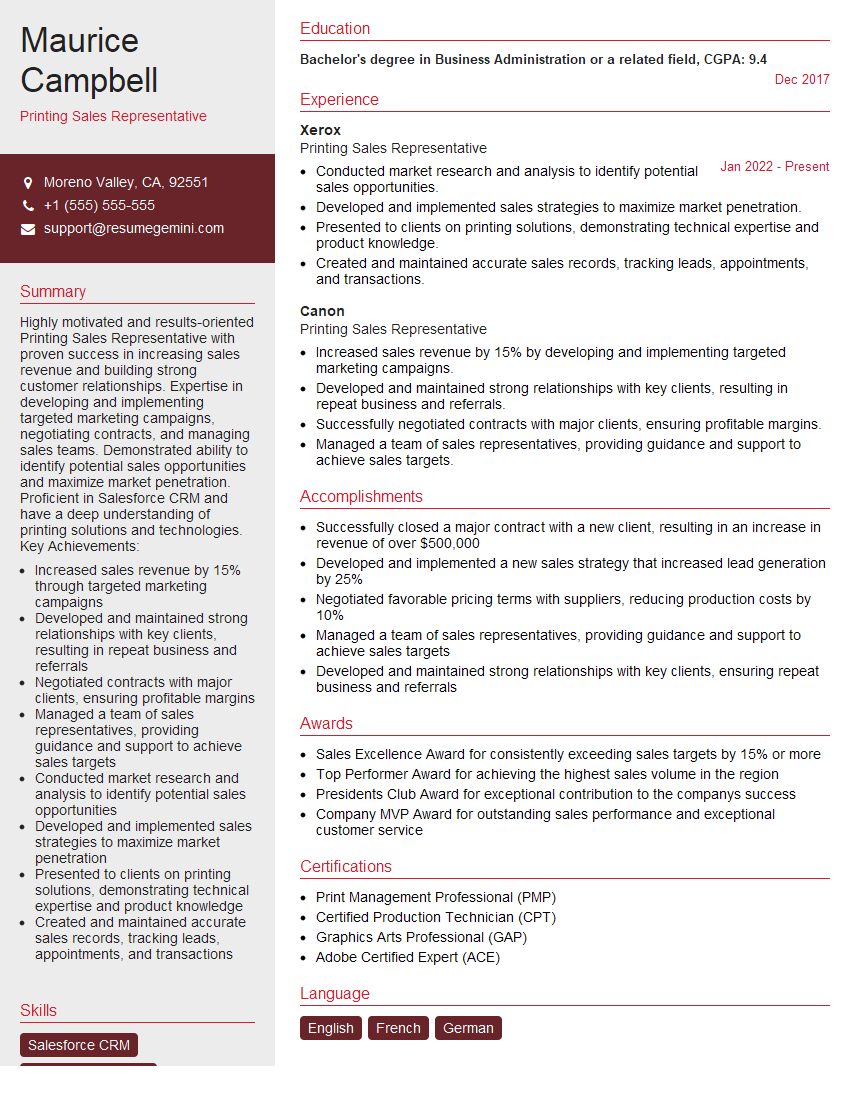
Printing Sales Representative Resume Sample

Press Operator Resume Sample

Prepress Technician Resume Sample

Screen Printer Resume Sample

Print Finisher Resume Sample
Explore more articles
Users Rating of Our Blogs
Share Your Experience
We value your feedback! Please rate our content and share your thoughts (optional).
What Readers Say About Our Blog
Very informative content, great job.
good