Feeling uncertain about what to expect in your upcoming interview? We’ve got you covered! This blog highlights the most important Printing on a Variety of Materials interview questions and provides actionable advice to help you stand out as the ideal candidate. Let’s pave the way for your success.
Questions Asked in Printing on a Variety of Materials Interview
Q 1. Explain the difference between offset and digital printing.
Offset and digital printing are two fundamentally different methods for mass production of printed materials. Think of offset printing as a sophisticated, high-volume photocopying process, while digital printing is more like a very advanced inkjet printer, albeit on a much larger scale.
- Offset Printing: This method uses a plate-based system. An image is created on a plate, which then transfers the ink onto a rubber blanket, and finally onto the printing substrate (paper, fabric, etc.). It’s ideal for large print runs due to its efficiency and lower per-unit cost. Think of printing thousands of brochures or magazines.
- Digital Printing: This method prints images directly onto the substrate without intermediary plates or blankets. It’s highly versatile, allowing for variable data printing (e.g., personalized mailers) and smaller print runs. This is perfect for projects needing customization, such as personalized invitations or short-run promotional materials.
The key difference boils down to efficiency for large volumes (offset) versus versatility and speed for smaller, personalized jobs (digital). Offset delivers sharper images at higher print volumes but requires a more complex and expensive setup. Digital offers speed and personalization at a slightly higher per-unit cost for small runs.
Q 2. Describe your experience with various printing substrates (e.g., paper, fabric, plastics).
My experience encompasses a wide range of printing substrates. I’ve worked extensively with:
- Paper: From standard offset papers to specialty stocks like linen, textured papers, and coated papers for high-quality image reproduction. I’ve had experience with various weights and finishes to achieve specific aesthetic and functional effects.
- Fabric: I’ve printed on a variety of fabrics including cotton, polyester, silk, and blends, using techniques like screen printing and direct-to-garment printing. The choice of ink and printing method drastically affects the final look and feel; water-based inks are popular for their softer hand and breathability, for example.
- Plastics: This includes various types of plastics, requiring different pretreatment methods and specialized inks depending on the material’s properties. For example, printing on rigid plastics like acrylic requires different techniques and inks compared to flexible materials like PVC banners. Substrate preparation is key for adhesion and preventing cracking or peeling.
Understanding the properties of each substrate is critical to achieving optimal print results. I routinely adapt my techniques and ink choices to suit the specific material being used, taking factors such as porosity, surface texture, and chemical compatibility into account.
Q 3. How do you ensure color consistency across different print runs?
Maintaining color consistency across print runs is crucial for brand identity and product quality. This relies on a multi-faceted approach:
- Color Management System (CMS): Using a robust CMS ensures color accuracy from design to print. This involves using calibrated monitors, color profiles for each device (scanner, printer, etc.), and employing standardized color spaces like Pantone or CMYK.
- Proofing: Producing accurate proofs is essential. Soft proofs (digital mockups) are useful for initial checks, but hard proofs (printed samples) are vital to verify color accuracy on the chosen substrate and printing method.
- Ink Consistency and Calibration: Regular calibration of printing equipment is essential to maintain consistent ink density and distribution. This often involves using color charts and spectrophotometers to measure and adjust ink output.
- Substrate Consistency: Even minor variations in the substrate (paper weight, coating, etc.) can affect color, so sourcing from the same supplier and batch is crucial.
- Environmental Control: Temperature and humidity variations can also impact color. A controlled print environment minimizes these effects.
For example, we once faced a color shift in a large-scale print run due to a change in the paper supplier. We quickly addressed the problem by obtaining a color profile for the new paper and making adjustments to the printing process, minimizing the impact on the final product.
Q 4. What are the common issues encountered in screen printing and how do you resolve them?
Screen printing, while seemingly simple, presents several challenges:
- Screen Mesh Clogging: This happens when ink becomes thick or contains particles that block the screen’s mesh, leading to inconsistent prints. Regular cleaning and the use of appropriate ink viscosity are vital. Sometimes, a screen reclaiming process is needed to restore the mesh to its full capabilities.
- Halftones and Detail Issues: Screen printing’s inherent limitations make reproducing fine details and halftones (smooth gradients) challenging. Careful screen preparation and the use of high-mesh screens can mitigate this, but some level of compromise may be necessary.
- Registration Issues: Aligning multiple colors correctly (registration) is crucial for multi-color prints. Poor registration results in blurry or misaligned images. This requires careful set-up, precise alignment techniques, and meticulous attention to detail.
- Cracking or Peeling: This can occur if the ink is not properly cured or if the ink is incompatible with the substrate. Using the correct inks and employing proper curing methods is essential.
Resolving these issues involves a combination of preventive measures (proper ink selection, screen maintenance, careful setup) and corrective actions (cleaning clogged screens, adjusting registration, re-printing affected areas). Understanding the root cause of the problem is key to an effective solution.
Q 5. Explain the process of color separation for offset printing.
Color separation in offset printing is the process of breaking down a full-color image into individual color plates, typically Cyan, Magenta, Yellow, and Black (CMYK). This is necessary because offset printing utilizes separate plates for each color, allowing for precise ink layering to reproduce the image.
Traditionally, color separation was done manually or through specialized film-based techniques. Now, it’s primarily achieved digitally using software. The software analyzes the image and creates four separate files, each representing one of the CMYK color channels. Each channel shows the areas where that particular ink should be applied to recreate the original image.
For example, a vibrant red might be comprised of a high concentration of Magenta and Yellow inks, with smaller amounts of Cyan and Black. The software would generate plates with the appropriate ink distributions for each color, ensuring that when printed and overlaid, they combine to form the desired red.
Accurate color separation is fundamental to achieving accurate color reproduction in offset printing. The quality of the separation directly impacts the final print quality.
Q 6. What are your experiences with different types of inks and their applications?
My experience with inks spans various types and applications:
- Water-based inks: Environmentally friendly and suitable for many substrates like paper and fabric. They offer vibrant colors and good adhesion but might require longer drying times.
- Solvent-based inks: Used for plastics, metals, and other non-porous materials due to their strong adhesion and fast drying. They have a pungent odor and require proper ventilation during use and curing.
- UV-curable inks: Cured using ultraviolet light, these inks offer excellent durability, scratch resistance, and fast drying. They’re often used for plastics, metals, and outdoor signage.
- Specialty inks: This includes metallic inks, fluorescent inks, and glow-in-the-dark inks, each with its unique properties and applications. Choosing the right ink depends on factors such as the substrate, desired finish, and durability requirements.
Selecting the appropriate ink is a crucial step. Factors such as substrate compatibility, print method, desired finish, and environmental considerations all guide this decision. I regularly consult ink manufacturers’ specifications and perform test prints to ensure optimal results.
Q 7. How do you handle print jobs with tight deadlines?
Handling tight deadlines requires a structured and efficient approach. My strategy involves:
- Clear Communication: Establishing clear communication with the client from the outset to understand expectations and potential challenges is crucial. This includes confirming all aspects of the project, including deadlines and deliverables.
- Project Prioritization: Prioritizing tasks based on their urgency and dependency is vital. This helps allocate resources efficiently and avoid bottlenecks.
- Resource Management: Optimizing the use of personnel, equipment, and materials is crucial. This might involve working overtime or outsourcing certain tasks to meet the deadline.
- Risk Assessment and Mitigation: Identifying and addressing potential risks in advance helps prevent delays. This involves anticipating issues like equipment malfunction or material shortages and having contingency plans in place.
- Regular Monitoring and Reporting: Regular progress monitoring allows for timely adjustments and avoids surprises at the last minute. This involves tracking tasks, communicating status updates, and proactively addressing any arising challenges.
One instance involved a rush order for 5,000 promotional flyers due in three days. We deployed our extra equipment, worked overtime and streamlined the production process, successfully delivering the project on time. Efficient planning, clear communication, and a dedicated team were key to our success.
Q 8. Describe your experience with pre-press preparation.
Pre-press preparation is the crucial groundwork before any printing begins. It involves meticulously preparing digital files to ensure they’re print-ready. Think of it as the chef prepping ingredients before cooking – the better the prep, the better the final dish.
My experience encompasses all aspects: I handle image editing, ensuring high resolution and color accuracy; I check for bleeds, which is the extra area of the design that extends beyond the trim line to prevent white edges after cutting. I also create imposition layouts, arranging pages for efficient printing on sheets, and prepare files in the correct formats (like PDF/X-1a) for optimal compatibility with printing presses. I’m proficient in trapping, which is adjusting the color overlaps between different elements to prevent white gaps during printing. I once had to meticulously reconstruct a client’s logo from a low-resolution image, restoring its clarity and ensuring it met the branding requirements before printing on high-quality business cards. This involved significant pre-press work, including vectorizing the logo and color correction. I always consider the final substrate (paper, fabric, etc.) during pre-press, ensuring that the chosen design and resolution are appropriate.
Q 9. What quality control measures do you employ during printing and finishing?
Quality control is paramount throughout the entire printing process. It’s like baking a cake – you need to check each step to ensure perfection! During printing, I regularly monitor color consistency using a spectrophotometer, checking against the approved color profiles. I also perform regular checks for registration (proper alignment of colors) and ensure the print quality is consistently sharp and clear. After printing, I conduct thorough visual inspections for defects like smudging, misprints, or inconsistencies in color or texture. For finishing, I implement additional checks based on the specific process. For example, for binding, I’ll check for spine alignment and the integrity of the stitching or adhesive. For laminating, I’ll check for bubbles or inconsistencies in the lamination process. A detailed checklist is maintained for every project, ensuring we meet client specifications and maintain our high standards. One time, a slight miscalibration in our press led to a subtle color shift in a large print run. Our quality control process caught this early, preventing a significant waste of materials and client dissatisfaction. We quickly recalibrated the press, and the issue was rectified, minimizing the impact.
Q 10. How familiar are you with different finishing techniques (e.g., binding, laminating, die-cutting)?
I have extensive experience with a wide range of finishing techniques. Binding encompasses several methods, including perfect binding (commonly used for books), saddle-stitch binding (for brochures), wire-o binding (for notebooks), and case binding (for high-end books). I’m experienced with different types of lamination, such as gloss, matte, and soft-touch, each offering a unique aesthetic and protective layer. Die-cutting allows for intricate shapes and designs, and I’ve worked extensively on projects requiring custom dies. I’m also familiar with embossing/debossing, creating raised or indented textures; UV coating, adding a protective and glossy finish; and various folding techniques to create bespoke designs. One project involved creating custom-shaped invitations using die-cutting and then applying a soft-touch lamination to give them a luxurious feel. The choice of finishing technique always depends on the project’s specific requirements, and I advise clients on which options best suit their needs and budget.
Q 11. What software programs are you proficient in for print production?
My software proficiency is extensive and crucial to my role. I’m fluent in Adobe Creative Suite (Photoshop, Illustrator, InDesign), essential for design manipulation and pre-press preparation. I’m also proficient in RIP (Raster Image Processor) software, such as those from EFI and Esko, used to control large-format printers and manage color profiles effectively. Experience with preflight software, such as PitStop, allows for thorough error checking before printing, ensuring a smooth workflow and preventing costly mistakes. My knowledge also extends to file management software, ensuring efficient organization and retrieval of various print jobs.
Q 12. Explain your understanding of color profiles (e.g., CMYK, Pantone).
Color profiles are critical for ensuring consistent color reproduction across different devices and media. CMYK (Cyan, Magenta, Yellow, Key/Black) is the subtractive color model used in most printing processes. Pantone is a proprietary color matching system using a unique numbering system to represent specific colors; it’s essential when consistent color reproduction is needed across various print jobs. Understanding these color spaces is crucial to avoid color discrepancies and guarantee the final product matches the client’s expectations. For example, a client might require a specific Pantone color for their logo, and it’s my responsibility to ensure that the Pantone color is accurately reproduced during the printing process. This often involves using color management software and profiles to effectively transform colors between the RGB space of the computer screen and the CMYK space of the printing press.
Q 13. How do you troubleshoot printing errors and equipment malfunctions?
Troubleshooting is a daily part of this job. I approach it systematically. First, I identify the problem – is it a color issue, a registration issue, a paper jam, or something else? Then, I systematically check the different potential causes. For example, a color mismatch might be due to incorrect color profiles, a miscalibrated press, or problems with ink consistency. I often refer to logs, error messages, and the machine’s operating manual for guidance. I’ll also consult with colleagues and potentially the manufacturer’s technical support if necessary. A recent example involved a banding issue on a large-format print. By systematically checking the ink supply, print head nozzles, and cleaning the machine, I diagnosed a clogged print head. After careful cleaning and testing, the problem was resolved. Preventive maintenance, like regular cleaning and calibrations, helps prevent many issues and minimize downtime.
Q 14. What is your experience with large-format printing?
I have significant experience in large-format printing, including projects involving banners, posters, billboards, and vehicle wraps. This involves working with different substrates like vinyl, canvas, and fabric, using various printing technologies like inkjet and UV printing. Large-format printing demands specific skills, including knowledge of different media types, appropriate inks, and maintaining and calibrating large-format printers. I’m adept at handling large-scale files, managing color profiles accurately for consistent output, and ensuring that the printed material meets the specified dimensions and quality standards. One project involved producing a series of large-format banners for an outdoor advertising campaign. This required careful planning, including preparing high-resolution files, choosing the right substrate and printing technology, and managing the finishing process, which involved applying protective laminate to enhance durability and outdoor performance. I’m familiar with both roll-to-roll and flatbed printers and have extensive experience in working with different substrates and their associated challenges.
Q 15. How do you manage inventory of printing supplies and materials?
Managing printing supplies inventory is crucial for smooth operations and cost control. My approach involves a multi-faceted strategy combining robust software, regular stock checks, and predictive analysis.
Firstly, I utilize an inventory management system (IMS) – think of it as a highly organized digital warehouse – to track every item, from ink cartridges to specialty papers. This system allows me to set minimum stock levels, trigger automatic reordering when supplies fall below a certain threshold, and generate detailed reports on consumption patterns. For example, if we consistently run out of a specific type of gloss paper before the end of the month, the IMS helps identify this trend, allowing proactive ordering to avoid project delays.
Secondly, I conduct regular physical stock checks, comparing physical counts against the IMS data. This helps identify discrepancies, potential losses, or issues with the accuracy of the system itself. These checks also reveal if we have any near-expired materials requiring prioritisation in their use.
Finally, I analyze historical data to predict future demand. This allows us to anticipate seasonal peaks or specific project needs, optimising our purchasing strategy and avoiding both overstocking and critical shortages.
Career Expert Tips:
- Ace those interviews! Prepare effectively by reviewing the Top 50 Most Common Interview Questions on ResumeGemini.
- Navigate your job search with confidence! Explore a wide range of Career Tips on ResumeGemini. Learn about common challenges and recommendations to overcome them.
- Craft the perfect resume! Master the Art of Resume Writing with ResumeGemini’s guide. Showcase your unique qualifications and achievements effectively.
- Don’t miss out on holiday savings! Build your dream resume with ResumeGemini’s ATS optimized templates.
Q 16. Describe your experience with various print finishing equipment.
My experience with print finishing equipment is extensive. I’m proficient in operating and maintaining a wide range of machines, from basic cutters and folders to more advanced equipment such as die-cutters, embossers, and laminators.
- Cutting and Folding: I have significant experience with high-speed guillotine cutters for precise paper cutting and various folding machines, enabling the creation of brochures, leaflets, and booklets.
- Die-Cutting: This technique allows for intricate shapes and designs. I’m skilled in setting up and operating die-cutting machines to create unique product packaging or promotional materials. For example, I recently used this to create custom-shaped business cards.
- Embossing and Debossing: I use these techniques to add texture and depth to print products, creating a more luxurious feel. For instance, embossed logos on invitations or de-bossed details on packaging can dramatically enhance the perceived quality.
- Laminating: This adds a protective layer, improving durability and enhancing the visual appeal of printed materials. I work with both gloss and matte laminates to achieve the desired finish, depending on the project’s needs.
My knowledge extends beyond basic operation; I also understand preventative maintenance and troubleshooting, ensuring minimal downtime and optimal machine performance.
Q 17. How do you ensure accurate color matching for brand consistency?
Color accuracy is paramount for brand consistency. My process starts with careful color profile management. We use calibrated monitors and profiling tools to ensure accurate color representation on screen. We also employ a standardized color management system (CMS) throughout the entire print workflow, from design to output.
Before any large-scale print run, we create and approve a color proof, typically using a high-quality proofing system that closely simulates the final print. This allows for adjustments and approvals before committing to a full production run, saving time and resources. This involves comparing the printed proof against the client’s approved Pantone colour swatches.
For consistency, we also utilize Pantone Matching System (PMS) colors whenever possible, particularly for critical brand elements like logos. PMS offers a consistent color language across various print processes and locations. If using CMYK, we employ color calibration with spectrophotometers for accurate colour reproduction.
Regular calibration of printing equipment and ongoing monitoring of color output are essential steps to maintain long-term consistency and address any drift in color over time.
Q 18. What is your familiarity with different types of paper and their characteristics?
My familiarity with paper types is comprehensive. I understand the properties of different papers, including their weight, texture, finish, and suitability for various printing methods. This knowledge helps choose the optimal paper for each project.
- Weight (gsm): This affects the paper’s thickness and durability. Thinner papers are suitable for flyers, while thicker papers are better for brochures or business cards.
- Texture: From smooth coated papers ideal for high-resolution images to textured papers offering a rustic feel, the right texture enhances the overall design.
- Finish: Gloss, matte, and uncoated finishes each impact the image reproduction and overall look. Gloss finishes provide vibrant colours, matte finishes minimize glare, and uncoated papers offer a natural feel.
- Paper Type: I’m familiar with various paper types, including offset, coated, uncoated, recycled, and specialty papers (like linen or textured stock). Each type has unique characteristics that affect printability and the final product’s look and feel.
Understanding these characteristics helps me advise clients on the best paper choices to meet their project’s aesthetic and functional requirements, ensuring the final print meets their expectations and budget.
Q 19. Explain your understanding of print resolution and DPI.
Print resolution refers to the sharpness and detail of a printed image. It’s measured in dots per inch (DPI), representing the number of individual ink dots placed within one inch of the printed area. A higher DPI generally results in a sharper, more detailed image.
For example, a print job with 300 DPI will have more detail and appear sharper than one with 150 DPI. However, extremely high DPI might not always be necessary, and sometimes increases cost without a noticeable visual improvement. The appropriate DPI depends on the printing method and the desired level of detail.
In screen-based design, resolution is measured in pixels per inch (PPI), a related but distinct concept. It’s crucial to understand the relationship between PPI and DPI to avoid issues during the printing process. A common issue arises when a low-resolution digital image is scaled up in PPI but loses quality in the printed output (lower DPI).
In summary, understanding DPI is critical for achieving the desired quality in the final print, balancing print quality with cost and efficiency.
Q 20. How do you calculate the cost of a print job?
Calculating the cost of a print job involves several factors, which I meticulously account for to provide accurate and transparent pricing. It’s not simply a matter of ink and paper; many hidden costs can impact overall project expense.
- Materials: This includes the cost of paper, ink, and any other printing supplies used (e.g., laminates, special coatings).
- Labor: The time spent on pre-press preparation (design, file setup), printing, and post-press finishing (cutting, folding, binding) is a major component.
- Equipment: The cost of using printing machinery, including wear and tear, maintenance, and energy consumption, is factored into the overall price.
- Overhead: This includes rent, utilities, and other administrative costs that contribute to the project’s overall expense.
- Profit Margin: Finally, a reasonable profit margin is added to cover business expenses and ensure profitability.
Often I use a cost-estimating software to automate parts of this process, ensuring accuracy and consistent pricing across projects. I then provide a detailed breakdown of all costs to clients for transparency and to facilitate informed decisions.
Q 21. What is your experience with environmental-friendly printing practices?
Environmental-friendly printing is a significant priority in my work. I actively incorporate sustainable practices into every aspect of the printing process, from material selection to waste reduction.
- Sustainable Materials: I prioritize using recycled paper and inks made from vegetable-based oils. These options reduce the environmental impact of traditional materials.
- Waste Reduction: I implement strategies to minimise paper waste. This includes accurate print estimations, efficient job planning and the utilization of efficient printing techniques that reduce waste during setup and production.
- Energy Efficiency: Using energy-efficient printing equipment and adopting best practices in energy management plays a role. This reduces our overall carbon footprint.
- Responsible Disposal: I ensure responsible disposal of used inks and other materials through appropriate recycling programs.
- Carbon Offset Programs: I’m also open to collaborating with clients who want to offset their carbon footprint through participation in accredited carbon offset programs.
I believe sustainability doesn’t compromise quality. By consciously choosing eco-friendly options, we can create high-quality print products while minimizing our environmental impact. It is something clients are becoming increasingly aware of and often a critical part of their decision-making process.
Q 22. How do you handle client requests and feedback on print jobs?
Handling client requests and feedback is paramount. It begins with clear and proactive communication. I start by thoroughly understanding the client’s vision, asking clarifying questions about their desired outcome, the intended audience, and their budget. This initial consultation helps prevent misunderstandings down the line. I then provide a detailed quote outlining the project scope, materials, and timeline. During the project, I maintain regular communication, providing updates and addressing any concerns promptly. Post-print, I solicit feedback, actively listening to their comments and suggestions. This feedback loop is crucial for continuous improvement. For example, if a client requests a specific Pantone color, I’ll verify the accuracy and offer alternative solutions if there are potential challenges in achieving it. If there are issues with the final product, a detailed investigation is undertaken to pinpoint the cause, and we collaboratively find solutions, whether it’s a reprint or a suitable compromise.
Q 23. Describe your process for setting up a printing press for a specific job.
Setting up a printing press is a meticulous process, varying depending on the printing method (offset, digital, screen, etc.) and the specific job requirements. First, I carefully review the job specifications, including the substrate (material being printed on), ink type, desired print quality, and quantity. For example, printing on canvas requires different setup than printing on cardstock. Then, I prepare the press by cleaning the rollers and ensuring proper ink and water balance (in offset printing). Next, I prepare the printing plates or digital files, ensuring accurate registration – the precise alignment of different colors or elements. This is crucial for achieving sharp images and text. After that, I perform a test print to check color accuracy, registration, and overall quality, making adjustments as needed before proceeding with the main run. Each press setup is unique; it’s like preparing a fine dish, paying attention to every detail to ensure a perfect outcome.
Q 24. What are the advantages and disadvantages of different printing methods?
Different printing methods have unique advantages and disadvantages. Offset printing, for example, excels in high-volume, high-quality projects. It offers vibrant colors and sharp detail at a low cost per unit, but it requires significant upfront investment in plates and setup time. Digital printing, on the other hand, is ideal for shorter runs, personalized prints, and fast turnaround times. It’s cost-effective for smaller quantities, but it might lack the vibrancy of offset printing, particularly with certain materials. Screen printing is excellent for bold graphics on apparel and other fabrics; however, it’s not suitable for fine details or complex designs. Choosing the right method involves weighing these trade-offs carefully, considering project requirements, budget, and desired quality.
- Offset: High volume, high quality, cost-effective for large runs, slower turnaround.
- Digital: Short runs, fast turnaround, cost-effective for small quantities, personalization options.
- Screen: Bold graphics, apparel printing, durable, limited detail.
Q 25. Explain your experience with variable data printing.
Variable data printing (VDP) is a powerful technique that allows for personalized print pieces. My experience with VDP involves integrating variable data fields—like names, addresses, and personalized messages—into a print job using specialized software. I’ve worked on projects ranging from personalized marketing mailers to customized product labels. For instance, a client needed personalized thank-you notes for their customers, each with the customer’s name and purchase details. I used VDP software to merge the customer database with the design template, generating unique notes for each recipient. The success of VDP relies on accurate data management and seamless integration with the printing process. Addressing data errors and ensuring data integrity are crucial to avoid incorrect or incomplete prints.
Q 26. How do you maintain the quality and accuracy of print outputs?
Maintaining quality and accuracy is an ongoing process. It starts with using high-quality materials and inks, regularly calibrating printing equipment, and implementing rigorous quality control checks at each stage—from pre-press to post-press. We use color management systems to ensure consistent color reproduction across different projects and materials. Regular maintenance of equipment—cleaning, lubrication, and preventative servicing—is vital. We perform test prints throughout the process to catch errors early, and we use advanced measuring tools to verify color accuracy, registration, and image sharpness. Employing experienced technicians and adhering to strict quality standards are essential elements in maintaining consistent and accurate print outputs.
Q 27. What are some common safety precautions you observe in a printing environment?
Safety is a top priority in a printing environment. We strictly adhere to safety protocols, including the proper use of personal protective equipment (PPE) such as gloves, eye protection, and respirators, especially when handling chemicals or operating machinery. We maintain a clean and organized workspace to prevent accidents. Proper disposal of hazardous waste, such as ink and cleaning solutions, is crucial, complying with all environmental regulations. Regular safety training is provided to all staff to keep them informed of potential hazards and emergency procedures. Furthermore, equipment is regularly inspected and maintained to prevent malfunctions that could cause injury. We treat safety as a collective responsibility, encouraging everyone to report potential hazards and participate in safety training.
Q 28. Describe a situation where you had to solve a complex printing problem.
I once faced a complex problem involving a large-scale offset printing job where the colors were consistently misaligned, despite multiple adjustments. We had meticulously checked the plates and the press calibration, but the problem persisted. After thorough investigation, we discovered a minor imperfection in the printing press itself—a slightly warped roller causing the misalignment. The solution involved carefully replacing the roller, which involved a temporary shutdown and recalibration of the press. This seemingly small issue taught me the importance of meticulous inspection of equipment and how even a minor problem can lead to significant inconsistencies in the final product. It highlighted the value of a systematic approach to troubleshooting, eliminating potential causes one by one until the root cause is identified. After the repair and recalibration, the subsequent prints were perfect, showcasing the importance of patience and systematic problem solving in the printing industry.
Key Topics to Learn for Printing on a Variety of Materials Interview
- Substrate Selection & Properties: Understanding the characteristics of different materials (paper, plastics, textiles, metals) and their impact on print quality, ink adhesion, and durability. Consider factors like porosity, surface energy, and dimensional stability.
- Ink & Coating Technologies: Familiarity with various ink types (UV, solvent, water-based, etc.), their application methods (screen printing, digital printing, offset lithography), and the role of coatings in enhancing print longevity and appearance. Practical application: Troubleshooting print defects related to ink bleeding, drying time, or adhesion.
- Pre-press Preparation & Color Management: Knowledge of file preparation, color profiles (CMYK, Pantone), and the importance of accurate color reproduction across different substrates. Practical application: Explain the process of converting a digital design into a print-ready file.
- Print Finishing Techniques: Understanding various post-print processes like laminating, embossing, die-cutting, and varnishing, and their effects on the final product. Practical application: Discuss the selection of appropriate finishing techniques based on the substrate and desired outcome.
- Print Quality Control & Troubleshooting: Developing a strong understanding of quality control measures, identifying common print defects (e.g., banding, mottle, misregistration), and implementing effective solutions. Practical application: Describe a situation where you had to troubleshoot a printing problem and how you resolved it.
- Sustainability and Environmental Considerations: Knowledge of eco-friendly printing practices, including the use of sustainable inks and materials, and waste reduction strategies. Practical application: Discuss how to choose materials and processes to minimize environmental impact.
- Health and Safety Regulations: Understanding relevant safety regulations and procedures related to handling inks, solvents, and printing equipment. Practical application: Describe your experience adhering to safety protocols in a printing environment.
Next Steps
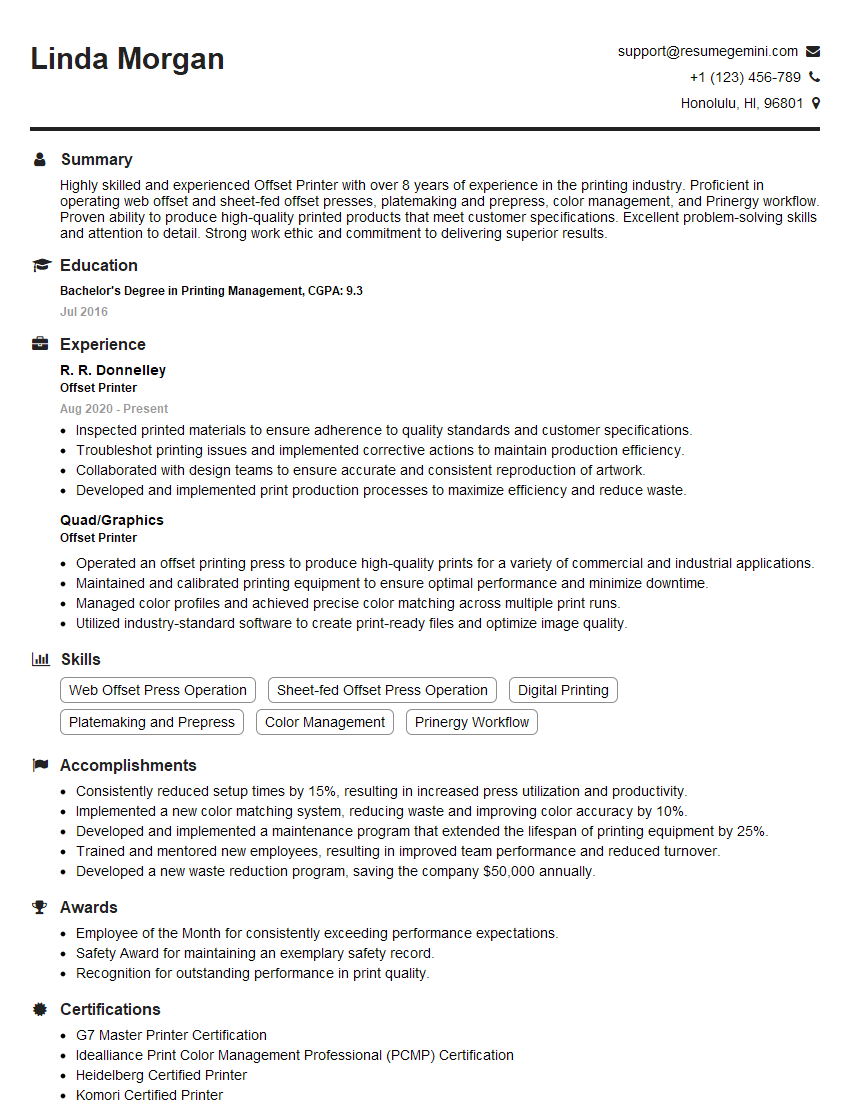
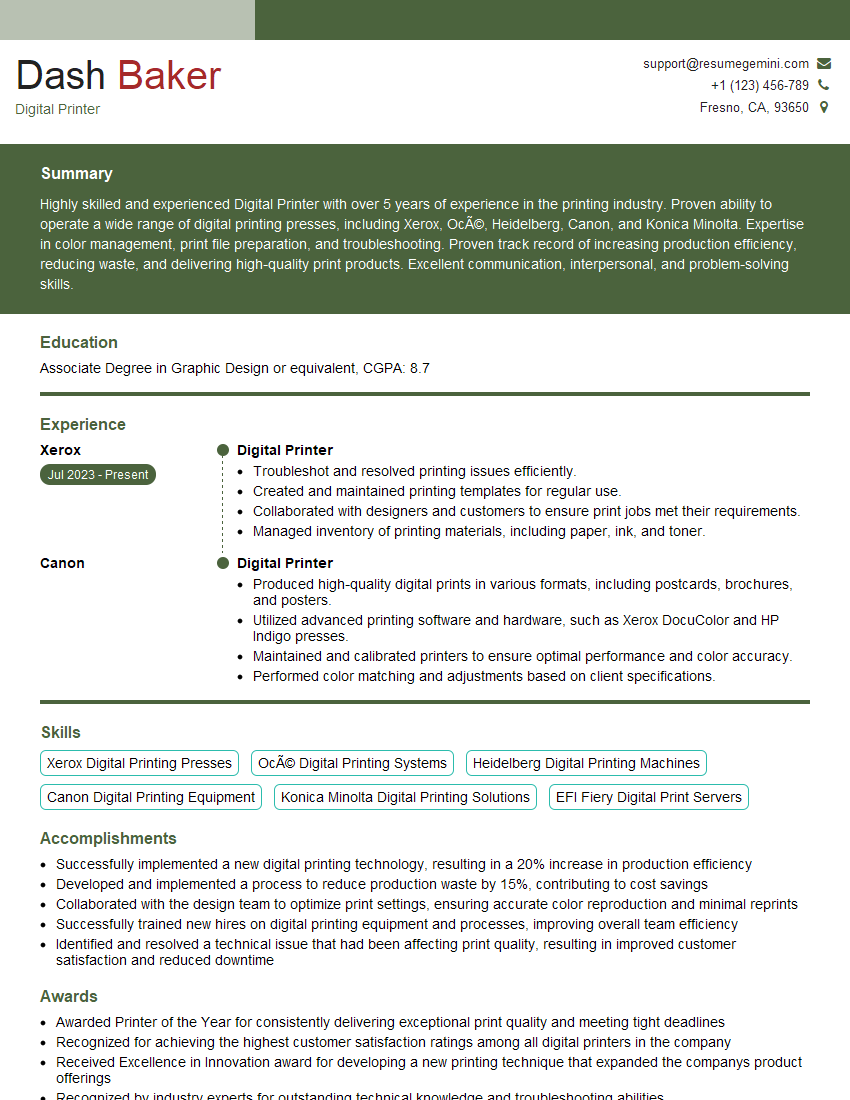
Mastering the art of printing on a variety of materials significantly enhances your career prospects in the printing industry, opening doors to diverse roles and specialized areas. To maximize your job search success, creating a strong, ATS-friendly resume is crucial. ResumeGemini is a trusted resource that can help you build a professional and impactful resume tailored to your skills and experience. Examples of resumes specifically designed for candidates with expertise in Printing on a Variety of Materials are available to guide your process. Take the next step in your career journey – craft a winning resume that showcases your capabilities effectively.






Explore more articles
Users Rating of Our Blogs
Share Your Experience
We value your feedback! Please rate our content and share your thoughts (optional).
What Readers Say About Our Blog
Very informative content, great job.
good