Feeling uncertain about what to expect in your upcoming interview? We’ve got you covered! This blog highlights the most important Problem-solving and troubleshooting abilities interview questions and provides actionable advice to help you stand out as the ideal candidate. Let’s pave the way for your success.
Questions Asked in Problem-solving and troubleshooting abilities Interview
Q 1. Describe your approach to troubleshooting a complex technical issue.
My approach to troubleshooting complex technical issues follows a systematic, structured methodology. I liken it to detective work – gathering clues, forming hypotheses, and testing them rigorously until the root cause is identified. It begins with a clear understanding of the problem. This involves gathering as much information as possible, including error messages, logs, and user reports. Then, I move to the next steps, which are:
- Reproduce the issue: If possible, I attempt to reproduce the problem in a controlled environment to understand the conditions under which it occurs. This is crucial for isolating the problem.
- Isolate the problem: Using a process of elimination and dividing and conquering, I narrow the scope of the issue. For instance, if the problem is network-related, I would check the server, network cables, and client machines successively.
- Formulate hypotheses: Based on the gathered information, I develop potential explanations for the issue. These hypotheses should be testable.
- Test hypotheses: I systematically test each hypothesis using available tools and techniques. This might involve checking logs, running diagnostic tests, or even modifying code in a controlled manner.
- Implement solutions: Once the root cause is identified and verified, I implement the necessary solution. This could range from a simple configuration change to a more complex code fix.
- Validate the solution: After implementing the solution, I thoroughly test to ensure the problem is resolved and that the fix doesn’t introduce new issues.
- Document the process: I meticulously document the entire troubleshooting process, including the problem, the steps taken, and the final solution. This is invaluable for future reference and knowledge sharing.
For example, recently I had to troubleshoot an application that wasn’t connecting to a database. By following this process, I discovered it was a firewall issue blocking the application’s outbound connections, which a simple firewall rule change resolved.
Q 2. Explain a time you had to solve a problem with limited information.
During a critical system outage, we were faced with limited information due to a faulty logging system. The only clues we had were vague user reports of intermittent failures. To overcome this, I started by focusing on gathering any available data, however fragmented. I interviewed users to get more detailed descriptions of their experiences, noting common threads. Then, I leveraged monitoring tools to collect system metrics (CPU usage, memory consumption, network traffic). Even seemingly irrelevant data points became crucial for pattern recognition.
We discovered a correlation between increased network latency and the reported failures. Although we didn’t have direct error logs, the network latency pointed us towards a potential issue with our external API provider. Contacting them, we found a scheduled maintenance was causing the issue. This was solved by implementing temporary fallback mechanisms, a solution born from creative problem-solving with insufficient initial data.
Q 3. How do you prioritize multiple problems simultaneously?
Prioritizing multiple problems simultaneously requires a structured approach. I use a combination of urgency and impact to determine the order of tackling issues. I create a prioritized list, assigning each problem a score based on:
- Urgency: How immediately the problem needs to be addressed (e.g., a system outage versus a minor bug).
- Impact: The effect the problem has on the business or users (e.g., revenue loss versus minor inconvenience).
This allows for a clear understanding of which problems need immediate attention and which can wait. This process is iterative; as priorities shift, I reassess and re-prioritize my tasks.
For instance, if I have a critical system failure impacting all users and a minor bug affecting only a few users, the system failure will naturally take precedence. However, I will also consider dependencies; sometimes fixing a seemingly smaller problem is crucial for addressing a larger one.
Q 4. What methods do you use to identify the root cause of a problem?
Identifying the root cause of a problem often involves a combination of techniques. The ‘5 Whys’ technique, where you repeatedly ask ‘why’ to drill down to the underlying cause, is a valuable starting point. Alongside this, I use:
- Log analysis: Examining system logs (application, server, network) provides valuable clues about the events preceding the problem.
- Monitoring tools: Using monitoring dashboards gives a real-time view of system performance, helping identify bottlenecks or anomalies.
- Debugging tools: Debuggers and profiling tools assist in tracking the execution flow of code and identifying areas where problems occur.
- Code review: For software issues, reviewing the relevant code can reveal logical errors or design flaws.
- Network analysis: Tools like packet sniffers can help identify network connectivity problems.
Often, a combination of these methods is necessary. For example, if a web application is slow, log analysis might show increased database query times. Then, database monitoring tools might reveal a lack of indexes, the root cause of the performance problem.
Q 5. Describe your experience using diagnostic tools.
My experience with diagnostic tools is extensive. I’m proficient in using a wide range of tools depending on the context of the problem. For instance:
- Operating system tools:
systemctl(Linux),Resource Monitor(Windows), andActivity Monitor(macOS) for analyzing system resource usage. - Network diagnostic tools:
ping,traceroute,tcpdump(or Wireshark) for network troubleshooting. - Database tools: SQL query analyzers, database monitoring tools (like Datadog or New Relic), to check database performance and identify slow queries.
- Application-specific tools: Specialized tools provided by vendors or developed internally for monitoring and diagnosing specific applications.
- Debuggers: GDB (GNU debugger), LLDB (Low Level Debugger) or IDE integrated debuggers for software debugging.
I am adept at interpreting the output of these tools, extracting meaningful information, and relating it to the broader context of the problem.
Q 6. How do you handle pressure when troubleshooting a critical system failure?
Handling pressure during a critical system failure requires a calm and methodical approach. Panic is the enemy of effective troubleshooting. My strategy involves:
- Maintaining composure: Deep breaths and a clear head are essential for logical thinking. I focus on the process, one step at a time.
- Effective communication: I keep stakeholders informed of progress and potential solutions. Transparency helps manage expectations and avoids spreading misinformation.
- Prioritizing tasks: I focus on the most critical aspects first, mitigating immediate risks while keeping a long-term perspective on complete resolution.
- Seeking help: If I’m struggling, I don’t hesitate to reach out to colleagues or experts for assistance. Two heads are often better than one.
- Post-incident review: After the situation is resolved, I conduct a thorough post-incident review to identify areas for improvement and prevent similar incidents in the future.
In a recent incident, a database went down. By calmly following this process, we were able to restore service within a short period, minimizing disruption.
Q 7. How do you document your troubleshooting process?
Documentation is a critical aspect of my troubleshooting process. I document everything, from the initial problem report to the final solution, in a clear and concise manner. This documentation serves several purposes:
- Knowledge sharing: Allows others to learn from my experience and quickly resolve similar issues.
- Future reference: If the same problem arises again, the documentation provides a quick and efficient guide to resolution.
- Auditing and accountability: Provides a record of the steps taken and the reasons for decisions.
- Improved efficiency: Reduces time spent re-investigating the same issue.
My documentation typically includes a description of the problem, the steps taken to diagnose the issue, the root cause identified, the implemented solution, and any lessons learned. I often use a structured format, sometimes including screenshots or log excerpts, to make it easy to understand.
Q 8. Explain your understanding of different problem-solving methodologies (e.g., 5 Whys, Pareto analysis).
Problem-solving methodologies provide structured approaches to tackling issues. Two common ones are the 5 Whys and Pareto analysis.
5 Whys: This iterative technique drills down to the root cause of a problem by repeatedly asking “Why?” It’s simple yet effective for uncovering underlying issues often hidden beneath surface symptoms. For example, if a website is slow (the initial problem), the 5 Whys might go: 1. Why is the website slow? (Answer: The database is overloaded.) 2. Why is the database overloaded? (Answer: Too many concurrent users.) 3. Why are there too many concurrent users? (Answer: A recent marketing campaign drove unexpected traffic.) 4. Why wasn’t the server capacity scaled for the campaign? (Answer: Insufficient planning for potential user growth.) 5. Why was there insufficient planning? (Answer: Lack of communication between marketing and IT.) The root cause is ultimately poor communication and planning.
Pareto Analysis (80/20 Rule): This method focuses on identifying the vital few factors that contribute to the majority of problems. It suggests that 80% of effects come from 20% of causes. By prioritizing those key 20%, you can efficiently address the most impactful issues. For instance, if a manufacturing plant experiences frequent production delays, a Pareto analysis might reveal that 80% of delays stem from just two issues: equipment malfunctions and material shortages. Addressing these two areas first will yield the greatest improvement.
Q 9. How do you collaborate with others to solve complex problems?
Collaborating effectively on complex problems requires a structured approach. I believe in fostering open communication, active listening, and leveraging each team member’s expertise. I typically start by clearly defining the problem, breaking it down into smaller, manageable tasks, and assigning responsibilities based on individual strengths. Regular check-ins, using tools like project management software, ensure everyone stays aligned and informed. I encourage brainstorming sessions to generate diverse solutions, followed by a collaborative decision-making process. Constructive feedback and a focus on mutual respect are crucial for a successful outcome. For instance, in a recent project involving a software bug, I facilitated a collaborative debugging session where each developer focused on a specific module. This division of labor, coupled with frequent updates through a shared document, allowed us to isolate and fix the issue swiftly.
Q 10. How do you stay updated on the latest troubleshooting techniques and technologies?
Staying current in troubleshooting requires a proactive approach. I regularly subscribe to industry publications and online forums relevant to my field. I actively participate in webinars and workshops focused on advanced troubleshooting techniques and new technologies. Networking with other professionals at conferences and online communities provides valuable insights and exposure to best practices. I also dedicate time to exploring open-source projects and analyzing case studies of complex problem resolutions. Continuous learning is vital, and this multi-faceted strategy ensures I remain at the forefront of technological advancements and troubleshooting methodologies.
Q 11. Describe a situation where you had to escalate a problem.
I once encountered a critical system failure affecting a major client. After initial troubleshooting steps failed to resolve the issue, I understood that the problem’s scope exceeded my immediate capabilities. I documented all my findings, including troubleshooting steps taken and their results. I then escalated the issue to the senior engineering team, clearly outlining the problem’s impact and urgency. This involved providing detailed logs, error messages, and a summary of attempted solutions. The senior team diagnosed a hardware fault, leading to a prompt replacement and swift restoration of service. The effective escalation minimized downtime and preserved the client’s trust.
Q 12. How do you handle situations where a solution is not immediately apparent?
When facing an unfamiliar problem, a structured approach is essential. I start by thoroughly gathering information, defining the problem clearly, and gathering data relevant to the issue. I then employ a systematic investigation, using techniques like divide-and-conquer, to break the problem into smaller, more manageable components. If the solution isn’t immediately obvious, I leverage my network of colleagues, research online resources, and consult relevant documentation. I might also experiment with different approaches, carefully documenting each step and its results. It’s vital to avoid premature conclusions and to maintain a methodical, analytical approach. Think of it like solving a complex puzzle— patience and a structured approach are key to piecing together the solution.
Q 13. What is your approach to testing a solution after implementation?
Testing a solution after implementation is crucial. My approach involves a phased testing strategy. I begin with unit testing, focusing on individual components to ensure they function correctly. Next, I conduct integration testing, verifying the interaction between different components. This is followed by system testing, evaluating the solution’s performance within the entire system. Finally, user acceptance testing (UAT) involves real users evaluating the solution in a real-world scenario to ensure it meets their needs and expectations. Each phase’s results are meticulously documented, and any issues identified are addressed before moving to the next phase. Thorough testing minimizes the risk of unforeseen problems after deployment.
Q 14. How do you prevent similar problems from occurring in the future?
Preventing future problems involves a combination of reactive and proactive measures. After resolving an issue, I conduct a thorough root cause analysis to identify the underlying cause. This often involves using techniques like the 5 Whys, as discussed earlier. Based on this analysis, I then develop preventive measures, which may include implementing new procedures, updating documentation, enhancing monitoring systems, or providing additional training. Furthermore, I actively participate in post-incident reviews to share lessons learned and identify areas for improvement within the organization. This proactive, systemic approach minimizes the likelihood of similar problems recurring in the future.
Q 15. Describe a time you had to make a difficult decision under pressure.
One time, we faced a major system outage during a critical product launch. Thousands of users were affected, and the pressure to restore service quickly was immense. We had to decide between a quick fix that might introduce further instability and a more thorough, but time-consuming, solution. I advocated for the latter, even though it meant delaying the launch further. We formed a small, focused team, analyzed log files meticulously, and identified a subtle concurrency issue. Implementing the fix took longer, but it was significantly more stable and prevented larger problems down the road. It demonstrated that prioritizing long-term stability over immediate results, under pressure, yields better outcomes in the long run. The decision was difficult because it meant facing criticism for the delay, but the stability of the system after the repair validated the approach.
Career Expert Tips:
- Ace those interviews! Prepare effectively by reviewing the Top 50 Most Common Interview Questions on ResumeGemini.
- Navigate your job search with confidence! Explore a wide range of Career Tips on ResumeGemini. Learn about common challenges and recommendations to overcome them.
- Craft the perfect resume! Master the Art of Resume Writing with ResumeGemini’s guide. Showcase your unique qualifications and achievements effectively.
- Don’t miss out on holiday savings! Build your dream resume with ResumeGemini’s ATS optimized templates.
Q 16. How do you handle conflicting priorities when troubleshooting?
Conflicting priorities in troubleshooting are common. I use a prioritization matrix, often based on the impact and urgency of each issue. I assess each problem’s potential consequences and the timeframe within which it needs resolution. Issues with high impact and high urgency take precedence. I then document all other tasks, assigning them to a backlog with revised timelines, ensuring transparency and clear expectations with stakeholders. For instance, if a production system is down (high impact, high urgency) while a minor bug in a less-used feature is reported (low impact, low urgency), I would focus on restoring the production system first. Once the critical problem is resolved, I address remaining issues according to their prioritized order.
Q 17. What metrics do you use to measure the effectiveness of your problem-solving efforts?
Measuring the effectiveness of my problem-solving is crucial. I use a multi-faceted approach. First, I assess the resolution time – how quickly the problem was fixed. Second, I look at the mean time to recovery (MTTR) for recurrent issues. Third, I measure the impact of the problem and its resolution on the end-users (e.g., reduction in support tickets, increased user satisfaction). Finally, I consider the long-term effect of the solution. Did it prevent future issues? Was it scalable? For example, if I reduced the number of support tickets related to a specific error by 80% after implementing a solution, that’s a tangible measure of success.
Q 18. Explain your experience with debugging code.
My debugging experience spans various languages and environments. I typically start with reproducing the bug consistently to ensure I understand its parameters. Then, I use a combination of techniques: examining log files for error messages, using debuggers (like GDB or VS Code debugger) to step through code execution, and setting breakpoints to inspect variable values at specific points. I also rely heavily on logging and printing statements to track variables and data flow. For example, if I encounter a segmentation fault (a common error in C/C++), I’d use a debugger to trace the program’s execution and pinpoint the memory location causing the crash. I’m also proficient in utilizing version control systems (like Git) to trace the introduction of bugs.
// Example of a simple debugging print statement in Python
print("Value of x: ", x)
Q 19. How do you use data analysis to identify and solve problems?
Data analysis plays a pivotal role in problem-solving. I often use tools like SQL, Python (with libraries like Pandas and NumPy), and data visualization platforms to explore relevant data sets. For example, if application performance is degrading, I would analyze server logs, network traffic data, and application metrics to identify bottlenecks. This might involve generating charts and graphs to visualize trends, running statistical tests to identify anomalies, or creating predictive models to anticipate future issues. This approach enables me to identify root causes that may not be immediately apparent by simply observing symptoms.
Q 20. Describe your experience with using help desk ticketing systems.
I have extensive experience with help desk ticketing systems such as Jira, Zendesk, and ServiceNow. I understand the importance of clear, concise ticket descriptions, proper categorization, and consistent updates. My experience includes managing ticket queues, assigning priorities, and ensuring timely resolutions. I’m adept at using reporting features to track metrics like ticket resolution time and customer satisfaction scores. Efficient use of these systems guarantees all issues are logged, tracked, and resolved systematically. Proper use and management of these systems are essential for maintaining productivity and efficient problem solving.
Q 21. How do you balance speed and accuracy in your troubleshooting?
Balancing speed and accuracy is crucial in troubleshooting. While rapid resolution is desired, rushing can lead to inaccurate fixes that create new problems. I adopt a structured approach. I start with a quick assessment to determine the severity and potential impact. If the problem is critical (e.g., a system outage), I’ll prioritize rapid resolution while ensuring the fix is as safe and stable as possible. A less urgent issue allows for a more methodical investigation. This involves creating a plan of action, testing thoroughly, and documenting steps clearly. This balance ensures both timely solutions and reliable, lasting fixes.
Q 22. How do you communicate technical information to non-technical audiences?
Communicating technical information to non-technical audiences requires translating complex concepts into easily understandable language. This involves avoiding jargon, using analogies and metaphors, and focusing on the impact and benefits rather than the technical details.
For example, instead of saying “The database experienced a deadlock condition resulting in application latency,” I would explain it as: “The system temporarily froze because multiple parts were trying to access the same information at once, causing a slowdown.” I might further illustrate this with a relatable analogy, such as a traffic jam.
Visually representing information through charts, graphs, or diagrams is also crucial. A simple flowchart depicting a process or a bar graph illustrating performance improvements can make complex data much more accessible.
Finally, active listening and gauging the audience’s understanding are key. I make sure to check in regularly, asking clarifying questions and adjusting my explanation accordingly to ensure everyone is on the same page.
Q 23. Describe your experience working with remote teams to resolve issues.
My experience with remote teams emphasizes the importance of clear, consistent communication and well-defined processes. I leverage tools like Slack, Microsoft Teams, and project management software (Jira, Asana) to facilitate collaboration and information sharing.
When resolving issues, I ensure everyone understands the problem, the proposed solution, and their individual roles. I use screen sharing and collaborative document editing to work through the issue in real-time. Regular check-ins, even short ones, help maintain momentum and address any roadblocks promptly.
For instance, during a recent project, a critical server issue arose late at night. By utilizing our established communication channels and remote access tools, we were able to isolate the problem, implement a temporary fix, and restore service within an hour, involving team members across three different time zones.
Documentation is critical. Thorough notes of the problem, troubleshooting steps, and the final resolution are documented and shared for future reference. This ensures consistency and facilitates faster resolution of similar issues in the future.
Q 24. How do you manage your time effectively during troubleshooting?
Effective time management during troubleshooting is crucial. My approach relies on a structured methodology. I begin by defining the problem clearly, prioritizing it based on its impact, and gathering relevant information.
I use techniques like timeboxing – allocating a specific amount of time to each troubleshooting step – to avoid getting bogged down in any one area. If a step proves unproductive, I move on to another, revisiting it later if necessary. I also prioritize tasks using methods such as the Eisenhower Matrix (urgent/important).
Documentation is critical in saving time. Detailed notes of each step and decision prevent repeating efforts or overlooking crucial details. The use of checklists helps to ensure that standard procedures are followed, saving time and minimizing errors.
Q 25. How do you handle criticism or feedback on your problem-solving approach?
I view criticism and feedback as opportunities for improvement and growth. Instead of becoming defensive, I actively listen to the feedback, asking clarifying questions to fully understand the perspective.
I analyze the feedback objectively, identifying areas where my approach could have been more effective or where I could have made better decisions. For instance, if feedback indicates a lack of clarity in my explanations, I will focus on improving my communication skills by using simpler language, providing more visuals, and actively seeking confirmation of understanding.
Ultimately, I incorporate constructive criticism into my problem-solving process, refining my techniques to enhance efficiency and outcomes. I believe open and honest feedback is essential for continuous professional development.
Q 26. How do you learn from your mistakes in problem-solving?
Learning from mistakes is an integral part of becoming a better problem-solver. My approach involves a post-mortem analysis of any troubleshooting process that didn’t yield the desired result.
I ask myself questions such as: What went wrong? Where did I make assumptions? What could I have done differently? Were there any overlooked factors? This process allows me to identify patterns in my mistakes and to develop strategies for avoiding similar issues in the future.
Furthermore, I document these learnings, including both the mistakes and the insights gained from them, to build a personal knowledge base. This information serves as a valuable resource for myself and the team, fostering shared learning and improving our collective problem-solving skills.
Q 27. Describe a time you had to adapt your approach to solve a problem.
In one instance, we encountered a critical system failure that initially seemed to be related to database corruption. Following standard troubleshooting procedures, I spent considerable time investigating the database, but found no clear cause.
After reviewing logs more thoroughly, I realized that the issue originated not in the database itself, but in a seemingly unrelated network configuration. A poorly configured firewall was blocking necessary communication, leading to the perceived database failure.
This experience highlighted the importance of considering all potential factors and adapting my troubleshooting approach based on the available evidence. It taught me the value of rigorous log analysis and to avoid jumping to conclusions based on initial assumptions. I revised my standard troubleshooting procedures to incorporate a more comprehensive initial investigation, including a review of network configurations.
Q 28. What is your preferred method for documenting solutions and knowledge base articles?
My preferred method for documenting solutions and knowledge base articles is a structured approach that combines clear, concise writing with easily accessible formatting. I utilize a Wiki-like system, such as Confluence or Notion, allowing for collaborative editing and version control.
Each document follows a consistent template, including a clear title, a summary of the problem, step-by-step instructions for resolving the issue, relevant screenshots or diagrams, and known workarounds. Using Markdown or similar markup languages allows me to easily format the content, making it readable and accessible.
I also prioritize tagging and categorizing each document with relevant keywords to ensure easy searchability. This enables others on the team to quickly find the information they need. Regularly reviewing and updating the documentation is also crucial to ensure it remains accurate and current.
Key Topics to Learn for Problem-solving and troubleshooting abilities Interview
- Identifying the Problem: Understanding the root cause, gathering information effectively, and differentiating symptoms from the core issue. This includes active listening and asking clarifying questions.
- Structured Problem-Solving Approaches: Applying methodologies like the 5 Whys, root cause analysis (RCA), or even simple decision trees to systematically eliminate possibilities and pinpoint solutions.
- Prioritization & Time Management: Learning to effectively triage multiple problems, prioritizing critical issues, and managing your time to address them efficiently. This showcases organizational skills.
- Testing and Validation: Implementing solutions and rigorously testing them to ensure effectiveness and prevent regressions. Documenting the process and results is crucial.
- Communication & Collaboration: Articulating technical problems clearly to both technical and non-technical audiences. Demonstrating ability to work effectively in teams to brainstorm and implement solutions.
- Analytical Thinking: Breaking down complex problems into smaller, manageable components. Identifying patterns and trends to anticipate potential issues.
- Creative Problem Solving: Thinking outside the box and exploring innovative approaches when facing unfamiliar challenges. This shows adaptability and resourcefulness.
- Continuous Learning & Improvement: Demonstrating a commitment to staying updated on industry best practices and leveraging lessons learned from past experiences to improve future problem-solving.
Next Steps
Mastering problem-solving and troubleshooting is paramount for career advancement in almost any field. It demonstrates critical thinking, adaptability, and a proactive approach to challenges – skills highly valued by employers. To significantly boost your job prospects, ensure your resume effectively highlights these abilities. Creating an ATS-friendly resume is key for getting your application noticed. ResumeGemini is a trusted resource that can help you craft a professional and impactful resume showcasing your problem-solving skills. We provide examples of resumes tailored to highlight problem-solving and troubleshooting abilities to help you get started. Let us help you present yourself as the ideal candidate.

Operations Manager Resume Sample

Product Manager Resume Sample
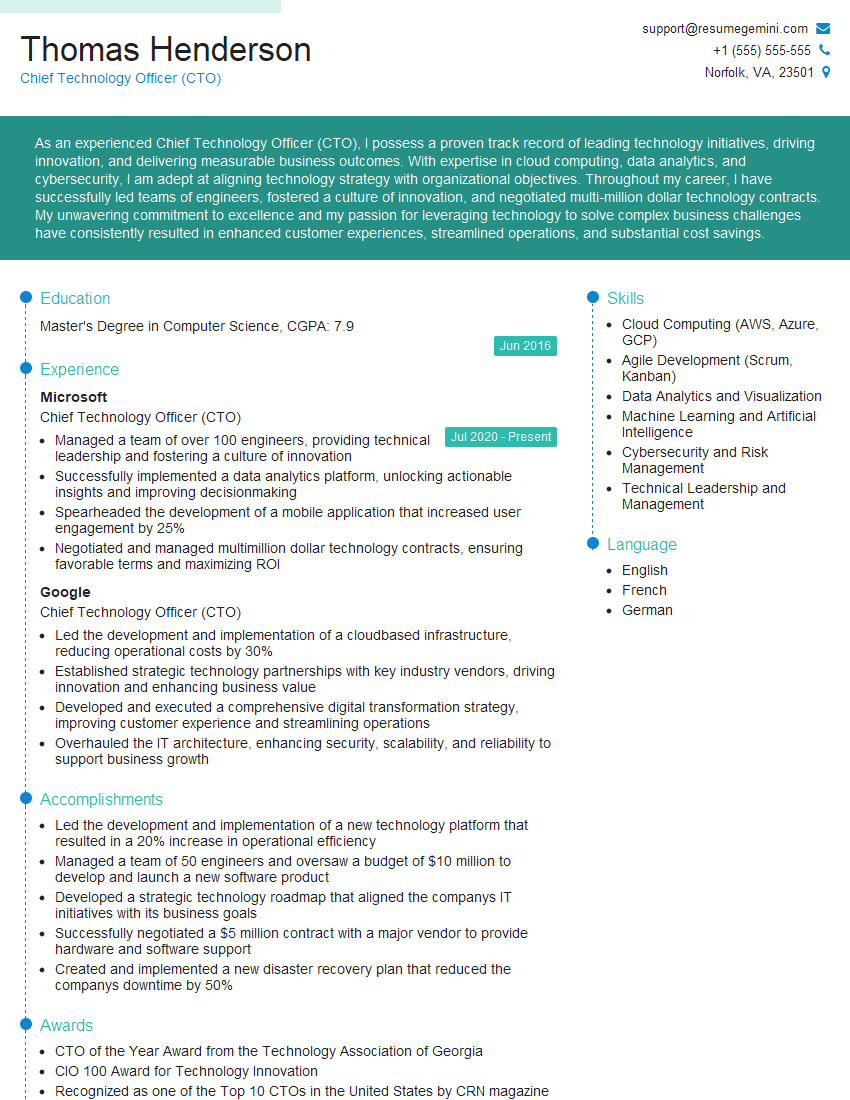
Chief Technology Officer (CTO) Resume Sample

Project Manager Resume Sample
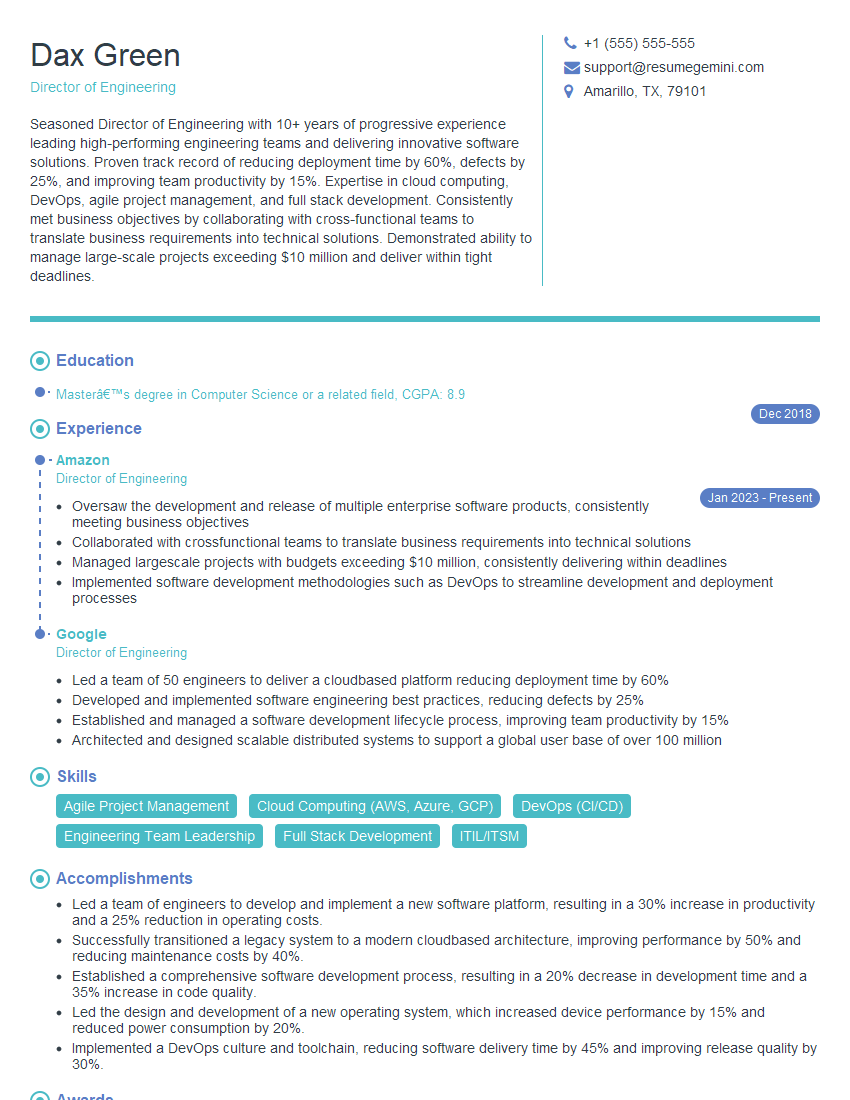
Director of Engineering Resume Sample

Principal Engineer Resume Sample

Business Analyst Resume Sample

Data Analyst Resume Sample

Software Engineer Resume Sample

Network Engineer Resume Sample

Systems Administrator Resume Sample

Solutions Architect Resume Sample

Technical Support Engineer Resume Sample

Help Desk Analyst Resume Sample

IT Manager Resume Sample

Quality Assurance Engineer Resume Sample

Technical Writer Resume Sample

Database Administrator Resume Sample

DevOps Engineer Resume Sample

Cloud Architect Resume Sample
- Operations Manager
- Product Manager
- Chief Technology Officer (CTO)
- Project Manager
- Director of Engineering
- Principal Engineer
- Business Analyst
- Data Analyst
- Software Engineer
- Network Engineer
- Systems Administrator
- Solutions Architect
- Technical Support Engineer
- Help Desk Analyst
- IT Manager
- Quality Assurance Engineer
- Technical Writer
- Database Administrator
- DevOps Engineer
- Cloud Architect
Explore more articles
Users Rating of Our Blogs
Share Your Experience
We value your feedback! Please rate our content and share your thoughts (optional).
What Readers Say About Our Blog
Hello,
we currently offer a complimentary backlink and URL indexing test for search engine optimization professionals.
You can get complimentary indexing credits to test how link discovery works in practice.
No credit card is required and there is no recurring fee.
You can find details here:
https://wikipedia-backlinks.com/indexing/
Regards
NICE RESPONSE TO Q & A
hi
The aim of this message is regarding an unclaimed deposit of a deceased nationale that bears the same name as you. You are not relate to him as there are millions of people answering the names across around the world. But i will use my position to influence the release of the deposit to you for our mutual benefit.
Respond for full details and how to claim the deposit. This is 100% risk free. Send hello to my email id: [email protected]
Luka Chachibaialuka
Hey interviewgemini.com, just wanted to follow up on my last email.
We just launched Call the Monster, an parenting app that lets you summon friendly ‘monsters’ kids actually listen to.
We’re also running a giveaway for everyone who downloads the app. Since it’s brand new, there aren’t many users yet, which means you’ve got a much better chance of winning some great prizes.
You can check it out here: https://bit.ly/callamonsterapp
Or follow us on Instagram: https://www.instagram.com/callamonsterapp
Thanks,
Ryan
CEO – Call the Monster App
Hey interviewgemini.com, I saw your website and love your approach.
I just want this to look like spam email, but want to share something important to you. We just launched Call the Monster, a parenting app that lets you summon friendly ‘monsters’ kids actually listen to.
Parents are loving it for calming chaos before bedtime. Thought you might want to try it: https://bit.ly/callamonsterapp or just follow our fun monster lore on Instagram: https://www.instagram.com/callamonsterapp
Thanks,
Ryan
CEO – Call A Monster APP
To the interviewgemini.com Owner.
Dear interviewgemini.com Webmaster!
Hi interviewgemini.com Webmaster!
Dear interviewgemini.com Webmaster!
excellent
Hello,
We found issues with your domain’s email setup that may be sending your messages to spam or blocking them completely. InboxShield Mini shows you how to fix it in minutes — no tech skills required.
Scan your domain now for details: https://inboxshield-mini.com/
— Adam @ InboxShield Mini
Reply STOP to unsubscribe
Hi, are you owner of interviewgemini.com? What if I told you I could help you find extra time in your schedule, reconnect with leads you didn’t even realize you missed, and bring in more “I want to work with you” conversations, without increasing your ad spend or hiring a full-time employee?
All with a flexible, budget-friendly service that could easily pay for itself. Sounds good?
Would it be nice to jump on a quick 10-minute call so I can show you exactly how we make this work?
Best,
Hapei
Marketing Director
Hey, I know you’re the owner of interviewgemini.com. I’ll be quick.
Fundraising for your business is tough and time-consuming. We make it easier by guaranteeing two private investor meetings each month, for six months. No demos, no pitch events – just direct introductions to active investors matched to your startup.
If youR17;re raising, this could help you build real momentum. Want me to send more info?
Hi, I represent an SEO company that specialises in getting you AI citations and higher rankings on Google. I’d like to offer you a 100% free SEO audit for your website. Would you be interested?
Hi, I represent an SEO company that specialises in getting you AI citations and higher rankings on Google. I’d like to offer you a 100% free SEO audit for your website. Would you be interested?
good