Are you ready to stand out in your next interview? Understanding and preparing for Proficiency in Communications and Networking Systems interview questions is a game-changer. In this blog, we’ve compiled key questions and expert advice to help you showcase your skills with confidence and precision. Let’s get started on your journey to acing the interview.
Questions Asked in Proficiency in Communications and Networking Systems Interview
Q 1. Explain the difference between TCP and UDP.
TCP (Transmission Control Protocol) and UDP (User Datagram Protocol) are both fundamental protocols in the internet protocol suite (IP suite), but they differ significantly in how they handle data transmission. Think of it like sending a package: TCP is like sending a registered package requiring a signature, ensuring reliable delivery, while UDP is like sending a postcard – it’s faster but doesn’t guarantee arrival.
- TCP (Transmission Control Protocol): TCP is a connection-oriented protocol. This means it establishes a connection between the sender and receiver before transmitting data, ensuring reliable and ordered delivery. It uses acknowledgments (ACKs) to confirm receipt of data packets and retransmits lost packets. It’s slower but more reliable, making it ideal for applications requiring guaranteed delivery, like web browsing (HTTP) and email (SMTP).
- UDP (User Datagram Protocol): UDP is a connectionless protocol. It doesn’t establish a connection before sending data; it simply sends datagrams (packets) independently. There’s no guarantee of delivery or order. It’s faster and more efficient than TCP, but less reliable. It’s suited for applications where speed is prioritized over reliability, such as online gaming and video streaming, where a few lost packets won’t significantly impact the user experience.
In short: Choose TCP when reliability is crucial, and UDP when speed is paramount. The choice depends entirely on the application’s needs.
Q 2. Describe the OSI model and its layers.
The OSI (Open Systems Interconnection) model is a conceptual framework that standardizes the functions of a telecommunication or computing system without regard to its underlying internal structure and technology. It’s a seven-layer model, each layer performing a specific function. Imagine it as a layered cake, each layer building upon the one below.
- Layer 1: Physical Layer: Deals with the physical transmission of data, such as cables, connectors, and network interfaces.
- Layer 2: Data Link Layer: Handles the reliable transfer of data frames between nodes on the same network. Examples include Ethernet and Wi-Fi.
- Layer 3: Network Layer: Responsible for routing packets between networks. IP addresses reside here.
- Layer 4: Transport Layer: Provides end-to-end communication between applications. This is where TCP and UDP operate.
- Layer 5: Session Layer: Manages connections between applications and synchronizes communication.
- Layer 6: Presentation Layer: Handles data formatting, encryption, and decryption.
- Layer 7: Application Layer: Provides network services to applications, such as HTTP, FTP, and SMTP.
Understanding the OSI model helps network professionals troubleshoot problems by isolating the layer where the issue occurs. For example, a problem with physical connectivity would be a Layer 1 issue, while a routing problem would be a Layer 3 issue.
Q 3. What is subnetting and why is it important?
Subnetting is the process of dividing a network into smaller, more manageable subnetworks (subnets). Imagine having a large apartment building; subnetting is like dividing the building into smaller units for easier management and security.
Importance:
- Improved Network Efficiency: Subnetting reduces broadcast traffic, making the network faster and more efficient.
- Enhanced Security: It allows for better control of network access and security policies by segmenting the network.
- Simplified Network Administration: Smaller subnets are easier to manage and troubleshoot.
- Scalability: It allows for easier scaling of the network as needed.
Example: A large company might subnet its network to separate departments (e.g., marketing, sales, IT) to improve security and isolate potential issues.
Q 4. How does DNS work?
DNS (Domain Name System) translates human-readable domain names (like google.com) into machine-readable IP addresses (like 172.217.160.142) that computers use to communicate. Think of it as a phone book for the internet.
How it Works: When you type a domain name into your browser, your computer contacts a DNS resolver, which queries DNS servers to find the corresponding IP address. This process typically involves:
- Recursive Resolver: Your computer’s DNS resolver initially contacts a recursive resolver (usually provided by your ISP).
- Root Name Servers: The recursive resolver contacts root name servers, which point to top-level domain (TLD) servers (e.g.,
.com,.org). - TLD Servers: TLD servers point to authoritative name servers.
- Authoritative Name Servers: These servers hold the actual IP address for the requested domain name.
- Response: The IP address is sent back through the chain to your computer, allowing you to access the website.
DNS caching speeds up the process by storing previously resolved domain names and their IP addresses.
Q 5. What are the different types of network topologies?
Network topologies describe the physical or logical layout of nodes (computers, printers, etc.) and connections in a network. Several common topologies exist:
- Bus Topology: All nodes are connected to a single cable (the bus). Simple but prone to single points of failure.
- Star Topology: All nodes are connected to a central hub or switch. Easy to manage and troubleshoot, with a single point of failure at the central device.
- Ring Topology: Nodes are connected in a closed loop. Data travels in one direction around the ring. Reliable but adding or removing nodes can be disruptive.
- Mesh Topology: Nodes are connected to multiple other nodes, providing redundancy and fault tolerance. Complex and expensive.
- Tree Topology: A hierarchical structure where nodes branch out from a central node, combining features of bus and star topologies.
The best topology depends on factors like network size, cost, and reliability requirements. Modern networks often employ a hybrid approach, combining different topologies to achieve optimal performance.
Q 6. Explain the concept of routing protocols (e.g., BGP, OSPF).
Routing protocols are algorithms used by routers to exchange routing information and build routing tables. These tables help determine the best path to send data packets to their destination. Think of them as the navigation systems for the internet.
- BGP (Border Gateway Protocol): An exterior gateway protocol used to exchange routing information between autonomous systems (ASes) on the internet. It’s responsible for routing traffic between different networks and ISPs.
- OSPF (Open Shortest Path First): An interior gateway protocol used within an autonomous system to determine the shortest path to a destination using Dijkstra’s algorithm. It’s known for its efficiency and scalability.
Different routing protocols have different characteristics, including scalability, convergence speed, and security features. Choosing the right protocol depends on the network’s size, topology, and requirements. BGP is crucial for internet routing, while OSPF is widely used within large corporate networks.
Q 7. What is a firewall and how does it work?
A firewall is a network security system that monitors and controls incoming and outgoing network traffic based on predetermined security rules. It’s like a gatekeeper for your network, inspecting everything that tries to enter or leave.
How it Works: A firewall examines each data packet and compares it to its security rules. If a packet matches a rule that allows it, it’s passed through. If it matches a rule that blocks it, it’s dropped. Firewalls can filter traffic based on various criteria, including IP addresses, ports, protocols, and applications.
Types of Firewalls:
- Packet Filtering Firewalls: Inspect individual packets.
- Stateful Inspection Firewalls: Maintain state information about connections, providing more advanced filtering.
- Application-Level Gateways (Proxies): Act as intermediaries between applications and the network.
Firewalls are essential for protecting networks from unauthorized access, malware, and other threats. They form a crucial part of any robust network security strategy.
Q 8. What are the different types of network security threats?
Network security threats are vulnerabilities that can compromise the confidentiality, integrity, and availability (CIA triad) of your network and data. These threats come in many forms, broadly categorized as follows:
- Malware: This includes viruses, worms, Trojans, ransomware, and spyware, designed to damage, disrupt, or gain unauthorized access to systems. For example, a ransomware attack could encrypt sensitive data and demand a ransom for its release.
- Phishing and Social Engineering: These attacks exploit human psychology to trick users into revealing sensitive information like passwords or downloading malware. A classic example is an email pretending to be from a bank, urging the recipient to update their login details on a fake website.
- Denial-of-Service (DoS) and Distributed Denial-of-Service (DDoS) Attacks: These attacks flood a network or server with traffic, making it unavailable to legitimate users. Imagine a website being overwhelmed by fake requests, rendering it inaccessible to customers.
- Man-in-the-Middle (MitM) Attacks: These attacks intercept communication between two parties, allowing the attacker to eavesdrop or manipulate the data. Think of it as someone secretly listening in on a phone conversation.
- Insider Threats: These threats originate from within an organization, often due to negligence, malice, or compromised credentials. An employee accidentally clicking a malicious link could be an example of an insider threat.
- SQL Injection: This type of attack targets database systems by injecting malicious SQL code into input fields. This can be used to steal, modify, or delete data.
- Zero-Day Exploits: These attacks exploit vulnerabilities that are unknown to the software vendor, making them difficult to defend against until a patch is released.
Understanding these threats is crucial for implementing appropriate security measures, like firewalls, intrusion detection systems, and robust security policies.
Q 9. Describe your experience with network monitoring tools.
My experience with network monitoring tools is extensive. I’ve worked with a range of solutions, from open-source tools like Nagios and Zabbix to commercial platforms such as SolarWinds and PRTG. I’m proficient in configuring these tools to monitor various aspects of network infrastructure, including:
- Network Performance: Monitoring bandwidth utilization, latency, packet loss, and jitter to identify performance bottlenecks.
- Server Health: Tracking CPU usage, memory consumption, disk I/O, and other key metrics to ensure server stability.
- Security Events: Monitoring for suspicious activity such as unauthorized access attempts, malware infections, and anomalous network traffic patterns.
- Application Performance: Tracking application response times, error rates, and other metrics to ensure application availability and performance.
In a previous role, I used Nagios to monitor a large enterprise network, setting up alerts for critical events and creating custom dashboards to visualize key performance indicators (KPIs). This allowed us to proactively identify and resolve issues before they impacted users. I also have experience using SolarWinds to analyze network traffic patterns, which helped in identifying and addressing security threats.
Q 10. Explain your experience with VPNs.
VPNs (Virtual Private Networks) are crucial for secure remote access and encrypting network traffic. My experience encompasses both setting up and administering VPNs for various purposes. I’ve worked with both site-to-site VPNs, connecting different office locations, and remote-access VPNs, allowing employees to securely access the company network from anywhere.
I have experience with various VPN protocols, including IPsec, OpenVPN, and SSL VPNs. I understand the importance of selecting the right protocol based on security requirements and performance considerations. For example, IPsec offers strong security but can be more complex to configure than OpenVPN, which is more versatile and easier to manage.
In one project, I implemented an OpenVPN solution for a client, enabling their remote employees to securely access their internal resources. This involved configuring the VPN server, client certificates, and access control lists to ensure only authorized users could connect. I also conducted regular security audits and performance monitoring to guarantee the VPN’s efficiency and security.
Q 11. How do you troubleshoot network connectivity issues?
Troubleshooting network connectivity issues requires a systematic approach. My process typically involves these steps:
- Identify the problem: Start by defining the scope of the problem. Which users or devices are affected? What specific symptoms are being experienced (e.g., no internet access, slow speeds, intermittent connectivity)?
- Gather information: Collect relevant information such as error messages, network logs, and device configurations. Simple checks like checking cables and power supplies should always be the first steps.
- Isolate the problem: Determine whether the issue lies with the client device, the network infrastructure, or a specific application. Using tools like
ping,traceroute, andnslookupcan help pinpoint the location of the problem. For example, ifping google.comfails, the problem is likely with network connectivity; if it succeeds, the problem might be with the application or DNS resolution. - Implement a solution: Once the root cause is identified, implement the appropriate solution. This could involve restarting devices, configuring network settings, updating drivers, or resolving DNS issues.
- Verify the solution: Test the connectivity to ensure the problem has been resolved. Monitor the network to ensure the issue doesn’t reappear.
- Document the resolution: Keep detailed records of the troubleshooting steps taken and the final solution.
This structured approach ensures efficiency and prevents overlooking potential issues. I always strive to prevent similar issues from happening again by identifying and addressing root causes.
Q 12. What are your experiences with cloud networking services (AWS, Azure, GCP)?
I have significant experience with cloud networking services offered by AWS, Azure, and GCP. My experience includes designing, deploying, and managing virtual networks, subnets, and routing tables within these platforms.
AWS: I’ve extensively used VPC (Virtual Private Cloud) to create isolated networks, EC2 for virtual servers, and Route 53 for DNS management. I understand the nuances of security groups, Network ACLs, and various load balancing options.
Azure: I’ve worked with Azure Virtual Networks (VNets), subnets, and network security groups. My experience includes leveraging Azure Load Balancer and Azure VPN Gateway for secure remote access.
GCP: In GCP, I’ve utilized Virtual Private Cloud (VPC) networks, subnets, and firewall rules. I’m familiar with Cloud Load Balancing and Cloud VPN.
In a recent project, I migrated an on-premise network to AWS, designing a highly available and scalable architecture using VPC, EC2, and Elastic Load Balancing. This involved careful planning and consideration of security best practices, including implementing robust security groups and network ACLs.
Q 13. Explain your understanding of network segmentation.
Network segmentation is the practice of dividing a network into smaller, isolated segments. This enhances security by limiting the impact of a security breach. If one segment is compromised, the attacker’s access is restricted to that segment, preventing them from easily accessing other parts of the network.
Segmentation can be implemented using various methods, including:
- VLANs (Virtual LANs): VLANs logically separate devices on a single physical network into different broadcast domains. This is a cost-effective way to segment a network without requiring extensive physical changes.
- Firewalls: Firewalls act as barriers between segments, controlling traffic flow based on predefined rules. They are a critical component of network segmentation.
- Routers: Routers are used to connect different network segments, routing traffic between them based on IP addresses and routing tables. They also help isolate broadcast domains.
- Software-Defined Networking (SDN): SDN solutions provide centralized control over network segmentation, simplifying management and improving flexibility.
Proper network segmentation is critical for protecting sensitive data, complying with regulatory requirements (like PCI DSS), and reducing the risk of network-wide outages. It’s like having separate rooms in a house – if there’s a fire in one room, it’s less likely to spread to the rest of the house.
Q 14. What is QoS and how is it implemented?
QoS (Quality of Service) is a set of technologies that prioritize certain types of network traffic over others. This ensures that critical applications receive sufficient bandwidth and low latency, even under heavy network load. Think of it as a traffic management system for your network, giving priority to emergency vehicles on a highway.
QoS is implemented using various techniques, including:
- Traffic Shaping: This involves adjusting the rate at which data is sent, smoothing out bursts of traffic and preventing congestion.
- Traffic Policing: This monitors network traffic and drops or modifies packets that exceed predefined thresholds.
- Class of Service (CoS): CoS assigns priority levels to different types of traffic based on their importance. For example, VoIP calls might be assigned higher priority than web browsing.
- DiffServ (Differentiated Services): This is an architecture that uses IP header fields to mark packets with different priority levels, enabling routers to prioritize traffic accordingly.
QoS is particularly important in networks where real-time applications, such as VoIP and video conferencing, are used. By prioritizing this traffic, you can ensure a high-quality user experience, even during periods of high network congestion. Implementation involves configuring QoS settings on routers, switches, and other network devices. Tools like Cisco IOS and Juniper JunOS provide extensive QoS configuration options.
Q 15. Describe your experience with network virtualization.
Network virtualization is the process of decoupling network services from the underlying physical hardware. Imagine it like this: instead of having a dedicated physical router for each function, you create virtual routers that run on commodity servers. This offers incredible flexibility, scalability, and cost savings. My experience includes designing and implementing virtual networks using VMware NSX and Cisco ACI. I’ve worked on projects where we virtualized entire data centers, enabling rapid deployment of new services, improved resource utilization, and enhanced disaster recovery capabilities. For example, in one project, we migrated a legacy network to a virtualized environment, reducing operational costs by 30% and improving application deployment time by 80%.
I’m proficient in configuring virtual switches, managing virtual routing and forwarding (VRF) instances, and implementing network security policies within virtualized environments. I have hands-on experience with various virtual network management tools and have a strong understanding of the underlying protocols and technologies that enable network virtualization.
Career Expert Tips:
- Ace those interviews! Prepare effectively by reviewing the Top 50 Most Common Interview Questions on ResumeGemini.
- Navigate your job search with confidence! Explore a wide range of Career Tips on ResumeGemini. Learn about common challenges and recommendations to overcome them.
- Craft the perfect resume! Master the Art of Resume Writing with ResumeGemini’s guide. Showcase your unique qualifications and achievements effectively.
- Don’t miss out on holiday savings! Build your dream resume with ResumeGemini’s ATS optimized templates.
Q 16. What is IP addressing and its classes?
IP addressing is the system used to assign unique numerical addresses to every device on a network, allowing them to communicate with each other. Think of it like house addresses – each house needs a unique address for mail to be delivered. IP addresses are typically represented in dotted-decimal notation (e.g., 192.168.1.100).
IP addresses were originally classified into classes (A, B, C, D, and E), each defining a range of addresses and the number of networks and hosts they could support. Class A addresses had a small number of networks but a large number of hosts per network, while Class C addresses had many networks but fewer hosts per network. However, Classless Inter-Domain Routing (CIDR) largely superseded this class-based system. CIDR uses a slash notation (e.g., 192.168.1.0/24) to represent the network address and its subnet mask, offering more efficient allocation of IP addresses. Understanding both the older classes and CIDR notation is crucial for effective network administration.
Q 17. Explain the concept of NAT (Network Address Translation).
Network Address Translation (NAT) is a technique used to map multiple private IP addresses to a single public IP address. Imagine you have a large office with many computers, but only one internet connection. NAT allows all those computers to share that single public IP address when communicating with the outside world. This conserves public IP addresses, a valuable and limited resource.
NAT works by translating the private IP addresses used within the network to public IP addresses when traffic leaves the network, and vice versa when traffic returns. There are different types of NAT, including Static NAT (one-to-one mapping), Dynamic NAT (many-to-one mapping), and Port Address Translation (PAT) which is a more efficient form of dynamic NAT. Troubleshooting NAT issues often involves checking firewall rules, router configurations, and verifying the correct port mappings. For instance, if a particular application isn’t working, it might be due to a port not being forwarded correctly through the NAT device.
Q 18. What are your experiences with network automation tools (Ansible, Puppet, Chef)?
I have extensive experience using Ansible, Puppet, and Chef for network automation. These tools allow you to manage and configure network devices in a consistent and repeatable manner, eliminating manual configuration errors and significantly speeding up deployments.
Ansible is my preferred choice for its agentless architecture and ease of use, particularly for ad-hoc tasks and simpler deployments. I’ve used it extensively for automating tasks such as configuring routers, switches, and firewalls, deploying network services, and managing network configurations across a large number of devices. Puppet and Chef, while more complex, are better suited for managing large-scale infrastructure as code deployments. My experience includes implementing Infrastructure as Code (IaC) using these tools, resulting in significant improvement in deployment speed and consistency. For example, I used Ansible to automate the deployment of a new VPN gateway across 50 sites, reducing deployment time from several weeks to just a few hours.
Q 19. Describe your understanding of network performance optimization.
Network performance optimization is about ensuring that your network delivers the necessary bandwidth and latency for applications to function efficiently. It’s a continuous process that involves identifying bottlenecks, analyzing network traffic, and implementing solutions to improve performance. This includes understanding things like bandwidth utilization, latency, jitter, packet loss, and CPU/memory utilization on network devices.
My approach involves using network monitoring tools to gather data, analyzing that data to identify performance bottlenecks, and then implementing solutions such as QoS (Quality of Service) policies, link aggregation, and upgrades to hardware or software. For example, I’ve worked on projects where we implemented QoS to prioritize voice and video traffic over other types of traffic, improving the quality of VoIP calls and video conferencing. I’ve also optimized network performance by upgrading network hardware and using techniques like traffic shaping to manage bandwidth effectively. Troubleshooting includes using tools like Wireshark for packet analysis and understanding the effects of various network protocols and their impact on performance.
Q 20. How do you handle network security incidents?
Handling network security incidents requires a structured approach. My process begins with immediate containment, followed by eradication, recovery, and post-incident analysis. First, I would isolate the affected systems or network segments to prevent further damage. Then, I’d identify the root cause of the incident using tools like intrusion detection systems (IDS), security information and event management (SIEM) systems, and log analysis. This would be followed by removing malware or other threats and restoring systems to a secure state. Post-incident analysis is crucial for understanding what went wrong and identifying areas for improvement. This includes updating security policies, reviewing vulnerabilities, and implementing necessary security controls to prevent future occurrences.
I have experience responding to various incidents, including denial-of-service attacks, malware infections, and unauthorized access attempts. My experience also includes working with security teams and following incident response plans. This includes communication and collaboration with all stakeholders, such as management, IT security teams, and potentially law enforcement.
Q 21. Explain your experience with different types of cables and connectors.
My experience encompasses a wide range of cabling and connectors, from the ubiquitous copper-based Ethernet cables to fiber optic cables. For copper cabling, I’m familiar with various types such as Cat5e, Cat6, and Cat6a, each with its own bandwidth and distance limitations. I understand the importance of proper termination using RJ-45 connectors, ensuring reliable network connectivity. Improper termination can lead to signal degradation and network issues.
Fiber optic cables offer higher bandwidth and longer distances than copper, crucial for high-speed networks and long-haul connections. I’m experienced with different fiber types (single-mode and multi-mode) and their respective connectors (SC, LC, ST). I’m also familiar with other cable types used in networking, such as coaxial cables (used in older networks) and specialized cables for specific applications. Understanding the characteristics and limitations of various cables and connectors is essential for designing and maintaining efficient and reliable networks. For example, selecting the appropriate cable type for a given distance and bandwidth requirement can prevent network performance issues.
Q 22. What is your experience with wireless networking technologies (Wi-Fi, Bluetooth)?
My experience with wireless networking technologies like Wi-Fi and Bluetooth spans several years and diverse applications. I’ve worked extensively with various Wi-Fi standards, from 802.11g to the latest 802.11ax (Wi-Fi 6E), troubleshooting connectivity issues, optimizing network performance for both small office environments and large-scale deployments. This includes configuring access points, implementing security protocols like WPA2/3, and managing radio frequency interference to ensure optimal signal strength and bandwidth. With Bluetooth, I’ve dealt with integrating Bluetooth-enabled devices into networks, understanding its low-power capabilities, and configuring profiles for different applications. For instance, I once resolved a persistent connectivity problem in a cafe by strategically repositioning Wi-Fi access points to minimize signal overlap and interference from neighboring networks, ultimately improving customer experience. Another example involved designing a low-power Bluetooth mesh network for a smart home automation project, focusing on power efficiency and reliable data transmission.
Q 23. Describe your experience with network design and implementation.
My network design and implementation experience involves a systematic approach, starting with a thorough needs assessment. I consider factors like bandwidth requirements, security needs, scalability, and budget constraints. I’m proficient in designing both wired and wireless networks, utilizing various topologies like star, mesh, and ring, selecting appropriate hardware components, and configuring network devices such as routers, switches, and firewalls. I have hands-on experience with network segmentation and VLANs (Virtual LANs) for enhanced security and network management. For instance, I recently designed a network infrastructure for a small business that needed to connect multiple offices over a VPN. I implemented a secure and scalable solution utilizing a combination of routers, switches, and firewalls, meticulously documenting each step of the process. I regularly employ network diagrams and documentation tools to visualize the network architecture and ensure smooth implementation.
Q 24. Explain your understanding of network capacity planning.
Network capacity planning is crucial for ensuring optimal network performance and preventing bottlenecks. It involves predicting future network needs based on current usage patterns and projected growth. This requires analyzing factors such as bandwidth consumption, user density, application requirements, and anticipated future expansion. I use various tools and techniques like network monitoring systems and historical data analysis to assess current network utilization and identify potential areas of concern. I then project future needs, considering factors like increased user count or the introduction of new bandwidth-intensive applications. For example, when designing a network for a rapidly growing company, I anticipated the increase in data traffic and planned accordingly by deploying scalable hardware and infrastructure that can handle the growth. This included over-provisioning bandwidth initially and implementing strategies for traffic shaping and prioritization.
Q 25. What are your experiences with network documentation and management?
Thorough network documentation and management are essential for maintaining a stable and efficient network. My experience includes creating comprehensive network diagrams, documenting network configurations, and maintaining an up-to-date inventory of network devices. I utilize tools such as network management systems and configuration management databases to streamline the documentation process. This documentation is crucial for troubleshooting, maintenance, and future expansion. For example, I once inherited a poorly documented network. By meticulously documenting the existing infrastructure, I was able to quickly identify and resolve network issues, ultimately saving the company significant time and resources. I strongly believe in a well-organized documentation system to ensure that any member of the team can easily understand and manage the network.
Q 26. Explain your familiarity with different network monitoring tools (e.g., Nagios, Zabbix).
I’m familiar with various network monitoring tools, including Nagios and Zabbix. These tools provide real-time insights into network performance, allowing for proactive identification and resolution of potential issues. Nagios is particularly useful for its alerting capabilities, while Zabbix excels in its data visualization and reporting features. I’ve used these tools to monitor key performance indicators (KPIs) such as bandwidth utilization, latency, and packet loss. For example, I used Zabbix to create custom dashboards that displayed critical metrics for a large enterprise network. This allowed us to promptly identify and address issues before they impacted users, improving overall network stability and uptime. My experience extends to using these tools to generate comprehensive reports for management, providing them with a clear picture of the network’s health and performance.
Q 27. Describe your experience with scripting languages (Python, Perl, etc.) for network automation.
I have significant experience with scripting languages like Python for network automation. Python’s versatility and extensive libraries (like Paramiko for SSH) make it ideal for automating repetitive tasks, simplifying network administration, and improving efficiency. I’ve used Python to automate tasks such as device configuration, network monitoring, and log analysis. For example, I developed a Python script to automate the deployment of network configurations across hundreds of switches, saving considerable time and minimizing human error. Another example involves creating a script that automatically collects network statistics and generates reports, reducing manual effort and improving data accuracy. I find that network automation significantly reduces manual tasks and increases overall network efficiency.
Q 28. What is your understanding of Software Defined Networking (SDN)?
Software-Defined Networking (SDN) represents a paradigm shift in network management, separating the network control plane from the data plane. In traditional networks, each device has its own control logic. SDN centralizes this control using a software-based controller, allowing for dynamic and programmable network management. This central controller enables better network visibility, easier configuration, and improved scalability. OpenFlow is a common protocol used in SDN implementations. SDN offers significant advantages in terms of agility and flexibility, allowing for faster deployment of new services and improved resource allocation. For example, in a cloud environment, SDN enables dynamic provisioning of virtual networks, adapting to fluctuating demands. The centralized control also simplifies network management, especially in large, complex environments, where managing individual devices becomes challenging. However, security and complexity are important considerations when implementing SDN.
Key Topics to Learn for Proficiency in Communications and Networking Systems Interview
- Network Topologies and Protocols: Understanding different network architectures (e.g., star, mesh, bus) and protocols (e.g., TCP/IP, UDP, HTTP) is fundamental. Consider practical scenarios where you’d choose one topology over another, or explain the trade-offs between different protocols.
- Network Security: Explore firewalls, intrusion detection systems, VPNs, and common security threats. Be prepared to discuss security best practices and how to implement them in a real-world network environment. Think about practical application of security measures in different contexts.
- Routing and Switching: Master concepts like routing tables, routing protocols (e.g., RIP, OSPF, BGP), and switching mechanisms. Prepare to explain how data packets are forwarded across a network and how different routing protocols interact.
- Network Troubleshooting: Develop your ability to diagnose and resolve network issues. This includes understanding common troubleshooting tools and methodologies, and being able to articulate your problem-solving approach.
- Network Management and Monitoring: Familiarize yourself with network monitoring tools and techniques used to ensure network performance and availability. Discuss different metrics used to assess network health and how to interpret them.
- Cloud Networking: Understanding cloud networking concepts, such as virtual networks, load balancing, and cloud security, is increasingly important. Consider how these concepts differ from traditional networking.
- Wireless Networking: Grasp the fundamentals of Wi-Fi technologies (e.g., 802.11 standards), security protocols (e.g., WPA2, WPA3), and common challenges in wireless network deployments.
Next Steps
Mastering Proficiency in Communications and Networking Systems opens doors to exciting career opportunities in a rapidly evolving field. Demonstrating this expertise effectively on your resume is crucial for securing your dream job. Building an ATS-friendly resume that highlights your skills and experience is key to getting noticed by recruiters. ResumeGemini is a trusted resource to help you craft a professional and impactful resume that showcases your capabilities. Examples of resumes tailored to Proficiency in Communications and Networking Systems are available to help guide you. Take the next step toward your successful career journey today!

Communications Manager Resume Sample
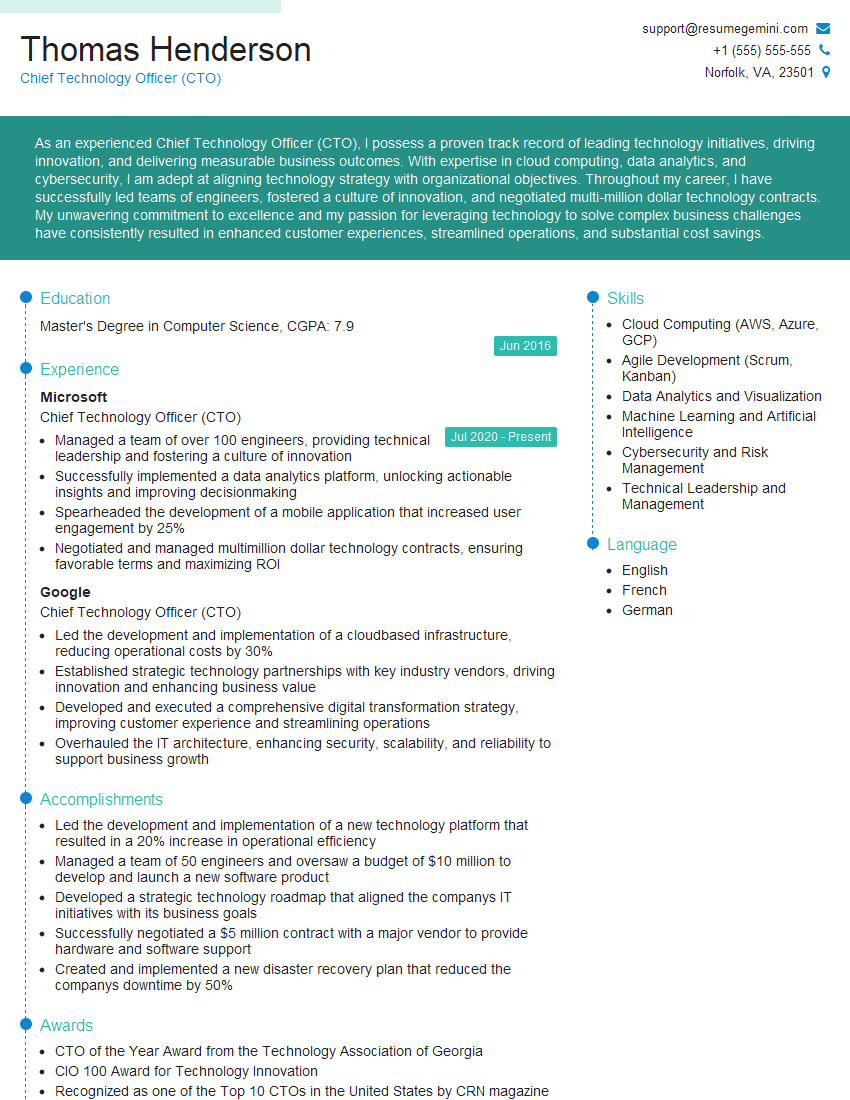
Chief Technology Officer (CTO) Resume Sample

Data Center Manager Resume Sample

Security Engineer Resume Sample

Systems Analyst Resume Sample

Network Administrator Resume Sample

Network Engineer Resume Sample
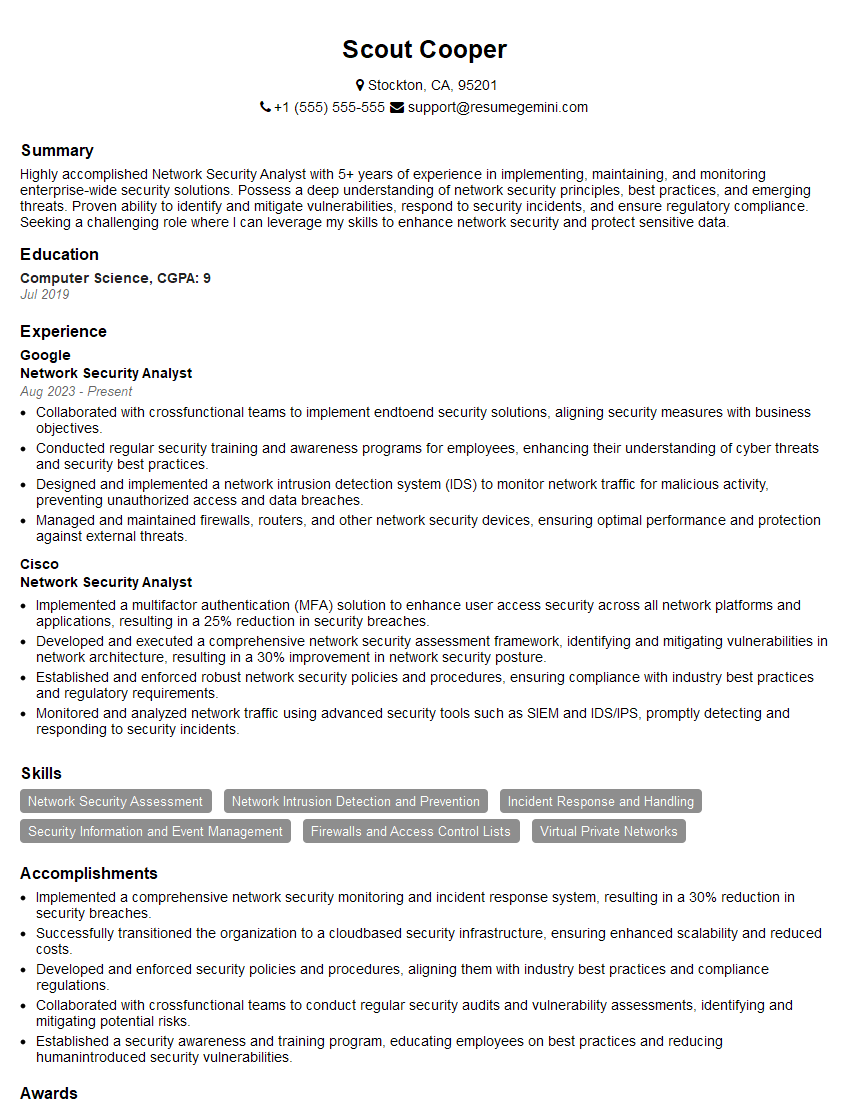
Network Security Analyst Resume Sample

Systems Administrator Resume Sample

Network Technician Resume Sample

Technical Support Specialist Resume Sample

Network Architect Resume Sample

Telecommunications Engineer Resume Sample
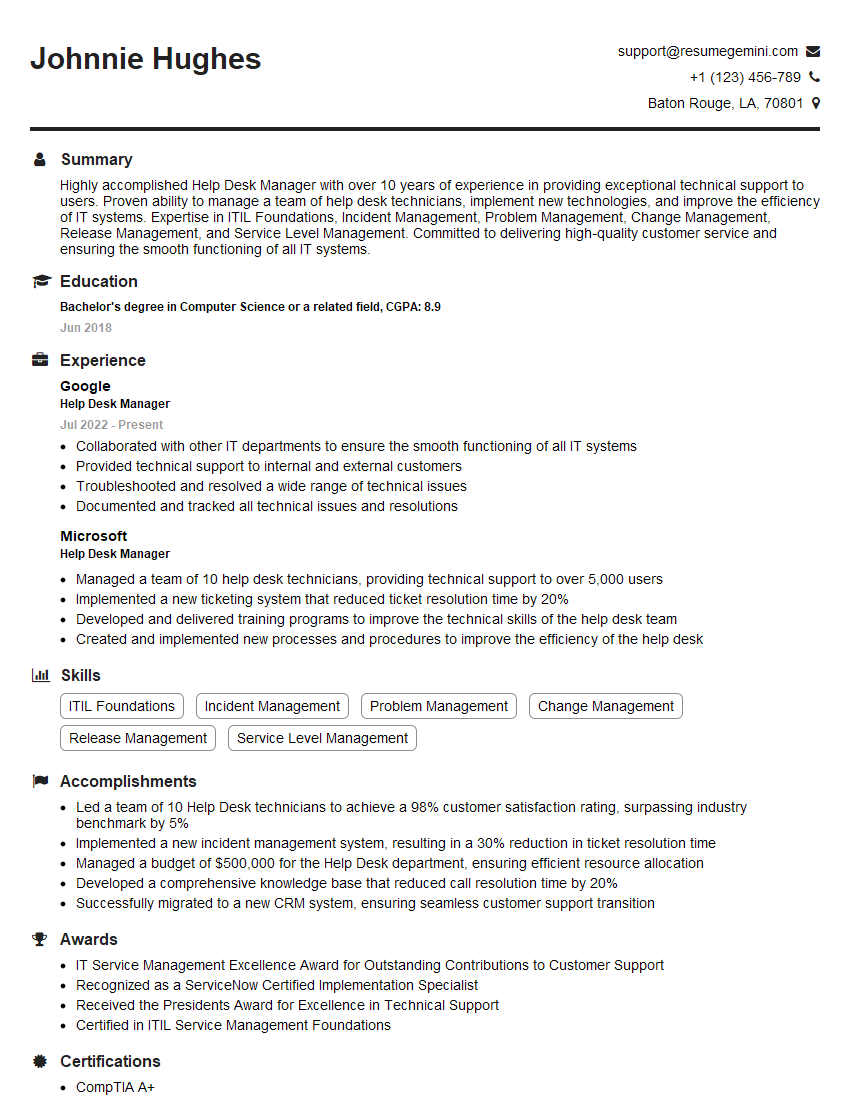
Help Desk Manager Resume Sample

IT Manager Resume Sample

IT Project Manager Resume Sample

Field Service Engineer Resume Sample

DevOps Engineer Resume Sample

Cloud Architect Resume Sample
- Communications Manager
- Chief Technology Officer (CTO)
- Data Center Manager
- Security Engineer
- Systems Analyst
- Network Administrator
- Network Engineer
- Network Security Analyst
- Systems Administrator
- Network Technician
- Technical Support Specialist
- Network Architect
- Telecommunications Engineer
- Help Desk Manager
- IT Manager
- IT Project Manager
- Field Service Engineer
- DevOps Engineer
- Cloud Architect
Explore more articles
Users Rating of Our Blogs
Share Your Experience
We value your feedback! Please rate our content and share your thoughts (optional).
What Readers Say About Our Blog
Very informative content, great job.
good