The right preparation can turn an interview into an opportunity to showcase your expertise. This guide to Proficiency in operating printing presses interview questions is your ultimate resource, providing key insights and tips to help you ace your responses and stand out as a top candidate.
Questions Asked in Proficiency in operating printing presses Interview
Q 1. Describe your experience operating different types of printing presses.
My experience encompasses a wide range of printing presses, from small-format digital printers to large-scale offset presses. I’ve worked extensively with Heidelberg Speedmaster presses, known for their reliability and high-speed capabilities, mastering their intricate controls and maintenance procedures. I’m also proficient with Komori Lithrone presses, renowned for their precise color registration. Furthermore, my experience extends to screen printing, where I’ve worked with both manual and automatic presses, handling various mesh counts and ink viscosities. This diverse background allows me to adapt quickly to different press types and printing requirements.
For example, while operating a Heidelberg Speedmaster, I successfully managed a high-volume print job of 100,000 brochures, ensuring consistent quality and minimal downtime. On the other hand, working with a screen printing press, I adeptly managed the intricate process of producing custom-designed t-shirts with multiple colors and detailed artwork.
Q 2. Explain the setup process for a typical printing job.
Setting up a printing job is a methodical process that requires precision and attention to detail. It begins with verifying the job specifications, including the artwork, paper type, ink colors, and quantity. Then, the press is prepared: this involves changing printing plates (for offset), preparing screens (for screen printing), or loading the appropriate media (for digital printing). Next, I perform a test print to check color accuracy, registration, and ink density, making any necessary adjustments to the ink keys, pressure, and dampening system (for offset). This test print is crucial for ensuring that the final product meets the client’s specifications. Finally, I run a small quantity of prints to ensure everything is functioning correctly before proceeding to a full production run.
For instance, on a recent project involving a complex four-color offset job, the initial test print revealed slight misregistration. By carefully adjusting the feeder guides and sidelays, I successfully corrected the problem before starting the main print run, saving both time and materials.
Q 3. How do you ensure consistent color accuracy during a printing run?
Maintaining consistent color accuracy is paramount. This requires a combination of technical expertise and meticulous attention to detail. I begin by using a color management system (CMS) to ensure that the digital files are accurately represented in print. I utilize color charts and spectrophotometers for precise color matching and regular monitoring throughout the run. I also regularly calibrate the press, paying close attention to the ink keys, dampening system (in offset printing), and ink viscosity. Careful monitoring of paper consistency and environmental factors, such as temperature and humidity, also plays a significant role in maintaining color consistency. Small adjustments to ink density and dot gain are often made throughout the run to maintain consistency.
For example, in a recent packaging job requiring Pantone matching, I used a spectrophotometer to measure the color throughout the run and made minute adjustments to the ink densities to maintain accurate Pantone color. Consistent monitoring ensured the color remained consistent across all packaging units.
Q 4. What are the common causes of paper jams and how do you troubleshoot them?
Paper jams are a common occurrence in printing. They can be caused by various factors, including improper paper feed, moisture content in the paper, damaged paper, and incorrect paper settings on the machine. Troubleshooting starts with identifying the source of the jam by carefully inspecting the paper path. Once the location is identified, I proceed systematically. This may involve removing the jammed paper carefully, cleaning any debris, and adjusting the paper guides or rollers to ensure proper paper alignment. I then check for any mechanical issues, such as worn rollers or damaged sensors, and address them as needed. Preventive maintenance, including regular cleaning and inspection of the paper path, significantly reduces the frequency of jams.
For example, I once encountered a recurring paper jam on a high-speed press. After careful investigation, I discovered that the humidity level was higher than optimal. By adjusting the humidity in the press room and implementing appropriate paper handling procedures, we completely eliminated the problem.
Q 5. How do you monitor ink levels and make adjustments during printing?
Ink level monitoring is crucial for ensuring consistent color and avoiding interruptions. Most presses have ink level sensors that provide real-time readings. However, visual checks are also important, especially for identifying potential issues like ink viscosity changes or air bubbles. Adjustments are made as needed; this might involve refilling ink tanks, adjusting the ink flow using the press controls, or cleaning the ink system to remove any clogs or debris. I always carefully record ink usage to optimize efficiency and minimize waste.
During a large-scale magazine printing run, I noticed a gradual decrease in one color’s ink density. By checking the ink level and subsequently refilling and adjusting the ink flow, I maintained the consistency of the color throughout the print run, without causing any noticeable change in the final output.
Q 6. Describe your experience with pre-press procedures.
My experience with pre-press procedures is extensive and includes reviewing and preparing artwork for printing, ensuring color accuracy, and creating printing plates (for offset). I’m proficient in using design software such as Adobe Illustrator and Photoshop to check for proper resolution, color profiles, and bleed areas. I also work closely with designers to address any potential issues and ensure that the artwork is ready for printing. Preparing files for different press types (offset, digital, etc.) requires varying techniques and knowledge of the capabilities and limitations of each process.
For example, I have expertise in converting artwork for various offset presses based on their specific needs—for example, adjusting the resolution and color space for optimal output on different machines. This understanding of the pre-press requirements ensures a seamless workflow between design and printing.
Q 7. Explain your understanding of different printing techniques (offset, digital, screen, etc.).
I have a comprehensive understanding of various printing techniques. Offset lithography is the most common, utilizing a printing plate to transfer ink onto a rubber blanket and then onto the paper. It’s ideal for large-scale, high-quality projects. Digital printing, on the other hand, is more efficient for smaller runs and personalized prints as it doesn’t require plates, offering greater flexibility and speed. Screen printing uses stencils on a mesh screen to apply ink to the substrate—a method perfect for textiles, posters, and other unique surfaces. Each method has its advantages and disadvantages; the choice depends on the project requirements, budget, and desired quality.
For instance, I would recommend offset printing for a large-scale book printing project due to its cost-effectiveness and high-quality output. Conversely, for a small order of customized t-shirts, screen printing would be more appropriate given its ability to reproduce intricate designs on fabric.
Q 8. How do you maintain the cleanliness and proper functioning of your press?
Maintaining a printing press involves a meticulous, multi-step process focusing on both cleanliness and mechanical functionality. Think of it like regularly servicing a high-performance engine – consistent care prevents major issues.
- Daily Cleaning: After each run, I remove excess ink and paper dust from rollers, blankets, and the impression cylinder using appropriate cleaning solutions. This prevents ink build-up and ensures consistent ink transfer.
- Weekly Maintenance: This includes a more thorough cleaning, checking for wear and tear on rollers and blankets, lubricating moving parts, and inspecting for any damage or misalignment. I might use specialized cleaning agents for specific types of inks (like UV inks requiring specific solvents).
- Monthly Checks: I perform more in-depth inspections, checking the entire press mechanism for wear and tear, calibrating the feed system, and ensuring proper registration. This might involve adjusting pressure settings or replacing worn parts.
- Preventative Maintenance: This includes regular scheduled maintenance tasks based on manufacturer recommendations, often involving professional technicians for larger tasks like replacing major components.
For example, I once noticed a slight build-up on a dampening roller, leading to inconsistent ink distribution. By cleaning this thoroughly, I prevented a potential major issue down the line and saved hours of troubleshooting.
Q 9. What safety precautions do you follow while operating a printing press?
Safety is paramount when operating a printing press. It’s a powerful machine with many moving parts, so adhering to safety protocols is non-negotiable. My safety routine is ingrained in my workflow.
- Lockout/Tagout Procedures: Before any maintenance or cleaning, I always follow the lockout/tagout procedures to prevent accidental start-ups. This ensures no one can accidentally turn on the press while I’m working on it.
- Personal Protective Equipment (PPE): I consistently use appropriate PPE, including safety glasses, gloves, and hearing protection. The type of PPE may vary depending on the specific task and type of inks used (e.g., special gloves for UV inks).
- Machine Guards: I ensure all machine guards are in place and functioning correctly. These guards protect against moving parts and prevent accidental injuries.
- Proper Training and Certification: I have undergone comprehensive training and possess the necessary certifications to operate the specific type of press I work with.
- Emergency Procedures: I am familiar with the emergency shut-off procedures and know where safety equipment like fire extinguishers are located.
One time, a paper jam occurred. Thanks to my training, I knew the safe procedure to clear the jam without risking injury. Following safety protocols not only prevents accidents but also ensures the longevity of the equipment.
Q 10. How do you handle different paper stocks and their specific requirements?
Different paper stocks present unique challenges and require specific adjustments to the press settings. Each type of paper has a different weight, texture, and absorbency, affecting the printing process.
- Paper Weight: Heavier papers require adjustments to the press’s feeding and inking mechanisms. Too much pressure can cause damage, and too little can lead to misfeeds.
- Paper Texture: Coated papers, for example, require different ink settings compared to uncoated papers. Coated papers generally provide sharper images and smoother printing.
- Paper Absorbency: The ink absorption rate of the paper affects the drying time and the overall appearance of the print. Highly absorbent papers may require adjustments to the amount of ink used.
- Paper Type: Different paper types such as offset, coated, uncoated, or specialty papers, each needs unique configurations for optimum results.
For instance, when printing on a thick card stock, I adjusted the feeder pressure to prevent jams and the impression pressure to avoid damaging the paper. I also altered the ink settings to ensure even distribution across the surface.
Q 11. Describe your experience with color management systems.
I have extensive experience with color management systems, which are crucial for achieving consistent and accurate color reproduction across different printing processes. These systems manage the entire color workflow, from digital design to printed output.
- Color Profiles: I understand the importance of using accurate color profiles for both the monitor and the printing press. These profiles ensure that the colors seen on screen accurately translate to the final print.
- Color Calibration: I know how to calibrate the printing press to ensure consistent color output, often involving using colorimetric tools and software.
- Proofing: I use color proofing techniques – such as soft proofing (on-screen) and hard proofing (printed samples) – to verify color accuracy before beginning a large print run.
- Spot Colors: I have experience with using spot colors – pre-mixed inks that provide precise control over color – in addition to the CMYK color model.
In one project, we used a specific Pantone color for a logo. Through meticulous color management, we ensured the printed logo exactly matched the client’s design specifications.
Q 12. How do you troubleshoot common printing problems like misregistration or poor image quality?
Troubleshooting printing problems is a key skill. My approach is systematic, starting with the most common causes and progressing to more complex issues.
- Misregistration: This usually involves checking the timing and alignment of the printing units. I examine the grippers, the feed system, and the impression cylinders. Slight adjustments often solve the problem.
- Poor Image Quality: I check ink density, dot gain, and the condition of rollers and blankets. The cause might be anything from worn rollers to improper ink settings. I also examine the plates for damage or defects.
- Streaks or Blotches: These are often linked to ink distribution problems. I’ll check the ink fountains, dampening system, and rollers for clogs or inconsistencies.
- Paper Jams: Checking the feed rollers, the paper guides, and the overall paper path is crucial. Adjustments to the paper guides, often resolves paper jams.
Recently, we experienced inconsistent ink density. By carefully cleaning the rollers and adjusting the ink settings, we solved the problem quickly and efficiently. A systematic approach allows for faster problem resolution.
Q 13. What is your experience with different types of inks?
My experience encompasses a wide range of inks, each with its own properties and applications.
- Water-Based Inks: Environmentally friendly, but often with slower drying times.
- UV (Ultraviolet) Inks: Cure instantly under UV light, offering quick drying and vibrant colors. Require specialized equipment and safety precautions.
- Solvent-Based Inks: Offer strong adhesion and vibrant colors, but often require careful ventilation due to their volatile organic compounds (VOCs).
- Vegetable-Based Inks: More sustainable alternative to traditional inks, offering a good balance of performance and environmental impact.
Choosing the right ink depends on the substrate, the desired print quality, and environmental considerations. For example, UV inks are ideal for products needing quick turnaround and durable prints, while water-based inks are better suited for eco-conscious projects.
Q 14. What is your understanding of the relationship between DPI and LPI in printing?
DPI (dots per inch) and LPI (lines per inch) are crucial terms in printing, representing the resolution of digital images and the screen frequency of halftone screens respectively. Understanding their relationship is essential for achieving high-quality prints.
- DPI: Refers to the resolution of the digital image. A higher DPI means more dots per inch, resulting in a sharper, more detailed image. This is relevant during the digital pre-press stage.
- LPI: Refers to the number of lines per inch in a halftone screen used to reproduce continuous-tone images (like photographs) on a printing press. A higher LPI can produce smoother tones and finer details, but it also requires higher DPI images to avoid moiré patterns. The relationship is often described as a rule of thumb: 2x LPI = minimum DPI.
For example, if you’re printing an image at 150 LPI, you’ll need a minimum DPI of 300 in your digital file to ensure there are enough dots to reproduce the details. Using a lower DPI will likely result in a muddy or pixelated print.
Q 15. How do you calculate the amount of ink and paper needed for a printing job?
Calculating ink and paper requirements for a printing job involves a precise process that goes beyond simply estimating. It necessitates understanding the job specifications, press capabilities, and potential waste factors.
First, we determine the total area to be printed. This involves calculating the dimensions of each sheet multiplied by the number of sheets per job. For example, if we’re printing 1000 flyers measuring 8.5 x 11 inches, the total area would be 1000 * (8.5 * 11) = 93,500 square inches.
Next, we consider the ink coverage. This depends on the design’s complexity; a design with large solid areas requires more ink than one with fine lines and text. Ink coverage is often expressed as a percentage. Let’s assume our flyer design has a 30% ink coverage. Therefore, the total ink required would be 93,500 * 0.30 = 28,050 square inches of ink coverage.
Converting this into usable units (like pounds or kilograms of ink) requires knowledge of the specific ink’s density and the press’s ink delivery system. This information is usually available from the ink manufacturer and the press’s technical specifications. Similarly, paper requirements are calculated by considering the sheet size, the number of sheets per job, and accounting for potential waste during the printing and finishing processes (e.g., misfeeds, trimming). Usually, a 5-10% waste factor is included in the calculation to ensure sufficient paper stock.
Career Expert Tips:
- Ace those interviews! Prepare effectively by reviewing the Top 50 Most Common Interview Questions on ResumeGemini.
- Navigate your job search with confidence! Explore a wide range of Career Tips on ResumeGemini. Learn about common challenges and recommendations to overcome them.
- Craft the perfect resume! Master the Art of Resume Writing with ResumeGemini’s guide. Showcase your unique qualifications and achievements effectively.
- Don’t miss out on holiday savings! Build your dream resume with ResumeGemini’s ATS optimized templates.
Q 16. Explain your experience with quality control procedures during printing.
Quality control is paramount in printing. My experience involves a multi-stage process beginning before the press even starts running. This starts with a thorough pre-press check of the files, ensuring color profiles are accurate, and the resolution is sufficient. We perform color proofs to verify the colors against the client’s expectations.
During the press run, regular checks are crucial. I constantly monitor the printed sheets for color consistency, registration (alignment of colors and images), and print quality (sharpness, clarity). We use densitometers to measure ink density and spectrophotometers for accurate color measurement, comparing these readings to pre-determined targets. If discrepancies occur, adjustments are made to ink levels, pressure, or other press settings.
Finally, a post-press quality check involves inspecting the finished product for any defects like miscuts, misfolds, or blemishes. Statistical process control (SPC) charts are often used to track key quality metrics throughout the process to identify and address any emerging trends.
Q 17. Describe your familiarity with different types of printing plates.
My experience encompasses various printing plate types, each with unique properties and applications.
- Letterpress plates: These are typically made of metal, often lead or other alloys, and create a raised image. They’re known for their tactile quality and are often used for high-end stationery or invitations.
- Offset plates: These are the most common type, usually aluminum sheets with a photosensitive coating. They create a planographic image, with ink transferred indirectly from the plate to a blanket cylinder and then to the paper. These are further categorized into different types like surface plates, thermal plates, and CTP (computer-to-plate) plates, each with varying sensitivities and processing requirements.
- Flexographic plates: These are typically polymer-based and are used in flexographic printing, a process ideal for flexible packaging and labels. They’re highly durable and capable of printing on a wide range of substrates.
Choosing the right plate type depends entirely on the print job’s specifications, including the substrate, desired print quality, run length, and budget.
Q 18. How do you ensure that the printed output meets the client’s specifications?
Ensuring the printed output meets client specifications is a collaborative and iterative process. It begins with a thorough review of the client’s brief, including color expectations, paper stock choices, and any special finishing requirements.
Close communication throughout the job is crucial. Regular updates to the client on progress, along with color proofs and press sheets for approval, are key to preventing discrepancies. If there’s a mismatch between the client’s expectation and the printed output, we need to understand the root cause, whether it’s an issue with the file preparation, color profiles, press settings, or even the quality of materials.
A collaborative solution is then sought. This could involve making adjustments to the press, re-running certain sections, or making a plan to compensate for the difference. Thorough documentation of all adjustments and approvals is also maintained.
Q 19. How do you handle unexpected equipment malfunctions during a printing run?
Equipment malfunctions are an unfortunate reality in printing. My approach involves a calm and systematic response. First, safety is paramount. I immediately shut down the press if necessary to prevent further damage or injury.
Then, I assess the situation, identifying the specific problem. This often involves checking error codes, monitoring gauges, and visually inspecting the machine. Depending on the severity, I might attempt a minor repair myself, based on my knowledge of the press’s mechanics and troubleshooting skills. I keep a detailed maintenance log and refer to it to isolate the issue.
If the problem is beyond my immediate capabilities, I call in a qualified technician. In the meantime, I’ll try to minimize production downtime by assessing if any other parts of the print job can continue or if the issue will allow for a quick fix.
For example, if a specific ink unit is malfunctioning, we might be able to continue printing with a different color until it’s repaired, provided the output of that section is not critically important.
Q 20. Explain your experience with press maintenance and preventative measures.
Preventative maintenance is key to avoiding costly breakdowns and ensuring consistent print quality. My experience involves a regular schedule of inspections, cleaning, and lubrication of press components, following the manufacturer’s recommendations.
This includes daily checks of rollers, blankets, dampening systems, and ink fountains. Weekly tasks might involve more thorough cleaning, checking for wear and tear, and adjusting various settings. Regular lubrication and cleaning prevents the build-up of debris, which can severely compromise printing quality and lead to costly breakdowns.
Larger maintenance tasks are done less frequently, perhaps monthly or quarterly, and often involve professional technicians, such as cleaning and inspecting the rollers and checking the gearboxes. Detailed records of all maintenance activities are maintained to track performance and identify any recurring issues.
Q 21. Describe your experience with different types of finishing equipment (e.g., cutting, folding).
My experience extends to various finishing equipment, including cutting, folding, binding, and lamination.
- Cutting: I’m proficient in using guillotine cutters and die cutters to accurately trim printed sheets to the specified size, ensuring clean and precise edges.
- Folding: I’m familiar with various folding techniques, using different types of folders, from simple parallel folds to more complex, multiple-panel folds, depending on the required output.
- Binding: Experience includes saddle-stitch binding, perfect binding, wire-o binding, and other binding methods, ensuring the final product is robust and durable.
- Lamination: This enhances the durability and longevity of printed materials, protecting them from wear and tear. I’m comfortable with both gloss and matte lamination finishes.
Selecting the appropriate finishing equipment and techniques depends heavily on the client’s specifications and the type of printed material. For example, a high-volume brochure might require high-speed folding and saddle-stitch binding, while a premium booklet would benefit from perfect binding and potentially lamination.
Q 22. What is your experience with inventory management of printing supplies?
Effective inventory management of printing supplies is crucial for smooth and efficient production. It involves a multi-step process beginning with accurate stocktaking to determine current levels of inks, papers, plates, and other consumables. This is often supported by a digital inventory management system, allowing for real-time tracking. We then establish minimum and maximum stock levels for each item, triggering automatic reordering when levels drop below the minimum. This prevents production delays caused by running out of essential supplies.
For example, I’ve successfully implemented a Kanban system in previous roles, using visual signals to indicate when a supply is running low, prompting timely replenishment. This minimized downtime and ensured a consistent supply chain. I also regularly analyze consumption patterns to predict future needs and optimize ordering to avoid unnecessary storage costs and waste.
Q 23. How do you prioritize tasks during a busy production schedule?
Prioritizing tasks during a busy production schedule requires a systematic approach. I typically use a combination of methods, starting with a clear understanding of deadlines and job urgency. This usually involves reviewing the production schedule and identifying jobs with the most pressing deadlines first. I then assess the complexity of each task, considering factors like setup time, required materials, and potential challenges. Jobs with shorter setup times and fewer complexities are generally tackled first to maximize output.
For instance, if we have a large print run with a tight deadline alongside smaller, less urgent jobs, I’ll focus my team on the large run first, allocating resources efficiently. This is coupled with regular communication with the team and the client, allowing for adjustments to the schedule as needed. This proactive approach ensures that we meet all deadlines without compromising quality.
Q 24. Describe a time you had to solve a complex printing problem.
During a large-scale poster printing job, we experienced a consistent misalignment issue. Initially, we suspected problems with the press itself, but after thorough inspection, the machine was functioning perfectly. We then systematically eliminated other potential causes, examining the plates, the paper feed, and the overall setup. It turned out to be a slight inconsistency in the paper’s dimensions, causing a subtle shift during the printing process.
The solution involved meticulously measuring the paper and making fine adjustments to the press settings, compensating for the variation. We also implemented a quality control check at each stage of the process to prevent further misalignments. The problem was resolved by carefully adjusting the paper guides and using a more consistent paper source. This experience highlighted the importance of methodical troubleshooting and the value of cross-checking every aspect of the printing process.
Q 25. How do you stay updated on new technologies and trends in printing?
Staying updated on new technologies and trends is essential in the printing industry. I actively participate in industry conferences and webinars, attending workshops and seminars to learn about the latest innovations in printing equipment, software, and materials. I also subscribe to relevant industry publications and online resources, keeping myself informed about new techniques and best practices.
Furthermore, I regularly explore online forums and communities where printing professionals discuss current challenges and share solutions, enabling continuous learning and professional development. This commitment to continuous learning ensures I’m proficient with the latest technology and can contribute to optimizing our printing processes.
Q 26. Explain your understanding of different printing processes.
My understanding of printing processes encompasses a wide range, including offset lithography, digital printing, screen printing, and flexographic printing.
- Offset lithography is a widely used process for high-volume printing, relying on plates to transfer ink onto a rubber blanket before reaching the paper. It’s known for its high quality and cost-effectiveness for large runs.
- Digital printing offers greater flexibility and is ideal for shorter runs and personalized printing. It’s faster and eliminates the need for plates.
- Screen printing is a versatile technique using stencils and ink to print onto various surfaces, often used for textiles and promotional materials.
- Flexographic printing is commonly used for packaging and labels, employing flexible relief plates and adaptable inks for printing on flexible substrates.
Each process has its own advantages and disadvantages depending on the project requirements, such as print volume, quality needed, and substrate used. I have hands-on experience with each, allowing me to choose the most suitable method for a given project.
Q 27. What are your strengths and weaknesses as a printing press operator?
My strengths include meticulous attention to detail, ensuring consistent high-quality output. I’m adept at troubleshooting technical problems and possess a strong understanding of various printing processes. My problem-solving skills allow me to quickly identify and resolve issues, minimizing downtime. I’m also a team player and can communicate effectively with colleagues and clients.
A potential area for improvement is my delegation skills. While I’m comfortable leading small teams, I’m looking to further develop my leadership skills to manage larger teams more effectively. I’m actively addressing this by seeking opportunities to mentor junior colleagues and taking leadership courses.
Q 28. Are you comfortable working in a fast-paced environment?
Absolutely. I thrive in fast-paced environments. My experience working in high-volume printing operations has equipped me with the ability to manage multiple tasks simultaneously, prioritize effectively, and maintain focus under pressure. I’m comfortable meeting tight deadlines and adapting to changing priorities without compromising quality or safety. The ability to remain calm and efficient in demanding situations is a key aspect of my skillset.
Key Topics to Learn for Proficiency in operating printing presses Interview
- Understanding Printing Press Mechanisms: Gain a thorough understanding of the different types of printing presses (offset, digital, flexographic, etc.), their components, and how they function. This includes the interplay of rollers, ink distribution systems, and paper handling mechanisms.
- Practical Application: Setup and Operation: Be prepared to discuss your experience with setting up jobs on different presses, including plate changes, ink adjustments, and register adjustments. Explain your troubleshooting skills when dealing with common press issues like misregistration, color variations, and paper jams.
- Color Management and Quality Control: Demonstrate knowledge of color theory, color matching techniques, and quality control procedures. Explain your methods for ensuring consistent color accuracy and print quality throughout a job run.
- Safety Procedures and Maintenance: Discuss your understanding and adherence to safety protocols within a printing press environment. Highlight your knowledge of routine maintenance tasks and preventative measures to minimize downtime.
- Pre-press Knowledge: While the focus is on press operation, a basic understanding of pre-press processes (file preparation, proofing, etc.) will showcase a holistic understanding of the printing workflow.
- Problem-Solving and Troubleshooting: Be ready to describe instances where you successfully diagnosed and resolved issues on the printing press. Highlight your analytical skills and ability to think critically under pressure.
- Production Efficiency and Optimization: Explain your understanding of optimizing press speed and efficiency without compromising print quality. Discuss your experience with managing production schedules and meeting deadlines.
Next Steps
Mastering proficiency in operating printing presses opens doors to rewarding careers with significant growth potential within the printing and publishing industries. Building a strong and ATS-friendly resume is crucial for increasing your visibility to potential employers. To maximize your chances, consider leveraging ResumeGemini, a trusted resource for crafting professional and impactful resumes. ResumeGemini provides examples of resumes tailored to Proficiency in operating printing presses, helping you present your skills and experience effectively. Invest time in creating a compelling resume that showcases your unique abilities and experience in this dynamic field.

Print Production Manager Resume Sample

Press Operator Resume Sample

Pressroom Supervisor Resume Sample
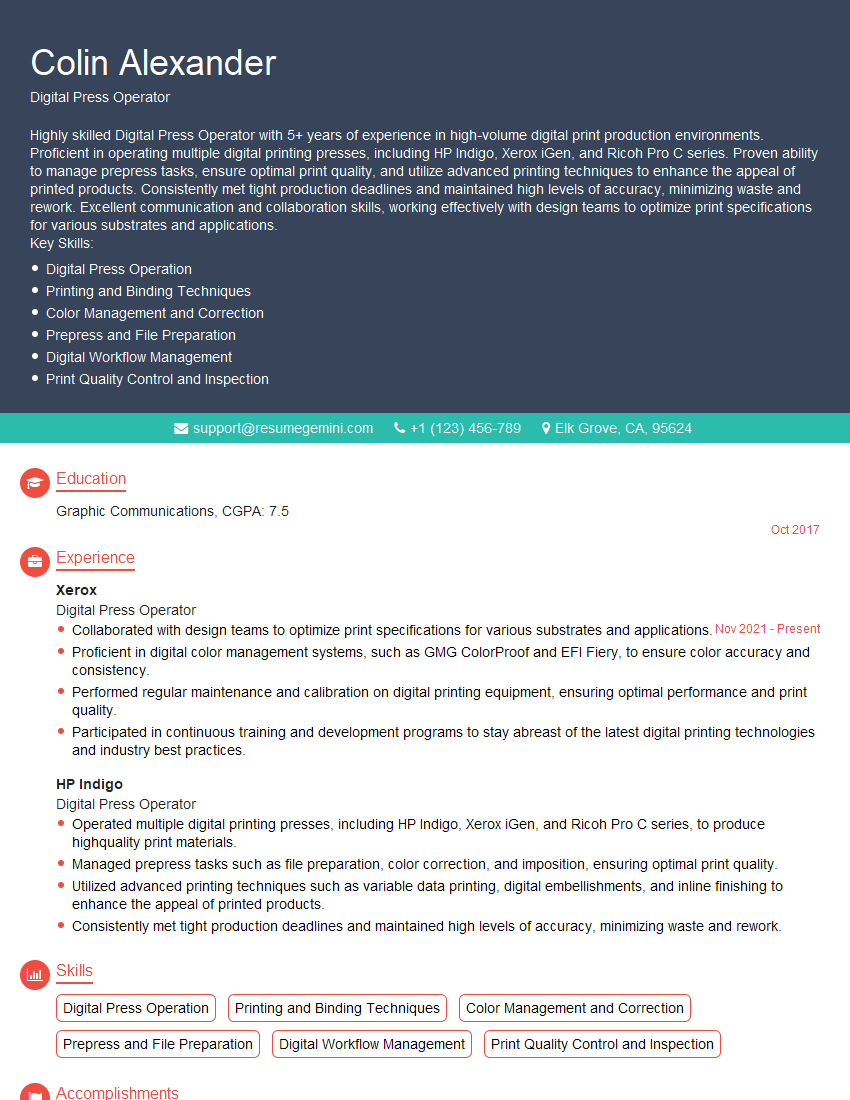
Digital Press Operator Resume Sample
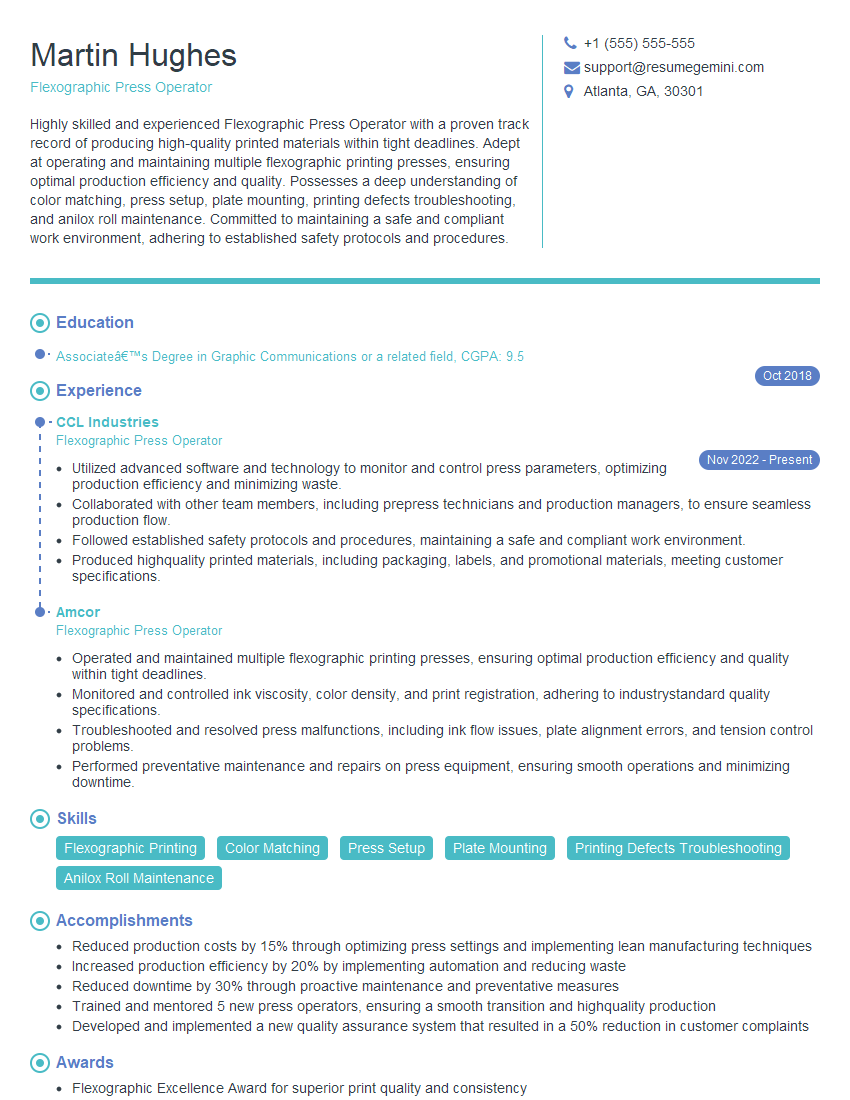
Flexographic Press Operator Resume Sample

Offset Press Operator Resume Sample
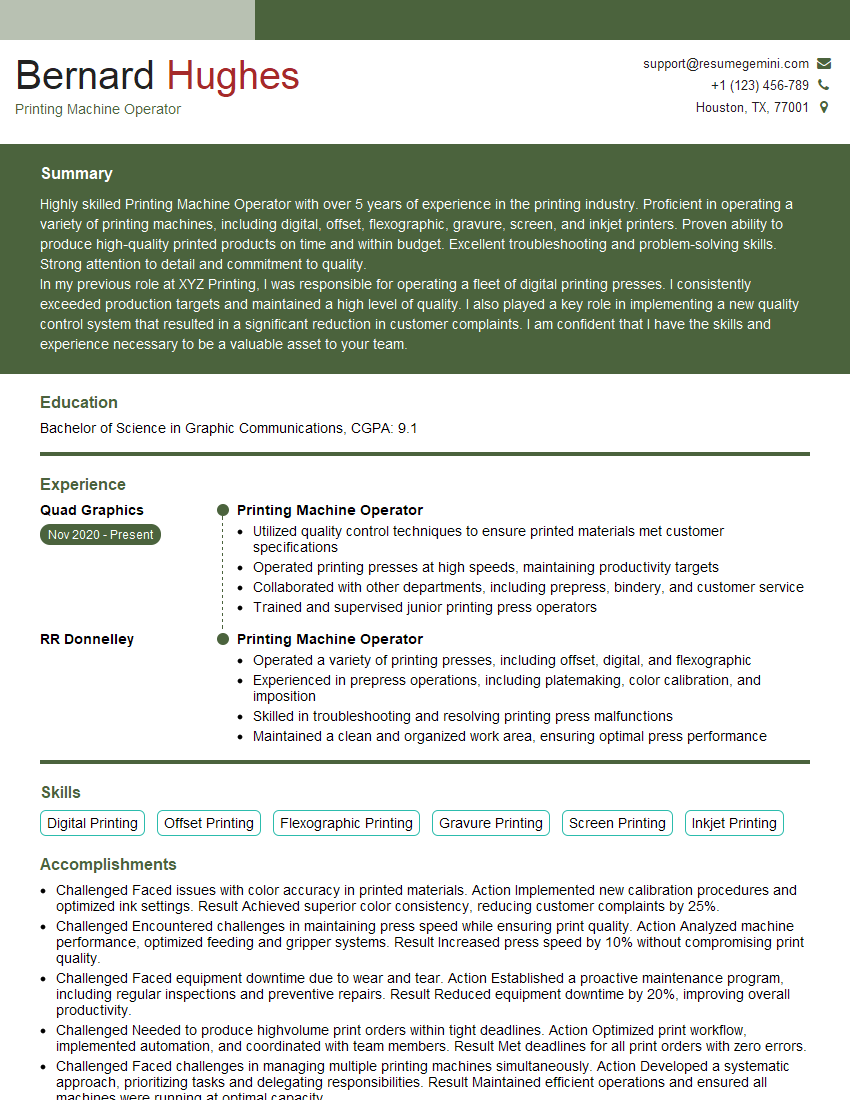
Printing Machine Operator Resume Sample
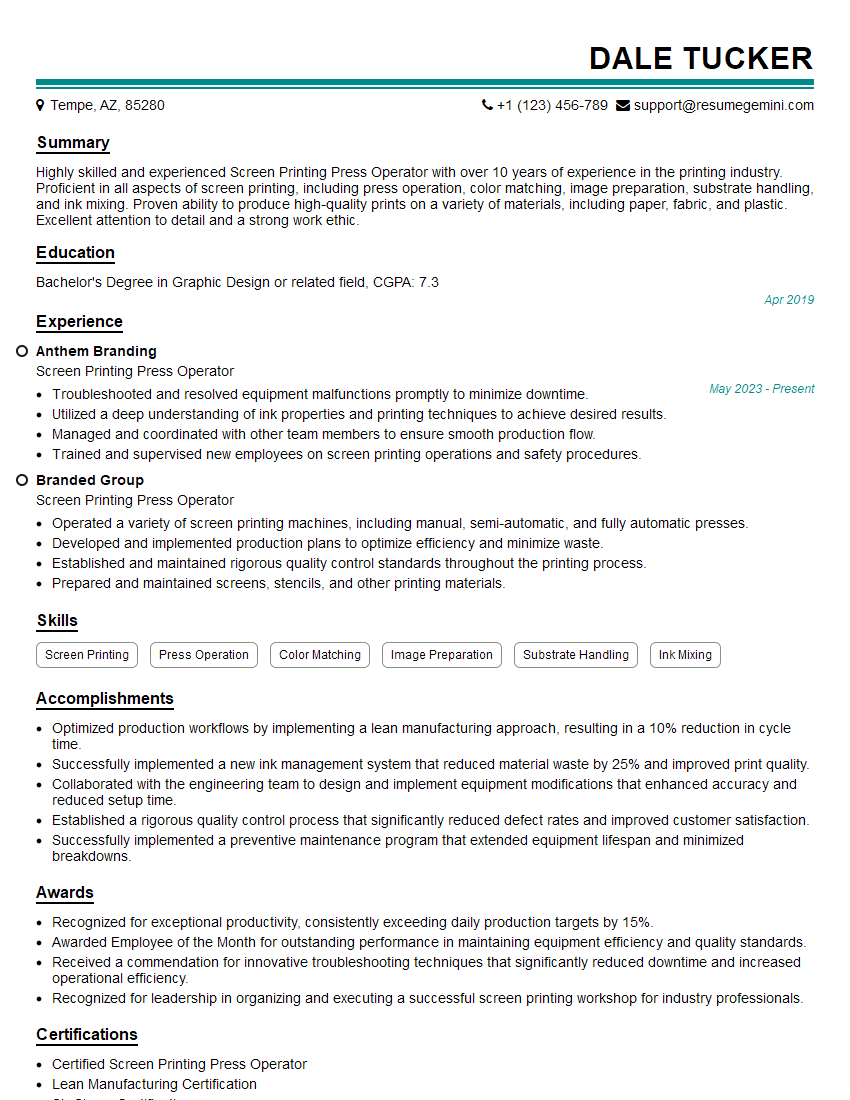
Screen Printing Press Operator Resume Sample
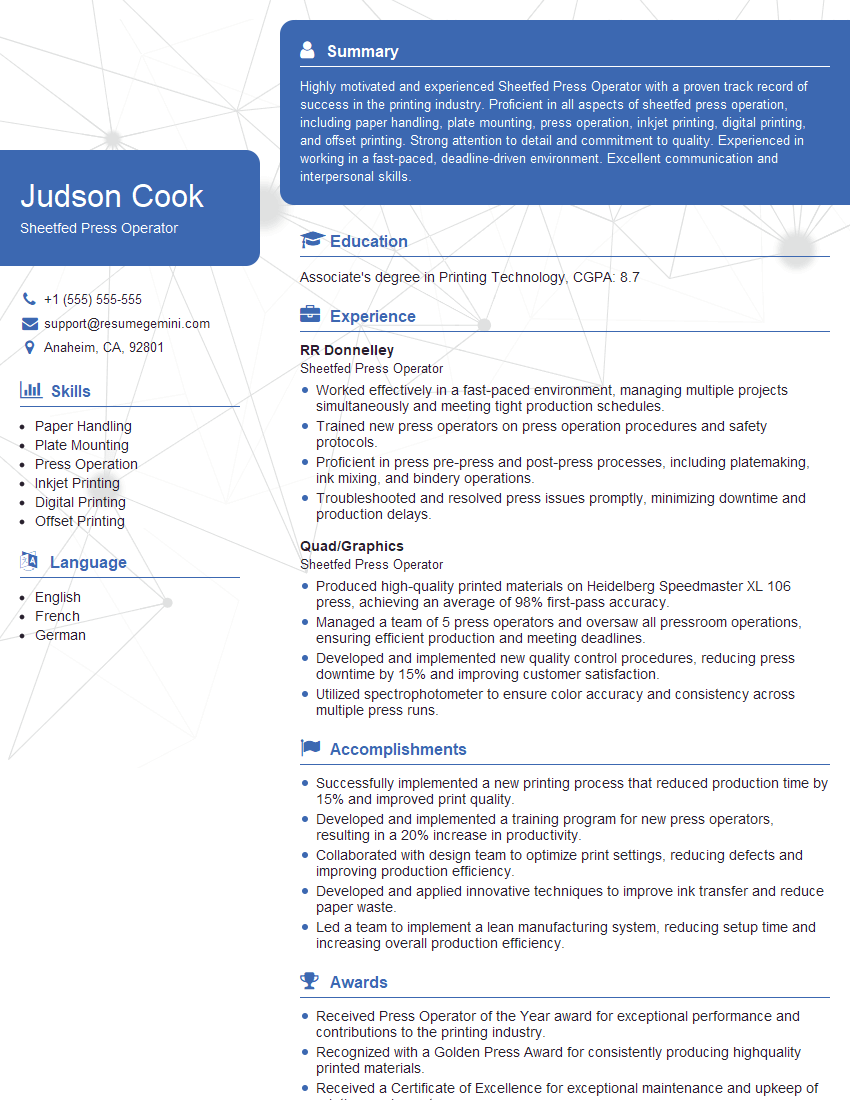
Sheetfed Press Operator Resume Sample
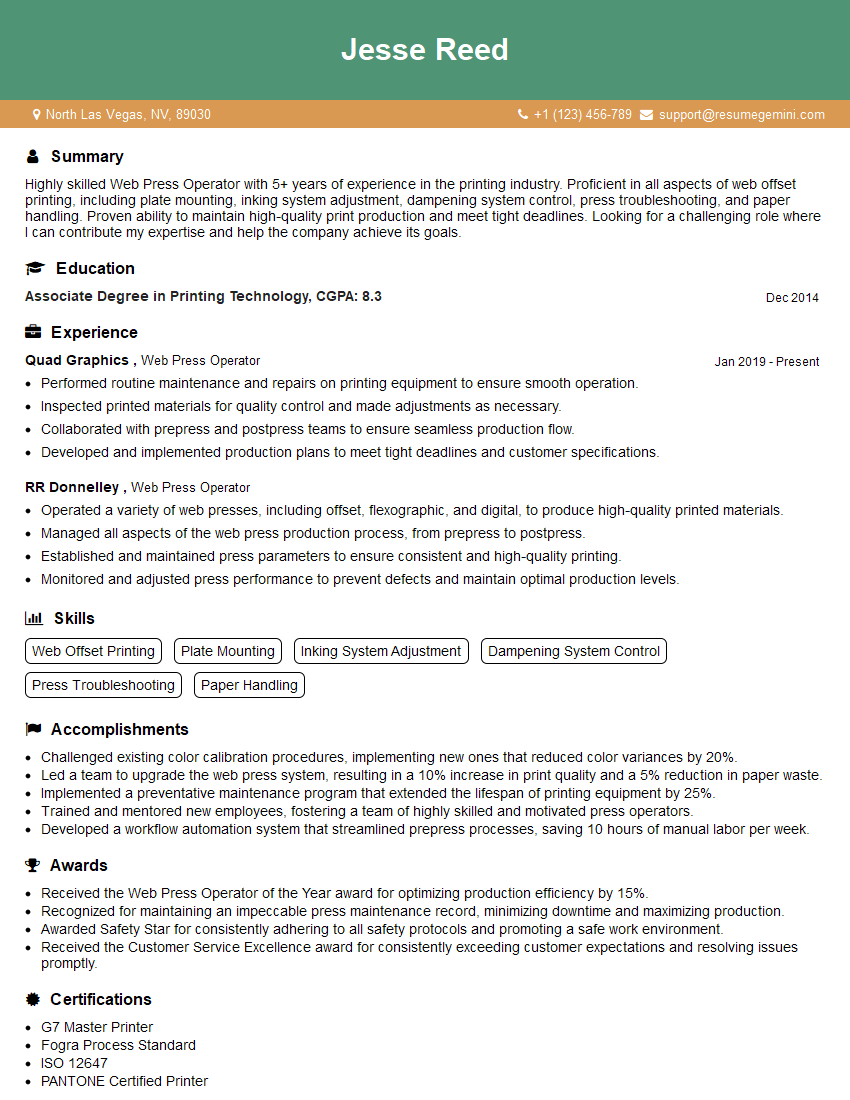
Web Press Operator Resume Sample
Explore more articles
Users Rating of Our Blogs
Share Your Experience
We value your feedback! Please rate our content and share your thoughts (optional).
What Readers Say About Our Blog
Very informative content, great job.
good