The right preparation can turn an interview into an opportunity to showcase your expertise. This guide to Proficiency in visual display software interview questions is your ultimate resource, providing key insights and tips to help you ace your responses and stand out as a top candidate.
Questions Asked in Proficiency in visual display software Interview
Q 1. Explain the difference between UI and UX design.
UI (User Interface) design focuses on the look and feel of a product, encompassing the visual elements like buttons, menus, typography, and overall aesthetics. It’s about how users interact with the product. UX (User Experience) design, on the other hand, is broader. It encompasses the entire user journey, considering not only the interface but also the overall user satisfaction, usability, and effectiveness. It’s about how users feel about the product.
Think of it this way: UI is like the paint job on a car – it makes the car visually appealing. UX is like the entire driving experience – how comfortable the seats are, how smooth the ride is, how intuitive the controls are, and ultimately, whether you enjoy the journey. A great product needs both excellent UI and UX.
Q 2. Describe your experience with wireframing and prototyping tools.
I have extensive experience with various wireframing and prototyping tools. For wireframing, I frequently use Figma and Balsamiq. Figma allows for collaborative design and high-fidelity prototypes, while Balsamiq’s low-fidelity approach is excellent for brainstorming and quick iterations. For prototyping, I leverage Figma’s interactive prototyping capabilities, Adobe XD’s robust features, and InVision for creating interactive clickable prototypes and user testing.
For example, during a recent project redesigning an e-commerce website, I used Balsamiq to quickly sketch out different layout options, then moved to Figma to create interactive prototypes simulating the checkout process. This allowed me to test the usability and gather feedback before investing heavily in high-fidelity designs.
Q 3. What are your preferred visual display software packages and why?
My preferred visual display software packages are Adobe Creative Suite (specifically Photoshop, Illustrator, and After Effects), Figma, and Sketch. Adobe Creative Suite provides unparalleled power and precision for image manipulation, vector graphics, and animation. Figma’s collaborative capabilities and web-based nature are invaluable for team projects and rapid iteration. Sketch is also a strong vector-based option, particularly well-suited for UI design.
The choice depends on the project. For intricate image editing or complex animations, Adobe is my go-to. For collaborative UI design and prototyping, Figma usually wins. Sketch excels when I need a dedicated vector editing tool focused on UI/UX.
Q 4. How do you ensure accessibility in your visual designs?
Accessibility is a paramount concern in my designs. I ensure accessibility through several key strategies:
- Color Contrast: Using sufficient contrast between text and background colors according to WCAG (Web Content Accessibility Guidelines) standards. I utilize tools like WebAIM’s color contrast checker to verify compliance.
- Alternative Text for Images: Providing detailed alternative text descriptions for all images so screen readers can convey the image’s meaning to visually impaired users.
- Keyboard Navigation: Designing interfaces that are fully navigable using only a keyboard, ensuring all interactive elements are accessible without a mouse.
- Semantic HTML: Using appropriate HTML5 semantic elements to structure content logically, enhancing screen reader compatibility.
- Captioning and Transcripts: Including captions and transcripts for videos and audio content.
I regularly consult WCAG guidelines and conduct usability testing with users with disabilities to identify and address any accessibility barriers.
Q 5. Describe your process for designing a user-friendly interface.
My process for designing a user-friendly interface is iterative and user-centric. It involves:
- User Research: Understanding the target audience, their needs, and their behaviors through user interviews, surveys, and competitor analysis.
- Information Architecture: Organizing the content logically and intuitively, creating a clear information hierarchy.
- Wireframing: Creating low-fidelity wireframes to sketch out the layout and functionality of the interface.
- Prototyping: Developing interactive prototypes to test the usability and gather feedback.
- Visual Design: Implementing the visual elements, ensuring consistency and brand alignment.
- Usability Testing: Conducting user testing to identify areas for improvement.
- Iteration and Refinement: Continuously iterating on the design based on user feedback and testing results.
For example, when designing a mobile banking app, I started by conducting user interviews to understand users’ pain points with existing banking apps. This research informed the information architecture and wireframes, leading to a streamlined and intuitive interface.
Q 6. How do you handle feedback and incorporate it into your design process?
Feedback is crucial. I actively solicit feedback throughout the design process, incorporating it iteratively. I use various methods, including:
- Usability Testing: Observing users interacting with prototypes and gathering feedback directly.
- Surveys and Questionnaires: Gathering quantitative and qualitative feedback on specific aspects of the design.
- A/B Testing: Comparing different design variations to determine which performs better.
- Stakeholder Feedback Sessions: Presenting designs to stakeholders and gathering their insights.
I prioritize constructive criticism and use it to refine the design, ensuring it meets user needs and business objectives. I document all feedback, tracking changes and their rationale. This ensures transparency and allows for continuous improvement.
Q 7. Explain your understanding of responsive design principles.
Responsive design is crucial for ensuring a consistent and optimal user experience across various devices and screen sizes. It involves creating a single design that adapts seamlessly to different contexts. Key principles include:
- Fluid Grids: Using percentage-based widths and flexible layouts that adjust to the screen size.
- Flexible Images and Media: Using images and media that scale proportionally without distorting.
- Media Queries: Using CSS media queries to apply different styles based on screen size, orientation, and other device capabilities.
@media (max-width: 768px) { /* styles for smaller screens */ } - Mobile-First Approach: Designing for the smallest screen size first, then progressively enhancing for larger screens.
By applying these principles, I ensure a consistent and user-friendly experience across desktops, tablets, and smartphones, maximizing accessibility and usability for all users.
Q 8. What is your experience with A/B testing and user research?
A/B testing and user research are crucial for validating design choices and ensuring a positive user experience. A/B testing involves presenting two variations of a design element (e.g., button color, layout) to different user groups and analyzing which performs better based on metrics like click-through rates or conversion rates. User research encompasses a broader range of methods, including user interviews, surveys, and usability testing, to understand user needs, behaviors, and pain points.
In my experience, I’ve used A/B testing extensively to optimize landing page designs. For example, I tested two different headline variations for a client’s website. Version A used a more direct and benefit-driven headline, while Version B focused on a more descriptive approach. The A/B test revealed that Version A resulted in a 15% higher conversion rate, leading to a significant improvement in user engagement and lead generation. User research, typically conducted before and after A/B tests, informs the design options themselves. For instance, conducting user interviews helped me understand why users were struggling with a particular navigation menu, informing the design changes tested through A/B testing.
Q 9. How do you stay up-to-date with the latest trends in visual display software?
Staying current in the dynamic field of visual display software requires a multi-pronged approach. I regularly attend industry conferences and webinars, such as those hosted by Adobe, to learn about new features and best practices. I actively follow leading design blogs, publications (e.g., AIGA Eye on Design), and podcasts, which offer insights into emerging trends and technologies. I also engage with online design communities like Behance and Dribbble, not only for inspiration but to participate in discussions and learn from other designers’ experiences. Finally, I dedicate time to experimenting with new software and tools, often exploring free trials or open-source options, to expand my skillset and understand their capabilities firsthand. This continuous learning ensures I’m always adapting to the latest advancements and integrating them into my workflow.
Q 10. Describe your experience with color theory and typography.
Color theory and typography are fundamental to effective visual communication. My understanding of color theory goes beyond simply choosing aesthetically pleasing colors. I consider the psychological impact of color, its cultural connotations, and its role in creating hierarchy and visual interest. For instance, I know that using warm colors can evoke feelings of warmth and excitement, while cool colors can create a sense of calm and trust. I use tools like Adobe Color to explore color palettes and ensure color harmony within my designs. In typography, I’m proficient in selecting appropriate fonts based on readability, brand identity, and the overall message. I understand the importance of font pairing, kerning, and leading to ensure text is clear, visually appealing, and accessible. For example, I might pair a serif font like Garamond for body text with a sans-serif font like Open Sans for headings to achieve a balance of elegance and readability.
Q 11. How do you measure the success of a visual design project?
Measuring the success of a visual design project involves a combination of qualitative and quantitative methods. Quantitative metrics might include conversion rates, bounce rates, click-through rates, and time spent on page, all readily available through analytics platforms like Google Analytics. These metrics provide objective data on the effectiveness of the design in achieving its goals. Qualitative methods, on the other hand, focus on user feedback and perception. This might involve conducting user surveys, usability testing, or gathering feedback through A/B testing, as mentioned earlier. By combining both approaches, I gain a comprehensive understanding of how effective the design is in achieving its objectives and improving user experience. For example, a high conversion rate combined with positive user feedback in usability testing indicates a successful project.
Q 12. Explain your process for creating a style guide.
Creating a style guide is a systematic process ensuring consistency and brand identity across all design projects. My process begins with understanding the client’s brand guidelines and identifying key design elements such as logo usage, color palettes, typography, and imagery styles. Then, I document these elements in a comprehensive document that includes examples and specifications. For example, the style guide might specify the exact Pantone color codes for the brand’s primary and secondary colors, the preferred font families and their sizes for different headings and body text, and guidelines for using imagery (e.g., image resolution, aspect ratios). I also include guidelines on spacing, grid systems, and overall layout to maintain consistency. This style guide acts as a reference point for the entire design team, ensuring consistency throughout the project and making future design projects much more efficient.
Q 13. How do you handle conflicting design requirements?
Conflicting design requirements are inevitable, particularly in collaborative projects. My approach involves open communication and collaboration. I start by clearly documenting all requirements, identifying points of conflict, and scheduling a meeting with relevant stakeholders to discuss these discrepancies. I facilitate a collaborative discussion to understand the rationale behind each requirement, highlighting the pros and cons of each approach. I might present alternative solutions that address the needs of all stakeholders, weighing the various requirements against factors like usability, accessibility, and technical feasibility. For example, if a client wants a highly detailed design that conflicts with the need for fast loading times, I might propose a compromise by using optimized images or simplifying certain design elements without compromising the overall design aesthetic.
Q 14. What is your experience with version control for visual design projects?
Version control is essential for managing visual design projects, especially those involving multiple designers or iterative revisions. I have extensive experience using Git and other version control systems (like Adobe Creative Cloud Libraries) to track changes, manage different design versions, and collaborate effectively. This allows us to revert to earlier versions if necessary, maintain a clear history of design decisions, and prevent accidental overwriting of work. Furthermore, using a version control system allows for easier collaboration and review, enabling team members to work concurrently on a design while maintaining a clean and organized workflow. I frequently employ branching strategies in Git to manage multiple features or design variations simultaneously, ensuring a streamlined development process and reducing potential conflicts. This is especially useful during complex, long-term projects.
Q 15. Explain your understanding of user interface patterns.
User interface (UI) patterns are reusable solutions to common design problems. They’re essentially pre-designed templates or structures that address recurring user needs and expectations. Think of them as blueprints for creating intuitive and efficient interfaces. Understanding these patterns allows designers to create consistent and predictable user experiences, saving time and effort while ensuring usability.
- Navigation Patterns: Examples include sidebars, breadcrumb trails, and mega menus, each designed to help users easily move through a website or application.
- Input Patterns: These patterns guide users on how to provide information, using elements like forms, date pickers, and autocomplete suggestions for a smoother input process.
- Feedback Patterns: These patterns provide users with clear visual and interactive confirmations of their actions, such as loading indicators, success messages, and error alerts. Think of the satisfying checkmark you see after successfully completing a form.
- Layout Patterns: These organize content effectively, such as using grids, card layouts, and sidebars to make information easily scannable and understandable.
For instance, the ubiquitous hamburger menu (three horizontal lines) is a navigation pattern. It’s easily recognizable and signifies a hidden menu, reducing visual clutter on smaller screens. By employing established UI patterns, designers can expedite development and build interfaces that are instantly familiar and intuitive to users.
Career Expert Tips:
- Ace those interviews! Prepare effectively by reviewing the Top 50 Most Common Interview Questions on ResumeGemini.
- Navigate your job search with confidence! Explore a wide range of Career Tips on ResumeGemini. Learn about common challenges and recommendations to overcome them.
- Craft the perfect resume! Master the Art of Resume Writing with ResumeGemini’s guide. Showcase your unique qualifications and achievements effectively.
- Don’t miss out on holiday savings! Build your dream resume with ResumeGemini’s ATS optimized templates.
Q 16. How do you optimize visual design for different devices and screen sizes?
Optimizing visual design for different devices and screen sizes requires a responsive design approach. This means creating layouts that adapt seamlessly to various screen resolutions and orientations, from desktops to tablets to smartphones. This is achieved primarily through flexible layouts and CSS media queries.
Flexible Layouts: Instead of fixed pixel widths, we use percentage-based widths and fluid grids, allowing elements to resize proportionally to the screen size. This ensures the layout remains balanced and readable on any device.
CSS Media Queries: These allow us to apply different styles based on device characteristics like screen width, height, and orientation. For example, we might use a media query to hide certain elements on smaller screens or rearrange the order of elements to improve mobile usability. @media (max-width: 768px) { /* Styles for screens smaller than 768px */ .sidebar { display: none; } }
Beyond layout, responsive design also involves considering other aspects like font sizes, image scaling, and touch-friendly interactions. Testing on various devices and using browser developer tools are crucial for ensuring a consistent and optimal user experience across platforms.
Q 17. Describe your experience with interaction design principles.
Interaction design principles are fundamental to creating user-centered interfaces. They guide how users interact with a system and how the system responds. Key principles include:
- Usability: The system should be easy to learn, use, and remember. This includes clear instructions, intuitive navigation, and minimal cognitive load.
- Discoverability: Users should easily find and understand the system’s features and functionalities. This involves clear labeling, visual cues, and helpful feedback.
- Efficiency: The system should allow users to accomplish their tasks quickly and effectively. This often involves minimizing steps and optimizing workflows.
- Accessibility: The system should be usable by people with disabilities, adhering to accessibility guidelines (WCAG) and employing assistive technologies.
- Feedback: The system should provide clear and timely feedback to users’ actions, keeping them informed about the system’s state.
In a recent project, for instance, we incorporated progressive disclosure—a principle that reveals information only when needed—to prevent overwhelming users with too much information at once. This improved the efficiency and usability of the interface significantly.
Q 18. How do you incorporate user feedback into the design process?
Incorporating user feedback is crucial for iterative design and creating truly user-centered products. We employ a variety of methods to gather and analyze user feedback throughout the design process.
- User Interviews: Directly interviewing users to understand their needs, pain points, and expectations.
- Surveys: Collecting quantitative data through questionnaires to measure user satisfaction and identify areas for improvement.
- Usability Testing: Observing users interacting with the design to identify usability issues and areas of confusion.
- A/B Testing: Comparing different design versions to determine which performs better in terms of user engagement and task completion.
- Feedback Forms: Providing in-app or online feedback forms for users to share their thoughts and suggestions.
The feedback we gather is analyzed to identify patterns and trends. This information is then used to iterate on the design, addressing usability issues and improving the overall user experience. This iterative process ensures that the final product meets the needs and expectations of its users. For example, user feedback on a previous project led us to redesign the checkout flow, resulting in a 20% increase in conversion rates.
Q 19. What is your experience with creating visual mockups and prototypes?
Creating visual mockups and prototypes is a critical part of the design process. Mockups are static representations of the interface, used to visualize the layout and overall look and feel. Prototypes, on the other hand, are interactive representations that simulate the functionality of the interface.
I have extensive experience using tools like Figma, Adobe XD, and Sketch to create both high-fidelity mockups (detailed and realistic) and low-fidelity prototypes (simple and quick to create). Low-fidelity prototypes are particularly useful in the early stages of design for quick iteration and testing of core concepts. High-fidelity mockups are used later in the process to convey the final design details to developers and stakeholders.
For example, in a recent project, I started with simple paper prototypes to test the basic workflow before moving to a more detailed Figma prototype that included interactive elements and micro-interactions. This phased approach allowed for efficient testing and refinement throughout the design process.
Q 20. How do you ensure consistency across different visual elements?
Maintaining consistency across visual elements is crucial for creating a cohesive and professional design. This involves establishing a style guide that defines the visual language of the project.
Style Guides: These document design elements such as:
- Color Palette: Defining primary, secondary, and accent colors for consistency.
- Typography: Specifying fonts, font sizes, and styles for headings, body text, and other elements.
- Spacing and Grids: Establishing consistent spacing between elements to create visual harmony.
- Iconography: Defining a consistent style for icons and other graphical elements.
- Component Library: Creating reusable components (buttons, forms, etc.) to ensure consistency across different screens.
Tools like Figma and Adobe XD allow for the creation and management of style guides and component libraries. By adhering strictly to the style guide, we ensure a seamless and unified user experience across the entire application or website. Any deviation is carefully considered and documented to maintain visual consistency.
Q 21. Describe your experience with user testing and usability studies.
User testing and usability studies are integral to evaluating the effectiveness and usability of a design. I have extensive experience conducting various types of user testing:
- Usability testing: Observing users as they complete tasks within the interface, identifying areas of difficulty or confusion. This often involves think-aloud protocols, where users verbalize their thoughts and actions while interacting with the system.
- A/B testing: Comparing two versions of a design to determine which performs better.
- Eye-tracking studies: Using eye-tracking technology to understand where users focus their attention on the screen, helping to identify areas of visual interest or confusion.
- Surveys and questionnaires: Collecting quantitative and qualitative feedback from users after interacting with the design.
I use the data gathered from these studies to identify areas for improvement, iterating on the design based on user feedback. For example, in a recent usability study, we discovered that users were struggling to find a particular feature. This feedback led to a redesign of the navigation, resulting in a significant improvement in task completion rates.
Q 22. How do you balance aesthetics with functionality in your designs?
Balancing aesthetics and functionality is crucial for creating successful visual displays. It’s not about choosing one over the other; it’s about finding the sweet spot where both enhance the user experience. I approach this by focusing on user-centered design principles. First, I thoroughly understand the target audience and their needs. Then, I create user flows and wireframes that prioritize functionality – ensuring all essential features are easily accessible and intuitive. Only after establishing a solid functional foundation do I layer on the aesthetics. This includes thoughtful color palettes, typography choices, and visual hierarchy, all designed to reinforce the functionality and improve user engagement. For example, if I’m designing a data visualization dashboard, the priority is clear, accurate data representation. The aesthetic choices – a clean layout, appropriate charts, and a consistent color scheme – then serve to enhance the readability and comprehension of that data, not detract from it.
Think of it like building a house: a strong foundation (functionality) is essential before you add the finishing touches (aesthetics). A beautiful house that collapses is useless. Similarly, a visually stunning interface that is difficult to use is ultimately a failure.
Q 23. What is your experience with information architecture and user flow?
Information architecture (IA) and user flow are fundamental to my design process. IA is about organizing information in a way that is logical and easy for users to find what they need. I use card sorting, tree testing, and sitemaps to structure information effectively. User flow, on the other hand, maps out the user’s journey through the interface, identifying key interaction points and potential pain points. I use tools like wireframing and prototyping to visualize and test these flows. For example, in designing a e-commerce website, careful IA ensures that users can easily navigate categories, find products, and complete their purchase. A well-designed user flow minimizes drop-offs and guides users seamlessly through the buying process.
I have extensive experience using tools like Balsamiq, Figma, and Adobe XD to create wireframes and prototypes that visualize both IA and user flow, allowing for iterative testing and refinement before moving to the visual design phase.
Q 24. How do you collaborate with developers during the implementation phase?
Collaboration with developers is paramount for successful implementation. I believe in open communication and transparency throughout the development process. I typically provide developers with well-documented design specifications, including detailed style guides, asset files, and interactive prototypes. I actively participate in code reviews, ensuring that the final product aligns with the design intent. Regular check-ins and feedback sessions are crucial for addressing any challenges or clarifying ambiguities. I also strive to understand technical limitations and constraints, adapting my designs where necessary to ensure feasibility without compromising the core user experience. For example, I might work with developers to find alternative solutions if a particular animation is too performance-intensive for the target platform.
My approach prioritizes a collaborative, iterative process rather than a one-way handover of designs. This ensures a shared understanding and a smooth transition from design to development.
Q 25. What is your experience with designing for different platforms (web, mobile, etc.)?
I have extensive experience designing for various platforms, including web, mobile (iOS and Android), and tablet devices. My approach is responsive design-centric, meaning I create designs that adapt seamlessly to different screen sizes and resolutions. I leverage platform-specific design guidelines and best practices to ensure a native feel and optimal user experience on each platform. This includes understanding the nuances of different input methods (touchscreen vs. mouse), screen sizes, and operating system conventions. For example, a mobile app might prioritize concise layouts and large touch targets, while a web application may utilize more complex interactions and layouts.
I utilize tools like Figma and Adobe XD to create responsive prototypes and test the designs across multiple devices and screen sizes. This ensures a consistent and enjoyable experience regardless of the platform.
Q 26. Explain your approach to visual problem-solving.
My approach to visual problem-solving is iterative and user-centered. It starts with a deep understanding of the problem: What are we trying to achieve? Who is the target audience? What are their needs and expectations? I use sketching, mood boards, and competitive analysis to explore different solutions. Then, I create wireframes and prototypes to test the functionality and user flow. Based on testing and user feedback, I refine the design iteratively, constantly making adjustments to improve usability and aesthetics. I leverage design principles like Gestalt laws of grouping and visual hierarchy to create visually appealing and intuitive interfaces. For example, if a dashboard is cluttered and difficult to interpret, I’d use visual hierarchy and grouping to organize the information clearly and enhance readability.
It’s a process of experimentation, refinement, and constant evaluation – a continuous cycle of design, testing, and iteration.
Q 27. How do you handle tight deadlines and competing priorities?
Handling tight deadlines and competing priorities requires effective time management and prioritization skills. I start by clearly defining the scope of the project and breaking it down into smaller, manageable tasks. I then prioritize tasks based on their importance and urgency, using methods like the Eisenhower Matrix. I utilize project management tools to track progress and ensure accountability. Open communication with stakeholders is essential to managing expectations and making necessary adjustments based on time constraints. If deadlines are truly impossible to meet, I proactively communicate the risks and propose alternative solutions to mitigate the impact. This might involve prioritizing critical features, scaling back less essential elements, or seeking additional resources.
My approach is about being proactive, transparent, and adaptable – focusing on delivering the most valuable aspects of the design within the given constraints.
Q 28. Describe a time when you had to adapt your design based on user feedback.
In a recent project designing a mobile banking app, initial user testing revealed that the navigation menu was confusing for a significant portion of users. The menu was visually appealing but lacked clarity. Based on user feedback, specifically heatmaps showing low interaction with key features, and qualitative feedback expressing confusion, I redesigned the navigation. I simplified the menu structure, using clearer labels and icons. I also incorporated visual cues to improve discoverability of key features. A second round of testing showed a significant improvement in user satisfaction and task completion rates. The redesign emphasized usability over purely aesthetic concerns, resulting in a more user-friendly and effective application. This experience reinforced the importance of incorporating user feedback throughout the design process, adapting to user needs rather than adhering rigidly to the initial design.
Key Topics to Learn for Proficiency in Visual Display Software Interview
- Color Theory and Management: Understanding color spaces (RGB, CMYK), color profiles, and gamma correction. Practical application: Explain how you’d ensure consistent color reproduction across different output devices.
- Image Resolution and Scaling: Knowledge of pixel dimensions, DPI/PPI, and image scaling techniques. Practical application: Describe your approach to optimizing images for web and print without compromising quality.
- Typography and Layout: Understanding font families, kerning, leading, and effective layout principles. Practical application: Explain how you’d design a visually appealing and easily readable layout for a specific project.
- Software Proficiency (Specific Software Mentioned): Demonstrate in-depth knowledge of relevant software (e.g., Adobe Photoshop, Illustrator, InDesign, After Effects, etc.). Practical application: Be prepared to discuss your experience with specific tools and features within your chosen software(s).
- File Formats and Compression: Understanding different image file formats (JPEG, PNG, GIF, TIFF, etc.) and their uses, along with appropriate compression techniques. Practical application: Explain your rationale behind choosing a specific file format for a given project.
- Workflow and Project Management: Efficiently managing projects, including asset organization, version control, and collaboration techniques. Practical application: Describe your process for handling large projects with multiple stakeholders and deadlines.
- Accessibility and Inclusivity: Designing visuals that are accessible to users with disabilities (e.g., using alt text for images). Practical application: Explain how you would ensure your designs are inclusive and meet accessibility standards.
Next Steps
Mastering proficiency in visual display software is crucial for career advancement in many creative fields. It opens doors to exciting opportunities and allows you to showcase your creative talent and technical skills. To increase your job prospects, focus on creating a strong, ATS-friendly resume that highlights your achievements and skills. ResumeGemini is a trusted resource for building professional resumes that stand out. We offer examples of resumes tailored to Proficiency in visual display software to help you create a compelling application. Take the next step and craft a resume that reflects your expertise and helps you land your dream job.

Information Architect Resume Sample

Web Designer Resume Sample

Technical Artist Resume Sample

Graphic Designer Resume Sample
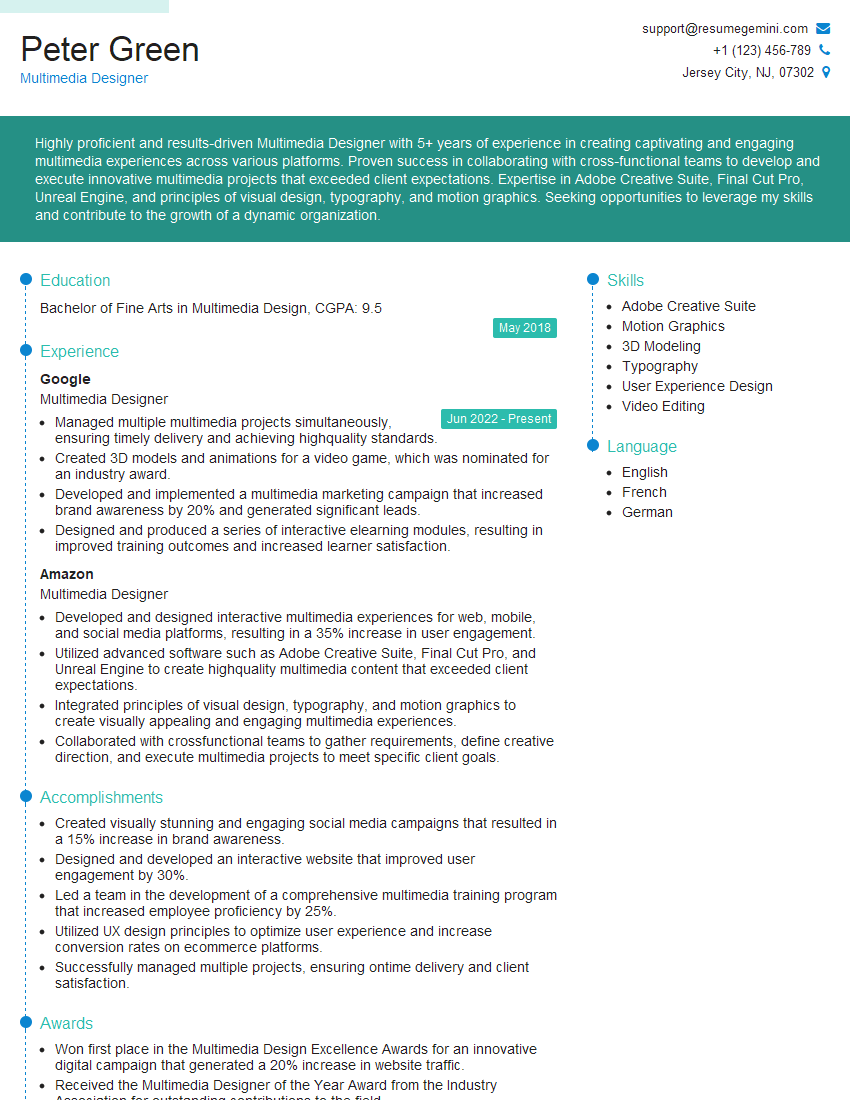
Multimedia Designer Resume Sample
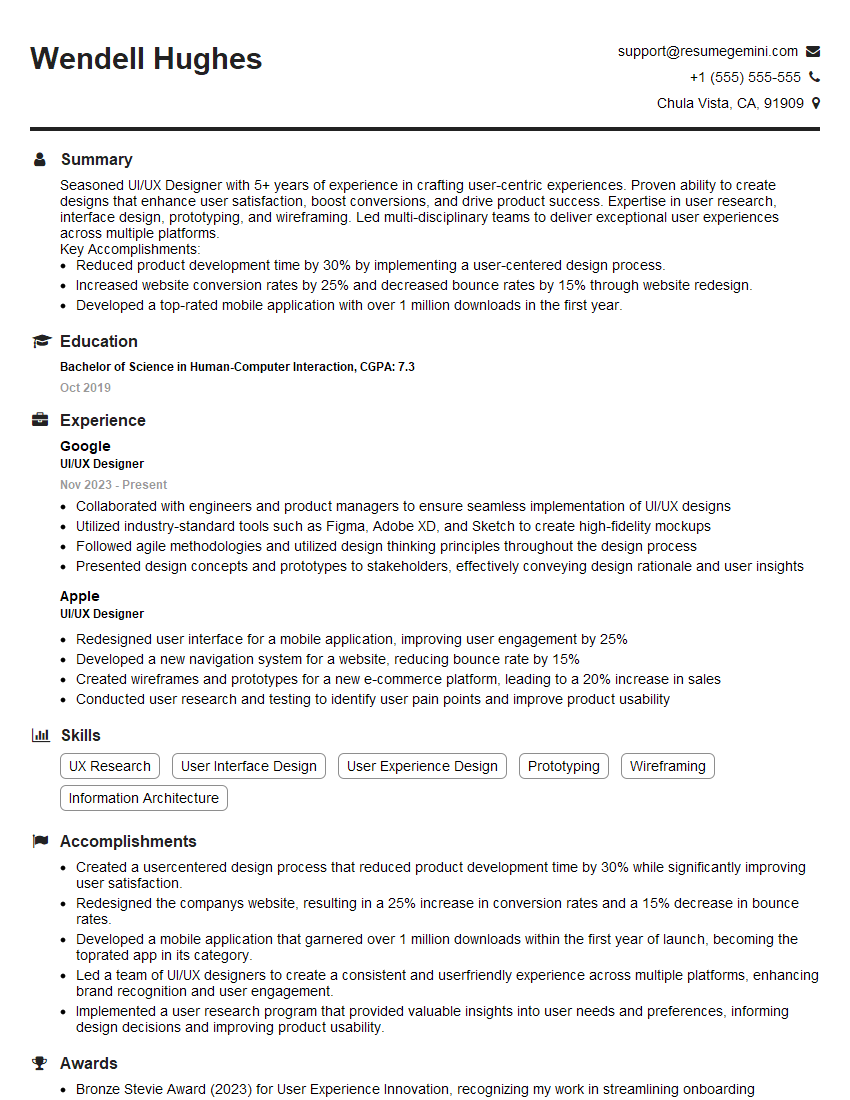
UI/UX Designer Resume Sample

Front-End Developer Resume Sample
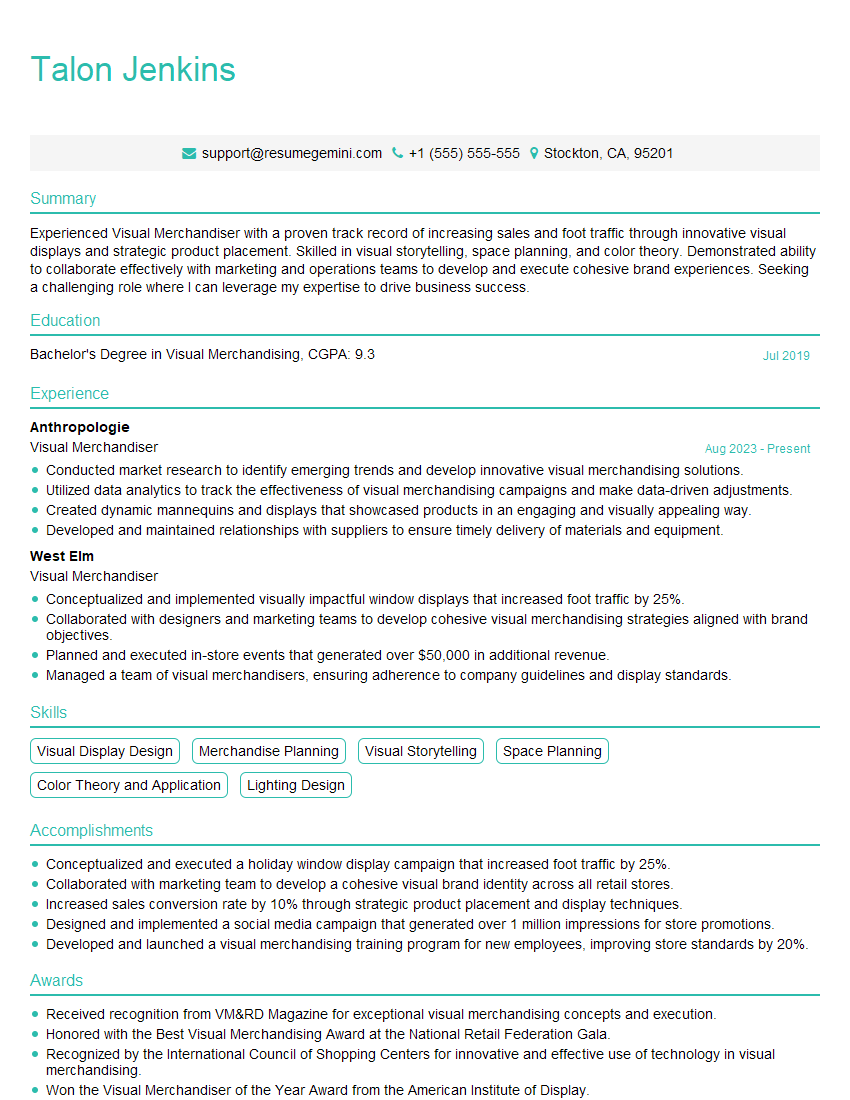
Visual Merchandiser Resume Sample
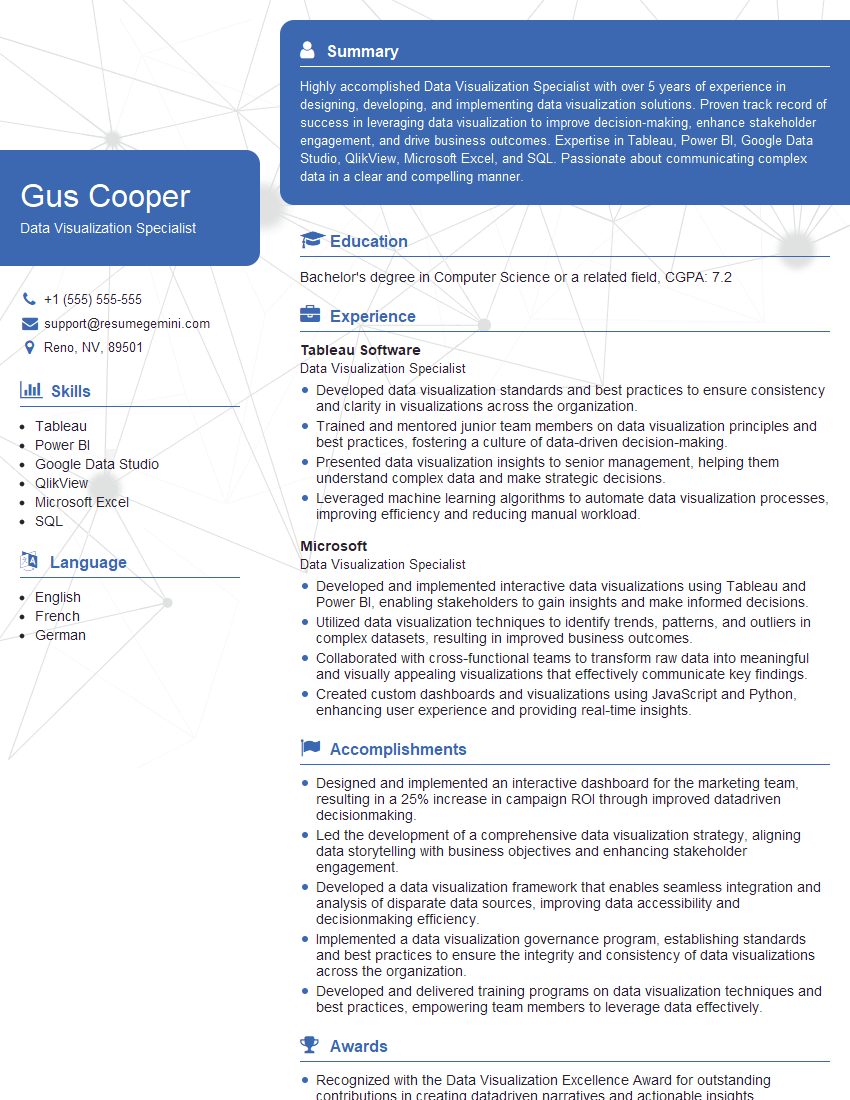
Data Visualization Specialist Resume Sample
Explore more articles
Users Rating of Our Blogs
Share Your Experience
We value your feedback! Please rate our content and share your thoughts (optional).
What Readers Say About Our Blog
good