Preparation is the key to success in any interview. In this post, we’ll explore crucial Proficient in Materials Analysis Software (e.g., ImageJ, Gwyddion) interview questions and equip you with strategies to craft impactful answers. Whether you’re a beginner or a pro, these tips will elevate your preparation.
Questions Asked in Proficient in Materials Analysis Software (e.g., ImageJ, Gwyddion) Interview
Q 1. Explain the difference between ImageJ and Gwyddion.
ImageJ and Gwyddion are both powerful open-source software packages for image analysis, but they cater to different needs and have distinct strengths. ImageJ, developed by the National Institutes of Health (NIH), is a user-friendly, versatile platform excelling in biological image analysis, with a vast plugin ecosystem. It’s excellent for tasks like basic image manipulation, measurement, and particle analysis. Gwyddion, on the other hand, is specifically designed for surface analysis, particularly from scanning probe microscopy (SPM) data such as AFM (Atomic Force Microscopy) and STM (Scanning Tunneling Microscopy). It offers advanced functionalities for surface roughness calculation, 3D visualization, and quantitative analysis of surface topography.
Think of it this way: ImageJ is like a Swiss Army knife – many tools for various tasks. Gwyddion is a specialized tool, perfectly honed for surface analysis. While ImageJ can handle some surface analysis with plugins, Gwyddion provides a more comprehensive and dedicated toolkit.
Q 2. Describe your experience with ImageJ’s macro scripting capabilities.
My experience with ImageJ’s macro scripting, primarily using the Java-based scripting language, is extensive. I’ve leveraged it to automate repetitive tasks, such as batch processing of hundreds of microscopy images for consistent analysis. For example, I developed a macro to automatically threshold, segment, and measure the area of individual cells in a series of fluorescence microscopy images, significantly reducing manual workload and increasing throughput. The macro’s structure typically involves defining image processing steps, loops for iterating through multiple images, and functions for data extraction and storage.
// Example ImageJ macro snippet
setAutoThreshold("Default");
run("Analyze Particles...");
This snippet demonstrates setting an automatic threshold and running the built-in particle analysis. I often extend these basic scripts by incorporating more sophisticated image processing techniques and integrating the results with spreadsheet software for further statistical analysis. The ability to customize ImageJ through macro scripting is crucial for adapting it to specific research questions and enhancing productivity.
Q 3. How would you use Gwyddion to analyze surface roughness parameters?
Analyzing surface roughness parameters in Gwyddion is straightforward. First, you import your SPM data (typically a height map). Gwyddion then provides various tools for surface analysis. To calculate roughness parameters, you would typically use the ‘Surface analysis’ module. This module allows you to define a region of interest (ROI) for the analysis and choose from a range of roughness parameters, including:
- Sa (Arithmetic mean roughness): The average of the absolute deviations from the mean plane.
- Sq (Root mean square roughness): The root mean square of the height deviations from the mean plane.
- Sz (Maximum height): The difference between the highest and lowest points within the ROI.
- Skewness and Kurtosis: Parameters describing the shape of the height distribution.
Gwyddion automatically calculates these parameters, and the results are displayed clearly. Furthermore, you can visualize the surface topography in 3D, providing a visual representation of the roughness. I have extensively used this functionality for characterizing the surface quality of various materials, ranging from thin films to micro-fabricated devices. The accurate and efficient calculation of these parameters in Gwyddion is invaluable for material characterization.
Q 4. What are the common image processing techniques used in materials analysis?
Common image processing techniques used in materials analysis include image enhancement, segmentation, measurement, and feature extraction.
- Image Enhancement: Techniques such as contrast adjustment, noise reduction (e.g., median filtering), and sharpening are crucial for improving image quality and visibility of features of interest.
- Segmentation: This involves partitioning the image into meaningful regions based on properties like intensity, texture, or color. Thresholding, edge detection, and watershed segmentation are widely used techniques.
- Measurement: Once features are segmented, measurements such as area, perimeter, length, and aspect ratio can be extracted to quantify material properties.
- Feature Extraction: More advanced techniques extract features like texture descriptors (e.g., using GLCM – Gray-Level Co-occurrence Matrix) to quantify subtle differences in material properties.
These techniques are fundamental to quantitative materials analysis, facilitating accurate characterization and the extraction of meaningful data from images.
Q 5. Explain different image filtering techniques and their applications in ImageJ.
ImageJ offers a wide array of image filtering techniques, broadly classified into low-pass (smoothing), high-pass (sharpening), and band-pass filters.
- Gaussian Blur (Low-pass): This filter smooths images by averaging pixel values, reducing noise and highlighting larger features. It’s useful for pre-processing before segmentation.
// Example: Applying a Gaussian blur in ImageJ run("Gaussian Blur..."); - Median Filter (Low-pass): Replaces each pixel with the median value of its surrounding neighborhood. Effective for removing salt-and-pepper noise while preserving edges better than Gaussian blur.
- Unsharp Mask (High-pass): Enhances edges and details by subtracting a blurred version of the image from the original. Useful for improving the visibility of fine structures.
- Band-pass Filters: These selectively pass frequencies within a specific range, useful for enhancing features of a particular size or texture.
The choice of filter depends heavily on the type of noise and the features of interest. For instance, in analyzing microstructures, a Gaussian blur might be applied to reduce noise before edge detection, while an unsharp mask could improve the definition of grain boundaries.
Q 6. How do you handle noise reduction in microscopy images using ImageJ or Gwyddion?
Noise reduction in microscopy images is crucial for accurate analysis. Both ImageJ and Gwyddion offer several methods. In ImageJ, median filtering and Gaussian blurring are commonly used as discussed previously. For more advanced noise reduction, plugins like the ‘Despeckle’ plugin (removes isolated noisy pixels) or wavelet-based denoising are available. In Gwyddion, tools are often built into the software directly and are specific to the type of data (e.g., AFM height data). Gwyddion offers various filtering techniques within its menu including median filtering and polynomial fitting. The best approach is usually image dependent. For instance, Gaussian blur might be appropriate for Gaussian noise while a median filter is better for salt-and-pepper noise. Always visually inspect the results to ensure that the noise reduction hasn’t compromised important features within the image.
Q 7. Describe your experience with particle analysis using ImageJ.
ImageJ’s ‘Analyze Particles’ function is a powerful tool for particle analysis. After thresholding to separate particles from the background, this function automatically identifies, measures, and counts individual particles in an image. I’ve used it extensively to analyze things like cell counts, precipitate size distribution in materials science, or the quantification of defects in microstructures. The parameters of ‘Analyze Particles’ are highly customizable. For instance, you can specify size thresholds to exclude artifacts, define circularity parameters to only include certain particle shapes, and extract data such as particle area, perimeter, circularity, and feret diameter. This data can then be exported to spreadsheets for further statistical analysis. I often combine this with macro scripting to automate the process for large datasets. A recent project involved analyzing thousands of microscopic images of polymer blends, where automating the particle analysis via ImageJ macros significantly accelerated the data analysis phase of the project.
Q 8. How would you quantify the size and shape of particles in a microscopy image using ImageJ?
Quantifying particle size and shape in ImageJ involves several steps. First, you need a high-quality microscopy image, ideally with good contrast between the particles and the background. Then, you’ll use ImageJ’s built-in tools for image processing and analysis. The process typically begins with segmentation, isolating the particles of interest from the background. This might involve thresholding (converting the grayscale image to a binary image, where pixels above a certain intensity are considered part of a particle), or more sophisticated techniques like watershed segmentation for closely packed particles. Once segmented, ImageJ’s Analyze Particles function is invaluable. This function allows you to measure various parameters, including area, perimeter, circularity (a measure of how round the particle is), and Feret’s diameter (the longest distance across the particle). The results are presented in a table, allowing for statistical analysis of particle size and shape distributions. For example, if analyzing nanoparticles in a catalyst, understanding the size distribution is crucial for predicting catalytic activity. Different shapes might also indicate different crystallographic structures, providing insights into material properties.
Example: Let’s say we have an image of spherical silica nanoparticles. After segmentation, using Analyze Particles, we might obtain a table showing that the average diameter is 50nm with a standard deviation of 10nm, and the circularity is close to 1 (indicating spherical shape). This data informs us about the uniformity and size of our particles.
Q 9. Explain the concept of image segmentation and how you’ve applied it in your work.
Image segmentation is the process of partitioning a digital image into multiple segments (regions) that are meaningful and perceptually uniform. It’s like drawing boundaries around objects of interest within an image. In materials analysis, this is crucial for isolating individual particles, grains, or features for quantitative analysis. I’ve frequently used segmentation in analyzing scanning electron microscopy (SEM) images of metallic alloys. For example, in studying the microstructure of a two-phase alloy, I needed to separate the individual phases to measure their volume fractions. This involved using thresholding techniques in ImageJ to segment the phases based on their grayscale intensity differences. Sometimes, simple thresholding isn’t sufficient, especially with overlapping particles or noisy images. In those cases, more sophisticated methods like watershed segmentation or edge detection algorithms become necessary. Watershed segmentation is particularly useful when dealing with closely packed particles, where simple thresholding might merge them together. The choice of segmentation method depends on the image quality and the complexity of the material’s microstructure.
Example: To analyze the grain size distribution in a polycrystalline metal, I first segmented the individual grains using a combination of thresholding and watershed segmentation in ImageJ. Then, I used the Analyze Particles function to measure the area of each grain, allowing me to determine the average grain size and the size distribution.
Q 10. How do you calibrate measurements in ImageJ or Gwyddion to ensure accuracy?
Calibration is essential for obtaining accurate measurements in image analysis software. In ImageJ and Gwyddion, this involves relating pixel distances to real-world units (e.g., micrometers, nanometers). This is typically done by including a scale bar in the microscopy image or by taking a picture of a known object (a scale bar slide, for example) at the same magnification. In ImageJ, you can use the Set Scale function under the Analyze menu. You specify the known length of a feature (e.g., a 100 µm scale bar) and the corresponding number of pixels it spans in the image. ImageJ then automatically converts pixel measurements to the specified units. In Gwyddion, calibration can usually be achieved through the options in the Data or Tools menus, and often involves specifying values for the X and Y axes from a known scale.
Importance: Without calibration, measurements are only relative and meaningless. Imagine trying to determine the size of a nanoparticle if you don’t know how many nanometers correspond to a single pixel. Accurate calibration is crucial for obtaining reliable quantitative data, essential for research and industrial applications.
Q 11. What are the limitations of using ImageJ or Gwyddion for materials analysis?
While ImageJ and Gwyddion are powerful and versatile tools, they have limitations. ImageJ, being primarily designed for 2D image analysis, struggles with complex 3D datasets. Analyzing images from techniques such as confocal microscopy or tomography requires more specialized software. Moreover, both programs may lack advanced image processing algorithms compared to commercial software packages. For instance, dealing with highly noisy images or images requiring sophisticated deconvolution techniques might prove challenging in ImageJ or Gwyddion. Additionally, automation capabilities, such as batch processing of many images, can be limited, requiring manual intervention for larger datasets. Finally, the user interface is less intuitive than many commercial packages, requiring a steeper learning curve for beginners. The limitations depend heavily on the application and the complexity of the problem. For simple analysis, they are excellent, but for advanced analysis, specialized software might be necessary.
Q 12. Describe a challenging image analysis problem you solved using ImageJ or Gwyddion.
I once faced a challenge analyzing SEM images of a composite material containing very fine, closely packed carbon nanotubes embedded in a polymer matrix. Simple thresholding failed to effectively separate the nanotubes from the polymer due to their similar grayscale intensities and close proximity. Using only the intensity difference in segmentation resulted in a lot of under-segmentation and over-segmentation. To overcome this, I employed a combination of advanced techniques in ImageJ. First, I used a background subtraction algorithm to reduce noise and enhance contrast. Then, I applied a more sophisticated segmentation technique—watershed segmentation—to delineate individual nanotubes even when touching each other. I further refined the segmentation using manual editing tools to correct any errors. This multi-step approach, combining several ImageJ functionalities, allowed for accurate quantification of nanotube density and their spatial distribution within the polymer, providing crucial information about the composite material’s mechanical properties.
Q 13. What are some alternative software packages to ImageJ and Gwyddion, and when would you choose them?
Several alternative software packages exist, each with strengths in different areas. MATLAB offers extensive image processing toolboxes and advanced scripting capabilities, making it suitable for complex automation tasks and custom algorithm development. FIJI (ImageJ with added plugins) extends the functionality of ImageJ, offering many advanced algorithms and plugins. Amira and Avizo are excellent for 3D image analysis, particularly suited for data from confocal microscopy or electron tomography. I would choose MATLAB for large-scale automation and custom algorithm development, FIJI for advanced image processing within an ImageJ-like framework, and Amira/Avizo for complex 3D datasets.
The choice depends on the specific project needs and the user’s familiarity with the software. For simple 2D image analysis, ImageJ is often sufficient. However, for complex problems or large datasets, more advanced software is necessary.
Q 14. Explain your understanding of different image formats (e.g., TIFF, JPEG, PNG) and their suitability for materials analysis.
Understanding image formats is crucial for materials analysis. TIFF (Tagged Image File Format) is often preferred for materials analysis due to its ability to store multiple images (e.g., multiple channels from fluorescence microscopy) and to retain high-quality image data without significant compression artifacts. JPEG (Joint Photographic Experts Group) uses lossy compression, meaning some image data is discarded to reduce file size. This can introduce artifacts and reduce image quality, making it less suitable for quantitative analysis where precise measurements are essential. PNG (Portable Network Graphics) employs lossless compression, meaning no image data is lost, making it a good alternative to TIFF, though potentially with larger file sizes. The choice depends on the balance between image quality, file size, and the complexity of the data. For materials analysis where accurate measurements are paramount, TIFF is generally recommended. For applications where file size is a significant concern and minor loss in quality is acceptable, JPEG might be a viable option. For simple images, PNG could be considered.
Q 15. How do you ensure the reproducibility of your image analysis workflow?
Reproducibility in image analysis is paramount for ensuring the reliability and validity of your results. It’s like following a precise recipe – if you don’t follow the same steps each time, you won’t get the same cake. To ensure reproducibility, I meticulously document my entire workflow, from image acquisition parameters to the specific ImageJ/Gwyddion macros or plugins used. This includes:
- Detailed Metadata: Recording all relevant information about the sample, imaging conditions (magnification, exposure time, etc.), and analysis settings.
- Version Control: Utilizing version control software (like Git) to track changes in macros and scripts. This allows me to revert to previous versions if needed and ensures traceability.
- Standardized Procedures: Developing and adhering to standardized protocols for image preprocessing (e.g., background subtraction, noise reduction) and feature extraction. I create detailed step-by-step guides for every analysis task.
- Automated Analysis: Wherever possible, I automate the analysis workflow using scripts or macros. This eliminates human error and ensures consistency across multiple datasets.
- Data Archiving: All raw images, processed images, and analysis results are carefully archived, preserving the complete analytical chain for future reference or validation.
For example, if I’m analyzing grain size in a metal, I’ll document the specific ImageJ plugin used for grain boundary detection, the thresholding parameters, and the method employed for size distribution calculation. This allows others to replicate my analysis and verify my findings.
Career Expert Tips:
- Ace those interviews! Prepare effectively by reviewing the Top 50 Most Common Interview Questions on ResumeGemini.
- Navigate your job search with confidence! Explore a wide range of Career Tips on ResumeGemini. Learn about common challenges and recommendations to overcome them.
- Craft the perfect resume! Master the Art of Resume Writing with ResumeGemini’s guide. Showcase your unique qualifications and achievements effectively.
- Don’t miss out on holiday savings! Build your dream resume with ResumeGemini’s ATS optimized templates.
Q 16. Describe your experience with batch processing of images in ImageJ or Gwyddion.
Batch processing is crucial when dealing with large numbers of microscopy images. Think of it as an assembly line, streamlining the process significantly. In ImageJ, I leverage the macro language, writing scripts to automate repetitive tasks. For instance, I can create a macro to automatically open a series of TIFF files, apply a consistent preprocessing pipeline (e.g., flat-field correction, thresholding), and then save the processed images to a new directory. A similar approach is used in Gwyddion, often leveraging its scripting capabilities for repetitive measurements.
// Example ImageJ macro snippet for batch processing
open("path/to/images/*.tif");
run("Subtract Background...");
run("Threshold...");
saveAs("Tiff", "path/to/processed/images/");
This dramatically reduces the time and effort required for analysis, especially when dealing with hundreds or thousands of images. In Gwyddion, I often use its batch processing capabilities for tasks like surface roughness measurements across multiple datasets, ensuring consistent methodology and reducing human error.
Q 17. How would you perform a quantitative analysis of a material’s microstructure using image analysis software?
Quantitative analysis of a material’s microstructure involves extracting meaningful numerical data from microscopy images. This could involve measuring grain size, porosity, particle size distribution, phase fractions, or other features. The process typically involves several steps:
- Image Preprocessing: Cleaning up the image through noise reduction, background correction, and potentially image enhancement techniques to improve feature visibility.
- Segmentation: Identifying and separating different phases or features of interest within the image using thresholding, edge detection, or other segmentation algorithms. Think of this as ‘coloring’ the different components of the microstructure.
- Feature Extraction: Measuring the relevant features using tools provided by the software. For example, ImageJ’s ‘Analyze Particles’ plugin can measure the size, shape, and number of particles in an image. Gwyddion can measure surface roughness parameters like Ra, Rq, and Rz.
- Data Analysis: Statistical analysis of the extracted features (e.g., calculating average grain size, standard deviation, size distribution histograms). This often involves exporting data to spreadsheet software like Excel or dedicated statistical packages.
For example, to quantitatively analyze the porosity of a ceramic material, I’d segment the pores from the ceramic matrix using thresholding, and then use ImageJ to measure the total pore area, which, after considering the total image area, gives me a quantitative measurement of porosity.
Q 18. Explain your understanding of different types of microscopy (SEM, TEM, AFM, Optical) and how the images are analyzed.
Different microscopy techniques provide unique insights into material microstructure, and each requires tailored image analysis approaches:
- Optical Microscopy: Provides relatively low resolution images, typically used for observing larger-scale features. Analysis often involves simple measurements like length, width, and area of features.
- Scanning Electron Microscopy (SEM): Offers high-resolution images of surface morphology. Analysis focuses on surface roughness, particle size distribution, and compositional mapping (using EDS).
- Transmission Electron Microscopy (TEM): Provides very high-resolution images of internal microstructure, revealing crystallographic details. Analysis often involves diffraction pattern analysis and measurement of crystallite size and orientation.
- Atomic Force Microscopy (AFM): Offers high-resolution topographical images of surfaces at the nanoscale. Analysis involves surface roughness measurements, and analysis of surface features like steps and defects.
The choice of software depends on the microscopy technique and the type of analysis. ImageJ is versatile and commonly used for all, whereas Gwyddion is particularly powerful for analyzing AFM data, providing specialized tools for surface roughness analysis and 3D visualization. For TEM diffraction patterns, dedicated crystallography software is often needed.
Q 19. How would you identify artifacts in microscopy images and how to mitigate their effects on analysis?
Artifacts in microscopy images can significantly affect the accuracy of quantitative analysis. They’re like unwanted noise that distorts the true signal. Common artifacts include:
- Noise: Random fluctuations in pixel intensity due to detector limitations or environmental factors. Mitigation involves filtering techniques (e.g., median filtering).
- Charging effects (SEM): Buildup of charge on the sample surface, causing distortions in the image. Mitigation includes coating the sample with a conductive layer.
- Beam damage (TEM, SEM): Degradation of the sample due to the electron beam. Mitigation involves minimizing exposure time and using low beam currents.
- Drift (AFM): Gradual movement of the sample during scanning. Mitigation involves using more stable scanning conditions.
Identifying artifacts often requires a good understanding of the microscopy technique and careful visual inspection of the images. Subtraction of a background image can also help eliminate certain types of artifacts. The best approach is to minimize their occurrence during sample preparation and imaging. I often compare multiple images to confirm whether a feature is real or an artifact.
Q 20. What are some common pitfalls to avoid when performing image analysis?
Common pitfalls in image analysis include:
- Improper Image Preprocessing: Failure to adequately address noise, background variations, or other artifacts can lead to inaccurate measurements. Always check the effect of your preprocessing on your data.
- Inappropriate Segmentation: Choosing the wrong segmentation parameters or algorithms can lead to inaccurate identification of features, which will lead to inaccurate quantification.
- Ignoring Scale and Units: Failing to account for magnification and pixel size can lead to incorrect measurements. Always check the scale bar.
- Overinterpreting Results: Drawing conclusions that are not supported by the data. Use appropriate statistical methods to test the significance of your findings.
- Lack of Documentation: Poorly documented workflows make it difficult to reproduce results and identify potential sources of error.
Careful planning, meticulous execution, and thorough validation are essential to avoid these pitfalls. Always start with a clear understanding of your research question and the limitations of the analysis methods.
Q 21. How would you handle large datasets of microscopy images for analysis?
Handling large datasets of microscopy images requires efficient strategies for storage, processing, and analysis. This often involves utilizing high-performance computing techniques and specialized software.
- Data Storage: Using a structured file system to organize images efficiently, often with a naming convention that reflects metadata (sample ID, condition, etc.). Networked storage solutions are frequently employed for easy access.
- Parallel Processing: Leveraging parallel computing capabilities to process images concurrently, significantly reducing analysis time. ImageJ plugins and custom scripts can be adapted to utilize multi-core processors.
- Database Management: Using a database system (e.g., MySQL, PostgreSQL) to store and manage metadata associated with the images and analysis results. This facilitates efficient data retrieval and querying.
- Cloud Computing: Utilizing cloud-based platforms (e.g., Amazon Web Services, Google Cloud) to store and process large datasets, leveraging their scalability and computing power. This is especially valuable for very large datasets.
- Image Compression: Using lossless compression (e.g., TIFF, JPEG 2000) to reduce storage space without sacrificing image quality. This balances storage requirements with the need for high-quality images for analysis.
The choice of strategy depends on the size of the dataset, available resources, and the complexity of the analysis. Efficient data management is crucial for the successful analysis of large-scale microscopy studies.
Q 22. Describe your experience with exporting and importing data from ImageJ or Gwyddion to other software.
Exporting and importing data between ImageJ/Gwyddion and other software is crucial for collaborative work and advanced analysis. ImageJ, for instance, readily exports data in various formats like TIFF, PNG, JPG for images, and TXT, CSV for numerical data. For more complex datasets, I often utilize the Results Table in ImageJ, which can be exported as a CSV file easily imported into spreadsheet programs like Excel or statistical packages like R or Python for further processing. Gwyddion, similarly, provides options to export height maps as various formats including DEM (Digital Elevation Model) files widely used in geographical information systems (GIS) or specialized surface analysis packages. I’ve successfully transferred data from Gwyddion’s 3D surface reconstruction to COMSOL for finite element analysis, enabling me to simulate material behavior based on the scanned topography. The key is choosing the right export format that is compatible with the target software, ensuring data integrity during the transfer.
For example, when analyzing surface roughness using Gwyddion, I’d export the surface height data as a DXF file to be used in CAD software for design or manufacturing purposes. Similarly, exporting a particle size distribution from ImageJ’s particle analysis plugin to a spreadsheet allows for easier statistical analysis and report generation.
Q 23. How do you ensure the quality and reliability of your image analysis results?
Ensuring the quality and reliability of image analysis results is paramount. My approach is multifaceted and begins with meticulous sample preparation. This includes proper cleaning, mounting, and illumination to minimize artifacts. During image acquisition, I carefully control parameters like magnification, exposure time, and gain to optimize image quality and signal-to-noise ratio. In ImageJ/Gwyddion, I employ several quality control measures. For instance, I often use background subtraction techniques to remove uneven illumination effects. I carefully select appropriate thresholds for image segmentation, verifying the accuracy through visual inspection and adjusting parameters as needed. I always perform multiple measurements and statistical analysis to assess the variability and uncertainty associated with my results. Reproducibility is key; I meticulously document all processing steps to allow for easy replication of the analysis. Finally, comparing results with other established techniques or independent measurements provides crucial validation.
For instance, in a recent project analyzing the porosity of a ceramic material, I acquired multiple images at different locations and used ImageJ’s particle analysis to quantify porosity in each image. Then, I used statistical analysis to determine the average porosity and its standard deviation, providing a reliable estimate with uncertainty quantification.
Q 24. How would you present your image analysis findings to a non-technical audience?
Presenting image analysis findings to a non-technical audience requires clear and concise communication, devoid of jargon. I start by establishing the context of the analysis – why it was conducted and what questions it aimed to answer. I use visualizations extensively: charts, graphs, and processed images to illustrate key findings. Instead of focusing on technical details, I highlight the key conclusions and their implications in a way that is easily understandable. For example, instead of saying “The average grain size was determined using ImageJ’s particle analysis plugin,” I’d say “Our analysis showed that the material’s grains are, on average, this big, which affects its overall strength.” Analogies and metaphors can be very useful to help the audience grasp the concepts. I always ensure my presentation is interactive, allowing time for questions and clarifications. I also tailor the level of detail to the audience’s background knowledge, keeping it simple and avoiding technical terms as much as possible.
Q 25. Explain your experience with 3D image reconstruction and analysis using image processing software.
I have extensive experience in 3D image reconstruction and analysis using ImageJ and related plugins like the 3D Viewer and the BioVoxxel plugin. The process generally involves acquiring a series of 2D images – optical or electron microscopy – from different angles or depths. These images are then aligned and stacked to create a 3D representation of the sample. ImageJ’s 3D Viewer provides excellent tools for visualizing and manipulating these 3D datasets. I can use these tools to measure various parameters including volume, surface area, and connectivity. Further analysis might involve volume rendering, isosurface generation, or segmentation to identify specific features within the 3D structure. I’ve used this approach in projects involving the analysis of porous media and cellular structures, offering insights that couldn’t be obtained from 2D analysis alone. For example, using confocal microscopy images, I have reconstructed the 3D architecture of a biological tissue sample to study cellular interactions and quantify the volume fraction of different cell types. The accuracy of the 3D reconstruction heavily depends on the quality of the input images and careful alignment procedures.
Q 26. Describe your proficiency in using plugins and extensions for ImageJ or Gwyddion.
Proficiency in using plugins and extensions expands the capabilities of ImageJ and Gwyddion considerably. I’m familiar with a wide range of plugins, including those for image processing (e.g., noise reduction, deconvolution), image analysis (e.g., particle analysis, cell counting, texture analysis), and 3D visualization. I routinely use plugins like the ‘Fiji’ distribution of ImageJ, which provides many additional functionalities. I regularly explore and install new plugins depending on the project’s requirements. In Gwyddion, I’ve used various modules for surface analysis like roughness calculation, curvature analysis, and fractal dimension analysis. My understanding extends to customizing and adapting existing plugins or even developing simple macros within ImageJ using its scripting language (Java or Jython) to automate repetitive tasks. For example, I’ve developed a macro to automatically process a large batch of images, significantly reducing processing time and avoiding human error. A key skill is understanding the limitations of each plugin and its implications for the final results.
Q 27. How would you troubleshoot common errors encountered while using ImageJ or Gwyddion?
Troubleshooting in ImageJ/Gwyddion often involves careful consideration of several aspects. First, I verify the input data’s integrity – are the images correctly acquired and formatted? Common errors include improper scaling, incorrect file formats, or corrupted files. Secondly, I examine the processing steps: Are the parameters properly set? Incorrect thresholds in segmentation or inappropriate filters can lead to inaccurate results. I always check the log files for any warnings or errors. When dealing with memory issues, I reduce the image size, use a lower resolution, or process the image in sections. If specific plugins are causing problems, I check for updates, compatibility issues, or seek solutions in online forums or the plugin documentation. I also ensure I have sufficient RAM and processing power for complex analyses. A methodical approach, coupled with a deep understanding of the software and image processing principles, is key to effective troubleshooting. For example, encountering a ‘memory out of bounds’ error usually indicates the program is attempting to process an image that is too large for the available RAM. In this situation, I’d either process the image in smaller tiles or downscale the image resolution.
Key Topics to Learn for Proficient in Materials Analysis Software (e.g., ImageJ, Gwyddion) Interview
- Image Processing Fundamentals: Understanding image acquisition, digital image representation, and basic image manipulation techniques within ImageJ and Gwyddion.
- Image Analysis Techniques: Mastering techniques like thresholding, filtering (e.g., Gaussian, median), segmentation, and particle analysis for quantitative measurements.
- Measurement and Quantification: Proficiently using tools to measure lengths, areas, volumes, and other relevant parameters from images; understanding the limitations and uncertainties involved.
- Data Visualization and Interpretation: Creating meaningful graphs and charts from analyzed data; effectively communicating results and drawing conclusions.
- Plugin Usage and Customization (ImageJ): Familiarity with installing and utilizing ImageJ plugins for specialized tasks; basic understanding of scripting (e.g., using macros) for automation.
- Surface Analysis with Gwyddion: Analyzing surface topography data, calculating roughness parameters (Ra, Rq, Rz), and interpreting 3D surface visualizations.
- Data Export and Reporting: Exporting data in appropriate formats (e.g., CSV, TIFF); creating professional reports summarizing the analysis process and findings.
- Practical Applications: Understanding how these software packages are used in various fields (e.g., materials science, nanotechnology, microscopy) to solve real-world problems.
- Troubleshooting and Problem Solving: Demonstrating the ability to identify and resolve common issues encountered during image processing and analysis.
Next Steps
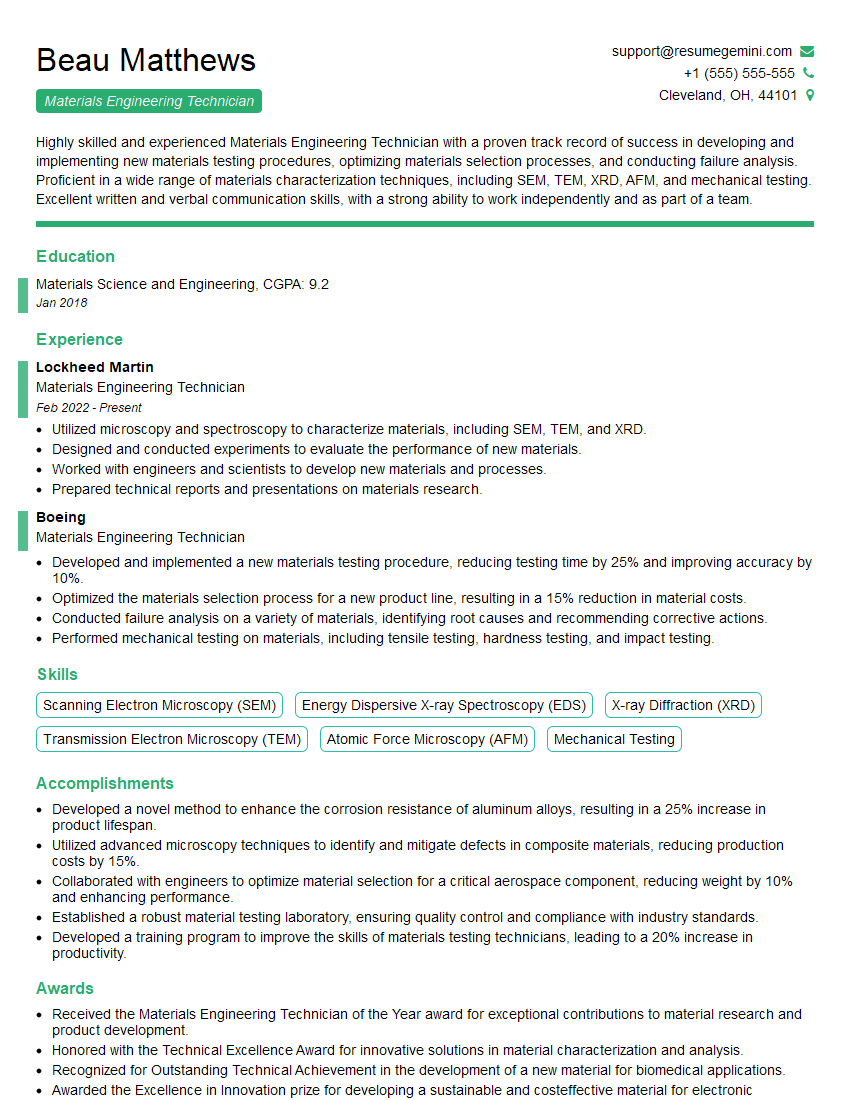
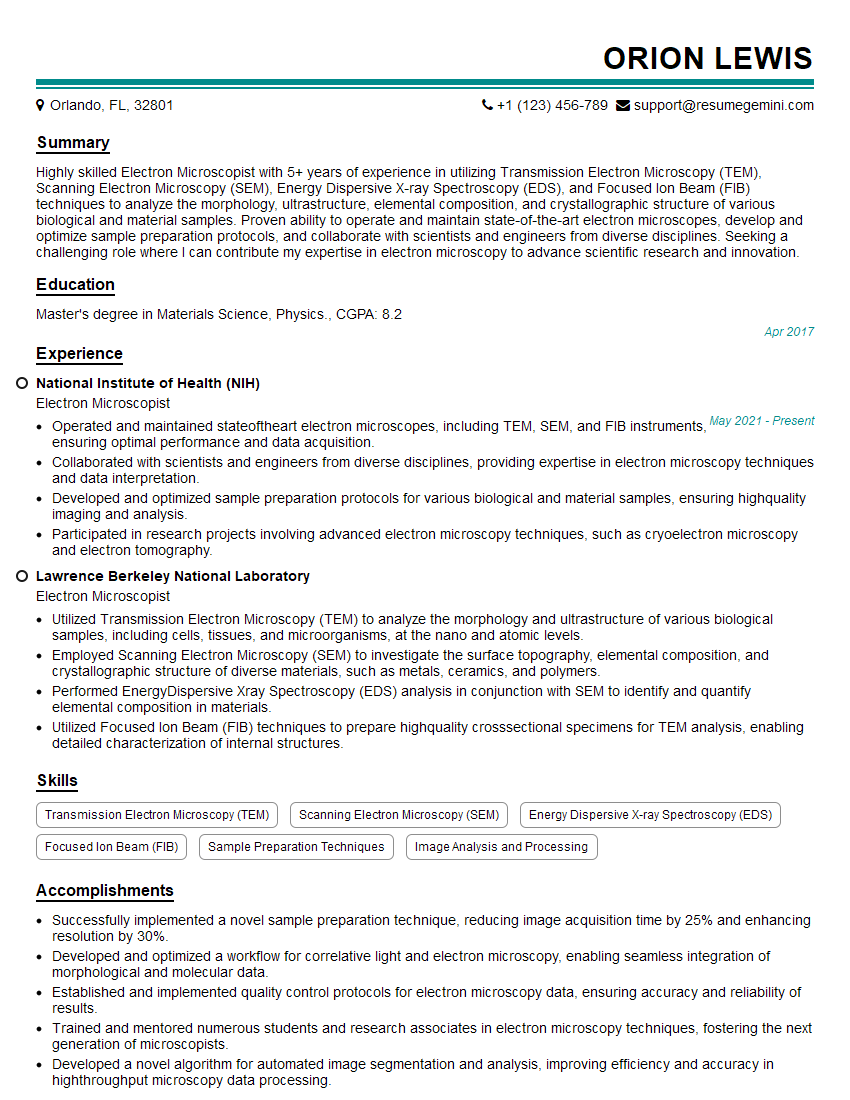
Mastering materials analysis software like ImageJ and Gwyddion significantly enhances your marketability in numerous scientific and engineering fields. It demonstrates a valuable skill set highly sought after by employers. To maximize your job prospects, creating a strong, ATS-friendly resume is crucial. ResumeGemini is a trusted resource that can help you build a professional resume that highlights your expertise. Examples of resumes tailored to showcasing proficiency in ImageJ and Gwyddion are available, allowing you to craft a compelling application that truly represents your skills and experience.

Explore more articles
Users Rating of Our Blogs
Share Your Experience
We value your feedback! Please rate our content and share your thoughts (optional).
What Readers Say About Our Blog
Very informative content, great job.
good