Cracking a skill-specific interview, like one for Proficient in using game engines such as Unity and Unreal Engine, requires understanding the nuances of the role. In this blog, we present the questions you’re most likely to encounter, along with insights into how to answer them effectively. Let’s ensure you’re ready to make a strong impression.
Questions Asked in Proficient in using game engines such as Unity and Unreal Engine Interview
Q 1. Explain the difference between Unity and Unreal Engine.
Unity and Unreal Engine are both powerful game engines, but they cater to different needs and workflows. Unity, known for its ease of use and C# scripting, is a fantastic choice for beginners and smaller teams, especially those focusing on 2D games or mobile development. Its asset store provides a vast library of readily available assets, speeding up development. Unreal Engine, on the other hand, is renowned for its powerful rendering capabilities, particularly its real-time ray tracing, making it ideal for AAA titles and visually stunning experiences. Its use of C++ offers greater performance control but has a steeper learning curve. Think of it this way: Unity is like a versatile Swiss Army knife – great for many tasks; Unreal Engine is a finely-tuned sports car – powerful but requiring more skill to handle effectively.
In short: Unity prioritizes ease of use and accessibility, while Unreal Engine prioritizes visual fidelity and performance.
Q 2. Describe your experience with C# in Unity or C++ in Unreal Engine.
I’m highly proficient in C# within Unity. I’ve used it extensively to create complex game mechanics, manage UI interactions, and implement networking features. For example, in a recent project, I used C# to develop a sophisticated AI system employing finite state machines for enemy behavior. This involved creating custom classes for enemy states, transitions, and actions, all meticulously managed through C# scripts. My code prioritized efficiency and readability, utilizing design patterns like the Singleton pattern for resource management and the Observer pattern for event handling. I’m also comfortable working with C++ in Unreal Engine, though my experience is less extensive than with C#. I’ve used C++ primarily for performance-critical tasks such as optimizing character controllers and implementing custom rendering shaders.
//Example C# code snippet (Unity):
public void Update() {
if (Input.GetKeyDown(KeyCode.Space)) {
    Jump();
}
}
Q 3. How do you optimize game performance in Unity/Unreal Engine?
Optimizing game performance is crucial for a positive player experience. My approach involves a multi-pronged strategy. Firstly, I use the profiler extensively in both engines to identify performance bottlenecks. This might involve analyzing CPU usage, draw calls, memory allocation, and garbage collection. Once bottlenecks are identified, I implement targeted solutions. This might include: reducing polygon count on meshes, using level of detail (LOD) systems, optimizing shader code for better efficiency, batching draw calls, and using occlusion culling to hide objects not visible to the camera. For memory management, I focus on object pooling to reduce object creation and destruction overhead. In addition, I carefully consider the use of data structures and algorithms, always striving to use the most appropriate one for the specific task. A perfect example is replacing a linear search with a binary search for enhanced efficiency. Regular performance testing and profiling allow me to monitor the impact of implemented optimizations.
Q 4. What are your preferred methods for debugging in Unity/Unreal Engine?
Effective debugging is integral to game development. In Unity, I rely heavily on the built-in debugger, utilizing breakpoints, step-through execution, and watch variables to understand code flow. The Unity Profiler also provides invaluable insights into performance issues. I often use logging extensively throughout my code to track variable values and function calls, making it easy to trace errors. For Unreal Engine, I leverage the visual debugger, similar to Unity, and also take advantage of its logging system. Additionally, I frequently employ print statements to pinpoint the source of problems in a quick and straightforward manner. I’m adept at using both the in-engine debuggers and external tools to resolve issues effectively.
Q 5. Explain your experience with version control systems (e.g., Git).
I have extensive experience using Git for version control. I’m proficient in branching strategies such as Gitflow, understanding the importance of feature branches, release branches, and hotfix branches. I understand the importance of frequent commits with meaningful messages. I am also experienced in resolving merge conflicts and utilizing pull requests for code review, ensuring code quality and collaboration within the team. My workflow incorporates regular pushes to a remote repository, providing a safety net against data loss. I’m familiar with using platforms like GitHub and Bitbucket for collaborative development.
Q 6. How do you handle asset management in large game projects?
Asset management in large projects is critical. For large-scale games, I utilize a robust system of organization. This typically involves categorizing assets using a clear folder structure and a naming convention that reflects the asset’s function and location within the game. I leverage the built-in asset management tools in both Unity and Unreal Engine to track dependencies, manage versions, and prevent asset duplication. This also includes using asset bundles for efficient deployment and loading of assets on demand. To streamline the workflow, we might utilize asset databases or custom tools that automatically generate asset metadata for better organization and traceability.
Q 7. Describe your experience with shaders and material creation.
I possess a strong understanding of shaders and material creation. I’m comfortable writing custom shaders in both HLSL (for Unreal Engine) and ShaderLab (for Unity) to create unique visual effects and materials. I have experience optimizing shader code for performance and working with different rendering pipelines. For instance, I created a custom shader in a past project to simulate realistic water effects, incorporating techniques like normal mapping, specular highlights, and subsurface scattering. My understanding extends to creating and manipulating materials, adjusting parameters like roughness, metallic, and albedo to achieve the desired visual results. I understand the importance of optimizing materials to minimize draw calls and improve overall performance.
Q 8. How do you implement and optimize character animation?
Character animation in game engines like Unity and Unreal Engine involves a multifaceted process. It starts with the creation of animations, often using external software like Maya or Blender. These animations are then imported into the game engine, where they’re rigged to a character’s skeleton. The rigging process defines how the animation data influences the character’s mesh. This is crucial for realistic movement and expressions.
Optimization is key. Using techniques like root motion (where the animation itself dictates character movement) can reduce the load on the physics engine. Blending animations smoothly using animation state machines (ASMs) is also vital for natural transitions between actions like running, jumping, and attacking. We can also optimize by using animation compression techniques to reduce file sizes and memory usage. For instance, we might use techniques like keyframe reduction or quantization. Finally, we might leverage procedural animation for repetitive tasks or less important characters, freeing up resources for higher fidelity characters.
In one project, I used a hierarchical state machine to manage animations for a complex RPG character. This allowed for seamless transitions between various combat, idle, and movement animations, significantly improving player experience.
Q 9. Explain your understanding of game physics engines and collision detection.
Game physics engines simulate the physical world within a game. They handle things like gravity, collision detection, and rigid body dynamics. Collision detection is the process of determining if two objects in the game world are intersecting. There are several methods, each with trade-offs: Axis-Aligned Bounding Boxes (AABBs) are simple but imprecise; Sphere-Sphere collision is fast but lacks detail; more complex methods like Convex Hulls or Mesh-Mesh collision offer higher accuracy but are more computationally expensive.
The choice of method depends on the game’s needs. A fast-paced arcade game might suffice with simple AABBs, while a realistic physics simulator might require the precision of Mesh-Mesh collision. Physics engines often utilize spatial partitioning techniques like octrees or BSP trees to accelerate collision detection by only checking for intersections between nearby objects.
In a recent project involving a vehicle physics simulation, I optimized performance by implementing a hierarchical bounding volume hierarchy, significantly speeding up collision detection amongst numerous vehicles and environment objects. This involved carefully balancing accuracy with performance, choosing the right collision detection method based on the size and shape of the objects in question.
Q 10. How would you implement a simple AI system for an enemy character?
A simple AI system for an enemy character might involve Finite State Machines (FSMs). An FSM defines different states the enemy can be in (e.g., idle, patrol, attack, chase). Transitions between states are triggered by events like the player entering a certain range or the enemy’s health dropping below a threshold.
// Example pseudocode for a simple FSM class EnemyAI { enum State { IDLE, PATROL, CHASE, ATTACK }; State currentState = IDLE; void Update() { switch (currentState) { case IDLE: // ... logic for idle state ... break; case PATROL: // ... logic for patrol state ... break; case CHASE: // ... logic for chase state ... break; case ATTACK: // ... logic for attack state ... break; } } }
More sophisticated AI can involve pathfinding algorithms (like A*) to navigate levels, behavior trees for complex decision-making, or even machine learning for adaptive behavior. The choice depends on the game’s complexity and desired level of AI intelligence. For instance, a simple puzzle game might need only basic FSMs, whereas a large-scale RPG might necessitate behavior trees or even machine learning techniques.
Q 11. Describe your experience with networking in game development.
My networking experience spans both client-server and peer-to-peer architectures. I’m proficient in using networking libraries like Unity’s built-in networking features and Unreal Engine’s networking capabilities. I have experience with various protocols, including UDP and TCP. I understand the importance of efficient data serialization and handling network latency and jitter.
In a previous project, we developed a multiplayer online game using a client-server architecture with UDP for real-time data transmission. We utilized techniques like interpolation and extrapolation to smooth out the appearance of lag for players. We also implemented robust error handling and data integrity checks to ensure the game’s stability and fairness. In other projects, I utilized Mirror Networking for Unity to simplify and accelerate the development process of multiplayer games.
Q 12. How do you approach UI/UX design in games?
UI/UX design in games focuses on creating intuitive and enjoyable interfaces. It’s not just about making things look good; it’s about making them easy and fun to use. I prioritize clarity, consistency, and feedback to keep players engaged and informed. I use various design tools such as Figma and Adobe XD to prototype and iterate on UI designs.
Consideration should be given to the platform – a mobile game’s UI will differ significantly from a PC game’s UI. I always strive to design user interfaces that are accessible and easy to use for a broad audience, keeping in mind accessibility standards and considerations for players with varying skill levels. For example, clear visual cues, concise text and well-organized menus are crucial elements for a positive player experience.
In a recent project, user testing played a crucial role in refining our UI. Based on player feedback, we adjusted the placement of key elements and simplified the overall navigation.
Q 13. What are your preferred methods for level design and optimization?
Level design involves creating engaging and challenging game environments. Optimization focuses on ensuring the game runs smoothly, even on less powerful hardware. I utilize various level design techniques, including procedural generation for creating varied and expansive environments efficiently. I use level editors like Unity’s built-in editor or Unreal Engine’s editor.
Optimization involves several strategies: reducing polygon count in models, using level-of-detail (LOD) systems to switch to simpler models at a distance, optimizing texture sizes, and efficient use of lighting and shadow techniques. I frequently analyze performance bottlenecks using profiling tools to identify areas that can be improved.
For instance, in one project, I used occlusion culling to significantly improve frame rates by preventing the rendering of objects that were hidden behind other objects. I also experimented with different lighting techniques, ultimately settling on a combination of lightmaps and real-time lighting to achieve a balance between quality and performance.
Q 14. Explain your experience with different rendering pipelines.
Rendering pipelines describe the process of transforming 3D models into 2D images on the screen. I’m familiar with several rendering pipelines, including forward rendering, deferred rendering, and tiled-based deferred rendering. Forward rendering is simple but can be less efficient with many lights. Deferred rendering is more efficient with many lights but involves more complex processing steps. Tiled-based deferred rendering aims to optimize the process further by breaking the rendering process down into smaller tiles.
The choice of rendering pipeline depends on the game’s specific requirements and target hardware. A game with many dynamic lights might benefit from deferred rendering or a tiled-based deferred rendering approach, while a game with relatively few lights might be better suited to forward rendering. I’ve used all three techniques in different projects, tailoring my choice to best match the project’s needs and constraints. Understanding the strengths and weaknesses of each method is crucial for optimizing performance and visual quality.
In one project, I switched from forward rendering to deferred rendering to improve performance in scenes with numerous lights and complex geometry, resulting in a significant improvement in frame rate.
Q 15. How do you handle memory management in game development?
Memory management in game development is crucial for preventing crashes and ensuring smooth performance. It’s like managing a household budget – you need to carefully track your resources and avoid overspending. In game engines like Unity and Unreal Engine, this involves understanding how garbage collection works and proactively optimizing memory usage.
- Garbage Collection: Both engines utilize automatic garbage collection, which means they periodically identify and reclaim memory that’s no longer being used. However, relying solely on this can lead to performance hiccups, especially during intense gameplay. Frequent garbage collection cycles can cause noticeable stutters.
- Object Pooling: Instead of constantly creating and destroying objects (like projectiles or enemy AI), object pooling is a highly effective technique. We pre-allocate a pool of objects and reuse them as needed. This significantly reduces the load on garbage collection.
- Memory Profiling: Tools built into the engines, such as Unity’s Profiler and Unreal Engine’s Performance Profiler, are essential for identifying memory bottlenecks. These tools visually represent memory usage over time, allowing you to pinpoint problematic areas in your code.
- Asset Management: Managing textures, models, and audio files effectively is critical. Techniques like texture atlasing (combining multiple textures into one) and using lossy compression for audio can significantly reduce memory footprint.
- Data Structures: Choosing the right data structure (e.g., arrays, linked lists, hash tables) is important. Using efficient structures reduces memory consumption and improves access times.
For example, in a large-scale RPG, I once optimized a particle system by implementing object pooling. This reduced the memory allocation calls by 90%, resulting in a smoother and more stable gameplay experience. Careful profiling revealed the memory spikes during intense combat, leading to this solution.
Career Expert Tips:
- Ace those interviews! Prepare effectively by reviewing the Top 50 Most Common Interview Questions on ResumeGemini.
- Navigate your job search with confidence! Explore a wide range of Career Tips on ResumeGemini. Learn about common challenges and recommendations to overcome them.
- Craft the perfect resume! Master the Art of Resume Writing with ResumeGemini’s guide. Showcase your unique qualifications and achievements effectively.
- Don’t miss out on holiday savings! Build your dream resume with ResumeGemini’s ATS optimized templates.
Q 16. Describe your experience with using external libraries or plugins.
I have extensive experience integrating external libraries and plugins, treating them like carefully chosen tools in my development toolbox. This broadens functionality without reinventing the wheel. My approach always involves careful consideration of licensing, compatibility, and potential impact on performance.
- Example: In a recent project using Unreal Engine, we integrated a third-party physics library for advanced ragdoll simulation. This provided a more realistic and engaging physics experience than the default engine capabilities. We thoroughly tested the integration to ensure stability and compatibility with our existing codebase.
- Process: Before integrating any external library, I thoroughly review its documentation, checking compatibility with our engine version and any dependencies. I often build small test projects to assess performance and identify any potential issues before committing to a full integration.
- Maintenance: Regular updates to external libraries are essential. I follow version updates and integrate them into our projects carefully, ensuring backward compatibility and minimal disruption to the existing code.
A crucial aspect is understanding the library’s API (Application Programming Interface) to seamlessly integrate its features into our existing systems. This understanding minimizes rework and ensures smooth functionality.
Q 17. How do you manage and resolve conflicts during team development?
Conflict resolution in team development is as vital as efficient coding. It’s about collaborative problem-solving, not just fixing code merge issues. My strategy relies heavily on proactive communication, version control, and a clear understanding of roles and responsibilities.
- Version Control (Git): Using Git with a well-defined branching strategy (like Gitflow) is essential. This allows multiple developers to work concurrently on different features without stepping on each other’s toes. Frequent commits and clear commit messages facilitate traceability and collaboration.
- Code Reviews: Regular code reviews are invaluable for early detection of potential conflicts. They allow for feedback and shared learning before integration.
- Communication: Open and frequent communication is paramount. Daily stand-ups, progress reports, and casual check-ins help prevent misunderstandings and address issues early.
- Conflict Resolution Strategies: When conflicts do arise, I advocate for calm, rational discussions. We work collaboratively to find the optimal solution, balancing the needs of different features and ensuring code quality. A strong emphasis on mutual respect and understanding is key.
For example, in one project, a merge conflict arose due to simultaneous modifications in the same section of code. Instead of forcing one solution, we analyzed the different approaches, integrated the best parts of each, and enhanced the codebase beyond the initial scope.
Q 18. Explain your understanding of game design patterns.
Game design patterns are reusable solutions to common problems in game development. They provide a structured approach to organizing code and improving maintainability, much like blueprints for a house. Using them enhances the efficiency and scalability of the development process.
- Singleton Pattern: Ensures only one instance of a class exists (e.g., a game manager). This is helpful for managing global game state.
- Observer Pattern: Allows objects to subscribe to and receive notifications from other objects (e.g., UI updates based on in-game events). Useful for decoupling components.
- State Pattern: Represents different states of an object and allows for transitioning between them (e.g., enemy AI states: idle, patrolling, attacking). This enhances code organization and readability.
- Factory Pattern: Provides an interface for creating objects without specifying their concrete classes (e.g., creating different types of enemies). Useful for flexible game design.
- Command Pattern: Encapsulates commands as objects, allowing for easy undo/redo functionality and improved code organization.
For instance, implementing the state pattern for an enemy AI significantly improved code organization and simplified the addition of new AI behaviors. Each state was implemented as a separate class, making it easy to manage and debug. Using design patterns improves not just the immediate implementation but also the long-term maintainability of a project.
Q 19. How do you approach testing and quality assurance in game development?
Testing and quality assurance (QA) are not afterthoughts but integral parts of the game development lifecycle. It’s like building a bridge – you wouldn’t launch it without thorough testing. My approach to QA involves a multi-faceted strategy, combining different testing types and techniques.
- Unit Testing: Testing individual components or modules of the game in isolation. This helps identify bugs early in the development cycle.
- Integration Testing: Testing the interaction between different parts of the game. Ensures that the components work well together.
- System Testing: Testing the entire game system as a whole. This assesses the overall functionality and performance.
- Regression Testing: Retesting after code changes to ensure that new features haven’t introduced bugs into existing functionality.
- Playtesting: Involving testers (both internal and external) to play the game and provide feedback on gameplay, usability, and bugs. This is invaluable for getting real-world perspective.
In one project, thorough playtesting early in the development cycle led to the discovery of a significant gameplay flaw that would have been costly to fix later. This highlighted the importance of early and continuous testing throughout the development process.
Q 20. Describe your experience with build processes and deployment.
Build processes and deployment are the final steps in delivering a game, involving a series of steps to compile, package, and distribute the game to players. My experience encompasses various build systems and deployment methods across different platforms.
- Build Automation: Using build automation tools like Jenkins or Unreal Build Tool is essential for automating the build process. This speeds up development, reduces human error, and ensures consistent builds.
- Platform-Specific Builds: The process varies across platforms (Windows, macOS, iOS, Android, consoles). I have experience building for various platforms and understanding the unique requirements for each.
- Version Control and Build Numbers: Integrating version control with the build process to create version numbers that track build history and facilitate easy rollback.
- Deployment Methods: Understanding different deployment methods such as direct downloads from a website, Steam, Epic Games Store, Google Play Store, App Store, etc. Experience with each method’s specific requirements and best practices.
For instance, in a recent project, we set up a CI/CD (Continuous Integration/Continuous Deployment) pipeline using Jenkins. This automated the build and testing processes, allowing us to quickly deploy updates and fix bugs efficiently.
Q 21. What are your preferred methods for profiling and performance analysis?
Profiling and performance analysis are essential for optimizing game performance. It’s like diagnosing a car’s engine – identifying bottlenecks and addressing them for optimal efficiency.
- Engine Profilers: Unity Profiler and Unreal Engine’s Performance Profiler are my go-to tools. These tools provide comprehensive information on CPU usage, memory allocation, rendering performance, and more.
- Frame Timing Analysis: Analyzing frame times to identify performance dips or frame rate drops. This helps pinpoint which parts of the game are causing performance issues.
- GPU Profiling: Utilizing GPU profiling tools to understand GPU utilization and identify potential rendering bottlenecks. This is especially relevant for graphically intensive games.
- Memory Profiling: As mentioned earlier, memory profiling tools are crucial for identifying memory leaks and optimizing memory usage.
- External Profiling Tools: Tools like Visual Studio Profiler can provide deeper insights into specific code execution.
In a recent project, profiling revealed that excessive draw calls were causing performance issues. By optimizing mesh rendering and reducing draw calls, we improved frame rates significantly. Profiling is an iterative process. Identify a bottleneck, implement an optimization, and re-profile to measure the impact.
Q 22. How do you handle different screen resolutions and aspect ratios?
Handling different screen resolutions and aspect ratios is crucial for creating a game that’s playable and visually appealing across a wide range of devices. The core strategy involves using techniques like orthographic cameras (for 2D games) or carefully managing camera projections and UI scaling (for 3D games). This ensures the game’s visual elements adapt gracefully to the screen’s dimensions.
In Unity, for example, you can use a Canvas Scaler component to adjust UI elements based on the screen resolution. You can set different screen scaling modes, such as Scale With Screen Size or Constant Pixel Size, depending on your design needs. For 3D games, adjusting the camera’s field of view (FOV) can help maintain a consistent visual experience, while carefully designing level geometry prevents stretching or distortion.
In Unreal Engine, you’ll find similar tools; the Viewport Size Adaptability settings in the editor allow you to control how your game renders across varying screen dimensions. These settings provide options to maintain a consistent aspect ratio, letterbox or pillarbox the image for better presentation, and control how the UI elements scale. For example, to handle a widescreen monitor compared to a standard aspect ratio, you’d decide whether to keep the game’s scale or adjust it (stretching could lead to visual problems).
The key is to test your game across various resolutions and aspect ratios during development and fine-tune your approach. This ensures a consistent and enjoyable experience for all players, regardless of their display setup.
Q 23. Explain your understanding of scene management and transitions.
Scene management and transitions are essential for creating a smooth and engaging player experience. Scene management refers to the organization and loading of different game levels or areas. Transitions are the visual and gameplay effects that bridge the gap between scenes, creating a seamless flow. Think of it like turning pages in a book – you wouldn’t want abrupt cuts; you prefer smooth transitions.
Effective scene management usually involves using scene loading mechanisms provided by the game engine. In Unity, for instance, you’d use SceneManager.LoadScene() to load a new scene. In Unreal Engine, you’d use Level Streaming or Level Transitions. These allow you to load different areas asynchronously, preventing long loading pauses. The choice depends on your specific game structure.
Transitions can be as simple as a fade-to-black effect, or they can be elaborate sequences involving animations, particle effects, or even mini-games. The key is to match the transition’s style to the overall tone and gameplay of your game. A fast-paced shooter might use quick cuts, while a more narrative-driven game might prefer slower, more cinematic transitions.
Properly managing scene transitions involves careful consideration of resource management. For example, when unloading a scene, you need to ensure all associated game objects and scripts are properly cleaned up to prevent memory leaks.
Q 24. How would you implement a simple particle system?
Implementing a simple particle system involves defining the visual properties of the particles (size, color, texture, etc.), their behavior (speed, lifetime, gravity), and the emitter’s properties (emission rate, shape, etc.).
Both Unity and Unreal Engine offer built-in particle systems. In Unity, you’d use the Particle System component. You’d specify parameters in the inspector to define the particle’s appearance, such as color over lifetime, size over lifetime, and the emission rate. You can then use code to control the emission rate dynamically in real-time or when certain events occur. For example, a code snippet might look like:
//Unity C# example to increase the emission rate of a particle system. ParticleSystem ps = GetComponent(); var emission = ps.emission; emission.rateOverTime = 100; //sets emission rate to 100 particles/second. Unreal Engine uses its own visual scripting for particle systems (within its Cascade system). You’d create a particle emitter and adjust its settings graphically in the editor, or utilize Blueprints to add dynamic control. Think of it like drawing visual nodes to define the parameters of a particle effect.
Simple particle systems can be used to create basic effects like dust clouds, sparks, or smoke. More complex systems can be used to create more elaborate effects such as explosions, fire, or rain. This is all achieved through adjusting the aforementioned parameters like initial velocity, drag, lifetime, and color variation.
Q 25. Describe your experience with using a Blueprint system (Unreal Engine).
I have extensive experience using Unreal Engine’s Blueprint system. Blueprints are a visual scripting system that allows developers to create game logic without writing traditional code. This visual approach streamlines development for many tasks.
I’ve used Blueprints for various purposes, including:
- Creating AI behavior: Implementing finite state machines (FSMs) for enemy AI, controlling their movement, attack patterns, and reactions to player actions.
- Designing UI interactions: Creating interactive menus, HUD elements, and in-game widgets.
- Implementing game mechanics: Managing inventory systems, handling player input, and triggering events within the game world.
- Working with particle systems: As noted earlier, you can significantly modify the behavior of particle systems in real-time using Blueprints.
- Managing level transitions: Triggering level loading using events and actors in a scene.
The beauty of Blueprints lies in their accessibility and rapid prototyping capabilities. While they might not be suitable for all complex algorithms, they excel in quickly creating and testing game logic and interactions. I understand the limitations of Blueprints, particularly when dealing with highly optimized or complex calculations, and am proficient in switching between Blueprint and C++ when necessary to ensure optimal performance.
Q 26. How do you handle different platforms and their specific requirements?
Handling different platforms and their specific requirements is a critical aspect of game development. Each platform (PC, consoles, mobile) has its own set of hardware limitations, input methods, and store requirements.
My approach involves a multi-pronged strategy:
- Platform-specific code: I utilize platform-specific code where necessary. For example, I might have different input handling code for mouse and keyboard (PC) versus touch input (mobile). In Unity this is done through preprocessor directives using
#if UNITY_ANDROIDor#if UNITY_IOSto encapsulate code specific to each OS. - Asset optimization: I optimize assets (textures, models, animations) for each platform to ensure optimal performance and file size. This can involve different compression techniques or lower-resolution assets for mobile devices.
- Modular design: Adopting a modular architecture simplifies platform adaptation. By making sections of the game independent modules, changes can be contained within the affected modules, without impacting the overall structure of the project. This makes it easier to port to new platforms without significant refactoring.
- Testing: Thorough testing on each target platform is crucial to identify and resolve platform-specific issues and bugs. It’s not always enough to simply compile and run the project, you must test it in a real-world scenario to ensure that there are no unexpected behaviors.
I’ve worked on projects targeting various platforms, each requiring specific considerations. For instance, mobile game development demanded strict attention to memory usage and performance optimization, while console development required adherence to specific submission guidelines and SDKs.
Q 27. What is your experience with integrating third-party APIs or SDKs into a game?
Integrating third-party APIs or SDKs is a common practice in game development. This can add features like online multiplayer, leaderboards, in-app purchases, analytics, or cloud saving. The process typically involves understanding the API’s documentation, obtaining the necessary SDKs, and then properly integrating them into the game engine.
My approach usually consists of:
- Careful selection: I start by choosing APIs and SDKs that are well-documented, stable, and meet our project’s specific needs. Thorough research is crucial to avoid integration issues and compatibility problems down the line.
- Modular integration: I prefer integrating them in a modular way to keep the codebase organized and easily maintainable. This way if there is a problem with the API integration it is contained within the module, rather than the entire project.
- Error handling: Implementing robust error handling is crucial. Network requests and API calls are prone to failure; you must anticipate that possibility in your design. This means building in error messages and appropriate fallback mechanisms so the game remains playable even if the external service fails.
- Testing: Extensive testing is needed to ensure that the API integration works correctly across different platforms and network conditions.
For example, I’ve integrated services such as Firebase (for cloud saving and analytics) and Photon (for online multiplayer) into Unity projects. Each integration required careful configuration, error handling, and integration testing. Success in these efforts depended on a deep understanding of the APIs and their limitations.
Q 28. Describe your approach to designing and implementing a modular game architecture.
Designing and implementing a modular game architecture is essential for creating maintainable, scalable, and easily expandable games. A modular architecture breaks down the game into independent, reusable modules, each responsible for a specific aspect of the game’s functionality.
My approach focuses on:
- Identifying modules: I start by clearly defining the core functionalities of the game, such as player control, inventory management, AI, networking, and UI. Each of these would constitute a separate module.
- Well-defined interfaces: Each module has well-defined interfaces (API calls) for communication with other modules. This keeps the modules independent and prevents tight coupling. Changing one module’s internal implementation shouldn’t break other parts of the game, so long as the interface remains unchanged.
- Data-driven design: Where possible, I use data-driven design, storing configuration data in external files (JSON, XML, databases) that can easily be modified without recompiling code. This makes it easy to balance the game and makes changes quick without recompiling the game itself.
- Version control: Using a version control system (like Git) is crucial for managing the development process in a modular architecture. This allows for parallel development on different modules.
A modular architecture facilitates easier testing, debugging, and future expansion. It also allows multiple developers to work concurrently on different parts of the game without interfering with each other’s work. In essence, it’s like building with LEGOs – each brick is a module, and you can combine them in different ways to create different things. This allows for easy maintenance and extensibility.
Key Topics to Learn for Proficient in using game engines such as Unity and Unreal Engine Interview
- Game Engine Architecture: Understand the fundamental components of Unity and Unreal Engine, including the scene graph, game objects, components, and their interactions. Consider the differences in architecture between the two engines.
- Scripting and Programming: Master C# (Unity) and C++ (Unreal Engine) skills. Practice implementing game mechanics, AI, and user interfaces using these languages. Focus on efficient coding practices and optimization techniques.
- 3D Modeling and Asset Importing: Learn how to import and manage 3D models, textures, and animations within the game engine. Understand different file formats and their implications on performance.
- Level Design and World Building: Develop skills in creating engaging and functional game levels. Learn about level design principles, including player navigation, pacing, and storytelling through environment.
- Lighting and Rendering: Understand different lighting techniques (e.g., baked lighting, real-time lighting) and their impact on performance and visual quality. Familiarize yourself with rendering pipelines and optimization strategies.
- Physics and Animation: Implement realistic physics simulations and create compelling character animations. Understand the tools and techniques available within each engine.
- Version Control (e.g., Git): Demonstrate proficiency in using version control systems for collaborative game development. This is crucial for showcasing teamwork and project management skills.
- Performance Optimization: Learn to profile and optimize game performance for different platforms (desktop, mobile, etc.). Understand techniques for improving frame rate, reducing memory usage, and minimizing loading times.
- Debugging and Troubleshooting: Develop strong debugging skills to identify and resolve issues efficiently. Learn to utilize debugging tools provided by the game engines.
- Project Portfolio: Showcase your skills through a strong portfolio of personal projects. Highlight your contributions and the challenges you overcame.
Next Steps
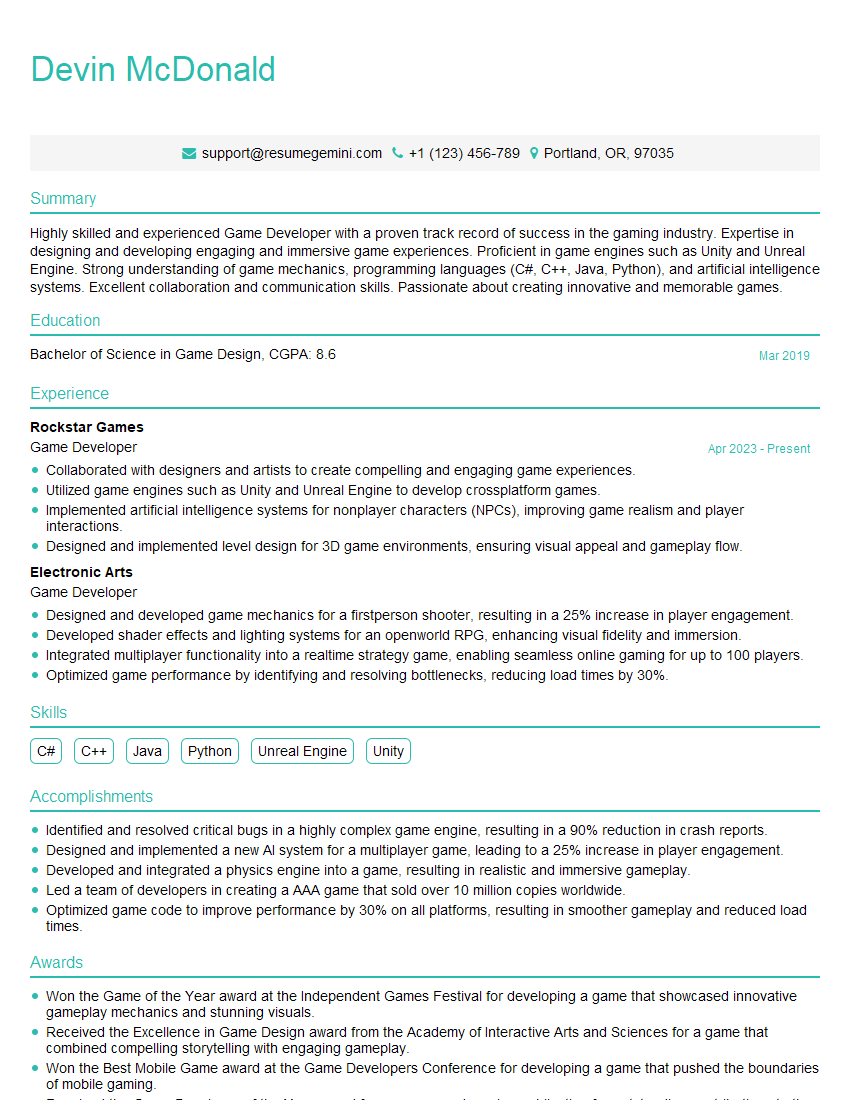
Mastering Unity and Unreal Engine opens doors to exciting careers in game development, virtual reality, augmented reality, and simulation. To maximize your job prospects, craft an ATS-friendly resume that highlights your skills and experience effectively. ResumeGemini is a trusted resource to help you build a professional and impactful resume that showcases your abilities in game engine development. Examples of resumes tailored to candidates proficient in Unity and Unreal Engine are available to guide you. Invest time in crafting a compelling resume; it’s your first impression on potential employers.

Explore more articles
Users Rating of Our Blogs
Share Your Experience
We value your feedback! Please rate our content and share your thoughts (optional).
What Readers Say About Our Blog
Hello,
we currently offer a complimentary backlink and URL indexing test for search engine optimization professionals.
You can get complimentary indexing credits to test how link discovery works in practice.
No credit card is required and there is no recurring fee.
You can find details here:
https://wikipedia-backlinks.com/indexing/
Regards
NICE RESPONSE TO Q & A
hi
The aim of this message is regarding an unclaimed deposit of a deceased nationale that bears the same name as you. You are not relate to him as there are millions of people answering the names across around the world. But i will use my position to influence the release of the deposit to you for our mutual benefit.
Respond for full details and how to claim the deposit. This is 100% risk free. Send hello to my email id: [email protected]
Luka Chachibaialuka
Hey interviewgemini.com, just wanted to follow up on my last email.
We just launched Call the Monster, an parenting app that lets you summon friendly ‘monsters’ kids actually listen to.
We’re also running a giveaway for everyone who downloads the app. Since it’s brand new, there aren’t many users yet, which means you’ve got a much better chance of winning some great prizes.
You can check it out here: https://bit.ly/callamonsterapp
Or follow us on Instagram: https://www.instagram.com/callamonsterapp
Thanks,
Ryan
CEO – Call the Monster App
Hey interviewgemini.com, I saw your website and love your approach.
I just want this to look like spam email, but want to share something important to you. We just launched Call the Monster, a parenting app that lets you summon friendly ‘monsters’ kids actually listen to.
Parents are loving it for calming chaos before bedtime. Thought you might want to try it: https://bit.ly/callamonsterapp or just follow our fun monster lore on Instagram: https://www.instagram.com/callamonsterapp
Thanks,
Ryan
CEO – Call A Monster APP
To the interviewgemini.com Owner.
Dear interviewgemini.com Webmaster!
Hi interviewgemini.com Webmaster!
Dear interviewgemini.com Webmaster!
excellent
Hello,
We found issues with your domain’s email setup that may be sending your messages to spam or blocking them completely. InboxShield Mini shows you how to fix it in minutes — no tech skills required.
Scan your domain now for details: https://inboxshield-mini.com/
— Adam @ InboxShield Mini
Reply STOP to unsubscribe
Hi, are you owner of interviewgemini.com? What if I told you I could help you find extra time in your schedule, reconnect with leads you didn’t even realize you missed, and bring in more “I want to work with you” conversations, without increasing your ad spend or hiring a full-time employee?
All with a flexible, budget-friendly service that could easily pay for itself. Sounds good?
Would it be nice to jump on a quick 10-minute call so I can show you exactly how we make this work?
Best,
Hapei
Marketing Director
Hey, I know you’re the owner of interviewgemini.com. I’ll be quick.
Fundraising for your business is tough and time-consuming. We make it easier by guaranteeing two private investor meetings each month, for six months. No demos, no pitch events – just direct introductions to active investors matched to your startup.
If youR17;re raising, this could help you build real momentum. Want me to send more info?
Hi, I represent an SEO company that specialises in getting you AI citations and higher rankings on Google. I’d like to offer you a 100% free SEO audit for your website. Would you be interested?
Hi, I represent an SEO company that specialises in getting you AI citations and higher rankings on Google. I’d like to offer you a 100% free SEO audit for your website. Would you be interested?
good