Interviews are more than just a Q&A session—they’re a chance to prove your worth. This blog dives into essential proofing and inspecting printed materials for quality and accuracy interview questions and expert tips to help you align your answers with what hiring managers are looking for. Start preparing to shine!
Questions Asked in proofing and inspecting printed materials for quality and accuracy Interview
Q 1. Describe your experience with color proofing and color management systems.
Color proofing is a critical step in ensuring the final printed product matches the client’s expectations. It involves creating a visual representation of the printed piece, using a controlled environment and calibrated devices, to predict the final color output. Color management systems (CMS) are the backbone of this process. They ensure consistent color reproduction across different devices, from design software to printing presses. I have extensive experience using various CMS, including Adobe Color Management Modules and proprietary systems used by specific printers.
My experience includes working with different color profiles (e.g., CMYK, RGB, Pantone) and understanding the impact of substrate (paper type) and ink selection on the final color. For example, I once resolved a significant color discrepancy between a digital proof and the offset print by carefully analyzing the color profiles used and adjusting the press settings accordingly; the issue stemmed from an incorrect ICC profile assigned to the digital proof. I meticulously adjusted color values within the CMS until the discrepancy was resolved, demonstrating my proficiency in achieving color accuracy. I regularly use soft proofing within Adobe Illustrator and InDesign, comparing these soft proofs to hard copies produced on different printers to maintain a consistent workflow.
Q 2. What are the key differences between pre-flight checks and final proofing?
Preflight checks and final proofing serve distinct purposes in the print production process. Preflight checks are a preventative measure, identifying potential problems *before* the print job is sent to press. Think of it as a comprehensive health check for your print file. Final proofing, on the other hand, is a visual inspection of a printed proof, confirming the accuracy of color, images, text, and overall design *after* the preflight checks have passed.
- Preflight checks focus on technical aspects like missing fonts, low-resolution images, color space inconsistencies, bleed and trim issues, and file format compatibility. These are often automated using software like Acrobat Pro or PitStop.
- Final proofing is a more subjective evaluation. It involves a meticulous visual inspection of the actual printed proof, comparing it to the approved digital artwork to verify color accuracy, image sharpness, text legibility, and the overall quality of the print. This often incorporates various tools like spectrophotometers for precise color measurement and magnification glasses for detailed examination.
Imagine building a house; preflighting is like ensuring you have all the necessary blueprints, materials, and skilled labor before starting construction. Final proofing is then a walk-through of the completed house to ensure it meets the specifications outlined in the blueprints.
Q 3. How do you identify and correct common print defects like banding, mottle, and ghosting?
Identifying and correcting print defects requires a keen eye and understanding of the printing process. Let’s look at the mentioned defects:
- Banding: This appears as horizontal or vertical stripes across the printed area. It’s often caused by inconsistencies in ink application, potentially due to problems with the printing press itself, such as worn rollers or incorrect ink viscosity. Solution: Careful press calibration, cleaning rollers, adjusting ink flow, and ensuring proper ink mixing are crucial steps in remediation.
- Mottle: This is a random variation in ink density, creating a speckled or blotchy appearance. It’s usually linked to factors such as improper ink distribution, incorrect paper type, or environmental conditions (humidity and temperature). Solution: Adjusting the ink balance and applying different printing techniques, such as screening techniques or changes in ink formulation and printing substrate, can mitigate mottle.
- Ghosting: A faint, blurry impression of an image or text appearing behind the main print, often due to improper registration (alignment) between the colors or issues within the printing process. Solution: This defect necessitates careful checking of the press registration, cleaning of printing plates, and adjustments to ensure precise alignment between color layers.
Troubleshooting these issues often involves collaborative efforts with the print shop, combining my expertise in proofing and quality control with their knowledge of the specific equipment being used.
Q 4. Explain your process for inspecting packaging for quality and accuracy.
Inspecting packaging involves a multi-faceted approach, ensuring both quality and accuracy. My process begins with a thorough review of the packaging artwork, checking for any design discrepancies or pre-press errors. This includes verifying that all text, graphics, and barcodes are correct and positioned accurately. Then, I examine the physical packaging for various aspects:
- Structural Integrity: I assess the strength and durability of the packaging, checking for any defects such as creases, tears, or misaligned seams. This ensures the package protects its contents during transit and handling.
- Print Quality: I examine the print quality, focusing on color accuracy, sharpness, and the absence of print defects such as those mentioned earlier. I may use a spectrophotometer for precise color measurement.
- Accuracy of Information: I meticulously check all information printed on the packaging, including product descriptions, ingredients, barcodes, and any regulatory compliance markings. Any inaccuracies can lead to serious problems with the supply chain or legal ramifications.
- Functionality: If relevant, I test the functionality of the packaging. This could involve checking whether boxes seal properly, lids fit securely, or dispensing mechanisms work correctly.
I document any discrepancies and then engage in communication with the production team to promptly resolve any issues.
Q 5. How familiar are you with different printing methods (offset, digital, flexo)?
My familiarity with different printing methods extends across offset, digital, and flexographic printing. I understand the strengths and limitations of each method and how they impact the quality of the final printed product.
- Offset Printing: I’m experienced in working with offset printing, understanding its ability to produce high-quality, large-volume prints at a lower cost per unit. However, I am aware of the complexities of color management and the need for careful pre-press preparation.
- Digital Printing: I have significant experience with digital printing, understanding its efficiency for smaller print runs and the ability to quickly produce personalized prints on demand. I am aware of its limitations in relation to achieving the same colour accuracy and vibrancy as offset.
- Flexographic Printing: My knowledge includes flexo printing, commonly used for flexible packaging materials such as plastic films and labels. I understand its suitability for high-volume printing on flexible substrates, and how it requires specialized inks and plates.
This broad understanding allows me to effectively manage quality across diverse printing projects and provide relevant feedback at each stage, from the initial design to the final product.
Q 6. How do you handle discrepancies between a proof and the final printed product?
Discrepancies between a proof and the final printed product are addressed systematically. First, I carefully document the differences, noting the specific areas and type of discrepancy (color shift, registration issues, etc.). Then, I investigate the root cause by examining each step of the process: artwork, pre-press preparation, printing conditions, and materials used. This might involve reviewing the color profiles, press settings, and even the ink formulations used.
Once the root cause is determined, I collaborate with the print shop to find and implement a solution. This may involve making adjustments to the press settings, re-printing the affected portions, or initiating a color correction process. Open communication and detailed record-keeping throughout the investigation and correction process are vital. If the discrepancies are significant and impact the overall quality or accuracy, I might recommend a reprint to guarantee the final printed piece meets the required standards.
Q 7. What software or tools are you proficient in for pre-flight checks and proofing?
My proficiency in software and tools for preflight checks and proofing is extensive. I’m highly adept at using:
- Adobe Acrobat Pro: For preflight checks, PDF editing, and overall document management.
- Enfocus PitStop: A powerful prepress automation tool for advanced PDF quality control and corrections.
- GMI (Graphic Machinery International) tools: Software suites for colour management and optimisation.
- Spectrophotometers (e.g., X-Rite i1): For precise color measurement and comparisons between proofs and final prints.
- Densitometers: For measuring ink density to identify potential problems.
- Adobe Creative Suite (Photoshop, Illustrator, InDesign): For reviewing the digital files and preparing soft proofs.
I utilize these tools in conjunction with my knowledge and experience to deliver comprehensive and efficient quality control across various print projects.
Q 8. How do you ensure consistency in color across multiple print runs?
Maintaining color consistency across multiple print runs is crucial for brand identity and visual appeal. It relies on a multi-faceted approach starting even before the printing process begins. We utilize color management systems, specifically calibrated to the printing press and the specific paper stock. This involves creating a standardized color profile, a digital representation of the color space, that serves as a reference point. This profile is applied during the pre-press stage, ensuring the digital files are accurately translated into the desired printed colors.
Furthermore, we utilize color control strips or swatches printed on each sheet, acting as a real-time monitor during the print run. These strips allow for quick adjustments to the press settings if any deviations from the target colors are observed. Regular checks and comparisons against the original approved proofs are made throughout the print run to prevent drift. Finally, we maintain rigorous control over ink consistency and substrate (paper) properties, as fluctuations in these factors significantly impact color reproduction. For instance, a change in paper’s brightness or absorbency will alter how the ink appears.
Q 9. Describe your experience with different types of paper and their impact on print quality.
My experience spans a wide range of paper types, each significantly influencing the final print quality. The choice of paper is often dictated by the project’s needs, including its intended use and budget. For instance, coated papers (like gloss or matte) offer sharp, vibrant images and crisp text due to their smooth surface, ideal for high-quality brochures or magazines. However, they can be more expensive.
Uncoated papers, on the other hand, such as offset or recycled papers, provide a more natural feel and are often preferred for letterheads or books where a subtle texture is desirable. However, the print quality might be slightly less sharp due to the paper’s texture. The weight (gsm or grams per square meter) of the paper also impacts the print quality. Heavier papers generally provide a more luxurious feel but can be more expensive and require adjustments to the printing press settings. I’ve worked extensively with different paper finishes, including textured, embossed, and even specialty papers like linen or metallic papers, each requiring a nuanced understanding of its print properties to achieve optimal results. For example, embossed papers can sometimes trap ink unevenly, necessitating adjustments to the inking process. Ultimately, my approach involves carefully selecting the appropriate paper stock for each print job and adjusting my printing parameters accordingly.
Q 10. How do you prioritize different types of errors during the inspection process?
Prioritizing errors during inspection is a critical skill. My approach involves a tiered system based on the severity and impact of the error. Critically, errors that compromise the message or functionality of the printed material take precedence. For example, incorrect text, missing elements, or significant image distortions are addressed first. These errors can have major consequences, potentially impacting the client’s reputation or product usage.
Next, I address errors affecting visual appeal and overall quality. This would include minor color variations, slight misalignments, or blemishes that are noticeable but do not hinder readability or functionality. Finally, minor imperfections that are unlikely to be noticed by the average consumer are typically documented but may not require immediate action. This hierarchical approach ensures efficient resource allocation, focusing efforts on the most impactful issues first. It’s like a triage system for print defects, prioritizing the most urgent and damaging ones.
Q 11. What are your strategies for efficient and effective proofing of large volumes of material?
Proofing large volumes efficiently requires a structured and methodical approach. I use a combination of automated tools and manual checks. Automated systems, such as software for pre-flight checks and PDF comparison tools, can help identify obvious errors quickly and accurately. For example, I use software that automatically flags missing fonts, incorrect color spaces, or low-resolution images in PDF files.
Simultaneously, a meticulous manual inspection process is essential. This often involves a multi-stage process: first, a quick overview check for large-scale errors; then a more detailed review focusing on specific elements; and finally, a final proofing stage that involves a second set of eyes for verification. We often divide the task among multiple proofreaders or use a dedicated quality control team, assigning different sections of the material to individual reviewers. This parallel processing significantly speeds up the process without compromising accuracy. We also regularly update our proofing checklists and workflows to adapt to changes in technology and client needs.
Q 12. How do you communicate quality issues to clients or management?
Communicating quality issues is as important as identifying them. I ensure clear and concise communication, avoiding technical jargon unless absolutely necessary. I begin by clearly identifying the specific issue, using precise descriptions and visual aids like annotated images or screenshots. This ensures the client understands exactly what the problem is and its potential impact.
I also provide the context of the error, explaining its potential cause and suggesting solutions. For instance, if a color discrepancy is noticed, I’ll explain the potential cause (incorrect color profile, ink variation) and provide options for correction (re-printing, minor color adjustments). I offer realistic timelines for resolving the issue, along with a cost analysis where appropriate. My goal is to empower the client to make informed decisions, ensuring that they feel heard, understood, and involved in the resolution process. Open and honest communication fosters trust and strong client relationships.
Q 13. Explain your process for documenting quality control findings.
Documenting quality control findings is paramount for accountability and continuous improvement. I use a standardized system to track and record all issues discovered during the inspection process. This system typically involves a detailed report that includes the following elements: a unique identification number for each job, the date and time of the inspection, the name of the inspector, a precise description of the detected issues, its location within the material (page number, section), the severity level (critical, major, minor), and a visual record using annotated images or screenshots.
The reports also include recommended corrective actions and the status of the issue (resolved, pending, rejected). We use a digital system to store and manage these reports, making them easily accessible to all stakeholders. This detailed documentation allows for efficient tracking of errors, identification of recurring problems, and provides evidence for future quality improvements. It’s like maintaining a thorough medical record for each print job, allowing for retrospective analysis and informed decision-making.
Q 14. How do you handle pressure and deadlines when proofing and inspecting printed materials?
Handling pressure and deadlines effectively requires a combination of planning, prioritization, and effective resource management. I always begin by carefully reviewing project requirements and timelines to create a realistic workflow. This involves breaking down large tasks into smaller, manageable segments, assigning priorities, and allocating sufficient time for each stage. I utilize project management tools to track progress and identify potential bottlenecks.
My experience allows me to identify potential delays early on, and I proactively address these to mitigate their impact. When faced with tight deadlines, I might need to prioritize tasks, seeking additional support from colleagues or leveraging automation tools where possible. Maintaining clear communication with clients and management is crucial to managing expectations and ensuring realistic deadlines. Effective time management and a calm, organized approach help me navigate pressure effectively, while never compromising the quality of the final product. It’s about finding the right balance between speed and accuracy.
Q 15. Describe your experience with quality control metrics and reporting.
My experience with quality control metrics and reporting involves a multi-faceted approach. I’m proficient in using various metrics to track print quality, including things like color accuracy (measured using Delta E values), registration (alignment of colors and images), dot gain (the increase in dot size during printing), and print density. I utilize both quantitative and qualitative data. Quantitative data comes from spectrophotometer readings and other instrumental measurements, while qualitative data comes from visual inspection.
For reporting, I typically use spreadsheets and data visualization tools to create comprehensive reports that highlight key performance indicators (KPIs). These reports clearly show trends, identify problem areas, and inform decisions regarding process improvements. For example, a report might show a consistent issue with low ink density on a particular press, prompting investigation into ink viscosity or press settings. I also document all findings and corrective actions taken, creating a valuable historical record for continuous improvement.
My reports are designed to be easily understood by both technical and non-technical stakeholders, including printers, designers, and clients. They always include clear recommendations and actionable steps to resolve identified issues.
Career Expert Tips:
- Ace those interviews! Prepare effectively by reviewing the Top 50 Most Common Interview Questions on ResumeGemini.
- Navigate your job search with confidence! Explore a wide range of Career Tips on ResumeGemini. Learn about common challenges and recommendations to overcome them.
- Craft the perfect resume! Master the Art of Resume Writing with ResumeGemini’s guide. Showcase your unique qualifications and achievements effectively.
- Don’t miss out on holiday savings! Build your dream resume with ResumeGemini’s ATS optimized templates.
Q 16. How do you identify and prevent print-related issues during the design/pre-press stage?
Identifying and preventing print-related issues during the design/pre-press stage is crucial for a smooth and cost-effective printing process. My approach involves a thorough review of all design files and print specifications. This includes checking for:
- Color consistency: Ensuring consistent color profiles are used throughout the design and that colors are suitable for the chosen printing method.
- Image resolution: Verifying that images have sufficient resolution to avoid pixelation or blurring in the final print.
- Font issues: Checking for embedded fonts and potential font rendering problems.
- Bleed and margins: Confirming correct bleed and margin settings to prevent unwanted white spaces or content cuts.
- Trapping: Ensuring proper trapping (overlapping colors) to prevent gaps between colors in the final print, especially crucial for complex designs.
- File formats: Validating file formats are suitable for the intended printing process. PDF/X-1a is generally preferred for print.
I use specialized software like Adobe Acrobat Pro and color management tools to assess these aspects. By catching these issues early, we can avoid costly reprints and delays.
Q 17. What is your understanding of print specifications and tolerances?
Print specifications and tolerances are critical for achieving consistent and high-quality prints. Print specifications define the precise requirements of a print job, including:
- Paper type and weight: The exact paper stock used directly impacts the final print quality and appearance.
- Ink type and coverage: Specific ink types are needed for different printing methods (offset, digital, etc.), and ink coverage limits prevent issues like show-through.
- Color profile: A precise definition of the color space (e.g., CMYK, Pantone) to ensure accurate color reproduction.
- Resolution: The resolution (DPI) of the printed image determines sharpness and clarity.
- Finishing requirements: Instructions for any post-printing processes like folding, binding, or cutting.
Tolerances define the acceptable range of variation from these specifications. For example, a tolerance of ±0.2mm for registration ensures that the colors align correctly, even if there is slight variation during the printing process. Understanding and managing tolerances is key to minimizing defects and ensuring consistency. A thorough understanding of these specifications and tolerances prevents arguments later on and ensures the end product is of the highest quality.
Q 18. How do you work with printers and other production team members to ensure quality?
Collaboration is key to ensuring print quality. I work closely with printers and production team members throughout the entire process. This starts with clear communication during the pre-press stage, where I review specifications, address any questions, and provide clear instructions. During the printing process, I maintain open communication, attending press checks, and providing feedback. I might suggest adjustments to ink levels, pressure settings, or other parameters to optimize print quality based on my observations.
I also rely on the printer’s expertise and experience. Printers often have insights into machine capabilities and potential challenges that I may not be aware of. By fostering a collaborative environment, we can anticipate and solve potential problems proactively. This collaborative approach ensures everyone is aligned on quality goals, and problems are addressed swiftly and efficiently.
Q 19. What are some common quality control challenges in the printing industry?
Several challenges can affect print quality. Some common ones include:
- Color inconsistencies: Achieving precise color matching across different printing runs or devices is a constant challenge.
- Registration issues: Inaccurate alignment of colors or images, often caused by mechanical problems or incorrect press settings.
- Dot gain variations: Changes in dot size during the printing process can impact color density and appearance.
- Substrate issues: Problems with the paper or other materials used for printing, such as inconsistencies in weight or texture.
- Mechanical problems: Malfunctioning printing equipment can result in various issues, including ink streaks or uneven printing.
- Human error: Mistakes in file preparation, press operation, or finishing can lead to defects.
Addressing these challenges requires a combination of careful pre-press preparation, strict quality control procedures, and well-maintained equipment. A strong understanding of color management, press operation, and quality control techniques helps mitigate these issues.
Q 20. How do you stay updated on the latest industry standards and technologies related to print quality?
Staying current in this dynamic field is vital. I achieve this through a combination of methods:
- Industry publications: I regularly read trade magazines and journals to stay abreast of the latest printing technologies and best practices.
- Industry conferences and workshops: Attending conferences and workshops offers valuable opportunities to learn from experts and network with peers.
- Online resources and training: Utilizing online courses and webinars to enhance skills in specific areas, like color management or specific software.
- Vendor partnerships: Collaborating with equipment manufacturers and suppliers provides access to the latest technology updates and insights.
- Professional organizations: Membership in professional organizations keeps me connected to the latest standards and certifications.
Continuous learning is a commitment for anyone in this field; it ensures that I’m equipped to meet the ever-evolving demands of the printing industry and deliver the highest-quality results.
Q 21. Describe a time you had to troubleshoot a complex print quality issue.
During a large-scale print job for a major client, we encountered a perplexing issue with inconsistent color saturation across a large banner. The initial print run showed excellent color in some areas but significant fading in others. We meticulously ruled out issues such as ink viscosity, press settings, and substrate inconsistencies.
After systematically eliminating these factors, we discovered the problem originated from a minor, seemingly insignificant flaw in the printing plates. Microscopic damage to certain areas of the printing plates was causing inconsistent ink transfer. The solution involved replacing the damaged plates, resulting in consistent and accurate color reproduction in the subsequent print run. This experience underscored the critical importance of thorough plate inspection and the need for robust quality control procedures at every stage of the printing process. It also highlighted the need for patience and thorough investigation when troubleshooting complex print quality issues.
Q 22. What is your experience with different types of binding and finishing techniques?
My experience encompasses a wide range of binding and finishing techniques, crucial for creating a high-quality final product. I’m proficient in various methods, each tailored to specific project needs and budget considerations.
- Perfect Binding: Ideal for books and magazines, this involves gluing the edges of the pages together and then attaching a cover. I’ve worked extensively with this, ensuring the spine is robust and the pages lie flat.
- Saddle Stitch Binding: A cost-effective method for brochures and booklets where pages are folded and stapled in the center. I carefully inspect the staple placement to ensure it doesn’t interfere with text or images.
- Wire-O Binding: Provides a professional and durable finish, often used for calendars and notebooks. I check for consistent wire placement and proper page alignment.
- Case Binding: A more robust method for hardcover books, involving sewing the pages together, adding endsheets, and applying a cover. Quality control here focuses on ensuring the pages are securely bound and the cover is firmly attached.
- Spiral Binding: A simple and economical method, ideal for documents that need to lie flat. I pay close attention to the consistent spacing of the coils.
Beyond binding, I’m familiar with finishing techniques like die-cutting, embossing, laminating, and UV coating, each impacting the final look and feel of the printed material. For instance, I’ve ensured that UV-coated brochures maintain their high gloss finish and resistance to scratches.
Q 23. How do you ensure that the final printed product meets the client’s specifications?
Meeting client specifications is paramount. My process begins with a thorough review of the provided specifications, including color profiles (e.g., Pantone), paper type, dimensions, and any special finishing requirements. I then meticulously compare the final printed product against these specifications at every stage.
This includes:
- Pre-press checks: Verifying digital proofs against the client’s approved artwork to ensure accurate color reproduction, font usage, and image placement.
- Proofing: Reviewing physical proofs for color consistency, sharpness, and overall quality. I use various techniques, including visual inspection under standardized lighting conditions and sometimes employing color measurement tools (densitometer or spectrophotometer).
- Final Inspection: A thorough examination of the finished product for any defects, such as misprints, smudging, or inconsistencies in binding or finishing. I always maintain detailed records of all inspections.
If any discrepancies are found, I immediately communicate them to the client and the print production team, ensuring timely resolution before final delivery.
Q 24. What are your methods for verifying the accuracy of text and images in printed materials?
Verifying the accuracy of text and images involves a multi-step process, combining technology and human expertise. I utilize both automated and manual methods to ensure precision.
- Automated Checks: I leverage software tools that perform spell checks, grammar checks, and compare the final output against the original design file, highlighting any inconsistencies.
- Proofreading: I carefully read through the entire text, paying close attention to details like font consistency, hyphenation, and spacing. For long documents, multiple proofreaders are beneficial to catch all errors.
- Image Verification: I examine images for resolution, sharpness, and color accuracy. I also verify that images are correctly positioned and sized as per the design. This includes checking for any pixilation or other visual artifacts.
- Cross-referencing: For documents with multiple sections or complex layouts, I cross-reference text and image elements to ensure consistency and prevent accidental omissions or repetitions.
My experience shows that a combination of automated tools and human vigilance is essential for ensuring the highest accuracy. Think of it like using a spell-checker for typos, but then employing a skilled editor for overall flow and style—both are necessary for perfect results.
Q 25. How would you handle a situation where a significant error is discovered just before a print job is due?
Discovering a significant error just before a print job’s deadline requires immediate and decisive action. My approach is based on prioritizing effective communication and problem-solving:
- Assess the severity: Determine the extent of the error and its impact on the overall quality and acceptability of the print job.
- Communicate with the client: Immediately inform the client about the error, offering transparent and honest communication about potential solutions and timelines. Their input is critical at this stage.
- Explore solutions: Depending on the nature of the error and the remaining time, options include:
- Correction (if feasible): If the error can be fixed in the digital files quickly, we initiate corrections and proceed with a revised proof and re-print.
- Partial reprint (if cost-effective): If only a portion of the job is affected, a partial reprint might be more economical than a complete redo.
- Accepting the error (last resort): In extreme cases, where correction is too time-consuming or costly, we may have to work with the client to accept the error, potentially negotiating compensation.
- Collaborate with the print shop: Work closely with the printing facility to manage the revised timeline and printing schedule, ensuring a smooth and efficient workflow.
I’ve handled situations like this before, and effective communication and collaboration are key to minimizing disruption and maintaining a professional relationship with the client.
Q 26. What is your understanding of different types of ink and their effects on print quality?
Understanding ink types and their impact on print quality is fundamental. Different inks offer various properties that influence color reproduction, durability, and the overall aesthetic appeal of the printed materials.
- CMYK (Cyan, Magenta, Yellow, Key/Black): The most common ink set for four-color process printing. The choice of inks (pigment vs. dye-based) significantly affects color vibrancy, lightfastness, and the longevity of the print. Pigment inks generally offer better durability and resistance to fading.
- Pantone Matching System (PMS): Uses premixed spot colors, providing precise color matching crucial for brand consistency. PMS colors are preferred when precise color is vital, regardless of the print method.
- Specialty Inks: Include metallic inks, fluorescent inks, and others offering unique visual effects. These may require specialized printing techniques and inks with different properties affecting their drying time and application consistency.
For instance, I’ve had projects where the client required a specific Pantone color for their logo, requiring careful calibration to ensure precise color matching on the final product. Similarly, selecting UV-resistant inks for outdoor signage is critical to maintain print quality over time.
Q 27. Describe your experience with using a densitometer or spectrophotometer.
I have extensive experience using both densitometers and spectrophotometers for precise color measurement and quality control. These instruments are essential for ensuring accurate color reproduction and consistency throughout a print run.
- Densitometer: Measures the density of ink on printed materials, providing a numerical value representing the darkness of the ink. This is helpful in identifying inconsistencies in ink coverage and evaluating dot gain (the spreading of ink during printing).
- Spectrophotometer: A more sophisticated device that measures the spectral reflectance or transmittance of the printed colors, providing a more comprehensive color analysis. It allows for precise color comparisons against industry standards and client-specified color profiles.
I use these tools to verify that the printed colors accurately reflect the design specifications. For example, I’ve used a spectrophotometer to ensure the exact Pantone shade of a client’s logo was correctly replicated across different print runs. Any discrepancies are immediately noted and addressed to maintain consistent brand identity.
Q 28. How do you balance speed and accuracy when inspecting printed materials?
Balancing speed and accuracy during inspection is crucial for maintaining efficiency without compromising quality. My approach is to establish a workflow that optimizes both.
- Prioritization: I focus on high-risk areas first, such as areas with complex details or critical information, ensuring thorough inspection of those parts before proceeding.
- Sampling: For large print runs, I employ statistical sampling techniques. This means inspecting a representative sample of the printed materials to extrapolate the overall quality of the entire run. This balances the need for complete inspection with efficiency.
- Automation: When possible, I use automated inspection tools to identify obvious defects, freeing up my time to focus on more nuanced quality control aspects that require human judgment.
- Standardized procedures: Following established checklists and procedures ensures a consistent and methodical approach, eliminating human error and increasing efficiency.
Finding the right balance is like a tightrope walk: moving quickly without losing your footing. My experience allows me to efficiently identify potential problems, while ensuring that nothing slips through the cracks.
Key Topics to Learn for Proofing and Inspecting Printed Materials for Quality and Accuracy Interview
- Color Accuracy and Consistency: Understanding color profiles (CMYK, RGB), color management systems, and identifying discrepancies in color reproduction across different printing methods. Practical application: Identifying subtle color variations between a digital proof and a printed sample.
- Image Resolution and Quality: Recognizing pixelation, blurring, and other image imperfections. Understanding DPI (dots per inch) and its impact on print quality. Practical application: Assessing the sharpness and clarity of images in a printed document and identifying potential issues caused by low resolution.
- Text Accuracy and Typography: Identifying typos, grammatical errors, and inconsistencies in font styles and sizes. Understanding kerning, leading, and tracking. Practical application: Proofreading a complex document for errors in spelling, grammar, and typography before printing.
- Prepress Techniques and Processes: Familiarity with file preparation, imposition, trapping, and other prepress procedures. Understanding their impact on the final printed product. Practical application: Identifying potential problems arising from incorrect file setup or prepress processes.
- Paper Stock and Finishing: Understanding different paper types, weights, and finishes. Identifying issues related to paper quality, cutting, binding, and other finishing techniques. Practical application: Assessing the suitability of a chosen paper stock for a specific print job and identifying defects in the finishing process (e.g., misaligned folds, uneven cuts).
- Quality Control Metrics and Standards: Understanding industry standards and best practices for quality control in printing. Practical application: Implementing a consistent quality control process to minimize errors and ensure consistent quality across multiple print runs.
- Problem-Solving and Troubleshooting: Developing strategies for identifying the root cause of printing errors and implementing corrective actions. Practical application: Analyzing a printed sample with defects and determining the source of the problem (e.g., incorrect settings, faulty equipment, or material issues).
Next Steps
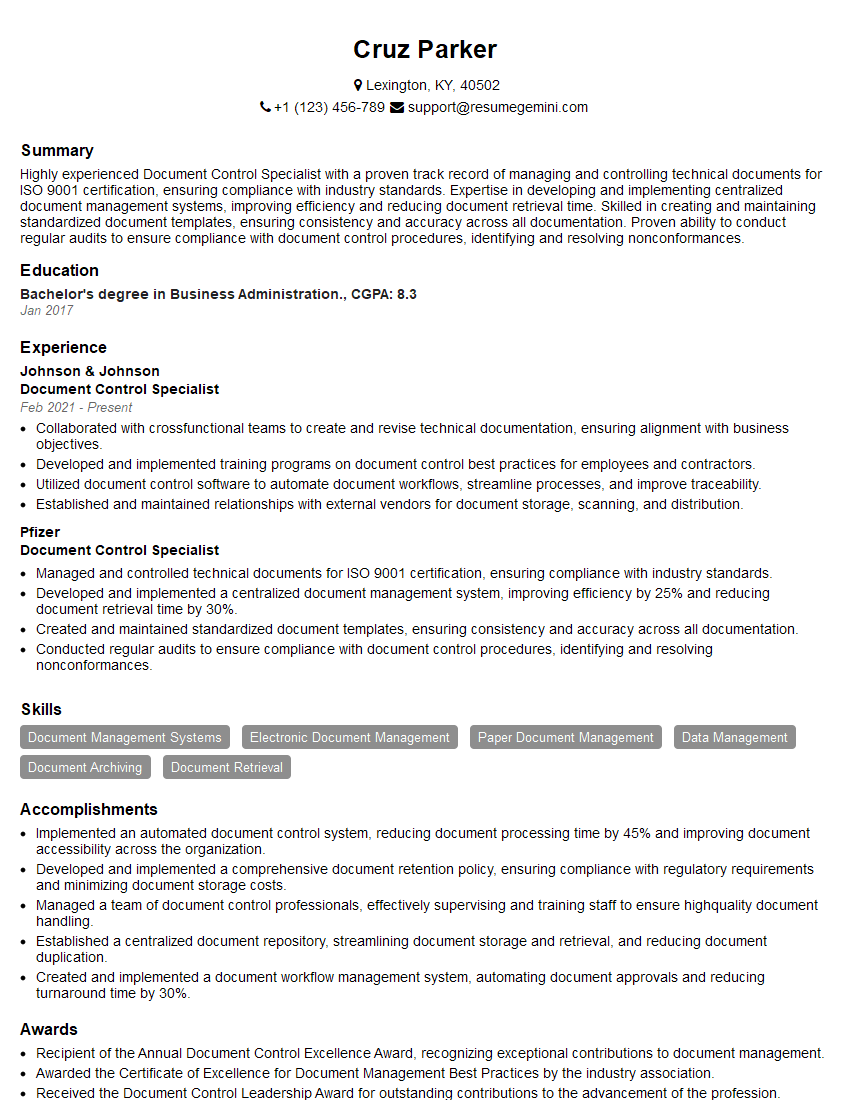
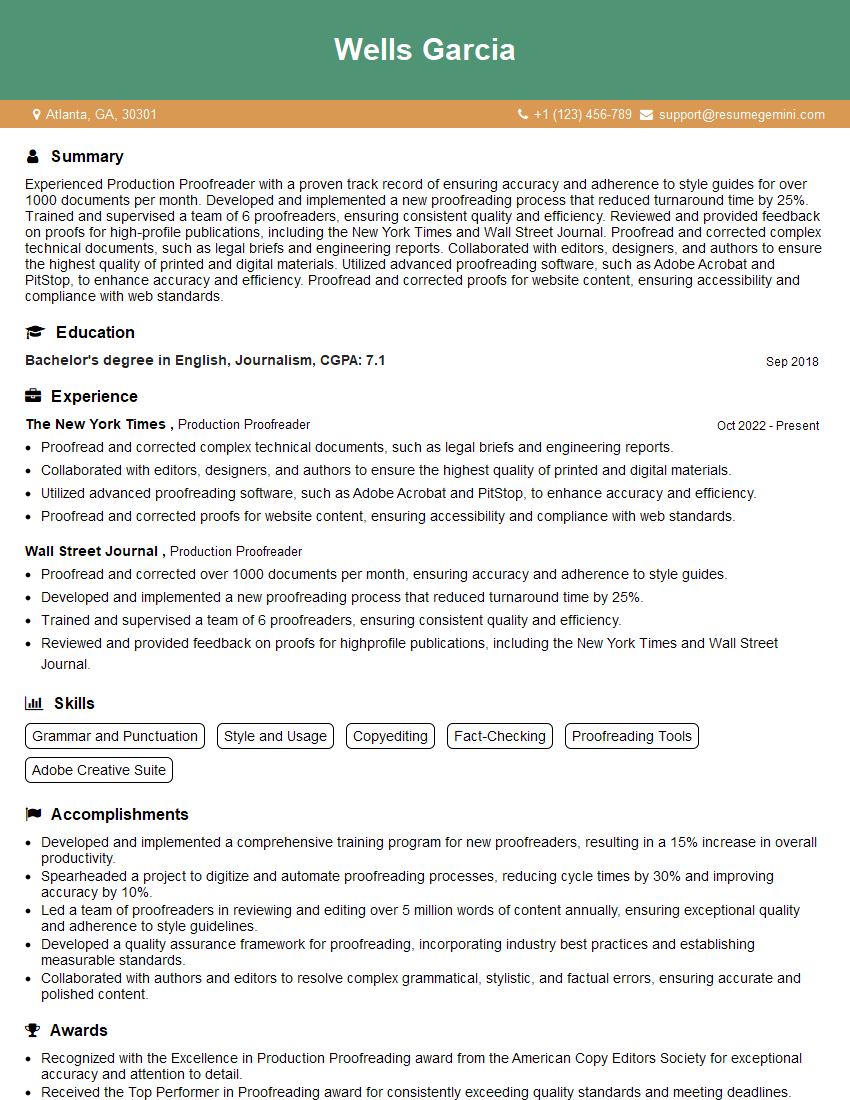
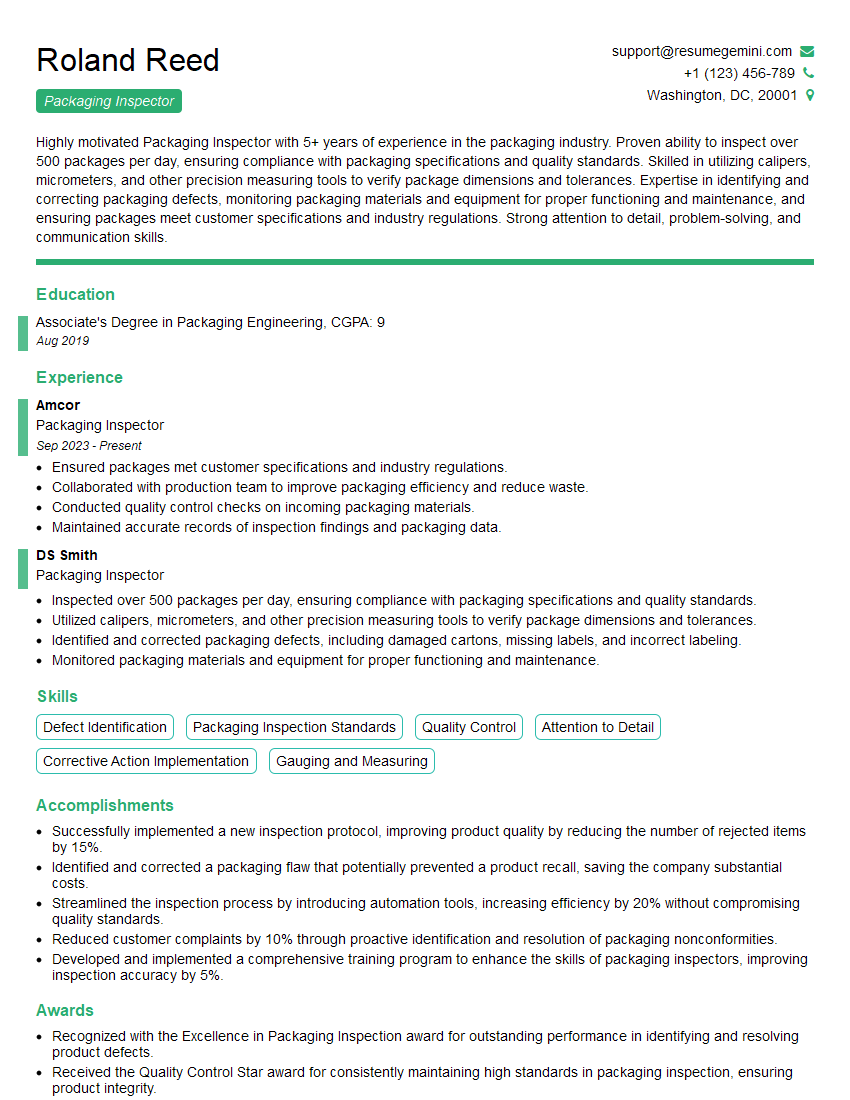
Mastering proofing and inspecting printed materials is crucial for career advancement in the printing and publishing industries, leading to increased responsibility and higher earning potential. A strong, ATS-friendly resume is your key to unlocking these opportunities. ResumeGemini is a trusted resource to help you create a compelling and effective resume that showcases your skills and experience. Examples of resumes tailored specifically to proofing and inspecting printed materials are available to guide you in crafting your own. Take the next step towards your dream job – build a standout resume with ResumeGemini today!



Explore more articles
Users Rating of Our Blogs
Share Your Experience
We value your feedback! Please rate our content and share your thoughts (optional).
What Readers Say About Our Blog
Very informative content, great job.
good