Interviews are more than just a Q&A session—they’re a chance to prove your worth. This blog dives into essential Rapid Deployment interview questions and expert tips to help you align your answers with what hiring managers are looking for. Start preparing to shine!
Questions Asked in Rapid Deployment Interview
Q 1. Explain your experience with different deployment methodologies (e.g., Agile, Waterfall, DevOps).
My experience spans various deployment methodologies, each with its strengths and weaknesses. Waterfall, a traditional approach, emphasizes sequential phases – requirements, design, implementation, testing, deployment, and maintenance. While structured, it’s less adaptable to changing requirements. Agile, on the other hand, prioritizes iterative development and frequent feedback, making it ideal for projects with evolving needs. I’ve successfully used Scrum and Kanban frameworks within Agile projects, delivering frequent, incremental releases. Finally, DevOps, which integrates development and operations, emphasizes automation and continuous delivery. I’ve leveraged DevOps principles to streamline deployments, reducing lead times and increasing reliability. For example, in one project using Agile, we released a new feature every two weeks, allowing for rapid user feedback and iterative improvements. In another project employing DevOps, we automated the entire deployment pipeline using Jenkins, reducing deployment time from days to minutes.
Q 2. Describe your experience with automated deployment tools (e.g., Jenkins, Ansible, Terraform).
I’m proficient in several automated deployment tools. Jenkins is my go-to for continuous integration/continuous delivery (CI/CD). I’ve used it to automate build processes, run tests, and deploy applications to various environments. Ansible has been instrumental in automating infrastructure provisioning and configuration management, ensuring consistent environments across different servers. Terraform excels at infrastructure as code, allowing me to define and manage infrastructure in a declarative manner, making deployments repeatable and reliable. For instance, in a recent project, we used Jenkins to trigger automated tests after each code commit, providing immediate feedback to developers. Ansible was then used to deploy the application to staging and production environments, while Terraform managed the underlying cloud infrastructure. This automated pipeline significantly reduced manual effort and human error.
Q 3. How do you ensure data integrity during a rapid deployment?
Data integrity is paramount during rapid deployments. My approach involves several key strategies. Firstly, I employ robust database backup and recovery mechanisms before any deployment begins. This ensures that we can revert to a known good state if any issues arise. Secondly, I utilize techniques like schema migration tools (e.g., Liquibase, Flyway) to manage database changes in a controlled and versioned manner. This minimizes the risk of data corruption during updates. Thirdly, I perform thorough data validation checks after each deployment to verify that data integrity has been preserved. Finally, I strongly advocate for comprehensive testing, including integration tests that specifically target database interactions, to catch potential issues before they reach production. Think of it like building a house; you wouldn’t start construction without a solid foundation and regular inspections.
Q 4. What are your preferred methods for testing during rapid deployments?
My testing strategy for rapid deployments focuses on automation and speed. I heavily rely on automated unit tests, integration tests, and end-to-end tests to ensure code quality and functionality. These tests are run frequently, often as part of the CI/CD pipeline, providing rapid feedback on the impact of changes. I also leverage techniques like canary deployments, rolling deployments, and blue/green deployments to minimize risk and allow for quick rollbacks if necessary. For example, a canary deployment releases the new version to a small subset of users, allowing us to monitor its performance before a full rollout. This approach helps identify and address issues before they affect the entire user base.
Q 5. How do you handle unexpected issues during a deployment?
Handling unexpected issues during deployment requires a calm, methodical approach. The first step is to immediately identify the issue using monitoring tools and logs. Once the root cause is understood, the next step is to determine the impact on users and services. Based on the severity, we may proceed with a rollback or implement a temporary workaround. Communication is critical during this phase, keeping stakeholders informed of the situation and the steps being taken to resolve it. For example, if a deployment causes an outage, we would immediately activate our incident response plan, engaging the appropriate teams and deploying a rollback to restore service. Post-incident reviews are also crucial to understand what went wrong and how to prevent similar issues in the future.
Q 6. Explain your approach to rollback in case of deployment failures.
My rollback strategy is a critical part of the deployment process. Before any deployment, we ensure that we have a robust rollback plan in place, including the ability to quickly revert to a previous stable version of the application and database. This plan involves having backups of both the application code and the database at regular intervals. We utilize automated tools to facilitate this rollback process, minimizing downtime. In the event of a deployment failure, the rollback is executed swiftly and efficiently, restoring the system to a functional state. It’s like having an undo button for the entire deployment process.
Q 7. How do you prioritize tasks during a rapid deployment project?
Prioritizing tasks during rapid deployments involves a combination of business value and risk mitigation. We use a prioritization matrix that considers factors such as user impact, business criticality, and technical complexity. High-value, low-risk tasks are prioritized first, followed by tasks that address critical functionality or security vulnerabilities. This approach ensures that we deliver the most valuable features while minimizing potential risks. Using agile methodologies, we employ techniques like story mapping and sprint planning to define the scope and prioritize tasks effectively within each iteration.
Q 8. Describe your experience with infrastructure as code (IaC).
Infrastructure as Code (IaC) is the practice of managing and provisioning computer data centers through machine-readable definition files, rather than physical hardware configuration or interactive configuration tools. Think of it like a recipe for your infrastructure – you define all the ingredients (servers, networks, databases) and steps (configurations, deployments) in a file, and then a tool executes it to build your infrastructure consistently and repeatedly. This eliminates manual errors and allows for version control and automation.
My experience with IaC spans several years and involves using tools like Terraform and Ansible extensively. For example, I recently used Terraform to automate the provisioning of a complete AWS infrastructure for a new client project. This included creating VPCs, subnets, security groups, EC2 instances, and RDS databases, all defined in a declarative configuration file. Any changes needed only required updating the Terraform file and re-running the deployment, ensuring consistency and repeatability. This contrasts sharply with manually configuring each component which is time-consuming, error-prone, and difficult to replicate across environments.
Q 9. How do you manage dependencies between different components during deployment?
Managing dependencies between components during deployment is crucial for preventing failures and ensuring a smooth process. We utilize a combination of techniques to address this. One key strategy is to define a clear deployment order, often represented graphically as a dependency graph. This graph visually shows which components rely on others, guiding the deployment sequence. Tools like Ansible or Chef can be used to enforce this order, using roles and tasks to execute deployments in the correct sequence.
Another important technique is using containerization technologies like Docker and Kubernetes. Containers encapsulate applications and their dependencies, ensuring consistency across environments. This reduces conflicts between different versions of libraries or system components. Kubernetes, in particular, excels at managing dependencies, using its orchestrator to schedule and manage the deployment of containerized applications, handling dependencies implicitly through the defined relationships within the deployment manifests (YAML files).
For instance, in a recent project, we had a microservices architecture. Using Kubernetes, we defined deployment manifests specifying dependencies between microservices. Kubernetes automatically ensured that the database service was deployed and running before the services depending on it were deployed. This ensured stability and prevented failures due to missing dependencies.
Q 10. What are your strategies for minimizing downtime during a deployment?
Minimizing downtime during deployments is paramount. Strategies include employing techniques like blue/green deployments, canary deployments, and rolling updates.
- Blue/Green Deployments: Maintain two identical environments (blue and green). Deploy the new version to the green environment, thoroughly test it, and then switch traffic from the blue to the green environment. If there’s a problem, switch back instantly.
- Canary Deployments: Gradually roll out the new version to a small subset of users. Monitor performance and stability closely. If all’s well, gradually increase the rollout to the remaining users.
- Rolling Updates: Deploy the new version incrementally to small sets of servers, monitoring each step for problems. This allows for quick rollback if issues arise.
Load balancers play a vital role in facilitating these strategies, enabling smooth traffic routing between versions. Thorough testing and robust rollback plans are also essential in minimizing disruption. For example, in a recent e-commerce project, we used blue-green deployments to upgrade the application servers. We deployed to the green environment first, ran thorough performance and functional tests, and then switched the load balancer to route all traffic to the green environment. The entire process took only a few minutes with minimal downtime.
Q 11. Explain your understanding of continuous integration and continuous delivery (CI/CD).
Continuous Integration and Continuous Delivery (CI/CD) is a set of practices that automate the process of building, testing, and deploying software. CI focuses on integrating code changes frequently, typically multiple times a day, into a shared repository. Each integration is then verified by an automated build and automated tests. CD extends this by automating the release process, enabling frequent deployments to production or other environments.
CI/CD pipelines typically involve various stages like build, test, staging, and production. Tools like Jenkins, GitLab CI, and CircleCI are commonly used to orchestrate these pipelines. In a recent project involving a web application, we implemented a CI/CD pipeline using Jenkins. Every code commit triggered an automated build, followed by unit tests, integration tests, and finally, deployment to a staging environment for user acceptance testing (UAT) before deploying to production.
Q 12. How do you ensure security during a rapid deployment?
Security is a top priority in rapid deployment. We implement several measures to ensure security throughout the process. Firstly, we use Infrastructure as Code (IaC) to ensure consistent and secure configurations across environments. Security scanning tools are integrated into the CI/CD pipeline to automatically identify vulnerabilities in the code and infrastructure. This includes static and dynamic application security testing (SAST and DAST).
We also leverage secrets management tools like HashiCorp Vault to securely store and manage sensitive information like database credentials and API keys. Network security is addressed through firewalls, intrusion detection systems, and secure network configurations. Regular security audits and penetration testing are conducted to identify and mitigate potential threats.
For instance, in a project involving a financial application, we integrated a SAST tool into our CI/CD pipeline to scan for vulnerabilities in the code before deployment. We also used HashiCorp Vault to securely manage API keys and database credentials. This multi-layered approach ensures the security of the application and infrastructure throughout the deployment process.
Q 13. How do you monitor the performance of a deployed application?
Monitoring the performance of a deployed application is essential for identifying and resolving issues quickly. We employ a combination of techniques including application performance monitoring (APM) tools, logging, and metrics dashboards.
APM tools provide detailed insights into the application’s performance, identifying bottlenecks and slowdowns. Logging helps track events and errors, providing valuable information for debugging. Metrics dashboards provide a high-level overview of key performance indicators (KPIs) such as response times, error rates, and resource utilization. These dashboards often utilize tools like Grafana, Prometheus, and Datadog. Alerts are set up to notify the team of critical issues. In a recent project, we used Datadog to monitor our application’s performance. This allowed us to quickly identify and resolve performance bottlenecks that impacted user experience.
Q 14. Describe your experience with containerization technologies (e.g., Docker, Kubernetes).
Containerization technologies like Docker and Kubernetes have revolutionized rapid deployment. Docker simplifies application packaging and deployment by encapsulating an application and its dependencies into a container. Kubernetes, a container orchestration platform, automates the deployment, scaling, and management of containerized applications.
My experience includes extensive use of Docker and Kubernetes for building and deploying microservices architectures. We use Docker to create images of our application components and their dependencies. Kubernetes orchestrates the deployment of these images across a cluster of machines, handling scaling, load balancing, and service discovery. This allows us to deploy and manage complex applications with ease and efficiency. For example, in a recent project, we used Kubernetes to deploy a microservices application consisting of over a dozen services. Kubernetes handled the deployment, scaling, and rolling updates of these services, simplifying the deployment process and enhancing the application’s reliability.
Q 15. What are some common challenges you’ve faced during rapid deployments?
Rapid deployments, while offering speed and agility, often present unique challenges. One common hurdle is insufficient testing. The pressure to deploy quickly can lead to shortcuts in quality assurance, resulting in unforeseen bugs and production issues. For example, I once worked on a project where a rushed deployment led to a critical database error, causing significant downtime. Another frequent challenge is inadequate infrastructure planning. Failing to anticipate the increased load after deployment can lead to performance bottlenecks and system crashes. This happened on a project where we underestimated the traffic spike following a major marketing campaign. Finally, a lack of clear communication and coordination among team members often creates conflicts and delays. For instance, a mismatch in understanding regarding the rollout plan can cause unexpected problems during the deployment process.
Career Expert Tips:
- Ace those interviews! Prepare effectively by reviewing the Top 50 Most Common Interview Questions on ResumeGemini.
- Navigate your job search with confidence! Explore a wide range of Career Tips on ResumeGemini. Learn about common challenges and recommendations to overcome them.
- Craft the perfect resume! Master the Art of Resume Writing with ResumeGemini’s guide. Showcase your unique qualifications and achievements effectively.
- Don’t miss out on holiday savings! Build your dream resume with ResumeGemini’s ATS optimized templates.
Q 16. How do you collaborate with different teams during a deployment?
Collaboration is paramount in rapid deployments. I employ a multi-faceted approach. First, regular and structured communication channels are vital. This usually involves daily stand-up meetings, shared task management tools (like Jira or Asana), and a dedicated communication channel (e.g., Slack) for quick updates and issue escalation. Secondly, clearly defined roles and responsibilities ensure everyone knows their tasks and avoids duplication of effort. For example, one team member might focus solely on database changes while another handles application server configuration. Third, establishing a shared understanding of the deployment process, using visual aids like flowcharts and diagrams, improves coordination. Finally, post-deployment reviews allow for feedback and continuous improvement, reinforcing collaboration and identifying areas for better teamwork in future deployments.
Q 17. How do you handle conflicting priorities during a deployment?
Conflicting priorities are inevitable in fast-paced deployments. My strategy involves prioritization using a clear framework. We use a MoSCoW method (Must have, Should have, Could have, Won’t have) to categorize requirements. This helps us focus on the critical features for the initial release and defer less crucial ones for later iterations. We also utilize agile methodologies like Scrum, holding daily scrums to identify and address potential roadblocks and adjust priorities accordingly. Transparent communication is key: all stakeholders are kept informed of any priority shifts, and the rationale behind the decisions is clearly explained. For instance, if a critical security bug is discovered, we might temporarily deprioritize a planned feature enhancement to address the immediate threat.
Q 18. Describe your experience with version control systems (e.g., Git).
I have extensive experience with Git, using it for both individual and team projects. My workflow typically involves branching strategies like Gitflow, where development happens on feature branches, allowing for parallel development and preventing conflicts in the main branch. Pull requests are used for code review, ensuring code quality and adherence to coding standards. I’m proficient in using Git commands like git clone, git add, git commit, git push, git pull, git merge, and git rebase. Furthermore, I understand the importance of committing frequently with descriptive messages, making it easy to track changes and revert to previous versions if necessary. Using tools like GitHub or GitLab further enhances collaboration and allows for efficient code management and version history tracking.
Q 19. How do you document your deployment process?
Thorough documentation is vital for successful and repeatable deployments. I typically maintain a comprehensive deployment guide including step-by-step instructions, screenshots, and relevant configuration files. This guide covers every aspect of the deployment process, from prerequisites to post-deployment verification steps. We use a wiki or a dedicated documentation repository to make the information easily accessible to the team. The documentation is also version-controlled, ensuring that it remains updated with every change in the deployment process. This approach ensures that even new team members can easily understand and follow the deployment procedure. Moreover, regular reviews and updates of the documentation ensure it remains accurate and relevant. Using tools like Confluence or Notion helps manage and update the documentation effectively.
Q 20. What metrics do you use to measure the success of a deployment?
Measuring the success of a deployment relies on several key metrics. First, uptime and availability are crucial indicators of system stability. We monitor these closely to identify and address any downtime or performance issues. Second, deployment frequency indicates the team’s agility and ability to release updates quickly. Third, mean time to recovery (MTTR) shows how efficiently we can address and resolve issues. Fourth, user feedback provides valuable insight into the impact of the deployment on end-users. We track metrics like user satisfaction scores and error reports. Finally, cost is an important factor, particularly in cloud environments, monitoring resource utilization and ensuring cost-effectiveness. By tracking these metrics, we can identify areas for improvement and optimize the deployment process.
Q 21. Explain your experience with different cloud platforms (e.g., AWS, Azure, GCP).
I’m experienced with AWS, Azure, and GCP, having deployed applications on all three platforms. My experience includes managing virtual machines, configuring networks, setting up databases, and implementing CI/CD pipelines. On AWS, I’ve utilized services like EC2, S3, RDS, and Elastic Beanstalk. On Azure, I’ve worked with virtual machines, Azure SQL Database, and Azure DevOps. On GCP, I’ve utilized Compute Engine, Cloud SQL, and Cloud Build. I understand the strengths and weaknesses of each platform and can choose the most suitable one based on project requirements. For example, I might choose AWS for its extensive services and mature ecosystem, Azure for its integration with other Microsoft products, or GCP for its strong machine learning capabilities. My experience includes designing and implementing infrastructure as code (IaC) using tools like Terraform or CloudFormation, ensuring consistent and repeatable deployments across environments.
Q 22. How do you ensure compliance with security and regulatory requirements during deployment?
Ensuring compliance during rapid deployments requires a proactive and integrated approach. We can’t just bolt security on at the end; it needs to be baked into every stage. This starts with a thorough understanding of relevant regulations like GDPR, HIPAA, or PCI DSS, depending on the industry and data handled.
My approach involves:
- Security by Design: Security considerations are integrated into the design phase. This means selecting secure infrastructure components, implementing appropriate access controls (IAM), and ensuring data encryption both in transit and at rest. For instance, choosing cloud providers with strong security certifications and built-in security features is crucial.
- Automated Security Checks: I utilize automated security scanning tools throughout the deployment pipeline. This includes static code analysis to identify vulnerabilities in the application code, dynamic application security testing (DAST) to check for vulnerabilities in the running application, and infrastructure-as-code (IaC) scanning to verify security configurations of cloud resources. This prevents deployment if security issues are found.
- Regular Audits and Penetration Testing: Post-deployment, regular security audits and penetration testing are performed to proactively identify and address any weaknesses. This includes vulnerability scanning and ethical hacking to simulate real-world attacks.
- Compliance Documentation: Maintaining detailed documentation of all security measures and compliance activities is essential for audits and demonstrating adherence to regulatory requirements.
Think of it like building a house – you wouldn’t add the locks after the house is complete; security is built-in from the foundation up. This approach mitigates risk and avoids costly remediation efforts later.
Q 23. Describe your approach to disaster recovery planning for rapid deployments.
Disaster recovery planning for rapid deployments is crucial because downtime can be significantly costly. My approach focuses on building resilience and automating recovery processes.
Key elements include:
- Redundancy and Failover: Implementing redundant systems and automatic failover mechanisms ensures high availability. This might involve using multiple availability zones in the cloud, geographically distributed data centers, or load balancers to distribute traffic.
- Automated Backup and Restore: Automated backup and restore processes for both application data and infrastructure configurations are essential. Tools like AWS Backup or Azure Backup are invaluable in this regard. We need to regularly test these backups to ensure they’re functional.
- Disaster Recovery Drills: Regular disaster recovery drills are vital to validate the effectiveness of our plans and identify potential weaknesses. These drills involve simulating different disaster scenarios and practicing the recovery procedures.
- Cloud-Based DR Solutions: Leveraging cloud-based disaster recovery solutions like AWS Disaster Recovery or Azure Site Recovery provides scalability and cost-effectiveness. These services offer features like replication and failover to a secondary region.
For example, in a recent project, we implemented a geographically redundant database setup with automatic failover, minimizing downtime during a regional outage to less than 5 minutes.
Q 24. How do you handle capacity planning during rapid deployments?
Capacity planning during rapid deployments is a delicate balance between speed and resource optimization. Underestimating capacity can lead to performance bottlenecks and outages, while overestimating can be wasteful.
My approach involves:
- Performance Testing: Conducting thorough performance testing during the development and pre-production phases is crucial. Load tests and stress tests simulate real-world usage scenarios to identify potential bottlenecks and determine the required resources.
- Scalable Infrastructure: Choosing a scalable infrastructure platform, such as cloud computing services, is essential. This allows for easy scaling of resources based on demand, ensuring optimal performance without over-provisioning.
- Monitoring and Auto-Scaling: Implementing monitoring and auto-scaling tools allows us to dynamically adjust resources based on real-time performance metrics. This ensures that resources are scaled up or down as needed, preventing both overspending and performance degradation.
- Historical Data Analysis: Analyzing historical data from previous deployments or similar systems can provide valuable insights into resource usage patterns and help inform capacity planning decisions.
Using tools like CloudWatch (AWS) or Azure Monitor allows for real-time monitoring and automated scaling based on predefined thresholds. This allows for a very agile and efficient approach to capacity management.
Q 25. Explain your experience with monitoring and alerting tools.
I have extensive experience with a variety of monitoring and alerting tools, both open-source and commercial. The choice of tools often depends on the specific needs of the project and the underlying infrastructure.
Some of the tools I’ve used extensively include:
- Datadog: A comprehensive monitoring and alerting platform offering real-time insights into application and infrastructure performance.
- Prometheus and Grafana: A popular open-source monitoring stack, providing powerful metrics collection and visualization capabilities.
- CloudWatch (AWS) and Azure Monitor: Cloud-native monitoring solutions provided by AWS and Azure respectively. They offer deep integration with their respective cloud platforms.
- New Relic: Another commercial APM (Application Performance Monitoring) tool that helps track application performance and identify bottlenecks.
My focus is always on creating meaningful alerts that notify the right people at the right time, avoiding alert fatigue. I prioritize alerts based on severity and potential impact. Custom dashboards provide a clear overview of system health and performance, facilitating quick troubleshooting.
Q 26. How do you optimize deployment processes for speed and efficiency?
Optimizing deployment processes for speed and efficiency is paramount in rapid deployment strategies. This involves automating as much as possible and streamlining the entire workflow.
My key strategies include:
- Continuous Integration/Continuous Deployment (CI/CD): Implementing a robust CI/CD pipeline automates the building, testing, and deployment processes. This reduces manual effort, minimizes errors, and accelerates deployments.
- Infrastructure as Code (IaC): Using IaC tools like Terraform or CloudFormation allows for the automated provisioning and management of infrastructure. This enables consistent and repeatable deployments across different environments.
- Blue/Green Deployments or Canary Deployments: These techniques minimize downtime and risk during deployments by gradually rolling out changes to a subset of users or servers before a complete switchover.
- Containerization (Docker, Kubernetes): Containerizing applications and using orchestration tools like Kubernetes makes deployments faster, more portable, and more scalable.
- Automated Testing: A comprehensive suite of automated tests (unit, integration, end-to-end) helps identify issues early in the process and ensures the quality of the deployment.
For instance, in a recent project, implementing a CI/CD pipeline reduced deployment time from several hours to under 15 minutes, significantly improving efficiency and allowing for faster releases of new features.
Q 27. Describe a time you had to troubleshoot a critical deployment issue.
During a critical deployment of a high-traffic e-commerce application, we encountered an unexpected database performance bottleneck shortly after going live. Initial monitoring showed high CPU utilization on the database server, but the root cause wasn’t immediately clear.
My troubleshooting steps involved:
- Gather Data: We immediately started collecting detailed performance metrics using our monitoring tools (Datadog in this case) focusing on database queries, slow queries, and connection pools.
- Identify Bottleneck: Analysis of the collected metrics revealed a specific SQL query that was consuming a disproportionate amount of resources. This query was responsible for generating product recommendations.
- Investigate the Query: Further investigation into the poorly performing query showed inefficient indexing and poor data structuring.
- Implement Solution: We quickly implemented a temporary fix by adding indexes to the database tables related to the slow query. This immediately improved database performance.
- Permanent Fix: We then worked with the development team to refactor the problematic query for better efficiency and optimized the database schema for faster performance. This ensured a long-term solution.
This experience underscored the importance of robust monitoring, proactive performance testing, and having a well-defined incident response plan.
Q 28. How do you balance speed and quality in rapid deployments?
Balancing speed and quality in rapid deployments requires a disciplined approach. It’s not a trade-off, but rather a strategic alignment of both. Cutting corners on quality to gain speed will ultimately lead to more problems later on.
My approach involves:
- Automated Testing: A comprehensive suite of automated tests helps to ensure code quality without slowing down the deployment process. This includes unit, integration, and end-to-end tests.
- Continuous Monitoring: Real-time monitoring provides immediate feedback on the performance and stability of the deployed application. This allows for quick identification and resolution of issues.
- Incremental Rollouts: Techniques like blue/green deployments or canary deployments allow us to minimize the impact of any potential issues by gradually rolling out the changes to users.
- Version Control: Using a robust version control system (like Git) ensures that changes are tracked, enabling rollbacks if necessary.
- Code Reviews: Regular code reviews help to catch potential issues early and ensure code quality before deployment.
Imagine building a skyscraper – you wouldn’t rush the construction process at the cost of structural integrity. Similarly, in rapid deployments, ensuring quality through testing, automation, and incremental rollouts ensures a stable and high-performing system.
Key Topics to Learn for Rapid Deployment Interview
- Understanding Deployment Methodologies: Explore various rapid deployment strategies like Agile, DevOps, and CI/CD. Understand their strengths, weaknesses, and appropriate use cases.
- Infrastructure as Code (IaC): Learn how to manage and provision infrastructure using tools like Terraform or CloudFormation. Practice building and deploying simple applications using IaC.
- Containerization and Orchestration: Master Docker and Kubernetes concepts. Understand container image building, deployment, and scaling using orchestration platforms.
- Automation and Scripting: Develop proficiency in scripting languages (e.g., Python, Bash) for automating deployment tasks and managing infrastructure.
- Monitoring and Logging: Learn how to effectively monitor deployed applications and analyze logs for troubleshooting and performance optimization. Familiarize yourself with common monitoring tools.
- Security Best Practices: Understand security considerations in rapid deployment, including vulnerability management, access control, and secure configurations.
- Troubleshooting and Problem-Solving: Develop a systematic approach to identifying and resolving issues that arise during deployment and operation.
- Cloud Platforms (AWS, Azure, GCP): Gain familiarity with at least one major cloud platform and its services relevant to rapid deployment.
Next Steps
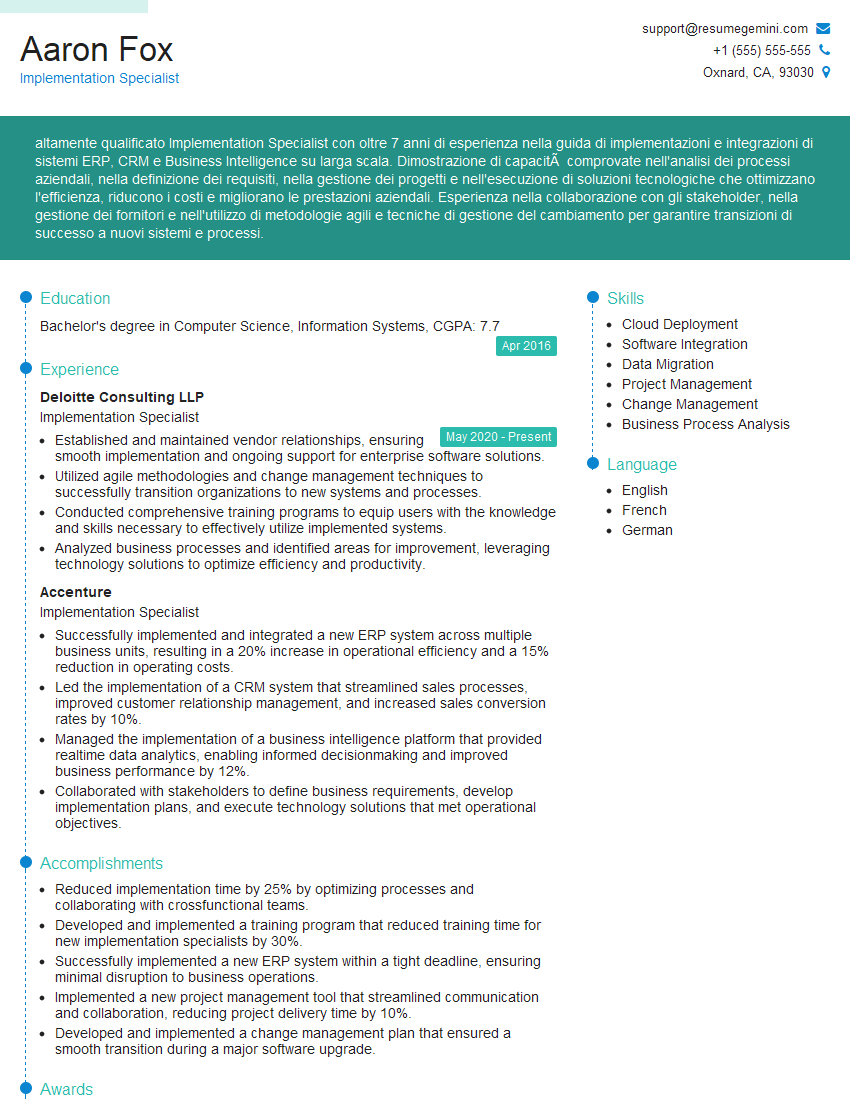
Mastering rapid deployment significantly enhances your career prospects in today’s fast-paced tech landscape. Companies highly value candidates who can quickly and efficiently deploy and manage applications. To maximize your job search success, it’s crucial to craft an ATS-friendly resume that showcases your skills effectively. ResumeGemini is a trusted resource that can help you build a compelling and professional resume tailored to your experience. We provide examples of resumes specifically tailored for Rapid Deployment roles to help you get started. Take advantage of these resources to elevate your application and land your dream job!

Explore more articles
Users Rating of Our Blogs
Share Your Experience
We value your feedback! Please rate our content and share your thoughts (optional).
What Readers Say About Our Blog
Very informative content, great job.
good