The thought of an interview can be nerve-wracking, but the right preparation can make all the difference. Explore this comprehensive guide to Raspberry Pi Development interview questions and gain the confidence you need to showcase your abilities and secure the role.
Questions Asked in Raspberry Pi Development Interview
Q 1. Explain the different Raspberry Pi models and their key specifications.
The Raspberry Pi Foundation offers a range of models, each with varying processing power, memory, and connectivity options. Think of it like choosing a car – you need one that fits your needs. The key differentiators are processor speed, RAM, and available interfaces. For example, the Raspberry Pi 4 Model B is a popular choice due to its powerful processor and ample RAM, making it suitable for complex projects. Conversely, the Raspberry Pi Zero is a smaller, more cost-effective option ideal for smaller, less demanding projects.
- Raspberry Pi 4 Model B: Powerful quad-core processor, up to 8GB RAM, Gigabit Ethernet, dual-band Wi-Fi, and Bluetooth.
- Raspberry Pi 3 Model B+: A solid all-rounder with a quad-core processor, 1GB RAM, and built-in Wi-Fi and Bluetooth.
- Raspberry Pi Zero 2 W: A tiny, low-cost board with a quad-core processor and Wi-Fi, perfect for embedded systems.
- Raspberry Pi Pico: A microcontroller unit, significantly smaller and less powerful than the other models, focused on low-power applications.
Choosing the right model depends heavily on your project’s requirements. A high-resolution video streaming project would need the power of a Pi 4, while a simple sensor reading application might only need a Pi Zero.
Q 2. Describe the Raspberry Pi’s architecture and its components.
The Raspberry Pi’s architecture is based on a System on a Chip (SoC), meaning most essential components are integrated onto a single chip. This includes the CPU, GPU, memory, and various peripherals. Imagine it as a tiny, highly integrated computer.
- Broadcom SoC: This is the brain of the Raspberry Pi, housing the CPU, GPU, and other crucial components. The specific SoC varies between models.
- CPU: A multi-core processor handling computations and program execution. Think of this as the ‘thinking’ part of the computer.
- GPU: Handles graphics processing, essential for displaying video and working with images. It’s like the artist of the computer.
- RAM: Random Access Memory provides temporary storage for data the CPU is actively using. Think of this as the computer’s short-term memory. The amount of RAM impacts how much data the Pi can handle simultaneously.
- Storage: Usually a microSD card, this provides persistent storage for the operating system and your project data – the computer’s long-term memory.
- Interfaces: These include USB ports, GPIO pins, Ethernet, and Wi-Fi for connecting peripherals, sensors, and networks.
Understanding the architecture is vital for optimizing performance and troubleshooting issues. For instance, a lack of RAM might lead to slowdowns, highlighting the importance of choosing a model with sufficient resources for a given task.
Q 3. How do you set up and configure a Raspberry Pi for a new project?
Setting up a Raspberry Pi involves several steps. First, you need the physical hardware: the Raspberry Pi board itself, a microSD card, a power supply, and an HDMI cable or other display connection. The process is straightforward, but care is needed to avoid mistakes.
- Install the Operating System (OS): Download a compatible OS image (like Raspberry Pi OS) and write it to the microSD card using software like Etcher. This is like installing the software that makes the hardware functional.
- Connect the Hardware: Connect the power supply, HDMI cable, keyboard, and mouse to the Raspberry Pi.
- First Boot: Power on the Raspberry Pi. The initial boot process can take a few minutes. You’ll be greeted with the desktop environment of your chosen OS.
- Network Configuration: Connect to the Wi-Fi or configure the Ethernet connection. This allows you to update the OS and install additional software.
- Initial Updates: It is critical to update the Raspberry Pi OS with the command
sudo apt update && sudo apt upgrade. This ensures you have the latest security patches and software versions. - Configure SSH (Optional but Recommended): Enable SSH for remote access, simplifying future management.
After the initial setup, you can start installing the specific software and libraries required for your project.
Q 4. What operating systems are compatible with the Raspberry Pi, and what are their strengths and weaknesses?
Several operating systems are compatible with the Raspberry Pi. The most popular is Raspberry Pi OS (based on Debian), offering a user-friendly desktop environment and broad software support. Other options include Ubuntu, Kali Linux (for security purposes), and even specialized real-time operating systems (RTOS) for robotics or other demanding applications.
- Raspberry Pi OS: Strengths: User-friendly, excellent software support, large community. Weaknesses: Can be resource-intensive for low-powered models.
- Ubuntu: Strengths: Familiar to many users, extensive software repositories. Weaknesses: Can be resource-heavy.
- Kali Linux: Strengths: Comprehensive security tools, ideal for penetration testing. Weaknesses: Not suitable for general-purpose use.
The choice of OS depends on the intended use case. For general-purpose projects, Raspberry Pi OS is an excellent starting point. For specialized tasks or familiarity with a specific OS, other distributions might be preferred.
Q 5. Explain the process of installing and configuring software on a Raspberry Pi.
Installing software on the Raspberry Pi is generally done through the command line using the apt package manager. It’s similar to using apt on Debian or apt-get on Ubuntu. For GUI applications, you might download installers or use package managers that work with the chosen desktop environment.
Here’s a simple example of installing Python3:
sudo apt update && sudo apt install python3This command first updates the package list and then installs Python3. For other software, you find the appropriate package name using the apt search command.
Many libraries and tools are also available through pip, the Python package installer:
pip3 install Remember to use sudo when necessary to grant administrator privileges for installation.
Q 6. How do you manage peripherals and sensors connected to a Raspberry Pi?
Managing peripherals and sensors involves understanding the communication protocols they use (I2C, SPI, UART) and using appropriate libraries or drivers. Each sensor or peripheral requires specific setup; you’ll often need to reference the device’s datasheet for proper configuration.
Example (I2C): If you have an I2C temperature sensor, you’ll need to install a library like smbus, then use code to communicate with the sensor at its specific I2C address. This might involve reading specific registers to get the temperature value.
# Example (Python with smbus) - Requires error handling in production code import smbus bus = smbus.SMBus(1) # Bus number, check your Raspberry Pi's configuration address = 0x48 # I2C Address of the sensor data = bus.read_i2c_block_data(address, 0, 2) # Read data from the sensor temperature = ((data[0] << 8) + data[1]) / 10.0 print(temperature)For other protocols like SPI and UART, similar steps apply, involving appropriate libraries and careful attention to pin assignments, clock speeds, and data formats.
Q 7. Describe your experience with different communication protocols (I2C, SPI, UART).
I have extensive experience with I2C, SPI, and UART communication protocols. These are essential for interfacing with various peripherals and sensors on the Raspberry Pi.
- I2C (Inter-Integrated Circuit): A two-wire serial communication protocol, simple to implement, and commonly used for low-speed sensors and peripherals. It uses a master-slave architecture. I've used it extensively for connecting temperature sensors, accelerometers, and other low-data-rate devices.
- SPI (Serial Peripheral Interface): A higher-speed, full-duplex serial bus used for more demanding peripherals like displays, SD cards, and certain types of sensors. SPI often offers better performance for devices requiring higher bandwidth. I've leveraged this protocol for projects involving high-speed data transfer.
- UART (Universal Asynchronous Receiver/Transmitter): An asynchronous serial communication protocol, often used for communicating with other microcontrollers or devices over longer distances. It's particularly useful for simple text-based communication. A good example would be connecting the Raspberry Pi to a GPS module.
The choice of protocol depends on factors like data rate, number of devices, and complexity of the communication requirements. Understanding the trade-offs between these protocols is crucial for effective system design. For instance, a project with numerous sensors might utilize I2C due to its efficient use of pins, while a high-resolution display might demand the speed of SPI.
Q 8. How do you troubleshoot common Raspberry Pi hardware and software issues?
Troubleshooting Raspberry Pi issues requires a systematic approach, combining hardware checks with software debugging. Hardware problems often manifest as boot failures, erratic behavior, or no power. I begin by visually inspecting the connections: ensuring the power supply is adequate (a 5V, 2.5A supply is generally recommended, and insufficient power is a common culprit), the SD card is securely inserted, and all cables are firmly connected. I'll check for any physical damage to the board itself.
If the Pi isn't booting, I'll try a different SD card, power supply, and even a different HDMI cable and monitor. If the issue persists, it might indicate a hardware fault requiring replacement. Software problems are diagnosed differently. I start by checking the SD card's file system integrity using tools like fsck. Common software issues include corrupted operating system installations, configuration problems, or software conflicts. I regularly use the system logs (found in /var/log) to pinpoint error messages and warnings. Tools like dmesg provide crucial information on boot-up problems. Remote access via SSH is invaluable; if the GUI is unresponsive, SSH allows for command-line troubleshooting.
For instance, I once encountered a project where the Pi was intermittently freezing. After meticulous checking, I discovered a faulty USB hub was causing power surges which affected the Pi's stability. Replacing the hub immediately solved the issue. Another case involved a network connectivity problem traced to an incorrect IP address configuration in the /etc/network/interfaces file. A simple edit resolved the connectivity issues.
Q 9. Explain your experience with using the GPIO pins for input and output.
The GPIO (General Purpose Input/Output) pins are the Raspberry Pi's interface to the physical world. I've extensively used them in numerous projects, controlling LEDs, reading sensor data, and interfacing with actuators. For output, I typically use Python with the RPi.GPIO library. This library simplifies the process of setting pin modes (INPUT, OUTPUT) and controlling pin states (HIGH, LOW).
import RPi.GPIO as GPIO
GPIO.setmode(GPIO.BCM)
GPIO.setup(17, GPIO.OUT)
GPIO.output(17, GPIO.HIGH) # Turn LED ON connected to pin 17
GPIO.cleanup() #Important to clean up GPIO pins at the end
Input from sensors requires careful consideration of the sensor's specific interface. For example, a digital sensor like a button will provide a HIGH or LOW signal, while an analog sensor (e.g., a potentiometer) needs an analog-to-digital converter (ADC) to convert its analog voltage into a digital reading. I often utilize the ADC capabilities of various add-on boards that interface with the GPIO. Error handling is vital; I employ `try-except` blocks to manage potential issues like incorrect pin assignments or sensor communication errors.
A recent project involved controlling a robotic arm using multiple GPIO pins to control servo motors. I had to precisely time the signals to each servo to ensure accurate movement, highlighting the need for accurate timing and synchronization in GPIO programming. Another project utilized a temperature sensor, with code carefully handling potential sensor failures and data outliers.
Q 10. How do you write and debug code for Raspberry Pi projects?
I primarily use Python for Raspberry Pi development, leveraging its ease of use and extensive libraries. My coding process involves planning, writing, testing, and debugging. I start by outlining the project's functionality and breaking it down into smaller, manageable modules. I then write the code, prioritizing modularity and readability, and employing version control (like Git) to track changes. Testing is crucial; I write unit tests to verify individual components and integrate tests to check the overall functionality. The Raspberry Pi's command-line tools are invaluable for debugging.
The print() function in Python is an invaluable debugging tool allowing for intermediate value inspection. For more complex debugging, I employ a debugger like pdb (Python Debugger), which allows setting breakpoints, stepping through code, and inspecting variables. Logging provides a record of program execution; logging messages at various levels (DEBUG, INFO, WARNING, ERROR) help to track the program's flow and identify potential issues. Remote debugging using tools such as VS Code's remote development features adds another level of convenience.
For example, in a recent project, I used logging to track the data flow from multiple sensors. The logs helped me pinpoint a timing issue between two sensors. I successfully addressed the timing synchronization using a multi-threading approach.
Q 11. What programming languages are you proficient in for Raspberry Pi development?
My primary language for Raspberry Pi development is Python. Its extensive libraries like RPi.GPIO, smbus (for I2C communication), and spidev (for SPI communication) make it highly suitable for interacting with hardware and peripherals. I am also proficient in C and C++, which provide better performance for computationally intensive tasks. C++ becomes necessary when working with real-time constraints and when you need tighter control over hardware resources. For scripting tasks and rapid prototyping, Python's speed of development is unbeatable.
I've used C++ for projects requiring optimized performance, such as image processing and motor control applications, where the speed advantage over interpreted languages like Python is significant. Knowing multiple languages provides flexibility and allows me to choose the best tool for the job. Choosing the right language is crucial for efficient development and optimal performance.
Q 12. Describe your experience with real-time operating systems (RTOS) on the Raspberry Pi.
My experience with Real-Time Operating Systems (RTOS) on the Raspberry Pi is focused primarily on FreeRTOS. RTOS is essential for applications that demand precise timing and predictable behavior, such as robotics, control systems, or embedded systems. FreeRTOS provides a lightweight, real-time kernel that runs on top of the underlying hardware. It facilitates task scheduling, inter-process communication, and memory management, crucial for tasks requiring timely completion. Porting FreeRTOS to the Raspberry Pi is relatively straightforward; several online resources and tutorials guide this process.
I've used FreeRTOS to create applications where multiple tasks, each responsible for a different aspect of a system (like sensor reading, actuator control, and data logging), need to run concurrently with guaranteed response times. The key advantages of using an RTOS in such scenarios are determinism (predictable timing behavior), resource management (prioritization and efficient use of system resources), and modularity (breaking complex systems into smaller, independent tasks). However, the learning curve for RTOS implementation is steeper than standard Linux programming.
For instance, in a project involving a robotic arm, using FreeRTOS ensured consistent and precise motor control, preventing collisions and jerky movements. This precise timing was impossible to guarantee using a standard Linux system without advanced, intricate scheduling.
Q 13. Explain your experience with power management techniques for Raspberry Pi projects.
Power management is a critical aspect of Raspberry Pi projects, especially for battery-powered applications. Inefficient power usage leads to shorter battery life and potential overheating. I use several techniques to optimize power consumption. These include:
- Using a low-power Raspberry Pi model: The Raspberry Pi Zero and Pi Zero 2 W are significantly more power-efficient than the full-size models.
- Adjusting CPU frequency and voltage: Reducing the CPU clock speed and voltage using tools like
cpufreqlowers power consumption, though this reduces processing power. - Disabling unnecessary peripherals: Switching off unused interfaces (e.g., Bluetooth, Wi-Fi) using system commands or configuration files significantly reduces current draw.
- Using power-saving modes: Linux offers power-saving modes that suspend or hibernate the system to minimize energy usage when idle.
- Implementing software power management: Code can be written to put peripherals into low-power states when not actively used; this is particularly useful for sensors and actuators.
For instance, in a portable weather station project powered by batteries, I implemented software power management for the sensors and reduced the CPU clock speed to extend battery life significantly. Understanding and adapting power management techniques is vital for designing energy-efficient and sustainable projects.
Q 14. How do you ensure the security of your Raspberry Pi projects?
Security is paramount in Raspberry Pi projects, particularly those connected to the internet or handling sensitive data. My approach is multi-layered. It begins with strong passwords and regular updates to the operating system and all installed software. I change the default SSH port and enable SSH key-based authentication rather than password-based authentication. Regular security audits are performed to detect any vulnerabilities. If connecting the Pi to a network, a firewall (like ufw) is configured to restrict access only to necessary ports.
For projects involving sensitive data, encryption is essential. File encryption and secure communication protocols (HTTPS) are implemented. I consider the principle of least privilege – providing only the necessary permissions to applications and users. For network-connected devices, I implement secure boot measures to prevent unauthorized modifications. Regular security updates from reputable sources are essential to mitigate vulnerabilities as they are discovered.
In a recent project involving a remotely accessed security camera, I implemented HTTPS, SSH key authentication, and a firewall to protect the system from unauthorized access. I also used a secure cloud storage solution to store the recordings. A robust security plan is crucial for building trustworthy and protected Raspberry Pi applications.
Q 15. How do you handle data acquisition and logging from sensors connected to a Raspberry Pi?
Data acquisition and logging from sensors on a Raspberry Pi typically involves several steps. First, you need to choose the right sensor and interface. This could range from simple digital sensors using GPIO pins to more complex sensors communicating via I2C, SPI, or even USB. The choice depends on the sensor's specifications and the project's requirements.
Once the sensor is connected, you'll use a programming language like Python to read data from it. Libraries like RPi.GPIO (for GPIO) or specific libraries for I2C/SPI communication simplify this process. For example, reading a temperature sensor using I2C might involve using a library like smbus.
The next stage is logging the acquired data. This could be as simple as writing the data to a text file, but for larger projects, a database (like SQLite) or a cloud-based solution (e.g., using services like InfluxDB or ThingSpeak) is generally preferred for efficient storage and analysis. Consider factors like data volume, frequency, and long-term storage needs when selecting your logging method.
Example (Python with a simulated temperature sensor and file logging):
import time
import random

# Simulate sensor reading
def read_temperature():
    return random.uniform(20, 25)

# Log data to a file
filename = 'temperature_data.txt'
with open(filename, 'a') as f:
    while True:
        temperature = read_temperature()
        timestamp = time.strftime('%Y-%m-%d %H:%M:%S')
        f.write(f'{timestamp}, {temperature}\n')
        time.sleep(5)
This simple example demonstrates the basic principles. Real-world scenarios often involve error handling, data validation, and potentially more sophisticated data storage and retrieval mechanisms.
Career Expert Tips:
- Ace those interviews! Prepare effectively by reviewing the Top 50 Most Common Interview Questions on ResumeGemini.
- Navigate your job search with confidence! Explore a wide range of Career Tips on ResumeGemini. Learn about common challenges and recommendations to overcome them.
- Craft the perfect resume! Master the Art of Resume Writing with ResumeGemini's guide. Showcase your unique qualifications and achievements effectively.
- Don't miss out on holiday savings! Build your dream resume with ResumeGemini's ATS optimized templates.
Q 16. Describe your experience with developing and deploying IoT applications using the Raspberry Pi.
I have extensive experience developing and deploying IoT applications using the Raspberry Pi. I've worked on projects ranging from simple environmental monitoring systems to more complex smart home solutions. My experience covers the entire development lifecycle, from initial design and prototyping through deployment and maintenance.
For instance, I developed a system for a greenhouse that used multiple sensors (temperature, humidity, soil moisture) to monitor growing conditions. The Raspberry Pi collected data, performed basic analysis (e.g., triggering alerts if conditions went outside specified thresholds), and provided remote access to the data via a web interface using Flask. This involved not only programming the Raspberry Pi but also designing the database structure, creating the web interface, and ensuring robust error handling and data security.
Another project involved building a network of Raspberry Pis to monitor air quality in a city. Data from multiple devices were aggregated on a central server, allowing visualization and analysis of pollution levels across different locations. This project required extensive networking knowledge (using protocols like MQTT for communication), data processing capabilities, and the ability to scale the system to accommodate additional devices. Security was a critical aspect, requiring careful attention to access control and data encryption.
Q 17. How do you handle concurrency and multitasking in your Raspberry Pi projects?
Handling concurrency and multitasking on a Raspberry Pi is crucial for efficient resource utilization, particularly when dealing with multiple sensors or processes. The primary approach is using multithreading or multiprocessing. Multithreading is suitable for I/O-bound tasks (like reading sensor data), where multiple threads can wait for input without blocking each other. Multiprocessing, on the other hand, is better for CPU-bound tasks, where multiple processes can effectively utilize multiple CPU cores.
Multithreading (Python): The threading module in Python allows the creation of multiple threads. Each thread runs concurrently, but they share the same memory space. This is efficient for I/O-bound tasks, but care must be taken to manage shared resources using appropriate locking mechanisms to prevent race conditions.
import threading
import time

def sensor_reader():
    while True:
        # Read sensor data...
        time.sleep(1)

thread = threading.Thread(target=sensor_reader)
thread.start()
Multiprocessing (Python): The multiprocessing module offers a more robust approach for CPU-bound tasks, as it creates separate processes, each with its own memory space. This avoids issues with shared memory and race conditions but introduces the overhead of inter-process communication.
The choice between multithreading and multiprocessing depends on the nature of the tasks. For simple projects, threading might suffice. For more complex applications with CPU-intensive operations, multiprocessing is usually preferable. Careful consideration of resource management and potential bottlenecks is essential for optimal performance.
Q 18. Explain your experience with different types of memory (RAM, flash) in Raspberry Pi systems.
The Raspberry Pi utilizes different types of memory: RAM (Random Access Memory) for active data and flash memory (usually an SD card or eMMC) for persistent storage. RAM is volatile, meaning its contents are lost when the power is turned off. Flash memory is non-volatile, retaining data even when power is removed.
RAM: The amount of RAM directly impacts the Raspberry Pi's ability to handle multiple tasks and processes. Limited RAM can result in performance bottlenecks or system instability. When selecting a Raspberry Pi model, you need to consider the RAM capacity based on the application's needs. For simple tasks, smaller amounts of RAM might suffice, but for demanding applications, a model with more RAM is recommended.
Flash Memory (SD Card/eMMC): This is where the operating system, applications, and data are stored persistently. The speed and capacity of the flash memory influence boot times, application loading, and overall system performance. A faster SD card (e.g., a Class 10 or UHS-I card) can significantly improve system responsiveness. The size of the SD card or eMMC determines the available storage space for the operating system, applications, and data. Ensure sufficient storage capacity based on the project's requirements. Frequent read/write cycles to flash memory can reduce its lifespan, so it's important to consider storage strategies to minimize wear and tear. For example, storing large data logs on a separate external hard drive could be beneficial.
Q 19. Describe your experience using a version control system (Git) for Raspberry Pi projects.
Git is essential for managing code and tracking changes in Raspberry Pi projects. I routinely use Git for version control, allowing me to track changes, collaborate with others, and easily revert to previous versions if necessary.
My workflow typically involves creating a Git repository for each project, committing code changes regularly with descriptive commit messages, and pushing the code to a remote repository (like GitHub, GitLab, or Bitbucket). Branching is a critical aspect of my workflow, enabling parallel development and the testing of new features without affecting the main codebase.
I also leverage Git's features for collaboration, using pull requests and code reviews to ensure code quality and catch potential issues before they're deployed. Using pull requests before merging into a main branch ensures that changes are properly vetted and reviewed.
Beyond the command line, I'm also proficient in using Git through various graphical interfaces, increasing productivity and ease of use. The ability to effectively utilize Git is critical in larger projects and collaborative efforts. It keeps track of each change made to the code base, making it easy to understand the progress of the project and easily revert back to previous working versions if necessary.
Q 20. How do you test and validate the functionality of your Raspberry Pi applications?
Testing and validating Raspberry Pi applications is crucial to ensure their reliability and functionality. My approach involves a multi-layered testing strategy, combining unit tests, integration tests, and system tests.
Unit Tests: These focus on individual components or modules of the code, ensuring that each part functions correctly in isolation. I use unit testing frameworks like pytest or unittest in Python to automate these tests.
Integration Tests: These verify the interactions between different components of the application. For example, I'd test the interaction between the sensor reading module and the data logging module.
System Tests: These are end-to-end tests, simulating real-world scenarios to ensure that the entire system functions as intended. This might involve testing the entire application in a controlled environment, simulating various conditions and inputs.
Continuous Integration/Continuous Deployment (CI/CD): For larger projects, I often implement CI/CD pipelines to automate the testing process and streamline the deployment workflow. This involves automated build processes, automated testing, and automated deployment to a staging or production environment.
Beyond automated tests, manual testing is also crucial, particularly for user interface elements or complex interactions. Thorough testing ensures the quality, reliability and functionality of the application.
Q 21. Describe your experience with using a Linux distribution on the Raspberry Pi.
My experience with Linux distributions on the Raspberry Pi is extensive, primarily using Raspberry Pi OS (formerly known as Raspbian), which is a Debian-based distribution specifically tailored for the Raspberry Pi. I'm familiar with its file system structure, package management (using apt), and command-line interface.
I've worked extensively with configuring the system through the command line using tools like nano, vim, and other command-line utilities. I'm proficient in managing users, configuring networking (including setting up Wi-Fi and Ethernet connections), and working with services like SSH for remote access and systemd for managing services.
Beyond Raspberry Pi OS, I've also worked with other Linux distributions on the Raspberry Pi, such as Ubuntu and several other distributions for specialized tasks. This experience allows me to adapt to different operating systems and leverage the strengths of different distributions based on specific project requirements. Understanding the nuances of each distribution and its package management system is key to streamlining development and ensuring compatibility with various software and hardware components.
Q 22. Explain the differences between using Python and C/C++ for Raspberry Pi development.
Python and C/C++ both offer powerful tools for Raspberry Pi development, but cater to different needs. Python's ease of use and extensive libraries make it ideal for rapid prototyping and applications where development speed is prioritized. Its interpreted nature, however, leads to slower execution compared to compiled languages like C/C++. C/C++, on the other hand, provides significantly better performance and control over hardware resources, making it suitable for resource-intensive applications such as real-time systems or projects needing fine-grained manipulation of peripherals. Think of it like this: Python is like a quick sketch, great for getting an idea down fast, while C/C++ is more like a detailed blueprint, allowing for precise control and optimization.
For example, a simple data acquisition script from a sensor might be perfectly suited for Python's simplicity. However, a computationally demanding image processing algorithm needing precise timing control would benefit from C/C++'s speed and direct memory access.
- Python: Faster development, large community support, extensive libraries (like RPi.GPIO for GPIO control), easier to learn.
- C/C++: Better performance, greater control over hardware, more complex to learn, steeper learning curve but suitable for performance critical tasks.
Q 23. How familiar are you with using libraries like OpenCV or TensorFlow on the Raspberry Pi?
I have extensive experience using both OpenCV and TensorFlow on the Raspberry Pi. OpenCV, the open-source computer vision library, is a staple in my workflow. I've used it for projects ranging from basic image processing (like edge detection and object recognition) to more advanced applications like video analysis and real-time object tracking. I've optimized OpenCV applications on the Pi for resource-constrained environments by carefully selecting algorithms and using techniques like image downsampling.
TensorFlow, the machine learning framework, has been crucial for implementing AI models on the Raspberry Pi. I've deployed pre-trained models for tasks like image classification and object detection, tailoring them for the Pi's limited processing power. This often involves model quantization and pruning to reduce the model's size and computational demands. For example, I once implemented a real-time facial recognition system using a lightweight TensorFlow model, successfully running it on a Raspberry Pi Zero W. This required careful optimization and selection of an appropriate model architecture.
# Example OpenCV code snippet (Python): import cv2 img = cv2.imread('image.jpg') gray = cv2.cvtColor(img, cv2.COLOR_BGR2GRAY) cv2.imshow('Gray Image', gray) cv2.waitKey(0) cv2.destroyAllWindows()Q 24. Describe your experience with designing and building custom circuits for Raspberry Pi integration.
My experience in designing and building custom circuits for Raspberry Pi integration is significant. I've worked on various projects that required interfacing with sensors, actuators, and other peripherals using various communication protocols like I2C, SPI, and UART. This involved designing custom PCBs, often using KiCad, ensuring proper power regulation, signal conditioning, and noise reduction. I'm comfortable working with microcontrollers alongside the Raspberry Pi for more complex tasks and distributing workloads for optimal performance.
For example, I once designed a custom circuit to integrate multiple sensors (temperature, humidity, pressure) onto a single PCB for a weather station project. This involved selecting appropriate sensors, designing the circuit layout, managing power requirements, and writing the necessary drivers to interface with the Raspberry Pi. Understanding the nuances of hardware design is crucial for ensuring reliable and robust integration with the Raspberry Pi. I meticulously test each component and connection to avoid any errors and optimize system stability.
Q 25. How would you optimize a Raspberry Pi application for performance?
Optimizing a Raspberry Pi application for performance involves a multi-pronged approach. First, profiling the code to identify bottlenecks is critical. Tools like cProfile (for Python) help pinpoint performance-intensive sections. Once bottlenecks are identified, several strategies can be applied.
- Algorithm Optimization: Choosing efficient algorithms is paramount. For example, replacing a naive search with a more optimized algorithm can significantly reduce execution time.
- Code Optimization: Careful code writing practices, like using list comprehensions or NumPy arrays in Python, can drastically improve performance. Avoiding unnecessary function calls and memory allocations is also important.
- Hardware Acceleration: For computationally intensive tasks, leveraging the Pi's GPU using libraries like OpenCL or CUDA can accelerate processing.
- Memory Management: Efficient memory management is crucial. Minimizing memory usage and avoiding memory leaks can greatly improve responsiveness.
- Resource Management: Understanding the Pi's resource limitations (CPU, memory, I/O) and managing them effectively is vital. For example, setting appropriate process priorities can ensure that critical tasks receive sufficient CPU time.
For instance, in a real-time image processing application, using optimized image processing functions and leveraging the GPU through libraries like OpenCV can significantly improve frame rates. The key is a combination of smart coding, algorithm selection, and efficient resource management.
Q 26. Explain your experience with utilizing cloud services in conjunction with Raspberry Pi projects.
I have considerable experience integrating cloud services with Raspberry Pi projects. This typically involves using the Pi as an edge device, collecting data and sending it to a cloud platform for storage, processing, or analysis. Platforms like AWS IoT Core, Google Cloud IoT Core, or Azure IoT Hub are commonly used for this purpose.
My experience includes setting up secure communication channels between the Pi and the cloud, using MQTT or other messaging protocols. I've also leveraged cloud services for remote monitoring and control of the Raspberry Pi, allowing for remote configuration and troubleshooting. For example, I built a remote environmental monitoring system where sensor data from multiple Raspberry Pis was sent to a cloud database, enabling web-based visualization and analysis of the collected data. This involved setting up secure connections, implementing data logging, and creating a user interface for data visualization. The cloud services simplified data management, storage, and remote access.
Q 27. What are some common challenges faced when developing Raspberry Pi projects, and how would you address them?
Several common challenges arise during Raspberry Pi development. One common issue is managing power consumption, especially when using power-hungry peripherals. Careful selection of components and efficient power management techniques are crucial. Another challenge is dealing with limited processing power and memory. This necessitates optimizing code and algorithms to minimize resource usage.
Debugging can also be tricky, particularly when dealing with hardware issues. Using tools like logic analyzers and oscilloscopes is often helpful. Finally, ensuring secure communication and protecting the Pi from unauthorized access is vital, especially in networked environments. Regular software updates and implementing strong security practices are key. To address these challenges, a systematic approach is needed: thorough planning, proper testing, and continuous monitoring are vital in creating reliable and secure Raspberry Pi projects. The right tools and systematic debugging techniques can significantly streamline the development process.
Key Topics to Learn for Your Raspberry Pi Development Interview
- Operating Systems & Boot Process: Understanding the Raspberry Pi OS (or other distributions) and how it boots up, including the role of the boot loader and kernel. Practical application: Troubleshooting boot issues and optimizing startup time.
- Programming Languages (Python, C/C++): Proficiency in at least one language commonly used with Raspberry Pi. Practical application: Developing embedded systems, sensor interfaces, and data logging applications.
- GPIO & Interfacing with Hardware: Mastering the General Purpose Input/Output pins for controlling external devices. Practical application: Building projects involving sensors, actuators, and displays.
- Networking & Communication Protocols: Understanding network configurations, TCP/IP, and other protocols for connecting the Raspberry Pi to networks and other devices. Practical application: Creating networked applications and IoT devices.
- Linux Command Line Interface (CLI): Familiarity with essential Linux commands for system administration and troubleshooting. Practical application: Managing files, processes, and networking settings.
- Software Development Lifecycle (SDLC): Applying best practices for software development, including version control, testing, and debugging. Practical application: Building robust and maintainable Raspberry Pi projects.
- Real-time Operating Systems (RTOS): (Optional, depending on the role) Understanding RTOS concepts and their application in time-critical projects. Practical application: Developing systems requiring precise timing and responsiveness.
- Security Best Practices: Implementing security measures to protect your Raspberry Pi and the applications you develop. Practical application: Preventing unauthorized access and protecting sensitive data.
Next Steps: Level Up Your Career
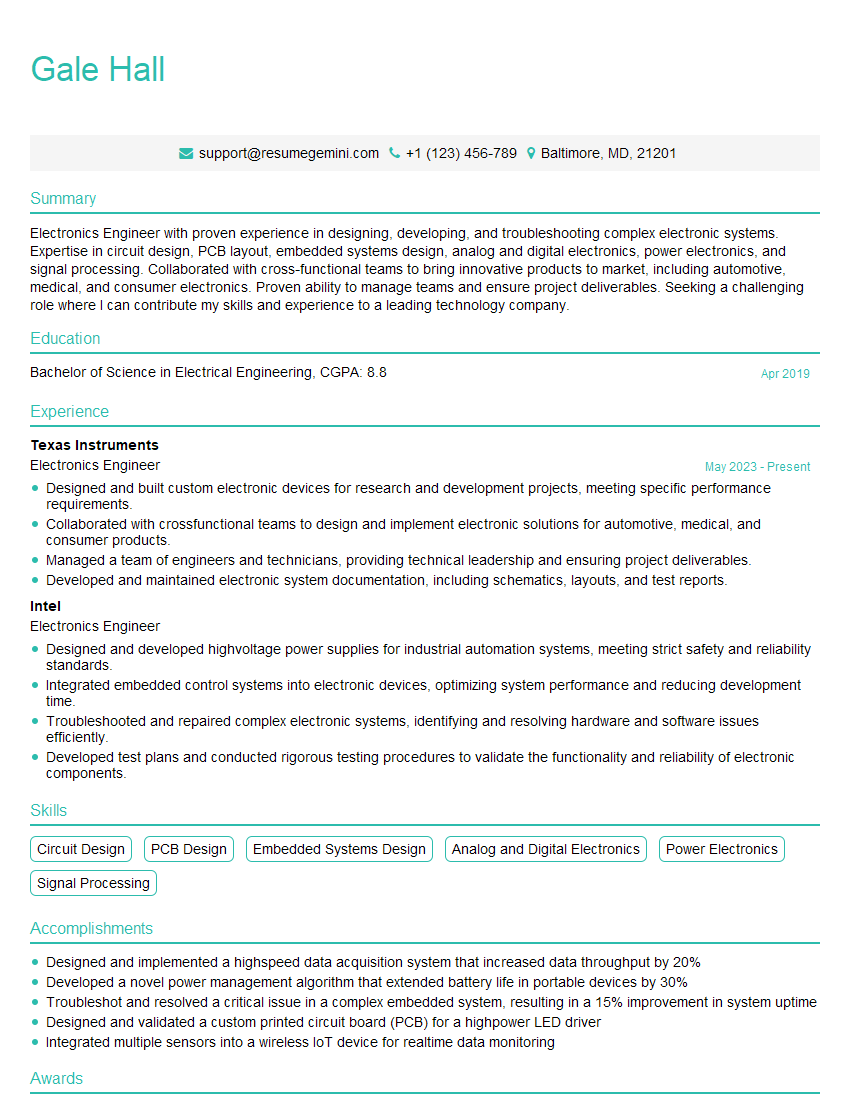
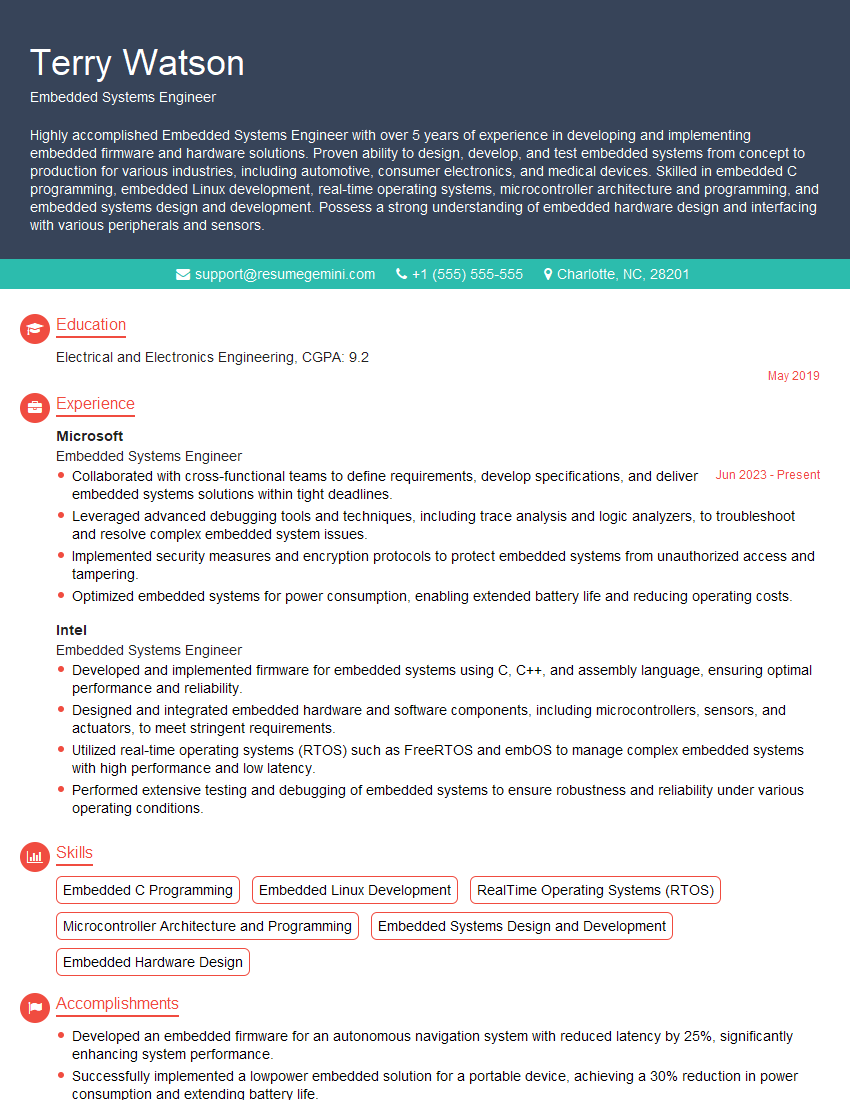
Mastering Raspberry Pi development opens doors to exciting careers in embedded systems, IoT, robotics, and more. To maximize your job prospects, invest time in crafting a compelling, ATS-friendly resume that highlights your skills and experience. ResumeGemini is a trusted resource that can help you build a professional resume that stands out from the competition. We provide examples of resumes tailored to Raspberry Pi Development to help you showcase your expertise effectively.





Explore more articles
Users Rating of Our Blogs
Share Your Experience
We value your feedback! Please rate our content and share your thoughts (optional).
What Readers Say About Our Blog
Very informative content, great job.
good