The thought of an interview can be nerve-wracking, but the right preparation can make all the difference. Explore this comprehensive guide to Screen Printing Knowledge interview questions and gain the confidence you need to showcase your abilities and secure the role.
Questions Asked in Screen Printing Knowledge Interview
Q 1. Describe your experience with different screen printing techniques (e.g., plastisol, water-based, discharge).
My experience encompasses a wide range of screen printing techniques, each with its unique properties and applications. Plastisol inks are workhorses of the industry, known for their vibrant colors, durability, and excellent opacity. They’re ideal for t-shirts, bags, and other textiles where longevity is key. I’ve extensively used plastisol inks for high-volume production runs, mastering techniques like flash curing and multiple layering for complex designs.
Water-based inks offer a softer hand feel and are environmentally friendly, making them popular for eco-conscious brands. Their breathability is a significant advantage, especially for garments. However, they are less opaque than plastisol and require careful handling to prevent cracking. I’ve successfully implemented water-based printing for organic cotton apparel projects, focusing on color layering for rich hues.
Discharge inks are specialized and remove color from the fabric before applying new color, leading to a unique, vintage-like effect. It’s more intricate, requiring precise color matching and careful fabric selection. I’ve utilized discharge printing for creating distressed or faded looks on dark-colored garments, achieving a very specific aesthetic. Understanding the limitations of each ink type and selecting the right one based on the job’s demands is crucial.
Q 2. Explain the process of creating a screen for screen printing.
Creating a screen for screen printing is a multi-step process that involves coating a mesh screen with a photosensitive emulsion. This emulsion is light-sensitive; when exposed to UV light through a film positive of the design, it hardens. The unexposed areas are then washed away, leaving the design open on the mesh. Think of it like creating a stencil, only on a much larger, more durable scale.
First, the screen is thoroughly cleaned to ensure optimal emulsion adhesion. Then, a light-sensitive emulsion is applied evenly across the mesh, usually using a scoop coater, ensuring consistent thickness for uniform results. After drying, a film positive (a transparency of the design) is placed on the screen, and the whole thing is exposed to a UV light source. This exposure hardens the emulsion where the light passes through, while the areas blocked by the film remain soft. Finally, the unexposed emulsion is washed away, revealing the design that will later receive the ink.
The accuracy of this step is paramount. A poorly made screen will lead to blurry prints or ink bleeding. Attention to detail in each phase—from emulsion application to washout—is essential to producing a quality screen.
Q 3. What are the different types of screens used in screen printing and their applications?
Several types of screens are used in screen printing, each chosen based on the job’s requirements. The mesh count, which refers to the number of threads per inch, is a critical factor determining the print’s detail and ink deposit. A higher mesh count allows for finer details, but it also requires more pressure and ink that will show through. A lower mesh count is better for thicker deposits and bolder prints.
- Fine Mesh (High Mesh Count): Used for detailed designs, fine lines, and halftones. Ideal for producing high-quality prints on smoother surfaces.
- Medium Mesh (Medium Mesh Count): A versatile option suitable for a wide range of designs and applications. Offers a good balance between detail and ink deposit.
- Coarse Mesh (Low Mesh Count): Best for bold graphics and applications requiring a heavy ink deposit. Suitable for printing on rough surfaces like fabrics with a texture.
The material of the screen also influences its durability and performance. Polyester is a popular choice due to its strength and resistance to chemicals used in screen printing. Stainless steel screens are used for very high volume applications needing more durability. Choosing the correct screen for the job significantly impacts both efficiency and print quality.
Q 4. How do you ensure accurate registration in screen printing?
Accurate registration in screen printing, ensuring multiple colors align perfectly, is critical for achieving a crisp, professional finish. Several methods contribute to precise alignment. First, using a high-quality registration system on the press itself is crucial. This system includes precise adjustments for each screen frame to align with previous layers. Micrometer adjustments allow for minute corrections ensuring alignment accuracy.
Secondly, careful preparation of the artwork is vital. The design files must include registration marks that are printed on the substrate before any printing begins. These marks serve as guides to align subsequent screens. Software such as Adobe Illustrator is often used to create these marks, allowing for precise positioning and alignment.
Third, experience and attention to detail during the setup process are essential. This includes meticulously aligning the screens using these registration marks as references before beginning the print. Regular checks during the printing process are crucial to quickly address any misalignment that might occur. Consistent tension on the screens also helps to minimize shifts during printing.
Q 5. What are the common causes of screen clogging and how do you prevent them?
Screen clogging, where ink becomes trapped in the mesh openings, is a frustrating problem that can significantly impact productivity and print quality. Several factors contribute to this issue. One of the most common is using inks that are too thick, or having inadequate cleaning processes between colors. Dried ink is a major culprit.
Another reason can be a dirty screen. Dust, lint, or other debris can accumulate on the screen and block ink flow. The wrong mesh count for the ink type can also lead to clogging. Using a mesh too fine for a thick ink will trap the ink while a mesh too course can lead to unsharp images.
Prevention is key. Regularly cleaning the screens with the appropriate solvent is essential. Proper ink management, ensuring ink is correctly mixed and thinned, plays a crucial role. Employing a screen-prepping technique (like using a degreaser) before applying emulsion improves screen performance. Addressing issues proactively, ensuring a clean environment, and maintaining appropriate equipment will significantly reduce the chances of screen clogging.
Q 6. Describe your experience with different types of screen printing inks.
My experience with screen printing inks is extensive, encompassing various types and their unique characteristics. Plastisol inks, as I’ve mentioned, are known for their durability and vibrant colors. Their versatility makes them suitable for various substrates. Water-based inks offer a softer feel and eco-friendliness, but often require more layers to achieve similar opacity. Discharge inks, which essentially bleach the fabric and then add color, produce a vintage or faded effect.
Beyond these, I’ve worked with specialty inks like glow-in-the-dark, metallic, puff inks, and glitter inks. Each type requires a different approach to application and curing, highlighting the importance of understanding ink properties. For instance, puff inks require a specific curing temperature to create the raised effect, while metallic inks need to be screened with a finer mesh to maintain a smooth finish. Choosing the right ink is crucial in achieving the desired effect and ensuring the durability of the print, considering the print substrate and how the finished product will be handled.
Q 7. How do you troubleshoot common screen printing problems (e.g., pinholes, blurry prints)?
Troubleshooting screen printing problems requires a systematic approach. Pinholes, tiny holes in the print, usually result from flaws in the screen itself. This could be caused by imperfections in the emulsion, damaged mesh, or improper cleaning. Careful inspection of the screen, replacing damaged sections, or making a new screen is necessary. Cleaning and proper maintenance prevent this from happening.
Blurry prints are often linked to several issues. Incorrect mesh count for the ink and design, improper squeegee pressure or angle, or a screen that is not taut enough are all possible culprits. Adjusting squeegee technique, re-tensioning the screen, or changing the mesh may resolve this. Checking the exposure timing during screen making and ensuring proper ink viscosity are also vital steps.
A methodical approach, starting with a thorough examination of the process—from screen preparation to printing technique—is key to identifying the root cause. Keeping detailed records of each step of the process helps in pinpointing errors and implementing corrective actions. This preventative approach minimizes downtime and maximizes print quality.
Q 8. What safety precautions do you follow when working with screen printing equipment and inks?
Safety is paramount in screen printing. We always start with proper personal protective equipment (PPE). This includes gloves to protect against ink and chemicals, eye protection to shield against splashes, and a respirator to prevent inhalation of ink fumes, especially when working with plastisol inks which can release volatile organic compounds (VOCs). The workspace itself needs to be well-ventilated to further reduce VOC exposure. We also ensure all equipment is properly grounded to prevent electrical shocks, and machinery is regularly inspected for any potential hazards. For example, I always check the tension on the screen frame before printing to prevent breakage and potential injury. Finally, proper disposal of waste inks and solvents is critical, adhering strictly to all local environmental regulations.
- Gloves: Nitrile gloves are preferred for their resistance to various inks and chemicals.
- Eye Protection: Safety glasses or goggles are essential to protect against splashes.
- Respirator: An appropriate respirator, like an N95 or higher, protects against ink fumes.
- Ventilation: Good airflow is essential, whether through open windows, fans, or a dedicated ventilation system.
Q 9. Explain the importance of proper screen cleaning and maintenance.
Proper screen cleaning and maintenance are vital for maintaining print quality and the longevity of your equipment. A clean screen ensures sharp, consistent prints, free from defects. Leaving ink to dry on the screen leads to clogging of the mesh, resulting in blurry prints and potentially damaging the screen. My cleaning process typically involves using a screen cleaning solvent appropriate for the type of ink used (water-based inks require different cleaning methods than plastisol inks), followed by a thorough rinsing. I then carefully inspect the screen for any remaining debris or damage. Regularly inspecting and cleaning the press itself — including the squeegee and off-contact adjustments — prevents build-up and ensures smooth operation. Think of it like maintaining a finely tuned engine; regular maintenance prevents costly repairs and ensures optimal performance.
Q 10. Describe your experience with different types of printing presses (e.g., manual, automatic).
I have extensive experience with both manual and automatic presses. Manual presses, like a Vastex, offer greater control and are ideal for smaller runs or specialized projects where precision and intricate designs are required. The hands-on nature allows for adjustments on the fly. Automatic presses, on the other hand, such as M&R or Anatol, are far more efficient for large-scale production. They automate many of the steps involved in screen printing, increasing speed and consistency, though they require a higher initial investment. I’ve worked on various models of both, allowing me to adjust to the specific nuances of each type of press. For example, understanding the pressure settings and speed adjustments on an automatic press is crucial for consistent results across a large print run. My experience bridges the gap between precision and high-volume production.
Q 11. How do you determine the correct mesh count for a specific job?
Choosing the correct mesh count is crucial for achieving optimal print quality. A lower mesh count (e.g., 43T) allows for the passage of more ink, resulting in thicker deposits, ideal for bold graphics and large areas of color. Higher mesh counts (e.g., 156T) produce finer details and allow for more delicate designs, including halftones. The choice depends heavily on the design’s intricacy, the ink type, and the substrate. For example, a fine-line design on a t-shirt would necessitate a higher mesh count for sharpness, while a large, bold graphic on a poster might use a lower mesh count. I often test different mesh counts with test prints before committing to a large-scale production run to ensure I achieve the desired results.
Q 12. Explain your experience with color separation and halftone screens.
Color separation and halftone screens are essential for reproducing complex images in screen printing, which is a subtractive process. My experience includes working with both traditional film-based separation techniques and digital methods using software like Photoshop or Illustrator. Understanding how to create halftone screens, which break down continuous tones into dots of varying sizes, is fundamental to achieving accurate color reproduction. I am proficient in adjusting dot gain compensation to account for the ink’s spreading characteristics on the substrate, ensuring that the printed colors closely match the desired results. I find that a strong understanding of color theory is crucial for this process, as is the careful calibration of your output device.
Q 13. How do you manage ink viscosity and achieve consistent print quality?
Managing ink viscosity is key to consistent print quality. Ink that’s too thick will lead to uneven printing and clogging, while ink that’s too thin can result in poor color saturation and bleed. I use a variety of methods to control viscosity, including adding retarders or reducers to adjust the consistency to the desired flow. Regular monitoring of the ink during the printing process is essential, as factors such as temperature and humidity can affect viscosity. I utilize a viscosity cup to measure the flow rate, ensuring consistency throughout the run. For example, on a hot day, I might need to add more retarder to maintain the correct flow, preventing the ink from drying too quickly on the screen.
Q 14. How familiar are you with different types of drying systems used in screen printing?
I’m familiar with various drying systems used in screen printing, from simple air drying to sophisticated conveyor dryers and flash cure units. Air drying is suitable for smaller jobs using water-based inks, while flash cure units are essential for plastisol inks, quickly curing the ink to prevent smearing. Conveyor dryers provide a more controlled and consistent drying process, particularly for large-scale production runs. The choice of drying system depends on factors such as the type of ink, substrate, and production volume. The key is to select a system that efficiently cures the ink without damaging the printed garment or substrate. For instance, high temperatures could damage delicate fabrics, necessitating a lower-temperature, longer-duration drying process.
Q 15. Describe your experience with pre-press preparation, including film positives and artwork setup.
Pre-press preparation is crucial for successful screen printing. It’s essentially the bridge between the design and the actual printing process. This involves creating film positives, which are essentially reversed images of the artwork, ready to be used to expose the screens. Artwork setup is the meticulous process of preparing the digital artwork to ensure it’s print-ready. This includes things like color mode (CMYK for screen printing), resolution (high enough to avoid pixelation), and ensuring all elements are correctly sized and positioned for the desired garment or substrate.
My experience encompasses handling various artwork formats, from simple logos to complex multi-color designs. I’m adept at using vector-based software like Adobe Illustrator to create or manipulate artwork for optimal screen printing. I meticulously check for potential issues, such as incorrect color separations, low resolution, or thin lines that might not reproduce well. I then use specialized software to create the film positives, ensuring accurate color separation and registration marks for precise alignment during the printing process. For example, I recently worked on a project with a highly detailed design, and through careful manipulation in Illustrator and precise film positive creation, we achieved a remarkably crisp and accurate print.
Career Expert Tips:
- Ace those interviews! Prepare effectively by reviewing the Top 50 Most Common Interview Questions on ResumeGemini.
- Navigate your job search with confidence! Explore a wide range of Career Tips on ResumeGemini. Learn about common challenges and recommendations to overcome them.
- Craft the perfect resume! Master the Art of Resume Writing with ResumeGemini’s guide. Showcase your unique qualifications and achievements effectively.
- Don’t miss out on holiday savings! Build your dream resume with ResumeGemini’s ATS optimized templates.
Q 16. How do you calculate the amount of ink needed for a specific job?
Calculating ink requirements is more than just a guess; it’s a crucial cost-saving and efficiency measure. It depends on several factors: the number of prints, the size of the print area, the number of colors, the ink viscosity, and the type of substrate.
I typically use a combination of methods: past experience, estimations based on print area and color count, and occasionally even test prints. For example, a simple one-color print on 100 t-shirts with a small print area will require significantly less ink than a complex four-color print on 500 tote bags with large designs. Sometimes, I’ll perform a small test run to get a more accurate measure of ink usage, especially with new ink colors or unusual substrates. To ensure accuracy, I account for ink loss due to factors like screen mesh, squeegee pressure, and ink buildup. For larger jobs, I maintain detailed records of past projects to improve estimation accuracy over time.
Q 17. How do you handle color matching and consistency across multiple prints?
Color consistency is paramount in screen printing. Inconsistent color can ruin the aesthetic appeal and brand consistency. I achieve this through a multi-pronged approach.
First, I use Pantone Matching System (PMS) colors whenever possible, as these provide a standardized color language that guarantees consistency across different prints and batches. Secondly, I meticulously calibrate my printing equipment, ensuring consistent squeegee pressure and ink deposit for each color. Third, I perform regular color checks during the printing process using a calibrated color chart and, if needed, make adjustments to the ink mixture or screen tension. I also carefully maintain ink consistency by stirring the inks regularly and avoiding contamination between colors. Finally, I always maintain detailed records of the ink mixes used for each job, to easily reproduce them if needed.
Q 18. What quality control measures do you use to ensure high-quality prints?
Quality control is an ongoing process, not a one-time check. It starts with the pre-press stage and continues throughout printing and finishing. My quality control measures include:
- Careful inspection of film positives: Checking for any flaws, misalignments, or missing elements.
- Regular screen checks: Ensuring screens are free of debris and properly tensioned.
- Test prints: Producing sample prints to check color accuracy and registration before starting the main run.
- In-process monitoring: Regularly checking the prints throughout the process to identify and correct any inconsistencies.
- Final inspection: A thorough review of all finished prints to detect defects like misprints, smudging, or color variations.
I document all quality control checks and any adjustments made, ensuring traceability and accountability. This documentation aids in improving our processes over time and resolving any issues effectively.
Q 19. How do you deal with customer requests or specifications?
Handling customer requests and specifications is a critical aspect of my role. I begin by actively listening to the customer, understanding their vision, and clarifying any ambiguities in their requests. This includes discussing design, color preferences, quantities, deadlines, and any special requirements.
I then translate their needs into actionable steps, providing realistic timelines and potential solutions. I address any technical challenges proactively, offering alternatives or explaining limitations openly and honestly. Throughout the process, I maintain open communication with the client, providing updates, and seeking approval at various stages. For example, I might offer suggestions for design modifications that improve printability or cost-effectiveness. By maintaining transparency and a collaborative approach, I ensure customer satisfaction and build strong professional relationships.
Q 20. What software are you familiar with for design and pre-press work (e.g., Adobe Illustrator, Photoshop)?
I’m highly proficient in Adobe Illustrator and Photoshop for design and pre-press work. Illustrator is my go-to tool for vector-based designs due to its scalability and precision, crucial for creating sharp, clean prints. Photoshop’s raster-based capabilities are invaluable for image editing, color correction, and manipulating bitmap-based artwork.
Beyond these, I have experience with RIP software (Raster Image Processor) which is used to process and prepare the digital artwork for screen printing. This involves tasks like color separation, halftoning, and generating print files compatible with screen printing equipment. I am also comfortable using other relevant software depending on the needs of the project.
Q 21. Describe your experience with different types of substrates (e.g., t-shirts, bags, wood).
My experience encompasses a wide range of substrates including t-shirts (various fabrics like cotton, polyester blends), tote bags (canvas, non-woven), wood (different types and finishes), and other materials like mugs, hats, and even promotional items. Each substrate presents unique challenges in terms of ink adhesion, print durability, and the printing process itself.
For example, printing on cotton t-shirts requires a different ink and process compared to printing on polyester. Wood requires specialized pre-treatment and inks to ensure proper adhesion. My expertise lies in selecting the appropriate inks, pre-treatment methods, and printing techniques to optimize the outcome on each substrate. I stay abreast of new technologies and printing techniques, ensuring I’m always equipped to handle diverse substrate requirements. This involves understanding the properties of different materials and how they interact with inks and the printing process.
Q 22. How do you manage production timelines and meet deadlines?
Managing production timelines in screen printing requires a meticulous approach. It starts with a clear understanding of the project scope, including the number of designs, quantity of prints, and client deadlines. I utilize project management software to meticulously track each stage, from artwork approval and screen creation to printing and finishing. I break down large projects into smaller, manageable tasks, assigning each task a realistic timeframe. This allows for better tracking of progress and early identification of potential delays. Regular communication with the client, updating them on progress and potential challenges, is crucial for managing expectations. I also build in buffer time to account for unexpected issues, like equipment malfunctions or material shortages. Finally, I regularly review the schedule, making adjustments as needed, to ensure timely completion.
For example, on a recent large order of 5,000 t-shirts with three different designs, I divided the project into phases: artwork preparation, screen creation (one screen per color per design), printing, curing, and quality control. Each phase had its own deadline, and by monitoring these closely, we delivered the order on time and to the client’s satisfaction.
Q 23. Explain your experience with inventory management for inks, screens, and other supplies.
Effective inventory management is critical in screen printing to avoid costly delays and wasted materials. My approach is multi-faceted and involves using a combination of software and manual tracking. I maintain a detailed inventory database, including the quantity, supplier, and purchase date of each ink color, type of screen mesh (different mesh counts for different jobs), squeegees, emulsion, and other consumables. Regular stock checks ensure we have enough supplies on hand to meet upcoming orders without excessive overstocking. I utilize a minimum-maximum inventory system to trigger reordering when stock levels fall below a certain point, preventing unexpected shortages. This also helps minimize storage space and reduces the risk of ink degradation or mesh deterioration. I also regularly review consumption patterns to optimize ordering quantities and minimize waste.
For instance, I noticed a consistent demand for specific Pantone colors. By analyzing historical data, I negotiated better pricing with our supplier for bulk purchases, which reduced our overall costs significantly while ensuring adequate supply.
Q 24. Describe a time you had to solve a problem during a screen printing job.
During a large print run of custom hoodies, we encountered a significant problem with cracking in the plastisol ink. The cracking appeared only on certain areas of the garment and seemed to be related to the fabric’s composition. Initially, we thought it might be a problem with the ink itself, so we tested new batches, but the cracking persisted. We then systematically investigated other factors: the print temperature, the curing time, and the pre-press preparation of the garments. We discovered the issue stemmed from the pre-treatment of the hoodies; the supplier had changed the pre-treatment process without notification. This altered the fabric’s surface tension, resulting in the ink cracking. We quickly contacted the supplier, and they provided us with a suitable solution – a different pre-treatment process. We implemented this adjustment, and the subsequent prints were flawless. This situation highlighted the importance of thorough communication with suppliers and the need for meticulous attention to detail throughout the entire print process.
Q 25. How do you stay updated with the latest trends and technologies in screen printing?
Staying updated in screen printing is crucial for maintaining a competitive edge. I regularly attend industry trade shows, such as SGIA (Specialty Graphic Imaging Association) Expo, to learn about new inks, equipment, and printing techniques. I subscribe to industry publications, both print and online, and actively participate in online forums and communities where printers share best practices and discuss emerging trends. I also follow leading screen printing companies and influencers on social media platforms like Instagram and LinkedIn to stay informed about the latest innovations. This continuous learning allows me to incorporate the best practices and latest technology into my workflows, ensuring that we’re consistently delivering high-quality prints and exploring new possibilities.
For example, I recently learned about water-based inks, which are becoming increasingly popular due to their eco-friendliness. By incorporating these inks into our processes, we’re able to offer a more sustainable printing option to our environmentally conscious clients.
Q 26. What is your experience with spot color vs. process color printing?
Spot color printing uses premixed inks to achieve specific colors, while process color printing uses a combination of cyan, magenta, yellow, and black (CMYK) inks to create a wider range of colors. I have extensive experience with both. Spot color is ideal for projects needing precise color matching, such as corporate logos or brand colors, providing consistent and accurate results. It’s generally more cost-effective for simpler designs with fewer colors. Process color printing is better suited for projects requiring photorealistic images or a wide spectrum of colors; however, achieving precise color matching can be more challenging and requires careful color profiling and calibration. The cost per print can be higher due to the use of multiple inks.
For example, when printing t-shirts with a client’s logo (which is a specific Pantone color), we’d use spot color for accuracy. If printing a photorealistic design, we’d use process color to achieve the required detail and color gradient. I understand the strengths and limitations of each method and choose the optimal approach based on the project requirements and client needs.
Q 27. How do you handle waste reduction and environmentally friendly practices in screen printing?
Environmental responsibility is a core value in my approach to screen printing. We employ several strategies to minimize waste and promote environmentally friendly practices. This includes using water-based inks whenever possible, which are less toxic than plastisol inks and produce less volatile organic compounds (VOCs). We meticulously manage our ink usage to avoid unnecessary waste and properly dispose of used inks according to environmental regulations. We recycle our screens and other materials whenever feasible and source eco-friendly packaging materials. We also strive to optimize our energy consumption by using energy-efficient equipment and reducing our reliance on high energy-consuming processes. We continuously explore and implement new methods for reducing our environmental footprint.
For example, we invested in a new reclaim system for our inks which allows us to reuse and recycle certain ink materials, significantly reducing waste and our environmental impact.
Q 28. Describe your experience working in a fast-paced production environment.
I thrive in fast-paced production environments. My experience includes working on projects with tight deadlines and high-volume orders. My organizational skills, attention to detail, and ability to prioritize tasks allow me to maintain efficiency and quality even under pressure. I’m adept at delegating tasks effectively and collaborating with team members to ensure smooth workflows. I understand the importance of clear communication and proactive problem-solving to handle unexpected issues promptly and minimize disruptions. I’m also comfortable working extended hours when needed to meet deadlines without sacrificing quality.
During a particularly busy period, we were tasked with completing a large order of 10,000 promotional t-shirts within a very short timeframe. By effectively coordinating the team, optimizing our printing workflow, and implementing a rigorous quality control process, we successfully delivered the order on time and to the client’s satisfaction, showcasing my ability to manage high pressure and deliver under tight deadlines.
Key Topics to Learn for Your Screen Printing Knowledge Interview
- Screen Preparation: Understanding different screen mesh counts, emulsion application techniques (direct/indirect), and proper coating methods for optimal print results. Consider the impact of mesh count on print detail and ink deposit.
- Image Exposure and Development: Mastering exposure techniques using various light sources (UV, halogen), developing screens with appropriate chemicals, and troubleshooting issues like pinholes or incomplete exposure. Practice analyzing exposure times based on emulsion type and light intensity.
- Ink Selection and Mixing: Gain a comprehensive understanding of different ink types (plastisol, water-based, discharge), their properties, and appropriate mixing techniques for achieving specific color matches and print consistency. Explore color theory and its application in screen printing.
- Printing Techniques and Troubleshooting: Familiarize yourself with various printing methods (flood stroke, snap-off), the importance of proper squeegee pressure and angle, and troubleshooting common printing problems like off-register, pinholes, and ink bleed. Practice identifying and resolving these issues.
- Press Operation and Maintenance: Understand the operation and maintenance of different screen printing presses (manual, automatic), including setup, cleaning, and troubleshooting mechanical issues. Discuss preventative maintenance strategies.
- Safety Procedures and Regulations: Demonstrate knowledge of safety regulations and procedures related to ink handling, chemical usage, and equipment operation. Understand relevant OSHA guidelines.
- Industry Software and Design: Familiarity with vector-based design software (e.g., Adobe Illustrator) and its application in screen printing workflows, including file preparation for screen printing.
Next Steps
Mastering screen printing knowledge is crucial for career advancement in this dynamic field. A strong understanding of these concepts will significantly enhance your interview performance and open doors to exciting opportunities. To further boost your job prospects, focus on crafting an ATS-friendly resume that highlights your skills and experience effectively. ResumeGemini is a trusted resource that can help you build a professional and impactful resume. They even provide examples of resumes tailored to screen printing knowledge, giving you a head start in showcasing your qualifications to potential employers.

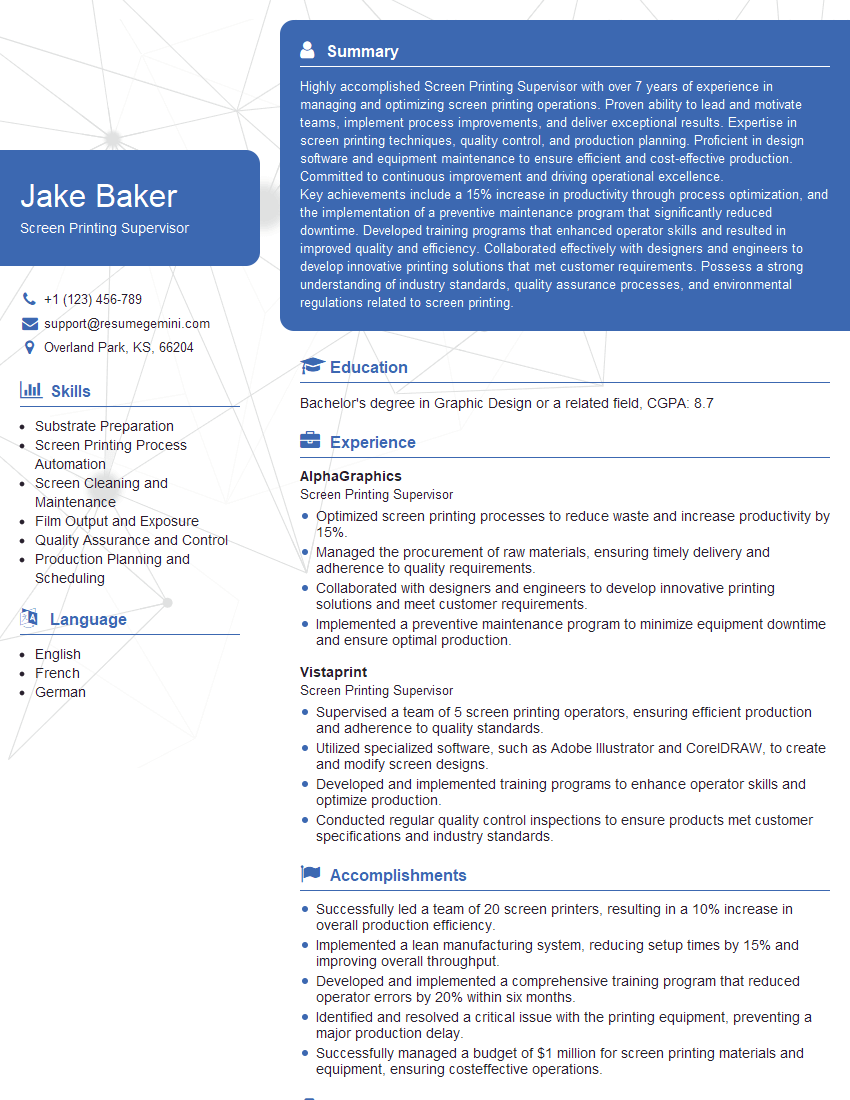

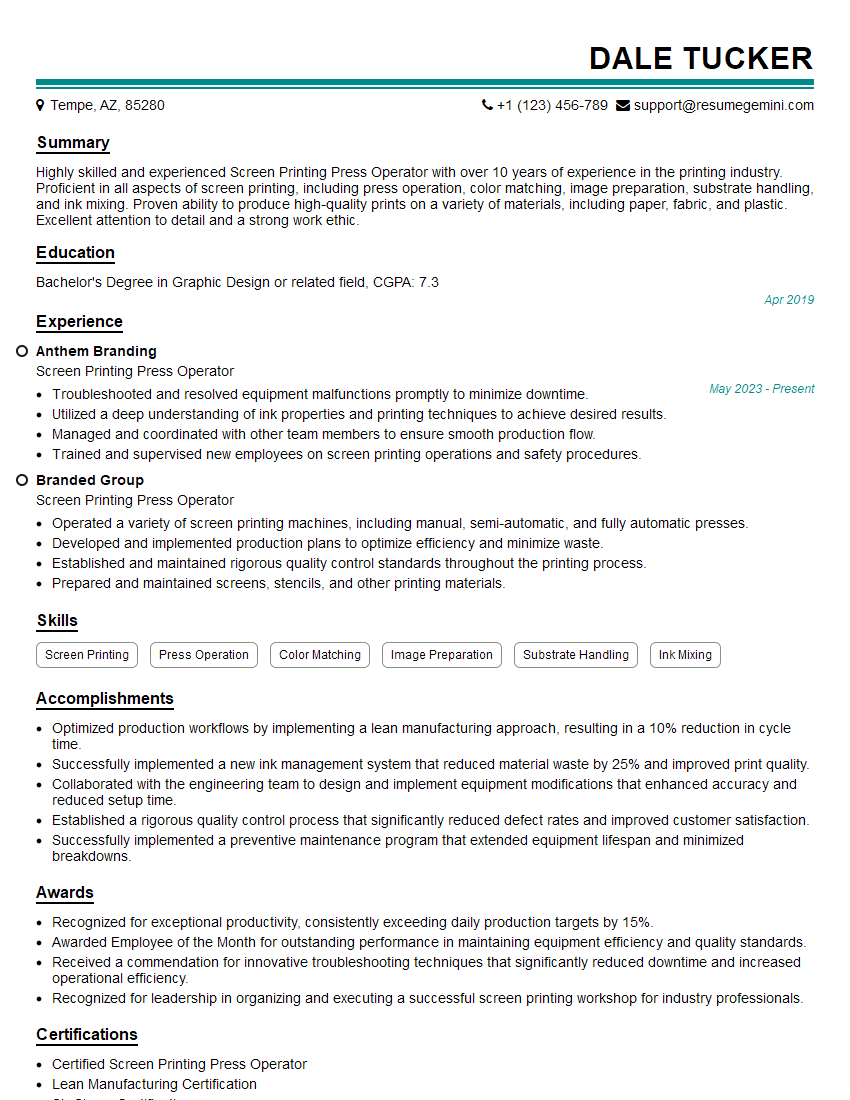
Explore more articles
Users Rating of Our Blogs
Share Your Experience
We value your feedback! Please rate our content and share your thoughts (optional).
What Readers Say About Our Blog
Hello,
we currently offer a complimentary backlink and URL indexing test for search engine optimization professionals.
You can get complimentary indexing credits to test how link discovery works in practice.
No credit card is required and there is no recurring fee.
You can find details here:
https://wikipedia-backlinks.com/indexing/
Regards
NICE RESPONSE TO Q & A
hi
The aim of this message is regarding an unclaimed deposit of a deceased nationale that bears the same name as you. You are not relate to him as there are millions of people answering the names across around the world. But i will use my position to influence the release of the deposit to you for our mutual benefit.
Respond for full details and how to claim the deposit. This is 100% risk free. Send hello to my email id: [email protected]
Luka Chachibaialuka
Hey interviewgemini.com, just wanted to follow up on my last email.
We just launched Call the Monster, an parenting app that lets you summon friendly ‘monsters’ kids actually listen to.
We’re also running a giveaway for everyone who downloads the app. Since it’s brand new, there aren’t many users yet, which means you’ve got a much better chance of winning some great prizes.
You can check it out here: https://bit.ly/callamonsterapp
Or follow us on Instagram: https://www.instagram.com/callamonsterapp
Thanks,
Ryan
CEO – Call the Monster App
Hey interviewgemini.com, I saw your website and love your approach.
I just want this to look like spam email, but want to share something important to you. We just launched Call the Monster, a parenting app that lets you summon friendly ‘monsters’ kids actually listen to.
Parents are loving it for calming chaos before bedtime. Thought you might want to try it: https://bit.ly/callamonsterapp or just follow our fun monster lore on Instagram: https://www.instagram.com/callamonsterapp
Thanks,
Ryan
CEO – Call A Monster APP
To the interviewgemini.com Owner.
Dear interviewgemini.com Webmaster!
Hi interviewgemini.com Webmaster!
Dear interviewgemini.com Webmaster!
excellent
Hello,
We found issues with your domain’s email setup that may be sending your messages to spam or blocking them completely. InboxShield Mini shows you how to fix it in minutes — no tech skills required.
Scan your domain now for details: https://inboxshield-mini.com/
— Adam @ InboxShield Mini
Reply STOP to unsubscribe
Hi, are you owner of interviewgemini.com? What if I told you I could help you find extra time in your schedule, reconnect with leads you didn’t even realize you missed, and bring in more “I want to work with you” conversations, without increasing your ad spend or hiring a full-time employee?
All with a flexible, budget-friendly service that could easily pay for itself. Sounds good?
Would it be nice to jump on a quick 10-minute call so I can show you exactly how we make this work?
Best,
Hapei
Marketing Director
Hey, I know you’re the owner of interviewgemini.com. I’ll be quick.
Fundraising for your business is tough and time-consuming. We make it easier by guaranteeing two private investor meetings each month, for six months. No demos, no pitch events – just direct introductions to active investors matched to your startup.
If youR17;re raising, this could help you build real momentum. Want me to send more info?
Hi, I represent an SEO company that specialises in getting you AI citations and higher rankings on Google. I’d like to offer you a 100% free SEO audit for your website. Would you be interested?
Hi, I represent an SEO company that specialises in getting you AI citations and higher rankings on Google. I’d like to offer you a 100% free SEO audit for your website. Would you be interested?
good