The thought of an interview can be nerve-wracking, but the right preparation can make all the difference. Explore this comprehensive guide to Security Vulnerability Assessment interview questions and gain the confidence you need to showcase your abilities and secure the role.
Questions Asked in Security Vulnerability Assessment Interview
Q 1. Explain the difference between vulnerability scanning and penetration testing.
Vulnerability scanning and penetration testing are both crucial components of a robust security posture, but they differ significantly in their approach and objectives. Think of vulnerability scanning as a broad health check, while penetration testing is a more targeted, invasive examination.
Vulnerability scanning is an automated process that uses software to identify known security weaknesses in systems and applications. It works by comparing the system’s configuration and software against a database of known vulnerabilities (like those found in the National Vulnerability Database – NVD). The scanner flags potential issues without actually attempting to exploit them. It’s like a doctor performing a general physical exam – checking vital signs and looking for obvious problems.
Penetration testing, on the other hand, simulates real-world attacks to assess the system’s resilience. Penetration testers actively try to exploit vulnerabilities to determine the actual impact of a successful breach. They mimic the actions of malicious actors, trying various techniques to gain unauthorized access and assess the damage they can inflict. This is like a doctor performing a series of specialized tests, such as an EKG or stress test, to identify potential heart conditions.
In short: Vulnerability scanning identifies potential problems, while penetration testing verifies actual weaknesses and their potential impact.
Q 2. Describe the OWASP Top 10 vulnerabilities and how to mitigate them.
The OWASP Top 10 represents the most critical web application security risks. These are not static; they are updated periodically to reflect evolving threats. Here’s a summary of some key vulnerabilities and mitigation strategies:
- Injection (SQL, XSS, etc.): Malicious code is inserted into inputs to manipulate database queries or client-side scripts. Mitigation: Input validation, parameterized queries (for SQL), output encoding (for XSS), and using a web application firewall (WAF).
- Broken Authentication and Session Management: Weak passwords, insecure session handling, and lack of multi-factor authentication (MFA) allow attackers to impersonate users. Mitigation: Strong password policies, robust session management (using HTTPS and secure cookies), implementing MFA, and regular security audits.
- Sensitive Data Exposure: Unprotected sensitive data (like passwords, credit card details) is exposed. Mitigation: Encryption at rest and in transit, access control, data loss prevention (DLP) tools, and secure storage practices.
- XML External Entities (XXE): Attackers exploit XML parsers to access local files or internal networks. Mitigation: Disabling external entity processing in XML parsers, validating XML inputs, and using secure XML libraries.
- Broken Access Control: Improper authorization mechanisms allow unauthorized access to resources. Mitigation: Implementing role-based access control (RBAC), least privilege principle, input validation, and regular security audits.
- Security Misconfiguration: Default configurations, unnecessary services, or outdated software leave systems vulnerable. Mitigation: Following security best practices, regularly updating software and configurations, removing unnecessary services, and implementing strong security settings.
- Cross-Site Scripting (XSS): Malicious scripts are injected into websites, allowing attackers to steal user data or hijack sessions. (Often covered under Injection). Mitigation: Input validation, output encoding, and using a WAF.
- Insecure Deserialization: Unsafely deserializing data can allow attackers to execute arbitrary code. Mitigation: Input validation, using secure deserialization libraries, and restricting deserialization to trusted sources.
- Using Components with Known Vulnerabilities: Relying on outdated or vulnerable third-party libraries or components. Mitigation: Regularly updating components, using vulnerability scanners to identify outdated libraries, and conducting thorough dependency checks.
- Insufficient Logging & Monitoring: Lack of proper logging and monitoring hinders threat detection and incident response. Mitigation: Implementing comprehensive logging, setting up intrusion detection and prevention systems (IDS/IPS), and regularly monitoring logs for suspicious activity.
These are just summaries. Each vulnerability requires a deeper dive for proper understanding and mitigation.
Q 3. What are the different types of vulnerability scanners and their strengths/weaknesses?
Several types of vulnerability scanners exist, each with its own strengths and weaknesses:
- Network-based scanners: These scan the network for open ports, services, and vulnerabilities. Examples include Nessus and OpenVAS. Strengths: Comprehensive coverage of network devices. Weaknesses: Can be slow, may produce false positives, and might not detect vulnerabilities within applications.
- Host-based scanners: These scan individual systems for vulnerabilities. Strengths: Detailed analysis of individual systems, including operating system and application vulnerabilities. Weaknesses: Requires agent installation or privileged access on each system.
- Web application scanners: These scan web applications for vulnerabilities like SQL injection and cross-site scripting. Examples include Acunetix and Burp Suite. Strengths: Specifically designed for web application security, provides detailed vulnerability information. Weaknesses: Can be complex to configure and use, may require specific knowledge of web technologies.
- Database scanners: These scanners analyze database systems for security vulnerabilities. Strengths: Focuses on securing database infrastructure, identifies configuration errors and vulnerabilities. Weaknesses: Requires access to database systems, may not cover all aspects of application security.
The choice of scanner depends on the specific needs and resources. A comprehensive approach usually involves using a combination of different scanner types.
Q 4. How do you prioritize vulnerabilities?
Prioritizing vulnerabilities is crucial to efficient remediation. A common approach is using a risk-based prioritization system, considering factors like:
- Severity: The potential impact of the vulnerability (critical, high, medium, low). CVSS (Common Vulnerability Scoring System) scores help quantify severity.
- Exploitability: How easily an attacker can exploit the vulnerability. A publicly available exploit increases the exploitability.
- Likelihood: The probability of an attacker targeting the vulnerability. This considers factors like the system’s visibility and the value of the data it protects.
- Business impact: The potential impact on the organization if the vulnerability is exploited. This considers factors like downtime, data loss, regulatory penalties and reputational damage.
A common prioritization matrix will then combine these factors to assign a risk score to each vulnerability. Vulnerabilities with higher risk scores should be addressed first. Remember to involve stakeholders from different departments to accurately assess the business impact.
Q 5. Explain the concept of a false positive in vulnerability scanning.
A false positive in vulnerability scanning is when a scanner identifies a potential vulnerability that doesn’t actually exist. This can happen due to several reasons:
- Inaccurate vulnerability definitions: The scanner’s vulnerability database might contain outdated or inaccurate information.
- Misinterpretation of scan results: The scanner might misinterpret benign configurations or system behaviors as vulnerabilities.
- Lack of context: The scanner doesn’t understand the system’s specific configuration or environment, leading to false positives.
- Poorly configured scanner: An incorrectly configured scanner might generate numerous false positives.
Addressing false positives requires careful analysis of the scan results and verification. This might involve manual inspection of the affected systems and configuration files, or further investigation using penetration testing techniques to confirm the existence of a vulnerability. It’s crucial to minimize false positives to avoid wasting time and resources on non-existent issues.
Q 6. What is a vulnerability management lifecycle?
The vulnerability management lifecycle is a structured process for identifying, assessing, remediating, and monitoring vulnerabilities throughout their lifecycle. It typically includes the following stages:
- Planning and scoping: Defining the scope of the vulnerability management program and identifying assets to be scanned.
- Vulnerability identification: Using vulnerability scanners and penetration testing to identify security weaknesses.
- Vulnerability assessment: Analyzing the identified vulnerabilities to determine their severity and potential impact.
- Remediation: Fixing identified vulnerabilities through patching, configuration changes, or other methods.
- Verification: Validating that the remediation efforts have successfully addressed the vulnerabilities.
- Reporting: Regularly reporting on the status of vulnerability management activities, including identified vulnerabilities, remediation progress, and overall security posture.
- Monitoring: Continuously monitoring systems and applications for new vulnerabilities and ensuring that security controls remain effective.
A successful vulnerability management program requires a clear strategy, the right tools, and a dedicated team to execute the process effectively. The goal is to proactively identify and address vulnerabilities before they can be exploited by attackers.
Q 7. Describe your experience with using vulnerability scanning tools (e.g., Nessus, OpenVAS, Qualys).
During my career, I’ve extensively used various vulnerability scanning tools, including Nessus, OpenVAS, and QualysGuard. My experience spans both deploying and managing these tools in diverse environments, from small networks to large enterprise infrastructures.
Nessus: I’ve used Nessus for comprehensive network and host-based vulnerability scans, leveraging its extensive plugin library for detailed analysis. I’m proficient in configuring scan policies, scheduling scans, and interpreting results. I’ve also used its reporting features to generate comprehensive vulnerability reports for stakeholders.
OpenVAS: I have experience with OpenVAS, particularly its open-source nature. This provided an opportunity to understand the internal workings of a vulnerability scanner and customize it based on specific needs. It’s a cost-effective alternative to commercial solutions, though it may require more technical expertise to manage effectively.
QualysGuard: My experience with QualysGuard involved using its cloud-based vulnerability management platform. I found its centralized management capabilities and reporting features particularly useful for managing a large number of assets across different locations. The integrated vulnerability management platform helped to streamline the overall security process.
In all cases, I’ve focused on properly configuring the scanners to minimize false positives, accurately defining scan scopes, and developing effective remediation strategies based on the identified vulnerabilities. My approach consistently prioritizes actionable intelligence over simply generating long lists of potential issues.
Q 8. How do you handle a critical vulnerability found during an assessment?
Discovering a critical vulnerability is serious business. My immediate response involves a structured approach prioritizing immediate mitigation and thorough documentation. First, I’d verify the vulnerability’s existence through multiple methods to eliminate false positives. Then, I’d immediately inform the client’s designated security contact, providing a concise but detailed explanation of the risk, potential impact, and any immediate steps they can take to mitigate the threat – perhaps disabling a service or applying a temporary fix. This is crucial to prevent exploitation. Next, I’d work with the client to develop a comprehensive remediation plan, detailing the steps needed to permanently fix the vulnerability. Throughout this process, I meticulously document every step – from the initial discovery and verification to the final remediation and follow-up testing to ensure the issue is resolved. This detailed documentation is critical for auditing and demonstrating due diligence.
For example, if I find a critical SQL injection vulnerability, I’d immediately alert the client, advising them to temporarily restrict access to the affected database while working to implement a patch or upgrade to a secure version of their database system. The documentation would include screenshots, exploit proof-of-concepts (without causing damage!), and detailed steps to reproduce the vulnerability. The final report would showcase the remediation steps and verification tests ensuring the vulnerability is closed.
Q 9. Explain the difference between black box, white box, and grey box penetration testing.
The key difference between black box, white box, and grey box penetration testing lies in the level of knowledge the tester has about the target system. Imagine you’re trying to open a locked door:
- Black Box Testing: You have no information about the lock mechanism or the door itself. You’re attempting to pick the lock, trying different techniques until you succeed. This mirrors real-world attacks where hackers have minimal knowledge of the target system.
- White Box Testing: You have complete knowledge of the system – blueprints of the door, detailed knowledge of the lock’s mechanics. This lets you test for vulnerabilities more effectively and systematically, targeting specific weaknesses. This scenario is used when the organization wants a thorough internal audit.
- Grey Box Testing: You have some knowledge of the system – perhaps a partial blueprint or some information about the lock. This approach is a compromise, offering a balance between the thoroughness of white box testing and the realistic perspective of black box testing. This approach is often preferred for its balance.
In practice, black box testing is best for simulating external threats, while white box testing helps identify internal vulnerabilities that might be missed in a black box approach. Grey box testing offers a middle ground, providing a more realistic scenario while still allowing for targeted testing based on partial knowledge.
Q 10. What are some common techniques used in penetration testing?
Penetration testing employs a wide array of techniques, depending on the testing methodology (black box, white box, grey box) and the target system. Some common techniques include:
- Network Scanning: Using tools like Nmap to identify open ports, services, and vulnerabilities within the network.
- Vulnerability Scanning: Employing tools like Nessus or OpenVAS to automate the discovery of known vulnerabilities in software and hardware.
- Exploit Development: Creating custom exploits to test vulnerabilities identified through scanning. This often involves understanding programming languages and system internals (more common in white box testing).
- Social Engineering: Attempting to manipulate individuals to gain access to sensitive information or systems (used responsibly and ethically in penetration tests).
- Wireless Security Testing: Assessing the security of Wi-Fi networks, looking for weaknesses in authentication and encryption.
- Web Application Testing: Testing web applications for vulnerabilities such as SQL injection, cross-site scripting (XSS), and cross-site request forgery (CSRF).
For instance, in a web application test, I might use tools like Burp Suite to intercept and modify HTTP requests, simulating attacks to detect vulnerabilities like SQL injection by injecting malicious SQL code into input fields.
Q 11. How do you document your findings from a vulnerability assessment?
Documentation is the backbone of a successful vulnerability assessment. My reports adhere to a standardized format, including:
- Executive Summary: A high-level overview of the assessment’s scope, findings, and recommendations.
- Methodology: A detailed description of the testing process, including the tools and techniques used.
- Vulnerability Details: A comprehensive list of discovered vulnerabilities, including their severity, location, potential impact, and remediation recommendations. Each vulnerability includes a unique ID, clear description, evidence (screenshots, logs), and CVSS score.
- Remediation Recommendations: Specific steps to address each vulnerability, including prioritized actions based on risk and urgency. I also provide links to relevant patches, advisories, and resources.
- Appendices: Supporting documentation, such as network diagrams, raw scan data, and detailed exploit proof-of-concepts (where relevant and ethically permissible).
I use a combination of text, tables, and visual aids such as network diagrams and screenshots to ensure clarity and conciseness. The report is written in clear, non-technical language where possible, ensuring that even non-technical stakeholders can understand the key findings and recommendations. This ensures clear communication and facilitates quick action.
Q 12. What are the legal and ethical considerations in penetration testing?
Legal and ethical considerations are paramount in penetration testing. Before commencing any assessment, I must obtain explicit written consent from the client, clearly defining the scope of the engagement. This agreement outlines the boundaries of the testing, specifying which systems and networks are included and any restrictions (e.g., no data exfiltration). It also outlines liability limitations and responsibilities. I must always adhere to the following:
- Confidentiality: All discovered information must be treated as strictly confidential and only shared with authorized personnel.
- Legality: All testing activities must comply with applicable laws and regulations, including data privacy laws (like GDPR or CCPA).
- Non-malicious Intent: Testing must be conducted in a responsible manner, avoiding any actions that could cause damage or disruption to systems.
- Ethical Behavior: Maintaining professional integrity throughout the engagement is vital. This includes clearly communicating findings and responding promptly to client concerns. I follow strict guidelines regarding responsible disclosure and transparency.
Ignoring these considerations can lead to legal repercussions, damage to reputation, and the erosion of trust. For example, accessing systems without explicit consent is illegal and unethical. Adherence to these principles guarantees the integrity and success of the assessment.
Q 13. How do you ensure the confidentiality, integrity, and availability of data during a vulnerability assessment?
Ensuring the confidentiality, integrity, and availability (CIA triad) of data during a vulnerability assessment is critical. I employ several measures:
- Data Encryption: All sensitive data collected during the assessment is encrypted both in transit and at rest using strong encryption algorithms.
- Secure Storage: Data is stored securely using encrypted storage solutions and access control mechanisms, limiting access to authorized personnel only.
- Data Minimization: I collect only the data necessary to complete the assessment, avoiding unnecessary data collection that could increase the risk of a breach.
- Secure Tools and Methods: I utilize secure and reputable tools, regularly updating them to address known vulnerabilities and ensuring that my own testing methods adhere to secure coding principles and safe practices.
- Regular Backups: I maintain regular backups of all collected data to mitigate the risk of data loss or corruption.
- Incident Response Plan: I have a robust incident response plan in place to handle any unexpected events such as accidental data exposure or system compromise.
For instance, sensitive data like usernames and passwords are never stored in plain text. Instead, they’re hashed using strong, one-way hashing algorithms. This safeguards the data even if a breach were to occur.
Q 14. Explain your understanding of common attack vectors.
Attack vectors are the paths an attacker uses to compromise a system. They can be broadly categorized as:
- Network-based: Attacks targeting network infrastructure, such as exploiting vulnerabilities in routers, switches, or firewalls. Examples include port scanning, denial-of-service attacks, and man-in-the-middle attacks.
- Web Application-based: Attacks targeting web applications through vulnerabilities like SQL injection, cross-site scripting (XSS), and cross-site request forgery (CSRF). These vulnerabilities allow attackers to manipulate web applications to execute malicious code or access sensitive data.
- Host-based: Attacks targeting individual systems, often through operating system vulnerabilities or software flaws. Examples include exploiting buffer overflow vulnerabilities, gaining unauthorized access through weak passwords, or running malicious code.
- Social Engineering-based: Manipulating individuals to gain unauthorized access or information, such as phishing emails, baiting, or pretexting. This type of attack leverages human psychology rather than technical flaws.
- Physical Attacks: Direct physical access to hardware or systems, such as theft, tampering, or unauthorized installation of malicious hardware.
Understanding common attack vectors is essential for identifying vulnerabilities and implementing appropriate security controls. For instance, a properly configured firewall can mitigate many network-based attacks, while strong password policies and user education can reduce the risk of social engineering attacks. Identifying potential entry points is essential in securing a system effectively.
Q 15. Describe your experience with scripting languages (e.g., Python, PowerShell) in vulnerability assessment.
Scripting languages are invaluable in vulnerability assessment. They automate repetitive tasks, allowing for faster and more thorough scans. My experience primarily involves Python and PowerShell. Python, with its rich ecosystem of libraries like requests, BeautifulSoup, and Scapy, allows me to build custom scripts for web application testing, network scanning, and data analysis. For example, I’ve used Python to create a script that automatically crawls a website, identifies all forms, and then tests each form for SQL injection vulnerabilities. PowerShell, on the other hand, excels in automating tasks within a Windows environment. I’ve used it extensively to enumerate user accounts, check security settings, and create custom reporting tools. Imagine needing to check the security configuration of hundreds of Windows servers; PowerShell automation drastically reduces the time and effort involved. This automation is crucial for efficiency in large-scale assessments.
Specifically, I’ve developed Python scripts to automate vulnerability scanning using tools like Nmap and Nessus, and then parsed the results to generate custom reports tailored to the client’s specific needs. In PowerShell, I’ve created scripts for Active Directory auditing and privilege escalation testing.
Career Expert Tips:
- Ace those interviews! Prepare effectively by reviewing the Top 50 Most Common Interview Questions on ResumeGemini.
- Navigate your job search with confidence! Explore a wide range of Career Tips on ResumeGemini. Learn about common challenges and recommendations to overcome them.
- Craft the perfect resume! Master the Art of Resume Writing with ResumeGemini’s guide. Showcase your unique qualifications and achievements effectively.
- Don’t miss out on holiday savings! Build your dream resume with ResumeGemini’s ATS optimized templates.
Q 16. How do you stay up-to-date with the latest security vulnerabilities and threats?
Staying current in the dynamic landscape of security vulnerabilities requires a multi-pronged approach. I regularly subscribe to reputable security advisories like those from the National Vulnerability Database (NVD) and various vendor security bulletins. I also actively follow security researchers and experts on Twitter, LinkedIn, and other professional platforms. Attending industry conferences (like Black Hat or DEF CON) and webinars offers invaluable insights into the latest threats and attack vectors. Furthermore, I dedicate time each week to reading security blogs and research papers, focusing on emerging trends and newly discovered vulnerabilities. This continuous learning ensures that my knowledge base remains current and allows me to apply the latest mitigation strategies in my assessments.
Q 17. What is the difference between a zero-day exploit and a known vulnerability?
The key difference lies in the attacker’s knowledge. A known vulnerability is a weakness in software or hardware that has been identified, documented, and often has a publicly available exploit or patch. Think of it like a known hole in a fence – everyone knows it’s there, and the homeowner can choose to fix it. A zero-day exploit, on the other hand, is an attack that takes advantage of a previously unknown vulnerability. It’s a hole in the fence that nobody knew about until someone tried to climb through it. The defenders have no prior knowledge or patch available, making it far more dangerous. Zero-day exploits are often highly valuable on the black market because of their rarity and potential for significant damage.
Q 18. Explain your experience with different operating systems and network configurations.
My experience spans various operating systems, including Windows (Server and Client), Linux (various distributions like CentOS, Ubuntu, and Kali), macOS, and network devices (routers, switches, firewalls). I’m proficient in configuring and troubleshooting these systems, which is vital for conducting thorough vulnerability assessments. Understanding the nuances of different operating systems and network configurations helps me identify vulnerabilities that might be specific to a certain environment. For instance, understanding the specifics of Active Directory in Windows Server is crucial for assessing potential vulnerabilities related to user accounts and permissions. Similarly, working with different Linux distributions requires knowing their package management systems and common security misconfigurations.
In terms of network configurations, I have hands-on experience with various network topologies (VLANs, VPNs, etc.) and protocols (TCP/IP, UDP, etc.). This knowledge is essential for properly scoping and conducting network scans, identifying potential entry points for attacks, and understanding the overall security posture of the network.
Q 19. How do you perform a social engineering assessment?
Social engineering assessments aim to identify vulnerabilities stemming from human behavior. It’s not about technical exploits; it’s about exploiting human psychology. These assessments are often conducted ethically and with prior consent. The process might involve simulated phishing campaigns to assess employee awareness, pretexting calls to test how easily sensitive information can be obtained, or even physical penetration testing to determine the effectiveness of physical security measures. I use a combination of techniques like creating realistic phishing emails, tailoring my approach based on information gathered through open-source intelligence (OSINT), and employing various social engineering tactics. Analyzing the results helps organizations understand their employees’ vulnerability to social engineering attacks and improve their security awareness training programs. For example, a successful social engineering assessment might highlight the need for more robust security awareness training or improvements to existing security policies.
Q 20. How do you test for SQL injection vulnerabilities?
SQL injection attacks exploit vulnerabilities in database interactions. I test for them using various techniques, both automated and manual. Automated tools like SQLmap can be used to identify potential vulnerabilities, but manual testing provides a deeper understanding. A common manual approach involves injecting malicious SQL code into input fields, such as login forms or search boxes. For example, I might try appending a single quote (') or a semicolon (;) to a search query to see if the application throws an error or unexpected behavior. If the application doesn’t properly sanitize user inputs, it might execute the injected code, potentially allowing an attacker to access or modify database data. More sophisticated techniques involve using UNION-based queries to extract data from the database or even executing commands on the database server. Successful detection requires a keen eye for error messages, unexpected output, or unusual database behavior.
Q 21. How do you test for cross-site scripting (XSS) vulnerabilities?
Cross-site scripting (XSS) vulnerabilities allow attackers to inject malicious scripts into websites viewed by other users. I test for XSS vulnerabilities by injecting various scripts into input fields, similar to SQL injection testing. This involves using different types of scripts, including simple HTML tags (e.g., ), JavaScript code, or even more complex payloads that attempt to steal cookies or redirect users to malicious websites. I also test for both reflected XSS (where the injected script is immediately reflected back to the user) and stored XSS (where the injected script is stored on the server and executed later). A successful XSS attack can compromise user sessions, steal sensitive data, or even redirect users to phishing sites. During testing, I pay close attention to the application’s output to detect injected scripts or unusual behavior. Using browser developer tools to inspect the response is also an effective technique to identify potentially vulnerable areas.
Q 22. How do you test for cross-site request forgery (CSRF) vulnerabilities?
Cross-site request forgery (CSRF) attacks exploit the trust a website has in a user’s browser. Imagine you’re logged into your online banking. A malicious website could craft a hidden form that submits a transaction on your behalf, without you even knowing. Testing for CSRF involves trying to trigger actions on the application without explicit user interaction.
Manual Testing: This involves carefully examining forms and links. We look for requests that lack proper CSRF protection tokens. For instance, a simple POST request to transfer funds without a unique, unpredictable token is vulnerable.
Automated Testing: Tools like OWASP ZAP or Burp Suite can automate the process of identifying vulnerable forms. These tools identify forms lacking CSRF protection tokens and attempt to submit them, simulating a CSRF attack. The tool then reports back if any unauthorized actions were successfully executed.
Example: A vulnerable form might look like this (simplified):
<form action="/transferFunds" method="POST"><input type="hidden" name="amount" value="1000"><input type="submit" value="Transfer Funds"></form>
A CSRF attack could embed this form in a malicious website, causing the user’s browser to unknowingly submit the form when they visit that site.
Successful CSRF testing demonstrates the need for robust CSRF protection mechanisms, typically involving the use of unique, unpredictable tokens embedded in each form submission.
Q 23. How do you test for insecure direct object references?
Insecure Direct Object References (IDOR) occur when an application directly exposes internal identifiers, such as file paths or database IDs, allowing unauthorized access to data. Think of it like having the keys to every room in a building left in plain sight. Anyone can then walk in and access sensitive information.
Testing Methodology: The core of IDOR testing involves manipulating object references in URLs or form parameters. For instance, we start by identifying resource URLs that contain identifiers like database IDs (e.g.,
/profile?id=123).Testing Techniques: We incrementally modify the identifiers. If
/profile?id=123displays a profile, we’d try/profile?id=124,/profile?id=125and so on to see if we access unauthorized profiles or data. We also test for predictable patterns in the identifiers. This could be based on database order, or a simple sequential numbering.Example: If an application exposes user profiles via URLs like
/users/123, we might test/users/124,/users/999999, or even/users/-1to see if we can access unauthorized profiles.
The goal of IDOR testing is to identify such vulnerabilities and report them so that developers can implement proper access control mechanisms and prevent unauthorized data exposure.
Q 24. Describe your experience with vulnerability assessment reporting.
My vulnerability assessment reporting focuses on clarity, accuracy, and actionable recommendations. I avoid overwhelming the client with technical jargon and instead prioritize a clear and concise presentation of findings.
Structure: My reports typically include an executive summary, a detailed description of the methodology used, a categorized list of vulnerabilities, and prioritized remediation recommendations with severity levels (critical, high, medium, low).
Clarity: Each vulnerability is explained in plain language, with accompanying screenshots and steps to reproduce. I aim for a balance between detailed technical information and easy-to-understand explanations to ensure the report is accessible to both technical and non-technical stakeholders.
Actionable Recommendations: The remediation section provides clear and specific steps for developers to address each vulnerability, including potential code snippets or configurations. I prioritize vulnerabilities based on their severity and potential impact.
Example: Instead of just stating “SQL injection vulnerability found,” I would describe the specific SQL query that is vulnerable, show how it can be exploited, and provide a detailed explanation of how to use parameterized queries to fix the vulnerability.
I use tools like Nessus, OpenVAS, and Burp Suite to generate reports, but I always tailor them to meet the client’s needs and context. Ultimately, a good report helps the client quickly understand and address their security vulnerabilities.
Q 25. Explain your approach to conducting a mobile application security assessment.
Mobile application security assessments are more complex than web application assessments due to the unique attack surface of mobile devices. My approach involves a multi-faceted strategy combining static and dynamic analysis techniques.
Static Analysis: This involves examining the application’s source code for vulnerabilities without actually running the application. Tools like MobSF (Mobile Security Framework) or dedicated IDE plugins help identify potential vulnerabilities like insecure data storage, improper authentication, or hardcoded credentials.
Dynamic Analysis: This involves testing the running application. Tools like Burp Suite or OWASP ZAP can intercept and inspect network traffic to identify vulnerabilities like insecure APIs, insecure data transmission, or weak encryption.
Penetration Testing: We simulate real-world attacks to test the application’s defenses. This includes attempting to bypass authentication, tamper with data, exploit known vulnerabilities, and assess the application’s overall security posture.
Runtime Analysis: We observe the application’s behavior during runtime, analyzing memory usage, data flow, and potential vulnerabilities related to resource handling.
Device-Specific Considerations: The assessment considers the target operating system (Android or iOS) and various device models. We account for platform-specific vulnerabilities and security features.
The final report details the identified vulnerabilities, their severity, and recommended mitigation strategies, focusing on areas like data protection, authentication, and authorization.
Q 26. How do you handle unexpected findings during a vulnerability assessment?
Unexpected findings during a vulnerability assessment are common. My approach is to meticulously document, investigate, and report them, even if they fall outside the initial scope of the assessment.
Documentation: I carefully document all unexpected findings, including steps to reproduce, affected systems, and potential impact. This documentation becomes part of the final report.
Investigation: I thoroughly investigate the root cause of the unexpected finding. This may involve reviewing code, network configurations, or other relevant information.
Risk Assessment: I assess the potential risk associated with the unexpected finding, considering its severity, likelihood of exploitation, and potential impact. This helps in prioritizing remediation efforts.
Reporting: I include all unexpected findings in the final report, clearly labeling them as such and providing detailed information about their nature, potential impact, and recommended remediation steps.
Communication: I communicate all significant unexpected findings to the client immediately so they can take timely action to mitigate any potential risks.
Treating unexpected findings as opportunities for improving security, rather than deviations from the plan, is key. It improves the overall security posture of the system.
Q 27. Describe a challenging vulnerability assessment you’ve conducted and how you overcame the challenges.
One particularly challenging assessment involved a legacy application with poorly documented code and limited access to the development team. The application was critical to the organization’s operations, and any downtime during the assessment was unacceptable. The challenge was to thoroughly assess the application’s security without disrupting its functionality.
Strategy: We employed a phased approach. We began with a thorough static analysis of available documentation and code snippets. We then focused on non-intrusive dynamic testing methods to minimize the risk of disruption. We prioritized automated scanning tools to identify high-risk vulnerabilities quickly. We then carefully selected a few critical areas for targeted manual penetration testing.
Collaboration: We established clear communication channels with the client’s operations team to monitor the application’s performance and immediately address any concerns.
Problem Solving: Due to the limited code access, reverse engineering became necessary in some instances to understand the application’s logic. We used various techniques to reconstruct the program flow and identify vulnerabilities.
Outcome: Despite the challenges, we successfully identified and reported several critical vulnerabilities, including several SQL injection flaws and insecure authentication mechanisms. We provided tailored remediation advice, focusing on practical fixes that minimized disruption to operations. The phased approach ensured that we met our objectives while maintaining the application’s stability.
This experience reinforced the importance of adaptability, thorough planning, and clear communication in handling complex vulnerability assessments.
Key Topics to Learn for Security Vulnerability Assessment Interview
- Vulnerability Scanning and Penetration Testing Methodologies: Understand the differences between vulnerability scanning (automated tools) and penetration testing (manual exploitation), including various testing phases and reporting methodologies.
- Common Web Application Vulnerabilities: Gain a strong grasp of OWASP Top 10 vulnerabilities (e.g., SQL injection, cross-site scripting (XSS), cross-site request forgery (CSRF)), their exploitation techniques, and mitigation strategies. Practical application: Be prepared to discuss real-world examples and how you’d approach identifying and remediating these vulnerabilities in a given scenario.
- Network Security Assessments: Familiarize yourself with network mapping, identifying vulnerabilities in network devices (routers, firewalls, switches), and common network-based attacks (e.g., denial-of-service attacks).
- Security Frameworks and Standards: Demonstrate familiarity with industry standards and frameworks such as NIST Cybersecurity Framework, ISO 27001, and PCI DSS. Understand how these frameworks guide vulnerability assessment processes.
- Reporting and Remediation: Master the art of communicating findings effectively. Practice structuring vulnerability reports clearly, prioritizing critical vulnerabilities, and providing actionable remediation advice.
- Automation and Scripting: Showcase your ability to automate tasks using scripting languages like Python to enhance efficiency in vulnerability assessment and penetration testing. This could include automating report generation or vulnerability scanning.
- Cloud Security Assessments: Understand the unique challenges and vulnerabilities associated with cloud environments (AWS, Azure, GCP) and how to perform vulnerability assessments in these contexts.
- Ethical Hacking Principles: Emphasize your understanding of ethical considerations and legal compliance within the context of security vulnerability assessment.
Next Steps
Mastering Security Vulnerability Assessment is crucial for a thriving career in cybersecurity. It opens doors to high-demand roles and significant career growth. To maximize your job prospects, create a compelling, ATS-friendly resume that highlights your skills and experience effectively. ResumeGemini is a trusted resource to help you build a professional resume that stands out. We provide examples of resumes tailored to Security Vulnerability Assessment to guide you in creating your own compelling application. Take the next step towards your dream cybersecurity career today!

Compliance Officer Resume Sample

Security Analyst Resume Sample

Security Consultant Resume Sample

Security Engineer Resume Sample

Information Security Analyst Resume Sample

Network Security Engineer Resume Sample

Security Architect Resume Sample

IT Security Specialist Resume Sample
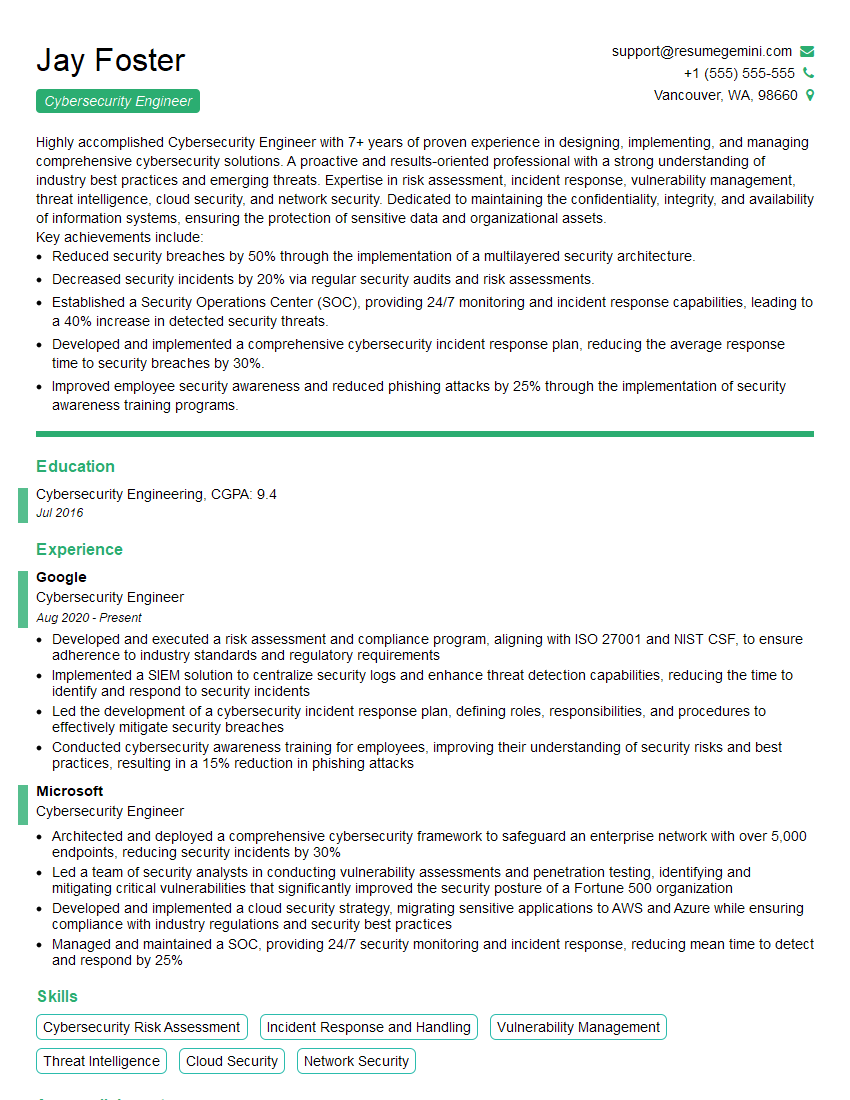
Cybersecurity Engineer Resume Sample
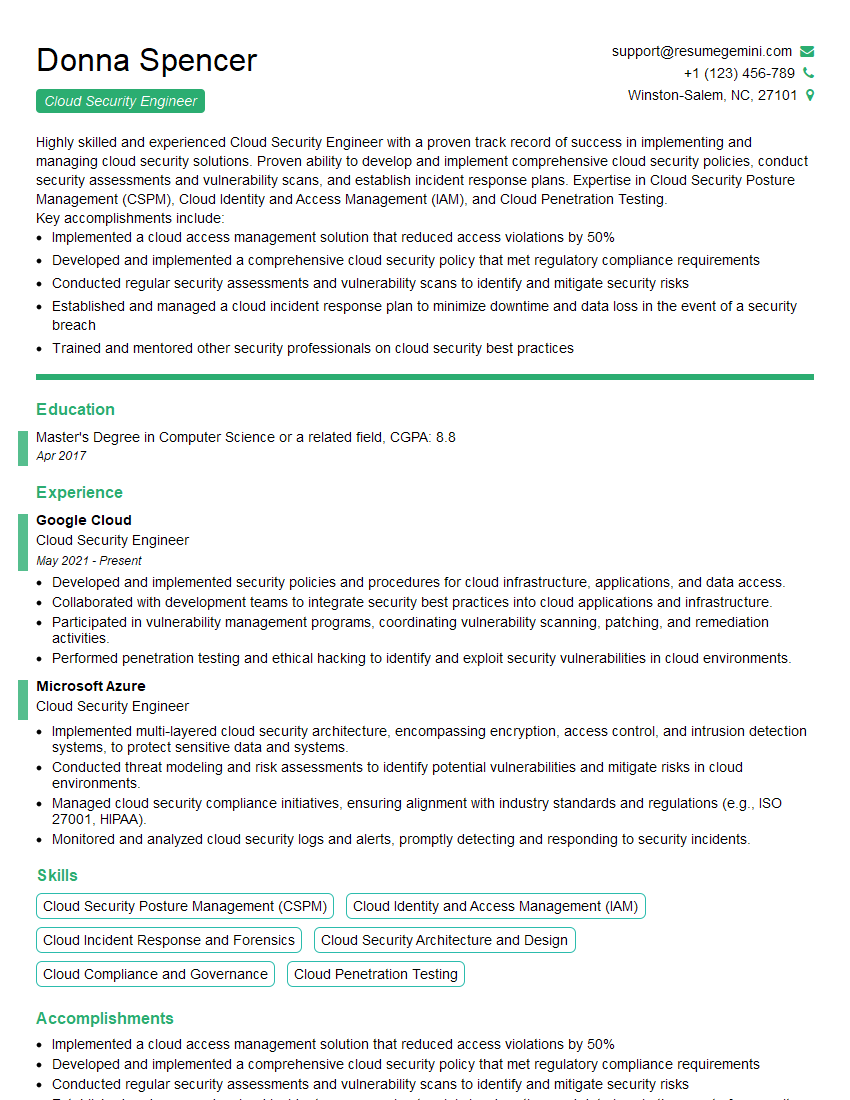
Cloud Security Engineer Resume Sample
Explore more articles
Users Rating of Our Blogs
Share Your Experience
We value your feedback! Please rate our content and share your thoughts (optional).
What Readers Say About Our Blog
Very informative content, great job.
good