Are you ready to stand out in your next interview? Understanding and preparing for Skilled in creating and manipulating digital assets, including textures, shaders, and lighting for realistic rendering. interview questions is a game-changer. In this blog, we’ve compiled key questions and expert advice to help you showcase your skills with confidence and precision. Let’s get started on your journey to acing the interview.
Questions Asked in Skilled in creating and manipulating digital assets, including textures, shaders, and lighting for realistic rendering. Interview
Q 1. Explain the difference between diffuse, specular, and ambient lighting.
Diffuse, specular, and ambient lighting are the three fundamental components of realistic lighting in computer graphics. They represent how light interacts with a surface in different ways.
- Diffuse Lighting: This simulates the light scattered evenly across a surface after it’s hit. Think of a matte surface like unpolished wood; the light reflects in all directions equally. It’s calculated based on the angle between the light source and the surface normal (a vector perpendicular to the surface). The result is a soft, even illumination.
- Specular Lighting: This represents the sharp, mirror-like reflections you see on shiny surfaces like polished metal. It’s concentrated in a small area around the reflection vector (the vector representing perfect reflection). The intensity depends on the angle between the reflection vector and the viewer’s direction (the ‘view vector’). The shinier the surface, the smaller and brighter the specular highlight.
- Ambient Lighting: This simulates the general, indirect illumination that fills a scene. It’s a constant light contribution, regardless of the light source’s position or angle. It represents the light that bounces around the environment before hitting the surface. Think of the soft, even light in a room even when the direct sunlight is blocked.
In essence, diffuse lighting handles the overall color, specular lighting handles the highlights and glossiness, and ambient lighting adds overall brightness to a scene, filling in dark areas for realism.
Q 2. Describe your experience with various texture mapping techniques (e.g., UV mapping, procedural textures).
I have extensive experience with various texture mapping techniques. UV mapping is the foundation, where I meticulously unfold 3D model surfaces into 2D planes (UV space) to apply textures seamlessly. I’ve worked with complex models requiring careful planning to avoid distortions or stretching, often employing techniques like seam placement and UV island generation to optimize the texture space usage. For organic models, I utilize automated UV unwrapping tools followed by manual refinement to achieve quality results.
Beyond UV mapping, I’m proficient in procedural texture generation, which allows creating textures algorithmically, offering infinite variety and avoiding the limitations of hand-painted textures. I use procedural techniques to create things like wood grain, marble, and realistic noise patterns, often combining them with image-based textures for added detail. This offers huge advantages in terms of scalability and memory usage, especially in real-time applications. For instance, I’ve used noise functions to create realistic stone textures for a massive game environment where pre-made textures would have been impractical.
I also use techniques like normal and displacement mapping to add surface detail without increasing polygon count. This is crucial for achieving high-fidelity visuals efficiently, especially in real-time rendering, where performance is paramount.
Q 3. How would you optimize a scene for real-time rendering?
Optimizing a scene for real-time rendering is a critical skill. It involves a multi-pronged approach, focusing on geometry, textures, and shaders.
- Geometry Optimization: Reduce polygon count using techniques like level of detail (LOD) systems that switch to lower-poly models at further distances. Mesh simplification algorithms are also invaluable. Consider using instancing to draw multiple copies of the same object with minimal overhead.
- Texture Optimization: Employ texture compression formats (like DXT or ASTC) to reduce memory footprint and improve loading times. Use appropriate texture resolutions; there’s no point in having 8K textures on low-poly models. Texture atlasing is also beneficial, combining multiple smaller textures into one larger one for reduced draw calls.
- Shader Optimization: Write efficient shaders, avoiding complex calculations or unnecessary branches in the code. Use shader keywords for optimized calculations, where available. Consider using deferred rendering or other advanced rendering techniques for improved performance.
- Draw Call Optimization: Reduce draw calls by batching objects with similar materials and shaders. Occlusion culling can dramatically improve performance by not rendering objects that are hidden behind others.
Furthermore, profiling tools are essential to identify bottlenecks. It’s an iterative process: optimize, profile, and repeat. I always prioritize optimization strategies based on the profiler’s feedback, focusing on the most impactful areas.
Q 4. What are normal maps and how do they improve the visual fidelity of a model?
Normal maps store surface normal information as a texture. Instead of explicitly modeling every bump and groove on a surface, a normal map encodes the direction of surface normals at each point, giving the illusion of increased detail. This is achieved using a grayscale or RGB texture, where color values represent the normal vector’s components.
They greatly enhance visual fidelity because they allow us to add fine-scale detail to a model without increasing the polygon count. This translates to significant performance gains, especially in real-time applications. For example, a simple, low-poly stone wall can be made to look incredibly detailed with a high-quality normal map, showcasing intricate cracks, crevices, and roughness without the computational cost of modeling those details geometrically. It’s a very efficient way to simulate surface imperfections and increase realism.
Q 5. Explain your understanding of different shading models (e.g., Phong, Blinn-Phong, Cook-Torrance).
Shading models define how light interacts with surfaces and how the resulting color is calculated. Several models exist, each offering different levels of realism and computational cost.
- Phong Shading: A relatively simple model that calculates diffuse and specular lighting. It’s computationally inexpensive, but its specular highlight is less realistic than more advanced models.
- Blinn-Phong Shading: An improvement over Phong, offering a more accurate and smoother specular highlight. It’s still efficient and widely used in real-time applications.
- Cook-Torrance Shading: A physically-based rendering (PBR) model that simulates light scattering more accurately, resulting in more realistic results. It incorporates microfacet theory to represent surface roughness and has higher computational costs, but the output is significantly more detailed and realistic. It’s frequently preferred in high-fidelity rendering.
The choice of shading model depends on the project’s requirements. Real-time applications may favor Blinn-Phong for its speed, while high-fidelity offline rendering often utilizes Cook-Torrance for photorealism.
Q 6. How do you create realistic materials using shaders?
Creating realistic materials using shaders involves manipulating the way light interacts with the surface. This is achieved by carefully crafting the shader code to incorporate various lighting components and material properties.
I typically use a combination of inputs, including albedo (base color), normal, roughness, and metallic maps, to define the material. The shader then uses these inputs in conjunction with the chosen lighting model (e.g., Cook-Torrance) to determine the final color of each pixel. For example, the roughness map controls the size and intensity of specular highlights, simulating various levels of surface smoothness. The metallic map determines how metallic the surface is, influencing its reflectivity and color.
Subsurface scattering parameters can be added for materials like skin or marble to simulate light penetration beneath the surface, which adds another layer of realism. By adjusting these parameters, a shader can accurately simulate a wide range of materials—from rough concrete to polished steel—giving artists precise control over the visual appearance.
Q 7. Describe your workflow for creating a PBR (Physically Based Rendering) material.
My workflow for creating a PBR material is meticulous and iterative. It centers around the use of physically-based parameters and realistic light interactions:
- Gather Reference Images: I begin by collecting high-quality reference images of the real-world material I’m aiming to replicate. This step is crucial for accurate color and texture matching.
- Texture Creation/Acquisition: I create or acquire textures (albedo, normal, roughness, metallic, AO). This might involve photographing the material, using procedural generation, or sourcing from a texture library. The quality and detail of these maps are essential.
- Shader Selection and Parameter Tuning: I choose an appropriate PBR shader (often using a pre-built shader with customizable parameters rather than writing a completely new one from scratch). I then carefully adjust the parameters based on the reference images and my understanding of material properties. This might involve iterative adjustments to albedo, roughness, metallic, and other parameters until the material looks convincingly realistic.
- Lighting and Scene Integration: I place the material into a well-lit scene with realistic lighting conditions. This helps evaluate the material’s appearance under various lighting scenarios, as the appearance of PBR materials is often significantly affected by lighting.
- Refinement and Iteration: This is an iterative process. I compare the rendered results with reference images, tweaking parameters until I achieve a satisfying level of realism. I often use a combination of subjective visual judgment and scientific measurements to ensure accuracy.
By following this structured workflow, I ensure that the final PBR material is not only visually appealing but also scientifically accurate in its representation of real-world material behavior.
Q 8. What software packages are you proficient in (e.g., Substance Painter, Blender, Maya, Unreal Engine, Unity)?
My core proficiency lies in a suite of industry-standard software packages. I’m highly skilled in Substance Painter for texture creation and painting, leveraging its powerful node-based system for intricate material design. I’m equally adept at Blender, utilizing its robust modeling, sculpting, and animation tools for creating assets from scratch. For larger-scale projects and real-time rendering, my experience extends to Unreal Engine and Unity, where I’ve worked extensively on optimizing assets and implementing shaders for visually stunning results. My understanding of Maya is also strong, particularly regarding its animation and rigging capabilities, which are often integral to asset creation workflows.
Q 9. How do you handle UV unwrapping for complex models?
UV unwrapping complex models requires a strategic approach. I typically start by analyzing the model’s geometry to identify areas that should share seams for optimal texture space utilization. This often involves strategically cutting the model to minimize distortion and maximize the available UV space. For organic models, I might use automated unwrapping tools in Blender or Maya as a starting point, then manually refine the UV layout in Substance Painter, ensuring even distribution and avoiding stretching. For hard-surface models, I’ll often employ planar projections or cylindrical projections, followed by careful manual adjustments to address problematic areas. The goal is always to minimize distortion and ensure efficient texture mapping, optimizing the texture’s use without sacrificing quality.
For extremely complex models, I often break the model down into smaller, more manageable sections (UV shells), unwrapping them individually and then seamlessly integrating them during the texturing process. It’s all about a blend of automated tools and manual fine-tuning to achieve the optimal result.
Q 10. Explain your approach to lighting a scene for maximum visual impact.
My lighting approach prioritizes visual storytelling and mood creation. I begin by establishing a key light, usually a directional light mimicking natural sunlight or a primary light source, to define the overall mood and directionality. This is then complemented by fill lights, which soften harsh shadows and add depth. Finally, I use accent lights or rim lights to highlight specific features and create a sense of volume. The key is balance. Too much light can wash out the scene, whereas too little can make it appear flat and lifeless.
I often utilize techniques like ambient occlusion and global illumination to simulate realistic light interactions within the scene, enhancing realism and detail. For example, I’ll carefully position and adjust light sources to create believable reflections and refractions on surfaces, enhancing the overall visual impact. The end result is a carefully crafted balance of light and shadow that effectively communicates the intended emotion and narrative of the scene. It’s an iterative process; I constantly refine the lighting until it achieves the desired effect.
Q 11. How do you troubleshoot rendering issues?
Troubleshooting rendering issues requires a systematic approach. I start by isolating the problem, identifying whether it’s a modeling issue, a texturing issue, a lighting issue, or a shader issue. A common issue is rendering artifacts, such as flickering or flickering shadows. These can often be resolved by checking for incorrect material settings, ensuring proper UV unwrapping, or adjusting the rendering settings, such as increasing the sample count. Other common problems are caused by incorrect normals or overlapping geometry. Carefully examining the model in a 3D viewport usually helps to identify these problems.
Memory limitations during rendering can also be significant, especially with high-resolution models. Reducing polygon count, optimizing textures, or adjusting rendering settings can often help mitigate this. If the issue persists, I consult the software’s documentation or online resources, often finding solutions in forums or community discussions. It is also important to maintain a clean and organized project structure, making debugging far more efficient.
Q 12. How do you balance artistic vision with technical constraints?
Balancing artistic vision with technical constraints is crucial for effective asset creation. I begin by clearly defining the artistic goals – the desired mood, style, and level of realism. Then I assess the technical limitations, considering factors such as polygon count, texture resolution, and rendering time. Compromise is often necessary. For instance, I might need to simplify a highly detailed model to meet performance requirements. This often involves using techniques such as level of detail (LOD) to switch to lower-poly versions at greater distances.
Creative problem-solving is key. If a particular stylistic effect is too computationally expensive, I’ll explore alternative methods of achieving a similar visual effect with less demanding techniques. I often use iterative refinement, starting with a simplified version and gradually increasing the detail, constantly monitoring performance and adjusting my approach accordingly. This ensures that the artistic vision isn’t compromised while staying within the technical constraints of the project.
Q 13. Describe your experience with different rendering pipelines (deferred, forward).
I have experience working with both forward and deferred rendering pipelines. Forward rendering is simpler to understand and implement, rendering each object once per light source. This is great for simple scenes with a low number of lights. However, it can become inefficient in complex scenes with many light sources.
Deferred rendering, on the other hand, first renders geometric data into G-buffers containing information such as position, normal, and albedo. Lighting calculations are then performed only once per pixel, regardless of the number of lights affecting it. This makes it highly efficient for complex scenes with many lights and objects, allowing for more realistic lighting effects. The trade-off is increased complexity in implementation and the need for more memory.
My choice of rendering pipeline depends heavily on the project’s specific requirements and constraints. For mobile games or projects with performance limitations, forward rendering might be preferable. For high-end cinematic rendering or complex scenes in AAA games, deferred rendering is often the better choice.
Q 14. What are some common challenges in creating realistic textures, and how do you overcome them?
Creating realistic textures presents several challenges. One common issue is achieving believable variation and avoiding repetitive patterns. Using noise textures and procedural generation techniques can help address this. Another challenge is creating realistic wear and tear, such as scratches, dirt, and rust. This often involves combining multiple texture layers and using masking techniques to selectively apply wear and tear effects. It’s also important to correctly adjust and manipulate parameters in order to create accurate wear.
Matching the textures seamlessly across different UV islands is another hurdle. Utilizing techniques such as tiling and blending textures helps mitigate discontinuities. Finally, achieving accurate material properties, such as roughness and metalness, is important for realistic rendering. Careful adjustment of these parameters in the shader and thorough testing are crucial to reach desired results. Often, I’ll reference real-world photographs and materials to guide my texturing process, ensuring accuracy and realism.
Q 15. How do you optimize texture memory usage?
Optimizing texture memory usage is crucial for performance, especially in real-time applications like games. Think of it like packing a suitcase – you want to bring everything you need but avoid unnecessary weight. We achieve this through several techniques:
- Using appropriate texture formats: Different formats (like DXT, ETC, ASTC) offer varying compression levels and quality. Choosing the right one balances visual fidelity with memory footprint. For example, DXT is a good choice for older hardware, while ASTC provides higher quality at similar compression levels on modern devices.
- Texture atlasing: Combining multiple smaller textures into a single larger one reduces the number of draw calls and improves cache coherency. Imagine stitching together smaller fabric pieces into one large quilt instead of handling each piece individually. This minimizes texture switching and improves rendering efficiency.
- Mipmapping: Generating a hierarchy of progressively smaller versions of a texture. When rendering distant objects, the smaller mipmap levels are used, reducing the load on the GPU. This is analogous to seeing a distant mountain – you see the general shape, not the individual rocks.
- Texture compression: Employing lossy or lossless compression algorithms to reduce the file size without significantly impacting visual quality. Lossy compression, like DXT, discards some information for better compression. Lossless compression, like PNG, preserves all information but results in larger file sizes.
- Reducing texture resolution: Using the lowest resolution possible while maintaining visual fidelity. Sometimes, a 512×512 texture might look almost identical to a 1024×1024, saving significant memory.
In my experience, I often profile the game to identify texture-related bottlenecks. I then strategically apply these optimization techniques, iteratively testing to find the best balance between visual quality and performance.
Career Expert Tips:
- Ace those interviews! Prepare effectively by reviewing the Top 50 Most Common Interview Questions on ResumeGemini.
- Navigate your job search with confidence! Explore a wide range of Career Tips on ResumeGemini. Learn about common challenges and recommendations to overcome them.
- Craft the perfect resume! Master the Art of Resume Writing with ResumeGemini’s guide. Showcase your unique qualifications and achievements effectively.
- Don’t miss out on holiday savings! Build your dream resume with ResumeGemini’s ATS optimized templates.
Q 16. Explain your experience with creating and using shaders in a game engine.
I have extensive experience crafting and implementing shaders in Unity and Unreal Engine. My workflow typically involves:
- Understanding the desired visual effect: Before writing any code, I clearly define the visual goal. This might involve creating realistic fur, simulating fire, or implementing a specific lighting effect.
- Shader language proficiency: I’m fluent in HLSL (High-Level Shading Language) and GLSL (OpenGL Shading Language), understanding their capabilities and limitations within the target engine.
- Shader architecture: I design efficient shader structures, separating calculations into vertex and fragment shaders to optimize performance. Vertex shaders handle geometry manipulation, while fragment shaders determine pixel color.
- Debugging and optimization: I utilize profiling tools to identify performance bottlenecks and optimize shader code for speed and memory usage. This often involves minimizing calculations and using built-in shader functions whenever possible.
For example, I once created a procedural rock shader for a game project using noise functions to generate realistic surface variations. This involved generating multiple noise layers and blending them together, along with applying a displacement map to add depth and realism.
//Example HLSL snippet (fragment shader): float4 PS(float4 pos : SV_POSITION) : SV_TARGET { float2 uv = pos.xy / 1024; // Example UV coordinates float noiseValue = noise(uv * 10); //Example noise function return float4(noiseValue, noiseValue, noiseValue, 1); } This snippet demonstrates the basic structure of a fragment shader, utilizing noise function to create variation.
Q 17. How would you create a realistic water shader?
Creating a realistic water shader involves simulating several key aspects: refraction, reflection, caustics, and subsurface scattering. It’s a complex process but can be broken down into manageable steps:
- Refraction: The bending of light as it passes from water to air. This is achieved by using a refraction effect and a depth map to create a realistic sense of underwater depth.
- Reflection: The mirroring of the surrounding environment on the water’s surface. This is typically done using a screen-space reflection (SSR) technique or cubemaps, depending on complexity.
- Caustics: The patterns of light created by the refraction of light through water. These are often simulated using textures or procedural techniques.
- Subsurface scattering: The scattering of light beneath the water’s surface. This contributes to the sense of depth and translucency.
- Wave simulation: Creating realistic wave patterns often involves using techniques like Gerstner waves or more complex fluid simulation algorithms.
The shader would involve multiple texture samplers (for normal maps, reflection textures, etc.), and a complex series of calculations to blend these effects together. Often, techniques like normal mapping are employed to add surface detail.
I’ve personally implemented such a shader using a combination of SSR and a custom wave simulation, achieving visually stunning results. The complexity of the simulation can be adjusted for performance optimization.
Q 18. Describe your process for creating a believable skin shader.
Creating a believable skin shader requires careful consideration of several factors, including subsurface scattering, surface imperfections, and lighting interaction.
- Subsurface scattering (SSS): Light penetrates the skin and scatters internally, giving skin its translucent quality. This is often simulated using a specialized SSS model, such as the one implemented by the Unreal Engine.
- Normal mapping and displacement mapping: Adds surface detail such as pores and wrinkles. This enhances realism and brings out subtleties under lighting.
- Albedo map: Provides the base skin color. Variations in the albedo map can simulate freckles, birthmarks, or other unique features.
- Specular map: Controls the glossiness of the skin. Areas like the forehead often have a higher specular value compared to the cheeks.
- Lighting interaction: Skin reacts differently to different light sources. Implementing proper lighting techniques, particularly considering the subtleties of diffuse and specular lighting, enhances realism.
In my work, I often use a multi-layered approach, combining these techniques to create lifelike skin. For instance, I’ve created shaders where subsurface scattering is influenced by skin thickness, creating a more realistic appearance.
Accurate representation of skin tone and variations is crucial and I always strive to use techniques that are respectful and inclusive of diverse skin tones.
Q 19. Explain your understanding of global illumination.
Global illumination (GI) refers to the way light bounces around a scene, affecting the overall lighting and appearance. Unlike direct lighting, which comes directly from a light source, GI accounts for indirect lighting – light that bounces off surfaces before reaching the eye. Imagine a room with a single lamp. GI would simulate the light bouncing off the walls and ceiling, illuminating areas not directly in the lamp’s path.
There are various methods for calculating GI, each with its strengths and weaknesses:
- Radiosity: A computationally expensive method that solves for the light energy distribution across all surfaces. It often produces highly realistic results but is slow and impractical for real-time applications.
- Photon mapping: A technique that traces light rays from the light source, recording their interactions with surfaces. This approach allows for accurate simulation of caustics but can be computationally expensive.
- Lightmaps/Baked lighting: Pre-calculated lighting information is baked into textures. This is computationally efficient for real-time rendering, but lacks dynamism (doesn’t react to changing light sources).
- Screen-space global illumination (SSGI): Approximates global illumination using information from the screen. SSGI methods are relatively efficient for real-time rendering and provide a good compromise between realism and performance.
The choice of GI method depends on the project’s requirements. For high-fidelity offline rendering, radiosity or photon mapping might be preferred. For real-time applications, lightmaps or SSGI are more suitable.
Q 20. What are some methods for creating realistic shadows?
Creating realistic shadows requires understanding the interplay between light sources, objects, and the surface they cast shadows on. Several techniques are employed:
- Shadow maps: A technique that renders the scene from the light source’s perspective, creating a depth map. This map is then used to determine which pixels are in shadow. It’s widely used in real-time applications due to its relatively low computational cost, though it can suffer from artifacts like shadow acne and peter panning.
- Ray tracing: Traces rays from the camera through each pixel, checking for intersections with objects. This provides high-quality shadows but is computationally expensive, typically used in offline rendering or high-end real-time applications with dedicated hardware acceleration.
- Cascaded shadow maps (CSM): Reduces shadow aliasing and artifacts by dividing the scene into multiple shadow maps of varying resolutions. This increases performance by avoiding high resolution shadows for distant objects.
The choice of technique depends on the desired quality and performance constraints. For instance, I might use shadow maps for a real-time game, but ray tracing for a high-quality cinematic render.
Q 21. Describe your experience with different types of lighting (e.g., directional, point, spot).
I have extensive experience working with various types of lighting, each with its strengths and weaknesses:
- Directional light: Simulates sunlight, providing parallel rays from a single direction. It’s computationally inexpensive and suitable for large outdoor scenes.
- Point light: Emits light equally in all directions from a single point. Ideal for representing smaller light sources such as lamps or fireflies.
- Spot light: Similar to a point light but emits light within a cone shape. Used for spotlights, flashlights, or headlights.
- Area light: Simulates light emitted from a surface area. Provides softer shadows compared to point or spot lights. Computationally more expensive than point and directional lights.
In a recent project, I used a combination of directional lighting for overall ambient lighting and point lights to highlight key objects, creating a dynamic and realistic environment. Choosing the appropriate light type and strategically placing them is key to achieve the desired visual outcome. Proper light falloff and attenuation are essential to realistic lighting.
Q 22. How do you use light maps to improve performance?
Lightmaps are pre-rendered textures that store lighting information for static geometry. Instead of calculating lighting in real-time for every frame, the game engine simply looks up the appropriate color from the lightmap, significantly boosting performance. Think of it like a photograph of the lighting – it’s already computed, ready to be used.
To improve performance with lightmaps, we need to carefully consider resolution and baking settings. A higher-resolution lightmap provides more detail but increases memory usage and processing time. We need to strike a balance. For example, highly detailed areas might warrant higher resolution lightmaps, while less important areas can use lower resolutions. Additionally, careful placement of lightmap UVs (texture coordinates) is crucial. Overlapping or poorly laid-out UVs can result in artifacts and reduced quality. Efficiently packing UVs and using appropriate lightmap atlases are key techniques.
For example, in a large outdoor environment, we might use low-resolution lightmaps for distant terrain to save resources, while reserving high-resolution lightmaps for closer, more detailed buildings or characters.
Q 23. What are some techniques for creating believable subsurface scattering?
Subsurface scattering (SSS) is the phenomenon where light penetrates a translucent material, like skin or marble, and scatters internally before exiting. Creating believable SSS requires simulating this light diffusion. Several techniques achieve this:
- Diffusion Profiles: These pre-calculated profiles describe how light scatters within a material. Different profiles can simulate various materials (skin, wax, etc.). We use these profiles to create a more realistic look.
- SSS Shaders: These specialized shaders employ mathematical models to simulate light diffusion. They often use parameters like scattering radius and albedo (color) to fine-tune the effect. This method provides more control but demands more computational power.
- Screen-Space Techniques: For optimization, these techniques leverage the screen’s information, instead of rendering every ray internally, to approximate SSS. They’re less realistic but highly efficient, useful for real-time rendering.
- Ray Tracing: The most physically accurate approach, ray tracing simulates light paths with greater precision. It’s computationally expensive but yields stunning results.
For instance, simulating realistic skin requires careful consideration of the scattering radius, representing how far light penetrates. A larger radius creates a softer, more diffused look, while a smaller radius yields sharper shadows.
Q 24. How do you handle version control for your digital assets?
Version control is essential for managing digital assets. I primarily use Git for this purpose, leveraging a repository service like GitHub or Bitbucket. Each asset (texture, shader, model) is tracked individually or within well-organized folders. This allows for easy rollback to previous versions, collaboration with team members, and prevents accidental overwrites.
My workflow typically involves creating a new branch for each asset modification. I commit regularly with descriptive messages detailing the changes. After thorough testing, I merge my branch back into the main branch. This ensures a clear history of revisions and makes it simple to revert changes if necessary. I also use robust naming conventions to easily identify the asset version and its purpose. For example, a texture might be named `diffuse_v01_final.png`.
Q 25. Explain your understanding of color spaces and color management.
Color spaces define how colors are represented numerically. Color management ensures that colors look consistent across different devices and software. Understanding color spaces is crucial for accurate color reproduction. Common color spaces include sRGB (used for screens), Adobe RGB (wider gamut), and Rec. 709 (for video).
In my workflow, I meticulously manage color spaces. I typically work in a wider gamut color space like Adobe RGB to capture a broader range of colors, then convert to sRGB for final output, ensuring accurate representation on web browsers or screens. This prevents color shifts and ensures visual consistency across various platforms. Accurate color management requires using color profiles for displays and printers, ensuring all software applications are set up to match the workflow.
Q 26. How familiar are you with HDRI (High Dynamic Range Imaging) lighting?
HDRI (High Dynamic Range Imaging) lighting uses images containing a much wider range of brightness values than standard images, allowing for more realistic and nuanced lighting. They capture the full spectrum of light and shadow, leading to more accurate reflections and global illumination. I’m very familiar with using HDRIs to light scenes. They bring a sense of realism that’s difficult to achieve with traditional lighting techniques.
In practice, HDRIs drastically reduce the need for manually setting up multiple lights. They provide realistic ambient lighting, reflections, and illumination across the scene with minimal effort. I often use HDRI maps in conjunction with additional point or directional lights to fine-tune the final look, adding focal points or specific highlights. Software like Unreal Engine and Blender fully support using HDRI images for scene lighting.
Q 27. Describe a time you had to solve a complex technical problem related to rendering or texturing.
In a recent project, I encountered a significant issue with subsurface scattering on highly detailed character models. The rendering time was excessively long due to the complexity of the models and the computational cost of the SSS shader.
To solve this, I implemented a multi-pass rendering approach. The first pass rendered the base model without SSS, generating a pre-computed diffuse map. The second pass applied the SSS only to a simplified low-poly version of the model, using the pre-computed diffuse map as a guide. This dramatically reduced rendering times without significantly compromising visual quality. The combination of efficient techniques and an understanding of rendering pipelines allowed me to resolve the issue effectively. The result was an optimized workflow that maintained the quality of the subsurface scattering while enhancing performance.
Q 28. How do you stay up-to-date with the latest trends in rendering and texturing techniques?
Staying current in this rapidly evolving field requires a multi-pronged approach.
- Following industry blogs and publications: Sites like 80.lv, ArtStation, and various game development blogs provide valuable insights into new techniques and software updates.
- Attending conferences and workshops: Events such as SIGGRAPH offer opportunities to learn from leading experts and network with peers.
- Actively participating in online communities: Forums, Discord servers, and Reddit communities dedicated to rendering and texturing provide avenues for discussion, problem-solving, and knowledge sharing.
- Experimenting with new software and tools: Hands-on experience is crucial. I regularly explore new rendering engines, shader languages, and texturing software to maintain my skills and knowledge.
By combining these approaches, I ensure my skillset remains relevant and adapt to the latest developments in rendering and texturing techniques.
Key Topics to Learn for Skilled in creating and manipulating digital assets, including textures, shaders, and lighting for realistic rendering. Interview
- Texture Creation and Manipulation: Understanding various texture types (diffuse, normal, specular, etc.), creation techniques (painting, procedural generation, photogrammetry), and efficient workflow for optimizing texture memory and performance.
- Shader Programming Fundamentals: Knowledge of shader languages (e.g., HLSL, GLSL), understanding the shader pipeline, and practical application in creating custom shaders for materials, effects, and post-processing.
- Lighting Techniques and Principles: Understanding different lighting models (e.g., Phong, Blinn-Phong, PBR), implementation of various lighting techniques (direct, indirect, global illumination), and optimizing lighting for performance and realism.
- Realistic Rendering Principles: Knowledge of physically based rendering (PBR), understanding the importance of material properties and their interaction with light, and techniques for achieving photorealism.
- 3D Software Proficiency: Demonstrating a strong understanding of industry-standard 3D software (e.g., Substance Designer, Blender, Maya, 3ds Max) and their application in creating and manipulating digital assets.
- Workflow Optimization and Best Practices: Understanding efficient asset pipeline management, version control, and best practices for collaboration in a team environment.
- Problem-Solving and Troubleshooting: Ability to identify and solve rendering issues related to textures, shaders, and lighting. Demonstrating a methodical approach to debugging and optimization.
- Portfolio Presentation: Preparing a strong portfolio showcasing your skills and experience in creating realistic renders, clearly highlighting your contributions and problem-solving abilities.
Next Steps
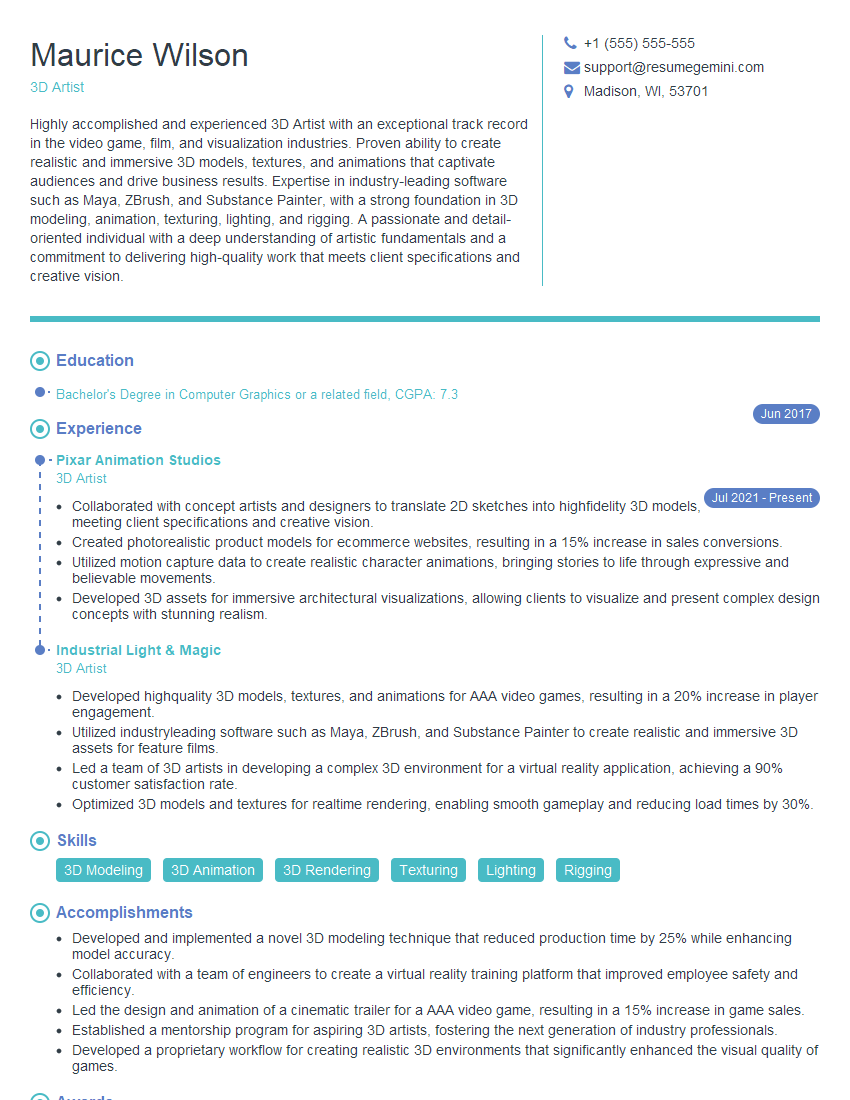
Mastering the creation and manipulation of digital assets, including textures, shaders, and lighting for realistic rendering, is crucial for career advancement in the visual effects, game development, and architectural visualization industries. It opens doors to high-demand roles and competitive salaries. To maximize your job prospects, focus on building an ATS-friendly resume that effectively highlights your skills and experience. ResumeGemini is a trusted resource that can help you craft a professional and impactful resume tailored to your specific expertise. Examples of resumes tailored to this skillset are available to help guide your preparation. Invest time in crafting a compelling narrative that showcases your technical abilities and passion for realistic rendering. This will significantly improve your chances of landing your dream job.




Explore more articles
Users Rating of Our Blogs
Share Your Experience
We value your feedback! Please rate our content and share your thoughts (optional).
What Readers Say About Our Blog
Very informative content, great job.
good