Every successful interview starts with knowing what to expect. In this blog, we’ll take you through the top Software Proficiency (e.g., Prepress Software, Color Management Tools) interview questions, breaking them down with expert tips to help you deliver impactful answers. Step into your next interview fully prepared and ready to succeed.
Questions Asked in Software Proficiency (e.g., Prepress Software, Color Management Tools) Interview
Q 1. Explain the importance of color profiles in prepress.
Color profiles are essentially digital dictionaries that define how colors are represented on different devices. Think of it like translating languages – a color appearing vibrant red on your monitor might be a duller crimson on a printing press. Color profiles bridge this gap, ensuring consistent color reproduction across various media. They contain information about the device’s color gamut (the range of colors it can reproduce), its color characteristics, and how it maps colors from one color space to another. In prepress, accurate color profiles are crucial because they allow designers and printers to anticipate and control how colors will appear in the final printed piece, avoiding costly reprints and disappointment.
For example, an sRGB profile is commonly used for web design, while a specific printer profile (e.g., a profile for a particular coated paper stock) is used in prepress to ensure the colours are printed accurately on that exact paper.
Q 2. Describe your experience with different color spaces (e.g., RGB, CMYK, LAB).
I have extensive experience working with RGB, CMYK, and LAB color spaces. RGB (Red, Green, Blue) is the additive color model used for screens; it mixes light to create colors. CMYK (Cyan, Magenta, Yellow, Key [Black]) is the subtractive model used for printing; it works by subtracting light from white. LAB is a device-independent color space that offers a wider range of colors and better color precision. I often convert designs from RGB to CMYK during the prepress stage to ensure accurate color reproduction in print. This conversion is critical, as RGB colours often contain hues outside the CMYK gamut, leading to color shifts if not properly managed.
In a recent project, a client’s logo designed in RGB had rich vibrant blues that fell outside the CMYK gamut. Using a color management tool, I carefully managed the conversion by carefully selecting appropriate alternative shades that best matched the intended colour within the CMYK range, achieving a close approximation to the original design while staying print-ready. Understanding the limitations of each color space is crucial for avoiding unexpected color discrepancies.
Q 3. How do you handle color discrepancies between different devices?
Color discrepancies between devices arise because each device has its own unique color profile. To handle these, I use a comprehensive color management workflow. This includes using consistent color profiles throughout the design and printing process, utilizing color management tools (such as those built into Adobe Creative Suite), and employing soft proofing. Soft proofing allows me to see a simulated representation of how the colors will appear on the press, based on the chosen printer profile and paper. This helps me identify and correct potential issues before printing begins.
In a specific case, we had a mismatch between the screen proof and the press proof due to an incorrect printer profile being selected during the conversion. My solution involved verifying the chosen printer profile and confirming its accuracy for the specific paper stock used. Then, I adjusted my CMYK values accordingly, ensuring alignment across devices and guaranteeing accurate colour reproduction. This involved a rigorous process of proofing and recalibration.
Q 4. What software are you proficient in for prepress work (e.g., Adobe Acrobat, Photoshop, InDesign)?
My prepress software proficiency encompasses a broad range of industry-standard tools. I’m highly proficient in Adobe Acrobat Pro, Photoshop, and InDesign. I’m experienced in using Acrobat for PDF creation, preflighting, and final output preparation, ensuring files are print-ready and meet industry standards. Photoshop is essential for image editing, color correction, and preparation for high-quality printing. InDesign is my go-to application for complex layouts, ensuring that text and graphics work together seamlessly. I’m also familiar with other relevant software such as Pantone Connect for managing spot colours.
For instance, in a recent project, I used InDesign to create a multi-page brochure with intricate layouts, then utilized Photoshop for meticulous image retouching and color correction, and finally used Acrobat to preflight, optimize, and create a print-ready PDF with embedded color profiles.
Q 5. Explain the process of trapping in prepress.
Trapping in prepress is a crucial technique used to prevent gaps between colors that might appear during printing due to slight misregistrations. Misregistration occurs when the different colored inks don’t align perfectly on the paper. Imagine two colored blocks side by side: without trapping, a thin white gap might appear between them during printing. Trapping involves strategically overlapping the edges of adjacent color areas to create a visual effect of seamless connection. There are different types of trapping, such as choke (overlapping the lighter color onto the darker color) and spread (overlapping the darker color onto the lighter color).
The decision of which trapping method to use depends on the specific colours and their arrangement in the design, and often involves using sophisticated trapping software in my workflow. Often, this is automated based on pre-defined settings within the prepress software. For instance, for small text, a choke trap might be implemented, preventing the potential white gap during the printing process.
Q 6. Describe your experience with imposition software.
I have significant experience with imposition software, such as imposition software provided in programs like Adobe Acrobat Pro and dedicated imposition software packages. Imposition software is used to arrange pages of a document on a press sheet in a way that maximizes efficiency and minimizes waste during printing. For example, a 32-page booklet needs to be arranged across multiple sheets in a specific sequence to ensure that pages are printed in correct order, allowing for accurate folding and binding later on. Imposition software automates this complex arrangement process, saving considerable time and avoiding errors. My expertise extends to the optimization of imposition settings to minimize waste, increase efficiency, and reduce printing costs.
In a particular project, I used imposition software to arrange the pages of a large catalog onto press sheets, taking into account the orientation of the pages to reduce paper waste by more than 15%. This was done by leveraging the automated imposition features of the software and carefully considering the finishing processes (like folding and binding) that followed the printing stage.
Q 7. How do you ensure accurate color reproduction in print?
Ensuring accurate color reproduction involves a multifaceted approach throughout the prepress process. It starts with using a color-managed workflow from design to output, using appropriate color spaces (switching from RGB to CMYK for print), and employing calibrated monitors. Accurate printer profiles are essential; these profiles represent the capabilities of the specific printing press and paper stock that will be used, and they must be carefully selected and utilized in the prepress software. Regular soft proofing and color-matching tests are performed to compare screen proofs and press proofs, ensuring fidelity between the design and the final printed output.
In one situation, a slight color shift emerged between the soft proof and the press proof. After thorough investigation, we identified that the paper stock supplied was slightly different than the one profiled; using the correct profile for the received stock resolved this issue, emphasizing the importance of using accurate and updated printer profiles and using spot color measurements when available.
Q 8. What are your methods for quality control in prepress?
Quality control in prepress is paramount to ensuring a successful print job. My approach is multi-faceted and involves meticulous checks at every stage, from initial file receipt to final proof approval.
- File Inspection: I begin by rigorously examining all incoming files for resolution, color mode (CMYK for print), fonts (embedded and correct versions), bleeds, and overall file integrity. I use tools like Adobe Acrobat Pro to check for potential issues like missing fonts or linked images.
- Color Proofing: Soft proofing using tools like X-Rite i1Profiler and ColorSync ensures that the on-screen representation aligns closely with the expected printed output. I always create multiple soft proofs, comparing different rendering intents to catch potential color shifts.
- Trap and Overprint Checks: I carefully review the trapping settings to ensure proper ink registration, preventing unsightly gaps between colors, especially crucial for small text or fine lines. I meticulously inspect all elements using overprint to avoid unexpected color changes during printing.
- Imposition and Output: The final stage involves verifying the correct imposition (arrangement of pages on the printing sheet) and checking the output PDF for any errors before sending it to the printer. This might involve checking for correct page numbers, orientation, and bleed areas.
- Hard Proofing: Where critical, I always recommend a hard proof – an actual physical print sample – to confirm the final color and quality before committing to a large print run. This is especially important for projects with critical color accuracy demands.
This systematic approach minimizes errors and ensures the final printed piece meets the client’s expectations and industry standards.
Q 9. Describe your experience with PDF workflows.
PDF workflows are the backbone of modern prepress. My experience spans various aspects, from creating press-ready PDFs to handling complex PDF structures. I’m proficient in creating high-resolution PDFs with embedded fonts and images, optimized for different printing processes.
I’ve worked extensively with:
- Acrobat Pro: For PDF creation, editing, preflighting, and optimizing for print. I frequently utilize its preflight profiles to automate checks for potential issues.
- PDF/X standards: I’m adept at generating PDF/X-1a, PDF/X-4, etc., ensuring compatibility with different printing systems and color management workflows. The specific standard chosen depends on the print requirements and the printer’s capabilities.
- Different PDF workflows: I’m familiar with various workflows, from simple single-page documents to complex multi-page booklets, catalogs, and brochures, including the creation of imposition files in PDF for sheetfed and web offset printing.
For instance, recently, I managed a complex project involving hundreds of pages with diverse image types and fonts. By meticulously following a robust PDF workflow using Acrobat Pro’s preflighting tools and adhering to PDF/X-4 standards, we successfully avoided costly reprints and met the client’s tight deadline.
Q 10. Explain the concept of color gamut and its implications for print.
The color gamut refers to the range of colors that a particular device or system can reproduce. Think of it like a painter’s palette; some palettes have a wider array of colors than others. In printing, the color gamut of a printer dictates what colors can be accurately printed. The most common color space for print is CMYK (Cyan, Magenta, Yellow, and Key/Black).
Implications for Print:
- Color Mismatches: If the design is created in a color space with a wider gamut (like RGB, used for screens), colors outside the printer’s gamut will be approximated. This can lead to noticeable color differences between the screen preview and the final printed product.
- Color Management: Effective color management is essential. This involves converting the design from a wider gamut (like RGB) to the printer’s CMYK gamut using a color profile that minimizes color shifts.
- Proofing: Soft proofing and hard proofing become crucial to bridge the gap between screen and print representation and ensure the colors are as close as possible to the client’s expectations.
For example, vivid greens often found in RGB might appear duller when printed in CMYK. Understanding the limitations of the printer’s gamut is key to managing expectations and creating designs that can be accurately reproduced in print.
Q 11. How do you handle images with low resolution?
Handling low-resolution images is a common prepress challenge. Simply enlarging a low-resolution image results in pixelation and a blurry, unprofessional result. My approach involves a combination of strategies:
- Reshoot: If possible, the best solution is to request a higher-resolution image from the client. This is always the preferred option.
- Image Enhancement: If reshooting is not an option, I utilize image editing software like Adobe Photoshop to subtly enhance the image. This may involve sharpening techniques or carefully applying noise reduction, but overdoing these can further degrade image quality. The goal is to improve the image’s appearance without creating artifacts.
- Strategic Placement: Sometimes, low-resolution images can be used effectively if placed where the lack of resolution is less noticeable (e.g., a small image in the background, rather than a large, prominent one).
- Vector Art Alternatives: If feasible, I may suggest replacing the raster image with vector-based art. Vector graphics, unlike raster images, are resolution-independent and scale without losing quality. This is ideal for logos and illustrations.
- Communication with the Client: Transparency with the client is crucial. I discuss the limitations of the image and explore alternative solutions together. This avoids surprises and ensures they are aware of the compromises.
Ultimately, my aim is to create the best possible result within the given constraints. I always emphasize communication and explore the various options before making a decision.
Q 12. What are the benefits of using a RIP (Raster Image Processor)?
A Raster Image Processor (RIP) is a crucial component in the printing workflow. It translates the digital file (PDF, PostScript, etc.) into a format that the printer can understand. It’s essentially the bridge between the computer and the printing press.
Benefits of Using a RIP:
- Color Management: RIPs offer advanced color management capabilities, accurately converting colors from the source file to the printer’s color space. They utilize ICC profiles for precise color reproduction.
- Image Processing: RIPs perform various image processing functions, including halftoning (converting continuous-tone images into dots for printing), screening (adjusting the dot pattern), and trapping (preventing gaps between colors).
- Printer Control: RIPs provide fine-grained control over printer settings, optimizing the printing process for speed, quality, and ink consumption. This includes adjusting things like dot gain, resolution, and ink density.
- Automation and Workflow: Many RIPs offer automation features that streamline prepress workflows. They can automatically preflight, impose, and process files, reducing manual intervention.
- Output Optimization: RIPs can improve the final output quality by optimizing parameters such as sharpening, contrast, and color saturation specific to the type of printing press.
Without a RIP, achieving accurate and consistent color reproduction and high-quality print is significantly more difficult.
Q 13. Explain your experience with different types of printing techniques.
My experience with printing techniques encompasses a range of methods, each with unique characteristics and requirements.
- Offset Printing: This is a widely used technique for high-volume printing. I’m familiar with both sheetfed and web offset processes, understanding the differences in paper handling and print quality. I know how to prepare files for these processes, considering factors like paper grain and ink drying.
- Digital Printing: I have extensive experience with various digital printing technologies, including toner-based printers (like Xerox and HP Indigo) and inkjet printers. I understand their limitations regarding paper types and ink limitations, as well as their advantages in terms of speed and cost-effectiveness for shorter runs.
- Large Format Printing: I’m proficient in preparing files for large format printing, such as banners, posters, and signage, paying close attention to resolution and color profiles for different substrates.
- Screen Printing: While less directly involved in the digital prepress, I understand the fundamental principles and file preparation for screen printing, including proper color separation and file formats for film output.
My experience allows me to tailor the prepress process to the chosen printing technique, optimizing the files for optimal results and cost-efficiency.
Q 14. How do you troubleshoot common prepress problems?
Troubleshooting prepress problems requires a systematic and methodical approach. I usually start by identifying the nature of the problem, and then work through potential solutions.
- Color Mismatches: Check color profiles, rendering intents, and soft proofs. Verify the color space (RGB vs. CMYK) and identify any color shifts caused by the conversion process.
- Image Quality Issues (blurriness, pixelation): Assess the resolution of the images. If low resolution, try image enhancement techniques or consider alternatives. If artifacts are present, examine the compression settings.
- Font Problems: Verify that all fonts are embedded and have the correct versions, check for missing or corrupted fonts.
- File Corruption: Try repairing the file or recreating it from source files. If the issue is related to the output PDF, re-create the PDF, making sure to choose appropriate settings.
- Bleed and Trim Issues: Ensure that bleeds are properly set up and that trim marks are included in the file.
- Trapping problems: Inspect the trapping settings and ensure they are correctly applied. If there are gaps between colors, adjust the trapping values.
My approach emphasizes careful observation, a systematic process of elimination, and leveraging tools like Acrobat Pro’s preflight function to automatically identify potential problems early in the workflow. Through experience, I’ve developed a knack for quickly identifying and resolving common prepress issues, saving time and resources.
Q 15. What are the differences between spot colors and process colors?
Spot colors and process colors are two fundamentally different approaches to color reproduction in printing. Think of it like this: spot color is like using a specific paint color from a can, while process color is like mixing your own color from primary colors.
- Spot Colors: These are premixed inks, each identified by a specific name and formula (e.g., Pantone 300C). They are used when precise color matching is critical, such as corporate branding or special effects. The printer mixes the exact ink required, leading to consistent, accurate color reproduction regardless of the printing method. However, they can be more expensive than process colors because of the need for special ink setups.
- Process Colors (CMYK): This system uses four inks – Cyan, Magenta, Yellow, and blacK – to create a wide range of colors by overprinting and layering them. It’s like a painter blending primary colors to achieve a desired hue. It’s a cost-effective approach as it only uses four inks, but achieving exact color matches can be challenging, especially with vibrant or unusual colors. It relies on the printer’s calibration and can vary between printers.
In essence, choose spot colors for consistent, highly specific colors, and process colors for a wider gamut of color choices at a lower cost, but with potential variations in color accuracy.
Career Expert Tips:
- Ace those interviews! Prepare effectively by reviewing the Top 50 Most Common Interview Questions on ResumeGemini.
- Navigate your job search with confidence! Explore a wide range of Career Tips on ResumeGemini. Learn about common challenges and recommendations to overcome them.
- Craft the perfect resume! Master the Art of Resume Writing with ResumeGemini’s guide. Showcase your unique qualifications and achievements effectively.
- Don’t miss out on holiday savings! Build your dream resume with ResumeGemini’s ATS optimized templates.
Q 16. How do you prepare files for different printing processes (e.g., offset, digital)?
Preparing files for different printing processes requires careful attention to detail, as each process has unique requirements. Let’s consider offset and digital printing:
- Offset Printing: Requires high-resolution files (typically 300 DPI or higher), CMYK color mode, and specific bleed and margins. Fonts must be outlined (converted to curves) to avoid font issues. I always ensure the file is pre-flighted to catch any potential problems before sending it to the printer. Common file formats are PDF/X-1a, PDF/X-4, and sometimes high-resolution TIFFs.
- Digital Printing: While it can accept a wider range of file formats and resolutions, high-resolution files (at least 300 DPI) are still best practice. Digital printing often uses CMYK, though some printers may accept RGB files, but this can compromise color accuracy. Bleed and margins are crucial here too. I prioritize accurate color profiles for consistent output. Common file formats include PDFs and sometimes high-resolution JPGs or TIFFs, depending on the printer’s specifications.
Regardless of the process, I always communicate closely with the printer, confirming their specific requirements and file specifications to ensure a smooth and accurate print job. This avoids costly reprints and delays.
Q 17. Describe your experience with Pantone matching system.
I have extensive experience with the Pantone Matching System (PMS). It’s essentially a standardized color language that guarantees consistent color across different printers and mediums. I’ve used it extensively to ensure the accurate reproduction of brand colors in a variety of projects. Here’s how I’ve worked with it:
- Color Selection: Identifying the correct Pantone color number for a client’s branding guidelines.
- Specification: Specifying the chosen Pantone color in prepress software to ensure the printer uses the correct ink.
- Verification: Reviewing color proofs to check for accurate color matching against the Pantone standard. If variations occur, this triggers a collaborative problem-solving process with the printer to find solutions.
- Troubleshooting: In cases where the PMS color can’t be perfectly matched (due to limitations in the printing process), I work with the printer to identify the closest possible approximation.
My experience with PMS extends beyond simple color selection. I understand the limitations of the system and how to effectively communicate color expectations with printers to achieve the desired results.
Q 18. Explain the importance of font embedding in PDF documents.
Font embedding is crucial in PDF documents intended for printing or distribution to ensure consistent font rendering on different systems. Without font embedding, the document may display different fonts on various systems, leading to layout issues, missing characters, or altered text appearance.
Imagine sending a document with a custom font to someone who doesn’t have that font installed. The document might substitute with a different font, changing the spacing and overall design. Font embedding avoids this by including the font files directly into the PDF, ensuring the document renders correctly on any system regardless of the available fonts. While it increases the file size slightly, it eliminates the risk of font substitution issues which could dramatically alter the intended visual appearance of the document.
Q 19. How do you optimize images for print to minimize file size without compromising quality?
Optimizing images for print requires a balance between minimizing file size and preserving image quality. My approach involves the following steps:
- Resolution: Ensure images are at the correct resolution for print (typically 300 DPI). Higher resolutions are not necessary and only increase file size without improving print quality. Lower resolutions will result in pixelation.
- File Format: Use lossy compression formats like JPEG for photographs or lossless formats like TIFF for images with sharp lines and text. TIFF files are larger but preserve image integrity.
- Compression Level: Adjust the compression level depending on the desired balance between file size and quality. It’s always good practice to test compression levels and choose the optimal settings for each project.
- Color Mode: Convert images to CMYK color mode to align with the print process. Converting from RGB to CMYK can alter the colors slightly; therefore, soft proofing is recommended before finalizing files.
I use specialized image editing software to perform these optimizations, previewing the results at each step to ensure the changes don’t compromise the visual quality of the final product.
Q 20. What is your experience with managing large prepress projects?
I have extensive experience in managing large prepress projects, often involving multiple files, deadlines, and stakeholders. My approach is systematic and emphasizes collaboration and clear communication. Here’s how I handle it:
- Project Planning: Thorough initial planning, including defining project scope, timelines, and deliverables. This involves close collaboration with the client and the print vendor.
- File Organization: Creating a well-organized file structure for easy access and management of various assets (images, text, fonts, etc.).
- Workflow Management: Using project management software to track progress, assign tasks, and manage deadlines. This ensures accountability and transparency for all stakeholders.
- Version Control: Maintaining version control of all files to ensure that the latest versions are always used.
- Quality Control: Implementing rigorous quality control checks at each stage of the process to identify and correct any issues before they escalate.
For example, on a recent large project involving a multi-book publication, I used a cloud-based project management tool to coordinate the efforts of several designers and editors. This ensured timely delivery while maintaining high-quality standards. Through clear communication and process optimization, I successfully completed the project within budget and on schedule.
Q 21. Describe your experience with preflighting software and its benefits.
Preflighting software is an essential tool in the prepress workflow. It automatically checks files for potential printing problems, preventing costly errors and delays. My experience with preflighting software includes using various applications to analyze files for issues such as:
- Missing Fonts: The software identifies fonts that are missing or not correctly embedded in the document.
- Color Mode Issues: Detects incorrect color modes (e.g., RGB instead of CMYK).
- Image Resolution Problems: Identifies images with insufficient resolution for print.
- Bleed and Margin Errors: Checks for correct bleed and margin settings.
- Overlapping Objects: Highlights objects that overlap and may cause printing problems.
The benefits are significant: It saves time, reduces errors, ensures consistent quality, and ultimately improves overall efficiency. By catching potential problems early, preflighting avoids costly reprints and production delays. It gives peace of mind to know that the files are ready for the printer, reducing stress and improving client satisfaction.
Q 22. How do you work with clients to ensure their print specifications are met?
Ensuring client print specifications are met starts with meticulous communication and a thorough understanding of their needs. I begin by engaging in a detailed pre-press consultation, clarifying every aspect of their project: desired output (e.g., brochures, posters), quantity, paper stock, color profile (e.g., CMYK, Pantone), and finishing requirements (e.g., binding, lamination). I then create a comprehensive job ticket, documenting all these specifications, acting as a central reference throughout the production process. This ensures everyone involved—designers, pre-press operators, and printers—is on the same page. I regularly update clients on progress, addressing any concerns or changes promptly. For example, if a client requests a last-minute change to the color palette, I explain the implications on the timeline and cost, offering alternative solutions if needed. Ultimately, my goal is not only to meet but to exceed client expectations by providing transparency and proactive communication.
Q 23. Explain your experience with color separation techniques.
Color separation is the process of dividing a full-color image into its individual CMYK (Cyan, Magenta, Yellow, and blacK) components. My experience spans various techniques, including both traditional methods and the automated processes used in modern software. In the past, I’ve worked with manual separations, carefully adjusting color channels to achieve accurate reproduction. However, today, I predominantly rely on sophisticated software like Adobe Acrobat Pro and its prepress tools. These applications allow for precise control over color separation, including the ability to manage spot colors (Pantone), optimize for specific printing processes, and perform accurate color conversions between different color spaces. For instance, I’ve worked on projects requiring specialized color separations for metallic inks, where precise control over underprinting and overprinting is crucial for a quality finish. Understanding color management and its impact on the final printed product is paramount. I use color profiles (ICC profiles) to maintain color consistency throughout the process from design to print.
Q 24. What is your approach to managing deadlines in a high-pressure environment?
Managing deadlines in a high-pressure environment requires a proactive and organized approach. I utilize project management tools to track tasks and milestones, breaking down large projects into smaller, manageable units. This allows for better monitoring and prioritization. I regularly review my schedule, identifying potential bottlenecks and adjusting accordingly. For example, if a proofing stage takes longer than anticipated, I immediately communicate this to the client and adjust the overall schedule to avoid delays. Furthermore, effective communication with the team is crucial, ensuring everyone understands their responsibilities and deadlines. I’ve successfully navigated numerous tight deadlines by staying flexible, prioritizing tasks effectively, and working collaboratively with my team to overcome challenges. Clear communication ensures transparency and fosters a productive environment, even under pressure.
Q 25. How do you handle unexpected technical issues during prepress production?
Unexpected technical issues are inevitable in prepress. My approach is methodical and problem-solving oriented. When an issue arises, I first assess the situation, identifying the problem’s scope and potential impact. Then, I implement a systematic troubleshooting process, starting with the most likely causes. This often involves reviewing the job files for errors, checking printer settings, and consulting relevant documentation or online resources. If the issue persists, I don’t hesitate to reach out to colleagues or technical support for assistance, utilizing my network and experience to find a resolution quickly. For example, a recent project encountered a font rendering issue. Through methodical investigation, I discovered the problem stemmed from an outdated font version. Replacing it with a compatible version resolved the issue. Documenting solutions is vital for future reference and to prevent similar problems from recurring.
Q 26. Describe your experience using a specific prepress software (e.g., PitStop Pro).
My experience with PitStop Pro is extensive. I use it daily for preflighting, editing, and correcting PDF files. PitStop Pro’s preflight functionality allows me to quickly identify potential printing issues, like missing fonts, low-resolution images, or color inconsistencies. This saves valuable time and prevents costly errors. I regularly use its automated actions to perform tasks like correcting overprints, flattening transparency, and ensuring color consistency. For instance, I used PitStop Pro to automatically convert all images in a large-format poster to high-resolution, ensuring crisp and clear output. Its powerful editing capabilities enable me to make quick corrections directly within the PDF, streamlining the workflow. I rely on PitStop Pro to ensure all files meet the stringent quality standards necessary for successful printing, maintaining consistency and efficiency.
Q 27. How familiar are you with different paper types and their impact on print quality?
Understanding paper types is crucial for optimal print quality. Different papers have varying characteristics that impact how inks are absorbed and how the final product looks and feels. For example, coated papers offer a smooth surface ideal for vibrant colors and sharp detail, while uncoated papers provide a more natural texture but can absorb ink differently, impacting color vibrancy. My experience spans various types, including offset, matte, gloss, textured, and recycled papers. I consider the paper’s weight, brightness, opacity, and finish when making recommendations to clients. Choosing the right paper is a critical element in meeting client expectations and achieving the desired aesthetic. I often advise clients on the most suitable paper choice based on their budget and desired outcome, considering factors like the print method, the image complexity, and the overall message they want to convey.
Q 28. Explain your understanding of print finishing processes and how they relate to prepress.
Print finishing processes are intrinsically linked to prepress. The prepress stage directly influences the final product’s appearance and durability. For example, the selection of bleeds (the extra area extending beyond the trim) in the prepress phase determines the effectiveness of cutting and trimming in the finishing stage. Similarly, the accuracy of color profiles and imposition affects the final output quality. My knowledge includes various finishing techniques like die-cutting, embossing, laminating, and binding (perfect, saddle-stitch, wire-o). Understanding these processes helps me anticipate potential challenges during production and implement appropriate measures in the prepress phase. I consider factors such as the type of finishing and the paper stock when creating print-ready files, ensuring that the final product is visually appealing and structurally sound. For example, when preparing files for a project requiring die-cutting, I meticulously check the die-line accuracy to prevent errors during cutting.
Key Topics to Learn for Software Proficiency (Prepress Software & Color Management Tools) Interview
- Prepress Workflow Fundamentals: Understanding the entire prepress process, from file preparation to platemaking, including file formats (PDF, TIFF, etc.), color spaces (CMYK, RGB, etc.), and image resolution.
- Color Management Theory: Grasping concepts like color profiles (ICC profiles), color transformations (e.g., converting between color spaces), and color proofing methods to ensure accurate color reproduction.
- Specific Software Expertise: Deep dive into the functionalities of relevant prepress software (e.g., Adobe Acrobat, PitStop Pro, Color Management tools like X-Rite i1Profiler). Focus on practical application of features relevant to your experience.
- Troubleshooting & Problem-Solving: Develop the ability to diagnose and resolve common prepress issues such as color discrepancies, file format errors, and trapping problems. Be prepared to discuss your problem-solving approach.
- Print Production Knowledge: Familiarize yourself with different printing processes (offset, digital, etc.) and their impact on color management and prepress workflow. This demonstrates a holistic understanding.
- Quality Control & Best Practices: Understand industry standards and best practices for file preparation, color management, and quality control checks to minimize errors and ensure consistent results.
Next Steps
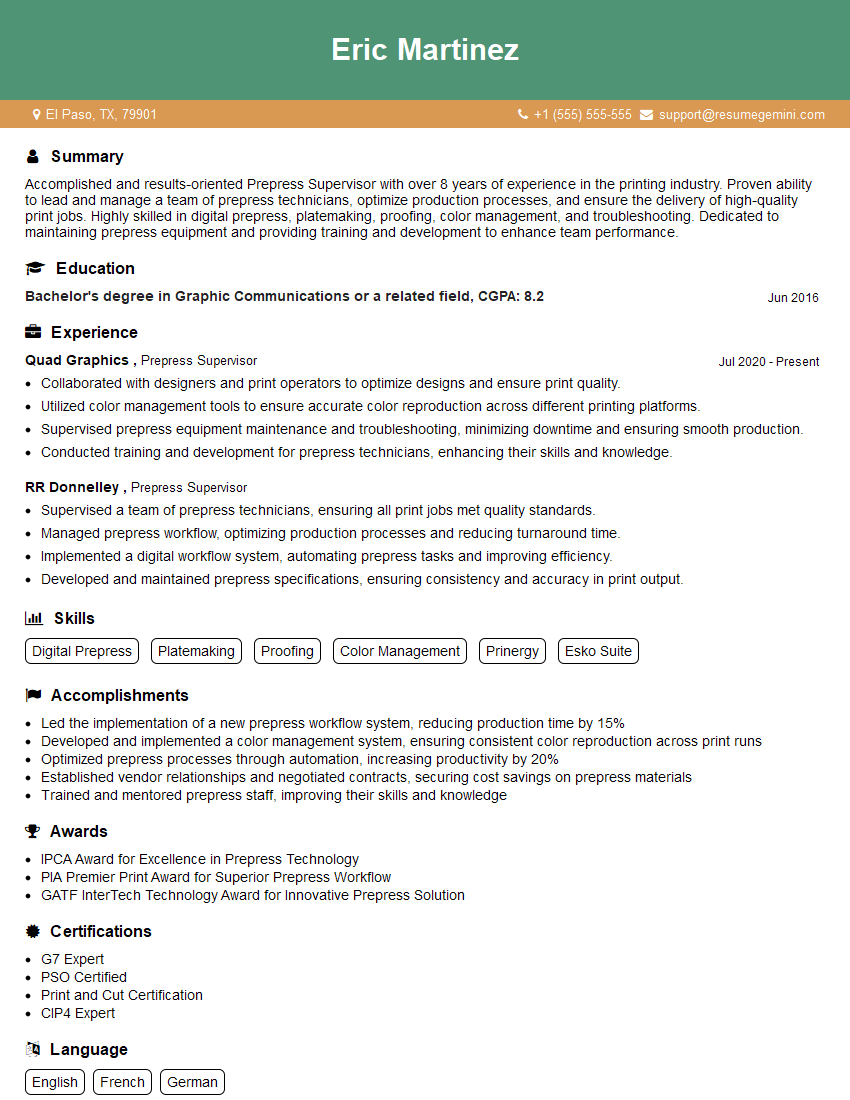
Mastering prepress software and color management tools is crucial for career advancement in the graphic design and printing industries. These skills are highly sought after, leading to higher earning potential and more exciting career opportunities. To maximize your job prospects, creating a strong, ATS-friendly resume is essential. ResumeGemini is a trusted resource to help you build a professional resume that highlights your skills and experience effectively. Examples of resumes tailored to showcasing proficiency in prepress software and color management tools are available to guide you.



Explore more articles
Users Rating of Our Blogs
Share Your Experience
We value your feedback! Please rate our content and share your thoughts (optional).
What Readers Say About Our Blog
Very informative content, great job.
good