Cracking a skill-specific interview, like one for Spaghetti Diagram, requires understanding the nuances of the role. In this blog, we present the questions you’re most likely to encounter, along with insights into how to answer them effectively. Let’s ensure you’re ready to make a strong impression.
Questions Asked in Spaghetti Diagram Interview
Q 1. Explain what a Spaghetti Diagram is and its purpose.
A Spaghetti Diagram is a visual representation of the movement of people, materials, or information within a process. Imagine a plate of spaghetti – tangled and messy! That’s what a poorly designed process looks like. The diagram’s purpose is to visually expose inefficiencies and bottlenecks in a process, making it easier to identify areas for improvement. It’s a simple yet powerful tool used in Lean manufacturing, process improvement initiatives, and even office workflow optimization.
Q 2. Describe the steps involved in creating a Spaghetti Diagram.
Creating a Spaghetti Diagram involves these steps:
- Define the process: Clearly identify the beginning and end points of the process you’re analyzing. What are the steps involved? Who or what is involved?
- Map the process: Choose a suitable scale and draw a layout of the area where the process occurs. This could be a factory floor, an office, or even a computer network.
- Trace the movement: Observe the process in action and trace the path of materials, people, or information. Use different colored lines or symbols to represent different elements if necessary.
- Analyze the diagram: Look for long distances traveled, unnecessary movements, backtracking, and areas of congestion. These are your potential problem areas.
- Document findings: Clearly label each step, movement, and any identified bottlenecks. This ensures a clear understanding of the process.
For example, imagine mapping the process of preparing a pizza in a restaurant. You would draw the kitchen, and trace the chef’s movements from the refrigerator to the oven, then the counter, and so on. The diagram would clearly show if the layout is efficient or not.
Q 3. What are the key benefits of using a Spaghetti Diagram for process improvement?
Spaghetti Diagrams offer several key benefits for process improvement:
- Visual Identification of Bottlenecks: Immediately reveals areas of congestion and delays.
- Improved Workflow: Helps identify unnecessary movements and suggests optimized layouts.
- Reduced Costs: By eliminating waste and improving efficiency, it can reduce transportation costs, time, and resources.
- Enhanced Communication: The visual nature facilitates easy understanding of the process for all stakeholders.
- Data-driven decision making:Provides a concrete basis for making process improvement changes.
For example, in a warehouse, a spaghetti diagram might reveal that the storage location of a frequently used item is far from the packing station, causing unnecessary walking and delays. This could lead to a decision to relocate the item to improve workflow.
Q 4. How does a Spaghetti Diagram differ from a flowchart?
While both Spaghetti Diagrams and flowcharts depict processes, they focus on different aspects:
- Spaghetti Diagram: Focuses on the physical movement or flow of materials, people, or information within a defined area. It’s a spatial representation emphasizing distance and layout.
- Flowchart: Focuses on the sequence of steps and decisions within a process. It’s a temporal representation emphasizing the order of operations.
Think of it this way: a flowchart shows *what* happens in a process step-by-step, while a spaghetti diagram shows *where* things are happening and how much movement is involved. They are often complementary tools, used together for a comprehensive process analysis.
Q 5. What types of processes are best suited for Spaghetti Diagram analysis?
Spaghetti Diagrams are particularly useful for analyzing processes that:
- Involve physical movement: Manufacturing, warehousing, restaurant operations, hospital workflows.
- Have multiple steps and locations: Processes with many hand-offs between different people or departments.
- Are prone to bottlenecks: Situations where congestion or delays occur frequently.
- Require spatial optimization: Processes where the layout of the workspace significantly impacts efficiency.
For instance, analyzing the movement of nurses and medical equipment in a hospital using a Spaghetti Diagram can reveal bottlenecks in patient care and suggest improved layouts.
Q 6. How can you identify bottlenecks and inefficiencies using a Spaghetti Diagram?
Bottlenecks and inefficiencies in a Spaghetti Diagram are typically identified by looking for:
- Long distances traveled: Unnecessarily long routes indicate a need to optimize the layout or process steps.
- Backtracking or crossing paths: These highlight areas where movement could be streamlined.
- Areas of congestion: High concentration of lines in one area suggests a bottleneck.
- Unnecessary loops or detours: Indicate inefficiencies in the process flow.
By analyzing these visual cues, you can pinpoint specific areas needing improvement. For example, a long line representing the movement of materials across a large warehouse implies that the material storage location is poorly planned.
Q 7. Explain how to interpret the different symbols and lines used in a Spaghetti Diagram.
Spaghetti Diagrams generally use simple symbols and lines:
- Lines: Represent the path of movement. Different colors or line thicknesses may be used to distinguish between different elements (e.g., materials, people).
- Shapes/Symbols: Represent locations or workstations. These could be simple squares, circles, or more detailed icons depicting equipment or personnel.
- Arrows: Indicate the direction of movement.
Interpretation focuses on the overall pattern of the lines. A tangled, crisscrossing pattern suggests inefficiencies, while a more streamlined flow with minimal crossings indicates a well-organized process.
Q 8. How can you use a Spaghetti Diagram to improve workflow and reduce waste?
A Spaghetti Diagram, also known as a flow diagram, visually maps the movement of people, materials, or information within a process. By visualizing the path, we can identify inefficiencies, bottlenecks, and unnecessary steps, ultimately leading to workflow improvements and waste reduction. Imagine a bowl of spaghetti – a tangled mess! That’s what an inefficient process looks like. The diagram helps us untangle it.
To improve workflow, we look for long, convoluted paths representing excessive travel or unnecessary handoffs. These are prime targets for optimization. For example, if the diagram shows a worker repeatedly walking across the factory floor to access a specific tool, we can propose moving the tool closer to their workstation. To reduce waste, we look for loops or redundant steps. If the diagram shows the same task being performed twice, we can investigate whether it can be streamlined or eliminated altogether. This might involve process re-engineering or improved communication.
- Example: In a restaurant kitchen, a Spaghetti Diagram might reveal that the server is walking unnecessarily far to pick up orders, creating delays. By reorganizing the kitchen layout, we can shorten the distance, resulting in faster service and improved customer satisfaction.
Q 9. How do you determine the appropriate scale for a Spaghetti Diagram?
Choosing the right scale for a Spaghetti Diagram depends on the area being mapped and the level of detail required. Too small a scale can obscure important details, while too large a scale can make the diagram unwieldy and difficult to interpret. A good rule of thumb is to ensure that the diagram is large enough to clearly show all the movements and processes, but not so large that it becomes overwhelming. Consider these factors:
- Size of the area: A large factory will require a larger scale than a small office.
- Level of detail: If you need to show precise distances and locations, you’ll need a more detailed scale. If a general overview is sufficient, a less precise scale will suffice.
- Presentation format: The final size of your presentation (paper, screen) also dictates the appropriate scale.
Often, it’s useful to start with a rough sketch to get a feel for the necessary scale before creating the final diagram. You might use a 1:100 or 1:50 scale for larger areas and a larger scale (e.g., 1:20 or 1:10) for smaller areas. Remember to clearly indicate the scale on the diagram itself.
Q 10. Describe a situation where you used a Spaghetti Diagram to solve a problem.
I recently used a Spaghetti Diagram to optimize the order fulfillment process at a small e-commerce business. The company was experiencing slow shipping times and high labor costs. The initial process was chaotic, with items moving randomly between different workstations. The Spaghetti Diagram revealed several issues:
- Employees were walking long distances to retrieve items from storage.
- There were multiple handoffs in the packaging process, leading to delays and errors.
- The packaging station was located far from the shipping area.
By analyzing the diagram, we identified three key areas for improvement. We reorganized the warehouse layout to place frequently picked items closer to the packing station. We streamlined the packaging process by reducing the number of handoffs, and we moved the packaging station closer to the shipping area. The revised process, visualized in a new Spaghetti Diagram, showed a significant reduction in travel distance and improved workflow efficiency. We saw a 20% reduction in order fulfillment time and a 15% decrease in labor costs.
Q 11. What are some limitations of using a Spaghetti Diagram?
While Spaghetti Diagrams are a powerful tool, they have limitations.
- Limited to physical movement: They primarily focus on the physical movement of people or materials and may not fully capture information flow or complex decision-making processes.
- Static representation: They depict a snapshot in time and don’t show dynamic changes in workflow or unexpected events.
- Subjectivity in interpretation: The effectiveness of the diagram relies heavily on accurate data collection and objective interpretation, which can be influenced by biases.
- Difficulty in representing complex processes: Highly complex processes with multiple parallel steps or conditional branching can be challenging to represent clearly.
- Lack of quantitative data: The diagram typically doesn’t include precise data on time or cost, only a general representation of movement. Integrating timing data can create a more powerful analysis.
Q 12. How can you incorporate data analysis into the creation of a Spaghetti Diagram?
Incorporating data analysis into Spaghetti Diagrams enhances their usefulness. This can be done by collecting time-motion study data along with the movement data. For example, we can use stopwatches or time-study software to measure how long each step in a process takes. We can also collect data on the number of items processed at each step, error rates, and waiting times. This quantitative data can be overlaid onto the diagram, showing not just the path, but also the duration and efficiency of each step.
For instance, if a step takes unusually long, we can pinpoint a bottleneck. High error rates at a certain stage can signal a need for training or process improvement. This data-driven approach helps in making more informed decisions about where to focus improvement efforts.
Q 13. How can you present your findings from a Spaghetti Diagram effectively to stakeholders?
Effective presentation of Spaghetti Diagram findings to stakeholders requires clarity, conciseness, and visual appeal.
- Start with the problem: Begin by clearly stating the initial problem that prompted the creation of the diagram.
- Visual storytelling: Use clear visuals and annotations to highlight key findings such as bottlenecks, unnecessary movements, and areas for improvement. Color-coding or different line thicknesses can effectively communicate important information.
- Before and after comparison: If process improvements were implemented, create a second diagram showing the revised workflow to visually demonstrate the impact of the changes.
- Quantitative data integration: Present key quantitative data such as time savings, cost reductions, or error rate improvements alongside the diagram.
- Actionable recommendations: Conclude with specific, actionable recommendations for improvement based on the analysis.
- Interactive presentation: Consider using interactive tools to allow stakeholders to explore the diagram more deeply.
Q 14. How can technology assist in the creation and analysis of Spaghetti Diagrams?
Technology significantly aids in the creation and analysis of Spaghetti Diagrams. Software solutions provide tools for creating and modifying the diagrams digitally. These tools often include features for adding annotations, data points, and measurements. They also allow for easy sharing and collaboration among team members.
- Computer-aided design (CAD) software: For precise measurements and detailed representation of large areas.
- Floor plan software: To create a base map for the diagram.
- Data visualization tools: To integrate quantitative data and create interactive visualizations.
- Simulation software: To simulate the impact of process changes before implementation.
For example, using CAD software can ensure accurate scaling and detailed representations of equipment and workspace layouts. Integrating data visualization tools allows you to overlay time, cost, or error rate data directly onto the diagram, making it a more powerful tool for analysis.
Q 15. What software tools are commonly used for creating Spaghetti Diagrams?
Several software tools can be used to create Spaghetti Diagrams, ranging from simple drawing tools to sophisticated process mapping software. The choice depends on the complexity of the process and the desired level of detail.
- Simple Drawing Tools: Microsoft Visio, draw.io (now diagrams.net), and even PowerPoint can suffice for basic Spaghetti Diagrams, especially for smaller areas or simpler processes. You can manually plot the movement of people or materials on a floor plan or a schematic.
- Process Mapping Software: More advanced software like Lucidchart, Miro, and Creately offer features beyond basic drawing, such as automated shape alignment, collaboration tools, and the ability to integrate with other project management systems. These are particularly helpful for complex processes involving many steps or multiple departments.
- CAD Software: For highly detailed layouts, especially in manufacturing or warehousing, Computer-Aided Design (CAD) software like AutoCAD can be used to create extremely accurate Spaghetti Diagrams that reflect the precise dimensions and location of equipment and workstations.
Ultimately, the best tool depends on your needs and technical capabilities. A simple process might only need a simple drawing tool, whereas a complex factory floor would benefit from the precision of CAD software.
Career Expert Tips:
- Ace those interviews! Prepare effectively by reviewing the Top 50 Most Common Interview Questions on ResumeGemini.
- Navigate your job search with confidence! Explore a wide range of Career Tips on ResumeGemini. Learn about common challenges and recommendations to overcome them.
- Craft the perfect resume! Master the Art of Resume Writing with ResumeGemini’s guide. Showcase your unique qualifications and achievements effectively.
- Don’t miss out on holiday savings! Build your dream resume with ResumeGemini’s ATS optimized templates.
Q 16. How do you ensure accuracy and consistency when creating a Spaghetti Diagram?
Accuracy and consistency are paramount when creating a Spaghetti Diagram. Inaccurate representation can lead to flawed conclusions and ineffective process improvements. Here’s how to ensure both:
- Precise Measurements: Use accurate measurements of distances and locations. This may involve physical measurements using tape measures or utilizing existing floor plans and blueprints. The scale of your diagram must be consistent.
- Standardized Symbols: Establish clear, consistent symbols for different activities, workstations, or materials. A legend should clearly define what each symbol represents. This ensures everyone understands the diagram.
- Multiple Observations: Don’t rely on a single observation. Observe the process over several periods, at different times of the day, to capture variations in workflow. This provides a more holistic picture.
- Teamwork and Verification: Involve multiple people in the creation of the diagram, allowing for cross-checking and validation of accuracy. Have different individuals review the diagram to catch inconsistencies.
- Data Validation: Where possible, verify the data used in creating the diagram with other data sources, such as production records or time studies, to ensure alignment and consistency.
Imagine creating a Spaghetti Diagram for a restaurant kitchen. Inaccurate measurements of distances between the stove, prep area, and dishwashing station could lead to an inaccurate depiction of movement, potentially missing opportunities for improvement.
Q 17. What are some common mistakes to avoid when creating a Spaghetti Diagram?
Several pitfalls can lead to ineffective or misleading Spaghetti Diagrams. Here are some common mistakes to avoid:
- Lack of Scale and Proportion: Failing to maintain consistent scale and proportion can distort the actual distances and movements, resulting in an inaccurate depiction of the workflow.
- Insufficient Data Collection: Relying on limited observations or failing to capture variations in workflow can lead to an incomplete and biased representation of the process.
- Ignoring Non-Value-Added Activities: Focusing solely on the movement of materials without considering the time spent on each activity can obscure opportunities for improvement. Highlighting non-value-added steps is crucial.
- Overly Complex Diagrams: A cluttered and complicated diagram can be difficult to interpret and hinder effective analysis. Keep it clean, clear, and focused on the key aspects of the process.
- Failure to Consider Time: A Spaghetti Diagram should not only show movement but should ideally incorporate the time taken at each stage. This adds a crucial dimension to the analysis.
For example, a poorly made Spaghetti Diagram of a warehouse might not show bottlenecks effectively if the scale is off, or if it doesn’t account for the time spent waiting for forklifts.
Q 18. How can you use a Spaghetti Diagram to identify areas for automation?
Spaghetti Diagrams are powerful tools for identifying automation opportunities. By visualizing the movement of materials and personnel, areas ripe for automation become readily apparent.
Identifying Automation Targets:
- Repetitive Movements: Look for long, repetitive movements of materials or personnel. These are prime candidates for automated material handling systems (e.g., conveyor belts, automated guided vehicles).
- High-Volume Transportation: Identify areas with a high volume of material movement. Automation can significantly reduce transportation time and costs.
- Manual Handling of Heavy Items: Areas involving manual handling of heavy or bulky materials pose safety risks and are perfect for robotic solutions.
- Bottlenecks and Delays: Long distances or frequent delays indicate areas where automation can streamline the flow and improve efficiency.
Example: A Spaghetti Diagram of a manufacturing plant might reveal that workers spend considerable time moving parts between machines. This could suggest an opportunity to implement a robotic arm or automated conveyor system to automate this task.
Q 19. How can you use a Spaghetti Diagram in conjunction with other process improvement tools?
Spaghetti Diagrams are highly effective when used in conjunction with other process improvement tools. They provide a visual foundation for more in-depth analysis.
- Value Stream Mapping (VSM): A Spaghetti Diagram can be a key input for creating a Value Stream Map. The Spaghetti Diagram shows the physical flow, while the VSM incorporates the time and value-added aspects.
- Process Flow Charts: A Spaghetti Diagram supplements a process flow chart by providing a spatial context. The flow chart describes the sequence of steps, whereas the Spaghetti Diagram visualizes the physical movement.
- 5S Methodology: Spaghetti Diagrams can identify areas for improvement in workplace organization (5S). By visualizing movement, it’s easier to optimize workspace layout and material storage.
- Root Cause Analysis: Using a Spaghetti Diagram as a visual aid can help to identify root causes of delays or inefficiencies. The visual representation aids brainstorming and problem-solving.
For instance, combining a Spaghetti Diagram with 5S can lead to a more efficient layout, eliminating unnecessary movement and improving the overall process.
Q 20. Explain the relationship between Spaghetti Diagrams and Value Stream Mapping.
Spaghetti Diagrams and Value Stream Mapping (VSM) are complementary tools used in process improvement. They offer different perspectives on the same process.
Spaghetti Diagram: Focuses on the physical flow of materials or personnel. It depicts the actual movement within a physical space, highlighting distances and pathways. Think of it as a ‘bird’s-eye view’ of the process.
Value Stream Map: Takes a broader view, encompassing the entire process flow, including time, value-added activities, and non-value-added activities. It analyzes the entire process from beginning to end, focusing on efficiency and eliminating waste.
Relationship: The Spaghetti Diagram provides crucial information for the Value Stream Map. The physical layout and movement patterns visualized in the Spaghetti Diagram inform the ‘process flow’ component of the VSM. By knowing the actual distances and movement patterns, the VSM can accurately assess transportation time and identify areas for improvement.
Example: A Spaghetti Diagram of a factory floor might show excessive movement between workstations. This information would be incorporated into the VSM to highlight the non-value-added transportation time and identify potential improvements, such as relocating workstations or implementing an automated system.
Q 21. How can a Spaghetti Diagram be used to improve safety in a workplace?
Spaghetti Diagrams can be instrumental in improving workplace safety by visualizing potential hazards and identifying areas needing improvement.
- Identifying Trip Hazards: The diagram clearly reveals pathways and potential obstacles, such as cords, clutter, or uneven flooring, which could cause trips and falls.
- Reducing Congestion: Areas with intersecting or overlapping paths can create congestion, increasing the risk of collisions or accidents. The diagram highlights these bottlenecks.
- Improving Ergonomics: By analyzing movement patterns, the diagram helps identify areas where workers might be making awkward or strenuous movements, leading to musculoskeletal injuries. This allows for workstation redesign.
- Highlighting Hazardous Materials: The diagram can help identify the movement of hazardous materials and areas where exposure risks are high, enabling better safety procedures.
- Emergency Evacuation Planning: Spaghetti diagrams can be adapted to visualize evacuation routes, identifying potential bottlenecks and areas for improvement in emergency response.
For instance, a Spaghetti Diagram of a warehouse might reveal congested areas where forklifts and pedestrians frequently cross paths, enabling safety measures like implementing designated walkways or improving signage.
Q 22. Describe how you would validate the accuracy of a Spaghetti Diagram.
Validating a Spaghetti Diagram’s accuracy involves a multi-step process focused on ensuring it truly reflects the reality of the process being mapped. It’s not just about the visual representation; it’s about confirming the data’s integrity.
- Data Verification: Cross-reference the diagram with actual process data, such as time studies, production records, or observation logs. Do the distances and movements accurately reflect the real-world flow?
- Stakeholder Validation: Conduct walkthroughs with individuals involved in the process. Ask them to review the diagram for accuracy and identify any discrepancies. This helps catch omissions or inaccuracies that might have been overlooked.
- Multiple Observations: Don’t rely on a single observation point. Observe the process at different times of day or under varying conditions (e.g., high volume vs. low volume). This helps account for process variations.
- Quantitative Data Comparison: If possible, compare the diagram’s implied process time with actual cycle times. Are they aligned? Large discrepancies need investigation.
- Iteration and Refinement: Treat the initial diagram as a first draft. The validation process will likely reveal areas requiring adjustment. Iterate on the diagram until all stakeholders agree on its accuracy.
For example, imagine creating a Spaghetti Diagram for a restaurant’s kitchen. Validating it would involve checking if the distances between workstations match the actual kitchen layout, and confirming that the paths taken by servers and cooks reflect their typical movements. Discrepancies could indicate workflow inefficiencies or inaccurate initial observation.
Q 23. How can you use a Spaghetti Diagram to improve customer satisfaction?
A well-constructed Spaghetti Diagram can be a powerful tool for boosting customer satisfaction by directly revealing and addressing bottlenecks that impact service delivery.
- Reduced Wait Times: By visualizing the flow of customers or products, you can pinpoint areas where delays occur. Optimizing these choke points directly translates to shorter wait times, leading to happier customers.
- Improved Efficiency: A clear, efficient process flow means less room for error. This contributes to a more consistent, high-quality service, improving the overall customer experience.
- Enhanced Communication: The visual nature of a Spaghetti Diagram helps facilitate better communication within the organization about how to improve customer service. Everyone can see the problem areas and contribute to solutions.
- Targeted Improvements: The diagram guides targeted improvements to specific areas causing customer dissatisfaction. For instance, if long lines are a frequent complaint, the diagram will help you see what’s causing the backlog.
Imagine a bank. A Spaghetti Diagram can reveal excessive customer movement due to poorly placed teller stations or inefficient routing of customers to different service points. By re-arranging these areas, wait times are minimized, and customer satisfaction increases.
Q 24. How do you handle complex processes when creating a Spaghetti Diagram?
Handling complex processes in Spaghetti Diagrams requires a structured approach that breaks down the complexity into manageable parts. We can’t simply show everything at once.
- Process Decomposition: Divide the overall process into smaller, more manageable subprocesses. Each subprocess can then be mapped individually on its own Spaghetti Diagram.
- Layered Approach: Create a high-level Spaghetti Diagram showing the major process steps, and then drill down into sub-processes with more detailed diagrams. This allows for a clear overview without sacrificing detail.
- Color-Coding and Symbols: Use different colors or symbols to represent different subprocesses, materials, or people. This enhances clarity and helps to visually separate the different aspects of the complex process.
- Digital Tools: Use software tools designed for process mapping, enabling features like layering, zooming, and data integration, making complex diagrams more manageable.
- Swimlane Diagrams: For processes involving multiple departments or roles, incorporate swimlanes to visually separate the responsibilities of each party in the process.
For instance, the production of a complex electronic device would be broken down into smaller processes like component assembly, testing, and packaging. Each process gets its own Spaghetti Diagram, and then a high-level diagram links them together.
Q 25. How can you prioritize improvement areas identified using a Spaghetti Diagram?
Prioritizing improvement areas identified in a Spaghetti Diagram involves a systematic approach, often combining quantitative and qualitative data.
- Impact vs. Effort Matrix: Plot each identified problem area on a matrix with ‘Impact’ on the Y-axis and ‘Effort’ required for improvement on the X-axis. Prioritize areas with high impact and low effort.
- Cost-Benefit Analysis: Evaluate the potential cost savings or improvements in efficiency resulting from addressing each area. Focus on areas offering the best return on investment.
- Data Analysis: Use quantitative data (e.g., cycle times, defect rates) to objectively measure the impact of each problem area. Prioritize areas with the most significant quantitative problems.
- Stakeholder Input: Involve stakeholders in prioritizing the areas. Their insights can highlight issues that might not be apparent from the data alone.
- Pareto Principle: Apply the 80/20 rule: Identify the 20% of problem areas causing 80% of the issues and prioritize those.
For example, in a manufacturing plant, a Spaghetti Diagram might reveal excessive movement to fetch raw materials. If improving material storage location would be easy and dramatically reduce wasted time, this becomes a high-priority area for improvement.
Q 26. Explain the difference between a Spaghetti Diagram and a flow chart.
While both Spaghetti Diagrams and flowcharts illustrate processes, they differ significantly in their focus and visual representation.
- Focus: Flowcharts emphasize the sequence of steps in a process, typically using standardized shapes to represent different actions (decisions, processes, inputs/outputs). Spaghetti Diagrams, on the other hand, focus on the physical movement of people, materials, or information within a space.
- Visual Representation: Flowcharts are linear, showing steps in a sequential order. Spaghetti Diagrams are spatial, visually representing the actual paths taken by people or materials within a defined area. This makes the visual representation quite different.
- Application: Flowcharts are better suited for documenting processes with clearly defined steps, while Spaghetti Diagrams are more effective for identifying inefficiencies related to physical layout and movement.
Think of it like this: a flowchart is a recipe for a cake, showing the steps in order. A Spaghetti Diagram is a visual representation of the baker’s movements as they prepare the cake in a kitchen—it shows how the baker moves around the kitchen to get ingredients, mix batter, etc. Both are useful for understanding the process but from different perspectives.
Q 27. How can you use a Spaghetti Diagram to support a Kaizen event?
A Spaghetti Diagram is an excellent tool to support a Kaizen event (continuous improvement workshop) by providing a visual representation of the current state, allowing the team to identify waste and improvement opportunities.
- Visualizing Current State: The diagram acts as a baseline, showing the existing process flow. This shared understanding is crucial for the team to agree on the challenges and potential areas for improvement.
- Identifying Waste: The spaghetti-like lines immediately highlight unnecessary movements, excessive travel distances, bottlenecks, and waiting times. These are all forms of waste (Muda) targeted in Kaizen.
- Facilitating Brainstorming: The visual representation of the process encourages collaboration and brainstorming. Team members can easily point to areas of concern and suggest improvements.
- Measuring Improvement: After implementing changes, create a new Spaghetti Diagram to visually demonstrate the impact of the improvements. This visual comparison clearly showcases the effectiveness of Kaizen activities.
During a Kaizen event focused on improving a warehouse’s picking process, a Spaghetti Diagram will quickly highlight the excessive walking and inefficient routes. The team can then brainstorm solutions—new layouts, improved storage locations—and use a revised diagram to demonstrate how these changes reduce travel time and improve efficiency.
Key Topics to Learn for Spaghetti Diagram Interview
- Understanding the Basics: Define a Spaghetti Diagram and its purpose in visualizing processes. Explain its strengths and limitations compared to other process mapping techniques.
- Practical Applications: Describe scenarios where Spaghetti Diagrams are particularly useful (e.g., identifying bottlenecks in manufacturing, optimizing workflow in an office environment). Provide examples of how to interpret the visual representation.
- Creating Effective Diagrams: Explain the process of constructing a Spaghetti Diagram, including data collection methods, symbol conventions, and scale considerations. Discuss best practices for clarity and accuracy.
- Analysis and Improvement: Describe techniques for analyzing a completed Spaghetti Diagram to identify inefficiencies and areas for improvement. This includes identifying bottlenecks, redundant steps, and unnecessary movements.
- Software and Tools: Familiarize yourself with software or tools commonly used for creating and analyzing Spaghetti Diagrams. Understand their functionalities and how they can aid in the process.
- Comparing and Contrasting: Be prepared to compare and contrast Spaghetti Diagrams with other process mapping techniques (e.g., flowcharts, value stream mapping). Highlight the unique advantages and disadvantages of each.
Next Steps
Mastering Spaghetti Diagram analysis and creation is a valuable skill that can significantly boost your career prospects in process improvement, operations management, and related fields. A strong understanding of this technique demonstrates your ability to identify inefficiencies and propose practical solutions, making you a highly desirable candidate. To further enhance your job search, focus on building an ATS-friendly resume that effectively showcases your skills and experience. ResumeGemini is a trusted resource that can help you create a professional and impactful resume. Examples of resumes tailored to highlight Spaghetti Diagram expertise are available to help you get started.

Operations Manager Resume Sample
Quality Control Manager Resume Sample
Production Supervisor Resume Sample
Logistics Manager Resume Sample

Project Manager Resume Sample
Supply Chain Analyst Resume Sample
Business Process Analyst Resume Sample
Management Consultant Resume Sample

Data Analyst Resume Sample

Systems Analyst Resume Sample

Operations Research Analyst Resume Sample
Process Analyst Resume Sample
Industrial Engineer Resume Sample

Manufacturing Engineer Resume Sample
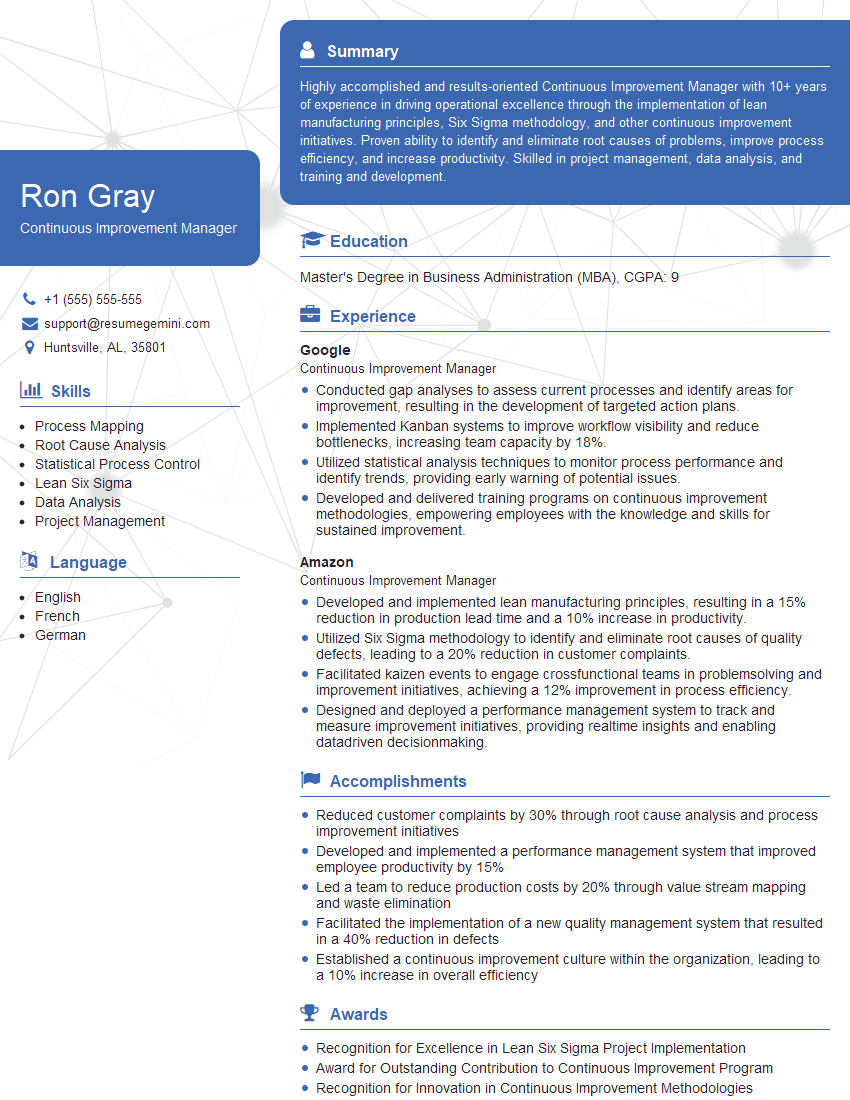
Continuous Improvement Manager Resume Sample
- Operations Manager
- Quality Control Manager
- Production Supervisor
- Logistics Manager
- Project Manager
- Supply Chain Analyst
- Business Process Analyst
- Management Consultant
- Data Analyst
- Systems Analyst
- Operations Research Analyst
- Process Analyst
- Industrial Engineer
- Manufacturing Engineer
- Continuous Improvement Manager
Explore more articles
Users Rating of Our Blogs
Share Your Experience
We value your feedback! Please rate our content and share your thoughts (optional).
What Readers Say About Our Blog
Very informative content, great job.
good