Unlock your full potential by mastering the most common Special Effects Support interview questions. This blog offers a deep dive into the critical topics, ensuring you’re not only prepared to answer but to excel. With these insights, you’ll approach your interview with clarity and confidence.
Questions Asked in Special Effects Support Interview
Q 1. Explain your experience with compositing software (e.g., Nuke, After Effects).
My compositing experience spans several years and encompasses a range of software, primarily Nuke and After Effects. Nuke, with its node-based workflow, is my go-to for complex shots requiring intricate layering and color correction, especially in high-end visual effects. I’ve used it extensively for tasks such as keying (extracting elements from a background), rotoscoping (animating masks around objects), and creating intricate visual effects involving multiple layers. For example, in a recent project, I used Nuke to composite a CGI dragon seamlessly onto a live-action landscape, meticulously matching the lighting and shadows to create a believable result. After Effects, on the other hand, excels in motion graphics and simpler compositing tasks. Its ease of use and extensive library of effects makes it ideal for quick turnaround projects and adding subtle refinements to shots. I often use it for tasks like adding subtle lens flares or creating simple particle effects. The choice between the two largely depends on the project’s complexity and deadlines.
Q 2. Describe your workflow for creating realistic fire effects.
Creating realistic fire effects requires a multi-faceted approach. My workflow typically begins with a base simulation, often using a dedicated software like Houdini or FumeFX, depending on the project’s needs and desired level of detail. These tools allow me to simulate the behavior of fire, including its movement, flickering, and interaction with the environment. The simulation generates a 3D volume of data representing the fire, which I then render. However, a purely simulated fire often lacks the subtle nuances of real fire. Post-processing plays a crucial role in enhancing realism. In this stage, I use compositing software (Nuke or After Effects) to add layers of detail, such as subtle color variations, highlights, and glow, to mimic the complex interactions of light and heat. For instance, I might use footage of real fire as a texture overlay to add fine-grained details to the simulated fire, or introduce subtle flickering using animated masks and color grading techniques. Finally, careful integration with the surrounding environment is key to believable results. Matching the lighting and shadows ensures seamless integration with the rest of the scene. Think of it like painting; the initial simulation provides the canvas, while the post-processing adds the brushstrokes to bring the fire to life.
Q 3. How do you troubleshoot rendering issues?
Troubleshooting rendering issues is a critical part of the VFX pipeline. My approach is systematic and involves several steps. First, I isolate the problem by checking render logs for specific errors. A common issue is memory exhaustion, which might require optimizing the scene by reducing polygon count or using proxy geometry. Another frequent problem is texture errors, often caused by incorrect file paths or missing textures; ensuring that all assets are correctly linked is vital. Hardware limitations can also cause rendering delays or crashes. I’ll check CPU and GPU usage and might need to adjust render settings accordingly, such as reducing render resolution or using a lower-quality sampling rate. Beyond technical issues, artistic choices can cause problems. For example, if the lighting is unrealistic, this will need refinement within the 3D software before rerendering the scene. This systematic, methodical approach, examining each potential source of the problem, is how I quickly identify and resolve rendering issues, minimizing delays and preventing costly rework.
Q 4. What is your experience with motion capture data integration?
My experience with motion capture (MoCap) data integration involves using specialized software such as Autodesk MotionBuilder or similar applications. The process usually begins with cleaning and retargeting the MoCap data to fit the character model. This involves adjusting the data to account for differences in skeletal structure between the performer and the digital character. Then, I import the cleaned data into my 3D software (e.g., Maya or 3ds Max) and use it to drive the character’s animation. Sometimes, however, direct MoCap data isn’t perfect; subtle adjustments and manual keyframing are frequently necessary to refine the animation and correct any unnatural movements or glitches. For example, in one project involving a character performing parkour, the raw MoCap data needed significant refinement in areas where the actor’s movement was constrained by the practical limitations of the capture environment. Post-processing within compositing software might be necessary to blend the MoCap-animated character seamlessly into the final shot.
Q 5. Explain your understanding of different 3D modeling techniques.
My understanding of 3D modeling techniques covers various methodologies, including polygon modeling, NURBS modeling, and subdivision surface modeling. Polygon modeling, involving creating meshes from polygons, is ideal for organic and hard-surface modeling. I frequently utilize this for creating detailed models, where control over individual polygons is essential for achieving precise geometry. NURBS (Non-Uniform Rational B-Splines) modeling is better suited for creating smooth, precise curves, commonly used in industrial design or architectural visualizations. This offers superior precision when building clean, mathematical surfaces. Subdivision surface modeling starts with a low-resolution mesh that is refined through iterative subdivision, generating smoother surfaces. This is my preferred approach for character modeling as it allows for quick creation of base meshes and facilitates a smooth workflow. The choice of technique depends largely on the project requirements and the level of detail needed.
Q 6. Describe your experience with rigging characters for animation.
Rigging characters for animation is a critical skill in visual effects. My process begins with creating a skeletal structure for the character that accurately reflects its range of motion. This involves creating joints (bones) that are connected hierarchically to allow for realistic movement. The next stage is weight painting, where I assign each vertex (polygon point) on the character’s mesh to the appropriate bones. This determines how the mesh deforms when the bones move. The process is crucial for creating realistic and natural-looking movements, avoiding unnatural deformation or ‘skin-popping’. I pay close attention to detail; proper weight painting is essential to avoid artifacts like the skin detaching from the bones. The final stage involves testing the rig. I’ll animate the character to identify and fix any issues such as clipping, improper weight assignments, or limited range of motion. A well-rigged character provides a solid foundation for animators and contributes significantly to a successful animation.
Q 7. How do you handle complex lighting scenarios in a 3D environment?
Handling complex lighting scenarios in a 3D environment necessitates a thorough understanding of lighting principles and the capabilities of the 3D software. My approach begins with careful planning. I’ll start by defining the mood and atmosphere I want to create, which influences the lighting style I choose. Then, I’ll strategically place key lights (the primary light source), fill lights (to soften shadows), and rim lights (to outline objects) to achieve the desired effect. For instance, if I’m creating a dark, mysterious scene, I’ll primarily use darker shadows and focus the key light to create a dramatic mood. In contrast, a bright, cheerful scene will require a more even distribution of light. Beyond the basic lighting types, I’ll utilize features like global illumination (GI) to simulate indirect lighting for more realistic rendering. Finally, adjusting light intensity, color temperature, and shadows helps to fine-tune the scene and create more depth and realism. Think of lighting as sculpting with light; strategic placement and control are crucial to effectively shape the scene and convey its intended mood.
Q 8. What is your experience with creating realistic textures?
Creating realistic textures is fundamental to believable visual effects. It involves understanding the underlying properties of materials and translating them into digital representations. This goes beyond simply applying a pre-made texture; it often requires a multi-layered approach, combining different textures and techniques to achieve depth and complexity.
My process typically starts with gathering reference images. High-resolution photographs are ideal, offering detailed information about surface variations. I then use software like Substance Designer or Mari to create procedural textures, allowing for greater control and adaptability. For example, I might create a realistic wood texture by combining procedural noise for grain, a layered displacement map for cracks and imperfections, and a normal map for fine details like wood grain direction. I might even incorporate scan data if available to achieve even greater realism. For instance, I once created a highly detailed texture of weathered stone by combining scans of real stones with procedural noise to create variations across a large area.
Finally, I always consider the lighting conditions of the scene. A texture that looks great under one light might look completely off under another. The final step is integrating the texture into the 3D model, ensuring seamless blending with the surrounding environment. This may involve adjusting parameters, using smart masks, or employing other compositing techniques.
Q 9. Explain your process for matchmoving footage.
Matchmoving is the process of precisely aligning a 3D camera to footage shot in the real world. It’s crucial for integrating CGI elements seamlessly into live-action sequences. I typically use software like PFTrack or Boujou. My process involves several key steps:
- Camera Tracking: This is the core of the process. The software analyzes the footage, identifying features like corners, lines, or distinct objects that move consistently across frames. This helps calculate the camera’s position and movement throughout the shot.
- Solver Adjustments: The initial solution often requires refinement. I manually adjust tracking points, add or remove points, and experiment with different solver parameters until a robust and accurate track is achieved. Careful attention to detail is vital here to avoid distortions in the final composite.
- Scene Reconstruction: Once the camera is tracked, I create a 3D reconstruction of the scene. This is done by placing 3D models in the environment that align to the footage. This forms the basis for integrating the CGI elements.
- Validation: The final step involves rigorous validation. I use various tools to compare the final 3D camera match to the original footage, carefully checking for subtle errors that could break the illusion. It requires patience and attention to detail.
For example, on a recent project where we needed to add a digital dragon to a real-world landscape, accurate matchmoving was crucial. Any slight error in the camera position would have caused the dragon to appear out of place and ruin the shot.
Q 10. Describe your experience with rotoscoping and keying techniques.
Rotoscoping and keying are essential techniques for isolating subjects from their backgrounds in video. Rotoscoping is a manual process where I trace around an object frame-by-frame to create a mask, while keying uses algorithms to automatically create a mask based on color differences or other characteristics.
Rotoscoping: I often use rotoscoping for complex shapes or subtle movements where automatic keying struggles. It is time-consuming but results in high precision. Software such as Adobe After Effects or Nuke are typically used. I might use a combination of Bezier curves and roto brushes to create clean, smooth masks. For example, isolating a hair strand blowing in the wind requires meticulous rotoscoping.
Keying: I use keying for simpler isolations. Common techniques include chroma keying (greenscreen/bluescreen) and luminance keying. I frequently refine these initial keys with rotoscoping to fix imperfections and create a more accurate matte. I have used various keyers including those found in Nuke and After Effects and often use color correction tools to improve the quality of my keys. A project involving removing a distracting background from a subject without using a greenscreen often relies heavily on this process.
The choice between rotoscoping and keying depends on the complexity of the subject and the available resources. A complex shot requiring meticulous detail would need rotoscoping, whereas a simple shot with a well-lit greenscreen can be effectively keyed.
Q 11. How familiar are you with different rendering engines (e.g., Arnold, V-Ray, RenderMan)?
I have extensive experience with various rendering engines, including Arnold, V-Ray, and RenderMan. Each engine has its strengths and weaknesses, and my choice depends on the project’s specific requirements and the desired aesthetic.
- Arnold: Known for its speed and ease of use, particularly in physically-based rendering. It’s ideal for projects requiring fast turnaround times without sacrificing quality. I’ve used Arnold extensively for architectural visualizations and character animation.
- V-Ray: A powerful and versatile renderer offering a wide range of features. Its strengths lie in its ability to handle complex scenes with many polygons and its robust lighting system. I’ve relied on V-Ray for photorealistic renderings and complex effects.
- RenderMan: A highly sophisticated renderer often used for high-end feature films and visual effects. It’s known for its advanced rendering capabilities, including physically-accurate materials and lighting, but demands significant expertise. I’ve used RenderMan on projects where realism and precision are paramount.
Selecting the appropriate renderer requires careful consideration of the project’s demands, balancing quality, speed, and available resources. Often, a hybrid approach is used, perhaps leveraging the speed of Arnold for initial passes and the quality of RenderMan for specific shots that demand extra fidelity.
Q 12. What is your experience with creating realistic water simulations?
Creating realistic water simulations is a challenging aspect of visual effects, requiring a deep understanding of fluid dynamics and the use of specialized software. I frequently use software like Houdini or RealFlow to simulate different water behaviors, from calm lakes to turbulent oceans.
The process usually involves defining a simulation domain, setting parameters such as viscosity, density, and surface tension. I carefully consider factors like wave patterns, foam generation, and interactions with other objects in the scene. For example, simulating realistic ocean waves requires careful modeling of the underlying currents and wind forces. Realistic water interaction with a boat requires considering displacement and wake generation.
Once the simulation is complete, I refine the results in a compositing software like Nuke to enhance detail and integrate the simulation into the final shot. This might involve adding splashes, foam, or reflections to make the water appear more dynamic and lifelike. This process requires attention to detail to ensure the water interacts believably with the surrounding environment.
Q 13. Describe your understanding of color grading and color correction.
Color grading and color correction are crucial for achieving the desired look and feel of a visual effects shot. Color correction aims to fix inconsistencies and inaccuracies in the footage (such as white balance issues), while color grading enhances the mood and aesthetic of the final image.
Color Correction: This process usually involves adjusting basic parameters like white balance, exposure, contrast, and saturation. It’s essential to create a consistent look throughout the shot. I might use tools like scopes (waveform, vectorscope, histogram) to ensure accurate color reproduction and avoid clipping or crushing details.
Color Grading: This is more artistic and subjective. I manipulate the color palette to evoke a specific feeling or match the style of the project. This might involve using color wheels, curves, and other tools to selectively adjust specific colors, creating a mood that enhances the storytelling. For example, a cold, desaturated palette might be used to create a sense of foreboding, while warm, saturated colors could convey a feeling of warmth and happiness. Software like DaVinci Resolve or Baselight are commonly used.
In essence, color correction lays the groundwork for accurate color, while color grading builds upon that foundation to add creative flair and artistic direction.
Q 14. How do you handle large datasets in a VFX pipeline?
Handling large datasets in a VFX pipeline requires careful planning and the use of efficient workflows. This often involves several strategies:
- Data Management: A well-organized project structure is crucial. I often use a hierarchical system to organize assets, separating them into folders for different shots, characters, and environments. Metadata is crucial for easy searching and identification.
- Compression: Lossy compression techniques can significantly reduce file sizes without significant loss of quality for certain file types (textures, videos etc.). It’s crucial to choose appropriate compression levels to balance storage space and visual quality. Lossless compression should be considered for critical assets.
- Caching: Many software applications utilize caching to store processed data, thereby speeding up workflows by avoiding redundant calculations. Understanding the software’s caching mechanism is crucial for optimizing performance.
- Asset Management Software: Utilizing dedicated asset management software (such as Shotgun or FTrack) streamlines collaboration and asset tracking, providing version control and ensuring everyone is working with the most current and up-to-date versions.
- Render Farms: Distributing rendering tasks across multiple machines on a render farm drastically reduces rendering times for huge datasets.
Dealing with massive datasets is a continuous challenge in VFX. Proper planning, software optimization, and a robust project structure are essential to keep the pipeline running smoothly.
Q 15. What is your experience with version control systems (e.g., Git)?
Version control is crucial in VFX, where multiple artists collaborate on complex projects. My experience with Git is extensive, encompassing branching strategies (like Gitflow), merging, resolving conflicts, and utilizing platforms like GitHub and Bitbucket. I’m proficient in using Git for both individual tasks and large team projects. For instance, on a recent project involving a large-scale destruction sequence, we used Git’s branching capabilities to allow multiple artists to work simultaneously on different aspects (e.g., debris simulation, building collapse, character animation) without interfering with each other’s work. This allowed for efficient parallel development and seamless integration of the final components. Furthermore, I’m comfortable with utilizing Git’s commit history for debugging and tracking changes, which has been invaluable in troubleshooting complex issues.
I regularly use commands such as git clone, git add, git commit, git push, git pull, git merge, and git rebase. Understanding the nuances of these commands and utilizing appropriate branching strategies is key to efficient collaborative workflows in a VFX pipeline.
Career Expert Tips:
- Ace those interviews! Prepare effectively by reviewing the Top 50 Most Common Interview Questions on ResumeGemini.
- Navigate your job search with confidence! Explore a wide range of Career Tips on ResumeGemini. Learn about common challenges and recommendations to overcome them.
- Craft the perfect resume! Master the Art of Resume Writing with ResumeGemini’s guide. Showcase your unique qualifications and achievements effectively.
- Don’t miss out on holiday savings! Build your dream resume with ResumeGemini’s ATS optimized templates.
Q 16. Explain your experience with procedural generation techniques.
Procedural generation is a powerful technique in VFX, allowing for the creation of vast and intricate scenes with relatively little manual effort. My experience encompasses using various methods to generate realistic landscapes, textures, and even character elements. I’ve worked with noise functions (like Perlin and Simplex noise) to create realistic terrain, and I’ve utilized L-systems for generating complex branching structures like trees and foliage. In one project, we used procedural generation to create a vast alien planet, populated with thousands of uniquely shaped rocks and plants, significantly reducing the time and manual effort required for asset creation. This approach was far more efficient than manually creating each individual asset.
I’m also familiar with using Houdini’s procedural capabilities extensively, and understand the benefits of using nodes to create modular and reusable procedural workflows. This allows for flexibility and easy modification of generated content, leading to significant time savings.
Q 17. How do you optimize your workflow for maximum efficiency?
Optimizing my workflow is a constant priority. I focus on several key areas: Firstly, I meticulously plan my tasks before starting, breaking down complex shots into manageable components. This avoids rework and wasted time. Secondly, I prioritize using efficient tools and techniques. For example, using caching strategies in rendering software, implementing smart material usage to minimize rendering times, and leverage procedural techniques wherever possible, as mentioned previously. Thirdly, I regularly analyze my processes to identify bottlenecks and areas for improvement. This might involve automating repetitive tasks using scripting (Python is my preferred language), or optimizing my asset pipeline to reduce file sizes and loading times. For example, I developed a Python script to automate the process of converting assets to the appropriate file formats and resolutions, saving significant time compared to manual conversion.
Finally, regular maintenance of my workspace, including cleaning up unnecessary files and organizing my projects, helps avoid confusion and improves overall efficiency. Think of it like a well-organized toolbox – you can find the right tool quickly and efficiently when you need it.
Q 18. Describe your experience with working on collaborative projects.
Collaboration is central to VFX. I have extensive experience working on large teams, involving artists, supervisors, technical directors, and producers. I’m adept at communicating effectively, providing and receiving clear feedback, and ensuring smooth integration of my work with that of others. On a recent project, I worked as part of a team of 10 artists creating a complex underwater sequence. We used a combination of online collaboration tools (project management software and review platforms), regular meetings, and a clear pipeline structure to ensure seamless workflow. Clear communication, active listening, and a willingness to compromise and incorporate the views of others were key to successful collaboration.
I’m comfortable using different collaboration platforms and tools, contributing to shared assets and efficiently integrating my work into the broader project, adhering to project pipelines and schedules.
Q 19. How do you handle feedback and constructive criticism?
I value constructive criticism and view it as an essential part of the creative process. I actively seek feedback at various stages of my work, from initial concepts to final renders. I listen attentively to feedback, asking clarifying questions to ensure I fully understand the points raised. I then analyze the feedback, objectively assessing its validity and applicability to my work. If the feedback is valid, I incorporate it into my process, iterating on my work to address the concerns.
For example, if a supervisor suggests changes to the lighting in a scene, I don’t take it personally. Instead, I consider their suggestion, experiment with different lighting setups, and present revised versions for further review. This iterative process helps improve the final product and enhances my skillset.
Q 20. What is your experience with different file formats used in VFX?
My experience encompasses a wide range of file formats commonly used in VFX. These include image formats (.exr, .png, .jpg, .tiff), 3D model formats (.fbx, .obj, .ma), animation formats (.abc), and video formats (.mov, .mp4). I understand the strengths and weaknesses of each format and choose the most appropriate format for specific tasks. For example, .exr is ideal for high-dynamic range images in compositing due to its ability to retain a wider range of color information compared to .jpg. Understanding these nuances and their implications on workflow and file size is a critical part of my skills.
Furthermore, I’m familiar with managing and optimizing assets for various software packages ensuring compatibility and efficient data transfer across the pipeline.
Q 21. Describe your knowledge of different camera projection types.
Camera projection types are critical in VFX to accurately represent how a camera captures a 3D scene onto a 2D image. My understanding includes perspective projection (the most common type, simulating the human eye’s view), orthographic projection (where parallel lines remain parallel, often used for technical drawings or architectural visualizations), and fisheye projection (creating a wide-angle, distorted image, often used for special effects). I understand the mathematical principles behind these projections and how they affect the final image. This knowledge is critical for accurately recreating camera movements and perspectives, especially when matching shots to live-action footage.
For instance, accurately setting up a perspective camera with the correct focal length, aperture, and sensor size is vital for creating realistic camera effects. Understanding the nuances of these parameters within different software packages ensures a seamless workflow when working with cameras and scenes that need to look as realistic as possible.
Q 22. Explain your experience with creating particle effects.
Creating particle effects is a fundamental aspect of VFX, allowing us to simulate a wide range of phenomena, from explosions and fire to rain and snow. My experience encompasses a variety of techniques and software, including Houdini, Maya, and Unreal Engine. I’ve worked on projects ranging from AAA game development to high-end film visual effects.
For instance, in a recent game project, I was tasked with creating realistic-looking smoke plumes emanating from a volcano. This involved carefully crafting particle emitters, adjusting parameters like particle size, velocity, and lifetime, and using volumetric lighting and shaders to create a sense of depth and realism. I experimented with different particle types, such as sprites and metaballs, to achieve the desired level of detail and performance.
Another example involved creating a shimmering energy field effect for a science fiction film. This required a more abstract approach, using techniques like particle trails, glow shaders, and turbulence fields to create a dynamic and visually compelling effect.
My approach always prioritizes performance optimization while maintaining visual fidelity. I’m proficient in using techniques like particle sorting and culling to improve frame rates, especially crucial in real-time applications.
Q 23. How do you handle technical challenges in your work?
Technical challenges are inevitable in VFX. My approach involves a systematic problem-solving methodology. First, I carefully analyze the problem, breaking it down into smaller, more manageable components. Then, I research potential solutions, leveraging my experience and consulting relevant documentation or online resources. If necessary, I experiment with different approaches, meticulously documenting my results.
For example, I once encountered an issue where a complex particle effect was causing significant performance drops. Through profiling and debugging, I identified a bottleneck in the particle update calculations. By optimizing the code and implementing more efficient algorithms, I was able to significantly reduce the performance impact without compromising visual quality.
Collaboration is key. I actively engage with other members of the team, such as programmers and technical directors, to brainstorm solutions and share knowledge. I believe in a proactive approach, anticipating potential problems and implementing preventive measures whenever possible.
Q 24. What is your experience with creating realistic skin shaders?
Creating realistic skin shaders requires a deep understanding of both the technical aspects of rendering and the subtle nuances of human anatomy. My experience spans various rendering engines, including Arnold, V-Ray, and Redshift. I’m proficient in utilizing subsurface scattering techniques to simulate the way light penetrates and scatters beneath the skin’s surface, creating a lifelike appearance.
I typically start by creating a base shader, adjusting parameters like diffuse color, specular reflection, and roughness to match the desired skin tone and texture. Then, I refine the shader using techniques like normal maps and displacement maps to add detail and realism. For instance, I’ve used displacement maps to simulate pores and wrinkles on the skin’s surface, adding a significant degree of realism.
Subsurface scattering is crucial; I often utilize dedicated subsurface scattering shaders and adjust parameters like scattering radius and color to achieve the right level of translucency, especially around areas like the cheeks and ears. I also incorporate techniques like skin imperfections (e.g., freckles and blemishes) through maps or procedural techniques.
Q 25. Describe your understanding of the VFX pipeline.
The VFX pipeline is a complex, multi-stage process involving numerous artists and technicians working in collaboration. My understanding encompasses all key stages, from initial concept and asset creation to final compositing and delivery. I’m familiar with the different software and workflows involved at each stage.
Typically, the pipeline begins with pre-visualization (previs), where the shots are blocked out. This is followed by asset creation (modeling, texturing, rigging), animation, simulation (including effects like fire, water, and crowd simulations), lighting, rendering, and finally compositing, where all the elements are combined to create the final shot.
I have hands-on experience in many of these stages, allowing me to understand the dependencies between them and anticipate potential problems. This holistic understanding allows me to contribute effectively at various points in the pipeline. For example, understanding lighting requirements early in the process helps in optimizing asset creation and rendering efficiency.
Q 26. How familiar are you with different types of shaders?
I’m proficient with various shader types, each serving a specific purpose in creating realistic visual effects. This includes diffuse shaders for base color, specular shaders for reflections, and subsurface scattering shaders for materials like skin and wax. I also have experience with more advanced shaders such as:
- Principled BSDF shaders: These provide a comprehensive set of parameters for controlling the appearance of a material, making them highly versatile.
- Normal maps and displacement maps: These add surface detail without increasing polygon count, improving performance while enhancing realism.
- Volume shaders: These are essential for creating realistic effects involving fog, smoke, and fire, allowing the simulation of light scattering and absorption within a volume.
- Hair and fur shaders: These use specialized techniques to render individual strands or fibers, achieving realistic hair and fur effects.
My understanding of these shaders allows me to choose the appropriate one based on the specific requirements of the project, optimizing both visual quality and performance.
Q 27. What are your preferred methods for creating realistic hair and fur?
Creating realistic hair and fur requires specialized techniques and often involves a combination of different approaches. I’ve utilized both procedural methods, such as generating hair strands using algorithms, and using pre-created hair assets. My experience includes working with software like Maya, XGen, and Houdini.
For instance, XGen in Maya offers powerful tools for generating and grooming hair. I’ve used it to create various hairstyles, controlling parameters such as length, thickness, curl, and even individual strand behavior. This allows for intricate details, creating a natural look. In cases requiring extreme realism or specific styling, I’ve worked with pre-created hair assets and integrated them into the scene.
The choice of method depends on the project requirements and performance considerations. For real-time applications, procedural generation might be necessary to manage the high polygon count of intricate hair, while pre-made assets might suffice for high-end film rendering where performance is less critical.
Q 28. Describe your experience with creating realistic crowd simulations.
Realistic crowd simulations are crucial for achieving believable scenes with many characters. My experience includes working with various crowd simulation tools such as Houdini’s Crowd solver and dedicated crowd simulation plugins within other 3D software packages. Creating convincing crowds involves more than just placing many characters; it requires careful consideration of character behavior, pathfinding, and realistic interactions.
For example, I’ve worked on projects requiring simulations of large crowds reacting to events, such as a stampede or a celebration. This involved carefully setting up the simulation parameters to ensure that the characters behaved realistically, avoiding unnatural clumping or uniform movements. I used tools to define navigation meshes, specify character behaviors (e.g., avoidance, following paths, reacting to events), and adjust parameters such as density, speed, and interaction forces to achieve a realistic crowd dynamic.
Careful planning and iterative refinement are essential. I often start with a smaller test simulation before scaling up to the full scene, allowing for troubleshooting and optimization to ensure performance and visual fidelity.
Key Topics to Learn for Special Effects Support Interview
- Software Proficiency: Understanding and practical experience with industry-standard software packages like Maya, Houdini, 3ds Max, Nuke, or After Effects. Be prepared to discuss your strengths and projects showcasing your skills.
- Pipeline Knowledge: Demonstrate a thorough understanding of the VFX pipeline, from asset creation to compositing and delivery. Be ready to discuss your role within a team and how you contribute to the overall process.
- Technical Troubleshooting: Showcase your problem-solving skills. Be prepared to describe how you’ve identified, diagnosed, and resolved technical challenges in past projects. Examples of overcoming software glitches or optimizing workflows are valuable.
- Rendering and Optimization: Discuss your understanding of rendering techniques, optimizing render times, and managing resources effectively. This includes familiarity with render farms and cloud-based rendering solutions.
- Asset Management: Explain your experience with organizing and managing large datasets, including file naming conventions, version control, and using asset management software.
- Collaboration and Communication: Highlight your ability to work effectively within a team, communicate technical information clearly, and contribute to a positive and collaborative environment. Practical examples of teamwork are key.
- Hardware Understanding: Demonstrate a foundational understanding of computer hardware relevant to VFX, including GPUs, CPUs, RAM, and storage solutions. This shows your awareness of system limitations and optimization opportunities.
Next Steps
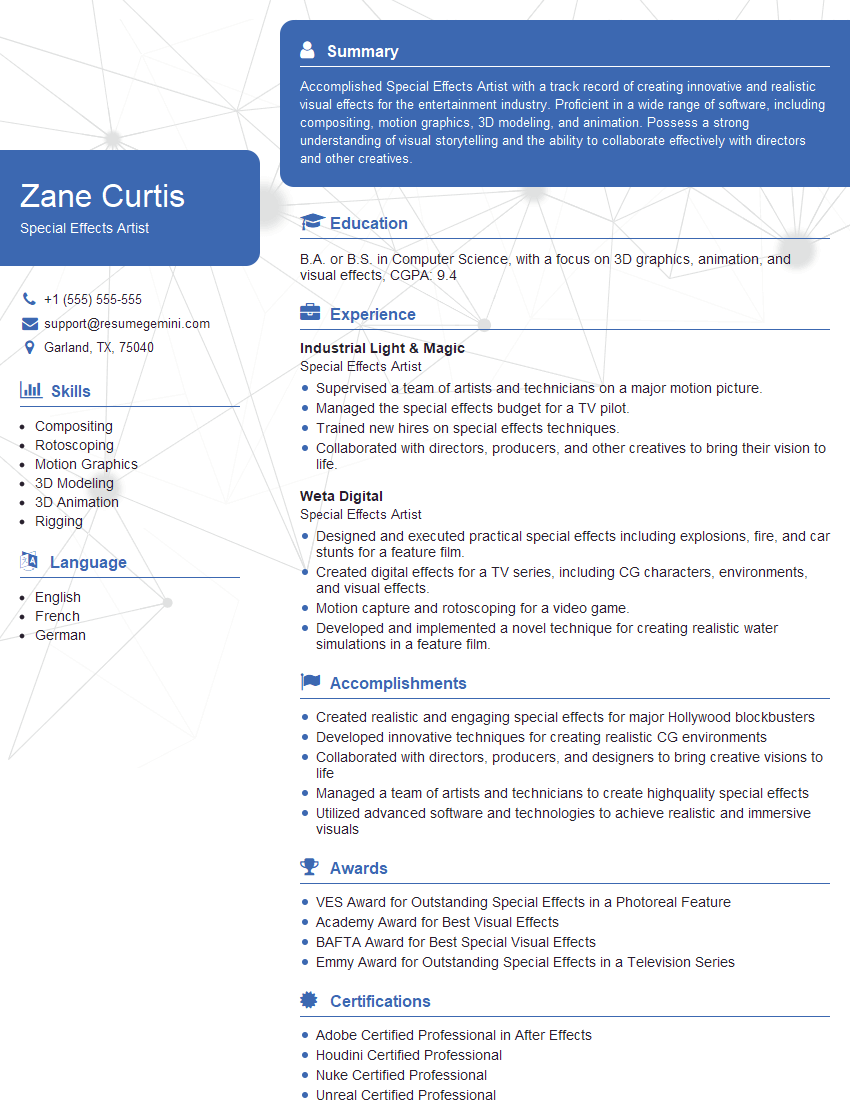
Mastering Special Effects Support opens doors to exciting and rewarding careers in the vibrant world of visual effects. A strong foundation in these technical skills, coupled with effective communication, is crucial for career advancement and securing your dream role. To maximize your job prospects, creating an ATS-friendly resume is essential. ResumeGemini is a trusted resource that can help you build a compelling and effective resume, ensuring your qualifications stand out. Examples of resumes tailored to Special Effects Support are available to guide you through the process.






Explore more articles
Users Rating of Our Blogs
Share Your Experience
We value your feedback! Please rate our content and share your thoughts (optional).
What Readers Say About Our Blog
Very informative content, great job.
good