Unlock your full potential by mastering the most common Stencil Preparation and Cutting interview questions. This blog offers a deep dive into the critical topics, ensuring you’re not only prepared to answer but to excel. With these insights, you’ll approach your interview with clarity and confidence.
Questions Asked in Stencil Preparation and Cutting Interview
Q 1. What types of materials are commonly used for stencil creation?
The choice of stencil material depends heavily on the application and desired outcome. Think of it like choosing the right tool for the job – a delicate task requires a different material than a robust one. Common materials include:
- Mylar: A popular choice due to its durability, flexibility, and ability to withstand repeated use. It’s ideal for projects requiring sharp lines and intricate detail, such as airbrushing or screen printing.
- Vinyl: Offers excellent adhesion and is easy to weed (remove excess material). It’s commonly used for lettering, decals, and temporary signage.
- Cardboard: A cost-effective option for single-use stencils, suitable for simpler designs and painting projects. It’s less durable than Mylar or vinyl.
- Metal (e.g., stainless steel): Used for high-durability applications and industrial settings, particularly where the stencil will be used repeatedly under harsh conditions.
- Acetate: A transparent material useful for aligning designs accurately and for projects requiring precision and visibility.
Each material has its own strengths and weaknesses concerning flexibility, durability, cost, and ease of use.
Q 2. Explain the process of creating a stencil from a digital design.
Creating a stencil from a digital design involves several key steps. Imagine you’re translating a digital blueprint into a physical template. First, you need a high-resolution digital design, ideally a vector file (like an .svg or .ai) for crisp lines. Then:
- Software Preparation: Import your design into vector editing software (e.g., Adobe Illustrator, Inkscape). Ensure the design is optimized for cutting—closed paths, no overlapping lines, and correct dimensions.
- Cutting Software Interface: Export the design in a format compatible with your cutting machine (e.g., .dxf, .eps, .svg). The software will then allow you to choose material settings, including thickness and type. Setting the correct parameters is crucial for a clean cut.
- Material Selection and Placement: Choose the appropriate stencil material (as discussed previously). Carefully position the material on the cutting mat, ensuring it’s firmly secured to avoid slippage during the cutting process.
- Cutting Process: Send the cut file to the cutting machine. The machine will precisely cut your design into the chosen material using either a blade or laser.
- Weeding (if necessary): For vinyl or other materials, remove the excess material around the cut design. This step requires patience and precision to ensure clean edges.
The entire process is optimized for accuracy and efficiency using specialized software and equipment.
Q 3. Describe different stencil cutting techniques and their applications.
Various techniques exist for stencil cutting, each offering unique advantages. These techniques can be categorized broadly into manual and machine methods:
- Manual Cutting (X-ACTO knife/Craft Knife): Suitable for simple designs and smaller-scale projects. It requires skill and precision, and the cuts aren’t as consistent as machine-cut ones. It is good for prototyping or small volume projects.
- Hand Punching: Useful for simple shapes and repetitive patterns. It’s a relatively quick and easy method, especially for thin materials.
- CNC Cutting (Computer Numerical Control): A highly precise method using a computer-controlled machine to cut complex designs with exceptional accuracy and repeatability. It’s ideal for mass production or intricate designs.
- Laser Cutting: Uses a laser beam to cut through the material. It’s exceptionally precise, and the cut edges are often very clean. Laser cutting is optimal for delicate materials and intricate patterns. However, it requires a laser cutter machine.
- Die Cutting: Uses a custom-made metal die to cut shapes. Ideal for mass production of identical stencils, and it’s extremely efficient.
The best technique hinges on factors like the complexity of the design, the desired precision, the quantity needed, and the available resources.
Q 4. How do you ensure the accuracy and precision of stencil cuts?
Accuracy and precision are paramount in stencil making. Think of it as creating a perfect template for your art. Several strategies help ensure this:
- High-Resolution Digital Designs: Starting with vector files ensures sharp, clean lines that translate accurately to the cut stencil.
- Calibration and Maintenance of Cutting Machines: Regular calibration and maintenance of cutting machines are crucial for optimal performance and consistency. This ensures the machine is cutting precisely to the design specifications.
- Proper Material Handling: Avoid stretching or warping the material. Use appropriate cutting mats to prevent slippage and ensure a stable cutting surface.
- Test Cuts: Always perform test cuts on scrap material before cutting the final stencil to ensure the settings are accurate.
- Careful Weeding (if applicable): Thoroughly remove excess material around the cut design to ensure clean edges and prevent bleeding during application.
- Quality Control Checks: Inspect the finished stencil for any imperfections, such as incomplete cuts or misaligned elements. This includes careful checking of the cut edges.
These combined practices drastically improve stencil quality and reduce errors.
Q 5. What are the common issues encountered during stencil preparation, and how do you resolve them?
Several issues can arise during stencil preparation. The key is to anticipate them and have solutions in place:
- Material Issues: Problems like material warping, inconsistent thickness, or poor adhesion can occur. Solutions include using high-quality materials, proper storage, and using an adhesive spray if needed.
- Cutting Errors: Incomplete cuts, jagged edges, or misaligned elements can result from improper machine settings, dull blades, or incorrect material settings. Careful calibration, regular blade replacement, and test cuts before production are essential.
- Weeding Difficulties: Removing excess material can be challenging, especially with intricate designs or delicate materials. Using proper weeding tools and techniques, taking your time, and potentially using a weeding tool can improve this process.
- Adhesion Problems: The stencil might not adhere properly to the surface. This could be due to dust or debris on the surface, improper adhesive use, or an unsuitable stencil material. Cleaning the surface, using a suitable adhesive, and experimenting with different materials can help.
Troubleshooting often involves a systematic approach, examining each step of the process to pinpoint and rectify the problem.
Q 6. How do you determine the appropriate stencil material for a specific application?
Selecting the right stencil material is crucial for success. Consider these factors:
- Number of Uses: For one-time use, cardboard is sufficient. For repeated use, Mylar or metal are better choices.
- Material Durability: Mylar offers a good balance of durability and flexibility. Metal is most durable, but less flexible.
- Design Complexity: Intricate designs require materials that can handle fine details without tearing, such as Mylar or vinyl.
- Application Method: Airbrushing requires a smooth, non-porous material like Mylar. Painting may suit a wider range of materials.
- Surface to be Stenciled: The surface texture can influence material choice. A rough surface might require a thicker, more rigid material.
By considering these factors, you can choose the optimal material that meets the specific requirements of your application.
Q 7. What safety precautions are essential when using cutting tools for stencil creation?
Safety is paramount when working with cutting tools. Treat these tools with the same respect you’d give any power tool:
- Sharp Tools: Use sharp blades to ensure clean cuts and prevent unnecessary force, reducing the risk of injury. Dull blades require more force and are more dangerous.
- Cutting Mat: Always use a self-healing cutting mat to protect the work surface and prevent the blade from slipping.
- Protective Gear: Wear safety glasses to protect your eyes from flying debris. Consider using cut-resistant gloves, especially when working with sharp blades or metal stencils.
- Proper Tool Handling: Use the correct cutting techniques to prevent accidents. Avoid applying excessive force or rushing the process.
- Machine Safety (if applicable): Familiarize yourself with the safety features of any cutting machine before use. Follow manufacturer instructions carefully. Never reach into a running machine.
- First Aid: Have a first-aid kit readily available in case of minor cuts or injuries. Know where your nearest medical facility is, just in case.
Following these practices establishes a safe working environment and minimizes the risk of injury.
Q 8. How do you handle complex designs requiring intricate cuts?
Handling complex designs with intricate cuts requires a strategic approach combining precision and the right tools. Think of it like a surgeon performing delicate surgery – each step must be carefully planned and executed. For very intricate designs, I often start by breaking the design down into smaller, manageable sections. This allows for more precise cutting and minimizes the risk of errors. For example, if I’m cutting a stencil with fine filigree, I might cut the larger sections first, using a laser cutter for speed and precision, then carefully hand-cut the smaller, more delicate details with an X-ACTO knife. This layered approach ensures accuracy and preserves the integrity of the fine lines. In addition to the layered approach, I also meticulously plan the cutting sequence, paying close attention to the order of cuts to avoid unintended cuts into already-cut sections. For extremely complex designs, I may even use multiple stencil materials, layering them to achieve the desired effect.
Q 9. Describe your experience with different types of cutting equipment (e.g., laser cutter, plotter cutter, X-ACTO knife).
My experience spans a range of cutting equipment, each with its own strengths and weaknesses. Laser cutters are ideal for rapid and precise cutting of various materials like vinyl or mylar, particularly for large-scale projects or designs with repetitive elements. They’re incredibly efficient, but the initial investment can be high. Plotter cutters offer a great balance of precision and affordability, excellent for smaller runs and projects needing intricate cuts in self-adhesive vinyl or other similar materials. They’re versatile and easier to maintain than lasers. Finally, the trusty X-ACTO knife is invaluable for hand-cutting intricate details, especially on more delicate stencil materials or when a high level of control is needed. For example, when working with delicate paper stencils, the precise control of a hand-held blade is irreplaceable. Choosing the right tool depends heavily on the project’s scale, material, and the level of detail involved. I’m proficient in operating and maintaining all three types.
Q 10. How do you ensure the longevity and durability of your stencils?
Ensuring stencil longevity and durability hinges on material selection and proper handling. The choice of material is crucial; durable materials like Mylar or high-quality vinyl are far more resistant to wear and tear than paper. After cutting, I often reinforce delicate stencils with a protective layer of clear adhesive film to prevent tearing or warping. Proper storage is also key; keeping stencils flat, in protective sleeves, or within organized binders prevents accidental damage and maintains their shape. Additionally, avoiding exposure to excessive heat, moisture, or direct sunlight helps to maintain the stencil’s structural integrity and color consistency.
Q 11. Explain the importance of proper stencil registration in a printing process.
Proper stencil registration is paramount in any printing process because it ensures the accurate alignment of the stencil with the print surface. Think of it like carefully aligning a puzzle piece; even a slight misalignment results in a blurred, off-center, or incomplete image. Inconsistent registration can lead to significant issues, including misaligned prints, wasted material, and a generally unprofessional final product. To achieve precise registration, I employ various techniques like using registration marks on the stencil and print surface, utilizing a registration system on the printing equipment, or meticulously aligning the stencil manually using alignment pins or guides. The methods employed depend on the type of printing technique used (screen printing, airbrushing, etc.) and the complexity of the design.
Q 12. How do you clean and maintain your stencil cutting tools?
Maintaining stencil cutting tools is essential for their longevity and the quality of the cut. For laser cutters, regular cleaning of the lens and mirrors is critical to ensure accurate cutting. Plotter cutters require periodic blade changes and cleaning of the cutting area to remove debris and prevent material buildup. X-ACTO knives benefit from regular sharpening, using a honing rod to maintain a sharp, precise edge. Additionally, I always store my blades and cutting tools in protective cases to prevent damage and accidental cuts. Proper cleaning and maintenance ensure precision and reduce downtime, leading to more efficient and effective workflow.
Q 13. What are the key differences between hand-cut and digitally-cut stencils?
Hand-cut and digitally-cut stencils have distinct advantages and disadvantages. Hand-cutting offers unparalleled control and flexibility for highly intricate designs or small-scale projects, allowing for spontaneous modifications and unique artistic touches. However, it’s time-consuming and may not be suitable for large-scale production or extremely precise, repetitive cuts. Digitally-cut stencils, produced using laser or plotter cutters, offer speed, consistency, and precision, particularly beneficial for large-volume projects or designs requiring intricate repeating patterns. However, this method often requires specialized equipment and software, limiting flexibility for spontaneous changes. The best method depends entirely on the project’s requirements and resources available.
Q 14. How do you manage and organize stencils for efficient retrieval and use?
Organizing stencils is crucial for efficient retrieval. I utilize a combination of methods for optimal organization, including labeled storage folders, binders with protective sleeves, and a digital inventory system that includes images and details about each stencil (material, date created, project, etc.). The folders are categorized by project, material, or design type, whichever method proves most efficient for my workflow. This allows for quick and easy retrieval of specific stencils, minimizing search time and ensuring that stencils are readily available when needed.
Q 15. Describe your experience with different types of stencil films or materials.
My experience spans a wide range of stencil films, each chosen based on the specific printing method and desired outcome. For screen printing, I frequently use polyester films due to their durability and ability to withstand repeated use. These come in varying thicknesses (meshes), influencing the detail and ink deposit. Thinner meshes are ideal for fine details, while thicker meshes handle larger areas and higher ink volumes. I’ve also worked extensively with vinyl stencils, particularly for smaller runs or one-off projects. Their ease of cutting and application makes them perfect for rapid prototyping or specialized designs. Finally, I’m familiar with using mylar stencils for applications requiring exceptional precision, such as circuit board fabrication. Each material presents unique characteristics; for example, polyester requires careful cleaning to avoid clogging, while vinyl is more susceptible to tearing if improperly handled.
- Polyester: Durable, reusable, various mesh counts.
- Vinyl: Easy to cut, cost-effective, suitable for smaller projects.
- Mylar: High precision, suitable for intricate designs, more expensive.
Career Expert Tips:
- Ace those interviews! Prepare effectively by reviewing the Top 50 Most Common Interview Questions on ResumeGemini.
- Navigate your job search with confidence! Explore a wide range of Career Tips on ResumeGemini. Learn about common challenges and recommendations to overcome them.
- Craft the perfect resume! Master the Art of Resume Writing with ResumeGemini’s guide. Showcase your unique qualifications and achievements effectively.
- Don’t miss out on holiday savings! Build your dream resume with ResumeGemini’s ATS optimized templates.
Q 16. How do you troubleshoot issues such as stencil clogging or misalignment during printing?
Troubleshooting stencil issues is crucial for efficient printing. Stencil clogging is often due to improper cleaning or using the wrong type of ink. My approach involves first identifying the cause. Is it dried ink? Incorrect ink viscosity? A poorly prepared stencil? For clogged stencils, I use a specialized cleaning solution and a soft brush to gently clear the blockages. Sometimes, ultrasonic cleaning is necessary for more stubborn clogs. Regarding misalignment, this usually stems from inaccurate stencil registration or improper placement on the substrate. I address this by using registration marks during stencil creation and precise alignment tools during printing. Aligning the stencil using a combination of visual inspection and using a registration system ensures accurate placement, minimizing wasted materials and improving print quality. In cases of persistent misalignment, I review the entire process, checking for issues with my cutting tools, the substrate’s flatness, or the printing press itself.
Q 17. What quality control measures do you implement during stencil preparation?
Quality control is paramount. My process starts with meticulous design review, ensuring the artwork is prepared correctly for stencil creation. This includes checking for proper resolution, color separation (if applicable), and overall design integrity. During the cutting process, I regularly inspect the stencil for any imperfections—tears, cuts that are too wide or narrow, or any inconsistencies in the cut lines. I use magnification tools to examine fine details. After cutting, before printing begins, I perform a ‘test print’ on a scrap piece of the final substrate. This allows me to identify and rectify any issues, such as alignment problems, clogging, or ink bleeding, before committing to the full print run. This prevents costly mistakes and ensures the final product meets the required quality standards.
Q 18. How do you adapt your stencil preparation techniques for various printing methods?
Stencil preparation adapts considerably depending on the printing method. For screen printing, I choose a suitable mesh count based on the design complexity and ink viscosity. For a fine-line design, a fine mesh is necessary, whereas a coarser mesh works better for larger areas and bold designs. In contrast, vinyl stencils cut using a plotter are ideal for techniques like vinyl cutting or screen printing small quantities. For other methods like laser cutting or etching, I adjust the stencil material and cutting technique to match the process requirements; laser-cut stencils may require a specific material thickness for optimal results. Adaptability is key, and it often involves adjusting the stencil design itself to account for the limitations or unique properties of the printing method.
Q 19. How do you ensure your stencils are compatible with the chosen printing process?
Stencil compatibility with the chosen printing process is paramount. I ensure compatibility by considering several factors: Material selection – Choosing a material that can withstand the process’s physical demands (heat, pressure, chemicals). Thickness and mesh count – Matching these to the ink viscosity and desired print quality. Stencil design – Avoiding intricate details that might be challenging to reproduce using the chosen method. Adhesion – Ensuring the stencil adheres properly to the substrate, avoiding shifting or lifting during the process. For example, a screen-printing stencil might need to be stretched and secured tightly to the frame, whereas a vinyl stencil is self-adhesive but needs proper application to prevent bubbles or lifting. A thorough understanding of the printing method and its inherent limitations is critical to choose the appropriate stencil type and prepare it accurately for optimal results.
Q 20. Explain your understanding of color separation in relation to stencil making.
Color separation is the process of dividing a full-color image into individual color channels (cyan, magenta, yellow, and black – CMYK) to create separate stencils for each color. This is crucial for multi-color prints because each color requires its own stencil to be accurately overlaid for accurate registration. My understanding of color separation involves working with software that can accurately split the image into its components, creating layered files for precise stencil cutting. This requires a keen eye for detail, especially when considering the slight misregistration that can occur in the multi-color printing process. Careful planning and precise cutting are necessary to minimize any color misalignment in the final printed piece. I often use software with built-in color separation tools to ensure consistency and accuracy during the process. Essentially, accurate color separation means creating separate stencils, one for each color, such that when overlaid and printed they correctly combine to form the final image.
Q 21. What software or programs are you proficient in for stencil design and preparation?
I’m proficient in several software programs for stencil design and preparation. Adobe Illustrator is my primary tool for vector-based designs; its precision and scalability are crucial for creating stencils, particularly for intricate or large-format prints. I also use CorelDRAW for similar tasks. For raster images, I utilize Adobe Photoshop to adjust resolution, prepare color separations, and make any necessary edits before preparing the stencil designs. In addition, I’m familiar with various CAD software programs for situations requiring more technical designs or integration with manufacturing processes. My proficiency in these programs allows me to create, modify, and prepare stencils for a vast array of printing projects efficiently and precisely.
Q 22. Describe your experience with working under pressure to meet tight deadlines.
Meeting tight deadlines in stencil preparation is a regular occurrence. My approach involves a combination of meticulous planning and efficient execution. I begin by thoroughly reviewing the design specifications and identifying potential bottlenecks. This allows me to create a realistic timeline, breaking down the project into manageable tasks with clear milestones. For instance, if I’m working on a complex multi-layer stencil, I’ll allocate specific time slots for film preparation, alignment, cutting, and quality checks. I then prioritize tasks based on their dependency and criticality. If unexpected issues arise, I immediately communicate with the team and adjust the schedule accordingly, focusing on problem-solving to minimize delays. I’ve successfully delivered numerous urgent projects by prioritizing critical paths, proactively identifying potential risks and communicating transparently throughout the process.
Q 23. How do you prioritize tasks when working on multiple stencil projects simultaneously?
When juggling multiple stencil projects, I employ a robust prioritization system. First, I assess each project’s urgency and importance, considering factors like deadlines, client priority, and potential impact of delays. I use a project management tool (like a Kanban board or a simple spreadsheet) to visualize the workflow and track progress. This allows me to identify dependencies between tasks across different projects and allocate resources accordingly. For example, if one project requires a specific type of film that’s also needed for another, I’ll schedule the film preparation to optimize efficiency. Critical tasks with the closest deadlines are always tackled first, while less urgent tasks are scheduled strategically to maintain a smooth workflow. Regular review and adaptation of the schedule are key to handling the complexity of multiple simultaneous projects.
Q 24. How do you handle errors or mistakes during stencil creation?
Mistakes are inevitable, especially in detailed work like stencil making. My approach focuses on early detection and effective correction. I conduct thorough quality checks at each stage of the process. This includes verifying the accuracy of the design file, inspecting the film for defects before cutting, and meticulously examining the cut stencil for any irregularities. If an error is discovered, I assess the severity and implement corrective actions. Minor errors, like a small misalignment, might be easily corrected with fine-tuning. More significant errors, such as a major cut defect, might necessitate starting again with a new film. A critical aspect is documenting the error, its cause (e.g., incorrect software settings, damaged film), and the corrective action taken. This helps to prevent similar errors in the future. Learning from mistakes is crucial to continuous improvement.
Q 25. What are some common industry standards and best practices in stencil preparation?
Industry standards and best practices in stencil preparation and cutting are essential for consistent quality and efficiency. These include using high-quality stencil films with appropriate thicknesses and tolerances based on the application (e.g., SMT, screen printing). Accurate registration and alignment are crucial; often, industry-standard registration marks are incorporated into the design files to ensure precise placement during the cutting process. Maintaining cleanliness is paramount throughout the entire process, as dust or debris can affect stencil quality. Proper storage and handling of stencils are vital to protect them from damage. Following safety protocols during the cutting process, including the use of appropriate personal protective equipment (PPE) like gloves and eye protection, is crucial. Lastly, adhering to the specified design rules provided by the client and the chosen stencil creation software is essential for producing accurate and functional stencils.
Q 26. Describe a challenging stencil project and how you successfully overcame the challenges.
One challenging project involved creating a stencil for a high-precision microelectronics application requiring extremely fine lines and intricate details. The tight tolerances (less than 50 microns) made the cutting process extremely difficult and prone to errors. The initial attempts resulted in several broken lines and inconsistent apertures. To overcome this, I implemented a multi-step approach. Firstly, I meticulously reviewed the design file and optimized it for cutting, ensuring the lines were adequately spaced and avoiding sharp corners that could be fragile. Secondly, I experimented with different cutting parameters, including blade pressure, speed, and depth. This involved careful testing on sample films before proceeding with the final stencil. Finally, I developed a more controlled and methodical cutting technique. By taking these steps, I successfully produced a functional stencil meeting the stringent specifications, demonstrating the importance of careful planning and adaptability in overcoming technical hurdles.
Q 27. How do you stay updated with the latest technologies and trends in stencil preparation and cutting?
Staying updated in this field requires a multi-pronged approach. I regularly attend industry conferences and workshops to learn about new technologies and best practices. Trade publications, such as specialized magazines and online journals, offer valuable insights into advancements in cutting techniques, materials, and software. I actively engage with online communities and forums, participating in discussions and sharing knowledge with other professionals. Finally, I stay current by keeping abreast of new developments from major manufacturers of stencil materials and cutting equipment. Continuous learning ensures I maintain a high level of expertise and can leverage the latest advancements in stencil preparation and cutting techniques for improved efficiency and quality.
Key Topics to Learn for Stencil Preparation and Cutting Interview
- Stencil Material Selection: Understanding the properties of different stencil materials (e.g., film, mylar) and their suitability for various applications and printing techniques.
- Design Considerations: Analyzing artwork and adapting it for optimal stencil creation, including considerations for kerning, registration marks, and material limitations.
- Cutting Techniques: Mastering various cutting methods (e.g., hand-cutting, plotter cutting, laser cutting), understanding their precision capabilities, and selecting the appropriate technique based on project requirements.
- Clean-up and Maintenance: Properly cleaning and maintaining cutting tools and equipment to ensure accuracy and longevity. Understanding techniques for removing excess material and ensuring clean stencil edges.
- Troubleshooting Common Issues: Identifying and resolving common problems such as bridging, weeding difficulties, and registration errors during the cutting and preparation processes.
- Health and Safety Protocols: Familiarity with relevant safety procedures for handling cutting tools, materials, and equipment. Understanding appropriate personal protective equipment (PPE).
- Quality Control: Implementing quality control checks throughout the process, from artwork review to final stencil inspection. Knowing how to identify defects and implement corrective actions.
- Workflow Optimization: Understanding efficient workflows for stencil preparation and cutting, including batch processing, material management, and time management techniques.
Next Steps
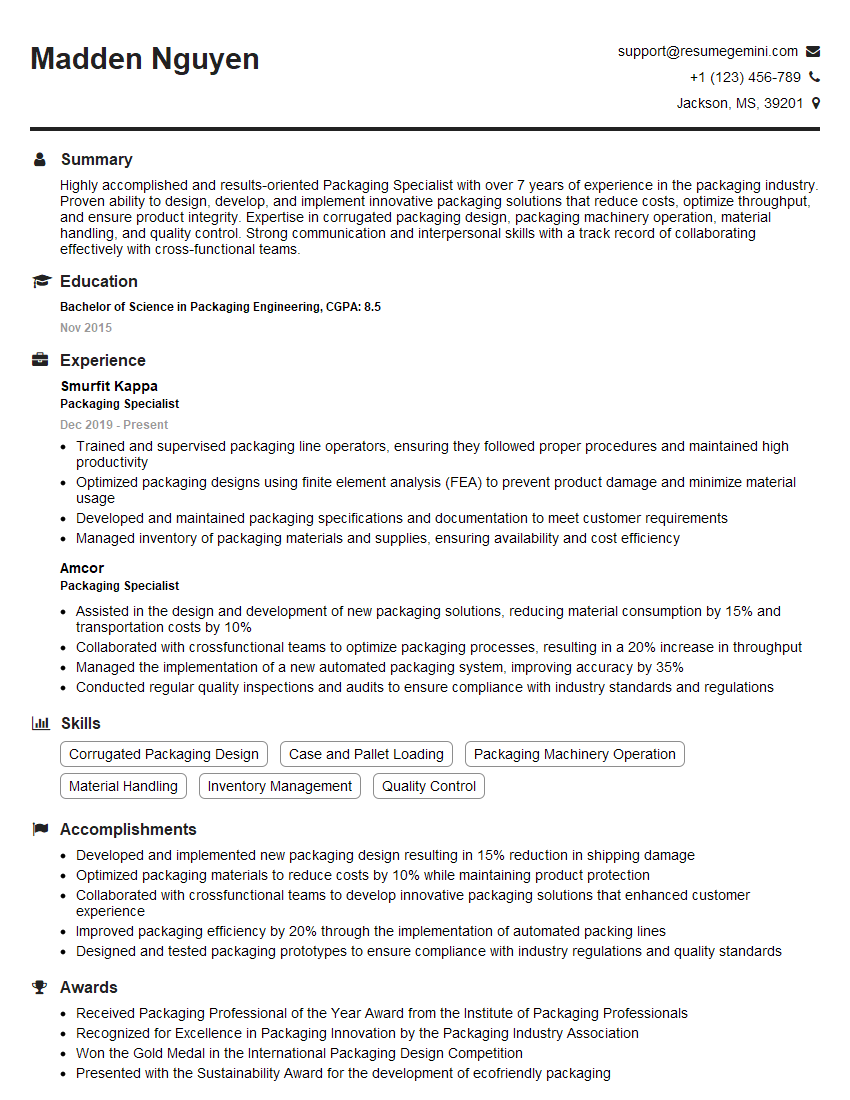
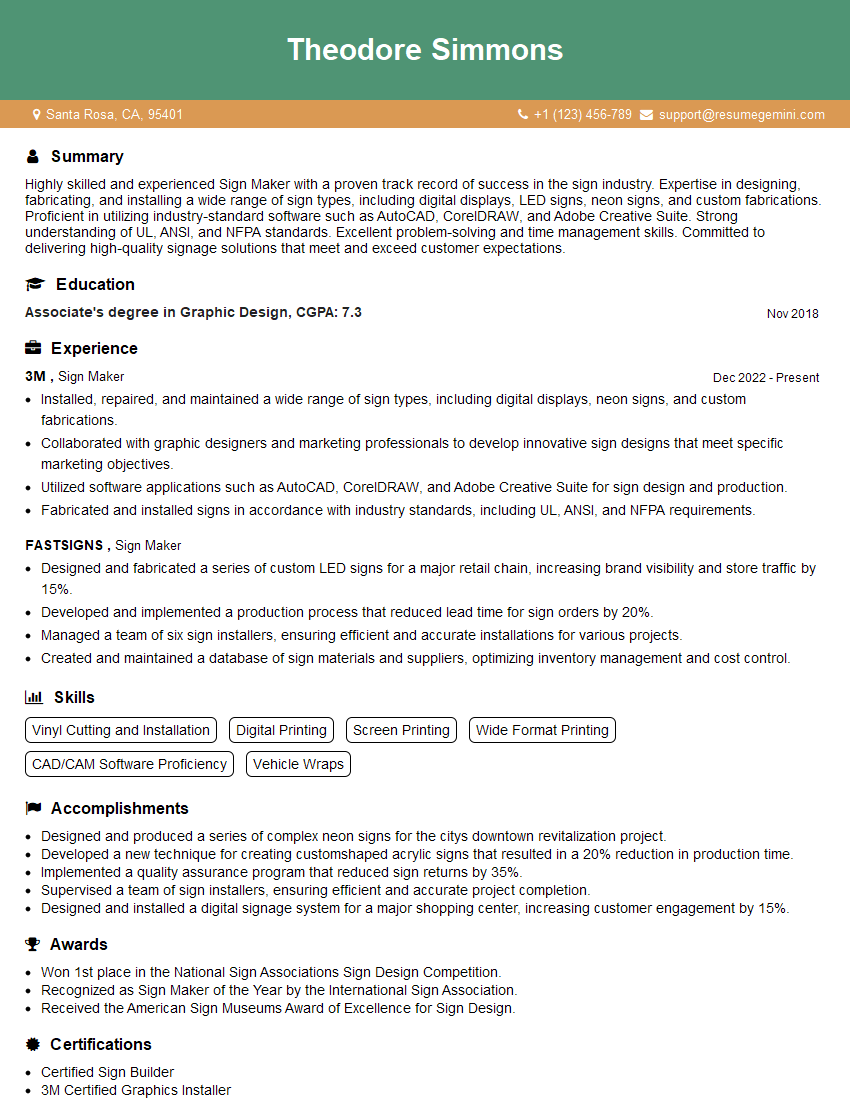
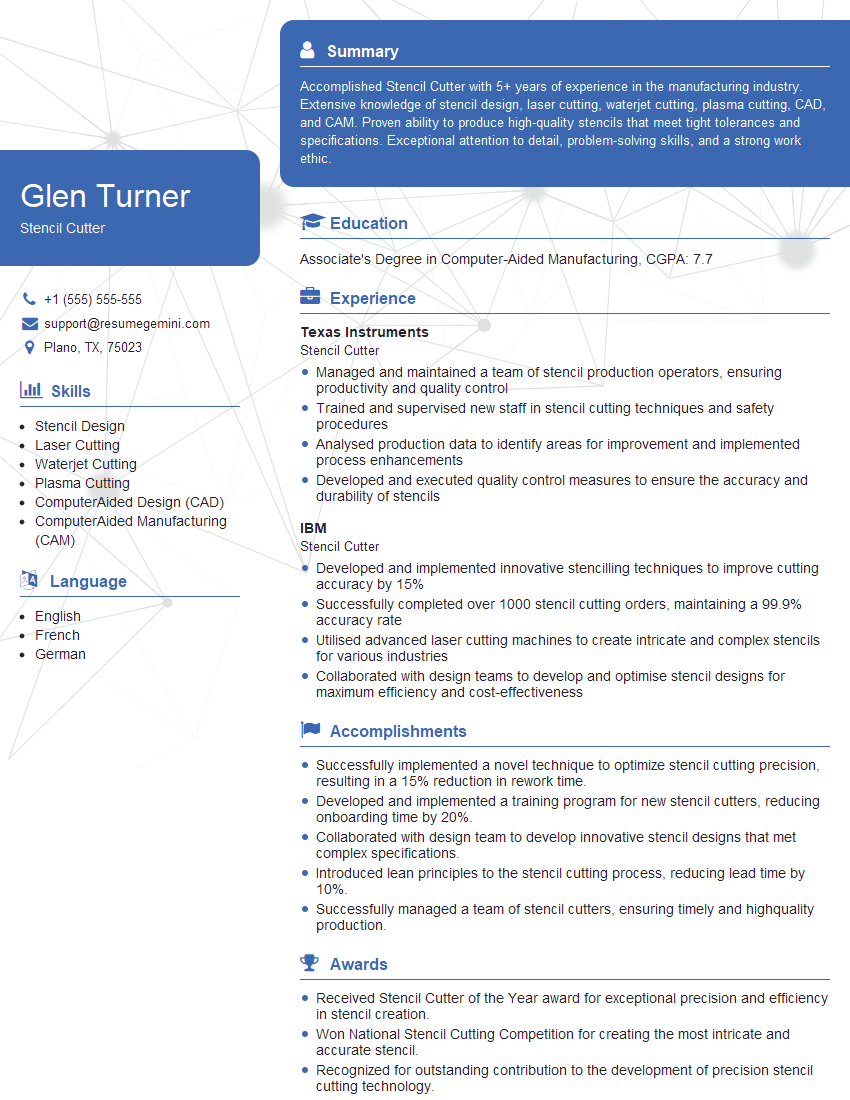
Mastering Stencil Preparation and Cutting opens doors to exciting opportunities in various industries, including graphic design, screen printing, and manufacturing. A strong understanding of these techniques demonstrates valuable practical skills and attention to detail – highly sought-after attributes in today’s competitive job market. To maximize your job prospects, create a professional and ATS-friendly resume that effectively showcases your skills and experience. ResumeGemini is a trusted resource that can help you build a compelling resume tailored to the specific requirements of your target roles. Examples of resumes tailored to Stencil Preparation and Cutting are available to guide your resume creation process.




Explore more articles
Users Rating of Our Blogs
Share Your Experience
We value your feedback! Please rate our content and share your thoughts (optional).
What Readers Say About Our Blog
Very informative content, great job.
good