The thought of an interview can be nerve-wracking, but the right preparation can make all the difference. Explore this comprehensive guide to Strong understanding of industry trends and technologies for special effects. interview questions and gain the confidence you need to showcase your abilities and secure the role.
Questions Asked in Strong understanding of industry trends and technologies for special effects. Interview
Q 1. Describe your experience with various compositing software (e.g., Nuke, After Effects, Fusion).
My compositing experience spans several industry-standard software packages. Nuke is my primary tool for high-end compositing, particularly for complex shots requiring intricate keying, rotoscoping, and 3D tracking. I’ve used its powerful node-based workflow extensively to handle everything from subtle beauty work to large-scale environment integrations. For instance, on a recent project, I used Nuke’s advanced roto tools to extract a character from a live-action plate, seamlessly integrating them into a fully CGI environment. After Effects excels in motion graphics and more streamlined compositing tasks. I leverage its strengths for quick turnaround projects, text animation, and simpler VFX shots where Nuke’s power might be overkill. Finally, Fusion, with its powerful node-based system similar to Nuke, but with a stronger emphasis on 3D capabilities, has been invaluable for creating complex particle effects and integrated 3D compositing solutions. I’ve used it to create stunning volumetric effects, often combining them with simulations rendered in other packages.
Q 2. Explain your understanding of different rendering engines (e.g., Arnold, V-Ray, Redshift).
My understanding of rendering engines encompasses their strengths and weaknesses in various contexts. Arnold, known for its physically-based rendering and excellent subsurface scattering, is my go-to for photorealistic characters and environments. Its ability to handle complex geometry and produce high-quality results makes it ideal for feature film work. V-Ray, with its robust ecosystem and wide industry adoption, is versatile and suitable for a range of projects, excelling in architectural visualization and product rendering. I often use its powerful light caching and global illumination features for achieving realistic lighting. Redshift, on the other hand, boasts impressive speed and ease of use, especially beneficial for projects with tight deadlines or where real-time iteration is crucial. For example, on one project with many iterations required, using Redshift significantly cut down our rendering time allowing more experimentation and creative refinement.
Q 3. How familiar are you with current trends in real-time rendering and its applications in VFX?
Real-time rendering is revolutionizing VFX. Engines like Unreal Engine and Unity are increasingly used for previsualization, virtual production, and even final shots. This allows for immediate feedback during the creative process, facilitating faster iteration and collaborative workflows. I’ve worked on projects incorporating virtual production techniques, where actors perform on a set with real-time rendered environments projected around them, greatly enhancing realism and immersion. This also enables quick changes to lighting and set design during the shoot itself. Furthermore, advancements in real-time rendering technologies are blurring the lines between real-time and offline rendering, enabling high-fidelity visuals achievable only by traditional offline renders in the past. This opens new possibilities for interactive VFX and immersive experiences.
Q 4. What experience do you have with procedural generation techniques in VFX?
Procedural generation is a powerful tool in my VFX arsenal. I frequently employ Houdini for creating complex and varied assets efficiently. For example, I’ve used Houdini’s procedural tools to generate realistic rock formations, forests, and even crowd simulations. Instead of manually creating each individual element, I define rules and parameters that dictate the generation process. This allows for consistent results, enables rapid iteration, and significantly reduces the time and effort required for creating massive amounts of assets. Think of it as building a factory for creating assets – once set up, the system efficiently produces consistent and varied results, scaling up with the project needs.
Q 5. Describe your workflow for creating realistic simulations (e.g., smoke, fire, water).
My workflow for realistic simulations typically starts with a strong understanding of the underlying physics. For smoke and fire, I often use Houdini’s Pyro solver, meticulously adjusting parameters like temperature, density, and turbulence to achieve the desired visual result. For water, tools like RealFlow or Naiad are often employed, carefully simulating the fluid dynamics based on the scene’s specifics. After simulation, the results are often refined and enhanced in compositing software. Post-processing can include adding subtle details, improving the lighting interaction, and integrating these simulations into the final shot. This iterative process, involving simulations, rendering, and compositing, is crucial for achieving photorealism. Think of it as sculpting, where simulations provide the initial form and compositing allows for fine-tuning and artistic enhancements.
Q 6. How do you approach creating believable character animation?
Creating believable character animation involves a blend of technical skill and artistic sensibility. I start by carefully studying reference material – motion capture data, video footage, even observing real-life human behavior. This informs my approach to posing, timing, and spacing of the animation. I then employ industry-standard animation software like Maya or Blender, leveraging tools for animation rigging and posing. In addition to traditional animation techniques, I also utilize advanced tools like muscle simulation and procedural animation to add realism and efficiency. The key is to pay close attention to detail, ensuring realistic weight and momentum in movements, and enhancing the performance with subtle nuances and emotional expression. The result should feel natural, expressive, and engaging to the audience.
Q 7. Explain your understanding of different shading techniques and their application.
Shading techniques are crucial for creating realistic and visually appealing visuals. Understanding the principles of light interaction with surfaces is key. I frequently utilize physically-based rendering (PBR) techniques, which simulate the real-world behavior of light. This includes techniques like diffuse, specular, and subsurface scattering. For instance, subsurface scattering is essential for creating realistic skin, rendering the light’s penetration beneath the surface. Other advanced shading techniques include using normal maps, displacement maps, and ambient occlusion to add surface detail and enhance realism without increasing the underlying polygon count. The choice of shading technique depends on the desired aesthetic, and I often employ a combination of these methods to achieve the best possible result.
Q 8. How familiar are you with different 3D modeling software packages (e.g., Maya, 3ds Max, Blender)?
I’m highly proficient in several industry-standard 3D modeling packages. My primary expertise lies in Autodesk Maya, which I’ve used extensively for high-end character modeling, environment creation, and rigging. I’m also comfortable with 3ds Max, leveraging its strengths in architectural modeling and procedural workflows for large-scale projects. Furthermore, I have considerable experience with Blender, appreciating its open-source nature and powerful sculpting tools, particularly beneficial for organic modeling and quick prototyping. My proficiency extends beyond the core modeling functionalities to include advanced techniques like UV unwrapping, topology optimization, and the effective use of various modeling modifiers and tools. For example, in a recent project, I used Maya’s nCloth system to simulate realistic cloth behavior on a superhero costume, which required a deep understanding of both the software and the principles of physics-based animation.
Q 9. Describe your experience with texture creation and painting techniques.
Texture creation and painting are integral to my VFX workflow. I’m adept at using Substance Painter and Mari for high-resolution texture painting, bringing detailed realism and visual appeal to 3D models. My approach involves understanding the underlying material properties and utilizing techniques like tiling, procedural generation, and photogrammetry to create realistic and efficient textures. I also have experience with creating and editing normal maps, displacement maps, and ambient occlusion maps to enhance surface detail. For instance, in a recent project involving a fantastical creature, I used Substance Painter to meticulously create highly detailed skin textures, incorporating subsurface scattering effects to mimic the translucency of living tissue. This involved extensive use of layering, masking, and smart materials to achieve photorealistic results.
Q 10. How do you manage large datasets and complex scenes in VFX projects?
Managing large datasets and complex scenes is crucial in VFX. I employ several strategies, including using proxy geometry and level of detail (LOD) techniques to reduce the scene’s complexity during modeling and animation. For rendering, I utilize render layers and out-of-core rendering methods to streamline the process. Furthermore, I’m proficient in optimizing assets for efficient memory usage and leveraging cloud-based rendering solutions when necessary. In one project involving a vast cityscape, I utilized LODs to drastically reduce polygon counts in the distance, improving rendering speed without compromising the overall visual quality. Careful organization of assets within a project file and the judicious use of naming conventions are also paramount to efficient management.
Q 11. What experience do you have with version control systems (e.g., Git)?
Version control is essential for collaborative VFX projects. I’m experienced with Git, using it daily to manage assets, track changes, and collaborate effectively with other artists. I understand branching strategies (like Gitflow), merging, resolving conflicts, and employing a robust workflow to ensure data integrity and prevent accidental overwrites. This has been invaluable in managing large-scale projects where multiple artists are simultaneously working on various aspects of the same scene. I utilize Git repositories to safeguard our work, allowing for seamless collaboration and easy rollback to previous versions if necessary. My experience in using Git includes managing both local and remote repositories, using platforms like GitHub and Bitbucket.
Q 12. Explain your understanding of the VFX pipeline and your role within it.
The VFX pipeline is a complex, multi-stage process. My role typically focuses on the modeling, texturing, and look development stages, although my expertise often extends into rigging and animation. I’m deeply familiar with the entire pipeline, understanding the interplay between modeling, rigging, animation, lighting, shading, and compositing. This holistic understanding allows me to anticipate challenges and contribute effectively to each stage. For instance, I’ll consider the lighting requirements during the modeling phase, ensuring models are optimized for efficient rendering. I also understand how choices made at each stage impact the subsequent stages, which facilitates smoother collaboration and better problem-solving throughout the entire process. My experience allows me to proactively address potential bottlenecks and ensure a streamlined workflow for the team.
Q 13. How do you troubleshoot technical issues during a VFX project?
Troubleshooting is a common part of VFX work. My approach involves a systematic process: first, I isolate the problem by carefully analyzing error messages and reviewing the scene for any anomalies. I then systematically test different aspects of the scene, ruling out potential causes one by one. I often use debugging tools within the software to pinpoint specific issues. If the problem persists, I consult online resources, documentation, and, when necessary, seek assistance from colleagues or mentors. A recent example involved a rendering issue caused by a corrupted texture file. By systematically checking each texture used in the scene, I quickly identified and replaced the corrupted file, resolving the problem efficiently. This methodical approach ensures that issues are addressed swiftly and effectively, minimizing downtime and keeping projects on schedule.
Q 14. Describe your experience with motion capture and its integration into VFX pipelines.
I have experience integrating motion capture data into VFX pipelines. This involves working with motion capture files, usually in FBX format, cleaning and editing the data to remove noise or unwanted movements. I then use this data to drive character animation in my chosen 3D software. This process often necessitates retargeting the motion capture data to fit the specific character rig. Additionally, I often need to blend and adjust the captured animations to fit specific actions and scenes. For example, in a recent project, we captured motion capture data of a stunt performer and applied it to a digital character. The process required careful editing, retargeting, and fine-tuning to ensure realistic and believable movement. Understanding the limitations and strengths of motion capture data is crucial for successful integration into a VFX pipeline, allowing for realistic and expressive character animations.
Q 15. How familiar are you with different camera tracking software (e.g., PFTrack, Boujou)?
I have extensive experience with various camera tracking software packages, including PFTrack and Boujou. My proficiency extends beyond simply using the software; I understand the underlying mathematical principles of camera solving and the importance of accurate tracking for seamless integration of CG elements into live-action footage. PFTrack, for instance, excels in its robust solving capabilities, particularly with challenging footage, while Boujou offers a more streamlined workflow for simpler projects. The choice often depends on project complexity, available resources, and personal preference. I’ve used both extensively on various projects, from commercials requiring precise object tracking to feature films demanding high-fidelity camera solves for complex shots.
For example, on a recent commercial, we needed to track a fast-moving car for a product placement. PFTrack’s advanced features allowed us to accurately track the car’s movement despite the challenges of motion blur and rapid changes in perspective, ensuring a flawless integration of the product onto the vehicle.
Career Expert Tips:
- Ace those interviews! Prepare effectively by reviewing the Top 50 Most Common Interview Questions on ResumeGemini.
- Navigate your job search with confidence! Explore a wide range of Career Tips on ResumeGemini. Learn about common challenges and recommendations to overcome them.
- Craft the perfect resume! Master the Art of Resume Writing with ResumeGemini’s guide. Showcase your unique qualifications and achievements effectively.
- Don’t miss out on holiday savings! Build your dream resume with ResumeGemini’s ATS optimized templates.
Q 16. Explain your knowledge of different lighting techniques for both real and virtual environments.
Lighting is crucial in both real and virtual environments. In the real world, I’m proficient in using various lighting setups – from traditional three-point lighting to more complex arrangements involving bounce lighting, practical effects, and specialized lighting instruments like Kino Flo’s for consistent colour temperatures. Understanding light’s interaction with different materials and surfaces is paramount.
In virtual environments, I leverage the power of software like Arnold, V-Ray, and RenderMan, mastering techniques like global illumination, subsurface scattering, and physically-based rendering (PBR). Here, the process involves creating light sources (point, area, directional) and controlling their properties (intensity, colour, decay) to achieve realism. I’m adept at setting up HDRI environments, which provide realistic reflections and illumination based on real-world photographic data.
For instance, I might use a three-point lighting setup on set for a character and then replicate this setup within my 3D software using virtual lights, mimicking the real-world lighting conditions to maintain consistency. This allows for easier compositing and ensures a seamless transition between the real and virtual elements.
Q 17. How do you create realistic skin shaders and textures?
Creating realistic skin shaders is a complex process involving several layers. I start with a base shader that incorporates subsurface scattering – this is vital to simulate how light penetrates and scatters beneath the skin’s surface, giving it that lifelike translucency. Next, I add layers for detail such as pores, wrinkles, and blemishes using displacement maps and normal maps. These are high-resolution maps created using either sculpting software or photographic techniques. Finally, I fine-tune the shader with adjustments to colour, specularity, and roughness to achieve a skin texture that reacts realistically to light. The creation of high-quality skin textures requires high-resolution photography or detailed 3D sculpting, and then carefully mapping them onto a 3D model. The process often requires multiple iterations and careful adjustments to achieve a convincing result.
Q 18. What experience do you have with creating believable hair and fur?
My experience with hair and fur simulation is extensive. I’m proficient in using various software packages, including Maya’s XGen, Houdini, and dedicated hair plugins for other 3D packages. Creating believable hair and fur requires more than just generating strands; it involves understanding the physics of hair movement, dynamics, and interactions with other elements in the scene. This includes simulating gravity, wind, and collisions. I utilize different techniques, like guide curves for styling and grooming, and particle systems for more complex simulations. I also leverage techniques such as scattering and shading to enhance realism.
One of my recent projects involved creating a realistic lion mane. We used a combination of XGen for grooming the individual strands and Houdini for creating a large, dynamic mane that reacted appropriately to the lion’s movement. The result was a strikingly lifelike and visually impressive effect.
Q 19. Explain your familiarity with different types of particles systems and their applications.
Particle systems are incredibly versatile tools with a wide range of applications in visual effects. I’m familiar with various types, from simple emitter-based systems for creating things like rain or snow, to more complex ones like fluid simulations for water, smoke, or fire. The choice of particle system depends heavily on the desired effect and the level of realism required. Simple particle systems are often sufficient for less demanding visual effects; more complex effects may require physically-based simulation techniques.
For example, creating a realistic explosion might involve using a combination of fluid dynamics simulations to model the expanding shockwave and a separate particle system to represent the debris and fire particles. This layered approach allows for greater control over each aspect of the effect.
Q 20. How do you handle the challenges of creating believable crowds or large-scale simulations?
Creating believable crowds or large-scale simulations presents significant challenges, primarily related to performance and realism. Techniques like crowd simulation software (e.g., Massive, CrowdFlow) and procedural generation methods are invaluable. These tools allow us to create vast numbers of agents (individuals in a crowd) with defined behaviors and interactions. To maintain performance, I would utilize techniques such as level of detail (LOD) switching, where higher detail models are used for characters close to the camera, while simpler models are used for those further away. For example, for a large battle scene, it is not feasible to have every soldier modelled with full detail; it would dramatically slow down rendering. We use LODs and crowd simulation tools to maintain visual fidelity while keeping rendering times manageable.
Q 21. Discuss your experience with creating photorealistic environments.
Creating photorealistic environments requires a multifaceted approach. I begin by gathering high-quality reference images and data, often using HDRI photography to capture accurate lighting and reflections. I then use this information to create detailed 3D models and textures, paying close attention to surface details and material properties. Global illumination techniques are crucial for rendering realistic lighting and shadows. Post-processing, using tools like Nuke or After Effects, is also essential for achieving the final photorealistic look, incorporating final colour correction, subtle atmospheric effects, and adding any final touches to match the photographic reference.
For example, in recreating a specific cityscape, I might use satellite imagery, photographs, and even street-level 360° panoramas as reference data to build a highly accurate 3D model. The texturing would involve applying highly detailed textures to buildings, roads, and vegetation, and using procedural techniques to add extra fine detail to the environment.
Q 22. How do you stay current with the latest advancements in VFX technology?
Staying current in the rapidly evolving VFX world requires a multi-pronged approach. It’s not just about knowing the latest software; it’s about understanding the underlying principles and creative applications. I actively engage in several strategies:
- Following Industry Publications and Websites: I regularly read publications like befores & afters, FXGuide, and Cartoon Brew, as well as industry blogs and news sites. These resources provide in-depth analysis of techniques and showcase cutting-edge projects.
- Attending Conferences and Workshops: Events like SIGGRAPH and FMX offer invaluable opportunities to network with industry leaders, learn about new software and techniques through presentations, and see cutting-edge work firsthand. I actively participate in workshops and masterclasses to deepen my skillset.
- Experimenting with New Software and Techniques: I dedicate time to exploring new software releases and plugins. I often undertake personal projects to experiment with emerging technologies, pushing my creative boundaries and understanding their capabilities and limitations.
- Online Learning Platforms and Tutorials: Platforms like Udemy, Pluralsight, and Skillshare offer a wealth of VFX-specific courses. I consistently utilize these to refine existing skills and acquire new ones, focusing on areas where I see emerging industry trends.
- Networking with Peers: I actively engage with other VFX artists online and in person. Participating in online forums and attending industry events allows for knowledge sharing and staying abreast of current trends and challenges. Discussions with colleagues frequently spark new ideas and solutions.
Q 23. What are some common challenges faced in the VFX industry, and how have you overcome them?
The VFX industry presents a unique set of challenges, many stemming from the complex nature of the work and demanding production schedules. Some common hurdles include:
- Meeting Tight Deadlines: VFX work often involves intense pressure to deliver high-quality results within incredibly short timelines. My approach involves meticulous planning, prioritizing tasks effectively, and leveraging agile methodologies to adapt to changing requirements. This includes breaking down large tasks into smaller, manageable steps and regularly tracking progress.
- Managing Large Datasets: VFX projects generate enormous amounts of data. Efficient storage, rendering, and asset management are critical. I use cloud-based solutions and efficient pipeline management to handle this, ensuring smooth collaboration and minimizing bottlenecks.
- Achieving Photorealism: The pursuit of photorealism demands a high level of skill and attention to detail. This requires a deep understanding of lighting, shading, and texturing, along with a keen eye for subtle nuances. I strive for accuracy through meticulous reference gathering and iterative refinement processes.
- Client Communication and Feedback: Clear and consistent communication with clients is crucial. This includes establishing clear expectations, providing regular updates, and addressing feedback effectively. I find that proactive communication and a collaborative spirit prevent misunderstandings and keep the project on track.
Overcoming these challenges often involves proactive planning, strong communication, and a collaborative team spirit. For example, on a recent project with a tight deadline, we implemented a daily stand-up meeting to track progress, identify roadblocks, and ensure everyone remained aligned. This allowed for swift resolution of issues and kept the project on schedule despite the demanding timeframe.
Q 24. Explain your understanding of color grading and color spaces.
Color grading is the process of enhancing the color and tone of an image or video sequence to achieve a specific look and feel. Color spaces are the mathematical models that define how colors are represented numerically. Understanding both is critical for creating visually consistent and impactful images.
Color Spaces: Common color spaces include sRGB (standard for web and most monitors), Adobe RGB (wider gamut, used in photography and printing), and Rec.709 (standard for HDTV). The choice of color space depends on the final output destination. For example, a project destined for film will often use a wider gamut color space than one intended for the web.
Color Grading Workflow: A typical color grading workflow involves:
- Log Footage: Shooting in a logarithmic color space (like Log C or S-Log) preserves detail in both highlights and shadows, providing greater flexibility during color grading.
- Color Correction: Addressing technical issues such as white balance, exposure, and color casts to ensure a consistent baseline.
- Color Grading: The artistic process of enhancing mood, atmosphere, and visual style. This may involve adjusting contrast, saturation, hue, and using color curves to fine-tune specific areas of the image.
- Output Transform: Converting the graded image to the appropriate color space for the target output.
For instance, I recently graded a scene set at dusk. To achieve a specific moody atmosphere, I used a cool color palette, desaturating some parts of the image while emphasizing the warm tones of the sunset. I utilized a combination of color curves and selective color adjustments to accomplish this look while ensuring the image was well-balanced and visually appealing.
Q 25. How do you collaborate effectively with other artists and team members in a VFX pipeline?
Effective collaboration is the cornerstone of successful VFX projects. I embrace a collaborative approach through:
- Clear Communication: Using project management software (like Shotgun or FTrack) and regular team meetings to ensure everyone is informed about project status, deadlines, and any changes to plans.
- Version Control: Using version control systems like Git to manage files and prevent conflicts between artists working on the same assets.
- Feedback and Iteration: Providing constructive feedback to team members, actively seeking feedback on my own work, and ensuring a culture of mutual respect and support. Iterative review processes help to refine the work and ensure consistent quality across the project.
- Defined Roles and Responsibilities: Clearly defined roles and responsibilities prevent confusion and overlap. Each team member understands their tasks and how their work integrates with the larger project. This streamlines the workflow and avoids potential bottlenecks.
- Shared Asset Libraries and Resources: Using central repositories for textures, models, and other assets ensures consistency and avoids duplicated work.
For example, on a recent project involving a large number of characters, I worked closely with the modeling, texturing, and animation teams to ensure a consistent visual style and seamless integration of the assets. Regular reviews and open communication helped us to identify and resolve issues early on, resulting in a significantly smoother workflow.
Q 26. Describe your experience with pre-visualization (previs) and its role in VFX projects.
Pre-visualization (previs) is the process of creating a rough, animated version of a scene before filming or full-scale VFX production begins. It’s an invaluable tool in planning complex shots and sequences, helping to identify potential problems early on and saving time and resources.
Role in VFX Projects: Previs serves several crucial functions:
- Camera Planning: Establishing camera angles, movement, and pacing, which informs the virtual camera placement in the final CGI shots. This minimizes the need for major adjustments during the VFX process.
- Staging and Blocking: Defining the positions and movements of characters and objects within a scene. This assists in crafting compelling narratives and maximizing the visual impact.
- Shot Breakdown: Identifying the individual shots and sequences required for the final product, which helps to organize the workflow and assign tasks effectively. This breakdown aids in budgeting and scheduling, crucial aspects of successful VFX projects.
- Problem Solving: Identifying potential issues with staging, camera angles, or technical limitations that would otherwise be expensive and time-consuming to address during production. This preventative approach safeguards against unforeseen problems.
- Client Approval: Obtaining client buy-in early on in the production cycle with regards to visual storytelling and overall aesthetic before committing significant resources. This ensures the project remains true to the initial creative vision.
In a recent project, previs allowed us to effectively plan a complex action sequence involving multiple characters and vehicles. By visualizing the sequence beforehand, we identified potential camera collisions and logistical difficulties, optimizing the final shots for increased clarity and efficiency. This preemptive work allowed for streamlined production with fewer costly revisions.
Q 27. How familiar are you with different methods for creating digital matte paintings?
Digital matte painting is a technique used to seamlessly integrate digital artwork with live-action footage. It’s often employed to extend or replace backgrounds, create impossible environments, or enhance existing scenery. I’m proficient in several methods for creating convincing matte paintings:
- Photo-based Matte Painting: This involves using a combination of photographs, textures, and digital painting techniques to create realistic environments. I frequently use this method to construct believable landscapes or cityscapes. This requires a keen eye for perspective and a strong understanding of light and shadow.
- 3D-assisted Matte Painting: Integrating 3D models and environments with digital painting to add more detail and realism. The 3D models are utilized to establish the foundational structure and perspective while the digital painting is used to add finer details and atmospheric effects. This approach offers greater control and flexibility.
- Projection Mapping: Projecting digital textures onto 3D models to create realistic-looking surfaces. This technique is particularly useful for adding detail to complex geometries or creating intricate patterns on objects.
- Using Software: I’m proficient in software such as Photoshop, Mari, and Nuke, all of which offer powerful tools for creating high-resolution matte paintings.
For example, I recently created a matte painting of a futuristic cityscape for a science fiction film. I combined photographic elements of existing cities with digital painting to create a unique and believable environment. The use of 3D models ensured the buildings maintained consistent perspective and scale, integrating seamlessly with the live-action footage.
Q 28. Explain your experience with working on projects requiring strict deadlines and tight budgets.
Working under strict deadlines and tight budgets is a common reality in the VFX industry. My experience in these environments has honed my skills in time management, resource allocation, and creative problem-solving. I approach such projects with a structured plan, which includes:
- Prioritization: Focusing on the most critical aspects of the project first, ensuring the essential elements are completed even if less important details need to be trimmed back.
- Efficient Workflow: Streamlining the workflow, minimizing unnecessary steps, and using efficient software and techniques. This often involves employing pre-made templates and optimizing rendering settings.
- Resource Management: Allocating resources (time, personnel, hardware) effectively, ensuring the team is working on the right tasks at the right time. Detailed task breakdown allows for a more granular understanding of where resources are most effectively utilized.
- Proactive Communication: Maintaining clear and frequent communication with clients and the team, proactively addressing potential issues to avoid major setbacks later in the project. Transparency and consistent updates facilitate problem-solving.
- Creative Problem-Solving: Finding creative solutions to challenges that arise, balancing artistic quality with the constraints of the budget and deadline. This often necessitates creative compromises, yet maintaining the core artistic integrity.
On a recent project with an incredibly tight turnaround, we had to significantly reduce the number of shots originally planned. Through careful prioritization and creative problem-solving, we focused on the most impactful scenes, ensuring that the final product delivered the key story points, even if with a leaner approach. This required a shift in creative approach, but the final outcome fulfilled the client’s needs within the limitations imposed.
Key Topics to Learn for Strong Understanding of Industry Trends and Technologies for Special Effects Interview
- Current Software and Hardware: Deep understanding of industry-standard software (e.g., Houdini, Maya, Blender, Substance Painter, Unreal Engine) and hardware (render farms, high-end workstations) and their capabilities.
- Rendering and Simulation Techniques: Practical knowledge of different rendering pipelines (path tracing, ray tracing), particle systems, fluid dynamics, and cloth simulation, including optimization strategies.
- VFX Pipelines and Workflow: Familiarity with the entire VFX pipeline, from concept art and pre-visualization to compositing and final output, and the roles within each stage.
- Emerging Technologies: Awareness of cutting-edge technologies like AI in VFX, real-time rendering advancements, virtual production, and advancements in motion capture and facial performance capture.
- Industry Trends: Understanding current trends in visual styles, popular techniques, and the evolving demands of the film, gaming, and advertising industries.
- Problem-Solving and Collaboration: Demonstrate experience in troubleshooting technical challenges, collaborating effectively in a team environment, and meeting deadlines under pressure.
- Portfolio Presentation: Ability to effectively showcase your skills and projects, highlighting technical achievements and artistic vision.
Next Steps
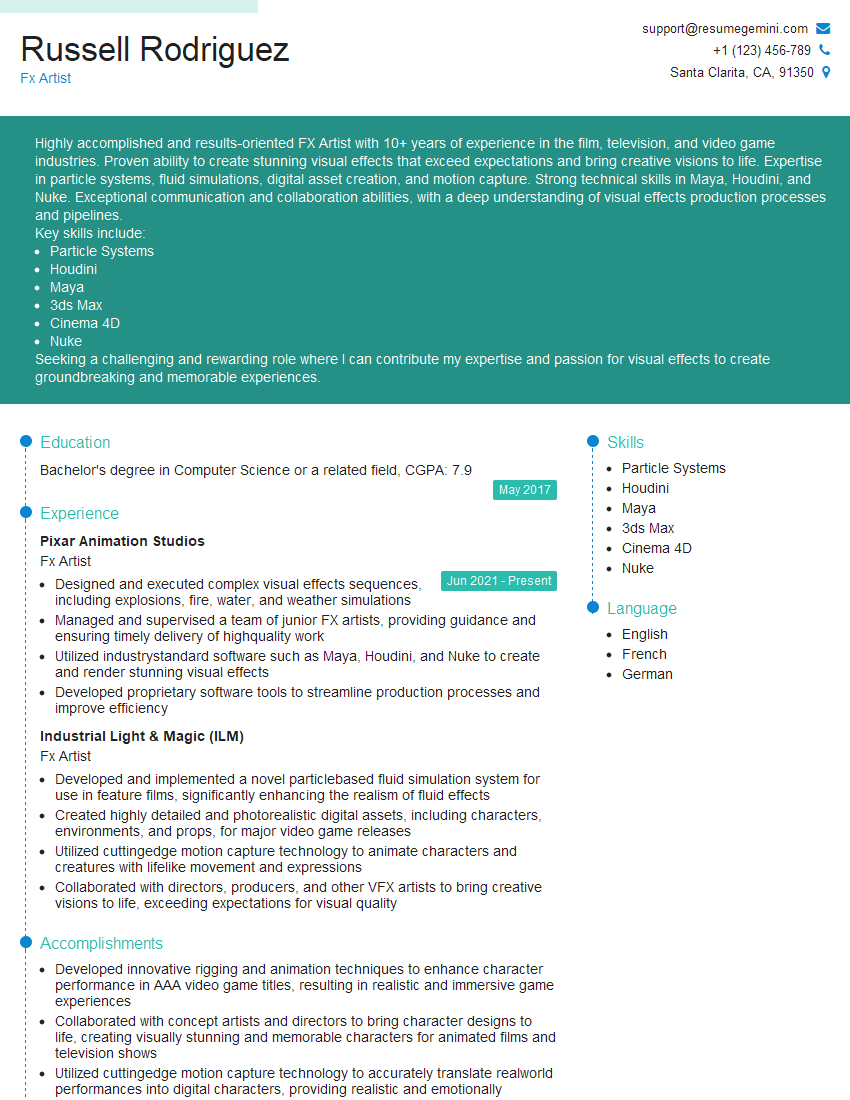
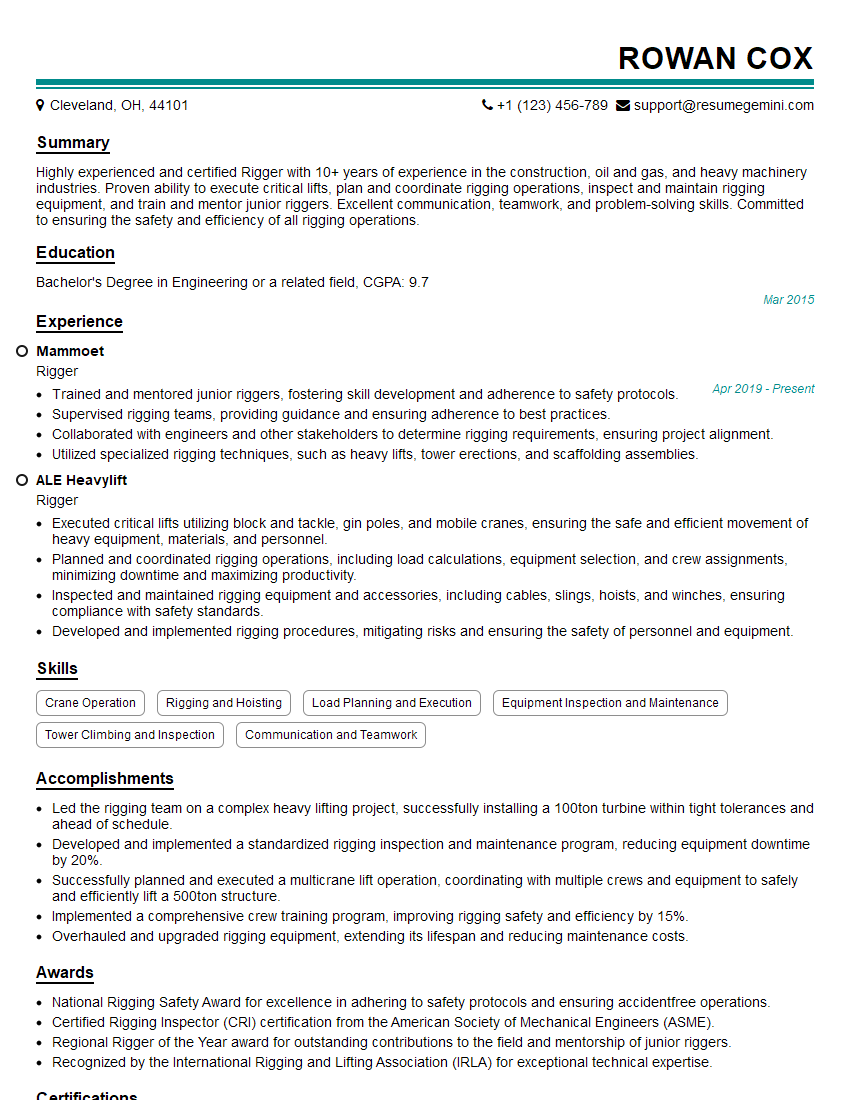
Mastering industry trends and technologies in special effects is crucial for career advancement, opening doors to exciting opportunities and higher earning potential. A strong, ATS-friendly resume is your key to unlocking these opportunities. ResumeGemini can help you craft a compelling resume that highlights your skills and experience effectively. We provide examples of resumes tailored specifically for candidates with a strong understanding of special effects technologies, making it easier for you to present yourself in the best possible light. Invest in your future – create a resume that gets noticed.




Explore more articles
Users Rating of Our Blogs
Share Your Experience
We value your feedback! Please rate our content and share your thoughts (optional).
What Readers Say About Our Blog
Very informative content, great job.
good