Interviews are more than just a Q&A session—they’re a chance to prove your worth. This blog dives into essential Studio Protocol and Workflow interview questions and expert tips to help you align your answers with what hiring managers are looking for. Start preparing to shine!
Questions Asked in Studio Protocol and Workflow Interview
Q 1. Explain your understanding of Studio Protocol.
Studio Protocol, in the context of digital content creation (like film, animation, or game development), refers to the standardized set of procedures, tools, and technologies used to manage and streamline the entire production pipeline. Think of it as the recipe for creating a complex digital asset. It defines how artists, technical directors, and other team members collaborate, share files, track progress, and ultimately deliver the final product. A well-defined Studio Protocol is crucial for efficiency, consistency, and scalability in any production.
A robust Studio Protocol encompasses aspects like asset management, version control, task management, rendering, and communication. It might involve specifying which software applications to use, defining file naming conventions, establishing review processes, and outlining procedures for problem-solving. For instance, a specific protocol might mandate using a particular cloud storage service for all project files, adhering to a specific naming convention (e.g., asset_name_v001.fbx), and using a ticketing system for tracking bug fixes.
Q 2. Describe the differences between various workflow methodologies (e.g., Agile, Waterfall).
Workflow methodologies like Agile and Waterfall represent different approaches to project management. Waterfall is a linear process, where each phase (requirements, design, implementation, testing, deployment, maintenance) must be completed before the next begins. Imagine building a house: you lay the foundation, then the walls, then the roof – you can’t start building walls before the foundation is done. This method is suitable for projects with clearly defined requirements and minimal anticipated changes.
Agile, on the other hand, is an iterative and incremental approach. It emphasizes flexibility and collaboration, with projects broken down into smaller, manageable sprints. Each sprint delivers a working increment of the product, allowing for adjustments based on feedback and changing requirements. Think of building with LEGOs – you can constantly adapt and rebuild sections as you go. Agile is preferred for projects with evolving requirements or a high degree of uncertainty.
Other methodologies exist, such as Kanban, which focuses on visualizing workflow and limiting work in progress. The best methodology depends heavily on the project’s nature, team size, and risk tolerance.
Q 3. How do you ensure version control within a Studio Protocol environment?
Version control within a Studio Protocol is paramount to prevent data loss, manage revisions, and ensure collaboration. We typically use dedicated Version Control Systems (VCS) like Git or Perforce. These systems track changes to files over time, allowing us to revert to previous versions if necessary, compare different revisions, and collaborate effectively. Within a Studio Protocol, we’d establish clear guidelines on how to use the VCS, including branching strategies, commit messages, and review processes.
For instance, a common practice is to use branching to isolate development work from the main project line. An artist might create a branch for their work on a specific character model, make their changes, and then merge their branch back into the main project once their work is reviewed and approved. Properly using commit messages helps document the changes made, making it easier to understand the project’s history. This is like keeping a detailed logbook for every change in your spaceship’s design!
Q 4. What are the common challenges in managing a large-scale studio pipeline?
Managing large-scale studio pipelines presents several challenges. One key challenge is maintaining consistency and preventing errors across numerous artists and departments. Ensuring everyone follows the established Studio Protocol and utilizes the same tools and techniques is crucial. This can be difficult with a large, diverse team.
Another challenge is efficient asset management. With thousands of files, tracking, locating, and managing assets becomes complex. Effective asset management systems and clear naming conventions are crucial. Another hurdle is effective communication and collaboration across different time zones and disciplines. The pipeline itself can become a bottleneck if it isn’t optimized for speed and efficiency. Regular review of the pipeline and optimization are critical to avoid such issues.
Finally, scaling the infrastructure to support a large team’s needs, especially regarding rendering and storage, requires careful planning and investment. It’s like orchestrating a symphony; each instrument needs to be in tune and play at the right time to create a harmonious whole.
Q 5. Explain your experience with asset management systems within a Studio Protocol.
My experience with asset management systems within Studio Protocols has involved extensive use of various solutions, ranging from custom-built systems to commercial off-the-shelf (COTS) solutions. We usually select systems based on specific project needs and team size. These systems handle tasks such as metadata management (tagging, keywords), version control, security, and access control.
One project utilized a custom asset management system built on a database, allowing us to track every asset’s usage, history, and dependencies. This granularity was helpful for large-scale projects. In another project we integrated Shotgun, which provided robust features such as task management, review workflows, and excellent integration with other studio tools. In essence, a good asset management system is the backbone of our organized studio workflow, helping prevent chaos in a sea of digital assets.
Q 6. How would you troubleshoot a broken pipeline process?
Troubleshooting a broken pipeline process involves a systematic approach. First, we identify the exact point of failure. This often involves examining logs, reviewing error messages, and talking to the team members involved to understand where things went wrong. A common approach is using the ‘divide and conquer’ strategy: breaking the pipeline into smaller, manageable segments, to isolate the source of the problem. The process might involve checking individual scripts, configurations, and software installations.
Once the problem is isolated, we focus on understanding the root cause. Is it a software bug? A configuration error? A problem with dependencies? A human error? We’ll then implement a solution, this could range from a simple code fix to a more significant system reconfiguration, or even a process change. Thorough testing is essential after implementing the fix to ensure it resolves the problem without introducing new ones.
Finally, documentation of the issue and its resolution is vital to prevent future occurrences. This could involve updating the Studio Protocol documentation, creating a knowledge base entry, or simply improving team communication processes. This systematic approach mimics a detective’s process in solving a complex case.
Q 7. Describe your experience with different render farms and their integration into the workflow.
My experience includes working with various render farms, from on-premise solutions to cloud-based services like AWS and Azure. On-premise farms offer greater control but require significant upfront investment and ongoing maintenance. Cloud-based solutions offer scalability and flexibility but can be more expensive for smaller projects. We generally choose based on budget, project size, and the specific render engine being used.
Integrating render farms involves configuring the farm software, setting up job submission scripts, and establishing a robust network infrastructure. Properly configuring the farm is critical for optimizing render times and resource allocation. We often use render management software like Deadline or Thinkbox Deadline to handle job scheduling and monitoring. These systems manage the distribution of render tasks across multiple machines, ensuring efficient use of resources. This seamless integration is vital for maximizing efficiency in larger projects and meeting deadlines.
Q 8. How do you optimize a studio workflow for efficiency?
Optimizing a studio workflow for efficiency is all about streamlining processes to reduce bottlenecks and maximize output. It’s like a well-oiled machine – each part works smoothly and contributes to the overall goal. This involves a multi-pronged approach:
Process Mapping: First, we meticulously map out the current workflow, identifying every step from asset creation to final delivery. This helps pinpoint areas of redundancy or inefficiency.
Automation: Wherever possible, we automate repetitive tasks. For instance, using scripting languages like Python to automate batch rendering or asset management can significantly reduce manual effort.
# Example: Python script for automated file renamingImproved Communication and Collaboration: Establishing clear communication channels, using project management software like Jira or Asana, and implementing version control systems like Git for assets are crucial. This ensures everyone is on the same page and avoids conflicts.
Standardization: Creating and enforcing consistent naming conventions, file formats, and project structures prevents confusion and streamlines the process. It’s like having a shared recipe book – everyone knows what ingredients and steps to use.
Regular Reviews and Optimization: It’s a continuous process. We regularly review the workflow, analyzing metrics and seeking feedback to identify areas for improvement. This might involve adjusting task assignments, implementing new tools, or refining existing processes.
Q 9. What are the key performance indicators (KPIs) you use to assess workflow performance?
Key Performance Indicators (KPIs) for assessing workflow performance are crucial for measuring success and identifying areas for improvement. Think of them as the vital signs of your studio’s productivity. Some key KPIs I use include:
Project Completion Rate: The percentage of projects completed on time and within budget.
Task Turnaround Time: The average time taken to complete individual tasks.
Asset Turnaround Time: The average time it takes to create and finalize assets.
Defect Rate: The number of errors or bugs found during production and post-production.
Resource Utilization: How effectively resources (people, hardware, software) are being used.
Client Satisfaction: Feedback from clients on the speed and quality of deliverables.
By tracking these KPIs over time, we can identify trends, pinpoint bottlenecks, and make data-driven decisions to improve efficiency.
Q 10. How do you handle conflicting versions of assets within a collaborative environment?
Handling conflicting asset versions in a collaborative environment is crucial to maintain data integrity and avoid chaos. Think of it as managing a shared document where multiple people are making changes simultaneously. We use a version control system like Git, or specialized asset management software, to resolve these conflicts.
Version Control: Each asset has a version history, allowing us to easily revert to earlier versions or compare changes. This ensures that everyone works with the latest approved version.
Branching and Merging: We use branching to allow individuals to work on different parts of an asset simultaneously. Merging combines these changes, and a conflict resolution process handles any discrepancies.
Clear Naming Conventions: A strict naming convention (e.g., incorporating date and version numbers) ensures that versions are easily distinguishable.
Review and Approval Processes: A formal process for reviewing and approving changes before merging them into the main project minimizes conflicts.
For example, if two artists modify the same 3D model simultaneously, the version control system will highlight the differences, and we can manually resolve them or choose the preferred version.
Q 11. Explain your experience with task management and scheduling software.
I have extensive experience with various task management and scheduling software, including Jira, Asana, Trello, and Shotgun. My approach involves choosing the right tool for the specific project needs and integrating it seamlessly into the overall workflow.
Jira: Ideal for large, complex projects requiring detailed task tracking, issue management, and agile development methodologies.
Asana: Excellent for collaborative projects, offering a user-friendly interface and effective task assignment and progress monitoring.
Trello: Suitable for smaller projects and teams, providing a visual kanban board for managing tasks.
Shotgun: Specifically designed for media production, offering robust features for asset management, review, and collaboration.
I understand how to create custom workflows within these platforms, define roles and permissions, and utilize reporting features to monitor project progress. For instance, in a recent project, we used Jira to track tasks, milestones, and bugs, allowing us to identify and address potential delays proactively.
Q 12. How familiar are you with scripting languages used in Studio workflows (e.g., Python)?
I’m proficient in Python and other scripting languages commonly used in studio workflows. I utilize these skills to automate repetitive tasks, create custom tools, and integrate different software packages. Think of scripting as the glue that holds together different parts of your production pipeline.
Automation: I write scripts to automate batch processing, rendering, file conversions, and data manipulation. This significantly speeds up production and reduces human error.
Custom Tool Development: I develop custom tools using Python and other scripting languages to address specific needs within our pipeline. This could range from creating a custom asset importer to a tool for automating texture baking.
For example, I once wrote a Python script to automate the process of generating thumbnails for hundreds of images, saving hours of manual labor. Understanding scripting is crucial for efficient pipeline development and problem-solving.
Q 13. Describe your approach to implementing new software or tools into an existing pipeline.
Implementing new software or tools into an existing pipeline requires a structured and phased approach to minimize disruption and maximize benefits. It’s like renovating a house – you need a plan to avoid chaos.
Needs Assessment: We first thoroughly assess the need, understanding how the new tool will improve the existing workflow and address any deficiencies.
Proof of Concept: We conduct a proof of concept, testing the software in a controlled environment to ensure compatibility and identify any potential issues.
Training and Documentation: Thorough training is provided to the team, along with comprehensive documentation, to ensure smooth adoption.
Pilot Implementation: We start with a pilot implementation on a smaller project to test the workflow in a real-world setting and identify any unexpected problems before a full-scale rollout.
Feedback and Iteration: We gather feedback from users throughout the implementation process and iterate on the workflow as needed.
Full Integration: Once the pilot is successful, we gradually integrate the new software into the main production pipeline.
Q 14. How do you handle change requests during a project’s production phase?
Change requests during the production phase are a common occurrence, requiring a well-defined process to manage effectively. Think of it as adjusting the course of a ship mid-voyage – it requires careful navigation.
Formal Change Request Process: We implement a formal process where all change requests are documented, reviewed, and approved. This includes impact assessment and resource allocation.
Prioritization and Scheduling: Requests are prioritized based on impact and urgency, integrated into the existing schedule, and communicated to the team.
Impact Assessment: Before accepting a change request, we assess its impact on the timeline, budget, and other aspects of the project.
Communication: Changes are communicated clearly to the entire team to ensure everyone is aware and up-to-date.
Version Control: All changes are tracked using version control to maintain a clear history of modifications.
For instance, if a client requests a significant alteration to the project’s aesthetic halfway through, we will formally assess the request, determine its impact on the timeline and budget, get client approval, and then integrate the changes while carefully managing its effect on the rest of the production pipeline.
Q 15. How do you ensure data integrity within a studio pipeline?
Data integrity in a studio pipeline is paramount. It ensures the accuracy, consistency, and reliability of our assets throughout the entire production process, from initial concept to final delivery. We achieve this through a multi-pronged approach.
Version Control: We use robust version control systems like Git or Perforce to track changes to every asset. This allows us to revert to previous versions if needed and maintain a clear audit trail. Think of it like having a detailed history of every edit to a document, ensuring we can always go back to a known good state.
Metadata Management: Every asset is meticulously tagged with metadata – information like author, date created, version number, and relevant keywords. This provides crucial context and helps us easily locate and identify files. This is like indexing a library, making it easy to find the exact book you need.
Data Validation: We implement checks and validation rules at various stages of the pipeline to catch inconsistencies or errors early. For example, we might verify file formats, resolution, or color spaces before they’re integrated into the final product. Imagine a spell-checker for your visual assets.
Backup and Disaster Recovery: Regular backups and a well-defined disaster recovery plan are crucial for protecting against data loss. We use both on-site and off-site backups to ensure redundancy and business continuity. This is like having a duplicate copy of all your work stored in a completely separate and safe location.
Career Expert Tips:
- Ace those interviews! Prepare effectively by reviewing the Top 50 Most Common Interview Questions on ResumeGemini.
- Navigate your job search with confidence! Explore a wide range of Career Tips on ResumeGemini. Learn about common challenges and recommendations to overcome them.
- Craft the perfect resume! Master the Art of Resume Writing with ResumeGemini’s guide. Showcase your unique qualifications and achievements effectively.
- Don’t miss out on holiday savings! Build your dream resume with ResumeGemini’s ATS optimized templates.
Q 16. What are your experiences with cloud-based solutions for studio workflows?
My experience with cloud-based solutions for studio workflows has been overwhelmingly positive. Cloud services offer scalability, collaboration, and cost-effectiveness that are hard to match with on-premise solutions.
Scalability: Cloud solutions easily handle fluctuations in processing demands. During peak periods, we can easily scale our resources up, and scale down when less processing power is needed, saving money in the long run.
Collaboration: Cloud-based platforms facilitate seamless collaboration amongst team members, regardless of their geographical location. Tools like cloud storage and project management software allow for easy sharing and real-time collaboration on assets.
Cost-effectiveness: We avoid significant upfront investments in hardware and IT infrastructure. We only pay for what we use, resulting in significant cost savings and improved budget predictability.
Examples: I have extensive experience using AWS (Amazon Web Services) and Azure for rendering, storage, and collaborative tools. We’ve used cloud-based rendering farms for complex projects, significantly reducing rendering times. We’ve also used cloud storage to securely store and share large datasets among team members worldwide.
Q 17. Explain your understanding of different file formats and their implications on workflow.
Understanding file formats is crucial for efficient workflow. Different formats offer varying levels of compression, color depth, and features, impacting storage space, rendering times, and compatibility with different software.
Image Formats:
.jpg(JPEG) offers high compression but can lose some image quality;.png(PNG) provides lossless compression and is better for images with sharp lines or text;.tiff(TIFF) offers high-quality lossless compression and is commonly used for image archiving.3D Formats:
.fbxis a popular interchange format, supporting animation and various software;.objis a simple format focusing on geometry;.abc(Alembic) is excellent for complex scenes and animation caching, commonly used in high-end visual effects.Video Formats:
.mp4(MPEG-4) is widely compatible and supports various codecs;.mov(QuickTime) is versatile but can be less efficient. The choice depends on factors like target platform and desired quality.
Choosing the right format is crucial. Using a lossy format like JPEG for archival purposes would be detrimental, while using a large, uncompressed format like TIFF for web delivery would result in slow loading times.
Q 18. How do you manage large datasets within a Studio Protocol?
Managing large datasets within a Studio Protocol requires a strategic approach. We leverage several techniques to ensure efficiency and maintainability.
Data Organization: A well-structured file system and clear naming conventions are crucial. We utilize a hierarchical structure, grouping related assets into folders and subfolders.
Asset Management Software: We rely on dedicated asset management systems (like Shotgun or ftrack) to track, version, and manage assets efficiently. These tools allow for efficient searching, metadata management, and workflow organization.
Data Caching and Proxies: For large datasets used in the pipeline, we create smaller proxies or cached versions for faster access and preview during editing. High-resolution assets are only loaded when needed, improving performance.
Cloud Storage: Cloud storage solutions offer scalability and accessibility, allowing distributed teams to work on massive datasets efficiently. They also handle large file transfers more smoothly.
Data Compression: Compressing data when possible (without sacrificing quality) significantly reduces storage space and improves transfer speeds.
Q 19. What are some common security concerns within a studio pipeline, and how do you address them?
Security is a top priority. Common security concerns include unauthorized access, data breaches, and malware infections. We address these through several methods:
Access Control: We implement strict access control measures, granting permissions based on roles and responsibilities. Only authorized personnel can access sensitive data.
Encryption: Data both at rest (on storage) and in transit (during transfer) is encrypted using strong encryption algorithms. This prevents unauthorized access even if data is intercepted.
Regular Security Audits: We conduct regular security audits and penetration testing to identify and address vulnerabilities proactively.
Firewall and Intrusion Detection Systems: Our network is protected by firewalls and intrusion detection systems to monitor and prevent unauthorized access attempts.
Employee Training: We provide ongoing security training to employees to educate them on best practices and potential threats.
Q 20. Explain your experience with different types of rendering engines.
My experience spans several rendering engines, each with its strengths and weaknesses.
Arnold: Known for its high-quality, physically based rendering, especially in architectural visualization and film. It’s powerful but can be resource-intensive.
Redshift: A popular GPU-accelerated renderer, offering fast rendering times and good quality, particularly suited for projects needing quick turnarounds.
V-Ray: Another versatile renderer capable of both photorealistic and stylized rendering, widely used in architecture and product design.
RenderMan: A high-end renderer used in many large-scale productions, renowned for its realism and flexibility but requires significant expertise.
The choice of rendering engine often depends on factors like project requirements, budget, timeline, and available hardware. Each engine has its own strengths and weaknesses, requiring careful consideration before selecting one for a project.
Q 21. How do you optimize assets for different platforms (e.g., web, mobile, console)?
Optimizing assets for different platforms requires a tailored approach, considering each platform’s unique capabilities and limitations.
Resolution and Aspect Ratio: Web assets often require lower resolutions than those for consoles or high-resolution displays. The aspect ratio should also match the target platform’s specifications.
File Formats and Compression: Smaller file sizes are crucial for web and mobile. Using appropriate compression techniques and formats, like WebP for web and optimized video codecs for mobile, is critical for performance.
Texture Optimization: Textures need to be optimized for the target device. This often involves reducing resolution, using appropriate compression formats, and potentially generating different texture mipmaps for different levels of detail.
Polygon Count and Level of Detail (LOD): 3D models destined for mobile or web applications might need to have their polygon count reduced to improve performance. Using LODs allows for displaying simplified models at a distance and higher-detailed models up close.
Platform-Specific Considerations: Each platform has its own requirements. For example, mobile games often require specific texture formats or power-saving techniques not needed for high-end PCs or consoles. Console development has specific requirements imposed by the platform holders.
Q 22. What are your experiences with real-time rendering workflows?
Real-time rendering workflows are crucial for interactive applications and simulations, allowing immediate visual feedback to user input. My experience spans several years working with game engines like Unreal Engine and Unity, where I’ve extensively utilized real-time rendering for interactive design reviews, virtual prototyping, and even real-time cinematic experiences. This involved optimizing scene complexity for performance, using techniques like level of detail (LOD) and occlusion culling to maintain high frame rates. I also have experience with cloud-based real-time rendering solutions, enabling collaboration and remote access to high-fidelity projects.
For example, in one project involving the design of a complex architectural structure, we used real-time rendering within Unreal Engine to allow architects and clients to walk through a virtual representation of the building, providing immediate feedback on design choices and identifying potential problems early on. This saved significant time and resources compared to traditional rendering methods.
Q 23. Describe a time you had to improve a Studio workflow. What was the outcome?
In a previous studio, our review process was inefficient. Artists would render out massive image files, leading to long wait times for feedback and bottlenecks in the pipeline. The file management was also a nightmare. To improve this, I implemented a system using a cloud-based review and feedback platform that allowed for real-time feedback on lower-resolution proxies. We switched to a more streamlined file management system using a cloud-based storage solution with version control. This reduced render times significantly, improved communication, and dramatically reduced storage space needed. The outcome was a 40% reduction in review turnaround time, a 30% decrease in storage costs, and a noticeable increase in team morale, as artists were able to focus on creation instead of waiting for feedback or dealing with cumbersome file management.
Q 24. How would you approach integrating a new team into an existing pipeline?
Integrating a new team requires a structured approach focusing on training, tool familiarization, and pipeline understanding. I’d begin with an onboarding program covering our studio’s workflow, technologies used (software, hardware, cloud services), and established best practices. This includes hands-on training sessions, mentoring, and access to comprehensive documentation. We would then assign the new team members to smaller, manageable tasks within an existing project to allow for gradual acclimation to the pipeline and team dynamics. Regular check-ins and feedback sessions are crucial to ensure a smooth integration and identify any roadblocks early on. A buddy system, pairing experienced team members with newer ones, is very effective in this process. Finally, I’d ensure they have clear access to all relevant communication channels and project management tools.
Q 25. What is your experience with automated testing in Studio workflows?
Automated testing in studio workflows is vital for maintaining quality and consistency. My experience includes implementing automated tests for various aspects of our pipeline, including asset validation (checking for correct textures, models, and animations), rendering pipeline checks (verifying shader correctness, render settings, and output quality), and integration testing (ensuring seamless data exchange between different software packages). We primarily used Python scripting within the DCC (Digital Content Creation) applications, writing unit tests to verify individual functions and integration tests to validate the entire pipeline. This improved the reliability of our output and allowed for quick identification of errors.
For example, an automated test could check if a 3D model is correctly textured, if all the necessary animations are present, and if the polygon count meets the project’s requirements. Failure in any of these checks would generate an immediate report allowing for prompt rectification.
Q 26. How familiar are you with containerization technologies like Docker in the context of Studio pipelines?
Docker and other containerization technologies are increasingly important for building robust and reproducible studio pipelines. They provide consistent environments across different operating systems and hardware, reducing the “it works on my machine” problem. I’ve utilized Docker to containerize specific pipeline tools, ensuring they run consistently regardless of the underlying system. This includes building Docker images for custom rendering scripts, asset processing tools, and even entire DCC application environments. This simplifies deployment, updates, and collaboration, particularly in geographically distributed teams. For example, a Docker container could encapsulate a specific version of a rendering engine and all its dependencies, guaranteeing that renders will produce identical results across different machines.
Q 27. Describe your understanding of CI/CD pipelines in the context of a studio environment.
CI/CD (Continuous Integration/Continuous Delivery) pipelines are essential for streamlining the production process in a studio environment. They automate the build, test, and deployment phases, allowing for rapid iteration and faster turnaround times. In a studio context, this translates to automatically building game assets, running automated tests, and deploying builds to various platforms (e.g., consoles, PC, mobile). My experience involves setting up CI/CD pipelines using tools like Jenkins and GitLab CI, incorporating automated testing and deployment strategies to ensure a smooth workflow. This includes triggering builds upon code commits, running automated tests, and deploying builds to QA and production environments. The benefits include faster release cycles, reduced risk of errors, and improved collaboration among team members.
For example, a CI/CD pipeline in a game development studio would automatically build game assets after a designer updates a 3D model, run automated tests to verify the changes haven’t introduced bugs, and deploy a new build to a QA server for testing before release to players.
Key Topics to Learn for Studio Protocol and Workflow Interview
- Understanding Studio Protocols: Explore the different types of studio protocols (e.g., audio, video, lighting), their purpose, and how they contribute to a seamless production workflow.
- Workflow Optimization: Learn best practices for optimizing studio workflows, including pre-production planning, efficient shooting techniques, and post-production processes. Consider the impact of different software and hardware on overall efficiency.
- Technical Specifications and Compatibility: Understand the importance of technical specifications in studio equipment selection and the compatibility between different systems and software. Be prepared to discuss troubleshooting potential issues.
- Collaboration and Communication: Discuss the role of effective communication and collaboration within a studio environment. How do you ensure clear communication among team members to achieve a common goal?
- Project Management in Studio Environments: Explore project management methodologies applicable to studio workflows. How do you track progress, manage deadlines, and allocate resources effectively?
- Quality Control and Assurance: Discuss techniques for maintaining quality control throughout the production process, from initial concept to final delivery. How do you identify and address potential quality issues?
- Troubleshooting Common Issues: Be prepared to discuss common technical problems encountered in studio environments and your approach to resolving them efficiently and effectively.
Next Steps
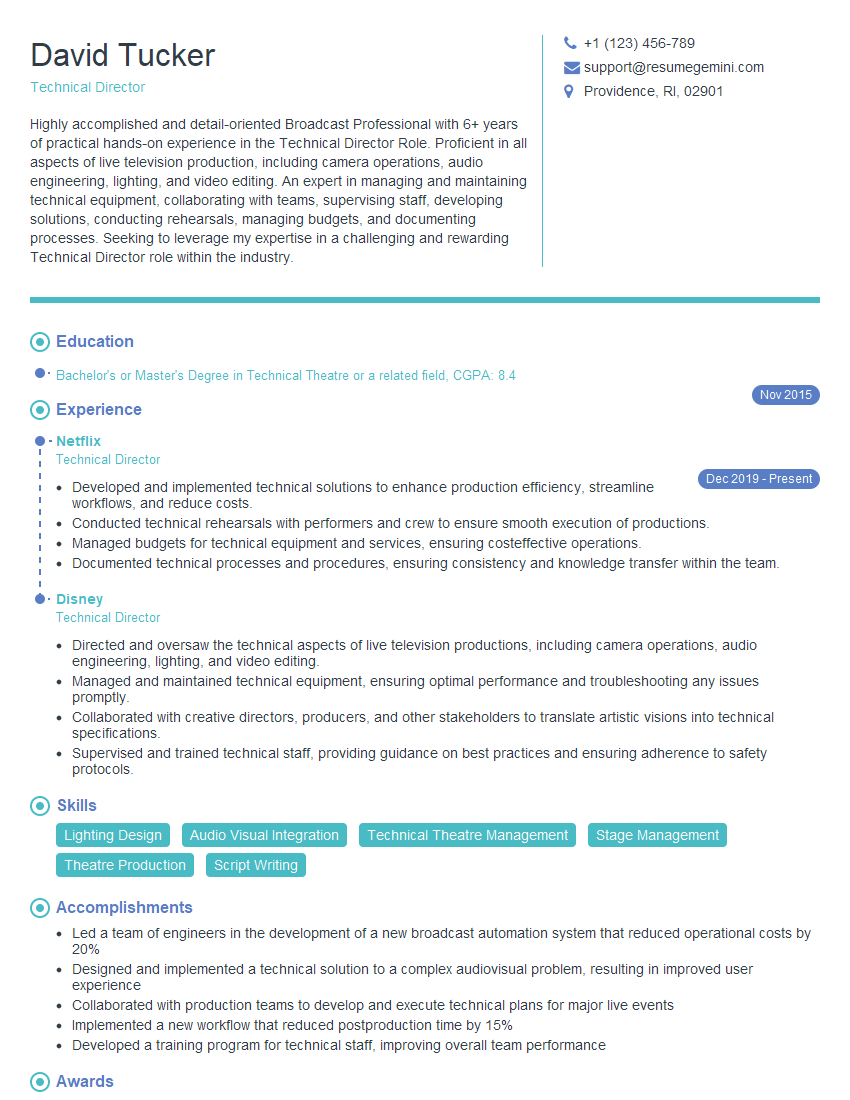
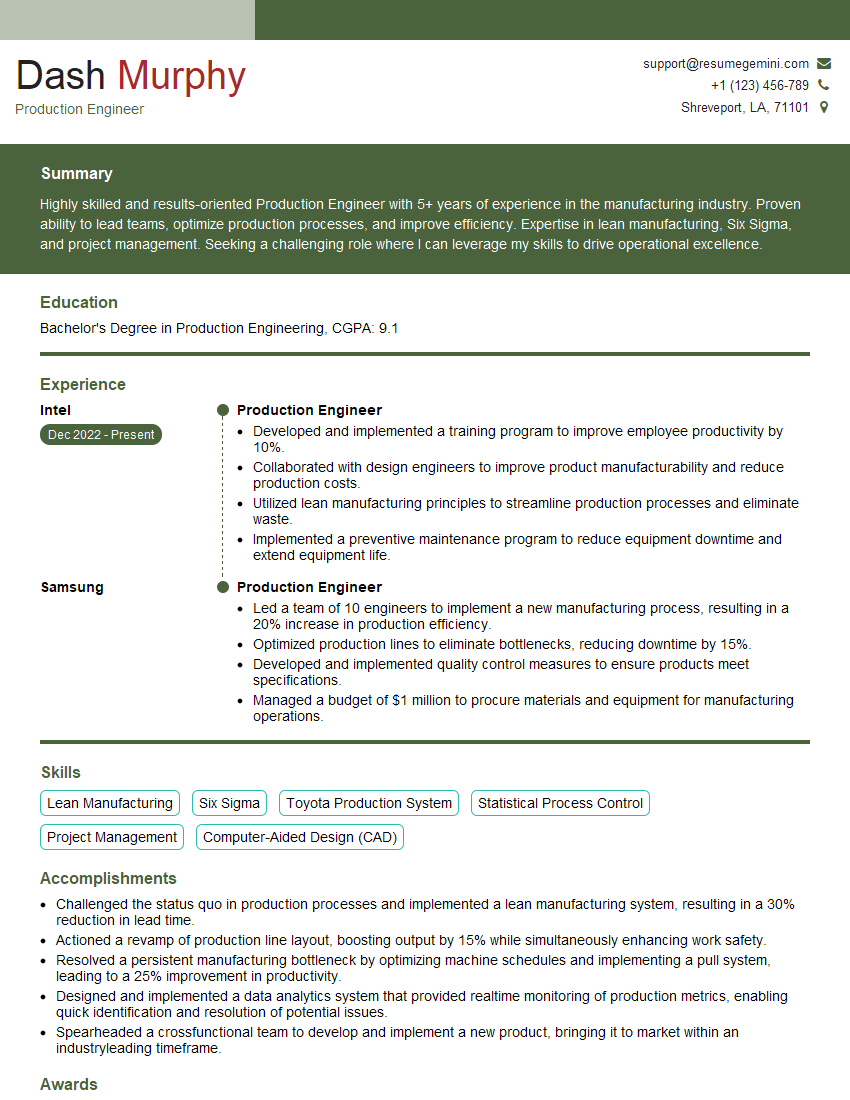
Mastering Studio Protocol and Workflow is crucial for career advancement in media production and related fields. A strong understanding of these processes demonstrates your competence and efficiency, making you a highly desirable candidate. To increase your chances of landing your dream job, focus on crafting an ATS-friendly resume that highlights your skills and experience effectively. ResumeGemini is a trusted resource that can help you build a professional resume that showcases your qualifications optimally. Examples of resumes tailored to Studio Protocol and Workflow are available, providing you with valuable templates and inspiration for your own resume creation.
Explore more articles
Users Rating of Our Blogs
Share Your Experience
We value your feedback! Please rate our content and share your thoughts (optional).
What Readers Say About Our Blog
Very informative content, great job.
good