Feeling uncertain about what to expect in your upcoming interview? We’ve got you covered! This blog highlights the most important System Integration and Troubleshooting interview questions and provides actionable advice to help you stand out as the ideal candidate. Let’s pave the way for your success.
Questions Asked in System Integration and Troubleshooting Interview
Q 1. Explain the difference between point-to-point and enterprise service bus (ESB) integration.
Point-to-point integration and Enterprise Service Bus (ESB) integration represent two distinct approaches to connecting systems. Think of it like this: point-to-point is like having a dedicated phone line between each person you need to talk to, while an ESB is like a central switchboard connecting everyone.
Point-to-point integration involves a direct connection between two systems. Each system has a custom interface designed specifically for the other. This is simple for a small number of systems, but becomes complex and difficult to maintain as the number of integrations grows. Changes in one system might require changes in all its connected systems. Imagine needing to update every single phone line each time someone moved or got a new number.
Enterprise Service Bus (ESB) integration uses a central messaging system to handle communication between systems. Systems don’t connect directly; they send messages to the ESB, which routes them to the appropriate recipient. This provides flexibility and scalability, as adding a new system only requires connecting it to the ESB. It also simplifies maintenance and reduces the impact of changes in individual systems. It’s like having a central switchboard; adding a new phone line requires only connecting it to the switchboard, not every other line.
- Point-to-Point Advantages: Simple to implement for a small number of systems, high performance for direct communication.
- Point-to-Point Disadvantages: Difficult to maintain and scale, tight coupling between systems.
- ESB Advantages: Flexible, scalable, promotes loose coupling, easier maintenance.
- ESB Disadvantages: Can add complexity and overhead, requires careful ESB management.
Q 2. Describe your experience with different integration patterns (e.g., message queues, REST, SOAP).
Throughout my career, I’ve worked extensively with various integration patterns, each with its strengths and weaknesses. My experience encompasses:
- Message Queues (e.g., RabbitMQ, Kafka): I’ve used message queues extensively for asynchronous communication. This is ideal when systems need to decouple, ensuring one system’s failure doesn’t bring down another. For instance, in an e-commerce platform, order processing might send a message to the inventory system via a queue. The order processing continues without waiting for an immediate response from the inventory system, improving resilience and performance.
// Example using a hypothetical message queue API: queue.sendMessage({orderID: 123, productID: 456}); - REST (Representational State Transfer): A prevalent pattern for building lightweight, scalable APIs. I’ve leveraged RESTful services extensively for data exchange between systems, often using JSON for data representation. For example, a system might expose a REST endpoint to retrieve customer data, accessed via a simple HTTP GET request.
// Example REST API call: GET /customers/123 - SOAP (Simple Object Access Protocol): While less common now, I have experience with SOAP-based integrations, particularly in legacy systems. SOAP provides a more structured, XML-based approach, often requiring more overhead. This is best suited where strict data validation and security are crucial.
The choice of integration pattern depends heavily on factors such as performance needs, security requirements, the level of coupling desired, and the nature of the data being exchanged. In many cases, a hybrid approach combining different patterns offers the best solution.
Q 3. How do you troubleshoot connectivity issues between two systems?
Troubleshooting connectivity issues between two systems is a systematic process. I start by focusing on the most common issues and gradually move to more complex scenarios. My approach includes:
- Verify Network Connectivity: First, I ensure basic network connectivity between the systems using tools like
pingandtraceroute. This helps identify network-related problems like firewalls, routing issues, or network outages. - Check System Logs: I thoroughly examine system logs (application, operating system, network) for any error messages related to network connections, port access, or communication failures. These often provide crucial clues about the root cause.
- Examine Configuration Files: I review the configuration files of both systems, verifying that IP addresses, ports, usernames, and passwords are correctly configured and match each other. Misconfigurations are a surprisingly common cause.
- Test Connectivity with Simple Tools: I utilize tools like
telnetornetcatto test direct port connectivity between the systems. This helps isolate whether the problem lies in the network or within the applications themselves. - Inspect Firewall Rules: If network connectivity seems fine, I carefully check firewall rules on both systems and the network infrastructure to ensure that necessary ports are open and traffic is allowed between the systems. A missing rule or a misconfigured firewall is often the culprit.
- Verify Application-Level Communication: Once network connectivity is established, I move to testing the application layer using tools specific to the integration protocol (e.g., checking HTTP status codes for REST APIs, examining SOAP fault messages).
This methodical approach allows for quick identification and resolution of connectivity problems, minimizing downtime and ensuring smooth system operation.
Q 4. What are the common challenges in system integration projects?
System integration projects often encounter numerous challenges. Some of the most common include:
- Data Transformation: Different systems often use different data formats and structures. Transforming data between these disparate formats can be complex and time-consuming.
- Data Migration: Migrating data from legacy systems to new systems can be a huge undertaking, particularly for large datasets. It requires careful planning, testing, and often specialized tools to ensure data integrity.
- Security Concerns: Protecting sensitive data during integration is critical. Secure communication protocols, access controls, and encryption are essential considerations.
- Interoperability Issues: Ensuring different systems can communicate effectively despite differences in technology stacks and protocols can be a significant challenge.
- Testing and Validation: Thoroughly testing integrated systems is crucial to identify and resolve issues before deployment. This often involves creating comprehensive test plans and developing appropriate test cases.
- Lack of Documentation: Incomplete or outdated documentation can severely hamper troubleshooting and maintenance efforts.
- Coordination and Communication: Integration projects often involve multiple teams and stakeholders. Effective communication and collaboration are key to success.
Addressing these challenges proactively through meticulous planning, robust testing, and strong teamwork is essential to ensuring a successful integration project.
Q 5. How do you ensure data integrity during system integration?
Ensuring data integrity during system integration is paramount. My approach involves a multi-faceted strategy:
- Data Validation: Implementing rigorous data validation checks at every stage of the integration process, from data extraction to loading. This involves verifying data types, formats, and constraints.
- Data Transformation Rules: Establishing clear and well-defined rules for data transformation to ensure consistency and accuracy.
- Error Handling and Logging: Implementing robust error handling mechanisms to capture and log any data integrity issues. This allows for quick identification and correction of errors.
- Data Reconciliation: Performing regular data reconciliation checks to compare data in different systems and identify any discrepancies. This could involve checksums, hash verification, or record counts.
- Transaction Management: Employing ACID properties (Atomicity, Consistency, Isolation, Durability) for database transactions to guarantee that data changes are processed reliably and completely.
- Version Control: Using version control systems for data transformation scripts and other integration components. This facilitates tracking changes, reverting to earlier versions if necessary, and understanding the evolution of the integration process.
- Testing: Performing comprehensive testing, including unit tests, integration tests, and end-to-end tests to ensure that data integrity is maintained throughout the entire system.
By combining these strategies, we can minimize the risk of data corruption or loss during integration and maintain high data quality.
Q 6. Explain your experience with API testing and integration.
API testing and integration are crucial aspects of any system integration project. My experience encompasses both functional and non-functional testing:
- Functional Testing: I use various techniques to verify that APIs function as expected, including:
- Unit Testing: Testing individual API components in isolation.
- Integration Testing: Testing the interaction between multiple APIs.
- End-to-End Testing: Testing the complete API flow from start to finish.
- Non-Functional Testing: I also evaluate aspects such as:
- Performance Testing: Measuring API response times and throughput under different load conditions.
- Security Testing: Identifying and mitigating security vulnerabilities in APIs.
- Reliability Testing: Assessing API robustness and stability.
- Tools and Technologies: I’m proficient in using various API testing tools, including Postman, REST-assured, and JMeter, to automate testing and generate comprehensive reports. I also have experience integrating API tests into Continuous Integration/Continuous Delivery (CI/CD) pipelines to automate the testing process as part of the software development lifecycle.
Through rigorous API testing and integration, we can ensure high-quality, reliable, and secure APIs are deployed, leading to seamless system integration.
Q 7. Describe your approach to debugging integration issues.
My approach to debugging integration issues is a systematic and iterative process:
- Reproduce the Issue: The first step is to consistently reproduce the issue. This might require creating a detailed test case or gathering relevant logs and data.
- Isolate the Problem: Once the issue is consistently reproducible, I attempt to isolate the source of the problem. This involves examining logs, network traces, and configuration files from all involved systems.
- Utilize Debugging Tools: I use appropriate debugging tools (e.g., debuggers, network sniffers) to step through the code and analyze network traffic. This helps pinpoint the exact location of the failure.
- Simplify the System: If the system is complex, I might create a simplified test environment to help isolate the problem. This involves creating minimal versions of the systems involved, which makes it easier to identify the root cause.
- Examine Data Transformation: I pay close attention to data transformation steps, as this is a frequent source of errors. I often use data comparison tools to identify discrepancies between input and output data.
- Collaborate and Consult: I work with other team members and seek expert advice when necessary. A fresh perspective can often lead to faster solutions.
- Document Findings and Solutions: Finally, I thoroughly document the findings, the root cause, and the resolution steps. This is crucial for preventing similar issues in the future.
This methodical approach enables efficient problem-solving and minimizes downtime, ensuring swift recovery from integration issues.
Q 8. What monitoring tools have you used to track integration performance?
Monitoring integration performance is crucial for ensuring system reliability and identifying bottlenecks. I’ve extensively used tools like Datadog, Prometheus, and Grafana for this purpose. Datadog, for example, provides a centralized dashboard to monitor various metrics such as message processing times, error rates, and queue lengths across different integration components. Prometheus excels at collecting time-series metrics, which are then visualized in Grafana to create custom dashboards tailored to specific integration needs. In one project integrating a CRM with an ERP system, we used Prometheus to track the latency of each API call between the two systems. This allowed us to quickly identify slow database queries that were impacting overall performance and address them proactively. The use of alerts within these systems is key; we set up alerts for critical metrics exceeding thresholds, allowing for immediate responses to potential issues.
Another tool I frequently employ is Splunk, especially for log aggregation and analysis. Its powerful search functionality makes it easy to pinpoint the root cause of integration failures by analyzing logs from various sources. For instance, if a particular message format resulted in frequent errors, Splunk helped us to identify the problematic fields or patterns and implement necessary fixes.
Q 9. How do you handle conflicting data formats during integration?
Handling conflicting data formats is a common challenge in system integration. My approach involves a combination of strategies. First, I thoroughly document the data formats of all involved systems – understanding their structure, data types, and any specific requirements is crucial. I then employ data transformation techniques using tools like Apache Camel or Informatica PowerCenter. These tools provide robust mechanisms for data mapping and conversion. For instance, if one system uses XML and another uses JSON, I would define a mapping between the XML elements and the corresponding JSON fields. This mapping could involve data type conversions (e.g., string to integer), data normalization (e.g., standardizing date formats), or data enrichment (adding missing fields).
Sometimes, automated transformation isn’t enough, especially for complex or irregular formats. In such cases, I might implement custom data transformation logic using scripting languages like Python, leveraging libraries like json and xml.etree.ElementTree for efficient processing. For example, I’ve used Python scripts to handle edge cases where specific data fields required custom logic based on their value. Rigorous testing is critical at each stage to verify the accuracy of data transformations and ensure data integrity.
Q 10. Explain your experience with ETL processes and data transformation.
ETL (Extract, Transform, Load) processes are fundamental to data integration. My experience spans the entire ETL lifecycle, from requirements gathering and design to implementation, testing, and deployment. I’ve worked with various ETL tools including Informatica PowerCenter, Talend Open Studio, and even custom-built solutions using Python and SQL. A recent project involved extracting data from multiple legacy databases, transforming them to conform to a standardized data warehouse schema, and loading them into a cloud-based data warehouse (Snowflake). This involved extensive data cleansing, deduplication, and transformation rules to handle inconsistencies and data quality issues.
Data transformation within ETL often involves complex logic. For example, I’ve used SQL functions and stored procedures for data manipulation, and Python scripts to handle more complex transformations that required external libraries or custom algorithms. A key aspect is the use of version control (Git) to track changes to ETL scripts and configurations, ensuring reproducibility and allowing easy rollback if needed.
Q 11. What experience do you have with different message brokers (e.g., RabbitMQ, Kafka)?
I have significant experience with different message brokers, most notably RabbitMQ and Kafka. My choice depends on the specific requirements of the integration project. RabbitMQ, with its AMQP protocol, is well-suited for applications requiring robust message routing and guaranteed delivery. I’ve used it in scenarios where message ordering and reliability are critical, such as handling financial transactions. Its features like message queues, exchanges, and bindings provide flexible message management capabilities.
Kafka, on the other hand, is better suited for high-throughput, real-time data streaming applications. Its distributed architecture and ability to handle large volumes of data make it ideal for applications like event processing and log aggregation. I used Kafka in a project that involved processing millions of sensor readings per second, requiring a highly scalable and fault-tolerant message broker. I’ve also worked with its various features, such as topic partitioning, consumer groups, and stream processing libraries.
Q 12. Describe your experience with integration security best practices.
Integration security is paramount. My approach emphasizes a layered security model encompassing authentication, authorization, data encryption, and secure communication protocols. I always ensure that systems communicate over secure channels (HTTPS, TLS). For authentication, I often leverage OAuth 2.0 or JWT (JSON Web Tokens) to securely authenticate users and systems. Authorization mechanisms, such as RBAC (Role-Based Access Control) or ABAC (Attribute-Based Access Control), are implemented to restrict access to sensitive data and functionalities.
Data encryption, both in transit and at rest, is a crucial aspect. I utilize industry-standard encryption algorithms and protocols to protect data from unauthorized access. For example, I’ve used AES-256 encryption for sensitive data stored in databases and TLS for securing communication between systems. Regular security audits and penetration testing are essential to identify vulnerabilities and ensure the ongoing security of the integration solution. Following security best practices such as input validation and output encoding helps prevent common vulnerabilities such as SQL injection and cross-site scripting (XSS) attacks.
Q 13. How do you manage version control in integration projects?
Version control is integral to managing integration projects. We consistently use Git for version control, employing a well-defined branching strategy. Typically, we create feature branches for developing new features or bug fixes, allowing developers to work in parallel without affecting the main codebase. Pull requests are used for code reviews and merging changes into the main branch, ensuring code quality and consistency. This also allows for easy tracking of changes, which is invaluable when troubleshooting issues.
In addition to code, we use Git to manage configuration files, scripts, and other integration artifacts. This provides a single source of truth for the entire integration project, making it easier to replicate and maintain the solution across different environments. Continuous integration and continuous deployment (CI/CD) pipelines are automated using tools like Jenkins or GitLab CI, further enhancing the efficiency and reducing the risk of errors.
Q 14. Explain your approach to designing a scalable and maintainable integration solution.
Designing a scalable and maintainable integration solution requires careful consideration of several factors. I start with a well-defined architecture, often using a service-oriented or microservices approach. This promotes modularity and allows for independent scaling of individual components. Using message brokers, like RabbitMQ or Kafka, as discussed earlier, is critical for decoupling systems and ensuring loose coupling, facilitating independent scaling and updates.
I emphasize using standardized technologies and protocols to reduce complexity and improve interoperability. Well-defined interfaces and APIs, along with comprehensive documentation, are crucial for maintainability. I also follow design principles such as separation of concerns and single responsibility to ensure modularity and simplicity. Thorough testing, including unit, integration, and performance testing, is vital for ensuring stability and reliability. Automated deployment processes and monitoring tools help prevent issues from escalating and ensure the long-term success of the integration.
Q 15. How do you handle exceptions and error handling in integration flows?
Exception and error handling is paramount in integration flows, as failures in one system can cascade and disrupt the entire process. My approach involves a multi-layered strategy focusing on prevention, detection, and recovery.
Prevention involves careful design. This includes validating input data at every stage, using schema validation, and implementing robust error handling within individual components. Think of it like building a sturdy bridge – you wouldn’t start constructing without ensuring the foundation is strong.
Detection relies on comprehensive logging and monitoring. I utilize exception handling mechanisms such as try-catch blocks (or equivalent depending on the language) to intercept errors, log detailed information (including timestamps, error messages, and potentially affected data), and then trigger alerts. This allows for proactive identification of issues. For instance, in a payment gateway integration, logging failed transactions with detailed error codes helps pin-point the problem and facilitate quick resolution.
Recovery involves implementing strategies to either automatically correct errors (e.g., retry mechanisms with exponential backoff) or escalate issues for human intervention. A well-designed system might employ message queues with dead-letter queues to handle messages that cannot be processed, ensuring nothing is lost. Imagine an order processing system; if an order fails due to a database connection issue, a retry mechanism with an appropriate backoff period can ensure it’s processed once the database is available, minimizing disruption.
Choosing the appropriate error handling strategy depends on the context; some errors may require immediate human intervention, while others can be handled automatically. For example, a minor data validation error might be handled automatically with a user notification, while a critical system failure would require immediate escalation to the support team.
Career Expert Tips:
- Ace those interviews! Prepare effectively by reviewing the Top 50 Most Common Interview Questions on ResumeGemini.
- Navigate your job search with confidence! Explore a wide range of Career Tips on ResumeGemini. Learn about common challenges and recommendations to overcome them.
- Craft the perfect resume! Master the Art of Resume Writing with ResumeGemini’s guide. Showcase your unique qualifications and achievements effectively.
- Don’t miss out on holiday savings! Build your dream resume with ResumeGemini’s ATS optimized templates.
Q 16. What experience do you have with cloud-based integration platforms (e.g., AWS, Azure, GCP)?
I have extensive experience with cloud-based integration platforms, primarily AWS and Azure. In my previous role, we migrated a legacy on-premise system to AWS using services such as AWS Step Functions for orchestration, SQS for message queuing, and Lambda functions for serverless processing. We leveraged the scalability and elasticity of the cloud to handle peak loads effectively, reducing operational overhead.
With Azure, I’ve worked with Azure Logic Apps, Azure Service Bus, and Azure Functions. In one project, we integrated different SaaS applications using Azure Logic Apps, simplifying the development and management of the integration flow. The ease of configuration and integration with other Azure services made the development process smoother and significantly faster than with traditional on-premise solutions. Both platforms offer managed services that significantly reduce the burden of infrastructure management, allowing us to focus on integration logic.
My cloud integration experience also includes designing and implementing solutions for security, monitoring, and logging to ensure high availability and compliance. For example, we implemented role-based access control (RBAC) in both AWS and Azure to manage access to sensitive data and resources.
Q 17. Describe your experience with different integration testing methodologies.
I’m proficient in various integration testing methodologies, including unit testing, integration testing, and end-to-end testing. My approach is driven by the complexity of the integration and the risk associated with potential failures.
- Unit Testing: I test individual components (e.g., microservices or functions) in isolation. This ensures each part works correctly before integrating them. For instance, testing a single function that validates an email address would be a unit test. I use mocking frameworks extensively to simulate dependencies, making testing easier and faster.
- Integration Testing: This involves testing the interaction between different components, verifying that they exchange data correctly. A common approach is to use a test harness to simulate the interactions. For example, simulating the communication between a payment gateway and an order management system to verify that payment information is correctly transferred and processed.
- Contract Testing: This method focuses on verifying that components adhere to predefined contracts (e.g., using OpenAPI specifications). It helps ensure interoperability even if components are developed independently. For instance, if a payment gateway and an order management system define a contract for the structure of payment data, this contract is tested to ensure compatibility.
- End-to-End Testing: This tests the complete flow from start to finish, simulating a real-world scenario. This involves testing the entire integration, involving all components and systems. In our payment gateway example, this would involve a complete transaction from initiating the order to payment confirmation.
The choice of testing methodology depends on the integration’s complexity and criticality. I often employ a combination of these techniques to achieve comprehensive test coverage.
Q 18. How do you ensure data consistency across multiple systems?
Maintaining data consistency across multiple systems is crucial for accurate reporting and operational integrity. My strategy involves a combination of techniques:
- Data Synchronization Techniques: I utilize various data synchronization techniques such as real-time synchronization (using technologies like message queues or change data capture), near real-time synchronization (using scheduled jobs or batch processing), and eventual consistency models (suitable for less critical data where some latency is acceptable). The choice depends on the sensitivity of data and performance requirements.
- Data Transformation and Validation: Data often needs transformation before being transferred across systems. I leverage ETL (Extract, Transform, Load) processes to clean, transform, and validate data before it’s stored in the target system, ensuring that data conforms to schema and data quality standards.
- Idempotency: Designing idempotent operations ensures that repeated executions of an operation have the same effect as a single execution. This is essential in scenarios with potential message redelivery in distributed systems. Imagine an order placement process; if a message is redelivered, the system should not create duplicate orders.
- Version Control and Auditing: Implementing version control for data and utilizing auditing mechanisms allows us to track changes made to data and roll back to previous states if necessary. This is crucial for data integrity and compliance.
- Transaction Management: For critical operations, using distributed transactions or two-phase commit protocols ensures atomicity across multiple systems. This prevents data inconsistencies in case of failures.
In practice, this could involve using a message broker to manage updates and ensure all systems receive the correct data. Careful monitoring of data synchronization and timely alerting for anomalies are also critical.
Q 19. What is your experience with different database technologies and their integration?
My experience spans various database technologies, including relational databases like SQL Server, Oracle, MySQL, and PostgreSQL, as well as NoSQL databases like MongoDB and Cassandra. I’ve worked extensively integrating these databases with various applications and systems.
Integration often involves using database connectors, APIs, or message queues. For example, integrating a CRM system with a SQL Server database might involve using JDBC or ODBC connectors. Integrating a NoSQL database with a microservice architecture might involve using a RESTful API. Efficient integration requires understanding the specific strengths and weaknesses of each database technology and choosing the appropriate method. For instance, using a message queue is better for high-throughput, asynchronous data transfers, whereas direct database connections are better suited for real-time, low-latency applications.
I consider factors like data volume, transaction frequency, scalability, and security requirements when selecting and integrating database systems. My expertise also extends to data modeling, schema design, and database performance tuning to optimize the integration performance. For example, implementing data partitioning in a large database to improve query performance, or optimizing database indexes to speed up data retrieval in the integration process.
Q 20. How do you prioritize and resolve competing integration requests?
Prioritizing competing integration requests requires a structured approach to avoid conflicts and ensure the most valuable integrations are addressed first. I use a combination of factors to determine prioritization:
- Business Value: The most important factor is the business value delivered by each integration. Integrations that directly support critical business processes or contribute significantly to revenue generation take precedence.
- Urgency: Time-sensitive requests, such as resolving critical system outages or meeting regulatory deadlines, are prioritized higher.
- Complexity: Simple integrations that can be implemented quickly might be prioritized over more complex projects that require significant development time and resources.
- Dependencies: Integrations that depend on the completion of other projects are considered based on their dependencies.
- Risk: Integrations with high risk of failure are addressed promptly to minimize potential disruption.
I often employ project management methodologies like Agile to manage integration requests and track progress effectively. Using tools such as Jira or similar platforms helps with task assignment, tracking, and reporting. Regular communication and stakeholder engagement ensure transparency and alignment on priorities.
Sometimes, requests need to be deferred. In these situations, clear communication with stakeholders, providing realistic timelines, and offering alternative solutions are essential. For example, if a request is not feasible within the given timeframe, exploring phased rollout or proposing alternative methods may be necessary.
Q 21. How do you document integration processes and solutions?
Comprehensive documentation is crucial for maintaining and evolving integration solutions. My approach involves creating documentation that is both technical and business-oriented.
- System Architecture Diagrams: Visual representations of the system architecture, data flows, and component interactions. Tools like Lucidchart or draw.io are invaluable for creating clear and concise diagrams.
- Technical Specifications: Detailed descriptions of interfaces, protocols, data formats, and error handling mechanisms. This should include API documentation, database schemas, and message formats.
- Process Flows: Step-by-step descriptions of integration processes, including input, processing steps, and output. These can be created using tools like BPMN (Business Process Model and Notation) notation.
- Troubleshooting Guides: Step-by-step instructions for resolving common issues, including error codes and troubleshooting steps. Including screenshots or videos can greatly enhance these guides.
- Code Comments and Documentation: Well-commented code is essential for maintainability. I use tools like Swagger or OpenAPI to automatically generate API documentation.
The level of detail in the documentation depends on the complexity and criticality of the integration. All documentation should be version controlled using tools like Git, allowing for easy tracking of changes and collaboration among team members.
I also ensure that the documentation is easily accessible and understandable to both technical and non-technical stakeholders. This includes using clear language, avoiding jargon, and using visual aids where appropriate. Regular reviews and updates of the documentation are also essential to ensure its accuracy and relevance.
Q 22. Explain your experience with performance tuning in integration environments.
Performance tuning in integration environments involves optimizing the speed, efficiency, and scalability of data flow between different systems. It’s like streamlining a busy airport – ensuring all flights (data transactions) arrive and depart on time without congestion.
My experience encompasses profiling applications to identify bottlenecks. For example, I once worked on an integration where slow database queries were causing significant delays. Using tools like SQL Profiler, we pinpointed the inefficient queries and optimized them with appropriate indexing and query rewriting. This resulted in a 70% reduction in processing time.
Another key aspect is message queuing. In scenarios with high volumes of asynchronous communication, proper queue management, including message prioritization and dead-letter queue handling, is crucial. I’ve utilized RabbitMQ and Kafka in various projects, configuring them to handle peak loads and ensuring message delivery reliability. Understanding load balancing across servers and applying caching strategies are also vital parts of performance tuning, ensuring the integration remains responsive under stress.
Furthermore, I have hands-on experience with performance monitoring tools like AppDynamics and New Relic to proactively identify and address performance degradation before it impacts end-users. Regular monitoring and performance testing are essential to maintain optimal performance and scalability.
Q 23. Describe your experience with automated deployment and continuous integration/continuous delivery (CI/CD) pipelines for integrations.
Automated deployment and CI/CD pipelines are essential for rapid and reliable integration deployments. Think of it as an automated assembly line for software, ensuring consistent and repeatable builds.
My experience involves leveraging tools like Jenkins, GitLab CI, and Azure DevOps to build automated pipelines. These pipelines encompass code versioning with Git, automated build processes using Maven or Gradle, automated testing (unit, integration, and end-to-end), and automated deployment to various environments (development, staging, production). We use infrastructure-as-code tools like Terraform and Ansible to provision and configure the infrastructure needed for the integration.
For example, in a recent project, we implemented a CI/CD pipeline that automatically built, tested, and deployed a new API integration every time a developer committed code to the repository. This drastically reduced deployment time from days to minutes, and significantly improved the speed of iteration and feedback.
We also incorporate rollback strategies into our pipelines, allowing us to quickly revert to a previous stable version in case of deployment issues. This ensures minimal downtime and allows for rapid recovery from failures.
Q 24. How do you collaborate with different teams during system integration?
Collaboration is paramount in system integration. It’s like orchestrating a symphony – different instruments (teams) need to work together harmoniously to create beautiful music (a successful integration).
My approach involves establishing clear communication channels from the beginning. Regular meetings, using tools like Jira and Confluence to track tasks and progress, are vital. I believe in fostering a collaborative environment where everyone feels comfortable sharing their insights and concerns. This includes actively listening to the needs and perspectives of each team (development, database, network, security etc.).
I also champion the use of well-defined APIs and documentation to ensure a clear understanding of the integration’s interfaces and functionalities. This minimizes misunderstandings and promotes efficient collaboration. In addition to technical discussions, I prioritize building strong relationships with team members to ensure smooth cooperation and problem resolution.
Q 25. How do you handle changes in requirements during an integration project?
Change is inevitable in any project, and integration projects are no exception. Handling these changes requires flexibility and a structured approach – it’s like navigating a ship through a storm. You need a clear plan and the ability to adapt.
My process involves clearly documenting all requirements, using a version control system for all documentation and specifications. We utilize agile methodologies, allowing us to embrace change iteratively. This involves incorporating a change management process to evaluate the impact of changes, prioritize them based on business value and technical feasibility, and then adjusting the project plan accordingly.
Communication is key here; all stakeholders need to be informed of any changes and their potential impact. This transparency helps manage expectations and prevents surprises. Impact assessments help us understand potential risks and devise mitigation strategies.
Q 26. What experience do you have with legacy system integration?
Integrating legacy systems presents unique challenges, often involving outdated technologies and poorly documented processes. It’s like restoring an old car – you need to understand its components and carefully adapt it to modern standards.
My experience includes working with various legacy systems, including mainframe systems and COBOL applications. These integrations typically involve building wrappers or adapters to bridge the gap between the legacy system and modern applications. I’ve used ETL (Extract, Transform, Load) tools to migrate data from legacy systems to newer databases.
Understanding the limitations of legacy systems and planning for potential issues is crucial. Careful analysis and thorough testing are necessary to ensure data integrity and system stability. Often, a phased approach to integration is necessary to minimize disruption to existing operations.
Q 27. Describe your experience using scripting languages (e.g., Python, PowerShell) for system administration and automation in relation to integrations.
Scripting languages are indispensable for automating tasks and managing systems related to integrations. They are the tools that allow for efficient and repeatable system administration and automation.
I have extensive experience using Python and PowerShell for automating deployment processes, configuring servers, and managing databases. For example, I’ve written Python scripts to automate the deployment of integration components to cloud environments, using APIs provided by cloud platforms such as AWS or Azure.
# Example Python script snippet for automated deployment import subprocess def deploy_application(environment): command = f'ansible-playbook -i {environment}.yml deploy.yml' subprocess.run(command, shell=True, check=True) deploy_application('dev')
PowerShell has been instrumental in automating tasks related to Windows server administration in various integration projects. These scripts help streamline repetitive tasks, reduce human error, and improve efficiency.
Q 28. How do you ensure compliance with security and regulatory requirements during integration?
Security and regulatory compliance are non-negotiable in system integrations. It’s like building a secure vault to protect valuable assets (data).
My approach involves implementing security measures at every stage of the integration lifecycle. This includes secure coding practices, vulnerability scanning, penetration testing, and adhering to relevant security standards (e.g., OWASP, PCI DSS). We utilize encryption for data in transit and at rest, and implement access controls to restrict access to sensitive information.
Compliance with regulations like GDPR, HIPAA, or other industry-specific regulations is crucial. This requires careful consideration of data privacy, data governance policies and the implementation of appropriate technical and procedural controls. Regular audits and security assessments help maintain compliance and identify potential vulnerabilities.
Security should not be an afterthought but rather integrated into the design and development of the integration from the start. A proactive security approach minimizes risk and ensures the protection of sensitive information.
Key Topics to Learn for System Integration and Troubleshooting Interview
- Understanding System Architectures: Grasping different architectural patterns (microservices, monolithic, etc.) and their implications for integration and troubleshooting.
- API Integration and Protocols: Practical experience with RESTful APIs, SOAP, message queues (e.g., RabbitMQ, Kafka), and understanding their strengths and weaknesses in different integration scenarios.
- Data Integration Techniques: Familiarity with ETL processes, data transformation, and database technologies relevant to system integration (e.g., SQL, NoSQL).
- Troubleshooting Methodologies: Mastering systematic debugging approaches, including log analysis, network tracing, and performance monitoring tools.
- Security Considerations in Integration: Understanding authentication, authorization, and data encryption best practices within integrated systems.
- Cloud Integration Platforms: Experience with cloud-based integration services (e.g., AWS, Azure, GCP) and their functionalities.
- Monitoring and Alerting: Implementing effective monitoring strategies to proactively identify and resolve integration issues.
- Version Control and Deployment Strategies: Understanding the role of Git and deployment pipelines in managing integrated systems.
- Problem-solving and Root Cause Analysis: Demonstrating the ability to analyze complex issues, identify root causes, and implement effective solutions.
- Communication and Collaboration: Highlighting skills in effectively communicating technical information to both technical and non-technical audiences.
Next Steps
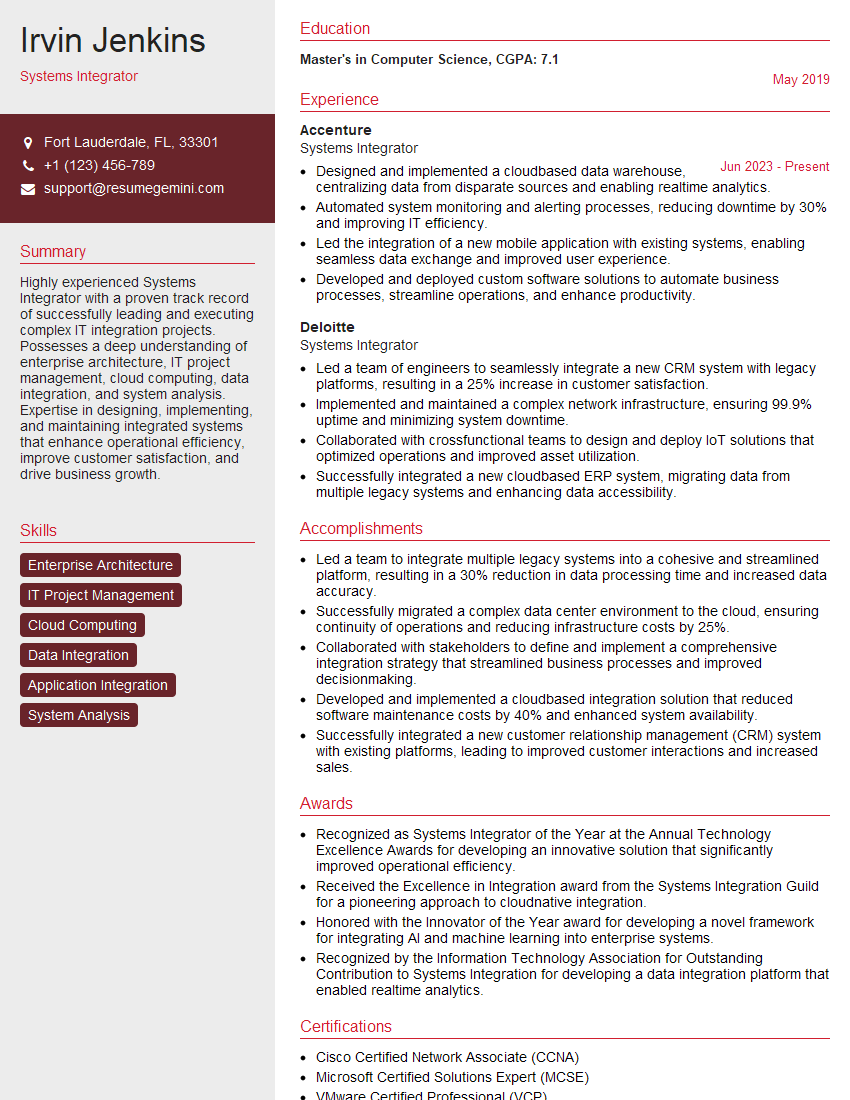
Mastering System Integration and Troubleshooting is crucial for career advancement in today’s interconnected world. These skills are highly sought after, opening doors to challenging and rewarding roles with significant growth potential. To maximize your job prospects, invest time in crafting an ATS-friendly resume that accurately showcases your expertise. ResumeGemini is a trusted resource that can help you build a compelling resume that highlights your achievements and skills effectively. ResumeGemini provides examples of resumes tailored to System Integration and Troubleshooting to help you get started.

Explore more articles
Users Rating of Our Blogs
Share Your Experience
We value your feedback! Please rate our content and share your thoughts (optional).
What Readers Say About Our Blog
Very informative content, great job.
good