Are you ready to stand out in your next interview? Understanding and preparing for System Monitoring and Performance Evaluation interview questions is a game-changer. In this blog, we’ve compiled key questions and expert advice to help you showcase your skills with confidence and precision. Let’s get started on your journey to acing the interview.
Questions Asked in System Monitoring and Performance Evaluation Interview
Q 1. Explain the difference between proactive and reactive system monitoring.
Proactive and reactive system monitoring represent two fundamentally different approaches to ensuring system health and performance. Think of it like preventative healthcare versus emergency room visits.
Reactive monitoring is like waiting for a problem to occur before addressing it. You’re responding to alerts or reported issues. This approach is generally less efficient, as problems may impact users before resolution and often lead to more significant downtime.
Proactive monitoring, on the other hand, anticipates potential issues. It involves continuously collecting system data, establishing baselines, and setting up alerts based on deviations from the norm. This approach is preventative and allows you to address potential problems *before* they impact users. It’s like regular checkups to catch potential health problems before they become critical.
- Reactive Example: A user reports slow website performance; you investigate and find a database issue.
- Proactive Example: Your monitoring system detects unusually high CPU utilization on a web server and sends an alert *before* users experience slowdowns.
Q 2. Describe your experience with various monitoring tools (e.g., Prometheus, Grafana, Nagios, Zabbix).
I have extensive experience with a range of monitoring tools, each suited to different needs and system architectures. My experience includes:
- Prometheus: A powerful, open-source monitoring system focused on time-series data. I’ve used it extensively for collecting metrics from containerized environments (Kubernetes) and microservices. I particularly appreciate its flexible query language (PromQL) and its ability to scale horizontally. For example, I used Prometheus to monitor the health and performance of a large-scale microservices application, identifying slow API calls and memory leaks.
- Grafana: A popular open-source dashboarding tool that I’ve integrated with Prometheus (and other monitoring systems) to visualize system metrics and create insightful dashboards. I’ve used Grafana to build custom dashboards to track key performance indicators (KPIs) such as response times, error rates, and resource utilization.
- Nagios: A robust monitoring system specializing in network and infrastructure monitoring. In the past, I used Nagios to monitor server uptime, network connectivity, and application availability. Its strength lies in its robust alerting capabilities and its ability to manage large infrastructure deployments.
- Zabbix: Another strong contender in the network and application monitoring space. Similar to Nagios, I used Zabbix for comprehensive server monitoring and alerting, configuring triggers to notify us on specific thresholds such as high disk usage or low memory.
My experience includes configuring, implementing, and maintaining these tools in various production environments. I understand their strengths and limitations, and know how to choose the right tool based on the specific monitoring requirements.
Q 3. How do you identify performance bottlenecks in a system?
Identifying performance bottlenecks is a systematic process. I typically follow these steps:
- Gather Data: Use monitoring tools (like those mentioned previously) to collect performance metrics from various system components (CPU, memory, disk I/O, network, database, application).
- Analyze Metrics: Look for anomalies or unexpected trends in the data. For instance, consistently high CPU utilization, slow disk I/O, or long database query times are strong indicators.
- Correlate Data: Crucially, correlate metrics across different components to pinpoint the root cause. For example, high CPU usage might be due to a poorly performing database query. Slow application response times might point to network latency. This step requires good analytical skills and often involves using various visualization tools.
- Profiling and Tracing: Conduct deeper analysis using profiling tools (e.g., for CPU or memory usage) or distributed tracing tools to track requests through the system. This will pinpoint the exact location of the bottleneck.
- Testing and Validation: Once a potential bottleneck is identified, test potential solutions and validate their effectiveness. This may involve code optimization, database tuning, hardware upgrades, or network improvements.
For example, if I found high database latency impacting application response times, I would use database profiling tools to identify slow queries. Then I’d investigate query optimization strategies such as adding indexes or rewriting inefficient queries to reduce the database load.
Q 4. Explain the concept of baselining in performance evaluation.
Baselining in performance evaluation is the process of establishing a stable, representative performance level for a system or application under normal operating conditions. Think of it as setting a benchmark. This baseline serves as a reference point for future performance comparisons.
By establishing a baseline, you can effectively monitor performance over time, identifying deviations that may indicate issues. These deviations (positive or negative) can then be analyzed to detect emerging problems or identify successful performance optimizations.
To create a baseline, I usually collect performance data over a period of time (e.g., a week or a month) during normal operational hours. This data should represent typical usage patterns and avoid including unusual spikes caused by maintenance or exceptional events. The chosen metrics should reflect the key performance aspects of the system.
Once the baseline is established, future performance data can be compared against it. Any significant deviation from the baseline could be a warning signal necessitating further investigation.
Q 5. What are some common performance metrics you track?
The specific performance metrics I track vary depending on the system and its purpose but generally include:
- CPU utilization: Percentage of CPU capacity being used.
- Memory usage: Amount of RAM in use and available.
- Disk I/O: Read/write operations and latency.
- Network bandwidth: Data transmission rates and latency.
- Response times: Time taken for the system to respond to requests (e.g., API calls, database queries).
- Error rates: Frequency of errors or exceptions.
- Transaction throughput: Number of transactions processed per unit of time.
- Queue lengths: Number of pending requests waiting to be processed.
- Application-specific metrics: Metrics tailored to the specific application, such as active users or successful login attempts.
I use these metrics in conjunction with each other to get a holistic view of system performance. For example, high CPU utilization *along with* high disk I/O could point to a disk bottleneck.
Q 6. How do you handle alerts and prioritize incidents during a system outage?
Handling alerts and prioritizing incidents during a system outage requires a structured approach. I typically follow an incident management process that includes:
- Alert Triage: The first step is to determine the severity and impact of each alert. This often involves checking the affected systems, users, and business processes. We use a severity classification system (e.g., critical, major, minor) to prioritize incidents.
- Incident Confirmation: Verify the alert is not a false positive. Often this involves cross-referencing data from multiple monitoring systems.
- Root Cause Analysis: Once the incident is confirmed, initiate a root cause analysis to identify the underlying problem. This may involve investigating logs, using debugging tools, and analyzing performance metrics.
- Communication: Keep stakeholders informed of the outage and progress towards resolution. Transparency is crucial, particularly with users and management.
- Resolution and Recovery: Implement a solution to address the root cause and restore service. This may involve deploying a fix, restarting a service, or rolling back a change.
- Post-Incident Review: After the incident is resolved, conduct a post-incident review to identify lessons learned and prevent similar incidents in the future. This review often leads to improvements in monitoring, processes, and system design.
For example, during a recent outage, our monitoring system alerted us to high error rates on a specific API endpoint. By quickly triaging the alert, we identified the root cause – a recent code deployment containing a bug. We then quickly rolled back the deployment, restoring service and preventing further disruption.
Q 7. Describe your experience with capacity planning and forecasting.
Capacity planning and forecasting are crucial for ensuring system performance and scalability. My experience involves several key aspects:
- Data Collection and Analysis: Gathering historical data on resource utilization (CPU, memory, disk, network). Analyzing trends to predict future needs.
- Workload Modeling: Simulating future workloads to estimate resource requirements under different scenarios (peak usage, growth projections). This might involve using tools that simulate various load conditions.
- Resource Allocation: Determining the optimal allocation of resources (e.g., servers, storage, network bandwidth) based on projected demands.
- Performance Testing: Conducting load testing to validate the system’s ability to handle projected workloads. Identifying potential bottlenecks early in the capacity planning process.
- Scalability Strategies: Designing scalable systems capable of handling future growth. This often involves exploring strategies such as horizontal scaling (adding more servers), vertical scaling (upgrading hardware), or cloud-based solutions.
- Cost Optimization: Balancing capacity needs with cost efficiency. Right-sizing resources to avoid unnecessary expenses.
For instance, I recently worked on a project where we used historical web server logs and user growth projections to model the future load on our application. The results guided us to implement an auto-scaling strategy on a cloud platform, ensuring the application could handle peak traffic demands without compromising performance.
Q 8. Explain your understanding of different logging levels (e.g., DEBUG, INFO, WARN, ERROR).
Logging levels are crucial for managing the volume and type of information recorded by a system. They act like a filter, allowing you to control the detail level of your logs. Think of it as a news report – you wouldn’t want every single detail of every event, just the important ones. Common levels include:
DEBUG: Provides extremely detailed information, useful for developers during debugging. Think of it as a step-by-step account of everything the system is doing. Example: “Database connection established to localhost:5432”.INFO: Records significant events in the system’s operation. It’s like a summary of key happenings. Example: “User ‘JohnDoe’ logged in successfully.”WARN: Indicates a potential problem that might require attention in the future. It’s a yellow warning light. Example: “Disk space is 85% full.”ERROR: Records actual errors that have occurred, disrupting normal operation. This is the red alert. Example: “Database connection failed. Error code: 10061.”FATALorCRITICAL: Indicates a severe error that has caused the system to crash or become unusable. This is a complete system failure.
Effective use involves configuring logging levels based on the environment. In production, you might only log INFO, WARN, and ERROR levels to avoid overwhelming log files. During development, DEBUG is invaluable for pinpointing issues.
Q 9. How do you ensure the accuracy and reliability of monitoring data?
Ensuring accurate and reliable monitoring data is paramount. It’s the foundation of informed decision-making. Several strategies contribute to this:
- Redundancy and Failover: Implement multiple monitoring agents and sensors. If one fails, others continue collecting data. Think of it like having backup generators for your house – you don’t want to be in the dark if the primary power fails.
- Data Validation and Error Handling: Implement checks to identify and handle corrupt or missing data. For example, range checks on metrics and plausibility checks to ensure values are within expected limits. If a sensor reports a CPU usage of 150%, you know something is wrong.
- Calibration and Verification: Regularly check and calibrate monitoring tools and sensors against known good values or independent sources. A simple example would be comparing your network monitoring tool’s bandwidth measurements with what your network provider reports.
- Data Aggregation and Normalization: Combine data from multiple sources, converting it into a consistent format for analysis. This simplifies comparisons and trends identification.
- Secure Data Transmission: Encrypt data in transit to protect its confidentiality and integrity. You wouldn’t want sensitive system metrics to fall into the wrong hands.
By combining these approaches, you build robust and trustworthy data pipelines. This trust is essential when using data to make decisions about your systems.
Q 10. What are some common causes of system performance degradation?
System performance degradation can stem from various sources. Let’s categorize them for clarity:
- Resource Exhaustion: High CPU usage, low memory, insufficient disk space, or network bandwidth saturation. Imagine a car struggling to climb a steep hill because its engine is weak or it’s overloaded with passengers and cargo.
- Software Bugs and Inefficiencies: Poorly written code, memory leaks, inefficient algorithms, and database queries that take too long. These are like the car having a faulty engine component or a flat tire – performance suffers.
- Hardware Failures: Failing hard drives, malfunctioning network cards, or aging processors. This is similar to the car having a broken part that needs replacement.
- Network Congestion: High network latency and packet loss due to network congestion or routing issues. Imagine heavy traffic slowing down your commute – it’s the same with network traffic slowing down data transfer.
- Application Bottlenecks: Inefficient application design, poorly configured settings, or I/O bottlenecks impacting responsiveness. This is like having a poorly designed highway system, creating bottlenecks.
- Security Threats: Malware or DDoS attacks consuming system resources or affecting network performance. This is like someone deliberately sabotaging your car to prevent it from running efficiently.
Identifying the root cause requires careful investigation and the use of monitoring tools and techniques.
Q 11. How do you troubleshoot performance issues in a distributed system?
Troubleshooting distributed systems requires a systematic approach. It’s like finding a needle in a haystack, but the haystack is spread across multiple locations.
- Identify the Affected Component: Use monitoring tools to pinpoint the specific service, application, or infrastructure component experiencing performance issues. This is like narrowing down the search area.
- Gather Metrics: Collect relevant performance metrics, such as CPU usage, memory consumption, network latency, and disk I/O. This provides clues about the problem’s nature.
- Analyze Logs and Traces: Examine logs from various components to identify error messages, exceptions, and other clues. Think of logs as breadcrumbs that lead you to the problem.
- Distributed Tracing: Use distributed tracing tools to track requests across multiple services and identify bottlenecks. This is crucial for understanding how requests flow through your system.
- Isolate the Problem: By combining metrics and logs, isolate the specific component responsible for the performance issue. This helps narrow down the possible causes.
- Reproduce the Issue: If possible, try to reproduce the issue in a test environment to understand its causes and test solutions.
- Implement and Verify Solutions: Once you understand the problem, implement appropriate solutions and monitor performance to confirm they are effective. Ensure your solution doesn’t create new problems.
Tools like Zipkin, Jaeger, and Datadog are invaluable for distributed tracing and monitoring.
Q 12. Describe your experience with performance testing tools (e.g., JMeter, LoadRunner).
I have extensive experience with performance testing tools, primarily JMeter and LoadRunner. Both are powerful, but they have different strengths.
- JMeter: Open-source, highly flexible, and well-suited for testing web applications. I’ve used it to simulate thousands of concurrent users, measuring response times, throughput, and error rates. For example, I’ve used JMeter to test the scalability of an e-commerce website during peak shopping seasons. It allows you to create complex test scenarios to simulate real-world user behavior.
- LoadRunner: A commercial tool with advanced features like protocol support and enterprise-grade capabilities. Its strength lies in its ability to test applications under heavy load and identify bottlenecks, especially in complex environments. I utilized LoadRunner to stress test a large banking application, identifying performance issues related to database interactions and network traffic.
My experience involves scripting tests, analyzing results, generating reports, and collaborating with development teams to address performance bottlenecks. Choosing the right tool depends on the specific application, budget, and technical requirements.
Q 13. How do you use monitoring data to inform decision-making?
Monitoring data provides critical insights for making informed decisions, guiding improvements, and preventing future issues. For instance:
- Capacity Planning: Analyzing historical trends in resource utilization helps forecast future needs. If CPU usage consistently spikes during peak hours, we can proactively scale up resources to prevent performance degradation.
- Performance Optimization: Identifying bottlenecks using monitoring data points directly to areas requiring optimization. If database queries are consistently slow, we can optimize the database schema, indexes, or application code.
- Incident Response: Real-time alerts on critical events enable rapid response to incidents. Immediate notification of a disk failure allows us to prevent data loss and downtime.
- Root Cause Analysis: Correlating different metrics (CPU, memory, network, etc.) with error logs often helps pinpoint the root cause of problems. For example, high error rates coupled with high disk I/O suggest a potential disk problem.
- Resource Allocation: Understanding resource usage across different applications helps prioritize resource allocation. If one application consistently consumes excessive resources, we can optimize its performance or allocate additional resources.
Effective decision-making relies on transforming raw data into actionable insights. Dashboards, visualizations, and alerts are crucial tools in this process.
Q 14. Explain your experience with different types of monitoring (e.g., application, infrastructure, network).
My experience encompasses various monitoring types, each providing different perspectives on system health:
- Application Monitoring: Focuses on the performance and behavior of individual applications. This includes metrics like transaction response times, error rates, and resource consumption within the application itself. I’ve used tools like AppDynamics and Dynatrace to monitor application health and performance.
- Infrastructure Monitoring: Tracks the health and performance of underlying infrastructure components, such as servers, databases, and network devices. Metrics include CPU usage, memory utilization, disk I/O, network bandwidth, and server uptime. Tools like Nagios, Zabbix, and Prometheus are frequently employed.
- Network Monitoring: Monitors the performance and availability of network infrastructure, including routers, switches, and network connections. Key metrics include latency, bandwidth utilization, packet loss, and network connectivity. I have experience with network monitoring tools such as SolarWinds and PRTG.
- Log Monitoring: Analyzes system and application logs to identify errors, warnings, and other significant events. This helps proactively identify issues and investigate incidents. Tools like Elasticsearch, Logstash, and Kibana (ELK stack) are frequently used.
Often these types of monitoring work together providing a holistic view of the entire system. For example, slow application response times (application monitoring) might be caused by high database server CPU usage (infrastructure monitoring), which in turn could be caused by network congestion (network monitoring). Comprehensive monitoring helps to uncover these relationships.
Q 15. How do you handle conflicting priorities when addressing performance issues?
Prioritizing performance issues, especially with conflicting demands, requires a systematic approach. I use a framework that combines urgency and impact. I start by assessing each issue’s impact on business objectives and its urgency—how quickly it needs to be resolved. This creates a matrix where I can visually prioritize. For example, a critical application experiencing high latency impacting sales (high impact, high urgency) would take precedence over a minor bug affecting a rarely-used feature (low impact, low urgency). Once prioritized, I clearly communicate the plan to stakeholders, ensuring transparency and managing expectations. If absolutely necessary, I may involve escalation processes or secure additional resources to handle the most critical issues effectively.
Imagine a scenario where a database server is slow, impacting a major e-commerce website, while simultaneously a less critical reporting system is malfunctioning. Using the urgency/impact matrix, the e-commerce issue is tackled first, ensuring minimal downtime and revenue loss. Later, resources are allocated to fixing the reporting system.
Career Expert Tips:
- Ace those interviews! Prepare effectively by reviewing the Top 50 Most Common Interview Questions on ResumeGemini.
- Navigate your job search with confidence! Explore a wide range of Career Tips on ResumeGemini. Learn about common challenges and recommendations to overcome them.
- Craft the perfect resume! Master the Art of Resume Writing with ResumeGemini’s guide. Showcase your unique qualifications and achievements effectively.
- Don’t miss out on holiday savings! Build your dream resume with ResumeGemini’s ATS optimized templates.
Q 16. What is your experience with setting up and managing monitoring dashboards?
I have extensive experience designing and managing monitoring dashboards using tools like Grafana, Prometheus, and Datadog. My approach focuses on creating clear, concise visualizations that provide immediate insights into system health and performance. Dashboards are tailored to different user roles; developers see detailed metrics, while managers get high-level overviews. Key metrics are prominently displayed, and alerts are integrated to provide immediate notification of critical issues. I utilize color-coding and thresholds to quickly identify problems. For example, a red alert on CPU utilization exceeding 90% instantly signals potential issues.
In one project, I implemented a Grafana dashboard for a microservices architecture. This dashboard displayed real-time metrics for each service, including CPU, memory, request latency, and error rates. This allowed for rapid identification and isolation of performance bottlenecks.
Q 17. Explain your understanding of SLAs (Service Level Agreements) and their impact on monitoring.
Service Level Agreements (SLAs) are crucial for defining the expected performance of IT services. They establish measurable targets for uptime, response times, and other key metrics. Monitoring plays a critical role in ensuring compliance with these SLAs. My approach involves setting up monitoring systems to track the metrics defined in the SLA, such as average response time or the percentage of uptime. These metrics are then continuously monitored, and automated alerts are triggered when targets are not met. Regular reports are generated to demonstrate performance against the SLA, enabling proactive problem resolution and preventing potential service disruptions.
For instance, an SLA might specify 99.9% uptime for a web application. Monitoring tools would track uptime, and alerts would be triggered if uptime drops below the threshold, enabling rapid investigation and remediation. The reporting generated then demonstrates whether that 99.9% target is being consistently met.
Q 18. Describe your experience with automating monitoring tasks.
Automation is paramount for efficient monitoring. I extensively utilize scripting languages like Python and tools like Ansible and Terraform to automate various tasks. This includes automated deployments of monitoring agents, automated collection and aggregation of metrics, and automated generation of reports. Automation saves significant time and resources while ensuring consistency and accuracy. I’ve used Ansible to deploy monitoring agents across hundreds of servers, automating a process that would have been incredibly time-consuming manually.
For example, I’ve automated the process of deploying monitoring agents onto new servers using Ansible playbooks. These playbooks automatically install the agent, configure it, and register it with the central monitoring system. This eliminates manual intervention, reducing deployment time and human error.
Q 19. How do you ensure the scalability of your monitoring solutions?
Scalability in monitoring is crucial as systems grow. I achieve this by using distributed monitoring systems, leveraging technologies like Elasticsearch, Logstash, and Kibana (ELK stack) or cloud-based solutions like Datadog or Prometheus. These systems can handle large volumes of data and easily scale horizontally by adding more nodes. Furthermore, I employ strategies for efficient data storage and retrieval. This includes techniques like data aggregation and downsampling to reduce the volume of data needing processing while retaining critical insights.
In a previous project, we used the ELK stack to monitor a rapidly expanding e-commerce platform. As the platform grew, we simply added more nodes to the ELK cluster, ensuring that the monitoring system could keep pace with the increasing volume of data.
Q 20. What is your experience with implementing and managing alerting systems?
Implementing and managing alerting systems is essential for timely response to performance issues. I configure alerting based on critical thresholds, ensuring alerts are actionable and relevant, avoiding alert fatigue. I use tools like PagerDuty, Opsgenie, or built-in alerting features within monitoring platforms. The system dynamically routes alerts to the appropriate personnel based on their roles and responsibilities. Alert escalation policies are implemented to ensure issues are addressed promptly. Crucially, I regularly review and refine alerting rules to maintain accuracy and effectiveness.
For example, we might set up alerts for high CPU utilization, high latency, or high error rates. Alerts would be escalated if an issue persists despite initial attempts at resolution.
Q 21. How do you measure the effectiveness of your monitoring strategies?
Measuring the effectiveness of monitoring strategies involves several key aspects. Firstly, I track the Mean Time To Detection (MTTD) and Mean Time To Resolution (MTTR) of incidents. A decrease in MTTD indicates faster problem detection, while a reduction in MTTR signifies quicker problem resolution. Secondly, I analyze the reduction in system downtime and the improvement in service availability. Thirdly, I gather feedback from stakeholders about the usability and effectiveness of the monitoring system. Finally, I analyze the cost-effectiveness of the monitoring strategy, considering the cost of the tools and resources against the cost of downtime and lost productivity.
Improvements in these metrics—lower MTTD and MTTR, increased uptime, positive stakeholder feedback, and demonstrable cost savings—directly indicate a successful monitoring strategy. Regular reviews of these metrics allow for continuous improvement and optimization.
Q 22. Describe your experience working with different operating systems (e.g., Linux, Windows).
My experience spans a wide range of operating systems, with a strong focus on Linux and Windows. In Linux environments, I’ve extensively used distributions like CentOS, Ubuntu, and Red Hat Enterprise Linux, leveraging their command-line interfaces and system tools for deep performance analysis. I’m proficient in using tools like top, htop, iostat, vmstat, and iotop for real-time monitoring and identifying bottlenecks. For Windows, I’m experienced with Performance Monitor, Resource Monitor, and Event Viewer, using them to diagnose performance issues and understand system resource utilization. I’ve worked on both server and desktop OS versions, understanding the differences in resource management and performance characteristics.
For example, I once troubleshooted a performance bottleneck on a CentOS server where a poorly configured cron job was consuming excessive CPU resources. Using top, I quickly identified the culprit and implemented changes to its execution schedule, resolving the performance issue immediately. On the Windows side, I investigated slow application startup times by analyzing Event Viewer logs and Performance Monitor data to pinpoint the root cause—in that case, it was a poorly performing anti-virus software that was impacting startup processes.
Q 23. How do you identify and prevent performance regressions?
Identifying performance regressions involves establishing a baseline performance profile and then meticulously comparing subsequent measurements. I typically use automated monitoring tools and custom scripts to track key performance indicators (KPIs) like response times, CPU usage, memory consumption, and network throughput. Regression detection often involves analyzing trends over time – a sudden, significant deviation from the baseline indicates a potential regression.
Preventing regressions involves a multi-pronged approach. Firstly, rigorous testing is crucial; this includes unit tests, integration tests, and performance tests before deploying any code changes. Secondly, implementing robust monitoring and alerting systems ensures that any performance degradation is detected immediately. Finally, a well-defined change management process—including rollback plans—mitigates the impact of any undetected regressions.
For instance, in one project, we integrated a new feature and noticed a significant increase in database query times. By comparing before-and-after performance metrics, we pinpointed the problem to a poorly optimized database query. Rewriting the query and adding appropriate indexes resolved the regression.
Q 24. Explain your approach to investigating and resolving performance anomalies.
My approach to investigating performance anomalies follows a systematic process. It begins with gathering data using monitoring tools and logs. I then analyze the data to identify patterns and potential causes. This might involve correlating events across multiple system components, identifying resource bottlenecks, or tracing the execution path of problematic processes.
Next, I formulate hypotheses about the root cause and design experiments to test them. These experiments might involve modifying system configurations, isolating components, or running controlled load tests. Once the root cause is identified, I implement a solution, and then I thoroughly verify that the solution has resolved the anomaly without introducing new problems. This often involves re-running performance tests and monitoring the system for a period after the fix is implemented.
For example, I recently addressed intermittent slowdowns on a web server. By analyzing server logs and monitoring tools, I discovered high disk I/O during peak hours. Investigating further, I found that the log rotation mechanism was inefficiently written, causing spikes in disk activity. By optimizing the log rotation and increasing the disk I/O buffer size, the slowdowns were completely eliminated.
Q 25. Describe your experience with performance tuning databases.
My experience with database performance tuning encompasses various database systems, including MySQL, PostgreSQL, and SQL Server. Tuning involves optimizing database schema design, queries, indexes, and server configurations. I utilize database-specific tools for performance analysis, such as EXPLAIN PLAN in Oracle and SQL Server’s Profiler, to pinpoint inefficient queries.
Techniques I regularly employ include optimizing table structures by using appropriate data types and indexing strategies, rewriting inefficient queries, and adjusting server settings, such as buffer pool sizes and connection limits. I also have experience with query caching, connection pooling, and read replicas to enhance performance and scalability.
In one case, I improved the performance of a MySQL database by 80% by identifying and optimizing poorly performing queries. This involved adding indexes to tables, rewriting inefficient JOINs, and optimizing the database server configuration to match the workload characteristics.
Q 26. How do you collaborate with developers to improve system performance?
Collaboration with developers is essential for optimizing system performance. I work closely with them throughout the software development lifecycle, starting from the design phase. I provide guidance on performance-conscious coding practices and offer feedback on design decisions that might impact performance. I also contribute to code reviews, identifying potential performance bottlenecks early in the development process.
I utilize various tools and techniques to facilitate this collaboration, such as shared dashboards, performance test results, and code profiling data. I also regularly hold meetings and workshops to educate developers about performance best practices and communicate performance requirements.
For instance, I collaborated with developers to optimize a REST API that was experiencing latency issues. By working with the team, we identified a performance bottleneck within the API’s implementation, leading to a redesigned application architecture that significantly improved the system’s responsiveness.
Q 27. What are some best practices for designing a highly available and performant system?
Designing a highly available and performant system necessitates a holistic approach considering several key aspects. High availability focuses on minimizing downtime and ensuring continuous operation even in the event of failures. Performance optimization aims to ensure that the system can handle the expected load efficiently. These two goals often intertwine.
- Redundancy: Implement redundancy at all critical layers, including servers, network infrastructure, and databases. This can involve techniques like load balancing, clustering, and failover mechanisms.
- Scalability: Design the system to scale horizontally (adding more machines) rather than vertically (increasing the capacity of individual machines). This approach provides better flexibility and resilience.
- Monitoring and Alerting: Implement robust monitoring and alerting to detect potential issues promptly. This allows for proactive intervention, minimizing the impact of any problems.
- Caching: Utilize caching strategies (e.g., CDN, Redis) to reduce load on backend systems and improve response times.
- Asynchronous Processing: Use asynchronous communication (e.g., message queues) to decouple different components and improve responsiveness.
- Automated Deployment and Rollbacks: Automate deployment processes to ensure quick and consistent updates and have rollback plans in place to revert to previous stable states if an issue arises.
For example, a highly available e-commerce platform might utilize a load balancer distributing traffic across multiple web servers, a clustered database, and a content delivery network (CDN) for static assets. This architecture ensures high availability and performance even during peak shopping seasons.
Key Topics to Learn for System Monitoring and Performance Evaluation Interview
- System Metrics & KPIs: Understanding key performance indicators (KPIs) like CPU utilization, memory usage, disk I/O, network latency, and their implications for system health. Learn how to choose the right metrics for different system types and application needs.
- Monitoring Tools & Technologies: Familiarity with various monitoring tools (e.g., Prometheus, Grafana, Nagios, Zabbix) and their functionalities. Be prepared to discuss your experience with specific tools and their strengths and weaknesses.
- Log Analysis & Troubleshooting: Mastering the art of analyzing system logs to identify bottlenecks, errors, and performance issues. Practice interpreting log entries and correlating them with system metrics to pinpoint root causes.
- Performance Profiling & Optimization: Techniques for identifying performance bottlenecks in applications and systems. This includes understanding profiling tools and strategies for optimizing resource usage and reducing latency.
- Alerting & Automation: Designing effective alerting systems to proactively identify issues. Discuss your understanding of automation tools and scripts for managing and responding to alerts.
- Capacity Planning & Forecasting: Understanding how to predict future resource needs based on historical data and projected growth. This involves using data analysis to ensure sufficient resources are available to meet demands.
- Security Considerations in Monitoring: Discuss security best practices in monitoring, including data encryption, access control, and secure log management.
Next Steps
Mastering System Monitoring and Performance Evaluation is crucial for career advancement in today’s technology-driven world. These skills are highly sought after, opening doors to exciting opportunities and higher earning potential. To maximize your job prospects, crafting a strong, ATS-friendly resume is essential. ResumeGemini can help you build a compelling resume that highlights your skills and experience effectively. Take advantage of their resources and explore examples of resumes tailored specifically to System Monitoring and Performance Evaluation roles to present yourself as a top candidate.

Data Center Manager Resume Sample

Principal Engineer Resume Sample

Security Engineer Resume Sample

Systems Analyst Resume Sample

Network Engineer Resume Sample

Solutions Architect Resume Sample

Infrastructure Engineer Resume Sample
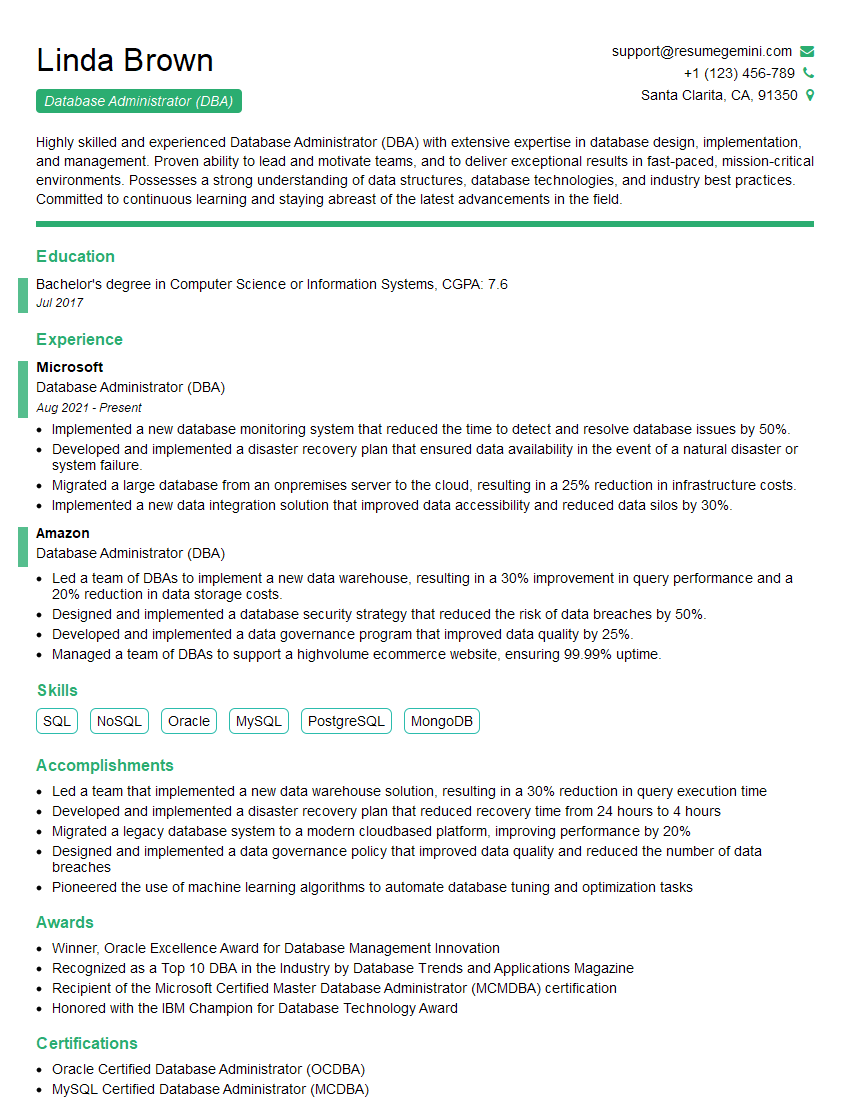
Database Administrator (DBA) Resume Sample

System Administrator Resume Sample

IT Manager Resume Sample

Technical Lead Resume Sample

DevOps Engineer Resume Sample
Explore more articles
Users Rating of Our Blogs
Share Your Experience
We value your feedback! Please rate our content and share your thoughts (optional).
What Readers Say About Our Blog
Hello,
we currently offer a complimentary backlink and URL indexing test for search engine optimization professionals.
You can get complimentary indexing credits to test how link discovery works in practice.
No credit card is required and there is no recurring fee.
You can find details here:
https://wikipedia-backlinks.com/indexing/
Regards
NICE RESPONSE TO Q & A
hi
The aim of this message is regarding an unclaimed deposit of a deceased nationale that bears the same name as you. You are not relate to him as there are millions of people answering the names across around the world. But i will use my position to influence the release of the deposit to you for our mutual benefit.
Respond for full details and how to claim the deposit. This is 100% risk free. Send hello to my email id: [email protected]
Luka Chachibaialuka
Hey interviewgemini.com, just wanted to follow up on my last email.
We just launched Call the Monster, an parenting app that lets you summon friendly ‘monsters’ kids actually listen to.
We’re also running a giveaway for everyone who downloads the app. Since it’s brand new, there aren’t many users yet, which means you’ve got a much better chance of winning some great prizes.
You can check it out here: https://bit.ly/callamonsterapp
Or follow us on Instagram: https://www.instagram.com/callamonsterapp
Thanks,
Ryan
CEO – Call the Monster App
Hey interviewgemini.com, I saw your website and love your approach.
I just want this to look like spam email, but want to share something important to you. We just launched Call the Monster, a parenting app that lets you summon friendly ‘monsters’ kids actually listen to.
Parents are loving it for calming chaos before bedtime. Thought you might want to try it: https://bit.ly/callamonsterapp or just follow our fun monster lore on Instagram: https://www.instagram.com/callamonsterapp
Thanks,
Ryan
CEO – Call A Monster APP
To the interviewgemini.com Owner.
Dear interviewgemini.com Webmaster!
Hi interviewgemini.com Webmaster!
Dear interviewgemini.com Webmaster!
excellent
Hello,
We found issues with your domain’s email setup that may be sending your messages to spam or blocking them completely. InboxShield Mini shows you how to fix it in minutes — no tech skills required.
Scan your domain now for details: https://inboxshield-mini.com/
— Adam @ InboxShield Mini
Reply STOP to unsubscribe
Hi, are you owner of interviewgemini.com? What if I told you I could help you find extra time in your schedule, reconnect with leads you didn’t even realize you missed, and bring in more “I want to work with you” conversations, without increasing your ad spend or hiring a full-time employee?
All with a flexible, budget-friendly service that could easily pay for itself. Sounds good?
Would it be nice to jump on a quick 10-minute call so I can show you exactly how we make this work?
Best,
Hapei
Marketing Director
Hey, I know you’re the owner of interviewgemini.com. I’ll be quick.
Fundraising for your business is tough and time-consuming. We make it easier by guaranteeing two private investor meetings each month, for six months. No demos, no pitch events – just direct introductions to active investors matched to your startup.
If youR17;re raising, this could help you build real momentum. Want me to send more info?
Hi, I represent an SEO company that specialises in getting you AI citations and higher rankings on Google. I’d like to offer you a 100% free SEO audit for your website. Would you be interested?
Hi, I represent an SEO company that specialises in getting you AI citations and higher rankings on Google. I’d like to offer you a 100% free SEO audit for your website. Would you be interested?
good