Preparation is the key to success in any interview. In this post, we’ll explore crucial Telecommunications Equipment Testing and Repair interview questions and equip you with strategies to craft impactful answers. Whether you’re a beginner or a pro, these tips will elevate your preparation.
Questions Asked in Telecommunications Equipment Testing and Repair Interview
Q 1. Explain the OSI model and its relevance to troubleshooting telecom equipment.
The OSI (Open Systems Interconnection) model is a conceptual framework that standardizes the functions of a telecommunication or computing system without regard to its underlying internal structure and technology. It divides network communication into seven distinct layers, each with specific responsibilities. Think of it like a layered cake, each layer performing a specific function, and all layers working together for a successful communication.
- Layer 1 (Physical): Deals with the physical cables, connectors, and signals. Think of it as the actual wires and electricity.
- Layer 2 (Data Link): Handles addressing and error detection within a local network. It’s like ensuring your letter reaches the correct mailbox on your street.
- Layer 3 (Network): Handles routing packets between networks. This is the layer that figures out the best path for your letter to reach its destination city.
- Layer 4 (Transport): Provides reliable end-to-end data delivery. This ensures your letter arrives complete and in order.
- Layer 5 (Session): Manages connections between applications. It’s like setting up and tearing down a phone call.
- Layer 6 (Presentation): Handles data formatting and encryption. It’s like translating your letter into a language the recipient understands.
- Layer 7 (Application): Provides network services to applications. This is the layer where you actually write and send your letter.
In troubleshooting telecom equipment, the OSI model provides a systematic approach. By isolating the problem to a specific layer, we can quickly pinpoint the source of the malfunction. For example, if a physical cable is damaged (Layer 1), the problem is easily identified. However, if the issue involves incorrect addressing (Layer 2), a different approach is needed.
Q 2. Describe your experience with various testing equipment (e.g., OTDR, spectrum analyzer).
My experience encompasses a wide range of testing equipment. I’m proficient with OTDRs (Optical Time-Domain Reflectometers) for identifying faults and measuring parameters in fiber optic cables. I use them regularly to locate cable breaks, identify splices, and measure fiber attenuation. I’ve worked extensively with spectrum analyzers to identify signal interference, noise levels, and to analyze the frequency response of various telecom components. This helps in identifying issues with signal quality, as well as diagnosing issues related to interference from other sources.
I also have experience with other equipment like protocol analyzers (for analyzing network protocols), power meters (for measuring optical power levels), and various multimeters (for basic electrical tests). Each tool plays a crucial role in different aspects of testing and repair.
For instance, during a recent project, I used an OTDR to pinpoint a microbend in a fiber optic cable causing significant attenuation. The OTDR’s visual display clearly showed the location and severity of the bend, enabling efficient repair. In another case, a spectrum analyzer helped identify interference from a nearby radio transmitter causing disruptions on a wireless network.
Q 3. How do you troubleshoot a faulty T1 line?
Troubleshooting a faulty T1 line involves a systematic approach, starting from the simplest checks and progressively moving to more complex diagnostics. A T1 line is a digital telecommunications line carrying multiple voice channels, and issues can range from simple cable problems to complex network configuration errors.
- Visual Inspection: Begin by visually inspecting the cable and connectors for any obvious damage, loose connections, or corrosion. This is often the easiest and quickest way to find a problem.
- Signal Level Check: Use a test set to measure the signal levels at both ends of the T1 line. Low or unstable signal levels often indicate a problem with the line or equipment.
- Loopback Test: Perform a loopback test to check if the issue lies with the transmitting or receiving equipment. This involves sending a signal from one end and then looping it back to the same end to see if it’s received correctly.
- Time-Domain Reflectometry (TDR): If the problem persists, use a TDR to detect impedance mismatches and locate faults within the cable. This identifies the location of any breaks or shorts.
- Check the Line Termination Equipment: Examine the CSU/DSU (Channel Service Unit/Data Service Unit) at both ends of the line. Issues with the CSU/DSU can cause T1 line problems.
- Check Network Infrastructure: Investigate the network elements, such as routers and switches. Problems with network configuration or routing can affect T1 line connectivity.
Remember to document each step and your findings. This methodical approach helps to isolate the source of the problem quickly and efficiently. For example, if the signal levels are low at only one end, it points towards a problem at the receiving end, possibly a faulty CSU/DSU. If the loopback test fails, it points towards an issue within the line or the equipment.
Q 4. What are common causes of signal degradation in fiber optic cables?
Signal degradation in fiber optic cables can stem from several factors:
- Macrobending: Excessive bending of the fiber cable, causing significant attenuation.
- Microbending: Tiny bends in the fiber, often caused by pressure or improper cable handling. These are difficult to detect visually.
- Attenuation: The natural loss of signal strength as light travels through the fiber. This increases with distance and wavelength.
- Splices and Connectors: Poorly made splices or connectors can introduce significant losses.
- Environmental Factors: Temperature fluctuations, humidity, and vibrations can affect the signal quality.
- Cable Damage: Physical damage, such as cuts, scratches, or crushing, can disrupt the signal transmission.
- Contamination: Dirt, dust, or debris on the fiber’s end faces can hinder light transmission.
Identifying the cause often involves using OTDRs to pinpoint the location and type of degradation. For example, a sharp drop in signal power indicated by an OTDR might suggest a break or a poorly made splice, while a gradual attenuation might indicate macrobending or simply the effects of fiber length. Addressing these issues could involve replacing sections of the cable, improving splice quality, or re-routing cables to reduce stress.
Q 5. Explain your experience with different types of cabling (e.g., coaxial, fiber, twisted pair).
My experience with different cabling types is extensive. I’ve worked extensively with coaxial cable, fiber optic cable, and twisted-pair cabling, each with its own characteristics and applications.
- Coaxial Cable: I’ve used coaxial cable primarily for legacy applications or in situations requiring high bandwidth over shorter distances, like some video and broadband applications. It’s susceptible to signal attenuation and interference.
- Fiber Optic Cable: Fiber optics are my go-to for high-bandwidth, long-distance transmission. My expertise here is deep, encompassing various types of fiber (single-mode, multi-mode) and deployment scenarios. I regularly use OTDRs to diagnose and troubleshoot fiber networks.
- Twisted-Pair Cable: This is widely used in local area networks (LANs) and for telephone connections. Different categories (Cat5e, Cat6, etc.) offer varying bandwidth capabilities. I’m familiar with various termination techniques, and have diagnosed issues caused by poor termination, crosstalk, and cable damage.
In a recent project, we transitioned a client’s network from a copper-based system using twisted pair to a fiber optic network. The copper cabling was showing signs of age and performance limitations, while fiber offered a significant increase in bandwidth and a more stable, secure network.
Q 6. How do you diagnose and repair issues with VoIP systems?
Troubleshooting VoIP systems requires a multifaceted approach, combining network diagnostics with voice quality analysis.
- Network Connectivity: Verify network connectivity between the VoIP phones and the server. This includes checking IP addresses, subnet masks, default gateways, and DNS settings. Packet loss and latency are critical metrics to monitor using network monitoring tools.
- Codec Compatibility: Ensure the VoIP phones and server use compatible codecs. Incompatible codecs can lead to poor voice quality.
- Quality of Service (QoS): VoIP traffic requires prioritization to ensure timely delivery. Incorrect QoS configuration can lead to dropped calls and poor voice quality. Check your routers and switches for proper QoS settings.
- Jitter and Latency: High jitter (variation in packet arrival times) and high latency (delay in packet transmission) lead to poor voice quality. Measure jitter and latency using network monitoring tools.
- Signal-to-Noise Ratio (SNR): Low SNR indicates excessive background noise, hindering voice clarity. Use a VoIP testing tool to measure the SNR.
- Power Levels: Improper power levels can affect VoIP phone operation. Check the power levels of the phones and the network equipment.
For example, if I encounter choppy audio, I would first check for packet loss and latency. If those are high, I would investigate network congestion or QoS issues. If the problem is only with specific phones, it might indicate a problem with those individual phones or their network configurations. Always check the most obvious and simplest options first before moving to more complex investigations.
Q 7. Describe your process for identifying and resolving network connectivity problems.
My process for resolving network connectivity problems is systematic and follows a structured approach:
- Gather Information: Start by collecting information about the problem. What is the nature of the problem? Which devices are affected? When did the problem start? What changes were made recently?
- Check the Obvious: Verify the basics – are the devices powered on? Are cables connected properly? Are there any obvious signs of damage?
- Isolate the Problem: Determine whether the problem is localized to a single device or affects a larger part of the network. Use tools like ping and traceroute to test connectivity.
- Test Connectivity: Use network diagnostic tools such as ping, traceroute, and network analyzers to pinpoint the source of the problem. This can reveal whether the issue is a network configuration problem, a faulty device, or cable damage.
- Check Network Devices: Examine routers, switches, and other network devices to ensure they are functioning correctly and properly configured.
- Consult Documentation: Refer to network diagrams and documentation to understand the network topology and identify potential points of failure.
- Escalate if Necessary: If the problem persists or involves complex network issues, escalate the problem to a higher-level support team.
This approach allows me to troubleshoot problems quickly and effectively. I always start with the simplest and most probable causes before progressing to more complex troubleshooting steps. By documenting each step and its outcome, I ensure efficient problem resolution and prevent recurrence.
Q 8. What are your experiences with different types of network topologies (e.g., star, ring, mesh)?
Network topologies define how devices are interconnected in a network. I’ve extensive experience with Star, Ring, and Mesh topologies, each with its strengths and weaknesses.
Star Topology: This is the most common topology, with all devices connecting to a central hub or switch. It’s simple to manage and troubleshoot, as a failure in one device doesn’t affect the entire network. Think of it like a wheel, with the hub at the center and spokes representing the connections to individual computers or devices. I’ve worked on numerous corporate LANs using this topology.
Ring Topology: In a ring topology, devices are connected in a closed loop. Data travels in one direction around the ring. While offering equal access to all devices, a single point of failure anywhere in the ring can bring down the entire network. This is less common now, though I have experience troubleshooting legacy systems using this architecture.
Mesh Topology: This topology offers multiple paths between devices, providing high redundancy and fault tolerance. It’s more complex to manage but crucial for robust networks like those found in telecommunications infrastructure. I’ve worked on projects involving mesh networks for resilient communication links in remote areas, ensuring minimal downtime.
My experience includes designing, implementing, and troubleshooting networks using these various topologies, optimizing them for performance and reliability.
Q 9. How do you handle escalating a problem to a higher level of support?
Escalating a problem involves a structured approach to ensure timely resolution and efficient use of resources. My process typically involves these steps:
- Document Thoroughly: I meticulously document all troubleshooting steps taken, including error messages, configuration settings, and test results. This provides crucial context for the next level of support.
- Internal Escalation: First, I’ll attempt to resolve the issue within my team. This often involves collaborating with colleagues to brainstorm solutions and share knowledge.
- Formal Escalation: If internal efforts fail, I escalate the issue to the next level of support through a documented ticket, including all previous documentation. This may involve a manager or a specialized support team. The escalation report will clearly state the problem, steps already taken, and the urgency of the situation.
- Communication: Maintaining clear and consistent communication with all parties is critical. I keep everyone updated on the progress and any new developments.
I’ve found this structured approach ensures that problems are addressed effectively, and that the most appropriate expertise is applied efficiently.
Q 10. What safety precautions do you take when working with high-voltage equipment?
Safety is paramount when working with high-voltage equipment. My safety protocols always include the following:
Lockout/Tagout (LOTO): Before any work is done, I always use LOTO procedures to de-energize the equipment and prevent accidental re-energization. This is a critical step to prevent electrical shock.
Personal Protective Equipment (PPE): I wear appropriate PPE, including insulated gloves, safety glasses, and arc flash protective clothing, as needed. The specific PPE depends on the voltage level and the task.
Voltage Verification: Before touching any equipment, I always double-check with a voltage tester to ensure it is de-energized. I never rely on visual inspections alone.
Proper Training and Certification: I hold the necessary certifications and have received thorough training on working with high-voltage equipment. This includes understanding safety procedures, recognizing hazards, and responding to emergencies.
Work Permits: In many situations, work permits are required before commencing any work on high-voltage systems, ensuring that all safety protocols are in place and checked by supervisors.
I strictly adhere to all safety regulations and company policies. Safety is not just a set of rules; it’s a mindset.
Q 11. Explain your experience with various network protocols (e.g., TCP/IP, UDP).
I have extensive experience with various network protocols, with TCP/IP and UDP being fundamental.
TCP/IP (Transmission Control Protocol/Internet Protocol): This is the foundation of the internet. TCP is connection-oriented, guaranteeing reliable data delivery through acknowledgements and retransmissions. It’s ideal for applications requiring data integrity, such as web browsing and email. I’ve used TCP/IP extensively in configuring routers, switches, and servers.
UDP (User Datagram Protocol): UDP is connectionless and doesn’t guarantee delivery. It’s faster than TCP but less reliable. It’s used for applications where speed is prioritized over guaranteed delivery, such as streaming video or online gaming. I’ve used UDP in troubleshooting streaming services and diagnosing network latency issues.
Beyond TCP/IP and UDP, I’m also familiar with other protocols like HTTP, FTP, DHCP, and DNS, and how they all work together within a network ecosystem. Understanding the nuances of these protocols is essential for effective network troubleshooting and optimization.
Q 12. How familiar are you with network monitoring tools?
I’m proficient with a range of network monitoring tools, including:
SNMP (Simple Network Management Protocol): I use SNMP to collect data from network devices, allowing for proactive monitoring of performance and resource utilization. It’s essential for detecting issues before they escalate.
Wireshark: This powerful packet analyzer helps me capture and analyze network traffic, identifying bottlenecks, security threats, and protocol-specific problems. I’ve used Wireshark to diagnose complex network issues, pinpointing the root cause of connectivity problems.
Nagios/Zabbix: These are monitoring systems that provide real-time alerts and reporting on network performance. I use them to proactively identify potential problems and ensure network uptime.
SolarWinds/PRTG: These are comprehensive network monitoring tools that offer a consolidated view of network performance and availability across multiple platforms.
My experience with these tools allows me to effectively monitor, analyze, and optimize network performance, ensuring network stability and reliability.
Q 13. Describe your experience with diagnosing and resolving problems related to DSL or Cable modem connections.
Diagnosing and resolving DSL and Cable modem connection issues requires a systematic approach. I typically start with the basics and progress to more advanced troubleshooting techniques.
Basic Checks: I begin by verifying the physical connection, checking cables, power, and signal lights on the modem and router. I’ll also check the connection at the wall jack.
Signal Strength: I check the signal strength reported by the modem. Weak signals often indicate a problem with the line (DSL) or cable quality. I might use specialized tools to measure signal levels more accurately.
Modem/Router Reboot: A simple reboot often resolves temporary glitches. I’ll power cycle both devices to see if that fixes the problem.
Internet Service Provider (ISP) Check: I’ll contact the ISP to check for any known outages or service interruptions in the area.
Advanced Troubleshooting: If the problem persists, I’ll delve into more advanced diagnostics, using tools like ping, tracert, and network scanners to identify the point of failure. This may involve examining network settings, checking DNS resolution, and inspecting firewall rules.
I’ve resolved countless cases of connectivity problems, ranging from simple cable issues to complex network configuration problems involving DSL and cable modems. My experience gives me the ability to quickly isolate and fix these issues.
Q 14. What are your skills in using diagnostic software and tools?
I possess strong skills in using various diagnostic software and tools, including:
Network Analyzers (Wireshark): I’m highly proficient in using Wireshark to capture and analyze network traffic, identifying errors, protocol anomalies, and performance bottlenecks.
SNMP Management Tools: I utilize SNMP-based tools to monitor network devices, collect performance data, and proactively identify potential problems.
Vendor-Specific Diagnostic Tools: I have experience with the diagnostic tools provided by various telecommunications equipment vendors, enabling me to troubleshoot equipment-specific issues efficiently.
Loopback Tests: I frequently employ loopback tests at various layers of the network stack to isolate faults within network devices and cables.
Cable Testers: I use cable testers to identify physical faults in cables such as breaks, shorts, and incorrect wiring.
My expertise with these diagnostic tools allows me to perform thorough fault isolation and efficiently resolve network and equipment related problems.
Q 15. How do you prioritize multiple urgent repair requests?
Prioritizing urgent repair requests involves a systematic approach. I use a combination of factors to determine the order of repairs. Firstly, I assess the impact of the outage. A complete network failure affecting hundreds of users takes precedence over a minor issue impacting a single user. Secondly, I consider the Service Level Agreement (SLA) with the client. Some contracts stipulate specific response times and penalties for delays. Thirdly, I evaluate the complexity of the repair. A simple router reboot is faster than diagnosing a complex network fault. Finally, I utilize a ticketing system that assigns priority levels (e.g., critical, high, medium, low) based on these factors, ensuring the most impactful issues are addressed first. For example, if a critical server went down impacting our core services and it also violated an SLA, it would absolutely be prioritized over a reported intermittent issue on a less critical branch line, even if the branch line issue was reported first.
Career Expert Tips:
- Ace those interviews! Prepare effectively by reviewing the Top 50 Most Common Interview Questions on ResumeGemini.
- Navigate your job search with confidence! Explore a wide range of Career Tips on ResumeGemini. Learn about common challenges and recommendations to overcome them.
- Craft the perfect resume! Master the Art of Resume Writing with ResumeGemini’s guide. Showcase your unique qualifications and achievements effectively.
- Don’t miss out on holiday savings! Build your dream resume with ResumeGemini’s ATS optimized templates.
Q 16. How do you document your troubleshooting and repair processes?
Thorough documentation is crucial. I meticulously document every step of the troubleshooting and repair process, including the initial problem report, all diagnostic steps taken, the components replaced or repaired, the final solution implemented, and any preventative measures taken to prevent recurrence. I use a combination of methods: a detailed log within the ticketing system, network management system logs, and physical documentation with diagrams and circuit schematics. For example, if I resolve a problem caused by a faulty power supply, the documentation would specify the equipment affected, the date and time of the issue, the fault observed (e.g., equipment failure, no power), the steps I took (e.g., visual inspection, power supply tests, replacement), and the confirmed working status after repair. This documentation is crucial for future reference, training, and auditing. We utilize detailed templates and checklists to help ensure no vital information is missed.
Q 17. Explain your experience with preventative maintenance on telecom equipment.
Preventative maintenance is key to minimizing downtime and maximizing equipment lifespan. My experience includes developing and implementing preventative maintenance schedules for a range of telecom equipment, from basic modems and routers to sophisticated core switches. These schedules typically involve regular inspections, firmware updates, cleaning, and performance monitoring. For example, I’ve developed schedules that include monthly checks of power supply redundancy, quarterly firmware updates for network devices, and biannual cleaning of environmental dust from equipment racks. We also leverage automated tools and systems for remote monitoring of key parameters like CPU utilization and temperature, allowing proactive interventions before failure. This strategy has drastically reduced equipment failure rates and improved overall network reliability.
Q 18. Describe your experience working with different types of switches and routers.
I have extensive experience working with a wide variety of switches and routers from leading vendors like Cisco, Juniper, and Huawei. This includes experience with various platforms and architectures, such as:
- Cisco Catalyst switches (various models): Configured VLANs, spanning tree protocols (STP), and Quality of Service (QoS).
- Juniper MX and EX series routers: Implemented routing protocols such as OSPF and BGP.
- Huawei NE series switches: Managed network security features like access control lists (ACLs).
Q 19. How do you ensure the security of telecom equipment and networks?
Telecom equipment and network security is paramount. My approach involves a multi-layered strategy:
- Physical Security: Restricting physical access to equipment rooms with keycard access and security cameras.
- Network Security: Implementing firewalls, intrusion detection/prevention systems (IDS/IPS), and regularly updating firmware to patch vulnerabilities. I’m experienced in configuring and managing these systems effectively.
- Access Control: Employing strong passwords and multi-factor authentication, limiting user access to only necessary resources using role-based access control (RBAC).
- Regular Audits and Vulnerability Assessments: Conducting periodic security assessments to identify and mitigate potential threats. This includes penetration testing and regular security audits.
Q 20. What is your experience with wireless network technologies (e.g., Wi-Fi, cellular)?
My experience encompasses various wireless technologies. I’m familiar with Wi-Fi standards (802.11a/b/g/n/ac/ax), cellular technologies (2G, 3G, 4G, 5G), and their associated infrastructure. This includes troubleshooting connectivity issues, optimizing network performance, and ensuring security. I have experience with configuring access points (APs), setting up wireless security protocols (WPA2/3), and optimizing channel selection for optimal coverage and throughput. For example, I recently improved a company’s Wi-Fi coverage by strategically placing new APs and optimizing channel allocation, resulting in a significant increase in network capacity and user satisfaction. Similarly, I understand the complexities of cellular network deployments, including things like frequency allocation and site planning.
Q 21. How familiar are you with different types of network hardware (e.g., modems, routers, switches)?
I possess in-depth knowledge of various network hardware components. My experience includes:
- Modems: Troubleshooting DSL, cable, and fiber optic modems, understanding their connection to the network and the user equipment.
- Routers: Configuring routing protocols, managing network security, and optimizing network performance.
- Switches: Implementing VLANs, managing network access control, and ensuring network availability.
Q 22. Explain your understanding of network security protocols.
Network security protocols are the rules and standards that govern how data is transmitted and secured across a network. They are crucial for protecting sensitive information from unauthorized access, use, disclosure, disruption, modification, or destruction. These protocols operate at various layers of the OSI model, each with specific security functions.
- IPsec (Internet Protocol Security): Provides secure communication over an IP network by authenticating and encrypting each packet. It’s frequently used for VPNs (Virtual Private Networks).
- TLS/SSL (Transport Layer Security/Secure Sockets Layer): Ensures secure communication between a client and a server, commonly used for encrypting web traffic (HTTPS).
- SSH (Secure Shell): Enables secure remote login and command execution over an insecure network. It uses strong encryption to protect data in transit.
- Firewall Rules: Network devices that act as barriers, filtering traffic based on predefined rules. They control access to a network, blocking unauthorized access attempts.
- AAA (Authentication, Authorization, and Accounting): A framework for managing user access. Authentication verifies user identity, authorization determines permissions, and accounting tracks user activity.
For example, imagine a bank’s online banking system. TLS/SSL ensures secure communication between the user’s browser and the bank’s server, protecting sensitive financial data. IPsec might be used to create a secure VPN connection for employees accessing the bank’s internal network remotely.
Q 23. How do you troubleshoot a problem with a faulty antenna?
Troubleshooting a faulty antenna involves a systematic approach, combining theoretical understanding with practical measurements. The first step is to clearly define the symptom – is the signal weak, intermittent, or completely absent? Then we move onto a methodical troubleshooting process.
- Visual Inspection: Start with a visual check of the antenna for physical damage, loose connections, or corrosion. Look for signs of weather damage, bird nests, or any obstruction in the antenna’s path.
- Signal Strength Measurement: Use a signal meter or spectrum analyzer to measure the signal strength at the antenna’s output. Compare this reading to the expected signal strength based on the antenna’s specifications and the known signal conditions.
- Check Cabling and Connectors: Inspect all cables and connectors for damage or loose connections. Use a cable tester to ensure cable integrity. Poor connections often lead to signal loss.
- Antenna Alignment: If the antenna is directional, precisely align it towards the receiving or transmitting station using tools like a compass and signal strength meter. Misalignment is a common cause of signal degradation.
- SWR (Standing Wave Ratio) Measurement: Measure the SWR to assess the impedance match between the antenna and the transmission line. A high SWR indicates a mismatch and can significantly reduce signal efficiency.
- Check for Interference: Look for sources of interference such as other radio transmitters, electrical equipment, or environmental factors that could affect the signal.
For instance, if the signal is weak and the SWR is high, it might indicate a problem with the antenna’s impedance match or a faulty connector. If the alignment is off, adjusting the antenna’s orientation will restore signal strength. The problem could also be environmental factors such as heavy rain causing attenuation.
Q 24. What are your experiences with testing and repairing microwave links?
My experience with testing and repairing microwave links is extensive. Microwave links are high-capacity point-to-point communication systems operating at frequencies from a few gigahertz (GHz) up to tens of GHz. Testing and repair require specialized skills and equipment.
I’ve worked with various microwave link technologies including both analog and digital systems. My testing procedures typically include:
- Testing RF signal levels and quality: Using spectrum analyzers and power meters to check transmission quality, ensuring minimal signal degradation and sufficient power levels.
- Checking modulation format and bit error rate (BER): Evaluating the data signal and identifying potential errors introduced during transmission.
- Analyzing error correction performance: Assessing how the system corrects errors and maintains data integrity.
- Troubleshooting path obstructions and interference: Using specialized tools to identify environmental factors affecting the link performance.
- Alignment checks: Precise alignment is critical for optimal performance. I use specialized alignment tools to verify the correct orientation of the transmitting and receiving antennas.
- Component-level repair: I’m skilled at identifying and repairing faulty components such as waveguides, amplifiers, and filters. This frequently involves specialized soldering and testing techniques.
One memorable instance involved troubleshooting a sudden outage on a long-haul microwave link. After systematically checking the signal levels, I discovered that a bird had built a nest inside one of the antennas, causing significant signal attenuation. This highlighted the importance of regular visual inspection and preventative maintenance.
Q 25. Explain your experience with IP addressing and subnetting.
IP addressing and subnetting are fundamental to network design and management. IP addresses uniquely identify devices on a network, while subnetting divides a network into smaller subnetworks to improve efficiency and security.
I possess a thorough understanding of both IPv4 and IPv6 addressing schemes. With IPv4, I’m proficient in calculating subnet masks, determining the number of usable IP addresses in a subnet, and assigning IP addresses to devices within a network. I frequently use tools like subnet calculators to aid in these tasks. For instance, given a network address of 192.168.1.0 and a subnet mask of 255.255.255.0, I can determine the usable IP address range, broadcast address, and network address.
With IPv6, I understand the hierarchical structure of addresses, and I’m experienced with configuring IPv6 networks and addressing schemes. I understand various methods of auto-configuration and stateless address autoconfiguration (SLAAC).
Subnetting allows for efficient network organization and resource management. For example, subdividing a large network into smaller subnets can reduce broadcast traffic and improve network performance. Effective subnetting also enables better network security by segmenting sensitive parts of the network.
Q 26. How do you maintain accurate records of equipment inventory and repairs?
Maintaining accurate records of equipment inventory and repairs is crucial for efficient operations and effective troubleshooting. I utilize a combination of methods to ensure accuracy and accessibility.
- Database Management System (DBMS): I usually employ a DBMS such as MySQL or a specialized asset management software to create a central database containing information on each piece of equipment, including its serial number, manufacturer, model, purchase date, location, maintenance history, and repair records.
- Spreadsheet Software: Spreadsheets (like Excel or Google Sheets) are used for quick data entry and initial record-keeping, later being transferred to the DBMS for long-term storage.
- Barcode/QR Code System: For physical inventory management, barcodes or QR codes help identify and track equipment quickly and accurately. These codes are linked to entries in the database.
- Regular Audits: Regular physical inventory audits ensure that records match the actual equipment. Discrepancies are investigated and addressed promptly.
- Documentation of Repairs: Every repair is meticulously documented, including the date, description of the fault, the steps taken to diagnose and fix the problem, parts used, and technician notes. This information is crucial for future troubleshooting and maintenance planning.
This systematic approach ensures the accurate tracking of equipment lifecycle, from installation to disposal, enabling informed decision-making regarding upgrades, replacements, and cost-effective maintenance.
Q 27. Describe a time you had to troubleshoot a complex network issue. What was your approach?
I once encountered a complex network connectivity issue where several remote offices experienced intermittent outages. The problem was initially reported as sporadic internet connectivity problems, affecting multiple offices across different geographic locations. My approach followed a structured troubleshooting methodology:
- Gather Information: I first collected detailed information from affected users, including the frequency, duration, and symptoms of the outages. I also checked network monitoring tools for any alerts or anomalies.
- Isolate the Problem: I narrowed down the problem by systematically checking different network layers. This involved checking the internet service provider’s connectivity, router configurations, and the status of the WAN links.
- Identify Potential Causes: Based on the gathered information, I identified several potential causes, including issues with the WAN links, router malfunctions, or problems with the internet service provider.
- Test and Verify: I then conducted various tests, including ping tests, traceroutes, and bandwidth monitoring, to pinpoint the root cause. The traceroutes indicated a bottleneck on a specific WAN link at a particular time of day, suggesting a bandwidth issue.
- Implement Solutions: After verifying the bottleneck, we upgraded the bandwidth of that WAN link. We also implemented better network monitoring and alerting systems to prevent future issues.
- Document Findings: All findings and actions were meticulously documented, including steps taken, solutions implemented, and preventative measures to avoid recurrence. This created a thorough knowledge base for future reference.
This case highlighted the importance of methodical troubleshooting, clear communication, and the use of network monitoring tools for effective network management. The solution wasn’t a single fix, but a combination of upgrading infrastructure and improving monitoring practices.
Q 28. What are your strengths and weaknesses in this field?
My strengths lie in my methodical approach to troubleshooting, my deep understanding of telecommunications equipment and protocols, and my ability to effectively communicate technical information to both technical and non-technical audiences. I thrive in challenging situations and enjoy tackling complex problems.
One area I’m always working on is staying current with the rapidly evolving technologies in the field. The telecommunications industry is constantly innovating, so continuous learning is vital to maintain my expertise. To address this, I actively participate in industry conferences, online courses, and read relevant publications to ensure I’m always up-to-date with the latest advances.
Key Topics to Learn for Telecommunications Equipment Testing and Repair Interview
- Network Fundamentals: Understanding basic network topologies (e.g., star, mesh, bus), protocols (e.g., TCP/IP, Ethernet), and network troubleshooting methodologies.
- Testing Procedures: Familiarizing yourself with various testing equipment (e.g., oscilloscopes, multimeters, spectrum analyzers) and their applications in diagnosing faults in telecommunication equipment.
- Troubleshooting Techniques: Mastering systematic troubleshooting approaches, including the use of diagnostic tools and documentation to isolate and resolve hardware and software issues.
- Specific Equipment Knowledge: Gaining in-depth knowledge of common telecommunications equipment like routers, switches, modems, and optical transceivers, including their functionalities and potential points of failure.
- Safety Procedures: Understanding and adhering to safety regulations and best practices when working with telecommunications equipment, including proper grounding and handling procedures.
- Documentation and Reporting: Developing clear and concise documentation skills for recording testing procedures, troubleshooting steps, and repair solutions. This is crucial for efficient communication and problem tracking.
- Fiber Optics: Understanding fiber optic principles, testing methodologies (e.g., OTDR testing), and troubleshooting common fiber optic issues.
- Wireless Technologies: Familiarity with wireless communication technologies (e.g., cellular, Wi-Fi) and their testing and repair procedures.
- Practical Application: Relate your theoretical knowledge to real-world scenarios. Think about how you would diagnose a specific problem, step-by-step, and what tools you would utilize.
Next Steps
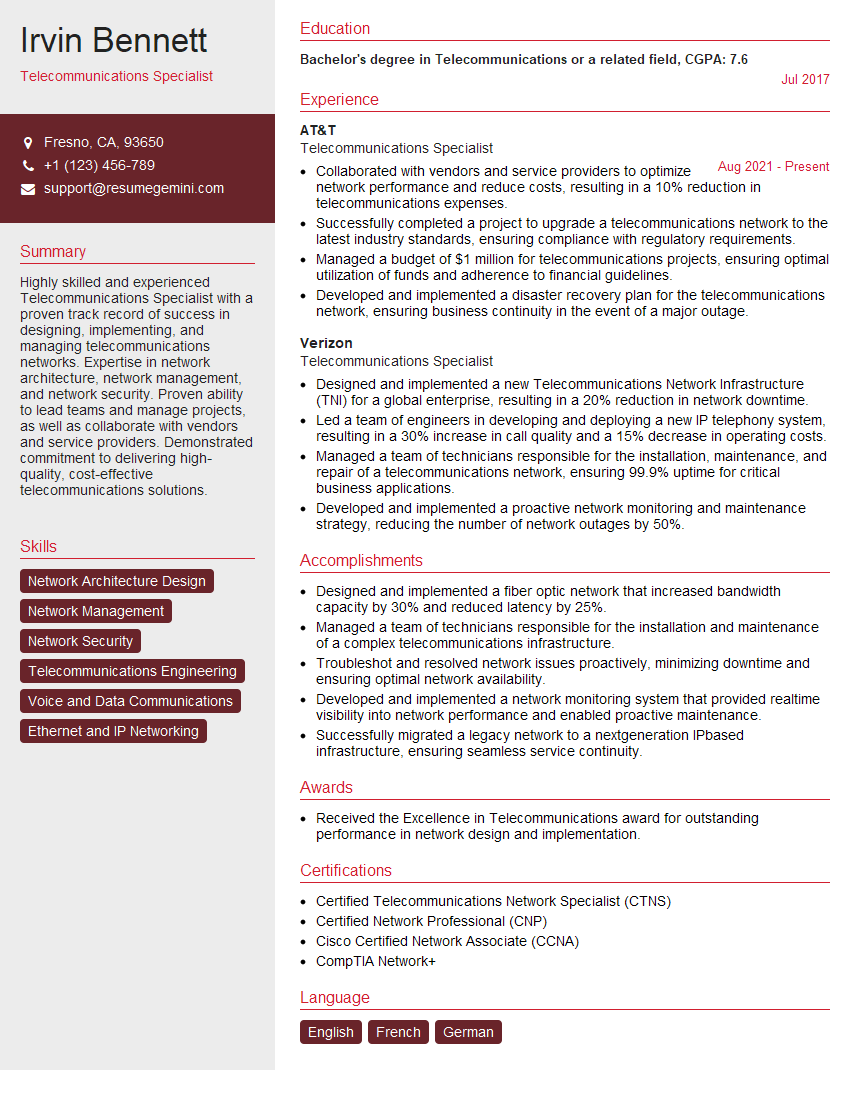
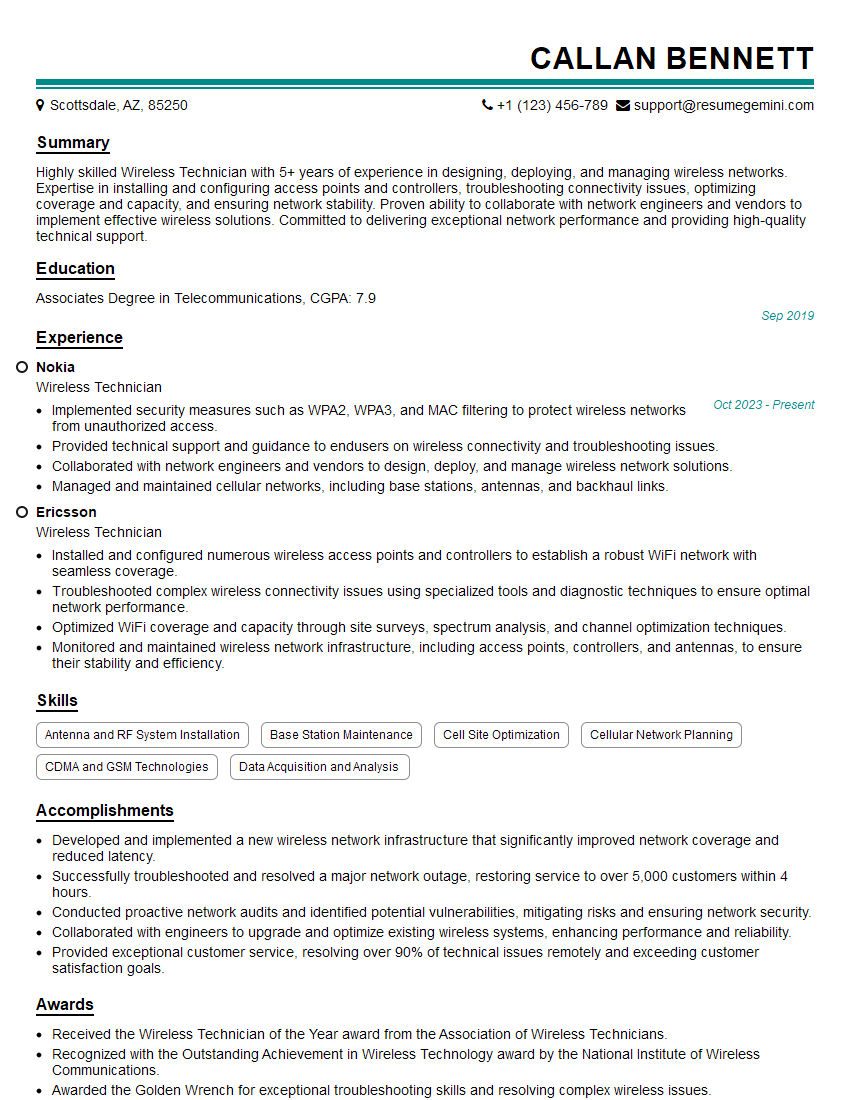
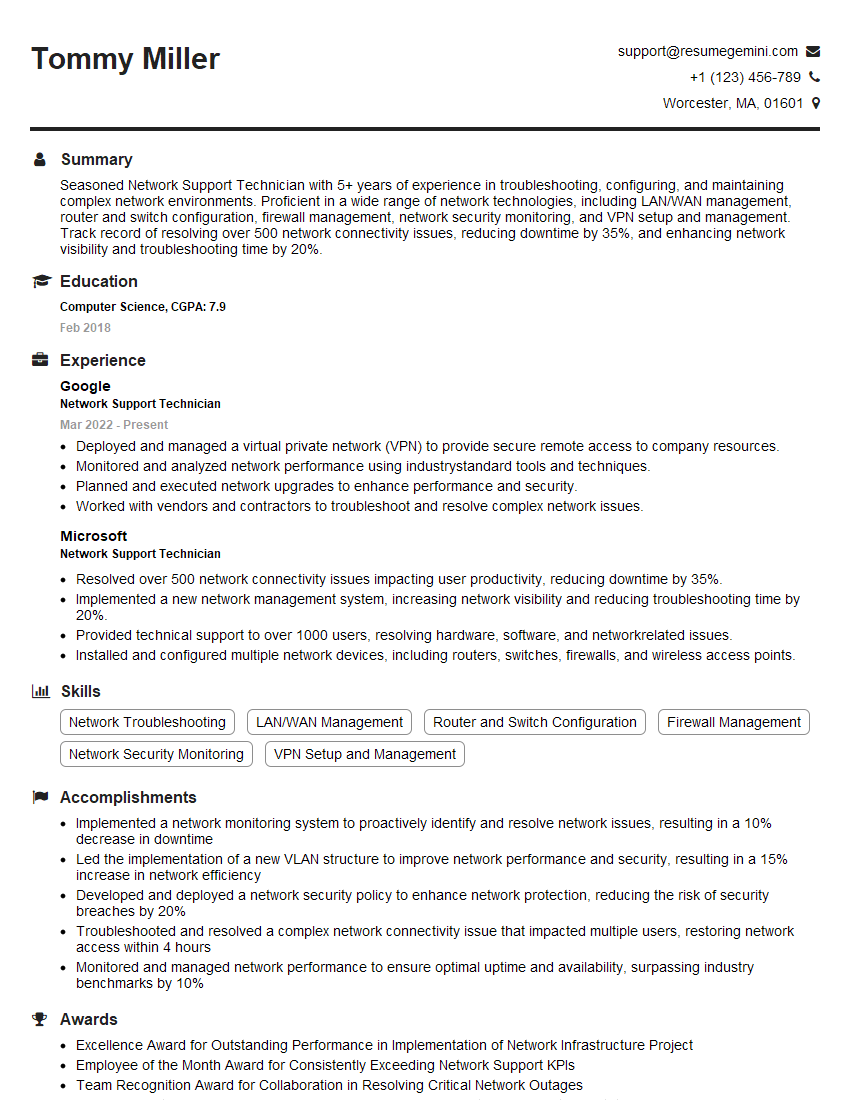
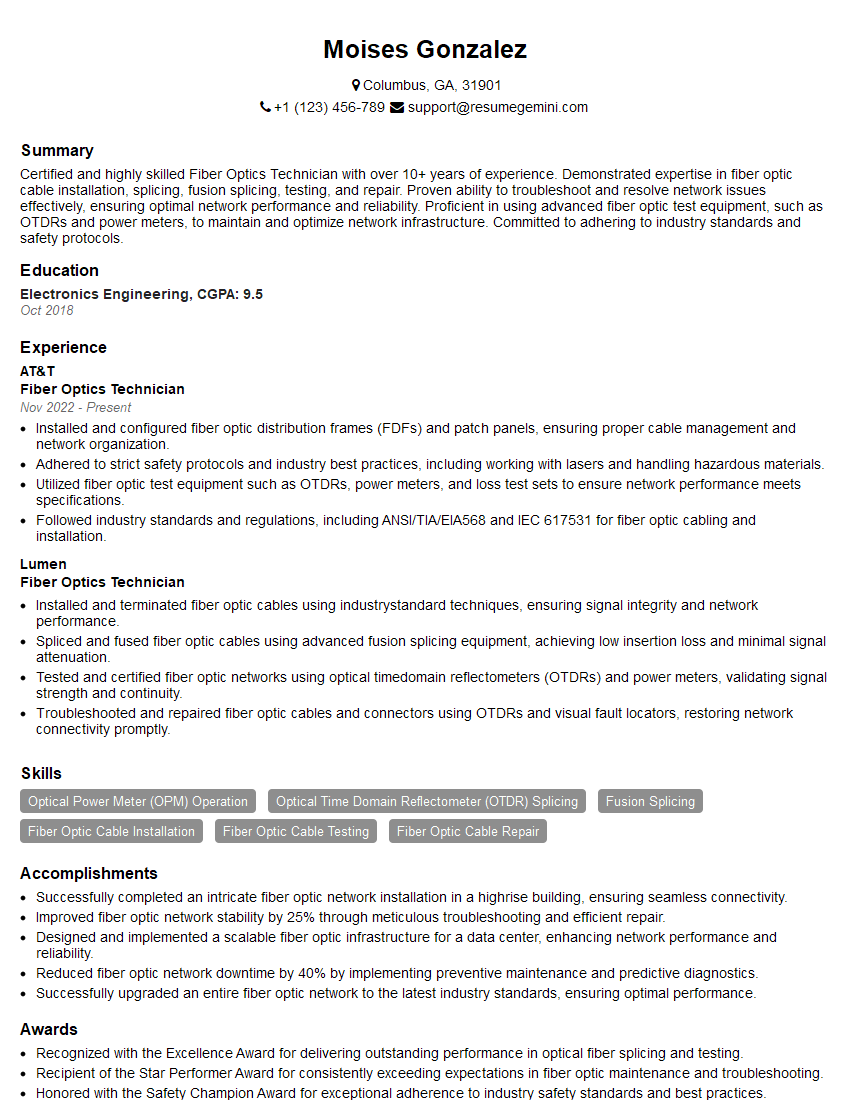
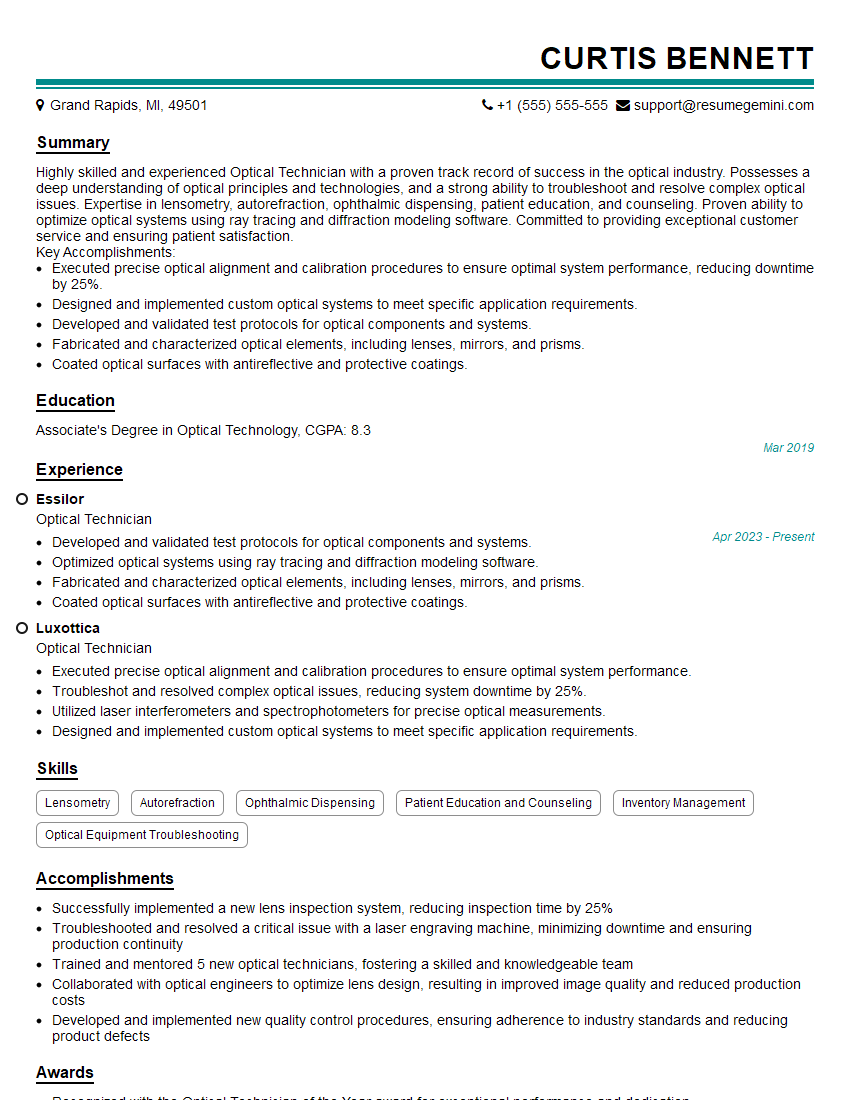
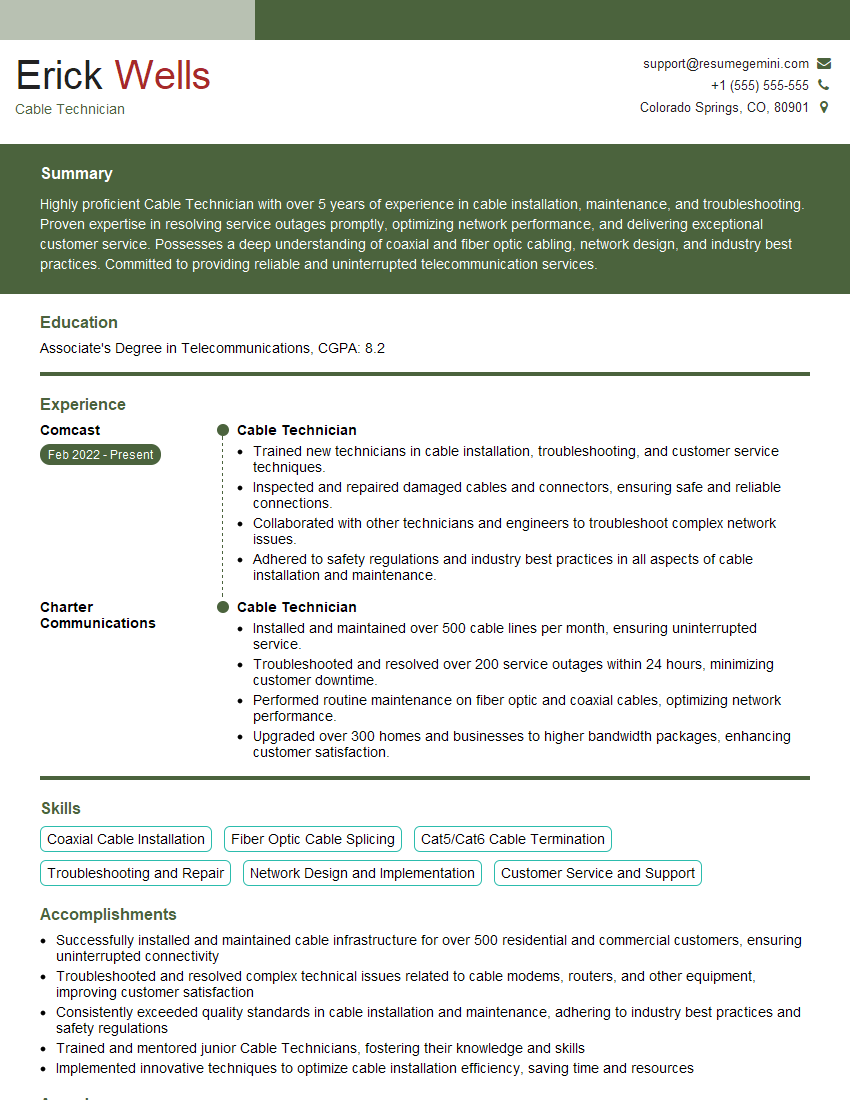
Mastering Telecommunications Equipment Testing and Repair opens doors to a rewarding career with excellent growth potential. As the demand for reliable communication networks continues to rise, skilled technicians are highly sought after. To maximize your job prospects, invest time in crafting a strong, ATS-friendly resume that highlights your technical skills and experience. ResumeGemini is a trusted resource that can help you build a professional and impactful resume, ensuring your qualifications stand out to potential employers. Examples of resumes tailored to Telecommunications Equipment Testing and Repair are available to guide your resume creation process.

Explore more articles
Users Rating of Our Blogs
Share Your Experience
We value your feedback! Please rate our content and share your thoughts (optional).
What Readers Say About Our Blog
Very informative content, great job.
good