Are you ready to stand out in your next interview? Understanding and preparing for Training Plan Design interview questions is a game-changer. In this blog, we’ve compiled key questions and expert advice to help you showcase your skills with confidence and precision. Let’s get started on your journey to acing the interview.
Questions Asked in Training Plan Design Interview
Q 1. Explain the ADDIE model of instructional design.
The ADDIE model is a widely used instructional design framework that provides a systematic approach to creating effective training programs. It’s an acronym standing for Analysis, Design, Development, Implementation, and Evaluation. Each phase is crucial and builds upon the previous one.
- Analysis: This initial phase involves identifying the training needs, target audience, learning objectives, and available resources. A thorough needs analysis helps determine what knowledge or skills gaps exist and how training can address them. For example, if sales figures are down, we might analyze to find if sales staff lack product knowledge, leading to ineffective pitches.
- Design: Here, we create a blueprint for the training program. This includes determining the training methods (lectures, simulations, online modules), content structure, assessments, and overall learning experience. We might design a blended learning approach, combining online modules with in-person workshops for optimal engagement.
- Development: This involves creating the actual training materials, such as presentations, workbooks, online courses, or videos. This stage requires meticulous attention to detail and ensuring the materials are engaging and easy to understand. We might develop interactive scenarios simulating real-world sales calls for a more immersive experience.
- Implementation: This phase focuses on delivering the training. This includes scheduling sessions, coordinating logistics, and providing support to learners. For example, we’d schedule training sessions at convenient times and locations, making sure all participants have access to necessary technology and support personnel.
- Evaluation: This final step assesses the effectiveness of the training program. We measure learner satisfaction, knowledge gained, and the impact on the organization’s performance. For example, we’d track changes in sales performance after the training to assess its effectiveness in improving sales techniques.
Using ADDIE ensures a structured and efficient approach, reducing the likelihood of producing ineffective training.
Q 2. Describe your experience with needs analysis for training programs.
My experience with needs analysis is extensive. I’ve used various techniques, including surveys, interviews, focus groups, and performance data analysis. For example, in a recent project for a manufacturing company, I conducted employee surveys to gauge their understanding of safety protocols. This revealed a significant knowledge gap regarding new machinery operation. Analysis of accident reports further supported this finding. I then used this data to tailor the training program, focusing specifically on the identified knowledge gaps and incorporating practical, hands-on simulations of the new machinery. This ensured the training directly addressed the company’s needs, improved safety compliance and reduced accidents.
Another approach I use involves analyzing existing documentation such as job descriptions and performance reviews to identify skill discrepancies. I consider the organization’s strategic goals, business needs, and available resources when conducting this analysis. The objective is to build a case for training that demonstrably contributes to improved organizational performance and aligns directly with business needs.
Q 3. What are the key elements of a successful training evaluation plan?
A successful training evaluation plan should encompass multiple levels of evaluation – reaction, learning, behavior, and results (Kirkpatrick’s four levels).
- Reaction: This assesses learner satisfaction and their perception of the training’s quality. Feedback forms and surveys are commonly used.
- Learning: This measures what knowledge and skills participants gained during the training. Pre- and post-training assessments, quizzes, and tests are employed.
- Behavior: This evaluates whether participants apply the learned knowledge and skills in their jobs. This might involve observation, 360-degree feedback, or performance reviews.
- Results: This assesses the overall impact of the training on the organization. This could include improved productivity, reduced errors, increased sales, or better customer satisfaction. Quantitative data is crucial here.
For example, a training program aimed at improving customer service could evaluate reaction through learner feedback surveys, learning through a post-training knowledge test, behavior by observing customer interactions, and results by tracking customer satisfaction scores.
A robust evaluation plan not only measures effectiveness but also provides valuable insights for future training program improvements. It is crucial to develop clear metrics and data collection methods aligned with the training objectives from the start.
Q 4. How do you ensure your training programs align with organizational goals?
Aligning training programs with organizational goals requires a strong understanding of the company’s strategic objectives. I begin by closely reviewing strategic plans, business objectives, and performance metrics. This allows me to identify skills gaps that hinder the achievement of these goals.
For instance, if a company aims to increase market share, I would analyze the skills needed by the sales team to achieve this goal. The training program would then be designed to enhance these specific skills, for example, negotiation tactics or product knowledge. The training objectives would be directly linked to measurable improvements in sales performance, thereby ensuring alignment with the overall organizational goal.
Regular communication and collaboration with stakeholders, including management and subject matter experts, are essential to ensure the training program remains aligned throughout the process. This continuous feedback loop helps adjust the training to meet evolving business needs.
Q 5. What are some common challenges in designing training programs, and how have you overcome them?
Designing training programs presents many challenges. One common challenge is securing buy-in from stakeholders. Overcoming this requires a clear demonstration of the training’s value and how it contributes to business objectives. Presenting a well-defined ROI (Return on Investment) model, incorporating data and clear metrics, often helps sway decision-makers.
Another challenge is keeping learners engaged. This is addressed by using varied training methods, incorporating interactive elements, and using technology effectively. For instance, incorporating gamification elements, simulations, and collaborative activities can make learning more engaging and memorable.
Budget constraints are another hurdle. Careful planning, prioritizing essential training needs, and exploring cost-effective training delivery methods (e.g., e-learning) are critical to work within budgetary limitations. I have experience leveraging free or low-cost resources such as open-source software and online learning platforms to keep costs manageable without compromising training quality.
Q 6. What different training delivery methods are you familiar with, and which do you prefer and why?
I’m familiar with various training delivery methods including instructor-led training (ILT), e-learning, blended learning, on-the-job training (OJT), mentoring, and simulations.
My preference depends on the specific training objectives and the target audience. For complex topics requiring hands-on practice and immediate feedback, ILT with simulations often works best. For large geographically dispersed audiences, e-learning is often more efficient and cost-effective. Blended learning combines the advantages of both, offering a versatile and engaging approach.
I often prefer blended learning because it caters to diverse learning styles and provides flexibility. It also allows for a more personalized learning experience by integrating online modules with instructor-led sessions, allowing the trainer to address individual needs and provide more direct feedback. However, the optimal method is always chosen based on a careful analysis of factors such as budget, learner needs, content complexity, and logistical considerations.
Q 7. How do you adapt training materials for different learning styles?
Adapting training materials for different learning styles is crucial for maximizing learning outcomes. I consider the various learning styles, such as visual, auditory, and kinesthetic learners.
For visual learners, I incorporate plenty of visuals like diagrams, charts, and videos. For auditory learners, I include audio narration, discussions, and lectures. For kinesthetic learners, I incorporate hands-on activities, simulations, and role-playing exercises. I also use a variety of learning activities to cater to different preferences. This ensures every learner has opportunities to engage with the material in a way that suits them best.
For example, in a technical training program, I would use diagrams to explain complex processes (visual), audio guides to demonstrate equipment operation (auditory), and a hands-on lab session for participants to practice equipment maintenance (kinesthetic).
This multi-modal approach ensures that the training is accessible and engaging for learners of all styles, promoting inclusivity and enhancing knowledge retention.
Q 8. Describe your experience using authoring tools for eLearning development.
My experience with authoring tools for eLearning development spans several platforms, including Articulate Storyline, Adobe Captivate, and Lectora. I’m proficient in using these tools to create interactive modules, simulations, and assessments. For instance, in a recent project for a financial institution, I used Articulate Storyline to develop a compliance training program. I leveraged its branching scenarios feature to create realistic situations where trainees had to make decisions based on regulatory guidelines. This approach fostered active learning and improved knowledge retention compared to a purely lecture-based approach. With Adobe Captivate, I’ve created screen recordings and simulations for software training, making complex processes easy to understand. The choice of authoring tool depends largely on the project’s specific needs and the desired learning outcomes; for example, Lectora’s robust course management system is ideal for large-scale deployments.
Q 9. How do you measure the effectiveness of a training program?
Measuring the effectiveness of a training program requires a multifaceted approach. We don’t just look at learner satisfaction; we measure actual improvements in knowledge, skills, and behavior. This is often achieved through a combination of methods. Pre- and post-training assessments are crucial for gauging knowledge gain. We use Kirkpatrick’s Four Levels of Evaluation as a framework. Level 1 (Reaction) measures trainee satisfaction and engagement. Level 2 (Learning) assesses knowledge acquisition through tests. Level 3 (Behavior) observes changes in on-the-job performance, often using observation checklists or 360-degree feedback. Finally, Level 4 (Results) measures the overall impact on organizational goals, such as improved efficiency or reduced errors. For example, in a sales training program, Level 4 might be measured by an increase in sales revenue after the training.
Q 10. What is your experience with creating training budgets and timelines?
Creating realistic training budgets and timelines is paramount. My process starts with a thorough needs analysis, defining the scope of the project, including the number of learners, training modalities, and the resources required. Then, I break down the project into manageable tasks, estimating the time and cost associated with each. This includes authoring time, review and feedback cycles, content development, technology costs (software licenses, hosting), and any associated travel or facilitator fees. I use project management software like Asana or Trello to track progress and manage timelines effectively. For example, a recent project involved creating a multi-module training program. I used a Gantt chart to illustrate task dependencies and deadlines, which helped stakeholders understand the timeline and resource allocation clearly.
Q 11. How do you handle feedback from trainees to improve training programs?
Trainee feedback is invaluable for improving training programs. I actively solicit feedback through various channels, including post-training surveys, focus groups, and informal discussions. I analyze the feedback to identify areas of strength and weakness. Quantitative data from surveys helps understand overall satisfaction levels, while qualitative data from focus groups provides rich insights into learner experiences and suggestions for improvement. I systematically document all feedback and incorporate it into revisions. For instance, if feedback indicates that a specific module was confusing, I might redesign it using simpler language or add more interactive elements. Regular review and iterative improvement based on feedback is key to ensuring the program’s ongoing effectiveness.
Q 12. Explain your experience designing blended learning programs.
Blended learning combines online and offline training methods to cater to different learning styles and preferences. My experience includes designing programs that incorporate eLearning modules, instructor-led workshops, on-the-job coaching, and social learning activities. For example, a recent project for a tech company involved creating a blended learning program for new software engineers. The program included online modules for foundational knowledge, followed by hands-on workshops where engineers worked on real-world projects under the guidance of experienced mentors. The program also included peer-to-peer learning through online forums and group projects, fostering collaboration and knowledge sharing. Careful consideration is given to integrating these different elements seamlessly and ensuring that they complement each other to maximize learning outcomes.
Q 13. Describe your process for selecting appropriate training content.
Selecting appropriate training content requires a strategic approach. It begins with a thorough needs analysis to identify learning gaps and objectives. I then research and evaluate various content sources, considering factors such as relevance, accuracy, engagement, and accessibility. This includes evaluating existing materials, developing new content, and sourcing materials from reputable third-party vendors. The content should be aligned with the learning objectives, appropriate for the target audience’s knowledge level, and presented in a clear, concise, and engaging manner. For example, if the objective is to improve customer service skills, I would select content that covers effective communication techniques, conflict resolution strategies, and product knowledge, using a combination of videos, interactive simulations, and case studies.
Q 14. How do you ensure training content is accessible to all learners?
Ensuring accessibility is crucial for inclusive learning. I follow accessibility guidelines, such as WCAG (Web Content Accessibility Guidelines), to create content that is usable by learners with diverse abilities. This includes using alternative text for images, providing captions for videos, using clear and consistent formatting, and ensuring compatibility with assistive technologies. For example, when designing eLearning modules, I ensure sufficient color contrast between text and background, use descriptive headings, and provide transcripts for audio content. I also consider different learning styles and provide alternative formats of content, such as text-based materials alongside videos, to cater to diverse preferences. Regular accessibility checks using automated tools and manual reviews are part of my quality assurance process.
Q 15. What is your experience with performance improvement plans?
Performance Improvement Plans (PIPs) are structured processes designed to help employees improve their performance. They aren’t punitive measures but rather collaborative tools aimed at identifying skill gaps, setting clear goals, providing support, and monitoring progress. My experience involves developing and implementing PIPs across various departments and roles. This includes conducting thorough performance reviews, identifying specific areas needing improvement, setting measurable and achievable goals with clear timelines, outlining support resources like mentoring or training, and establishing regular check-in meetings to track progress and offer constructive feedback. I always ensure the employee understands the process, feels supported, and is empowered to succeed.
For example, I once worked with a sales representative whose performance was consistently below targets. Instead of immediately considering termination, we developed a PIP focusing on improving their sales presentation skills and lead generation techniques. We provided them with access to sales training modules, arranged mentoring sessions with a top performer, and set realistic, incremental sales targets. Through regular check-ins and consistent support, the employee significantly improved their performance within the given timeframe.
Career Expert Tips:
- Ace those interviews! Prepare effectively by reviewing the Top 50 Most Common Interview Questions on ResumeGemini.
- Navigate your job search with confidence! Explore a wide range of Career Tips on ResumeGemini. Learn about common challenges and recommendations to overcome them.
- Craft the perfect resume! Master the Art of Resume Writing with ResumeGemini’s guide. Showcase your unique qualifications and achievements effectively.
- Don’t miss out on holiday savings! Build your dream resume with ResumeGemini’s ATS optimized templates.
Q 16. How do you incorporate adult learning principles into your training designs?
Adult learning principles, often summarized by the acronym ANDRAGOGY, significantly impact my training designs. These principles acknowledge that adults are self-directed, experienced, and problem-centered learners. Therefore, my training programs incorporate several key elements:
- Relevance: I ensure the training content directly relates to learners’ jobs and daily challenges. Abstract concepts are grounded in practical applications.
- Experience-based learning: I leverage learners’ prior experiences, using case studies, simulations, and group discussions to build upon their existing knowledge.
- Active participation: My training methods prioritize active participation, encouraging learners to engage in discussions, problem-solving activities, and collaborative projects.
- Self-directed learning: I provide learners with choices and opportunities for self-paced learning, offering resources and support to guide their individual learning journeys.
- Immediate application: I design training with opportunities for immediate application of new skills and knowledge in a realistic setting, reinforcing learning through practice.
For instance, when designing a training program on project management, I wouldn’t simply lecture on theories. Instead, I would use real-world case studies, simulations of project challenges, and group activities where participants collaboratively plan and manage a sample project. This allows learners to directly apply the learned concepts and receive immediate feedback.
Q 17. How do you stay up-to-date on the latest trends in training and development?
Staying current in the training and development field requires a multi-faceted approach. I regularly engage in the following activities:
- Professional development courses and conferences: Attending industry conferences and workshops provides valuable insights into the latest methodologies and technologies. I also actively pursue certifications in relevant areas.
- Professional organizations: Membership in professional organizations, such as ATD (Association for Talent Development), offers access to resources, publications, and networking opportunities.
- Industry publications and journals: I regularly read industry publications and journals to keep abreast of new research and best practices.
- Online learning platforms: I utilize online learning platforms like Coursera and LinkedIn Learning to explore emerging trends and new instructional design techniques.
- Networking with peers: I actively network with other training professionals, attending webinars and workshops to share knowledge and discuss current challenges and innovations.
This continuous learning ensures that my training designs are effective, relevant, and leverage the most up-to-date tools and techniques.
Q 18. What is your experience with creating training materials for specific software or applications?
I have extensive experience creating training materials for various software applications and systems. This involves a deep understanding of the software’s functionality, user interface, and target audience. My approach includes:
- Needs analysis: I begin by conducting a thorough needs analysis to identify the specific skills and knowledge gaps of the target audience.
- Content development: I then develop engaging and interactive training materials such as tutorials, videos, online modules, and user guides, incorporating screenshots and step-by-step instructions.
- Testing and feedback: The materials undergo rigorous testing and feedback from subject matter experts and target users to ensure accuracy, clarity, and effectiveness.
- Multilingual support: Where necessary, I ensure materials are translated and adapted for diverse language requirements.
For example, I recently developed a training program for a new customer relationship management (CRM) system. The program included interactive online modules, short video tutorials, and downloadable quick-reference guides. The modules incorporated realistic scenarios and allowed learners to practice using the software in a simulated environment. The program received positive feedback from participants, demonstrating its effectiveness in helping them quickly learn and effectively use the new system.
Q 19. How do you manage the logistics of delivering training programs (e.g., scheduling, venue, materials)?
Effective training program logistics are crucial for successful delivery. My approach involves meticulous planning and coordination across several key areas:
- Scheduling: I work closely with stakeholders to identify optimal training dates and times, considering participant availability and resource constraints. Online scheduling tools are utilized to streamline the process.
- Venue selection: The venue is chosen based on factors like capacity, accessibility, technological infrastructure, and overall suitability for the training format. For online training, I ensure the platform selected offers the necessary functionality and technical support.
- Materials preparation: All necessary training materials, including handouts, presentations, software, and equipment, are carefully prepared and tested well in advance.
- Participant communication: Clear and timely communication is vital. Participants receive detailed information regarding the training schedule, location, materials, and any pre-requisites.
- Post-training evaluation: I ensure processes are in place to collect participant feedback and assess training effectiveness for continuous improvement.
I utilize project management tools and techniques to ensure all logistical aspects are meticulously planned and executed, minimizing disruptions and maximizing participant engagement.
Q 20. Describe a time you had to adapt a training plan due to unforeseen circumstances.
During the launch of a new software training program, we faced an unexpected technical issue on the day of the training. The online platform experienced a widespread outage, preventing participants from accessing the training modules. My immediate response involved a swift shift in strategy. We quickly contacted participants, explained the situation, and transitioned the training to an alternative format – a live webinar using a backup platform. We also prepared and distributed supplementary materials in advance to compensate for the platform downtime.
While this was an unforeseen circumstance, our adaptability ensured the training was successfully delivered, minimizing disruption and maintaining participant engagement. The experience reinforced the importance of having contingency plans in place and the value of flexible training solutions. Post-incident, we reviewed our technology infrastructure and established better redundancy protocols for future training events.
Q 21. How familiar are you with various learning management systems (LMS)?
I am familiar with a wide range of Learning Management Systems (LMS), including Moodle, Canvas, Blackboard, and TalentLMS. My experience includes using these systems to host training materials, track learner progress, administer assessments, and manage certifications. I understand the capabilities of different LMS platforms and can select the most appropriate system based on the specific needs of the training program. This includes considering factors such as scalability, integration capabilities, user interface, and cost.
My expertise extends beyond simply uploading content. I can configure LMS features to support different learning styles and objectives, such as creating personalized learning paths, incorporating gamification elements, and integrating with other systems for seamless data transfer. I am also proficient in using reporting and analytics tools within the LMS to track learner engagement and measure training effectiveness.
Q 22. What metrics do you use to track the ROI of a training program?
Measuring the Return on Investment (ROI) of a training program is crucial for demonstrating its value. It’s not just about happy participants; we need quantifiable results. I use a multi-faceted approach, tracking metrics across several key areas:
- Performance Improvement: This is often the primary metric. We measure improvements in key performance indicators (KPIs) directly related to the training’s objectives. For example, if the training aimed to improve sales closing rates, we’d track the percentage increase after the training. We might also use pre- and post-training assessments to measure skill improvements.
- Cost Savings: Training can reduce errors, improve efficiency, and decrease the need for rework. We calculate these cost savings to demonstrate a positive financial return. For example, fewer customer service calls due to improved product knowledge translates to direct cost savings.
- Employee Satisfaction and Engagement: While harder to quantify directly in monetary terms, higher satisfaction correlates with reduced turnover and increased productivity. We use employee surveys and feedback mechanisms to track this.
- Return on Time Investment (ROTI): This considers the time spent on training versus the time saved or value generated. We analyze how long it takes employees to become proficient in new skills and how this time compares to the time saved in their daily work.
- Business Impact: This considers the broader impact of the training on the organization’s overall goals. For example, did the training contribute to a successful product launch or improved customer satisfaction scores?
By tracking these metrics, we build a comprehensive picture of the training program’s ROI. The specific metrics used will always depend on the training’s objectives and the nature of the business.
Q 23. Describe your experience with microlearning and its benefits.
Microlearning, delivering training content in short, focused bursts, is a powerful technique I frequently employ. It’s ideal for today’s busy learners who prefer digestible information. My experience shows its benefits are significant:
- Increased Engagement: Shorter modules maintain focus and prevent cognitive overload. Learners are more likely to complete shorter, easily accessible units.
- Improved Knowledge Retention: Frequent, smaller learning sessions reinforce concepts more effectively than lengthy sessions. The spaced repetition inherent in microlearning aids retention.
- Enhanced Accessibility: Microlearning works seamlessly on various devices, fitting easily into employees’ schedules and workflow.
- Just-in-Time Learning: It provides readily available information precisely when needed, facilitating immediate application of learned skills.
- Cost-Effectiveness: While creating many short modules requires initial effort, it often leads to a higher completion rate, maximizing the overall training ROI.
For example, I recently developed a series of microlearning modules on a new software update. Each module focused on a single feature, allowing employees to quickly learn the essential changes without feeling overwhelmed.
Q 24. How do you incorporate gamification or other engagement techniques into your training designs?
Gamification and other engagement techniques are key to boosting learner participation and knowledge retention. I integrate them thoughtfully, avoiding gimmicks and focusing on genuine learning benefits. My strategies include:
- Points and Badges: Award points for completing modules, quizzes, or challenges, and offer badges to recognize achievements. This taps into intrinsic motivation and provides a sense of accomplishment.
- Leaderboards and Friendly Competition: Introduce leaderboards (used responsibly to avoid negative competitiveness) to encourage participation and friendly rivalry.
- Interactive Simulations and Scenarios: These allow learners to apply knowledge in a safe, risk-free environment, making learning more engaging and memorable.
- Storytelling and Narrative: Weaving a compelling narrative into the training content helps learners connect emotionally with the material and remember it better.
- Personalized Learning Paths: Tailoring the training content and pace based on individual learner needs increases engagement and keeps learners motivated.
For instance, in a sales training program, we used a simulated sales call where learners could practice their skills and receive immediate feedback based on their performance. The gamified elements helped make the practice fun and engaging.
Q 25. How do you handle resistance to training from participants?
Resistance to training is a common challenge. My approach is to address the root cause of resistance proactively and build buy-in from the start.
- Understand the Resistance: First, I identify the reasons behind resistance. Is it due to time constraints, perceived irrelevance of the training, past negative experiences, or fear of change? I use surveys, interviews, and focus groups to gather feedback.
- Demonstrate Value: Clearly articulate the training’s value proposition, explaining how it will benefit individual employees and the organization as a whole. Show how it aligns with their career goals and performance expectations.
- Make it Convenient and Accessible: Offer flexible learning options, including online, mobile, and blended learning formats to suit individual preferences and schedules. Minimizing disruption to workflows is crucial.
- Provide Support and Feedback: Offer ongoing support and regular feedback throughout the training process. This ensures learners feel comfortable and supported, addressing any challenges they might face.
- Involve Employees in the Design: Seek input from employees during the training design phase. This increases buy-in and makes the training feel more relevant and personalized.
For example, when faced with resistance to a new software training, I involved key users in the design process. Their suggestions improved the training’s relevance, leading to greater participation and acceptance.
Q 26. How do you ensure that your training materials are culturally sensitive?
Cultural sensitivity is paramount in training design. I ensure materials are inclusive and respectful of diverse backgrounds and perspectives.
- Content Review: I use diverse review teams to examine training materials for culturally insensitive language, imagery, or assumptions. This ensures a diverse perspective is considered.
- Inclusive Language: I use gender-neutral language and avoid cultural stereotypes or biases. I strive for inclusivity in representation and examples used.
- Accessibility Considerations: I design materials to be accessible to learners with diverse needs, including those with disabilities. This includes providing alternative formats and considering different learning styles.
- Cultural Context: I tailor the content to resonate with the specific cultural context of the learners. This might involve using culturally appropriate examples, analogies, and communication styles.
- Translation and Localization: For global audiences, I ensure materials are accurately translated and culturally localized to avoid misunderstandings or misinterpretations.
For example, in a training program for a global audience, I ensured all materials were translated into multiple languages and reviewed by native speakers to ensure accuracy and cultural appropriateness.
Q 27. What are your strategies for creating engaging and interactive online learning experiences?
Creating engaging and interactive online learning experiences requires a strategic approach focusing on learner engagement and knowledge retention.
- Interactive Content: I incorporate various interactive elements, such as quizzes, polls, simulations, branching scenarios, and collaborative activities. These keep learners actively involved in the learning process.
- Multimedia Integration: Using a mix of text, images, videos, and audio enhances engagement and caters to diverse learning styles. Short videos and animations are especially effective in explaining complex concepts.
- Microlearning Modules: Breaking down content into short, focused modules makes learning more manageable and less overwhelming. This also enhances knowledge retention through spaced repetition.
- Personalized Learning Paths: Adapting content and pace to individual learner needs, using adaptive learning technologies, keeps learners motivated and promotes better learning outcomes.
- Community Building: Fostering a sense of community among learners, using discussion forums or collaborative projects, encourages interaction and knowledge sharing.
- Regular Feedback and Assessments: Providing timely feedback on learner progress keeps them motivated and allows for course adjustments. Regular quizzes help reinforce learning.
For example, I recently designed an online course using a combination of short video lectures, interactive quizzes, and collaborative projects. This multi-modal approach kept learners engaged throughout the course, improving knowledge retention significantly.
Q 28. Describe a time you had to deal with a difficult stakeholder during the development of a training program.
During the development of a leadership training program, I encountered a stakeholder who was resistant to incorporating interactive elements, preferring a traditional lecture-style approach. He believed that interactive exercises were a waste of time and would detract from the core content.
My strategy involved a collaborative approach. I first listened to his concerns and validated his perspective, acknowledging his experience and the value of the traditional methods. Then, I presented data showing the effectiveness of interactive learning in improving knowledge retention and engagement. I demonstrated how interactive elements could enhance the delivery of the core content rather than detracting from it. I also proposed a pilot program incorporating a few interactive elements to test their effectiveness. This allowed him to see the value firsthand before committing to a full-scale implementation. Through clear communication, data-driven evidence, and a willingness to compromise, we reached a consensus that incorporated some interactive elements while still preserving the integrity of the core curriculum. The result was a more engaging and effective training program that received positive feedback from participants.
Key Topics to Learn for Training Plan Design Interview
- Needs Analysis: Understanding the learning gap and organizational context. This includes identifying performance issues, analyzing learning styles, and defining clear learning objectives.
- Learning Objectives & Outcomes: Defining measurable and achievable goals for the training program. Practical application involves writing SMART objectives and aligning them with business needs.
- Instructional Design Models: Familiarity with various models (ADDIE, AGILE, etc.) and their application in different training scenarios. Discuss the strengths and weaknesses of each model and when to utilize them.
- Training Delivery Methods: Exploring various delivery methods (e.g., instructor-led, e-learning, blended learning, simulations, on-the-job training) and selecting the most appropriate methods based on the target audience and learning objectives.
- Assessment & Evaluation: Designing effective methods to measure learner progress and the overall effectiveness of the training program. This includes pre-tests, post-tests, knowledge checks, performance appraisals, and feedback mechanisms.
- Technology Integration: Utilizing learning management systems (LMS), authoring tools, and other technologies to enhance the training experience and improve efficiency. Consider accessibility and learner engagement in your choices.
- Budgeting & Resource Allocation: Understanding the financial aspects of training plan design, including cost estimation, resource allocation, and justification of training investments.
- Training Materials Development: Creating engaging and effective training materials, including presentations, workbooks, online modules, and other supporting resources.
- Project Management in Training: Applying project management principles to ensure timely and successful implementation of the training program. This includes planning, scheduling, tracking progress, and managing risks.
Next Steps
Mastering Training Plan Design is crucial for career advancement in L&D, HR, and related fields. It demonstrates your ability to strategically improve organizational performance through effective learning solutions. To maximize your job prospects, create an ATS-friendly resume that highlights your skills and experience effectively. ResumeGemini is a trusted resource to help you build a professional and impactful resume, ensuring your qualifications shine. Examples of resumes tailored to Training Plan Design are available to guide your creation process.

Knowledge Manager Resume Sample
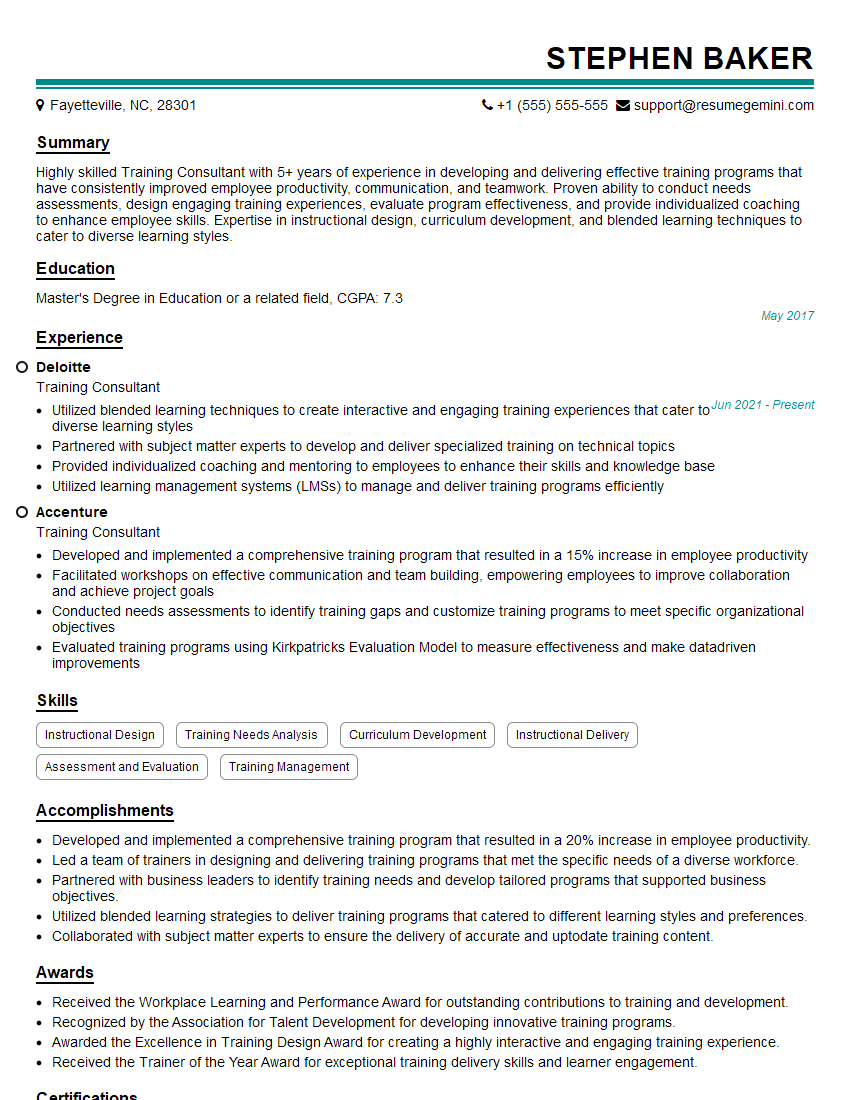
Training Consultant Resume Sample
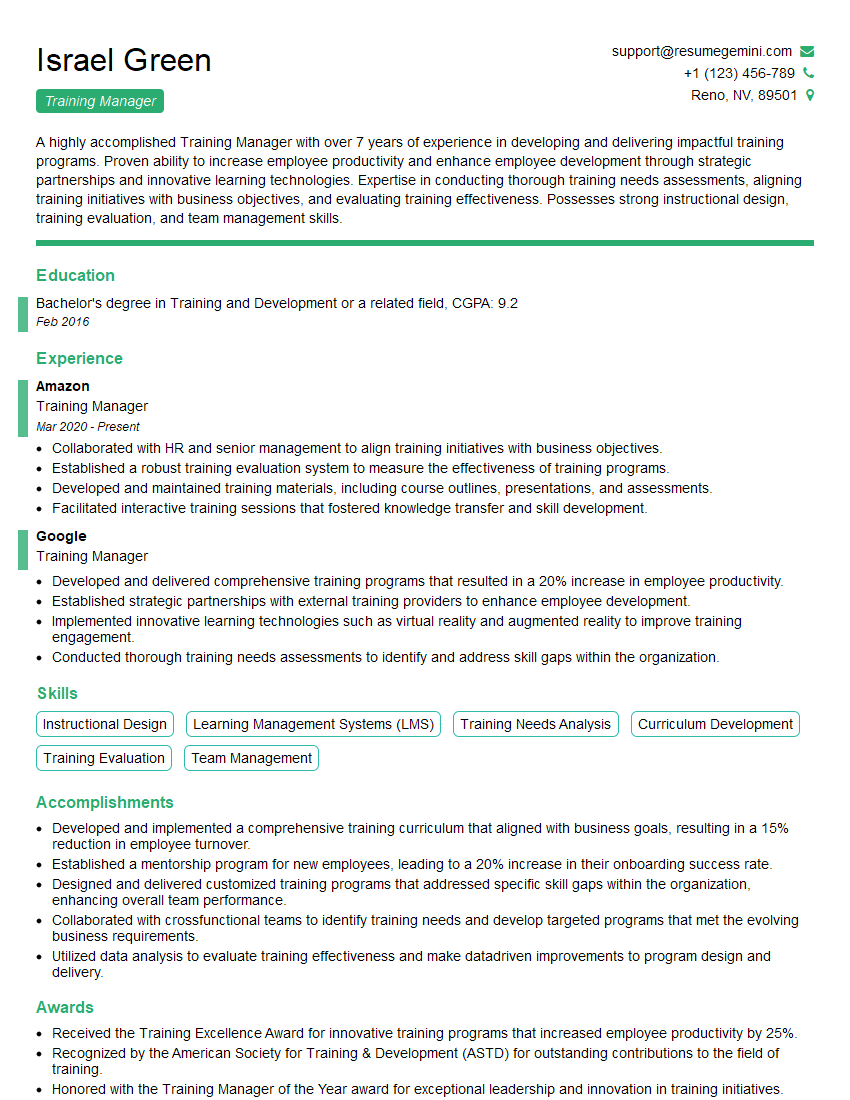
Training Manager Resume Sample
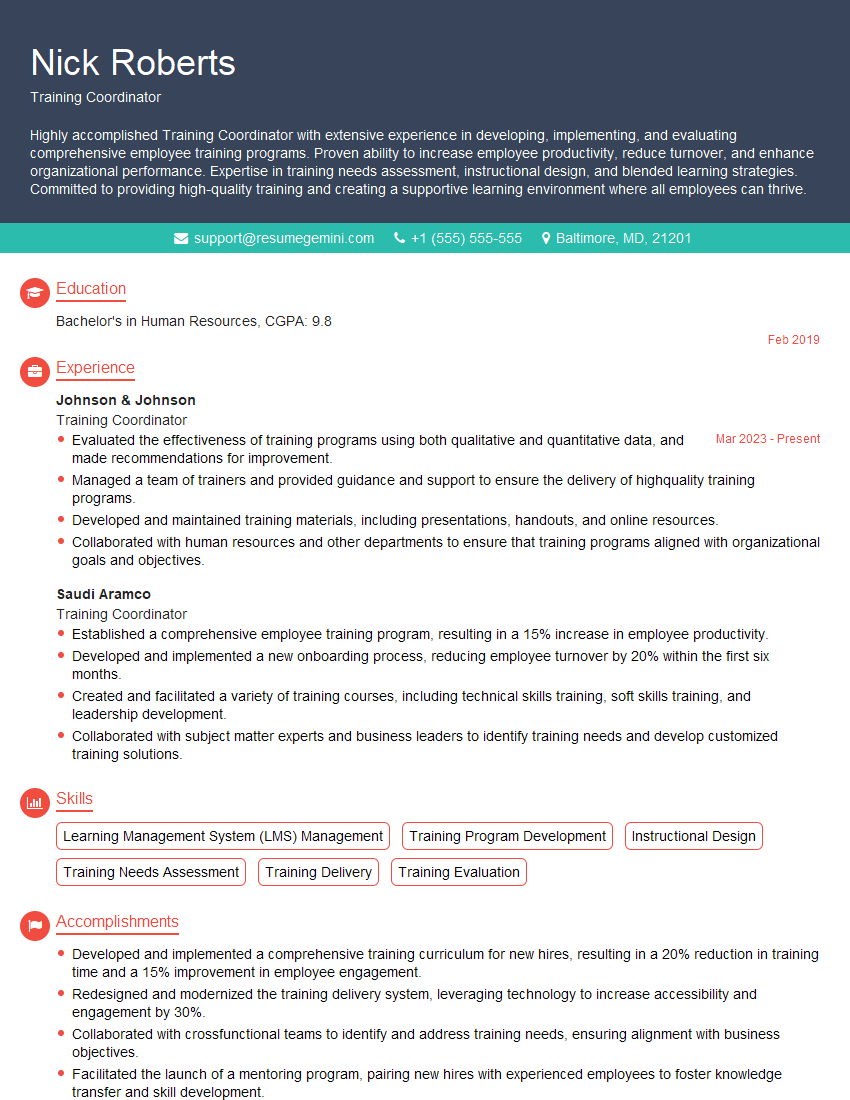
Training Coordinator Resume Sample
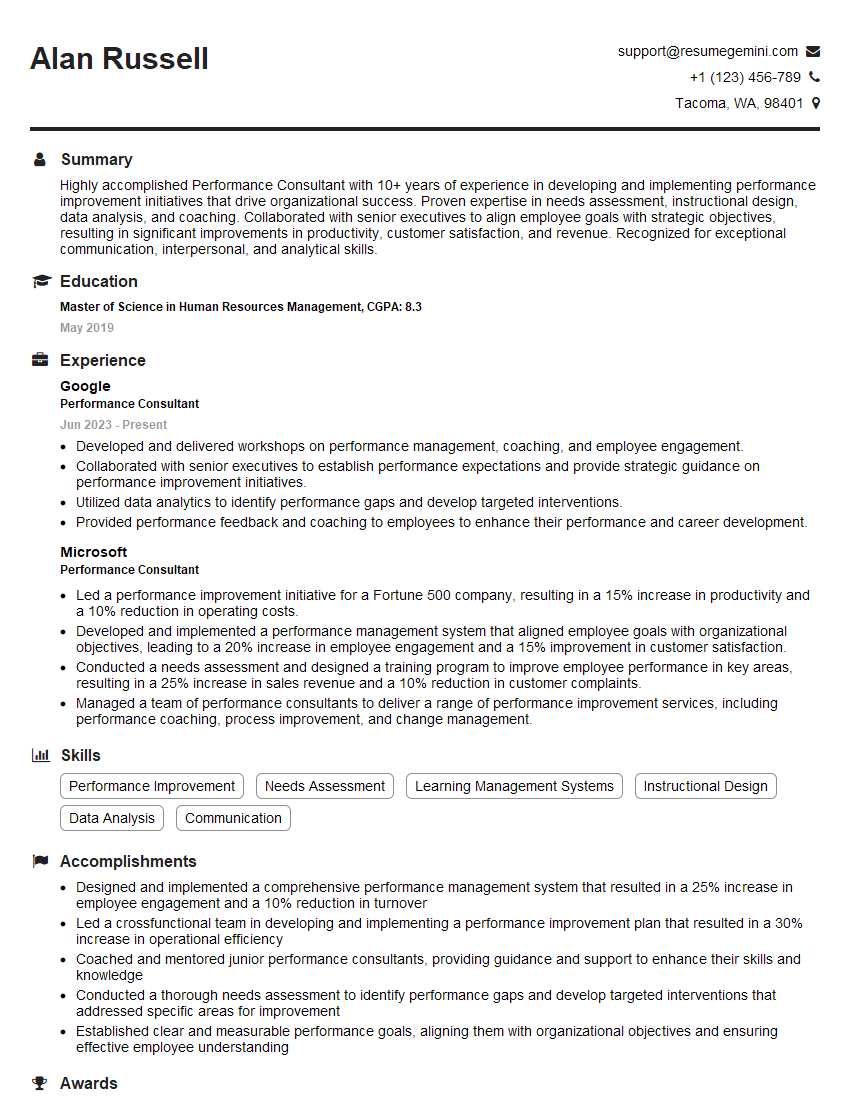
Performance Consultant Resume Sample
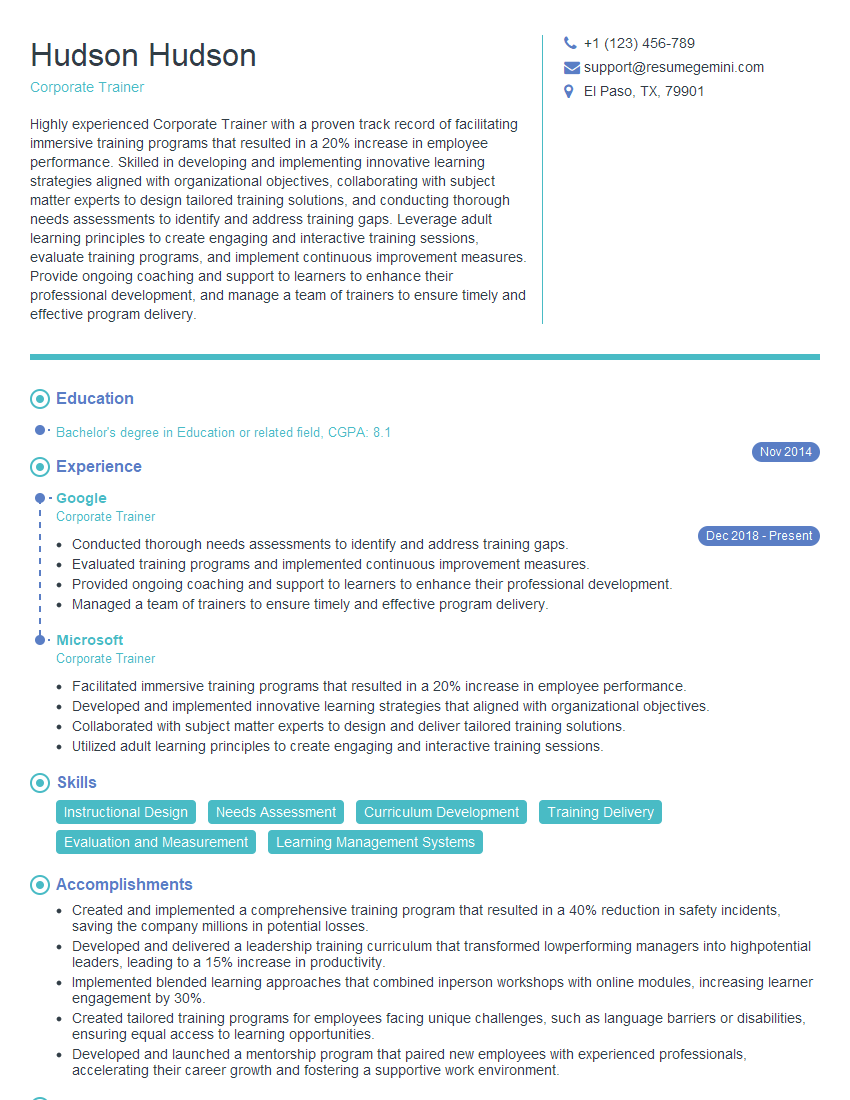
Corporate Trainer Resume Sample

Curriculum Developer Resume Sample

Training Specialist Resume Sample

Instructional Designer Resume Sample
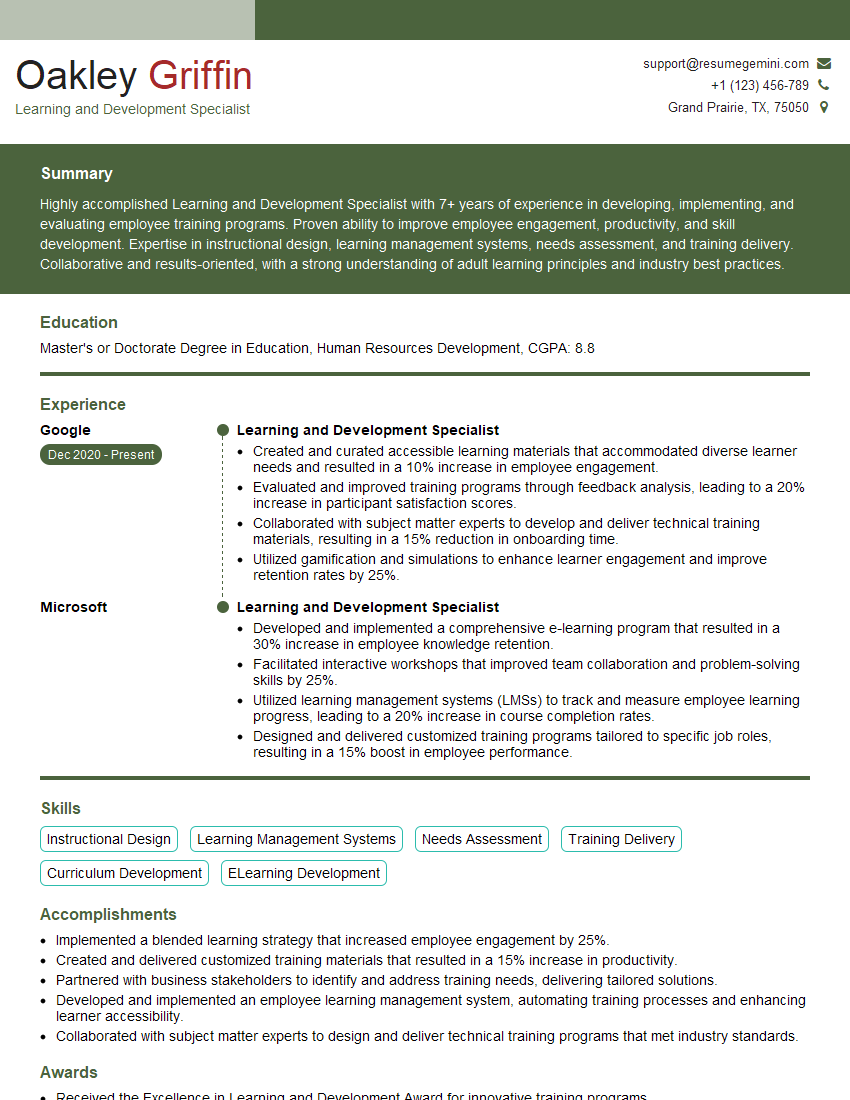
Learning and Development Specialist Resume Sample
Explore more articles
Users Rating of Our Blogs
Share Your Experience
We value your feedback! Please rate our content and share your thoughts (optional).
What Readers Say About Our Blog
Very informative content, great job.
good