Interviews are more than just a Q&A session—they’re a chance to prove your worth. This blog dives into essential Trapping and overprinting interview questions and expert tips to help you align your answers with what hiring managers are looking for. Start preparing to shine!
Questions Asked in Trapping and overprinting Interview
Q 1. Explain the purpose of trapping in print production.
Trapping in print production is a crucial technique used to prevent unwanted gaps or misregistration between colors or inks during the printing process. Imagine trying to perfectly align two pieces of colored paper – even the slightest shift will reveal a gap where the underlying color shows through. Trapping ensures that, even with minor misalignment, the printed result remains clean and professional. It essentially creates an overlap between adjacent colors to hide any registration imperfections.
Q 2. What are the different types of trapping methods?
Several trapping methods exist, each suited to different situations and printing techniques. The most common are:
- Spread Trapping: The lighter color is intentionally spread over the darker color, covering any gaps.
- Choke Trapping: The darker color is intentionally extended into the lighter color, essentially “choking” the lighter color out.
- No Trapping: No overlap is created; this works best for perfectly aligned printing, but risks showing gaps with minor misregistration.
- Advanced Trapping (e.g., in RIP software): Sophisticated algorithms automatically determine the appropriate trap type and width based on the image data, color combinations, and other parameters.
The choice depends heavily on the printing method, ink characteristics, and the desired outcome.
Q 3. Describe the difference between spread and choke trapping.
Spread and choke trapping are opposites. In spread trapping, the lighter color expands into the area of the darker color, masking any gaps. Think of it like a painter carefully covering a crack with lighter paint. Conversely, in choke trapping, the darker color encroaches into the area of the lighter color, effectively hiding any white gaps. Imagine a dark outline intentionally extending beyond its intended boundary to mask any light background showing through. The key difference lies in which color expands to cover potential gaps.
Q 4. How do you determine the appropriate trap width for a specific job?
Determining the appropriate trap width is crucial for a clean print. It’s usually expressed in points (1/72nd of an inch) and depends on several factors:
- Printing method: Offset printing might require larger trap widths than digital printing.
- Ink characteristics: Highly viscous inks might need wider traps to compensate for spreading during printing.
- Image details: Fine details require smaller trap widths to avoid distorting the image. Complex illustrations or small text will require careful adjustments.
- Registration accuracy: If your press consistently achieves high registration, smaller trap widths are acceptable.
Experienced print professionals often rely on their experience and pre-press tests to determine the optimal trap width. Many pre-press applications allow for trial runs with different trap widths to visually verify the outcome before actual printing.
Q 5. What factors influence the choice of trapping method?
Several factors influence the selection of a trapping method:
- Color contrast: High contrast between adjacent colors (e.g., black and white) often benefits from choke trapping. Low contrast pairings may require spread trapping to avoid creating muddy colors.
- Ink type: Some inks spread more than others during printing, influencing the choice between spread and choke. Water-based inks, for example, behave differently than UV-cured inks.
- Substrate: The material being printed on (paper type, thickness, etc.) influences ink absorption and spreading.
- Printing process: Offset, digital, flexographic, or screen printing each have their own ideal trapping strategies due to differences in the printing process and ink application.
- Image quality: Fine details and complex images benefit from techniques that minimize distortion, potentially requiring more precise trapping adjustments.
Q 6. Explain the concept of overprinting.
Overprinting refers to printing one color on top of another, allowing the underlying color to show through and affect the final color. Unlike trapping, which is primarily focused on preventing gaps, overprinting is intentionally used to modify the final color. It’s less about preventing misregistration and more about color mixing on the printed page.
For example, printing a light yellow over a darker blue can create a slightly different shade of green.
Q 7. What are the common uses of overprinting?
Overprinting is commonly used for:
- Creating custom spot colors: Overprinting inks allows for generating specific shades not available as standard ink colors. By overprinting a yellow and a magenta, for example, we get a shade of red that’s different from a standard red ink.
- Achieving special effects: Using transparent or partially transparent inks for specific visual effects. Overprinting a black ink over a lighter color to create a shadowed look or rich color depth.
- Improving color vibrancy: Overprinting can enhance the vibrancy of specific colors by adding layers of transparent colors.
- Watermark effects: The creation of subtle images that are only seen by specific lighting or angles.
Q 8. How does overprinting affect color accuracy?
Overprinting, where one color is printed on top of another, significantly impacts color accuracy. Think of it like mixing paints – the final color is a blend of the two. If you overprint a bright red on top of a vibrant yellow, you won’t get a pure, theoretically-predicted orange; the result will be muddied or darker, and may appear more brown or a dull orange because of the ink’s opacity and the way the colors interact on the paper. This is because the CMYK (Cyan, Magenta, Yellow, Key/Black) ink model, used in most printing processes, is subtractive, meaning each color absorbs light; the more inks you layer, the less light is reflected, leading to darker, less saturated colors. Accurate color prediction needs to account for this interaction. The goal in color management is to predict and control this blending process for the best possible result. Variations in ink density and paper absorption further complicate this, highlighting the importance of color profiling and calibration.
Q 9. Describe how to troubleshoot trapping issues in a print job.
Troubleshooting trapping issues requires a systematic approach. First, identify the problem: Are there gaps between colors where they should be touching? Is there unwanted color showing where there shouldn’t be? Is the trapping too heavy, leading to a blurry result? Once the problem is identified, you can start investigating the source. It could be an issue with the design file itself – incorrect settings for trapping, or improper design of adjacent colors. Check the trapping settings in your software, ensuring they match the print specifications. Look for overlapping objects and fine details that might cause trapping problems. If it’s a post-script issue, check the separations as well.
Next, review the trapping specifications: Are you using the correct type of trap (spread or choke)? Is the trap amount sufficient for your printing method and paper stock? Too little trap leads to gaps, too much can lead to fuzzy edges. Experiment with different trap settings; consider adjusting the trap amount incrementally until you achieve an optimal result. Often, a visual inspection of the separated plates is extremely helpful.
Finally, test prints are crucial. Do small test prints with varied trapping settings before committing to the full print run. If the problem persists, check your printing equipment – issues with the press or the plates can also cause trapping problems. Careful examination of the print plates and a test print run can provide crucial information. Remember that consistency in ink density and press setup is vital for accurate trapping results. Don’t shy away from consulting experienced pre-press professionals if you encounter persistent issues.
Q 10. Explain the relationship between trapping and color separation.
Trapping is intrinsically linked to color separation. Color separation is the process of dividing a full-color image into its individual CMYK plates. Trapping ensures there’s overlap between these separated plates to prevent gaps from appearing between adjacent colors when printed. Imagine a design with a red square next to a blue square. Without trapping, the slight misregistration between the red and blue plates during printing (which can’t be perfectly avoided) would result in a visible white gap between the two squares. Trapping adds a small overlap, either by spreading the red plate slightly onto the blue (spread trap) or by choking the blue plate back slightly from the red (choke trap). This overlap fills the gap, ensuring a clean, visually acceptable result. The type and amount of trap are adjusted based on the color combination, paper stock, printing method, and the tolerance of the printing press. Without effective trapping, color separations would be unusable.
Q 11. How does trapping impact the overall print quality?
Trapping significantly impacts overall print quality. Correctly applied trapping results in clean, sharp edges, eliminating unsightly gaps between colors and improving the visual appeal of the printed piece. Poor trapping, however, can lead to noticeable gaps, blurry edges, and muddy colors, significantly reducing the quality. The overall impression of professionalism and attention to detail is severely impacted by poor trapping – especially noticeable in high-resolution print jobs. This is why it’s a critical aspect of prepress and its effectiveness is highly dependent on the careful coordination between the designer, the pre-press technician and the printer. For example, a poorly trapped logo could lead to its colors looking ‘ragged’ and could severely detract from its intended impression.
Q 12. What software or tools are commonly used for trapping?
Many software and tools are used for trapping. Adobe Acrobat Pro offers trapping capabilities, and is often used in combination with prepress software like PitStop Pro which provides advanced trapping features such as choke and spread for precise control and also incorporates features to help find and fix trapping problems. High-end prepress systems, like those found in large printing houses, also contain sophisticated trapping modules that integrate directly into their workflow. These systems often allow for detailed control over trap amounts, spread and choke methods, and other parameters to optimize trapping for specific print conditions. The choice of software often depends on the complexity of the design, the printing process, and the print provider’s workflow.
Q 13. How do you handle trapping challenges with complex designs?
Trapping complex designs requires careful planning and advanced techniques. Manual trapping is generally impractical and error-prone for complex designs. Software-based trapping is necessary, but may still require detailed adjustments to avoid unwanted effects. The key is to work with a high-resolution file, ensuring clean vector art for sharp edges and clearly-defined boundaries between colors. One approach is to use a combination of automatic trapping with manual overrides. In areas where the automatic trap may cause problems, you can add manual adjustments. Additionally, designing elements with sufficient separation reduces the need for heavy trapping, keeping the print clean and sharp. Using spot colors effectively also reduces the complications of trapping CMYK overlaps.
For extremely complex designs, it’s often beneficial to engage with a prepress specialist with experience in handling such jobs. They often have advanced software and expertise to manage the intricacies of trapping, avoiding potential issues and optimizing the final print quality. Their professional knowledge and experience can significantly improve the final product’s quality.
Q 14. What are some common problems encountered during overprinting?
Common overprinting problems include: color shifts due to ink interactions and opacity; unwanted color combinations resulting from unexpected blending; muddy or dull colors caused by excessive ink layering; and unintended color saturation changes, especially when dealing with light colors over darker ones. These problems stem from not accounting for ink transparency and opacity, lack of color profile management, and inconsistent ink lay-down during the printing process. To minimize issues, ensure a clear understanding of how the inks will interact, use color profiles tailored for your specific printing process and paper type and, importantly, perform test prints to check for any color discrepancies before committing to a large print run.
Q 15. How can you prevent overprinting from creating unwanted effects?
Preventing unwanted effects from overprinting hinges on careful planning and execution. Overprinting, where one color is printed on top of another, can lead to muddy or unexpected colors if not managed correctly. Think of it like mixing paints – sometimes the result is beautiful, but other times it’s a muddy brown mess. To avoid this, we need to understand which colors should overprint and which shouldn’t. For instance, rich blacks often benefit from overprinting CMYK to achieve a deeper, more intense black. However, if you overprint two vibrant colors like bright red and bright yellow, you’ll likely get a murky orange instead of a clean, bright color. The key is selective overprinting.
- Careful Color Selection: Choose colors that complement each other when overprinted. Avoid combinations known for producing muddy results.
- Spot Colors: Use spot colors for critical elements needing precise color control. Spot colors are premixed inks, giving you much better control over the final color compared to CMYK.
- Overprint Preview: Always utilize the overprint preview function in your design software. This allows you to visualize how the colors will interact before sending the file to print.
- Transparency Settings: Manage transparency effectively. Incorrect transparency settings can lead to unexpected overprinting and color shifts.
For example, if you’re designing a logo with a red circle on a yellow background, you might want to avoid overprinting the red if maintaining the vibrancy of both colors is essential. But if you are aiming for a richer, darker red, then carefully controlled overprinting might be appropriate.
Career Expert Tips:
- Ace those interviews! Prepare effectively by reviewing the Top 50 Most Common Interview Questions on ResumeGemini.
- Navigate your job search with confidence! Explore a wide range of Career Tips on ResumeGemini. Learn about common challenges and recommendations to overcome them.
- Craft the perfect resume! Master the Art of Resume Writing with ResumeGemini’s guide. Showcase your unique qualifications and achievements effectively.
- Don’t miss out on holiday savings! Build your dream resume with ResumeGemini’s ATS optimized templates.
Q 16. Explain how to set up trapping in Adobe Illustrator or InDesign.
Setting up trapping in Adobe Illustrator or InDesign involves using the software’s trapping features or employing a dedicated prepress solution. Trapping adds a slight overlap between adjacent colors to prevent small gaps from showing up as white lines during the printing process, especially noticeable on large color blocks.
- Illustrator: Illustrator’s trapping capabilities are limited. For complex trapping scenarios, Illustrator often works best as a design tool while the trapping is handled by a separate application.
- InDesign: InDesign provides more advanced trapping options. You can access trapping settings within the output settings when preparing a PDF for print. Here, you can typically define the trap amount (the amount of overlap), trap type (spread or choke), and whether trapping should be applied to specific objects or groups of objects. There are often presets available for different printing techniques.
- Dedicated Prepress Software: Applications like PitStop or Enfocus are the professional gold standards for precise trapping control. These applications give you much finer control over the trapping process, enabling precise adjustments based on the printing process and the characteristics of the paper.
In InDesign, you’d typically find the trapping settings within the ‘Output’ options of the ‘Export’ or ‘Print’ dialogue. Often, you can specify a trapping preset or define custom values for trap width. Remember, the exact menu paths might vary slightly depending on the InDesign version.
Q 17. How does the resolution of the image affect trapping?
Image resolution significantly impacts trapping. High-resolution images (e.g., 300 DPI or higher for print) provide more detail, allowing for finer trapping adjustments without noticeable artifacts. Low-resolution images (e.g., 72 DPI, common for web graphics) may cause trapping to appear coarse or pixelated.
Think of it like trying to sew a seam with thick, loose thread versus fine, tightly woven thread. High-resolution images are like the fine thread, allowing for a neat, precise trap. Low-resolution images are like the thick thread—the trap becomes obvious and messy. If you use a low-resolution image, it will impact the accuracy of the trapping and might result in poor print quality, so it’s crucial to use images at the appropriate resolution for your print specifications.
Q 18. Describe your experience with different trapping software (e.g., PitStop, Enfocus)
I have extensive experience with PitStop Pro and Enfocus Switch. PitStop Pro excels at preflighting and editing PDFs, including highly refined trapping adjustments. Its ability to correct errors and optimize files for various print processes is unmatched. I’ve used it to fix countless trapping issues – from subtle color misalignments to complex problems involving intricate designs and spot colors. I’ve also used its automation features to streamline the prepress workflow.
Enfocus Switch is a powerful workflow automation system. Its strength lies in integrating different prepress tools and streamlining the entire process from design to printing. Through Switch, I can automate the trapping process for large volumes of files, ensuring consistent results. This not only saves time but also significantly minimizes the risk of human error, critical for projects with tight deadlines.
Both tools are indispensable in professional print production. The choice often depends on the specific workflow and the level of automation required. For simple trapping jobs, InDesign’s built-in functionality might suffice. But for complex projects or large-scale production, the power and flexibility of PitStop or Enfocus are hard to beat.
Q 19. How do you ensure color consistency when using trapping and overprinting?
Maintaining color consistency when using trapping and overprinting is paramount. Inconsistent colors can severely impact the final printed piece. This is achieved through several key strategies:
- Color Management: Employing a consistent color profile throughout the workflow from design to print is crucial. This ensures that colors are interpreted and rendered correctly at each stage.
- Proofing: Soft proofs (on-screen) and hard proofs (printed samples) are essential to check the accuracy of colors. Soft proofing needs to be calibrated to match your final print process as accurately as possible.
- Calibration: Ensure your monitors and printers are properly calibrated to provide an accurate representation of colors.
- Spot Colors: Using spot colors for crucial color elements, such as logos or branding, helps maintain color accuracy.
- Consistent CMYK Settings: Maintain consistent CMYK settings across your design files to avoid unexpected color shifts during the trapping process.
A real-world example: Imagine printing a corporate brochure. If the logo’s red color varies between different pages due to inconsistent trapping and overprinting, it undermines the professional image of the company.
Q 20. Explain the importance of using color profiles in relation to trapping.
Color profiles are the cornerstone of color consistency in trapping. A color profile is a set of data that describes how a particular device (monitor, printer, scanner) handles color. It ensures that the colors you see on your screen are as close as possible to the colors that will be printed. During trapping, the software uses the embedded color profile to accurately calculate color shifts and adjustments, preventing inaccurate trapping results.
Using appropriate color profiles prevents a mismatch between the intended color and the actual printed result. Without them, you may find colors looking significantly different on screen compared to the final print. This is especially critical with trapping, because inaccuracies in color interpretation can result in the trap being incorrect and the printed piece showing unwanted color artifacts.
For instance, using a generic color profile when your printer uses a specific, highly calibrated profile, can lead to considerable color shifts during trapping. The outcome will not be as you intended, especially on color gradients.
Q 21. How do you troubleshoot issues related to overprinting in CMYK?
Troubleshooting overprinting issues in CMYK often involves a systematic approach:
- Check Overprint Settings: The first step is to meticulously review your overprint settings in your design software. Ensure the correct colors are set to overprint and that no unintended overprinting is occurring.
- Examine Color Combinations: Analyze the CMYK values of the colors being overprinted. Certain color combinations are prone to muddy results. Adjusting the CMYK values slightly might improve the outcome. You might need to switch from overprinting to a different color mode for a cleaner print.
- Proofing: Use soft and hard proofs to compare the on-screen results with the actual printed output. This helps identify discrepancies and pinpoint the cause of the issue.
- Review Separation Settings: Make sure your separation settings are correct. Incorrect settings can lead to unexpected color shifts and artifacts in the printed output.
- Check the Print Driver: Ensure the correct print driver is being utilized. An outdated or incorrect driver can also lead to print issues.
- Consult the Printer: If the problem persists, contact the printing service provider. They can provide insights into possible printer-specific settings or limitations that might be causing the overprinting problem.
Remember to always keep a record of your color settings and print profiles, as it can help pinpoint the issues and quickly resolve future overprinting concerns.
Q 22. What is the role of spot colors in trapping?
Spot colors, unlike process colors (CMYK), are premixed inks that provide a specific, consistent hue. In trapping, spot colors play a crucial role because their solid nature requires careful consideration. Since spot colors don’t rely on the mixing of CMYK inks, there’s less potential for variations during printing, leading to cleaner results. However, it’s essential to ensure proper trapping between spot and process colors to avoid gaps or misregistration. This typically involves adding a small overlap (the trap) to the spot color to ensure complete coverage and prevent white gaps where the two colors meet. The amount of overlap is dependent on the printing press and the specific inks.
For example, imagine a logo printed with a vibrant Pantone red (spot color) next to a black background (process color). Without trapping, the slight misregistration inherent in the printing process could lead to a noticeable white line separating the red and black, ruining the logo’s appearance. Trapping adds a small amount of red *onto* the black area, preventing this.
Q 23. How do you handle trapping and overprinting with different paper types?
Paper type significantly impacts trapping and overprinting. Coated papers, with their smooth surface, generally require less trap than uncoated papers, which are more porous and absorbent. Uncoated papers can have a greater tendency for ink bleed, so a larger trap might be necessary to ensure sharp color registration. Moreover, different paper weights and textures will influence how the inks sit on the surface, necessitating adjustments to trapping settings. Thicker papers might need less trap because the ink doesn’t soak in as much. Conversely, thinner papers are more prone to ink show-through and may require heavier trapping. This is especially true for overprinting, where one color is printed on top of another. The absorbency of the paper will determine how well the overprinted ink adheres and whether it alters the underlying color significantly. Detailed testing and proofing are key when handling different paper types to achieve optimal results.
For instance, a high-end brochure printed on thick, glossy paper would require less trapping than a simple flyer printed on thin, uncoated stock. Each requires specific adjustments to avoid issues like unwanted ink spread or gaps in color registration.
Q 24. Describe your experience with different printing processes (offset, digital) and how trapping differs.
My experience encompasses both offset and digital printing. Offset printing, with its higher print resolution and the ability to use a wider variety of inks and techniques, often requires more sophisticated trapping strategies, since misregistration is possible. Here, we often use spread trapping, choke trapping, or other methods for precise control. Digital printing, while faster and simpler, can have limitations regarding color accuracy and ink bleed, especially on less absorbent substrates. Overprinting in digital printing can sometimes lead to undesirable results due to the different ink drying and adhesion properties compared to offset. The trapping adjustments are usually simpler for digital printing, often involving only small adjustments in the software, and less complex because the press doesn’t have the same degree of movement that offset does.
For example, a high-volume print job using offset litho would require careful trapping to prevent misregistration, using techniques like spread trapping for small text. Conversely, a short-run project using digital print might benefit from a simpler, unified trapping strategy since the likelihood of significant misregistration is lower.
Q 25. How do you balance the need for trapping with the desire to maintain design integrity?
Balancing trapping needs with design integrity is a constant challenge. Excessive trapping can lead to a muddy or less crisp look, especially in areas with fine lines or details. My approach involves finding the minimal amount of trapping required to avoid color gaps, while minimizing any visual impact on the design. This often involves a combination of techniques, such as using different trap amounts for different areas of the design. Areas with smaller text or fine lines might require less trapping than those with larger blocks of color. It’s also crucial to collaborate closely with designers to understand their priorities and adapt the trapping strategy accordingly. Sometimes, a slight adjustment in the design, such as increasing the stroke weight of a line, can reduce the need for heavy trapping.
For example, I might suggest a very light choke trap for a delicate floral pattern to preserve its fine lines, while using a more substantial spread trap for large blocks of color. The goal is to ensure clean color registration without compromising the artistic intent.
Q 26. What are some best practices for ensuring proper trapping and overprinting?
Best practices for proper trapping and overprinting include:
- Accurate Preflight Checks: Thorough preflighting to identify potential trapping problems before printing is paramount.
- Consistent Color Profiles: Using consistent color profiles throughout the design and production process ensures accurate color representation.
- Appropriate Trap Amounts: Selecting the appropriate trap amount based on the printing process, paper type, and ink properties is crucial.
- Test Prints and Proofs: Running test prints and obtaining color proofs allows for adjustments and verification before the final print run.
- Understanding Ink Behavior: Having knowledge about ink behavior on different substrates is vital for avoiding issues like bleed and feathering.
- Collaboration: Close collaboration with designers and printers ensures everyone is on the same page about expectations and potential challenges.
Neglecting these steps can result in significant rework or costly printing errors.
Q 27. How do you communicate technical specifications regarding trapping and overprinting to clients?
Communicating technical specifications effectively involves using clear and concise language, avoiding technical jargon where possible. I begin by explaining the purpose of trapping and overprinting in a simple, understandable way. I then provide clients with visual examples showing the effects of different trapping techniques. For complex jobs, I’ll present a detailed technical specification sheet that includes:
- Trap amounts: Stating precise trap values in points or percentages.
- Trapping method: Specifying whether it’s spread, choke, or other techniques.
- Overprint settings: Clearly outlining which colors should be overprinted.
- Paper type: Clearly noting the paper type and weight to manage expectations.
I always encourage clients to approve the specifications before proceeding to the final print run to prevent misunderstandings and costly corrections. Open communication ensures that they are fully informed and can give appropriate feedback throughout the process.
Q 28. Describe a time you successfully solved a trapping or overprinting problem.
I once worked on a high-profile corporate brochure with a complex design incorporating many spot colors and fine lines. The initial print proof revealed significant gaps between some spot colors and the black background, even though standard trapping settings were used. The problem was identified as the combination of uncoated paper and some colors that were particularly prone to bleed. Instead of simply increasing the universal trap, I employed a combination of techniques. For the most bleed-prone colors, I used a slightly larger spread trap, while using a narrower choke trap for the fine lines to preserve their crispness. I also worked closely with the printer to optimize their ink settings. This layered approach solved the issue, delivering a brochure that met the highest design standards without sacrificing visual appeal. This case highlighted the need for careful consideration of the ink, paper, and design subtleties in crafting the correct trapping solution.
Key Topics to Learn for Trapping and Overprinting Interviews
- Understanding Trapping: Explore the different types of trapping (e.g., spread, choke, and no trapping) and their applications in various printing processes. Understand the importance of trapping for preventing gaps between colors during printing.
- Overprinting Techniques: Learn the nuances of overprinting, including spot colors, CMYK, and the impact of overprinting on color accuracy and vibrancy. Understand how to effectively use overprinting to achieve specific design effects.
- Practical Applications: Analyze case studies showcasing successful (and unsuccessful) implementations of trapping and overprinting in real-world print projects. Consider the impact of different substrates and printing methods on trapping and overprinting strategies.
- Color Management and Profiles: Grasp the role of color profiles (e.g., ICC profiles) in achieving accurate color reproduction. Understand how color management software interacts with trapping and overprinting settings.
- Troubleshooting and Problem-Solving: Develop your ability to diagnose and solve common issues related to trapping and overprinting, such as color misregistration, unwanted gaps, or unexpected color shifts. Practice identifying potential problems before they arise during the pre-press stage.
- Software Proficiency: Demonstrate familiarity with industry-standard software used for trapping and overprinting, such as Adobe Acrobat, InDesign, and prepress RIP software. Highlight your experience with specific features and workflows.
Next Steps
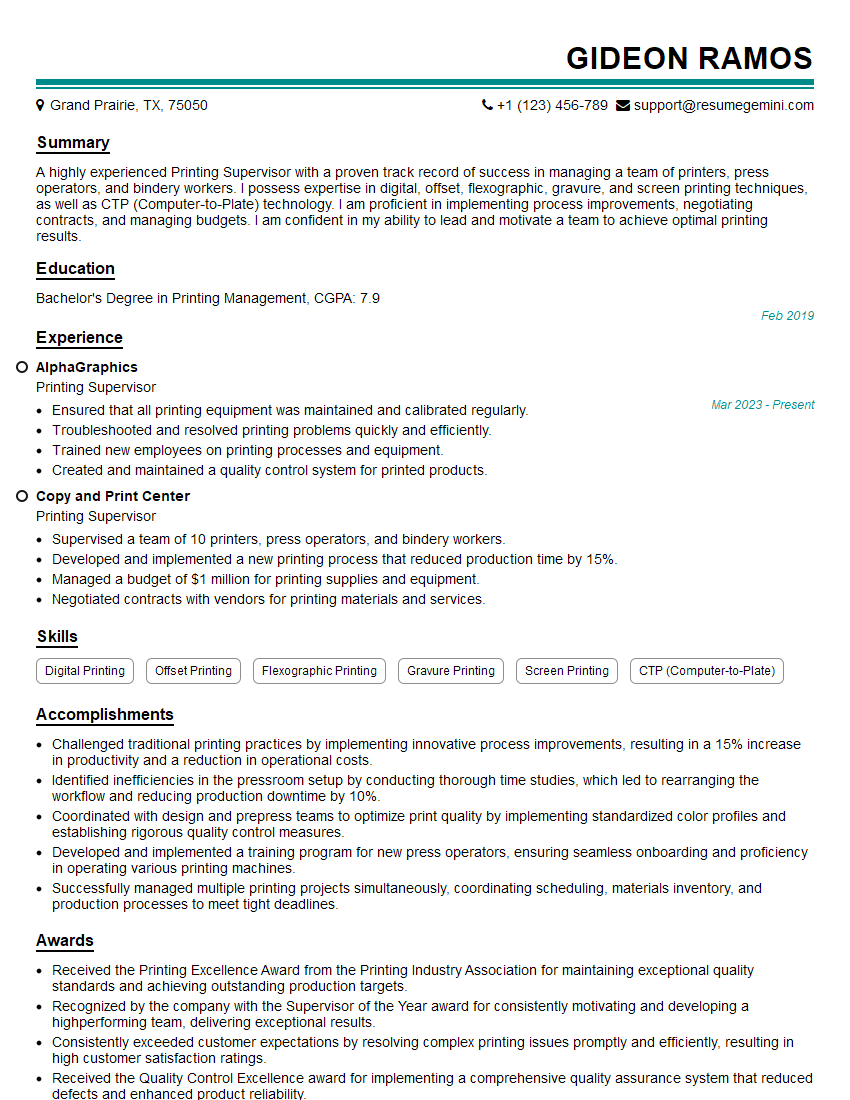
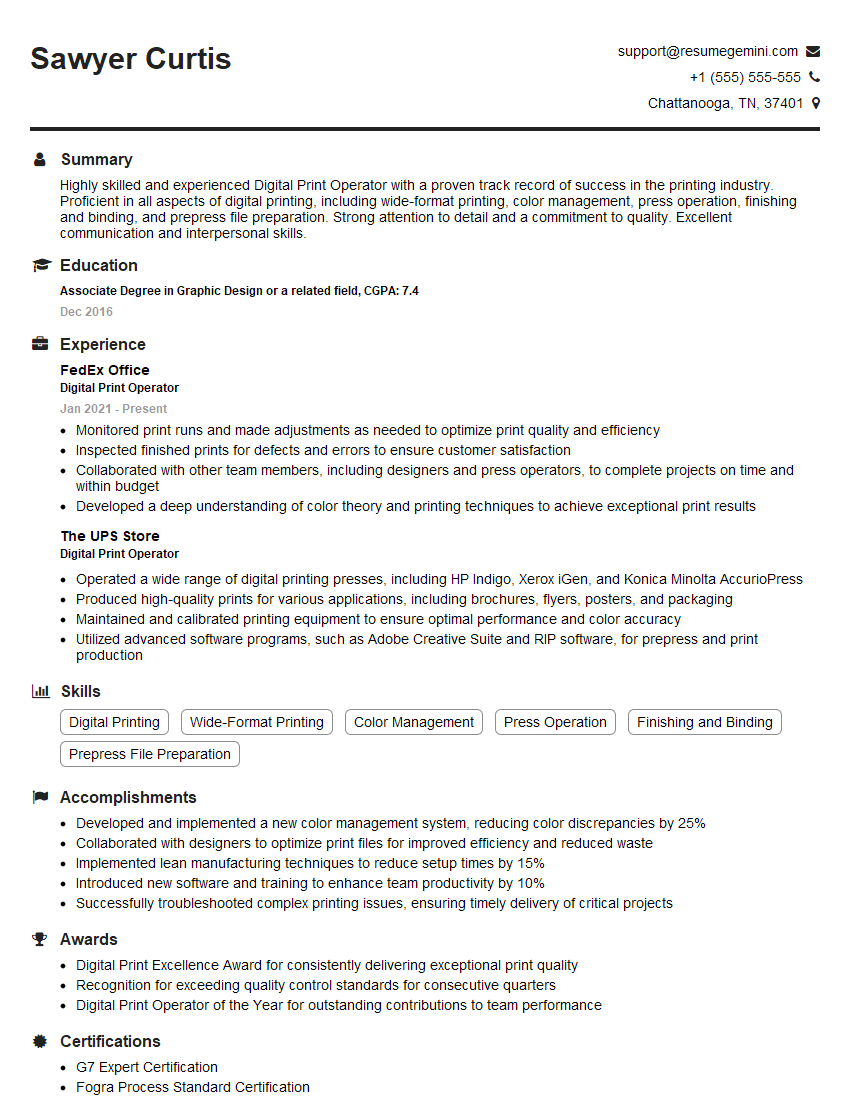
Mastering trapping and overprinting is crucial for career advancement in the graphic arts and printing industries. These skills are highly sought after, demonstrating a strong understanding of pre-press processes and a commitment to quality print production. To maximize your job prospects, invest time in crafting an ATS-friendly resume that effectively highlights your expertise. ResumeGemini is a trusted resource to help you build a professional and impactful resume that showcases your skills and experience. Examples of resumes tailored to Trapping and Overprinting positions are available within ResumeGemini to guide your creation.




Explore more articles
Users Rating of Our Blogs
Share Your Experience
We value your feedback! Please rate our content and share your thoughts (optional).
What Readers Say About Our Blog
Very informative content, great job.
good