Interviews are opportunities to demonstrate your expertise, and this guide is here to help you shine. Explore the essential Trouble-shooting and Problem Solving interview questions that employers frequently ask, paired with strategies for crafting responses that set you apart from the competition.
Questions Asked in Trouble-shooting and Problem Solving Interview
Q 1. Describe your process for troubleshooting a complex technical issue.
My troubleshooting process for complex technical issues follows a structured approach, much like a detective investigating a crime. I begin by gathering information – this includes symptoms reported by the user, error logs, system metrics, and any relevant documentation. Think of this as collecting clues at the crime scene.
Next, I reproduce the issue, if possible. This helps rule out intermittent problems and ensures I’m working with a consistent set of facts. Reproducing the problem is like creating a controlled experiment in a lab.
Then, I formulate hypotheses based on the collected information. What are the most likely causes given the evidence? This is where my experience and knowledge base come into play. I might start with the most probable causes and work my way down.
I systematically test these hypotheses, one by one, using a process of elimination. Each test provides more information, guiding me closer to the root cause. This iterative process refines my understanding and narrows the possibilities. It’s like following a trail of bread crumbs.
Once I’ve identified the root cause, I implement a solution. This might involve code changes, configuration updates, hardware replacements, or a combination of approaches. Finally, I thoroughly test the solution to ensure the problem is resolved and doesn’t reoccur. This verification step is crucial to ensure a lasting fix.
Throughout the entire process, I document each step, my findings, and the implemented solution. This detailed documentation is essential for future troubleshooting, knowledge sharing, and even for potential audits.
Q 2. Explain a time you identified the root cause of a problem, not just the symptoms.
During a recent project involving a web application, users reported intermittent slowdowns. Initially, everyone focused on the symptoms: slow page load times. However, I suspected something deeper was going on. Instead of just optimizing the front-end, I delved into server logs and performance monitoring tools.
My investigation revealed that database queries were becoming exponentially slower at peak usage times. The slow page loads were a *symptom*; the root cause was inefficient database indexing and a rapidly growing data set that hadn’t been optimized for performance. Simply tweaking the front-end would have been a temporary band-aid; fixing the database indexing and implementing database optimization strategies addressed the core problem.
This highlights the importance of going beyond surface-level symptoms to uncover the underlying issue. Focusing solely on the symptoms would have resulted in a temporary, inefficient, and ultimately unsustainable solution.
Q 3. How do you prioritize multiple problems or tasks simultaneously?
I prioritize multiple problems using a combination of urgency and impact analysis. I utilize a matrix approach, often visualized as a simple two-by-two grid. One axis represents the urgency (how quickly the problem needs to be resolved), and the other axis represents the impact (how severe the consequences of not resolving the problem are).
Problems with high urgency and high impact are addressed immediately. These are the critical issues that demand immediate attention. Imagine a fire in a building – that’s a high urgency, high impact problem.
Problems with low urgency and low impact can be deferred until there’s more time. These are often maintenance tasks or minor improvements. These might be like tidying up your desk after finishing a project.
The remaining two quadrants require careful consideration. High-impact, low-urgency problems need to be scheduled proactively. These often relate to preventive maintenance or security updates. Think of it as planning a major system upgrade.
Low-impact, high-urgency problems are usually addressed swiftly but might not require as much in-depth investigation. These could be minor bugs that affect only a small number of users.
Using this matrix approach allows me to effectively manage multiple tasks and ensures the most critical issues are addressed promptly.
Q 4. What tools or techniques do you use for troubleshooting?
My troubleshooting toolbox includes a variety of tools and techniques. For network issues, I use packet analyzers like Wireshark to capture and analyze network traffic, helping to pinpoint bottlenecks or communication errors. It’s like having a microscope for network communication.
For application problems, I use debuggers to step through code execution, identify errors, and understand program flow. This is analogous to tracing a circuit board to find a short-circuit.
I also rely heavily on logging and monitoring tools. Logs provide a valuable record of system events and application behavior, offering crucial clues for understanding the cause of problems. Monitoring tools, such as Grafana or Prometheus, give real-time insights into system performance, allowing for the detection of resource exhaustion or unexpected behavior.
Beyond technical tools, strong communication skills are essential for gathering information from users and collaborating with colleagues. Sometimes, the best troubleshooting technique is simply asking the right questions!
Q 5. How do you handle situations where you don’t have all the information needed to solve a problem?
When faced with incomplete information, my approach is to systematically gather more data. I begin by clearly defining what information is missing and why it’s crucial. This focuses my efforts and ensures I’m collecting the most relevant information.
Then, I identify the best sources for this missing information. This could involve consulting documentation, reaching out to colleagues, or even querying the affected users for more details. This part is like piecing together a puzzle with missing fragments.
Once I have the additional information, I re-evaluate my hypotheses and refine my troubleshooting strategy based on this new knowledge. It’s like having a new clue that helps me solve the mystery.
In situations where obtaining all the information is impossible or impractical, I focus on implementing a solution that addresses the known aspects of the problem while acknowledging the potential for unforeseen complications. It’s about finding the best solution with the information available, similar to a doctor making a diagnosis with limited test results.
Q 6. Describe a time you had to troubleshoot a problem with limited resources.
I once had to troubleshoot a critical production server issue with limited access to specialized tools. The company had recently experienced budget cuts, and many of our advanced monitoring tools were unavailable.
Instead of relying on sophisticated automated tools, I reverted to more basic techniques, utilizing the operating system’s built-in utilities. I used command-line tools like top and iostat to monitor system resource usage. This gave me a good understanding of what was causing the server to struggle, despite a lack of our usual advanced dashboards.
I also relied heavily on log files and basic network monitoring tools. It was a more manual and time-consuming process, but it eventually led me to identify a memory leak in a critical application. By focusing on efficient utilization of available resources, I successfully resolved the issue, demonstrating resourcefulness and a pragmatic approach to problem solving. It taught me the importance of foundational troubleshooting skills, which are often overlooked in the presence of advanced technology.
Q 7. How do you approach a problem that you’ve never encountered before?
Encountering a completely unfamiliar problem is a chance to learn and expand my skillset. My approach starts with breaking down the problem into smaller, more manageable components. This helps me identify the core aspects of the issue and focus my efforts.
Next, I conduct thorough research. I leverage online resources such as documentation, forums, and knowledge bases to learn more about the specific technologies involved and similar problems reported by others. It’s like researching a new topic for a complex assignment.
I also actively seek collaboration with colleagues who might have expertise in the relevant areas. This cross-functional collaboration is invaluable in solving complex problems efficiently. It’s the teamwork aspect that pushes problems over the hurdle.
Throughout the process, I document my findings and the steps I’ve taken, not just for my benefit but also for future reference. This thorough documentation creates a valuable resource for both me and the team, and helps in building organizational knowledge.
Finally, I reflect on the learning experience. What did I learn from this encounter? How can I improve my troubleshooting skills or prevent similar issues in the future? Continuous learning is key to becoming a more effective problem-solver.
Q 8. How do you document your troubleshooting process?
Thorough documentation is crucial for effective troubleshooting. My approach involves creating a detailed record of every step, much like a detective meticulously documenting a crime scene. This ensures reproducibility and allows for efficient knowledge sharing and future problem resolution.
Initial Problem Description: I start by clearly defining the problem, including error messages, timestamps, and affected systems. For example, instead of simply writing ‘System down,’ I’d note: ‘Database server unresponsive since 14:30, error message: ‘Connection timed out,’ affecting order processing system.’
Steps Taken: Each troubleshooting step is meticulously documented, including commands executed (e.g.,
ping google.com,netstat -an), results obtained, and any changes made to the system. This includes both successful and unsuccessful attempts.Tools Used: I record the tools and software used (e.g., Wireshark, tcpdump, specific monitoring dashboards), as this helps future analysis.
Analysis and Findings: I document my reasoning behind each step, my hypotheses about the problem’s root cause, and the evidence supporting or refuting those hypotheses. This shows the thought process involved, not just a list of actions.
Resolution and Outcome: Finally, I document the solution that resolved the problem, the verification steps taken to ensure it was indeed fixed, and any preventative measures implemented. This forms a knowledge base for future reference.
I typically use a combination of a ticketing system (like Jira or ServiceNow) and internal wikis or documentation platforms for long-term storage and accessibility.
Q 9. How do you ensure accuracy in your troubleshooting process?
Accuracy is paramount in troubleshooting; a wrong diagnosis can lead to wasted time and further damage. I ensure accuracy through a multi-layered approach:
Verification and Validation: After each step, I verify the results. For instance, if I suspect a network issue, I don’t just assume the problem is solved after restarting the router; I perform ping tests, traceroutes, and check network monitoring tools to confirm connectivity.
Cross-Referencing: I use multiple sources of information—system logs, monitoring dashboards, error messages, and documentation—to corroborate findings. This helps identify inconsistencies and prevents relying on a single potentially faulty source.
Reproducibility: Whenever possible, I attempt to reproduce the problem in a controlled environment (like a test server) to isolate the issue and verify the solution before implementing it in production.
Double-Checking: Before closing a case, I always perform a final check to ensure the solution has completely resolved the problem and that there are no lingering side effects.
Peer Review (where applicable): In complex situations, I seek a second opinion from a colleague to review my findings and proposed solution. A fresh perspective can catch errors I might have overlooked.
Q 10. Describe your experience with remote troubleshooting.
Remote troubleshooting requires a different skillset compared to on-site support. My experience encompasses various scenarios, from simple password resets to resolving complex network connectivity issues across geographically dispersed locations. I rely heavily on tools like:
Remote Desktop Software: Tools such as TeamViewer or AnyDesk allow me to control the user’s machine remotely, providing hands-on assistance.
Collaboration Tools: Platforms like Zoom or Microsoft Teams enable real-time communication and screen sharing, allowing me to guide users through steps and explain concepts visually.
Monitoring and Logging Tools: Remote access to monitoring dashboards and logs is essential for diagnosing problems without physical access.
Command-Line Interfaces: I’m proficient in using SSH and other command-line tools to remotely manage and troubleshoot servers.
A crucial aspect of remote troubleshooting is clear and patient communication. I ensure the user understands the steps, and I carefully explain technical concepts in non-technical terms. I also prioritize building rapport and trust with the user to establish a collaborative environment.
Q 11. Explain a time you had to escalate a problem to a higher level.
During a major system outage impacting our e-commerce platform, initial troubleshooting efforts focused on database performance issues. After several hours of investigation and attempted fixes, we determined that the problem stemmed from a faulty network switch, which was beyond my area of expertise.
I carefully documented my findings, including all troubleshooting steps, error logs, and the limitations of my troubleshooting capacity. Then, I escalated the issue to our network infrastructure team, providing them with the comprehensive documentation, allowing them to efficiently assess the situation and implement the necessary corrective action. The network team promptly identified and replaced the faulty switch, resolving the outage. The post-mortem analysis highlighted the importance of clear escalation procedures and comprehensive documentation in resolving complex incidents efficiently.
Q 12. How do you collaborate with others to solve problems?
Effective collaboration is key to solving complex problems. My approach emphasizes clear communication and shared understanding:
Defining Roles and Responsibilities: At the outset, I clearly define each team member’s role and responsibilities to avoid duplication of effort and ensure accountability.
Regular Communication: I use regular meetings, updates, and progress reports to ensure everyone is aligned on the problem’s status and the steps being taken.
Shared Documentation: I use collaborative tools like shared documents or wikis to allow team members to access information and track progress.
Active Listening and Feedback: I actively listen to the ideas and feedback of other team members and encourage open communication. I am always open to alternative approaches and perspectives.
Constructive Conflict Resolution: Disagreements are opportunities for learning; through constructive discussion, we can arrive at better solutions.
For example, during a recent incident involving a software bug, I collaborated closely with developers and QA engineers to reproduce the bug, isolate the root cause, and develop and test a fix. Through collaborative effort, we resolved the bug more efficiently and thoroughly than if one person had handled it alone.
Q 13. What is your approach to preventing future occurrences of a problem?
Preventing future occurrences involves a proactive and systematic approach that goes beyond simply fixing the immediate problem. My approach includes:
Root Cause Analysis: A thorough root cause analysis helps identify underlying issues that contributed to the problem. This might include inadequate monitoring, systemic vulnerabilities, or human error.
Implementing Preventative Measures: Based on the root cause analysis, I recommend and implement preventative measures. This might involve updating software, improving monitoring systems, implementing stricter security protocols, or updating documentation.
Automation: Automating routine tasks and implementing automated alerts can reduce human error and help detect problems early on.
Training and Education: User training is critical to prevent human error-related issues. Comprehensive documentation also helps in educating users on best practices.
Monitoring and Alerting: Implementing comprehensive monitoring and alerting systems helps to detect problems early on, before they cause significant damage.
For instance, after resolving a recurring network connectivity issue caused by insufficient bandwidth, I recommended and implemented a network upgrade, improved network monitoring, and provided training for system administrators on network capacity planning.
Q 14. How do you stay updated on new troubleshooting techniques or technologies?
Staying updated in the rapidly evolving field of troubleshooting requires a multi-faceted approach:
Industry Publications and Blogs: I regularly read industry publications and blogs to stay informed about new technologies and troubleshooting techniques.
Conferences and Workshops: Attending conferences and workshops provides opportunities to learn from experts and network with other professionals.
Online Courses and Certifications: I actively participate in online courses and pursue relevant certifications to enhance my skills and knowledge.
Professional Networking: Engaging in professional networking helps me to connect with others in the field and learn from their experiences.
Hands-on Practice: I seek opportunities to practice new techniques and tools in controlled environments to ensure I can effectively apply them in real-world situations.
This continuous learning process helps me to stay ahead of the curve and adopt new approaches to troubleshooting, ensuring I remain an effective problem solver in a constantly changing technology landscape.
Q 15. Explain your understanding of root cause analysis.
Root cause analysis (RCA) is a systematic process for identifying the underlying cause of a problem, rather than just addressing its symptoms. It’s like being a detective, investigating a crime scene (the problem) to find the culprit (the root cause). Instead of simply patching the holes in a leaky roof (treating the symptoms), RCA helps you determine *why* the roof is leaking in the first place – maybe it’s damaged flashing, a blocked gutter, or even a design flaw.
A common approach involves using techniques like the ‘5 Whys’ – repeatedly asking ‘why’ to drill down to the root cause. For example:
- Problem: The server is down.
- Why? Because the hard drive failed.
- Why? Because it exceeded its lifespan.
- Why? Because it wasn’t replaced according to the maintenance schedule.
- Why? Because the maintenance schedule wasn’t properly implemented or followed.
Other techniques include Fishbone diagrams (Ishikawa diagrams), Fault Tree Analysis (FTA), and even more sophisticated methods employed in large-scale incident response. The goal is always to prevent the problem from recurring by fixing the root cause, not just the immediate symptoms.
Career Expert Tips:
- Ace those interviews! Prepare effectively by reviewing the Top 50 Most Common Interview Questions on ResumeGemini.
- Navigate your job search with confidence! Explore a wide range of Career Tips on ResumeGemini. Learn about common challenges and recommendations to overcome them.
- Craft the perfect resume! Master the Art of Resume Writing with ResumeGemini’s guide. Showcase your unique qualifications and achievements effectively.
- Don’t miss out on holiday savings! Build your dream resume with ResumeGemini’s ATS optimized templates.
Q 16. Describe a situation where you used a systematic approach to troubleshooting.
During a recent project involving a critical e-commerce website, we experienced a sudden spike in error rates during peak shopping hours. My systematic approach involved the following steps:
- Gather information: I collected logs, monitoring data, and user reports to understand the scope and impact of the issue.
- Reproduce the issue: If possible, I’d try to reproduce the error in a controlled environment to isolate the problem. In this case, simulating peak traffic load was impossible so i prioritized other areas.
- Isolate the problem: I analyzed the error logs, looking for patterns and common threads. I initially focused on the application logs, then moved onto database logs, and finally checked the load balancer.
- Identify the root cause: The analysis revealed a database query that was poorly optimized. It was causing timeouts during peak traffic, leading to application errors.
- Implement a solution: We optimized the problematic query and implemented caching mechanisms to reduce database load. We also reviewed code for areas that could be optimized for performance.
- Verify the solution: After deploying the fix, we rigorously monitored the system to ensure the problem was resolved and didn’t reoccur.
This systematic approach ensured we not only resolved the immediate issue but also identified and addressed the underlying performance bottleneck, preventing similar issues in the future.
Q 17. How do you handle pressure when troubleshooting a critical system failure?
Troubleshooting a critical system failure under pressure requires a calm, methodical approach. My strategy is based on prioritizing, delegating, and staying focused.
- Prioritize: I focus on the most critical aspects first, assessing which components need immediate attention to minimize downtime.
- Delegate: If I need help, I clearly delegate tasks to others based on their skills and knowledge, and provide effective communication and updates.
- Stay focused: I avoid distractions and try to maintain a clear head. Deep breaths and reminding myself of the systematic process keeps me grounded.
- Communicate: Keep stakeholders informed about progress, challenges and the expected timeline for resolution.
- Document: Meticulously record every step taken, the decisions made and results. This information helps for incident reviews later.
Remember, panic won’t help. A calm, systematic approach is far more effective under pressure.
Q 18. What metrics do you use to measure the effectiveness of your troubleshooting?
Measuring the effectiveness of troubleshooting involves several key metrics. These include:
- Mean Time To Repair (MTTR): The average time taken to restore a system to its operational state after a failure. A lower MTTR indicates better efficiency.
- Mean Time Between Failures (MTBF): The average time between successive failures. A higher MTBF indicates improved system reliability and proactive measures are working.
- Number of incidents resolved: The total number of issues successfully resolved within a given timeframe.
- Customer satisfaction (CSAT): How satisfied users were with the speed and quality of the resolution. If downtime resulted in significant user impact, monitoring this will provide insights to the impact of the issue.
- Root cause identification rate: Percentage of incidents where the root cause was correctly identified. A high rate indicates better diagnostic skills.
By tracking these metrics, I can identify areas for improvement in my troubleshooting process and contribute to continuous improvement of the overall system reliability.
Q 19. How do you balance speed and accuracy in troubleshooting?
Balancing speed and accuracy in troubleshooting is crucial. It’s about finding the optimal balance between quick resolution and a thorough understanding of the root cause. Rushing to a solution without proper diagnosis often leads to recurring problems.
My approach involves:
- Initial quick checks: Start with basic checks to quickly rule out obvious issues, like network connectivity, or service restarts.
- Prioritization of impact: Focus on high-impact issues first. Address critical system failures before addressing minor inconveniences.
- Systematic approach: While rapid initial checks are good, systematic investigation should be a cornerstone. This allows for a thorough investigation of the root cause for long term improvements.
- Escalation when necessary: If I’m stuck or a problem is beyond my expertise, I escalate promptly to other team members.
- Documentation: Keeps the process organized and facilitates knowledge sharing.
This approach ensures I quickly address immediate concerns while also digging deep enough to resolve underlying problems to prevent recurrence. It’s like a doctor quickly stabilizing a patient before performing a thorough diagnosis and treatment.
Q 20. Describe a time you used logic and reasoning to solve a technical issue.
We had a situation where a specific application feature stopped working after a recent deployment. Initially, error logs didn’t provide much clarity. Using logic and deductive reasoning, I started by comparing the application’s configuration files before and after the deployment.
I noticed a change in a database connection string, indicating a mismatch between the application’s expectation and the actual database setup. Further investigation revealed that the database instance had been accidentally updated to use a different port. Through logical steps and careful examination of the configuration files and system information, I found the root cause of the malfunctioning feature.
This experience highlighted the power of a methodical and logical approach, especially when dealing with complex systems where initial error messages might be misleading or unhelpful.
Q 21. How do you determine the feasibility of a proposed solution?
Determining the feasibility of a proposed solution involves a multi-faceted assessment, considering factors such as:
- Technical feasibility: Can the solution be implemented with the existing technology and resources? This may involve evaluating system compatibility, resource constraints (CPU, memory, bandwidth), and available expertise.
- Economic feasibility: What are the costs associated with implementing and maintaining the solution? Does the cost justify the benefits?
- Operational feasibility: Will the solution integrate smoothly with existing systems and processes? What are the operational implications? This requires analysis of business impact and workflow changes that could be required.
- Time feasibility: Can the solution be implemented within a reasonable timeframe, given project deadlines and resource availability? A project timeline is helpful.
- Legal and regulatory compliance: Does the solution comply with all relevant laws and regulations? This may involve reviewing privacy regulations and security standards.
A thorough evaluation of these factors helps determine not only if a solution is *possible*, but also if it’s *practical* and *worthwhile* to implement. A cost-benefit analysis can be used here.
Q 22. Explain how you handle conflicting priorities when troubleshooting.
Conflicting priorities are a common challenge in troubleshooting. My approach involves a systematic prioritization process. First, I clearly define the impact of each issue. Which problem will cause the most significant disruption or financial loss? I use a prioritization matrix, sometimes even a simple risk assessment, assigning weights to factors like impact, urgency, and likelihood of resolution. For example, a server outage impacting critical business functions would obviously take precedence over a minor user interface glitch. Next, I communicate the prioritization transparently to stakeholders, explaining the rationale behind my decisions. This prevents misunderstandings and ensures everyone is aligned. Finally, I break down large, complex problems into smaller, manageable tasks, tackling the highest-priority issues first while keeping track of the others. This allows for efficient resource allocation and prevents getting bogged down in low-impact tasks that could delay the resolution of more critical ones.
Q 23. How do you communicate technical issues to non-technical audiences?
Communicating technical issues to non-technical audiences requires clear, concise language, avoiding jargon. I use analogies and metaphors to explain complex concepts. For instance, instead of saying “The database experienced a deadlock,” I might say, “Imagine a traffic jam on a highway—multiple requests were trying to access the same data at once, blocking each other.” I also use visuals, such as diagrams or flowcharts, to illustrate the problem and its solution. Visual aids make abstract technical concepts easily understandable. Keeping the explanation focused on the impact of the issue, rather than the technical details, is key. For example, instead of describing a complex network issue, I’d focus on the fact that “users are unable to access the system,” and then briefly outline the steps being taken to restore service. I always ensure the audience understands the next steps and when they can expect a resolution.
Q 24. Describe a time you failed to solve a problem and what you learned from it.
During a recent project, we encountered a persistent performance bottleneck in our application. We initially suspected database issues and spent considerable time optimizing queries. However, the performance remained sluggish. We ultimately discovered the problem wasn’t in the database but in inefficient code within a specific module. This experience highlighted the importance of thorough investigation and not jumping to conclusions based on initial assumptions. The lesson learned was crucial: systematic troubleshooting requires considering all possible causes, not just the most obvious ones. We implemented a more rigorous testing methodology to avoid similar pitfalls in the future, incorporating load testing and performance profiling to identify bottlenecks early on in the development cycle.
Q 25. What are your strengths and weaknesses in problem-solving?
My strengths in problem-solving include a methodical approach, strong analytical skills, and the ability to quickly identify root causes. I am adept at breaking down complex problems into smaller, manageable steps and utilizing various debugging tools effectively. My weakness used to be overconfidence; I sometimes jumped to conclusions prematurely. However, I’ve actively worked to mitigate this by consciously employing a more structured approach, such as the five whys technique, to ensure I explore all possible explanations before reaching a solution. This deliberate effort to address my weakness has significantly improved my troubleshooting efficiency and accuracy.
Q 26. How do you adapt your troubleshooting approach to different situations?
My troubleshooting approach adapts based on the context. For hardware issues, I might start with visual inspections, followed by diagnostic tests. Software problems may require debugging tools, log analysis, or remote sessions. Network troubleshooting might involve packet captures and traceroutes. My approach is always systematic but flexible. I begin with the most likely causes and progressively investigate less probable ones. For example, if a website is down, I’d first check the server’s status, then the network connection, and then the application itself. The key is to adapt my methodology to the specific technology and situation at hand, gathering data and using relevant tools to pinpoint the issue.
Q 27. How do you manage your time effectively during troubleshooting?
Effective time management during troubleshooting is critical. I use a combination of techniques: First, I prioritize tasks as previously discussed. Second, I meticulously document my findings, avoiding unnecessary repetition. This documentation helps track progress and allows for efficient handover if needed. Third, I utilize time-boxing, allotting specific timeframes to different tasks. If I am unable to resolve an issue within the allotted time, I reassess my approach or seek assistance. This prevents me from getting stuck on a single problem for too long. Finally, I use task management tools to keep track of my workflow and deadlines, making sure to set realistic expectations for resolution time and communicate those effectively to stakeholders.
Q 28. Describe a time you used creative thinking to solve a problem.
Once, we had a critical application failure with no obvious error messages. Standard debugging techniques were yielding no results. Using creative thinking, I decided to visually inspect the application server’s resource utilization graphs over a longer timeframe. While initial peaks didn’t show anything conclusive, I noticed subtle patterns in memory consumption that correlated with user activity spikes. This led to the discovery that a memory leak was occurring under heavy load. This seemingly minor, almost invisible pattern in the graphs would have been easily missed with a less careful review. This unconventional approach ultimately pinpointed the issue, which was subsequently fixed, highlighting the value of open-mindedness and looking beyond standard troubleshooting steps. The solution involved implementing more robust memory management in the application code.
Key Topics to Learn for Trouble-shooting and Problem Solving Interviews
- Identifying the Problem: Learn techniques for accurately defining the problem, gathering relevant information, and distinguishing symptoms from root causes. This includes active listening and asking clarifying questions.
- Systematic Approaches: Master structured problem-solving methodologies like the 5 Whys, root cause analysis (RCA), and the scientific method. Practice applying these methods to hypothetical scenarios.
- Troubleshooting Methodologies: Explore different troubleshooting strategies, including binary search, divide and conquer, and elimination. Understand when to apply each approach effectively.
- Prioritization and Time Management: Develop skills in prioritizing tasks based on urgency and impact. Learn techniques for efficient time management during troubleshooting and problem-solving situations.
- Documentation and Communication: Practice documenting your troubleshooting steps, findings, and solutions clearly and concisely. Understand how to effectively communicate technical information to both technical and non-technical audiences.
- Risk Assessment and Mitigation: Learn to identify potential risks associated with troubleshooting and problem-solving and develop strategies to mitigate them. This includes anticipating potential side effects and planning for contingencies.
- Creative Problem Solving: Explore techniques to approach problems from different perspectives and think outside the box to generate innovative solutions. This includes brainstorming and lateral thinking.
Next Steps
Mastering troubleshooting and problem-solving skills is paramount for career advancement in virtually any field. These skills demonstrate critical thinking, adaptability, and a proactive approach to challenges – all highly valued by employers. To maximize your job prospects, it’s crucial to present these skills effectively on your resume. Creating an ATS-friendly resume is essential to ensure your application gets noticed. ResumeGemini is a trusted resource to help you build a professional and impactful resume that highlights your abilities. We provide examples of resumes tailored to showcase expertise in troubleshooting and problem-solving, helping you present yourself in the best possible light.

Operations Manager Resume Sample

Product Manager Resume Sample

Project Manager Resume Sample

Compliance Officer Resume Sample
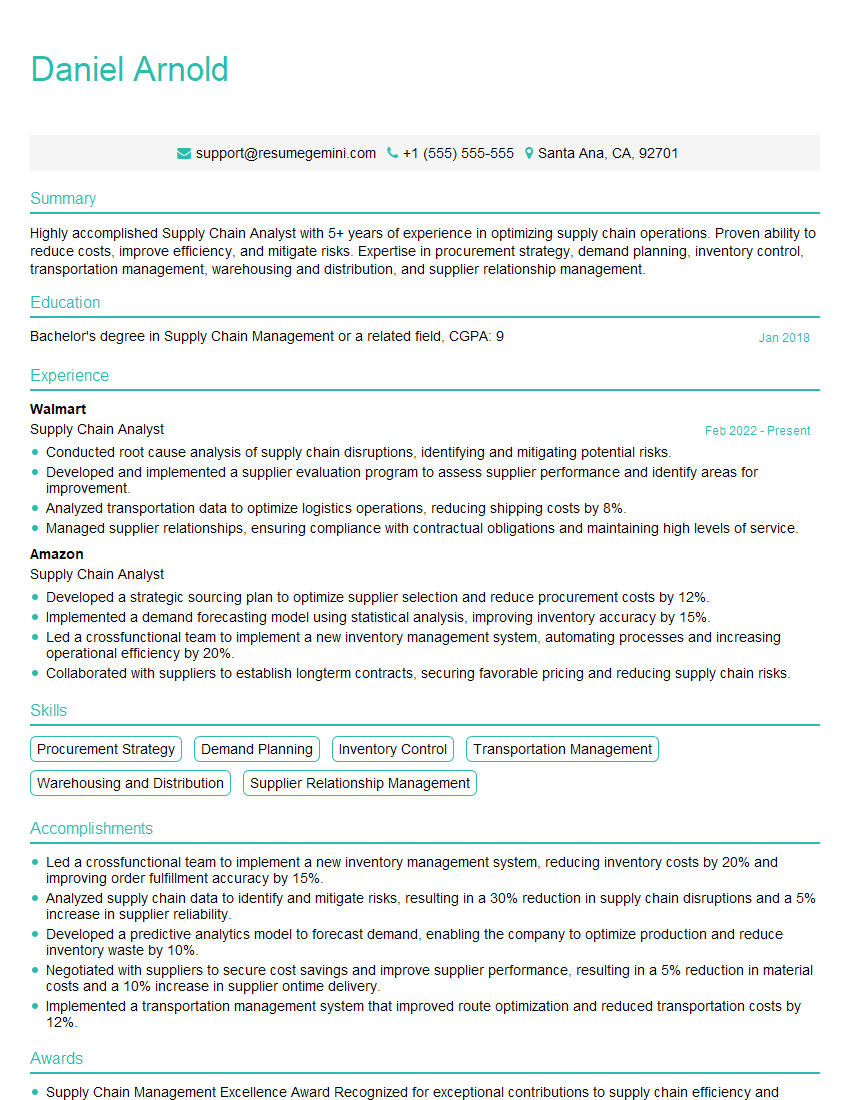
Supply Chain Analyst Resume Sample

Business Analyst Resume Sample

Data Analyst Resume Sample

Software Engineer Resume Sample

Network Engineer Resume Sample

Technical Support Specialist Resume Sample
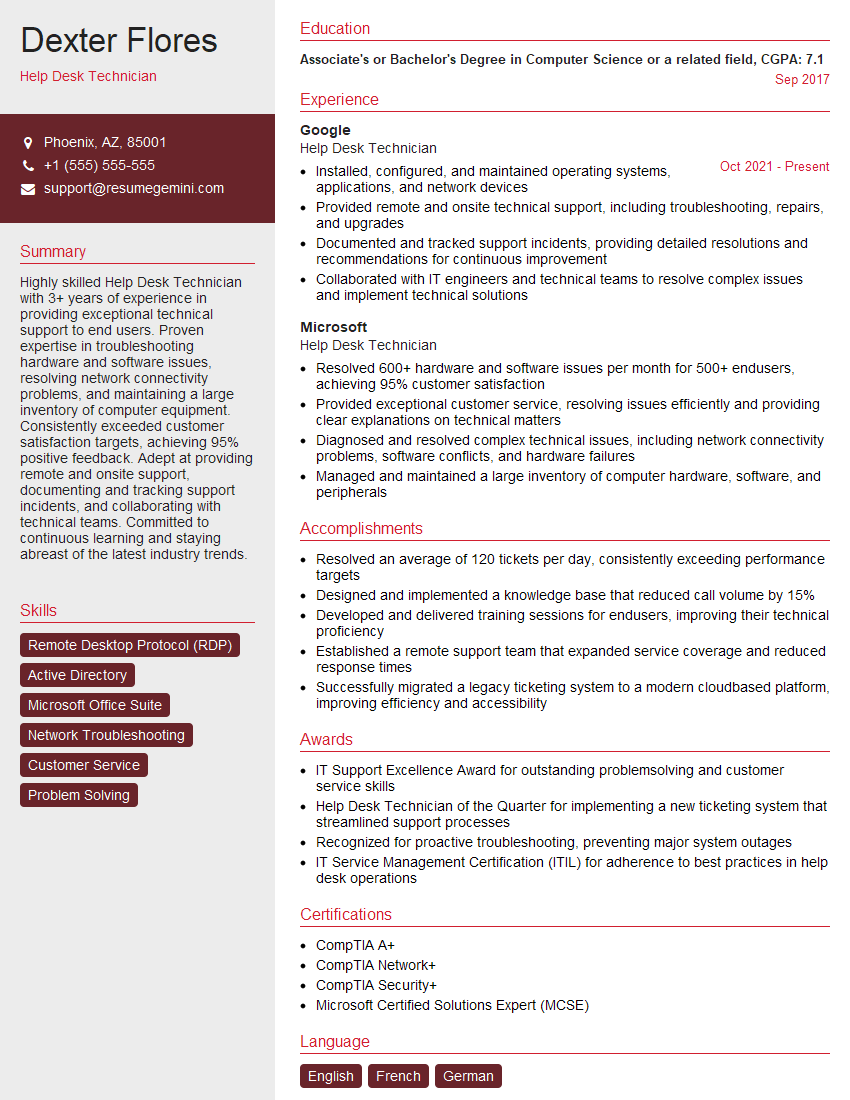
Help Desk Technician Resume Sample

Field Service Engineer Resume Sample

Manufacturing Engineer Resume Sample

Quality Assurance Engineer Resume Sample

Technical Writer Resume Sample

Database Administrator Resume Sample

DevOps Engineer Resume Sample

Cloud Architect Resume Sample

Cybersecurity Analyst Resume Sample
- Operations Manager
- Product Manager
- Project Manager
- Compliance Officer
- Supply Chain Analyst
- Business Analyst
- Data Analyst
- Software Engineer
- Network Engineer
- Technical Support Specialist
- Help Desk Technician
- Field Service Engineer
- Manufacturing Engineer
- Quality Assurance Engineer
- Technical Writer
- Database Administrator
- DevOps Engineer
- Cloud Architect
- Cybersecurity Analyst
Explore more articles
Users Rating of Our Blogs
Share Your Experience
We value your feedback! Please rate our content and share your thoughts (optional).
What Readers Say About Our Blog
Very informative content, great job.
good