Cracking a skill-specific interview, like one for Typography and Font Design, requires understanding the nuances of the role. In this blog, we present the questions you’re most likely to encounter, along with insights into how to answer them effectively. Let’s ensure you’re ready to make a strong impression.
Questions Asked in Typography and Font Design Interview
Q 1. Explain the difference between serif and sans-serif typefaces.
The core difference between serif and sans-serif typefaces lies in the presence or absence of serifs – the small decorative strokes at the ends of letterforms.
Serif typefaces, like Times New Roman or Garamond, possess these serifs. Historically, they were created for print media, and the serifs are believed to aid readability in continuous text by guiding the eye smoothly along the lines. They often have a more traditional, classic feel.
Sans-serif typefaces, such as Arial or Helvetica, lack these serifs. They tend to appear cleaner, more modern, and are often preferred for digital displays and headings where clarity at various sizes is crucial. Think of the difference between a handwritten letter (serif-like) and a neatly typed one (sans-serif-like).
The choice between serif and sans-serif depends largely on the context. Serifs offer a sense of formality and readability in longer texts, while sans-serif fonts provide clarity and modernity, particularly for shorter texts or digital interfaces.
Q 2. Describe the concept of x-height and its importance in readability.
X-height refers to the height of the lowercase ‘x’ in a particular typeface. It’s a crucial element impacting readability because it directly relates to the visual size and weight of the text. A larger x-height makes the text feel more open and easier to read, especially in smaller point sizes. Imagine reading a novel written in a tiny font – a larger x-height would significantly improve the experience.
Conversely, a smaller x-height, while possibly making the font appear more elegant or refined, can make the text appear cramped and harder to decipher, particularly in dense blocks of text. Think of it as the amount of space each letter ‘occupies’; the more space, the easier it is to read.
Designers often consider x-height in conjunction with other aspects like ascenders (the parts of letters like ‘b’ and ‘d’ that extend above the x-height) and descenders (parts that extend below, like in ‘g’ and ‘p’) to strike a balance between legibility and aesthetic appeal.
Q 3. What are some common typographic scales and how are they used?
Typographic scales, also known as modular scales, are systems for creating harmonious relationships between different type sizes. They ensure visual consistency and hierarchy within a design. Think of it like a musical scale—certain notes sound good together; similarly, certain font sizes work well visually.
Common scales include:
- Fibonacci sequence: Based on the mathematical sequence where each number is the sum of the two preceding ones (1, 1, 2, 3, 5, 8, etc.). This creates naturally pleasing proportions.
- Golden ratio: Approximately 1.618, this ratio creates visually appealing proportions in various design aspects, including typography. You’ll often see this used to determine the relationship between heading and body text sizes.
- Major Thirds: This scale uses intervals based on musical thirds, providing harmonious and balanced visual progressions.
- Geometric progressions: These scales use a constant ratio between consecutive sizes (e.g., multiplying each size by 1.2).
These scales are used to define a hierarchy: for instance, a larger size for headings, a slightly smaller size for subheadings, and the smallest size for body text. The specific scale used depends on the design’s overall aesthetic and purpose.
Q 4. Explain the difference between kerning and tracking.
Both kerning and tracking affect the spacing between letters, but they operate at different levels.
Kerning is the adjustment of space between *individual* pairs of letters. For instance, the ‘A’ and ‘V’ might need more space between them than ‘A’ and ‘W’, as the latter has a wider shape. Think of it as fine-tuning the space between individual letters.
Tracking, or letter-spacing, is the overall adjustment of space between *all* letters in a selection of text. It’s a global adjustment impacting the density of the text. Tracking is used to adjust the overall ‘tightness’ or ‘looseness’ of a block of text, for example, to make a heading look more impactful or less crowded.
In essence, kerning is micro-adjustment, while tracking is macro-adjustment. Both are crucial for optimal readability and visual appeal.
Q 5. Discuss the importance of leading in typography.
Leading, also known as line spacing, refers to the vertical distance between lines of text. It’s a critical factor influencing readability and overall visual comfort. Insufficient leading can result in cramped text, making it difficult to read. Too much leading can make the text feel sparse and less connected.
Optimal leading depends on the typeface, point size, and the context. A good rule of thumb is to have leading slightly larger than the point size of the text, although this can vary depending on the design aesthetic and reading experience desired. The goal is to ensure comfortable visual flow between lines, facilitating effortless reading.
Inadequate leading can lead to eye strain and reduced readability; a crucial aspect of user experience. Proper leading ensures better readability and a visually pleasant experience for the reader.
Q 6. How do you choose the appropriate typeface for a specific project?
Choosing the appropriate typeface is a critical decision that requires careful consideration of various factors.
Firstly, consider the project’s purpose and audience. A playful script font might be suitable for a children’s book, while a clean sans-serif font is better for a corporate website. The tone and style must be in harmony with the subject matter.
Secondly, assess the medium. A typeface that works well on screen might not be ideal for print, and vice versa. Print usually benefits from serifs, while screens often prefer sans-serifs due to pixel rendering.
Thirdly, analyze the content. Long blocks of text demand high readability fonts, while short snippets allow more stylistic choices. Consider the length of the text and whether it needs to be readily consumed.
Finally, evaluate the overall aesthetic. The typeface should complement the overall visual design. This includes color palette, imagery, and other design elements.
Often, a process of elimination and experimentation is used. Starting with a few options that align with your initial assessment of the project, and then narrowing it down from there.
Q 7. What are some common pitfalls to avoid when designing a typeface?
Designing a typeface is a complex process fraught with potential pitfalls. Here are some common ones to avoid:
- Poor readability: Prioritizing aesthetics over legibility is a major mistake. A beautiful but illegible font is ultimately a failure.
- Lack of consistency: Letterforms should be consistent in weight, stroke width, and overall style. Inconsistent letterforms disrupt the flow and detract from readability and the overall harmony.
- Insufficient kerning and tracking: Poor spacing can severely impact readability. Meticulous attention to kerning and tracking is essential.
- Inadequate testing: Testing the typeface in various contexts (different sizes, mediums, and content) is vital. Testing reveals hidden issues that might not be apparent during initial design.
- Ignoring historical precedent: Understanding the history and evolution of typefaces provides valuable insights into what works and what doesn’t. Ignoring this can lead to design clichés or inefficient designs.
- Overly complex designs: While intricate designs might seem appealing, overly complex typefaces often suffer from poor legibility.
Avoiding these pitfalls requires careful planning, meticulous execution, and extensive testing. Iterative refinement and feedback from peers are crucial to achieving a well-designed typeface.
Q 8. Describe your process for creating a new typeface.
Creating a new typeface is a meticulous and iterative process, often spanning months or even years. It begins with a clear concept – the intended style, use case, and target audience. I typically start with extensive research, analyzing existing typefaces for inspiration but avoiding direct copying. This research informs the design’s overall aesthetic and its unique characteristics.
Next comes sketching. I’ll create numerous sketches, exploring different letterforms, proportions, and weights. This phase is crucial for establishing the typeface’s personality. Once I have a few promising sketches, I begin digital design using professional font creation software like FontLab Studio or Glyphs. This involves meticulously crafting each glyph (letter, number, symbol) paying close attention to details such as stroke weight, kerning (spacing between letters), and x-height (the height of lowercase ‘x’).
The digital stage involves numerous revisions and refinements. I constantly test the typeface in various contexts, at different sizes, and with different text samples. This ensures readability and consistency across different applications. Finally, the typeface is thoroughly tested for technical accuracy and undergoes quality control checks before release. This might involve creating different weights (like bold, light, etc.) and styles (italic, condensed, etc.) to create a complete font family.
Q 9. Explain the concept of ligatures and their application.
Ligatures are typographically elegant alternatives to standard letter pairings. They replace common combinations of letters, such as ‘fi’, ‘fl’, ‘ff’, ‘æ’, and ‘œ’, with a single, specially designed glyph. For instance, a standard ‘fi’ might look slightly awkward when the ‘f’’s descender overlaps the ‘i’. A ligature elegantly solves this issue by creating a single, visually pleasing glyph.
Ligatures enhance readability and aesthetics. They improve the visual flow of text, making it appear more refined and professional. They are particularly useful in body text settings where legibility is critical. Many typefaces incorporate a wide range of ligatures, accessible through the software’s OpenType features. Think of them as elegant refinements adding a touch of sophistication to typography.
Q 10. What is OpenType and what are its advantages?
OpenType is a powerful font technology that offers significant advantages over its predecessor, TrueType. It’s a more flexible and versatile format that supports a broader range of glyphs and features. This flexibility allows for more sophisticated typographic control and enables designers to incorporate advanced typographic features like ligatures, contextual alternatives, and stylistic sets.
Some key advantages of OpenType include: a larger character set accommodating various languages and scripts; advanced typographic features like small capitals, fractions, and superior/inferior figures; support for advanced kerning and spacing; and better scalability and rendering quality across different screen sizes and resolutions. Essentially, OpenType provides greater control and flexibility, enabling a higher level of typographic refinement.
Q 11. How do you ensure the readability of text in different sizes and contexts?
Ensuring readability across different sizes and contexts is paramount in typeface design. It requires careful consideration of several factors. Firstly, the x-height plays a critical role. A typeface with a generous x-height remains legible even at smaller sizes. Secondly, stroke weight needs to be balanced. Very thin strokes can become illegible when reduced in size, whereas very thick strokes can appear heavy and clunky.
Contrast between thick and thin strokes (think of the difference between the vertical and horizontal strokes in an ‘a’) is crucial for readability. High contrast enhances legibility, while low contrast can be challenging to read, especially at smaller sizes. Finally, consistent kerning and spacing are crucial for maintaining legibility. Poor spacing can lead to words becoming clumped together or too spread out.
I employ a range of techniques throughout the design and testing processes, including extensive testing at various sizes, across different media (print and screen), and using diverse text samples. This iterative process ensures the typeface adapts well to different contexts.
Q 12. What are some of your favorite typefaces and why?
My appreciation for typefaces is vast and constantly evolving, but some standouts include:
- Garamond: A timeless classic with its elegant proportions and readability. Its subtle details and delicate curves make it suitable for both body text and display applications.
- Helvetica: A modern sans-serif classic known for its neutrality and versatility. It’s a workhorse in the design world, perfectly suited for various applications where readability and clarity are essential.
- Didot: A high-contrast serif typeface that embodies classic elegance. Its delicate hairline strokes and bold thick strokes make it visually striking but might require careful consideration for readability in smaller sizes.
My preferences are driven by a typeface’s versatility, its historical significance, and its ability to communicate effectively across various applications and contexts. Each of these typefaces represents a distinct era and design philosophy, demonstrating the vast range within the field of typography.
Q 13. Explain the concept of typographic hierarchy and its importance.
Typographic hierarchy refers to the visual organization of text based on its importance. It employs variations in size, weight, style, and spacing to guide the reader’s eye and emphasize key information. This is crucial for effective communication, particularly in documents with multiple levels of information.
For example, a headline might be the largest and boldest element, followed by subheadings in a slightly smaller and less bold style. Body text follows, with smaller font size, and callouts or captions might use even smaller sizes. This structured approach allows the reader to quickly grasp the information’s overall structure and prioritize important details. Without a well-defined typographic hierarchy, text can appear cluttered and confusing, impairing communication effectiveness.
Q 14. How do you handle typographic challenges in a multilingual context?
Handling typographic challenges in a multilingual context requires careful planning and consideration. First, you need to ensure that the typeface supports the required scripts and characters. This often means using a typeface designed for multilingual support or carefully selecting fonts that combine well to accommodate multiple languages.
Issues such as kerning, spacing, and ligatures might differ significantly across languages, requiring extensive adjustments. The use of OpenType features, especially contextual alternates, becomes crucial in adapting to different linguistic nuances. Finally, understanding the cultural implications of different scripts and typographic conventions is important for avoiding any unintentional misinterpretations or cultural insensitivities. It’s a significant challenge, necessitating a thorough understanding of typography and linguistic sensitivities.
Q 15. How familiar are you with variable fonts?
Variable fonts represent a significant advancement in typography. Instead of having separate font files for different weights, styles (italic, bold, etc.), and widths, a variable font contains all these variations within a single file. This is achieved through the use of axes, such as ‘Weight’ (Thin to Black), ‘Width’ (Condensed to Extended), ‘Italic’, and even more nuanced parameters like ‘Optical Size’.
Think of it like a slider. You can adjust the weight, width, or other parameters in real-time, allowing for seamless transitions between different styles. This is incredibly useful for responsive design, reducing file size, and creating highly customized typographic experiences.
For example, a designer could use a variable font to dynamically adjust the font weight based on the screen size, ensuring readability across various devices. Or, they could create a unique font instance perfectly suited to a specific heading or body text within a design system, all from a single file.
Career Expert Tips:
- Ace those interviews! Prepare effectively by reviewing the Top 50 Most Common Interview Questions on ResumeGemini.
- Navigate your job search with confidence! Explore a wide range of Career Tips on ResumeGemini. Learn about common challenges and recommendations to overcome them.
- Craft the perfect resume! Master the Art of Resume Writing with ResumeGemini’s guide. Showcase your unique qualifications and achievements effectively.
- Don’t miss out on holiday savings! Build your dream resume with ResumeGemini’s ATS optimized templates.
Q 16. Describe your experience with font software (e.g., FontLab Studio, Glyphs).
I’ve been working extensively with professional font editing software for over [Number] years. My primary tools have been FontLab Studio and Glyphs, and I’m proficient in both their advanced features. FontLab Studio, with its powerful scripting capabilities, has been instrumental in automating complex tasks and refining my workflow for larger font projects. Glyphs, on the other hand, offers an intuitive interface that’s excellent for detailed glyph design and managing intricate kerning pairs.
My experience encompasses the entire font creation process: from initial concept sketching and character design, to hinting for optimal screen rendering and exporting font files in various formats (OpenType, TrueType, variable fonts). I’ve worked on numerous projects involving custom font creation for branding, web applications, and print media. For instance, I once used Glyphs to develop a custom typeface for a client’s e-commerce website, focusing on optimal readability on various screen sizes and resolutions.
Q 17. How do you balance aesthetics and functionality in your designs?
Balancing aesthetics and functionality is paramount in typography. A beautiful font is useless if it’s illegible, and a highly legible font can still fail if it lacks visual appeal. I approach this challenge by considering both aspects throughout the design process, rather than treating them as separate entities.
For example, when designing a serif typeface, I might strive for elegant serifs that enhance readability by guiding the eye along the lines of text. Simultaneously, I’ll carefully control the x-height (height of lowercase letters) and ascenders/descenders to optimize legibility without sacrificing the typeface’s overall aesthetic charm. I frequently use A/B testing with different iterations to assess the balance, and I also gather user feedback on readability and visual appeal.
Q 18. Explain the importance of whitespace in typography.
Whitespace, often overlooked, is crucial for effective typography. It’s the empty space surrounding text, including margins, gutters (space between columns), leading (vertical space between lines), and kerning (space between individual letters). Whitespace enhances readability by providing visual breathing room, preventing text from appearing cramped, and improving visual hierarchy.
Think of it like the negative space in a painting – it’s just as essential as the positive space. Insufficient whitespace can lead to eye strain and difficulty in reading, while well-managed whitespace creates a clean, organized, and visually appealing layout. For instance, adjusting leading can significantly improve readability, especially in longer blocks of text.
Q 19. How do you ensure accessibility in your typographic choices?
Accessibility is a fundamental consideration in my typographic choices. I aim to create designs that are inclusive and usable for everyone, including users with visual impairments or cognitive differences.
- Font Selection: I prioritize using fonts with high contrast, clear letterforms, and consistent spacing. Sans-serif fonts often offer better readability for users with visual impairments.
- Font Size: Sufficient font size is critical for readability, particularly on smaller screens. I ensure the text size is adaptable and responsive to different screen sizes and user preferences.
- Color Contrast: I carefully select color combinations that provide sufficient contrast between text and background to ensure readability for users with low vision. Tools and guidelines for WCAG (Web Content Accessibility Guidelines) compliance are used.
- Kerning and Tracking: Precise kerning and tracking contribute to clearer letter spacing and improved readability.
Ultimately, prioritizing accessibility enhances user experience for everyone and is a key aspect of inclusive design.
Q 20. What are your thoughts on using web fonts versus system fonts?
The choice between web fonts and system fonts depends on the specific project requirements and priorities. Web fonts offer greater design control, allowing for the use of custom typefaces that precisely match the brand identity or design aesthetic. However, they require additional HTTP requests, potentially impacting website loading speed.
System fonts, on the other hand, are already installed on the user’s device, ensuring fast rendering and avoiding the need for extra downloads. The downside is limited design control – you’re restricted to the fonts available on the user’s system. Often, a balanced approach is used, incorporating both web fonts for crucial elements (like headlines or logos) and system fonts for body text to optimize performance and readability.
Q 21. How do you approach designing for different screen sizes and resolutions?
Designing for various screen sizes and resolutions requires a flexible and responsive approach. I utilize scalable vector graphics (SVGs) for icons and illustrations, which maintain sharpness across different resolutions. For text, responsive design techniques, such as CSS media queries, are employed to adjust font sizes and layouts based on the screen dimensions and resolution. Fluid typography, where font size scales proportionally with the viewport width, is a valuable tool for maintaining readability across devices.
Variable fonts play a vital role in achieving responsive design goals. For instance, I might use a variable font that adjusts its weight dynamically based on the screen size, making headlines bolder on larger screens and maintaining legibility on smaller screens. This allows me to avoid using multiple font files and reduces file size and the complexity of managing multiple font resources.
Q 22. Describe your process for testing and evaluating a typeface.
Testing a typeface is a rigorous process involving multiple stages. It’s not just about aesthetics; it’s about functionality and readability across various contexts. My process begins with internal review, where I assess the design for consistency, legibility, and overall visual appeal. This is followed by expert review, where I seek feedback from other typographers and designers, focusing on identifying potential weaknesses and areas for improvement.
Next, I conduct extensive readability tests. This includes evaluating the typeface at various sizes, in different weights, and across different lengths of text. I employ tools to measure things like x-height (the height of the lowercase ‘x’), ascenders and descenders (the parts of letters extending above and below the x-height), and kerning (the space between individual letters). I also test for kerning pairs which can create awkward spacing.
Finally, I perform real-world testing. This might involve setting the typeface in various design contexts—brochures, websites, books—and having users read passages set in the font. Feedback from these tests helps me refine the typeface, addressing any issues identified in previous stages. The entire process is iterative, with several rounds of refinement based on the feedback received. Think of it like sculpting; you start with a rough form and progressively refine it to achieve the desired result.
Q 23. What are some key considerations when designing for print versus screen?
Designing for print versus screen requires a fundamentally different approach. Print design benefits from high resolution and crisp detail, allowing for intricate details and delicate serifs (the small decorative strokes at the ends of letterforms). Screen design, however, must consider pixel rendering, resolution limitations, and the impact of anti-aliasing (the smoothing of edges). This means that for screen, a simpler, cleaner design often performs better.
For print, I might incorporate fine details and subtle variations in weight. Think of a classic serif typeface like Times New Roman—its details shine in print. For screen, I would prioritize a font that’s easily readable at lower resolutions and different sizes, perhaps a sans-serif typeface like Helvetica or Open Sans. The contrast between thick and thin strokes needs to be adjusted depending on the medium. A subtle contrast works best on screen, while a bolder contrast can work well for print to enhance readability.
Another key difference is the use of color. In print, you can use a wider gamut of colors and achieve very fine gradations. On screen, you have to consider the limitations of the RGB color space and how colors might appear differently on different screens and devices.
Q 24. How do you stay current with trends in typography and font design?
Staying current in typography requires a multifaceted approach. I actively follow leading design publications, both print and online, such as Eye Magazine and Smashing Magazine. Attending industry conferences and workshops is essential for networking and learning about the latest trends and techniques from experts in the field. This provides a valuable opportunity for direct engagement with the community.
I also engage with online communities, like dedicated subreddits or professional networking platforms, to participate in discussions and learn from the experiences of others. Exploring websites showcasing new font releases and creative typographic applications is another crucial aspect. Studying the work of renowned typographers and font designers—both historical and contemporary—also helps me understand the evolution of typography and draw inspiration from masterful work.
Finally, I regularly experiment with different techniques and software to stay ahead of the curve and ensure my skills remain sharp. This could include trying out new font creation software, exploring generative design, or simply spending time practicing different letterforms and their application.
Q 25. Explain your understanding of copyright and licensing related to fonts.
Copyright and licensing in font design are crucial aspects that protect the intellectual property of designers. Fonts are usually licensed, not sold outright. This means that users are granted specific rights to use a font, defined by the chosen license. Common licenses include commercial licenses (allowing use in commercial projects), webfont licenses (allowing embedding on websites), and open-source licenses (permitting free use and modification, often with specific conditions).
Understanding the nuances of each license is vital. For example, a commercial license usually restricts the number of users or installations, while an open-source license might require attribution to the designer. Infringement of copyright can lead to legal repercussions, and using fonts without proper licensing is a serious issue. Always check the license agreement before using any font, ensuring compliance and avoiding potential problems. Reputable foundries clearly outline their license terms.
The licensing model helps ensure designers are fairly compensated for their work and allows for a sustainable ecosystem of type design. It’s more than simply preventing theft, it’s also about maintaining control over one’s creative output and ensuring its responsible usage.
Q 26. Describe a time you had to solve a challenging typographic problem.
One challenging project involved designing a typeface for a multilingual book with a very limited character set. The client needed a font that would accommodate multiple scripts – including Latin, Cyrillic, and Greek – but only had a minimal budget that restricted the number of glyphs (characters) we could create. The challenge was to create a cohesive and visually consistent typeface across these different scripts while minimizing the number of glyphs necessary.
My solution involved a detailed analysis of each script’s glyph requirements and identifying shared characters or glyphs that could be adapted and reused across different scripts to reduce the overall number of unique glyphs. This required meticulous planning and design iterations, as minor adjustments in one script could significantly impact the look and feel of others. We utilized OpenType features to maximize flexibility and allow for some adaptation depending on the context of usage. The project highlighted the importance of careful planning and smart design decisions when working under constraints.
Ultimately, we managed to deliver a functional and aesthetically pleasing typeface that met the client’s needs while staying within the budget. This involved deep collaboration and a willingness to explore unconventional solutions that optimized the overall number of needed glyphs without compromising legibility or consistency.
Q 27. How would you explain complex typographic concepts to a non-designer?
Explaining complex typographic concepts to a non-designer requires simple analogies and avoiding jargon. For instance, instead of saying “kerning,” I would explain it as “adjusting the space between individual letters to make the text look more visually appealing and balanced.” Similarly, “tracking” becomes “adjusting the overall spacing between all the letters in a block of text.”
I’d use visual examples extensively, showing the difference between a poorly kerned line of text and a well-kerned one. I might compare different font weights to different thicknesses of pen strokes or compare the style of fonts to different handwriting styles (e.g., a bold font to a strong, thick handwriting style; a delicate font to a light, cursive writing style).
The key is to focus on the impact of typography on the reader’s experience. I would emphasize how careful selection and application of fonts can enhance readability, convey a specific mood or tone, and overall improve the visual appeal of a design. By relating typographic principles to everyday experiences, I can make even complex concepts accessible and understandable for a non-designer.
Q 28. What are your long-term career goals in typography and font design?
My long-term career goals involve continuing to refine my skills in typeface design and expanding my expertise into areas like variable fonts and generative typography. I aim to design typefaces that are both aesthetically pleasing and highly functional, serving a variety of applications. This includes both commercial and open-source projects, allowing me to contribute to the broader typography community.
I also aspire to mentor aspiring type designers, sharing my knowledge and experience to help them develop their skills. I believe in fostering a collaborative and supportive environment within the typography community. Ultimately, I want to contribute to the evolution of typography, creating innovative and impactful designs that enhance the way people read and interact with text.
Furthermore, I’m interested in exploring how typography interacts with other design disciplines. I believe that expanding my skillset beyond the pure design of fonts would contribute to a greater appreciation of design as a holistic process, which in turn will lead to a more impactful final product.
Key Topics to Learn for Typography and Font Design Interview
- Type Classification & Anatomy: Understanding serif, sans-serif, script, and display typefaces; knowing the parts of a letterform (x-height, ascenders, descenders, etc.) and their impact on readability.
- Readability & Legibility: Applying principles of kerning, tracking, leading, and line height to optimize text for various mediums (print, web, screen). Analyzing how different font choices affect readability in different contexts.
- Typography in Design Systems: Creating and implementing consistent typography across various platforms and applications. Understanding the role of typography in branding and user experience.
- Font Selection & Pairing: Choosing appropriate typefaces based on project goals, target audience, and brand identity. Mastering the art of pairing fonts harmoniously for visual appeal and clarity.
- Digital Typography & Workflow: Working with font software (e.g., Adobe Illustrator, InDesign, Figma), understanding OpenType features, and managing font files effectively.
- Accessibility & Inclusivity: Designing typography that is inclusive and accessible to users with disabilities, considering factors like font size, contrast, and clear visual hierarchy.
- Historical Context & Trends: Demonstrating awareness of the evolution of type design and current trends in typography to showcase a broader understanding.
- Problem-solving: Discussing your approach to resolving typographic challenges, such as working with limited character sets, optimizing text for small screens, or creating unique typographic solutions.
Next Steps
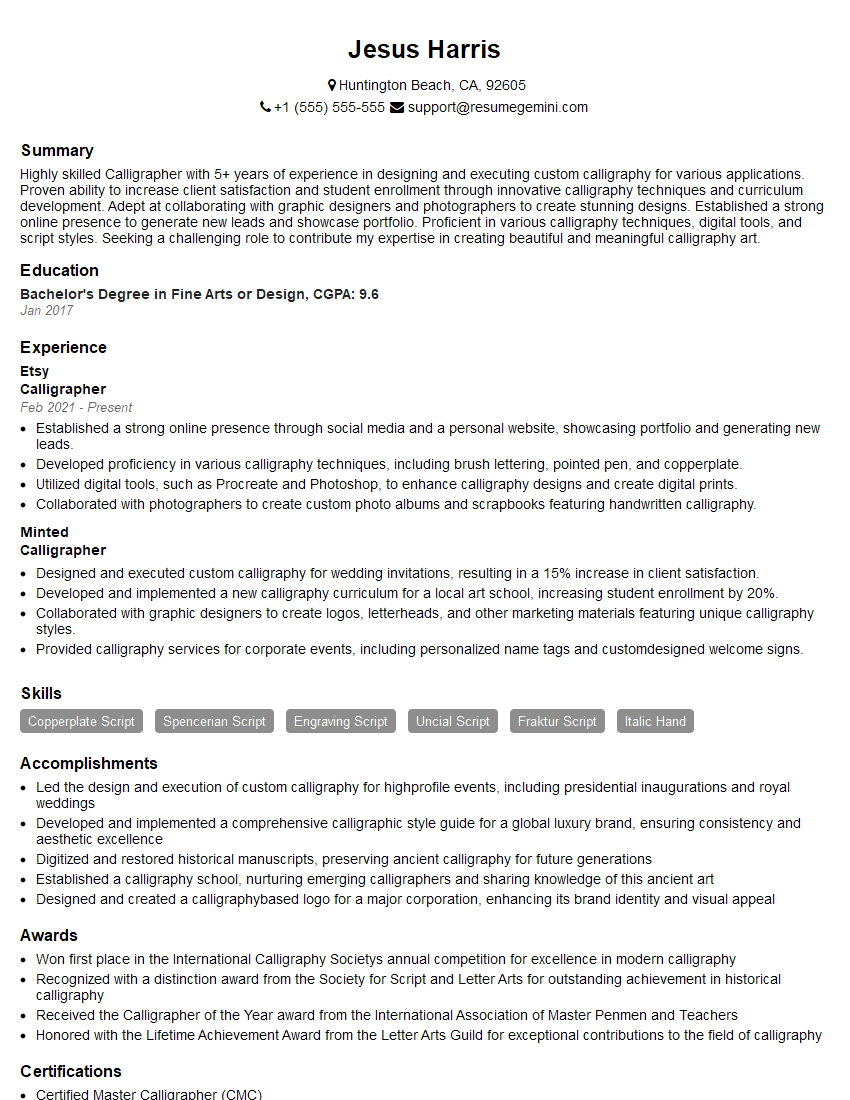
Mastering Typography and Font Design is crucial for career advancement in design, publishing, and digital media. A strong understanding of these principles is highly sought after by employers, leading to exciting opportunities and higher earning potential. To maximize your chances, crafting an ATS-friendly resume is essential. ResumeGemini is a trusted resource to help you build a professional and effective resume that showcases your skills and experience. Examples of resumes tailored specifically to Typography and Font Design are available within ResumeGemini to guide your creation process.




Explore more articles
Users Rating of Our Blogs
Share Your Experience
We value your feedback! Please rate our content and share your thoughts (optional).
What Readers Say About Our Blog
Very informative content, great job.
good