Cracking a skill-specific interview, like one for Understanding of Color Theory and Printing Principles, requires understanding the nuances of the role. In this blog, we present the questions you’re most likely to encounter, along with insights into how to answer them effectively. Let’s ensure you’re ready to make a strong impression.
Questions Asked in Understanding of Color Theory and Printing Principles Interview
Q 1. Explain the difference between additive and subtractive color mixing.
Additive and subtractive color mixing are two fundamentally different approaches to creating colors. Think of it like this: additive is like shining lights, while subtractive is like mixing paints.
Additive color mixing starts with black (the absence of light) and adds colors to create lighter hues. This is how your computer monitor or television works. The primary additive colors are red (R), green (G), and blue (B). Combining all three at full intensity produces white light. Mixing red and green makes yellow, red and blue make magenta, and blue and green make cyan.
Subtractive color mixing starts with white and progressively subtracts light by adding pigments or inks. This is the principle behind printing. The primary subtractive colors are cyan (C), magenta (M), and yellow (Y). These inks absorb certain wavelengths of light, reflecting the remaining colors to our eyes. Mixing all three ideally creates black, though in practice, a black ink (K) is often added for richer blacks and improved density.
In short: additive mixes light, subtractive mixes pigments. Understanding this difference is critical for accurately translating digital designs to print.
Q 2. Describe the CMYK color model and its limitations.
The CMYK color model, representing Cyan, Magenta, Yellow, and Key (black), is the standard color model used in printing. Each color is represented by a percentage value (0-100%), determining the amount of each ink used to create a specific color on the printed page. For example, C=100%, M=0%, Y=0%, K=0% would represent a pure cyan.
However, CMYK has limitations. It can’t reproduce the full spectrum of colors visible to the human eye (compared to the RGB model used on screens). This results in a smaller color gamut (explained in the next answer). Another limitation is that CMYK mixing isn’t perfectly predictable. Achieving a true black, for example, often requires a significant amount of all three process colors, leading to muddy results. The addition of black (K) helps mitigate this, but still, some colors are difficult to reproduce accurately.
Furthermore, different printing presses and inks will yield slightly different results, requiring careful color calibration and profiling to ensure consistency.
Q 3. What is color gamut, and why is it important in printing?
A color gamut is the range of colors that a particular device or process can reproduce. Think of it as the color ‘vocabulary’ of a system. A wider gamut means more colors can be represented, while a narrower gamut restricts the color range.
In printing, the color gamut is crucial because it determines the accuracy of color reproduction. If a design uses colors outside the gamut of the printing press, those colors will be approximated, resulting in color shifts and potentially unsatisfactory results. For example, a vibrant, bright teal might appear duller or shift towards a green hue if it falls outside the printable gamut. Understanding the gamut of your printing process – and matching your design’s color space accordingly – is vital for achieving accurate, consistent results.
Different printing techniques and inks will have different gamuts. High-end printing processes generally have larger gamuts than budget-friendly ones.
Q 4. How does color profile affect the final printed output?
A color profile is a set of data that describes the color characteristics of a specific device, such as a monitor, printer, or scanner. It acts as a translation tool, defining how colors are represented numerically on a device versus how they are perceived by the human eye.
The color profile significantly impacts the final printed output because it provides a standardized interpretation of color data. Without a consistent profile, the same digital file might produce dramatically different results on different printers. For instance, a design appearing vibrant on your monitor might print dull, or vice-versa, if the color profiles of your monitor and printer aren’t correctly matched.
Color management software uses these profiles to convert colors between different color spaces (like RGB to CMYK) to minimize color shifts during the printing process. Accurate color profiles are essential for consistency and reliable results in professional printing.
Q 5. Explain the concept of color separation.
Color separation is the process of breaking down a full-color image into its individual CMYK components. Each component (cyan, magenta, yellow, and black) is printed as a separate plate (in offset printing) or layer (in digital printing).
Imagine a full-color photograph. Color separation produces four individual images: one showing only the cyan parts, one for magenta, one for yellow, and one for black. Each plate or layer is then printed onto the same piece of paper, with the inks combining to create the full-color image.
Historically, this was a crucial step in offset lithography, requiring specialized equipment. Today, this is largely automated using digital RIP (Raster Image Processor) software that separates the colors and generates print files for each individual color. This process is essential for accurate color reproduction in multi-color printing and is behind the crisp and detailed prints we take for granted.
Q 6. What is dot gain, and how does it impact print quality?
Dot gain refers to the increase in the size of ink dots during the printing process. Ink dots are the tiny units of color that build up to form images. Ideally, these dots should be consistent in size with the design’s digital representation. However, dot gain occurs when the dots spread or grow larger than intended during printing. This typically happens due to the interaction of ink with the paper substrate, the printing pressure, and the type of ink used.
Dot gain negatively impacts print quality in several ways. It can lead to darker, muddier colors, reduced sharpness, and a loss of detail. Accurate color reproduction becomes challenging as the intended color values are not precisely printed. For example, a vibrant red might appear darker and less saturated due to excessive dot gain.
Controlling dot gain is crucial for achieving high-quality prints. Techniques such as careful press calibration, ink selection, and pre-press adjustments (using specialized software) are used to minimize this effect and maintain color accuracy.
Q 7. Describe different types of printing processes (e.g., offset, digital, screen).
Several printing processes exist, each with its strengths and weaknesses:
- Offset Printing: This is a high-volume, cost-effective method for printing large quantities of high-quality materials. It uses plates to transfer ink onto a rubber blanket, which then transfers it onto the paper. It’s ideal for brochures, magazines, and books.
- Digital Printing: This method prints directly onto the paper using toner or ink, making it suitable for shorter runs and personalized materials. It’s faster and more flexible than offset, but generally more expensive per unit for large quantities. Examples include business cards, flyers, and custom invitations.
- Screen Printing: This method uses stencils to apply ink onto a surface. It’s highly versatile, suitable for various materials (t-shirts, posters, etc.) and can handle thick inks. While it can be effective for large, bold designs, fine details can be challenging to reproduce accurately.
The choice of printing process depends on factors like quantity, budget, material requirements, and the desired level of detail and color accuracy.
Q 8. What are the advantages and disadvantages of each printing process?
Different printing processes each offer unique advantages and disadvantages. Let’s examine a few common methods:
- Offset Printing:
Advantages: High-quality output, cost-effective for large print runs, excellent color consistency, versatile substrate compatibility.
Disadvantages: High initial setup costs, not suitable for small print runs, longer turnaround times. - Digital Printing:
Advantages: Fast turnaround, cost-effective for small to medium runs, variable data printing capabilities, easy proofing.
Disadvantages: Lower print quality compared to offset (though rapidly improving), less versatile substrate options, higher cost per unit for large runs. - Screen Printing:
Advantages: Vibrant colors, excellent for printing on textiles and unusual materials, relatively low cost per unit for large runs.
Disadvantages: Not suitable for complex designs or fine details, can be messy, limited color options compared to offset or digital. - Flexographic Printing:
Advantages: High speed, cost-effective for large runs on flexible substrates like packaging, durable prints.
Disadvantages: Lower print quality compared to offset, less color accuracy, limited substrate options for high-quality output.
The optimal choice depends heavily on project specifics including budget, quantity, desired quality, and substrate requirements. For instance, a large order of brochures would likely benefit from offset printing for its high quality and cost-effectiveness. On the other hand, personalized invitations might be better suited to digital printing’s ability to handle variable data.
Q 9. Explain the role of a color proof in the printing process.
A color proof acts as a crucial bridge between the digital design and the final printed product. It’s a physical representation of your design, showing the intended colors and layout on the chosen paper stock. Before committing to a large print run, color proofs are invaluable for:
- Verifying Color Accuracy: The proof allows for precise color matching between the screen and the printed output, ensuring the final product meets expectations.
- Identifying Potential Issues: Proofs can reveal problems like misregistration (colors not aligning correctly), trapping issues, or other prepress flaws before they become costly mistakes in a full production run.
- Client Approval: It provides a tangible sample for client review and sign-off, minimizing the risk of post-print revisions and disputes.
Color proofs come in various forms, from digital soft proofs on a calibrated monitor, to physical proofs created using methods like inkjet or digital proofing presses, or even more sophisticated contract proofs that more closely mimic the offset printing process. The level of proofing depends on the project’s complexity and the client’s requirements. I always encourage my clients to review and approve a color proof before proceeding to full production.
Q 10. How do you ensure color consistency across different print runs?
Maintaining color consistency across multiple print runs is paramount for brand identity and product quality. Here’s a multi-pronged approach:
- Color Management System (CMS): Implementing a robust CMS throughout the entire workflow, from design to printing, ensures consistent color interpretation across various devices. This includes calibrating monitors, scanners, and printers using a device such as an X-Rite i1Profiler.
- Standard Color Spaces: Using a consistent color space like CMYK (Cyan, Magenta, Yellow, Black) for print production. Conversion from RGB (used on screens) to CMYK should be carefully managed with a professional color profile to reduce discrepancies.
- Proofing: Comparing each print run to an approved color proof and using a color densitometer to objectively measure color values. This helps to identify any deviation in color reproduction.
- Ink Consistency: Maintaining consistent ink formulations and ink densities between runs, using standardized ink types and regularly monitoring ink levels and mixing.
- Paper Stock: Ensuring the same paper stock (type, weight, and brightness) is used throughout all print runs. Different papers absorb inks differently, affecting the final color output.
- Press Calibration: Regular maintenance and calibration of printing presses are critical for consistent ink deposition and registration.
Using a combination of these methods helps avoid costly reprints due to color inconsistency and ensures brand consistency. I always document the color profile used, the ink and paper specifications, and the press settings for each production run, ensuring we have a reliable baseline for future prints.
Q 11. What is the significance of Pantone colors in printing?
Pantone Matching System (PMS) colors are crucial in printing because they provide a standardized system for identifying and replicating specific colors across various printing methods and materials. Unlike CMYK, which mixes four process inks to achieve a color, Pantone colors are premixed spot colors that offer superior accuracy and consistency, particularly for specific brand colors or when vibrant, precise hues are critical.
- Brand Consistency: PMS colors ensure consistent brand colors across different print materials, even when using various printers or print shops. This is essential for maintaining a consistent brand image.
- Accurate Color Reproduction: PMS colors guarantee a higher level of accuracy than CMYK, especially for complex or vibrant colors that are difficult to achieve through process mixing.
- Special Effects: PMS colors often facilitate the use of metallic or fluorescent inks for special effects that would not be achievable with CMYK alone.
For instance, a company logo featuring a specific shade of blue will be better reproduced using a designated PMS color, ensuring the blue always appears identically across all company marketing materials. Using PMS colors might increase the cost, but the advantage in terms of consistency and brand recognition often outweighs the price difference.
Q 12. What is trapping, and why is it necessary?
Trapping is a crucial prepress technique that involves intentionally overlapping printed colors to compensate for the inaccuracies of the printing process. Ink does not always print precisely where the design indicates, and small gaps can form between adjacent colors. Trapping prevents these gaps, resulting in a clean, crisp appearance.
- Types of Trapping: There are various trapping methods including spread trapping (slightly expanding the color), choke trapping (slightly reducing the color), and no trapping (letting potential misregistration show). The choice depends on the design’s complexity and the printing process.
- Why it’s necessary: Trapping is vital because it eliminates white gaps between adjacent colors, especially when printing with thin lines. Without trapping, designs can look misaligned or uneven, affecting quality and visual appeal.
Imagine a logo with thin, black lines next to a vibrant red area. Without trapping, you’d likely see tiny white lines between the black and red. Trapping adds a slight overlap, preventing these gaps, creating a clean and professional appearance. Professional software such as Adobe InDesign and prepress solutions handle trapping automatically, using various algorithms, but this often requires manual inspection and adjustment depending on the specific design and printing process to ensure optimal results.
Q 13. Explain the concept of overprinting.
Overprinting is a printing technique where one color is printed on top of another, regardless of whether the underlying color is already there or not. It’s different from trapping, where colors are overlapped only to fill gaps or inconsistencies.
- Uses of Overprinting: Overprinting is frequently used for:
- Rich Black: Printing black as a combination of CMYK, plus additional black, enhances depth and richness.
- Metallic or Spot Colors: Printing a spot color on top of another color to add a special effect without the need for complex trapping strategies.
- Specific Design Effects: Overprinting can also be used strategically for specific design goals, such as creating a unique layering effect or a sense of depth.
For instance, overprinting black with a small percentage of CMYK results in a richer, more intense black than using just black alone. However, overprinting can lead to increased ink usage and potential for undesirable color mixing if not carefully controlled. Therefore, I always consider the potential impacts on color, ink consumption, and the overall quality of the final product, discussing with clients when this technique is appropriate.
Q 14. Describe your experience with color management software (e.g., Adobe Acrobat, X-Rite i1Profiler).
I have extensive experience with various color management software solutions, including Adobe Acrobat and X-Rite i1Profiler. My proficiency extends to using these tools for:
- Profile Creation and Management: Creating and managing ICC (International Color Consortium) profiles for monitors, printers, and scanners using X-Rite i1Profiler to accurately represent colors across the entire workflow. This is critical for accurate color representation.
- Color Conversion: Converting images between color spaces (RGB to CMYK) effectively, minimizing color shifts and ensuring accuracy in print production. Adobe Acrobat allows for examining PDF files and managing color information within them.
- Proofing and Soft Proofing: Utilizing soft proofing capabilities within Adobe Acrobat to visually assess color accuracy and identify potential issues before sending files to print. This prevents costly errors later on.
- Troubleshooting Color Problems: Diagnosing and resolving color discrepancies through analysis of color profiles and print outputs. Understanding the limitations of different color spaces and printing processes is essential for troubleshooting.
Through meticulous use of these tools, I can ensure that digital designs are correctly translated into the physical printed form. The ability to maintain color accuracy across different mediums remains a core competency and I consistently use these tools to improve efficiency and precision in the work process. For example, in a recent project involving a multi-lingual brochure, accurate color representation of the client’s logo across several languages was essential and achieved through precise calibration and profile management using these solutions.
Q 15. How do you troubleshoot color inconsistencies in print?
Troubleshooting color inconsistencies in print involves a systematic approach, starting from the source and working through the printing process. Think of it like detective work, tracing the culprit through each stage.
Profile Mismatch: The most common cause is a mismatch between the color profiles of your design software, the printer, and the output device (e.g., monitor, proofing device). Imagine trying to fit a square peg in a round hole – the colors won’t match unless the profiles are aligned. Solutions include using a consistent color profile throughout your workflow (e.g., Adobe RGB or sRGB) and ensuring your printer profile is up-to-date and accurately calibrated.
Ink/Toner Issues: Old or low-quality ink or toner can lead to dull, faded, or inaccurate colors. Regularly check ink levels and consider using high-quality inks or toners. For example, using a cheaper brand of CMYK ink might result in a different shade of blue compared to a premium brand.
Paper Type: Different papers absorb ink differently, affecting the final color. Using a paper type not suitable for your print process might lead to inconsistencies. Always test your print on the intended paper stock before committing to a large run.
Print Settings: Incorrect print settings (e.g., color mode, resolution, print driver settings) can significantly affect color output. Verify your print settings align with the expectations, and test prints with varied settings to fine-tune the output.
Calibration & Maintenance: Regular calibration of your monitor, printer, and colorimeter is crucial for consistent results. A poorly calibrated monitor can lead to significant color deviations. Printer maintenance, including regular cleaning, ensures optimal ink flow and accurate color reproduction.
A systematic approach, involving checking each of these areas, will generally lead to the root cause of color discrepancies. Color management software can help streamline this process and automate some aspects of profile management.
Career Expert Tips:
- Ace those interviews! Prepare effectively by reviewing the Top 50 Most Common Interview Questions on ResumeGemini.
- Navigate your job search with confidence! Explore a wide range of Career Tips on ResumeGemini. Learn about common challenges and recommendations to overcome them.
- Craft the perfect resume! Master the Art of Resume Writing with ResumeGemini’s guide. Showcase your unique qualifications and achievements effectively.
- Don’t miss out on holiday savings! Build your dream resume with ResumeGemini’s ATS optimized templates.
Q 16. What are the common causes of banding in printed images?
Banding in printed images, those unsightly horizontal or vertical stripes of color, typically stems from insufficient data or limitations in the printing process. Think of it like a digital photograph with insufficient pixels – the image will look blocky.
Low Resolution Image: The most frequent culprit is a low-resolution image. Insufficient data points make the printer struggle to smoothly transition between colors, resulting in visible banding. Higher resolution images provide smoother color gradations.
Insufficient Bit Depth: Low bit depth (e.g., 8-bit) results in a limited number of color values, leading to banding, especially in smooth color gradients. Higher bit depth (e.g., 16-bit) provides a smoother tonal range.
Dithering Issues: Incorrect dithering (a technique to simulate more colors than available) can exacerbate banding, leading to a noticeable pattern. Fine-tuning the dithering algorithms can sometimes help, but a high-resolution image is the most effective solution.
Printer Driver Settings: Occasionally, incorrect settings in the printer driver itself can contribute to banding. Ensuring correct settings, and potentially experimenting with different settings, might resolve the issue.
Hardware Limitations: While less frequent, hardware problems within the printer itself (e.g., faulty print head, clogged nozzles) might result in banding. In such cases, professional maintenance or servicing of the printer might be required.
The solution usually involves addressing the image’s resolution and bit depth. Using high-resolution images and appropriate color management are crucial preventive measures.
Q 17. Explain the importance of resolution in printing.
Resolution in printing refers to the number of dots per inch (dpi) or pixels per inch (ppi) used to create an image. It directly impacts the image’s sharpness and detail. Consider it like building a Lego castle: more bricks (higher resolution) provide a more intricate and detailed structure.
High resolution results in sharper, crisper images with finer details. Low resolution leads to pixelated, blurry images, particularly noticeable when enlarging. For example, a 300 dpi image will appear much sharper than a 72 dpi image printed at the same size. The recommended resolution varies depending on the printing method and the desired output quality. Offset printing often requires higher resolutions compared to inkjet printing.
The appropriate resolution depends greatly on the printing method and the final print size. Offset printing might require resolutions of 300 dpi or higher, while inkjet printing might work adequately with 150 dpi, especially for large format prints. Incorrect resolution can lead to blurry images, noticeable pixelation, and a reduction in overall print quality.
Q 18. What are the different types of paper stock, and how do they affect print quality?
Paper stock selection significantly affects the final print quality. Different paper types possess unique properties like thickness, texture, and absorbency, impacting how the ink interacts with the surface. Imagine painting on canvas versus watercolor paper; the results differ dramatically.
Coated Papers: These papers have a smooth, glossy surface, ideal for vibrant colors and sharp images. They are excellent for high-resolution printing and photography but may not be suitable for certain textures or effects.
Uncoated Papers: These offer a more matte finish, with a slightly rougher texture. They are less reflective than coated papers and often used for text-heavy documents or where a natural, less glossy look is preferred.
Card Stock: This thicker, heavier paper is perfect for business cards, postcards, and other applications requiring durability. It offers a more substantial feel than standard printing paper.
Specialty Papers: This encompasses a wide range of papers with unique properties like textured surfaces (linen, cotton), recycled content, or colored paper. These offer unique aesthetics and tactile experiences but require consideration of ink compatibility.
Choosing the right paper stock depends on the project’s requirements. A glossy coated paper works well for brochures with vibrant images, while uncoated paper may be more suitable for a letterhead. Always test different paper stocks to determine the optimal choice for your specific application.
Q 19. How do you handle different file formats for printing?
Handling various file formats for printing requires understanding their strengths and limitations. Each format stores data differently, and using the wrong one can lead to significant problems.
PDF (Portable Document Format): The most widely used format for print-ready files, offering excellent color management and preservation of fonts and images. It’s a reliable choice due to its compatibility across various printing systems. However, ensure that the PDF is created with correct settings for printing (e.g., embedding fonts and images).
TIFF (Tagged Image File Format): A high-quality image format ideal for photographs and raster graphics. It supports lossless compression, preserving image detail. However, it’s larger than other formats.
JPEG (Joint Photographic Experts Group): A widely used image format for web and general purposes but can result in some image quality loss through compression. It’s generally not recommended for high-quality printing but can be acceptable for images that won’t be significantly enlarged.
EPS (Encapsulated PostScript): A vector-based format often used for illustrations and logos. It can scale without quality loss, preserving sharp lines and details.
The best practice is to provide print-ready files in PDF format, ensuring all fonts and images are embedded. For images, TIFF is a suitable option when high-quality output is paramount. JPEG is often avoided for final print due to potential compression artifacts.
Q 20. What is your experience with prepress preparation?
Prepress preparation is the critical bridge between design and printing, ensuring a smooth and efficient production process. It’s like preparing the ingredients before baking a cake – crucial for a successful outcome. My experience encompasses all stages:
File Checking and Correction: This involves verifying the color profiles, resolution, fonts, and images to ensure they meet printing specifications. This also includes detecting and correcting any potential errors like missing fonts or low-resolution images.
Color Separation: For specialized printing like offset, converting CMYK or spot color designs into separate plates for each color (Cyan, Magenta, Yellow, and Black) is crucial for accurate color reproduction.
Imposition: Arranging pages in the correct order and orientation for efficient printing on sheets, minimizing waste and maximizing printing speed. This is essential for reducing the number of sheets and maximizing the efficiency of large format printing.
Proofing: Creating soft and/or hard proofs to verify that the final product meets design expectations before proceeding with full-scale printing. This helps detect any discrepancies in color or layout before it’s too late.
Plate Making (for Offset): In offset printing, creating the printing plates from the separated color files is a crucial final step in prepress. Accurate plate-making guarantees precise color reproduction.
My experience involves extensive work with various prepress software, including Adobe Acrobat, Photoshop, and specialized prepress packages, ensuring high-quality and consistent results.
Q 21. Describe your experience with print finishing techniques (e.g., die-cutting, embossing).
Print finishing techniques add the final touches, enhancing the product’s appearance and functionality. These are the finishing flourishes that transform a simple print into something special.
Die-Cutting: This process uses a custom-made die to cut shapes and designs into paper or card stock, creating unique shapes and forms. I’ve worked on projects ranging from simple business card shapes to complex die-cuts for packaging.
Embossing/Debossing: These techniques create raised (embossing) or indented (debossing) designs, adding texture and dimension to the print. This is a very popular finishing technique for creating a more luxurious or tactile feel.
Foil Stamping: Applying metallic or colored foil to create a shimmering effect. It adds a touch of elegance and sophistication, commonly seen in high-end packaging and stationery.
Laminating: Applying a protective film to enhance durability and water resistance, crucial for outdoor applications or products that need added protection.
Binding: Techniques like perfect binding, saddle stitching, and wire-o binding are used for combining multiple pages into booklets or books.
My experience includes collaborating with various finishing vendors and overseeing the entire finishing process, ensuring that the final product meets the highest quality standards. I have a strong understanding of the capabilities and limitations of each technique, and I can advise clients on the best options to achieve their desired aesthetic and functionality.
Q 22. How do you handle client revisions and color changes during a print project?
Handling client revisions and color changes is crucial for maintaining project success and client satisfaction. My approach is methodical and focuses on clear communication and careful color management. First, I ensure all revisions are documented and approved in writing to avoid ambiguity. For color changes, I utilize color management software like Adobe Acrobat or dedicated color management systems to ensure the changes are implemented accurately. I’ll provide the client with proofs – ideally soft proofs on screen and hard proofs on the chosen paper stock – showing the changes. This iterative process allows for feedback and refinement before final printing. If a significant color change necessitates re-proofing across the entire document, I clearly communicate the extra time and cost implications upfront. I always aim for a collaborative process where the client understands the technical limitations and possibilities regarding color reproduction.
For instance, a client might want to change the Pantone color of a logo. I would discuss the feasibility, considering the implications for the rest of the design which may need adjustments. Then, I would generate a soft proof showing the revised color, send it for approval, and if necessary, produce a hard proof for final verification before committing to printing. I treat each revision as an opportunity to enhance the final product and ensure complete client satisfaction.
Q 23. What is your understanding of spot colors versus process colors?
Spot colors and process colors represent two distinct approaches to color reproduction in printing. Spot colors are premixed inks, each identified by a specific formula and name, most famously in the Pantone Matching System (PMS). These colors remain consistent regardless of the printing process. Think of them as highly specific and reliable colors. Process colors, on the other hand, are created by combining four primary inks: cyan, magenta, yellow, and black (CMYK). They offer a wider range of color options but are less precise. Each printed color is a combination of CMYK, and matching a specific color requires careful adjustment of the percentages of each ink. For example, Pantone 185 C (a vibrant orange) would be a spot color, while a similar shade of orange could be approximated by a CMYK value like C:0, M:60, Y:100, K:0.
The choice between spot and process colors depends on the project. Spot colors are ideal for critical color accuracy, such as corporate logos or brand colors. Process colors are better suited for images or designs where precise color matching is less vital. A combination of both is often used to optimize both consistency and cost-effectiveness.
Q 24. How do you ensure the accuracy of color reproduction in different printing techniques?
Ensuring accurate color reproduction across various printing techniques requires a comprehensive understanding of color management and the specifics of each printing method. I utilize a multi-faceted approach which starts with creating my designs in a color-managed workflow using professional software like Adobe Creative Suite. This involves specifying the color profile (e.g., sRGB, Adobe RGB, or a custom profile for the specific print process). I then create digital proofs for client approval. These may include soft proofs (on-screen) and, importantly, hard proofs printed using the same inks, paper, and printer as the final job. This allows for accurate color assessment before committing to a full print run.
For different print methods, I adjust my approach: offset printing requires close collaboration with the printer to ensure proper color calibration of the printing press. Digital printing requires understanding the specific capabilities and color profiles of the device. My knowledge of ICC profiles and their application helps in creating consistent color output. If a client wants a Pantone color printed using CMYK, I work with them to find the closest equivalent and provide them with a proof to evaluate.
Q 25. What are the common print defects and their causes?
Common print defects can significantly impact the quality of a final product. These defects arise from various sources in the pre-press, printing, and post-press stages. Here are a few examples:
- Moiré patterns: These are unwanted interference patterns that appear when two patterns with similar frequencies are overlaid. This is often due to the interaction of screen frequencies in images and the printing screen. This problem is addressed by changing the screen angles and frequencies during image preparation.
- Color banding: This involves distinct bands of color appearing in areas that should be smooth gradients. It’s caused by insufficient halftone dots to create smooth transitions. Higher resolution images help prevent this.
- Misregistration: This occurs when the different color plates or inks don’t align properly, resulting in misaligned colors. It stems from improper plate alignment during the printing process or mechanical issues with the printing press.
- Dot gain: This is the increase in the size of ink dots during printing, causing darker and less vibrant colors. This can be due to factors like paper type, ink absorption, and printing pressure. It is minimized through proper calibration of the printing press and careful selection of printing materials.
Understanding the root causes of these defects enables proactive measures to minimize their occurrence during print production. Identifying the root cause is often a collaborative effort with the printing company.
Q 26. Explain your understanding of color calibration and proofing.
Color calibration and proofing are integral parts of ensuring consistent and accurate color reproduction throughout the print process. Color calibration refers to adjusting the color output devices (monitors, printers) to match a specific standard. This is crucial for ensuring that what appears on the screen accurately reflects the printed output. Calibration is performed using colorimeters or spectrophotometers, specialized instruments that measure color accurately.
Proofing involves creating a sample print, either digital or hard copy, that closely simulates the final product. Soft proofing relies on software and calibrated monitors to preview the colors, while hard proofing provides a physical representation on the chosen paper stock. Soft proofs can be misleading without proper color calibration, and hard proofs are preferred for critical color work and provide more confidence about the final product’s color accuracy. I typically use both methods for critical projects. For example, a soft proof might initially be created to give a fast client overview, followed by a hard proof for final color approval.
Q 27. How do you manage print costs effectively?
Managing print costs effectively requires strategic planning and a thorough understanding of printing techniques and associated costs. I begin by optimizing the design itself; reducing the number of colors used or choosing cost-effective paper can dramatically influence the final cost. I also leverage my knowledge of various printing techniques; digital printing may be more cost-effective for smaller runs, while offset printing is better suited for larger quantities. Negotiating with printers and seeking competitive bids is also a key strategy. I provide my printers with precise specifications, thereby minimizing potential production delays or errors which could lead to cost overruns.
For example, if a client has a large print run of a brochure, I would carefully weigh the cost of offset printing against digital printing, considering factors such as the paper type and the number of colors involved. Accurate pre-planning and communication can reduce the costs in the long run. Choosing cost-effective paper without sacrificing quality is another important cost reduction.
Q 28. What are your strengths and weaknesses in the context of color theory and printing principles?
My strengths lie in my deep understanding of color theory, including color models (RGB, CMYK, LAB), color spaces, and color gamuts. My knowledge of color management systems, ICC profiles, and their practical application ensures that I can effectively handle complex color reproduction scenarios. I’m proficient in various printing techniques, understand their limitations, and can choose the appropriate technique for a given project, always focusing on producing high-quality results for clients.
One area where I’m always striving for improvement is staying abreast of the latest developments in cutting-edge printing technologies and materials. The field is constantly evolving, so continuous learning is essential to maintaining a competitive edge. While I have extensive experience, new advancements such as 3D printing and specialized inks require ongoing education. I actively participate in industry workshops and follow relevant publications to keep my knowledge current.
Key Topics to Learn for Understanding of Color Theory and Printing Principles Interview
- Color Models: Understanding RGB, CMYK, Pantone, and their respective applications in digital and print media. Be prepared to discuss the differences and limitations of each.
- Color Management: Explain the importance of color profiles (ICC profiles) and how they ensure color consistency across different devices and workflows. Discuss potential challenges and solutions.
- Color Separations: Describe the process of separating CMYK colors for printing, and the implications for accurate color reproduction.
- Halftones and Screening: Explain how halftones simulate continuous tone images using dots, and the factors influencing screen frequency and angle selection.
- Print Processes: Demonstrate knowledge of various printing methods (offset, digital, screen printing) and their respective strengths and weaknesses regarding color reproduction.
- Color Gamut and Reproduction: Discuss the limitations of reproducing all colors accurately across different print processes and devices. Be able to explain concepts like gamut mapping.
- Troubleshooting Color Issues: Be ready to discuss common color problems (e.g., banding, moiré patterns, color shifts) and how to identify and rectify them.
- Practical Application: Prepare examples from your experience where you’ve applied color theory and printing principles to solve a real-world problem. This could be a design project, a print production challenge, or even a personal project.
Next Steps
Mastering color theory and printing principles is crucial for career advancement in graphic design, pre-press, printing, and related fields. A strong understanding of these principles demonstrates technical proficiency and problem-solving skills highly valued by employers. To significantly boost your job prospects, focus on creating an ATS-friendly resume that effectively showcases your expertise. ResumeGemini is a trusted resource that can help you build a professional and impactful resume tailored to your specific skills and experience. We provide examples of resumes specifically designed for candidates with expertise in Understanding of Color Theory and Printing Principles to help you get started.

Print Production Manager Resume Sample

Print Buyer Resume Sample

Graphic Designer Resume Sample

Packaging Designer Resume Sample

Production Artist Resume Sample

Prepress Technician Resume Sample

Screen Printer Resume Sample
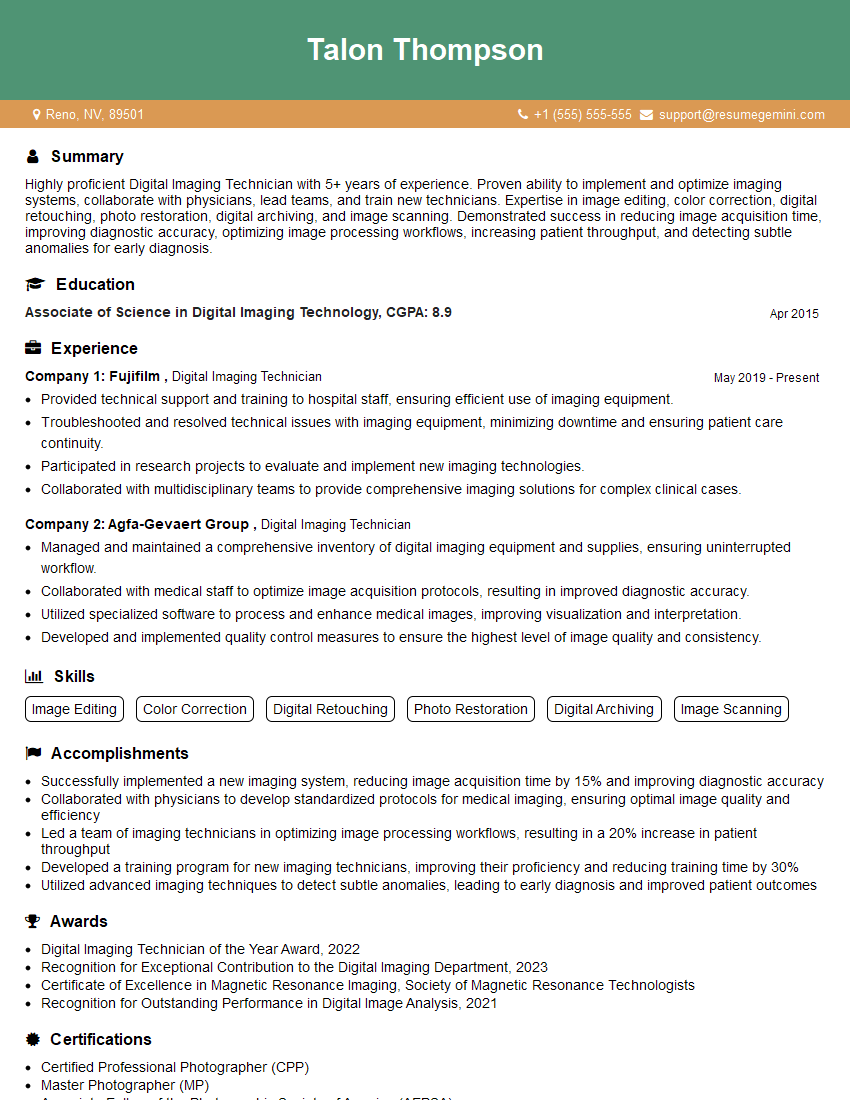
Digital Imaging Technician Resume Sample

Print Finisher Resume Sample
Explore more articles
Users Rating of Our Blogs
Share Your Experience
We value your feedback! Please rate our content and share your thoughts (optional).
What Readers Say About Our Blog
Very informative content, great job.
good