Feeling uncertain about what to expect in your upcoming interview? We’ve got you covered! This blog highlights the most important Understanding of Music Production Techniques interview questions and provides actionable advice to help you stand out as the ideal candidate. Let’s pave the way for your success.
Questions Asked in Understanding of Music Production Techniques Interview
Q 1. Explain the difference between mixing and mastering.
Mixing and mastering are two distinct, yet crucial, stages in music production. Think of it like this: mixing is like preparing a delicious meal, while mastering is like presenting that meal in a Michelin-star restaurant.
Mixing focuses on balancing and shaping individual tracks within a song. This involves adjusting levels, equalization (EQ), compression, panning, and reverb/delay to create a cohesive and well-defined sonic landscape. The goal is to achieve a good mix that sounds great on various playback systems (your phone, car speakers, studio monitors). It’s where the individual sounds of the drums, bass, guitar, vocals are shaped and blended together.
Mastering, on the other hand, takes the already mixed song and prepares it for final distribution. It involves subtle adjustments to the overall dynamics, loudness, frequency balance, and stereo imaging to make the song competitive in a commercial setting. Mastering aims for consistency across different playback systems and ensures the track sounds its best in a variety of environments. Imagine taking the well-prepared meal and making it visually stunning, optimizing the presentation and ensuring a consistent taste, no matter the portion.
In short, mixing is about the internal balance of a song, while mastering is about optimizing its final presentation for wider consumption.
Q 2. Describe your experience with different DAWs (Digital Audio Workstations).
I’ve worked extensively with several DAWs throughout my career, each offering unique strengths. My most extensive experience is with Pro Tools, which remains the industry standard for many professional studios due to its stability, powerful routing capabilities, and extensive plugin support. I frequently use Logic Pro X, particularly for its intuitive interface and excellent virtual instruments. I also have experience with Ableton Live, finding its session view exceptionally useful for live performance and experimental music production. Finally, I have a working knowledge of Studio One, appreciating its flexibility and streamlined workflow. The choice of DAW often comes down to personal preference and the specific project requirements. For example, Pro Tools might be better suited for large-scale film scoring, while Ableton Live might be preferable for electronic music production.
Q 3. What are your preferred plugins for equalization and compression?
My plugin choices often depend on the specific task and the sonic character I’m aiming for, but some of my go-to plugins include:
- Equalization: I frequently use FabFilter Pro-Q 3 for its surgical precision and ease of use. Its dynamic EQ capabilities are also invaluable. Waves Q10 is another reliable option, offering a classic sound with a straightforward interface. For more coloration and vintage character, I might turn to the Waves PuigTec EQP-1A.
- Compression: Universal Audio’s 1176 is a staple for its aggressive, punchy sound—perfect for drums and vocals. I also frequently use the LA-2A for a more gentle, transparent compression, often used on vocals and acoustic instruments. For more modern, flexible compression, I’ll use FabFilter Pro-C 2, appreciating its detailed control over the compression curve.
Ultimately, plugin selection is a matter of personal preference and the desired sonic outcome. The best plugin is the one that helps you achieve your creative vision effectively.
Q 4. How do you approach troubleshooting audio issues during a recording session?
Troubleshooting audio issues during a recording session requires a systematic approach. My first step is always to identify the nature of the problem: Is it a clipping issue (distortion), excessive noise, a phasing problem, or something else?
- Identify the source: Is the problem with the microphone, the instrument, the cables, the audio interface, or the DAW settings? I’ll systematically check each component in the signal chain.
- Visual inspection: I’ll check all cables for damage and ensure proper connections. I’ll also check the levels on my audio interface and DAW to ensure they aren’t clipping.
- Isolate the issue: If the problem persists, I’ll try bypassing different components in the signal chain. For example, I might try a different microphone, cable, or input on the audio interface to determine the source of the problem.
- Use monitoring tools: I’ll use metering tools within my DAW (VU meters, waveform analysis) to identify clipping or other issues visually. I might employ spectrum analyzers to pinpoint frequency imbalances.
- Consult references: If I can’t identify the problem, I’ll consult online resources, manuals, or fellow engineers for assistance.
Often, simple solutions, such as adjusting gain staging, replacing a faulty cable, or updating drivers, can resolve the issues. A methodical approach is essential for efficient problem-solving.
Q 5. Describe your workflow for creating a sound effect.
Creating a sound effect involves a multi-step process that depends heavily on the desired outcome. Let’s say I need to create a whooshing sound effect for a science fiction film:
- Sound Source: I might start with a recording of wind, a synthesizer, or even a processed vocal sample—the key is finding a foundation with the right character.
- Processing: I’ll use a variety of effects to shape the sound. This might involve EQ to sculpt the frequency response, filtering to remove unwanted frequencies, and time-based effects like reverb and delay to add space and depth. Automation plays a vital role here, changing the parameters of the effects over time to create the desired movement and dynamics of the whoosh.
- Layering: I might layer multiple processed sounds to create a richer, more complex whoosh. This approach allows for greater control over the tonal quality and texture.
- Refinement: I’ll meticulously listen and adjust, using automation to fine-tune the transitions, adding subtle details and removing any artifacts or harsh frequencies.
Software synthesizers are also powerful tools for creating unique sound effects. They provide complete control over the sound’s synthesis and processing parameters, letting me create effects impossible to achieve through traditional means. The key to effective sound design is experimentation and a willingness to explore a variety of techniques.
Q 6. Explain the concept of dynamic range compression and its applications.
Dynamic range compression reduces the difference between the loudest and quietest parts of an audio signal. Think of it as a volume control that automatically adjusts itself, making loud parts quieter and quiet parts louder. This is achieved by setting a threshold; anything above the threshold is reduced in level, with the amount of reduction controlled by the ratio setting.
Applications:
- Making quieter parts louder: It helps to bring out details in quieter sections of a mix that might otherwise be lost.
- Increasing perceived loudness: By compressing the dynamics, a track can sound louder without actually increasing its peak level. This is vital in competitive streaming environments where louder tracks stand out more.
- Creating a more even and consistent sound: In live sound reinforcement, dynamic range compression can help maintain a consistent volume level for a vocalist or instrument, preventing sudden loud or quiet sections.
- Adding punch or character to instruments: Used judiciously, compression can add tightness and punch to drums or bring out the attack on electric guitars.
Overuse of compression can result in a flat, lifeless sound; however, skilled application creates a well-defined and powerful sonic identity.
Q 7. How do you handle feedback issues in a live sound environment?
Feedback in a live sound environment is that ear-piercing squeal caused by sound leaking from the speakers back into the microphones. Addressing this requires a multi-pronged approach:
- Gain Staging: Reduce the input gain on microphones. This is crucial; less signal from the microphone means less potential for feedback.
- EQ: Use a parametric EQ to notch out the offending frequencies. Find the frequency causing the feedback (usually in the mid-range) and cut it using a narrow Q setting. This will effectively silence the feedback without overly affecting the sound of the instrument or vocal.
- Microphone Placement: Position microphones strategically to minimize the risk of feedback. Pointing microphones away from speakers is key. Using directional microphones (cardioids or supercardioids) will also help to isolate the intended sound source and reject unwanted sound from the speakers.
- Monitor Placement: Adjust monitor placement and levels to further reduce feedback potential. The closer the monitors are to the microphones, the higher the risk of feedback. Lowering monitor volume can also help.
- Feedback Suppressors: Specialized feedback suppressors use advanced algorithms to automatically identify and mitigate feedback. These devices are very effective but add complexity and cost.
A combination of these techniques is often required to eliminate feedback effectively. Careful monitoring, patient adjustment, and a methodical approach are key to solving this prevalent problem.
Q 8. What are your strategies for achieving a balanced mix?
Achieving a balanced mix is the cornerstone of a great-sounding track. It’s about ensuring all frequencies and instruments have the appropriate level and clarity without any element overpowering another. Think of it like a well-orchestrated orchestra – each instrument is audible but blends seamlessly with the rest. My strategy involves a multi-step process:
Gain Staging: Setting appropriate input and output levels throughout the entire mixing process, starting with individual tracks. This prevents clipping and maximizes dynamic range.
EQing: Sculpting the frequency response of each track to remove muddiness, harshness, or unwanted resonances. For instance, I might cut low-end frequencies from a vocal track to avoid muddiness or boost high frequencies on a snare drum to make it cut through the mix.
Compression: Controlling the dynamic range of individual tracks and the overall mix. Compression evens out peaks and valleys, making the track sound more consistent and punchy.
Stereo Imaging: Positioning instruments in the stereo field for a wider, more spacious sound. I might pan a guitar to the left, a keyboard to the right, and the vocals centered. This adds depth and interest, preventing the mix from sounding flat.
Reference Tracks: Constantly comparing my mix to professionally mastered tracks in a similar genre. This helps me identify areas where my mix might need improvement. It’s like having a benchmark for quality.
Taking Breaks: Stepping away from the mix for a while allows fresh ears to assess the balance. Our ears can become fatigued, so taking breaks is crucial for objective judgment.
For example, on a recent pop song, I had to carefully EQ the bassline to remove unwanted low-end rumble that was interfering with the kick drum. By subtly cutting some of the low frequencies in the bass and applying a high-pass filter, I was able to achieve a clearer, more balanced low-end.
Q 9. Describe your experience with different microphone types and their applications.
My experience with microphones spans various types, each suited to specific recording applications. Choosing the right microphone is critical for capturing the desired sound.
Large-Diaphragm Condenser Microphones (LDCs): Excellent for capturing warm, detailed vocals, acoustic instruments (e.g., guitars, pianos), and smooth cymbal sounds. They’re sensitive and generally require a clean recording environment to avoid capturing unwanted noise.
Small-Diaphragm Condenser Microphones (SDCs): Ideal for recording overhead cymbals, acoustic instruments, and instruments that need a bright, detailed sound. They’re less sensitive to proximity effect than LDCs, which is the increase in bass frequencies when a mic is placed close to a sound source.
Dynamic Microphones: Robust and resistant to handling noise, making them suitable for live performances and close miking loud instruments (e.g., snare drums, electric guitar amps). They tend to be less sensitive than condenser mics but are more durable.
Ribbon Microphones: Known for their smooth, vintage sound, they’re often used for capturing delicate instruments or vocals, adding a warm, silky quality. However, they are often more fragile and can require a more controlled technique.
For instance, in a recent orchestral recording, I used a combination of SDCs for overhead cymbals to capture their brilliance and LDCs for close miking the string sections to capture the warmth and detail of each instrument.
Q 10. How do you ensure phase coherence in a multi-track recording?
Phase coherence is crucial in multi-track recording; it ensures that signals don’t cancel each other out, resulting in a thin or weak sound. Phase issues often arise when multiple microphones record the same sound source. The goal is to align the waveforms so they reinforce, not clash. I use several techniques:
Mono Compatibility: Mixing in mono, especially during the early stages, helps quickly identify potential phase issues. If a sound becomes significantly weaker or disappears when switched to mono, phase cancellation is likely the culprit.
Polarity Inversion: If phase cancellation is detected, I reverse the polarity (phase) of one of the tracks. This might solve the issue if only one of the tracks needs correction.
Microphone Placement: Careful microphone placement is key. Maintaining a consistent distance between microphones capturing the same source reduces the possibility of significant phase issues. For example, using stereo pairs with appropriate spacing avoids problems
Visual Inspection: Using waveform and phase correlation meters on my DAW (Digital Audio Workstation) helps visually identify phase issues. These meters compare the phase of audio signals over time and indicate any discrepancies.
EQ and Filtering: Sometimes, subtle EQ adjustments can help mitigate phase issues, especially if they’re only present in specific frequency ranges.
A good example is recording a kick drum with two microphones – one close and one farther away. Sometimes the low frequencies of these two signals will be out of phase, leading to a loss of punch. Using the aforementioned techniques I can solve this.
Q 11. What techniques do you use to create a sense of space and depth in a mix?
Creating a sense of space and depth in a mix is about giving the listener a feeling of immersion and realism. This isn’t just about reverb; it involves many techniques:
Reverb: Adds ambience and spaciousness. I use different reverb types (plate, hall, room) to achieve specific effects. For example, a large hall reverb might suit a choir, whereas a room reverb is ideal for vocals in a small space.
Delay: Creates repetition, adding texture and depth, especially useful for rhythmic elements or creating a sense of distance. Short delays can add thickness, while longer ones create echoes.
Stereo Width: Using stereo widening plugins or panning techniques to spread instruments across the stereo field. Subtle widening can add spaciousness without creating unnatural artifacts.
EQ: Strategic EQing can enhance the sense of space. Cutting low frequencies in distant sounds can reduce muddiness, letting other elements shine. Conversely, enhancing high frequencies can add airiness.
Automation: Dynamically changing reverb and delay levels over time. For example, the reverb could be more prominent during choruses, creating a broader soundscape.
Imagine recording a solo acoustic guitar. Using just a little room reverb can make it sound more alive and less sterile. Adding a subtle delay can make the performance sound bigger and more textured.
Q 12. Explain your process for preparing a track for mastering.
Preparing a track for mastering is critical. The mastering engineer needs a clean, well-balanced mix to work with. My process is quite thorough:
Gain Staging Review: I carefully check peak levels of every track to ensure there’s headroom for mastering. It’s important that there is no clipping.
Final EQ and Compression Checks: I make any final subtle adjustments to the overall balance and dynamics, ensuring the mix is as cohesive as possible.
Exporting: I export the mix in the highest quality possible (usually 24-bit/48kHz or higher), typically in WAV format, avoiding compression at this stage.
Metadata: I add accurate metadata (title, artist, album, etc.) to the audio file, ensuring clarity for the mastering engineer.
Communication: I provide the mastering engineer with any notes or references that might help them understand my creative vision for the track.
A properly prepared mix saves the mastering engineer time and frustration and enables them to focus on the final polish rather than fixing fundamental mixing issues.
Q 13. What are the common issues you encounter during mastering, and how do you address them?
Common mastering issues include:
Lack of Headroom: A mix that’s too loud before mastering limits the dynamic range and flexibility for the mastering engineer.
Frequency Clashes: Instruments fighting for space in specific frequency ranges, often caused by poor mixing.
Inconsistent Dynamics: Wide dynamic range that may be difficult to manage in the mastering stage.
Poor Stereo Imaging: Instruments not balanced correctly across the stereo field.
I address these by collaborating closely with the mastering engineer. For example, if there is a lack of headroom, we might discuss adjusting the levels during the mixing stage. Frequency clashes are often resolved through targeted EQing in the mix before mastering.
Q 14. What are your preferred mastering plugins and why?
My mastering plugin choices depend on the project, but some favorites include:
Ozone (iZotope): A comprehensive mastering suite with a wide range of tools for EQ, compression, mastering, and more. Its intuitive interface and powerful algorithms make it a versatile option.
FabFilter Pro-L 2: An excellent limiter for maximizing loudness without sacrificing dynamic range. It does a very good job balancing loudness and avoiding harshness.
Waves L2 Ultramaximizer: A classic limiter that is quite commonly used. The ease of use combined with the effectiveness make this another versatile tool.
The reason I prefer these is their combination of power, user-friendliness, and the ability to achieve high-quality results without introducing unwanted artifacts. The choice of plugins is also based on the workflow and the feel I am trying to achieve.
Q 15. How do you work with clients to achieve their artistic vision?
Collaborating with clients to realize their artistic vision is a crucial aspect of music production. It’s a multifaceted process that begins with thorough communication and active listening. I start by having in-depth discussions with the artist to understand their musical goals, target audience, and the overall mood and message they want to convey. This involves exploring their influences, reviewing reference tracks, and discussing their creative process.
Once I have a clear understanding of their vision, I present my technical expertise to help them achieve their artistic goals. This might involve suggesting specific instrumentation, arranging techniques, or suggesting alternative approaches to achieve their desired sound. Throughout the process, regular feedback sessions are crucial. I encourage clients to actively participate in every stage, providing feedback on mixes, mastering, and other production elements. This collaborative approach ensures that the final product authentically represents their artistic vision and my technical skill. For example, I recently worked with a singer-songwriter who wanted a raw, intimate feel for their album. Through collaborative discussions, we decided to use minimal instrumentation and focus on capturing the emotion of their vocals. The result was a unique and emotionally resonant album.
Career Expert Tips:
- Ace those interviews! Prepare effectively by reviewing the Top 50 Most Common Interview Questions on ResumeGemini.
- Navigate your job search with confidence! Explore a wide range of Career Tips on ResumeGemini. Learn about common challenges and recommendations to overcome them.
- Craft the perfect resume! Master the Art of Resume Writing with ResumeGemini’s guide. Showcase your unique qualifications and achievements effectively.
- Don’t miss out on holiday savings! Build your dream resume with ResumeGemini’s ATS optimized templates.
Q 16. Describe your familiarity with different audio file formats (WAV, AIFF, MP3).
I’m proficient in handling various audio file formats, each with its strengths and weaknesses. WAV (Waveform Audio File Format) is an uncompressed format, preserving the highest audio quality but resulting in larger file sizes. It’s ideal for studio work and archiving, ensuring no loss of audio data. AIFF (Audio Interchange File Format) is similar to WAV, another lossless format, often preferred on Apple systems. Both are crucial for maintaining audio fidelity during the production process.
MP3 (MPEG Audio Layer III) is a lossy compressed format, balancing file size with audio quality. While it’s excellent for distribution and online streaming due to its smaller file size, some audio information is lost during compression. This makes it unsuitable for mastering or studio work where preserving every detail is paramount. I typically use WAV or AIFF for the main project files and only convert to MP3 for final delivery to clients for distribution purposes, ensuring the highest quality until the final stage.
Q 17. How do you manage large audio projects and maintain organization?
Managing large audio projects requires meticulous organization. I utilize a robust folder structure system, typically organized by project name, then breaking down folders into categories like ‘Audio Files,’ ‘MIDI Files,’ ‘Session Data,’ and ‘Mixes.’ This allows for easy retrieval of specific files. I also employ digital asset management (DAM) software that offers metadata tagging and searching capabilities. This allows for quick identification of specific files based on various attributes like instrument, date, and the production stage.
Furthermore, I utilize cloud-based storage to allow easy collaboration with clients and backing up the project to avoid data loss. Regular backups, ideally to multiple locations, are crucial. In addition to this, keeping detailed session notes, including changes made and decisions taken at different stages of the production process helps keep me organized and facilitates efficient problem-solving. For example, if I need to revisit an earlier version of the mix, I can easily locate it using my organizational system and session notes.
Q 18. Describe your experience with audio editing software.
I have extensive experience with industry-standard audio editing software such as Pro Tools, Logic Pro X, and Ableton Live. My proficiency extends beyond basic editing to encompass advanced techniques like audio restoration, sound design, and mixing. In Pro Tools, for instance, I am adept at using tools like Elastic Time and Elastic Pitch for precise timing and pitch correction, vital for vocal tuning and correcting tempo discrepancies. Similarly, in Logic Pro X, I leverage its powerful MIDI editing capabilities to create and manipulate complex musical arrangements.
Ableton Live’s strengths lie in its workflow for electronic music production, and I am well-versed in using its clip-based arrangement and powerful effects processing for creating dynamic and creative soundscapes. I’m equally comfortable using the various plugins and virtual instruments available in all these platforms to achieve a wide range of sounds. My experience also includes utilizing specialized software for tasks like spectral editing and granular synthesis, showcasing my versatility and adaptability across diverse production styles and needs.
Q 19. Explain your understanding of signal flow in a professional recording studio.
Understanding signal flow is fundamental to professional recording. It’s essentially the pathway an audio signal takes from its source to the final output. In a typical studio, the signal might start with a microphone capturing a vocalist’s performance. This signal then goes through a preamplifier, which boosts the signal level and shapes its tonal characteristics. Next, it might pass through an equalizer (EQ) for frequency adjustments, a compressor to control dynamics, and possibly other effects like reverb or delay. Finally, it gets routed to a digital audio workstation (DAW) for recording and processing.
The signal flow continues within the DAW where it undergoes further editing and mixing processes. During mixing, individual tracks (each instrument or vocal) are balanced, processed, and combined. After mixing, the final mix is then sent to the mastering engineer for final polishing, ensuring optimal loudness and dynamic range across different playback systems. Visualizing the signal path is crucial for troubleshooting and understanding how processing effects the overall sound. An example would be tracking a guitar signal directly into a preamp with a compressor; this helps shape the guitar’s tone and dynamics directly at the recording stage.
Q 20. What are your methods for noise reduction and restoration?
Noise reduction and restoration are critical aspects of audio production. My methods involve a combination of techniques, starting with careful recording practices to minimize noise at the source. In post-production, I use spectral editing tools to identify and selectively remove noise components from the audio signal. This involves using tools in my DAW to visually analyze the frequency spectrum of the audio and isolating problem frequencies.
For example, I might use noise reduction plugins that analyze the background noise and then apply a reduction filter that subtracts it without affecting the desired audio signal. In addition to this, I utilize restoration techniques such as de-clipping and de-essing to repair distorted or harsh audio. I might also employ AI-powered restoration tools that automate certain aspects of noise reduction and restoration to save time and resources. Finally, subtle equalization and dynamic processing can be used to further refine the sound and mask any remaining unwanted noise. A combination of these methods allows me to achieve clean and polished audio, even with imperfect recordings.
Q 21. How familiar are you with different monitoring systems and acoustic treatments?
I’m familiar with various monitoring systems, ranging from near-field monitors (used for detailed mixing) to larger, more powerful systems for critical listening and mastering. The choice of monitors depends on the project and the acoustic environment. Near-field monitors are ideal for close listening, providing accurate representation of the audio signal, while larger systems offer a broader sound image, useful for assessing the mix in a more expansive context.
Acoustic treatment is essential for creating an accurate listening environment. It involves using sound-absorbing materials like bass traps, acoustic panels, and diffusers to control reflections and reduce unwanted resonances within the room. Improper acoustics can lead to inaccurate mixing decisions, as the reflections can mask certain frequencies or add coloration to the sound. Understanding room acoustics and utilizing appropriate treatment is a crucial part of ensuring that the mixes I create translate well to other playback systems. I regularly assess and adjust my studio’s acoustic environment based on the nature of the projects being worked on.
Q 22. What are your experiences with different types of microphones and their polar patterns?
Microphones are the foundation of any recording, and understanding their polar patterns is crucial for capturing the desired sound. Polar patterns describe the microphone’s sensitivity to sound from different directions. I’ve extensively worked with various types, including:
- Cardioid: This is the most common pattern, highly sensitive to sound from the front and significantly less sensitive to sounds from the sides and rear. Think of it as a heart shape. Ideal for vocals, where you want to isolate the singer from room ambience. I’ve used these extensively for recording lead and backing vocals in pop and rock productions.
- Omnidirectional: These microphones are equally sensitive to sound from all directions. They are great for capturing ambience, room tone, or when you want a natural-sounding recording of a group of instruments. I’ve used these for capturing acoustic guitar recordings in a live room, resulting in a warmer, more natural tone.
- Figure-8 (Bidirectional): These are sensitive to sound from the front and rear, rejecting sound from the sides. They’re useful for stereo recording techniques like the Blumlein pair, where two figure-8 microphones are positioned to capture a wide, natural stereo image. In one project, this technique beautifully captured the nuance of a string quartet.
- Supercardioid and Hypercardioid: These are variations of the cardioid pattern, offering even more rear rejection but with a slightly increased sensitivity to sounds slightly off-axis. I’ve found them useful in live sound reinforcement to reduce feedback and isolate specific instruments on stage.
Choosing the right microphone and polar pattern depends heavily on the specific recording situation, the instrument being recorded, and the desired sound. Experimentation and careful listening are key.
Q 23. Explain the concept of EQ and its role in music production.
EQ, or equalization, is a crucial tool for shaping the frequency balance of audio. It allows us to boost or cut specific frequency ranges, improving clarity, removing muddiness, or adding warmth. Think of it like a sculptor refining a piece of clay.
In music production, EQ serves several critical purposes:
- Frequency Balancing: Different instruments occupy different frequency ranges. EQ helps to create space in the mix by reducing frequencies where instruments clash. For example, I might cut some low-mids from a guitar to avoid clashing with the bass guitar.
- Clarity and Definition: Boosting specific frequencies can highlight certain aspects of an instrument, making it stand out more. A subtle boost in the high-mids might bring out the detail of a snare drum.
- Problem Solving: EQ can be used to fix problematic frequencies. For instance, a muddy bass guitar sound can often be improved by cutting some low frequencies.
- Creative Shaping: EQ can also be used creatively to shape the overall tone and character of an instrument or vocal. A gentle boost in the high frequencies might add some air and shimmer to a vocal track.
Mastering EQ involves a combination of technical knowledge and artistic judgment. It’s a process of careful listening and iterative adjustments to achieve the desired sound.
Q 24. Discuss your experience with MIDI sequencing and virtual instruments.
MIDI sequencing and virtual instruments are integral to modern music production. MIDI (Musical Instrument Digital Interface) is a protocol that allows electronic musical instruments and computers to communicate. I’ve extensively used MIDI sequencing software to create and edit musical parts, build arrangements, and control virtual instruments.
Virtual instruments are software emulations of real-world instruments or synthesized sounds. They offer incredible flexibility and versatility. I regularly use virtual instruments such as:
- Software synthesizers: These allow me to create custom soundscapes and textures, from lush pads to punchy leads. I’ve used them to create unique sounds for electronic music projects.
- Sampled instruments: These utilize recordings of real instruments, offering realistic and nuanced sounds. I’ve incorporated these for adding depth and realism to orchestral and acoustic arrangements.
- Drum machines and samplers: These are invaluable for creating drum beats, percussion parts, and rhythmic textures. I use them extensively in all my projects, from hip-hop to pop and beyond.
Combining MIDI sequencing with virtual instruments allows for effortless experimentation and iteration, which is essential for the creative process. It opens up a vast palette of sonic possibilities, enabling the creation of complex and innovative musical ideas.
Q 25. How do you approach the creation of soundtracks for different media?
Creating soundtracks for different media requires a nuanced approach, understanding the needs and emotional landscape of the specific project. Whether it’s a film, video game, or advertisement, the music should serve the narrative and enhance the viewer’s experience.
My process typically involves:
- Understanding the Narrative: I begin by carefully reviewing the script, storyboard, or visuals to fully grasp the story’s emotional arc and key moments.
- Collaboration: Close collaboration with the director or producer is essential to ensure the music aligns with their vision.
- Mood and Theme: I determine the overall mood and thematic elements of the soundtrack. This involves considering factors such as genre, instrumentation, and tempo.
- Composition and Arrangement: I compose and arrange music that complements and enhances specific scenes, considering the pacing and emotional weight of each moment. I might use different musical styles or techniques to create contrast and build tension where necessary.
- Sound Design and Mixing: I pay close attention to sound design and mixing to ensure the soundtrack is appropriately immersive and well-balanced within the overall audio landscape of the project.
Adapting my approach to different media might involve changes in orchestration, instrumentation, or the overall sonic aesthetic. For example, a video game soundtrack might require more interactive elements and a wider range of dynamic shifts, whereas a film soundtrack might emphasize emotional depth and thematic consistency.
Q 26. Describe your experience working with various audio formats (stereo, surround sound).
Experience with various audio formats, like stereo and surround sound, is crucial for delivering a high-quality listening experience. Stereo is the most common format, using two channels (left and right) to create a sense of space and depth. Surround sound, using multiple channels (5.1, 7.1, etc.), creates a more immersive and spatially accurate soundscape.
My experience includes:
- Stereo Mixing: I’m proficient in mixing music in stereo, ensuring a balanced and engaging listening experience across different playback systems. This involves careful panning, EQing, and balancing of instruments and vocals to achieve a wide, well-defined soundstage.
- Surround Sound Mixing: I’ve worked on projects requiring surround sound mixes, which demand a deeper understanding of spatial audio and the placement of sounds within the environment. This includes accurately placing elements in the surrounding channels to create a realistic and engaging sound field. I use specialized tools and techniques to achieve the proper envelopment and image localization in surround mixes. This skill proves invaluable for film and immersive media production.
- Format Conversion and Mastering: I’m familiar with various audio formats and their compatibility issues, and can convert between them while maintaining sound quality. Mastering for different formats requires different techniques to optimize loudness and dynamic range, ensuring compatibility across different playback systems.
Understanding the nuances of different audio formats is essential for delivering the highest quality listening experience and ensuring that the final product sounds its best on any playback system.
Q 27. What are your methods for identifying and fixing timing issues in a mix?
Timing issues, like notes being slightly off-beat or sections feeling out of sync, are common problems in music production. Identifying and fixing these issues requires careful listening and the use of various tools.
My approach involves:
- Careful Listening: The first step is meticulous listening to identify sections where timing issues are apparent. Sometimes, subtle discrepancies can be easily overlooked, so it’s helpful to take breaks and return with fresh ears.
- Grid Editing: Using a Digital Audio Workstation (DAW), I often use grid editing to quantize notes or MIDI data, snapping them to the nearest beat or grid division. This corrects minor timing imperfections. It’s crucial to remember that over-quantization can result in a robotic, unnatural sound, so it’s a matter of finding a balance.
- Time Stretching and Compression: For more substantial timing corrections, time-stretching and compression algorithms can help subtly adjust the tempo of audio regions without significantly affecting pitch. However, extreme stretching can lead to artifacting. Therefore it’s often better to focus on smaller adjustments spread throughout, resulting in a more natural sounding correction.
- Manual Editing: In some cases, particularly when working with live recordings, manual editing using tools like move, nudge and trim functionalities can be needed to finely adjust the timing of individual notes or sections. This approach requires precision and time but ensures the desired level of accuracy.
- Re-recording: If the timing issues are severe or irreconcilable, rerecording might be the best option. Sometimes, attempting complex fixes on a badly timed performance can lead to artifacts that are more problematic than the original issue.
Addressing timing issues effectively involves a combination of technical skills and musical sensibility. The goal is always to correct the timing problems without sacrificing the natural feel and performance quality of the music.
Q 28. How do you adapt your techniques to different genres of music?
Adapting my production techniques to different genres requires understanding the stylistic conventions and sonic characteristics of each genre. This involves adapting several aspects of the production process.
For example:
- Instrumentation and Arrangement: A hip-hop track will have a different instrumentation approach than a classical piece. Hip-hop might rely heavily on drum machines, samplers, and synthesized sounds, whereas a classical piece might require a full orchestra or a smaller ensemble. Arrangement style too differs dramatically. Hip-hop tends toward a rhythmic approach, whereas classical music is often more melodically focused.
- Sound Design: The type of sound design used varies greatly. Electronic music might utilize complex synthesizers and effects, while folk music would rely on natural sounds and a focus on the acoustic instruments used.
- Mixing and Mastering: The mixing and mastering approaches are also highly genre-dependent. Pop music often aims for a loud, polished, and radio-ready sound, whereas some genres might favor a more raw or lo-fi aesthetic. This reflects the different perceived ideal of each genre.
- Dynamic Range: The choice of dynamic range depends upon the genre. Pop and electronic music often employs compression to maximize volume and intensity, while jazz or classical music might prefer a more dynamic and expressive mix.
Genre adaptation is a multifaceted skill that necessitates a strong understanding of the musical elements and conventions that define different genres, enabling you to create music that is stylistically appropriate and artistically compelling.
Key Topics to Learn for Understanding of Music Production Techniques Interview
- Digital Audio Workstations (DAWs): Understanding the functionality of popular DAWs (Pro Tools, Logic Pro X, Ableton Live, etc.), including track management, mixing consoles, and effects processing.
- Signal Flow and Routing: Practical application of knowledge on how audio signals move through a DAW, including the use of aux sends, busses, and inserts for effective mixing and mastering.
- Audio Editing and Manipulation: Mastering techniques like time-stretching, pitch correction, and noise reduction, and understanding their impact on audio quality.
- Microphone Techniques: Knowledge of different microphone types (dynamic, condenser, ribbon), polar patterns, and placement techniques for optimal recording quality.
- Equalization (EQ) and Compression: Theoretical understanding and practical application of EQ and compression for shaping sound, controlling dynamics, and achieving a balanced mix.
- Reverb and Delay Effects: Understanding the principles of reverb and delay, and their application in creating space, depth, and atmosphere in a mix.
- Mixing and Mastering Principles: Practical knowledge of mixing techniques, including gain staging, panning, and the creation of a balanced and polished final mix. Understanding the differences between mixing and mastering.
- Audio File Formats and Resolutions: Understanding the implications of different audio file formats (WAV, AIFF, MP3) and sample rates on audio quality and file size.
- Troubleshooting Common Production Issues: Developing problem-solving skills to identify and resolve issues such as latency, noise, and feedback in a production environment.
- Music Theory Fundamentals: A solid understanding of basic music theory concepts like rhythm, harmony, and melody is essential for effective music production.
Next Steps
Mastering music production techniques is crucial for career advancement in the music industry, opening doors to diverse roles with higher earning potential and creative freedom. To stand out, create an ATS-friendly resume that highlights your skills and experience effectively. ResumeGemini is a trusted resource that can help you build a professional and impactful resume. They provide examples of resumes tailored to Understanding of Music Production Techniques, giving you a head start in showcasing your qualifications to potential employers.
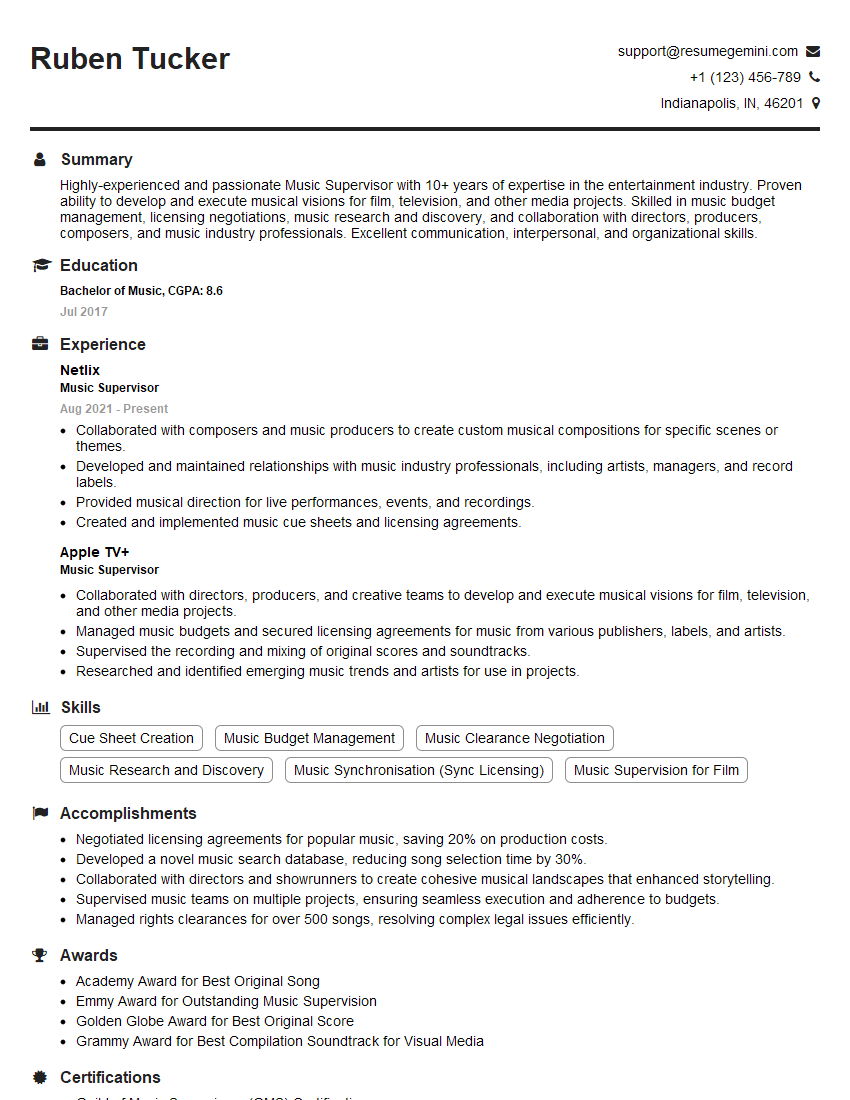
Music Supervisor Resume Sample
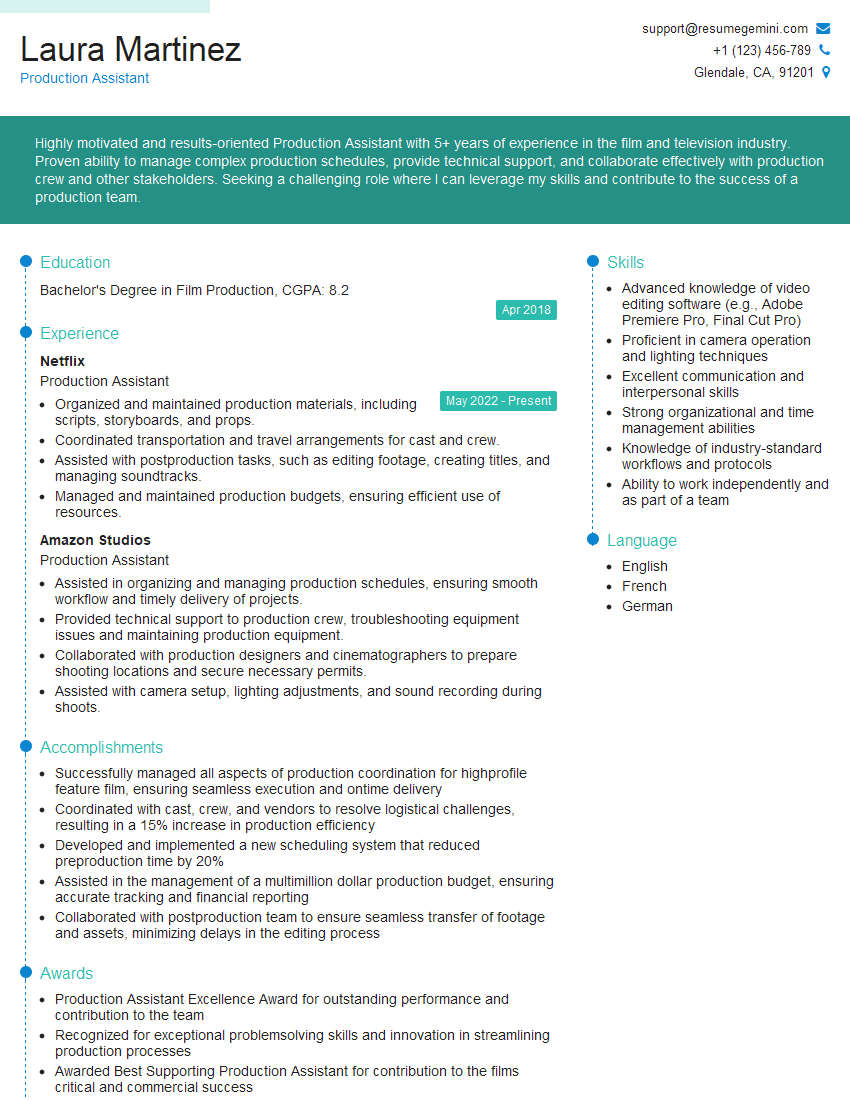
Production Assistant Resume Sample

Music Producer Resume Sample

Broadcast Engineer Resume Sample
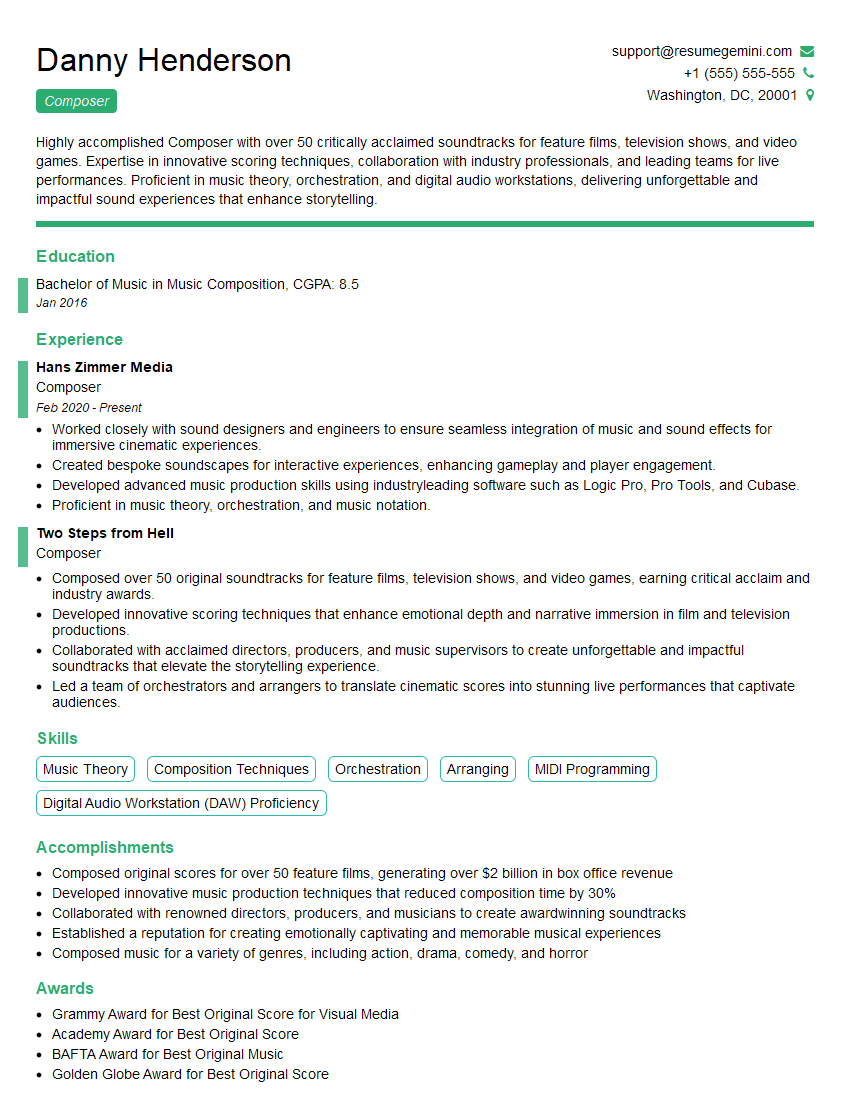
Composer Resume Sample

Audio Engineer Resume Sample

Mixing Engineer Resume Sample

Recording Engineer Resume Sample

Sound Designer Resume Sample

Sound Editor Resume Sample
Explore more articles
Users Rating of Our Blogs
Share Your Experience
We value your feedback! Please rate our content and share your thoughts (optional).
What Readers Say About Our Blog
Very informative content, great job.
good