Interviews are opportunities to demonstrate your expertise, and this guide is here to help you shine. Explore the essential Understanding of Music Technology and Equipment interview questions that employers frequently ask, paired with strategies for crafting responses that set you apart from the competition.
Questions Asked in Understanding of Music Technology and Equipment Interview
Q 1. Describe your experience with different Digital Audio Workstations (DAWs) like Pro Tools, Logic Pro X, Ableton Live, etc.
My experience with DAWs spans several years and encompasses a range of platforms, each with its unique strengths. Pro Tools, the industry standard, is my go-to for larger-scale projects demanding precision and extensive plugin integration. Its session-based workflow excels in collaborative environments, and its powerful features are vital for film scoring or broadcast work. I appreciate its meticulous editing capabilities and the reliability its established reputation brings.
Logic Pro X, a Mac-exclusive DAW, offers a more intuitive and streamlined interface, making it ideal for composing and arranging. Its extensive virtual instrument collection and sophisticated MIDI editing features are invaluable for electronic music production and songwriting. I find its workflow exceptionally user-friendly, perfect for quick turnaround projects.
Ableton Live, on the other hand, is a powerhouse for live performance and electronic music production. Its session view, allowing for non-linear arrangement, is unmatched for improvisational work and electronic music composition, whereas its arrangement view supports conventional song structures. Its robust MIDI sequencing and powerful effects make it my preferred choice for experimental audio projects. In essence, my DAW selection depends heavily on the project’s requirements and desired workflow.
Q 2. Explain the difference between mixing and mastering.
Mixing and mastering are distinct yet interconnected stages in audio post-production. Think of mixing as sculpting the individual instruments and sounds within a track, focusing on balance, tone, and spatial placement. This is where you ensure each element sits well in the mix without clashing. It’s like arranging the colours on a painter’s palette to create a harmonious image.
Mastering, conversely, is the final polish, optimizing the overall sound of the finished track for various playback systems. Mastering engineers focus on loudness, dynamics, stereo imaging, and overall sonic cohesion across different playback devices. Imagine it as framing and presenting that painting – making sure it looks its best in any gallery.
In a nutshell: mixing is about the internal balance of a track, while mastering is about its external presentation and compatibility.
Q 3. What are your preferred methods for noise reduction and audio restoration?
My approach to noise reduction and audio restoration depends heavily on the specific audio material and the type of noise present. For common noises like hum or hiss, I often start with spectral editing tools within my DAW, carefully identifying and removing frequency bands where the noise is most prominent. This requires a keen ear and careful attention to detail to avoid affecting the desired audio.
For more complex restoration tasks, such as removing clicks, pops, or scratches from older recordings, I leverage specialized plugins like iZotope RX. These advanced tools employ sophisticated algorithms that can intelligently identify and repair audio imperfections with minimal impact on the overall audio quality. It’s like digitally cleaning an old photograph, carefully removing scratches without erasing the finer details.
The key is always to be subtle and non-destructive. Restoration shouldn’t mask the original performance; it should enhance it.
Q 4. How do you troubleshoot common audio issues, such as latency or feedback?
Latency and feedback are common audio headaches. Latency, the delay between audio input and output, is often caused by buffer size issues, high-processor load, or poorly configured audio interfaces. My troubleshooting steps involve checking buffer size settings within my DAW (lowering it usually helps but can strain the CPU), closing unnecessary programs, and ensuring my audio interface drivers are up-to-date. Sometimes, upgrading your computer’s hardware may be necessary to handle the demands of low-latency recording.
Feedback, that ear-piercing squeal, arises from a loop in the audio signal, where the output is re-fed into the input. To address this, I lower monitor levels, check for microphone placement issues (too close to speakers), or use a gate or compressor to control the signal flow and prevent runaway gain. Proper signal routing and careful gain staging are key to preventing this problem.
Q 5. Describe your understanding of signal flow in a recording studio.
Understanding signal flow is paramount. In a recording studio, the signal typically starts at the source – a microphone, instrument, or line-level input. This signal then passes through a preamplifier, which boosts the signal’s level and impedance matching, making it suitable for the next stage.
Next, the signal might go through equalizers (EQ) or compressors to shape its tone and dynamics. Then it goes to an analog-to-digital converter (ADC) within the audio interface, translating it into digital data that the DAW can process. The signal is then processed and manipulated within the DAW, going through various effects plugins (reverb, delay, etc.). Finally, the processed signal is sent from the DAW back through a digital-to-analog converter (DAC) in the audio interface, and eventually to the monitors or output devices.
This chain, from source to output, must be carefully managed to avoid signal degradation or unwanted noise. Proper gain staging at each step is crucial.
Q 6. What are your experiences with various microphone types and their applications?
My experience with microphones is extensive. Large-diaphragm condenser microphones (LDCs) excel at capturing warm, detailed vocals and acoustic instruments, whereas small-diaphragm condensers (SDCs) are versatile for recording a wide range of sounds, from subtle acoustic guitar to punchy percussion. Dynamic microphones, robust and capable of handling high sound pressure levels, are ideal for live instruments like loud guitars or vocals in noisy environments.
Ribbon microphones offer a unique, vintage character, producing a smooth and often darker sound, perfect for capturing the nuances of certain instruments. The choice of microphone hinges entirely on the sound source and the desired aesthetic. For example, I might use an LDC for close-miking vocals in a controlled setting, while employing SDCs for overhead drum recordings or capturing ambience.
Q 7. Explain your knowledge of EQ, compression, and other audio effects.
EQ (Equalization) shapes the tonal balance of audio by boosting or cutting specific frequencies. A low-cut filter can remove unwanted rumble, while boosting the mids can enhance clarity and presence. Compression reduces the dynamic range, making quiet parts louder and loud parts quieter, resulting in a more even and consistent sound. Think of it as smoothing out the peaks and valleys of a waveform.
Other common effects include reverb (simulating the acoustic environment), delay (creating echoes), chorus (thickening sounds), and distortion (adding grit and texture). My approach involves using these effects judiciously, aiming for subtle enhancements rather than drastic alterations. Overusing effects can obscure the natural character of the audio, so a light touch is often best.
The creative application of these effects contributes significantly to the overall sonic character of a mix, allowing for adjustments to the timbral, spatial and dynamic elements of individual instruments and the overall mix
Q 8. How familiar are you with different audio file formats (WAV, AIFF, MP3)?
Audio file formats determine how audio data is stored and compressed. I’m intimately familiar with WAV, AIFF, and MP3, each having distinct strengths and weaknesses.
- WAV (Waveform Audio File Format): This is a lossless format, meaning no audio data is discarded during encoding. It preserves the highest audio quality but results in larger file sizes. Think of it like a high-resolution photograph – it retains all the detail. I often use WAV files for mastering and archiving, where pristine quality is paramount.
- AIFF (Audio Interchange File Format): Similar to WAV, AIFF is a lossless format, primarily used on Apple systems. It’s comparable in quality to WAV, but with slightly different metadata handling. Again, ideal for preserving quality.
- MP3 (MPEG Audio Layer III): This is a lossy format, meaning it discards some audio data during compression to achieve smaller file sizes. While convenient for sharing and storage, it introduces some quality loss. The amount of loss depends on the bitrate (e.g., 128kbps vs. 320kbps). I use MP3 for distribution and online streaming where file size is a primary concern. The trade-off between size and quality is a key consideration.
Choosing the right format depends on the application. For studio work, lossless formats like WAV or AIFF are preferred. For online distribution, MP3 is more practical. Understanding these differences is critical for maintaining audio quality throughout the production pipeline.
Q 9. Describe your experience with MIDI and its applications in music production.
MIDI (Musical Instrument Digital Interface) is a crucial technology in music production. It doesn’t store actual audio waveforms; instead, it transmits musical information like notes, velocity, and controller data. Think of it as a musical score rather than a recording.
My experience spans various applications, including:
- Software Synthesizer Control: MIDI allows me to play virtual instruments (VSTs) within Digital Audio Workstations (DAWs). I can trigger sounds, control parameters like filter cutoff and resonance, and create complex instrumental parts.
- Hardware Synthesizer Integration: I’ve extensively used MIDI to connect and control external hardware synthesizers and drum machines, expanding my sonic palette significantly. This allows for integration of vintage and modern hardware.
- Sequencing and Arrangement: MIDI is indispensable for arranging and sequencing musical ideas. I can easily edit and manipulate note data, creating intricate musical patterns and compositions. This is essential for composing and arranging tracks.
- Automation: MIDI can automate various parameters in a DAW, creating dynamic and evolving soundscapes. For example, I can automate filter sweeps, volume changes, or effects parameters to enhance musical expression.
For example, I recently used MIDI to sequence a complex drum pattern in Ableton Live, controlling both internal and external drum synths simultaneously. The flexibility and control MIDI offers are unparalleled in modern music production.
Q 10. What are your experiences with various audio interfaces and their specifications?
Audio interfaces are the bridge between your computer and audio equipment. My experience includes working with various interfaces from different manufacturers, each with unique specifications impacting sound quality, latency, and connectivity.
Key specifications I consider are:
- Analog-to-Digital Conversion (ADC) and Digital-to-Analog Conversion (DAC): These determine the fidelity of the audio conversion process. Higher-quality ADCs and DACs result in cleaner and more detailed sound.
- Sample Rate and Bit Depth: These define the resolution of the audio signal. Higher sample rates (e.g., 48kHz, 96kHz, 192kHz) and higher bit depths (e.g., 24-bit) provide more accurate audio representation but increase processing demands.
- Number of Inputs/Outputs (I/O): This determines how many microphones, instruments, and other devices can be connected simultaneously. More I/O provides more flexibility for larger projects.
- Latency: This is the delay between when a signal is input and when it appears in the DAW. Low latency is essential for live recording and monitoring to prevent timing issues.
- Preamplification: High-quality preamps are essential for capturing a clean and detailed signal, especially from microphones. I’ve worked with interfaces featuring both built-in and external preamp options.
I’ve worked with interfaces from brands like Focusrite, Universal Audio, and RME, and choosing the right interface depends on the specific needs of the project. For example, for a large-scale recording session, a high-I/O interface with low latency and excellent preamps is essential, while smaller projects may only need a more compact, budget-friendly option.
Q 11. How do you approach setting up a live sound reinforcement system?
Setting up a live sound reinforcement system involves careful planning and execution to ensure optimal sound quality for the audience. My approach follows these steps:
- Site Survey: Assessing the venue’s acoustics, size, and layout is crucial. This helps determine speaker placement, microphone selection, and overall system configuration.
- System Design: Based on the site survey, I choose appropriate speakers, mixers, microphones, and signal processing equipment. I account for audience size, the type of music being performed, and the available power.
- Microphone Placement: Accurate microphone placement is crucial for capturing a balanced and natural sound. Different microphones are suitable for different instruments and vocalists.
- Mixing and EQ: At the mixing console, I balance individual instrument and vocal levels, applying equalization (EQ) and other effects to sculpt the overall sound and improve clarity.
- Monitoring: Providing adequate monitoring for the performers is essential for a successful performance. I usually utilize stage monitors or in-ear monitors (IEMs).
- Testing and Adjustments: Thorough sound checks are vital to identify and address any issues before the performance begins. I typically make adjustments based on feedback from both performers and the audience.
For instance, I recently set up a system for a large outdoor concert. The site survey revealed significant background noise, which necessitated the use of cardioid microphones and additional gain staging. Careful microphone placement and efficient EQ ensured a clean, intelligible mix despite the challenging environment.
Q 12. Explain your understanding of room acoustics and its impact on sound quality.
Room acoustics are critical in determining the quality of recorded or reproduced sound. They refer to how sound waves behave within a space, impacting clarity, resonance, and overall sonic character.
Key factors include:
- Reflection: Sound waves bounce off surfaces, creating reflections that can either enhance or degrade sound quality. Early reflections can add warmth and ambience, while excessive or delayed reflections create muddiness and echo.
- Absorption: Certain materials absorb sound energy, reducing reflections. Acoustic treatment like panels, bass traps, and diffusers can help control room acoustics.
- Diffusion: Diffusers scatter sound waves, preventing the build-up of standing waves (resonances) that cause uneven frequency responses.
- Reverberation: This refers to the persistence of sound after the source has stopped. The reverberation time (RT60) is a measure of how long it takes for the sound to decay. The appropriate RT60 depends on the intended use of the space (e.g., a recording studio needs a shorter RT60 than a concert hall).
Poor room acoustics can lead to muddy low frequencies, harsh high frequencies, and a lack of clarity. Conversely, well-treated rooms provide a neutral and accurate sound environment ideal for recording and mixing. I regularly assess room acoustics during recording sessions, employing techniques like acoustic treatment and microphone positioning to optimize sound quality. For instance, strategically placed bass traps in a recording studio can significantly reduce low-frequency build-up resulting in a more controlled and cleaner sound.
Q 13. What are your preferred methods for creating immersive audio experiences?
Creating immersive audio experiences involves leveraging spatial audio techniques to create a three-dimensional soundscape that surrounds the listener. My preferred methods include:
- Surround Sound: Utilizing multiple speakers (5.1, 7.1, or more) to position sounds in specific locations around the listener. This is commonly used in home theaters and some live sound applications.
- Binaural Recording: This technique simulates the human hearing experience by recording sound using two microphones placed in a dummy head. The resulting audio provides a natural and realistic sense of spatialization when listened to through headphones.
- Ambisonics: This technique uses a specific microphone array to capture a three-dimensional sound field that can be rendered for various speaker layouts or headphones. It is highly flexible and allows for immersive sound across different playback systems.
- Head-Tracked Audio: This method uses headphones and head tracking technology to dynamically update the spatial position of sounds based on the listener’s head movements, significantly enhancing immersion.
For example, when creating immersive soundscapes for video games or virtual reality experiences, I leverage head-tracked binaural audio to provide a compelling and highly realistic auditory experience. The technology enables the creation of sounds that seem to move around the listener depending on their head position, leading to increased engagement and immersion.
Q 14. Describe your experience working with various types of studio monitors.
Studio monitors are critical for accurate audio reproduction during mixing and mastering. My experience encompasses a range of monitors from various manufacturers, each with its own sonic characteristics and application.
Considerations include:
- Frequency Response: This refers to how accurately the monitors reproduce the entire frequency spectrum (from low bass to high treble). Flat frequency response is crucial for accurate mixing.
- Image Clarity: Good stereo imaging is essential for accurately placing sounds in the stereo field. Clear stereo imaging ensures precise placement of instruments and vocals within the mix.
- Power Handling: This determines the loudness the monitor can produce without distortion.
- Size and Placement: Monitor size affects their bass response and overall sound. Proper placement in the room is also crucial to minimize room reflections and optimize sound quality. I account for acoustic treatment in the room.
- Near-field vs. Far-field Monitoring: Near-field monitors are designed for close listening distances, while far-field monitors are suitable for larger rooms.
I’ve worked with monitors from brands like Genelec, Yamaha, KRK, and Focal. For example, for critical mixing tasks, I prefer near-field monitors like Genelec 8040A, known for their flat frequency response and accurate imaging. The choice of studio monitor is context-dependent, often shaped by factors like room size and budget.
Q 15. How do you manage large audio projects and maintain organization?
Managing large audio projects requires meticulous organization. Think of it like building a skyscraper – you can’t just throw materials together; you need a blueprint. I rely heavily on a combination of digital audio workstations (DAWs) and folder structures. My DAW, typically Pro Tools or Logic Pro X, utilizes tracks, buses, and folders within the session to group related audio elements. For example, all drums might be in a single folder, with sub-folders for snare, kick, toms, etc. This allows for easy selection, processing, and mixing.
Beyond the DAW, I maintain a highly structured file system on my hard drive. Projects are organized chronologically or by client, with backups regularly performed to external drives. This prevents data loss and ensures easy retrieval of previous versions. Metadata, such as detailed descriptions of each file and relevant project information, are crucial for long-term organization and efficient collaboration. This rigorous system prevents chaos and allows for quick navigation even in complex projects with hundreds of audio files.
Career Expert Tips:
- Ace those interviews! Prepare effectively by reviewing the Top 50 Most Common Interview Questions on ResumeGemini.
- Navigate your job search with confidence! Explore a wide range of Career Tips on ResumeGemini. Learn about common challenges and recommendations to overcome them.
- Craft the perfect resume! Master the Art of Resume Writing with ResumeGemini’s guide. Showcase your unique qualifications and achievements effectively.
- Don’t miss out on holiday savings! Build your dream resume with ResumeGemini’s ATS optimized templates.
Q 16. Describe your understanding of dynamic range compression.
Dynamic range compression reduces the difference between the loudest and quietest parts of an audio signal. Imagine a mountain range; dynamic range is the height difference between the highest peak and the lowest valley. Compression lowers the peaks and raises the valleys, making the overall signal more consistent in volume. This is crucial for radio, streaming, and mastering, where inconsistent loudness can be jarring.
It works by using a threshold, ratio, attack, and release. The threshold determines the level at which compression begins. The ratio dictates how much the signal is reduced above the threshold; a 4:1 ratio means that for every 4dB above the threshold, the signal is reduced by 1dB. Attack time determines how quickly the compressor reacts to signals exceeding the threshold, and release time controls how quickly it returns to normal processing after the signal falls below the threshold. Incorrect settings can lead to unnatural ‘pumping’ or a loss of dynamics, so careful adjustment is key. For example, a fast attack and slow release might be used on vocals to control sibilance and maintain clarity.
Q 17. What are the best practices for working with clients?
Effective client communication is paramount. It begins with clear expectations upfront. Before starting any project, I engage in detailed discussions to understand their vision, budget, and timeline. I provide regular updates through email and scheduled calls, sharing progress and addressing concerns proactively. This fosters trust and transparency. I also maintain meticulous documentation of all changes and revisions, facilitating easy reference and collaboration.
Open and honest communication is key, especially when addressing challenges. If a problem arises, I explain it clearly, offer solutions, and seek their input. I believe in collaborative decision-making; the client’s artistic vision should be prioritized, but my technical expertise offers valuable guidance. Feedback is actively solicited and incorporated, leading to a final product that meets their needs and exceeds their expectations. Finally, clear contractual agreements define responsibilities, payment terms, and usage rights to ensure a smooth and professional working relationship.
Q 18. What software or plugins do you use for sound design?
My sound design toolkit is diverse, encompassing several industry-standard software and plugins. For synthesis, I primarily use Native Instruments Massive, Serum, and Ableton’s built-in synthesizers. These offer immense flexibility in creating unique sounds. For sample manipulation and granular synthesis, I often turn to Kontakt and its vast library of sample instruments. Additionally, I frequently use iZotope RX for audio repair and restoration, and various other plugins from companies like Waves and FabFilter for effects processing such as distortion, modulation, and reverb.
The choice of software depends on the specific project’s needs. For example, a cinematic project might require more nuanced reverb and atmospheric sounds, while electronic music production demands precise control over synthesis parameters. I am comfortable exploring different plugins and techniques to achieve the desired sonic palette.
Q 19. Describe your experience with audio editing software.
I have extensive experience with various audio editing software, most notably Pro Tools, Logic Pro X, and Ableton Live. My proficiency includes tasks ranging from basic editing – cutting, pasting, and trimming – to advanced techniques like time-stretching, pitch shifting, and audio restoration. I am skilled in using automation to control parameters over time, and proficient in manipulating MIDI data to control synthesizers and virtual instruments. I’m comfortable working with various audio formats and sample rates.
In a recent project, I utilized Pro Tools’ advanced features to repair a damaged audio recording, using noise reduction and spectral editing tools. The client was extremely pleased with the outcome, emphasizing the importance of meticulous detail in audio restoration. This experience underscores the value of mastering multiple DAWs and their diverse features for tackling a wide range of projects.
Q 20. How familiar are you with different types of microphones (dynamic, condenser, ribbon)?
My understanding of microphone types extends to their various strengths and weaknesses. Dynamic microphones, such as the Shure SM57, are robust, relatively inexpensive, and handle high sound pressure levels well; ideal for loud instruments like snare drums and guitar amps. Condenser microphones, like the Neumann U 87, are more sensitive, capturing finer details and nuances – excellent for vocals and acoustic instruments, but often more susceptible to handling noise.
Ribbon microphones, such as the Royer R-121, offer a unique, smooth, and often colored sound, with a distinct presence and often used for capturing the warmth of instruments like trumpets and guitars. The choice of microphone depends heavily on the source material and the desired sonic character. For example, a harsh-sounding vocal might benefit from the smoother response of a ribbon microphone, while a crisp snare drum might be best captured with a dynamic microphone.
Q 21. What is your experience with audio plugins (EQ, Compression, Reverb, Delay)?
I’m highly proficient in using various audio plugins for EQ, compression, reverb, and delay. EQ (Equalization) allows shaping the frequency balance of a sound, boosting or cutting specific frequencies to enhance clarity or remove unwanted muddiness. Compression controls the dynamic range, making quiet parts louder and loud parts quieter, ensuring a consistent level. Reverb simulates the natural ambience of a space, adding depth and realism. Delay creates echoes or repetitions of a sound, adding texture and rhythmic interest.
My experience extends to using a wide range of plugins from various manufacturers, including Waves, Universal Audio, FabFilter, and iZotope. I understand the subtle nuances of each plugin and can skillfully employ them to achieve specific artistic goals. For example, a subtle delay on a vocal can add a sense of spaciousness, while a heavy distortion effect might be used to create a grunge-rock guitar tone. The choice of plugin and its settings are dictated by the specific audio material and the desired effect.
Q 22. How do you troubleshoot a problem with a microphone not working?
Troubleshooting a non-functional microphone involves a systematic approach. Think of it like detective work – you need to eliminate possibilities one by one.
- Check the obvious: Is the microphone powered correctly? (phantom power on for condenser mics). Is it plugged in securely to both the microphone and the interface? Is the gain set appropriately – too low and you’ll get nothing, too high and you’ll get distortion.
- Test the signal path: Try a different microphone in the same input. If that works, the issue is with your original microphone. If not, check the input on your audio interface – is it selected correctly in your DAW? Try a different cable.
- Software and Driver Issues: Ensure your audio interface drivers are up-to-date and correctly installed. Restart your computer. Check your DAW’s input settings to make sure the correct input channel is selected.
- Hardware Malfunctions: If the problem persists, the microphone itself or the audio interface could be faulty. Test the microphone on a different system if possible to isolate the problem.
For example, I once spent 30 minutes troubleshooting a microphone only to discover the phantom power switch on my interface was accidentally off. Always check the simple things first!
Q 23. How do you handle multiple audio tracks in a DAW?
Managing multiple audio tracks in a DAW (Digital Audio Workstation) is fundamental to music production. Imagine it like conducting an orchestra – each instrument (track) needs its own space and adjustments.
- Organization: Use clear and consistent naming conventions for your tracks (e.g., ‘Drums_Kick’, ‘Vocals_Lead’). Color-coding tracks helps visual organization.
- Grouping: Group related tracks (e.g., all drums) for easier mixing and processing. This allows you to apply effects or automation to a group simultaneously.
- Busses: Utilize auxillary sends and busses to route multiple tracks to a single processing channel (e.g., sending all drum tracks to a reverb bus). This keeps your mixer tidy and simplifies complex effects routing.
- Track Muting and Soloing: Use these functions effectively to isolate specific tracks for editing, mixing, or troubleshooting.
- Automation: Automate parameters like volume, pan, and effects sends to create dynamic and interesting mixes (more on this later).
For instance, when mixing a rock song, I might group the drums, guitars, and bass separately, sending each group to a submix bus before going to the main mix. This approach gives me granular control while maintaining a clean workflow.
Q 24. How familiar are you with audio routing and patching?
Audio routing and patching are crucial for managing audio signals within a studio environment. Think of it as the plumbing system for your sound. You need to direct the audio flow correctly to get the desired results.
My familiarity encompasses both hardware and software routing. I’m proficient in using patch bays to physically route audio signals between different pieces of equipment like preamps, compressors, EQs, and effects units. I also have extensive experience with routing audio signals within a DAW, using aux sends, returns, and busses to control effects processing and signal flow.
For example, I might patch a microphone through a preamp, then send the signal to a compressor, before routing it to a channel strip in my DAW for further processing. Within the DAW, I can then send that channel to various effects busses (like reverb or delay) to add depth and ambiance.
Q 25. Explain your process for setting up a monitoring system.
Setting up a monitoring system is critical for accurate mixing and critical listening. It’s all about creating a reliable and comfortable sonic environment.
- Studio Acoustics: Treat your listening environment to minimize reflections and unwanted resonances. This often involves acoustic treatment like bass traps and diffusion panels.
- Monitoring Choice: Choose studio monitors appropriate for your workspace and budget. Nearfield monitors are commonly preferred for accurate mixing.
- Placement: Position your monitors correctly to create a balanced stereo image (typically forming an equilateral triangle with your listening position).
- Calibration: Use a measurement microphone and software to calibrate your monitors for accurate frequency response, ensuring that what you hear is representative of what will be heard on other systems.
- Headphone Monitoring: Good quality headphones are vital, offering a different perspective on the mix. Make sure the headphone amp provides adequate power and accurate sound reproduction.
A well-calibrated monitoring system is paramount for a consistent mix. I’ve experienced firsthand the frustration of a poorly treated room leading to mixes that sound fantastic in one space but terrible elsewhere. This underscores the importance of proper setup.
Q 26. Describe your experience with automation in a DAW.
Automation in a DAW is a powerful tool for creating dynamic and evolving mixes. Think of it like adding choreography to a musical performance. You’re controlling the dynamics and movement over time.
- Volume Automation: Adjusting volume levels over time – essential for creating rhythmic and dynamic changes. I often automate vocals to subtly control their level during verses and choruses.
- Panning Automation: Moving the sound image from left to right. Think of panning a sweeping synth lead across the stereo field for a dramatic effect.
- Effect Automation: Controlling the intensity of effects over time (e.g., increasing reverb during the chorus). This might create a sense of space and grandeur.
- MIDI Automation: Controlling synthesizer parameters or MIDI instruments.
For example, I might automate the volume of a guitar solo to build in intensity over several bars, culminating in a peak volume at the climax. Proper automation enhances the emotional impact of the music.
Q 27. What are your skills in using outboard gear?
Outboard gear refers to external audio processing equipment, as opposed to effects and processing done within the DAW. It’s like having a separate, highly specialized tool set.
My skills encompass a range of outboard gear including:
- Preamplifiers (Preamps): Used to boost the signal from microphones or instruments. I know how to select appropriate preamps for different instruments to optimize their sound.
- Compressors: Used to control dynamics, smoothing out loud and quiet passages. I understand how to use compressors effectively for specific instruments and vocals, avoiding over-compression.
- Equalizers (EQs): Shaping the frequency balance of a signal. I can use EQs to sculpt the tone of instruments, enhance clarity, and remedy frequency clashes.
- Effects Processors: Reverb, Delay, Chorus, etc. I’m skilled in selecting and using outboard effects for creative enhancement of the sound.
I’ve worked with a variety of vintage and modern outboard gear, understanding the nuances and characteristics of each piece. The use of outboard gear often brings a warmth and character to the sound that is not always attainable with plugins.
Q 28. What is your workflow for preparing a song for mastering?
Preparing a song for mastering is the final crucial step in the production process. It’s like polishing a gemstone to reveal its full brilliance.
- Gain Staging: Ensure appropriate headroom (space below the maximum signal level) on all tracks, avoiding clipping or distortion. This prevents unwanted artifacts during mastering.
- Mixing Polish: Focus on creating a balanced and well-defined mix. This might involve subtle adjustments to EQ, compression, and effects.
- Track Export: Export the mix as a high-resolution WAV file (typically 24-bit/48kHz or higher), making sure it’s in the correct format for mastering.
- Quality Check: Listen to the mix on various playback systems to ensure its translation across different listening environments.
- Collaboration: Communicate clearly with the mastering engineer by providing them with notes and references.
My workflow prioritizes a clean, well-balanced mix that doesn’t require significant corrective work during mastering. Communication with the mastering engineer is key, ensuring a smooth and successful final stage of the project.
Key Topics to Learn for Understanding of Music Technology and Equipment Interview
- Digital Audio Workstations (DAWs): Understanding the functionalities of popular DAWs (Pro Tools, Logic Pro X, Ableton Live, etc.), including recording, editing, mixing, and mastering techniques. Consider practical applications like session setup, track organization, and common workflow strategies.
- Microphones and Signal Flow: Knowledge of different microphone types (dynamic, condenser, ribbon), their applications, and how to properly connect them within a signal chain. Explore practical applications like microphone placement techniques for various instruments and vocalists, and troubleshooting common signal issues.
- Audio Interfaces and Hardware: Familiarity with audio interfaces, their specifications (AD/DA conversion, input/output count), and their role in connecting microphones, instruments, and other equipment to a computer. Explore practical applications like selecting the appropriate interface for a given project and understanding latency issues.
- Signal Processing: Understanding fundamental concepts like equalization (EQ), compression, reverb, delay, and their applications in shaping and enhancing sound. Explore practical applications like using EQ to correct frequency imbalances, using compression to control dynamics, and using reverb and delay to create space and ambience.
- MIDI and Synthesizers: Understanding MIDI technology, its role in controlling synthesizers and other electronic instruments, and how it works in a digital audio environment. Explore practical applications like MIDI sequencing, using virtual instruments, and understanding different synthesizer architectures.
- Studio Acoustics and Monitoring: Understanding the basics of room acoustics and their impact on sound quality. This includes concepts like reflection, absorption, and diffusion. Explore practical applications like setting up a listening environment for accurate mixing and mastering, and understanding the importance of accurate monitoring.
- Music Notation Software: Proficiency in using music notation software (Sibelius, Finale, Dorico) for creating and editing musical scores. Practical applications include creating accurate scores for various instruments and ensembles, and understanding the nuances of different notation styles.
Next Steps
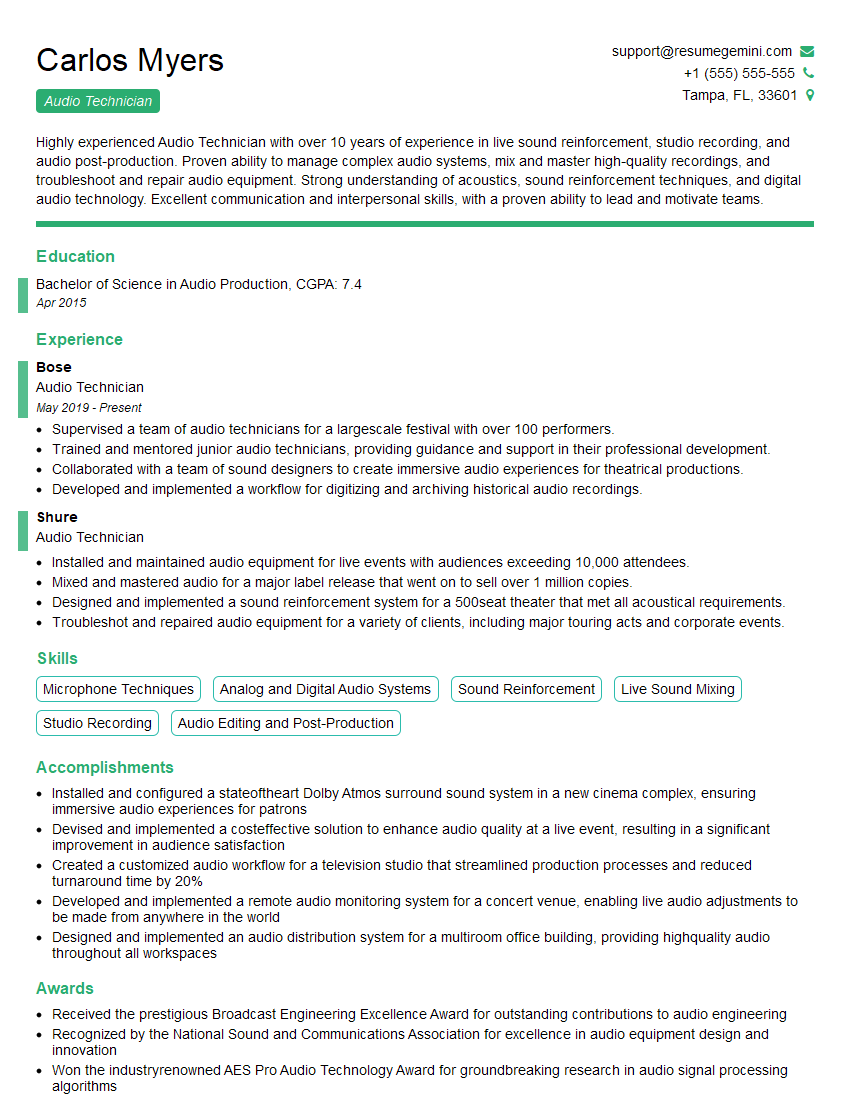
Mastering music technology and equipment is crucial for career advancement in the music industry, opening doors to diverse roles like audio engineer, music producer, sound designer, or music teacher. An ATS-friendly resume is key to getting your application noticed. To significantly improve your job prospects, we strongly encourage you to build a professional and impactful resume using ResumeGemini. ResumeGemini offers a user-friendly platform and provides examples of resumes tailored to the Understanding of Music Technology and Equipment field, helping you showcase your skills effectively and land your dream job.





Explore more articles
Users Rating of Our Blogs
Share Your Experience
We value your feedback! Please rate our content and share your thoughts (optional).
What Readers Say About Our Blog
Very informative content, great job.
good