Every successful interview starts with knowing what to expect. In this blog, we’ll take you through the top Understanding of prepress and finishing processes interview questions, breaking them down with expert tips to help you deliver impactful answers. Step into your next interview fully prepared and ready to succeed.
Questions Asked in Understanding of prepress and finishing processes Interview
Q 1. Explain the difference between CMYK and RGB color spaces.
CMYK and RGB are two different color models used in different contexts. RGB (Red, Green, Blue) is an additive color model used for screen displays. It works by combining different intensities of red, green, and blue light to create a wide range of colors. Think of your computer monitor or TV screen – it uses RGB to display images. CMYK (Cyan, Magenta, Yellow, Key [Black]) is a subtractive color model used for printing. It works by subtracting colors from white light reflected from the paper. Each ink absorbs specific wavelengths of light, and the combination of these inks produces the final color. The crucial difference is how they create color: RGB adds light, CMYK subtracts it. This means an RGB image, vibrant on screen, may appear duller when printed directly without proper color conversion, as the two color spaces are not directly comparable.
Q 2. Describe the process of color separation.
Color separation is the process of converting a full-color image into separate plates, one for each of the CMYK inks. Imagine you have a beautiful photograph; color separation breaks it down into four individual images, each representing the cyan, magenta, yellow, and black components of the original image. These separate plates are then used during printing, where each ink is applied sequentially to create the final full-color image. This is achieved through specialized software that analyses the color information in the original image and creates a mask for each ink, indicating where that ink should be applied on the final print. Without color separation, printing a full-color image would be impossible.
Q 3. What is trapping, and why is it important in prepress?
Trapping is a critical prepress technique used to prevent gaps between colors that might appear as unsightly white lines where two colors meet. Imagine two adjacent areas, one printed in cyan and the other in magenta. Due to slight inconsistencies in the printing process (like paper shifting during printing), a small gap might appear between the two colors. Trapping is the intentional overlapping of colors to compensate for these discrepancies. It ensures a clean, professional appearance. There are different trapping methods, including spread trapping (slightly expanding the darker color onto the lighter one), choke trapping (slightly reducing the lighter color), and no trapping (no overlap, leading to risk of gaps). Choosing the right trapping method depends on the specific printing process and design requirements.
Q 4. Explain the importance of image resolution in print production.
Image resolution is the number of dots per inch (dpi) or pixels per inch (ppi) in an image. In print production, it dictates the image’s sharpness and detail. Low-resolution images will appear pixelated and blurry when printed, while high-resolution images will be crisp and clear. The required resolution depends on the printing process and the final print size. For example, a large billboard requires a much higher resolution image than a small business card. Using an image with insufficient resolution is a common prepress mistake that can significantly compromise the quality of the final print. It’s crucial to work with high-resolution images from the start to avoid this issue. The rule of thumb is 300dpi for most offset printing projects.
Q 5. What are some common prepress file formats (e.g., PDF, TIFF, EPS)?
Several common prepress file formats are used to ensure compatibility and maintain image quality throughout the production workflow.
- PDF (Portable Document Format): A versatile format that preserves fonts, images, and layout, making it ideal for final artwork submission. Different PDF versions (e.g., PDF/X-1a) have different standards for print production to guarantee color consistency.
- TIFF (Tagged Image File Format): A high-quality raster image format supporting lossless compression, well-suited for images with high resolution and detail.
- EPS (Encapsulated PostScript): A vector-based format commonly used for illustrations and logos, scaling without loss of quality. It’s less commonly used now but still appears in some workflows.
Q 6. Describe the process of imposition.
Imposition is the process of arranging pages of a document in a precise order on a printing sheet (or multiple sheets) to optimize the printing process. Think of it as a digital puzzle. For example, a 16-page booklet might need to be arranged in a specific way on a larger sheet to ensure that, once the sheet is printed and folded, the pages are in the correct sequence. This arrangement is crucial for minimizing waste and ensuring efficient printing. Imposition software allows prepress professionals to create precise imposition plans for different sheet sizes and printing techniques. Incorrect imposition can lead to pages out of order or missing in the final product.
Q 7. What are some common finishing techniques?
Finishing techniques enhance the visual appeal and functionality of printed materials. These can range from simple to complex processes:
- Cutting: Trimming printed sheets to the desired size.
- Folding: Folding printed sheets into brochures, leaflets, or booklets.
- Binding: Securing pages together, such as with saddle-stitch, perfect binding, or wire-o binding.
- Laminating: Applying a protective plastic film for durability.
- Die-cutting: Using a die to cut intricate shapes or designs.
- Embossing/debossing: Raising or indenting designs for a three-dimensional effect.
- Foil stamping: Applying metallic foil to create a luxurious look.
Q 8. Explain the difference between die-cutting and kiss-cutting.
Both die-cutting and kiss-cutting are finishing processes used to create shapes and cut through materials, but they differ in the depth of the cut.
Die-cutting is a complete cut through the material, creating separate pieces. Think of cookie cutters – they completely cut through the dough. In print finishing, this is used to create custom shapes for business cards, labels, or packaging elements. The die, a precisely engineered metal tool, is pressed into the material, cleanly severing it.
Kiss-cutting, on the other hand, only partially cuts through the material. Imagine scoring a piece of paper – you’re creating a weakened line, but not a full separation. This technique is often used for creating peel-and-stick labels or stickers. The material is scored, allowing for easy separation along the cut line without completely severing it.
The choice between die-cutting and kiss-cutting depends entirely on the intended application. For separate pieces, die-cutting is necessary. For easy-peel applications, kiss-cutting is the go-to method.
Q 9. What is the role of a proofing system in prepress?
A proofing system in prepress is crucial for ensuring the final printed product matches the client’s expectations and design specifications. It’s a process of verifying all aspects of the print job before it goes to press, saving time and money by catching errors early.
A robust proofing system involves several stages, including:
- Soft Proofing: This is a digital review of the files on screen, often using color-managed software to simulate the printed output. It allows for early detection of font issues, image resolution problems, and design flaws.
- Hard Proofing: This involves generating a physical representation of the printed piece, often using a high-quality proofing printer. This offers a more accurate representation of color and texture compared to soft proofing.
- Contract Proofing: This is a legally binding proof, often signed by the client and printer, ensuring both parties agree on the final product’s appearance. This is particularly important for critical projects.
By employing a thorough proofing process, costly reprints and delays are avoided, leading to increased client satisfaction and improved efficiency.
Q 10. How do you ensure color consistency throughout the printing process?
Maintaining color consistency throughout the printing process is paramount. Inconsistency leads to unacceptable variations in the final product. Here’s how it’s achieved:
- Color Management System (CMS): A CMS is essential. It profiles all devices involved—monitors, printers, scanners—ensuring that color is consistently translated across them. It’s like having a universal language for color.
- Color Standards: Utilizing color standards like Pantone or specific CMYK values for brand colors ensures accuracy across different print runs and devices. It’s like having a recipe that everyone follows exactly.
- Proofing: Consistent and accurate proofing, as discussed earlier, is key to verifying color reproduction before mass production. Regular checks during production can also help flag deviations early.
- Substrate Selection: The type of paper or material used significantly impacts color reproduction. Choosing a consistent substrate across all print runs helps maintain color fidelity.
- Calibration and Maintenance: Regularly calibrating printing equipment and performing routine maintenance is essential to prevent deviations in color output over time. This is like regularly tuning a musical instrument.
By diligently following these steps, you minimize color variations and guarantee a consistent final product, which increases client satisfaction and brand recognition.
Q 11. What are some common issues encountered during prepress and how are they resolved?
Prepress presents several potential challenges. Here are some common issues and their solutions:
- Low-Resolution Images: Using images with insufficient resolution leads to blurry or pixelated prints. Solution: Ensure all images meet the required resolution (typically 300 DPI for print) before proceeding.
- Font Issues: Missing or incorrect fonts can cause text to display improperly. Solution: Outline fonts before sending files to the printer or ensure all necessary fonts are embedded within the document.
- Color Profile Mismatches: Inconsistent color profiles can result in color shifts between the design and the final print. Solution: Utilize a consistent color profile throughout the design and printing process, employing a robust CMS.
- Incorrect File Formats: Sending files in incompatible formats can lead to data loss or unexpected results. Solution: Always use industry-standard formats like PDF/X-1a for print production.
- Bleed Issues: Failure to include bleed (extra space beyond the trim line) can result in white borders on the final printed piece. Solution: Add appropriate bleed to the design files according to the printer’s specifications.
Proactive planning, careful file preparation, and a thorough proofing process effectively mitigate these issues, leading to a more streamlined and efficient prepress workflow.
Q 12. Describe the different types of binding.
Binding refers to the methods used to hold pages of a document together. Several types exist, each suited for different applications:
- Perfect Binding: The pages are glued together along the spine. This is commonly used for softcover books, magazines, and catalogs.
- Saddle Stitch Binding: Pages are folded and stapled through the spine. Ideal for brochures, booklets, and smaller publications.
- Wire-O Binding: Metal wire loops are inserted through holes punched in the spine. Used for calendars, notebooks, and documents needing to lay flat.
- Spiral Binding (Coil Binding): Plastic or metal coils are used to bind the pages together. Common for reports, presentations, and documents needing frequent page turning.
- Case Binding: Used for hardcover books, this involves sewing sections together, attaching them to the cover boards, and then applying a cover.
- Lay-Flat Binding: This method ensures the book opens completely flat, making it easier to read and suitable for items like photo albums.
The choice of binding depends on the project’s size, budget, and the desired look and feel.
Q 13. What are the advantages and disadvantages of different finishing techniques (e.g., lamination, UV coating)?
Various finishing techniques enhance the durability and aesthetic appeal of printed materials. Here’s a comparison:
| Finishing Technique | Advantages | Disadvantages |
|---|---|---|
| Lamination | Increases durability, protects from moisture and scratches, enhances vibrancy | Can add cost, may slightly alter colors, can be less environmentally friendly than other options |
| UV Coating | Provides a glossy or matte finish, protects from scratches and scuffs, enhances color vibrancy | Can be more expensive than lamination, requires specialized equipment, may not be suitable for all paper types |
| Spot UV Coating | Adds a selective glossy or matte finish to specific areas, creating visual interest | More complex process, higher cost than full UV coating |
| Foil Stamping | Adds metallic or colored accents, gives a luxurious feel | High initial cost for dies, slower production speed than other methods |
The optimal technique depends on factors like budget, desired aesthetic, and the product’s intended use. For instance, lamination is suitable for outdoor signage requiring water resistance, while spot UV coating might be ideal for business cards needing a luxurious touch.
Q 14. How do you manage a large-scale print project efficiently?
Managing a large-scale print project effectively requires meticulous planning and execution. Here’s a structured approach:
- Detailed Project Brief: Begin with a comprehensive brief outlining the project’s scope, specifications, deadlines, and budget. This clarity prevents misunderstandings.
- Thorough Pre-flighting: Carefully check all design files for errors in resolution, fonts, bleeds, and color profiles, using pre-flight tools. This avoids costly errors.
- Efficient Workflow: Establish a clear workflow from design to printing to ensure a smooth transition between stages and avoid bottlenecks.
- Communication: Maintain open communication with all stakeholders, including designers, printers, and clients, to manage expectations and address any issues promptly.
- Project Management Tools: Utilize project management tools like Gantt charts or specialized software to track progress, manage deadlines, and coordinate tasks.
- Quality Control: Implement rigorous quality control measures at each stage, including proof approvals and print inspections. This ensures high-quality final product.
- Contingency Planning: Factor in potential delays or unforeseen issues, planning for contingencies. This helps ensure the project stays on track.
By following these steps, large-scale projects can be executed smoothly and efficiently, delivering high-quality results within budget and deadlines.
Q 15. Explain the importance of quality control in prepress and finishing.
Quality control in prepress and finishing is paramount; it’s the bedrock of ensuring a successful print job. Think of it as a safety net preventing costly mistakes and client dissatisfaction. Without rigorous checks, even minor errors can snowball into significant issues like wasted materials, production delays, and damaged brand reputation. The goal is to identify and rectify problems *before* they reach the printing press or the client.
Career Expert Tips:
- Ace those interviews! Prepare effectively by reviewing the Top 50 Most Common Interview Questions on ResumeGemini.
- Navigate your job search with confidence! Explore a wide range of Career Tips on ResumeGemini. Learn about common challenges and recommendations to overcome them.
- Craft the perfect resume! Master the Art of Resume Writing with ResumeGemini’s guide. Showcase your unique qualifications and achievements effectively.
- Don’t miss out on holiday savings! Build your dream resume with ResumeGemini’s ATS optimized templates.
Q 16. What are some common quality control checks performed during prepress and finishing?
Quality control checks are multifaceted and occur at every stage. In prepress, this includes:
- Proofreading: Meticulous review of text and images for errors in spelling, grammar, and placement.
- Color Proofing: Comparing the digital file to a physical proof to ensure accurate color representation. This often involves using calibrated monitors and color management systems.
- Image Resolution Check: Verifying that images have sufficient resolution for the intended print size to avoid pixelation or blurriness.
- Trap and Overprint Checks: Ensuring proper registration and overprinting techniques for vibrant colors and clean lines.
In finishing, checks focus on the physical aspects:
- Cutting and Folding Accuracy: Confirming that cuts are straight and folds are crisp and aligned.
- Binding Quality: Evaluating the strength and appearance of binding (e.g., perfect binding, saddle stitch, wire-o).
- Inspection for Defects: Checking for smudges, scratches, or any other imperfections on the printed sheets.
For example, I once caught a crucial typo in a client’s brochure during the final proofreading, preventing a major embarrassment and saving the company a significant reprint cost.
Q 17. How do you handle a prepress or finishing error during production?
Handling errors requires a calm, systematic approach. The first step is to identify the exact nature and source of the error. This involves careful analysis of the prepress files and the production process.
Next, I assess the severity of the error and its impact on the timeline and budget. Minor errors can often be corrected quickly and inexpensively (e.g., a simple typo corrected in the digital file). However, more significant errors might necessitate a partial or full reprint, depending on the stage of production and the client’s tolerance for imperfections.
Always transparent communication with the client is vital. I explain the situation clearly, outlining the options and their implications. Collaboration is key to finding the best solution that balances quality, cost, and time constraints.
For instance, during a large poster print run, we discovered a slight misalignment in the cutting process. We promptly informed the client and, due to the stage of production, managed to quickly correct the issue in subsequent sheets without delaying the entire project.
Q 18. Describe your experience with different types of printing presses.
My experience encompasses a range of printing presses, including:
- Offset Presses: I’m proficient in working with both sheetfed and web offset presses, understanding their capabilities and limitations for different print jobs. I understand the significance of things like ink density, paper feed, and registration.
- Digital Presses: I have extensive experience with various digital printing technologies, including toner-based and inkjet systems. I am well-versed in their advantages for short-run projects and variable data printing.
- Large Format Printers: I’m familiar with various large format printing technologies used for posters, banners, and signage. I understand the nuances of different media types and their suitability for specific applications.
This diverse experience allows me to select the optimal printing method for each project, maximizing quality and efficiency.
Q 19. How familiar are you with different paper stocks and their properties?
My knowledge of paper stocks is comprehensive. I understand the various properties that influence print quality and final product aesthetics such as:
- Weight and Thickness: Knowing the GSM (grams per square meter) and caliper is crucial for choosing the right paper for different applications.
- Surface Finish: Different finishes (e.g., coated, uncoated, textured) affect ink absorption, color vibrancy, and overall feel.
- Brightness and Whiteness: These impact the clarity and vibrancy of printed colors.
- Opacity: Essential for preventing show-through on double-sided prints.
- Fiber Content: Understanding the type of fiber (wood pulp, recycled, etc.) influences the paper’s strength, durability, and environmental impact.
I can advise clients on the best paper choices based on their budget, design requirements, and intended use of the printed materials. For example, I wouldn’t recommend a lightweight paper stock for a high-quality brochure that needs to withstand frequent handling.
Q 20. What software are you proficient in for prepress and finishing (e.g., Adobe Acrobat, Illustrator, InDesign)?
I’m proficient in several industry-standard software packages, including:
- Adobe Acrobat: For PDF creation, editing, and preflighting, ensuring file compatibility and identifying potential issues before printing.
- Adobe Illustrator: For creating and manipulating vector graphics, essential for logos and illustrations.
- Adobe InDesign: For page layout and design, crucial for creating multi-page documents like brochures and magazines.
- Color Management Software: Proficient in using color management systems (e.g., Pantone, GMG) to ensure accurate color reproduction across different devices and printing processes.
Beyond these, I also have working knowledge of other relevant software such as imposition software and RIP software, crucial for optimizing the print workflow.
Q 21. How do you handle client requests or revisions during prepress?
Handling client requests and revisions during prepress is a collaborative process. I begin by actively listening to the client’s needs, clarifying their requests, and determining the feasibility of the changes. Open communication is paramount.
If revisions are minor and within the project’s scope, I implement them efficiently and provide updated proofs for client approval. If significant revisions require substantial work or impact deadlines, I discuss potential implications with the client, offering alternative solutions to stay within budget and timeframe.
For example, a client once requested a last-minute color change shortly before printing. I quickly assessed the impact, communicated the necessary adjustments to the schedule and costs, and ensured a smooth workflow without compromising the project’s quality or deadline.
Q 22. Explain the concept of bleed.
Bleed refers to the extension of an image or design beyond the trim line of a printed piece. Think of it as an extra margin that gets cut off during the finishing process. This is crucial because it prevents unsightly white borders from appearing around your finished product, especially when the paper is not cut perfectly straight.
For example, if you’re designing a business card, and you want the background color or image to go right to the edge, you need to extend that color or image beyond the final size of the card (the trim size). This extended area is the bleed. Typically, a bleed of 1/8th of an inch (3mm) is standard. During printing, this extra area is printed, and then the card is trimmed to its final size, ensuring the design goes to the very edge.
Without bleed, even a slight misalignment during cutting can leave a noticeable white border – a very unprofessional look. Bleed guarantees a clean, professional edge regardless of minor cutting inaccuracies.
Q 23. What is the purpose of a color profile?
A color profile is a standardized description of a color space. It acts as a translator between how a color appears on your screen, how it’s processed by your printer, and how it will ultimately be perceived on the printed material. Essentially, it helps ensure that the colors you see on your monitor are accurately represented on the printed output.
Different devices (screens, printers) have varying capabilities in rendering colors. A color profile provides the necessary instructions to compensate for these variations. For example, an sRGB profile is a standard for screen displays, while CMYK profiles are used for print. Using the correct color profile prevents color shifts – your vibrant reds on-screen shouldn’t appear dull in print.
Without proper color profiles, there’s a significant risk of color mismatch between the digital design and the final print. This is especially critical in projects where accurate color reproduction is essential, such as packaging design or high-end photography prints. We usually use ICC (International Color Consortium) profiles, which are industry standards for color management.
Q 24. How do you ensure accurate registration in printing?
Accurate registration in printing means that all the colors in a multi-color print job align perfectly with each other. Imagine a four-color process (CMYK): if the cyan, magenta, yellow, and black plates aren’t aligned precisely, you get blurry, misaligned colors—a significant quality issue.
Ensuring accurate registration involves several steps. Firstly, the prepress stage is key. Careful setup and calibration of the printing press is crucial. This includes precise alignment of the printing plates to each other and to the paper feed. Secondly, regular quality checks throughout the printing run are essential. We use registration marks (small crosses or other indicators printed on the sheets) to visually inspect and adjust alignment as needed. Any misalignment needs immediate correction to avoid wasting time and materials.
Modern presses often incorporate automated registration systems that use sensors to detect and automatically correct for minor misalignments. However, careful pre-press preparation and consistent quality control remain vital for achieving perfect registration.
Q 25. Describe your experience with different types of finishing equipment.
My experience encompasses a wide range of finishing equipment, including:
- Cutting Machines: I’m proficient in operating both guillotine cutters for precise cuts and die-cutting machines for intricate shapes and custom designs. I’ve worked with various sizes and types, adapting to different material thicknesses.
- Folding Machines: I have experience with various folding techniques, including parallel, half-fold, letter-fold, and gate-fold, using both manual and automated folding machines. Knowing how to choose the right type of folding for a particular project is critical.
- Binding Machines: I’m experienced with saddle-stitch binding (stapling), perfect binding (glue binding for books), wire-o binding (double-loop wire), and coil binding. Each method suits different projects, from brochures to books to notebooks.
- Laminating Machines: I have experience with both gloss and matte lamination, using different thicknesses of film to provide different levels of protection and shine to printed materials.
- Finishing Software: I’m proficient in utilizing finishing software to plan and optimize workflows, ensuring accurate imposition (arranging pages for printing) and efficient use of materials.
This varied experience allows me to select the most appropriate equipment and techniques for a wide range of projects, optimizing efficiency and quality.
Q 26. How do you maintain and troubleshoot prepress and finishing equipment?
Maintaining and troubleshooting prepress and finishing equipment requires a blend of preventative maintenance and reactive problem-solving. Preventative maintenance includes regular cleaning of machinery, lubricating moving parts, and checking for wear and tear. This often follows manufacturer’s guidelines and involves schedules for specific actions. For example, daily cleaning of cutters is paramount to avoid jamming.
When troubleshooting, I follow a systematic approach: First, I try to identify the problem’s source (e.g., a paper jam, a misaligned component). Next, I consult the machine’s manual or relevant documentation, searching for solutions to common problems. If the manual doesn’t provide a fix, I systematically check connections, power supply, and other potential causes. Sometimes contacting a service technician might be required for complex issues. Documentation is key; I carefully record maintenance actions and troubleshooting steps to improve future performance and prevent recurring issues.
I believe in a proactive approach, addressing minor issues before they escalate into major problems, minimizing downtime and ensuring smooth workflow.
Q 27. What safety procedures do you follow in a prepress and finishing environment?
Safety is paramount in a prepress and finishing environment. We follow a strict set of procedures, which includes:
- Personal Protective Equipment (PPE): Always using appropriate safety glasses, gloves, and hearing protection where necessary, especially when operating machinery.
- Machine Safety: Never operating any equipment without proper training and authorization. Ensuring all safety guards are in place and functioning correctly before starting any machine.
- Safe Handling of Materials: Proper lifting techniques to avoid injuries when handling heavy materials. Appropriate storage of paper, inks, and other consumables to prevent spills or accidents.
- Emergency Procedures: Understanding and adhering to the facility’s emergency procedures, including fire safety protocols and evacuation routes. Knowing where safety equipment like fire extinguishers are located.
- Housekeeping: Maintaining a clean and organized workspace, which reduces the risk of trips, slips, and falls.
Regular safety training sessions and adherence to these procedures are essential to create a safe and productive work environment.
Q 28. Describe a time you had to solve a complex problem related to prepress or finishing.
One time, we had a major issue with a new die-cutting machine. It was consistently producing inaccurate cuts, resulting in significant waste and delays on a large-scale project with a tight deadline. Initial troubleshooting, consulting the manual, and checking the usual suspects (blade alignment, pressure settings) didn’t solve the problem.
I took a methodical approach: I systematically tested each component, noting the machine’s behavior at each stage. I even resorted to carefully measuring the exact dimensions of the cutting blade and die to pinpoint inconsistencies. It turned out that a minor misalignment in the die itself, not readily apparent during a visual inspection, was the culprit. By meticulously aligning the die, we resolved the issue, avoiding major project delays and significant cost overruns. This experience underscored the importance of detailed analysis and methodical troubleshooting in complex situations.
Key Topics to Learn for Understanding of Prepress and Finishing Processes Interview
- Color Management: Understanding color profiles (CMYK, RGB, Pantone), color conversion, and color proofing methods. Practical application: Troubleshooting color discrepancies between digital and printed output.
- File Preparation: Knowledge of different file formats (PDF, TIFF, JPEG), image resolution, and preflighting techniques. Practical application: Preparing files for optimal print quality and avoiding common printing errors.
- Imposition and Platemaking: Understanding the process of arranging pages for printing (imposition) and creating printing plates. Practical application: Knowing how to efficiently set up a job for different printing presses.
- Print Finishing Techniques: Familiarity with various finishing options like cutting, folding, binding (perfect, saddle-stitch, wire-o), lamination, and embossing. Practical application: Recommending appropriate finishing techniques based on project requirements and budget.
- Prepress Workflow and Software: Experience with prepress software (e.g., Adobe Acrobat, other RIP software) and understanding the entire prepress workflow from file submission to platemaking. Practical application: Identifying potential bottlenecks in the prepress workflow and suggesting solutions.
- Print Quality Control: Understanding quality control checks at each stage of the prepress process and troubleshooting techniques for common print defects. Practical application: Identifying and resolving issues before printing to minimize waste and ensure high-quality results.
- Understanding different printing processes: Offset printing, digital printing, large format printing – their advantages, disadvantages and applications.
Next Steps
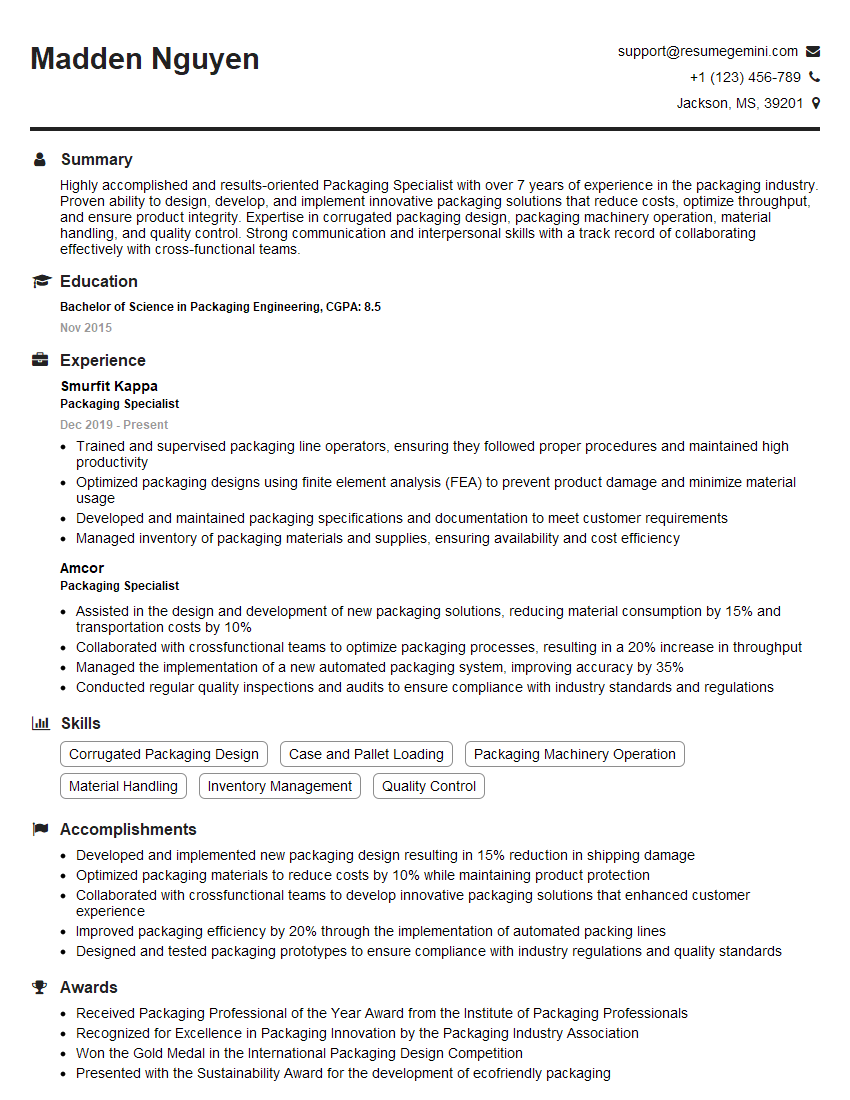
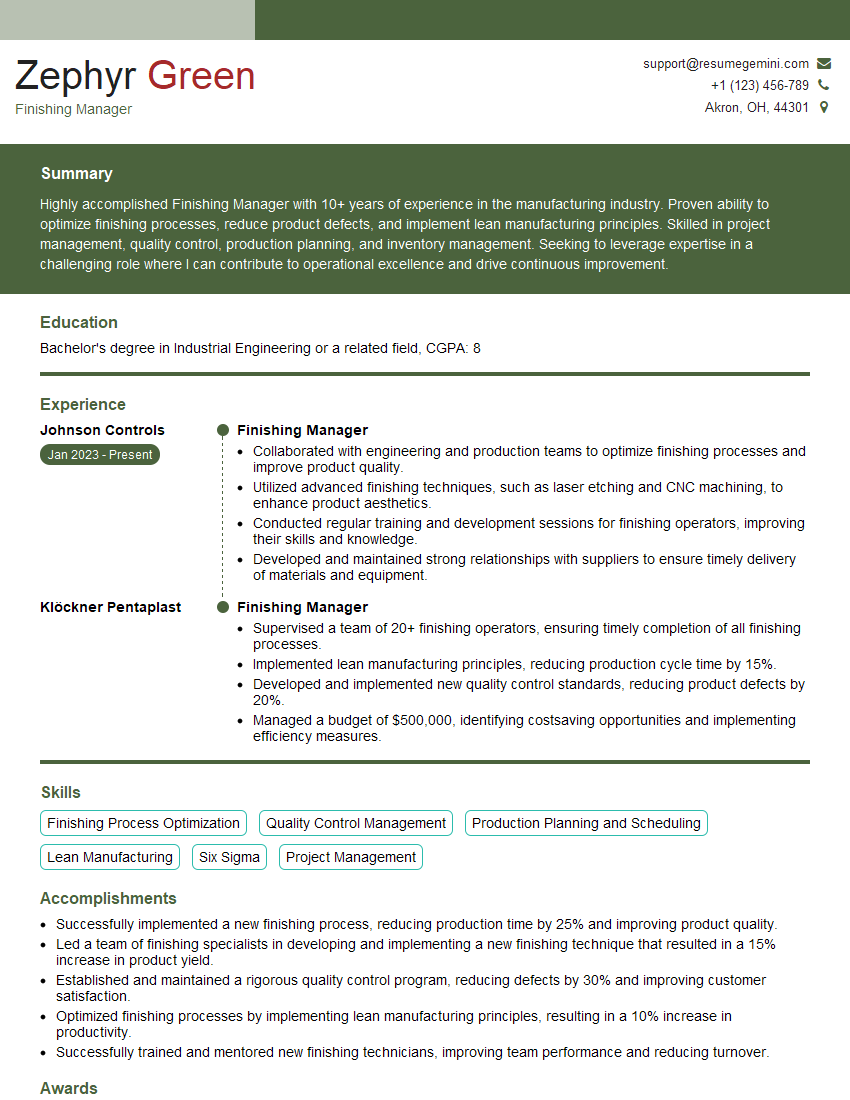
Mastering prepress and finishing processes is crucial for career advancement in the graphic arts and printing industries. A strong understanding of these processes demonstrates technical proficiency and problem-solving skills, making you a valuable asset to any printing company or design studio. To significantly boost your job prospects, create an ATS-friendly resume that highlights your skills and experience effectively. ResumeGemini is a trusted resource that can help you build a professional and impactful resume tailored to the specific requirements of prepress and finishing roles. Examples of resumes tailored to Understanding of prepress and finishing processes are available to help guide your resume creation.





Explore more articles
Users Rating of Our Blogs
Share Your Experience
We value your feedback! Please rate our content and share your thoughts (optional).
What Readers Say About Our Blog
Very informative content, great job.
good