Cracking a skill-specific interview, like one for Understanding of user experience (UX) and user interface (UI) design principles, requires understanding the nuances of the role. In this blog, we present the questions you’re most likely to encounter, along with insights into how to answer them effectively. Let’s ensure you’re ready to make a strong impression.
Questions Asked in Understanding of user experience (UX) and user interface (UI) design principles Interview
Q 1. Explain the difference between UX and UI design.
UX (User Experience) and UI (User Interface) design are closely related but distinct disciplines. Think of it like this: UX is the overall experience a user has when interacting with a product or service, while UI is the specific visual elements and interactive components that facilitate that experience.
UX design focuses on the entire user journey, from initial research and problem definition to the usability, accessibility, and overall satisfaction of the final product. It encompasses user research, information architecture, interaction design, and usability testing. A good UX designer considers things like user goals, task flow, emotional response, and overall satisfaction. For example, a UX designer might research how users find information on a website, map out the steps users take to complete a task, and test different designs to see which are most efficient and enjoyable to use.
UI design, on the other hand, is focused on the visual aspects of the interface. It deals with the look and feel, the layout, the typography, the color scheme, and the interactive elements like buttons and menus. UI designers create the visual language that is consistent with the brand and provides a seamless and intuitive experience. For example, a UI designer might choose the specific fonts, colors, and button styles for a website, ensuring that the visual design is both appealing and easy to use.
In short: UX is about what the user experiences, while UI is about how the user experiences it. Often, UX and UI designers work collaboratively to ensure a cohesive and effective product.
Q 2. Describe your process for conducting user research.
My user research process is iterative and user-centered. It typically involves these steps:
- Understanding the Problem: This begins with clearly defining the problem we’re trying to solve and the goals we want to achieve. What are the user’s needs? What are their pain points? What are the business objectives?
- Planning the Research: Based on the problem statement, I define the research questions, choose appropriate methodologies (see next question), recruit participants, and develop a detailed research plan.
- Conducting the Research: This involves executing the chosen methods, collecting data meticulously, and ensuring ethical considerations are addressed. I always strive to create a safe and comfortable space for participants.
- Analyzing the Data: This step involves synthesizing the collected data – identifying patterns, trends, and insights. I often use qualitative and quantitative data analysis techniques depending on the data source.
- Reporting and Iteration: Finally, I create a concise report summarizing the findings and presenting actionable insights. This often leads to further iterations of research and design to refine the product based on user feedback.
Throughout the process, I maintain transparency and collaboration with stakeholders to ensure alignment and informed decision-making.
Q 3. What user research methods are you most familiar with?
I’m proficient in a variety of user research methods, both qualitative and quantitative. Some of my favorites include:
- User Interviews: One-on-one conversations to understand user needs, motivations, and pain points. I find these incredibly valuable for gaining in-depth insights.
- Surveys: For gathering data from a larger sample size efficiently. I use a mix of closed-ended and open-ended questions for a balanced understanding.
- Usability Testing: Observing users as they interact with a prototype or existing product to identify usability issues. This is crucial for evaluating the effectiveness of the design.
- A/B Testing: Comparing two versions of a design to see which performs better. This provides quantitative data to inform design decisions.
- Card Sorting: A method used to understand how users organize information. This is helpful for information architecture and navigation design.
- Heuristic Evaluation: Expert review of a design based on established usability principles. It’s a quick way to find major usability problems early on.
The choice of method depends on the research question, the resources available, and the stage of the design process. Often, I combine methods for a more comprehensive understanding.
Q 4. How do you prioritize features during the design process?
Prioritizing features is crucial for successful product development. I typically employ a combination of methods to ensure the most valuable features are developed first. Here’s my approach:
- MoSCoW Method: Categorizing features as Must have, Should have, Could have, and Won’t have. This provides a clear framework for prioritization based on importance and feasibility.
- Value vs. Effort Matrix: Plotting features on a graph with value on the y-axis and effort on the x-axis. This helps visualize which features offer the highest return on investment.
- User Story Mapping: Mapping out user stories to visualize the user journey and prioritize features that directly address user needs and goals. This helps ensure focus on user value.
- Data-Driven Prioritization: Using quantitative data from analytics and A/B testing to inform decisions. This adds an objective element to prioritization.
Ultimately, the best approach involves a combination of quantitative data and qualitative insights to ensure the product meets both user and business needs. Regular communication with stakeholders is key to maintaining alignment and making informed prioritization decisions.
Q 5. Describe your experience with wireframing and prototyping.
Wireframing and prototyping are integral parts of my design process. They allow me to iterate and test ideas efficiently before investing time and resources into high-fidelity designs.
Wireframing involves creating low-fidelity representations of the interface, focusing on the layout and functionality. I use wireframes to explore different design options and to communicate the basic structure and flow of the interface to stakeholders. I often use tools like Figma or Balsamiq for wireframing.
Prototyping takes wireframing a step further, creating interactive mockups that simulate the user experience. Prototypes can be low-fidelity (e.g., clickable PDFs) or high-fidelity (e.g., interactive mockups that closely resemble the final product). High-fidelity prototypes are excellent for usability testing, allowing me to observe user behavior and identify areas for improvement. I utilize tools like Figma, Adobe XD, or InVision for prototyping, choosing the fidelity based on the project needs and stage of development.
For instance, I recently designed a mobile application. I started with basic wireframes in Balsamiq to quickly explore the layout and navigation. Then, I created a high-fidelity prototype in Figma to conduct usability testing before moving to visual design.
Q 6. What design tools are you proficient in?
I am proficient in several design tools, each suited for different aspects of the design process. My go-to tools include:
- Figma: A collaborative design tool that I use for wireframing, prototyping, and UI design. Its real-time collaboration features are invaluable for team projects.
- Adobe XD: Another strong contender for prototyping and UI design, particularly when working with complex interactions.
- Sketch: A vector-based design tool that I utilize primarily for UI design and creating highly polished visuals. Though less collaborative than Figma.
- Balsamiq: A fantastic tool for creating quick and low-fidelity wireframes, especially useful for early-stage brainstorming and iteration.
- InVision: A prototyping tool that excels in creating interactive prototypes, especially for complex user flows and animations. Often used for client presentations.
My proficiency extends beyond these tools; I adapt my tool selection based on the project requirements and collaborative needs.
Q 7. How do you ensure accessibility in your designs?
Accessibility is paramount in my design process. I strive to create designs that are usable and enjoyable for everyone, regardless of their abilities. My approach includes:
- Following WCAG guidelines: The Web Content Accessibility Guidelines (WCAG) provide a comprehensive set of recommendations for making web content accessible. I adhere to these guidelines throughout the design process.
- Using sufficient color contrast: Ensuring enough contrast between text and background colors to ensure readability for users with visual impairments.
- Providing alternative text for images: Adding descriptive alt text to images so screen readers can convey their meaning to visually impaired users.
- Using keyboard navigation: Designing interfaces that are fully navigable using only a keyboard, accommodating users who cannot use a mouse.
- Supporting assistive technologies: Ensuring compatibility with screen readers, magnifiers, and other assistive technologies.
- Regular accessibility testing: Conducting accessibility audits and usability testing with users with disabilities to identify and address potential issues.
Accessibility isn’t an afterthought; it’s integrated into every stage of my design process. I believe that inclusive design benefits everyone, creating a more equitable and user-friendly experience.
Q 8. How do you handle feedback and criticism during the design process?
Feedback is the lifeblood of good UX/UI design. I approach it as an opportunity for growth, not criticism. My process involves actively soliciting feedback at various stages – from initial concept sketches to final prototypes. I use a multi-faceted approach:
- Active Listening and Empathetic Understanding: I avoid interrupting and focus on truly understanding the user’s perspective. I ask clarifying questions to ensure I grasp their concerns and needs. For example, if a user says ‘the button is too small,’ I’ll ask, ‘Can you describe what makes it difficult to use?’ This helps identify the root cause, not just the symptom.
- Categorizing Feedback: I organize feedback into themes, identifying recurring patterns and prioritizing issues based on their severity and impact on user experience. This might involve using affinity mapping to group similar feedback points together.
- Prioritization and Iteration: Not all feedback is created equal. I prioritize feedback based on its impact on usability, user satisfaction, and business goals. This involves weighing the effort required to implement the changes against their potential benefit. I then iterate on the design, testing each change to ensure it addresses the original concerns effectively.
- Transparent Communication: I keep the stakeholders informed throughout the process, explaining my rationale for accepting or rejecting certain suggestions. Transparency builds trust and ensures everyone understands the design decisions.
Ultimately, my goal is to use feedback to create a design that not only meets user needs but also achieves business objectives. I believe a collaborative approach, focused on mutual understanding and iterative improvement, leads to the best results.
Q 9. Explain your understanding of user personas and user journeys.
User personas and user journeys are essential tools for understanding our users and designing experiences tailored to their needs.
User Personas: These are semi-fictional representations of our ideal users. They combine demographic information (age, location, occupation) with psychographic details (goals, motivations, frustrations) and behavioral patterns. Creating detailed personas helps us step into the shoes of our users and design with empathy. For example, for an e-commerce site selling hiking gear, we might have a persona of ‘Sarah,’ a 35-year-old professional woman who enjoys weekend hiking and values quality and durability over price.
User Journeys: These map out the steps a user takes to achieve a specific goal within our product or service. They visualise the user’s experience, highlighting touchpoints, pain points, and moments of delight. For ‘Sarah’ in our hiking gear example, her journey might involve researching gear online, comparing prices, reading reviews, adding items to a cart, and completing a purchase. Identifying pain points in her journey, such as a confusing checkout process, would inform design improvements.
By combining user personas and user journeys, we create a holistic understanding of our users and their interaction with our designs. This allows us to create more user-centered and effective solutions.
Q 10. How do you measure the success of a design?
Measuring the success of a design is crucial, and I use a multi-pronged approach that combines quantitative and qualitative data:
- Key Performance Indicators (KPIs): These measurable metrics provide quantitative data on design effectiveness. Examples include task completion rates, bounce rates, conversion rates, and time on task. For a website, a high bounce rate might indicate a poor landing page design.
- Usability Testing: Observing users interacting with the design provides valuable qualitative data. This helps identify usability issues and areas for improvement that metrics might miss. For example, we can observe if users struggle to find specific information or get frustrated with certain interactions.
- User Feedback: Collecting feedback through surveys, interviews, and feedback forms provides insights into user satisfaction and overall experience. This can be analysed qualitatively or quantitatively using ratings and sentiment analysis.
- A/B Testing: Comparing two different versions of a design against each other helps determine which performs better. For example, comparing two different button styles to see which has a higher click-through rate.
- Business Goals: Ultimately, a successful design should achieve its intended business goals. This might include increased sales, improved customer satisfaction, or higher user engagement.
By combining these methods, we get a complete picture of design success, enabling data-driven decision-making and continuous improvement.
Q 11. Describe a time you had to iterate on a design based on user feedback.
During a project for a mobile banking app, we initially designed a complex account management interface with numerous nested menus. User testing revealed significant frustration: users struggled to navigate the app and complete simple tasks. Feedback consistently pointed to the complexity and unintuitive layout.
Based on this feedback, we iterated on the design. We implemented a card-based interface, simplifying information presentation and grouping related functions visually. We also introduced a streamlined navigation system with clear labels and icons. The revised design incorporated user feedback by:
- Reducing cognitive load: Presenting information more concisely and visually.
- Improving discoverability: Making key functions more easily accessible.
- Enhancing intuitiveness: Using a familiar and user-friendly design pattern.
Post-iteration user testing showed a significant improvement in task completion rates and user satisfaction. The bounce rate decreased by 15% and user ratings improved significantly, validating the effectiveness of our iterative design process driven by user feedback.
Q 12. How do you stay up-to-date with the latest UX/UI trends?
Staying current in the rapidly evolving UX/UI landscape requires a proactive and multi-faceted approach:
- Following Industry Blogs and Publications: I regularly read publications like UX Collective, Nielsen Norman Group, and A List Apart. These offer insightful articles and case studies on the latest trends and best practices.
- Attending Conferences and Workshops: Participating in industry events allows for networking, learning about new tools and technologies, and gaining insights from leading experts.
- Engaging with Online Communities: Active participation in online forums like Reddit’s r/UXDesign and interacting with professionals on platforms like Dribbble and Behance helps stay informed about current trends and learn from others’ experiences.
- Experimentation and Prototyping: Hands-on experimentation with new design tools and techniques keeps me familiar with the latest technologies and design approaches.
- Following Key Influencers: I follow prominent UX/UI designers and researchers on social media platforms to gain access to their insights and perspectives on emerging trends.
This combination of formal and informal learning allows me to adapt my skills and knowledge to the ever-changing demands of the field.
Q 13. Explain your understanding of information architecture.
Information architecture (IA) is the structural design of shared information environments. It’s the blueprint for how users find and interact with information within a system. Good IA ensures users can easily find what they’re looking for, intuitively navigate the system, and accomplish their goals efficiently.
Key aspects of IA include:
- Organization: Structuring content logically using categories, hierarchies, and taxonomies. This could involve creating sitemaps or card-sorting exercises to determine the best way to organize content.
- Navigation: Designing intuitive navigation systems using menus, breadcrumbs, search functions, and other interface elements to guide users through the information space. Clear and concise labels are vital.
- Labeling: Choosing clear, concise, and consistent labels for content and navigation elements. Users should instantly understand what each item represents.
- Search: Implementing robust search functionality that enables users to quickly and accurately find the specific information they need.
- Metadata: Using metadata (keywords, tags, descriptions) to enhance search and discoverability. This helps users find information more easily, even if they don’t know the exact terminology.
A well-designed IA is invisible to the user; they simply find what they need effortlessly. Poor IA, on the other hand, leads to frustration, confusion, and ultimately, users abandoning the system.
Q 14. Describe your experience with A/B testing.
A/B testing, also known as split testing, is a method of comparing two versions of a design element (e.g., a button, headline, image) to see which performs better. It’s a crucial tool for data-driven design decisions.
My experience with A/B testing involves:
- Defining Hypotheses: Before starting, I clearly define the hypothesis I want to test. For example, ‘A green button will result in a higher click-through rate than a blue button.’
- Setting up the Test: I use A/B testing tools (like Optimizely or Google Optimize) to create two versions of the design and split the traffic between them. It’s crucial to ensure other variables remain consistent.
- Data Collection and Analysis: I collect data on key metrics (like click-through rates, conversion rates, and time on page) for a sufficient period to obtain statistically significant results.
- Interpreting Results: Once the test is complete, I analyze the data to determine which version performed better. I ensure that the difference is statistically significant before drawing conclusions.
- Iterative Improvement: Based on the results, I iterate on the design, using the winning version as a baseline for further improvements. This is an ongoing process.
For instance, in a recent project, we A/B tested two versions of a landing page with different calls to action. The version with a more direct and concise call to action resulted in a 15% increase in conversions, demonstrating the value of data-driven design decisions.
Q 15. How do you incorporate usability testing into your workflow?
Usability testing is an integral part of my design process. I incorporate it iteratively, starting early and continuing throughout the project. My approach typically involves:
- Planning: Defining clear objectives, identifying target users, and creating test scenarios based on key user flows and tasks.
- Recruitment: Selecting participants representative of the target audience. This might involve using platforms like UserTesting.com or conducting internal recruitment.
- Test Execution: Conducting moderated or unmoderated tests, observing user behavior, and collecting both qualitative (e.g., user feedback, observations) and quantitative data (e.g., task completion rates, error rates, time on task). I prefer a mix of methods to get a holistic view. For example, I might use A/B testing for specific UI elements and then follow up with moderated usability testing to understand *why* users made the choices they did.
- Analysis: Analyzing the data to identify usability issues, prioritize them based on severity, and formulate actionable recommendations.
- Iteration: Incorporating the findings into the design, retesting, and iterating until the desired level of usability is achieved. This is a cyclical process – testing informs design, which in turn informs further testing.
For example, during the design of a new e-commerce checkout process, I conducted usability testing with 10 participants. The testing revealed that users were confused by the multiple shipping options. Based on this feedback, I redesigned the shipping section to simplify the options and improve clarity, and then retested to ensure the changes were effective.
Career Expert Tips:
- Ace those interviews! Prepare effectively by reviewing the Top 50 Most Common Interview Questions on ResumeGemini.
- Navigate your job search with confidence! Explore a wide range of Career Tips on ResumeGemini. Learn about common challenges and recommendations to overcome them.
- Craft the perfect resume! Master the Art of Resume Writing with ResumeGemini’s guide. Showcase your unique qualifications and achievements effectively.
- Don’t miss out on holiday savings! Build your dream resume with ResumeGemini’s ATS optimized templates.
Q 16. What are some common usability heuristics you follow?
I follow Nielsen’s 10 Usability Heuristics as a guiding framework, adapting them to the specific context of each project. These heuristics provide a solid foundation for evaluating the usability of a design. Some key ones I emphasize are:
- Visibility of system status: Keeping users informed about what’s happening through clear feedback and progress indicators.
- Match between system and the real world: Using language and concepts familiar to the users, avoiding jargon.
- User control and freedom: Providing clear ‘exit’ options and undo functionality to reduce anxiety and frustration.
- Consistency and standards: Maintaining consistent terminology, layout, and visual styles throughout the application.
- Error prevention: Designing forms and interfaces to minimize errors through clear instructions and input validation.
- Recognition rather than recall: Making objects, actions, and options visible to the user, minimizing the need for them to remember information.
For instance, if a user inputs an incorrect email address, I would implement immediate feedback, highlighting the error and providing clear instructions on the correct format instead of waiting until form submission. This aligns with the ‘error prevention’ heuristic.
Q 17. How do you balance user needs with business goals?
Balancing user needs with business goals is crucial for successful design. I approach this by:
- User Research: Conducting thorough user research to understand user needs, pain points, and motivations. This helps to define clear user personas and use cases.
- Prioritization: Prioritizing features based on both user value and business impact. This often involves using techniques like MoSCoW analysis (Must have, Should have, Could have, Won’t have) to rank features.
- Data-Driven Decisions: Using data (e.g., analytics, A/B testing results) to inform design decisions and demonstrate the impact of design changes on user behavior and business metrics.
- Collaboration: Working closely with stakeholders (product managers, business analysts, etc.) to align design decisions with overall business objectives while ensuring user needs are met. This often involves creating user stories and working within an agile framework.
Think of it as finding the sweet spot in a Venn diagram where user needs and business objectives overlap. By using a combination of qualitative and quantitative data, I can ensure that we’re building something that is both usable and profitable.
Q 18. Explain your understanding of design systems.
A design system is a single source of truth for all design and development elements within a product or organization. It’s essentially a library of reusable components, patterns, and guidelines that ensures consistency and efficiency across different projects. A comprehensive design system includes:
- UI components: Buttons, inputs, navigation elements, etc., with pre-defined styles and behaviors.
- Design patterns: Reusable solutions for common design problems.
- Style guide: Defining typography, color palettes, spacing, and other visual elements.
- Code components: Reusable code snippets or components for developers.
- Documentation: Clear and comprehensive documentation explaining how to use the design system components and patterns.
Using a design system reduces development time, improves consistency, and ensures brand uniformity across all platforms. For example, a well-defined button component in a design system can be easily reused across various screens and applications, maintaining a consistent look and feel. It also ensures that all developers are using the same code, improving maintainability and reducing bugs.
Q 19. How do you handle conflicting design requirements?
Conflicting design requirements are common. My approach involves:
- Identify and Document: Clearly identify and document all conflicting requirements. It’s helpful to visualize these conflicts, for example using a conflict matrix.
- Understand the Rationale: Understand the reasoning behind each requirement. Why are stakeholders requesting these specific features or design choices?
- Prioritize and Negotiate: Prioritize requirements based on user needs and business goals. Negotiate and compromise where necessary, finding solutions that meet the most important needs while minimizing compromises.
- Data-Driven Decision Making: Use data and research to support decisions. If possible, conduct user testing to validate design choices.
- Documentation and Communication: Clearly document the decisions made and communicate them to all stakeholders. This ensures transparency and helps avoid future conflicts.
For example, if a stakeholder wants a complex feature that’s not essential for the majority of users, I might propose a simplified version or suggest testing the feature with a smaller subset of users before implementing it fully. The key is clear communication and collaborative problem-solving.
Q 20. Describe your approach to visual design and aesthetics.
My approach to visual design is user-centered and data-informed. I believe that aesthetics should serve the user experience, not detract from it. My process often involves:
- Mood Boards and Style Tiles: Creating mood boards to establish the overall visual direction and style tiles to explore different visual elements (colors, typography, imagery) before committing to a final design.
- Accessibility Considerations: Ensuring the design is accessible to users with disabilities, adhering to WCAG guidelines.
- Branding Guidelines: Following brand guidelines to maintain visual consistency and brand identity.
- User Testing: Testing the visual design with users to assess its effectiveness and identify areas for improvement. For example, using eye-tracking studies to identify which visual elements draw users’ attention and how they navigate the interface.
- Iteration and Refinement: Iteratively refining the visual design based on feedback and data.
I strive for a balance between aesthetically pleasing designs and functional usability, using visual hierarchy and clear visual cues to guide users through the interface efficiently. This ensures that the visual design isn’t just ‘pretty,’ but actually improves the user experience.
Q 21. How do you ensure consistency across different platforms?
Ensuring consistency across different platforms (web, mobile, desktop) requires a well-defined design system and a clear understanding of platform-specific considerations. My strategy includes:
- Responsive Design: Using responsive design techniques to adapt the layout and content to different screen sizes and devices.
- Component-Based Architecture: Building the interface using reusable components that can be adapted across platforms.
- Platform-Specific Guidelines: Following platform-specific design guidelines (e.g., Material Design for Android, Human Interface Guidelines for iOS) to ensure a native-like experience.
- Cross-Platform Testing: Testing the design on various devices and platforms to identify inconsistencies and address them promptly.
- Design System Enforcement: Enforcing the design system through tools and processes to ensure consistent implementation across teams.
For instance, I would use a component-based approach to design a button. This ensures that the button looks and behaves consistently across web, iOS and Android apps while adapting to the specific platform’s guidelines for styling and interactions. This avoids the need to redesign the same element multiple times for different platforms.
Q 22. Describe your experience with responsive design.
Responsive design is the ability of a website or application to adapt its layout and content to different screen sizes and devices. It ensures a consistent and optimal user experience across desktops, tablets, and smartphones. This is achieved primarily through flexible grids, flexible images, and media queries.
In my experience, I’ve worked extensively with responsive design frameworks like Bootstrap and Tailwind CSS. For example, I designed a e-commerce website where the product grid on a desktop showed four items per row, automatically adjusting to two items per row on a tablet and one item per row on a smartphone. This was achieved using CSS media queries that detect screen size and apply different styles accordingly. I also utilized flexible image sizing techniques to prevent images from distorting or overflowing their containers on smaller screens. Further, I always test responsiveness across a range of devices and browsers to ensure seamless functionality and user experience.
One challenge I encountered was ensuring optimal performance across all devices. To address this, I used lazy loading for images and optimized code for faster loading times on low-powered devices. Another key aspect is ensuring usability across different input methods – touch, mouse, and keyboard – through careful consideration of tap targets and navigation patterns.
Q 23. How do you handle design challenges with limited resources?
Resource constraints are a common reality in design. My approach centers on prioritizing features, leveraging readily available tools, and focusing on user needs. I begin by thoroughly understanding the core user needs and functionalities and prioritizing those in the design. This means sometimes we have to cut features from the initial scope to ensure the core functionalities are well-designed and stable. This is often done with the help of user stories and prioritization techniques like MoSCoW (Must have, Should have, Could have, Won’t have).
I frequently leverage free or low-cost resources, such as open-source design components and readily available stock photos. For example, I recently used free UI components from Material Design for a client project, saving development time and costs. For visual elements, I focus on simplicity and clean design – less is often more, especially when resources are limited. Finally, I thoroughly test the solution with a select user group for feedback to validate our design choices and identify potential problems early on.
Q 24. Explain your understanding of interaction design principles.
Interaction design focuses on how users interact with a product or system. It’s about creating intuitive and enjoyable experiences. Key principles include discoverability (users can easily find what they need), understandability (information is clear and easily interpreted), control (users feel in charge of their actions), feedback (users receive clear signals indicating their actions), and consistency (interactions are similar across the entire system).
I apply these principles by creating user flows, wireframes, and prototypes. For example, when designing a mobile banking app, I focused on clear visual hierarchy to guide users easily through the transaction process. I incorporated clear visual feedback, such as loading indicators and confirmation messages, to reassure users that their actions were being processed. Furthermore, I applied consistent button designs and navigation patterns across the app to foster intuitive usability. Testing usability is also critical in validating the success of the interaction design choices.
Q 25. How do you use data to inform your design decisions?
Data is invaluable in design decision-making. I use analytics to understand user behavior and preferences, improving design effectiveness. This involves various approaches including A/B testing, heatmaps, user surveys, and analytics platforms (Google Analytics, etc.).
For instance, when designing a website’s homepage, I might use A/B testing to compare two different layouts – one with a prominent call to action above the fold, and another below. Tracking click-through rates and conversion rates helps determine which layout is more effective. Heatmaps can show which areas of a page receive the most attention, informing the placement of important information and call-to-action elements. User surveys provide qualitative data, giving deeper insights into user motivations and frustrations. Data-driven decisions based on these methods ensure the design meets real user needs and enhances user satisfaction.
Q 26. Describe your experience working with cross-functional teams.
Collaboration is crucial in design. I thrive in cross-functional teams because effective communication and shared understanding are central to design success. I have extensive experience working with developers, product managers, marketing teams, and stakeholders.
In one project, I worked closely with developers to ensure design feasibility and to resolve technical limitations. Regular communication via daily stand-ups and design reviews ensured everyone was aligned on design decisions and progress. With product managers, I collaborated to prioritize features based on business goals and user needs. Effective communication was crucial in negotiating trade-offs and setting realistic expectations. My ability to articulate design rationale and clearly communicate design decisions ensured successful collaboration and project completion.
Q 27. Explain your approach to creating user-centered designs.
User-centered design places users at the heart of the design process. My approach begins with deep user research to understand their needs, behaviors, and pain points. This involves conducting user interviews, surveys, and usability testing. This is followed by creating user personas and journey maps to represent the target audience.
For example, while designing a mobile app for elderly users, I conducted interviews and usability testing with this group to understand their specific needs and limitations (e.g., dexterity, visual acuity). This informed design decisions, such as using larger buttons and high contrast colors. Iterative design is a key component; prototypes are developed and tested with users throughout the process to refine and improve design based on feedback. This collaborative and iterative approach ensures the final product meets user needs and provides a positive user experience.
Q 28. How do you define and measure user satisfaction?
User satisfaction is defined as the overall level of happiness and fulfillment a user experiences when interacting with a product or service. It’s measured through a combination of qualitative and quantitative methods.
Quantitative measures include metrics like task completion rates (how efficiently users complete tasks), error rates (how frequently users make mistakes), and system usability scale (SUS) scores (a standardized questionnaire measuring perceived ease of use and satisfaction). Qualitative data is gathered via user interviews, feedback forms, and usability testing observations. This provides valuable insights into users’ feelings and experiences that are not captured by quantitative data alone. By combining these methods, a comprehensive picture of user satisfaction is obtained, allowing for targeted improvements to the product or service design.
Key Topics to Learn for Understanding of User Experience (UX) and User Interface (UI) Design Principles Interview
- User-Centered Design: Understand the core principles of user-centered design, including user research methodologies (e.g., user interviews, usability testing), persona development, and empathy mapping. Explore how these translate into practical design decisions.
- Information Architecture (IA): Learn how to structure and organize information effectively for optimal user navigation and findability. Practice applying IA principles to various projects, considering sitemaps, wireframes, and user flows.
- Interaction Design (IxD): Master the principles of interaction design, focusing on how users interact with interfaces. Consider usability heuristics (Nielsen’s 10 Heuristics, for example), and how to design intuitive and efficient interactions.
- UI Design Principles: Familiarize yourself with visual design elements such as typography, color theory, layout, and visual hierarchy. Understand how these elements contribute to a cohesive and aesthetically pleasing user interface.
- Accessibility and Inclusivity: Learn about accessibility guidelines (WCAG) and how to design inclusive interfaces that cater to users with diverse needs and abilities. Consider practical applications and problem-solving related to accessibility challenges.
- Usability Testing and Iteration: Understand the importance of iterative design and usability testing in the UX/UI process. Know how to conduct and analyze usability tests, and how to use the findings to improve designs.
- Design Tools and Software: Demonstrate familiarity with industry-standard design tools such as Figma, Sketch, Adobe XD, or similar software. Be prepared to discuss your experience and proficiency with these tools.
- Design Thinking Process: Understand and be able to articulate the different stages of the design thinking process (empathize, define, ideate, prototype, test) and how they contribute to effective UX/UI solutions.
Next Steps
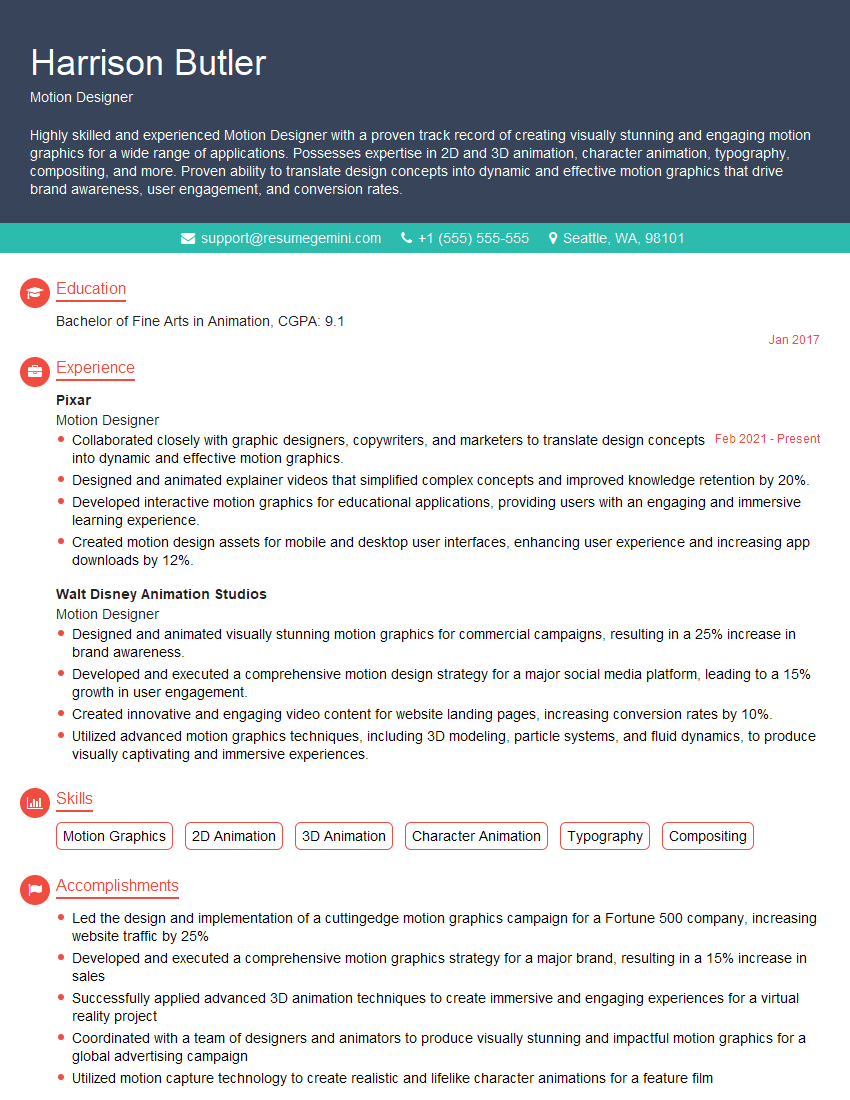
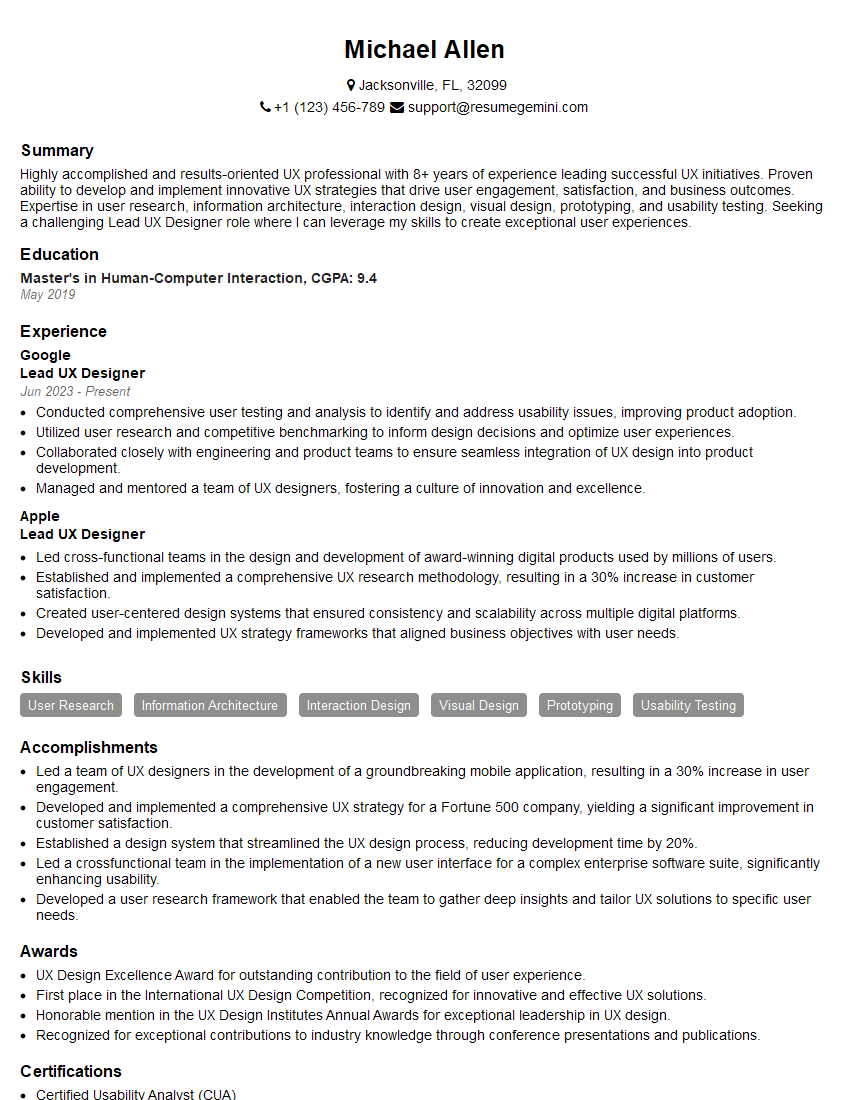
Mastering UX/UI design principles is crucial for career advancement in this rapidly growing field. A strong understanding of these principles will significantly enhance your job prospects and open doors to exciting opportunities. To increase your chances of landing your dream role, focus on creating an ATS-friendly resume that highlights your skills and experience effectively. ResumeGemini is a trusted resource that can help you build a professional and impactful resume, tailored to showcase your UX/UI expertise. Examples of resumes tailored to UX/UI design principles are available to guide you through the process.



Explore more articles
Users Rating of Our Blogs
Share Your Experience
We value your feedback! Please rate our content and share your thoughts (optional).
What Readers Say About Our Blog
Very informative content, great job.
good