Are you ready to stand out in your next interview? Understanding and preparing for User Documentation and Training Materials interview questions is a game-changer. In this blog, we’ve compiled key questions and expert advice to help you showcase your skills with confidence and precision. Let’s get started on your journey to acing the interview.
Questions Asked in User Documentation and Training Materials Interview
Q 1. Explain your experience creating user manuals for software applications.
Creating effective user manuals for software applications involves a deep understanding of the target audience and the software itself. My approach begins with thorough analysis of the software’s features and functionality. I then segment the manual into logical sections, focusing on clear, concise language accessible to the intended users, regardless of their technical expertise. I typically use a combination of textual descriptions, screenshots, and diagrams to guide users through various tasks. For example, when documenting a complex workflow in a CRM system, I would break it down into smaller, manageable steps, each illustrated with a screenshot and a clear explanation. I always prioritize usability testing, often using a think-aloud protocol where users verbalize their thoughts as they navigate the manual, helping me identify areas for improvement.
I’ve worked on manuals ranging from simple mobile apps to complex enterprise-level software. In one project, for a new project management tool, we created a modular manual that could be easily updated with each software release. This saved us significant time and effort compared to rewriting the entire manual for each version.
Q 2. Describe your process for designing effective online help systems.
Designing an effective online help system requires a user-centric approach. It’s crucial to anticipate user needs and provide readily accessible solutions. My process starts with a thorough analysis of the software’s functionality and common user tasks. I then map these tasks to specific help topics and organize them logically using a hierarchical structure, often employing a keyword-based search functionality. This allows users to quickly find relevant information regardless of their familiarity with the software. I also incorporate contextual help, integrating it directly within the software interface. For example, a tooltip might appear when a user hovers over a particular button or field, explaining its purpose and usage. I also believe in creating a comprehensive FAQ section addressing frequently asked questions to preemptively resolve user queries.
Visual cues and design elements play a significant role. Clear headings, bullet points, and visual aids make the help system more accessible and engaging. A well-structured online help system is like a well-organized library; easy to navigate and find what you need.
Q 3. How do you ensure your documentation is accessible to users with disabilities?
Accessibility is paramount. I adhere to WCAG (Web Content Accessibility Guidelines) standards when creating documentation to ensure usability for users with disabilities. This includes using appropriate heading structures, alt text for all images to convey meaning to screen readers, and sufficient color contrast to aid users with visual impairments. I also ensure that the documentation is keyboard-navigable, allowing users with limited motor skills to access all information. I use tools like screen readers and keyboard-only navigation during testing to simulate the experience of users with disabilities and identify potential barriers.
For example, I always provide transcripts for videos, ensuring that users who are deaf or hard of hearing can still access the visual information. Simple considerations like using clear, concise language and avoiding jargon significantly improve accessibility for users with cognitive impairments.
Q 4. What software and tools do you use for creating and managing documentation?
My toolkit includes a variety of software and tools to create and manage documentation effectively. For authoring, I primarily use MadCap Flare, a powerful XML-based authoring tool that facilitates single-sourcing and simplifies the creation of multiple output formats (print, online, PDF). For image editing, I use Adobe Photoshop and Illustrator. Version control is critical, and I utilize Git for managing documentation changes and collaborating with other team members. For online hosting, we’ve used platforms like GitHub Pages and specialized documentation platforms. I also utilize collaboration tools like Microsoft Teams and Slack for seamless communication with developers and stakeholders during the documentation process.
Q 5. How do you handle feedback and revisions on your documentation?
Feedback is vital to improving the quality of documentation. I incorporate several mechanisms for gathering and managing feedback. This includes surveys, user feedback forms embedded within the documentation itself, and direct user interactions via email or support tickets. I meticulously track all feedback, categorizing issues and assigning priorities for revisions. Using a project management tool, I track these issues and ensure that they are addressed in a timely manner. I believe in transparency, so I often share updated versions of the documentation with users to solicit further feedback before final release.
For example, if a user reports difficulty understanding a specific section, I’ll revise the text, adding clarifying examples or simplifying the language. Continuous iteration based on user feedback is key to creating truly useful documentation.
Q 6. Describe your experience with different documentation formats (e.g., print, online, video).
My experience encompasses a wide range of documentation formats. I’ve worked extensively with print manuals, creating professional-looking documents for software installations and user guides. I’m also proficient in creating online help systems, leveraging the interactive capabilities of the web. This often involves using responsive design principles to ensure accessibility across different devices. Increasingly, I’ve incorporated video tutorials and screencasts to demonstrate software features and functionalities in a more engaging way. I find that multimodal documentation—combining text, images, and videos—offers the most effective approach for many audiences.
For example, a complex software feature might be explained through a combination of textual steps, screenshots, and a short video demonstrating the process.
Q 7. How do you create engaging and effective training materials?
Creating engaging and effective training materials requires understanding adult learning principles. I focus on interactive elements, such as quizzes, hands-on exercises, and real-world scenarios to actively involve learners. I tailor the content to the specific knowledge and skills required by the target audience, avoiding overwhelming learners with unnecessary information. I often use a blend of different media – videos, presentations, and interactive simulations – to cater to different learning styles. I also prioritize a clear learning path with well-defined learning objectives and assessments to ensure measurable learning outcomes.
One successful training program I developed involved a series of short, modular videos that users could complete at their own pace. Each video focused on a specific task, followed by a short quiz to assess comprehension. This blended learning approach allowed users to learn at their own pace and track their progress, resulting in significantly improved user adoption.
Q 8. Explain your process for identifying the target audience for training materials.
Identifying the target audience is the cornerstone of effective training. It’s not a one-size-fits-all approach; the materials need to resonate with their specific needs, technical skills, and learning styles. My process begins with a thorough needs analysis. This involves interviews, surveys, and reviewing existing documentation to understand the learners’ current knowledge, their roles, and the tasks they need to perform. For example, training for senior managers on a new software might focus on strategic implications and high-level functionality, whereas training for junior staff would require a more detailed, hands-on approach.
Next, I create user personas. These are detailed profiles representing different segments of the target audience. For instance, I might create a persona for a ‘seasoned data analyst’ and another for a ‘new marketing intern.’ Each persona helps me tailor content and delivery methods to ensure maximum relevance and engagement. Finally, I consider the learning objectives. What specific skills or knowledge should the learners acquire? This guides content creation and assessment strategies.
Q 9. What are some best practices for designing e-learning modules?
Designing effective e-learning modules requires a blend of instructional design principles and engaging multimedia. Best practices include:
- Microlearning: Breaking down content into short, focused modules (5-10 minutes) improves knowledge retention and prevents learner fatigue.
- Interactive Elements: Incorporating quizzes, simulations, and branching scenarios makes the learning process active and engaging, fostering deeper understanding. For example, a module on customer service might include a simulated customer interaction requiring the learner to choose appropriate responses.
- Clear Learning Objectives: Each module should have clear, concise learning objectives, outlining what learners should be able to do after completing it.
- Accessibility: Designing modules to meet accessibility standards (WCAG) ensures inclusivity for all learners, regardless of their abilities. This includes providing captions for videos and alternative text for images.
- Gamification: Integrating game-like elements, such as points, badges, and leaderboards, can motivate learners and enhance engagement.
- Regular Feedback and Assessments: Providing regular feedback and assessments helps learners track their progress and identify areas needing improvement.
Finally, regular updates and revisions based on user feedback and performance data are essential to maintain relevance and effectiveness.
Q 10. How do you assess the effectiveness of your training materials?
Assessing training effectiveness involves both formative and summative evaluation. Formative evaluation is ongoing, collecting feedback throughout the development process. This might involve testing prototypes, conducting focus groups, or soliciting feedback during pilot programs. For example, I might use A/B testing to compare different approaches to explaining a complex concept.
Summative evaluation occurs after the training is completed. This usually involves measuring learner performance using methods like:
- Post-training tests: These evaluate knowledge retention and skill acquisition.
- On-the-job observation: Observing learners applying their new skills in their actual work environment provides a realistic measure of effectiveness.
- Surveys and feedback forms: These collect learners’ perceptions of the training’s value and effectiveness.
- Return on investment (ROI) analysis: This quantifies the benefits of the training, such as improved productivity or reduced errors.
By combining various evaluation methods, I gain a comprehensive understanding of the training’s impact and can identify areas for improvement in future iterations.
Q 11. Describe your experience with different training delivery methods (e.g., online, in-person, blended).
I have extensive experience with various training delivery methods. In-person training offers the advantage of direct interaction and immediate feedback, fostering a sense of community. I’ve facilitated workshops, led interactive sessions, and conducted hands-on training using this method. However, it’s less scalable and more expensive. Online training, using platforms like Moodle or Articulate Storyline, provides flexibility and scalability. Learners can access materials at their own pace, anytime, anywhere. I’ve developed numerous e-learning courses incorporating various multimedia elements.
Blended learning, combining online and in-person components, offers a powerful approach. It leverages the benefits of both methods. For instance, I might deliver foundational knowledge online and then use in-person sessions for practical application and collaborative activities. The best approach always depends on the specific training objectives, target audience, budget, and logistical constraints. In one project, we used a blended approach with online modules for theoretical knowledge and in-person workshops for hands-on practice, resulting in significantly better knowledge retention than solely online delivery.
Q 12. How do you incorporate visuals into your documentation and training materials?
Visuals are crucial for making documentation and training engaging and easily digestible. I use a variety of visual aids, carefully chosen to suit the content and target audience. This includes:
- Infographics: These are excellent for presenting complex information concisely and visually appealingly.
- Illustrations and diagrams: These help clarify abstract concepts and processes.
- Screenshots and screen recordings: These are particularly useful for software training, providing step-by-step guidance.
- Videos and animations: These enhance engagement and can be used to demonstrate complex procedures.
- Interactive simulations: These allow learners to practice skills in a safe, risk-free environment.
The key is to choose visuals that are relevant, high-quality, and consistent with the overall design. Overuse of visuals can be distracting, so I always prioritize clarity and impact.
Q 13. How do you ensure your documentation is consistent with brand guidelines?
Maintaining brand consistency is paramount. Before starting any project, I thoroughly review the brand guidelines, paying close attention to:
- Logo usage: Ensuring proper placement and sizing of the logo.
- Color palette: Using the brand’s specified colors to create a cohesive look and feel.
- Typography: Using the designated fonts and styles for headings, body text, and other elements.
- Imagery style: Ensuring images align with the brand’s visual identity.
- Tone of voice: Maintaining a consistent writing style that reflects the brand’s personality.
I use style guides and templates to ensure consistency across all documentation and training materials. Regular review and updates are also vital to adapt to any changes in brand guidelines.
Q 14. Explain your experience with content management systems (CMS) used for documentation.
I have experience with several CMS platforms for documentation, including WordPress, Drupal, and MediaWiki. My experience includes designing and implementing documentation websites using these platforms. I’m familiar with their strengths and limitations in terms of content organization, version control, user permissions, and search functionality.
For instance, WordPress is user-friendly and suitable for less technical audiences, while Drupal offers more flexibility and control for complex documentation structures. MediaWiki is ideal for collaborative projects and allows for easy versioning and community contribution. The choice of CMS depends on the project’s specific requirements, scalability needs, and budget constraints. In all cases, I prioritize user experience, ensuring easy navigation and access to information. This often involves implementing effective search functionalities and creating intuitive sitemaps.
Q 15. How do you manage multiple documentation projects simultaneously?
Managing multiple documentation projects effectively requires a structured approach. Think of it like conducting an orchestra – each project is a different instrument, requiring careful attention and coordination. My strategy involves several key steps:
- Prioritization and Planning: I begin by clearly defining the scope, timelines, and deliverables for each project. This involves creating detailed project plans, identifying dependencies, and allocating resources appropriately. Tools like Gantt charts are invaluable here.
- Task Management: I utilize project management software (like Asana or Trello) to track tasks, deadlines, and progress across all projects. This allows for clear visibility and efficient delegation.
- Time Blocking: I dedicate specific time blocks to each project, ensuring focused work and preventing distractions. This avoids context switching, which can significantly reduce productivity.
- Regular Reviews and Adjustments: I schedule regular meetings or check-ins to assess progress, identify potential roadblocks, and make necessary adjustments to the project plans. Flexibility is key; unexpected challenges are inevitable, and adaptation is crucial.
- Teamwork and Communication: Effective communication is vital when managing multiple projects simultaneously. Regular updates with team members and stakeholders ensure everyone is aligned and informed.
For example, I recently managed the documentation for three software releases concurrently: a major update, a minor bug fix release, and a completely new product launch. By using this structured approach, I ensured that all deadlines were met and the quality of documentation remained high across all projects.
Career Expert Tips:
- Ace those interviews! Prepare effectively by reviewing the Top 50 Most Common Interview Questions on ResumeGemini.
- Navigate your job search with confidence! Explore a wide range of Career Tips on ResumeGemini. Learn about common challenges and recommendations to overcome them.
- Craft the perfect resume! Master the Art of Resume Writing with ResumeGemini’s guide. Showcase your unique qualifications and achievements effectively.
- Don’t miss out on holiday savings! Build your dream resume with ResumeGemini’s ATS optimized templates.
Q 16. Describe your experience with version control systems for documentation.
Version control systems (VCS) are indispensable for managing documentation. They’re the backbone of collaborative writing and ensure a clear history of changes. My experience primarily involves Git, which I’ve used extensively with platforms like GitHub and GitLab. I’m proficient in branching, merging, and resolving conflicts, ensuring the documentation remains consistent and accurate.
Using Git allows me to:
- Track Changes: See exactly who made what changes and when, facilitating easier debugging and collaboration.
- Collaborate Seamlessly: Multiple authors can work on the same documents concurrently without overwriting each other’s work.
- Rollback Changes: If errors occur, reverting to earlier versions is straightforward, minimizing risks.
- Maintain a History: The complete history of the documentation is preserved, providing a valuable audit trail.
For instance, in a recent project, using Git branches allowed us to develop a new version of the user manual concurrently with maintaining and updating the current version. This ensured the release of the updated manual was smooth and efficient while still allowing for necessary maintenance on the live version.
Q 17. How do you measure the success of your documentation and training materials?
Measuring the success of documentation and training materials goes beyond simply completing the project. It’s about assessing their impact on users and the business. I employ a multi-faceted approach:
- User Feedback: Surveys, feedback forms, and user interviews provide direct insight into user satisfaction, comprehension, and ease of use. Analyzing this feedback helps identify areas for improvement.
- Support Ticket Analysis: Tracking the number and nature of support tickets related to the product or service can indicate the effectiveness of the documentation in preventing user issues. A decrease in support tickets is a strong indicator of success.
- Completion Rates (Training): For training materials, tracking completion rates and learner assessments reveals the effectiveness of the training program in achieving its objectives.
- Website Analytics: For online documentation, analyzing website traffic, time spent on pages, and search queries provides valuable data on user engagement and navigation.
- Knowledge Assessments (Pre & Post): For training, pre- and post-training assessments measure knowledge gain and the impact of the training program.
For example, in one project, we saw a 30% reduction in support tickets after updating the user manual based on user feedback. This clearly demonstrated the positive impact of improved documentation.
Q 18. How do you stay current with trends in user documentation and training materials?
Staying current is crucial in the ever-evolving field of user documentation and training. My approach is multi-pronged:
- Industry Publications and Blogs: I regularly read industry publications, blogs, and newsletters to keep abreast of the latest trends, technologies, and best practices.
- Conferences and Workshops: Attending industry conferences and workshops provides opportunities to network with peers, learn from experts, and discover new tools and techniques.
- Online Courses and Webinars: I actively participate in online courses and webinars offered by reputable organizations to enhance my skills and knowledge.
- Professional Organizations: Membership in professional organizations (like the Society for Technical Communication) offers access to resources, networking opportunities, and continuing education.
- Experimentation and Continuous Improvement: I actively seek opportunities to experiment with new tools and techniques, and continuously evaluate my own work to identify areas for improvement.
For instance, I recently incorporated interactive elements into my documentation based on a workshop I attended, significantly improving user engagement and understanding.
Q 19. What is your experience with single-sourcing documentation?
Single-sourcing documentation involves creating content once and reusing it across multiple outputs (e.g., user manuals, online help, FAQs). It’s a highly efficient approach that ensures consistency and minimizes redundancy. My experience with single-sourcing includes using tools like MadCap Flare and Oxygen XML Editor.
The benefits of single-sourcing are significant:
- Reduced Redundancy: Avoids the duplication of effort and reduces the risk of inconsistencies across different documents.
- Improved Consistency: Ensures that information is presented consistently across all platforms and formats.
- Easier Updates: Updating information only needs to happen in one place, making maintenance far more efficient.
- Cost Savings: Reduces the time and resources required for creating and maintaining documentation.
In a previous project, we implemented a single-sourcing strategy using MadCap Flare. This allowed us to manage all our documentation (online help, user manual, and training materials) from a single source, saving us considerable time and effort while ensuring consistency across all outputs.
Q 20. Explain your experience using XML or other structured authoring tools.
I have extensive experience using XML and structured authoring tools. XML (Extensible Markup Language) provides a structured way to organize and manage documentation content, making it highly suitable for single-sourcing and multi-channel publishing. My experience includes using tools like Oxygen XML Editor and DITA (Darwin Information Typing Architecture).
Using XML offers several key advantages:
- Structure and Organization: XML provides a clear structure for organizing content, making it easier to manage and reuse information.
- Reusability: Content can be easily reused across multiple outputs and platforms, reducing redundancy.
- Automation: XML enables automation of various tasks, such as generating different output formats (PDF, HTML, etc.) from a single source file.
- Scalability: XML-based systems are highly scalable, making them suitable for large and complex documentation projects.
For example, I used Oxygen XML Editor and DITA to create a modular documentation system for a large software application. This allowed us to easily manage the content, create different output formats, and seamlessly integrate the documentation with our content management system.
<topic id="introduction"> <title>Introduction to the Software</title> <body>This section provides an overview of the software...</body> </topic>
Q 21. How do you handle conflicting requirements from different stakeholders?
Handling conflicting requirements from different stakeholders is a common challenge in documentation projects. My approach involves open communication, collaboration, and prioritization:
- Clearly Define Requirements: Begin by clearly defining the requirements from each stakeholder, ensuring everyone understands the needs and expectations.
- Facilitate Discussions: Organize meetings or workshops to discuss conflicting requirements and find common ground. The goal is to understand the underlying needs and potential compromises.
- Prioritize and Negotiate: Prioritize requirements based on their impact and feasibility. Negotiation may be necessary to find acceptable solutions that address the most critical needs.
- Document Decisions: Clearly document all decisions made regarding conflicting requirements, ensuring transparency and accountability.
- Manage Expectations: Manage stakeholder expectations by clearly communicating potential trade-offs and limitations.
For instance, in a recent project, the marketing team wanted a visually appealing manual, while the engineering team prioritized technical accuracy. Through open discussions, we found a solution that balanced both needs: a visually engaging manual that maintained technical accuracy through careful design and editing.
Q 22. Describe a time you had to adapt your documentation strategy due to changing project requirements.
Adapting documentation strategy is crucial for successful product launches and ongoing maintenance. I recall working on a project where the initial design emphasized a single, complex workflow. However, user testing revealed that this approach was overwhelming for most users. The project requirements shifted to offer a more modular, step-by-step approach. My response was threefold:
- Re-architecting the documentation: Instead of a single, monolithic guide, we created a series of smaller, focused tutorials and how-to guides, each tackling a specific aspect of the workflow. This allowed users to learn at their own pace and focus on what they needed.
- Updating the content structure: The original linear structure was replaced with a more intuitive, hierarchical structure that better reflected the new modular workflow. This involved re-organizing existing content and creating new sections to accommodate the changes.
- Implementing a feedback mechanism: We introduced in-app surveys and feedback forms to gather user input throughout the process, ensuring the updated documentation remained relevant and user-friendly.
This adaptive approach ensured the documentation remained a valuable resource, even with significant changes to the project requirements. It also highlighted the importance of iterative documentation development and the need to remain flexible and responsive to user needs.
Q 23. How do you ensure your documentation is up-to-date and accurate?
Maintaining accurate and up-to-date documentation is paramount. My strategy involves a multi-pronged approach. Firstly, I work closely with the development team, utilizing version control systems (like Git) to track changes in the software. Every code update triggers a review of the relevant documentation. This ensures that any changes in functionality are reflected promptly.
Secondly, I implement a robust feedback loop. Users can report errors or inconsistencies directly through the documentation platform (for example, using a comment system or a dedicated feedback form). This feedback is then prioritized and addressed in the next update cycle.
Finally, I schedule regular reviews of the documentation, regardless of code updates. This proactive review process helps identify outdated information or areas that could be improved for clarity and usability. This systematic approach, combined with automated build processes that integrate documentation updates, ensures the information remains current and accurate. I even utilize automated testing tools where possible to verify that the content aligns with the application functionality.
Q 24. What is your experience with creating documentation for APIs or SDKs?
I have extensive experience creating documentation for APIs and SDKs, focusing on clarity and developer-centric design. My approach centers around providing comprehensive, yet concise, information. This usually involves:
- Clear API Reference: Generating well-structured API reference documentation, often using tools like Swagger/OpenAPI, to detail endpoints, request parameters, response codes, and data structures. For example,
GET /users/{id}would have a detailed description of the parameters and the JSON response structure. - Code Examples: Providing practical code examples in multiple programming languages (Python, Java, JavaScript, etc.) to demonstrate how to use the API or SDK. These examples are crucial for developers to quickly understand and integrate the technology.
- Conceptual Overviews: Creating tutorials and guides explaining the underlying concepts and architectural principles of the API or SDK. This helps developers understand the ‘why’ behind the ‘how’.
- Troubleshooting Guides: Offering comprehensive troubleshooting sections addressing common errors and providing solutions. Anticipating and addressing potential issues greatly improves developer experience.
My aim is to create documentation that’s both technically accurate and easily navigable, empowering developers to integrate the API or SDK quickly and effectively.
Q 25. Explain your experience with localization and internationalization of documentation.
Localization and internationalization of documentation are critical for global reach. My approach involves a structured process that begins with careful planning and consideration of cultural nuances. This starts with choosing appropriate translation tools and identifying translators with relevant technical and linguistic expertise. For example, simply translating ‘click here’ may not be culturally appropriate in all regions.
Beyond direct translation, I also account for variations in date and number formats, measurement units, and even the reading direction (left-to-right versus right-to-left). I also ensure that images and visual elements are culturally appropriate and easily understood across different regions. The entire process undergoes rigorous quality assurance, with native speakers reviewing the translated content to ensure accuracy and readability. This meticulous approach ensures the documentation remains accessible and useful to a global audience, enhancing the user experience across different cultures.
Q 26. How do you create effective user interfaces for your documentation and training materials?
Creating effective user interfaces for documentation and training materials is crucial for usability. I prioritize a clean, intuitive design that aligns with established best practices. Key elements include:
- Clear Navigation: A well-structured navigation menu, providing easy access to all sections and sub-sections. A search functionality is essential for larger documentation sets.
- Consistent Design: Maintaining a consistent design language across the entire documentation site, ensuring a unified and cohesive user experience.
- Visual Hierarchy: Using headings, subheadings, and visual cues to highlight important information and guide users through the content.
- Responsive Design: Optimizing the documentation for various screen sizes (desktop, tablet, mobile) to ensure accessibility across all devices. This is especially important given the increasing use of mobile devices for accessing documentation.
- Accessibility Considerations: Adhering to accessibility guidelines (WCAG) to make the documentation usable for people with disabilities. This involves using appropriate alt text for images, providing sufficient color contrast, and offering keyboard navigation.
Regular user testing is crucial in validating the effectiveness of the UI and identifying areas for improvement. I often employ A/B testing to compare different design approaches and identify what resonates most with the target audience.
Q 27. Describe your experience with using analytics to track documentation usage.
Analytics play a vital role in understanding how users interact with the documentation. I leverage tools like Google Analytics to track key metrics such as page views, time on page, bounce rate, and search queries. This data provides valuable insights into which sections are most popular, which areas need improvement, and which topics users struggle with.
By analyzing user behavior, I can identify areas of confusion or frustration and proactively address them. For example, a high bounce rate on a specific page might indicate a lack of clarity or poor navigation. Analyzing search queries reveals the specific information users are seeking, helping us optimize content structure and improve search functionality. This data-driven approach ensures that the documentation is constantly evolving to better meet user needs, improving its overall effectiveness.
Q 28. What are some common challenges you face in creating user documentation and training materials, and how do you overcome them?
Creating user documentation and training materials presents several challenges. One common challenge is balancing technical accuracy with user-friendliness. Technical audiences require precise, detailed information, while non-technical users need clear, concise explanations. I overcome this by segmenting the documentation, creating tailored content for various user groups.
Another challenge is keeping up with rapid software updates. Maintaining a dynamic relationship with the development team and implementing robust version control are crucial for staying current. Using a component-based approach to documentation, where individual sections can be updated independently, significantly streamlines this process.
Finally, gathering user feedback can be challenging. Proactively implementing multiple feedback channels (surveys, in-app feedback, comment sections) and analyzing the data effectively are essential for iterative improvement. By addressing these challenges systematically and prioritizing user needs, I strive to create documentation that is both accurate and exceptionally useful.
Key Topics to Learn for User Documentation and Training Materials Interview
- Understanding Your Audience: Defining user personas and tailoring documentation to their skill levels and needs. Practical application: Analyzing user feedback to improve future documentation.
- Information Architecture: Structuring documentation logically and intuitively for easy navigation. Practical application: Designing a user-friendly online help system or creating a clear table of contents for a manual.
- Content Strategy & Planning: Developing a comprehensive plan for creating, updating, and maintaining documentation. Practical application: Creating a content calendar for a new software release.
- Writing Style & Clarity: Employing clear, concise, and accessible language. Practical application: Writing user-friendly instructions and tutorials.
- Different Documentation Formats: Mastering various formats such as user manuals, online help systems, video tutorials, and FAQs. Practical application: Choosing the most appropriate format for a given project.
- Usability Testing & Feedback Integration: Iteratively improving documentation based on user feedback and testing. Practical application: Conducting user testing to identify areas for improvement in existing documentation.
- Software & Tools: Familiarity with relevant software and tools used in documentation creation (e.g., MadCap Flare, HelpNDoc, etc.). Practical application: Demonstrating proficiency in a specific documentation authoring tool.
- Accessibility & Inclusivity: Designing documentation that is accessible to users with disabilities. Practical application: Applying accessibility guidelines (e.g., WCAG) to documentation projects.
- Version Control & Collaboration: Utilizing version control systems for collaborative documentation development. Practical application: Using Git for managing changes to documentation.
- Training Material Design: Creating effective training materials, including presentations, workshops, and online courses. Practical application: Designing a training program for a new software feature.
Next Steps
Mastering User Documentation and Training Materials is crucial for a successful career in technical communication and training. Strong documentation skills are highly sought after, leading to diverse and rewarding opportunities. To maximize your job prospects, focus on building an ATS-friendly resume that highlights your relevant skills and experience. ResumeGemini is a trusted resource for crafting compelling and effective resumes. Utilize their tools to build a professional resume showcasing your expertise. Examples of resumes tailored to User Documentation and Training Materials roles are available to help guide you.
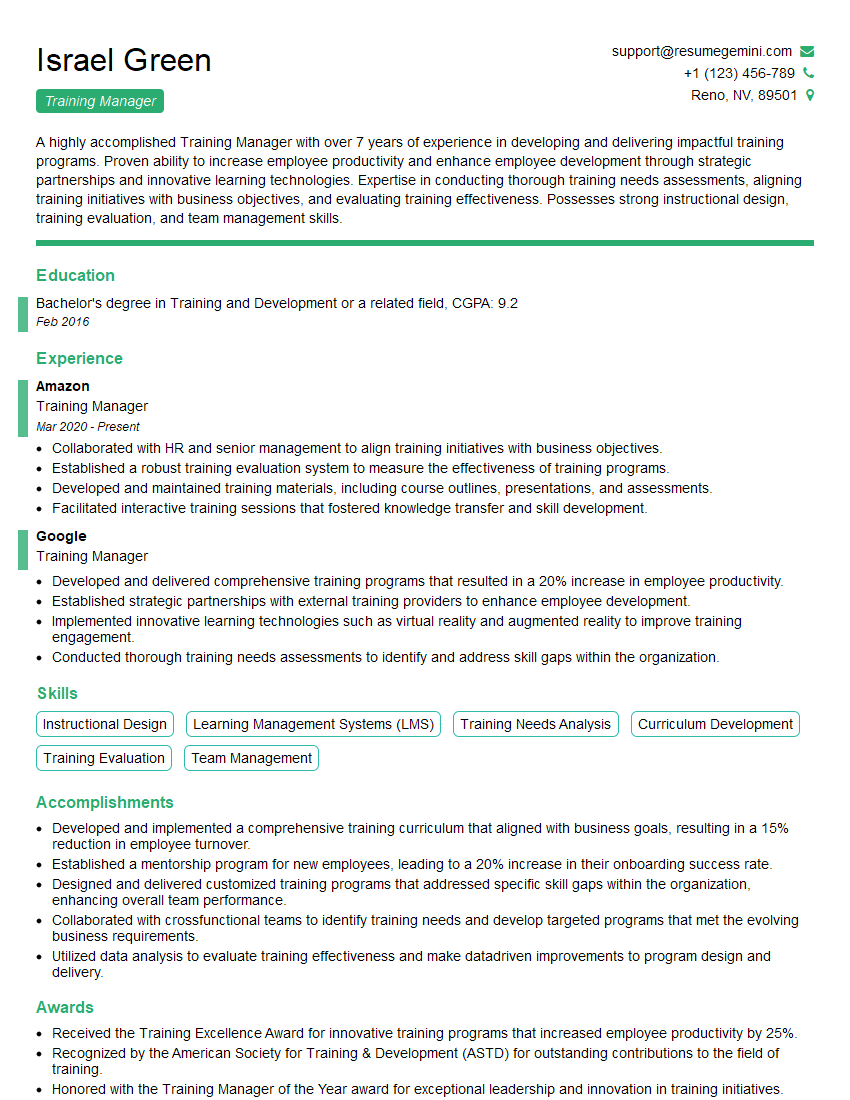
Training Manager Resume Sample

Curriculum Developer Resume Sample

Information Architect Resume Sample

Content Strategist Resume Sample

Documentation Specialist Resume Sample

Instructional Designer Resume Sample
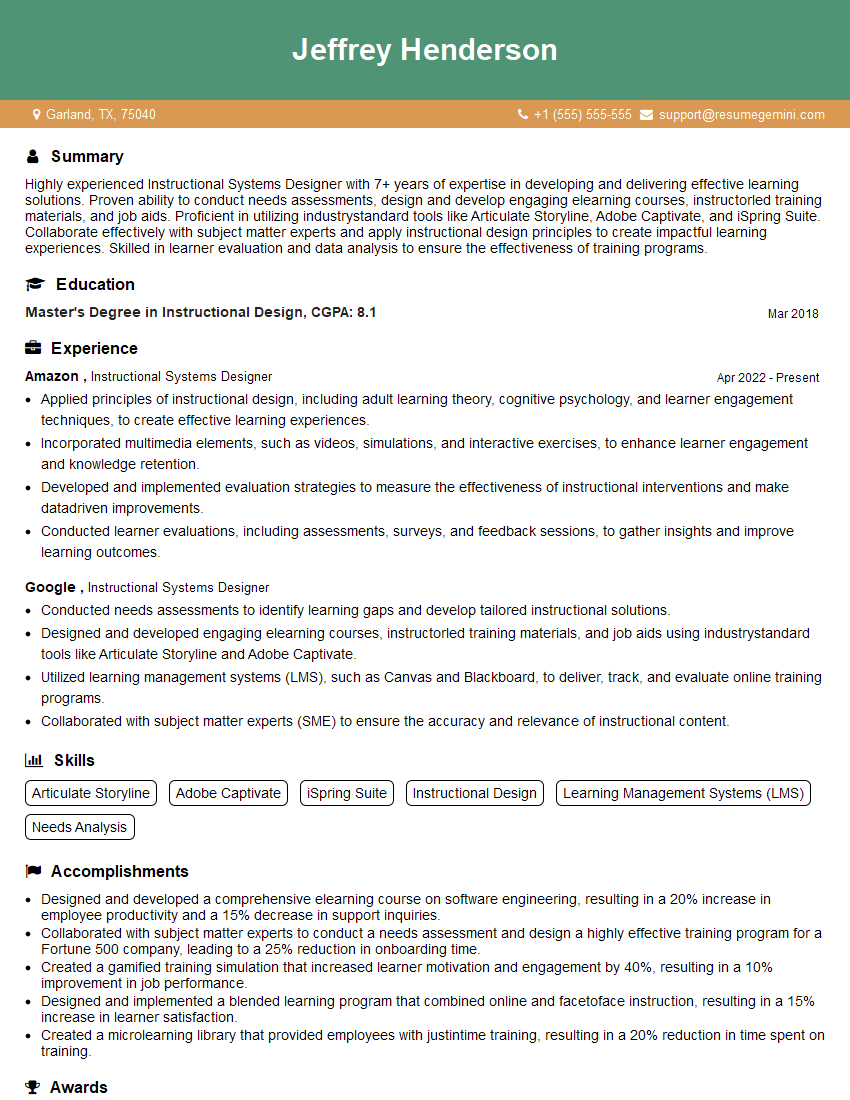
Instructional Systems Designer Resume Sample

Technical Editor Resume Sample
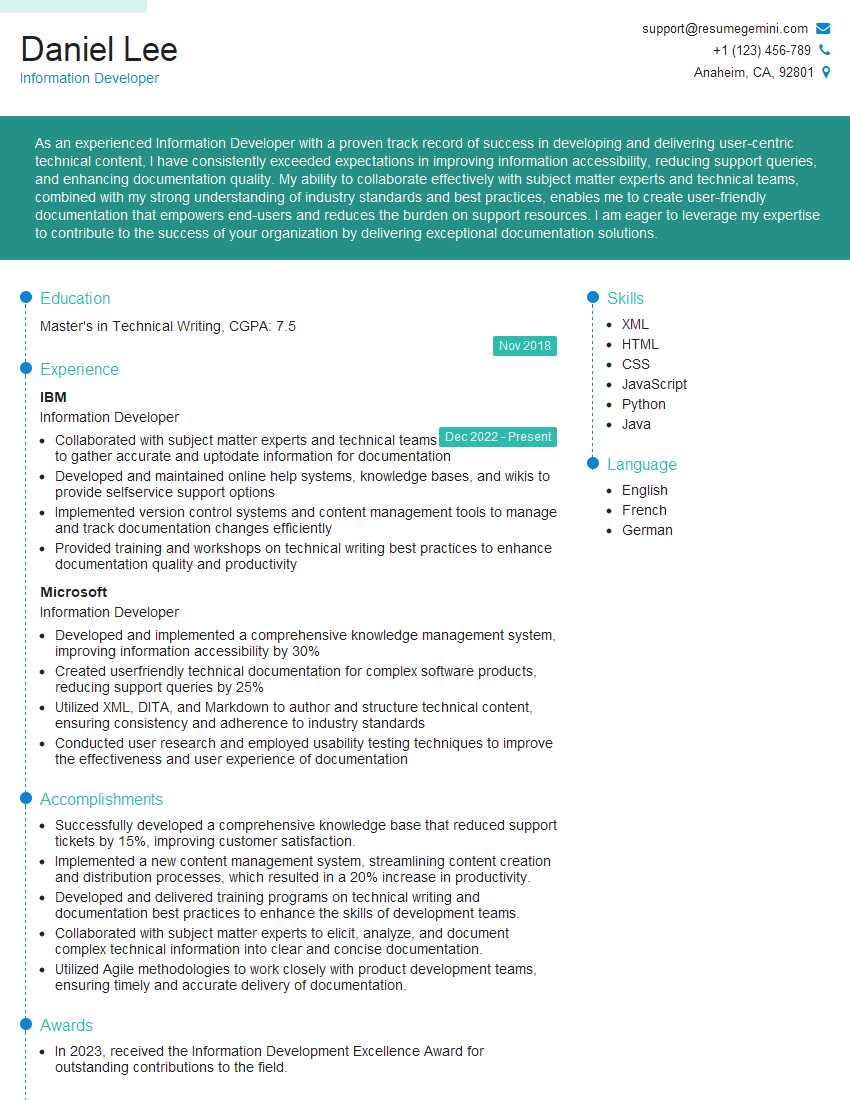
Information Developer Resume Sample
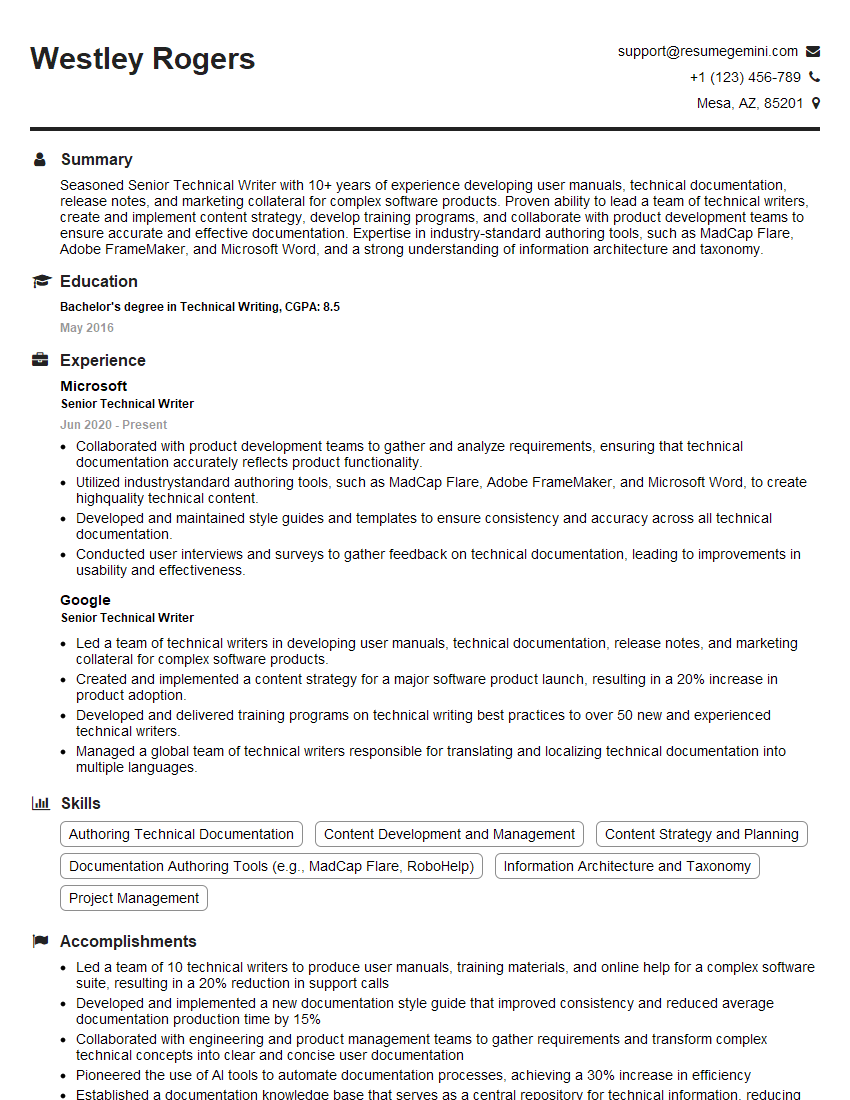
Senior Technical Writer Resume Sample
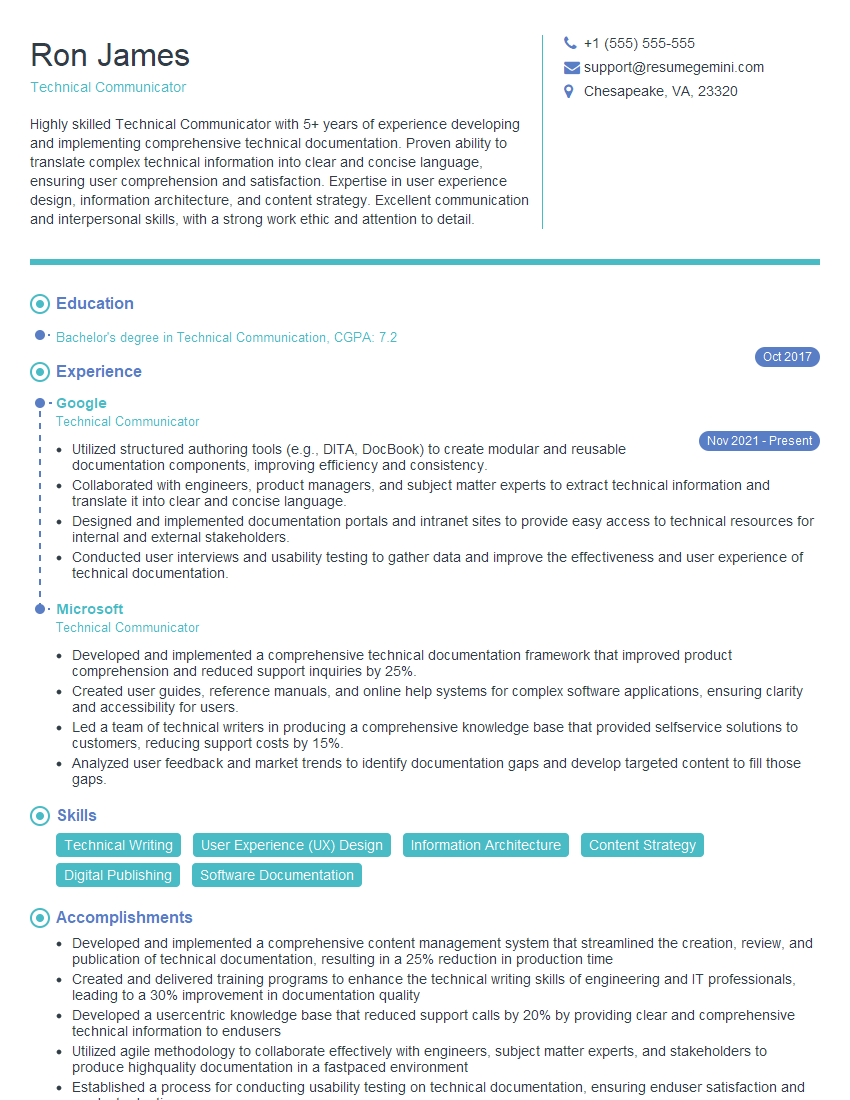
Technical Communicator Resume Sample

Technical Writer Resume Sample
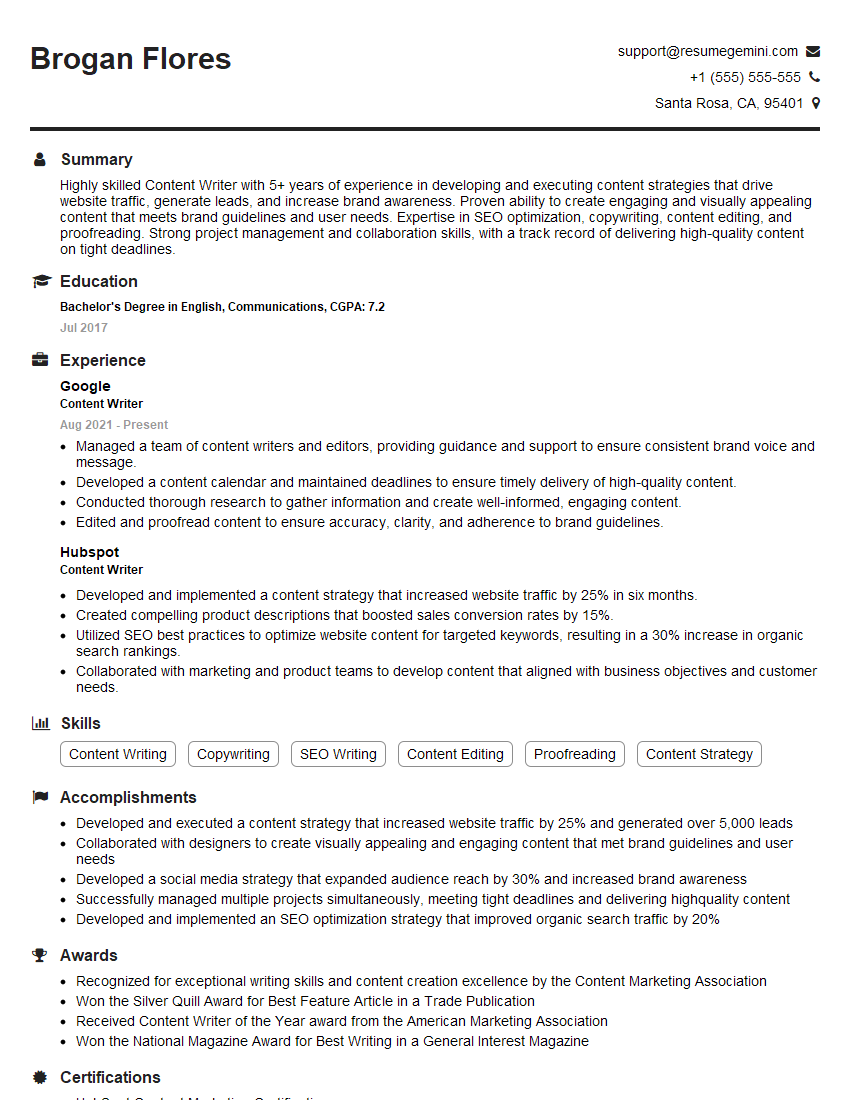
Content Writer Resume Sample
Explore more articles
Users Rating of Our Blogs
Share Your Experience
We value your feedback! Please rate our content and share your thoughts (optional).
What Readers Say About Our Blog
Very informative content, great job.
good