The right preparation can turn an interview into an opportunity to showcase your expertise. This guide to Video Content Production and Editing interview questions is your ultimate resource, providing key insights and tips to help you ace your responses and stand out as a top candidate.
Questions Asked in Video Content Production and Editing Interview
Q 1. What video editing software are you proficient in?
I’m proficient in several industry-standard video editing software packages. My core expertise lies in Adobe Premiere Pro, which I’ve used extensively for over eight years on a wide range of projects, from short corporate videos to feature-length documentaries. I’m also comfortable with DaVinci Resolve, particularly for its powerful color grading capabilities, and have experience with Final Cut Pro X, mainly for smaller projects or collaborative work where it’s the preferred platform.
Each software has its strengths; Premiere Pro excels in its intuitive workflow and extensive plugin ecosystem, while DaVinci Resolve shines in its color science and advanced features. My proficiency allows me to adapt to different project needs and client preferences effectively.
Q 2. Describe your experience with color correction and grading.
Color correction and grading are crucial for establishing the mood and visual appeal of a video. Color correction involves fixing inconsistencies in lighting and color balance, ensuring a natural and uniform look. This might involve adjusting white balance, fixing exposure issues, and removing color casts. Think of it as fixing any ‘technical’ color problems.
Color grading, on the other hand, is a more artistic process, where you manipulate the colors to create a specific visual style. This could involve boosting saturation, changing the overall color temperature (making it warmer or cooler), or applying stylistic looks using LUTs (Look Up Tables). It’s about enhancing the emotional impact of the video.
For example, I recently worked on a project requiring a moody, cinematic feel. Through careful color grading, I used a desaturated palette with deep blues and greens to achieve the desired atmosphere. My approach always begins with a solid understanding of the client’s vision and the story being told, ensuring the final color palette aligns with the overall narrative.
Q 3. Explain your workflow for a typical video editing project.
My workflow for a typical video editing project is highly organized and iterative. It typically follows these steps:
- Intake and Planning: I begin by thoroughly reviewing the project brief, discussing the client’s vision, and understanding their goals. This stage includes analyzing the source footage and outlining a potential edit structure.
- Rough Cut: I assemble the footage into a rough cut, focusing on the narrative flow and pacing. This is a flexible stage where I experiment with different sequences and transitions.
- Fine Cut: This involves refining the rough cut, paying close attention to details like timing, transitions, and pacing. I often iterate multiple times during this phase to ensure a compelling narrative.
- Color Correction and Grading: I meticulously correct and grade the footage to ensure visual consistency and enhance the overall look. I may work closely with the client during this stage to finalize the aesthetic.
- Sound Design and Mixing: I incorporate music, sound effects, and voiceovers, paying close attention to the audio balance and clarity. This step significantly impacts the viewer experience.
- Export and Delivery: Finally, I export the video in the required format and resolution, ensuring it meets all specifications before delivery to the client.
Throughout this process, I maintain open communication with the client, providing regular updates and incorporating feedback at each stage. Flexibility and adaptability are key in managing shifting priorities and client requests.
Q 4. How do you handle difficult clients or conflicting creative visions?
Handling difficult clients or conflicting creative visions requires clear communication, empathy, and a professional approach. I prioritize active listening to fully understand the client’s concerns and perspectives, even if they differ from my own. I aim to find common ground by presenting options and showcasing examples that illustrate different creative approaches.
If conflicts persist, I present a structured approach by outlining potential solutions, highlighting the pros and cons of each option. This allows for informed decision-making, ensuring everyone feels heard and involved in the creative process. Ultimately, my goal is to deliver a high-quality product that meets the client’s needs while maintaining the integrity of the creative vision. For example, I once had a client who wanted a fast-paced edit, while the content itself leaned toward a slower, more contemplative style. By presenting visual examples of both approaches, we were able to find a balance that satisfied both aesthetic goals and narrative needs.
Q 5. What are your preferred methods for audio editing and mixing?
My preferred methods for audio editing and mixing involve a combination of software and hardware. I primarily use Adobe Audition for its robust editing and mixing capabilities. This includes noise reduction, equalization, compression, and reverb effects to enhance clarity and create a professional sound.
I also utilize external microphones and audio interfaces for high-quality recording. For example, when recording voiceovers, I’ll use a high-quality condenser microphone and a pop filter to minimize background noise and ensure crisp, clear audio. I understand that good audio is just as critical as good video; a poorly mixed soundtrack can ruin even the best visuals. A well-crafted soundscape enhances the emotional impact and overall immersion of the final product.
Q 6. How do you manage large video files and project organization?
Managing large video files and project organization is critical for efficient workflow. I utilize a combination of techniques to streamline this process. I use high-capacity external hard drives, often RAID arrays, for storage and backup. This ensures data redundancy and safeguards against data loss.
Within the editing software, I create a clear folder structure for each project, organizing footage, audio files, graphics, and exported versions logically. I use descriptive file names and avoid unnecessary variations to maintain organization. Furthermore, I rely on project management software to track deadlines, communicate with clients, and store project-related documents. This ensures that the entire process is well-documented and easily accessible. Proper organization is vital for smooth collaboration and avoiding costly errors.
Q 7. Describe your experience with motion graphics and animation.
I possess a strong background in motion graphics and animation, primarily using Adobe After Effects. I can create engaging lower thirds, animated logos, and other visual elements that enhance the video’s storytelling and branding. My experience extends to integrating 2D and 3D animation into video projects, depending on the project’s specific requirements.
For example, I recently created a series of animated explainer videos using After Effects. These involved designing custom characters, creating seamless animations, and integrating them smoothly into the live-action footage. I understand the principles of animation, including timing, spacing, and anticipation, to create fluid and visually appealing results. I can also work with pre-rendered 3D animations, integrating them seamlessly into video projects.
Q 8. How do you ensure the quality and consistency of your video edits?
Maintaining quality and consistency in video edits is paramount. It’s a multi-faceted process that begins even before the footage hits the editing suite. I approach this through a rigorous system encompassing pre-production planning, meticulous editing practices, and a robust quality control process.
- Pre-Production Planning: A clear shot list and storyboard ensure I know exactly what footage I need and how it will be used. This minimizes unnecessary shots and reduces the likelihood of inconsistencies.
- Consistent Editing Style: I establish a consistent style guide, including aspects like transitions, color grading, and text overlays, which ensures a cohesive feel across the entire project. This style guide is shared with the team.
- Version Control: I utilize version control systems within my editing software (like Adobe Premiere Pro’s autosave and project versions, or Final Cut Pro’s versioning) to track changes and revert to earlier versions if necessary. This prevents accidental overwrites and allows for easy collaboration and revision tracking.
- Quality Control Checks: A final review involves a meticulous check for continuity errors, audio problems, and visual inconsistencies. This includes multiple viewings on different screens and devices to catch issues that might be missed on a single viewing.
For example, in a recent corporate video, maintaining consistent brand colors and logo placement across all scenes was crucial. My style guide ensured this consistency, and regular QC checks prevented any discrepancies from slipping through.
Q 9. What is your experience with different video formats and codecs?
My experience encompasses a broad range of video formats and codecs, essential for adapting to diverse project needs and delivery platforms. I’m proficient in working with various formats, including:
- H.264 (AVC): Widely used for its balance of quality and compression efficiency, particularly for web distribution (e.g., YouTube, Vimeo).
- H.265 (HEVC): Offers superior compression to H.264, resulting in smaller file sizes at the same quality or higher quality at the same size, ideal for high-resolution videos or streaming services.
- ProRes: A lossless or near-lossless codec commonly used for intermediate editing to preserve image quality during the editing process. Its performance makes it ideal for high-resolution projects and effects work.
- DNxHD: Another high-quality codec frequently used for professional editing workflows, known for its efficiency and ease of use.
- AVCHD, MOV, MP4, AVI: I have extensive experience with various container formats, understanding the nuances of each and selecting the most appropriate one for a given project.
Choosing the right codec significantly impacts file size, rendering time, and overall video quality. For example, while ProRes is ideal for editing, H.264 or H.265 are better for final delivery to streaming platforms because of their smaller file size.
Q 10. How familiar are you with video compression techniques?
Video compression is crucial for managing file sizes and optimizing for different delivery platforms. My understanding extends to various techniques, including:
- Lossy Compression: This method discards some data to reduce file size. Techniques like MPEG-4 and H.264 are examples. The trade-off is a slight reduction in quality, but the reduction is often imperceptible or minimal for many applications.
- Lossless Compression: This method maintains all the original data, resulting in larger file sizes but preserving perfect image quality. ProRes is an example. It’s important for preserving the quality of the original footage during editing.
- Variable Bit Rate (VBR) vs. Constant Bit Rate (CBR): VBR allocates more bits to scenes with complex detail and fewer bits to simpler scenes, resulting in a smaller file size with better quality. CBR maintains a consistent bit rate throughout the video, resulting in a more predictable file size but potentially reduced quality in complex scenes.
I select the appropriate compression method based on the project’s requirements. For example, a high-resolution documentary might benefit from lossless compression during editing and then be compressed using H.265 for final delivery. A short social media video, however, might use H.264 compression throughout for efficient uploading.
Q 11. Describe your approach to storytelling through video editing.
Storytelling through video editing is about crafting an emotional journey for the viewer. It’s more than just assembling clips; it’s about manipulating time, pace, and emotion to create a compelling narrative. My approach involves several key elements:
- Pacing: Varying the speed of cuts and using techniques like slow motion or time-lapses can create dramatic emphasis or build suspense.
- Music and Sound Design: Sound plays a crucial role in setting the mood and guiding the viewer’s emotions. I select or compose music that complements the visuals and adds emotional depth. Sound effects are used to enhance realism and immersion.
- Juxtaposition: Combining seemingly unrelated shots can create interesting contrasts and add layers of meaning. This allows for more nuanced storytelling beyond a linear narrative.
- Visual Storytelling: Using shots to convey information and emotions effectively, carefully considering framing, composition, and camera angles.
- Structure and Arc: Structuring the narrative with a clear beginning, middle, and end, creating a satisfying arc for the viewer.
For example, a recent music video project utilized quick cuts and fast-paced editing during energetic parts of the song and slower, more deliberate cuts during quieter, more emotional sections.
Q 12. How do you collaborate effectively with other members of a video production team?
Effective collaboration is crucial for successful video production. My approach centers around clear communication, proactive participation, and a collaborative spirit. This includes:
- Pre-Production Meetings: Clearly defining roles, responsibilities, and expectations at the outset helps to avoid confusion and conflict later on. A shared project management platform like Asana or Trello can greatly streamline this process.
- Regular Check-ins: I maintain open communication throughout the production process, providing regular updates and actively seeking feedback. This prevents misunderstandings and ensures everyone is on the same page.
- Shared Cloud Storage: Utilizing cloud-based storage for sharing files ensures that everyone has access to the most up-to-date versions of footage and assets. Software like Dropbox or Google Drive simplifies this workflow.
- Constructive Feedback: I actively solicit and provide constructive feedback throughout the process, fostering a supportive environment where everyone feels comfortable sharing their ideas and concerns.
In a recent documentary project, constant communication with the director, cinematographer, and sound designer ensured a cohesive final product, and our shared cloud storage meant immediate access to updated footage during the editing process.
Q 13. What is your experience with video effects and compositing?
My experience with video effects and compositing is extensive. I’m proficient in using industry-standard software like Adobe After Effects and Premiere Pro to enhance footage and create compelling visuals. My expertise includes:
- Keying and Masking: I can create seamless composites using techniques like chroma keying (greenscreen) and luma keying, and utilize masking to isolate specific areas of footage for effect application or manipulation.
- Motion Graphics: I’m capable of creating animated graphics, lower thirds, and other motion elements to enhance the visual appeal and clarity of the video.
- Color Correction and Grading: I apply color correction to balance and enhance footage, ensuring a consistent look and feel across all scenes. Color grading helps to achieve a specific mood or style.
- Visual Effects (VFX): I can integrate simple VFX elements to enhance the narrative or add creative flourishes to the video. This might include adding simple particle effects or digitally enhancing scenes.
For example, I recently used After Effects to composite a virtual set for a corporate presentation video, saving the client the expense and logistics of a physical set.
Q 14. How do you handle feedback and revisions on your video projects?
Handling feedback and revisions is a crucial part of the video editing process. I believe in a collaborative and iterative approach to revisions, ensuring client satisfaction without compromising artistic integrity. My process involves:
- Active Listening: I listen carefully to feedback, asking clarifying questions to ensure I fully understand the client’s vision and concerns.
- Organized Tracking: I meticulously track all feedback and revisions, noting specific timestamps and details to ensure nothing is missed.
- Iterative Process: I work iteratively, presenting revisions in stages and allowing for adjustments along the way, rather than one large final deliverable. This ensures we arrive at a final product that fully satisfies the client’s requirements.
- Transparent Communication: I maintain open communication throughout the revision process, keeping the client informed of progress and addressing any concerns promptly.
In one instance, client feedback led to significant changes in the pacing and music of a commercial video. By actively listening and implementing their suggestions in a phased approach, we were able to deliver a final product that exceeded expectations.
Q 15. What are some common challenges you face in video editing, and how do you overcome them?
Video editing, while creatively fulfilling, presents several challenges. One common hurdle is managing large amounts of footage. Imagine sifting through hours of raw footage to find those perfect five seconds! I overcome this by meticulously logging and organizing clips during the ingest process, using keywords and timecode notes. Another challenge is balancing creative vision with client feedback. Sometimes, a client’s vision might differ significantly from my initial creative approach. To navigate this, I focus on open communication, presenting various options, and collaboratively refining the edit to achieve a mutually satisfying outcome. Finally, technical issues like corrupted files or software glitches can halt progress. My solution here involves employing a robust backup system, regularly saving my work in multiple locations, and staying updated with software patches to mitigate the risk of these issues.
Career Expert Tips:
- Ace those interviews! Prepare effectively by reviewing the Top 50 Most Common Interview Questions on ResumeGemini.
- Navigate your job search with confidence! Explore a wide range of Career Tips on ResumeGemini. Learn about common challenges and recommendations to overcome them.
- Craft the perfect resume! Master the Art of Resume Writing with ResumeGemini’s guide. Showcase your unique qualifications and achievements effectively.
- Don’t miss out on holiday savings! Build your dream resume with ResumeGemini’s ATS optimized templates.
Q 16. Describe your experience with non-linear editing systems (NLEs).
I have extensive experience with various Non-Linear Editing Systems (NLEs), including Adobe Premiere Pro, Final Cut Pro, and DaVinci Resolve. My proficiency in Premiere Pro is particularly strong; I’ve used it extensively for projects ranging from short corporate videos to feature-length documentaries. I’m comfortable with all aspects of these NLEs, from importing and organizing footage to color correction, audio mixing, and exporting the final product. For example, in a recent documentary project, I used Premiere Pro’s advanced features for multi-camera editing to efficiently synchronize and select the best angles from multiple cameras. DaVinci Resolve’s color grading capabilities proved invaluable in another project, enabling me to achieve a consistent look and feel across diverse scenes.
Q 17. What is your understanding of aspect ratios and resolutions?
Aspect ratio refers to the proportional relationship between the width and height of a video frame. Common aspect ratios include 16:9 (widescreen, prevalent in HDTV and online video) and 4:3 (standard definition, less common now). Resolution describes the number of pixels that make up an image. Higher resolutions, like 4K (3840 x 2160 pixels) and 8K, offer greater detail and sharpness than lower resolutions like 720p (1280 x 720 pixels). Choosing the right aspect ratio and resolution depends heavily on the intended platform for distribution. For example, a video intended for YouTube would typically use a 16:9 aspect ratio and at least 1080p resolution, while a video for Instagram might utilize a vertical aspect ratio and a lower resolution to optimize for mobile viewing.
Q 18. How do you approach the creation of video title sequences or lower thirds?
Creating engaging title sequences and lower thirds involves a blend of creativity and technical skill. I begin by understanding the overall tone and style of the video. For a dramatic film, the title sequence might be dark and stylized, while a lighthearted commercial might feature bright, playful animations. I use a combination of motion graphics software, such as After Effects, and my NLE to create these elements. I pay close attention to typography, animation, and transitions, ensuring a seamless integration with the video content. For example, a recent project required a lower third that subtly incorporated the company’s logo and presenter’s name. I designed it using a clean, modern font and subtly animated its appearance and disappearance to avoid distracting from the main content.
Q 19. Describe your experience with sound design and foley.
Sound design and foley are crucial components of compelling video. My experience encompasses sound mixing, dialogue editing, and the creation of sound effects (foley). I’m proficient in using audio editing software like Adobe Audition to clean audio, add effects, and create immersive soundscapes. Foley, the process of recreating everyday sounds, often adds realism and depth. For example, I’ve created the sounds of footsteps on gravel by recording myself walking on gravel and then carefully adjusting the audio to match the visuals. Effective sound design complements the visual narrative; in a horror film, carefully crafted sound effects can heighten tension and suspense, while in a comedy, they can enhance the humorous elements.
Q 20. What are your strengths and weaknesses as a video editor?
My strengths lie in my meticulous attention to detail, creative problem-solving, and ability to collaborate effectively. I’m adept at managing large projects and meeting tight deadlines while maintaining high-quality standards. I thrive under pressure and enjoy the challenge of transforming raw footage into a polished final product. One area I’m constantly working on is improving my speed in certain aspects of post-production, such as advanced color grading techniques. While my skills are already strong, continuing education and practice will enhance efficiency and refine my approach.
Q 21. How do you stay up-to-date with the latest trends in video editing technology?
Staying current with video editing technology is paramount. I regularly subscribe to industry publications, attend webinars and workshops, and actively participate in online forums and communities dedicated to video editing. I also experiment with new software updates and plugins to expand my skillset and stay ahead of the curve. Following key influencers and companies in the video editing space on social media keeps me informed of emerging trends and best practices. For instance, I recently completed a course on using AI-powered tools for video editing, significantly improving my workflow and efficiency.
Q 22. What is your experience with exporting video for different platforms (YouTube, Vimeo, etc.)?
Exporting videos for different platforms requires understanding each platform’s specific requirements regarding codecs, resolutions, and aspect ratios. YouTube, for example, generally works well with H.264 encoding, while Vimeo might support more advanced codecs like ProRes or H.265 for higher quality. I always begin by researching the optimal settings for each platform. For YouTube, I usually target 1080p or even 4K resolution, depending on the project and target audience, with a suitable bitrate to balance quality and file size. For Vimeo, I might explore higher bitrates and potentially different codecs if the quality demands are higher. I also ensure that the aspect ratio matches the platform’s recommendations (usually 16:9). I utilize professional video editing software, such as Adobe Premiere Pro or DaVinci Resolve, which provide granular control over the export settings. The process always includes testing the exported video on the target platform to ensure compatibility and quality before final delivery. This might involve uploading a test version and checking for any issues like pixelation, audio glitches, or incorrect aspect ratios.
Q 23. Describe your process for creating a compelling narrative arc in a video.
Creating a compelling narrative arc involves structuring the video to evoke emotion and engagement. I follow a classic three-act structure: Setup, Confrontation, and Resolution. The Setup introduces the characters, setting, and the central conflict or problem. This sets the stage and draws the audience in. The Confrontation builds tension, escalating the conflict through a series of events and challenges. This is where the majority of the video’s runtime usually lies. The Resolution provides a satisfying conclusion, resolving the central conflict and leaving the audience with a sense of closure or a lingering thought. It’s crucial to build anticipation through pacing – using dynamic editing, music, and sound effects to enhance the emotional impact. Think of it like telling a story; you wouldn’t jump to the climax before establishing the characters and the initial conflict. I use storyboards and shot lists to plan the narrative arc before even starting the shoot, ensuring every scene serves a purpose in building the narrative.
Q 24. How do you balance creative vision with technical constraints?
Balancing creative vision with technical constraints is a constant juggling act. My approach begins with clearly defining the creative goals—what message needs to be conveyed, and what emotional response we want to elicit. This allows me to prioritize elements most crucial to the narrative. Then, I evaluate the technical limitations, including budget, equipment, timeline, and software capabilities. This might involve making smart compromises, such as using readily available stock footage instead of filming a complex scene that is beyond the current capabilities. It might mean opting for a simpler editing technique if processing power is a constraint. For example, I might choose a less computationally intensive color grading workflow if I’m working with a less powerful system. Ultimately, effective collaboration and transparent communication with the client or team are key to finding creative solutions within the technical boundaries. I often propose alternative solutions that retain the essence of the creative vision while meeting the technical limitations.
Q 25. What is your understanding of the different stages of video production?
Video production is a multi-stage process. It starts with Pre-production, which includes planning, scripting, storyboarding, budgeting, location scouting, and assembling the team. This stage is critical to ensuring a smooth shoot. Next comes Production, the actual filming or recording. This involves capturing the footage, sound, and any additional elements. Post-production is where the magic happens, encompassing editing, color correction, sound design, visual effects, and graphics. This is where the raw footage transforms into a polished final product. Finally, Distribution involves exporting the video in appropriate formats, uploading it to chosen platforms, and potentially promoting it through marketing and social media. Each stage is interconnected and requires meticulous attention to detail. Overlapping between stages is common—especially during post-production, where editing decisions may lead back to re-shoots in certain instances or necessitate additional sound recordings. A well-defined workflow across all these stages is crucial for efficiency and high-quality results.
Q 26. How do you handle tight deadlines and time constraints?
Handling tight deadlines requires meticulous planning and efficient execution. I start by breaking down the project into smaller, manageable tasks, creating a realistic schedule with clear milestones. Prioritization is key; I focus on the most crucial elements first and delegate tasks efficiently within a team if necessary. Utilizing shortcuts without compromising quality is essential. For example, I might use templates or pre-made assets to save time, or leverage keyboard shortcuts proficiently in the editing software. Open communication with clients regarding potential delays and realistic expectations is crucial. Transparent and proactive communication reduces potential conflicts and fosters a positive working relationship. Staying calm and organized under pressure is also paramount to success, ensuring that all tasks are completed on schedule without compromising the project’s overall quality.
Q 27. How do you troubleshoot technical issues that may arise during the editing process?
Troubleshooting technical issues during editing is a regular part of the job. My approach starts with identifying the problem. Is it a corrupted file? Audio sync issues? Video rendering problems? Then, I systematically eliminate possibilities. For corrupted files, I often try recovering them using file repair tools or checking backups. If it’s an audio sync problem, I’ll carefully examine the timeline and adjust audio waveforms accordingly, possibly utilizing plugins to help align audio tracks. Rendering problems might require checking system resources, updating drivers, or trying a different rendering setting in my editing software. Online forums, documentation, and technical support resources are invaluable for finding solutions to specific software-related problems. I keep a log of solutions for frequently encountered issues to build my troubleshooting knowledge base. The key is to be methodical and patient; rushing a solution often makes things worse.
Q 28. Give an example of a project where you had to solve a complex editing challenge.
In one project, we were tasked with creating a promotional video featuring a fast-paced action sequence. The original footage had inconsistent lighting, jerky camera movements, and significant jump cuts. The challenge was to make the action sequence appear smooth and dynamic despite the problematic source material. I employed several techniques to overcome this. First, I stabilized the jerky footage using advanced stabilization plugins in Adobe Premiere Pro. Then, I used color correction and grading tools to harmonize the inconsistent lighting across different shots. I carefully selected and sequenced the shots, minimizing jump cuts and creating a more fluid narrative. Finally, I incorporated subtle visual effects, like slow-motion effects, to highlight key moments and add a cinematic feel. The result was a cohesive and visually compelling action sequence that effectively conveyed the intended message despite the initial technical challenges. This involved extensive experimenting with different plugins and effects, often requiring trial and error to find the optimal solutions. Ultimately, the success came from a combination of technical skill, creative problem-solving, and patience.
Key Topics to Learn for Video Content Production and Editing Interview
- Pre-Production Planning: Understanding storyboarding, scripting, shot lists, and scheduling; Practical application: Discuss how you would plan a shoot for a short marketing video, considering budget and time constraints.
- Filming Techniques: Mastering camera operation, lighting techniques (three-point lighting, etc.), audio recording, and composition; Practical application: Explain your experience with different camera angles and how they contribute to storytelling.
- Video Editing Software Proficiency: Demonstrating expertise in industry-standard software like Adobe Premiere Pro, Final Cut Pro, or DaVinci Resolve; Practical application: Describe your workflow for editing a complex video project, including color correction and audio mixing.
- Post-Production Workflow: Understanding color grading, audio mixing and mastering, visual effects (VFX), motion graphics, and exporting for different platforms; Practical application: Explain how you’d troubleshoot a problem with audio sync or video compression.
- Visual Storytelling & Narrative Structure: Applying principles of visual storytelling, pacing, and narrative structure to create engaging content; Practical application: Discuss a project where you successfully crafted a compelling narrative through video editing.
- Collaboration & Communication: Working effectively within a team, understanding client briefs, and providing constructive feedback; Practical application: Describe a collaborative project and how you resolved conflicts or differences in creative vision.
- Software Specific Knowledge (Technical Interviews): Deep dive into specific features, keyboard shortcuts, advanced editing techniques, and troubleshooting within your chosen software(s). Be prepared to discuss your preferred workflow in detail.
Next Steps
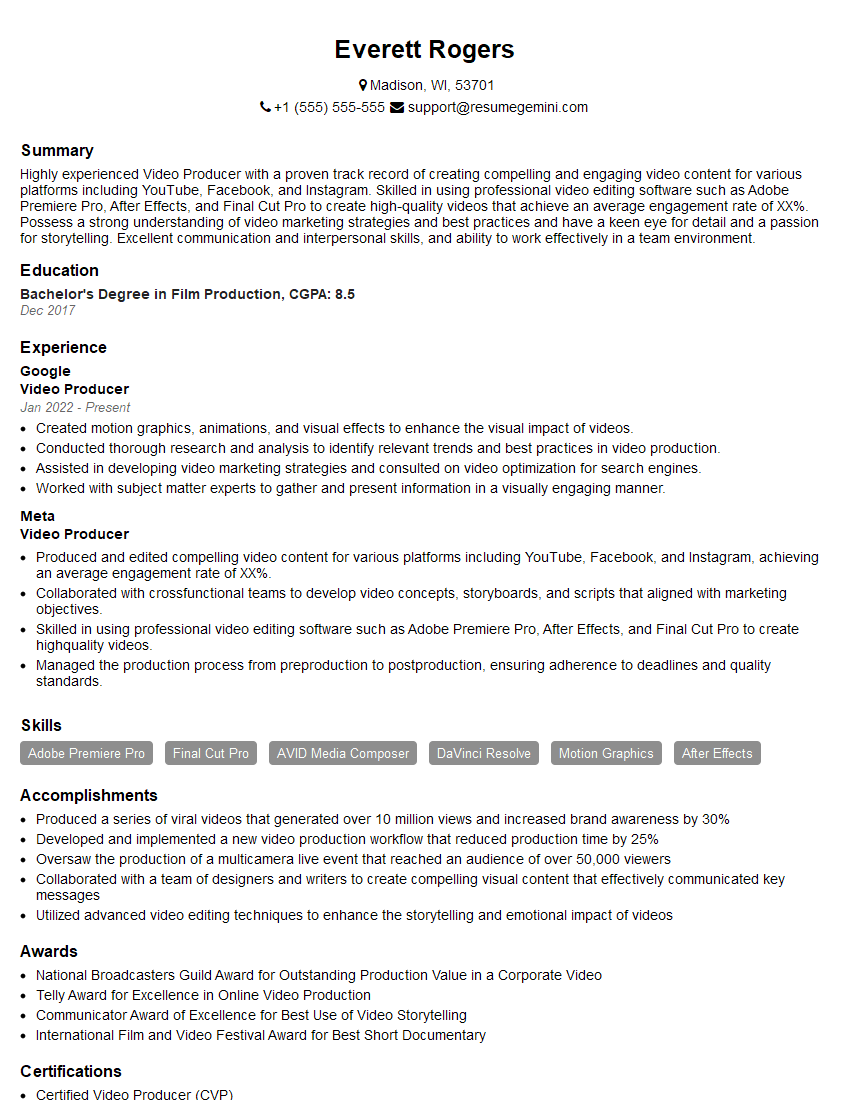
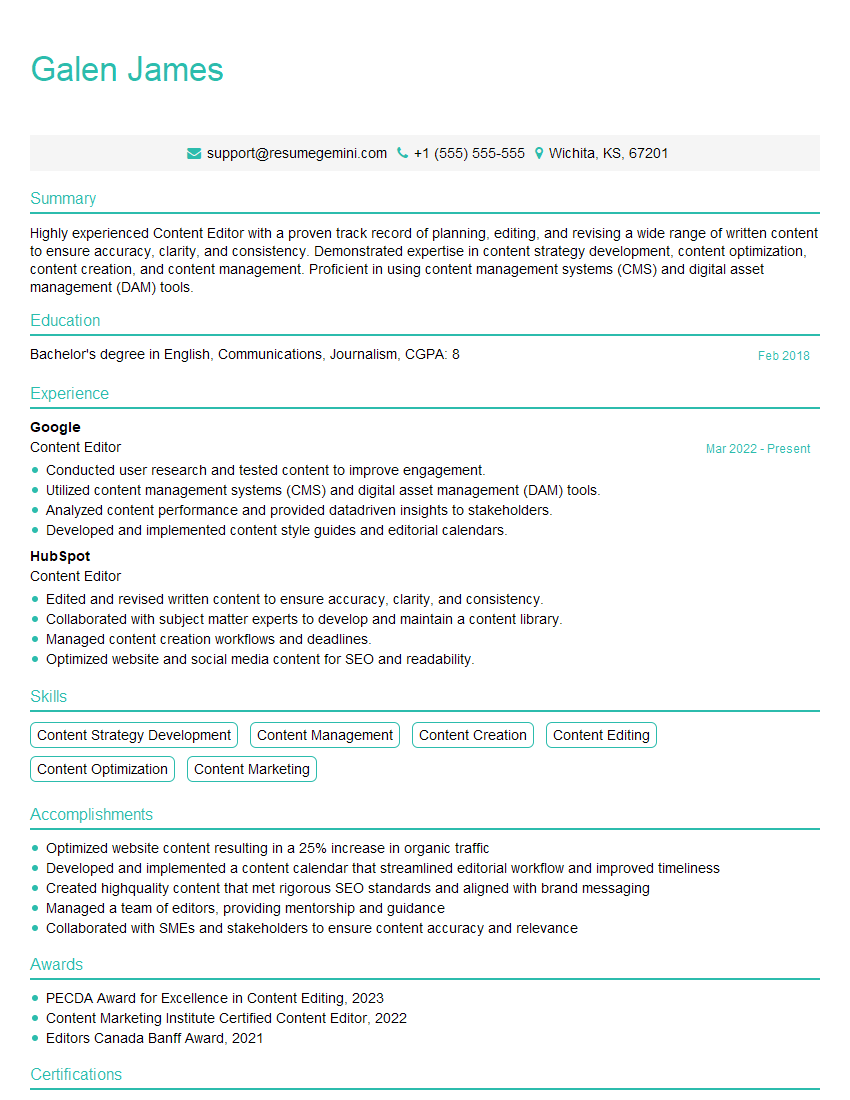
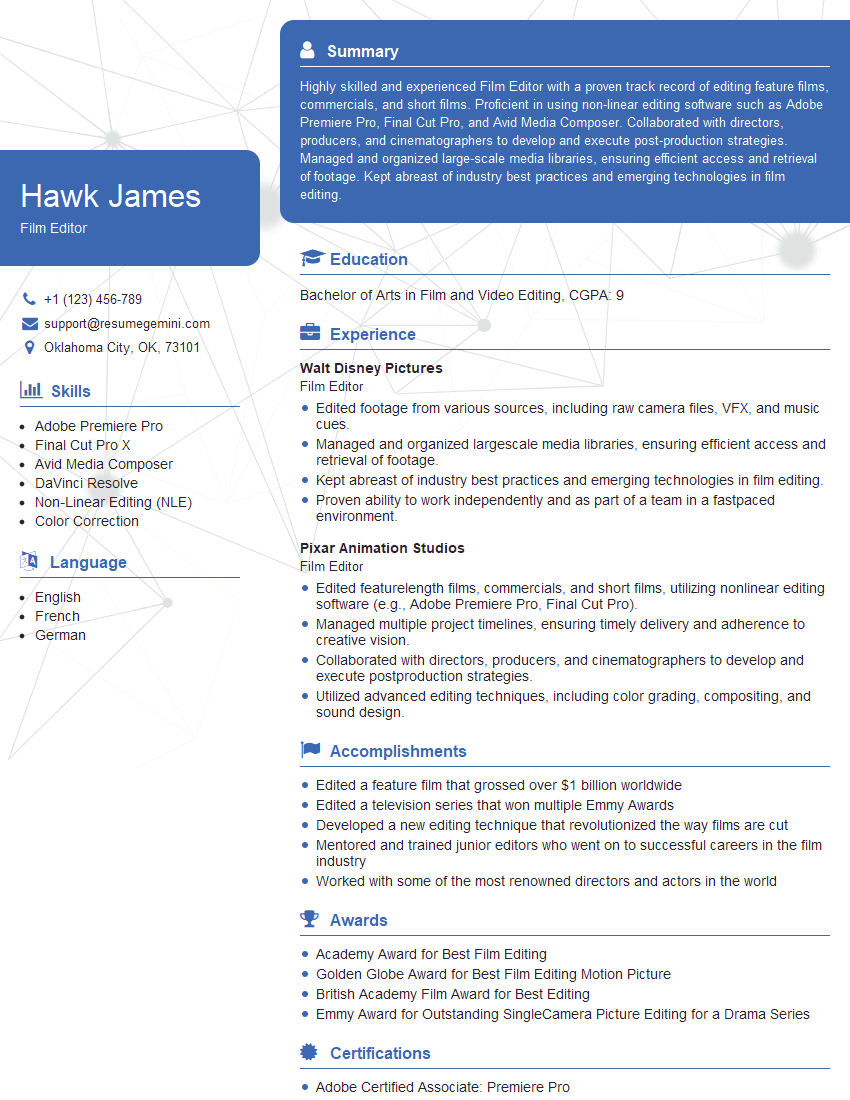
Mastering Video Content Production and Editing opens doors to exciting careers in film, television, advertising, marketing, and more. A strong portfolio is essential, but a well-crafted resume is your first impression. Building an ATS-friendly resume significantly increases your chances of getting your application noticed. We highly recommend using ResumeGemini to create a professional and impactful resume that highlights your skills and experience effectively. ResumeGemini provides examples of resumes tailored to Video Content Production and Editing roles, ensuring you present yourself in the best possible light. Invest in your future; craft a resume that reflects your talent and ambition.


Explore more articles
Users Rating of Our Blogs
Share Your Experience
We value your feedback! Please rate our content and share your thoughts (optional).
What Readers Say About Our Blog
Very informative content, great job.
good