Interviews are more than just a Q&A session—they’re a chance to prove your worth. This blog dives into essential Video Game Audio Design interview questions and expert tips to help you align your answers with what hiring managers are looking for. Start preparing to shine!
Questions Asked in Video Game Audio Design Interview
Q 1. Explain your experience with different audio middleware solutions (e.g., Wwise, FMOD).
My experience spans several leading audio middleware solutions, most extensively Wwise and FMOD. I’ve used both in AAA and indie projects, appreciating their strengths in different contexts. Wwise, with its powerful workflow and robust features like the SoundBank system and integrated authoring tools, shines in larger, complex productions requiring extensive sound design, implementation, and management. Its hierarchical structure helps manage large audio libraries efficiently. For example, on a recent RPG, we leveraged Wwise’s object-oriented architecture to create dynamic sound environments that adapted to gameplay events. Conversely, FMOD’s simpler interface and streamlined workflow proves excellent for smaller projects or rapid prototyping. Its ease of use accelerates development, making it ideal for quick iteration and adjustments. On a smaller indie project, I utilized FMOD’s efficient memory management, crucial for optimizing audio performance on lower-spec hardware.
The choice between them often depends on project scope and team expertise. Larger teams accustomed to Wwise’s complexity may find it more efficient, while smaller teams might prioritize FMOD’s ease of use and lighter footprint.
Q 2. Describe your process for designing and implementing realistic environmental sounds.
Designing realistic environmental sounds involves a multi-stage process. It begins with meticulous sound recording, often involving field recordings in relevant locations. Imagine capturing the sounds of a bustling marketplace – the chatter, the clanging of metal, the creaking of carts. These recordings form the foundation of the soundscape.
- Field Recording: This involves capturing high-quality audio with appropriate microphones and gear. Careful positioning and microphone selection are paramount.
- Sound Design and Processing: Raw recordings often need manipulation. This includes cleaning up unwanted noise, adding reverb to create a sense of space, adjusting equalization to make specific sounds more prominent, and using layering and effects to create richness and depth. For the marketplace example, I might use EQ to emphasize the higher frequencies of the chatter, and reverb to create a sense of being surrounded by the sounds.
- Spatialization: This is critical for realism. I use 3D audio techniques within my middleware to place sounds accurately in the game world, making them react to player movement. The marketplace sounds would feel more immersive as the player moves through it.
- Implementation: Finally, the sounds are implemented into the game engine, triggering them based on events, proximity to the player, and other game logic. This involves careful placement of sound triggers, consideration for occlusion (sounds being blocked by objects), and efficient sound management to prevent performance issues.
Q 3. How do you balance sound design with game performance optimization?
Balancing sound design with performance optimization is a constant juggling act. High-fidelity sounds can easily strain a game’s resources, especially on mobile devices or lower-end PCs. My approach involves a multi-pronged strategy.
- Strategic Compression: Lossy compression (like MP3 or AAC) is used for streaming audio where quality isn’t critical. Lossless compression (like WAVpack or FLAC) is reserved for crucial sounds where fidelity is paramount.
- Sound Event Management: Carefully designing sound events to minimize the number of simultaneously playing audio sources is vital. This often involves creative use of sound occlusion (sounds being blocked by geometry), distance attenuation (sounds fading out with distance), and sound ducking (quieting sounds when other important ones play).
- Streaming: Streaming long audio files instead of loading them entirely into memory reduces the memory footprint and keeps performance smooth. This approach is particularly crucial for lengthy music tracks or complex environmental sounds.
- Occlusion & Distance Culling: Implementing occlusion – sounds being blocked by objects – and distance culling – sounds not playing if too far away – helps greatly reduce processing overhead. I use the spatial audio capabilities of my middleware extensively here.
- Runtime Profiling: Regularly profiling the audio engine helps identify bottlenecks and areas for improvement. This involves utilizing the performance tools within Wwise or FMOD to pinpoint resource-intensive sound events.
Q 4. What are your preferred methods for creating and integrating music into gameplay?
My preferred method for integrating music involves creating a dynamic music system that adapts to the gameplay. This isn’t about simply playing tracks sequentially. Instead, I utilize a hybrid approach combining procedural music with pre-composed cues.
- Procedural Music: This provides a dynamic, ever-changing soundscape that reacts to gameplay events. I might use a procedural music system that generates music based on player actions, such as the intensity of combat or the exploration of new areas. This is great for building atmosphere and immersion.
- Pre-composed Cues: These provide specific musical highlights for crucial events such as boss battles, cutscenes, or emotionally significant moments. These offer a layer of polish and emotional control.
- Music Transitions: Smooth transitions between procedural music and pre-composed cues are vital. Techniques like crossfading and using musical bridges ensure a seamless listening experience. This enhances the overall flow and impact of the music.
- Sound Design Integration: Music and sound design should work together. The music needs to complement and enhance other audio elements, not compete with them. This requires careful balancing and consideration of the overall sonic landscape.
For example, in a stealth game, procedural music might start subtly with ambient sounds, building intensity as the player is detected. Then, a dramatic pre-composed cue would signal the start of a boss battle.
Q 5. Explain your approach to designing user interface sounds.
Designing user interface sounds requires a delicate balance between providing clear feedback and avoiding auditory fatigue. The goal is to create sounds that are informative, unobtrusive, and pleasant to hear, even after repeated use. I typically focus on these aspects:
- Conciseness: UI sounds should be short and to the point, delivering their feedback quickly without drawing attention away from the game itself.
- Clarity: The sound should clearly communicate the action performed. A ‘click’ sound for button presses, a ‘whoosh’ for menu transitions, and a more significant sound for a crucial action provide clear feedback.
- Consistency: Similar actions should have similar sounds across the UI to maintain consistency and avoid confusion. A consistent sonic language throughout the interface promotes familiarity and eases navigation.
- Feedback Variety: While consistency is important, some variety in the sound design can keep things from being monotonous. Subtle variations can prevent fatigue without sacrificing clarity.
For instance, I might use subtle variations in pitch or timbre for different menu selections to differentiate them while maintaining a consistent sonic palette. A positive confirmation sound could have a slightly higher pitch than a negative feedback sound.
Q 6. How do you handle spatial audio and 3D sound implementation?
Handling spatial audio and 3D sound involves leveraging the capabilities of the chosen middleware. Wwise and FMOD both offer robust tools for this. It’s crucial to consider listener position, sound source position, and environmental factors influencing sound propagation.
- Sound Source Placement: Precise placement of sound sources within the game world is crucial. This requires using the spatial audio features of the middleware to define the 3D coordinates of each sound source. This creates the sense of sounds coming from specific locations.
- Listener Position: The game engine continuously provides the listener (player) position to the audio engine. This allows the audio engine to dynamically adjust sound parameters based on the listener’s relative location to the sound sources.
- Environmental Effects: Realistic spatial audio involves considering environmental factors such as occlusion (sounds being blocked by walls), reverb (sounds bouncing off surfaces), and Doppler effect (changes in pitch due to relative movement).
- Head-Related Transfer Functions (HRTFs): For even more realism, I can incorporate HRTFs, which simulate how our ears process sound to create a more accurate sense of spatial location. This requires more processing power but can enhance the sense of immersion.
For example, in a first-person shooter, footsteps behind the player would sound different – perhaps slightly muffled – due to occlusion, while a distant explosion’s sound would change pitch due to the Doppler effect as the player moves towards or away from it.
Q 7. Describe your experience with audio mixing and mastering for games.
Audio mixing and mastering for games is the final stage where all the individual audio elements are brought together to create a cohesive and balanced soundscape. It’s a crucial step that significantly impacts the overall quality and enjoyment of the game.
- Mixing: This involves balancing the levels of various audio elements – music, sound effects, dialogue – to create a clear and well-defined sonic mix. I carefully adjust levels, EQ, and panning to ensure each element has its place and doesn’t mask others. It often requires a lot of iteration and fine-tuning.
- Mastering: This is the final stage of audio production, where the overall mix is polished and prepared for distribution. It involves adjustments to loudness, dynamic range, and stereo image to ensure consistent sound quality across different playback systems. This involves using specialized mastering techniques and tools to optimize the audio for a variety of listening environments.
- Platform Considerations: It’s critical to consider the target platform during mixing and mastering. Mobile devices have lower processing power and speakers than high-end PCs, so optimization is key. This might involve adjusting dynamic range and compression settings to ensure the audio remains clear and impactful across various platforms.
- Collaboration: This is a collaborative process that involves close communication with sound designers, composers, and game developers to ensure the audio aligns with the game’s overall vision and style.
A well-mixed and mastered game will have a balanced, impactful audio experience that doesn’t clip or distort, regardless of the player’s playback setup. A poorly mastered game, conversely, can lead to a jarring and unpleasant experience.
Q 8. How do you collaborate effectively with other team members (programmers, designers, etc.)?
Effective collaboration in game audio is paramount. It’s not just about handing off files; it’s about understanding the team’s vision and contributing meaningfully to it. I begin by actively participating in design meetings, ensuring I understand the game’s narrative, mechanics, and overall aesthetic. This allows me to tailor sound design choices to enhance the player experience.
With programmers, I focus on technical feasibility. We discuss implementation details, such as audio streaming, memory management, and platform-specific limitations. For example, I might work with a programmer to implement a system for dynamically adjusting music volume based on in-game events. With designers, I’ll often iterate on sound design based on their feedback, considering things like the mood, pace, and intended player reaction. This iterative process ensures that the audio perfectly complements the game’s visual and narrative elements. I use clear communication, version control (explained further in question 6), and regular check-ins to ensure everyone is on the same page. A collaborative spreadsheet detailing sound effects, music cues, and their intended use is also helpful.
Q 9. What are some common challenges in game audio design, and how have you overcome them?
Game audio design presents unique challenges. One common hurdle is balancing artistic vision with technical constraints. For instance, a breathtaking soundscape might require more memory or processing power than the target platform can handle. I solve this by employing efficient audio compression techniques, optimizing sound file sizes, and working closely with programmers to find creative solutions – perhaps using procedural audio generation or adaptive streaming. Another challenge is maintaining consistency across a large project with multiple sound designers. We mitigate this by establishing clear style guides, using a shared library of sound assets, and frequently reviewing each other’s work. Finally, achieving a seamless integration of music, sound effects, and voice acting to create a cohesive whole is crucial. I overcome this by meticulously planning and sequencing audio elements, considering how they interact and overlap to create a rich soundscape. For example, ensuring music dynamically changes intensity during combat.
Q 10. Explain your process for designing and implementing dialogue and voice acting.
Designing and implementing dialogue and voice acting is a multi-step process. It starts with a thorough review of the script, identifying key emotional moments and the overall tone. I collaborate closely with the writers and directors to determine the style and performance required for each character. Then, I create a detailed voice acting brief, specifying each line’s emotional weight, delivery style (e.g., aggressive, mournful, playful), and any specific sound effects desired (e.g., breathing, whispering). Casting the right voice actors is key; their talent significantly impacts the game’s immersion. During the recording session, I work closely with the voice director to ensure performances align with our vision. Post-recording, I clean and edit the audio, adding any necessary sound effects or processing to enhance clarity and emotional impact. Finally, I implement the dialogue within the game engine, ensuring precise synchronization with the characters’ lip movements (lip-sync) and integrating it with the game’s overall soundscape. If needed, I create and implement systems for branching dialogue or adaptive voice lines.
Q 11. How do you create immersive and engaging soundscapes for different game genres?
Creating immersive soundscapes depends heavily on the genre. A horror game might utilize low-frequency rumbles, unsettling ambient sounds, and sudden bursts of terrifying sound effects to create suspense and fear. In contrast, a relaxing RPG might employ ambient nature sounds, calming music, and subtle sound effects to enhance the peaceful atmosphere. My approach involves careful consideration of the genre conventions, the desired emotional responses, and the specific game mechanics. For example, in a racing game, I’d create a soundscape that shifts dynamically based on the car’s speed and driving style, including the sounds of the engine, tires, and the environment passing by. I use techniques like spatial audio, where sound placement creates a sense of three-dimensional space, and layered soundscapes, combining multiple audio elements to produce depth and complexity. Reverb, delay, and other effects enhance the soundscape’s realism and immersion. Sound design for each genre requires a detailed understanding of how audio cues can enhance the unique gameplay experience and thematic atmosphere.
Q 12. What tools and techniques do you use for sound editing and processing?
My sound editing and processing workflow relies on industry-standard tools like Pro Tools, Audacity (for simpler tasks), Wwise (for interactive audio), and Reaper. I use these tools for various tasks: recording, cleaning, editing, and processing audio. Common techniques include noise reduction, equalization (EQ), compression, reverb, delay, and other effects to shape the sound. For example, EQ helps adjust the balance of different frequencies, enhancing clarity and presence. Compression controls the dynamic range, making quieter sounds louder and preventing clipping (distortion). Reverb adds a sense of space and ambience, while delay creates echo effects. I also employ spectral editing tools to fine-tune sounds, remove unwanted frequencies, and create unique sonic textures. The choice of specific tools and techniques often depends on the specific sound design requirements and the desired sonic outcome.
Q 13. How familiar are you with version control systems for audio assets?
I’m highly proficient in using version control systems, specifically Git, for managing audio assets. This ensures that all team members can work on audio files simultaneously without overwriting each other’s changes. I create separate branches for different features or sound design iterations, allowing for experimental work without impacting the main project files. A robust branching strategy helps maintain a clear history of changes and allows for easy rollback if necessary. Furthermore, I use Git’s tagging capabilities to mark significant milestones or releases, creating checkpoints for reference and easier asset management. Using a centralized repository like GitHub or GitLab allows for efficient collaboration and transparent project management for the audio assets.
Q 14. Describe your experience with audio scripting and automation.
My experience with audio scripting and automation significantly streamlines my workflow. I frequently use scripting languages like Python and Wwise’s built-in scripting capabilities to automate repetitive tasks. This includes tasks such as batch processing of audio files, generating random variations of sound effects, creating dynamic music systems, and implementing interactive sound design elements within the game engine. For instance, I might write a script to automatically adjust the music volume based on in-game events, or generate variations of footsteps based on the surface material. This automation ensures consistency, saves time, and enables more complex and dynamic audio interactions within the game. I also utilize middleware solutions like Wwise to efficiently manage and integrate sounds into the game, providing a streamlined system for developers to trigger sounds in response to specific game events.
Q 15. How do you manage audio assets and libraries effectively?
Effective audio asset management is crucial for any game audio project. It’s like organizing a well-stocked toolbox – you need to find the right tool (sound) quickly and efficiently. My approach involves a multi-layered system. First, I use a robust digital asset management (DAM) system, such as a cloud-based solution or a well-structured local network drive. This allows for version control, preventing accidental overwrites and ensuring easy retrieval of past iterations. Within the DAM, I employ a hierarchical folder structure based on sound categories (e.g., ‘UI Sounds’, ‘Weapons’, ‘Environment’). Each folder contains meticulously named files using a consistent convention (e.g., ‘Weapon_Rifle_Shot_01.wav’). This clear organization makes searching and locating specific assets incredibly efficient. Secondly, I leverage metadata tagging. Each sound file receives descriptive tags like ‘type’, ‘source’, ‘gameplay function’, and ‘game object’. This allows for powerful searching and filtering, finding ‘all low-pitched ambience sounds’ instantly, for example. Finally, I maintain detailed documentation, a crucial aspect that many overlook. This includes a searchable database or spreadsheet linking each sound to its implementation, usage context, and any relevant notes.
Career Expert Tips:
- Ace those interviews! Prepare effectively by reviewing the Top 50 Most Common Interview Questions on ResumeGemini.
- Navigate your job search with confidence! Explore a wide range of Career Tips on ResumeGemini. Learn about common challenges and recommendations to overcome them.
- Craft the perfect resume! Master the Art of Resume Writing with ResumeGemini’s guide. Showcase your unique qualifications and achievements effectively.
- Don’t miss out on holiday savings! Build your dream resume with ResumeGemini’s ATS optimized templates.
Q 16. How do you test and debug audio implementations in a game?
Testing and debugging audio in a game is an iterative process, akin to a detective investigating a crime scene. I begin by creating a comprehensive test suite covering all audio features, including sound effects, music, and voice acting. This includes testing for volume levels, panning, spatialization, and effects processing. I use both automated testing and manual playtesting. Automated testing can verify basic functionality like playback without errors, and volume range checks. Manual playtesting focuses on the player’s experience. Does the audio support gameplay effectively? Does the music flow naturally through level transitions? Are sound effects clear and intuitive? If I encounter issues, my debugging strategy depends on the problem. A missing sound effect might point to a faulty event trigger, which I’d investigate in the game engine’s code. Issues with sound quality or unexpected distortions are often addressed within the audio middleware or the game engine’s audio settings. Tools like audio analyzers provide deep insights into waveforms and frequencies, helping diagnose clipping or other distortions. Log files from the game engine often provide important contextual information. If issues persist, I collaborate closely with programmers to resolve implementation-level problems.
Q 17. Explain your understanding of different audio file formats and compression techniques.
Choosing the right audio file format and compression technique is critical for balancing audio quality and file size. It’s like selecting the right tool for a specific job – sometimes a simple hammer will suffice, others require a precision instrument. Common uncompressed formats include WAV (PC) and AIFF (Mac). These offer high fidelity but large file sizes. Lossy compression formats, like MP3 and AAC, are ideal for music and ambience, as the compression artifacts are less perceptible. Ogg Vorbis is a royalty-free lossy alternative that often provides better quality at comparable bitrates. For high-quality sound effects, I often use lossless compression formats such as FLAC or Opus. They retain audio fidelity at significantly smaller sizes than WAV/AIFF. The selection is based on several factors: the nature of the sound, target platform capabilities, and storage limitations. For example, high-fidelity music might use FLAC or AAC at a high bitrate, while less critical sound effects would use Ogg Vorbis at a moderate bitrate. The choice always involves a trade-off between quality and file size. I regularly analyze audio through a spectrum analyzer to assess frequency response and ensure compression doesn’t significantly alter the sound’s character. The entire process is about striking the optimal balance between quality and efficiency.
Q 18. Describe your experience with interactive music systems.
Interactive music systems add dynamism and emotional depth to games, responding dynamically to player actions. Think of it as a musical storyteller, adapting its narrative based on the player’s journey. I’ve worked extensively with systems that leverage cues and transitions based on player location, gameplay state, or even player emotion (e.g., using heart rate sensors for biofeedback). One example is implementing a system for a stealth game where the music becomes more intense and rhythmic as the player’s proximity to enemies increases. This was achieved using a combination of audio middleware (Wwise or FMOD), a state machine implemented in the game engine’s scripting language, and an audio database of music sections and sound effects. Another project utilized a dynamic score system driven by the narrative structure of the game; it transitioned between sections based on key plot developments, delivering significant emotional impact. The choice of system greatly impacts design complexity. Simpler systems involve a smaller set of musical tracks that seamlessly transition based on game states. More complex ones might include procedural music generation for more varied and unpredictable gameplay. Regardless of the complexity, careful implementation is necessary to ensure the transitions are smooth, appropriate, and contribute positively to the player experience.
Q 19. How do you ensure accessibility in your audio design?
Audio accessibility is crucial for inclusivity, ensuring players with disabilities can enjoy the game fully. It’s about creating a fair and enjoyable experience for everyone. This involves several key strategies. First, I provide closed captions and subtitles for all dialogue and crucial audio cues. Secondly, I ensure sufficient contrast between foreground and background audio. Background music should not mask important sound effects or dialogue. Third, I provide options for adjusting volume levels for individual sound categories – music, effects, voice – allowing players to customize their audio experience. Fourth, I incorporate audio descriptions for visually impaired players, supplementing visuals with auditory cues. Fifth, I pay close attention to audio cues that are clearly distinguishable even with hearing impairments. For instance, sound effects that are clearly identified by timbre and distinct from background sounds. Finally, I follow accessibility standards and guidelines set by organizations such as the World Health Organization (WHO) and the Web Content Accessibility Guidelines (WCAG) to ensure that the audio design aligns with best practices for accessibility.
Q 20. How do you handle dynamic audio events and triggers?
Handling dynamic audio events and triggers requires a robust and flexible system, often a combination of game engine features and audio middleware capabilities. Imagine building a detailed LEGO structure with intricate mechanics: each brick needs to be precisely placed. Commonly, I use a combination of scripting and event systems to trigger sound effects based on player actions or in-game events. A common approach involves using the game engine’s event system to send messages to the audio middleware (such as FMOD or Wwise), which then triggers the appropriate sounds. For example, a footstep sound effect could be triggered every time the player character takes a step, which is detected in the game engine and sent as an event. More complex scenarios may require state machines or custom scripting solutions to manage multiple audio triggers and transitions. For instance, implementing a system for a fighting game that handles multiple sound effects and layers of music depending on the player’s health status, current attack, and the enemy they are fighting against requires careful planning and management. Effective implementation often requires collaborative efforts with programmers to ensure proper integration and optimization.
Q 21. Explain your approach to designing sound effects for specific game mechanics.
Designing sound effects for specific game mechanics is a creative process, blending art and technical skill. It’s like composing a musical score for actions, giving them auditory identity and impact. My approach focuses on creating sounds that are both realistic and evocative. For example, designing the sound for a sword slash would involve creating a sound that is sharp, metallic, and powerful, suggesting the weight and impact of the weapon. I’d begin with field recordings or use sound design software to create custom sounds. Processing techniques such as EQ, reverb, and delay are used to shape the final sound to complement the visual presentation of the action. For a laser gun, however, the sound needs to be futuristic, using synthesizers to create otherworldly, high-pitched sounds. Throughout the process, I consider the context and game mechanics: the weight of an object, the speed of movement, the material properties involved, and the emotional impact required. Testing is crucial, evaluating the sound effect in the game’s context to ensure it fits seamlessly with the gameplay experience and adds to the overall immersion and player enjoyment.
Q 22. Describe your experience with audio mixing consoles and signal flow.
My experience with audio mixing consoles spans over a decade, encompassing both analog and digital workflows. I’m proficient in operating consoles from various manufacturers, including Avid Pro Tools, SSL, and Yamaha. Understanding signal flow is fundamental; it’s like understanding the plumbing of a house. Every audio signal, from a microphone to the final output, travels through a specific path. I can confidently trace a signal’s journey, identifying gain staging issues, impedance matching needs, and potential noise sources. For example, in a game project, I might route individual sound effects to separate aux channels for processing (like reverb or delay), then bus those aux channels to a main stereo mix. Careful attention to signal flow ensures a clean, well-balanced, and dynamic final mix. It’s crucial to avoid clipping (overloading the signal) at any stage, and I meticulously monitor levels throughout the mixing process, employing techniques like headroom management to prevent this. This careful management also allows for effective dynamic processing later in the mastering stage.
I’ve worked on projects ranging from small indie games to AAA titles, and in each instance, a strong understanding of signal flow was essential for achieving the desired sonic landscape. For example, working on an open-world game required extensive bussing and sub-mixing to manage the complexity of simultaneous audio events, ensuring no single sound overpowered another.
Q 23. How do you design audio to support player feedback and immersion?
Designing audio to support player feedback and immersion is about creating a sonic world that’s believable and responsive to player actions. This involves using audio cues to provide clear feedback on player actions (like the satisfying ‘thunk’ of a successful sword swing) and to build a sense of place and atmosphere. Consider a horror game: the subtle creaks of a floorboard as a player approaches a monster, combined with a growing, low-frequency rumble, intensifies the suspense and builds the sense of dread. This is achieved by carefully considering factors like spatial audio (how sound is positioned in 3D space), dynamic music that changes based on the player’s actions or in-game events, and reactive sound effects that adapt to gameplay scenarios.
For example, in an RPG, we might design a system where the enemy’s growls become more intense and closer as the player gets nearer, adding a palpable feeling of danger. Conversely, the gentle sounds of a healing spell create a sense of security and relief. In essence, I treat audio as another form of narrative and visual feedback, layering it strategically to enhance the immersion and overall game experience. It is never just background noise, but a vital component in the player experience.
Q 24. Explain your knowledge of psychoacoustics and how it impacts game audio design.
Psychoacoustics is the study of how humans perceive sound. It’s incredibly important in game audio because it informs design choices that directly impact the player experience. Understanding concepts like the Haas effect (where the brain perceives two sounds played in quick succession as a single sound), frequency masking (where a louder sound can mask a quieter sound in close proximity), and the perception of spatial audio are critical for creating believable and immersive soundscapes.
For instance, I’ll use the Haas effect to create a sense of space and depth in a scene. If an explosion happens, by adding slight delays to the sound coming from different speakers, I can create the illusion of the explosion occurring in three-dimensional space. Using frequency masking, I can create a more natural-sounding soundscape by ensuring that certain sounds aren’t masking critical gameplay sounds. For example, quieter ambient sounds would be designed in a way to not cover crucial sound effects like footsteps or weapon fire. The knowledge of psychoacoustics ensures that the audio not only sounds good but is perceived correctly and effectively by the player.
Q 25. How do you prioritize different audio elements based on game design priorities?
Prioritizing audio elements is crucial because game audio resources are limited. I approach this using a collaborative process with game designers and producers, aligning audio priorities with overarching game design goals. We typically create a prioritized list, often ranking elements based on the importance to the player experience. For example, critical gameplay sounds (footsteps, weapon fire, character dialogue) always take precedence over less crucial ambient sounds. We’d then use a weighted system to ensure the most important sounds are prioritized within the game engine. This may involve optimizing file sizes, using sound compression techniques, and carefully balancing the number of simultaneous sounds in a scene. In a fast-paced action game, ensuring weapon fire is clear and impactful might be the highest priority, while in a narrative-driven game, the clarity of dialogue might take center stage.
Throughout the project, consistent communication is essential; changes in game design could shift these priorities, which would require iterative adjustments to our audio production plan.
Q 26. Describe your experience with creating and implementing sound design specifications.
Creating and implementing sound design specifications is a core part of my workflow. This involves creating comprehensive documents detailing everything from the desired sonic characteristics of specific sounds to the technical requirements for implementation in the game engine. These specifications aren’t just technical instructions; they are crucial tools for communication, ensuring consistency and quality across the project. A typical specification might include descriptions of sound characteristics (e.g., “a deep, resonant explosion with a sharp initial crack”), reference sounds, target file formats, and spatial audio considerations. It’s also common to incorporate a style guide to ensure consistency across all sounds within the game.
For example, I’ve worked on projects where we have detailed specifications for different weapon types, clearly outlining how their sound should change based on factors like range, damage, and ammo type. These specifications were crucial in ensuring that each weapon felt unique and powerful.
Q 27. How familiar are you with various sound libraries and royalty-free music sources?
I’m very familiar with a wide range of sound libraries and royalty-free music sources. My experience encompasses working with both commercial libraries (like Sound Ideas, Boom Library, and Audio Network) and smaller, independent creators. The choice of library often depends on the project’s budget and the specific sound needs. For example, for a gritty, realistic setting, I might leverage libraries specializing in foley and realistic sound effects, while for a more fantastical game, I might explore libraries with more stylized sounds.
I’m also experienced in licensing music, understanding the different types of licenses (such as Creative Commons and standard commercial licenses) and their implications for game development. It’s crucial to select music that fits the game’s mood and gameplay, and to secure the necessary licenses to use it legally. The process involves careful selection, contract negotiation, and the legal steps for appropriate integration in the game’s final product.
Q 28. What is your experience with integrating pre-rendered audio versus real-time audio generation?
My experience encompasses both pre-rendered audio and real-time audio generation, understanding the strengths and weaknesses of both approaches. Pre-rendered audio, where sounds are processed and finalized offline, is beneficial for high-quality, complex sounds that demand significant processing power. Real-time audio generation, on the other hand, offers greater flexibility and dynamic response to gameplay events but can require greater processing power and potentially compromise sound quality if not optimized effectively.
Often, a hybrid approach is most effective. Critical sounds, like high-impact weapon fire or character voices, might be pre-rendered for maximum quality. In contrast, less critical sounds—ambient sounds or minor sound effects—might be generated in real-time, using procedural audio techniques or simpler audio assets. The choice depends on several factors: the capabilities of the game engine, the required quality of sounds, and the resources available.
Key Topics to Learn for Video Game Audio Design Interview
- Sound Design Fundamentals: Understanding sound synthesis, sampling, audio editing techniques, and the principles of acoustic design. Practical application: Analyzing the sonic palettes of successful games and explaining your design choices.
- Interactive Audio Systems: Implementing and managing audio within game engines (e.g., Wwise, FMOD, Unreal Engine’s audio system). Practical application: Discussing your experience with middleware and how you’ve optimized audio for performance.
- Audio Integration & Workflow: Collaborating effectively with programmers, designers, and other audio professionals. Practical application: Explaining your experience with version control and how you manage audio assets within a team environment.
- Music Composition & Integration: Understanding music theory, composition techniques, and how to seamlessly integrate music with gameplay. Practical application: Describing how you’d approach composing music that dynamically responds to in-game events.
- Spatial Audio & 3D Sound: Creating immersive and realistic soundscapes using techniques like binaural audio and HRTF. Practical application: Explaining your understanding of how sound positioning contributes to player immersion and gameplay.
- Audio for Different Genres: Adapting audio design to suit various game genres (e.g., RPG, FPS, puzzle). Practical application: Showcasing your versatility by discussing different audio design approaches for diverse game types.
- Sound Effects Design & Implementation: Creating realistic and engaging sound effects from scratch or using existing libraries. Practical application: Describing your process for designing and implementing sound effects, including Foley and ambience.
- Troubleshooting and Problem Solving: Identifying and resolving audio-related issues within a game engine. Practical application: Describing a challenging audio problem you encountered and how you solved it.
Next Steps
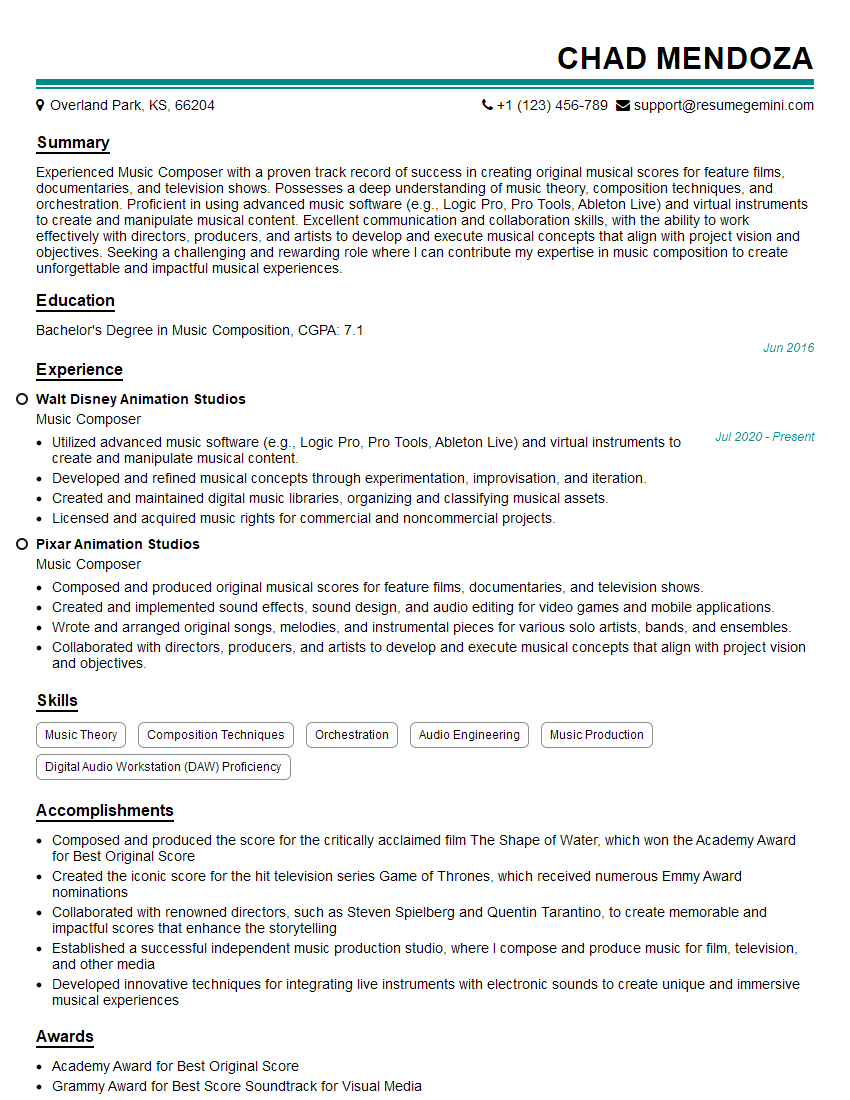
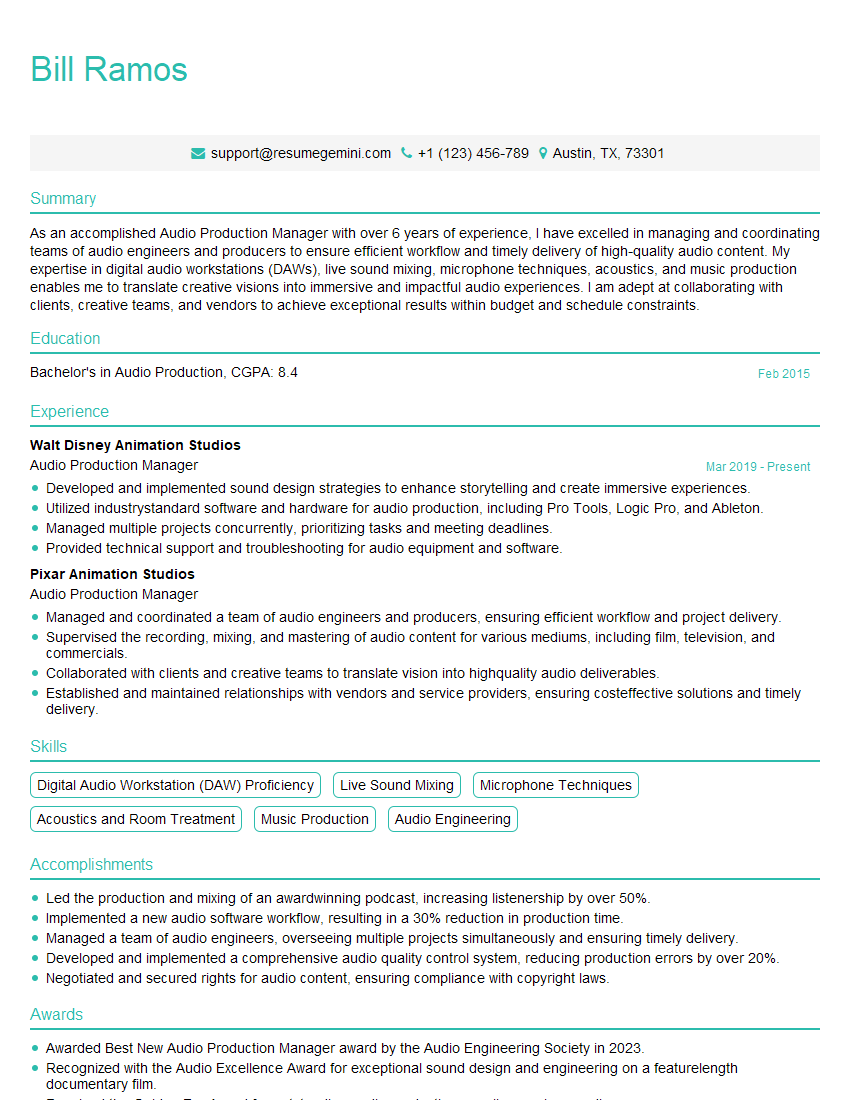
Mastering Video Game Audio Design is key to unlocking exciting career opportunities in the vibrant world of game development. A strong portfolio is essential, but a well-crafted resume is your first impression. An ATS-friendly resume significantly increases your chances of getting noticed by recruiters and landing your dream job. ResumeGemini is a trusted resource that can help you build a professional and impactful resume tailored to the specific requirements of the Video Game Audio Design field. Examples of resumes tailored to this specialization are available, empowering you to present your skills and experience effectively. Take the next step in your career journey today!

Explore more articles
Users Rating of Our Blogs
Share Your Experience
We value your feedback! Please rate our content and share your thoughts (optional).
What Readers Say About Our Blog
good