Unlock your full potential by mastering the most common Video Graphics and Animation interview questions. This blog offers a deep dive into the critical topics, ensuring you’re not only prepared to answer but to excel. With these insights, you’ll approach your interview with clarity and confidence.
Questions Asked in Video Graphics and Animation Interview
Q 1. Explain the difference between keyframing and tweening.
Keyframing and tweening are fundamental animation techniques. Keyframing involves setting specific poses or positions at key moments in an animation sequence. Think of it like setting the start and end points of a journey. Tweening, on the other hand, is the process of automatically generating the intermediate frames between keyframes, smoothly transitioning from one pose to the next. It’s like the car driving smoothly between those start and end points.
For example, in animating a bouncing ball, you’d keyframe the ball at its highest point and its lowest point. Tweening would then create the in-between frames showing the ball’s arc and compression. Without tweening, you’d have to manually draw every single frame, a laborious process. The effectiveness of tweening hinges on the quality of your keyframes; poorly placed keyframes will result in a jerky animation regardless of how sophisticated your tweening algorithm is. Many software packages allow for different types of tweening (linear, ease-in, ease-out etc.) to control the pacing and feel of the movement.
Q 2. What are your preferred 3D modeling software packages and why?
My preferred 3D modeling software packages are Autodesk Maya and Blender. Maya is industry-standard software known for its powerful toolset and robust features, particularly beneficial for high-end projects demanding complex rigs and simulations. I appreciate its versatility and its extensive plugin ecosystem that expands its capabilities. However, it comes with a hefty price tag.
Blender, conversely, is a free and open-source option that’s surprisingly feature-rich. Its intuitive interface and powerful modeling, sculpting, and animation tools make it an excellent choice for projects of all scales, especially for independent artists or studios working with tighter budgets. I find its community-driven development impressive; the constant updates and improvements are incredible. The choice between the two often depends on the project’s budget, complexity, and team’s familiarity with the software.
Q 3. Describe your experience with different animation techniques (e.g., traditional, 2D, 3D).
My experience spans traditional animation, 2D animation, and 3D animation. I started with traditional animation, painstakingly drawing frame by frame, which instilled a deep appreciation for the fundamentals of movement and timing. This foundation is invaluable even in digital animation.
My 2D animation experience includes working with both hand-drawn techniques (using programs like Toon Boom Harmony) and vector-based animation (Adobe Animate). Vector animation is efficient for clean lines and scalable graphics, while hand-drawn provides a unique artistic texture.
In 3D animation, I’ve worked extensively with character rigging, animation, and rendering. I’m proficient in various workflows, from using motion capture data to manually keyframing complex character performances. This combination of traditional and digital experience gives me a comprehensive understanding of the animation process, allowing me to adapt to diverse project requirements and artistic styles.
Q 4. How do you approach creating realistic character animation?
Creating realistic character animation is a multi-faceted process requiring a deep understanding of anatomy, physics, and acting principles. My approach begins with thorough research; studying human movement through reference videos and anatomical diagrams is crucial. Understanding the underlying skeletal structure and muscle interactions informs how I approach the animation process.
I start by building a believable rig, ensuring the character’s movement is fluid and natural. Then, I focus on timing and spacing, meticulously crafting each movement’s rhythm and duration to convey emotion and intent. Subtle details, like weight shifts, subtle facial expressions, and secondary actions (like the swaying of clothing), enhance realism. Finally, I iterate and refine the animation through multiple passes, continuously assessing whether the performance is convincing and emotionally resonant.
For instance, to animate a realistic walk, I’d focus on the weight transfer between the legs, the subtle rotation of the pelvis, and the corresponding arm swing. Ignoring these details would result in an unnatural, robotic walk. The process often involves collaboration with animators, technical directors, and directors to achieve the best possible outcome.
Q 5. What is your experience with motion capture technology?
I have significant experience with motion capture (mocap) technology. I’ve worked with both optical and inertial mocap systems, capturing data from actors’ performances and integrating it into 3D animation pipelines. Optical mocap uses cameras to track markers placed on an actor, while inertial mocap uses sensors embedded in a suit. Both methods have their strengths and weaknesses; optical mocap offers higher accuracy but requires a dedicated motion capture stage, while inertial systems are more portable but can be susceptible to noise and drift.
Using mocap data isn’t simply a matter of direct application. The raw data often requires cleaning, retargeting (mapping the motion to the 3D character), and significant editing to achieve a realistic and believable animation. A deep understanding of animation principles remains crucial even when using mocap; raw mocap data rarely translates directly into a polished performance, requiring considerable refinement and artistic interpretation. I’ve worked with different software packages for mocap processing and integration, ensuring a seamless pipeline from capture to final animation.
Q 6. Explain your understanding of lighting and shadowing in animation.
Lighting and shadowing are critical for creating believable and visually engaging animation. They establish mood, define form, and enhance the realism of a scene. My understanding encompasses both the technical and artistic aspects of lighting.
Technically, I’m adept at using various lighting techniques, including key lighting, fill lighting, and backlighting, to control the intensity, color, and direction of light sources. I understand the principles of shadow casting, understanding how shadows contribute to depth and volume. Different types of shadows (hard shadows, soft shadows) contribute different aspects to the scene’s mood.
Artistically, lighting choices impact the emotional narrative. A dimly lit scene might convey suspense, whereas bright, vibrant lighting creates a cheerful atmosphere. I strive to use lighting strategically to guide the viewer’s eye and emphasize important details. For example, using a spotlight to highlight a character’s face during an emotional moment would draw attention and amplify the impact.
Q 7. Describe your process for creating a compelling visual narrative.
Creating a compelling visual narrative requires a holistic approach encompassing storytelling, visual design, and animation. I start by deeply understanding the story’s core message and emotional arc. This involves storyboarding, which helps visualize the sequence of events and establish the pacing and composition of each shot.
Then, I meticulously design the visual style, choosing the appropriate animation techniques, character designs, and environments to reflect the story’s tone and theme. Visual consistency is maintained throughout the entire process. The animation itself needs to be expressive and clear, enhancing the narrative with subtle cues and strong visual storytelling. I use various techniques like camera movement, editing, and sound design to control the pacing, emphasize key moments, and create a dynamic viewing experience.
For instance, in a dramatic scene, a slow camera zoom coupled with subdued lighting and a poignant soundtrack would amplify the emotional weight, while a fast-paced action sequence would use quick cuts, dynamic camera angles, and intense music to create excitement. The iterative process involves continuous feedback and refinement, ensuring the visual narrative is impactful and engaging from beginning to end.
Q 8. How do you handle feedback and revisions on your animation projects?
Feedback is crucial in animation. I approach revisions collaboratively, viewing them as opportunities for improvement, not criticism. My process begins with careful listening and clarification of the feedback. I ensure I fully understand the director’s or client’s vision before implementing any changes. I then prioritize revisions based on impact and urgency, often creating a detailed plan outlining the steps needed and their estimated time. For example, if feedback concerns a character’s emotion in a specific scene, I might adjust the animation curves, refine the facial expressions, or even re-shoot some parts. Once the changes are implemented, I always present a revised version for review, ensuring the feedback has been accurately addressed. Regular communication throughout the process is key, making sure everyone’s on the same page. I use version control systems diligently, allowing for easy tracking of changes and the possibility to revert to previous iterations if needed.
Q 9. What are some common challenges you face in the animation pipeline?
The animation pipeline presents several challenges. One common issue is managing the balance between artistic vision and technical feasibility. A stunningly designed character might be incredibly complex to rig and animate, leading to longer render times or performance issues. Another significant challenge is meeting deadlines, especially in high-pressure environments. This often necessitates careful planning, efficient workflow optimization, and sometimes tough decisions about sacrificing minor details to meet the timeline. Collaboration across different departments (modeling, texturing, rigging, animation, compositing) can be complex, requiring strong communication and a shared understanding of goals. Finally, ensuring consistency in style and quality throughout the animation, particularly in large projects, can prove difficult and requires a keen eye for detail and attention to a central style guide.
Q 10. How do you optimize animation files for different platforms and resolutions?
Optimizing animation files depends heavily on the target platform and its capabilities. For web delivery, smaller file sizes are paramount. Techniques include reducing the frame rate (e.g., from 60fps to 30fps or even 24fps), lowering the resolution, compressing video codecs strategically (H.264, H.265), and using efficient file formats like MP4. For high-resolution displays or cinematic releases, maintaining a high resolution and frame rate is crucial, but compression techniques still play a significant role. I also utilize techniques like baking complex geometry and shading into texture maps to reduce rendering load. For mobile devices, I consider reducing polygon counts and using simpler shaders. It often involves testing on different devices to ensure the animation runs smoothly without noticeable lag or artifacts.
Q 11. What is your experience with compositing software?
I have extensive experience with compositing software, primarily using Nuke and After Effects. Nuke is my go-to for high-end visual effects compositing, leveraging its node-based workflow for complex tasks such as rotoscoping, keying, color correction, and creating realistic digital environments. After Effects excels for motion graphics, simpler compositing, and post-production tasks like adding text, titles, and visual effects. I’m proficient in creating and utilizing masks, mattes, and various compositing modes to achieve the desired visual effects. For example, in a recent project, I used Nuke to composite a CGI character seamlessly into a live-action scene, dealing with complex lighting and shadow matching for realism.
Q 12. Describe your workflow for creating realistic textures and materials.
Creating realistic textures and materials is a multi-step process that I begin by gathering reference images. This might include photographs, scans of real-world objects, or even video footage. I then use software like Substance Painter and Mari to create detailed texture maps, incorporating features like normal maps, diffuse maps, specular maps, and roughness maps. These maps define the surface characteristics of the material, such as color, bumpiness, reflectivity, and how it interacts with light. I often utilize techniques like procedural texturing to generate complex patterns and variations. For instance, to create a realistic stone texture, I might combine several layers: a base color map with variations, a normal map to add surface detail, a roughness map to define the smoothness or roughness of the surface, and a specular map to define its shininess. The final textures are then applied to the 3D model, bringing it to life.
Q 13. Explain your understanding of rigging and skinning techniques.
Rigging and skinning are fundamental aspects of character animation. Rigging involves creating a skeletal structure within a 3D model, allowing for controlled deformation of the mesh. This structure includes joints, bones, and controllers that animators manipulate to pose and animate the character. Skinning is the process of connecting the mesh to the bones, defining how the surface deforms when the bones are moved. I’m proficient in various rigging techniques, including the use of inverse kinematics (IK) and forward kinematics (FK). IK allows for more intuitive posing, automatically calculating bone rotations based on the end effector’s position, while FK requires manual control of each joint. I choose the most appropriate technique based on the character and the animation requirements. For example, a complex character might need a combination of IK and FK for optimal control, ensuring smooth and realistic movement.
Q 14. How familiar are you with different rendering techniques?
I am familiar with various rendering techniques, including ray tracing, rasterization, and path tracing. Ray tracing is a technique that simulates how light interacts with objects in a scene, resulting in realistic reflections, refractions, and shadows. Rasterization is a faster method that converts 3D models into 2D images for display, often used in real-time rendering. Path tracing is a more advanced method that simulates light transport more accurately than ray tracing, producing even more realistic images. My experience includes using render engines such as Arnold, V-Ray, and Cycles. The choice of rendering technique often depends on the project’s requirements—the desired level of realism, available resources, and the rendering time constraints. For instance, ray tracing might be preferred for high-end cinematic projects, while rasterization might be suitable for real-time games or interactive applications.
Q 15. What is your experience with procedural animation?
Procedural animation is a powerful technique that uses algorithms and code to generate animation automatically, instead of manually keyframing every movement. Think of it like giving the computer a set of rules and letting it figure out the details. This is incredibly efficient for creating complex, repetitive, or naturally-occurring movements.
My experience spans several projects where I leveraged procedural animation to create realistic crowd simulations, swaying trees in a windstorm, and the intricate movement of a flock of birds. For example, in a recent project involving a bustling city square, I utilized a particle system with custom behaviors to simulate the diverse movements of hundreds of pedestrians. Each pedestrian was guided by simple rules – avoiding collisions, maintaining a certain speed, and reacting to obstacles – which, collectively, produced a highly believable and dynamic scene. This saved countless hours of manual keyframing, and allowed me to explore different scenarios quickly by adjusting the underlying parameters.
I’m proficient in using various scripting languages such as Python and Houdini’s VEX to implement these procedural animations, and am familiar with implementing them within popular game engines like Unity and Unreal Engine.
Career Expert Tips:
- Ace those interviews! Prepare effectively by reviewing the Top 50 Most Common Interview Questions on ResumeGemini.
- Navigate your job search with confidence! Explore a wide range of Career Tips on ResumeGemini. Learn about common challenges and recommendations to overcome them.
- Craft the perfect resume! Master the Art of Resume Writing with ResumeGemini’s guide. Showcase your unique qualifications and achievements effectively.
- Don’t miss out on holiday savings! Build your dream resume with ResumeGemini’s ATS optimized templates.
Q 16. Describe your experience with particle effects and simulations.
Particle effects and simulations are essential for creating visually stunning and realistic effects in animation, from explosions and fire to rain and smoke. My experience includes a wide range of particle systems, from simple emitter-based systems to more sophisticated fluid and smoke simulations. I’ve worked extensively with software like Houdini, Maya, and Unreal Engine, utilizing their built-in tools and custom shaders to fine-tune the visual fidelity and performance of particle effects.
For instance, in a recent project depicting a volcanic eruption, I used a combination of fluid simulation to create the lava flow and particle systems to depict ash and debris. I carefully controlled parameters like particle size, velocity, and lifespan to achieve a convincing level of realism. I’m adept at optimizing these simulations for efficient rendering, balancing visual quality with performance requirements. This involved techniques like level of detail (LOD) systems and custom culling methods.
My understanding also extends to the underlying physics principles that govern particle behavior, allowing me to troubleshoot unexpected results and create realistic interactions between particles and other elements in the scene.
Q 17. Explain your experience working with version control systems (e.g., Git).
Version control systems, like Git, are indispensable for collaborative projects. I’ve been using Git professionally for over five years, and my proficiency extends to branching, merging, resolving conflicts, and utilizing remote repositories like GitHub and Bitbucket. I’m familiar with common Git workflows, including Gitflow and GitHub Flow.
A robust understanding of version control is critical for maintaining project integrity and streamlining collaboration. For instance, I regularly use Git branching to manage features, bug fixes, and experiments in parallel, avoiding conflicts and ensuring a smooth integration process. I have experience using Git hooks for automated tasks and have helped team members learn and utilize Git effectively. This ensures everyone is on the same page and contributes to a cleaner, more organized project history.
Q 18. How do you collaborate effectively with other team members in a project?
Effective collaboration is paramount in animation. I believe in open communication and proactive collaboration. My approach involves clear communication of tasks and deadlines, regular check-ins with team members, and proactive identification and resolution of potential conflicts. I’m comfortable working with diverse teams, including artists, programmers, and producers.
I use project management tools like Jira and Trello to organize tasks, track progress, and facilitate communication. We often use daily stand-up meetings to discuss progress, roadblocks, and coordinate efforts. I’m adept at understanding other team members’ roles and contributions and ensure that my work supports the overall project goals. For example, by providing timely feedback on other artists’ work and clearly documenting my process, I ensure that our team remains synchronized and achieves a cohesive final product.
Q 19. Describe a time you had to troubleshoot a technical problem in your animation workflow.
During post-production on a short film, we encountered a significant issue with the rendering process. Our final render was producing artifacts, specifically flickering textures on a crucial character model. Initially, we suspected a problem with the model itself, but after thorough investigation, including checking for UV mapping errors and geometry issues, we determined that the root cause was a conflict in the texture settings between our rendering software and the game engine used for some of the visual effects.
We systematically narrowed down the problem by isolating individual components of the rendering pipeline, testing different texture formats and compression levels, and meticulously checking the software’s documentation and community forums. Ultimately, we discovered a bug in a specific shader which, under certain rendering conditions, caused the flickering effect. By modifying the shader code and re-rendering specific sections, we resolved the issue and delivered the project on time. This experience reinforced the importance of methodical troubleshooting, collaboration, and meticulous attention to detail.
Q 20. What is your experience with different file formats (e.g., FBX, OBJ, Alembic)?
My experience with various 3D file formats is extensive. I routinely work with FBX, OBJ, Alembic, and other common formats. Understanding the strengths and weaknesses of each format is crucial for efficient pipeline management and maintaining data integrity. FBX is excellent for preserving animation data and hierarchical structures, making it ideal for exchanging data between different applications. OBJ is a simpler, more widely compatible format, often used for static geometry. Alembic is favored for complex scenes with high-resolution geometry and intricate animation data, offering exceptional fidelity and performance in rendering.
I’m aware of potential compatibility issues and data loss that can occur when converting between these formats. I usually select the appropriate format based on the specific needs of the project and application, always testing for compatibility and data integrity before finalizing the asset pipeline. This minimizes risks and ensures a smooth workflow throughout production.
Q 21. How familiar are you with color grading and color correction?
Color grading and color correction are critical for establishing the visual mood and style of an animation. My experience involves using professional-grade software like DaVinci Resolve and Adobe After Effects to adjust color balance, contrast, saturation, and other parameters. I understand the importance of color theory and its application in achieving a consistent and visually appealing look.
Color correction focuses on fixing technical issues such as inconsistencies in lighting or exposure, ensuring accuracy and realism. Color grading, on the other hand, is more artistic, involving stylistic choices to enhance the emotional impact and overall aesthetic appeal of the final product. I often collaborate with colorists to achieve the desired aesthetic, leveraging their expertise and insights.
For example, I’ve used color grading to create distinct moods in different scenes of a fantasy film, using warmer tones for intimate scenes and cooler tones for more action-oriented sequences. My approach prioritizes the project’s overall visual style and artistic vision.
Q 22. What are your strengths and weaknesses as an animator?
My greatest strength as an animator lies in my ability to blend technical proficiency with a strong artistic vision. I’m highly skilled in various software packages like Maya, Blender, and After Effects, and I possess a deep understanding of animation principles, such as squash and stretch, anticipation, and follow-through. I’m also adept at creating realistic and stylized animations, adapting my style to suit the project’s needs. For example, I recently successfully animated a highly realistic character for a cinematic trailer, then immediately transitioned to a stylized, cartoony character for a children’s show. This adaptability is key to my success.
However, I recognize that perfectionism can sometimes be a weakness. I strive for the highest quality in all my work, which occasionally leads to me spending extra time on details. I’m actively working on improving my time management skills to mitigate this, employing techniques such as breaking down large tasks into smaller, manageable chunks and setting realistic deadlines.
Q 23. Where do you see yourself in 5 years in the animation industry?
In five years, I envision myself as a senior animator or animation lead, contributing significantly to high-profile projects. I’m eager to hone my leadership skills, mentoring junior animators and guiding them to achieve their full potential. I also aim to expand my skillset into areas like rigging and character modeling, becoming a more well-rounded and valuable asset to any team. My goal is to be involved in projects that push the boundaries of animation and storytelling, ultimately contributing to the evolution of the industry.
Q 24. What are your salary expectations?
My salary expectations are commensurate with my experience and skills, and are competitive within the industry standards for a senior animator with my expertise. I’m open to discussing specific figures based on the project scope, company benefits, and overall compensation package.
Q 25. Describe your approach to time management on complex animation projects.
Managing time on complex animation projects requires a structured approach. I begin by carefully analyzing the project’s scope, breaking down the animation pipeline into smaller, manageable tasks. I then utilize project management tools like Trello or Asana to create a detailed schedule with realistic deadlines for each task. Regular progress checks and adjustments are crucial; I use daily or weekly stand-up meetings to track progress, identify potential roadblocks, and reallocate resources as needed. Prioritization is key; I focus on critical path tasks first, ensuring the project stays on schedule. For instance, on a recent project with multiple characters and intricate scenes, I used a Gantt chart to visualize the dependencies between tasks, and this allowed me to efficiently manage the workload and deliver the project on time.
Q 26. How do you stay up-to-date with the latest trends and technologies in animation?
Staying current in the rapidly evolving animation industry demands a proactive approach. I regularly attend industry conferences, workshops, and online webinars to learn about new techniques and technologies. I actively follow leading animation studios and artists on social media platforms like ArtStation and Instagram, gaining inspiration and insights into innovative practices. I also subscribe to industry publications and online resources, and dedicate time each week to experimenting with new software features and exploring emerging trends like motion capture and procedural animation.
Q 27. What are your preferred methods for generating realistic human movements?
Generating realistic human movement is a multi-faceted challenge. My preferred methods involve a combination of techniques. I frequently use motion capture data as a base, cleaning and refining the captured movements to enhance realism and fluidity. However, I recognize that motion capture alone isn’t sufficient; I carefully study human anatomy and biomechanics to understand the underlying principles of movement. This allows me to correct or enhance the motion capture data, or even create animation from scratch when motion capture isn’t feasible. I also use reference videos of real-life performances to inform my animation, paying attention to subtle details like weight shifts and the interplay between different body parts. For example, I recently used motion capture data for a fight scene, but spent considerable time adjusting the timing and weight to make the blows more impactful and believable.
Q 28. Explain your experience with creating believable facial expressions.
Creating believable facial expressions involves more than just animating individual muscles; it requires an understanding of emotion and human psychology. I approach this by first studying the subtleties of facial expressions in real life, using photographs, videos, and even acting myself to grasp the nuances of different emotions. I then translate these observations into animation, paying close attention to the interplay between the eyes, mouth, eyebrows, and even subtle changes in the overall facial shape. I utilize techniques like secondary animation (subtle movements that add realism) and consider the context of the scene and the character’s personality when designing facial expressions. For a recent project, I studied how different emotional states affect muscle contractions around the eyes and mouth to craft believable expressions of sadness, anger, and surprise for a character in a dramatic scene.
Key Topics to Learn for Video Graphics and Animation Interview
- 3D Modeling & Animation Principles: Understanding fundamental concepts like rigging, skinning, weight painting, and animation techniques (e.g., keyframing, motion capture). Practical application: Discuss your experience creating realistic or stylized character animations.
- Texturing & Shading: Knowledge of different texturing techniques (procedural, image-based), shading models (e.g., Phong, Blinn-Phong), and materials. Practical application: Explain your approach to creating believable and visually appealing surfaces for 3D models.
- Lighting & Rendering: Proficiency in lighting techniques (e.g., three-point lighting, HDRI), rendering engines (e.g., Arnold, V-Ray, Cycles), and optimization strategies. Practical application: Describe how you achieved realistic or stylized lighting in a past project.
- Software Proficiency: Demonstrate expertise in industry-standard software like Maya, Blender, 3ds Max, Cinema 4D, Houdini, or other relevant tools. Practical application: Showcase your portfolio and highlight projects that effectively utilized specific software features.
- Visual Storytelling & Composition: Understanding principles of visual communication, narrative structure, and cinematic composition. Practical application: Analyze your animation’s effectiveness in conveying a story or message.
- Workflow & Pipeline: Knowledge of common animation pipelines, asset management, and version control. Practical application: Discuss your experience collaborating on a team project and maintaining organized workflows.
- Problem-Solving & Troubleshooting: Ability to identify and resolve technical challenges encountered during the animation process. Practical application: Describe how you overcame a specific technical hurdle in a project.
Next Steps
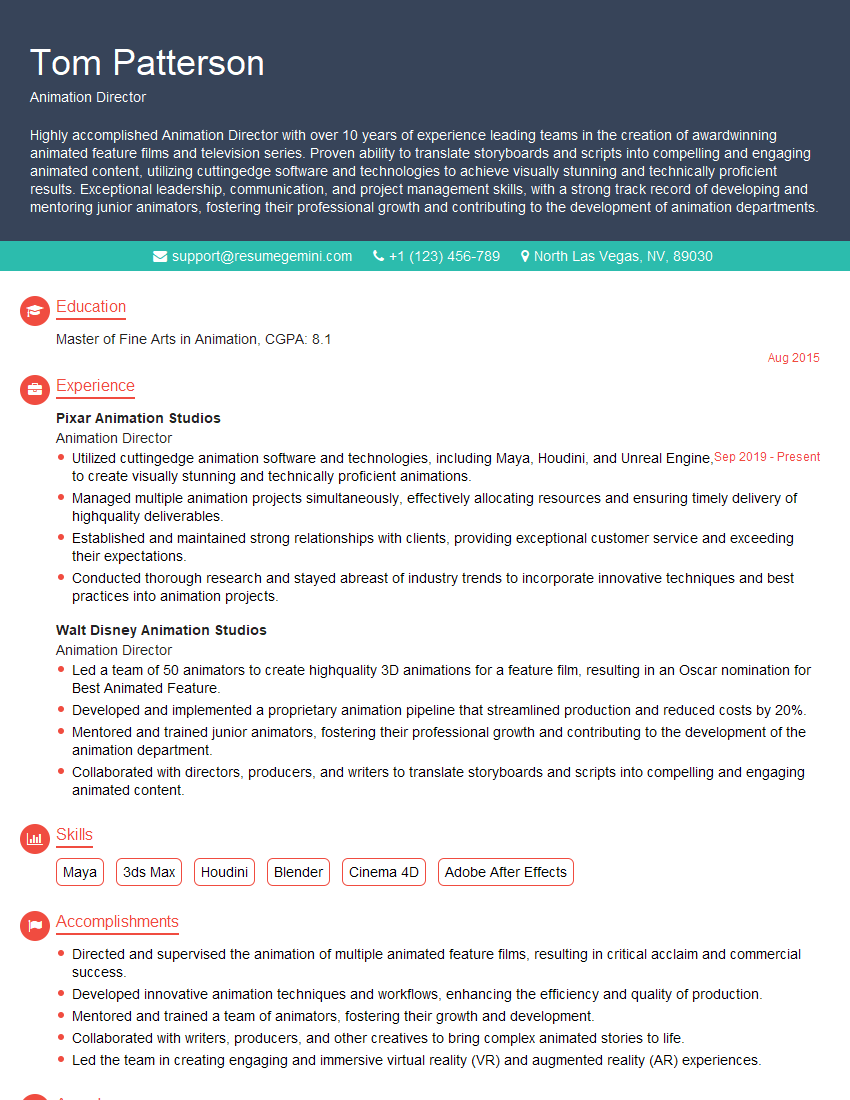
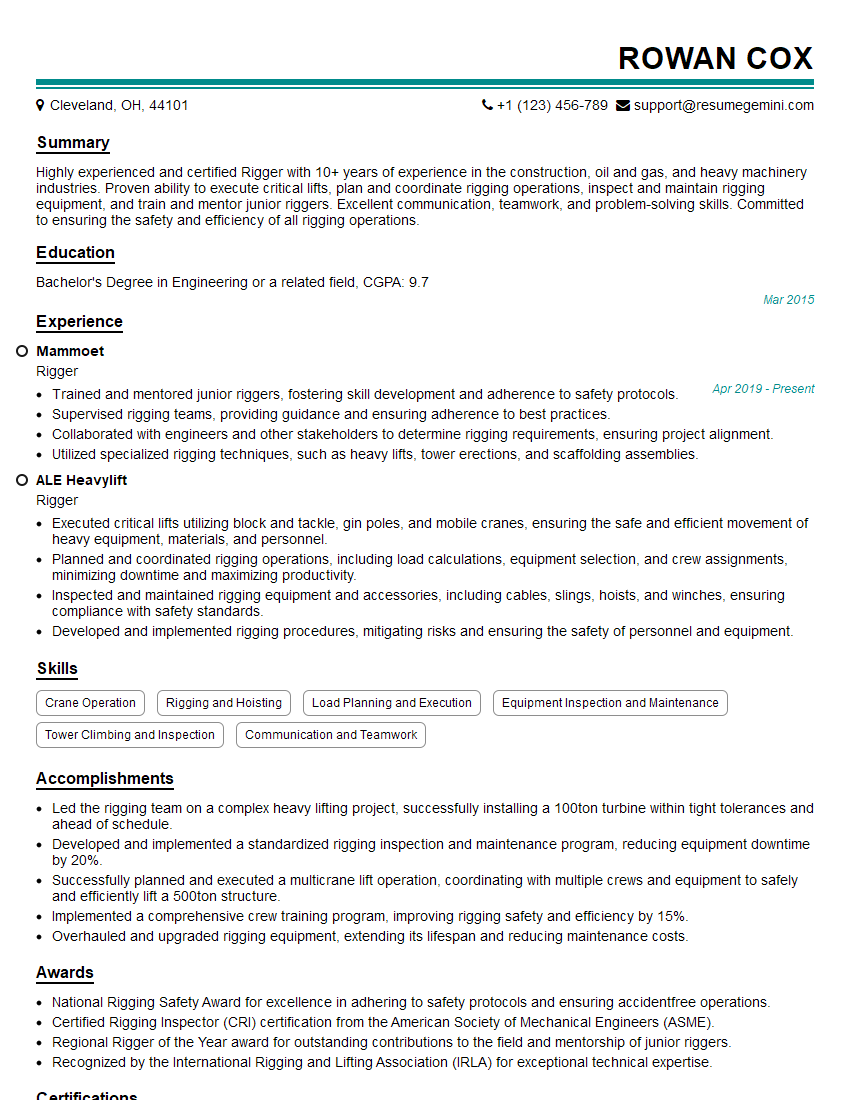
Mastering Video Graphics and Animation opens doors to exciting careers in film, gaming, advertising, and more! A strong portfolio is crucial, but so is a resume that effectively communicates your skills and experience to potential employers. Creating an ATS-friendly resume is key to maximizing your job prospects. To help you build a professional and impactful resume, we highly recommend using ResumeGemini. ResumeGemini provides you with the tools and resources to craft a compelling resume, and we even offer examples of resumes tailored specifically to the Video Graphics and Animation field to help you get started.



Explore more articles
Users Rating of Our Blogs
Share Your Experience
We value your feedback! Please rate our content and share your thoughts (optional).
What Readers Say About Our Blog
Hello,
we currently offer a complimentary backlink and URL indexing test for search engine optimization professionals.
You can get complimentary indexing credits to test how link discovery works in practice.
No credit card is required and there is no recurring fee.
You can find details here:
https://wikipedia-backlinks.com/indexing/
Regards
NICE RESPONSE TO Q & A
hi
The aim of this message is regarding an unclaimed deposit of a deceased nationale that bears the same name as you. You are not relate to him as there are millions of people answering the names across around the world. But i will use my position to influence the release of the deposit to you for our mutual benefit.
Respond for full details and how to claim the deposit. This is 100% risk free. Send hello to my email id: [email protected]
Luka Chachibaialuka
Hey interviewgemini.com, just wanted to follow up on my last email.
We just launched Call the Monster, an parenting app that lets you summon friendly ‘monsters’ kids actually listen to.
We’re also running a giveaway for everyone who downloads the app. Since it’s brand new, there aren’t many users yet, which means you’ve got a much better chance of winning some great prizes.
You can check it out here: https://bit.ly/callamonsterapp
Or follow us on Instagram: https://www.instagram.com/callamonsterapp
Thanks,
Ryan
CEO – Call the Monster App
Hey interviewgemini.com, I saw your website and love your approach.
I just want this to look like spam email, but want to share something important to you. We just launched Call the Monster, a parenting app that lets you summon friendly ‘monsters’ kids actually listen to.
Parents are loving it for calming chaos before bedtime. Thought you might want to try it: https://bit.ly/callamonsterapp or just follow our fun monster lore on Instagram: https://www.instagram.com/callamonsterapp
Thanks,
Ryan
CEO – Call A Monster APP
To the interviewgemini.com Owner.
Dear interviewgemini.com Webmaster!
Hi interviewgemini.com Webmaster!
Dear interviewgemini.com Webmaster!
excellent
Hello,
We found issues with your domain’s email setup that may be sending your messages to spam or blocking them completely. InboxShield Mini shows you how to fix it in minutes — no tech skills required.
Scan your domain now for details: https://inboxshield-mini.com/
— Adam @ InboxShield Mini
Reply STOP to unsubscribe
Hi, are you owner of interviewgemini.com? What if I told you I could help you find extra time in your schedule, reconnect with leads you didn’t even realize you missed, and bring in more “I want to work with you” conversations, without increasing your ad spend or hiring a full-time employee?
All with a flexible, budget-friendly service that could easily pay for itself. Sounds good?
Would it be nice to jump on a quick 10-minute call so I can show you exactly how we make this work?
Best,
Hapei
Marketing Director
Hey, I know you’re the owner of interviewgemini.com. I’ll be quick.
Fundraising for your business is tough and time-consuming. We make it easier by guaranteeing two private investor meetings each month, for six months. No demos, no pitch events – just direct introductions to active investors matched to your startup.
If youR17;re raising, this could help you build real momentum. Want me to send more info?
Hi, I represent an SEO company that specialises in getting you AI citations and higher rankings on Google. I’d like to offer you a 100% free SEO audit for your website. Would you be interested?
Hi, I represent an SEO company that specialises in getting you AI citations and higher rankings on Google. I’d like to offer you a 100% free SEO audit for your website. Would you be interested?
good