The thought of an interview can be nerve-wracking, but the right preparation can make all the difference. Explore this comprehensive guide to Videography and Editing interview questions and gain the confidence you need to showcase your abilities and secure the role.
Questions Asked in Videography and Editing Interview
Q 1. Explain your experience with different video editing software (e.g., Adobe Premiere Pro, Final Cut Pro, DaVinci Resolve).
My video editing journey spans over a decade, encompassing extensive experience with industry-leading software. I’m highly proficient in Adobe Premiere Pro, utilizing its advanced features for complex projects involving intricate multi-camera edits and sophisticated effects. For projects requiring a more streamlined workflow, I often leverage Final Cut Pro’s intuitive interface and powerful magnetic timeline. Finally, DaVinci Resolve’s color grading capabilities are unparalleled, making it my go-to for projects demanding exceptional color correction and grading. Each software has its strengths; Premiere Pro excels in its versatility and extensive plugin support, Final Cut Pro in its speed and ease of use, and DaVinci Resolve in its color science and grading tools.
For instance, on a recent documentary project, Premiere Pro’s advanced audio mixing capabilities were crucial in creating a clean and immersive soundscape. In contrast, for a fast-turnaround corporate video, Final Cut Pro’s efficiency allowed me to deliver the project ahead of schedule without compromising quality.
Q 2. Describe your workflow for a typical video editing project.
My workflow is highly structured and iterative, ensuring efficiency and quality. It typically involves these key phases:
- Ingestion and Organization: I begin by meticulously organizing all source footage, audio files, and graphics into a clearly labeled project folder. This prevents confusion and saves time later.
- Rough Cut: I assemble a rough cut, focusing on the sequence and pacing of the story. This is where I experiment with different cuts and transitions to identify the most effective narrative structure.
- Fine Cut: After reviewing the rough cut, I refine the edits, paying close attention to detail. This stage involves tightening the pacing, adjusting transitions, and ensuring smooth visual flow.
- Color Correction and Grading: I then move on to color correction, ensuring consistency and visual appeal across the entire project. Color grading is often the final touch to enhance the mood and style.
- Audio Mixing and Mastering: This crucial stage involves balancing and mixing audio elements to create a clear and engaging soundscape. Mastering optimizes the overall audio quality for distribution.
- Final Review and Export: The final stage includes a thorough review before exporting the video in the appropriate format and resolution for its intended platform.
This iterative process allows for flexibility and ensures that the final product meets the highest standards. Each stage is meticulously documented, facilitating easy collaboration and future revisions.
Q 3. How do you handle color correction and grading in your projects?
Color correction and grading are critical for achieving a polished, professional look. I use a combination of software tools and techniques, often starting with color correction in DaVinci Resolve to balance exposure, white balance, and color temperature. This ensures a consistent look across all shots. Then, I move onto color grading, employing creative techniques to enhance the mood, style, and overall aesthetic. This might involve applying LUTs (Look Up Tables) for a specific film look or meticulously adjusting individual color curves to achieve a unique visual signature.
For example, in a recent music video, I used a desaturated color palette to emphasize the song’s melancholic tone, creating a specific mood through thoughtful color grading. Careful attention to detail in these stages significantly impacts viewer experience.
Q 4. What are your preferred methods for audio mixing and mastering?
My audio workflow prioritizes clarity and impact. I use a combination of professional audio editing software, typically Adobe Audition or the audio tools integrated within Premiere Pro. I begin with noise reduction and cleaning up individual audio tracks, then focus on balancing levels and applying EQ (Equalization) and compression to enhance clarity and dynamic range. This ensures all audio elements are well-integrated and don’t clash. For complex projects, I might use a dedicated DAW (Digital Audio Workstation) for intricate mixing and mastering.
The final mastering stage involves optimizing the overall loudness and dynamic range to suit the target platform. Careful attention to detail ensures that the audio complements the visuals and elevates the overall viewer experience. For example, in a corporate video, ensuring clear and understandable speech is crucial; in contrast, a music video might require more creative sound design and mixing to match the song’s energy.
Q 5. Explain your experience with motion graphics and animation.
I have significant experience creating motion graphics and animation. I’m proficient in Adobe After Effects and Cinema 4D. I often integrate these elements into video projects to enhance storytelling and visual interest, creating everything from lower thirds and title sequences to more complex animated sequences and visual effects.
For example, I recently created a series of animated explainer videos using After Effects. This involved designing and animating characters, creating dynamic transitions, and incorporating custom illustrations to effectively convey complex information. My experience spans from simple text animations to complex 3D modelling and animation depending on the project’s requirements.
Q 6. How do you manage large video files and maintain project organization?
Managing large video files and maintaining project organization is critical. I employ a multi-pronged approach. Firstly, I use high-performance storage solutions—both internal and external—to efficiently handle large files. Secondly, I utilize a robust file naming convention that ensures easy searchability and organization. This usually includes date, project name, and shot number. Thirdly, I leverage project management software to track assets and revisions, maintaining a clear and organized workflow. Furthermore, I regularly back up all my projects to cloud storage and external hard drives to prevent data loss.
A well-structured project folder, using subfolders for different stages (e.g., raw footage, edited sequences, audio files), is vital. This helps maintain clarity and efficiency throughout the editing process, especially on larger, more complex productions.
Q 7. Describe your experience with different camera systems and lenses.
My experience with camera systems and lenses is extensive. I’m comfortable operating various professional cameras, from cinema cameras like the Arri Alexa to DSLRs like the Canon EOS series and mirrorless cameras such as Sony Alpha series. I understand the nuances of different sensor sizes, image formats (RAW, ProRes), and the impact of various lenses on depth of field, perspective, and image quality. I have hands-on experience with a variety of lenses, including wide-angle, telephoto, macro, and specialized cinema lenses. I can choose the appropriate equipment for a given project based on its requirements and the desired aesthetic.
For example, using a wide-angle lens would be appropriate for establishing shots and conveying scale, while a telephoto lens would be suitable for capturing detailed close-ups. This understanding ensures I can capture footage that meets the highest standards and vision of the project.
Q 8. How do you approach storytelling in your video projects?
Storytelling in video is about crafting a compelling narrative that resonates with the audience. It’s not just about filming events; it’s about creating an emotional journey. I begin by understanding the core message or theme. What feeling or idea do I want viewers to take away? Then, I develop a clear narrative structure: establishing the setting, introducing characters, building tension, and offering resolution. I carefully select shots and sequences to convey emotion and meaning, using techniques like pacing, music, and sound design to amplify the narrative impact. For example, in a documentary about a struggling artist, I might use slow, contemplative shots to highlight their dedication, contrasting them with fast-paced sequences during a triumphant exhibition opening to emphasize the emotional arc. The process is iterative – I constantly review the footage, making adjustments to ensure the story unfolds naturally and powerfully.
Q 9. What are your strategies for optimizing video for different platforms (e.g., YouTube, Vimeo, social media)?
Optimizing videos for different platforms requires a tailored approach. YouTube, for instance, benefits from high-resolution footage, engaging thumbnails, and compelling titles optimized for search. I’ll focus on clear audio and a strong call to action within the video. On Vimeo, the emphasis is often on artistic merit; the quality should be exceptional, and metadata is crucial for discoverability. Social media platforms like Instagram or TikTok demand short, attention-grabbing content. Vertical videos, quick cuts, and impactful music often perform best, along with well-crafted captions and relevant hashtags. I might use different aspect ratios and editing styles to suit each platform, focusing on what resonates best with that audience’s preferences and viewing habits. For example, a beautiful, slow-motion landscape shot might be perfect for Vimeo but too languid for TikTok.
Q 10. How familiar are you with video compression techniques?
I’m highly familiar with video compression techniques. Understanding compression is vital for balancing file size and quality. Lossy compression, like H.264 or H.265 (HEVC), reduces file size by discarding some data, which is acceptable for most online viewing scenarios. Lossless compression maintains all the original data, resulting in larger files ideal for archiving or post-production editing but impractical for online distribution. The choice depends heavily on the project’s requirements and the target platform. I meticulously select the appropriate codec (e.g., H.264, ProRes, DNxHD), bitrate, and resolution to achieve the optimal balance between file size and visual quality. I frequently analyze the results using waveform monitors and vectorscopes to ensure the compressed video maintains its fidelity.
Q 11. Explain your experience with video encoding and exporting for various formats.
My experience with video encoding and exporting is extensive. I’m proficient in a range of software, including Adobe Media Encoder, DaVinci Resolve, and Final Cut Pro X. I understand the nuances of different container formats (MP4, MOV, AVI) and codecs (H.264, H.265, ProRes, DNxHD) and choose the appropriate combination based on platform requirements, target audience, and desired quality level. For instance, I’d use ProRes for internal editing because it’s lossless and enables high-quality intermediate files, then switch to H.264 for final delivery to YouTube or Vimeo for optimal compatibility and streaming efficiency. Understanding the interplay of bitrate, resolution, and frame rate is key to delivering a high-quality video that is optimized for the intended platform without unnecessary file size.
Q 12. Describe your troubleshooting skills related to video and audio issues.
Troubleshooting video and audio issues is a crucial part of my workflow. I approach it systematically. First, I isolate the problem—is it a hardware issue, software glitch, or a problem with the source material? For audio issues, I’ll check levels, identify noise sources (hum, hiss), and adjust settings as needed. For video problems, I’ll inspect footage for artifacts, compression issues, or codec incompatibility. I’m familiar with common issues like dropped frames, interlacing problems, and color banding and use tools like waveform monitors, vectorscopes, and histograms to diagnose and correct these. I use a combination of technical knowledge, problem-solving skills, and often, a bit of creative trial and error, to find solutions effectively. For example, if audio is too quiet, I’ll check the input gain on the recording device and use audio editing tools to normalize the levels. If I’m encountering codec errors, I’ll investigate the compatibility between software and hardware. My process is methodical and efficient, ensuring the final product is polished.
Q 13. How do you collaborate effectively with other members of a video production team?
Effective collaboration is essential for successful video production. I believe in open communication and clear roles. I actively participate in pre-production meetings, contributing to creative decisions and planning the logistical aspects. I communicate clearly with the director, cinematographer, and editors, and actively seek their feedback throughout the process. I use project management tools to track progress, manage assets, and ensure everyone stays on the same page. I am also adept at providing constructive criticism and receiving feedback gracefully, valuing diverse perspectives in the creative process. A collaborative, positive environment leads to better results. For example, during the editing process, I often invite the director to preview cuts, solicit their feedback, and iterate on the final product to ensure it meets their vision.
Q 14. Describe your experience with video asset management systems.
My experience with video asset management systems (VAMS) is extensive. I’ve used various solutions, from cloud-based platforms like Adobe Creative Cloud and Frame.io to on-premise systems. I understand the importance of metadata tagging, organizing files logically, and creating efficient workflows for access and retrieval. A well-organized VAMS dramatically streamlines the post-production process, reducing search time and preventing asset loss. I’m adept at implementing robust metadata schemes to ensure quick retrieval of specific shots or assets based on keyword searches or other metadata tags (such as scene, date, location, etc.). The use of a VAMS saves time, reduces errors, and helps to manage large projects effectively. I can adapt to a variety of VAMS to efficiently support any project.
Q 15. How do you stay up-to-date with the latest trends and technologies in video production?
Staying current in the dynamic field of video production requires a multi-pronged approach. I actively engage with several key resources. Firstly, I subscribe to industry-leading publications like No Film School and Premium Beat, which offer insightful articles, tutorials, and interviews with prominent figures. Secondly, I regularly attend webinars and online courses offered by platforms such as Skillshare and LinkedIn Learning, focusing on emerging technologies like AI-powered editing tools and new camera systems. Thirdly, I actively participate in online communities like Reddit’s r/videography and attend relevant industry conferences and workshops where I can network with other professionals and learn firsthand about the latest innovations. Finally, I meticulously follow prominent YouTubers and influencers in the videography space, observing their workflows and creative approaches. This holistic approach ensures I’m consistently abreast of the evolving landscape of video production.
Career Expert Tips:
- Ace those interviews! Prepare effectively by reviewing the Top 50 Most Common Interview Questions on ResumeGemini.
- Navigate your job search with confidence! Explore a wide range of Career Tips on ResumeGemini. Learn about common challenges and recommendations to overcome them.
- Craft the perfect resume! Master the Art of Resume Writing with ResumeGemini’s guide. Showcase your unique qualifications and achievements effectively.
- Don’t miss out on holiday savings! Build your dream resume with ResumeGemini’s ATS optimized templates.
Q 16. What is your experience with different video shooting techniques (e.g., interviews, B-roll, time-lapse)?
My experience encompasses a broad range of video shooting techniques. For interviews, I prioritize establishing a comfortable and relaxed atmosphere to elicit natural and engaging responses. This involves careful microphone placement (using lavalier mics for optimal audio quality), strategic lighting to flatter the subject, and thoughtful framing to create visual interest. B-roll footage is crucial for adding visual dynamism and context to my projects. I strategically plan and shoot B-roll before and after interviews, making sure to capture a variety of shots – wide shots establishing the location, medium shots showing details, and close-ups to capture textures and emotions. Time-lapse photography is another technique I frequently employ to condense lengthy processes into captivating sequences. For example, I recently used time-lapse to showcase the construction of a new building over several months, creating a visually stunning representation of the project’s progress. The successful execution of each technique requires meticulous planning, including shot lists, storyboards, and careful consideration of lighting and sound.
Q 17. How do you approach the selection of appropriate music and sound effects for your videos?
Music and sound effects are essential elements in shaping the mood and narrative of a video. My approach begins with a deep understanding of the video’s message and target audience. I carefully select music that complements the emotional tone, avoiding anything that distracts from the narrative. For example, an upbeat track might suit a promotional video, while a more somber melody could be appropriate for a documentary. I primarily utilize royalty-free music libraries like Epidemic Sound and Artlist, ensuring legal compliance while accessing a diverse range of high-quality tracks. Sound effects are used sparingly, strategically placed to enhance specific moments and add depth to the audio landscape. I often record my own sound effects when possible for a more unique and tailored outcome. The entire process involves meticulous trial and error to find the perfect auditory blend that enhances the visual storytelling.
Q 18. Describe your experience with creating video scripts and storyboards.
Creating effective video scripts and storyboards is fundamental to successful video production. I start with a detailed outline, identifying the key message, target audience, and desired emotional impact. The script is then developed, focusing on clear and concise language, while incorporating elements of storytelling to maintain audience engagement. The storyboard acts as a visual roadmap, detailing each shot, camera angles, and key actions, guiding the filming process. I use various tools for creating storyboards, including digital software like Adobe Story and even simple sketching on paper, depending on the project’s scope. A well-defined script and storyboard ensure efficient filming, minimize on-set adjustments, and contribute to a cohesive and well-structured final product. For example, on a recent corporate video, a detailed storyboard allowed the team to complete the shoot within budget and ahead of schedule.
Q 19. How would you approach editing a video that is significantly over budget?
When confronted with a significantly over-budget video, creative problem-solving is paramount. The first step involves a thorough review of the budget breakdown to identify areas of overspending. This may include negotiating with vendors for reduced rates or exploring alternative solutions, such as using readily available assets. The next step involves prioritizing the essential elements of the video. It’s crucial to maintain the core message and narrative, even if it means sacrificing certain visual embellishments or simplifying complex sequences. This might involve cutting down the video length, shortening scenes, or reducing the number of locations. Effective communication with the client is vital, ensuring transparency and reaching a mutually agreeable compromise on the final product. The focus shifts to maximizing impact with limited resources, perhaps emphasizing strong storytelling and editing rather than relying on extensive special effects.
Q 20. What are your strengths and weaknesses as a videographer/video editor?
My strengths lie in my meticulous attention to detail, my ability to adapt to various project requirements, and my proficiency in both shooting and editing. I’m adept at crafting compelling narratives through visual storytelling, and I excel at collaborating with clients to achieve their vision. My weakness, however, is my tendency to be overly perfectionistic, which can sometimes lead to extended editing times. I am actively working to improve my time management skills and learn to prioritize efficiently. I am also focusing on broadening my expertise in animation and motion graphics to further enhance my offerings.
Q 21. How do you handle constructive criticism on your video projects?
Constructive criticism is invaluable to my growth as a videographer and editor. I approach such feedback with an open mind, focusing on understanding the critic’s perspective. I actively listen to their concerns, asking clarifying questions to ensure a complete understanding. I analyze the feedback objectively, separating emotional reactions from the core criticisms. If the criticism is valid, I work to improve my skills and techniques accordingly. I may review the specific areas pointed out, research solutions, and seek further guidance from mentors or colleagues. I see constructive criticism not as a personal attack but as an opportunity to enhance my craft and create even better videos in the future. Documenting feedback and tracking improvements is key to ensuring continuous professional development.
Q 22. Explain your experience with using visual effects (VFX) in your videos.
My experience with visual effects (VFX) spans a wide range of techniques, from simple compositing to more complex 3D animation and motion tracking. I’m proficient in software like After Effects and Fusion, using them to enhance storytelling and create visually stunning results. For example, in a recent corporate video, I used After Effects to seamlessly integrate product renders into live-action footage, creating a polished and believable final product. In another project, I employed motion tracking to accurately overlay animated graphics onto a moving background, which added a dynamic and engaging element. My approach always starts with understanding the narrative goals. VFX shouldn’t be gratuitous; it should serve the story.
I’m also comfortable working with rotoscoping techniques for isolating subjects, keying for removing backgrounds, and employing various compositing methods to blend elements flawlessly. I regularly experiment with different VFX styles to ensure I find the optimal solution for each video project’s unique aesthetic requirements. Understanding the limitations and capabilities of different techniques is crucial for delivering high-quality results within budget and time constraints.
Q 23. How do you maintain a high standard of quality in your work?
Maintaining a high standard of quality is paramount in my work. It’s a multi-faceted approach encompassing several key areas:
- Planning and Pre-Production: Thorough pre-production, including detailed storyboards and shot lists, helps prevent costly mistakes and ensures a cohesive final product.
- High-Resolution Source Material: I always strive for the best possible source material – high-resolution footage, properly lit and framed – to provide a solid foundation for post-production.
- Meticulous Editing Techniques: I employ meticulous editing techniques, paying close attention to detail in color correction, audio mixing, and visual continuity. This includes using professional editing software like Premiere Pro and DaVinci Resolve, mastering their advanced features.
- Consistent Quality Control: Throughout the entire process, I conduct regular quality control checks, reviewing my work critically to ensure consistency and identify any potential issues.
- Client Collaboration: Open communication and feedback sessions with clients are vital for ensuring their vision is met while maintaining the highest quality standards.
Ultimately, it’s a commitment to excellence and a dedication to refining my skills continuously through learning and experimentation.
Q 24. What is your understanding of different aspect ratios and resolutions for video?
Aspect ratio refers to the proportional relationship between the width and height of a video frame, while resolution defines the number of pixels used to display that frame. Understanding both is crucial for ensuring compatibility and optimal viewing experience across different platforms.
- Common Aspect Ratios: 4:3 (older standard), 16:9 (widescreen, HDTV standard), 2.39:1 (cinematic widescreen).
- Common Resolutions: 720p (HD), 1080p (Full HD), 4K (Ultra HD), 8K (Super Ultra HD). Higher resolutions mean more detail but also larger file sizes.
Choosing the right aspect ratio and resolution depends on the project’s purpose and intended distribution platforms. A video for YouTube might use 16:9 and 1080p, while a cinematic short film might use 2.39:1 and 4K. I always ensure compatibility, considering how the video will be viewed on different screens and devices. Incorrect aspect ratios can lead to letterboxing (black bars) or pillarboxing (black bars on the sides), impacting the viewing experience.
Q 25. Describe your experience with creating and managing video subtitles/closed captions.
Creating and managing subtitles/closed captions is a critical accessibility and engagement feature. I’m proficient in using software like Adobe Premiere Pro and Final Cut Pro to create accurate and timed subtitles. My process involves careful transcription of the audio, ensuring accuracy and clarity. I adhere to best practices for subtitle formatting, including appropriate punctuation and line breaks to ensure readability.
For languages other than my native language, I collaborate with professional translators to maintain accuracy and cultural sensitivity. I also consider accessibility standards, such as creating captions suitable for people with hearing impairments and cognitive differences. The final step always involves a thorough review for any errors, ensuring a seamless and professional viewing experience.
Q 26. How do you handle copyright issues when using music, footage, or other assets in your videos?
Copyright issues are a serious concern. I always prioritize legal and ethical use of all assets. My approach involves:
- Using Royalty-Free or Creative Commons Licensed Material: I frequently utilize royalty-free music and footage libraries which explicitly permit commercial use. For Creative Commons materials, I meticulously check the specific license to ensure compliance.
- Securing Licenses for Copyright-Protected Materials: If I need to use copyrighted music or footage, I obtain the necessary licenses from the copyright holders. This involves directly contacting them or using licensed marketplaces.
- Proper Attribution: When using Creative Commons licensed materials, I provide proper attribution as required by the license, giving credit to the creators.
- Original Content Creation: Whenever possible, I prefer to create my own original music, graphics, and footage to eliminate copyright concerns entirely.
Ignoring copyright laws can lead to legal action and reputational damage. Proactive measures and adherence to licensing agreements are crucial for ethical and legal video production.
Q 27. How do you approach projects with tight deadlines?
Tight deadlines require a structured and efficient workflow. My approach involves:
- Prioritization: I clearly define priorities, focusing on essential elements first. This might involve creating a shot list that prioritizes scenes with the most complex VFX or post-production needs.
- Efficient Time Management: I use project management tools and techniques to schedule tasks effectively and track progress. This includes breaking down large tasks into smaller, more manageable components.
- Streamlined Workflow: I optimize my workflow by utilizing efficient editing techniques and leveraging automation wherever possible. This can range from using keyboard shortcuts to automating repetitive tasks in editing software.
- Open Communication: I maintain consistent communication with clients, keeping them informed of my progress and proactively addressing any potential delays.
- Delegation (If Applicable): If feasible, I delegate tasks to other team members to optimize efficiency.
While speed is important, I never compromise quality. A well-planned and executed strategy allows for efficient work while maintaining high standards.
Q 28. Describe a situation where you had to solve a challenging technical problem during a video production.
During a music video shoot, we encountered a severe lighting issue. A crucial scene required a specific cinematic lighting effect, but the on-set lighting equipment malfunctioned, producing inconsistent and unusable footage. The deadline was looming, and rescheduling wasn’t an option.
To solve the problem, I utilized a combination of techniques:
- Color Grading and Correction: In post-production, I carefully analyzed the inconsistent lighting across different shots. Using DaVinci Resolve, I meticulously corrected the color inconsistencies, applying specific color grades to match the desired aesthetic.
- Selective Masking and Adjustment Layers: I used masking and adjustment layers in After Effects to finely adjust the lighting and shadows within specific areas of the shots, mimicking the desired lighting effect. This allowed for highly targeted corrections.
- Creative Problem Solving: Instead of trying to perfectly recreate the original lighting plan, I embraced the challenges. I creatively incorporated the imperfections, using them to accentuate certain moods and emotions within the scene.
This multifaceted approach allowed me to salvage the footage, delivering a final product that met the artistic vision despite the unexpected technical setback. It demonstrated my adaptability and problem-solving skills under pressure.
Key Topics to Learn for Videography and Editing Interview
- Camera Operation & Techniques: Understanding various camera types (DSLR, mirrorless, camcorders), shot composition (rule of thirds, leading lines), exposure (aperture, shutter speed, ISO), and focus techniques.
- Lighting & Sound: Mastering lighting setups (three-point lighting, natural light utilization), microphone types (boom mics, lavalier mics), audio recording techniques, and sound design principles.
- Video Editing Software Proficiency: Demonstrating expertise in popular editing software like Adobe Premiere Pro, Final Cut Pro, or DaVinci Resolve, including proficiency in cutting, transitions, color correction, and audio mixing.
- Storytelling & Narrative Structure: Understanding how to craft compelling narratives through visual storytelling, pacing, and the use of various cinematic techniques.
- Post-Production Workflow: Familiarity with the entire post-production process, from ingest to export, including file management, rendering, and exporting for various platforms.
- Color Grading & Correction: Understanding color theory and applying color grading techniques to enhance mood, consistency, and visual appeal. Practical application of color correction to fix exposure and white balance issues.
- Problem-Solving & Troubleshooting: Ability to diagnose and resolve technical issues related to equipment malfunctions, software glitches, and unexpected challenges during production and post-production.
- Collaboration & Teamwork: Demonstrating effective communication and collaboration skills within a production team, including working with directors, producers, and other crew members.
Next Steps
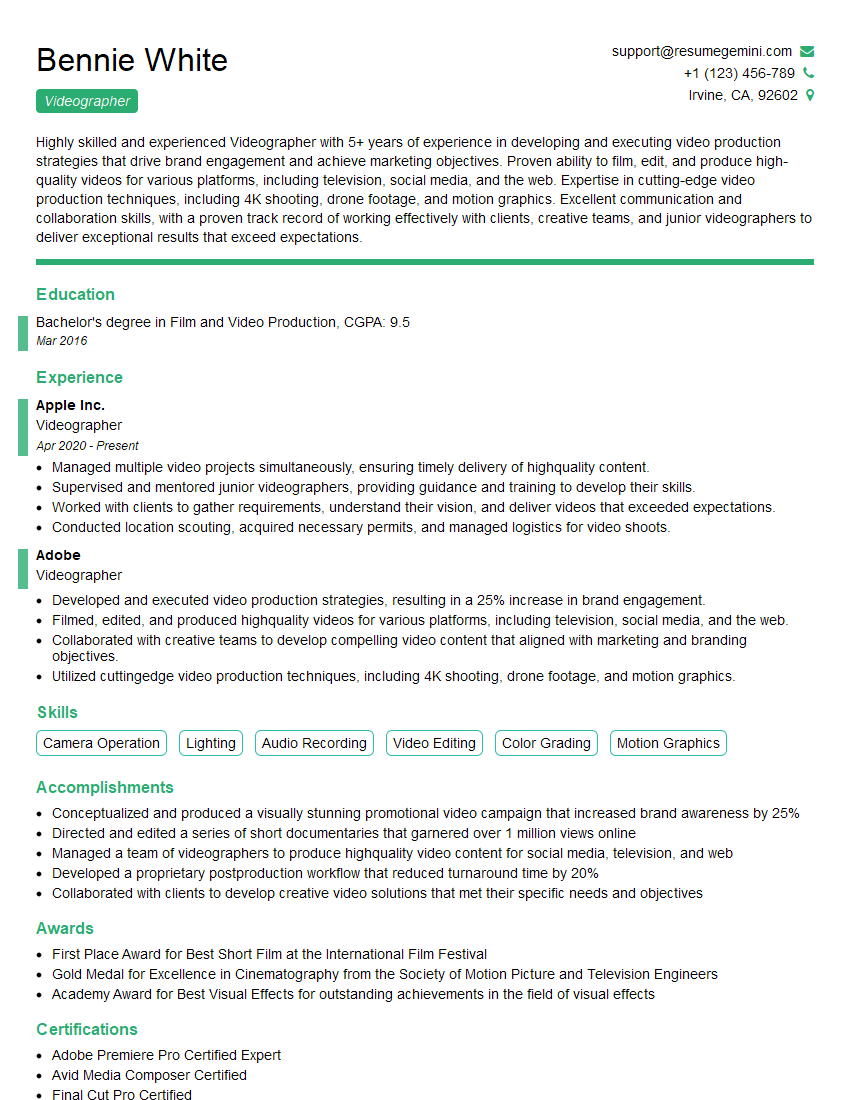
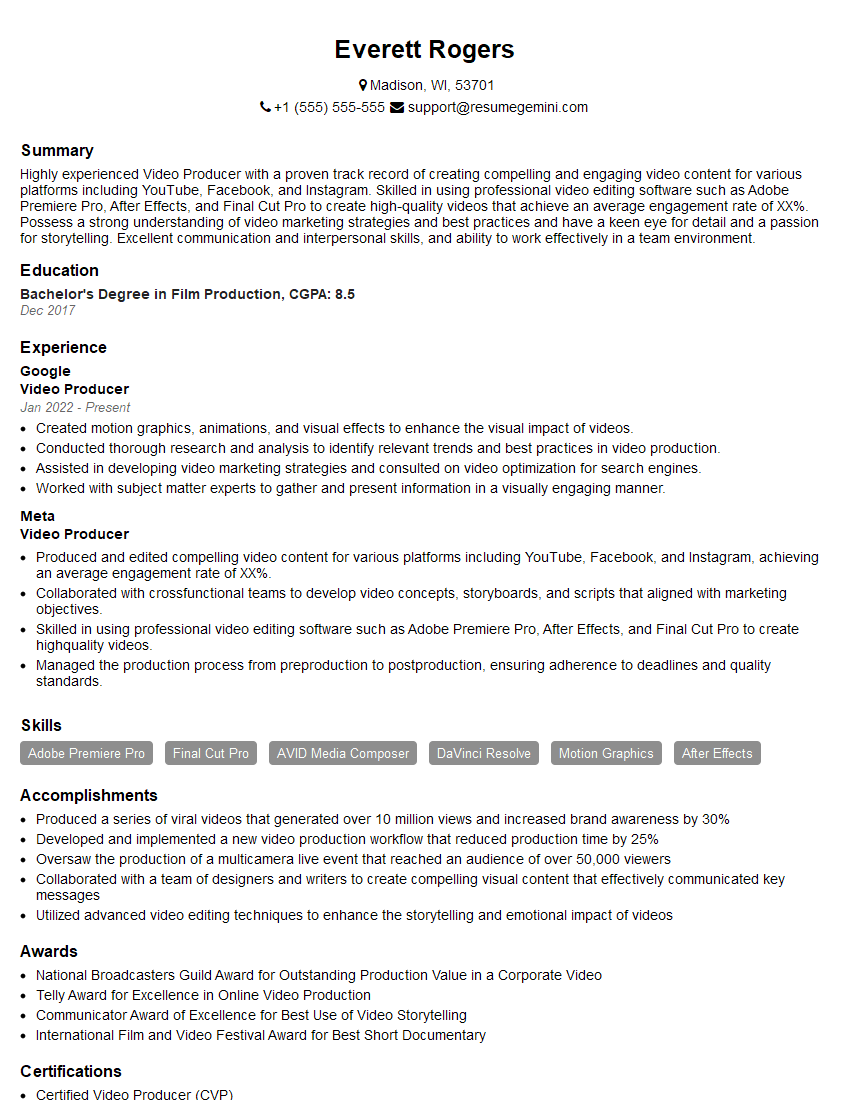
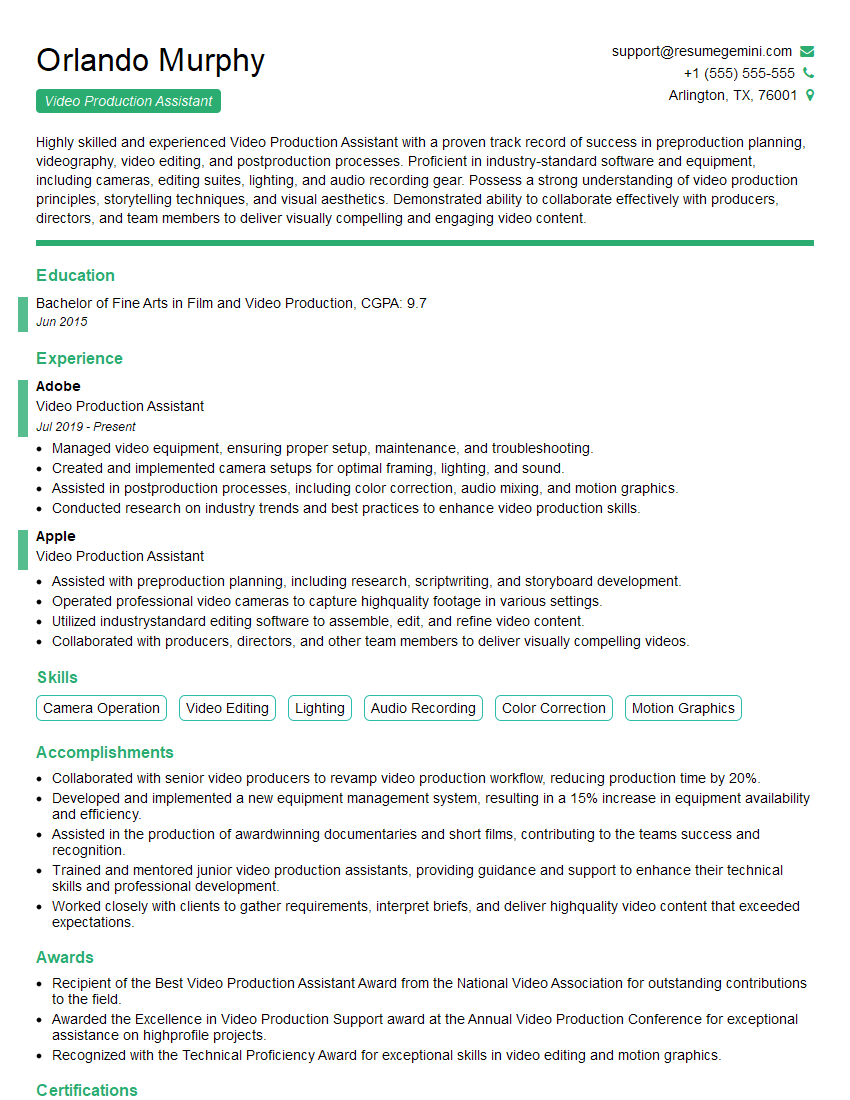
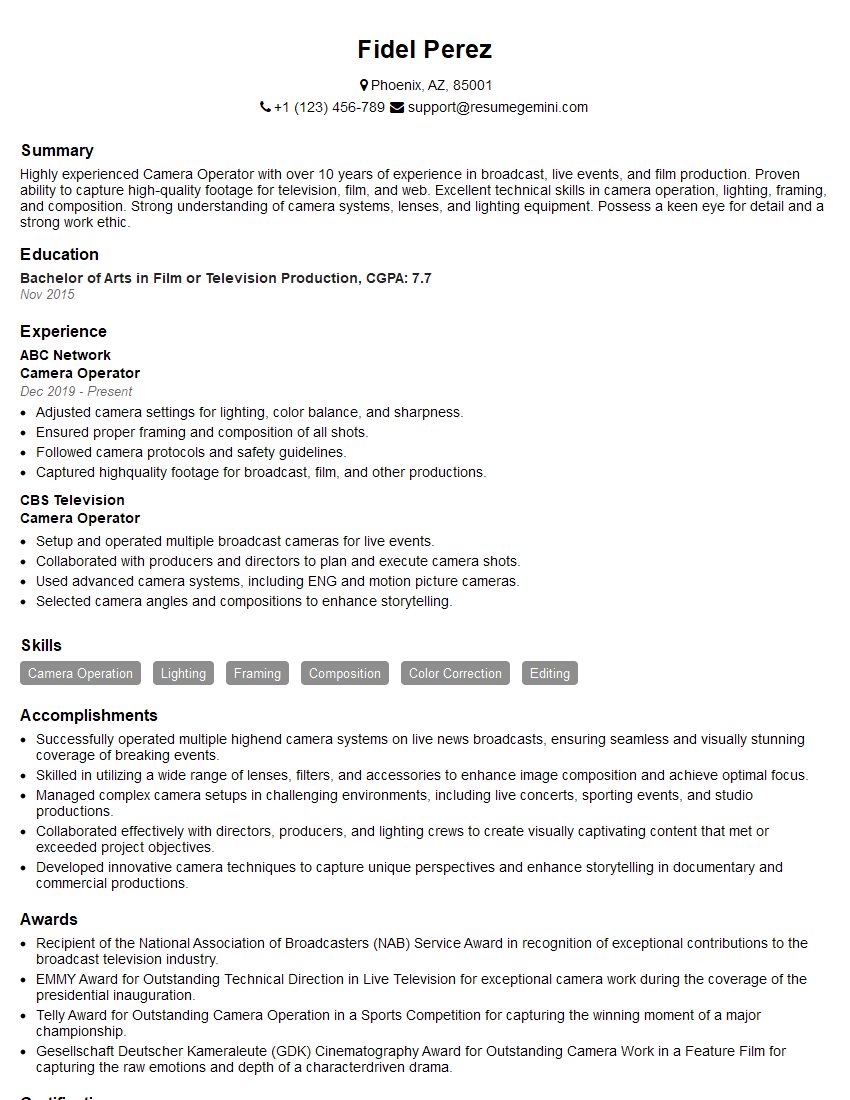
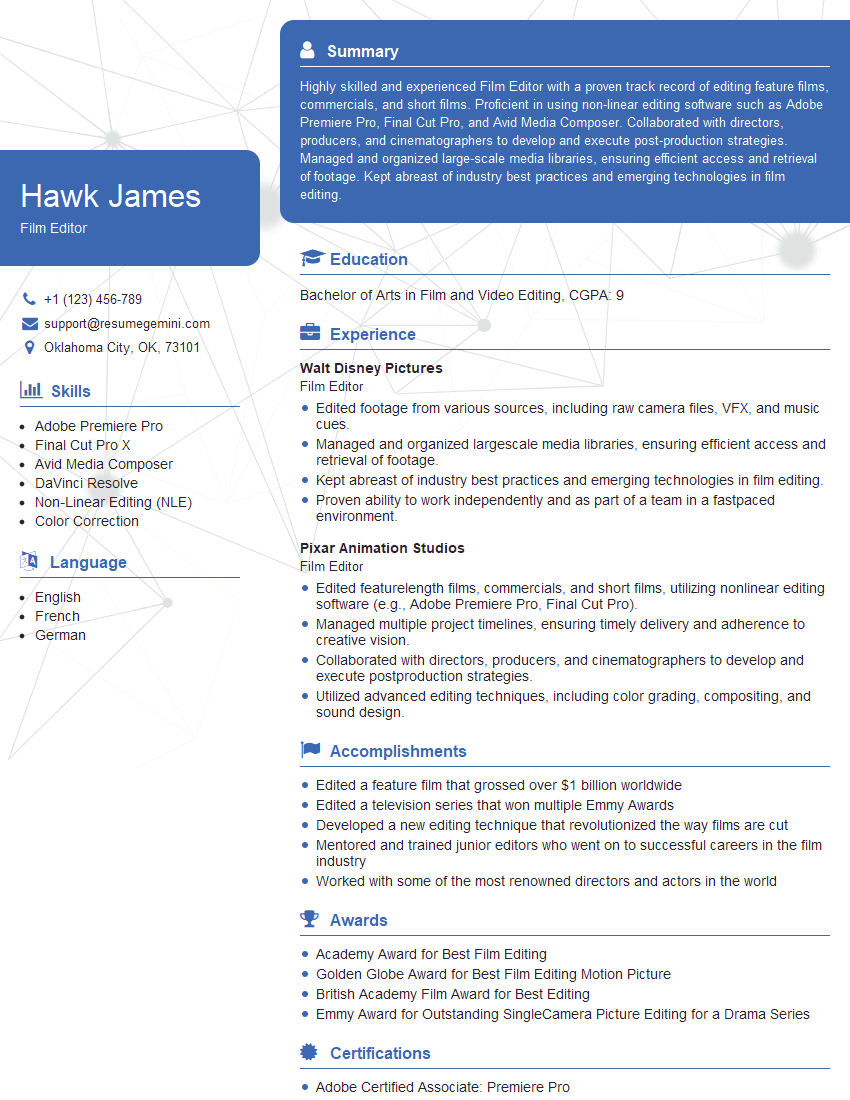
Mastering videography and editing opens doors to exciting careers in film, television, advertising, and digital media. To maximize your job prospects, a strong and ATS-friendly resume is crucial. This means crafting a clear, concise document that highlights your skills and experience in a way that Applicant Tracking Systems can easily understand. ResumeGemini is a trusted resource to help you build a professional and impactful resume that showcases your abilities effectively. They provide examples of resumes tailored to Videography and Editing to help guide you. Invest time in creating a compelling resume—it’s your first impression on potential employers.


Explore more articles
Users Rating of Our Blogs
Share Your Experience
We value your feedback! Please rate our content and share your thoughts (optional).
What Readers Say About Our Blog
Very informative content, great job.
good