Unlock your full potential by mastering the most common Virtualization and Cloud Technologies interview questions. This blog offers a deep dive into the critical topics, ensuring you’re not only prepared to answer but to excel. With these insights, you’ll approach your interview with clarity and confidence.
Questions Asked in Virtualization and Cloud Technologies Interview
Q 1. Explain the difference between Type 1 and Type 2 hypervisors.
The key difference between Type 1 and Type 2 hypervisors lies in how they interact with the host operating system. Think of a hypervisor as a manager that allows multiple virtual machines (VMs) to run on a single physical machine.
Type 1 hypervisors, also known as bare-metal hypervisors, run directly on the host hardware. They don’t require a host operating system; they’re the foundation upon which VMs are built. Examples include VMware ESXi and Microsoft Hyper-V. This direct interaction provides better performance and security because there’s no intermediary OS layer. Imagine it like building a house directly on the land – no need for an intermediary structure.
Type 2 hypervisors run *on top* of a host operating system, like Windows or Linux. They essentially create a virtualized environment within the host OS. Examples include VMware Workstation Player and Oracle VirtualBox. These are easier to set up but may have slightly reduced performance compared to Type 1 due to the extra layer of the host OS. Think of this as building a house on a pre-existing platform – it’s easier but potentially less efficient.
Q 2. Describe the benefits of using virtualization in a data center.
Virtualization offers numerous benefits in a data center, significantly improving efficiency, flexibility, and cost-effectiveness.
- Increased Server Utilization: Multiple VMs can run on a single physical server, maximizing hardware utilization and reducing the need for additional physical servers.
- Improved Resource Management: Virtualization allows for dynamic allocation of resources (CPU, memory, storage) to VMs as needed. This ensures optimal resource use and prevents underutilization or over-provisioning.
- Enhanced Flexibility and Agility: Quickly provision and deploy new VMs, test software in isolated environments, and easily scale resources up or down depending on demand.
- Reduced Hardware Costs: Fewer physical servers mean lower capital expenditure on hardware, reduced power consumption, and less space required in the data center.
- Improved Disaster Recovery: Creating and maintaining virtual machine backups is far easier and more efficient than managing physical server backups, leading to quicker and more reliable disaster recovery capabilities.
- Simplified Server Maintenance: Patching and updating the underlying hypervisor simplifies updates for all VMs reducing downtime and simplifying administration.
For example, a financial institution might use virtualization to create isolated environments for development, testing, and production, ensuring data security and application stability.
Q 3. What are the different cloud deployment models (public, private, hybrid, multi-cloud)?
Cloud deployment models describe how cloud resources are accessed and managed. Each model offers different levels of control, security, and flexibility:
- Public Cloud: Resources are provided and managed by a third-party provider (e.g., AWS, Azure, Google Cloud). This model is cost-effective and scalable but may have concerns regarding data security and control.
- Private Cloud: Resources are dedicated to a single organization and managed either internally or by a third-party provider. It offers greater control and security but requires higher initial investment and ongoing management.
- Hybrid Cloud: A combination of public and private clouds, allowing organizations to leverage the benefits of both models. This approach provides flexibility and scalability while maintaining control over sensitive data.
- Multi-cloud: Using resources from multiple public cloud providers to avoid vendor lock-in, improve resilience, and optimize costs. This strategy can add complexity in management.
For instance, a company might use a private cloud for sensitive internal applications and a public cloud for less sensitive, more scalable applications, creating a hybrid approach.
Q 4. Explain the concept of IaaS, PaaS, and SaaS.
IaaS, PaaS, and SaaS are service models offered by cloud providers, representing different levels of abstraction:
- IaaS (Infrastructure as a Service): Provides basic computing resources like virtual machines, storage, and networking. The customer manages operating systems, applications, and data. Think of it as renting a building – you have control over the interior but the landlord handles the foundation and structure (e.g., AWS EC2, Azure Virtual Machines).
- PaaS (Platform as a Service): Offers a platform for application development and deployment, including operating systems, programming languages, databases, and middleware. The customer manages applications and data. This is like renting an apartment – the basic structure and utilities are handled by the landlord, while you furnish and manage the space. (e.g., AWS Elastic Beanstalk, Google App Engine).
- SaaS (Software as a Service): Provides ready-to-use software applications over the internet. The customer simply accesses and uses the software; the provider manages everything else. This is analogous to renting a fully furnished apartment – everything is provided; you just move in and use it. (e.g., Salesforce, Google Workspace).
A company might use IaaS for hosting its own applications, PaaS for developing new applications, and SaaS for collaboration tools like email and calendaring.
Q 5. How do you ensure high availability and scalability in a cloud environment?
High availability and scalability are crucial for robust cloud environments. Several strategies ensure these:
- Redundancy: Implementing redundant servers, networks, and storage ensures that if one component fails, others can take over seamlessly. This can involve using multiple availability zones or regions.
- Load Balancing: Distributing traffic across multiple servers prevents any single server from becoming overloaded. Load balancers monitor server health and route traffic accordingly.
- Auto-Scaling: Automatically increasing or decreasing the number of servers based on demand. This ensures optimal performance during peak loads and cost-efficiency during low demand.
- Failover Mechanisms: Having systems in place to automatically switch to backup resources if a primary system fails. This might include database replication or using a standby server.
- Geographic Distribution: Distributing resources across multiple data centers in different geographical locations improves resilience and reduces the impact of regional outages.
For example, a high-traffic e-commerce website might use auto-scaling to handle peak demand during holiday sales, while also implementing redundancy to ensure continuous operation even if a server fails.
Q 6. What are some common cloud security threats and how can they be mitigated?
Cloud security is a major concern. Common threats include:
- Data breaches: Unauthorized access to sensitive data, often due to misconfigurations or vulnerabilities in the cloud infrastructure.
- Denial-of-service (DoS) attacks: Overwhelming a system with traffic to make it unavailable to legitimate users.
- Malware infections: Malicious software infecting VMs or cloud resources.
- Insider threats: Malicious or negligent actions by employees or contractors with access to cloud resources.
- Account hijacking: Unauthorized access to cloud accounts through stolen credentials.
Mitigation strategies include:
- Strong authentication and authorization: Using multi-factor authentication, role-based access control, and least privilege principles.
- Data encryption: Encrypting data at rest and in transit to protect it from unauthorized access.
- Regular security audits and vulnerability scanning: Identifying and addressing security vulnerabilities before they can be exploited.
- Intrusion detection and prevention systems: Monitoring network traffic and identifying malicious activity.
- Security Information and Event Management (SIEM): Centralized logging and security monitoring.
- Regular patching and updates: Keeping software and operating systems up-to-date to address known vulnerabilities.
For instance, a healthcare provider needs robust security measures to protect patient data, including strong access controls, data encryption, and regular security audits.
Q 7. Describe your experience with containerization technologies like Docker and Kubernetes.
I have extensive experience with containerization technologies like Docker and Kubernetes. Docker provides a lightweight and portable way to package applications and their dependencies into containers. This simplifies deployment and ensures consistent execution across different environments. I’ve used Docker to build, ship, and run applications in various scenarios, from simple development environments to complex microservices architectures. For example, I’ve used Docker to deploy a web application, ensuring consistency between development, testing, and production.
Kubernetes is an orchestration platform that manages and automates the deployment, scaling, and management of containerized applications. It handles tasks like load balancing, service discovery, and automated rollouts, significantly improving operational efficiency and scalability. I have experience using Kubernetes to manage large-scale deployments of microservices, leveraging its features for automated scaling, health checks, and self-healing capabilities. A recent project involved deploying a distributed application across multiple nodes using Kubernetes, enabling high availability and scalability. The ability to manage the lifecycle of numerous containers efficiently was instrumental in the project’s success.
Q 8. Explain the concept of serverless computing.
Serverless computing is a cloud execution model where the cloud provider dynamically manages the allocation of computing resources. Instead of managing servers, you write and deploy individual functions (code snippets) that are triggered by events. Think of it like this: you only pay for the compute time your functions actually consume, not for idle servers constantly running.
For example, imagine a website that processes image uploads. In a traditional architecture, you’d need a server running all the time, even when no images are being uploaded. With serverless, you’d deploy a function that triggers only when an image is uploaded. The function processes the image, and the cloud provider automatically scales the resources needed to handle the request. Once the processing is complete, the resources are released.
This approach offers significant benefits: reduced operational overhead, automatic scaling, and cost savings based on actual usage. Popular serverless platforms include AWS Lambda, Azure Functions, and Google Cloud Functions.
Q 9. How do you monitor and manage cloud resources?
Monitoring and managing cloud resources requires a multi-faceted approach. It’s crucial to maintain visibility into resource utilization, performance, costs, and security. This involves using a combination of cloud provider tools and third-party monitoring solutions.
- Resource Monitoring: Tracking CPU, memory, disk I/O, and network usage to identify performance bottlenecks and potential scaling needs. Cloud providers offer dashboards and APIs for this.
- Cost Management: Regularly reviewing cloud spending using the provider’s cost analysis tools. Identifying areas for optimization is crucial for budget control.
- Security Monitoring: Implementing security information and event management (SIEM) solutions to detect and respond to security threats. This includes monitoring access logs, intrusion detection, and vulnerability scanning.
- Alerting and Notifications: Setting up alerts for critical events, such as high CPU usage, disk space exhaustion, or security breaches. This ensures timely intervention and prevents outages.
Proactive monitoring is key; anticipating problems before they affect users is far more efficient than reactive troubleshooting.
Q 10. What are your preferred tools for cloud management and monitoring?
My preferred tools depend heavily on the specific cloud provider and the complexity of the environment, but some favorites include:
- Cloud Provider’s Native Tools: AWS CloudWatch, Azure Monitor, and Google Cloud Monitoring are powerful and well-integrated with their respective platforms. They provide comprehensive monitoring and management capabilities.
- Third-Party Monitoring Tools: Datadog, Dynatrace, and New Relic offer centralized dashboards, advanced analytics, and alerting capabilities across multiple cloud providers and on-premises infrastructure.
- Infrastructure as Code (IaC) Tools: Terraform and Ansible (discussed further in the next answer) are essential for managing and automating infrastructure, minimizing manual configuration and reducing errors.
The choice of tools often comes down to budget, existing infrastructure, team expertise, and the specific monitoring and management needs of the project.
Q 11. Describe your experience with Infrastructure as Code (IaC) tools like Terraform or Ansible.
I have extensive experience with both Terraform and Ansible for Infrastructure as Code. Terraform excels at defining and managing infrastructure as code in a declarative way. You define the desired state, and Terraform figures out how to get there. This is particularly useful for managing complex multi-cloud environments.
Ansible, on the other hand, takes a more imperative approach. You define the steps required to configure the infrastructure. Ansible is excellent for automating operational tasks and configuration management on existing systems. It’s known for its agentless architecture, simplifying deployment and management.
For example, using Terraform, I might define a complete VPC (Virtual Private Cloud) network, including subnets, security groups, and routing tables, all in a single configuration file. Ansible would be ideal for deploying and configuring applications on those already-provisioned servers.
Both tools are invaluable for improving the consistency, repeatability, and efficiency of infrastructure management, allowing for rapid deployment and rollback capabilities.
Q 12. How do you troubleshoot network connectivity issues in a virtualized environment?
Troubleshooting network connectivity issues in a virtualized environment requires a systematic approach. It starts with identifying the scope of the problem: is it isolated to a single VM, a specific network segment, or more widespread?
- Check VM Configuration: Verify the VM’s network adapter settings, ensuring the correct network interface is selected and configured with the appropriate IP address, subnet mask, and gateway.
- Ping Tests: Perform basic ping tests to check connectivity at different layers. Ping the VM’s IP address from the host, ping the gateway, and ping external addresses to pinpoint the failure point.
- Network Configuration: Check the virtual switch configuration on the host, ensuring proper networking settings and resource allocation. Examine firewall rules on the host and within the VMs themselves.
- Virtual Switch Performance: Monitor virtual switch CPU and memory usage, to rule out resource contention as the cause of connectivity problems.
- Analyze Logs: Examine logs from the virtual switch, hypervisor, and the VMs for error messages or clues related to the connectivity problem. Tools like tcpdump or Wireshark can help with packet-level analysis.
- Hypervisor Health: Ensure the hypervisor itself is healthy and functioning correctly.
Using a combination of these techniques helps isolate the root cause and provide a directed solution, whether it be a misconfiguration, resource limitation, or a more serious underlying hardware issue.
Q 13. Explain your understanding of disaster recovery and business continuity in the cloud.
Disaster recovery (DR) and business continuity (BC) in the cloud are crucial for ensuring operational resilience. DR focuses on recovering systems and data after a disaster, while BC focuses on maintaining business operations during and after an event.
Cloud provides significant advantages for both: replication, backups, and failover mechanisms are readily available. A common strategy is to leverage cloud provider’s services for creating geographically dispersed backups or using services like AWS DRaaS (Disaster Recovery as a Service) or similar offerings from other providers. These services can automate the recovery process in case of a disaster.
A robust cloud-based DR plan involves:
- Data Replication: Regularly replicating critical data to a secondary region or availability zone.
- Failover Mechanisms: Establishing automated failover procedures to quickly switch to backup resources in case of an outage.
- Testing and Drills: Regularly testing the DR plan to ensure effectiveness and identify potential weaknesses.
- Recovery Time Objective (RTO) and Recovery Point Objective (RPO): Defining acceptable limits for downtime (RTO) and data loss (RPO) helps establish recovery goals.
By implementing comprehensive DR and BC strategies, organizations can significantly reduce downtime and data loss, safeguarding their business operations.
Q 14. What are some best practices for optimizing cloud costs?
Optimizing cloud costs requires a continuous and proactive approach. It’s not a one-time task but rather an ongoing process of monitoring, analysis, and adjustment.
- Right-Sizing Instances: Choosing instances with appropriate compute, memory, and storage capacity. Avoid over-provisioning resources.
- Utilize Spot Instances or Reserved Instances: Leverage spot instances for less critical workloads to achieve significant cost savings. Reserved instances can be cost-effective for consistently running applications.
- Storage Optimization: Using the most cost-effective storage tier for different data types. Archive less frequently accessed data to cheaper storage solutions.
- Automated Scaling: Implement auto-scaling policies to dynamically adjust resources based on demand, avoiding unnecessary costs during periods of low activity.
- Tagging Resources: Implementing a robust tagging strategy allows for better tracking and allocation of costs to different projects or departments. This makes cost analysis significantly more effective.
- Regular Cost Analysis: Regularly review and analyze cloud spending using cost optimization tools and reports offered by your cloud provider. Identifying cost trends and anomalies is vital for proactive management.
Cost optimization is a continuous cycle of monitoring, analysis, and adjustment. By proactively managing resources, you can significantly reduce cloud expenses without compromising performance or reliability.
Q 15. How do you handle capacity planning in a cloud environment?
Capacity planning in a cloud environment is crucial for ensuring optimal performance, cost-effectiveness, and scalability. It involves predicting future resource needs based on current usage trends and projected growth. This isn’t a one-time task but an ongoing process of monitoring, analyzing, and adjusting resource allocation.
My approach involves a multi-step process:
- Data Collection and Analysis: I begin by gathering historical data on resource consumption (CPU, memory, storage, network bandwidth) using cloud monitoring tools. This data helps identify usage patterns, peak demands, and potential bottlenecks. I use tools like CloudWatch (AWS), Azure Monitor, and Stackdriver (GCP) to collect this crucial data.
- Forecasting: Based on the analyzed data, I employ forecasting techniques, often using statistical models or machine learning algorithms, to predict future resource requirements. This prediction considers factors like seasonal variations, anticipated growth, and planned projects.
- Resource Rightsizing: Once I have a forecast, I rightsize the existing resources. This involves optimizing the allocation of resources to match the predicted demand, avoiding over-provisioning (which is costly) and under-provisioning (which impacts performance). This frequently involves scaling instances up or down, adjusting storage tiers, and optimizing network configurations.
- Scalability Planning: A critical element is planning for scalability. I design systems with the capacity to handle unexpected spikes in demand, such as during promotional campaigns or sudden surges in user traffic. This might involve using auto-scaling features offered by cloud providers or implementing custom scaling solutions.
- Contingency Planning: Finally, I develop contingency plans to handle unexpected events or disasters. This includes having backup resources available and establishing disaster recovery procedures to ensure business continuity.
For example, during a recent project, we used historical data from CloudWatch to predict a significant increase in database traffic during a holiday season. This allowed us to proactively scale our database instances, preventing performance degradation and ensuring a smooth user experience.
Career Expert Tips:
- Ace those interviews! Prepare effectively by reviewing the Top 50 Most Common Interview Questions on ResumeGemini.
- Navigate your job search with confidence! Explore a wide range of Career Tips on ResumeGemini. Learn about common challenges and recommendations to overcome them.
- Craft the perfect resume! Master the Art of Resume Writing with ResumeGemini’s guide. Showcase your unique qualifications and achievements effectively.
- Don’t miss out on holiday savings! Build your dream resume with ResumeGemini’s ATS optimized templates.
Q 16. Explain your experience with different cloud providers (AWS, Azure, GCP).
I have extensive experience with AWS, Azure, and GCP, having used them across various projects. Each provider offers a unique set of services and strengths.
- AWS (Amazon Web Services): My experience with AWS is vast, encompassing EC2 (compute), S3 (storage), RDS (databases), Lambda (serverless), and many more. I’m comfortable with IAM (Identity and Access Management) for security, CloudFormation for infrastructure as code, and using various monitoring and logging tools. I’ve successfully deployed and managed complex applications on AWS, leveraging its mature ecosystem and extensive services.
- Azure (Microsoft Azure): With Azure, I’ve worked extensively with Azure Virtual Machines, Azure Blob Storage, Azure SQL Database, and Azure Functions. I’m familiar with Azure Active Directory for identity management and Resource Manager for infrastructure automation. I’ve particularly appreciated Azure’s strong integration with other Microsoft products and its hybrid cloud capabilities.
- GCP (Google Cloud Platform): My GCP experience includes using Compute Engine, Cloud Storage, Cloud SQL, and Cloud Functions. I have expertise in using Kubernetes on Google Kubernetes Engine (GKE) for container orchestration. GCP’s strengths in data analytics and machine learning have been leveraged in several projects.
My experience isn’t limited to simply using these platforms. I understand the nuances of each provider’s pricing models, service level agreements (SLAs), and best practices for optimizing costs and performance. I can choose the optimal cloud provider based on specific project requirements, considering factors like budget, scalability needs, existing infrastructure, and specific service requirements.
Q 17. Describe your experience with implementing and managing virtual networks.
Implementing and managing virtual networks is a critical aspect of cloud infrastructure. A virtual network (VNet) is a logically isolated section of a cloud provider’s network, providing a secure and private space for your resources.
My experience includes designing, deploying, and managing VNets across different cloud providers. This involves:
- Subnet Planning: Carefully planning subnet sizes and configurations to meet application needs and security requirements. This includes understanding CIDR notation and properly segmenting the network for security and scalability.
- Network Security Groups (NSGs): Implementing NSGs to control inbound and outbound network traffic, limiting access to only necessary ports and protocols, creating a robust security perimeter.
- Virtual Private Cloud (VPC) Peering: Creating VPC peering connections between different VNets or accounts to facilitate communication between different parts of the infrastructure while maintaining security boundaries.
- Route Tables: Configuring route tables to define how network traffic is routed within and outside of the VNet. This is critical for directing traffic correctly and efficiently.
- VPN and Direct Connect: Establishing secure connections between on-premises networks and cloud VNets using VPNs or Direct Connect to enable hybrid cloud deployments.
- Network Monitoring and Troubleshooting: Continuously monitoring network performance using cloud monitoring tools and proactively troubleshooting network issues to maintain high availability and performance.
For instance, in a recent project, I designed a multi-tiered architecture with separate VNets for different application components (web servers, databases, etc.), utilizing NSGs to implement a principle of least privilege, thereby enhancing security. The VNets were connected using VPC peering to enable communication between tiers while isolating them for security.
Q 18. How do you ensure data security and compliance in the cloud?
Ensuring data security and compliance in the cloud is paramount. It requires a multi-layered approach encompassing various strategies and technologies.
- Access Control: Implementing robust access control mechanisms using IAM roles and policies, limiting access to only authorized users and systems based on the principle of least privilege.
- Data Encryption: Encrypting data both in transit and at rest using encryption protocols such as TLS/SSL and technologies like AES-256. This protects data from unauthorized access even if a breach occurs.
- Security Information and Event Management (SIEM): Utilizing SIEM tools to monitor security logs and alerts, identifying and responding to security threats in real-time. Cloud providers offer built-in SIEM capabilities, and I have experience integrating them with third-party SIEM solutions.
- Vulnerability Management: Regularly scanning for vulnerabilities and applying patches to software and infrastructure. Cloud providers often provide vulnerability scanning services, and I integrate these into my security workflows.
- Compliance Frameworks: Adhering to relevant compliance frameworks such as ISO 27001, SOC 2, HIPAA, PCI DSS, depending on the industry and regulatory requirements. This includes implementing necessary controls and documenting processes to demonstrate compliance.
- Data Loss Prevention (DLP): Implementing DLP measures to prevent sensitive data from leaving the organization’s control, including using data masking and monitoring for unauthorized data transfers.
In practice, I’d build a comprehensive security strategy tailored to specific compliance needs, incorporating regular security audits and penetration testing to identify and mitigate potential vulnerabilities. A strong security posture requires ongoing vigilance and adaptation to evolving threats.
Q 19. What are the advantages and disadvantages of using a public cloud versus a private cloud?
The choice between public and private cloud depends on several factors, and each has its own advantages and disadvantages.
Public Cloud (e.g., AWS, Azure, GCP):
- Advantages: Cost-effectiveness (pay-as-you-go model), scalability, accessibility, and readily available services.
- Disadvantages: Security concerns (shared responsibility model), vendor lock-in, potential for outages, and less control over infrastructure.
Private Cloud:
- Advantages: Enhanced security and control, greater customization, compliance adherence, and better predictability in terms of costs and performance.
- Disadvantages: Higher upfront costs, greater administrative overhead, limited scalability compared to public cloud, and potentially higher operational costs.
Example: A small startup might prefer a public cloud due to its cost-effectiveness and scalability, while a financial institution with strict regulatory requirements might opt for a private cloud to maintain greater control over its data and security.
Often, a hybrid cloud approach, combining public and private cloud resources, provides the best balance of cost, security, and control.
Q 20. Explain the concept of virtual machine snapshots and their use cases.
A virtual machine (VM) snapshot is a point-in-time copy of the VM’s disk state. Think of it like taking a photograph of your VM’s hard drive at a specific moment. This copy includes the operating system, applications, and data stored on the VM’s virtual disks.
Use Cases:
- Backup and Recovery: Snapshots serve as an effective backup mechanism, allowing for quick restoration of VMs to a previous state in case of failure or accidental data loss. Restoring from a snapshot is significantly faster than rebuilding a VM from scratch.
- Testing and Development: Snapshots enable the creation of consistent testing environments. Developers can create a snapshot of a production-like environment, test changes, and then easily revert to the original state if needed, minimizing disruption.
- Cloning: Snapshots can be used to create clones of existing VMs. This is useful for quickly provisioning new VMs with identical configurations, saving time and effort.
- Disaster Recovery: Snapshots can be replicated to a geographically distant location, serving as a critical component of a disaster recovery plan. In case of a primary site failure, VMs can be quickly restored from these offsite snapshots.
Example: If a critical application on a VM experiences a problem, a snapshot can be used to restore the VM to a working state within minutes. This minimizes downtime and reduces the impact on business operations.
Q 21. How do you handle storage in a virtualized environment?
Storage management in a virtualized environment is a complex undertaking that requires careful consideration of performance, cost, and scalability. There are several key aspects to managing storage effectively:
- Storage Types: Selecting appropriate storage types based on performance needs and cost considerations. This could involve using local storage (attached directly to the host), Network Attached Storage (NAS), Storage Area Networks (SAN), or cloud-based storage services (like AWS S3, Azure Blob Storage, GCP Cloud Storage).
- Storage Tiers: Leveraging storage tiering to optimize costs by storing frequently accessed data on faster, more expensive storage and less frequently accessed data on slower, cheaper storage.
- Storage Replication and Backup: Implementing strategies for data replication and backup to ensure data redundancy and protect against data loss. This might include using RAID configurations, snapshotting, or cloud-based backup solutions.
- Storage Capacity Planning: Forecasting storage requirements and proactively scaling storage capacity to meet future needs. This is essential to avoid running out of storage space and impacting application performance.
- Storage Performance Monitoring: Continuously monitoring storage performance metrics (I/O operations, latency, throughput) to identify bottlenecks and optimize performance.
- Data Deduplication and Compression: Employing techniques like data deduplication and compression to reduce storage consumption and costs.
In a real-world scenario, I might utilize a combination of local SSDs for high-performance applications, cloud-based object storage for archival data, and snapshots for regular backups, optimizing both performance and cost.
Q 22. What is the difference between a virtual machine and a container?
The core difference between virtual machines (VMs) and containers lies in their level of isolation and resource consumption. Think of a VM as a full-fledged apartment, while a container is more like a room within a shared house.
A virtual machine virtualizes the entire hardware layer, including the operating system (OS), CPU, memory, and storage. Each VM gets its own dedicated resources, leading to greater isolation but also higher overhead. For example, running multiple Windows VMs requires multiple instances of the Windows OS, consuming significant disk space and RAM. This is great for isolation, but less efficient if you have many applications needing similar dependencies.
A container, on the other hand, virtualizes only the operating system kernel. Multiple containers can share the same OS kernel, leading to significantly reduced resource consumption. Containers leverage the host OS’s kernel, only needing their application code, libraries, and runtime environment. Think of Docker containers; they share the host’s Linux kernel, making them lightweight and portable.
Here’s a table summarizing the key differences:
| Feature | Virtual Machine | Container |
|---|---|---|
| Operating System | Each VM has its own OS | Containers share the host OS kernel |
| Resource Consumption | High | Low |
| Isolation | High | Lower |
| Portability | Relatively high | Very high |
| Boot Time | Longer | Faster |
In essence, VMs provide better isolation, while containers offer better efficiency and portability. The choice between them depends on the specific application requirements and priorities.
Q 23. Describe your experience with automation tools for cloud deployments.
I have extensive experience using various automation tools for cloud deployments, primarily focusing on Infrastructure as Code (IaC). My expertise includes Terraform, Ansible, and CloudFormation. I’ve successfully leveraged these tools to automate the provisioning, configuration, and deployment of complex cloud infrastructure across various cloud providers, including AWS, Azure, and GCP.
For example, I recently used Terraform to automate the creation of a multi-tiered application architecture on AWS, including EC2 instances, VPC networking, RDS databases, and load balancers. This significantly reduced deployment time and minimized human error. The Terraform code allowed for version control, enabling reproducible and consistent deployments across different environments (development, staging, production).
Ansible has been instrumental in automating configuration management tasks. I’ve utilized Ansible playbooks to consistently configure servers, install applications, and manage security settings across a fleet of VMs, ensuring that all systems adhere to our defined standards. This automated approach has improved the reliability and consistency of our infrastructure.
I also have experience with CloudFormation, which is AWS’s native IaC tool. I’ve employed CloudFormation templates to deploy various AWS services, enabling a fully automated process from infrastructure provisioning to application deployment.
In all cases, the focus was on creating reusable and maintainable code, adhering to best practices for version control and collaboration, and incorporating robust error handling and logging.
Q 24. How do you manage updates and patching in a virtualized environment?
Managing updates and patching in a virtualized environment requires a structured and automated approach to minimize downtime and maintain security. I typically employ a phased rollout strategy combined with robust monitoring and rollback capabilities.
First, I leverage tools like Puppet, Chef, or Ansible for automated patching. These tools allow me to centrally manage and deploy patches across numerous VMs, ensuring consistency and minimizing manual intervention. I create detailed patch schedules that consider application dependencies and potential conflicts.
Second, I always test patches in a dedicated staging environment before deploying them to production. This reduces the risk of unforeseen issues disrupting production systems. I use techniques like A/B testing to gradually roll out updates to a smaller subset of VMs before a full-scale deployment.
Third, comprehensive monitoring is essential. I use monitoring tools to track system performance and resource utilization before, during, and after patching. This allows for quick identification and resolution of any issues that arise.
Finally, having a rollback plan in place is critical. This involves creating snapshots or backups before applying patches so that I can quickly revert to a previous stable state in case of unexpected problems. This ensures business continuity even during patching events.
An example of this process would be utilizing Ansible to deploy security patches to a group of web servers. Prior to execution, a complete backup of each server is created. The Ansible playbook then applies the patch to a single server initially. Performance is closely monitored for any anomalies. After confirmation on the test server, Ansible deploys the patch to the rest of the group in a staggered fashion, ensuring minimal disruption.
Q 25. Explain your experience with cloud-native application development.
My experience with cloud-native application development revolves around building and deploying applications designed specifically for cloud environments, taking full advantage of their scalability, elasticity, and resilience. This approach contrasts sharply with traditional, monolithic applications that often struggle to adapt to the dynamic nature of the cloud.
I’ve built cloud-native applications using microservices architecture, containerization (Docker, Kubernetes), and serverless technologies (AWS Lambda, Azure Functions). This approach allows for independent scaling of individual components and easier updates without impacting the entire system. For example, I developed a highly available e-commerce platform where each microservice (inventory, payment processing, order management) was independently deployed and scaled, enabling seamless handling of traffic spikes.
A core tenet of cloud-native development is the use of DevOps practices, including CI/CD pipelines for automated building, testing, and deployment. I’ve implemented pipelines using tools like Jenkins, GitLab CI, or GitHub Actions, enabling rapid iteration and frequent releases of updated software versions.
Moreover, I focus on designing applications that are resilient to failures. This includes implementing mechanisms such as fault tolerance, automatic retries, and circuit breakers to minimize the impact of service interruptions. Monitoring and logging are integral to ensuring the stability and operability of these applications.
The key is embracing the cloud’s inherent capabilities and designing applications that fully utilize its benefits, while employing the right tools and processes for rapid development and deployment cycles.
Q 26. What is your experience with microservices architecture?
Microservices architecture is a design approach where a large application is structured as a collection of small, independent, and loosely coupled services. Each service focuses on a specific business function and communicates with other services through lightweight mechanisms, usually APIs (like REST or gRPC).
My experience includes designing, developing, and deploying applications using this architecture. I’ve worked on projects where a monolithic application was successfully decomposed into a set of microservices. This decomposition brought many benefits, including improved scalability, increased resilience, and faster development cycles.
For instance, I participated in the refactoring of a large e-commerce application. We broke down the monolithic structure into services such as user accounts, product catalog, shopping cart, order management, and payment processing. This allowed us to scale each service independently based on its specific needs. If the order processing service experiences high traffic during a sale, we only need to scale that service, leaving other services unaffected.
However, microservices also introduce complexities. Managing a large number of services requires robust monitoring, logging, and orchestration tools like Kubernetes. Inter-service communication needs careful consideration to avoid performance bottlenecks. Proper design patterns and effective communication strategies are crucial for success. The benefits, however, outweigh the challenges, especially when dealing with large, complex applications.
Q 27. How do you approach troubleshooting performance bottlenecks in a cloud environment?
Troubleshooting performance bottlenecks in a cloud environment requires a systematic approach, combining monitoring tools, diagnostic techniques, and a deep understanding of the application architecture. I typically follow these steps:
1. Identify the bottleneck: I start by gathering performance metrics from monitoring tools like CloudWatch (AWS), Azure Monitor, or Google Cloud Monitoring. This provides insights into CPU utilization, memory usage, network traffic, and disk I/O. These metrics pinpoint the area of the application experiencing performance issues.
2. Analyze the logs and traces: Examining application logs and distributed tracing data (e.g., using tools like Jaeger or Zipkin) helps identify specific code sections or services responsible for slowdowns or errors. This allows for a more targeted approach to the problem.
3. Utilize profiling tools: Profiling tools provide detailed insights into the application’s performance, identifying bottlenecks in specific functions or database queries. This helps optimize code for maximum performance.
4. Scale resources as needed: If the bottleneck is due to insufficient resources (CPU, memory, network bandwidth), I scale up the affected VMs or containers. Cloud environments provide the flexibility to quickly adjust resource allocations to meet performance needs.
5. Optimize the database: Database performance is often a significant bottleneck. I optimize database queries, implement appropriate indexing, and ensure sufficient database resources.
6. Cache frequently accessed data: Using caching mechanisms reduces database load and improves response times. Redis or Memcached are frequently used for this purpose.
7. Review the application architecture: In some cases, performance issues are rooted in the application architecture itself. This may involve refactoring code, improving inter-service communication, or optimizing data flow. I often need to determine if a change in architecture is needed to resolve the issue.
This methodical process, coupled with a strong understanding of cloud environments and diagnostic tools, allows for effective troubleshooting and performance optimization.
Q 28. Describe your experience with implementing and managing load balancers.
Load balancers are crucial for distributing network traffic across multiple servers, ensuring high availability and scalability. My experience encompasses implementing and managing various types of load balancers across different cloud providers.
I’ve worked with both application layer (Layer 7) and network layer (Layer 4) load balancers. Application layer load balancers examine the HTTP headers to distribute traffic based on application logic (e.g., content-based routing or session persistence). Network layer load balancers distribute traffic based on IP addresses and ports, simplifying configuration and focusing on basic network load balancing.
On AWS, I’ve used Elastic Load Balancing (ELB), specifically Application Load Balancers (ALB) and Network Load Balancers (NLB), to distribute traffic to EC2 instances. In Azure, I’ve utilized Azure Load Balancer, configuring health probes to ensure only healthy servers receive traffic. In Google Cloud Platform, I’ve worked with Cloud Load Balancing, which offers similar capabilities to those in AWS and Azure.
My experience extends to configuring various load balancing algorithms, such as round-robin, least connections, and weighted round-robin, to optimize performance based on the specific application needs. I’ve also implemented health checks to monitor the status of backend servers and automatically remove unhealthy servers from the pool.
Beyond basic configuration, I have experience integrating load balancers with other services, such as auto-scaling groups (to dynamically scale the number of backend servers based on demand) and content delivery networks (CDNs) for improved performance and global reach. Proper SSL certificate management is critical, and I ensure that the load balancers are properly configured for secure HTTPS traffic.
The key to successful load balancer management is careful planning, configuration, and ongoing monitoring. I use tools to actively monitor performance and resource utilization to proactively identify potential bottlenecks or issues before they impact users. Regular reviews of the configuration and scaling strategy are a key component of my management approach.
Key Topics to Learn for Virtualization and Cloud Technologies Interview
- Virtualization Fundamentals: Understanding Type 1 vs Type 2 hypervisors, virtual machine lifecycle management, and resource allocation within virtual environments. Consider exploring different virtualization technologies (e.g., VMware vSphere, Hyper-V, KVM).
- Cloud Computing Models: IaaS, PaaS, SaaS – their characteristics, benefits, and use cases. Be prepared to discuss the trade-offs between each model and when to choose one over another.
- Networking in Virtualized and Cloud Environments: Virtual networking concepts (VLANs, VXLAN), network security in the cloud (firewalls, load balancers, VPNs), and understanding cloud-based networking services.
- Storage in Virtualized and Cloud Environments: Different storage types (SAN, NAS, object storage), cloud storage services (e.g., AWS S3, Azure Blob Storage), and strategies for data backup and disaster recovery.
- Cloud Security Best Practices: IAM (Identity and Access Management), security policies, data encryption, and compliance regulations (e.g., GDPR, HIPAA). Be ready to discuss real-world security challenges and mitigation techniques.
- Automation and Orchestration: Experience with tools like Terraform, Ansible, or CloudFormation is highly valuable. Be prepared to discuss infrastructure as code (IaC) and its benefits.
- Containerization and Microservices: Understanding Docker, Kubernetes, and the advantages of containerized applications in cloud deployments. This is a rapidly growing area.
- Problem-Solving and Troubleshooting: Be ready to discuss your approach to diagnosing and resolving issues in virtualized and cloud environments. Highlight your experience with monitoring tools and logging systems.
- Cloud Provider Specifics (Optional): If you have experience with a specific cloud provider (AWS, Azure, GCP), be prepared to discuss its services and unique features. This shows specialization.
Next Steps
Mastering Virtualization and Cloud Technologies is crucial for career advancement in today’s tech landscape. These skills are in high demand, offering exciting opportunities and excellent compensation. To maximize your chances of landing your dream job, focus on crafting a compelling and ATS-friendly resume that highlights your expertise. ResumeGemini is a trusted resource to help you build a professional and impactful resume. We provide examples of resumes tailored to Virtualization and Cloud Technologies to guide you. Take the next step towards your successful career journey!

Systems Administrator Resume Sample

Infrastructure Engineer Resume Sample

IT Manager Resume Sample

DevOps Engineer Resume Sample

Cloud Architect Resume Sample

Cloud Engineer Resume Sample
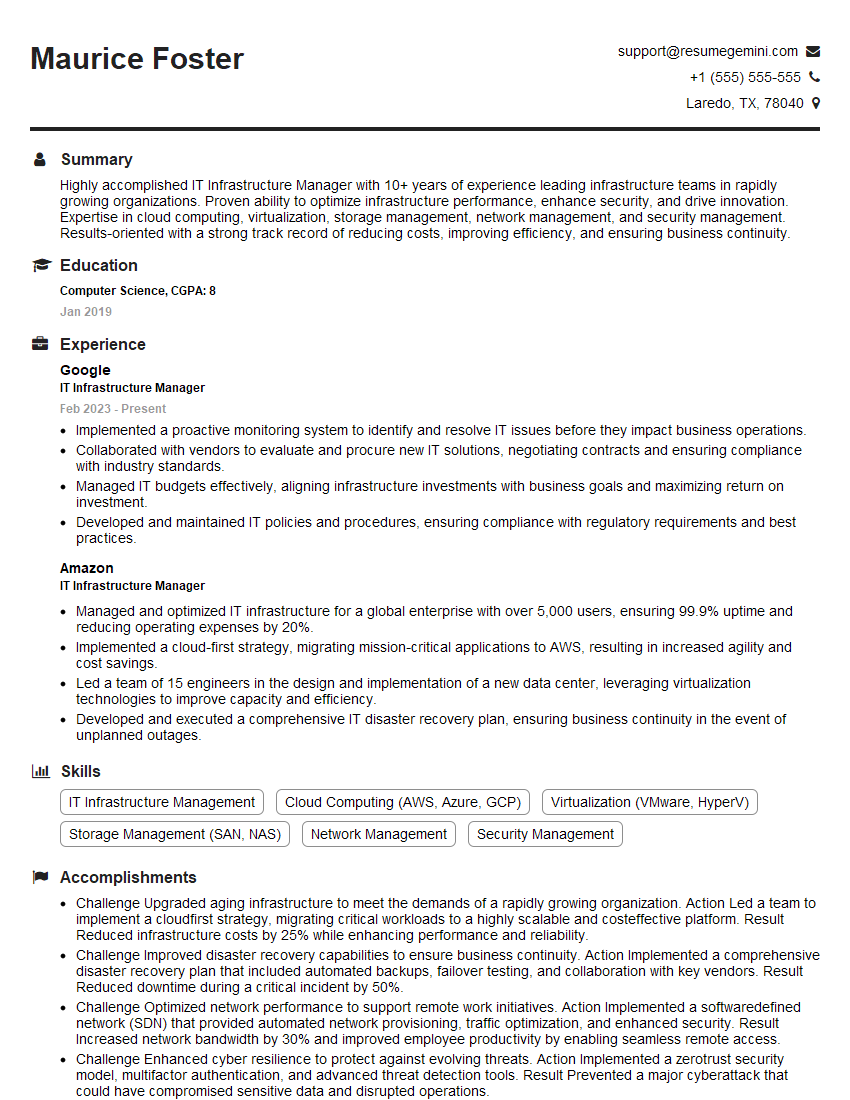
IT Infrastructure Manager Resume Sample
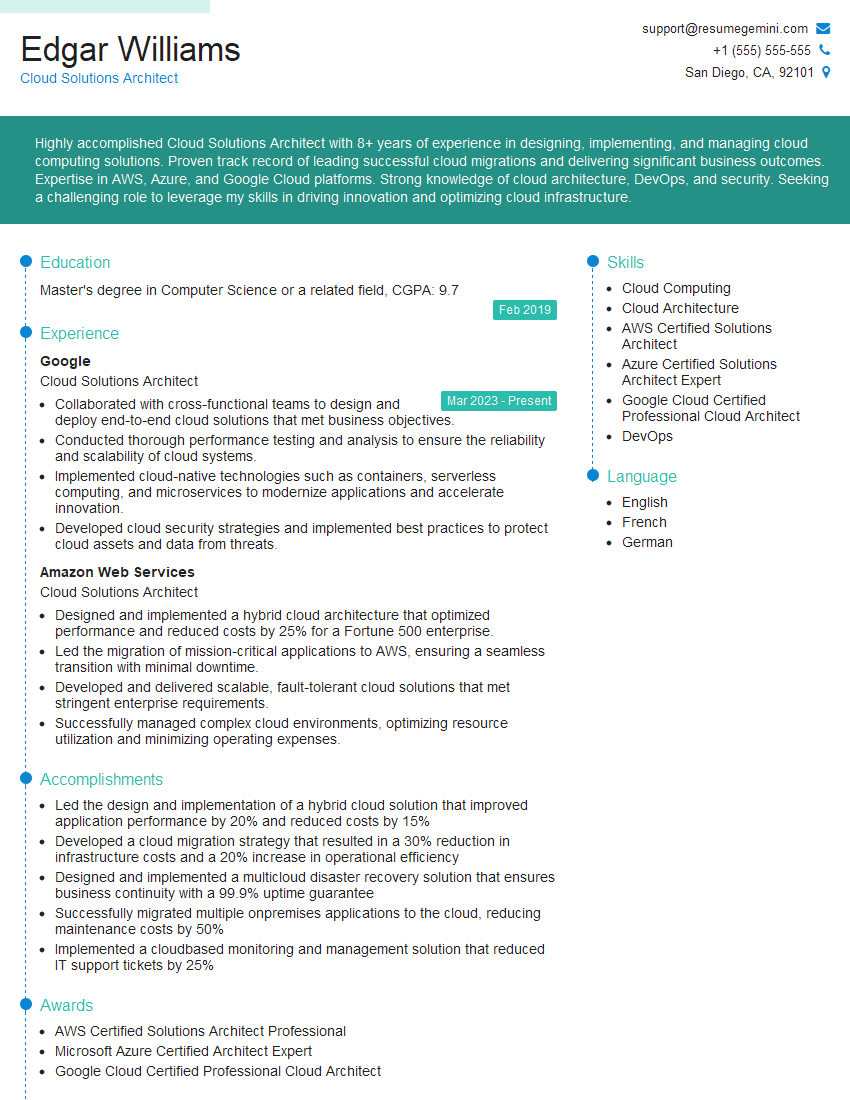
Cloud Solutions Architect Resume Sample
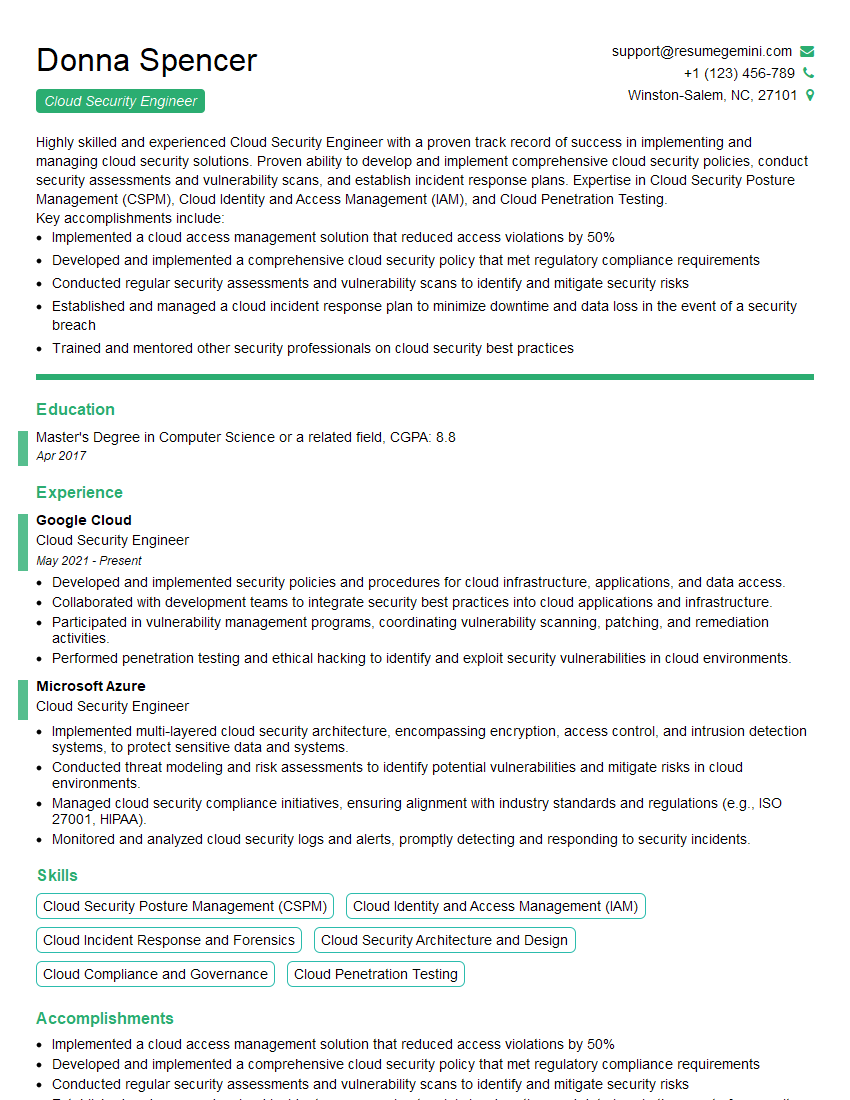
Cloud Security Engineer Resume Sample
Explore more articles
Users Rating of Our Blogs
Share Your Experience
We value your feedback! Please rate our content and share your thoughts (optional).
What Readers Say About Our Blog
Very informative content, great job.
good