Feeling uncertain about what to expect in your upcoming interview? We’ve got you covered! This blog highlights the most important Visual MODFLOW interview questions and provides actionable advice to help you stand out as the ideal candidate. Let’s pave the way for your success.
Questions Asked in Visual MODFLOW Interview
Q 1. Explain the differences between MODFLOW and Visual MODFLOW.
MODFLOW is a powerful groundwater modeling code, a robust engine for simulating subsurface flow. Visual MODFLOW, on the other hand, is a user-friendly graphical interface built around MODFLOW. Think of it like this: MODFLOW is the powerful car engine, while Visual MODFLOW is the sleek, comfortable car that makes it easy to drive.
MODFLOW requires users to write input files using a specific format, making it complex for beginners. Visual MODFLOW simplifies this process significantly, allowing users to build and manage their models through an intuitive graphical user interface (GUI). You define model parameters, visualize results, and manage complex data sets much more easily with Visual MODFLOW. The core calculations remain the same; Visual MODFLOW simply provides an accessible way to interact with them.
In essence, Visual MODFLOW streamlines the workflow of using MODFLOW, making it more accessible to a wider range of users, while maintaining the accuracy and flexibility of the underlying MODFLOW engine.
Q 2. Describe the various boundary conditions in MODFLOW and how to implement them in Visual MODFLOW.
Boundary conditions are crucial in defining the flow system in MODFLOW. They represent the interaction between your model area and its surroundings. Visual MODFLOW provides tools to easily implement these.
- Constant Head (CHD): Specifies a fixed hydraulic head at specified cells. Imagine a large lake affecting your groundwater – its water level remains relatively constant and exerts a pressure on your model area. In Visual MODFLOW, you simply select the cells, define the head value, and assign the CHD boundary condition.
- Specified Flux (WEL): Represents a known rate of inflow (recharge) or outflow (discharge) into or out of the aquifer. Think of a well pumping water – this is a specified flux. You’d define the well location, rate, and direction in Visual MODFLOW.
- Recharge (RCH): Simulates infiltration from precipitation or other sources. This is typically a spatially distributed input, reflecting how much water seeps into the ground. Visual MODFLOW provides tools to map this recharge spatially.
- River (RIV): Models the interaction between a river and the aquifer. It accounts for water exchange between the river and the groundwater depending on the head difference. You define the river’s location, conductance, and stage (water level) in Visual MODFLOW.
- Drain (DRN): Similar to a river but often used for artificial drainage systems (e.g., tile drains). Visual MODFLOW lets you specify the drain location, conductance, and elevation.
Visual MODFLOW guides you through the process for each boundary condition, requiring you to specify locations and relevant parameters through its GUI instead of manually editing text files. This significantly reduces errors and speeds up model setup.
Q 3. How do you define the model grid in Visual MODFLOW, and what factors influence your choice?
Defining the model grid is a critical first step. Visual MODFLOW allows you to create various grid types: rectangular, unstructured, or even import existing grids. The choice depends on the specific application and available data.
- Rectangular Grids: The simplest, with uniform cell sizes in the x and y directions. Suitable for relatively homogeneous aquifers with easily obtainable data. They are efficient computationally, but may not be the most accurate representation for complex geological settings.
- Unstructured Grids: More flexible, allowing for variable cell sizes and shapes. Ideal for areas with complex geometries, such as near river banks or around wells. However, they can increase computational demands.
- Imported Grids: Existing grids from other GIS software (e.g., ArcGIS) can be imported directly, saving time and ensuring consistency with other data. This helps streamline workflow.
Factors influencing the grid choice include:
- Heterogeneity of the aquifer: A more heterogeneous aquifer might require a finer grid (smaller cells) to capture spatial variability accurately.
- Available data resolution: The grid resolution should be compatible with the resolution of the input data. For example, using a very fine grid with coarse hydraulic conductivity data doesn’t improve accuracy.
- Computational resources: Finer grids require more computing power and time for simulations.
In practice, I often start with a coarser grid to test the model and then refine it in areas of interest or where greater detail is needed.
Q 4. What are the different types of stress periods in MODFLOW, and when would you use each?
Stress periods in MODFLOW represent discrete time intervals with potentially different boundary conditions or parameters. They allow you to model changes in the system over time.
- Steady-state stress periods: Assume that the system is in equilibrium; the inflow and outflow rates are balanced, and the hydraulic heads do not change over time. You might use this for a preliminary assessment or to model a period with relatively stable conditions.
- Transient stress periods: Account for changes in the system over time, such as seasonal variations in recharge or pumping rates. This allows you to model the dynamic behavior of the aquifer over time, providing a much more realistic and informative model output. Most groundwater modeling projects involve several transient stress periods.
The choice between steady-state and transient stress periods is a crucial decision. Steady-state simulations are computationally cheaper, but transient simulations are typically necessary to capture the real-world dynamics of groundwater flow.
For instance, I would use steady-state stress periods as a starting point to quickly test a simplified model configuration before developing a more comprehensive, transient simulation for a long-term management scenario, incorporating multiple stress periods to reflect seasonal variations in recharge and pumping.
Q 5. Explain the concept of model calibration in Visual MODFLOW. What methods do you use?
Model calibration is the process of adjusting model parameters (e.g., hydraulic conductivity, recharge rates) to match simulated results with observed data (e.g., measured hydraulic heads). It’s a crucial step to ensure the model’s reliability.
In Visual MODFLOW, calibration is typically iterative. I commonly use these methods:
- Manual calibration: A trial-and-error approach, adjusting parameters based on visual comparisons of simulated and observed data. This is useful for developing an initial understanding of the system.
- Automated calibration (parameter estimation): Uses optimization algorithms (e.g., PEST) to automatically adjust parameters to minimize the difference between observed and simulated data. This significantly improves efficiency and accuracy compared to manual calibration, especially for complex models.
Visual MODFLOW integrates well with parameter estimation tools like PEST, allowing you to set up and run these optimization processes directly within the interface. The output frequently includes sensitivity analysis to determine which parameters most affect the model results.
Example: I’ve used PEST for calibrating a model of a coastal aquifer. By automatically adjusting hydraulic conductivity and sea-level boundary conditions, PEST helped find parameter values that accurately reproduced observed piezometric data, giving me greater confidence in model predictions for future management scenarios.
Q 6. How do you handle data uncertainty in your Visual MODFLOW models?
Data uncertainty is inherent in groundwater modeling. Addressing it is crucial for robust predictions. In Visual MODFLOW, I employ several strategies:
- Sensitivity analysis: Identifies parameters that most strongly influence model output. This helps focus calibration efforts and uncertainty quantification on the most critical parameters.
- Monte Carlo simulation: Randomly samples parameters from probability distributions, representing our uncertainty in their values. The results show a range of possible outcomes, giving a measure of uncertainty in the predictions. Visual MODFLOW doesn’t directly perform Monte Carlo, but it integrates well with external tools that perform such analysis.
- Ensemble Kalman filter (EnKF): A data assimilation method that updates model parameters using both model predictions and observations, accounting for uncertainty in both. This is more sophisticated and computationally intensive than Monte Carlo but offers superior results for high-dimensional problems.
It’s vital to document all data uncertainties and the methods used to account for them to ensure transparency and allow others to assess the reliability of the model’s predictions.
Q 7. What are the different packages in MODFLOW and their functionalities?
MODFLOW is built upon a modular structure, using packages to perform specific tasks. The choice of packages depends on the model’s complexity and the processes you want to simulate.
- Basic Package (BAS): Defines basic model characteristics like the grid dimensions, number of layers, and stress periods.
- Discretization Package (DIS): Specifies the spatial discretization of the model (grid).
- Layer Property Flow Package (LPF): Simulates groundwater flow in the aquifer, handling hydraulic conductivity, storage coefficients, and other aquifer properties.
- River Package (RIV): Models interactions between rivers and the aquifer.
- Well Package (WEL): Simulates the effects of wells (pumping or injection).
- Recharge Package (RCH): Represents infiltration from precipitation or other sources.
- Output Control Package (OC): Controls the output of the simulation, defining what results are stored and how often.
- Preconditioned Conjugate Gradient Package (PCG): Solves the system of equations that govern groundwater flow.
Other specialized packages are available for more advanced simulations, such as simulating the transport of contaminants or heat. Visual MODFLOW simplifies the selection and parameterization of these packages through its GUI.
Q 8. How do you visualize and interpret MODFLOW results in Visual MODFLOW?
Visual MODFLOW offers a powerful suite of tools for visualizing and interpreting MODFLOW results. After a simulation run, you can access a wealth of data representing groundwater flow. The key is understanding how to effectively utilize these visualization tools to gain meaningful insights.
For instance, you can create contour maps of heads, displaying the hydraulic head distribution across your model area. This allows for quick identification of high and low-pressure zones, which are crucial for understanding groundwater flow pathways. Similarly, you can visualize velocity vectors, showing the direction and magnitude of groundwater flow. These vectors help you understand the movement of water through the aquifer system.
Beyond static maps, Visual MODFLOW enables the creation of time-series plots, showing changes in hydraulic heads or fluxes at specific locations over time. This is extremely useful for analyzing the impact of pumping, recharge, or other stresses on the system. Finally, particle tracking capabilities allow you to simulate the movement of groundwater particles, revealing the travel times and pathways of contaminants or water sources.
Interpreting these visualizations requires careful consideration of the model’s boundary conditions, the parameters used, and the inherent uncertainties in the data. A thorough understanding of hydrogeology is paramount for correct interpretation, often requiring iterative model calibration and validation.
Q 9. Describe your experience with different MODFLOW solvers.
My experience encompasses several MODFLOW solvers, each with its strengths and weaknesses. I’ve extensively used the default solver, the Strongly Implicit Procedure (SIP), which is generally robust and efficient for many applications. It’s a good starting point, and I often utilize it for its reliability. However, for particularly challenging problems with complex geometries or highly heterogeneous aquifers, I may switch to a more sophisticated solver like the Preconditioned Conjugate Gradient (PCG) method. PCG is known for its computational efficiency with large models, particularly when using advanced preconditioning techniques.
I’ve also experimented with the Newton-Raphson solver, particularly when dealing with highly nonlinear problems, such as those involving significant density-dependent flow. The choice of solver depends heavily on the specific characteristics of the model, including size, complexity, and the nature of the groundwater flow processes being simulated. The selection is not arbitrary; it’s a crucial decision that impacts both the accuracy and efficiency of the model.
Q 10. How do you ensure the numerical stability of your MODFLOW models?
Numerical stability in MODFLOW is paramount to achieving reliable results. Several strategies ensure this stability. One key aspect is proper model discretization. Choosing appropriate cell sizes is essential; excessively large cells can lead to numerical dispersion, while excessively small cells can cause excessive computational demands and potential instability. I often start with a coarse grid to assess general behavior, refining specific areas of interest as needed.
Another critical element is the selection of appropriate time steps. Too large a time step can cause oscillations and inaccuracies, while excessively small time steps increase computational burden unnecessarily. I usually start with a relatively small time step and gradually increase it as the simulation progresses, unless instability occurs.
Furthermore, the use of appropriate boundary conditions is essential. Improperly defined boundary conditions can lead to artificial flow patterns and instability. Carefully evaluating the hydrogeological context and selecting realistic boundary conditions are crucial steps in building a stable model.
Finally, monitoring the convergence criteria is vital during the simulation. If the model struggles to converge, it may indicate issues with numerical stability, potentially requiring adjustments to the solver, time step, or model parameters.
Q 11. What are the limitations of Visual MODFLOW, and how do you address them?
Visual MODFLOW, while a powerful tool, has limitations. One is the inherent simplification of complex geological formations into discrete grid cells. This can lead to inaccuracies, particularly in areas with highly variable hydraulic conductivity or complex geological structures. To address this, I often refine the grid resolution in areas of high heterogeneity or implement more sophisticated techniques like nested grids or unstructured meshing, if the chosen MODFLOW version allows for it.
Another limitation is the computational demands of large and complex models. While Visual MODFLOW efficiently manages many tasks, large models can still require significant computing resources and time. To mitigate this, I optimize the model design, focusing on the areas of greatest interest, and potentially explore parallel computing techniques if available or use simpler solvers.
Finally, the representation of certain hydrological processes, like fractured rock aquifers or complex interactions between surface water and groundwater, might require extensions beyond standard MODFLOW capabilities. I compensate for this by integrating data from other modeling tools or incorporating additional conceptual understanding to interpret the results with caution in these areas.
Q 12. Explain your process for creating a conceptual model for groundwater flow.
Creating a robust conceptual model is the foundation of any successful groundwater flow simulation. The process starts with data gathering, compiling all available information on geology, hydrogeology, topography, and existing data such as well logs, pumping tests, and previous studies. Then, I interpret the data to develop a conceptual understanding of the aquifer system. This might involve identifying the different aquifer units, their properties (porosity, permeability, etc.), and their spatial relationships.
Next, I define the model boundaries, considering factors like regional groundwater flow, the extent of the aquifer, and potential recharge and discharge areas. I then delineate the model domain, defining the area to be simulated. This process involves making crucial decisions on the model’s scale and complexity, balancing accuracy with computational feasibility.
Key factors for this step are understanding the dominant flow processes, potential sources of recharge and discharge, and any known or suspected contaminants. Once the conceptual understanding is documented, I translate it into a numerical model in Visual MODFLOW, choosing the appropriate discretization scheme and defining the model parameters based on available data and professional judgement.
Q 13. How do you verify and validate your Visual MODFLOW models?
Verification and validation are critical steps to ensure model reliability. Verification confirms that the numerical model is correctly implemented and solves the intended equations. This involves checking the code for errors, ensuring the input data are correctly read and processed, and assessing the numerical stability of the simulation. I often use sensitivity analysis to assess how changes in input parameters affect model outputs, helping to understand uncertainties in the model’s behavior.
Validation, on the other hand, compares the model’s predictions to real-world observations. This involves collecting independent data, such as water-level measurements from wells, and comparing them to the simulated results. I assess the model’s performance using various statistical metrics, such as root mean squared error (RMSE) or the coefficient of determination (R²). Discrepancies between simulated and observed data can indicate areas needing refinement or adjustments to model parameters or conceptual understanding. Iterative calibration is employed to achieve a good fit between model simulations and observations.
Q 14. How do you handle complex geological formations in your models?
Handling complex geological formations requires careful consideration and often involves employing advanced techniques. Simple scenarios can be addressed with refined meshing to better represent the heterogeneity of the formations. For example, if a major fault significantly influences groundwater flow, I’ll focus on refining the grid in that area to accurately capture its impact.
For highly complex situations, more advanced approaches may be necessary. These might involve using nested grids to resolve fine-scale details in specific areas while maintaining computational efficiency in other parts of the model. In some cases, incorporating unstructured grids might be appropriate, particularly in models with very irregular geometries.
The use of geostatistical techniques is often helpful to interpolate hydraulic conductivity values based on available point data and geological understanding. The choice of the interpolation method greatly impacts model results; therefore, a judicious selection is necessary. This ensures a more accurate representation of the complex subsurface heterogeneity. Remember, this process may require considerable expertise in hydrogeology and numerical modeling, and often involves making decisions based on incomplete information and professional judgment.
Q 15. What is the role of parameter estimation in MODFLOW?
Parameter estimation in MODFLOW is crucial for calibrating the model to real-world observations. It’s like fine-tuning a complex machine – we adjust the input parameters (hydraulic conductivity, recharge rates, etc.) until the model’s simulated results closely match the observed data (e.g., water levels in wells, streamflow). This involves using optimization techniques to find the best-fitting parameter values. Common methods include:
- Manual Calibration: A trial-and-error approach where you iteratively adjust parameters based on your understanding of the system and the model’s response. This is suitable for smaller models or initial calibration.
- Automatic Calibration (Inverse Modeling): More sophisticated techniques like PEST (Parameter ESTimation) or UCODE are used to automate the process. These methods use algorithms to efficiently explore the parameter space and find the optimal set of parameters that minimize the difference between simulated and observed data. This is far more efficient for larger, complex models.
For example, in a groundwater model of an agricultural area, we might use parameter estimation to determine the optimal values for the hydraulic conductivity of the different soil layers. By comparing simulated water table elevations with actual measurements, we can refine our understanding of the subsurface flow system and improve the accuracy of predictions.
Career Expert Tips:
- Ace those interviews! Prepare effectively by reviewing the Top 50 Most Common Interview Questions on ResumeGemini.
- Navigate your job search with confidence! Explore a wide range of Career Tips on ResumeGemini. Learn about common challenges and recommendations to overcome them.
- Craft the perfect resume! Master the Art of Resume Writing with ResumeGemini’s guide. Showcase your unique qualifications and achievements effectively.
- Don’t miss out on holiday savings! Build your dream resume with ResumeGemini’s ATS optimized templates.
Q 16. Describe your experience with sensitivity analysis in Visual MODFLOW.
Sensitivity analysis is a critical step in any MODFLOW modeling project. It helps identify which parameters have the most significant influence on the model’s results. Think of it as determining which knobs on our complex machine have the biggest effect on the output. In Visual MODFLOW, I’ve extensively used both manual and automated approaches:
- Manual Sensitivity Analysis: I systematically vary individual parameters one at a time, observing the impact on key model outputs (like water levels or fluxes). This provides a qualitative understanding of parameter influence.
- Automated Sensitivity Analysis: Visual MODFLOW, often in conjunction with PEST, allows for more sophisticated techniques like Morris method or Sobol sequences. These generate more comprehensive results and help identify parameter interactions. This is particularly useful for large models where manual analysis is impractical.
In a recent project modeling saltwater intrusion, I used sensitivity analysis to determine that the seaward boundary condition and the hydraulic conductivity of the aquifer were the most influential parameters. This information guided the calibration process and improved the overall model reliability.
Q 17. How do you incorporate well testing data into your MODFLOW models?
Well testing data is invaluable for calibrating MODFLOW models, providing crucial information about aquifer properties. I typically incorporate well test data in the following ways:
- Hydraulic Conductivity (K) Estimation: Data from pumping tests (e.g., slug tests, pumping tests) are used to directly estimate hydraulic conductivity values for specific locations in the aquifer. These values can be directly input into the MODFLOW model or used to inform the spatial distribution of K.
- Calibration Target: Drawdowns from pumping tests (measured water level drops) are used as target data during the model calibration process. The model is adjusted until the simulated drawdowns closely match the observed data.
- Model Validation: Well test data from a separate well, not used during calibration, can be used to validate the calibrated model, assessing its predictive capability.
For instance, I might use data from a pumping test near a specific well to estimate the hydraulic conductivity of the surrounding aquifer zone, and then use drawdown data from multiple observation wells during the pumping test to calibrate the model and confirm the model’s representation of aquifer behavior.
Q 18. How do you manage large datasets in Visual MODFLOW?
Managing large datasets in Visual MODFLOW requires strategic planning and efficient data handling. I typically employ the following strategies:
- Structured File Organization: I organize input and output data in a well-structured directory system, using clear and descriptive file names. This ensures easy accessibility and traceability.
- Database Management Systems (DBMS): For very large datasets, I often use a DBMS (e.g., ArcGISHDB, SQL Server) to store and manage the data. This allows efficient data querying and manipulation.
- Data Preprocessing: I extensively use GIS software (e.g., ArcGIS) to preprocess and prepare the input data for Visual MODFLOW. This involves tasks like spatial interpolation, data transformation, and creating grids.
- Visual MODFLOW’s Data Management Tools: Visual MODFLOW provides tools to import and manage large datasets effectively.
In a recent project modeling a regional aquifer, I used a combination of ArcGIS and a SQL database to manage several terabytes of hydrological data, effectively leveraging Visual MODFLOW’s data import capabilities.
Q 19. What are your preferred methods for presenting model results to non-technical audiences?
Presenting model results to non-technical audiences requires clear and concise communication, avoiding complex jargon. I favor the following methods:
- Visualizations: Maps, charts, and graphs are essential. I use clear legends and avoid overcrowding. Maps showing simulated water table levels or groundwater flow paths are highly effective.
- Storytelling: I frame the results within a narrative, focusing on the key findings and their implications. This makes the results more accessible and memorable.
- Analogies and Metaphors: I use analogies to explain complex concepts. For instance, comparing groundwater flow to water flowing through a sponge.
- Interactive Presentations: Using tools that allow real-time exploration of results can significantly enhance understanding.
For example, when presenting results to a city council regarding groundwater sustainability, I used a map showing projected water table declines under different development scenarios. The clear visual representation of the impact greatly aided the council’s understanding and decision-making.
Q 20. Explain your experience with different types of MODFLOW output files.
MODFLOW generates various output files, each containing specific information. Understanding these files is key to interpreting the model results. Some of the most frequently used files include:
- Head Files (.hds): These contain the simulated hydraulic heads (water levels) at each cell in the model at different time steps.
- Budget Files (.bud): These show the water balance within the model, detailing inflows, outflows, and changes in storage for each cell and the entire model.
- Flow Files (.cbc): These files provide detailed information on groundwater flow between cells. This is crucial for understanding flow paths and directions.
- Zone Files (.zta): These files provide information on the flow through specified zones in the model. This is often used to analyse specific areas of interest (like a river or a specific geological layer).
I use specialized software (like Visual MODFLOW’s built in post-processing tools) to visualize and analyze these files, extracting information relevant to answering specific questions regarding the groundwater system.
Q 21. How do you troubleshoot convergence issues in MODFLOW?
Convergence issues in MODFLOW, where the model fails to reach a solution, are common and often frustrating. Troubleshooting involves a systematic approach:
- Check Model Input: Begin by carefully reviewing the input files for errors. This might include inconsistencies in grid definition, boundary conditions, or parameter values.
- Adjust Solver Parameters: MODFLOW’s solver settings (e.g., convergence criteria, time step sizes, and relaxation parameters) can significantly impact convergence. Experiment with adjustments to find optimal settings.
- Examine Boundary Conditions: Improperly defined boundary conditions are a frequent cause of convergence issues. Check the boundary conditions for accuracy and ensure they are physically realistic.
- Simplify the Model: If troubleshooting proves difficult, consider simplifying the model by reducing the number of layers, cells, or stress periods. This helps isolate the problem.
- Check for Numerical Issues: Very high or low parameter values can lead to numerical instability. Check the range and distribution of parameters. Log-transforming parameters can sometimes help.
Remember, solving convergence issues is iterative. Document changes made, and keep track of your progress. A systematic approach will help effectively isolate the source of problems.
Q 22. What are some common errors encountered in Visual MODFLOW and how do you debug them?
Debugging in Visual MODFLOW often involves systematically checking various aspects of the model. Common errors stem from incorrect data input, flawed model conceptualization, or issues with package setup. For instance, a common error is assigning incompatible boundary conditions or using incorrect units. Another frequent issue is encountering numerical instability, often manifesting as erratic results or error messages during the simulation run.
Data Input Errors: These are usually the easiest to fix. Carefully review your input files – ensure all units are consistent (e.g., meters, feet), check for typos in cell IDs or coordinates, and verify the data’s spatial alignment with the model grid. Visual MODFLOW’s data checking features are crucial here.
Conceptual Model Issues: If the model isn’t accurately representing the subsurface reality, even correct data input won’t produce accurate results. Review the geological interpretation, ensure the model grid resolution is adequate, and revisit assumptions about hydraulic conductivity and storage parameters. Sensitivity analysis can help identify parameters influencing results most significantly.
Package Setup Problems: Incorrect specification of MODFLOW packages (e.g., incorrect stress periods, time steps in the Time-Variant Stress Periods (TSS) package or improper specification of boundary conditions in the Boundary Condition (BCF) package) can lead to errors. Methodically check each package’s input parameters against the MODFLOW documentation. Sometimes simplifying a model to its bare bones and gradually adding complexity can pinpoint the problem.
Numerical Instability: This often requires adjusting numerical solution parameters. Increasing the number of iteration steps or tightening the convergence criteria can resolve this. Also, checking for extremely high or low hydraulic conductivity values that might be causing numerical issues is essential.
Debugging typically involves a combination of visual inspection of input files, using Visual MODFLOW’s built-in diagnostic tools, and systematically eliminating potential sources of error through incremental changes and reruns. Documenting each step taken during debugging is crucial for reproducibility and future reference. For example, I once spent days debugging a model only to find a misplaced decimal point in the recharge data. The experience taught me the importance of rigorous data validation.
Q 23. Describe your experience with using different MODFLOW packages (e.g., GWFXML).
I have extensive experience using various MODFLOW packages, including the Groundwater Flow (BCF6), Recharge (RCH), Well (WEL), River (RIV), and the more specialized packages like the General-Head Boundary (GHB) and the Evapotranspiration (EVT) packages. My experience extends to using the GWFXML package, which streamlines model building and data exchange with external GIS software.
The GWFXML package is particularly useful for automating data import/export. For example, in a recent project involving a large aquifer system, we used ArcGIS to process elevation data and create raster surfaces. GWFXML allowed us to seamlessly import these rasters into Visual MODFLOW, automatically assigning elevation values to grid cells. This saved considerable time compared to manually inputting data, significantly reducing errors. The ability to directly read and write MODFLOW files in XML format also simplifies model version control and facilitates collaboration on large projects.
Using different packages requires understanding their specific parameters and interactions. For instance, coordinating the interactions of the River Package and the GHB package requires careful consideration of the relative hydraulic heads. Misunderstanding these interactions can easily lead to unrealistic simulations.
Q 24. How do you handle transient groundwater flow conditions in Visual MODFLOW?
Visual MODFLOW handles transient groundwater flow using the concept of stress periods and time steps. A stress period represents a time interval during which the boundary conditions and stresses (e.g., recharge, pumping rates) remain constant. Within each stress period, multiple time steps determine the simulation’s temporal resolution. The length of stress periods and time steps are crucial; poorly chosen values can impact accuracy and simulation runtime.
For instance, in a project modeling saltwater intrusion, we used shorter stress periods and time steps during periods of significant rainfall and pumping changes to capture the rapid dynamics of the system. Longer stress periods were used during relatively stable periods, optimizing computation time. Selecting these parameters involves balancing accuracy and computational efficiency.
The choice of the Transient Storage (TSS) Package is crucial for transient simulations. You can define varying stress periods and time steps, enabling the model to capture the changing conditions over time accurately. Careful consideration of the model’s time-dependent processes, such as seasonal recharge variations or fluctuating well pumping rates, is essential when defining stress periods and time steps. Improper definition could easily lead to inaccurate representation of transient conditions.
Q 25. Explain your experience with coupling Visual MODFLOW with other software (e.g., GIS).
I have extensive experience coupling Visual MODFLOW with various GIS software, primarily ArcGIS and QGIS. This integration dramatically improves model development efficiency and data management. The most common method involves using GIS to pre-process spatial data (e.g., topography, geology, well locations). This pre-processed information is then imported into Visual MODFLOW using various methods, including direct import of shapefiles or raster data via GWFXML, as mentioned earlier.
For example, in a recent contaminant transport modeling project, we used ArcGIS to create a detailed geological map and assign hydraulic properties to different geological units. The GIS-generated data was directly imported into Visual MODFLOW, significantly reducing the time and effort required to construct the model. This coupling facilitates seamless data exchange between visualization, analysis, and modeling software, providing a more robust and comprehensive workflow.
Conversely, Visual MODFLOW simulation results can be exported to GIS for visualization and analysis. This allows for creating maps showing groundwater heads, flow directions, or contaminant concentrations, making it easy to communicate findings to stakeholders. This bidirectional coupling is essential for effective groundwater modeling.
Q 26. How do you document your Visual MODFLOW models?
Thorough documentation of Visual MODFLOW models is paramount for reproducibility, collaboration, and future model maintenance. My approach combines detailed written documentation with meticulous organization of model files. The documentation should include a clear description of the model’s purpose, conceptualization, and assumptions. This should encompass details about the model domain, boundary conditions, and parameter values, and also include a section describing the data sources and any data preprocessing steps.
I use a structured approach: A comprehensive project report describes the model, methods, results, and limitations. Input files are well-commented, including units and descriptions for each parameter. Model versions are carefully managed using version control software (like Git) allowing for easy tracking of changes and restoring previous versions if necessary. I also create a detailed metadata file for the project, specifying data sources, model parameters, and crucial assumptions made during the model development. This ensures transparency and makes it easier for others (or even myself in the future) to understand and update the model.
For example, I once worked on a model that was later used by another team. Because it was well-documented, the transition was seamless, and the team could easily understand the model’s assumptions and limitations, which is critical for building trust in the model’s results.
Q 27. Describe your experience with automated model calibration techniques.
My experience with automated model calibration techniques mainly involves using PEST (Parameter ESTimation). PEST is a powerful tool that employs optimization algorithms to automatically adjust model parameters until the model’s outputs closely match observed data. This is crucial for achieving accurate and reliable model results. It’s particularly useful for complex models with numerous parameters, where manual calibration would be incredibly time-consuming and potentially subjective.
The process typically involves defining an objective function that quantifies the difference between simulated and observed data. PEST then iteratively adjusts model parameters to minimize this objective function. This iterative process requires careful selection of parameters for calibration, appropriate weighting of different types of data, and thoughtful consideration of the chosen optimization algorithm. The choice of the objective function is essential; using a poorly chosen objective function can lead to an inefficient and inaccurate calibration.
For example, in a recent project involving a complex karst aquifer system, we used PEST to calibrate the model’s hydraulic conductivity parameters. This automated process significantly improved the model’s accuracy and reduced the calibration time substantially, providing more time for robust uncertainty analysis. Understanding the limitations and assumptions behind automated calibration methods is essential, however, as it’s not a replacement for critical thinking and expert judgment.
Q 28. What are the ethical considerations when using groundwater models for decision-making?
Ethical considerations in groundwater modeling are paramount, especially when used for decision-making that impacts communities and the environment. Transparency is essential—clearly communicating the model’s limitations, assumptions, and uncertainties to stakeholders is crucial. Misrepresenting model results or overstating their certainty can have significant environmental and social consequences.
Using appropriate data and methods is also crucial. Modelers should only use reliable data from trusted sources and employ scientifically sound methods that are appropriate for the specific problem. Ignoring data or utilizing inappropriate methods can lead to biased or inaccurate results that could harm the environment or communities. Data ownership and privacy should also be respected when using data in groundwater modeling exercises.
Furthermore, it’s important to consider the potential impacts of model results on vulnerable populations. For example, groundwater management decisions based on model outputs should consider the potential impact on communities that rely heavily on groundwater for drinking water and agriculture. Careful consideration of potential inequities is necessary to ensure fair and equitable resource allocation. A lack of transparency or use of flawed data could lead to unfair or environmentally damaging decisions.
Key Topics to Learn for Visual MODFLOW Interview
- Model Setup and Preprocessing: Understanding the process of creating a new model, importing data (e.g., DEM, well locations), defining model boundaries, and assigning parameters.
- Discretization and Grid Management: Working with different grid types (e.g., rectangular, unstructured), understanding the impact of grid resolution on model accuracy, and techniques for grid refinement.
- Hydraulic Properties and Boundary Conditions: Defining aquifer properties (e.g., transmissivity, storativity), specifying boundary conditions (e.g., constant head, recharge), and understanding their influence on groundwater flow.
- Stress Periods and Time Stepping: Defining appropriate stress periods and time steps for simulations, considering the temporal variability of groundwater flow and managing computational resources efficiently.
- Solver Settings and Calibration: Understanding different solver options and their implications, using calibration techniques (e.g., parameter estimation) to improve model accuracy, and interpreting calibration results.
- Post-processing and Visualization: Effectively interpreting model outputs (e.g., hydraulic heads, flow directions), generating informative visualizations (e.g., contour maps, cross-sections), and communicating results clearly.
- Practical Applications: Understanding how Visual MODFLOW is used in real-world scenarios, such as groundwater management, contaminant transport modeling, and impact assessment of infrastructure projects.
- Troubleshooting and Problem Solving: Identifying and resolving common model errors, interpreting warning messages, and developing strategies for debugging complex models.
- Advanced Topics (Optional): Explore concepts such as MODFLOW-USG, MT3DMS, and SEAWAT integration for more comprehensive groundwater modeling.
Next Steps
Mastering Visual MODFLOW significantly enhances your career prospects in hydrology, hydrogeology, and environmental engineering. It demonstrates a valuable skillset highly sought after by employers. To increase your chances of landing your dream job, creating a strong, ATS-friendly resume is crucial. ResumeGemini is a trusted resource that can help you build a professional and impactful resume, showcasing your Visual MODFLOW expertise effectively. Examples of resumes tailored to Visual MODFLOW roles are available to help guide you. Invest time in crafting a compelling resume – it’s your first impression!
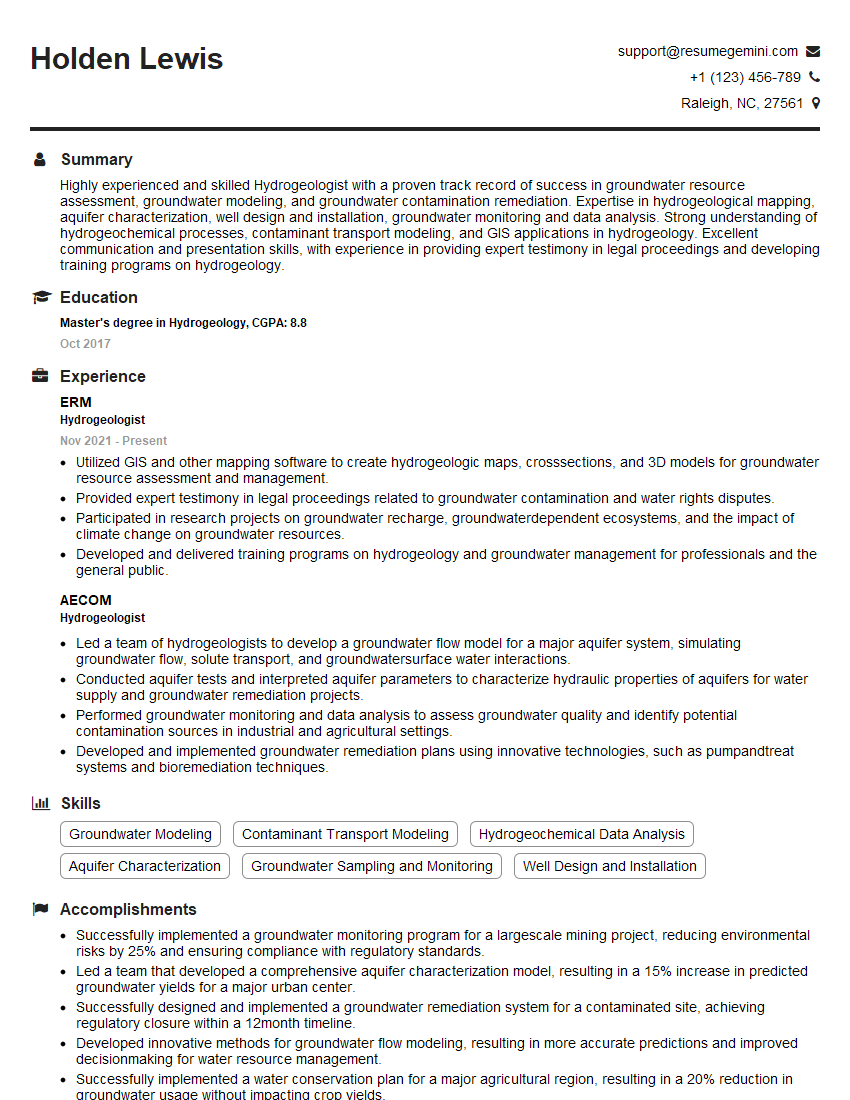
Hydrogeologist Resume Sample

Senior Hydrogeologist Resume Sample
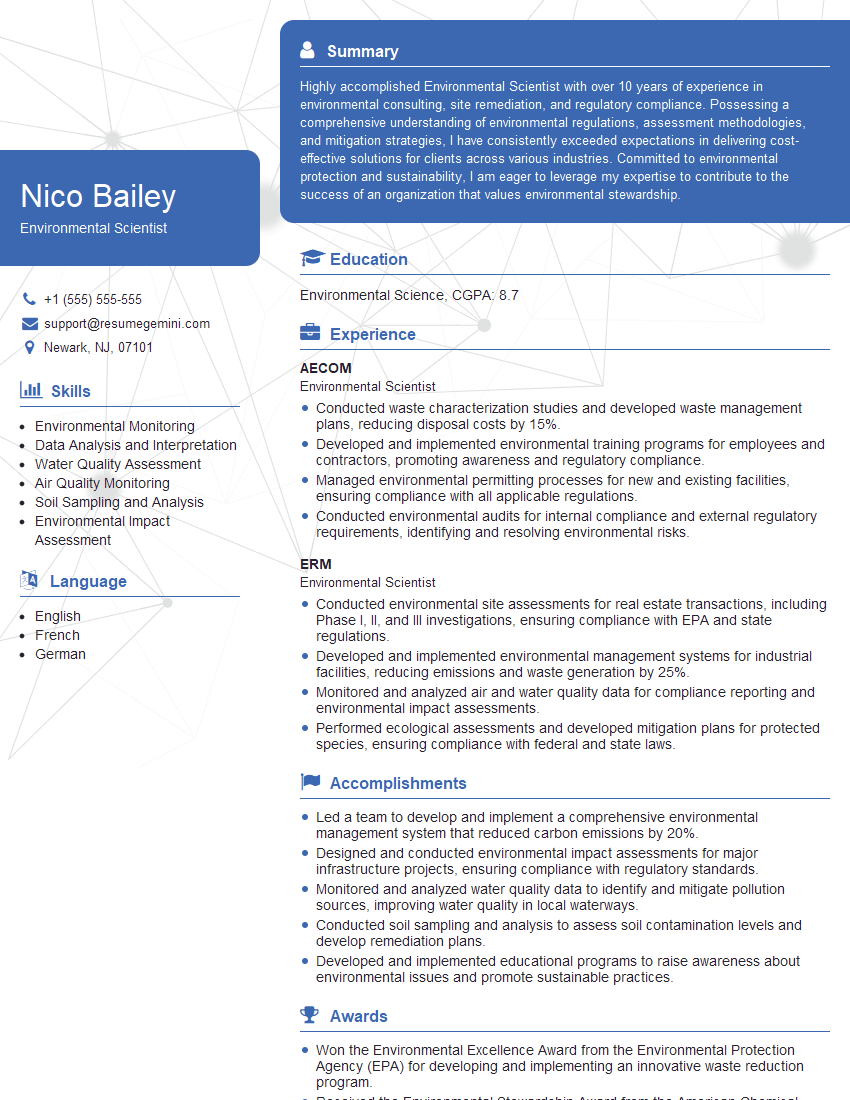
Environmental Scientist Resume Sample

Data Analyst Resume Sample

Geospatial Analyst Resume Sample
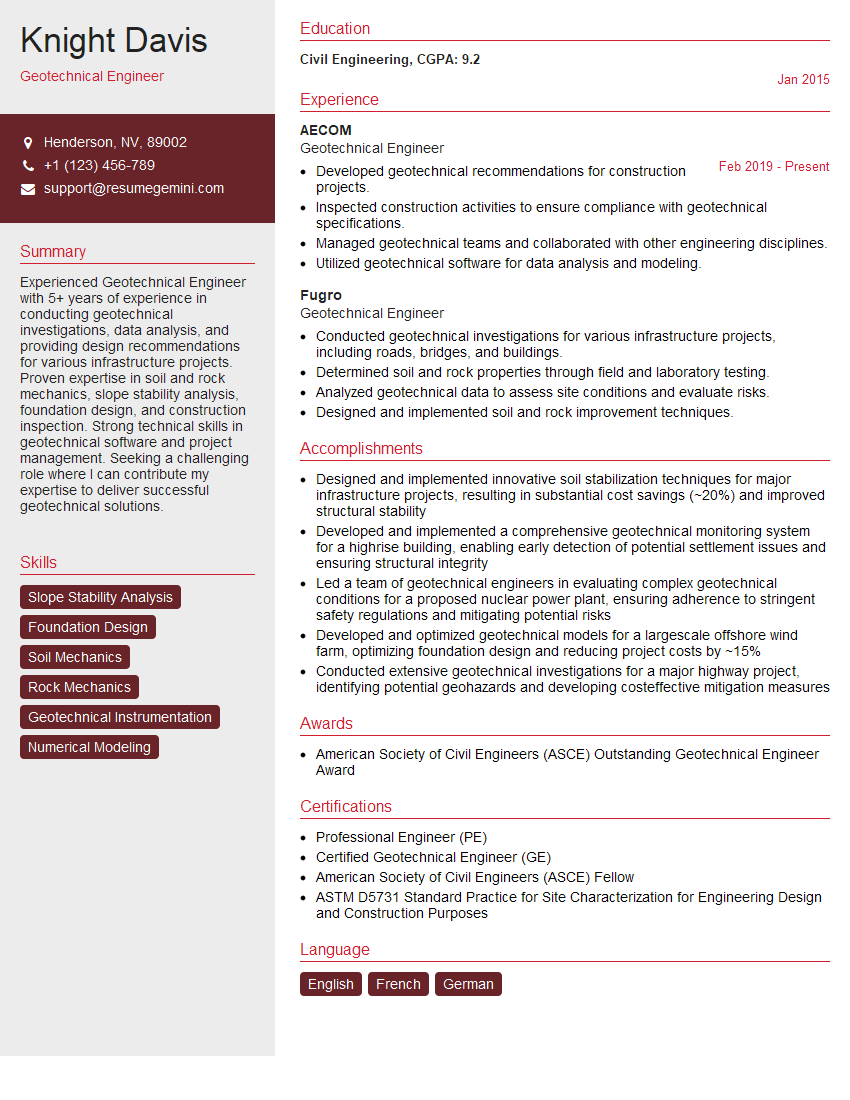
Geotechnical Engineer Resume Sample
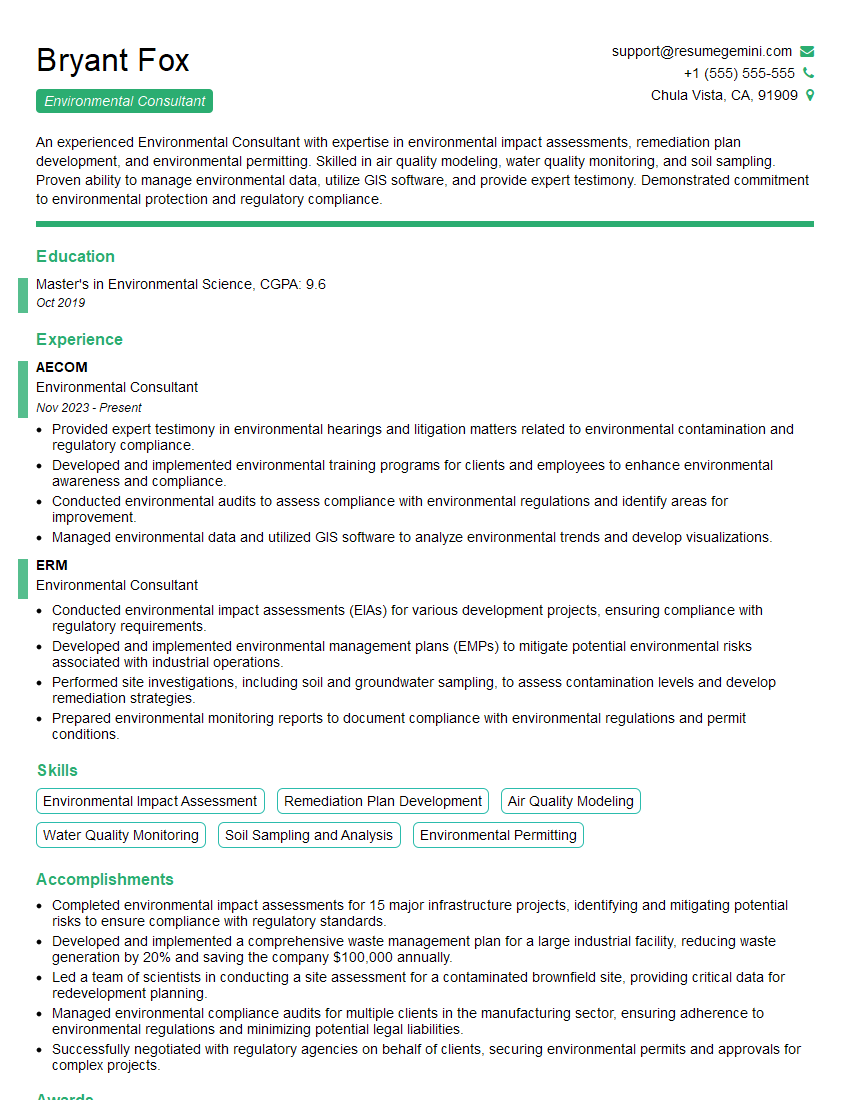
Environmental Consultant Resume Sample
Environmental Engineer Resume Sample
Water Resources Engineer Resume Sample
Hydrologist Resume Sample
Explore more articles
Users Rating of Our Blogs
Share Your Experience
We value your feedback! Please rate our content and share your thoughts (optional).
What Readers Say About Our Blog
Hello,
we currently offer a complimentary backlink and URL indexing test for search engine optimization professionals.
You can get complimentary indexing credits to test how link discovery works in practice.
No credit card is required and there is no recurring fee.
You can find details here:
https://wikipedia-backlinks.com/indexing/
Regards
NICE RESPONSE TO Q & A
hi
The aim of this message is regarding an unclaimed deposit of a deceased nationale that bears the same name as you. You are not relate to him as there are millions of people answering the names across around the world. But i will use my position to influence the release of the deposit to you for our mutual benefit.
Respond for full details and how to claim the deposit. This is 100% risk free. Send hello to my email id: [email protected]
Luka Chachibaialuka
Hey interviewgemini.com, just wanted to follow up on my last email.
We just launched Call the Monster, an parenting app that lets you summon friendly ‘monsters’ kids actually listen to.
We’re also running a giveaway for everyone who downloads the app. Since it’s brand new, there aren’t many users yet, which means you’ve got a much better chance of winning some great prizes.
You can check it out here: https://bit.ly/callamonsterapp
Or follow us on Instagram: https://www.instagram.com/callamonsterapp
Thanks,
Ryan
CEO – Call the Monster App
Hey interviewgemini.com, I saw your website and love your approach.
I just want this to look like spam email, but want to share something important to you. We just launched Call the Monster, a parenting app that lets you summon friendly ‘monsters’ kids actually listen to.
Parents are loving it for calming chaos before bedtime. Thought you might want to try it: https://bit.ly/callamonsterapp or just follow our fun monster lore on Instagram: https://www.instagram.com/callamonsterapp
Thanks,
Ryan
CEO – Call A Monster APP
To the interviewgemini.com Owner.
Dear interviewgemini.com Webmaster!
Hi interviewgemini.com Webmaster!
Dear interviewgemini.com Webmaster!
excellent
Hello,
We found issues with your domain’s email setup that may be sending your messages to spam or blocking them completely. InboxShield Mini shows you how to fix it in minutes — no tech skills required.
Scan your domain now for details: https://inboxshield-mini.com/
— Adam @ InboxShield Mini
Reply STOP to unsubscribe
Hi, are you owner of interviewgemini.com? What if I told you I could help you find extra time in your schedule, reconnect with leads you didn’t even realize you missed, and bring in more “I want to work with you” conversations, without increasing your ad spend or hiring a full-time employee?
All with a flexible, budget-friendly service that could easily pay for itself. Sounds good?
Would it be nice to jump on a quick 10-minute call so I can show you exactly how we make this work?
Best,
Hapei
Marketing Director
Hey, I know you’re the owner of interviewgemini.com. I’ll be quick.
Fundraising for your business is tough and time-consuming. We make it easier by guaranteeing two private investor meetings each month, for six months. No demos, no pitch events – just direct introductions to active investors matched to your startup.
If youR17;re raising, this could help you build real momentum. Want me to send more info?
Hi, I represent an SEO company that specialises in getting you AI citations and higher rankings on Google. I’d like to offer you a 100% free SEO audit for your website. Would you be interested?
Hi, I represent an SEO company that specialises in getting you AI citations and higher rankings on Google. I’d like to offer you a 100% free SEO audit for your website. Would you be interested?
good