Interviews are more than just a Q&A session—they’re a chance to prove your worth. This blog dives into essential WMS Utilization interview questions and expert tips to help you align your answers with what hiring managers are looking for. Start preparing to shine!
Questions Asked in WMS Utilization Interview
Q 1. Explain the key features of a WMS.
A Warehouse Management System (WMS) is a software application designed to support and optimize the distribution and fulfillment processes within a warehouse. Think of it as the brain of your warehouse, managing everything from receiving goods to shipping them out. Key features typically include:
- Inventory Management: Tracking inventory levels in real-time, including location, quantity, and condition.
- Receiving: Managing the process of receiving goods, verifying quantities against purchase orders, and updating inventory accordingly.
- Put-away: Directing workers to optimal storage locations based on factors like product size, demand, and expiration dates. This often employs strategies like slotting optimization.
- Picking and Packing: Optimizing order picking routes to minimize travel time and improve efficiency, often using technologies like voice picking or RF scanners. It also manages packing and labeling processes.
- Shipping: Generating shipping labels, managing carrier selection, and tracking shipments.
- Reporting and Analytics: Providing key performance indicators (KPIs) to track warehouse efficiency, identify bottlenecks, and improve processes. Examples include order fulfillment rates, inventory turnover, and picking accuracy.
- Labor Management: Tracking employee productivity, assigning tasks, and monitoring performance.
For instance, a WMS might automatically suggest the most efficient path for a picker to collect items for an order, reducing travel time by 20% compared to manual processes. Or it could alert management to low stock levels of a popular item, allowing for timely replenishment.
Q 2. What are the different types of WMS deployments?
WMS deployments come in several forms, each with its own advantages and disadvantages:
- On-Premise: The WMS software is installed and maintained on the company’s own servers. This offers greater control and customization but requires significant upfront investment and ongoing IT maintenance.
- Cloud-Based (SaaS): The WMS is hosted on a cloud provider’s servers. This offers scalability, reduced IT costs, and easier access from multiple locations. However, reliance on internet connectivity and data security are crucial considerations.
- Hybrid: A combination of on-premise and cloud-based deployments, allowing companies to choose which aspects of their WMS to host where, based on security and performance needs.
The best choice depends on the company’s size, budget, IT infrastructure, and specific requirements. A small business might opt for a cloud-based solution for its simplicity and cost-effectiveness, while a large enterprise with stringent security requirements may prefer an on-premise or hybrid approach.
Q 3. Describe your experience with WMS implementation.
I’ve been involved in multiple WMS implementations, ranging from small-scale projects for distribution centers to large-scale deployments in complex manufacturing environments. My experience encompasses all phases, from requirements gathering and system selection to configuration, testing, training, and go-live support.
In one project, we implemented a cloud-based WMS for a rapidly growing e-commerce company. The key challenge was integrating the WMS with their existing e-commerce platform and order management system. We used API integrations and robust data mapping to ensure seamless data flow, resulting in significant improvements in order fulfillment speed and accuracy. We also employed agile methodologies, allowing for iterative development and frequent stakeholder feedback, leading to a successful and timely implementation.
Another project involved a complex on-premise WMS implementation for a manufacturing facility with multiple warehouse locations. A significant part of the project involved customizing the WMS to handle specific manufacturing processes and inventory tracking requirements. We used a phased rollout approach, starting with a pilot program in one warehouse before expanding to other locations. This minimized disruption and allowed for thorough testing and refinement.
Q 4. How do you optimize inventory management within a WMS?
Optimizing inventory management within a WMS involves several strategies:
- Accurate Forecasting: Using historical data and predictive analytics to forecast demand and optimize inventory levels, minimizing stockouts and overstocking.
- ABC Analysis: Categorizing inventory items based on their value and consumption rate (A – high value, high consumption; B – medium; C – low). This allows for focused inventory control efforts on high-value items.
- Slotting Optimization: Strategically assigning storage locations to maximize picking efficiency and minimize travel time. Factors such as product size, frequency of access, and order profiles are considered.
- Cycle Counting: Regularly auditing a subset of inventory items to identify discrepancies and maintain inventory accuracy. This proactive approach helps prevent larger, more costly discrepancies later.
- Inventory Turnover Analysis: Monitoring how quickly inventory is sold to identify slow-moving items and adjust ordering strategies accordingly.
For example, by implementing ABC analysis and focusing on optimizing storage locations for high-demand items (A items), we can significantly reduce picking time and improve order fulfillment rates.
Q 5. What are the benefits of integrating a WMS with other systems?
Integrating a WMS with other enterprise systems, such as Enterprise Resource Planning (ERP), Transportation Management Systems (TMS), and Customer Relationship Management (CRM) systems, provides numerous benefits:
- Improved Data Visibility: Real-time data sharing across systems provides a holistic view of the supply chain.
- Increased Efficiency: Streamlined processes and reduced manual data entry.
- Enhanced Accuracy: Reduced data entry errors and improved inventory accuracy.
- Better Decision-Making: Access to comprehensive data allows for more informed business decisions.
- Improved Customer Service: Accurate inventory tracking leads to faster order fulfillment and improved customer satisfaction.
For instance, integration with an ERP system can automate the transfer of sales orders to the WMS, eliminating manual data entry and preventing errors. Integration with a TMS can streamline the shipping process by automating the creation of shipping labels and providing real-time shipment tracking.
Q 6. How do you handle discrepancies in inventory counts?
Handling inventory discrepancies requires a systematic approach. The first step is to identify the discrepancy through cycle counting or physical inventory checks. Once a discrepancy is found, we investigate the root cause:
- Data Entry Errors: Reviewing data entry processes to identify and correct errors.
- Picking Errors: Examining picking processes for potential issues, such as improper training or lack of clear procedures. This might involve reviewing pick lists and implementing quality control checks.
- Receiving Errors: Verifying the accuracy of incoming shipments and investigating any discrepancies between the received quantities and purchase orders.
- Damage or Loss: Investigating potential causes of damage or loss, such as improper storage or handling.
After identifying the root cause, we implement corrective actions to prevent future discrepancies. This might involve improved training, updated procedures, improved inventory tracking, or implementing better quality control measures.
In many cases, we can use the WMS’s reporting and analytics capabilities to identify patterns in discrepancies, pinpointing areas needing improvement.
Q 7. Explain your experience with WMS reporting and analytics.
My experience with WMS reporting and analytics involves leveraging data to drive improvements in warehouse efficiency and profitability. I am proficient in using WMS reports to track key performance indicators (KPIs) such as:
- Order Fulfillment Rate: The percentage of orders fulfilled on time and in full.
- Inventory Accuracy: The percentage of inventory items correctly counted and located.
- Picking Accuracy: The percentage of items picked correctly.
- Inventory Turnover Rate: The number of times inventory is sold and replaced within a specific period.
- Warehouse Productivity: Metrics measuring labor efficiency such as units picked per hour or orders processed per employee.
I use this data to identify bottlenecks, areas for improvement, and to support data-driven decision making. For example, a low order fulfillment rate might indicate issues with picking efficiency or inventory accuracy, prompting investigation and process adjustments. Analyzing inventory turnover data can help identify slow-moving items, enabling better inventory management strategies.
Furthermore, I’m experienced in creating custom reports and dashboards to visualize key data, providing management with clear and concise overviews of warehouse performance.
Q 8. Describe your experience with WMS system configuration.
WMS system configuration involves setting up the software to reflect the specific needs of a warehouse. This is a multifaceted process, requiring deep understanding of the warehouse’s physical layout, operational processes, and inventory management strategies. It’s akin to building a custom house – you need the right blueprints (warehouse layout, inventory data), the right materials (software modules), and skilled labor (configuration expertise) to create a functional and efficient system.
Defining Warehouse Structure: This includes defining warehouse zones, aisles, racks, and locations within the WMS. For example, specifying a ‘Receiving Zone’ and assigning specific locations within that zone for different types of incoming goods. This typically involves importing data from CAD drawings or manually entering the relevant information.
Setting up Item Master Data: This involves meticulously detailing each item stored in the warehouse, including its SKU, dimensions, weight, handling instructions, and storage requirements. Incorrect data here can lead to significant operational problems later.
Configuring Processes: This entails setting up rules for receiving, putaway, picking, packing, and shipping processes. For instance, defining putaway strategies like ‘nearest available location’ or ‘location by product type’ for optimized efficiency. It also involves setting up rules for inventory cycle counting or automated stock replenishment.
Integrating with other Systems: A crucial aspect of configuration is integrating the WMS with other systems like ERP (Enterprise Resource Planning), TMS (Transportation Management System), and OMS (Order Management System). This seamless data flow is vital for accurate inventory levels, efficient order fulfillment, and improved overall supply chain visibility.
Q 9. How do you troubleshoot common WMS issues?
Troubleshooting WMS issues requires a systematic approach. Think of it as diagnosing a car problem – you need to systematically check different components to find the root cause. I typically follow these steps:
Identify the Issue: Clearly define the problem. Is it slow performance, inaccurate inventory counts, picking errors, or something else? Collect data – error logs, user reports, and system performance metrics are crucial.
Analyze the Data: Examine the data collected to pinpoint potential causes. Are there patterns in the errors? Does the problem seem to be related to specific processes, locations, or users?
Check System Logs: WMS systems generate detailed logs that record events and errors. Analyzing these logs can often reveal the root cause of the problem. For example, frequent database errors might point to hardware issues or database configuration problems.
Test Configurations: If the problem is related to system configurations, test changes in a staging environment before implementing them in production. This reduces the risk of disrupting operations.
Consult Documentation and Support: When all else fails, refer to the system’s documentation or contact the vendor’s support team for assistance.
For example, if I encounter frequent picking errors, I’d investigate factors like scanner malfunction, inaccurate picking lists, insufficient training for warehouse staff, or even issues with the warehouse layout itself.
Q 10. What metrics do you use to measure WMS performance?
Measuring WMS performance is essential for optimizing warehouse efficiency and identifying areas for improvement. I use a range of metrics, categorized for better analysis:
Order Fulfillment Metrics:
Order Fulfillment Accuracy:Percentage of orders fulfilled without errors.Order Cycle Time:Time taken from order placement to shipment.On-Time Shipping Rate:Percentage of orders shipped on or before the promised delivery date.
Inventory Management Metrics:
Inventory Accuracy:Percentage of items with accurate inventory counts.Inventory Turnover Rate:How quickly inventory is sold and replaced.Stockout Rate:Percentage of items unavailable when needed.
Productivity Metrics:
Picking Rate:Number of items picked per hour.Putaway Rate:Number of items put away per hour.Labor Cost per Unit:Cost of labor associated with fulfilling an order.
System Performance Metrics:
System Uptime:Percentage of time the WMS is operational.Transaction Processing Time:Time taken for the system to process transactions.Database Performance:Speed and efficiency of database queries.
Regularly monitoring these metrics helps to identify bottlenecks, areas for automation, and opportunities to improve efficiency and accuracy.
Q 11. Explain your understanding of different warehouse layouts and how WMS supports them.
Different warehouse layouts impact warehouse operations significantly. A well-designed layout, supported by a flexible WMS, maximizes efficiency. The WMS adapts to various layouts, optimizing processes for each.
U-shaped Layout: Efficient for processing high-volume orders. The WMS can be configured to optimize the flow of goods through the U-shape, minimizing travel time.
L-shaped Layout: Suitable for smaller warehouses or those with specific product handling needs. The WMS can be customized to accommodate the layout’s constraints and optimize workflow within the L-shape.
I-shaped Layout: Simple layout but potentially less efficient for large operations. The WMS can still optimize putaway and picking strategies to minimize travel distances within this linear structure.
Multi-level Layouts: Utilize vertical space efficiently. The WMS must accurately manage locations across multiple levels, optimizing vertical movement (e.g., lifts, conveyors).
Dedicated Zone Layouts: Different areas dedicated to specific processes (receiving, picking, packing). The WMS must define these zones and manage the workflow between them effectively.
The WMS plays a vital role in supporting these layouts by providing accurate location data, route optimization, and real-time visibility into inventory placement. For instance, in a multi-level layout, the WMS guides workers to the correct location on the specific floor, improving accuracy and efficiency.
Q 12. How do you ensure data accuracy within a WMS?
Data accuracy is paramount in a WMS. Inaccurate data leads to costly errors, stockouts, and dissatisfied customers. I ensure data accuracy through a multi-pronged approach:
Data Validation: Implementing data validation rules to prevent entry of inaccurate or invalid data. For example, preventing entries of negative inventory quantities or invalid SKUs.
Regular Cycle Counting: Conducting regular physical inventory counts to compare physical stock with WMS records. Discrepancies are investigated and corrected promptly.
Barcode Scanning: Implementing barcode scanning for all inventory movements to minimize manual data entry and reduce errors. This is like having a digital double-check for every transaction.
Automated Data Reconciliation: Employing automated processes to compare data from different sources, identifying and resolving discrepancies.
User Training and Procedures: Training warehouse staff on proper data entry procedures and emphasizing the importance of accuracy. Clear, standardized processes minimize human error.
Data Backup and Recovery: Regular data backups are critical for business continuity and data recovery in case of system failures or data corruption.
Imagine a scenario where a warehouse miscounts its inventory. This could lead to stockouts, lost sales, and potentially affect customer satisfaction. Robust data accuracy practices prevent these scenarios.
Q 13. Describe your experience with WMS security and access control.
WMS security is crucial to protect sensitive data and ensure operational integrity. My experience involves implementing and managing security measures at various levels:
Access Control: Implementing role-based access control (RBAC), ensuring users only have access to the data and functions necessary for their roles. This prevents unauthorized access and maintains data integrity. For instance, a picker only needs access to picking lists, while a manager requires access to reports and system configurations.
Data Encryption: Encrypting sensitive data both in transit and at rest to protect it from unauthorized access even if the system is compromised.
User Authentication: Implementing strong password policies and multi-factor authentication to verify user identities before granting access.
Audit Trails: Maintaining detailed audit trails of all system activities to track user actions and detect potential security breaches. This provides an easily searchable record of all changes and actions within the system.
Regular Security Audits: Conducting regular security audits and penetration testing to identify and address vulnerabilities proactively.
Think of it like securing a building – multiple layers of security (access control, alarms, surveillance) are needed to ensure that only authorized personnel can access sensitive areas and prevent unauthorized entry.
Q 14. What is your experience with WMS upgrades and maintenance?
WMS upgrades and maintenance are essential for maintaining system performance, security, and adding new features. My experience spans the entire lifecycle:
Planning and Assessment: Before initiating an upgrade, a thorough assessment is conducted to identify the benefits, potential risks, and required resources. This includes evaluating compatibility with existing hardware and software, potential downtime, and staff training needs.
Testing and Validation: Upgrades are rigorously tested in a staging environment to ensure functionality and prevent unforeseen issues in the production environment. This includes unit testing, integration testing, and user acceptance testing.
Deployment and Rollout: Upgrades are deployed in a controlled manner, often in phases, to minimize disruption to warehouse operations. Thorough communication with stakeholders keeps everyone informed about the progress and potential impacts.
Post-Implementation Support: After the upgrade, ongoing support is provided to address any unforeseen problems and ensure smooth operation. This includes monitoring system performance, addressing user queries, and implementing necessary bug fixes.
Preventive Maintenance: Regular maintenance tasks, like software patching, database optimization, and hardware checks, are performed to prevent potential issues and maintain system stability. Think of this as regular car servicing to prevent major breakdowns.
A well-planned and executed upgrade process ensures smooth transition, minimal disruption, and realization of the benefits of the new features or improved performance.
Q 15. How do you manage user training within a WMS environment?
Effective WMS user training is crucial for successful implementation and ongoing operational efficiency. My approach involves a multi-faceted strategy, combining various training methods to cater to different learning styles. This starts with a needs assessment to identify specific training requirements based on roles and responsibilities within the warehouse.
The training program typically includes:
- On-the-job training: Experienced staff members shadow new employees, providing hands-on guidance within the WMS environment.
- Interactive workshops: These sessions utilize real-world scenarios and practical exercises to reinforce learning, focusing on key WMS functionalities like order fulfillment, inventory management, and reporting.
- Online modules: Self-paced e-learning modules offer flexibility and allow employees to revisit key concepts as needed. These modules often include quizzes and interactive elements to ensure knowledge retention.
- Role-specific training: Training is tailored to different roles (e.g., receiving clerks, order pickers, warehouse managers) emphasizing relevant tasks and responsibilities within the WMS.
- Ongoing support and mentorship: After initial training, ongoing support is provided through dedicated help desks, FAQs, and regular follow-up sessions to address questions and provide ongoing assistance.
For example, during a recent implementation, we used gamified online modules for forklift operators, resulting in a 20% improvement in their task completion times. This demonstrated the effectiveness of tailored training programs.
Career Expert Tips:
- Ace those interviews! Prepare effectively by reviewing the Top 50 Most Common Interview Questions on ResumeGemini.
- Navigate your job search with confidence! Explore a wide range of Career Tips on ResumeGemini. Learn about common challenges and recommendations to overcome them.
- Craft the perfect resume! Master the Art of Resume Writing with ResumeGemini’s guide. Showcase your unique qualifications and achievements effectively.
- Don’t miss out on holiday savings! Build your dream resume with ResumeGemini’s ATS optimized templates.
Q 16. What are some common challenges faced when implementing a WMS?
Implementing a WMS presents several common challenges. One significant hurdle is data migration. Accurately transferring existing inventory data, customer information, and other crucial data into the new system requires meticulous planning and execution to prevent data loss or inaccuracies. This often involves data cleansing and validation processes.
- Integration complexities: Seamless integration with existing ERP (Enterprise Resource Planning) systems, transportation management systems (TMS), and other warehouse technologies can be complex and time-consuming, potentially causing delays and disruptions.
- User adoption: Resistance to change and inadequate user training can hinder the successful adoption of a new WMS. Addressing these concerns requires clear communication, comprehensive training, and ongoing support.
- Cost considerations: Implementing a WMS involves significant upfront costs for software licenses, hardware upgrades, implementation services, and training. Careful budgeting and planning are essential.
- Process re-engineering: A successful WMS implementation often requires re-engineering existing warehouse processes to optimize workflow and leverage the full capabilities of the system. This may involve changes to warehouse layouts, picking strategies, and other operational aspects.
For instance, in a previous project, we mitigated integration challenges by establishing a dedicated integration team and utilizing an agile development methodology to address issues as they arose, ensuring a smoother transition.
Q 17. How do you handle peak season demands using a WMS?
Peak season demands require proactive planning and leveraging the full capabilities of the WMS to manage increased order volumes and maintain operational efficiency. This involves several key strategies:
- Forecasting and planning: Accurate demand forecasting is critical. The WMS can be used to analyze historical data to predict order volumes and resource requirements during peak seasons.
- Optimized picking strategies: Utilizing wave picking, batch picking, or other advanced picking strategies can significantly improve efficiency and throughput during peak periods.
- Staffing and resource allocation: The WMS can help determine optimal staffing levels and allocate resources effectively based on forecasted demand.
- Real-time monitoring and reporting: The WMS provides real-time visibility into warehouse operations, allowing for immediate identification and resolution of bottlenecks or issues.
- Capacity planning: Ensuring sufficient warehouse space, equipment, and labor is critical during peak season. The WMS can help optimize space utilization and identify potential capacity constraints.
For example, in one project, we implemented a wave picking strategy that reduced order fulfillment time by 15% during the peak season, significantly improving customer satisfaction.
Q 18. How do you ensure compliance with industry regulations using a WMS?
Ensuring compliance with industry regulations is paramount. A WMS can play a crucial role in this by providing tools and features to support compliance initiatives. This includes:
- Traceability and track-and-trace capabilities: The WMS can track the movement and location of products throughout the warehouse, providing complete traceability in case of recalls or audits. This is particularly important for industries subject to strict regulations like food and pharmaceuticals.
- Lot and serial number management: The WMS can manage lot and serial numbers, ensuring accurate tracking and preventing the shipment of expired or defective products.
- Data security and access control: The WMS should implement robust security measures to protect sensitive data and comply with relevant regulations, such as GDPR or HIPAA.
- Audit trails: Maintaining detailed audit trails of all warehouse activities enables easy compliance verification during audits.
- Reporting and documentation: The WMS can generate various reports that demonstrate compliance with specific regulations.
For example, implementing a robust audit trail feature within the WMS allowed a client to successfully pass a recent FDA audit with minimal disruption to warehouse operations. This highlighted the system’s ability to streamline compliance processes.
Q 19. Describe your experience with different WMS vendors.
I have worked with a variety of WMS vendors, including Blue Yonder, Manhattan Associates, and NetSuite. Each vendor offers a unique set of features, strengths, and weaknesses. My experience allows me to assess a vendor’s capabilities based on specific client requirements and industry best practices.
For instance, Blue Yonder excels in providing advanced analytics and optimization capabilities, while Manhattan Associates offers strong support for complex supply chain operations. NetSuite provides a more integrated solution suitable for smaller businesses. The selection of a WMS vendor depends on several factors, including budget, scalability requirements, integration needs, and specific functional requirements. A thorough vendor selection process that includes evaluating demos, reviewing customer references, and performing due diligence is essential to ensure a successful implementation.
Q 20. How do you prioritize tasks and manage multiple projects within a WMS implementation?
Managing multiple projects within a WMS implementation requires a structured approach. I typically employ a project management methodology like Agile or Waterfall, adapting it to the specific context. Prioritization of tasks is crucial, and I use methods like MoSCoW (Must have, Should have, Could have, Won’t have) to categorize requirements based on their importance and urgency.
A project management tool like Jira or Asana is used to track progress, manage tasks, and monitor deadlines. Regular progress meetings with stakeholders are essential to ensure alignment and address potential issues proactively. Effective communication and collaboration among team members are critical to successful project execution. Risk management is a key aspect; we identify potential risks and develop mitigation strategies to minimize disruptions. For example, identifying potential integration issues early in the project can save significant time and resources later on.
Q 21. Explain your experience with RF scanning and its integration with a WMS.
RF (Radio Frequency) scanning is a critical component of modern WMS systems, significantly improving accuracy and efficiency in warehouse operations. My experience involves integrating RF scanning into various WMS implementations, enhancing processes like receiving, putaway, picking, and shipping.
The integration typically involves configuring the WMS to communicate with RF scanners, defining the data capture process, and implementing appropriate error handling mechanisms. RF scanners are used to capture barcodes or RFID tags, providing real-time data to the WMS. This data is used to update inventory levels, track product movement, and generate accurate shipping documents. Data validation and error correction mechanisms are essential to maintain data integrity.
For example, in one project, integrating RF scanners reduced picking errors by 25% and increased picking efficiency by 10%, demonstrating the significant impact of RF technology on warehouse productivity. This involved careful selection of scanners compatible with the WMS, providing adequate training to warehouse staff, and establishing clear procedures for data handling and error resolution.
Q 22. How do you handle returns and reverse logistics within a WMS?
Handling returns and reverse logistics efficiently is crucial for a successful WMS. It’s not just about processing returned goods; it’s about optimizing the entire process to minimize costs and maximize customer satisfaction. A well-designed WMS will incorporate specific functionalities to manage this.
- Dedicated Receiving Area: Returns should have a separate receiving area from incoming shipments to avoid confusion and ensure proper inspection.
- Inspection and Quality Control: The WMS should track the condition of returned items, recording any damage or defects. This information is vital for analyzing return reasons and improving product quality.
- Return Authorization (RMA) System: The system should generate and track RMA numbers, providing clear identification and authorization for each return.
- Restocking and Repackaging: The WMS guides the process of inspecting, cleaning, repackaging, and restocking returned items into inventory. This could involve assigning specific locations for returned goods awaiting processing.
- Integration with other systems: Seamless integration with accounting and customer relationship management (CRM) systems allows for accurate financial updates and timely customer communication regarding refunds or exchanges.
- Reporting and Analytics: The WMS should provide detailed reports on return rates, reasons for returns, and processing times. This data is invaluable for identifying areas for improvement and preventing future returns.
For example, in a previous role, we implemented a system that automatically generated email notifications to customers upon receiving their returns. This ensured transparency and improved customer satisfaction significantly. We also utilized reporting features to analyze the top reasons for returns (e.g., sizing issues, defects), allowing us to proactively address these concerns.
Q 23. What is your experience with warehouse automation and its integration with a WMS?
My experience with warehouse automation and its integration with WMS is extensive. I’ve worked with various automation technologies, including automated guided vehicles (AGVs), conveyor systems, robotic picking and packing, and automated storage and retrieval systems (AS/RS).
Successful integration requires careful planning and execution. It’s not simply about installing the technology; it’s about optimizing the entire workflow. This involves:
- System Compatibility: Ensuring seamless data exchange between the WMS and the automation system is paramount. This often involves using APIs and middleware to bridge the gap between different software systems.
- Process Mapping: Before implementation, a detailed workflow analysis is crucial to determine which processes are most suitable for automation and how the automated systems will interact with existing manual processes.
- Training and Support: Employees require thorough training on using the new automated systems. Continuous support and troubleshooting are vital for maintaining operational efficiency.
- Real-time Monitoring and Control: The WMS should provide real-time visibility into the performance of automated systems, allowing for quick identification and resolution of any issues.
In a previous project, we integrated an AS/RS with our WMS. This significantly improved storage capacity and retrieval times. The WMS automatically directed the AS/RS to retrieve items based on order requirements, streamlining the entire picking process. The result was a 30% increase in order fulfillment speed and a reduction in labor costs.
Q 24. How do you ensure efficient picking and packing processes within a WMS?
Efficient picking and packing processes are fundamental to warehouse success. A WMS can significantly enhance efficiency through several strategies.
- Optimized Picking Paths: Utilizing algorithms like ‘shortest distance’ or ‘cluster picking’ within the WMS minimizes travel time for pickers, leading to faster order fulfillment.
- Batch Picking: Grouping multiple orders together for picking reduces the number of trips and increases efficiency. The WMS can intelligently assign items to pickers based on order batches.
- Pick-to-Light Systems: Integrating light-directed systems guides pickers to the correct locations, reducing errors and increasing speed. The WMS sends instructions directly to the pick-to-light system.
- Barcode Scanning and RFID: These technologies enable accurate tracking of items throughout the picking and packing process, reducing errors and improving data accuracy.
- Packing Optimization: The WMS can optimize packing methods (e.g., using the smallest appropriate box) to reduce shipping costs and improve space utilization. This can also involve integration with dimensional weight calculators.
- Quality Control Checks: Implementing quality checks at each stage (e.g., verifying the correct items are picked and packed) minimizes errors and improves customer satisfaction.
For instance, in my experience, implementing a batch-picking strategy combined with barcode scanning reduced picking errors by 40% and increased order fulfillment speed by 25%.
Q 25. Describe your experience with order management within a WMS.
Order management within a WMS is the backbone of warehouse operations. A robust WMS provides a centralized platform for managing orders from creation to shipment. Key functionalities include:
- Order Entry and Processing: Efficiently processing orders from various channels (e.g., online, phone, EDI).
- Order Allocation: Assigning orders to specific warehouses based on inventory availability and shipping proximity.
- Inventory Management: Tracking inventory levels in real-time to ensure sufficient stock is available to fulfill orders.
- Order Tracking: Providing real-time visibility into order status and location throughout the fulfillment process.
- Shipping Label Generation: Automatically generating shipping labels with accurate addresses and tracking numbers.
- Integration with Shipping Carriers: Seamlessly connecting with shipping carriers to schedule pickups and track shipments.
- Reporting and Analytics: Generating reports on order volume, fulfillment times, and other key performance indicators.
In one instance, I worked with a company that was struggling with order backlogs due to an inefficient order management system. Implementing a new WMS with improved order allocation and tracking functionalities significantly reduced order fulfillment times and improved customer satisfaction.
Q 26. How do you leverage data analytics from a WMS to improve warehouse operations?
Data analytics are crucial for optimizing warehouse operations. A modern WMS generates a vast amount of data, which can be leveraged to improve efficiency and profitability. This involves:
- Performance Monitoring: Tracking key metrics like order fulfillment times, picking accuracy, and inventory turnover.
- Identifying Bottlenecks: Analyzing data to identify areas where inefficiencies exist, such as slow picking processes or excessive inventory holding costs.
- Predictive Analytics: Using historical data to forecast future demand and optimize inventory levels.
- Labor Optimization: Analyzing labor data to optimize staffing levels and improve worker productivity.
- Space Optimization: Analyzing space utilization to identify opportunities to improve storage efficiency.
For example, by analyzing picking data, we identified a specific aisle that consistently caused delays. By restructuring the warehouse layout and adjusting picking routes, we reduced picking times by 15%. Similarly, analyzing inventory data allowed us to implement a more accurate forecasting system, reducing stockouts and minimizing carrying costs.
Q 27. What is your understanding of different WMS modules (e.g., receiving, putaway, shipping)?
WMS modules work in concert to manage the entire warehouse lifecycle. Here’s a breakdown of key modules:
- Receiving: This module manages the incoming flow of goods. It involves tasks such as tracking shipments, verifying quantities, and updating inventory levels. It often utilizes barcode scanning or RFID to ensure accuracy.
- Putaway: This module directs the storage of goods in designated locations within the warehouse. The algorithm considers factors like product type, demand, and storage capacity to optimize space utilization. This might involve directing items to specific shelves or bins based on their characteristics.
- Picking: As discussed before, this module manages the picking process, using algorithms to optimize picking routes and methods. It might integrate with voice-picking systems or other technologies for improved accuracy and speed.
- Packing: This module guides the packing process, ensuring items are packaged appropriately and efficiently. This often involves selecting the correct size of packaging materials and creating shipping labels.
- Shipping: This module manages the outbound shipping process, including generating shipping labels, scheduling carrier pickups, and tracking shipments. It often interfaces with various carrier systems to streamline the process.
- Inventory Management: This overarching module manages the entire inventory, tracking quantities, locations, and other critical information. It’s fundamental to all other modules, providing the data they need to operate effectively.
Understanding how these modules interact is essential for effective WMS implementation and management.
Q 28. How do you measure the ROI of a WMS implementation?
Measuring the ROI of a WMS implementation requires a multi-faceted approach. It’s not just about the initial cost; it’s about the long-term benefits. Key metrics include:
- Reduced Labor Costs: Calculate the savings from reduced labor hours due to automation and improved efficiency.
- Increased Productivity: Measure the increase in order fulfillment speed and other productivity metrics.
- Improved Inventory Accuracy: Quantify the reduction in inventory discrepancies and the resulting cost savings.
- Reduced Storage Costs: Assess the savings from optimized space utilization and improved storage efficiency.
- Lower Shipping Costs: Calculate the reduction in shipping costs due to optimized packaging and efficient routing.
- Improved Customer Satisfaction: Measure the improvement in customer satisfaction based on factors like order fulfillment speed and accuracy.
- Reduced Waste: Assess the reduction in waste due to optimized processes and improved inventory control.
To determine the overall ROI, you need to compare the total cost of the WMS implementation (including software, hardware, training, and integration) against the total savings and increased revenue generated over a defined period (e.g., 3-5 years). A robust cost-benefit analysis is essential for a clear picture.
Key Topics to Learn for WMS Utilization Interview
- WMS Fundamentals: Understanding the core functionalities of a Warehouse Management System, including receiving, putaway, picking, packing, and shipping processes. Explore different WMS architectures and their implications.
- Inventory Management within WMS: Mastering inventory accuracy techniques, cycle counting methodologies, and the impact of various inventory control strategies on warehouse efficiency. Consider practical applications like implementing ABC analysis.
- Order Fulfillment Optimization: Learn about different order fulfillment strategies (e.g., batch picking, zone picking, wave picking) and their effect on throughput and order accuracy. Analyze scenarios requiring optimization of picking routes and strategies.
- WMS Reporting and Analytics: Understand the importance of key performance indicators (KPIs) related to warehouse operations. Develop skills in interpreting WMS reports to identify areas for improvement and make data-driven decisions.
- Integration with other Systems: Explore how WMS integrates with other enterprise systems like ERP, TMS, and OMS. Understand the data flow and potential challenges in these integrations.
- WMS Implementation and Configuration: Gain familiarity with the process of implementing a WMS, including project planning, system configuration, user training, and go-live support. Think about common challenges and best practices.
- Warehouse Layout and Design: Understand how warehouse design impacts WMS utilization. Explore the relationship between efficient space utilization and optimized workflows within the WMS.
- Troubleshooting and Problem Solving: Practice identifying and resolving common WMS issues, such as inventory discrepancies, picking errors, and system downtime. Develop your analytical skills to diagnose and fix problems efficiently.
Next Steps
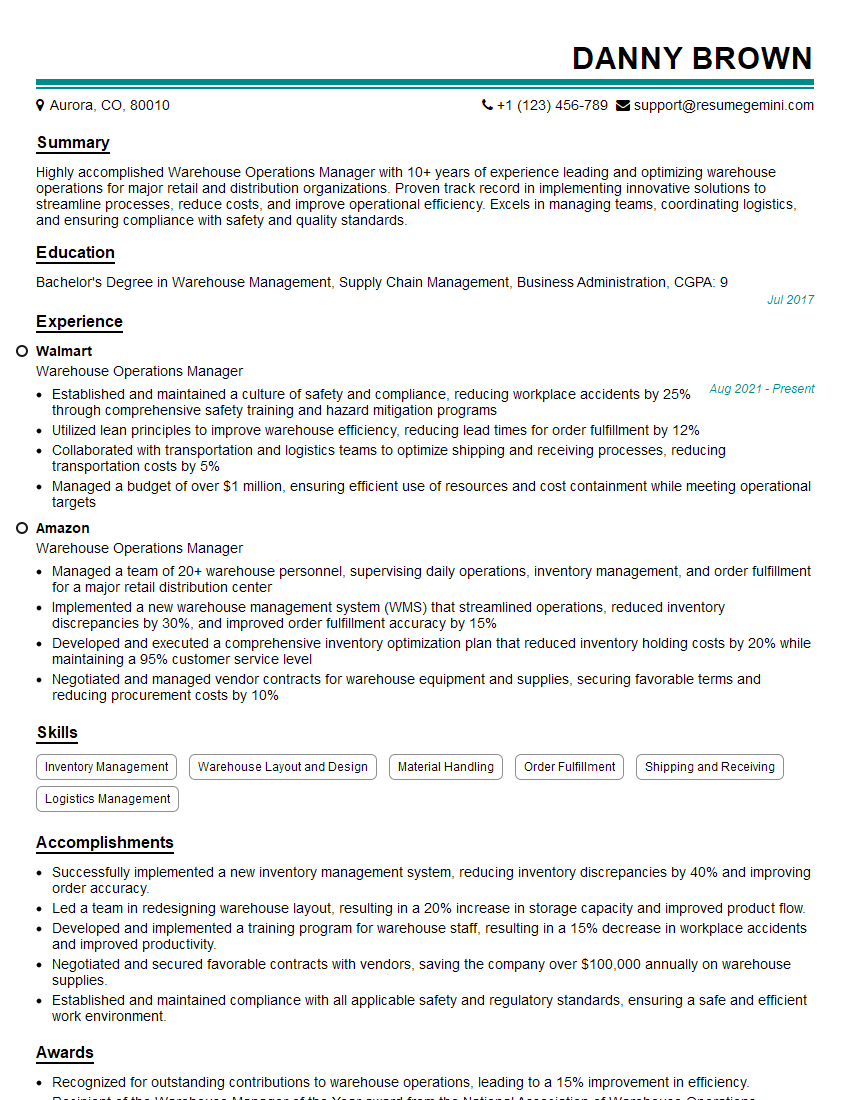
Mastering WMS Utilization is crucial for career advancement in logistics and supply chain management. A strong understanding of WMS principles significantly enhances your value to prospective employers. To showcase your skills effectively, it’s essential to have an ATS-friendly resume that highlights your expertise. We strongly recommend using ResumeGemini to build a professional and impactful resume that captures your WMS knowledge and experience. ResumeGemini provides examples of resumes tailored to WMS Utilization roles to guide you through the process. Invest time in crafting a compelling resume—it’s your first impression on potential employers.
Explore more articles
Users Rating of Our Blogs
Share Your Experience
We value your feedback! Please rate our content and share your thoughts (optional).
What Readers Say About Our Blog
Very informative content, great job.
good