Feeling uncertain about what to expect in your upcoming interview? We’ve got you covered! This blog highlights the most important Cloud and Virtualization Technologies interview questions and provides actionable advice to help you stand out as the ideal candidate. Let’s pave the way for your success.
Questions Asked in Cloud and Virtualization Technologies Interview
Q 1. Explain the difference between Type 1 and Type 2 hypervisors.
Hypervisors are the foundation of virtualization, acting as a bridge between the virtual machines (VMs) and the underlying physical hardware. Type 1 and Type 2 hypervisors differ significantly in their architecture and how they interact with the host operating system.
Type 1 Hypervisors (Bare-metal Hypervisors): These hypervisors run directly on the physical hardware, without an underlying host operating system. They have direct access to the hardware resources, making them very efficient and performant. Think of it like building a house directly on the land – no intermediary structure. Examples include VMware ESXi, Microsoft Hyper-V, and Xen.
Type 2 Hypervisors (Hosted Hypervisors): These hypervisors run *on top* of a host operating system, like Windows or Linux. They are easier to install and manage but are less performant because they require the overhead of an additional layer of software. This is analogous to building a house on top of an existing foundation – the foundation (host OS) adds a layer of complexity.
Key Differences Summarized:
- Performance: Type 1 hypervisors are generally faster and more efficient due to direct hardware access.
- Resource Management: Type 1 hypervisors offer finer-grained control over hardware resources.
- Installation & Management: Type 2 hypervisors are easier to install and manage, making them suitable for smaller deployments or testing environments.
- Security: Both have their strengths and vulnerabilities; the choice often depends on the specific security requirements and implementation.
Choosing between Type 1 and Type 2 depends on the specific needs of the environment. For large-scale deployments and mission-critical applications, Type 1 is preferred. For smaller deployments, testing, or desktop virtualization, Type 2 is often sufficient.
Q 2. Describe the benefits and drawbacks of using cloud-based services.
Cloud-based services offer numerous benefits but also come with potential drawbacks. Let’s explore both sides.
Benefits:
- Scalability and Elasticity: Easily scale resources up or down based on demand, avoiding the costs and complexities of managing on-premise infrastructure.
- Cost-Effectiveness: Pay-as-you-go models can reduce capital expenditures and streamline IT budgets.
- Increased Agility and Innovation: Faster deployment of applications and services, enabling quicker responses to market changes.
- Improved Collaboration: Cloud services facilitate better team collaboration through shared access and centralized data.
- Enhanced Disaster Recovery: Built-in redundancy and disaster recovery features ensure business continuity.
- Accessibility: Access resources from anywhere with an internet connection.
Drawbacks:
- Vendor Lock-in: Migrating from one cloud provider to another can be complex and costly.
- Security Concerns: Data security and privacy are crucial considerations; selecting a reputable provider with robust security measures is vital.
- Internet Dependency: Reliance on internet connectivity can cause downtime during outages.
- Limited Control: Less control over the underlying infrastructure compared to on-premise solutions.
- Compliance Issues: Meeting industry-specific compliance regulations can be challenging depending on the cloud provider and service.
The decision to adopt cloud-based services involves a careful assessment of these advantages and disadvantages, balancing the need for agility and cost savings with security and control considerations.
Q 3. What are the different cloud deployment models (public, private, hybrid, multi-cloud)?
Cloud deployment models dictate where and how your cloud resources are located and managed. Each model offers a unique balance of control, cost, and flexibility.
1. Public Cloud: Resources are owned and managed by a third-party provider (e.g., AWS, Azure, GCP) and are shared among multiple tenants. This offers high scalability, pay-as-you-go pricing, and minimal upfront investment. Example: Using AWS S3 for storage.
2. Private Cloud: Resources are dedicated exclusively to a single organization, either on-premise or hosted by a third-party provider. This offers greater control, security, and customization but requires more significant upfront investment and ongoing maintenance. Example: Setting up a VMware vSphere cluster within your own data center.
3. Hybrid Cloud: Combines public and private cloud environments, allowing organizations to leverage the benefits of both. Sensitive data can be stored in a private cloud, while less critical workloads can run on a public cloud. This offers flexibility and scalability while maintaining control over sensitive data. Example: Running application servers on a private cloud and using a public cloud for burst capacity during peak demand.
4. Multi-Cloud: Distributing workloads across multiple public cloud providers to avoid vendor lock-in, leverage specific service strengths, and improve resilience. Example: Running databases on AWS, compute on Azure, and storage on GCP.
Q 4. Explain the concept of IaaS, PaaS, and SaaS.
IaaS, PaaS, and SaaS are service models within cloud computing, representing different levels of abstraction and control.
1. Infrastructure as a Service (IaaS): Provides fundamental computing resources like virtual servers, storage, and networking. Users have complete control over the operating system and applications but are responsible for managing the underlying infrastructure. Think of it like renting a bare apartment – you furnish and maintain it.
Example: Amazon EC2 (Elastic Compute Cloud), Microsoft Azure Virtual Machines, Google Compute Engine.
2. Platform as a Service (PaaS): Provides a platform for developing, running, and managing applications without the need to manage the underlying infrastructure. Focus is on application development and deployment. This is like renting a furnished apartment – the basics are provided, and you only need to bring your belongings.
Example: Google App Engine, AWS Elastic Beanstalk, Heroku.
3. Software as a Service (SaaS): Provides fully managed software applications accessed over the internet. Users don’t manage any infrastructure or platform; they simply use the application. This is like staying in a hotel – everything is provided, and you just need to use it.
Example: Salesforce, Microsoft Office 365, Google Workspace.
Q 5. How does virtualization improve server utilization?
Virtualization significantly improves server utilization by allowing multiple virtual machines (VMs) to run concurrently on a single physical server. This is achieved through the efficient allocation and management of hardware resources. Without virtualization, each application would typically require its own physical server, leading to underutilized resources and increased costs.
How it Improves Utilization:
- Resource Consolidation: Multiple VMs share the physical server’s resources (CPU, memory, storage, network) dynamically allocated as needed. This avoids the wasted capacity associated with dedicated physical servers.
- Dynamic Resource Allocation: Resources are allocated to VMs based on their requirements, ensuring efficient resource usage and optimized performance.
- Reduced Hardware Costs: Fewer physical servers are required to support the same number of applications, lowering hardware costs, power consumption, and maintenance overhead.
- Improved Server Density: More VMs can be run on a single physical server, increasing server density and reducing space requirements.
Example: A single physical server with 16 cores and 64 GB of RAM could run multiple VMs, each with its own dedicated resources, leading to a much higher server utilization rate than if each VM were on a dedicated physical server.
Q 6. What are some common virtualization technologies?
Several virtualization technologies exist, each with its strengths and weaknesses. The choice depends on factors such as the operating system, application requirements, and desired level of control.
Hypervisors: As discussed earlier, these are the core of virtualization. Examples include VMware vSphere, Microsoft Hyper-V, Citrix XenServer, and KVM (Kernel-based Virtual Machine for Linux).
Containerization: This technology packages applications and their dependencies into isolated containers, sharing the host OS kernel. It’s lighter weight than full virtualization, allowing for faster deployment and improved resource efficiency. Popular containerization platforms include Docker and Kubernetes.
Virtual Desktop Infrastructure (VDI): This technology provides virtual desktops to users, allowing them to access their workspaces from any device. It enhances security, simplifies management, and improves flexibility. Examples include VMware Horizon and Citrix Virtual Apps and Desktops.
Server Virtualization: This focuses on consolidating multiple server workloads onto a single physical server using hypervisors, as previously discussed. This significantly increases server utilization and reduces costs.
Q 7. Describe the process of migrating a virtual machine.
Migrating a virtual machine involves moving it from one physical location or host to another while maintaining its state and functionality. This can be achieved through various methods, each with its advantages and disadvantages.
Methods for VM Migration:
- Live Migration (Hot Migration): The VM is moved without any downtime; users experience a seamless transition. This typically involves sophisticated technologies that maintain the VM’s state during the transfer. This is ideal for applications that require continuous operation.
- Storage Migration (Cold Migration): The VM is shut down, its state is saved to storage, and then moved to the new location. After the VM is restarted on the new host, it is restored to its previous state. This method is simpler but requires downtime.
- VM Export/Import: The VM is exported as a file (typically a .vmdk or .ova file) from the source host and then imported into the destination host. This involves downtime but offers greater flexibility for moving VMs between different hypervisors or platforms.
Steps Involved (Example using Live Migration):
- Preparation: Ensure both the source and destination hosts meet the necessary requirements (e.g., compatible hypervisors, sufficient resources, network connectivity).
- Configuration: Configure the storage and network settings on both hosts to allow for VM communication and data transfer.
- Migration Execution: Initiate the live migration using the hypervisor’s management tools. This usually involves selecting the VM to be migrated and specifying the destination host.
- Verification: After the migration is complete, verify that the VM is running correctly on the new host and that all applications and services are functioning as expected.
The specific steps will vary depending on the hypervisor and the chosen migration method. Careful planning and execution are crucial to minimize downtime and ensure a successful migration.
Q 8. How do you ensure the security of virtual machines?
Securing virtual machines (VMs) requires a multi-layered approach encompassing host security, guest OS security, and network security. Think of it like securing a building – you need to protect the building itself, the individual apartments within, and the access points to the building.
- Host Security: This focuses on the physical or virtual server hosting the VMs. Strong passwords, regular patching, intrusion detection systems (IDS), and robust firewalls are crucial. Consider using technologies like virtualization-based security (VBS) for enhanced isolation.
- Guest OS Security: Each VM needs its own strong security posture, independent of other VMs on the same host. This includes regular patching of the operating system and applications, the use of strong passwords and multi-factor authentication, and up-to-date antivirus software. Consider implementing security hardening guides specific to your operating system.
- Network Security: Protecting the network connecting VMs is critical. This involves using virtual networks (VLANs) to segment traffic, implementing firewalls at the virtual network level, and using intrusion prevention systems (IPS) to monitor and block malicious activity. Consider micro-segmentation for granular control.
- Data Security: Encrypt data at rest and in transit using encryption technologies like AES. Implement access control lists (ACLs) to restrict access to sensitive data only to authorized users and systems. Regular backups are crucial for disaster recovery and data protection.
For instance, in a recent project, we used a combination of AWS Security Hub, GuardDuty, and Inspector to continuously monitor our VMs for vulnerabilities and suspicious activity, allowing for proactive mitigation of security threats. This proactive approach significantly reduced our exposure to security breaches.
Q 9. What are the key considerations for designing a highly available cloud architecture?
Designing a highly available cloud architecture hinges on redundancy and fault tolerance. Imagine building a bridge – you wouldn’t use just one support beam! You need multiple paths, backups, and safeguards.
- Redundancy: Employ multiple availability zones (AZs) or regions to geographically distribute your resources. This mitigates the impact of regional outages. For example, distributing your database across multiple AZs prevents a single AZ failure from bringing down your entire application.
- Load Balancing: Distribute incoming traffic across multiple instances of your application. This prevents overload on a single instance and ensures continued availability even if one instance fails. AWS Elastic Load Balancing, Azure Load Balancer, and Google Cloud Load Balancing are excellent examples.
- Auto-Scaling: Dynamically adjust the number of instances based on demand. This ensures sufficient capacity during peak loads and prevents overspending during low demand. This is like having extra staff on hand during busy periods and fewer during slower times.
- Failover Mechanisms: Implement mechanisms for automatic failover to redundant systems in case of failure. This could involve using technologies like Amazon RDS multi-AZ deployments or Azure Availability Sets.
- Database Replication: Replicate your database to ensure data availability in case of primary database failure. This could be synchronous or asynchronous replication, depending on your recovery time objective (RTO) and recovery point objective (RPO).
In a recent project, we designed a highly available e-commerce platform using a multi-AZ deployment for our database and auto-scaling groups for our web servers. This ensured continuous service availability, even during unexpected outages.
Q 10. Explain the concept of disaster recovery in the cloud.
Cloud disaster recovery (DR) is the process of protecting your applications and data from disruptive events, like natural disasters or cyberattacks, by replicating them to a secondary location. It’s like having a backup copy of your important documents stored safely elsewhere.
Cloud DR strategies often involve replicating your entire infrastructure or critical components to a different region or availability zone. This allows you to quickly failover to the secondary location in the event of a disaster. Key considerations include:
- Recovery Time Objective (RTO): The maximum acceptable downtime after a disaster.
- Recovery Point Objective (RPO): The maximum acceptable data loss after a disaster.
- Replication Strategy: Choosing between synchronous or asynchronous replication based on RTO/RPO needs.
- DR Testing: Regularly testing your DR plan is crucial to ensure its effectiveness.
Many cloud providers offer DR solutions, such as AWS Disaster Recovery, Azure Site Recovery, and Google Cloud Disaster Recovery, that automate much of the replication and failover process.
For example, a financial institution might implement a synchronous replication strategy for its critical banking databases to ensure minimal data loss in case of a regional outage. Regular DR drills are performed to validate the process and ensure business continuity.
Q 11. What are some common cloud storage solutions?
Cloud storage solutions offer various ways to store data, each with different characteristics. Think of it as having different types of containers for different items – some are best for short-term use, while others are for long-term archiving.
- Object Storage (e.g., AWS S3, Azure Blob Storage, Google Cloud Storage): Ideal for storing unstructured data like images, videos, and backups. It’s highly scalable and cost-effective.
- Block Storage (e.g., AWS EBS, Azure Disk Storage, Google Persistent Disk): Used for storing raw data in blocks, typically attached to virtual machines. It provides high performance for applications needing fast access to data.
- File Storage (e.g., AWS EFS, Azure Files, Google Cloud Filestore): Designed for storing files and folders, providing a traditional file system interface. Useful for applications that require shared file access.
- Archive Storage (e.g., AWS Glacier, Azure Archive Storage, Google Cloud Archive): Low-cost storage for data that rarely needs to be accessed. Ideal for long-term data retention.
The choice depends on factors like performance requirements, data access frequency, and cost constraints. For example, a media streaming service might opt for object storage for storing video content, while a database application would use block storage for its data.
Q 12. How do you manage cloud costs effectively?
Managing cloud costs effectively requires a proactive and disciplined approach, focusing on optimization and monitoring. Think of it like managing a household budget – you need to track expenses, identify areas for savings, and plan accordingly.
- Rightsizing Instances: Use the smallest instance size necessary for your workload. Avoid over-provisioning resources.
- Reserved Instances/Savings Plans: Commit to using a certain amount of compute capacity in advance for discounts.
- Spot Instances: Leverage unused compute capacity at a significantly lower cost.
- Tagging Resources: Tag your resources to track their usage and costs, enabling efficient cost allocation and analysis.
- Monitoring and Alerting: Set up monitoring and alerting to identify and address any unexpected cost spikes or inefficient resource utilization.
- Automation: Use automation tools to shut down unused resources, preventing unnecessary charges.
For example, using AWS Cost Explorer and utilizing Reserved Instances for consistently used services significantly reduced our cloud spending in a recent project.
Q 13. Describe your experience with different cloud providers (AWS, Azure, GCP).
I have extensive experience with all three major cloud providers: AWS, Azure, and GCP. Each has its strengths and weaknesses, and my choice depends on the specific project requirements.
- AWS: Mature platform with a vast array of services. Excellent for complex applications and large-scale deployments. Strengths include its comprehensive services and robust ecosystem.
- Azure: Strong integration with Microsoft technologies and a hybrid cloud approach. Well-suited for enterprises already invested in the Microsoft ecosystem.
- GCP: Known for its data analytics and machine learning capabilities. Offers competitive pricing and a focus on open source technologies.
In the past, I’ve leveraged AWS for building highly scalable e-commerce platforms, utilized Azure for migrating on-premise applications to the cloud for a large enterprise client, and employed GCP’s data analytics capabilities to build a data warehouse for a financial institution. The selection was driven by the specific needs of each project and client.
Q 14. What are some common networking challenges in cloud environments?
Cloud networking presents unique challenges compared to on-premise networks. It’s like navigating a vast, interconnected highway system – you need to understand the routes and potential bottlenecks.
- Network Latency: Distance between resources can impact performance. Careful planning of resource placement is crucial.
- Security: Securing connections between VMs and managing network access control is essential. Implementing firewalls, VPNs, and other security measures is critical.
- Network Connectivity: Ensuring reliable and high-bandwidth connectivity between different resources and regions is vital for application performance. Utilizing cloud-native networking solutions is key.
- Scalability: The ability to scale your network infrastructure up or down as needed is crucial. Leverage auto-scaling features of your cloud provider.
- Cost Optimization: Managing network costs efficiently is essential. Optimize network traffic flow, use appropriate network topologies, and monitor network usage.
In one project, we faced challenges with high latency between our application servers and our database. By carefully analyzing network traffic and optimizing resource placement, we were able to reduce latency significantly and improve application performance.
Q 15. How do you troubleshoot network connectivity issues in a virtualized environment?
Troubleshooting network connectivity in a virtualized environment requires a systematic approach, moving from the virtual machine (VM) up to the physical network. Think of it like investigating a power outage – you start with the most likely cause and work your way outwards.
VM-level checks: First, verify the VM’s network configuration. Is the virtual network adapter correctly configured? Does the VM have the correct IP address, subnet mask, and default gateway? Check for any errors in the VM’s logs. Tools like
pingandtraceroute(ortracerton Windows) are invaluable here. For example, try pinging the default gateway:ping 192.168.1.1(replace with your gateway). If that fails, the problem is likely within the VM’s configuration or its connection to the virtual switch.Virtual switch checks: Next, inspect the virtual switch itself. Is it functioning correctly? Are there any errors or resource limitations? In VMware vSphere, you’d check the vCenter Server’s network configuration and the health of the virtual switches. In Hyper-V, you’d use the Hyper-V Manager to examine the virtual switches. Look for dropped packets or high latency.
Hypervisor checks: If the virtual switch seems fine, look for issues on the hypervisor itself. Are there any resource constraints (CPU, memory, network bandwidth)? Are there any hypervisor-related errors reported? Tools provided by the hypervisor vendor (e.g., vSphere Client for VMware) offer valuable performance monitoring data.
Physical network checks: Finally, if the problem persists, investigate the physical network. Use tools like
pingandtracerouteto check connectivity beyond the hypervisor. Are there any physical network outages, switch failures, or routing problems? Network monitoring tools can pinpoint bottlenecks or faults in the physical network infrastructure.
Remember to document each step and the results. This helps you track your progress and identify the root cause effectively. A common mistake is jumping to conclusions without thoroughly investigating each layer.
Career Expert Tips:
- Ace those interviews! Prepare effectively by reviewing the Top 50 Most Common Interview Questions on ResumeGemini.
- Navigate your job search with confidence! Explore a wide range of Career Tips on ResumeGemini. Learn about common challenges and recommendations to overcome them.
- Craft the perfect resume! Master the Art of Resume Writing with ResumeGemini’s guide. Showcase your unique qualifications and achievements effectively.
- Don’t miss out on holiday savings! Build your dream resume with ResumeGemini’s ATS optimized templates.
Q 16. Explain the concept of load balancing.
Load balancing distributes incoming network traffic across multiple servers, preventing any single server from becoming overloaded. Imagine a popular restaurant – instead of having all customers go to one waiter, you have multiple waiters serving the customers evenly. This improves performance, scalability, and availability.
There are several types of load balancing:
Round-robin: Distributes requests sequentially to each server. Simple and effective, but doesn’t account for server load.
Least connections: Directs requests to the server with the fewest active connections. More intelligent than round-robin, as it considers server load.
IP hash: Uses the client’s IP address to determine which server to send the request to. Ensures that requests from the same client always go to the same server, useful for applications that require session persistence.
Load balancers can be hardware-based (dedicated appliances) or software-based (running on virtual machines or cloud services). Cloud providers like AWS (Elastic Load Balancing), Azure (Load Balancer), and Google Cloud (Cloud Load Balancing) offer managed load balancing services, simplifying deployment and management.
Q 17. What are some common database solutions in the cloud?
Cloud providers offer a range of database solutions catering to various needs and workloads. Choosing the right database depends on factors like scalability, performance requirements, data structure, and budget.
Relational Database Management Systems (RDBMS): These are traditional databases that store data in tables with rows and columns. Popular cloud-based RDBMS options include Amazon Relational Database Service (RDS) for MySQL, PostgreSQL, Oracle, and SQL Server; Azure SQL Database; and Cloud SQL for MySQL, PostgreSQL, and SQL Server on Google Cloud.
NoSQL Databases: These databases are designed for handling large volumes of unstructured or semi-structured data. Examples include Amazon DynamoDB (key-value and document store), MongoDB Atlas (document database), Azure Cosmos DB (multi-model database), and Google Cloud Datastore (NoSQL database).
Managed Services: Cloud providers often provide managed database services, handling tasks like patching, backups, and scaling, freeing up your team to focus on application development. This is a key advantage of using cloud databases.
Choosing the appropriate database is crucial for application performance and scalability. For instance, if you need high transaction throughput and ACID properties (Atomicity, Consistency, Isolation, Durability), an RDBMS might be the better choice. If you need high scalability and flexibility for handling unstructured data, a NoSQL database would be more suitable.
Q 18. How do you ensure data security in a cloud environment?
Data security in the cloud requires a multi-layered approach that combines various security controls and best practices. It’s a shared responsibility model where the cloud provider secures the underlying infrastructure, and you’re responsible for securing your data and applications running on that infrastructure.
Encryption: Encrypt data both in transit (using HTTPS and VPNs) and at rest (using encryption services provided by the cloud provider). Encryption is a fundamental building block for protecting sensitive data.
Access Control: Implement robust access control measures using Identity and Access Management (IAM) systems. Employ the principle of least privilege – grant users only the necessary access rights. Regular audits of user permissions are crucial.
Network Security: Secure your network using firewalls, virtual private clouds (VPCs), and intrusion detection/prevention systems. Restrict network access to only authorized users and applications.
Data Loss Prevention (DLP): Implement DLP measures to prevent sensitive data from leaving the cloud environment without authorization. This might involve monitoring data transfers, implementing data masking, and enforcing data retention policies.
Regular Security Assessments: Conduct regular security assessments and penetration testing to identify vulnerabilities and address them proactively. Staying ahead of potential threats is vital.
Remember that security is an ongoing process, not a one-time activity. Continuously monitor your cloud environment for suspicious activity and adapt your security posture as needed.
Q 19. What are your experiences with containerization technologies (Docker, Kubernetes)?
I have extensive experience with Docker and Kubernetes, utilizing them for building and deploying microservices architectures. Docker provides the containerization – packaging an application and its dependencies into an isolated unit. Kubernetes then orchestrates and manages these containers across a cluster of machines, ensuring scalability, high availability, and efficient resource utilization.
Docker: I’ve used Docker to create and manage containers for various applications, streamlining the development, testing, and deployment process. The ability to define and replicate consistent environments across different stages of the development lifecycle is a huge benefit. For example, I used Docker to containerize a complex Python web application, ensuring consistent behavior across development, staging, and production environments. This eliminated many “works on my machine” issues.
Kubernetes: Kubernetes has been instrumental in managing the deployment and scaling of containerized applications in production. I’ve used it to orchestrate deployments across multiple nodes, managing resource allocation, load balancing, and automated rollouts and rollbacks. Features like self-healing and horizontal pod autoscaling have significantly improved the reliability and efficiency of our applications. A recent project involved migrating a legacy monolithic application to a microservices architecture using Kubernetes, dramatically improving scalability and maintainability.
Q 20. Explain the concept of serverless computing.
Serverless computing is a cloud execution model where the cloud provider dynamically manages the allocation of computing resources. You write and deploy your code (functions or applications), and the provider handles everything else – scaling, infrastructure management, and billing are all taken care of. Think of it as using a utility service like electricity – you consume what you need, and you only pay for what you use. You don’t own or manage the power plant.
Key features of serverless computing include:
Event-driven architecture: Functions are triggered by events, such as HTTP requests, database updates, or messages from a queue.
Automatic scaling: The cloud provider automatically scales resources up or down based on demand, ensuring optimal performance and cost efficiency.
Pay-per-use pricing: You only pay for the compute time your functions consume, making it a cost-effective solution for applications with varying workloads.
Examples of serverless platforms include AWS Lambda, Azure Functions, and Google Cloud Functions. Serverless is particularly well-suited for event-driven applications, microservices, and applications with unpredictable traffic patterns.
Q 21. How do you monitor and manage cloud resources?
Monitoring and managing cloud resources require a holistic approach combining various tools and strategies. The goal is to ensure optimal performance, cost efficiency, and security.
Cloud provider’s monitoring tools: Leverage the monitoring tools provided by your cloud provider (e.g., AWS CloudWatch, Azure Monitor, Google Cloud Monitoring). These tools provide comprehensive visibility into resource usage, performance metrics, and logs. They offer pre-built dashboards and alerts.
Third-party monitoring tools: Consider using third-party monitoring tools to gain more detailed insights and consolidate monitoring data from multiple sources. These tools often offer advanced features such as anomaly detection and predictive analytics.
Automation: Automate tasks like scaling, backups, and patching using tools like Ansible, Chef, or Puppet. This reduces manual effort and ensures consistency across your cloud environment.
Cost optimization: Regularly analyze your cloud spending using cost management tools. Identify areas where you can optimize resource utilization and reduce costs. This often involves right-sizing instances and setting up cost alerts.
Logging and alerting: Implement comprehensive logging and alerting to proactively identify and address performance issues or security threats. This often involves integrating with centralized logging services such as Elasticsearch, Fluentd, and Kibana (the ELK stack).
Effective cloud resource management is an iterative process. Continuous monitoring, analysis, and adjustments are necessary to maintain optimal performance and cost efficiency.
Q 22. Describe your experience with automation tools (Ansible, Terraform, Chef).
My experience with automation tools like Ansible, Terraform, and Chef spans several years and numerous projects. I’ve used them extensively for infrastructure as code (IaC), configuration management, and application deployment. Each tool has its strengths:
- Ansible: I find Ansible particularly useful for its agentless architecture and simple YAML-based configuration files. This makes it easy to manage and automate tasks across a wide range of servers, including those within hybrid or multi-cloud environments. For example, I’ve used Ansible to automate the deployment and configuration of web servers, databases, and networking components in AWS, streamlining the provisioning process and minimizing human error. A typical Ansible playbook might involve installing necessary packages, configuring services, and managing user accounts.
- Terraform: Terraform excels at managing infrastructure as code. Its declarative approach allows me to define the desired state of my infrastructure, and Terraform handles the creation and management of the resources. I’ve used it to provision entire cloud environments, including virtual networks, subnets, security groups, load balancers, and virtual machines, across different cloud providers. Imagine building a complex multi-tier application – Terraform’s ability to manage dependencies and ensure consistent state across resources is invaluable.
- Chef: Chef is a powerful tool for configuration management, especially in complex, large-scale environments. Its focus on recipes and cookbooks allows for modularity and reusability. I’ve utilized Chef to manage server configurations, enforce compliance policies, and ensure consistent application deployments across a fleet of servers. One instance involved using Chef to manage the configuration of hundreds of web servers, ensuring consistent security patches and application configurations across the entire infrastructure.
I’m proficient in leveraging the strengths of each tool based on project requirements, often integrating them within a larger CI/CD pipeline for automated infrastructure management and application deployments.
Q 23. What are some best practices for cloud security?
Cloud security is paramount. Best practices revolve around a multi-layered approach, encompassing:
- Identity and Access Management (IAM): Implementing robust IAM policies with the principle of least privilege is crucial. This ensures that only authorized users and services have access to specific resources. For example, limiting access to sensitive databases only to those applications that absolutely need it. This prevents data breaches by limiting the damage of compromised credentials.
- Network Security: Secure network configurations are essential. This includes using virtual private clouds (VPCs) with appropriate subnets and security groups, firewalls, and intrusion detection/prevention systems. Consider implementing a zero-trust network model to further enhance security.
- Data Security: Data encryption both in transit and at rest is mandatory. Employing encryption protocols like TLS/SSL and encrypting data stored in databases and storage services prevents unauthorized access even if a breach occurs. Data loss prevention (DLP) tools should be used to detect and prevent sensitive data leaks.
- Vulnerability Management: Regular security scans and penetration testing are critical to identify and remediate vulnerabilities. Automating these processes and integrating them into your CI/CD pipeline ensures proactive security.
- Compliance and Governance: Adhering to relevant industry compliance standards (e.g., SOC 2, HIPAA, GDPR) and establishing strong internal governance processes are essential for maintaining a secure cloud environment. This might involve regular security audits and the implementation of a robust incident response plan.
- Monitoring and Logging: Continuous monitoring of cloud resources for suspicious activity is critical. Centralized logging helps in troubleshooting security incidents and identifying potential threats.
It’s not just about the technology; security awareness training for all personnel is vital. A layered approach combining technology and people ensures a robust security posture.
Q 24. How do you handle capacity planning in a cloud environment?
Capacity planning in a cloud environment differs from on-premises. The scalability and elasticity of cloud resources allow for a more dynamic approach. Here’s how I handle it:
- Monitoring and Forecasting: I use cloud monitoring tools (e.g., CloudWatch, Datadog) to track resource utilization – CPU, memory, network bandwidth, storage – and identify trends. This data helps in forecasting future needs.
- Historical Data Analysis: Analyzing past usage patterns provides valuable insights into peak demands and average usage. This informs our scaling strategies.
- Rightsizing Instances: Choosing the appropriate instance sizes for our workloads is crucial. Over-provisioning is wasteful, while under-provisioning can lead to performance bottlenecks. We regularly review instance sizes to ensure they’re optimized.
- Auto-Scaling: Implementing auto-scaling groups is a core strategy. This allows the cloud environment to automatically adjust resources based on real-time demand. For example, scaling up web server instances during peak traffic and scaling down during low traffic periods.
- Simulation and Modeling: For critical applications, I might use simulation tools to model different scenarios and understand the impact of various scaling strategies. This helps in proactive capacity planning and avoids potential disruptions.
- Resource Reservations: For certain critical workloads, reserving capacity upfront can guarantee resource availability, even during peak demand. This is especially relevant for mission-critical applications.
The key is a continuous cycle of monitoring, analysis, and adjustment to ensure that our cloud resources meet the demands of our applications while maintaining cost efficiency.
Q 25. Explain your experience with implementing CI/CD pipelines in the cloud.
My experience with CI/CD pipelines in the cloud is extensive. I’ve designed and implemented pipelines using tools like Jenkins, GitLab CI, and AWS CodePipeline. A typical pipeline involves several stages:
- Code Commit & Build: Developers commit code to a version control system (e.g., Git). The pipeline automatically triggers a build process, compiling the code and running unit tests.
- Testing: Automated tests, including unit, integration, and end-to-end tests, are executed to ensure code quality and functionality. This often involves tools like JUnit, Selenium, and pytest.
- Deployment: Once the tests pass, the code is deployed to a staging environment for further testing. This typically involves automated deployment tools, such as Ansible or Terraform, to provision and configure the necessary infrastructure.
- Verification: In the staging environment, the application is rigorously tested to ensure it meets requirements and works correctly within the cloud infrastructure. This stage can include manual testing and performance benchmarks.
- Production Deployment: Upon successful staging, the application is deployed to the production environment. Often, this is done using a blue/green deployment strategy or canary releases to minimize disruption and ensure a smooth rollout.
- Monitoring and Feedback: Continuous monitoring of the application’s performance and health is essential. Metrics and logs are collected to identify potential issues and provide feedback for future improvements.
In my work, I’ve focused on automating as much of the process as possible to accelerate deployment cycles, reduce errors, and ensure consistency. Implementing CI/CD has drastically reduced deployment time and improved the reliability of our applications.
Q 26. What are some common challenges in migrating to the cloud?
Migrating to the cloud presents several challenges:
- Application Compatibility: Not all applications are designed for cloud environments. Legacy applications may require significant refactoring or rewriting to run efficiently in the cloud. This can be both time-consuming and expensive.
- Data Migration: Moving large datasets to the cloud can be a complex and lengthy process. Choosing the right migration strategy (e.g., rehosting, replatforming, refactoring) is critical to minimizing downtime and ensuring data integrity. A well-defined data migration plan is essential.
- Security Concerns: Ensuring the security of data and applications in the cloud requires careful planning and implementation. Protecting data from unauthorized access and ensuring compliance with relevant regulations are significant concerns.
- Cost Optimization: Cloud costs can quickly escalate if not managed properly. Understanding cloud pricing models, implementing cost optimization strategies, and using appropriate tools for cost monitoring are essential.
- Vendor Lock-in: Choosing a cloud provider might lead to vendor lock-in. Careful consideration of portability and the ability to migrate applications to other platforms is important.
- Skill Gap: Cloud expertise is required to manage and maintain cloud infrastructure and applications. Addressing skill gaps through training and hiring is essential for a successful migration.
Addressing these challenges requires careful planning, a phased approach, and a thorough understanding of the application, data, and security requirements. A pilot project can help identify and mitigate potential issues before a full-scale migration.
Q 27. Describe your experience with cloud-native applications.
My experience with cloud-native applications involves designing, developing, and deploying applications specifically optimized for cloud environments. These applications leverage cloud-native principles such as:
- Microservices Architecture: Breaking down applications into smaller, independent services that communicate with each other through APIs. This promotes scalability, resilience, and independent deployment.
- Containerization (Docker, Kubernetes): Using containers to package applications and their dependencies, ensuring consistency across different environments. Kubernetes orchestrates container deployments and management.
- DevOps and CI/CD: Adopting DevOps practices and implementing CI/CD pipelines for automated build, testing, and deployment. This accelerates the development cycle and improves efficiency.
- Serverless Computing: Leveraging serverless functions (e.g., AWS Lambda, Azure Functions) for event-driven architectures. This eliminates the need to manage servers, reducing operational overhead.
- Immutability: Using immutable infrastructure, where servers are replaced rather than updated. This enhances security and simplifies rollbacks.
- Declarative Infrastructure: Defining infrastructure as code (IaC) using tools like Terraform to manage and automate the provisioning of resources.
I’ve worked on several projects where we migrated monolithic applications to microservices architecture and containerized them using Kubernetes. This improved scalability, resilience, and deployment speed significantly. For example, we used Kubernetes to orchestrate the deployment of a microservice-based e-commerce platform, which handled peak traffic during promotional events seamlessly.
Key Topics to Learn for Cloud and Virtualization Technologies Interview
- Cloud Computing Fundamentals: Understanding different cloud deployment models (public, private, hybrid), service models (IaaS, PaaS, SaaS), and key cloud providers (AWS, Azure, GCP). Consider the trade-offs between each model and how to choose the right one for specific needs.
- Virtualization Technologies: Mastering concepts like hypervisors (Type 1 and Type 2), virtual machine management, virtual networking, and storage virtualization. Explore practical applications like server consolidation and disaster recovery.
- Containerization and Orchestration: Learn about Docker containers, Kubernetes, and their role in microservices architectures. Understand the benefits of containerization for scalability and portability.
- Networking and Security in Cloud Environments: Familiarize yourself with virtual networks, firewalls, load balancing, security groups, and best practices for securing cloud infrastructure. Consider potential vulnerabilities and mitigation strategies.
- Cloud Storage and Databases: Explore various storage options (object storage, block storage, file storage) and database services offered by cloud providers. Understand the advantages and disadvantages of different solutions and how to choose the best fit for specific workloads.
- Automation and DevOps: Learn about Infrastructure as Code (IaC) tools like Terraform and Ansible, and their use in automating cloud infrastructure deployment and management. Understand the principles of continuous integration and continuous delivery (CI/CD).
- Troubleshooting and Problem-Solving: Develop your skills in diagnosing and resolving common issues related to cloud and virtualization technologies. Practice identifying bottlenecks and optimizing performance.
- High Availability and Disaster Recovery: Understand strategies for building highly available and resilient cloud applications. Explore various disaster recovery solutions and best practices.
Next Steps
Mastering Cloud and Virtualization Technologies is crucial for a thriving career in today’s tech landscape. These skills are highly sought after, opening doors to exciting opportunities and significant career growth. To maximize your job prospects, invest time in crafting an ATS-friendly resume that highlights your expertise effectively. ResumeGemini is a trusted resource to help you build a professional and impactful resume. We provide examples of resumes tailored to Cloud and Virtualization Technologies to guide you in showcasing your skills and experience. Let ResumeGemini help you make a strong impression on potential employers.

Network Administrator Resume Sample

Technical Project Manager Resume Sample

System Administrator Resume Sample

IT Manager Resume Sample

Database Administrator Resume Sample

DevOps Engineer Resume Sample

Cloud Architect Resume Sample

Cloud Engineer Resume Sample
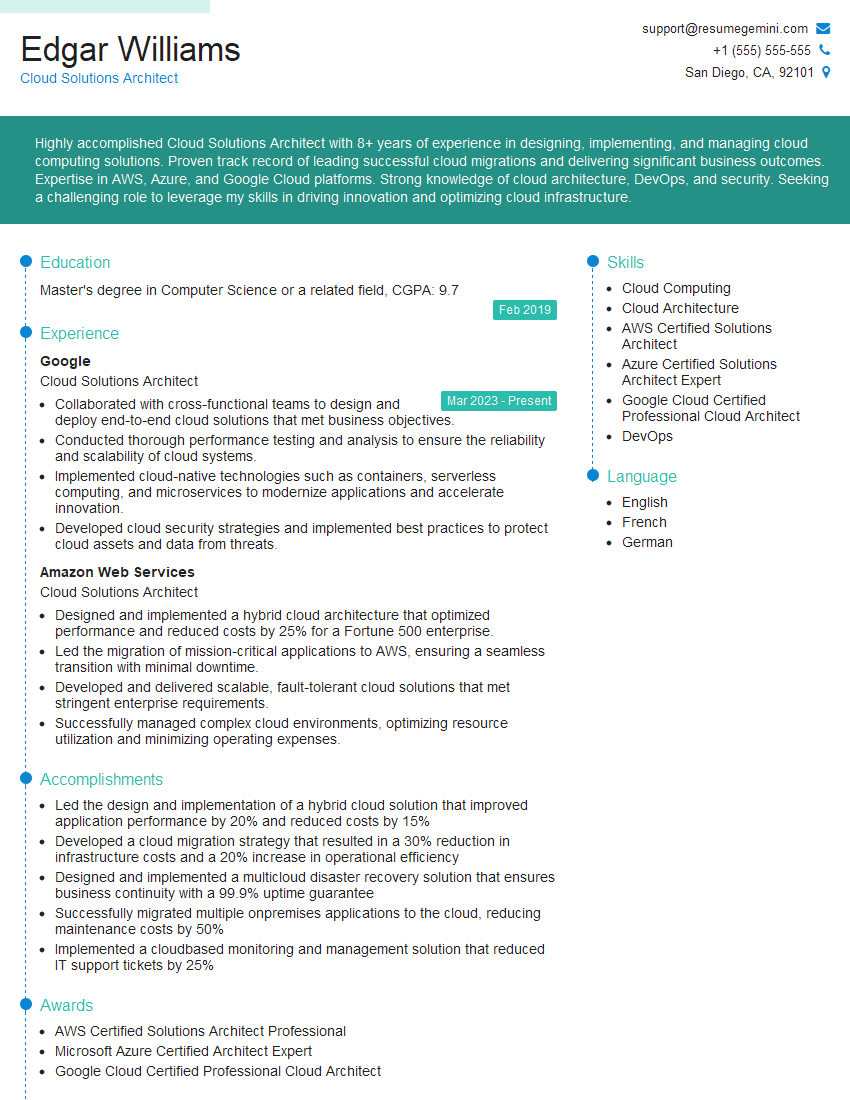
Cloud Solutions Architect Resume Sample
Explore more articles
Users Rating of Our Blogs
Share Your Experience
We value your feedback! Please rate our content and share your thoughts (optional).
What Readers Say About Our Blog
Attention music lovers!
Wow, All the best Sax Summer music !!!
Spotify: https://open.spotify.com/artist/6ShcdIT7rPVVaFEpgZQbUk
Apple Music: https://music.apple.com/fr/artist/jimmy-sax-black/1530501936
YouTube: https://music.youtube.com/browse/VLOLAK5uy_noClmC7abM6YpZsnySxRqt3LoalPf88No
Other Platforms and Free Downloads : https://fanlink.tv/jimmysaxblack
on google : https://www.google.com/search?q=22+AND+22+AND+22
on ChatGPT : https://chat.openai.com?q=who20jlJimmy20Black20Sax20Producer
Get back into the groove with Jimmy sax Black
Best regards,
Jimmy sax Black
www.jimmysaxblack.com
Hi I am a troller at The aquatic interview center and I suddenly went so fast in Roblox and it was gone when I reset.
Hi,
Business owners spend hours every week worrying about their website—or avoiding it because it feels overwhelming.
We’d like to take that off your plate:
$69/month. Everything handled.
Our team will:
Design a custom website—or completely overhaul your current one
Take care of hosting as an option
Handle edits and improvements—up to 60 minutes of work included every month
No setup fees, no annual commitments. Just a site that makes a strong first impression.
Find out if it’s right for you:
https://websolutionsgenius.com/awardwinningwebsites
Hello,
we currently offer a complimentary backlink and URL indexing test for search engine optimization professionals.
You can get complimentary indexing credits to test how link discovery works in practice.
No credit card is required and there is no recurring fee.
You can find details here:
https://wikipedia-backlinks.com/indexing/
Regards
NICE RESPONSE TO Q & A
hi
The aim of this message is regarding an unclaimed deposit of a deceased nationale that bears the same name as you. You are not relate to him as there are millions of people answering the names across around the world. But i will use my position to influence the release of the deposit to you for our mutual benefit.
Respond for full details and how to claim the deposit. This is 100% risk free. Send hello to my email id: lukachachibaialuka@gmail.com
Luka Chachibaialuka
Hey interviewgemini.com, just wanted to follow up on my last email.
We just launched Call the Monster, an parenting app that lets you summon friendly ‘monsters’ kids actually listen to.
We’re also running a giveaway for everyone who downloads the app. Since it’s brand new, there aren’t many users yet, which means you’ve got a much better chance of winning some great prizes.
You can check it out here: https://bit.ly/callamonsterapp
Or follow us on Instagram: https://www.instagram.com/callamonsterapp
Thanks,
Ryan
CEO – Call the Monster App
Hey interviewgemini.com, I saw your website and love your approach.
I just want this to look like spam email, but want to share something important to you. We just launched Call the Monster, a parenting app that lets you summon friendly ‘monsters’ kids actually listen to.
Parents are loving it for calming chaos before bedtime. Thought you might want to try it: https://bit.ly/callamonsterapp or just follow our fun monster lore on Instagram: https://www.instagram.com/callamonsterapp
Thanks,
Ryan
CEO – Call A Monster APP
To the interviewgemini.com Owner.
Dear interviewgemini.com Webmaster!
Hi interviewgemini.com Webmaster!
Dear interviewgemini.com Webmaster!
excellent
Hello,
We found issues with your domain’s email setup that may be sending your messages to spam or blocking them completely. InboxShield Mini shows you how to fix it in minutes — no tech skills required.
Scan your domain now for details: https://inboxshield-mini.com/
— Adam @ InboxShield Mini
support@inboxshield-mini.com
Reply STOP to unsubscribe
Hi, are you owner of interviewgemini.com? What if I told you I could help you find extra time in your schedule, reconnect with leads you didn’t even realize you missed, and bring in more “I want to work with you” conversations, without increasing your ad spend or hiring a full-time employee?
All with a flexible, budget-friendly service that could easily pay for itself. Sounds good?
Would it be nice to jump on a quick 10-minute call so I can show you exactly how we make this work?
Best,
Hapei
Marketing Director
Hey, I know you’re the owner of interviewgemini.com. I’ll be quick.
Fundraising for your business is tough and time-consuming. We make it easier by guaranteeing two private investor meetings each month, for six months. No demos, no pitch events – just direct introductions to active investors matched to your startup.
If youR17;re raising, this could help you build real momentum. Want me to send more info?
Hi, I represent an SEO company that specialises in getting you AI citations and higher rankings on Google. I’d like to offer you a 100% free SEO audit for your website. Would you be interested?
Hi, I represent an SEO company that specialises in getting you AI citations and higher rankings on Google. I’d like to offer you a 100% free SEO audit for your website. Would you be interested?