The right preparation can turn an interview into an opportunity to showcase your expertise. This guide to Ability to stay up-to-date with the latest visualization technologies and trends interview questions is your ultimate resource, providing key insights and tips to help you ace your responses and stand out as a top candidate.
Questions Asked in Ability to stay up-to-date with the latest visualization technologies and trends Interview
Q 1. What are the current trends in data visualization?
Current trends in data visualization are heavily influenced by the increasing volume and complexity of data, along with advancements in technology. We’re seeing a move towards more interactive, immersive, and accessible visualizations. Here are some key trends:
- Interactive Dashboards: Dashboards are evolving beyond simple static displays. They’re now incorporating features like drill-downs, filtering, and real-time updates to allow users to explore data dynamically. Think of a financial dashboard updating stock prices live, or a marketing dashboard showing campaign performance in real time.
- Augmented and Virtual Reality (AR/VR): AR/VR technologies are beginning to reshape data visualization by offering immersive experiences. Imagine exploring a 3D model of sales data or walking through a virtual representation of customer demographics.
- AI-powered Insights: Artificial intelligence is playing a larger role in data visualization. AI algorithms can automate the process of identifying patterns, trends, and anomalies, making it easier to derive meaningful insights from complex datasets. For instance, AI could automatically highlight key performance indicators (KPIs) on a dashboard.
- Focus on Storytelling and Explainability: The emphasis is shifting from simply presenting data to crafting compelling narratives around the data. Effective visualizations now emphasize clarity, context, and a compelling storyline to engage the audience effectively.
- Ethical Considerations and Data Privacy: There’s a growing awareness of the ethical implications of data visualization, particularly concerning bias, misrepresentation, and data privacy. The trend is towards more responsible data visualization practices, ensuring fairness and accuracy.
- Rise of AutoML and No-code/Low-code platforms: Tools that automate parts of the visualization process and allow for dashboard creation with minimal coding are becoming more popular, making data visualization accessible to a wider range of users.
Q 2. Compare and contrast Tableau and Power BI.
Tableau and Power BI are both leading business intelligence (BI) tools offering robust data visualization and analysis capabilities. However, they have key differences:
- Ease of Use: Tableau is generally considered more intuitive and easier to learn for beginners, with a more drag-and-drop interface. Power BI, while powerful, can have a steeper learning curve, especially for complex analyses.
- Data Connectivity: Both connect to various data sources, but their strengths differ. Tableau excels in connecting to various databases and cloud services, offering flexibility. Power BI integrates exceptionally well within the Microsoft ecosystem, making it a seamless choice for organizations heavily invested in Microsoft products.
- Visualization Capabilities: Both offer a wide range of chart types and customization options, but Tableau is often praised for its superior visualization quality and creative flexibility, allowing for more visually stunning and complex dashboards.
- Cost and Licensing: Tableau tends to have higher licensing costs, especially for enterprise deployments, whereas Power BI offers a free version alongside its paid tiers, making it more cost-effective for smaller organizations.
- Community and Support: Both have active online communities and extensive documentation, but Tableau’s community is arguably more mature and widely recognized.
In essence, the choice between Tableau and Power BI depends on your specific needs, technical expertise, budget, and existing IT infrastructure. If ease of use and visual appeal are paramount, Tableau might be preferable. If cost-effectiveness and deep integration within the Microsoft ecosystem are key, Power BI could be a better fit.
Q 3. Explain the difference between a heatmap and a scatter plot.
Heatmaps and scatter plots are both used to visualize data, but they represent different types of relationships:
- Heatmap: A heatmap uses color variations to represent the magnitude of a single variable across two other variables. It’s typically used to show the distribution of a value across a matrix. For instance, a heatmap could show the sales performance of different products across different regions, with darker colors representing higher sales.
- Scatter Plot: A scatter plot shows the relationship between two variables. Each point on the plot represents a data point, with its position determined by its values on the two axes. Scatter plots are ideal for identifying correlations between variables, such as the relationship between advertising spend and sales revenue.
The key difference lies in what they illustrate: heatmaps show the magnitude of a single variable across a matrix, while scatter plots show the relationship between two variables.
Q 4. Describe your experience with interactive dashboards.
I have extensive experience building interactive dashboards using both Tableau and Power BI. For instance, in my previous role, I developed a real-time sales dashboard for a retail company that allowed managers to track daily sales figures, identify top-performing products, and monitor inventory levels. This dashboard featured interactive elements like filtering by region, product category, and date range, as well as drill-down capabilities to view detailed sales data for individual stores.
Another project involved creating an interactive dashboard for a marketing team that visualized campaign performance metrics such as click-through rates, conversion rates, and cost per acquisition. This dashboard allowed the team to monitor the effectiveness of their marketing campaigns in real-time and make data-driven decisions to optimize their strategies. I have also utilized JavaScript libraries like D3.js to create custom interactive visualizations for more specific needs.
My approach to building interactive dashboards always emphasizes user experience and data clarity. I focus on designing intuitive interfaces that allow users to easily interact with the data and extract meaningful insights. I employ best practices for data visualization to ensure that the dashboards are not only visually appealing but also effective in communicating information.
Q 5. What are some best practices for designing effective data visualizations?
Designing effective data visualizations is crucial for communicating insights clearly and accurately. Here are some best practices:
- Know Your Audience: Tailor your visualizations to the audience’s knowledge level and needs. Avoid technical jargon if your audience isn’t familiar with it.
- Choose the Right Chart Type: Select the chart type that best represents the data and the message you want to convey. Don’t force data into a chart type that isn’t appropriate.
- Simplicity and Clarity: Avoid clutter and unnecessary details. Use clear and concise labels, titles, and legends.
- Color Palette: Use a consistent and visually appealing color palette. Avoid using too many colors, which can be distracting.
- Data Integrity: Ensure the data is accurate and presented honestly. Avoid manipulating data to support a preconceived notion.
- Accessibility: Make your visualizations accessible to people with disabilities, following accessibility guidelines.
- Storytelling: Structure your visualizations to tell a story. Guide the viewer through the data and highlight key findings.
- Iterative Design: Don’t expect to create a perfect visualization on the first try. Iterate on your design based on feedback and testing.
Q 6. How do you choose the right visualization type for a given dataset?
Choosing the right visualization type depends on the type of data you have and the insights you want to communicate. Here’s a framework:
- Type of Data: Is your data categorical, numerical, or temporal? Different chart types are better suited for different data types.
- Relationship between Variables: Do you want to show the relationship between two variables (scatter plot, line chart), the distribution of a single variable (histogram, box plot), or the composition of a whole (pie chart, bar chart)?
- Insights to Communicate: What story are you trying to tell? Choose a chart type that effectively highlights the key insights.
For example, if you want to show the change in sales over time, a line chart would be appropriate. If you want to compare the sales of different products, a bar chart might be better. If you want to explore the relationship between advertising spend and sales, a scatter plot would be suitable.
Consider using a visualization selection guide or flowchart as a helpful tool to narrow down the options.
Q 7. What experience do you have with D3.js or other JavaScript visualization libraries?
I have significant experience with D3.js, a powerful JavaScript library for creating dynamic and interactive data visualizations. I’ve used it to build custom visualizations that weren’t readily available in traditional BI tools. For example, I developed a network graph using D3.js to visualize the relationships between different entities in a large dataset, showcasing connections that wouldn’t have been easily apparent with other methods.
My proficiency extends beyond just basic chart creation. I’m comfortable working with D3’s API to handle data manipulation, create custom scales and axes, implement interactions like tooltips and zooming, and integrate visualizations with other web technologies like React or Angular. I have also worked with other JavaScript visualization libraries such as Chart.js and Highcharts for specific project needs, selecting the library best suited for the task at hand.
I understand the trade-offs between using a dedicated BI tool and a JavaScript library like D3.js. While BI tools offer convenience and ease of use, D3.js provides unparalleled flexibility and control over the visual representation of data, making it invaluable when highly customized visualizations are required.
Q 8. Describe your process for staying up-to-date with new visualization technologies.
Staying current in the dynamic field of data visualization requires a multi-pronged approach. It’s not just about knowing the latest tools; it’s about understanding the evolving best practices and design principles. My process involves a combination of active learning and continuous exploration.
- Following Key Influencers and Publications: I regularly follow leading data visualization experts on platforms like Twitter and LinkedIn, subscribing to their newsletters and attending their webinars. I also stay abreast of publications like IEEE Transactions on Visualization and Computer Graphics and blogs from companies like Tableau and Power BI, which often publish insightful articles on new techniques and trends.
- Attending Conferences and Workshops: Industry conferences such as VIS, InfoVis, and SIGGRAPH provide invaluable opportunities to network with peers, learn about cutting-edge research, and see the latest visualization tools in action. Workshops offer more hands-on experience with specific technologies.
- Experimenting with New Tools and Techniques: I actively explore new visualization libraries (like D3.js, Plotly, or Altair) and software (Tableau, Power BI, Qlik Sense). I often dedicate time to personal projects to implement and evaluate these tools in practice. This hands-on experience solidifies my understanding and allows me to identify their strengths and weaknesses.
- Online Courses and Tutorials: Platforms like Coursera, edX, and Udemy offer excellent courses on data visualization, covering topics ranging from fundamental principles to advanced techniques like interactive visualizations and 3D rendering. These courses often keep their materials up-to-date.
This combined approach ensures I’m not only aware of the newest tools but also understand the underlying principles driving their development, allowing me to make informed choices about which technologies are best suited for specific projects and data types.
Q 9. What are some common challenges in data visualization, and how do you overcome them?
Data visualization, while powerful, presents several common challenges. Overcoming these requires a blend of technical skill and design thinking.
- Data Complexity and Volume: Handling massive datasets requires efficient data processing and aggregation techniques. Employing tools like Apache Spark or cloud-based solutions for pre-processing can significantly reduce the visualization load. Smart sampling and data reduction techniques are also critical.
- Choosing the Right Visualization Type: Selecting the appropriate chart type depends heavily on the data type and the message being conveyed. Misusing a chart type can lead to misleading or inaccurate interpretations. A thorough understanding of different chart types and their suitability is essential. For example, using a pie chart for more than 6 categories is often problematic.
- Data Noise and Outliers: Outliers and noisy data can distort the visualization and mask important trends. Careful data cleaning and preprocessing are necessary, sometimes requiring domain expertise to identify which data points are truly anomalies versus legitimate data points.
- Communication and Interpretation: Effectively communicating insights requires careful design choices, clear labeling, and concise explanations. A poorly designed visualization can confuse rather than clarify. Iteration and user feedback are crucial in this process.
I address these challenges through careful planning, iterative design, and a deep understanding of data analysis techniques. I always begin by clearly defining the goals of the visualization and the target audience, then select the appropriate tools and methods accordingly. Rigorous testing and feedback cycles ensure the final visualization is accurate, effective, and accessible.
Q 10. Explain your experience with data storytelling.
Data storytelling is a critical aspect of effective data visualization. It’s about weaving a narrative around the data, transforming raw numbers into compelling insights that resonate with the audience. My experience involves transforming complex data sets into engaging narratives that guide the viewer to key findings.
For instance, in a recent project analyzing customer churn, I didn’t simply present a graph showing churn rates. Instead, I created an interactive dashboard that allowed users to explore churn patterns by demographics, service usage, and customer support interactions. The narrative was built around a series of visualizations that progressively revealed the root causes of churn, leading to actionable recommendations. I also used annotations and tooltips to highlight key data points and their significance within the context of the story.
My approach to data storytelling emphasizes clarity, conciseness, and engagement. I start by identifying the key message and then structure the visualization and narrative to support that message. This might involve using a combination of charts, maps, and other visual elements, ensuring each element plays a specific role in conveying the story.
Q 11. What are the ethical considerations involved in presenting data visually?
Ethical considerations are paramount in data visualization. The way data is presented can significantly influence how it’s interpreted, making it crucial to avoid misleading or manipulative visualizations. Key ethical considerations include:
- Accuracy and Transparency: Data should be accurately represented, and any manipulations or transformations should be clearly disclosed. This ensures the audience can trust the information presented.
- Context and Clarity: The visualization should provide sufficient context for accurate interpretation. Ambiguous labels or misleading scales can lead to misinterpretations.
- Avoidance of Bias: Visualizations should be designed to avoid reinforcing existing biases, whether conscious or unconscious. Careful selection of data and chart types is essential to minimize bias.
- Accessibility and Inclusivity: Visualizations should be accessible to all audiences, including those with disabilities. This involves considerations such as color contrast, alternative text for images, and keyboard navigation.
- Data Privacy and Security: When dealing with sensitive data, appropriate measures must be taken to protect privacy and comply with relevant regulations.
I ensure ethical data visualization by following these principles rigorously. I always prioritize data accuracy, transparency, and context. I also consult relevant ethical guidelines and best practices throughout the visualization design and development process. Finally, I encourage thorough peer review and feedback to identify potential biases and ethical concerns.
Q 12. How do you handle large datasets for visualization?
Handling large datasets for visualization requires a strategic approach focusing on data reduction, efficient processing, and appropriate visualization techniques. Here’s how I typically handle this:
- Data Sampling and Aggregation: For extremely large datasets, I often use statistical sampling techniques to create a representative subset of the data for visualization. This reduces processing time without significantly compromising the accuracy of the insights. Aggregation techniques, like summarizing data by grouping variables, also help reduce dataset size.
- Data Preprocessing and Cleaning: Cleaning and preparing the data is crucial before visualization. This includes handling missing values, outliers, and inconsistencies. Tools like Pandas in Python or equivalent functions in R are invaluable for this task.
- Efficient Visualization Tools: Cloud-based visualization platforms (like AWS QuickSight or Google Data Studio) are often designed to handle large datasets efficiently. These platforms utilize optimized algorithms and distributed computing resources for fast processing.
- Interactive Exploration and Filtering: Instead of trying to visualize the entire dataset at once, I design interactive visualizations that allow users to explore subsets of data based on their interests. This provides a more manageable and insightful experience.
- Data Summarization Techniques: When dealing with extremely large datasets, visualizing summaries and aggregated data often proves more effective. For example, instead of displaying every individual data point, presenting key statistics and distributions can be more insightful.
Choosing the right combination of these strategies depends on the specific dataset, visualization goals, and available resources. The key is to find a balance between data fidelity and computational feasibility.
Q 13. What is your experience with cloud-based visualization platforms (e.g., AWS QuickSight, Google Data Studio)?
I have extensive experience with cloud-based visualization platforms, particularly AWS QuickSight and Google Data Studio. Both offer powerful features for building and deploying interactive dashboards, but they cater to slightly different needs.
AWS QuickSight: I find QuickSight particularly well-suited for integrating with other AWS services, making it ideal for organizations already heavily invested in the AWS ecosystem. Its strength lies in its robust integration with other AWS data services like Redshift and S3, enabling efficient data ingestion and processing. I’ve used it for creating interactive dashboards for business intelligence, leveraging its capabilities for real-time data updates and complex calculations.
Google Data Studio (now Looker Studio): Google Data Studio (now Looker Studio) excels in its ease of use and integration with Google’s suite of products, such as Google Sheets and BigQuery. Its intuitive interface makes it easier for less technically proficient users to build and share dashboards. I have used it for projects requiring quick turnaround times and simpler visualizations, often incorporating data from various Google services.
The choice between these platforms depends on the specific project requirements, existing infrastructure, and technical expertise within the team. Both are valuable tools, and my familiarity with both allows me to choose the most appropriate platform for each project.
Q 14. Describe your experience with different visualization formats (e.g., static, interactive, animated).
My experience encompasses a wide range of visualization formats, each offering distinct advantages and disadvantages.
- Static Visualizations: These are traditional charts and graphs that are fixed and unchanging. They are suitable for presentations, reports, and situations where a single snapshot of the data is sufficient. Examples include static bar charts, line graphs, and pie charts created in tools like Excel or PowerPoint. They are simple to create and understand, but lack interactivity.
- Interactive Visualizations: These visualizations allow users to interact with the data, exploring different aspects and filtering subsets. They are ideal for exploring large datasets and identifying patterns that might be missed in a static visualization. Tools like Tableau, Power BI, and D3.js are commonly used to create interactive dashboards and visualizations. The added interactivity enhances understanding and allows users to drill down into the data.
- Animated Visualizations: These bring data to life by showing changes over time or other dimensions. Animations can highlight trends and patterns more effectively than static visualizations, making them particularly useful for showcasing time-series data or complex relationships. Tools like D3.js and specialized animation libraries can be used to create compelling animated visualizations. However, they require more technical expertise and can be more computationally expensive.
My ability to choose the best format depends on the nature of the data, the audience, and the key insights to be conveyed. Often, a combination of these formats is most effective. For example, I might use a static overview chart to provide a general context, and then incorporate interactive elements to allow users to explore the data more deeply.
Q 15. Explain your proficiency in creating visualizations with Python libraries (e.g., Matplotlib, Seaborn).
My proficiency in Python visualization libraries like Matplotlib and Seaborn is extensive. I’ve used them extensively for diverse projects, from simple bar charts to complex interactive dashboards. Matplotlib provides a foundational level of control, allowing me to fine-tune every aspect of a plot. For instance, I can precisely adjust axis labels, tick marks, legends, and annotations to create highly customized visualizations. Seaborn, built on top of Matplotlib, offers a higher-level interface with statistically informative plots, making it ideal for quickly generating aesthetically pleasing and insightful visualizations. I frequently use Seaborn’s functions for creating distributions (histograms, KDE plots), relational plots (scatter plots, regression lines), and categorical plots (bar plots, box plots) to effectively communicate data patterns.
For example, in a recent project analyzing customer sales data, I used Seaborn’s relplot() function to create a scatter plot showing the correlation between customer age and purchase amount. Then, I leveraged Matplotlib’s customization features to add regression lines, labels, and a title, resulting in a clear and impactful visualization. I can also create complex visualizations using subplots, effectively combining multiple views of the data within a single figure. I’m comfortable with manipulating plot aesthetics, including colors, styles, and fonts, to align with branding guidelines and enhance readability.
import matplotlib.pyplot as plt
import seaborn as sns
# Sample code: creating a scatter plot with Seaborn and customizing with Matplotlib
data = sns.load_dataset('iris')
sns.scatterplot(x='sepal_length', y='sepal_width', hue='species', data=data)
plt.title('Sepal Length vs. Sepal Width')
plt.xlabel('Sepal Length (cm)')
plt.ylabel('Sepal Width (cm)')
plt.show()
Career Expert Tips:
- Ace those interviews! Prepare effectively by reviewing the Top 50 Most Common Interview Questions on ResumeGemini.
- Navigate your job search with confidence! Explore a wide range of Career Tips on ResumeGemini. Learn about common challenges and recommendations to overcome them.
- Craft the perfect resume! Master the Art of Resume Writing with ResumeGemini’s guide. Showcase your unique qualifications and achievements effectively.
- Don’t miss out on holiday savings! Build your dream resume with ResumeGemini’s ATS optimized templates.
Q 16. How familiar are you with data visualization best practices for accessibility?
Accessibility in data visualization is paramount. I’m deeply familiar with the principles and best practices for creating visualizations that are usable by everyone, including people with disabilities. This involves considering colorblindness, low vision, and cognitive differences.
- Color palettes: I avoid using color alone to convey information, relying instead on patterns, shapes, or labels in conjunction with color. I frequently use colorblind-friendly palettes readily available in libraries like Seaborn or through online tools.
- Sufficient contrast: I ensure adequate contrast between foreground and background elements to make the visualization easy to read for people with low vision. Tools like WebAIM’s contrast checker help verify sufficient contrast ratios.
- Clear labeling and annotations: I always use clear, concise labels for all axes, legends, and data points. This helps those with cognitive impairments to understand the information quickly and accurately.
- Alternative text: For interactive or web-based visualizations, I ensure that all images and charts have appropriate alternative text descriptions so screen readers can convey the information to visually impaired users.
- Data tables: Whenever feasible, I provide data tables in addition to visual charts, providing an alternative way to access the data for users who find visuals difficult to interpret.
In essence, my approach is to design for inclusivity from the start, ensuring that the visualizations are not only visually appealing but also universally accessible.
Q 17. What are your thoughts on the future of data visualization?
The future of data visualization is incredibly exciting! I foresee several key trends:
- Increased interactivity and automation: More visualizations will be interactive, allowing users to explore data dynamically and at their own pace. Automation tools will help streamline the creation of visualizations from raw data, saving time and resources.
- AI-powered insights: Artificial intelligence and machine learning will play a larger role in analyzing data and automatically suggesting the most appropriate visualization types. This will help non-experts create effective visualizations.
- Augmented and virtual reality (AR/VR): Immersive visualization technologies, like AR and VR, will offer novel ways to explore high-dimensional data.
- Ethical considerations: Greater focus will be given to ethical implications of data visualization, emphasizing transparency, data integrity, and avoiding misleading representations.
- Focus on storytelling: Data visualization will increasingly become a powerful tool for storytelling, enabling data scientists to share insights in a compelling and memorable manner.
For example, I expect to see more widespread adoption of tools that allow for the creation of 3D interactive models to visualize complex datasets, making it easier for users to explore spatial relationships in the data. In short, the future will involve seamless integration of cutting-edge technology with human-centered design principles, creating more accessible, impactful, and insightful visualizations.
Q 18. What are some common data visualization pitfalls to avoid?
Several common pitfalls can severely hinder the effectiveness of data visualizations. These include:
- Overly complex charts: Using too many data points, colors, or chart elements creates confusion, obscuring the key message. Simplicity and clarity are crucial.
- Misleading scales and axes: Manipulating axes or scales can distort the data and create a false impression. Maintaining consistent and appropriate scales is essential.
- Lack of context: Without proper titles, labels, and annotations, visualizations lack context and meaning. Readers cannot interpret the information accurately.
- Poorly chosen chart type: Employing an inappropriate chart type for the data obscures insights. For example, using a pie chart for many categories makes it difficult to compare them.
- Ignoring the audience: The level of detail and complexity should be tailored to the audience’s understanding. Technical audiences can handle more complex visualizations than general audiences.
To avoid these pitfalls, I always start by clearly defining the key message and selecting the simplest and most appropriate chart type for my data. I meticulously check axes, scales, and labels to ensure accuracy. Finally, I always test my visualizations on a target audience to ensure clarity and comprehension.
Q 19. How do you ensure data accuracy and integrity in your visualizations?
Data accuracy and integrity are non-negotiable for any visualization. I employ several strategies to ensure these aspects:
- Data validation: I meticulously check the data for inconsistencies, errors, and outliers before any visualization is created. This includes checking data types, ranges, and distributions.
- Data source verification: I carefully assess the reliability and credibility of the data source. I document the source and methodology for future reference and transparency.
- Version control: I use version control (e.g., Git) to track data changes, allowing for easy rollback if necessary.
- Documentation: I always provide clear and comprehensive documentation of the data, its cleaning process, and any transformations applied before visualization. This improves transparency and reproducibility.
- Peer review: I encourage peer review of my visualizations to identify potential errors or biases that I may have overlooked.
By rigorously following these steps, I aim for complete transparency and trust in the data presented, avoiding any possibility of misrepresentation or misinterpretation.
Q 20. What techniques do you use for data cleaning and preparation before visualization?
Data cleaning and preparation are crucial steps before any visualization. My process typically involves:
- Handling missing values: I identify and address missing data using appropriate techniques such as imputation or removal, based on the nature of the data and the missingness mechanism.
- Outlier detection and treatment: I identify and address outliers through statistical methods or domain-specific knowledge, deciding whether to remove them or transform them.
- Data transformation: I transform data as needed using techniques like standardization, normalization, or log transformations to improve the clarity and interpretability of visualizations.
- Data type conversion: I ensure that data is in the correct format for analysis and visualization, converting between categorical and numerical data types as necessary.
- Data aggregation and grouping: I aggregate or group data to achieve the desired level of detail for the visualization, depending on the intended insights.
For example, if I encountered missing values in a dataset, I’d carefully consider imputation methods, potentially using k-Nearest Neighbors or mean imputation based on the nature of the data. If dealing with skewed data, I would use appropriate transformations such as a logarithmic transformation to improve the symmetry and interpretability.
Q 21. How do you incorporate user feedback into the design process for data visualizations?
Incorporating user feedback is fundamental to creating effective visualizations. My approach involves:
- Usability testing: I conduct usability testing with representative users, observing how they interact with the visualizations and gathering feedback on clarity, comprehension, and overall effectiveness.
- Surveys and questionnaires: I use surveys and questionnaires to collect more structured feedback on specific aspects of the visualization, such as the effectiveness of the chart type, the clarity of labels, and overall satisfaction.
- Iterative design: I iterate on the visualization design based on user feedback, refining aspects until the visualization effectively conveys the intended message.
- Open communication: I maintain open communication throughout the design process, actively seeking feedback from stakeholders and incorporating their suggestions into the final design.
For example, during a recent project visualizing financial data, early feedback revealed that the chosen color scheme was difficult for some users to interpret. This led me to redesign the color palette using a colorblind-friendly alternative, significantly improving the visualization’s accessibility and effectiveness. The iterative process ensures that the final product aligns with user needs and expectations.
Q 22. Describe your experience working with different types of data (e.g., numerical, categorical, temporal).
My experience spans a wide range of data types. I’m comfortable working with numerical data, such as sales figures or stock prices, which often lend themselves to line charts, scatter plots, or bar charts to show trends and correlations. Categorical data, like customer segments or product categories, is frequently visualized using pie charts, bar charts, or treemaps to illustrate proportions and distributions. Temporal data, involving time series like website traffic or weather patterns, requires specialized visualizations like line charts, area charts, or calendar heatmaps to effectively represent changes over time.
For example, when analyzing website user behavior, I might use a line chart to show daily website visits over a year, a bar chart to compare user engagement across different demographics (categorical), and a heatmap to visualize user activity across different days and hours (temporal). Understanding the nuances of each data type informs my choice of visualization method, ensuring accurate and insightful representations.
Q 23. Explain your approach to selecting appropriate color palettes for visualizations.
Selecting color palettes is crucial for effective visualization; a poorly chosen palette can obscure data or even mislead the viewer. My approach involves considering several factors:
- Data Type and Purpose: Sequential palettes (e.g., light to dark) work well for continuous numerical data, whereas categorical data benefits from distinct, easily distinguishable colors. The purpose of the visualization – to highlight differences, show trends, or tell a story – also influences palette choice.
- Accessibility and Colorblindness: I always prioritize palettes that are accessible to individuals with color vision deficiencies. Tools like Color Brewer provide palettes optimized for colorblindness, ensuring inclusivity.
- Context and Branding: The overall context of the visualization and any existing branding guidelines should also be considered. Consistency with corporate colors, for example, can enhance visual coherence.
- Data Density: For visualizations with high data density, simpler, less saturated palettes prevent visual clutter and aid readability.
For instance, I might use a sequential palette based on shades of blue for displaying temperature data, where darker shades represent higher temperatures. For showing different product categories, I’d use a diverse palette with perceptually distinct colors, ensuring each category is easily identified.
Q 24. How do you measure the effectiveness of your data visualizations?
Measuring the effectiveness of data visualizations is key to ensuring they achieve their intended purpose. I use a multi-faceted approach:
- Clear Communication of Insights: The primary metric is whether the visualization effectively conveys the intended message and insights to the audience. This involves qualitative feedback and observation.
- Data Accuracy and Integrity: The visualization must accurately reflect the underlying data, without misrepresenting or manipulating information. This requires rigorous data validation and checking.
- Engagement and Comprehension: I assess how well the audience understands and interacts with the visualization. This can be measured through observation, surveys, or A/B testing.
- Actionability: A successful visualization drives action or decision-making based on the presented insights. Tracking subsequent actions related to the visualization provides valuable feedback on its effectiveness.
For instance, if a dashboard I created led to a 15% increase in sales conversion, that’s strong evidence of its effectiveness. Conversely, if viewers express confusion or misunderstanding, it highlights areas for improvement.
Q 25. Describe a time when you had to explain a complex dataset through visualization.
I once had to explain a complex dataset showing the relationship between customer demographics, purchase history, and product preferences. The initial data was spread across multiple spreadsheets and difficult to interpret. To make it accessible, I developed an interactive dashboard using Tableau. This dashboard used a combination of filtered geographic maps to show customer location, bar charts comparing purchase frequency and value across demographics, and a network graph highlighting relationships between customer segments and product categories. The interactive elements allowed the stakeholders to drill down into specific segments and explore the data at various levels of detail. The result was a far more comprehensible representation, leading to actionable insights for targeted marketing campaigns.
Q 26. How do you manage your time when working on multiple visualization projects?
Managing multiple visualization projects requires a structured approach. I employ project management methodologies, such as Agile or Kanban, to prioritize tasks and allocate time effectively. This involves breaking down large projects into smaller, manageable tasks, creating detailed timelines, and setting realistic deadlines. I also utilize tools like Trello or Asana for task management and collaboration. Regular review meetings help track progress, identify potential roadblocks, and ensure projects stay on track.
Effective communication with stakeholders is vital; clear expectations and regular updates prevent misunderstandings and delays. Timeboxing specific tasks and setting aside dedicated time for each project ensures focused effort and prevents burnout.
Q 27. What are your preferred tools for creating and sharing data visualizations?
My preferred tools depend on the project’s scope and complexity. For interactive dashboards and complex visualizations, Tableau and Power BI are excellent choices, offering robust features and a user-friendly interface. For static visualizations and publication-quality graphics, I use tools like Adobe Illustrator or Inkscape. For creating highly customized and interactive visualizations, I leverage Python libraries like Matplotlib, Seaborn, and Plotly, offering greater control and flexibility.
Sharing visualizations involves using platforms like data storytelling platforms or embedding them into presentations or reports. Collaboration tools like GitHub and cloud storage services are essential for sharing project files and ensuring version control.
Q 28. Describe a situation where you had to adapt your visualization strategy to meet a specific audience’s needs.
In a project for a senior management team, I initially created a highly detailed visualization with numerous metrics and charts. However, the feedback revealed that the level of detail was overwhelming and obscured the key insights they needed. I adapted my strategy by simplifying the visualization, focusing on only the most critical metrics. I used a more concise narrative, focusing on a clear, impactful message, rather than presenting the entire dataset. This revised approach made the data more digestible for the executives, resulting in faster comprehension and clearer decision-making.
This experience underscored the importance of tailoring visualizations to the specific audience and their information needs. A visualization’s effectiveness isn’t solely measured by its technical sophistication, but by its clarity and relevance to the viewer.
Key Topics to Learn for Ability to Stay Up-to-Date with the Latest Visualization Technologies and Trends Interview
- Understanding Visualization Trends: Explore the current landscape of data visualization. This includes recognizing dominant trends like interactive dashboards, augmented reality visualizations, and the increasing use of AI in visualization tools.
- Technological Proficiency: Demonstrate familiarity with key visualization technologies. This could encompass popular libraries like D3.js, Tableau, Power BI, or specialized software like ArcGIS. Be ready to discuss your experience with different tools and their strengths.
- Data Storytelling & Communication: Explain how you translate complex data into compelling visual narratives. Practice explaining your choices in design and how specific visualizations effectively communicate insights.
- Best Practices & Ethical Considerations: Discuss responsible data visualization practices, including avoiding misleading charts, ensuring accessibility, and considering the ethical implications of data representation.
- Staying Current: Describe your methods for keeping abreast of new technologies and trends. Mention relevant blogs, publications, conferences, or online communities you follow.
- Problem-Solving with Visualizations: Prepare examples where you used visualization to solve a real-world problem. Focus on the process, the challenges you faced, and the impact of your solution.
- Future Trends in Visualization: Research emerging areas like 3D visualization, geospatial analytics, and the integration of visualization with other technologies (e.g., machine learning).
Next Steps
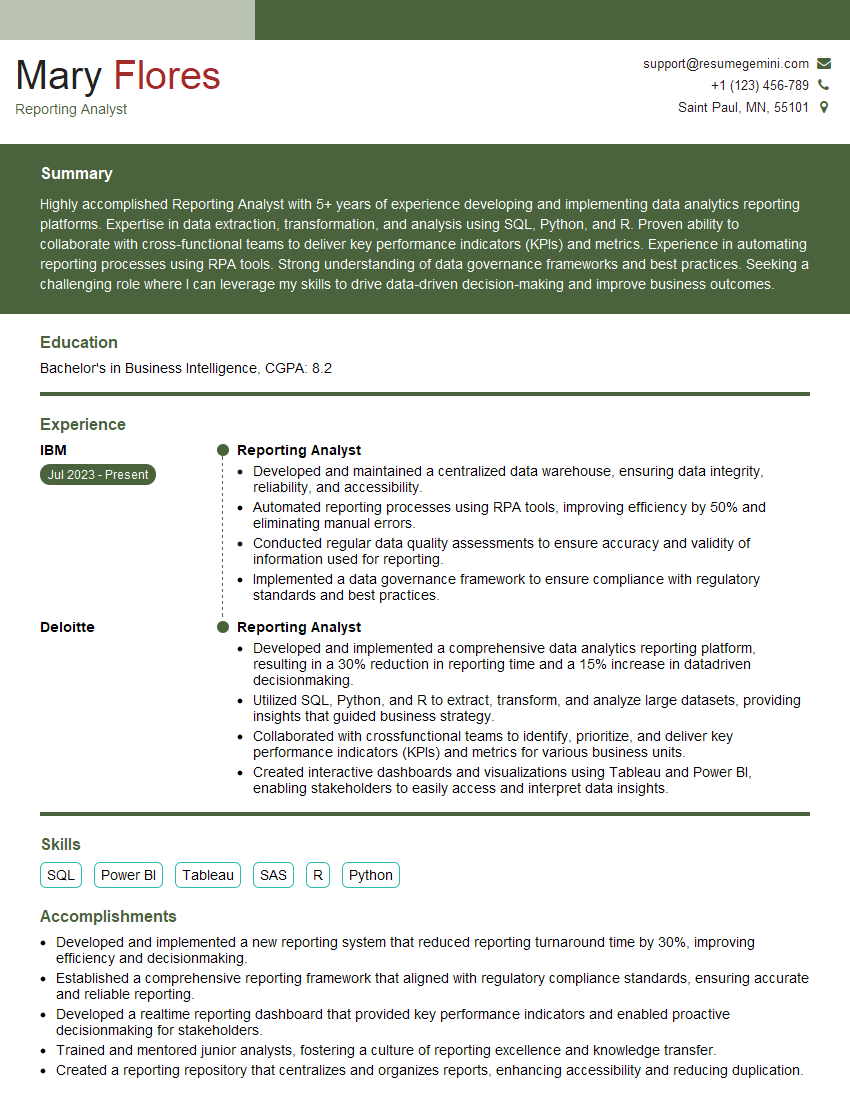
Mastering the ability to stay current with visualization technologies is crucial for career advancement in this rapidly evolving field. Demonstrating this skill not only showcases your technical abilities but also your commitment to continuous learning and professional growth. To increase your chances of landing your dream role, focus on building a strong, ATS-friendly resume that highlights your relevant skills and experience. ResumeGemini is a trusted resource to help you create a professional and impactful resume that showcases your expertise in data visualization. Examples of resumes tailored to highlight proficiency in staying up-to-date with the latest visualization technologies and trends are available to help guide you.



Explore more articles
Users Rating of Our Blogs
Share Your Experience
We value your feedback! Please rate our content and share your thoughts (optional).
What Readers Say About Our Blog
Very informative content, great job.
good